Hamburg, 24.04.2015
Smartwatch UX: 7 Guidelines for greater Apps
Do not mistake a smartwatch
for a small smartphone.
2
Which content belongs on your
wrist — and which does not?
3
How is good user experience
defined?
4
How do you achieve a great user
experience on a smartwatch?
5
CELLULAR’s 7 guidelines:
6
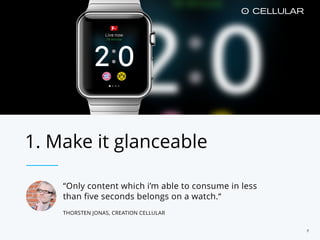
“Only content which i’m able to consume in less
than five seconds belongs on a watch.“
THORSTEN JONAS, CREATION CELLULAR
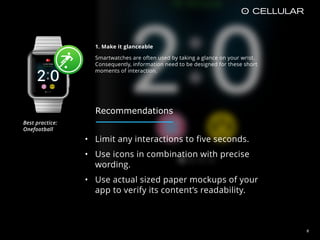
1. Make it glanceable
7
• Limit any interactions to five seconds.
• Use icons in combination with precise
wording.
• Use actual sized paper mockups of your
app to verify its content’s readability.
1. Make it glanceable
Smartwatches are often used by taking a glance on your wrist.
Consequently, information need to be designed for these short
moments of interaction.
8
Recommendations
Best practice: 

Onefootball
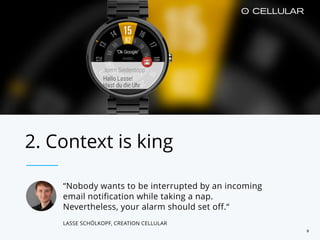
“Nobody wants to be interrupted by an incoming
email notification while taking a nap.
Nevertheless, your alarm should set off.“
LASSE SCHÖLKOPF, CREATION CELLULAR
2. Context is king
9
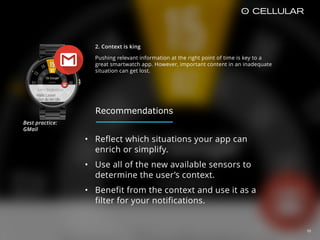
2. Context is king
Pushing relevant information at the right point of time is key to a
great smartwatch app. However, important content in an inadequate
situation can get lost.
10
• Reflect which situations your app can
enrich or simplify.
• Use all of the new available sensors to
determine the user’s context.
• Benefit from the context and use it as a
filter for your notifications.
Best practice: 

GMail
Recommendations
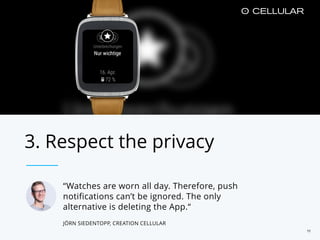
“Watches are worn all day. Therefore, push
notifications can’t be ignored. The only
alternative is deleting the App.“
JÖRN SIEDENTOPP, CREATION CELLULAR
3. Respect the privacy
11
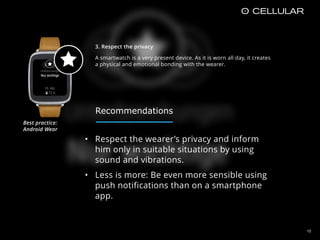
3. Respect the privacy
A smartwatch is a very present device. As it is worn all day, it creates
a physical and emotional bonding with the wearer.
12
• Respect the wearer’s privacy and inform
him only in suitable situations by using
sound and vibrations.
• Less is more: Be even more sensible using
push notifications than on a smartphone
app.
Best practice: 

Android Wear
Recommendations
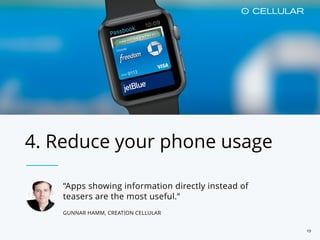
4. Reduce your phone usage
“Apps showing information directly instead of
teasers are the most useful.“
GUNNAR HAMM, CREATION CELLULAR
13
14
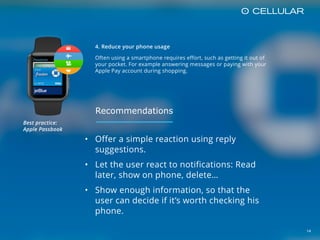
4. Reduce your phone usage
Often using a smartphone requires effort, such as getting it out of
your pocket. For example answering messages or paying with your
Apple Pay account during shopping.
• Offer a simple reaction using reply
suggestions.
• Let the user react to notifications: Read
later, show on phone, delete…
• Show enough information, so that the
user can decide if it’s worth checking his
phone.
Best practice: 

Apple Passbook
Recommendations
15
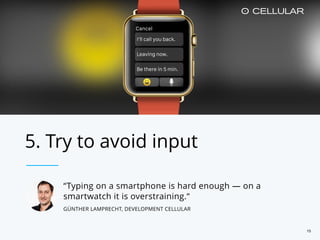
“Typing on a smartphone is hard enough — on a
smartwatch it is overstraining.“
GÜNTHER LAMPRECHT, DEVELOPMENT CELLULAR
5. Try to avoid input
16
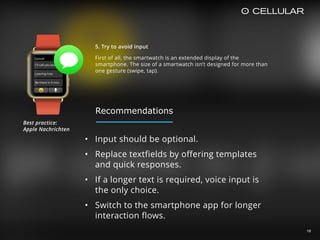
5. Try to avoid input
First of all, the smartwatch is an extended display of the
smartphone. The size of a smartwatch isn’t designed for more than
one gesture (swipe, tap).
• Input should be optional.
• Replace textfields by offering templates
and quick responses.
• If a longer text is required, voice input is
the only choice.
• Switch to the smartphone app for longer
interaction flows.
Best practice: 

Apple Nachrichten
Recommendations
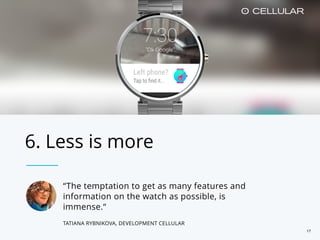
6. Less is more
“The temptation to get as many features and
information on the watch as possible, is
immense.“
TATIANA RYBNIKOVA, DEVELOPMENT CELLULAR
17
18
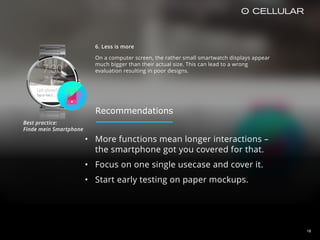
6. Less is more
On a computer screen, the rather small smartwatch displays appear
much bigger than their actual size. This can lead to a wrong
evaluation resulting in poor designs.
• More functions mean longer interactions –
the smartphone got you covered for that.
• Focus on one single usecase and cover it.
• Start early testing on paper mockups.
Best practice: 

Finde mein Smartphone
Recommendations
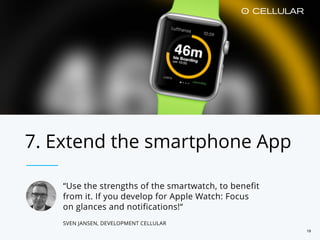
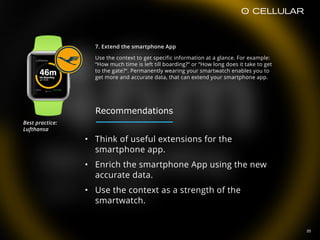
7. Extend the smartphone App
“Use the strengths of the smartwatch, to benefit
from it. If you develop for Apple Watch: Focus
on glances and notifications!“
SVEN JANSEN, DEVELOPMENT CELLULAR
19
20
7. Extend the smartphone App
Use the context to get specific information at a glance. For example:
“How much time is left till boarding?“ or “How long does it take to get
to the gate?“. Permanently wearing your smartwatch enables you to
get more and accurate data, that can extend your smartphone app.
• Think of useful extensions for the
smartphone app.
• Enrich the smartphone App using the new
accurate data.
• Use the context as a strength of the
smartwatch.
Best practice: 

Lufthansa
Recommendations
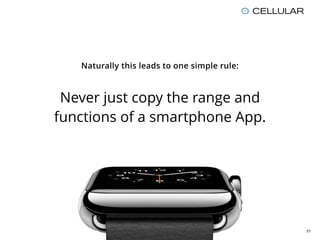
Naturally this leads to one simple rule:
Never just copy the range and
functions of a smartphone App.
21
22
CELLULAR Hamburg
Große Elbstraße 39
22767 Hamburg
Germany
CELLULAR Austria
Hermanngasse 18
1070 Wien
Austria
Fin
Credits:
Apple Watch Mockups by Meng To, Apple Watch Product Photos by Apple
Thorsten Jonas
Head of Concept
tjonas@cellular.de
Jörn Siedentopp
Senior Konzepter
Lasse Schölkopf
Junior Konzepter
Jakob Stecher
Junior Konzepter

Apple Watch / Smartwatch UX: 7 Guidelines for greater Apps

  • 1.
    Hamburg, 24.04.2015 Smartwatch UX:7 Guidelines for greater Apps
  • 2.
    Do not mistakea smartwatch for a small smartphone. 2
  • 3.
    Which content belongson your wrist — and which does not? 3
  • 4.
    How is gooduser experience defined? 4
  • 5.
    How do youachieve a great user experience on a smartwatch? 5
  • 6.
  • 7.
    “Only content whichi’m able to consume in less than five seconds belongs on a watch.“ THORSTEN JONAS, CREATION CELLULAR 1. Make it glanceable 7
  • 8.
    • Limit anyinteractions to five seconds. • Use icons in combination with precise wording. • Use actual sized paper mockups of your app to verify its content’s readability. 1. Make it glanceable Smartwatches are often used by taking a glance on your wrist. Consequently, information need to be designed for these short moments of interaction. 8 Recommendations Best practice: 
 Onefootball
  • 9.
    “Nobody wants tobe interrupted by an incoming email notification while taking a nap. Nevertheless, your alarm should set off.“ LASSE SCHÖLKOPF, CREATION CELLULAR 2. Context is king 9
  • 10.
    2. Context isking Pushing relevant information at the right point of time is key to a great smartwatch app. However, important content in an inadequate situation can get lost. 10 • Reflect which situations your app can enrich or simplify. • Use all of the new available sensors to determine the user’s context. • Benefit from the context and use it as a filter for your notifications. Best practice: 
 GMail Recommendations
  • 11.
    “Watches are wornall day. Therefore, push notifications can’t be ignored. The only alternative is deleting the App.“ JÖRN SIEDENTOPP, CREATION CELLULAR 3. Respect the privacy 11
  • 12.
    3. Respect theprivacy A smartwatch is a very present device. As it is worn all day, it creates a physical and emotional bonding with the wearer. 12 • Respect the wearer’s privacy and inform him only in suitable situations by using sound and vibrations. • Less is more: Be even more sensible using push notifications than on a smartphone app. Best practice: 
 Android Wear Recommendations
  • 13.
    4. Reduce yourphone usage “Apps showing information directly instead of teasers are the most useful.“ GUNNAR HAMM, CREATION CELLULAR 13
  • 14.
    14 4. Reduce yourphone usage Often using a smartphone requires effort, such as getting it out of your pocket. For example answering messages or paying with your Apple Pay account during shopping. • Offer a simple reaction using reply suggestions. • Let the user react to notifications: Read later, show on phone, delete… • Show enough information, so that the user can decide if it’s worth checking his phone. Best practice: 
 Apple Passbook Recommendations
  • 15.
    15 “Typing on asmartphone is hard enough — on a smartwatch it is overstraining.“ GÜNTHER LAMPRECHT, DEVELOPMENT CELLULAR 5. Try to avoid input
  • 16.
    16 5. Try toavoid input First of all, the smartwatch is an extended display of the smartphone. The size of a smartwatch isn’t designed for more than one gesture (swipe, tap). • Input should be optional. • Replace textfields by offering templates and quick responses. • If a longer text is required, voice input is the only choice. • Switch to the smartphone app for longer interaction flows. Best practice: 
 Apple Nachrichten Recommendations
  • 17.
    6. Less ismore “The temptation to get as many features and information on the watch as possible, is immense.“ TATIANA RYBNIKOVA, DEVELOPMENT CELLULAR 17
  • 18.
    18 6. Less ismore On a computer screen, the rather small smartwatch displays appear much bigger than their actual size. This can lead to a wrong evaluation resulting in poor designs. • More functions mean longer interactions – the smartphone got you covered for that. • Focus on one single usecase and cover it. • Start early testing on paper mockups. Best practice: 
 Finde mein Smartphone Recommendations
  • 19.
    7. Extend thesmartphone App “Use the strengths of the smartwatch, to benefit from it. If you develop for Apple Watch: Focus on glances and notifications!“ SVEN JANSEN, DEVELOPMENT CELLULAR 19
  • 20.
    20 7. Extend thesmartphone App Use the context to get specific information at a glance. For example: “How much time is left till boarding?“ or “How long does it take to get to the gate?“. Permanently wearing your smartwatch enables you to get more and accurate data, that can extend your smartphone app. • Think of useful extensions for the smartphone app. • Enrich the smartphone App using the new accurate data. • Use the context as a strength of the smartwatch. Best practice: 
 Lufthansa Recommendations
  • 21.
    Naturally this leadsto one simple rule: Never just copy the range and functions of a smartphone App. 21
  • 22.
    22 CELLULAR Hamburg Große Elbstraße39 22767 Hamburg Germany CELLULAR Austria Hermanngasse 18 1070 Wien Austria Fin Credits: Apple Watch Mockups by Meng To, Apple Watch Product Photos by Apple Thorsten Jonas Head of Concept tjonas@cellular.de Jörn Siedentopp Senior Konzepter Lasse Schölkopf Junior Konzepter Jakob Stecher Junior Konzepter