SMART Board Lesson on Time
By: Baylie Cheslock
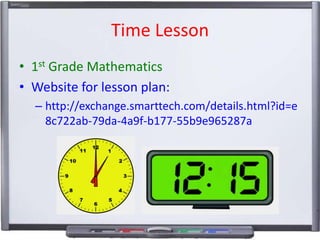
Time Lesson
• 1st Grade Mathematics
• Website for lesson plan:
– http://exchange.smarttech.com/details.html?id=e
8c722ab-79da-4a9f-b177-55b9e965287a
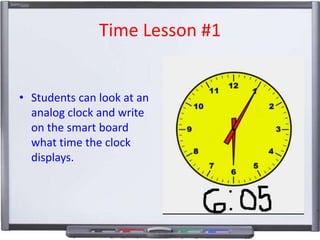
Time Lesson #1

• Students can look at an
analog clock and write
on the smart board
what time the clock
displays.
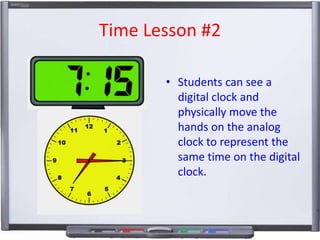
Time Lesson #2
• Students can see a
digital clock and
physically move the
hands on the analog
clock to represent the
same time on the digital
clock.
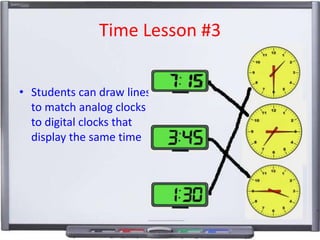
Time Lesson #3
• Students can draw lines
to match analog clocks
to digital clocks that
display the same time
Universal Design in the lesson
• Depending on students motor skills, they can
choose to use their finger or one of the pens
to interact with the SMART Board.
• Lower the SMART Board for students who may
be in a wheelchair, so they still participate in
the activity.
• Make images larger for students with poor
vision and for students who have trouble
manipulating clocks on the SMART Board.

Smart board lesson plan

  • 1.
    SMART Board Lessonon Time By: Baylie Cheslock
  • 2.
    Time Lesson • 1stGrade Mathematics • Website for lesson plan: – http://exchange.smarttech.com/details.html?id=e 8c722ab-79da-4a9f-b177-55b9e965287a
  • 3.
    Time Lesson #1 •Students can look at an analog clock and write on the smart board what time the clock displays.
  • 4.
    Time Lesson #2 •Students can see a digital clock and physically move the hands on the analog clock to represent the same time on the digital clock.
  • 5.
    Time Lesson #3 •Students can draw lines to match analog clocks to digital clocks that display the same time
  • 6.
    Universal Design inthe lesson • Depending on students motor skills, they can choose to use their finger or one of the pens to interact with the SMART Board. • Lower the SMART Board for students who may be in a wheelchair, so they still participate in the activity. • Make images larger for students with poor vision and for students who have trouble manipulating clocks on the SMART Board.