Koha: open source integrated library system   Slides available at: http://theopensourceschool.blogspot.com/ [email_address]
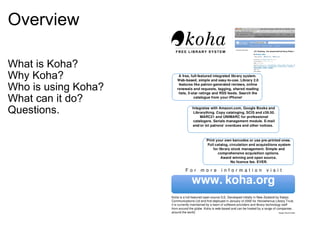
Overview What is Koha? Why Koha? Who is using Koha?  What can it do? Questions.
What is Koha? Koha is the first open-source Integrated Library System (ILS). It is in use worldwide. Koha includes: Full-featured ILS:  circulation, cataloging, acquisitions, serials, reserves, patron management, branch relationships, and more.  Dual Database Design: safe; reliable; fast   Library Standards Compliant.  Web-based Interfaces.  Free / Open Source.
Why Koha? Our vision: At Albany Senior High School  we  nurture  each other we  inspire  each other we  empower  each other to achieve highly and become good citizens.
Why Koha? Our vision: At Albany Senior High School  we  nurture  each other we  inspire  each other we  empower  each other to achieve highly and become good citizens. In our library this means: Making decisions together Fostering a sense of community Promoting student voice Free access to a wide range of resources
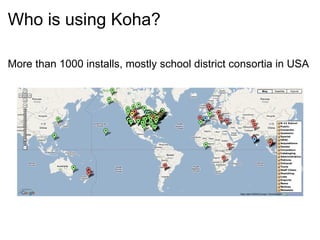
Who is using Koha? More than 1000 installs, mostly school district consortia in USA
What can it do? Open source=free (libre AND gratis) All features all of the time No 'core' and additional (extra $$$) modules Can be hosted Can be used with consortia Can be added to easily
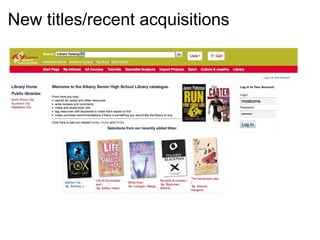
New titles/recent acquisitions  
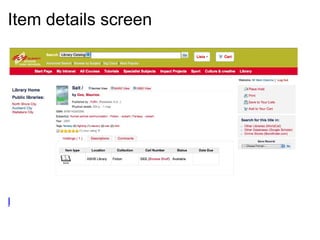
Item details screen                         Example
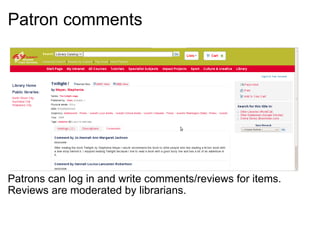
Patron comments     Patrons can log in and write comments/reviews for items. Reviews are moderated by librarians.
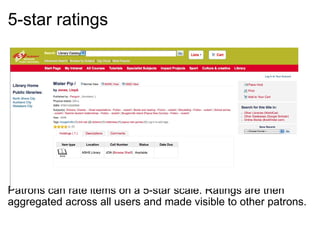
5-star ratings       Patrons can rate items on a 5-star scale. Ratings are then aggregated across all users and made visible to other patrons.
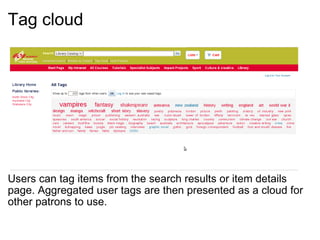
Tag cloud     Users can tag items from the search results or item details page. Aggregated user tags are then presented as a cloud for other patrons to use.
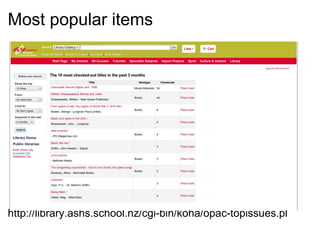
Most popular items                           http://library.ashs.school.nz/cgi-bin/koha/opac-topissues.pl
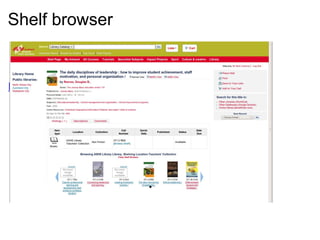
Shelf browser     Example
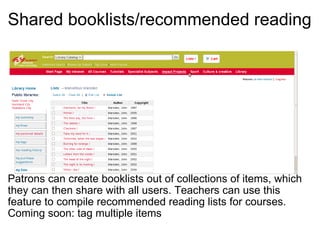
Shared booklists/recommended reading     Patrons can create booklists out of collections of items, which they can then share with all users. Teachers can use this feature to compile recommended reading lists for courses. Coming soon: tag multiple items
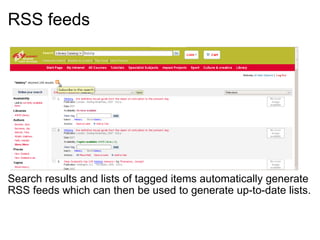
RSS feeds     Search results and lists of tagged items automatically generate RSS feeds which can then be used to generate up-to-date lists.
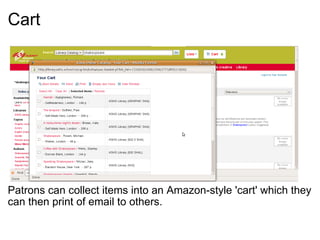
Cart       Patrons can collect items into an Amazon-style 'cart' which they can then print of email to others.
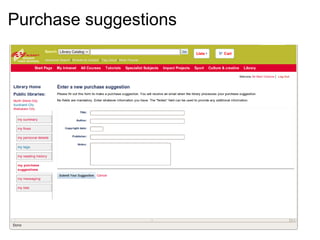
Purchase suggestions  
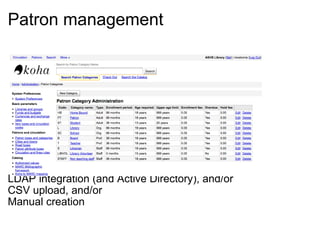
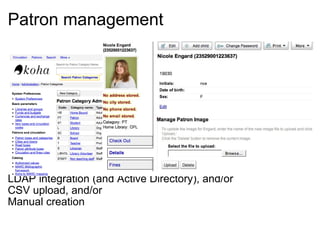
Patron management                     LDAP integration (and Active Directory), and/or CSV upload, and/or Manual creation
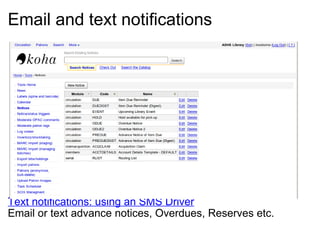
Email and text notifications                         Text notifications: using an SMS Driver Email or text advance notices, Overdues, Reserves etc.
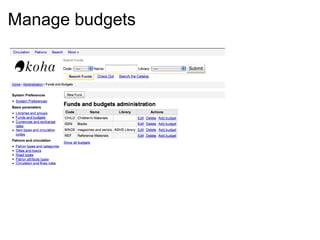
Manage budgets  
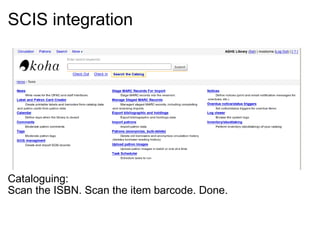
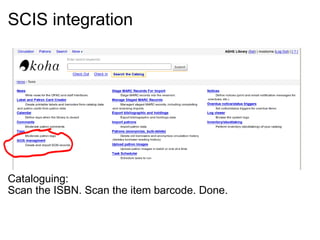
SCIS integration                     Cataloguing: Scan the ISBN. Scan the item barcode. Done.
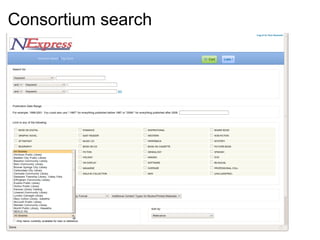
Consortium search  
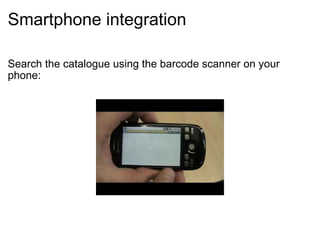
Smartphone integration Search the catalogue using the barcode scanner on your phone:
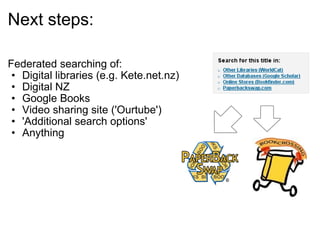
Next steps: Federated searching of:  Digital libraries (e.g. Kete.net.nz) Digital NZ Google Books Video sharing site ('Ourtube') 'Additional search options' Anything  
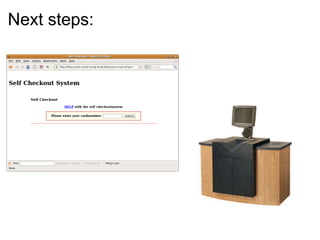
Next steps:  
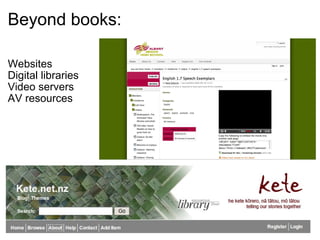
Beyond books: Websites Digital libraries Video servers AV resources
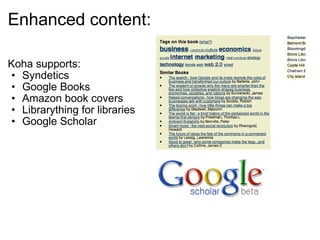
Enhanced content: Koha supports: Syndetics Google Books Amazon book covers Librarything for libraries Google Scholar  
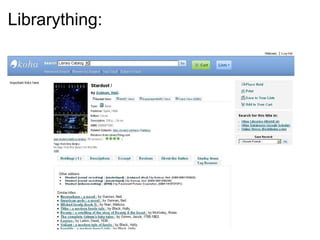
Librarything:  
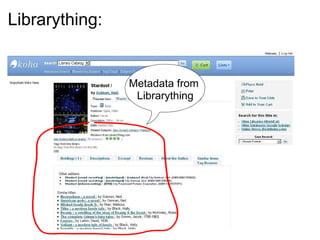
Librarything:   Metadata from  Librarything
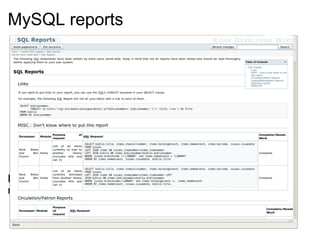
MySQL reports                     Build from scratch (not recommended) or copy and paste reports.
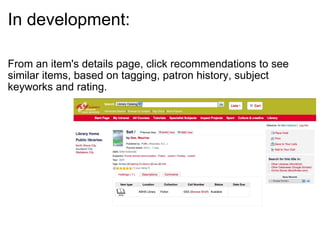
In development: From an item's details page, click recommendations to see similar items, based on tagging, patron history, subject keyworks and rating.
Koha: open source integrated library system   Slides available at: http://theopensourceschool.blogspot.com/ [email_address]

SLANZA Presentation: Koha the open source library management system

  • 1.
    Koha: open sourceintegrated library system   Slides available at: http://theopensourceschool.blogspot.com/ [email_address]
  • 2.
    Overview What isKoha? Why Koha? Who is using Koha? What can it do? Questions.
  • 3.
    What is Koha?Koha is the first open-source Integrated Library System (ILS). It is in use worldwide. Koha includes: Full-featured ILS: circulation, cataloging, acquisitions, serials, reserves, patron management, branch relationships, and more. Dual Database Design: safe; reliable; fast Library Standards Compliant.  Web-based Interfaces.  Free / Open Source.
  • 4.
    Why Koha? Ourvision: At Albany Senior High School we nurture each other we inspire each other we empower each other to achieve highly and become good citizens.
  • 5.
    Why Koha? Ourvision: At Albany Senior High School we nurture each other we inspire each other we empower each other to achieve highly and become good citizens. In our library this means: Making decisions together Fostering a sense of community Promoting student voice Free access to a wide range of resources
  • 6.
    Who is usingKoha? More than 1000 installs, mostly school district consortia in USA
  • 7.
    What can itdo? Open source=free (libre AND gratis) All features all of the time No 'core' and additional (extra $$$) modules Can be hosted Can be used with consortia Can be added to easily
  • 8.
  • 9.
    Item details screen                        Example
  • 10.
    Patron comments    Patrons can log in and write comments/reviews for items. Reviews are moderated by librarians.
  • 11.
    5-star ratings      Patrons can rate items on a 5-star scale. Ratings are then aggregated across all users and made visible to other patrons.
  • 12.
    Tag cloud    Users can tag items from the search results or item details page. Aggregated user tags are then presented as a cloud for other patrons to use.
  • 13.
    Most popular items                          http://library.ashs.school.nz/cgi-bin/koha/opac-topissues.pl
  • 14.
    Shelf browser    Example
  • 15.
    Shared booklists/recommended reading    Patrons can create booklists out of collections of items, which they can then share with all users. Teachers can use this feature to compile recommended reading lists for courses. Coming soon: tag multiple items
  • 16.
    RSS feeds    Search results and lists of tagged items automatically generate RSS feeds which can then be used to generate up-to-date lists.
  • 17.
    Cart      Patrons can collect items into an Amazon-style 'cart' which they can then print of email to others.
  • 18.
  • 19.
    Patron management                    LDAP integration (and Active Directory), and/or CSV upload, and/or Manual creation
  • 20.
    Patron management                    LDAP integration (and Active Directory), and/or CSV upload, and/or Manual creation
  • 21.
    Email and textnotifications                         Text notifications: using an SMS Driver Email or text advance notices, Overdues, Reserves etc.
  • 22.
  • 23.
    SCIS integration                    Cataloguing: Scan the ISBN. Scan the item barcode. Done.
  • 24.
    SCIS integration                    Cataloguing: Scan the ISBN. Scan the item barcode. Done.
  • 25.
  • 26.
    Smartphone integration Searchthe catalogue using the barcode scanner on your phone:
  • 27.
    Next steps: Federatedsearching of: Digital libraries (e.g. Kete.net.nz) Digital NZ Google Books Video sharing site ('Ourtube') 'Additional search options' Anything  
  • 28.
  • 29.
    Beyond books: WebsitesDigital libraries Video servers AV resources
  • 30.
    Enhanced content: Kohasupports: Syndetics Google Books Amazon book covers Librarything for libraries Google Scholar  
  • 31.
  • 32.
    Librarything:   Metadatafrom  Librarything
  • 33.
    MySQL reports                    Build from scratch (not recommended) or copy and paste reports.
  • 34.
    In development: Froman item's details page, click recommendations to see similar items, based on tagging, patron history, subject keyworks and rating.
  • 35.
    Koha: open sourceintegrated library system   Slides available at: http://theopensourceschool.blogspot.com/ [email_address]

Editor's Notes

  • #11 Suzette Boyd says: 1) Students believe that librarians 'don't ask, don't listen, don't care' 2) Students need to feel valued and liked 3) Student believe that libraries and librarians want to keep them out.