Simplifying IBM MQ
Security in your MQ
estate.
Rob Parker
Security Architect, IBM MQ Distributed
parrobe@uk.ibm.com
IBM’s statements regarding its plans, directions, and intent are subject to change or withdrawal without notice at
IBM’s sole discretion.
Information regarding potential future products is intended to outline our general product direction and it should
not be relied on in making a purchasing decision.
The information mentioned regarding potential future products is not a commitment, promise, or legal obligation
to deliver
any material, code or functionality. Information about potential future products may not be incorporated into any
contract.
The development, release, and timing of any future features or functionality described for our products remains at
our sole discretion.
Performance is based on measurements and projections using standard IBM benchmarks in a
controlled environment. The actual throughput or performance that any user will experience will vary depending
upon many factors, including considerations such as the amount of multiprogramming in the user’s job stream,
the I/O configuration, the storage configuration, and the workload processed. Therefore, no assurance can be
given that an individual user will achieve results similar to those stated here.
Please Note:
2
© 2023 IBM Corporation
Who am I?
Robert Parker
Security Architect, IBM MQ Distributed
3
– 10+ years working for IBM MQ
– Lead for development of security functionality in IBM MQ
© 2023 IBM Corporation
Agenda
– IBM MQ Security
• Security Options
• Interoperability
– Identity in MQ
– Authentication in MQ
– Example security configurations
© 2023 IBM Corporation
IBM MQ Security
© 2023 IBM Corporation
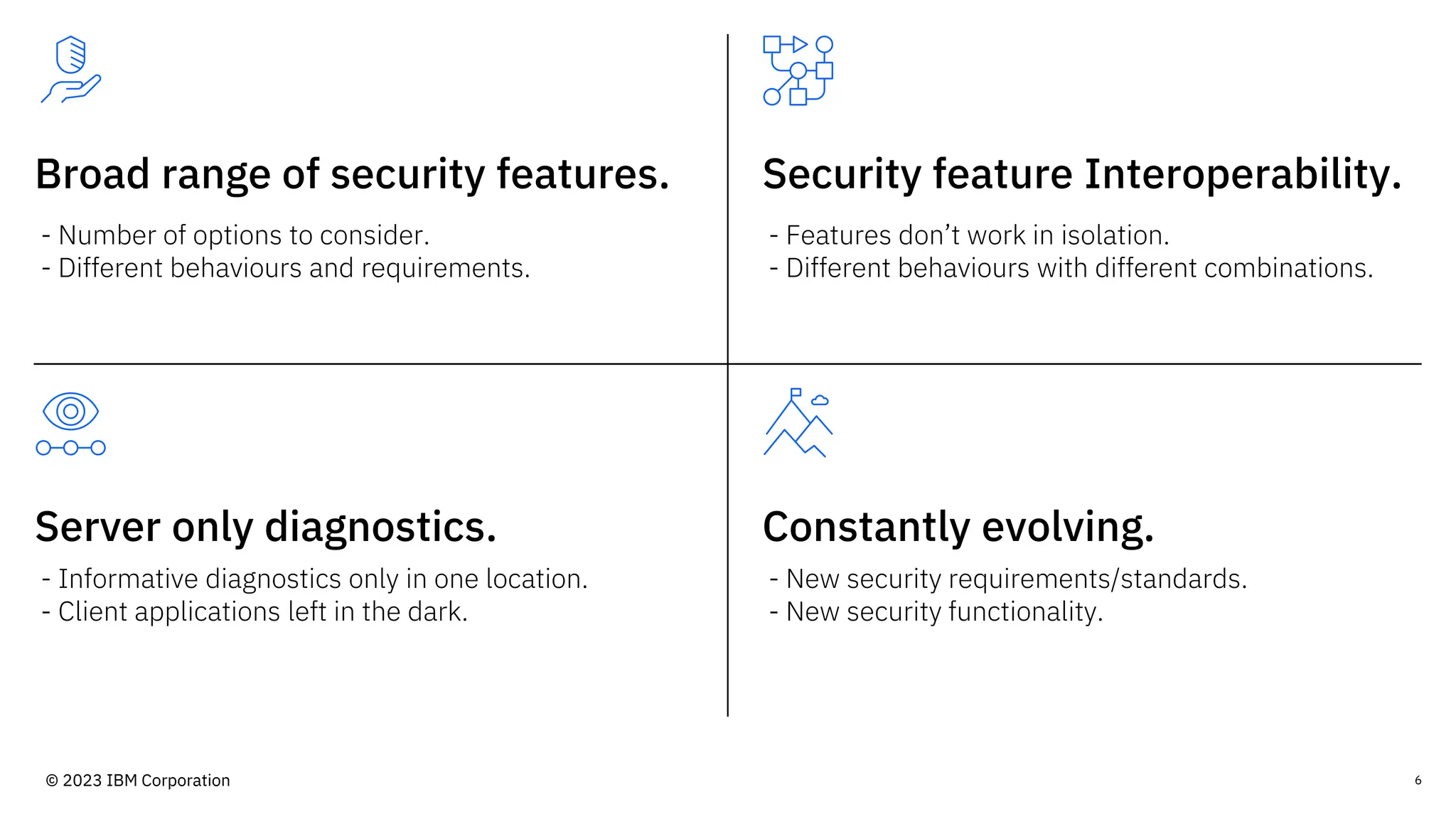
Broad range of security features. Security feature Interoperability.
Server only diagnostics.
- Number of options to consider.
- Different behaviours and requirements.
- Features don’t work in isolation.
- Different behaviours with different combinations.
- Informative diagnostics only in one location.
- Client applications left in the dark.
- New security requirements/standards.
- New security functionality.
Constantly evolving.
6
© 2023 IBM Corporation
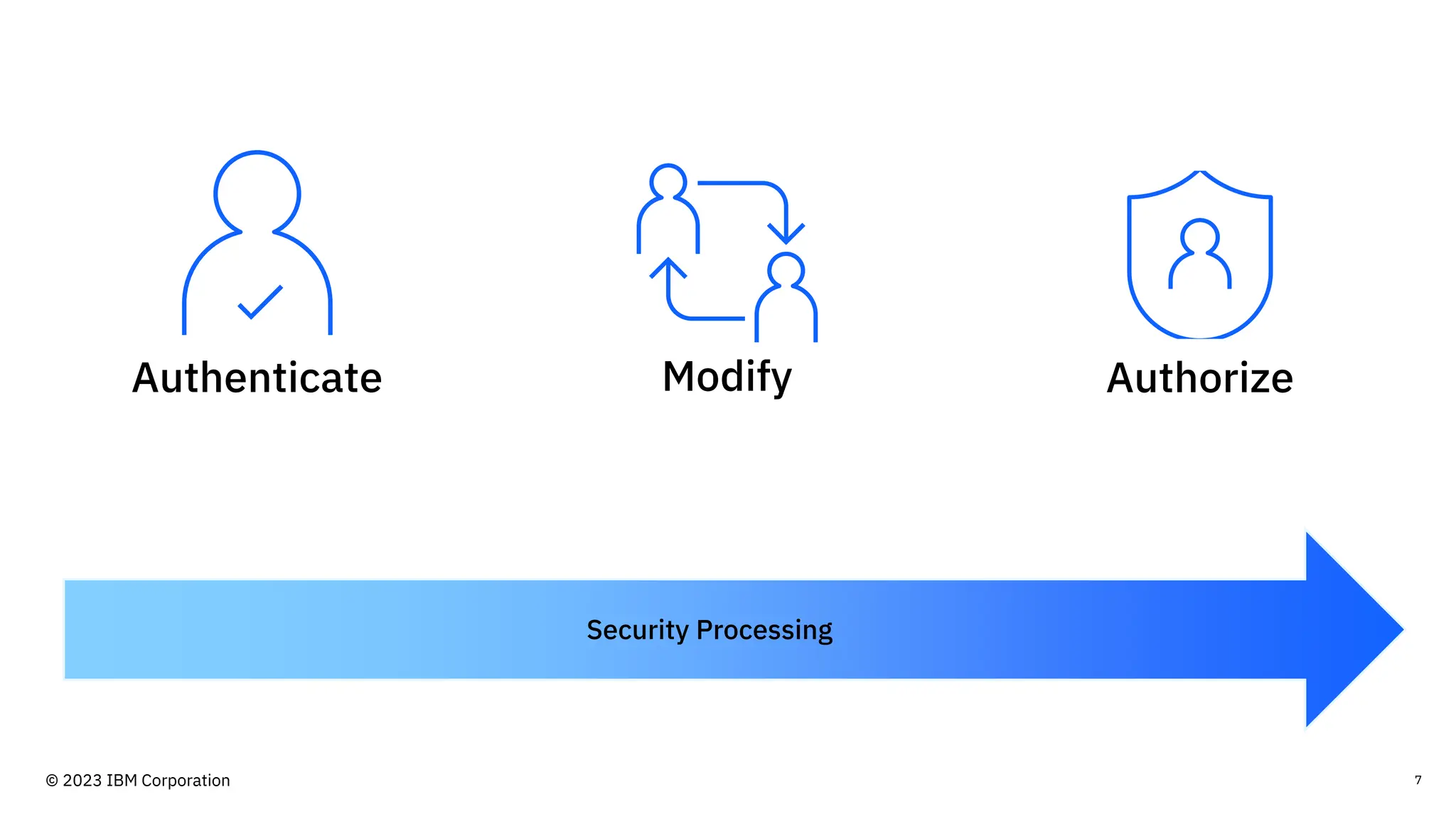
7
Security Processing
Authorize
Modify
Authenticate
© 2023 IBM Corporation
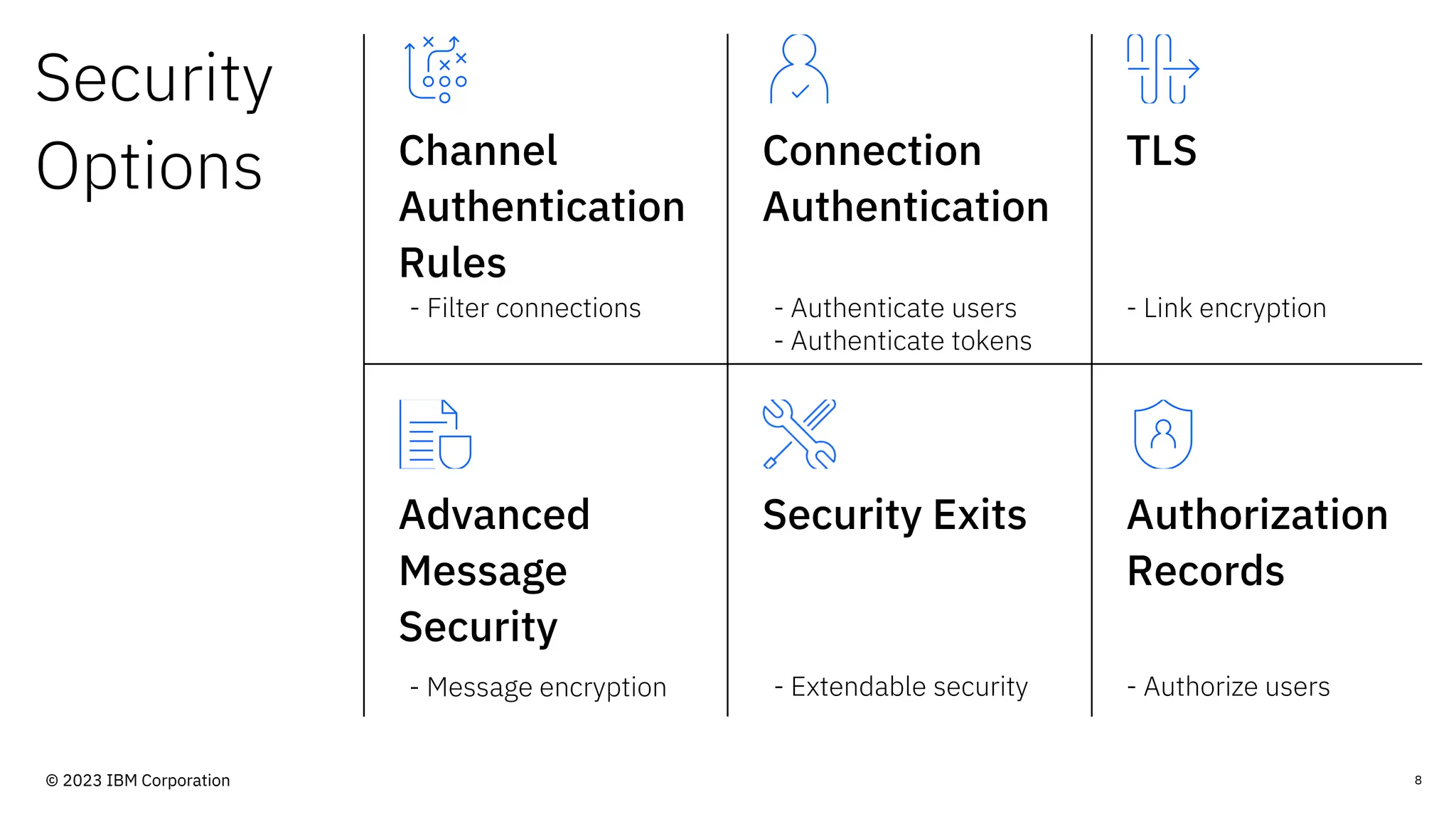
Security
Options Channel
Authentication
Rules
Connection
Authentication
TLS
Advanced
Message
Security
Security Exits Authorization
Records
- Filter connections - Authenticate users
- Authenticate tokens
- Link encryption
- Message encryption - Extendable security - Authorize users
8
© 2023 IBM Corporation
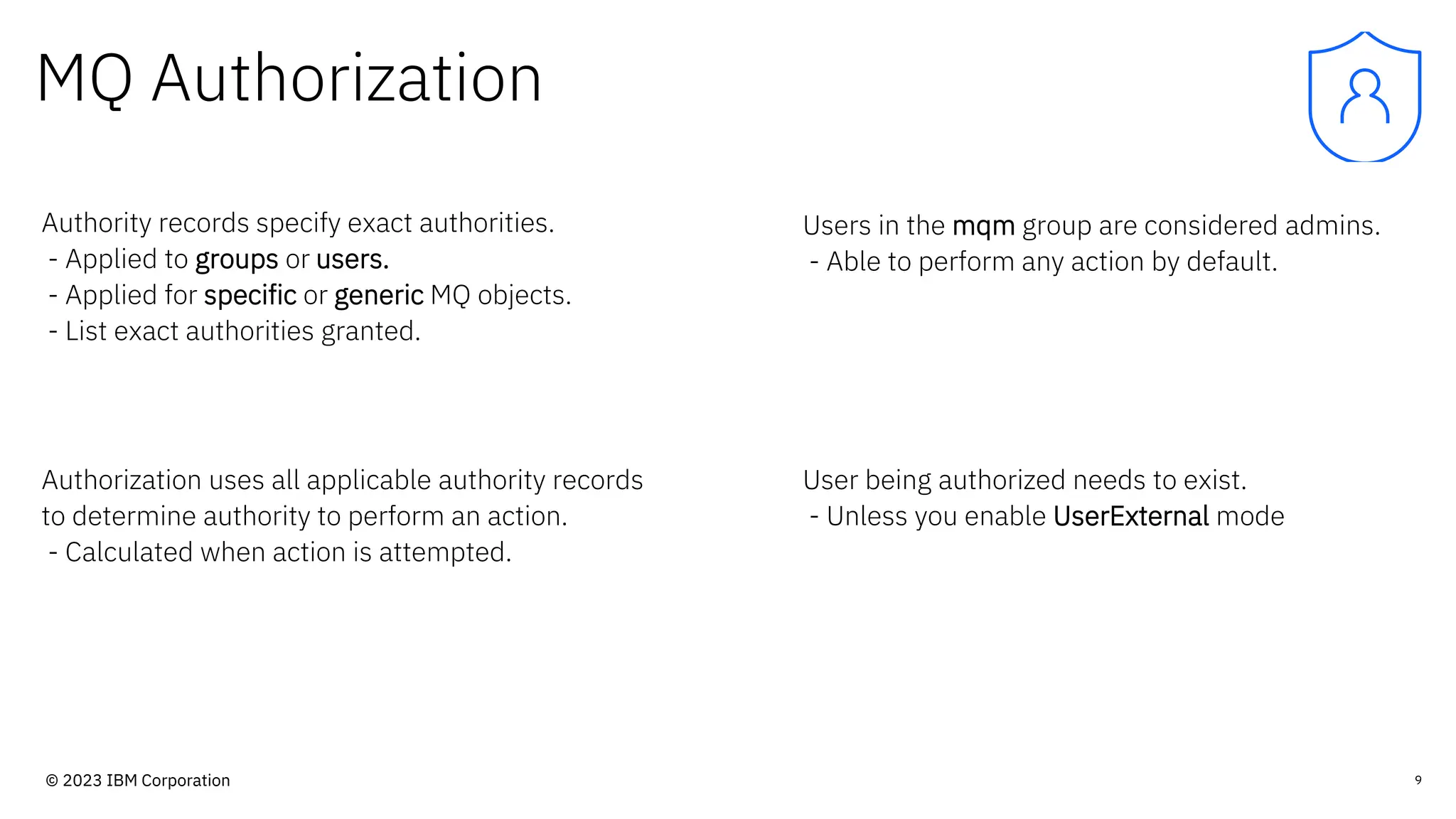
MQ Authorization
Authority records specify exact authorities.
- Applied to groups or users.
- Applied for specific or generic MQ objects.
- List exact authorities granted.
Users in the mqm group are considered admins.
- Able to perform any action by default.
9
Authorization uses all applicable authority records
to determine authority to perform an action.
- Calculated when action is attempted.
User being authorized needs to exist.
- Unless you enable UserExternal mode
© 2023 IBM Corporation
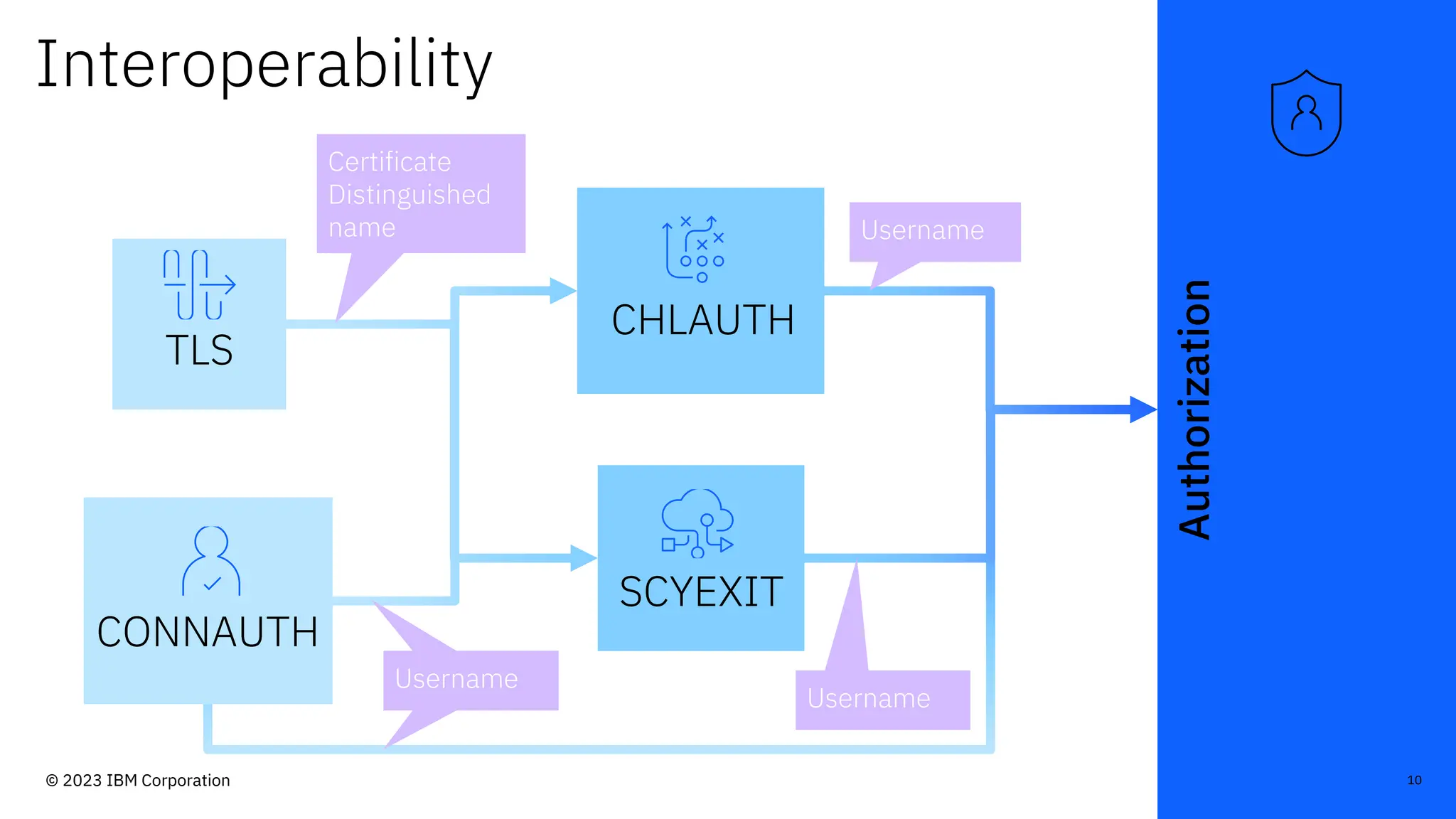
Authorization
Interoperability
TLS
CHLAUTH
CONNAUTH
SCYEXIT
Certificate
Distinguished
name
Username
Username
Username
Username
10
© 2023 IBM Corporation
Identity in IBM MQ
11
© 2023 IBM Corporation
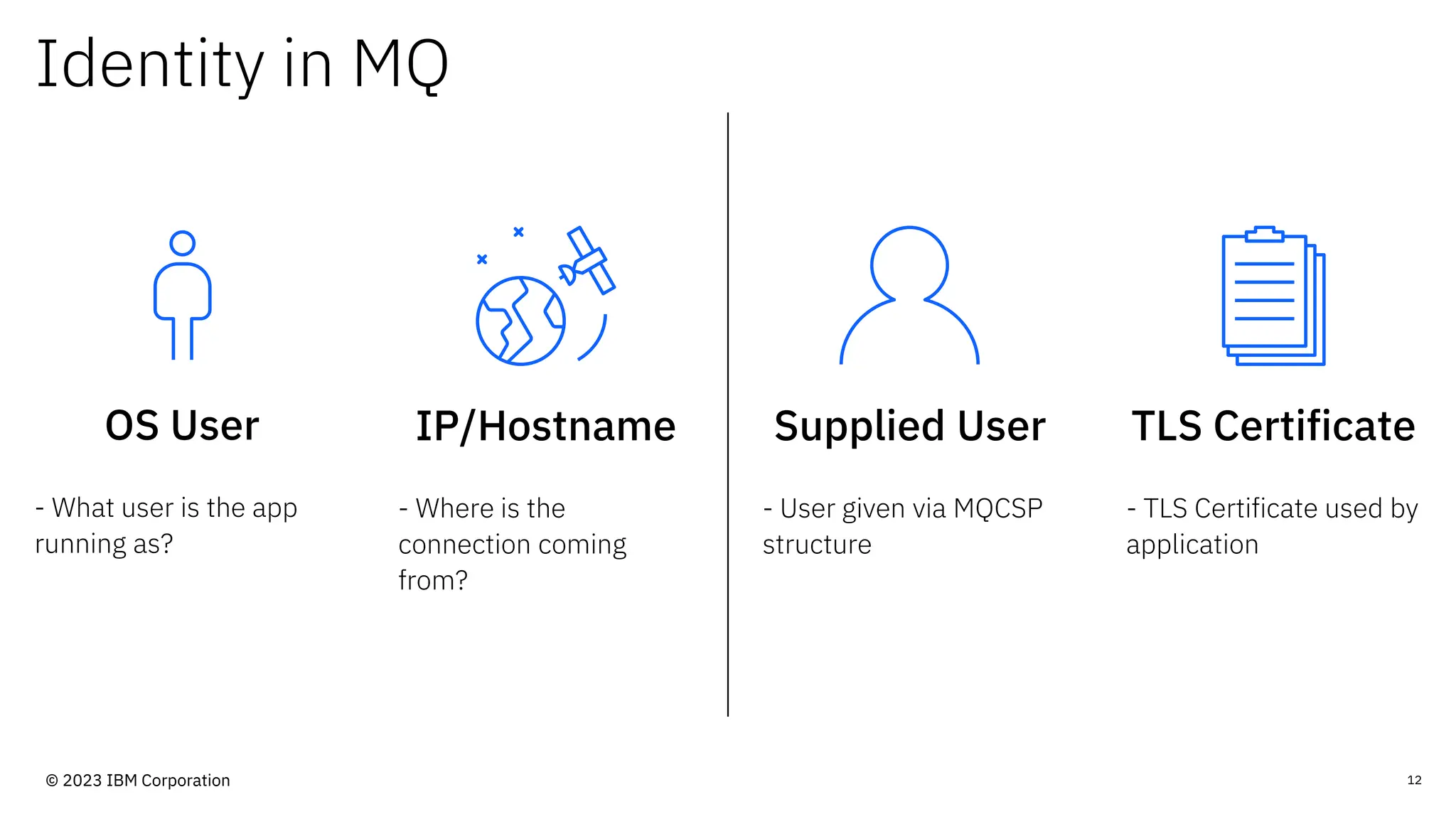
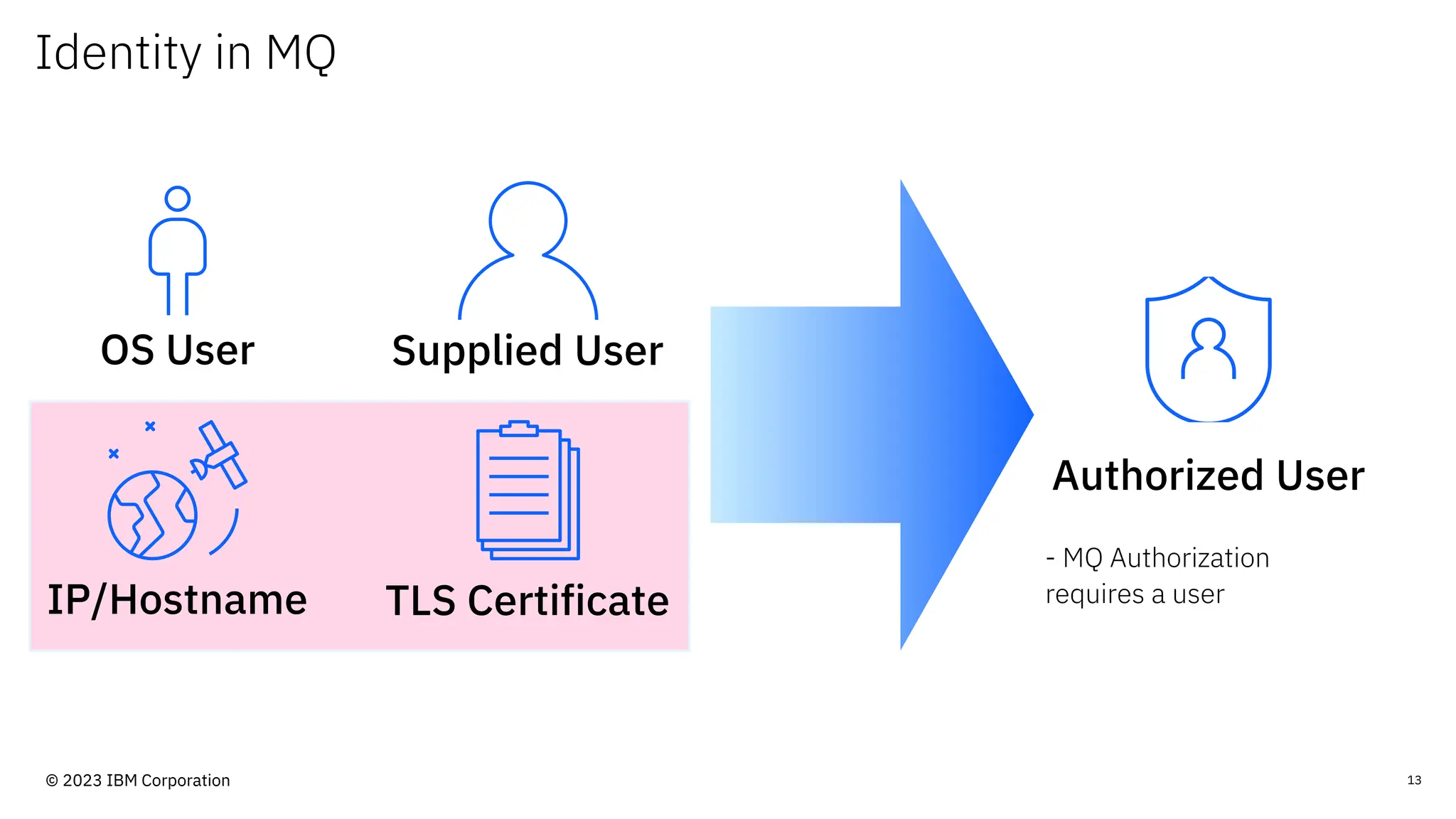
Identity in MQ
OS User
- What user is the app
running as?
12
IP/Hostname
- Where is the
connection coming
from?
Supplied User
- User given via MQCSP
structure
TLS Certificate
- TLS Certificate used by
application
© 2023 IBM Corporation
Identity in MQ
13
OS User
IP/Hostname
Supplied User
TLS Certificate
Authorized User
- MQ Authorization
requires a user
© 2023 IBM Corporation
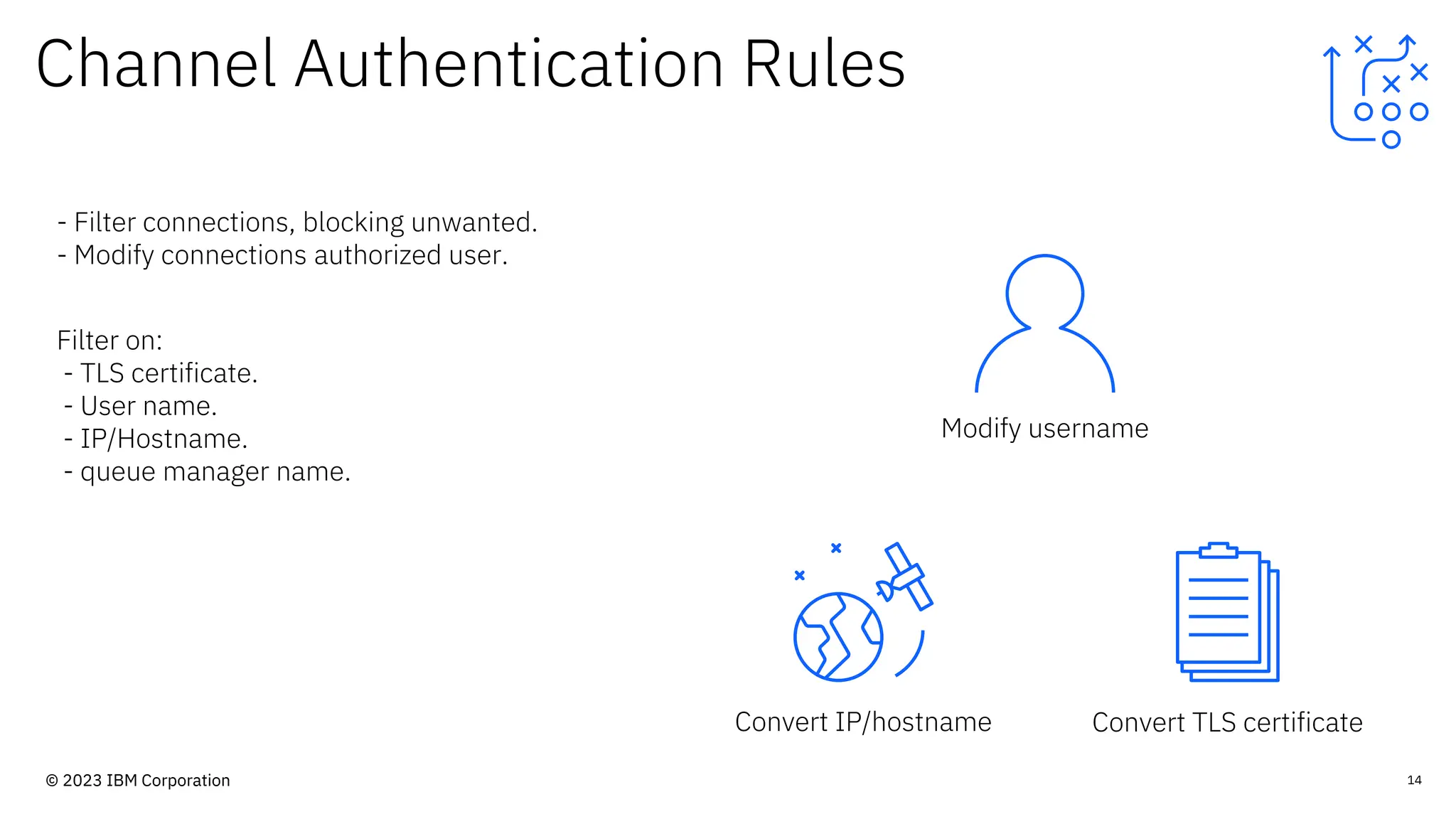
Channel Authentication Rules
Convert IP/hostname
14
- Filter connections, blocking unwanted.
- Modify connections authorized user.
Filter on:
- TLS certificate.
- User name.
- IP/Hostname.
- queue manager name.
Convert TLS certificate
Modify username
© 2023 IBM Corporation
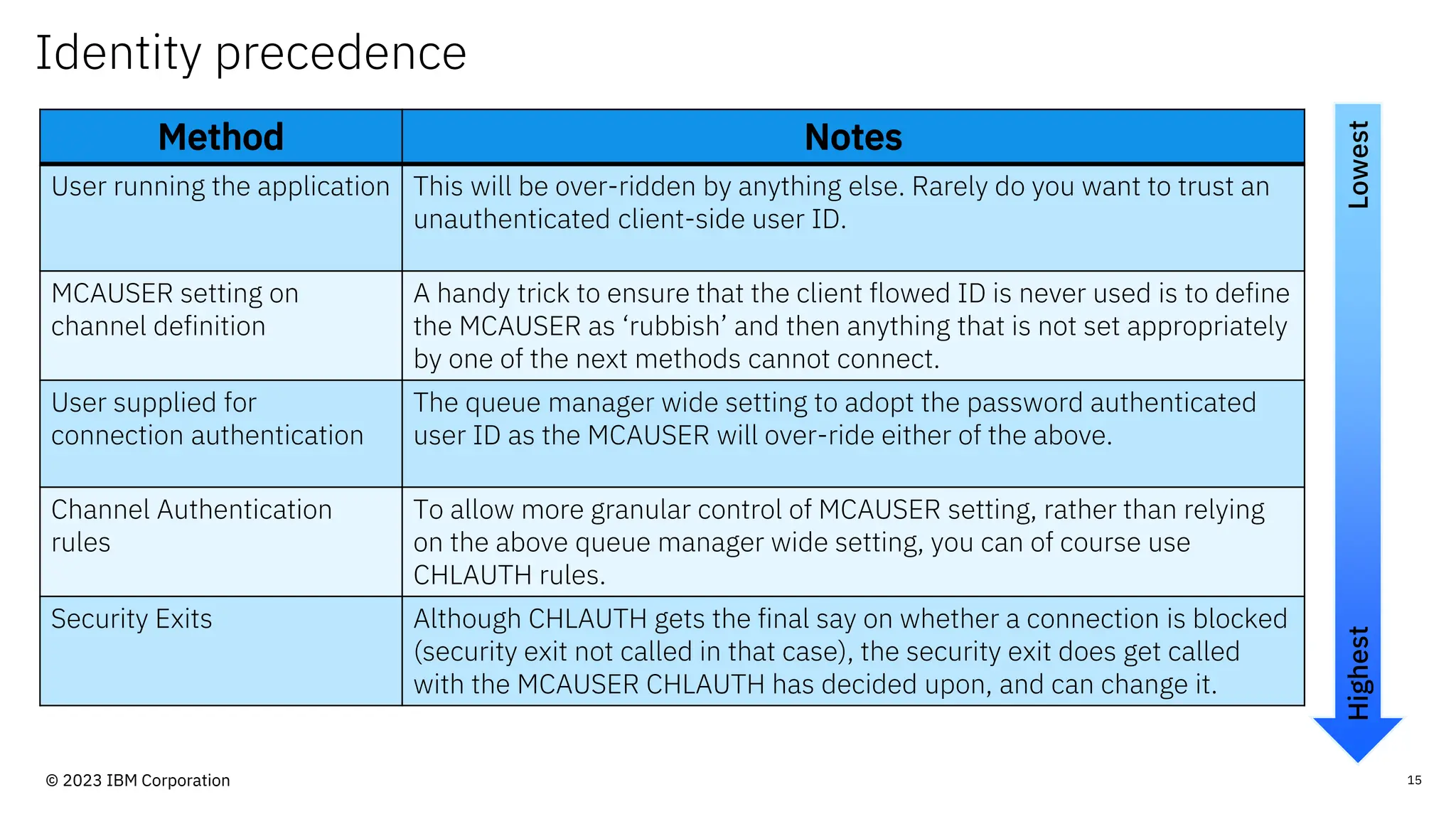
Identity precedence
15
Method Notes
User running the application This will be over-ridden by anything else. Rarely do you want to trust an
unauthenticated client-side user ID.
MCAUSER setting on
channel definition
A handy trick to ensure that the client flowed ID is never used is to define
the MCAUSER as ‘rubbish’ and then anything that is not set appropriately
by one of the next methods cannot connect.
User supplied for
connection authentication
The queue manager wide setting to adopt the password authenticated
user ID as the MCAUSER will over-ride either of the above.
Channel Authentication
rules
To allow more granular control of MCAUSER setting, rather than relying
on the above queue manager wide setting, you can of course use
CHLAUTH rules.
Security Exits Although CHLAUTH gets the final say on whether a connection is blocked
(security exit not called in that case), the security exit does get called
with the MCAUSER CHLAUTH has decided upon, and can change it.
Lowest
Highest
© 2023 IBM Corporation
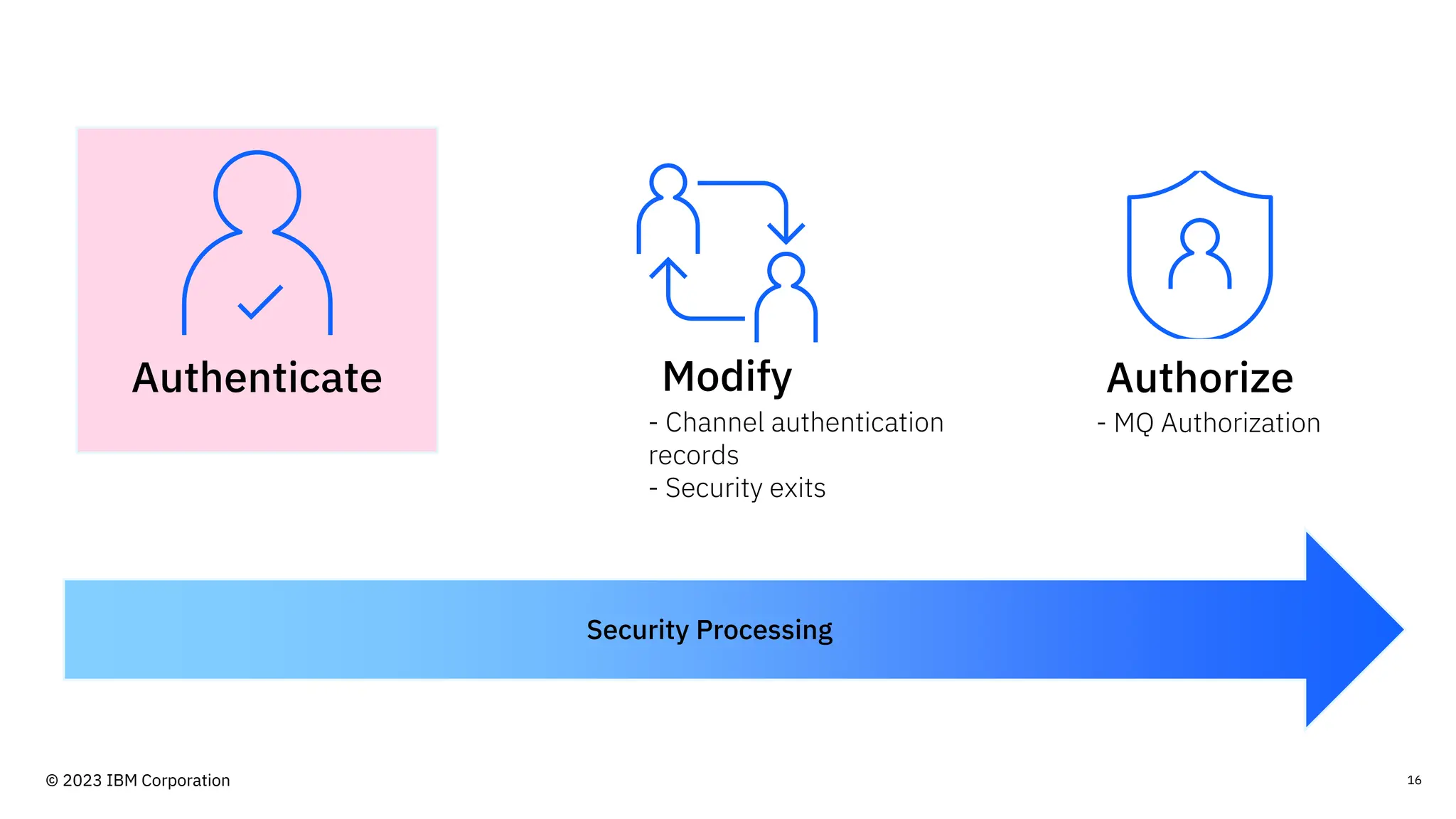
16
Security Processing
Authorize
Modify
Authenticate
- MQ Authorization
- Channel authentication
records
- Security exits
© 2023 IBM Corporation
Authentication in
IBM MQ
17
© 2023 IBM Corporation
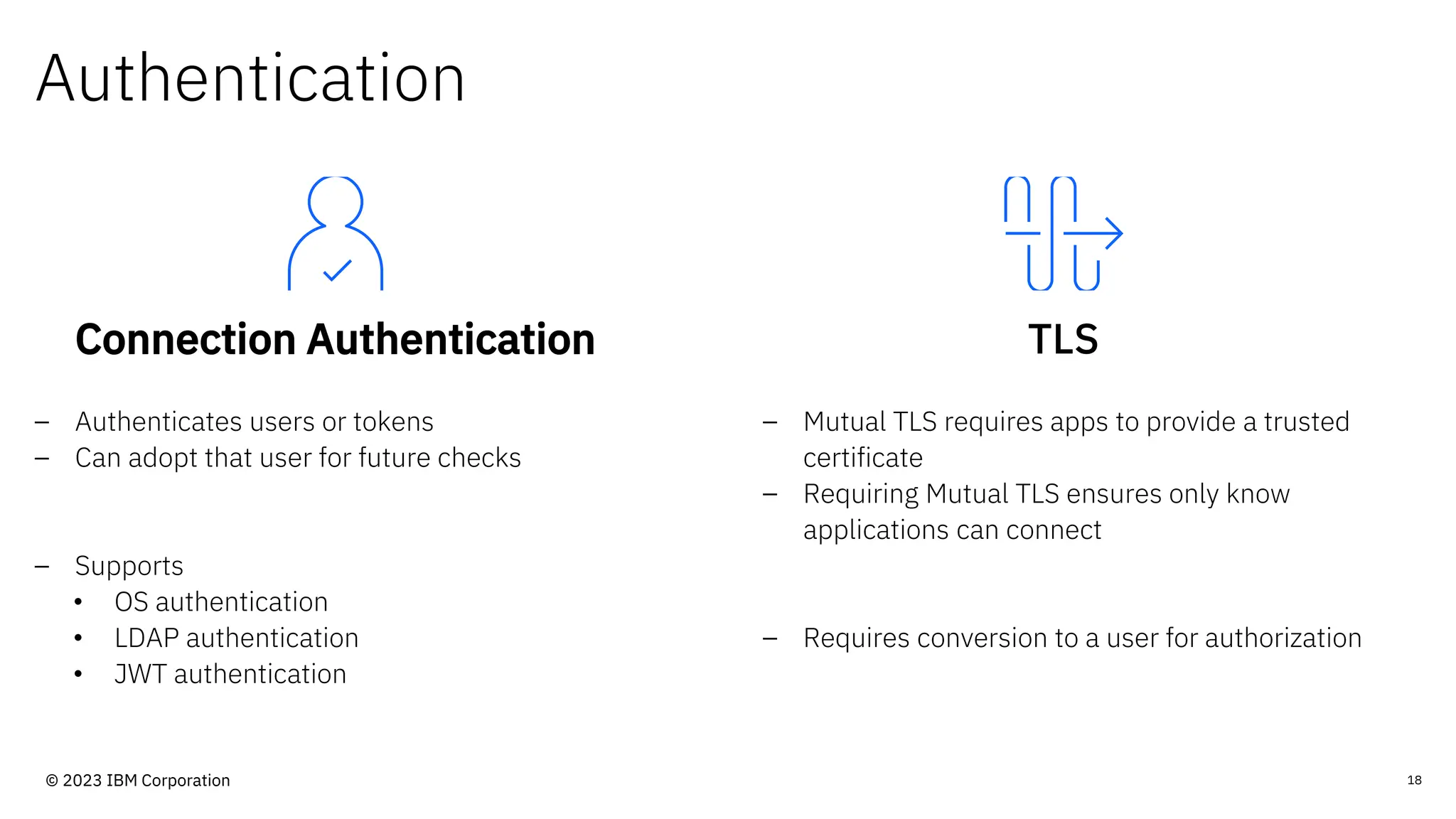
Authentication
Connection Authentication
– Authenticates users or tokens
– Can adopt that user for future checks
– Supports
• OS authentication
• LDAP authentication
• JWT authentication
TLS
– Mutual TLS requires apps to provide a trusted
certificate
– Requiring Mutual TLS ensures only know
applications can connect
– Requires conversion to a user for authorization
18
© 2023 IBM Corporation
Security exits
Custom security
processing.
- Written by you.
- Called by MQ during
security processing.
Performs additional
authentication and
modification of user as
required.
- Used to provide
missing MQ security
features.
Pairs of security exits
can work together.
- Can communicate
with each other.
Many business offer
security exits as a bolt-
on product.
19
© 2023 IBM Corporation
Example security
configurations
20
© 2023 IBM Corporation
Disclaimer
- These are samples.
- Information is current as of November 2023.
- The examples are not exhaustive.
© 2023 IBM Corporation
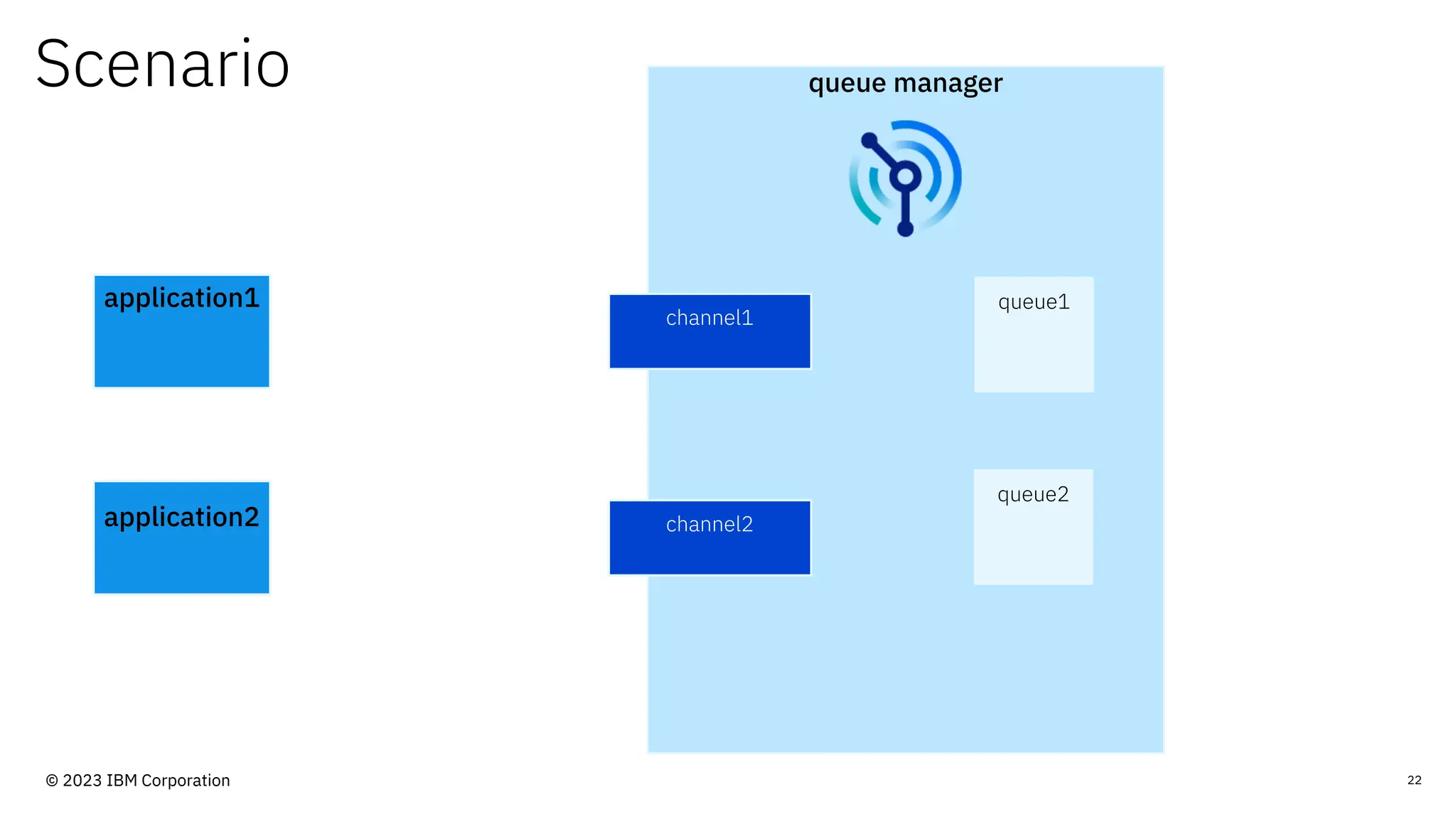
Scenario queue manager
application1
channel1
queue1
queue2
channel2
application2
22
© 2023 IBM Corporation
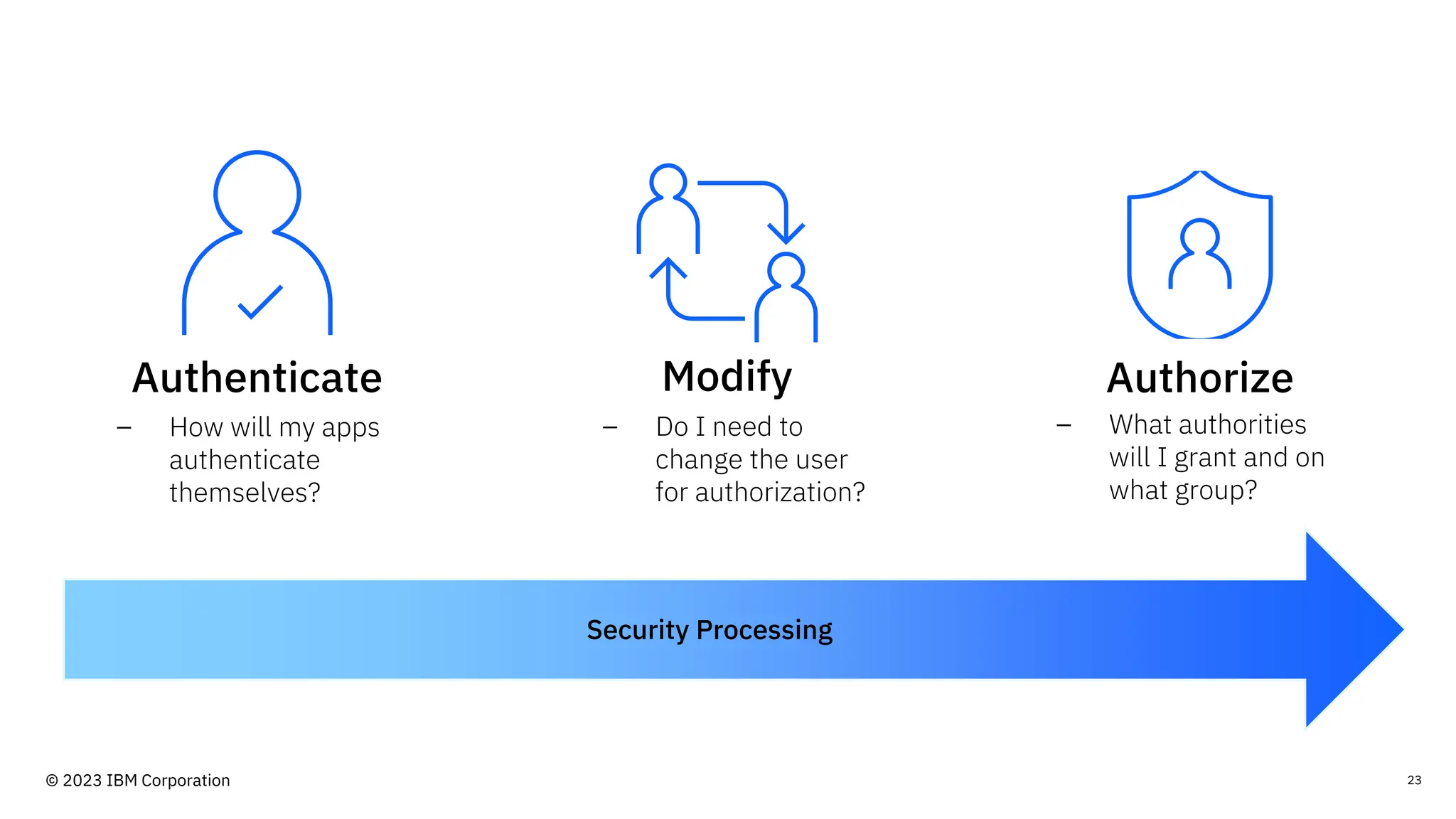
23
Security Processing
Authorize
Modify
Authenticate
– How will my apps
authenticate
themselves?
– Do I need to
change the user
for authorization?
– What authorities
will I grant and on
what group?
© 2023 IBM Corporation
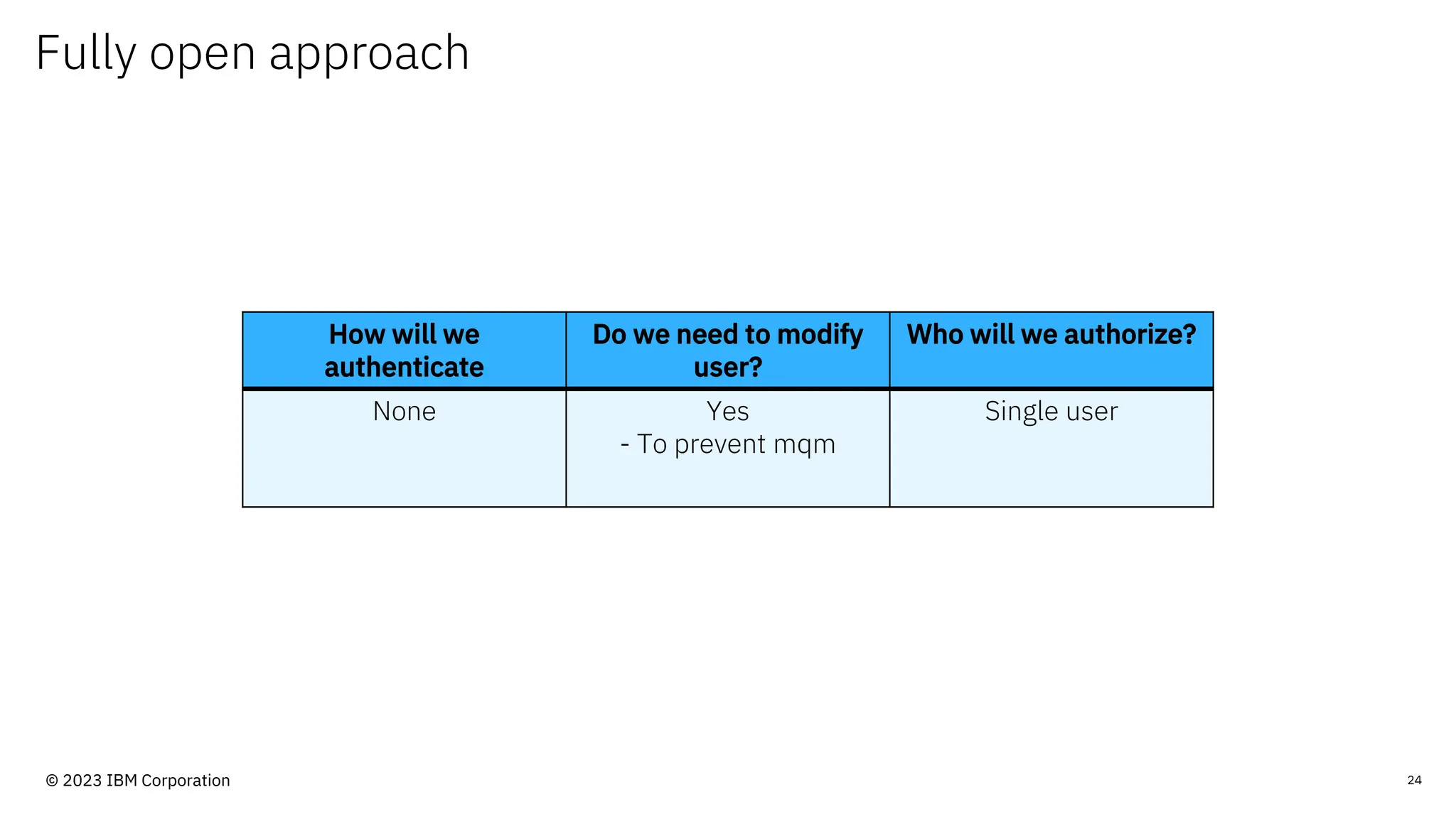
Fully open approach
24
How will we
authenticate
Do we need to modify
user?
Who will we authorize?
None Yes
- To prevent mqm
Single user
© 2023 IBM Corporation
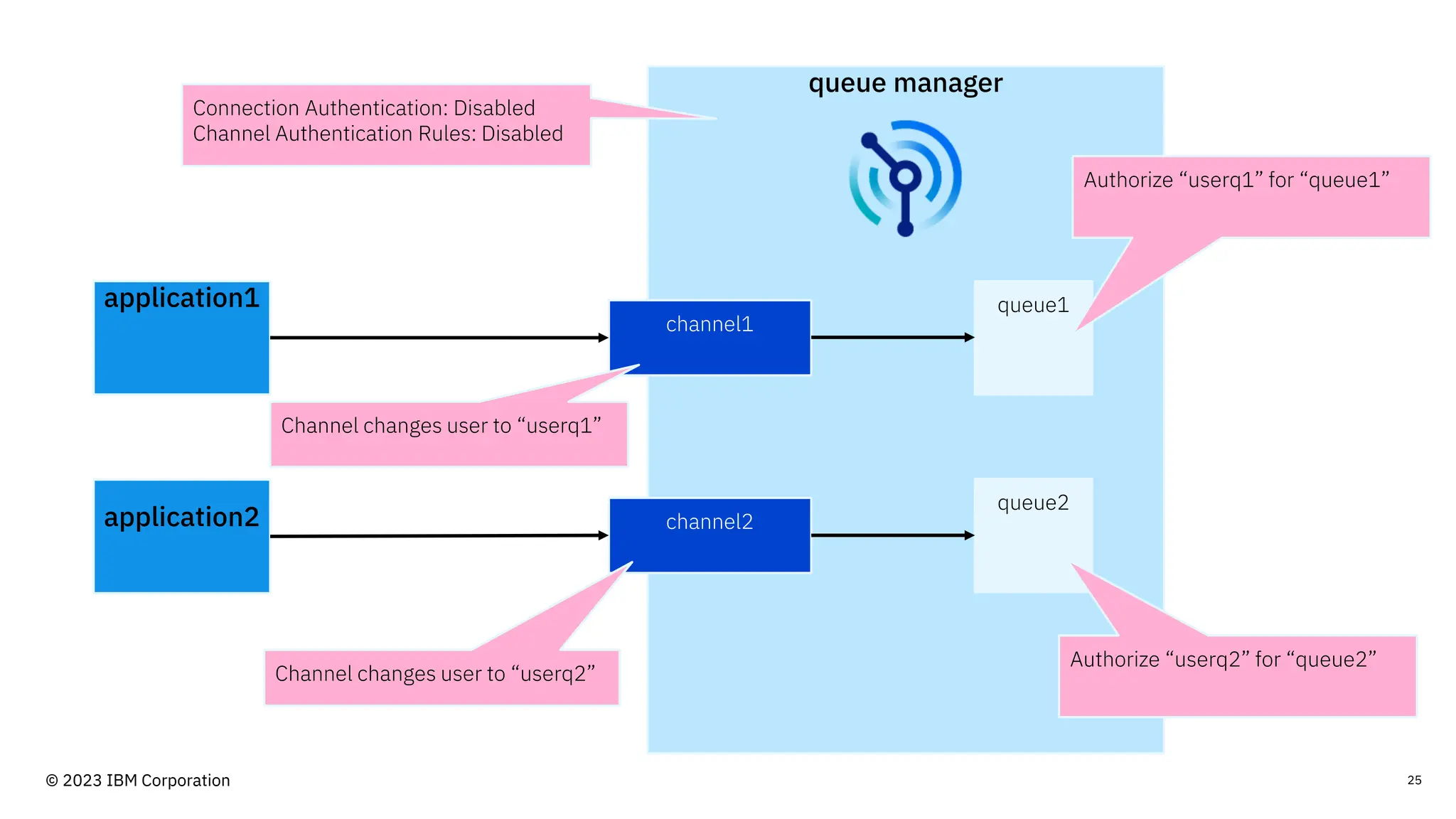
queue manager
application1
channel1
queue1
queue2
channel2
application2
Connection Authentication: Disabled
Channel Authentication Rules: Disabled
Channel changes user to “userq1”
Channel changes user to “userq2”
Authorize “userq1” for “queue1”
Authorize “userq2” for “queue2”
25
© 2023 IBM Corporation
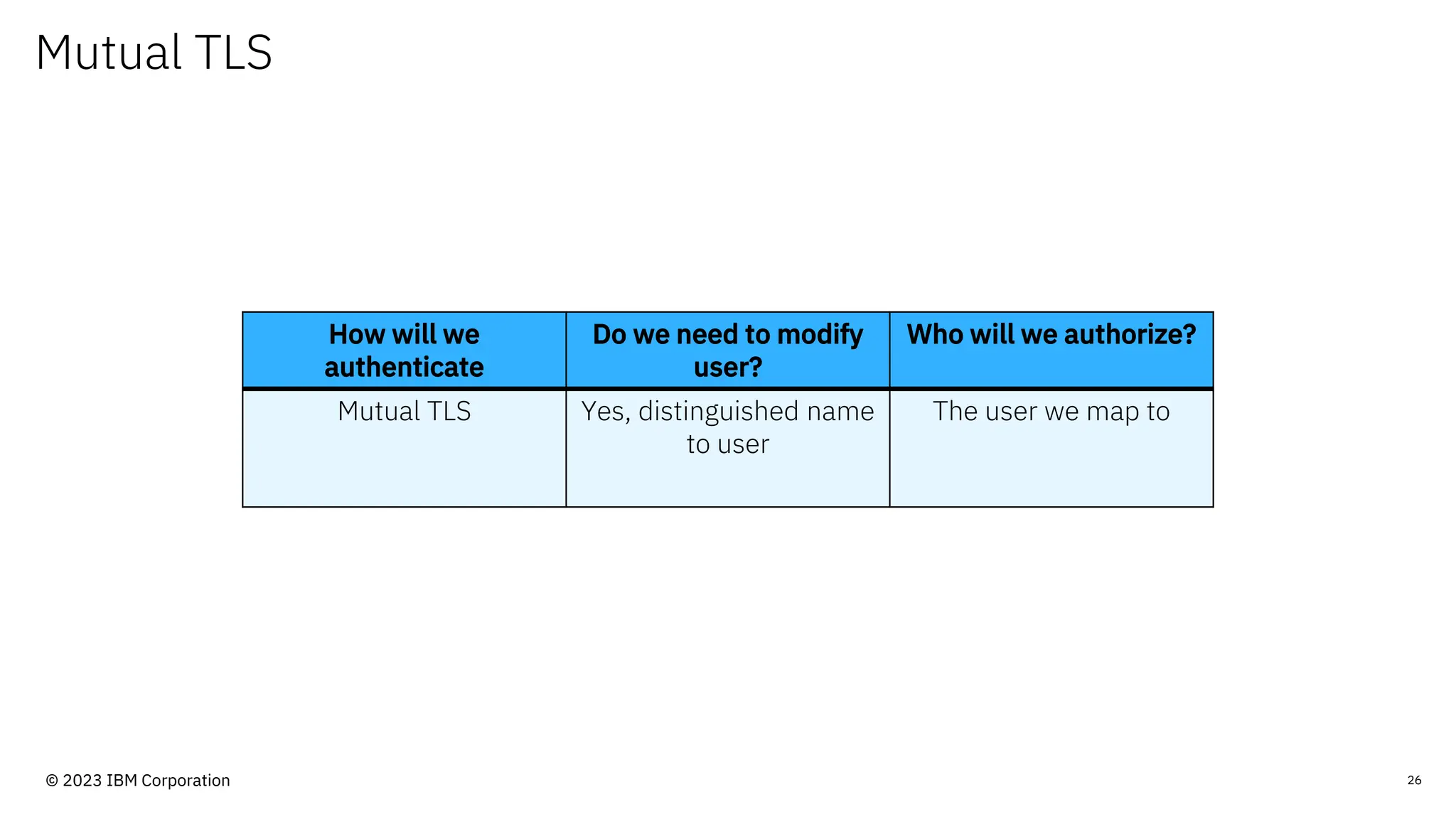
Mutual TLS
26
How will we
authenticate
Do we need to modify
user?
Who will we authorize?
Mutual TLS Yes, distinguished name
to user
The user we map to
© 2023 IBM Corporation
queue manager
application1
channel1
queue1
queue2
channel2
application2
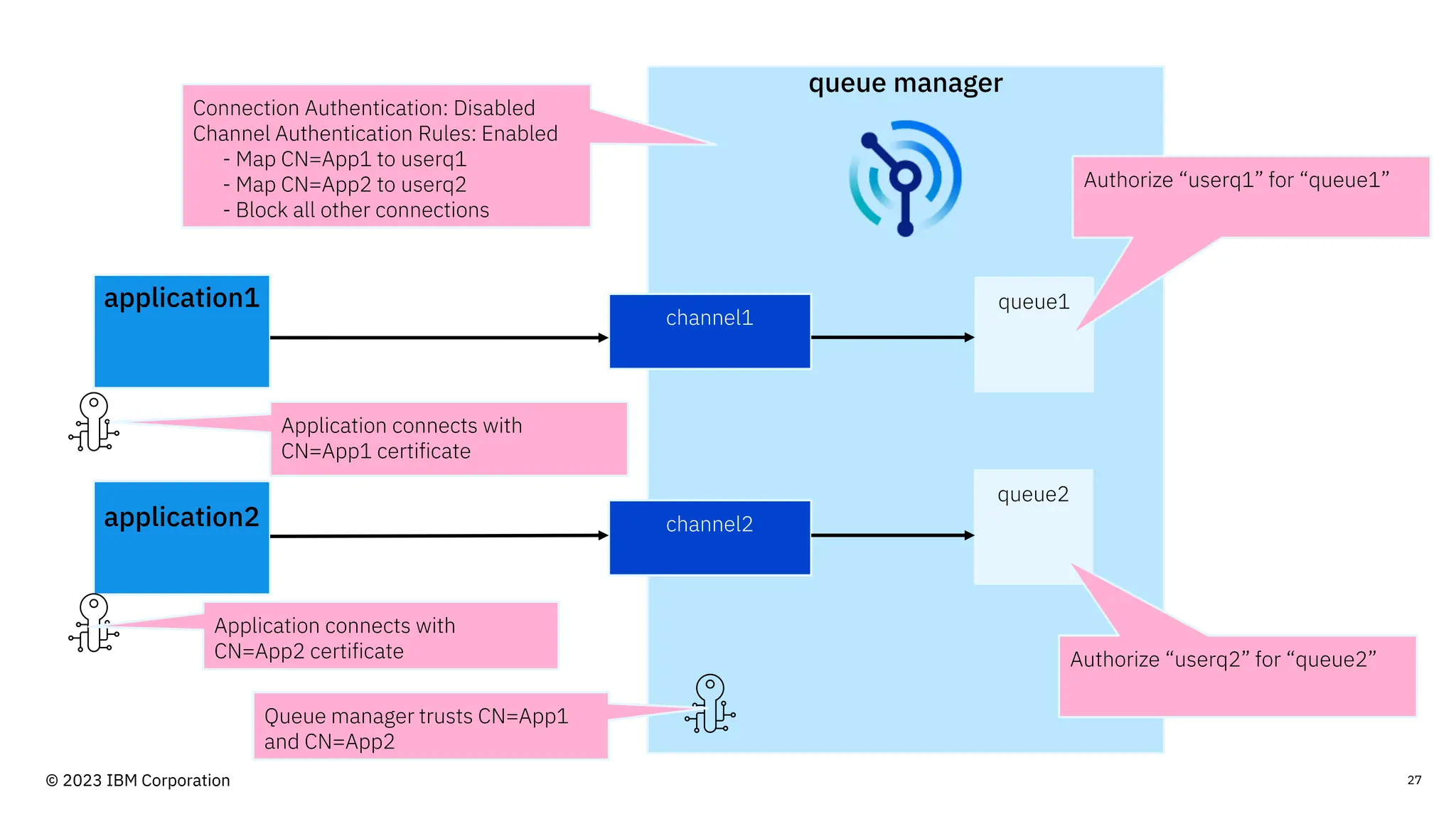
Connection Authentication: Disabled
Channel Authentication Rules: Enabled
- Map CN=App1 to userq1
- Map CN=App2 to userq2
- Block all other connections
Authorize “userq1” for “queue1”
Authorize “userq2” for “queue2”
Application connects with
CN=App1 certificate
Application connects with
CN=App2 certificate
Queue manager trusts CN=App1
and CN=App2
27
© 2023 IBM Corporation
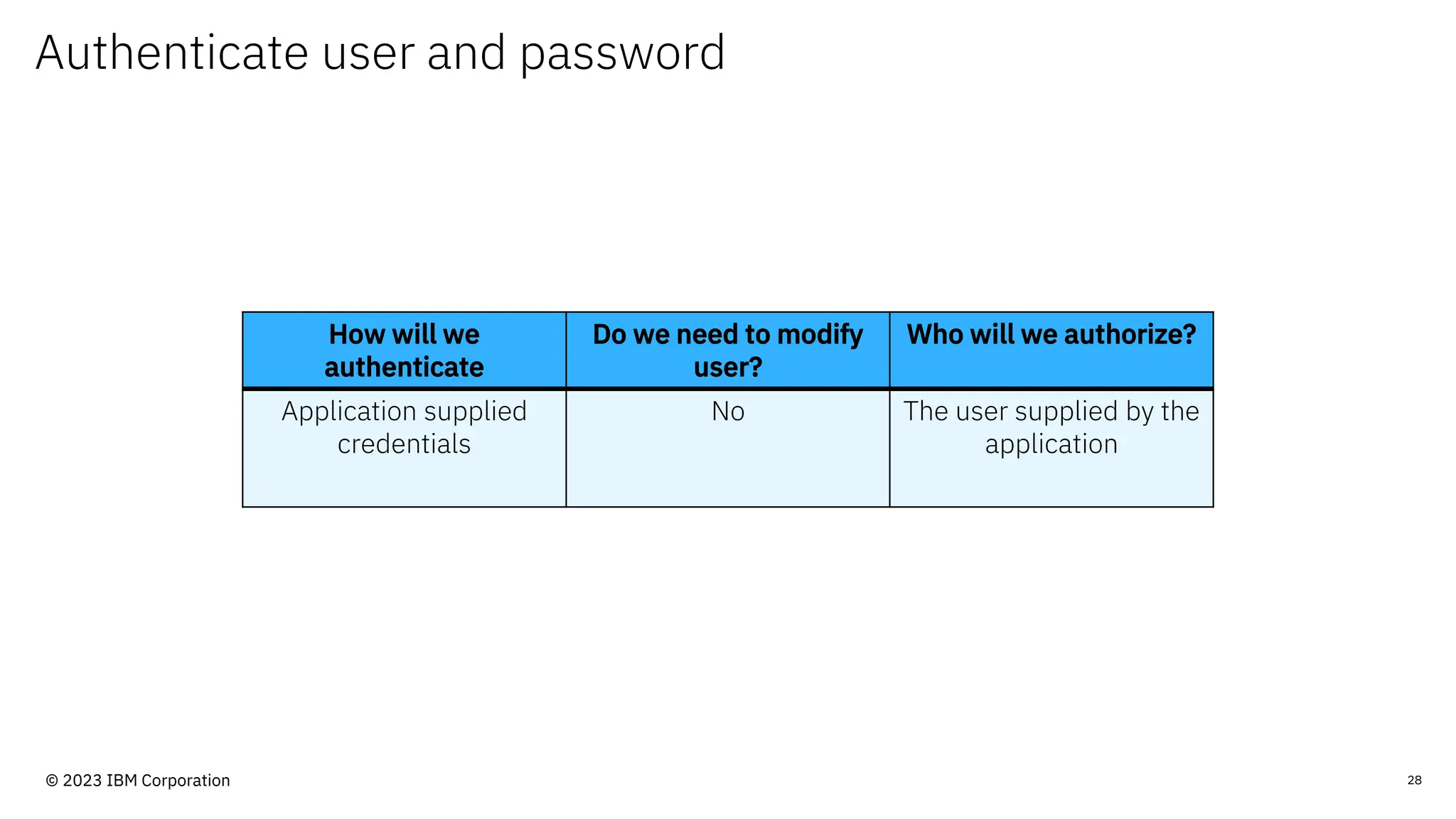
Authenticate user and password
28
How will we
authenticate
Do we need to modify
user?
Who will we authorize?
Application supplied
credentials
No The user supplied by the
application
© 2023 IBM Corporation
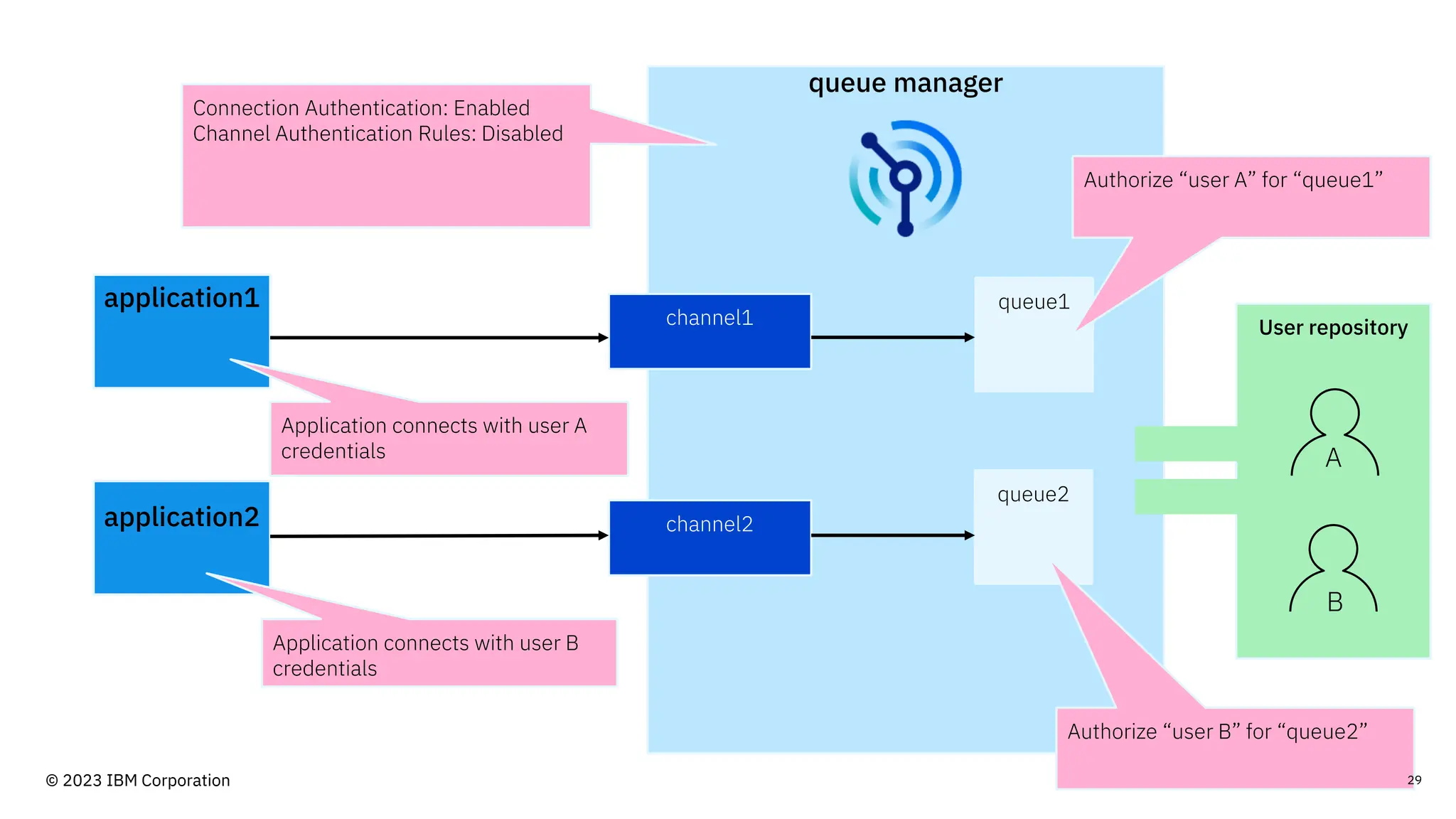
queue manager
application1
channel1
queue1
queue2
channel2
application2
User repository
A
B
Connection Authentication: Enabled
Channel Authentication Rules: Disabled
Application connects with user A
credentials
Application connects with user B
credentials
Authorize “user A” for “queue1”
Authorize “user B” for “queue2”
29
© 2023 IBM Corporation
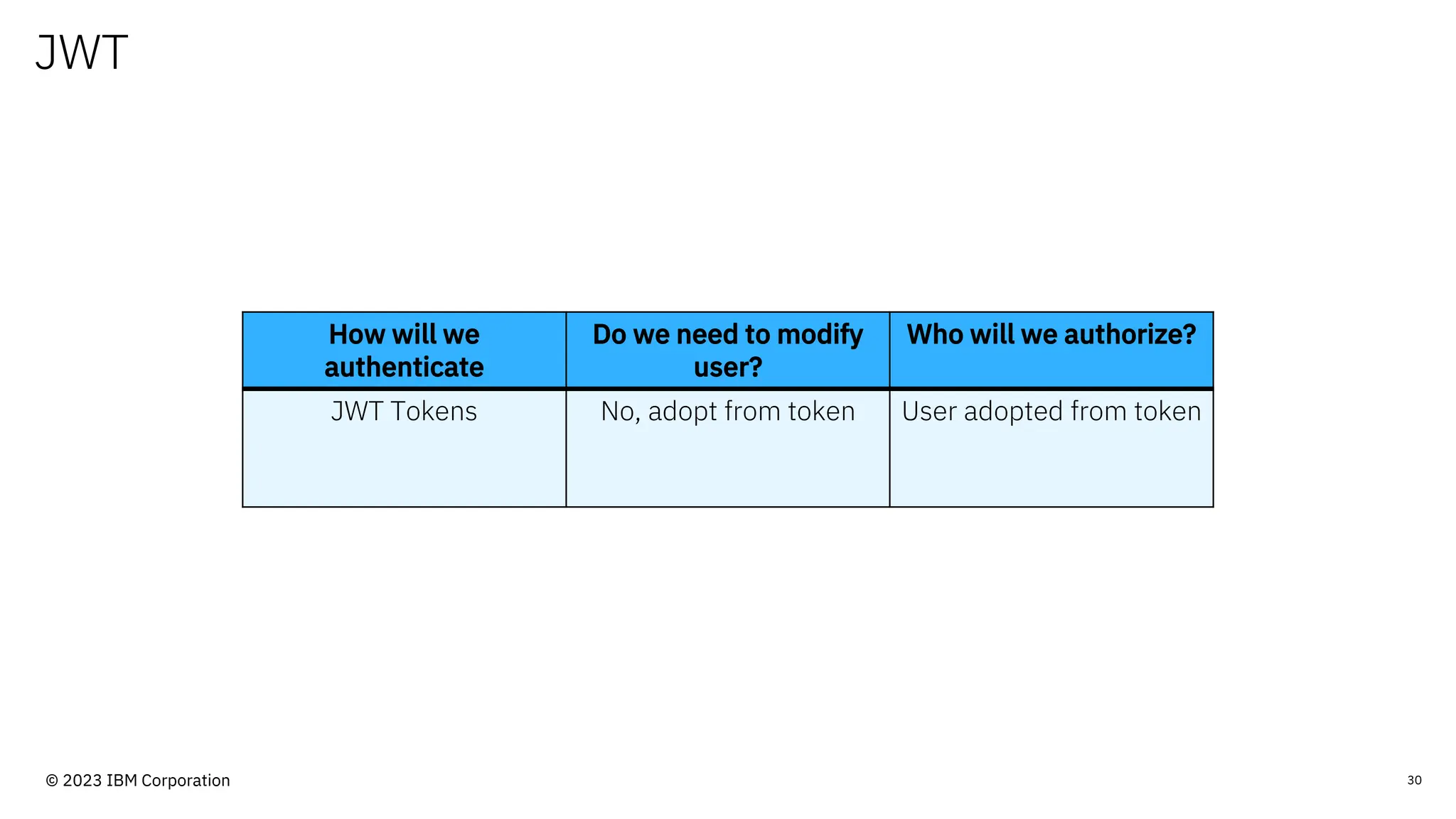
JWT
30
How will we
authenticate
Do we need to modify
user?
Who will we authorize?
JWT Tokens No, adopt from token User adopted from token
© 2023 IBM Corporation
queue manager
application1 channel1
queue1
queue2
channel2
application2
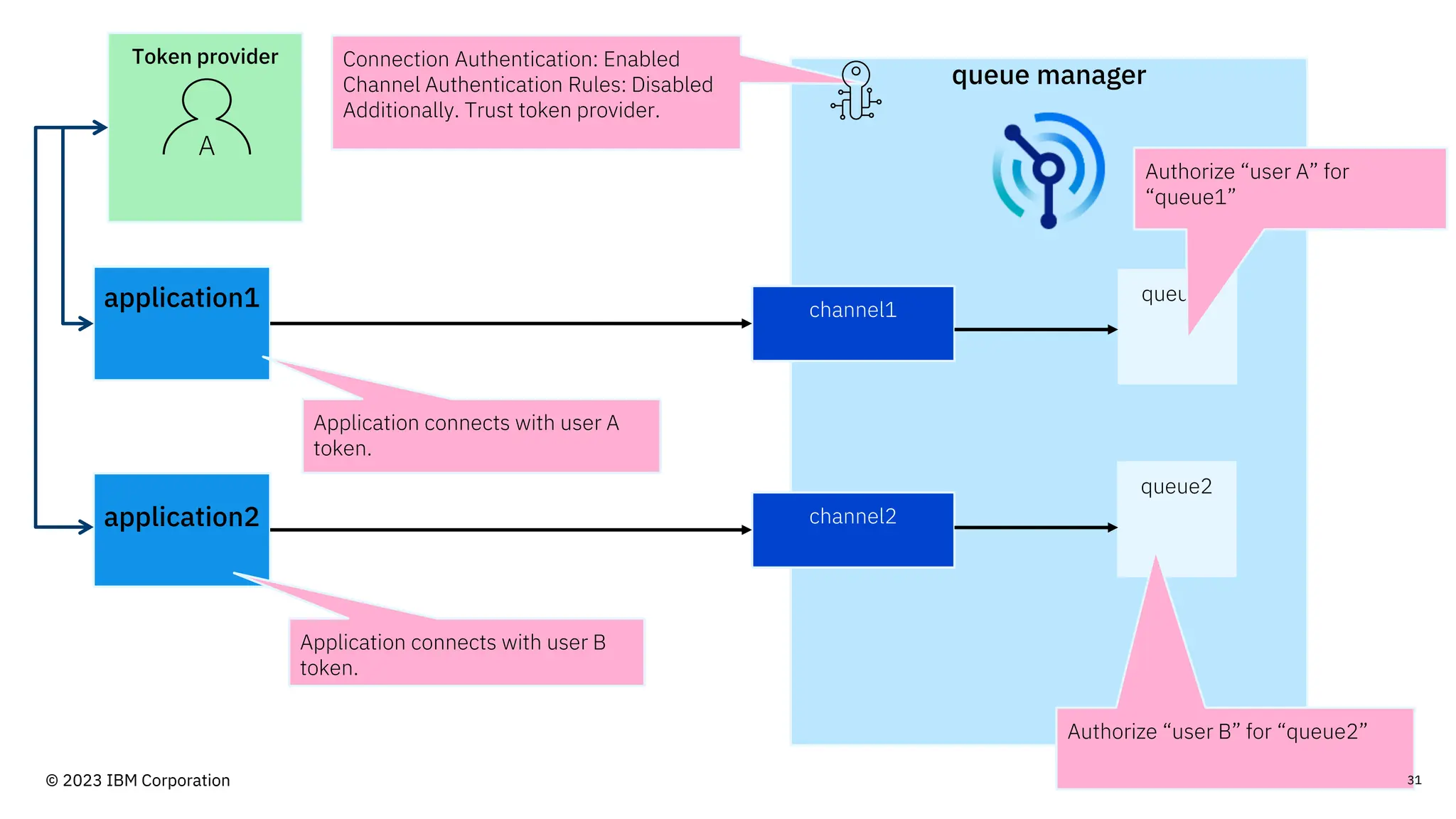
Connection Authentication: Enabled
Channel Authentication Rules: Disabled
Additionally. Trust token provider.
Authorize “user A” for
“queue1”
Authorize “user B” for “queue2”
Application connects with user A
token.
Application connects with user B
token.
Token provider
A
31
© 2023 IBM Corporation
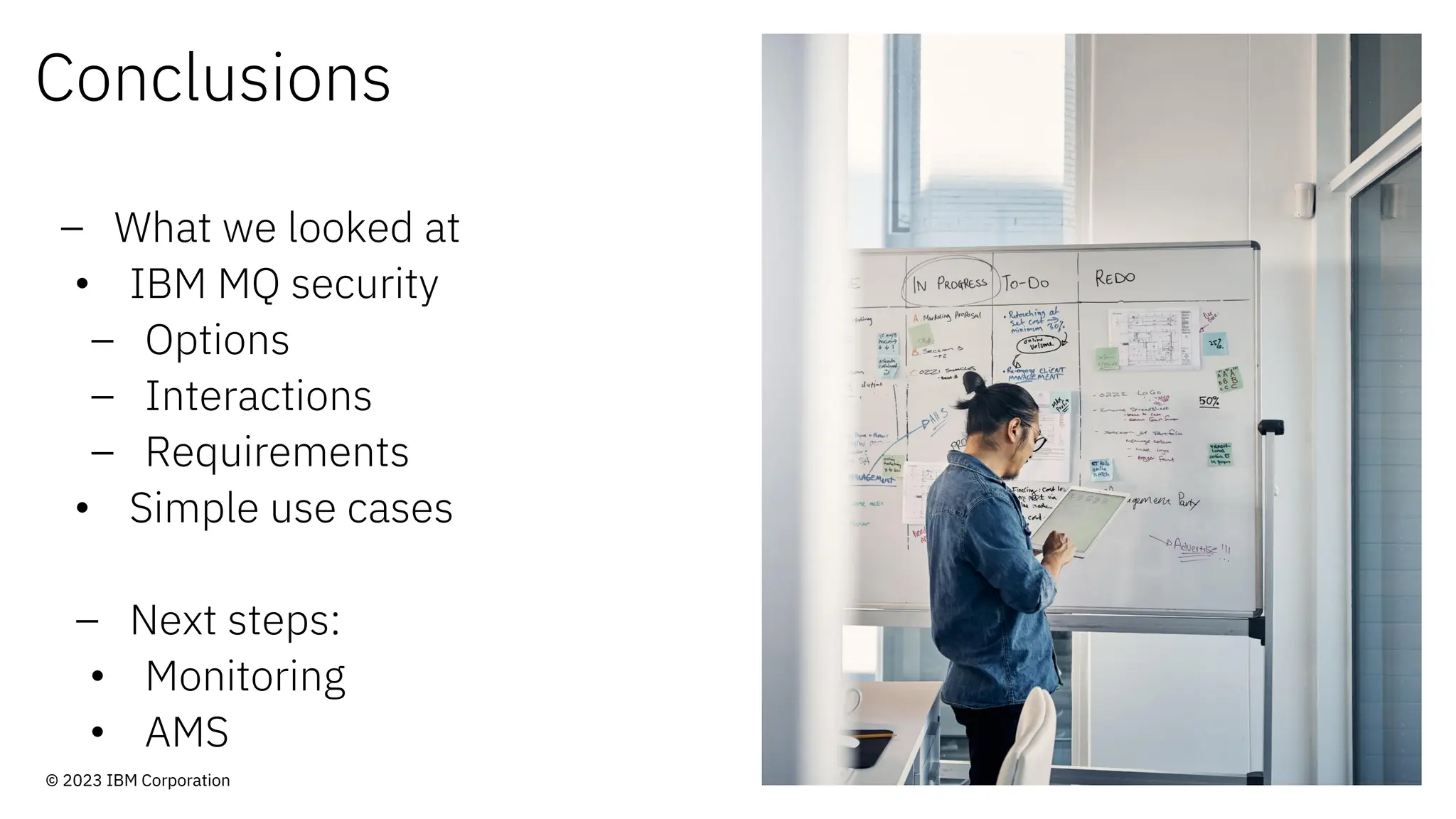
Conclusions
– What we looked at
• IBM MQ security
– Options
– Interactions
– Requirements
• Simple use cases
– Next steps:
• Monitoring
• AMS
© 2023 IBM Corporation
33
© 2023 IBM Corporation
© 2023 International Business Machines Corporation
IBM and the IBM logo are trademarks of IBM Corporation, registered in many jurisdictions worldwide.
Other product and service names might be trademarks of IBM or other companies. A current list of IBM
trademarks is available on ibm.com/trademark.
THIS DOCUMENT IS DISTRIBUTED “AS IS” WITHOUT ANY WARRANTY, EITHER EXPRESS OR IMPLIED.
IN NO EVENT, SHALL IBM BE LIABLE FOR ANY DAMAGE ARISING FROM THE USE OF THIS
INFORMATION, INCLUDING BUT NOT LIMITED TO, LOSS OF DATA, BUSINESS INTERRUPTION, LOSS
OF PROFIT OR LOSS OF OPPORTUNITY.
Client examples are presented as illustrations of how those clients have used IBM products and the
results they may have achieved. Actual performance, cost, savings or other results in other operating
environments may vary.
Not all offerings are available in every country in which IBM operates.
Any statements regarding IBM’s future direction, intent or product plans are subject to change or
withdrawal without notice. 34
© 2023 IBM Corporation

Simplifying IBM MQ Security in your MQ estate

  • 1.
    Simplifying IBM MQ Securityin your MQ estate. Rob Parker Security Architect, IBM MQ Distributed parrobe@uk.ibm.com
  • 2.
    IBM’s statements regardingits plans, directions, and intent are subject to change or withdrawal without notice at IBM’s sole discretion. Information regarding potential future products is intended to outline our general product direction and it should not be relied on in making a purchasing decision. The information mentioned regarding potential future products is not a commitment, promise, or legal obligation to deliver any material, code or functionality. Information about potential future products may not be incorporated into any contract. The development, release, and timing of any future features or functionality described for our products remains at our sole discretion. Performance is based on measurements and projections using standard IBM benchmarks in a controlled environment. The actual throughput or performance that any user will experience will vary depending upon many factors, including considerations such as the amount of multiprogramming in the user’s job stream, the I/O configuration, the storage configuration, and the workload processed. Therefore, no assurance can be given that an individual user will achieve results similar to those stated here. Please Note: 2 © 2023 IBM Corporation
  • 3.
    Who am I? RobertParker Security Architect, IBM MQ Distributed 3 – 10+ years working for IBM MQ – Lead for development of security functionality in IBM MQ © 2023 IBM Corporation
  • 4.
    Agenda – IBM MQSecurity • Security Options • Interoperability – Identity in MQ – Authentication in MQ – Example security configurations © 2023 IBM Corporation
  • 5.
    IBM MQ Security ©2023 IBM Corporation
  • 6.
    Broad range ofsecurity features. Security feature Interoperability. Server only diagnostics. - Number of options to consider. - Different behaviours and requirements. - Features don’t work in isolation. - Different behaviours with different combinations. - Informative diagnostics only in one location. - Client applications left in the dark. - New security requirements/standards. - New security functionality. Constantly evolving. 6 © 2023 IBM Corporation
  • 7.
  • 8.
    Security Options Channel Authentication Rules Connection Authentication TLS Advanced Message Security Security ExitsAuthorization Records - Filter connections - Authenticate users - Authenticate tokens - Link encryption - Message encryption - Extendable security - Authorize users 8 © 2023 IBM Corporation
  • 9.
    MQ Authorization Authority recordsspecify exact authorities. - Applied to groups or users. - Applied for specific or generic MQ objects. - List exact authorities granted. Users in the mqm group are considered admins. - Able to perform any action by default. 9 Authorization uses all applicable authority records to determine authority to perform an action. - Calculated when action is attempted. User being authorized needs to exist. - Unless you enable UserExternal mode © 2023 IBM Corporation
  • 10.
  • 11.
    Identity in IBMMQ 11 © 2023 IBM Corporation
  • 12.
    Identity in MQ OSUser - What user is the app running as? 12 IP/Hostname - Where is the connection coming from? Supplied User - User given via MQCSP structure TLS Certificate - TLS Certificate used by application © 2023 IBM Corporation
  • 13.
    Identity in MQ 13 OSUser IP/Hostname Supplied User TLS Certificate Authorized User - MQ Authorization requires a user © 2023 IBM Corporation
  • 14.
    Channel Authentication Rules ConvertIP/hostname 14 - Filter connections, blocking unwanted. - Modify connections authorized user. Filter on: - TLS certificate. - User name. - IP/Hostname. - queue manager name. Convert TLS certificate Modify username © 2023 IBM Corporation
  • 15.
    Identity precedence 15 Method Notes Userrunning the application This will be over-ridden by anything else. Rarely do you want to trust an unauthenticated client-side user ID. MCAUSER setting on channel definition A handy trick to ensure that the client flowed ID is never used is to define the MCAUSER as ‘rubbish’ and then anything that is not set appropriately by one of the next methods cannot connect. User supplied for connection authentication The queue manager wide setting to adopt the password authenticated user ID as the MCAUSER will over-ride either of the above. Channel Authentication rules To allow more granular control of MCAUSER setting, rather than relying on the above queue manager wide setting, you can of course use CHLAUTH rules. Security Exits Although CHLAUTH gets the final say on whether a connection is blocked (security exit not called in that case), the security exit does get called with the MCAUSER CHLAUTH has decided upon, and can change it. Lowest Highest © 2023 IBM Corporation
  • 16.
    16 Security Processing Authorize Modify Authenticate - MQAuthorization - Channel authentication records - Security exits © 2023 IBM Corporation
  • 17.
    Authentication in IBM MQ 17 ©2023 IBM Corporation
  • 18.
    Authentication Connection Authentication – Authenticatesusers or tokens – Can adopt that user for future checks – Supports • OS authentication • LDAP authentication • JWT authentication TLS – Mutual TLS requires apps to provide a trusted certificate – Requiring Mutual TLS ensures only know applications can connect – Requires conversion to a user for authorization 18 © 2023 IBM Corporation
  • 19.
    Security exits Custom security processing. -Written by you. - Called by MQ during security processing. Performs additional authentication and modification of user as required. - Used to provide missing MQ security features. Pairs of security exits can work together. - Can communicate with each other. Many business offer security exits as a bolt- on product. 19 © 2023 IBM Corporation
  • 20.
  • 21.
    Disclaimer - These aresamples. - Information is current as of November 2023. - The examples are not exhaustive. © 2023 IBM Corporation
  • 22.
  • 23.
    23 Security Processing Authorize Modify Authenticate – Howwill my apps authenticate themselves? – Do I need to change the user for authorization? – What authorities will I grant and on what group? © 2023 IBM Corporation
  • 24.
    Fully open approach 24 Howwill we authenticate Do we need to modify user? Who will we authorize? None Yes - To prevent mqm Single user © 2023 IBM Corporation
  • 25.
    queue manager application1 channel1 queue1 queue2 channel2 application2 Connection Authentication:Disabled Channel Authentication Rules: Disabled Channel changes user to “userq1” Channel changes user to “userq2” Authorize “userq1” for “queue1” Authorize “userq2” for “queue2” 25 © 2023 IBM Corporation
  • 26.
    Mutual TLS 26 How willwe authenticate Do we need to modify user? Who will we authorize? Mutual TLS Yes, distinguished name to user The user we map to © 2023 IBM Corporation
  • 27.
    queue manager application1 channel1 queue1 queue2 channel2 application2 Connection Authentication:Disabled Channel Authentication Rules: Enabled - Map CN=App1 to userq1 - Map CN=App2 to userq2 - Block all other connections Authorize “userq1” for “queue1” Authorize “userq2” for “queue2” Application connects with CN=App1 certificate Application connects with CN=App2 certificate Queue manager trusts CN=App1 and CN=App2 27 © 2023 IBM Corporation
  • 28.
    Authenticate user andpassword 28 How will we authenticate Do we need to modify user? Who will we authorize? Application supplied credentials No The user supplied by the application © 2023 IBM Corporation
  • 29.
    queue manager application1 channel1 queue1 queue2 channel2 application2 User repository A B ConnectionAuthentication: Enabled Channel Authentication Rules: Disabled Application connects with user A credentials Application connects with user B credentials Authorize “user A” for “queue1” Authorize “user B” for “queue2” 29 © 2023 IBM Corporation
  • 30.
    JWT 30 How will we authenticate Dowe need to modify user? Who will we authorize? JWT Tokens No, adopt from token User adopted from token © 2023 IBM Corporation
  • 31.
    queue manager application1 channel1 queue1 queue2 channel2 application2 ConnectionAuthentication: Enabled Channel Authentication Rules: Disabled Additionally. Trust token provider. Authorize “user A” for “queue1” Authorize “user B” for “queue2” Application connects with user A token. Application connects with user B token. Token provider A 31 © 2023 IBM Corporation
  • 32.
    Conclusions – What welooked at • IBM MQ security – Options – Interactions – Requirements • Simple use cases – Next steps: • Monitoring • AMS © 2023 IBM Corporation
  • 33.
    33 © 2023 IBMCorporation
  • 34.
    © 2023 InternationalBusiness Machines Corporation IBM and the IBM logo are trademarks of IBM Corporation, registered in many jurisdictions worldwide. Other product and service names might be trademarks of IBM or other companies. A current list of IBM trademarks is available on ibm.com/trademark. THIS DOCUMENT IS DISTRIBUTED “AS IS” WITHOUT ANY WARRANTY, EITHER EXPRESS OR IMPLIED. IN NO EVENT, SHALL IBM BE LIABLE FOR ANY DAMAGE ARISING FROM THE USE OF THIS INFORMATION, INCLUDING BUT NOT LIMITED TO, LOSS OF DATA, BUSINESS INTERRUPTION, LOSS OF PROFIT OR LOSS OF OPPORTUNITY. Client examples are presented as illustrations of how those clients have used IBM products and the results they may have achieved. Actual performance, cost, savings or other results in other operating environments may vary. Not all offerings are available in every country in which IBM operates. Any statements regarding IBM’s future direction, intent or product plans are subject to change or withdrawal without notice. 34 © 2023 IBM Corporation