Sharpening the Axe
Preparation and planning are integral to successful design.
Dustin J Cooper
Drupal Designer
@dustinjcooper
dustin.cooper@mediacurrent.com
www.mediacurrent.com
"If I had 8 hours to chop down a tree, I'd
spend 6 sharpening my axe."
-Lincoln
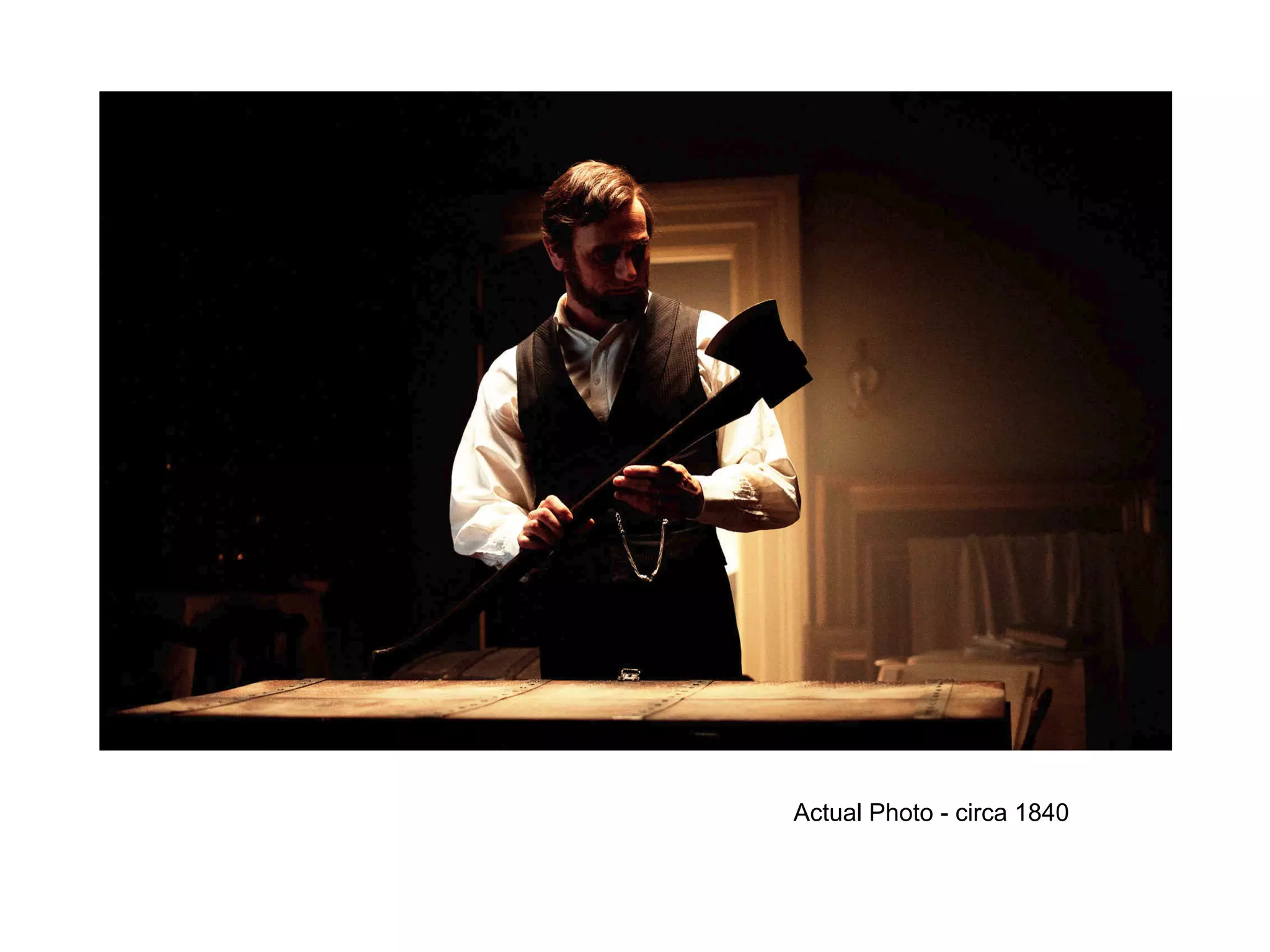
Actual Photo - circa 1840
Overview
● Introduction
● Discovery
● Sketching
● Wireframing
● Mockups
● Links
● Closing/Questions
Hello World!
I'm Dustin Cooper.
A Proud
Drupal Designer
@Mediacurrent.
Introduction
● Working with Drupal for 4 years now.
Introduction
● Working with Drupal for 4 years now.
● I sketch, create wireframes/mockups and write front end code.
Introduction
● Working with Drupal for 4 years now.
● I sketch, create wireframes/mockups and write front end code.
● Forever a student.
Introduction
● Working with Drupal for 4 years now.
● I sketch, create wireframes/mockups and write front end code.
● Forever a student.
● Favorite tools - omnigraffle, photoshop, illustrator, sublime,
sass/compass.
Introduction
● Working with Drupal for 4 years now.
● I sketch, create wireframes/mockups and write front end code.
● Forever a student.
● Favorite tools - omnigraffle, photoshop, illustrator,
sass/compass.
● I also like beer, long walks on the beach and ...
Introduction
● Working with Drupal for 4 years now.
● I sketch, create wireframes/mockups and write front end code.
● Forever a student.
● Favorite tools - omnigraffle, photoshop, illustrator,
sass/compass.
● I also like beer, long walks on the beach and ....
● Growing my beard.
Discovery
Discovery
● Initial meeting between you and client.
Discovery
● Initial meeting between you and client.
● Sets the tone for project. Establish rapport.
Discovery
● Initial meeting between you and client.
● Sets the tone for project. Establish rapport.
● You and client get on the same page.
Discovery
● Initial meeting between you and client.
● Sets the tone for project. Establish rapport.
● You and client get on the same page.
● Get clear on what the goals are.
Discovery
● Initial meeting between you and client.
● Sets the tone for project. Establish rapport.
● You and client get on the same page.
● Get clear on what the goals are.
● Ask lots of questions. Take good notes.
Discovery
● Initial meeting between you and client.
● Sets the tone for project. Establish rapport.
● You and client get on the same page.
● Get clear on what the goals are.
● Ask lots of questions. Take good notes.
● Read functional spec. thoroughly.
Discovery
● Questions to ask:
○ What are you looking to accomplish with this project?
Discovery
● Questions to ask:
○ What are you looking to accomplish with this project?
○ What kind of emotions do you want your clients to feel when
using your product?
Discovery
● Questions to ask:
○ What are you looking to accomplish with this project?
○ What kind of emotions do you want your clients to feel when
using your product?
○ What is it that makes your product better than your
competitors?
Discovery
● Questions to ask:
○ What are you looking to accomplish with this project?
○ What kind of emotions do you want your clients to feel when
using your product?
○ What is it that makes your product better than your
competitors?
○ Who is your target market?
Discovery
● Questions to ask:
○ What are you looking to accomplish with this project?
○ What kind of emotions do you want your clients to feel when
using your product?
○ What is it that makes your product better than your
competitors?
○ Who is your target market?
○ Describe your typical customer and why they are your typical
customer.
Discovery
● Questions to ask: (Cont.)
○ When your typical customer visits the website what is the
experience you would like them to have.
Discovery
● Questions to ask: (Cont.)
○ When your typical customer visits the website what is the
experience you would like them to have.
○ Do you have an established brand? If so, what are the
guidelines set for the brand?
Discovery
● Questions to ask: (Cont.)
○ When your typical customer visits the website what is the
experience you would like them to have.
○ Do you have an established brand? If so, what are the
guidelines set for the brand?
○ Color preferences? Any colors to avoid?
Discovery
● Questions to ask: (Cont.)
○ When your typical customer visits the website what is the
experience you would like them to have.
○ Do you have an established brand? If so, what are the
guidelines set for the brand?
○ Color preferences? Any colors to avoid?
○ What adjectives would you use to describe your product?
Discovery
● Josh Estep, developer at Mediacurrent, did a great blogpost on
discovery, check it out here:
http://www.mediacurrent.com/blog/help-ensure-your-website-
project-success
Sketching
Who hear sketches first?
Sketching
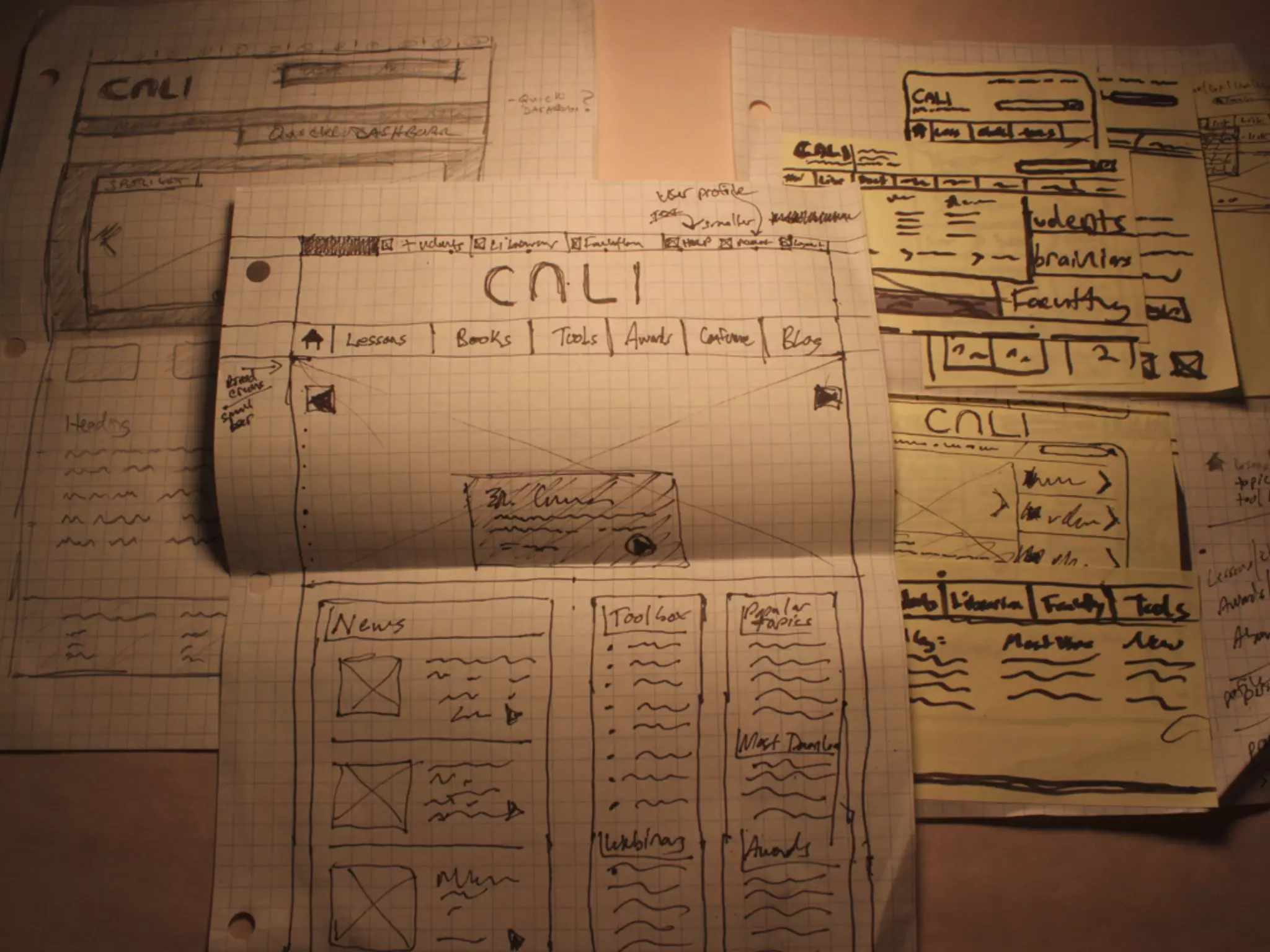
● Ideally you want to always start with a sketch
Sketching
● Ideally you want to always start with a sketch
● Sketching is cheaper to iterate than wireframing which is
cheaper than mockups.
Sketching
● Ideally you want to always start with a sketch
● Sketching is cheaper to iterate than wireframing which is
cheaper than mockups.
● During this time you want to stoke your creative fire, do lots of
research.
Sketching
● Ideally you want to always start with a sketch
● Sketching is cheaper to iterate than wireframing which is
cheaper than mockups.
● During this time you want to stoke your creative fire, do lots of
research.
● I like to do some mind mapping
Sketching
● Ideally you want to always start with a sketch
● Sketching is cheaper to iterate than wireframing which is
cheaper than mockups.
● During this time you want to stoke your creative fire, do lots of
research.
● I like to do some mind mapping
● Sketch everything you can think of, even the dumb stuff
Wireframing
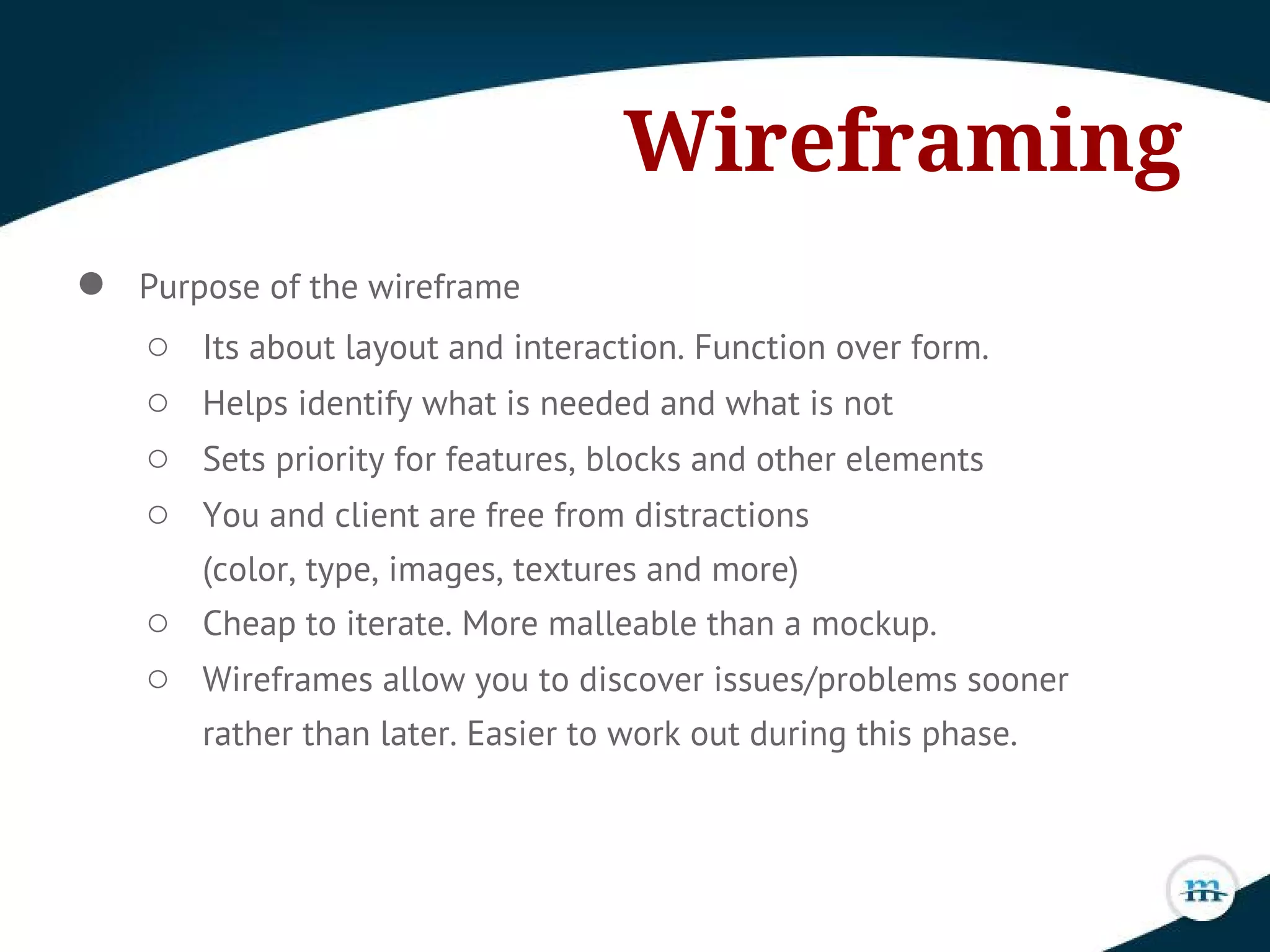
Wireframing
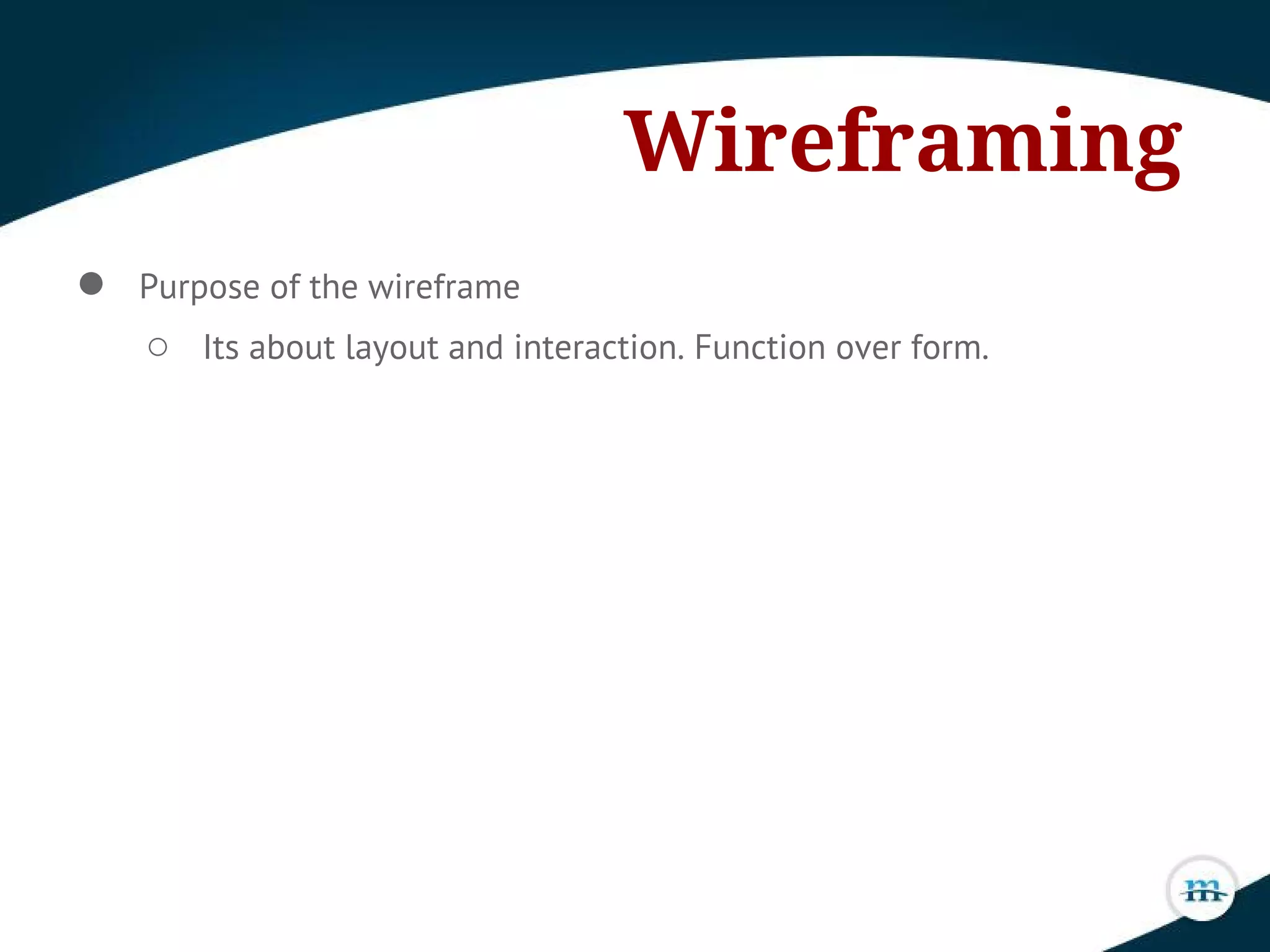
● Purpose of the wireframe
○ Its about layout and interaction. Function over form.
Wireframing
● Purpose of the wireframe
○ Its about layout and interaction. Function over form.
○ Helps identify what is needed and what is not
Wireframing
● Purpose of the wireframe
○ Its about layout and interaction. Function over form.
○ Helps identify what is needed and what is not
○ Sets priority for features, blocks and other elements
Wireframing
● Purpose of the wireframe
○ Its about layout and interaction. Function over form.
○ Helps identify what is needed and what is not
○ Sets priority for features, blocks and other elements
○ You and client are free from distractions
(color, type, images, textures and more)
Wireframing
● Purpose of the wireframe
○ Its about layout and interaction. Function over form.
○ Helps identify what is needed and what is not
○ Sets priority for features, blocks and other elements
○ You and client are free from distractions
(color, type, images, textures and more)
○ Cheap to iterate. More malleable than a mockup.
Wireframing
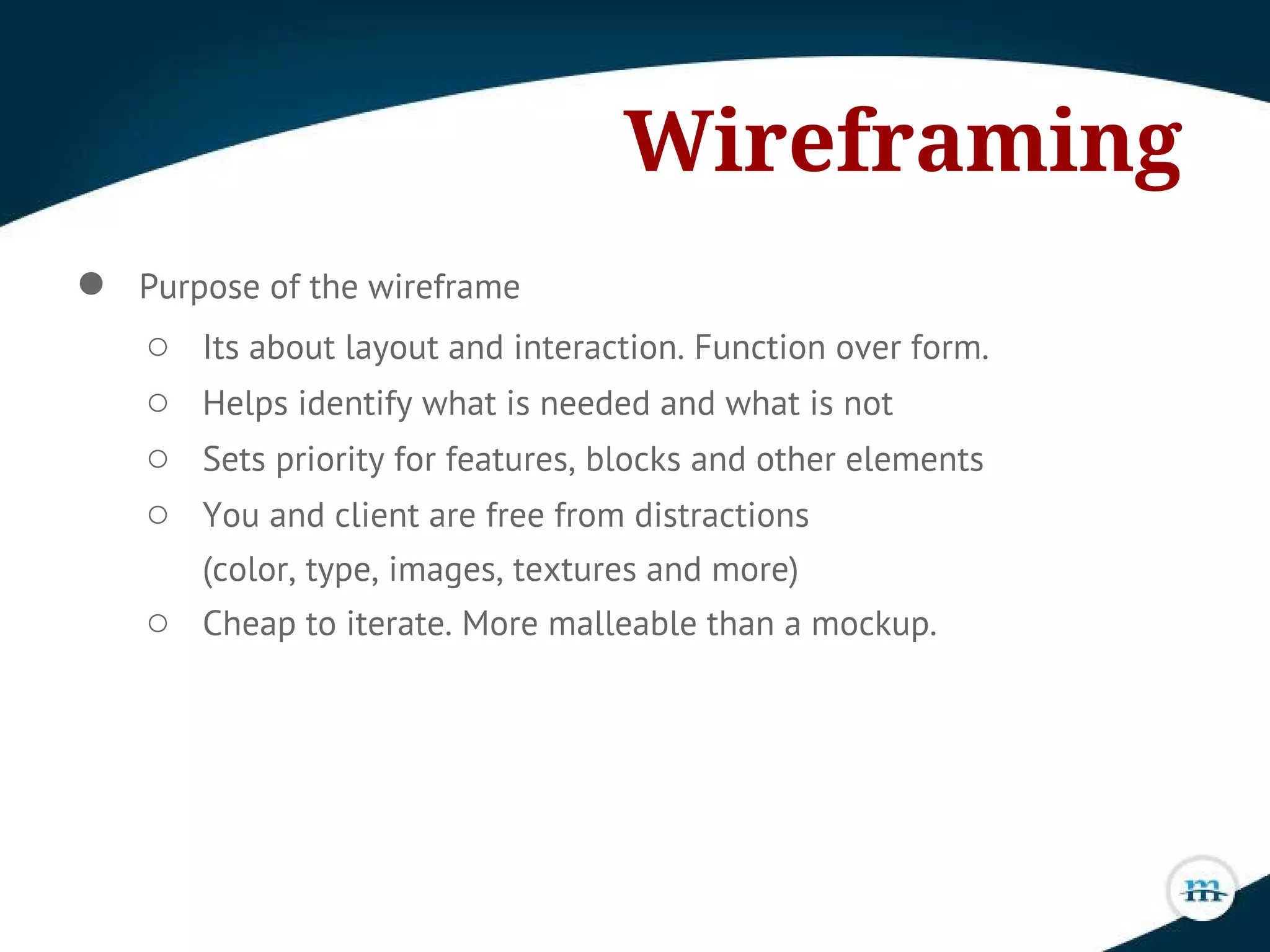
● Purpose of the wireframe
○ Its about layout and interaction. Function over form.
○ Helps identify what is needed and what is not
○ Sets priority for features, blocks and other elements
○ You and client are free from distractions
(color, type, images, textures and more)
○ Cheap to iterate. More malleable than a mockup.
○ Wireframes allow you to discover issues/problems sooner
rather than later. Easier to work out during this phase.
Wireframing
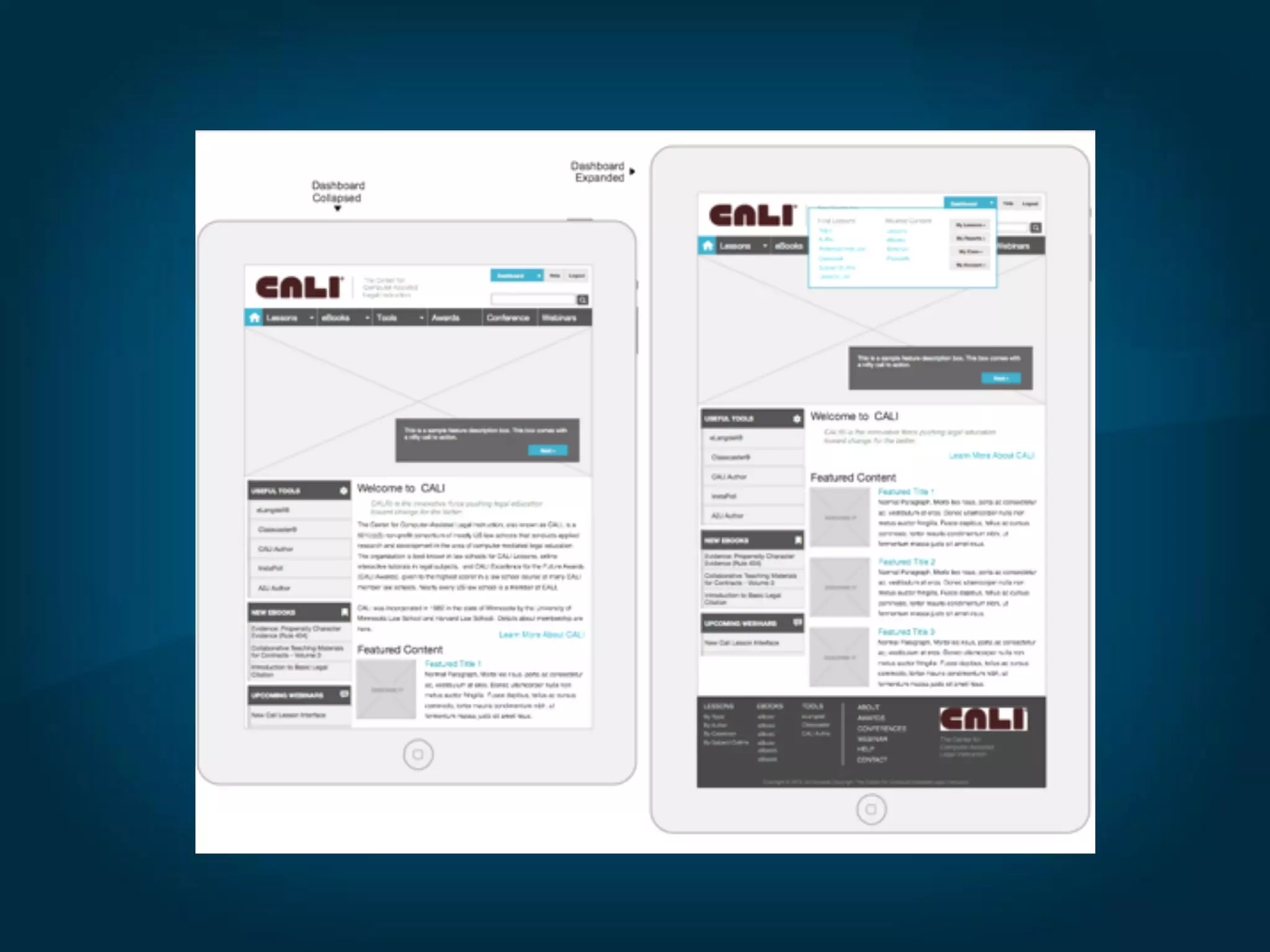
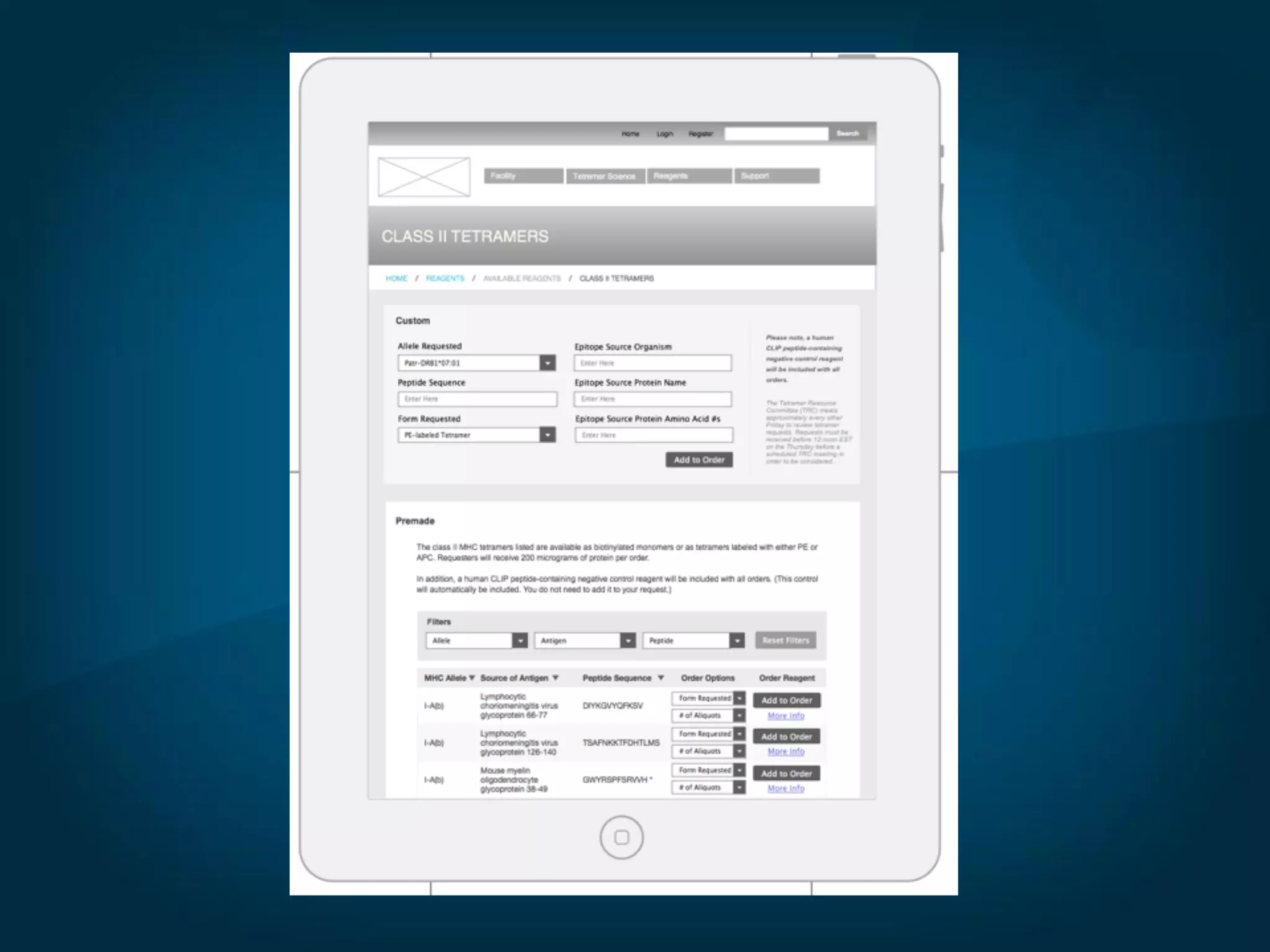
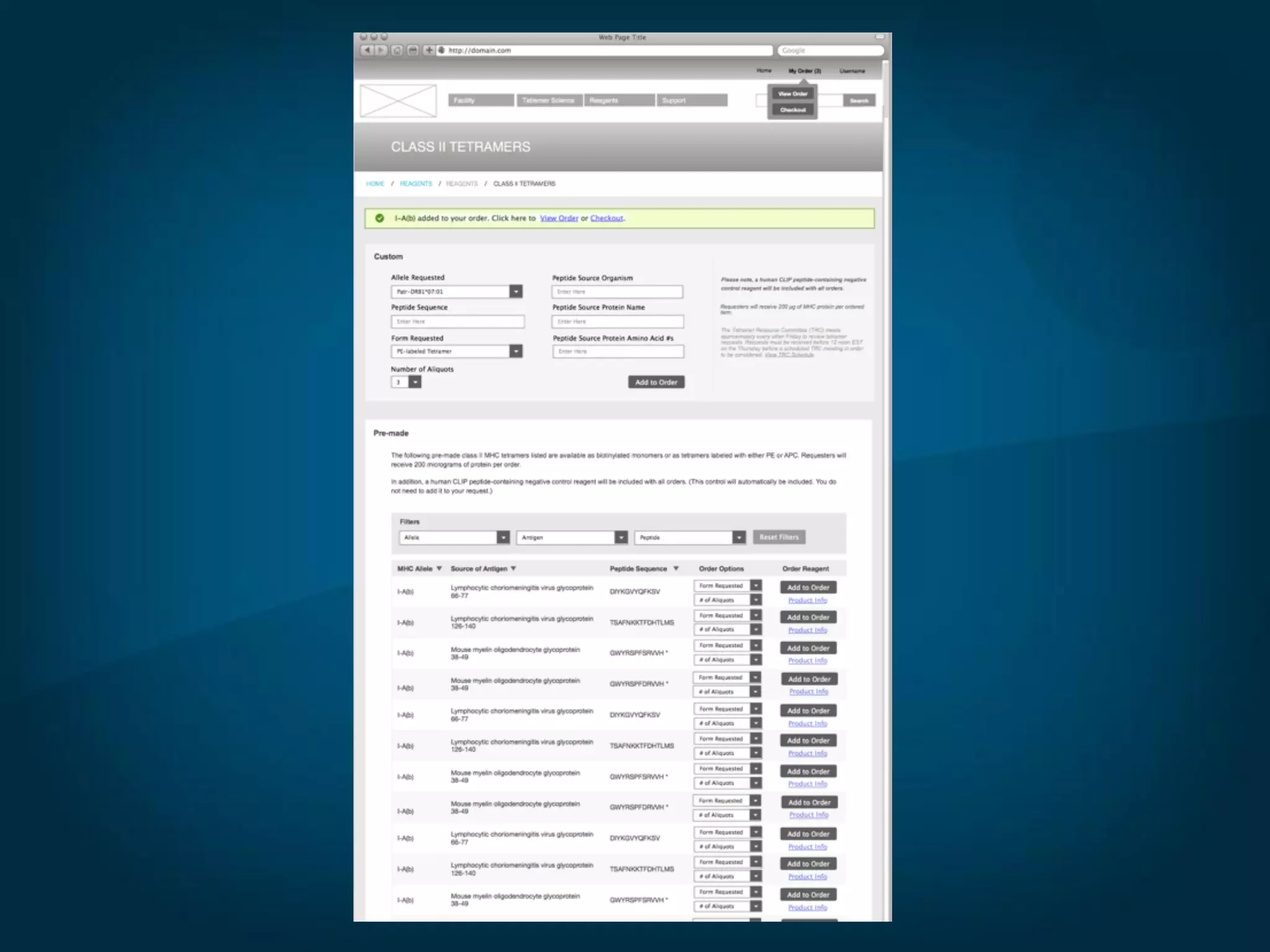
● Wireframe is a blueprint. You wouldn't want someone to build
your house without a blueprint would you?
Wireframing
● Wireframe is a blueprint. You wouldn't want someone to build
your house without a blueprint would you?
● Might skip a sketch, but never a wireframe.
Wireframing
● Wireframe is a blueprint. You wouldn't want someone to build
your house without a blueprint would you?
● Might skip a sketch, but never a wireframe.
● Find Inspiration - look at how other websites are laid out. Search
Flickr for wireframes.
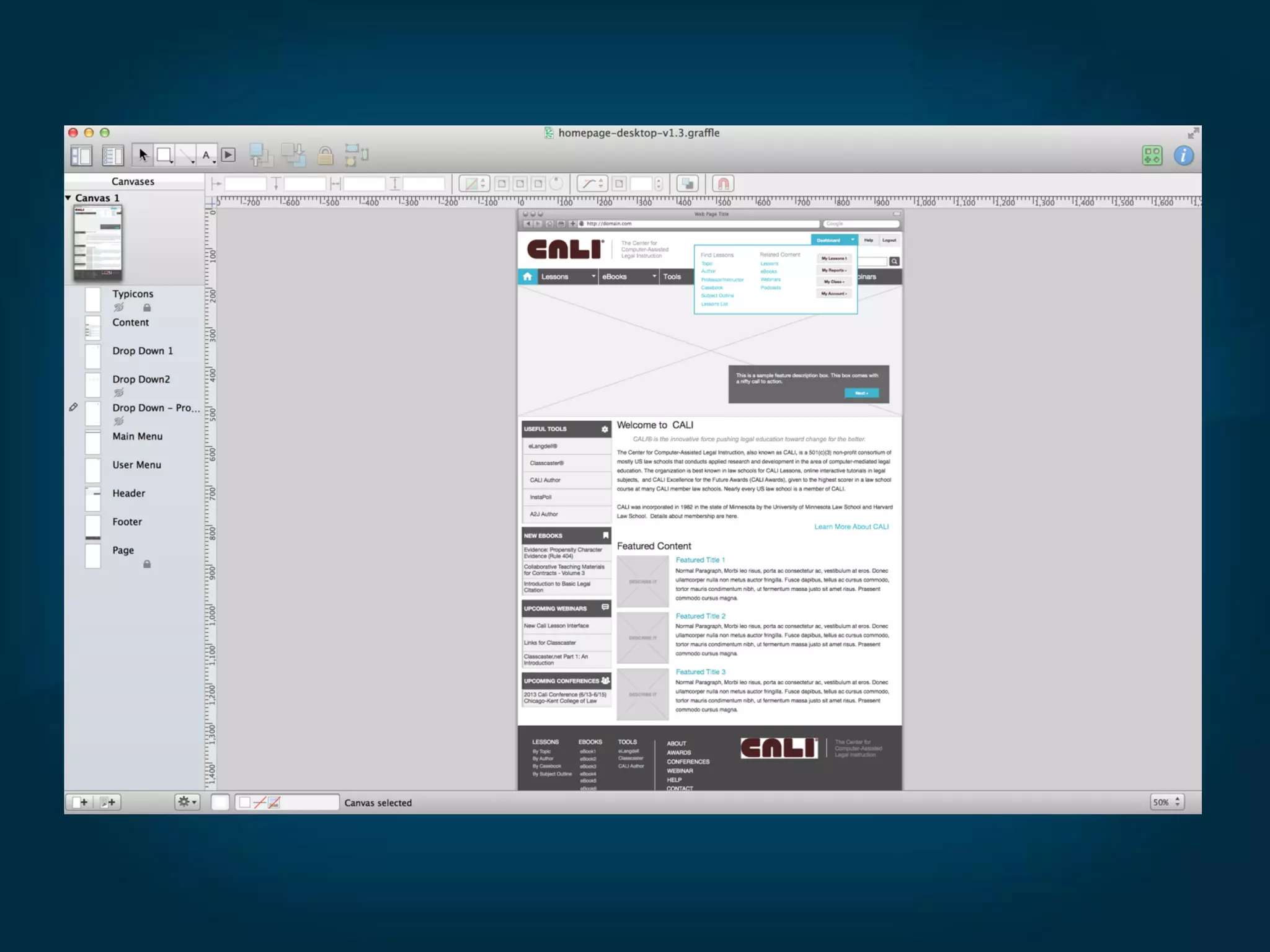
● I use omnigraffle as my wireframing tool of choice
● Other popular tools include:
○ Balsalmiq
○ Cacoo.com
○ Adobe Fireworks
○ Adobe Illustrator
○ Adobe InDesign
○ Adobe Photoshop
● Find examples on Flickr
http://www.flickr.com/search/?q=wireframes
Wireframing
What are some of your favorite
wireframing tools?
● Get some stencils
● Omnigraffle has great stencils. Download additional stencils fro
Graffletopia - https://www.graffletopia.com/
● Yahoo stencil set is great too. Has many versions/formats
available including Illustrator.
http://developer.yahoo.com/ypatterns/about/stencils/
● Zurb Foundation
http://www.zurb.com/playground/foundation-stencil-sets
Wireframing
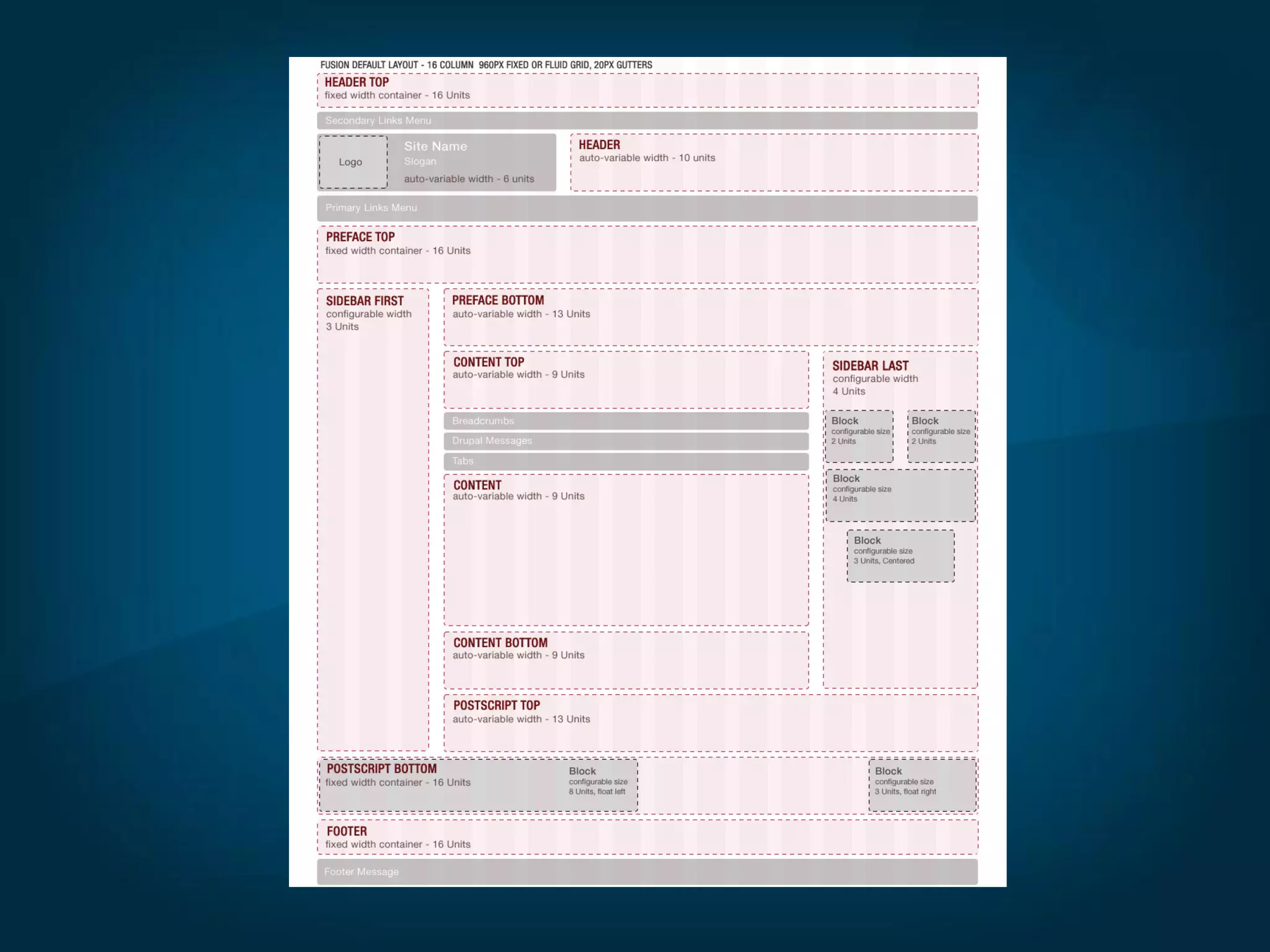
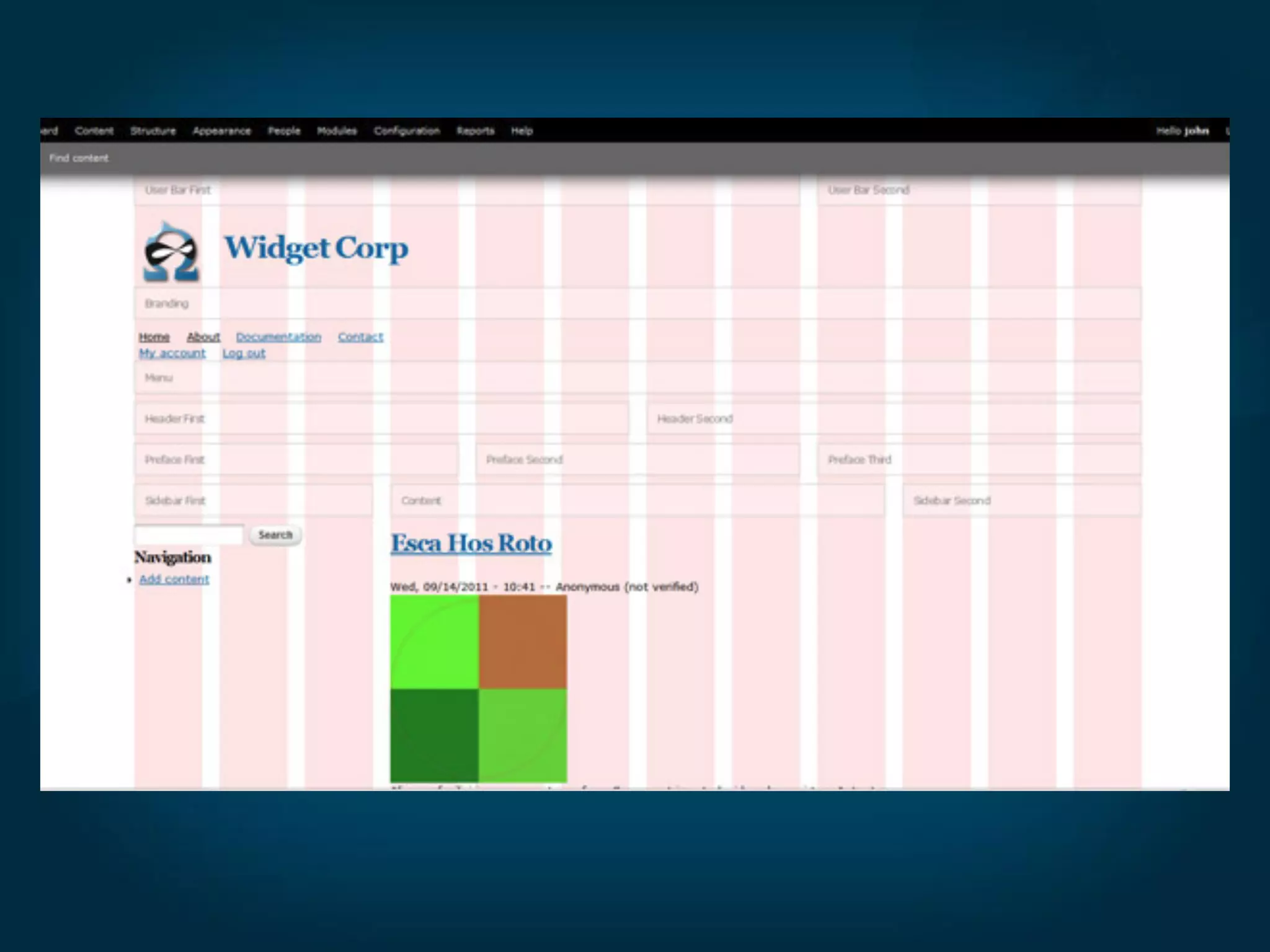
● Use a grid - 960.gs FTW!
Wireframing
● Use a grid - 960.gs FTW!
● Your designs will look more professional when properly aligned
Wireframing
● Use a grid - 960.gs FTW!
● Your designs will look more professional when properly aligned
● Omega and other themes use a grid so it just makes sense
Wireframing
● Use a grid - 960.gs FTW!
● Your designs will look more professional when properly aligned
● Omega and other themes use a grid so it just makes sense
● Grids provide structure, crucial for a good design
Wireframing
● I did a blogpost on wireframe, check it out here
http://www.mediacurrent.com/blog/wireframing-worth-it
● Co-worker Jeff Diecks has a post also along these lines
http://www.mediacurrent.com/blog/rational-redesigns-visual-
planning
Wireframing
Mockups
Mockups
● Time to get creative - Add color, type, texture, patterns
Mockups
● Time to get creative - Add color, type, texture, patterns
● This is the time for all the detailed stuff
Mockups
● Time to get creative - Add color, type, texture, patterns
● This is the time for all the detailed stuff
● Bring in your wireframe and draw on top of it. I use photoshop.
Mockups
● Time to get creative - Add color, type, texture, patterns
● This is the time for all the detailed stuff
● Bring in your wireframe and draw on top of it. I use photoshop.
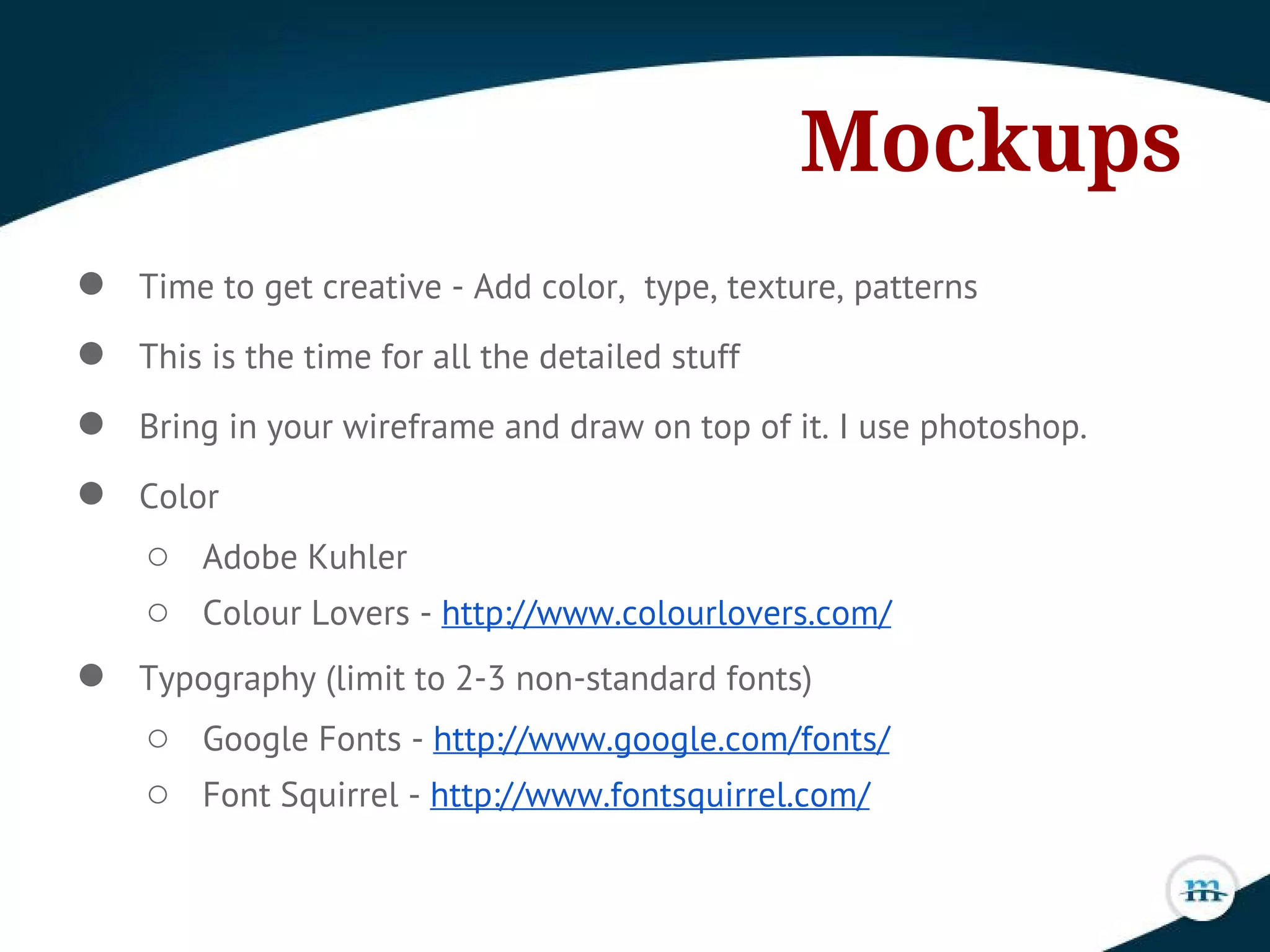
● Color
○ Adobe Kuhler
○ Colour Lovers - http://www.colourlovers.com/
Mockups
● Time to get creative - Add color, type, texture, patterns
● This is the time for all the detailed stuff
● Bring in your wireframe and draw on top of it. I use photoshop.
● Color
○ Adobe Kuhler
○ Colour Lovers - http://www.colourlovers.com/
● Typography (limit to 2-3 non-standard fonts)
○ Google Fonts - http://www.google.com/fonts/
○ Font Squirrel - http://www.fontsquirrel.com/
Sites
● A beginner's guide to wireframing
http://webdesign.tutsplus.com/tutorials/workflow-tutorials/a-
beginners-guide-to-wireframing/
● 20 Steps to a better wireframe
http://blog.teamtreehouse.com/20-steps-to-better-wireframing
● Smashing Magazine Wireframing Kits
http://www.smashingmagazine.com/2010/02/05/50-free-ui-and-
web-design-wireframing-kits-resources-and-source-files/
● Tuts Premium
https://tutsplus.com/
● Speed Art - Website Mockup
http://www.youtube.com/watch?v=ZzJkjW9m2B0
Books
● Designing for Emotion
http://www.abookapart.com/products/designing-for-emotion
● Communicating Design
http://communicatingdesign.com/
● Don't Make Me Think
http://www.amazon.com/Dont-Make-Me-Think-
Usability/dp/0321344758
● Smashing Magazine Ebooks
https://shop.smashingmagazine.com/ebooks
Podcasts
● Shop Talk
http://shoptalkshow.com/
● Big Web Show
http://5by5.tv/bigwebshow
● The Creative Process
http://www.lullabot.com/blog/podcasts/the-creative-process
● Drupal Easy
http://drupaleasy.com/
● Accidental Creative
http://www.accidentalcreative.com/
Thank You!
Questions
If you enjoyed this please let me know on twitter
@dustinjcooper

Sharpening the Axe

  • 1.
    Sharpening the Axe Preparationand planning are integral to successful design. Dustin J Cooper Drupal Designer @dustinjcooper dustin.cooper@mediacurrent.com www.mediacurrent.com
  • 2.
    "If I had8 hours to chop down a tree, I'd spend 6 sharpening my axe." -Lincoln
  • 3.
    Actual Photo -circa 1840
  • 4.
    Overview ● Introduction ● Discovery ●Sketching ● Wireframing ● Mockups ● Links ● Closing/Questions
  • 5.
    Hello World! I'm DustinCooper. A Proud Drupal Designer @Mediacurrent.
  • 6.
    Introduction ● Working withDrupal for 4 years now.
  • 7.
    Introduction ● Working withDrupal for 4 years now. ● I sketch, create wireframes/mockups and write front end code.
  • 8.
    Introduction ● Working withDrupal for 4 years now. ● I sketch, create wireframes/mockups and write front end code. ● Forever a student.
  • 9.
    Introduction ● Working withDrupal for 4 years now. ● I sketch, create wireframes/mockups and write front end code. ● Forever a student. ● Favorite tools - omnigraffle, photoshop, illustrator, sublime, sass/compass.
  • 10.
    Introduction ● Working withDrupal for 4 years now. ● I sketch, create wireframes/mockups and write front end code. ● Forever a student. ● Favorite tools - omnigraffle, photoshop, illustrator, sass/compass. ● I also like beer, long walks on the beach and ...
  • 11.
    Introduction ● Working withDrupal for 4 years now. ● I sketch, create wireframes/mockups and write front end code. ● Forever a student. ● Favorite tools - omnigraffle, photoshop, illustrator, sass/compass. ● I also like beer, long walks on the beach and .... ● Growing my beard.
  • 16.
  • 17.
    Discovery ● Initial meetingbetween you and client.
  • 18.
    Discovery ● Initial meetingbetween you and client. ● Sets the tone for project. Establish rapport.
  • 19.
    Discovery ● Initial meetingbetween you and client. ● Sets the tone for project. Establish rapport. ● You and client get on the same page.
  • 20.
    Discovery ● Initial meetingbetween you and client. ● Sets the tone for project. Establish rapport. ● You and client get on the same page. ● Get clear on what the goals are.
  • 21.
    Discovery ● Initial meetingbetween you and client. ● Sets the tone for project. Establish rapport. ● You and client get on the same page. ● Get clear on what the goals are. ● Ask lots of questions. Take good notes.
  • 22.
    Discovery ● Initial meetingbetween you and client. ● Sets the tone for project. Establish rapport. ● You and client get on the same page. ● Get clear on what the goals are. ● Ask lots of questions. Take good notes. ● Read functional spec. thoroughly.
  • 23.
    Discovery ● Questions toask: ○ What are you looking to accomplish with this project?
  • 24.
    Discovery ● Questions toask: ○ What are you looking to accomplish with this project? ○ What kind of emotions do you want your clients to feel when using your product?
  • 25.
    Discovery ● Questions toask: ○ What are you looking to accomplish with this project? ○ What kind of emotions do you want your clients to feel when using your product? ○ What is it that makes your product better than your competitors?
  • 26.
    Discovery ● Questions toask: ○ What are you looking to accomplish with this project? ○ What kind of emotions do you want your clients to feel when using your product? ○ What is it that makes your product better than your competitors? ○ Who is your target market?
  • 27.
    Discovery ● Questions toask: ○ What are you looking to accomplish with this project? ○ What kind of emotions do you want your clients to feel when using your product? ○ What is it that makes your product better than your competitors? ○ Who is your target market? ○ Describe your typical customer and why they are your typical customer.
  • 28.
    Discovery ● Questions toask: (Cont.) ○ When your typical customer visits the website what is the experience you would like them to have.
  • 29.
    Discovery ● Questions toask: (Cont.) ○ When your typical customer visits the website what is the experience you would like them to have. ○ Do you have an established brand? If so, what are the guidelines set for the brand?
  • 30.
    Discovery ● Questions toask: (Cont.) ○ When your typical customer visits the website what is the experience you would like them to have. ○ Do you have an established brand? If so, what are the guidelines set for the brand? ○ Color preferences? Any colors to avoid?
  • 31.
    Discovery ● Questions toask: (Cont.) ○ When your typical customer visits the website what is the experience you would like them to have. ○ Do you have an established brand? If so, what are the guidelines set for the brand? ○ Color preferences? Any colors to avoid? ○ What adjectives would you use to describe your product?
  • 32.
    Discovery ● Josh Estep,developer at Mediacurrent, did a great blogpost on discovery, check it out here: http://www.mediacurrent.com/blog/help-ensure-your-website- project-success
  • 33.
  • 34.
  • 35.
    Sketching ● Ideally youwant to always start with a sketch
  • 37.
    Sketching ● Ideally youwant to always start with a sketch ● Sketching is cheaper to iterate than wireframing which is cheaper than mockups.
  • 39.
    Sketching ● Ideally youwant to always start with a sketch ● Sketching is cheaper to iterate than wireframing which is cheaper than mockups. ● During this time you want to stoke your creative fire, do lots of research.
  • 41.
    Sketching ● Ideally youwant to always start with a sketch ● Sketching is cheaper to iterate than wireframing which is cheaper than mockups. ● During this time you want to stoke your creative fire, do lots of research. ● I like to do some mind mapping
  • 43.
    Sketching ● Ideally youwant to always start with a sketch ● Sketching is cheaper to iterate than wireframing which is cheaper than mockups. ● During this time you want to stoke your creative fire, do lots of research. ● I like to do some mind mapping ● Sketch everything you can think of, even the dumb stuff
  • 45.
  • 46.
    Wireframing ● Purpose ofthe wireframe ○ Its about layout and interaction. Function over form.
  • 47.
    Wireframing ● Purpose ofthe wireframe ○ Its about layout and interaction. Function over form. ○ Helps identify what is needed and what is not
  • 48.
    Wireframing ● Purpose ofthe wireframe ○ Its about layout and interaction. Function over form. ○ Helps identify what is needed and what is not ○ Sets priority for features, blocks and other elements
  • 49.
    Wireframing ● Purpose ofthe wireframe ○ Its about layout and interaction. Function over form. ○ Helps identify what is needed and what is not ○ Sets priority for features, blocks and other elements ○ You and client are free from distractions (color, type, images, textures and more)
  • 50.
    Wireframing ● Purpose ofthe wireframe ○ Its about layout and interaction. Function over form. ○ Helps identify what is needed and what is not ○ Sets priority for features, blocks and other elements ○ You and client are free from distractions (color, type, images, textures and more) ○ Cheap to iterate. More malleable than a mockup.
  • 51.
    Wireframing ● Purpose ofthe wireframe ○ Its about layout and interaction. Function over form. ○ Helps identify what is needed and what is not ○ Sets priority for features, blocks and other elements ○ You and client are free from distractions (color, type, images, textures and more) ○ Cheap to iterate. More malleable than a mockup. ○ Wireframes allow you to discover issues/problems sooner rather than later. Easier to work out during this phase.
  • 57.
    Wireframing ● Wireframe isa blueprint. You wouldn't want someone to build your house without a blueprint would you?
  • 58.
    Wireframing ● Wireframe isa blueprint. You wouldn't want someone to build your house without a blueprint would you? ● Might skip a sketch, but never a wireframe.
  • 59.
    Wireframing ● Wireframe isa blueprint. You wouldn't want someone to build your house without a blueprint would you? ● Might skip a sketch, but never a wireframe. ● Find Inspiration - look at how other websites are laid out. Search Flickr for wireframes.
  • 60.
    ● I useomnigraffle as my wireframing tool of choice ● Other popular tools include: ○ Balsalmiq ○ Cacoo.com ○ Adobe Fireworks ○ Adobe Illustrator ○ Adobe InDesign ○ Adobe Photoshop ● Find examples on Flickr http://www.flickr.com/search/?q=wireframes Wireframing
  • 64.
    What are someof your favorite wireframing tools?
  • 65.
    ● Get somestencils ● Omnigraffle has great stencils. Download additional stencils fro Graffletopia - https://www.graffletopia.com/ ● Yahoo stencil set is great too. Has many versions/formats available including Illustrator. http://developer.yahoo.com/ypatterns/about/stencils/ ● Zurb Foundation http://www.zurb.com/playground/foundation-stencil-sets Wireframing
  • 66.
    ● Use agrid - 960.gs FTW! Wireframing
  • 68.
    ● Use agrid - 960.gs FTW! ● Your designs will look more professional when properly aligned Wireframing
  • 69.
    ● Use agrid - 960.gs FTW! ● Your designs will look more professional when properly aligned ● Omega and other themes use a grid so it just makes sense Wireframing
  • 71.
    ● Use agrid - 960.gs FTW! ● Your designs will look more professional when properly aligned ● Omega and other themes use a grid so it just makes sense ● Grids provide structure, crucial for a good design Wireframing
  • 72.
    ● I dida blogpost on wireframe, check it out here http://www.mediacurrent.com/blog/wireframing-worth-it ● Co-worker Jeff Diecks has a post also along these lines http://www.mediacurrent.com/blog/rational-redesigns-visual- planning Wireframing
  • 73.
  • 74.
    Mockups ● Time toget creative - Add color, type, texture, patterns
  • 75.
    Mockups ● Time toget creative - Add color, type, texture, patterns ● This is the time for all the detailed stuff
  • 76.
    Mockups ● Time toget creative - Add color, type, texture, patterns ● This is the time for all the detailed stuff ● Bring in your wireframe and draw on top of it. I use photoshop.
  • 77.
    Mockups ● Time toget creative - Add color, type, texture, patterns ● This is the time for all the detailed stuff ● Bring in your wireframe and draw on top of it. I use photoshop. ● Color ○ Adobe Kuhler ○ Colour Lovers - http://www.colourlovers.com/
  • 78.
    Mockups ● Time toget creative - Add color, type, texture, patterns ● This is the time for all the detailed stuff ● Bring in your wireframe and draw on top of it. I use photoshop. ● Color ○ Adobe Kuhler ○ Colour Lovers - http://www.colourlovers.com/ ● Typography (limit to 2-3 non-standard fonts) ○ Google Fonts - http://www.google.com/fonts/ ○ Font Squirrel - http://www.fontsquirrel.com/
  • 82.
    Sites ● A beginner'sguide to wireframing http://webdesign.tutsplus.com/tutorials/workflow-tutorials/a- beginners-guide-to-wireframing/ ● 20 Steps to a better wireframe http://blog.teamtreehouse.com/20-steps-to-better-wireframing ● Smashing Magazine Wireframing Kits http://www.smashingmagazine.com/2010/02/05/50-free-ui-and- web-design-wireframing-kits-resources-and-source-files/ ● Tuts Premium https://tutsplus.com/ ● Speed Art - Website Mockup http://www.youtube.com/watch?v=ZzJkjW9m2B0
  • 83.
    Books ● Designing forEmotion http://www.abookapart.com/products/designing-for-emotion ● Communicating Design http://communicatingdesign.com/ ● Don't Make Me Think http://www.amazon.com/Dont-Make-Me-Think- Usability/dp/0321344758 ● Smashing Magazine Ebooks https://shop.smashingmagazine.com/ebooks
  • 84.
    Podcasts ● Shop Talk http://shoptalkshow.com/ ●Big Web Show http://5by5.tv/bigwebshow ● The Creative Process http://www.lullabot.com/blog/podcasts/the-creative-process ● Drupal Easy http://drupaleasy.com/ ● Accidental Creative http://www.accidentalcreative.com/
  • 85.
    Thank You! Questions If youenjoyed this please let me know on twitter @dustinjcooper