SharePoint 2013 Developer Training 
SharePointIQ 
B-1, Basement, Bhagmal Complex 
Naya Bans , Sector-15 , NOIDA-201301 
Mob: - +91-9555580458 
Email: - sharepointiq.info@gmail.com 
info@sharepointiq.in 
Web: - http://sharepoint-training.in 
http://Sharepointiq.in 
http://sharepointtraininginnoida.in 
http://liveonlinesharepointtraining.in
2013 
Training 
SharePointIQ 
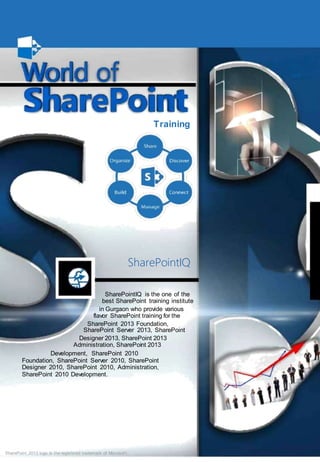
SharePointIQ is the one of the 
best SharePoint training institute 
in Gurgaon who provide various 
flavor SharePoint training for the 
SharePoint 2013 Foundation, 
SharePoint Server 2013, SharePoint 
Designer 2013, SharePoint 2013 
Administration, SharePoint 2013 
Development, SharePoint 2010 
Foundation, SharePoint Server 2010, SharePoint 
Designer 2010, SharePoint 2010, Administration, 
SharePoint 2010 Development. 
SharePoint 2013 logo is the registered trademark of Microsof t.
Welcome SharePoint Training Institute... 
In SharePoint 2013 training, you will learn common all 
SharePoint development activities. These include 
working with the server-side and client-side object 
models, developing and deploying features, solutions, 
and apps, managing identity and permissions, 
querying and updating list data, managing taxonomy, 
using workflow to manage business processes, and 
customizing the user interface. 
After completing this course, students will be able to: 
• Design and manage features and solutions. 
• Develop code for custom server-side components. 
• Manage and customize authentication and authorization. 
• Create custom sites and lists and manage the site lifecycle. 
• Explain the capabilities and design choices for SharePoint apps. 
• Use the client-side object model and the REST API 
Microsoft SharePoint 2013 Server Training: 
This course is designed for the IT professional who has been 
tasked with setting up, managing and maintaining Microsoft’s 
SharePoint Server 2013 platform. During this course you will 
learn how to install SharePoint Server, create and manage 
Web applications and site collections as well as understand 
their place and purpose within the SharePoint platform. You 
will also learn about the new implementation of service 
applications and gain an understanding of the document 
management features provided by this newest edition of 
SharePoint Server. 
. 
Audience 
The course is intended for professional developers 
who develop solutions for SharePoint products and 
technologies in a team-based, medium-sized to large 
development environment. While some familiarity 
with SharePoint solution development is required, 
candidates are not expected to have prior experience 
with the new features in SharePoint Server 2013. 
The ideal candidate is a technical lead with at 
least four years of SharePoint and web development 
experience. The candidate is responsible for 
designing custom code for projects that are deployed
to or interact with SharePoint environments. This 
includes: 
Selecting an appropriate approach and building customizations in 
SharePoint. 
Creating and implementing a strategy for solution packaging, 
deployment, and upgrading. 
Identifying SharePoint data and content structures for customizations. 
Performing diagnostics and debugging. 
Planning and designing applications for scalability and performance. 
Identifying and mitigating performance issues of customizations. 
Understanding authentication and authorization. 
Experience with Windows PowerShell. 
Broad familiarity with SharePoint capabilities. 
Familiarity with Online Services such as Azure and SharePoint Online. 
What are the requirements? 
A SharePoint Server 2013 environment 
CURRICULUM 
Module 1: SharePoint as a Developer Platform 
This module examines different approaches that can be used to develop 
applications with SharePoint 
Server 2013 the scenarios in which each approach might be appropriate. 
Lessons 
Introducing the SharePoint Developer Landscape 
Choosing Approaches to SharePoint Development
Understanding SharePoint 2013 Deployment and Execution Models 
Lab : Comparing Web Parts and App Parts 
Creating and Deploying a SharePoint Web Part 
Creating and Deploying a SharePoint App Part 
After completing this module, students will be able to: 
Describe the opportunities for developers in SharePoint Server 2013. 
Choose appropriate execution models for custom SharePoint components. 
Choose appropriate deployment models for custom SharePoint 
components. 
Module 2: Working with SharePoint Object 
This module introduces the server-side SharePoint object model and how the 
core classes relate to sites and collections. The server-side SharePoint object 
model provides a core set of classes that represent different items in the logical 
architecture of a SharePoint deployment. Students also learn how manage 
permissions for server-side code. 
Lessons 
Understanding the SharePoint Object Hierarchy 
Working with Sites and Webs 
Working with Execution Contexts 
Lab : Working with Sites and Webs 
Working with Sites and Webs in Managed Code 
Working with Sites and Webs in Windows PowerShell. 
Lab : Working with Execution Contexts 
Running Code with Elevated Privileges 
Adapting Content for Different User Permissions 
After completing this module, students will be able to:
Explain the purpose of key classes in the server-side SharePoint object 
model. 
Programmatically interact with SharePoint site collections and sites. 
Adapt solutions for users with different levels of permissions. 
Module 3: Working With Lists and Libaries 
This module explains how to interact with lists and libraries. Students learn 
about how to work with lists and libraries programmatically using the server-side 
SharePoint object model and how to use query classes and 
LINQ to SharePoint to query and retrieve data from SharePoint lists. Student 
also learn how to efficiently work with lists that contain large numbers of items. 
Lessons 
Using List and Library Objects 
Querying and Retrieving List Data 
Working with Large Lists 
Lab : Querying and Retrieving List Data 
Querying List Items 
Updating List Items 
Lab : Working with Large Lists 
Using the ContentIterator Class 
After completing this module, students will be able to: 
Interact with lists and libraries programmatically. 
Query and retrieve list data. 
Perform operations efficiently on large lists. 
Module 4: Designing and Managing Features and Solutions 
This module examines creating and deploying custom Developing a SharePoint 
solutions and features. 
The students also learn how and when to use sandbox solutions.
Lessons 
Working with Features 
Deploying Solutions 
Working with Sandboxed Solutions 
Lab : Working with Farm Solutions 
Create a Farm Solution 
Create a Feature 
Upgrade a Solution 
Lab : Working with Sandboxed Solutions 
Create a Solution Validator 
After completing this module, students will be able to: 
Describe the structure and use cases of a Feature. 
Explain how to create a farm solution. 
Explain how to create a sandboxed solution. 
. 
Module 5: Working with Server-Side Code 
In this module we will explore the new changes to Web Applications and 
discover the creation and management of them in both Central Administration 
and Power She This module describes how to develop and deploy Web Parts 
and event receivers in a solution. 
Lessons 
Developing Web Parts 
Using Event Receivers 
Using Timer Jobs 
Storing Configuration Data 
Lab : Working with Server-Side Code 
Developing an Event Receiver
Updating a Web Part 
Creating a Timer Job 
After completing this module, students will be able to: 
Describe the process for developing a web part. 
Use event receivers to handle SharePoint events. 
Use timer jobs to perform out of process, and scheduled operations. 
Store and manipulate configuration data for custom components. 
Module 6: Managing Identity and Permissions 
This module describes how manage permissions through code and customize 
authentication using custom claims providers. 
Lessons 
Understanding Identity Management in SharePoint 2013 
Managing Permissions in SharePoint 2013 
Configuring Forms-Based Authentication 
Customizing the Authentication Experience 
Lab : Managing Permissions Programmatically in SharePoint 2013 
Managing List Permissions Programmatically 
Lab : Creating and Deploying a Custom Claims Provider 
Creating a Custom Claims Provider 
Supporting Search and Resolve in a Claims Provider 
Deploying and Testing a Claims Provider 
After completing this module, students will be able to: 
Describe how authentication and identity management work in SharePoint 
2013. 
Verify and manage permissions programmatically in SharePoint 2013.
Create and configure custom membership providers and role managers for 
forms-based authentication. 
Create claims providers and customize the sign-in experience. 
Module 7: Managing Custom Component and Site Lifecycles 
This module discusses planning and organizing sites and lists. The students also 
learn how to create custom component definitions and templates. 
Lessons 
Component Overview 
Defining Custom Lists 
Defining Custom Sites 
Managing SharePoint Sites 
Lab : Managing Custom Components and Site Lifecycles 
Creating a Site Definition 
Creating a List Definition 
Developing an Event Receiver 
After completing this module, students will be able to: 
Explain the SharePoint component hierarchy. 
Define and provision custom lists 
Define and provision custom sites. 
Manage the SharePoint site lifecycle 
Module 8: Introducing Apps for SharePoint 
This module introduces the SharePoint App, a new way to customize SharePoint 
functionality with 
SharePoint Server 2013. 
Lessons
Overview of Apps for SharePoint 
Developing Apps for SharePoint 
Lab : Creating a Site Suggestions App 
Creating a New SharePoint App 
Using the Client-Side Object Model 
After completing this module, students will be able to: 
Describe SharePoint apps and compare them to SharePoint farm solutions 
and sandboxed solutions. 
Describe how to develop apps for SharePoint 2013 that work on-premises 
and in the cloud. 
Module 9: Client-Side SharePoint Development 
This module describes how to use JavaScript Client Object Model (CSOM), 
managed code CSOM and the REST 
API to build SharePoint Apps. 
Lessons 
Using the Client-Side Object Model for JavaScript 
Using the REST API with JavaScript 
Lab : Using the REST API with JavaScript 
Creating List Relationships 
Add Vote Recording 
Define and provision custom sites. 
Manage the SharePoint site lifecycle 
Module 10: Publishing and Distributing Apps 
This module introduces the App Catalog so users to locate, purchase, and install 
apps easily. The students learn how to package and publish Apps to the App 
Catalog.
Lessons 
Understanding the App Management Architecture 
Understanding App Packages 
Publishing Apps 
Installing, Updating, and Uninstalling Apps 
Lab : Publishing an App to a Corporate Catalog 
Creating an App Catalog 
Creating an App Package 
Publishing an App Package 
Lab : Installing, Updating, and Uninstalling Apps 
Installing an App 
Upgrading an App 
Removing an App 
After completing this module, students will be able to: 
Explain how SharePoint manages app publishing and distribution. 
Describe the contents of an app package. 
Publish apps to a corporate catalog or the Office Marketplace. 
Install, update, and uninstall apps. 
Module 11: Automating Business 
This module explains how to create workflows and workflow actions using Visio 
2013, SharePoint Designer 2013 and Visual Studio 2012. 
Lessons 
Understanding Workflow in SharePoint 2013 
Building Workflows by using Visio 2013 and SharePoint Designer 2013 
Developing Workflows in Visual Studio 2012 
Lab : Building Workflows in Visio 2013 and SharePoint Designer 2013 
Creating Workflows by Using Visio
Editing Workflows by Using SharePoint Designer 
Lab : Creating Workflow Actions in Visual Studio 2012 
Creating Custom Workflow Actions 
Using a Custom Workflow in SharePoint Designer 
At the end of this module, student will be able to: 
Describe the architecture and capabilities of workflow in SharePoint 2013. 
Create declarative workflows in Visio 2013 and SharePoint Designer 2013. 
Create and deploy custom workflows by using Visual Studio 2012. 
Module 12: managing Taxonomy 
This module explains the importance of a good taxonomy in SharePoint and 
working with the components of the taxonomy. The students also see how to 
tie event receivers to the taxonomy. 
Lessons 
Managing Taxonomy in SharePoint 2013 
Working with Content Types 
Working with Advanced Features of Content Types 
Lab : Working with Content Types 
Create a System to Capture Vacation Requests 
Lab : Working with Advanced Features of Content Types 
Creating an Event Receiver Assembly 
Registering an Event Receiver with a Site Content Type 
After completing this module, student will be able to: 
Work with taxonomy building blocks in SharePoint 2013. 
Create and configure content types declaratively and programmatically. 
Work with advanced features of content types.
Module 13: Customizing User Interface Element 
This module explains different ways of customizing the SharePoint user 
interface, such as adding buttons to the ribbon or modifying the appearance of 
list views. 
Lessons 
Working with Custom Actions 
Using Client-Side User Interface Components 
Customizing the SharePoint List User Interface 
Lab : Using the Edit Control Block to Launch an App 
Configuring an App to Display Customer Orders 
Use a Custom Action to Launch an App 
Lab : Using jQuery to Customize the SharePoint List User Interface 
Creating a Custom List View 
After completing this module, students will be able to: 
Use custom actions to modify the SharePoint user interface. 
Use JavaScript to work with client-side SharePoint user interface 
components. 
Describe how to modify the appearance and behavior of list views and 
forms. 
Module 14: Working With Branding and Navigation 
This module explains the changes in SharePoint Server 2013 to branding, 
designing, publishing and navigating sites. The students also learn how to 
create devise independent sites standard web technologies, such as HTML, CSS, 
and JavaScript. 
Lessons 
Creating and Applying Themes 
Branding and Designing Publishing Sites
Tailoring Content to Platforms and Devices 
Configuring and Customizing Navigation 
Lab : Branding and Designing Publishing Sites 
Creating SharePoint Master Pages 
Building Master Page Functionality 
Publishing and Applying Design Assets 
Lab : Configuring Farm-Wide Navigation 
Creating a Custom Site Map Provider 
After completing this module, students will be able to: 
Create and apply themes to SharePoint sites. 
Create publishing site design assets such as master pages and page layouts. 
Use device channels and image renditions to adapt content for different 
devices. 
Configure and customize the navigation experience for publishing sites.
Miscellaneous 
Regular Class Room Training 
Duration: 3 Months (Weekend - Sat Sun) 
Fee: Rs.12.000/- 
On demand Class Room Training 
Duration: 5 Days (40 Hours) 
Fee: Rs.30.000/- 
Regular Online Training 
Duration: 3 Months 
Regular Class Room Free: Rs.12.000/- 
On demand Online Training 
Duration: 5 Days (40 Hours) 
Fee: Rs.30.000/-
Beyond SharePoint. We’re doing our best 
because, we’re on mission for the same.

sharepointdevelopertrainingdelhi

  • 1.
    SharePoint 2013 DeveloperTraining SharePointIQ B-1, Basement, Bhagmal Complex Naya Bans , Sector-15 , NOIDA-201301 Mob: - +91-9555580458 Email: - sharepointiq.info@gmail.com info@sharepointiq.in Web: - http://sharepoint-training.in http://Sharepointiq.in http://sharepointtraininginnoida.in http://liveonlinesharepointtraining.in
  • 2.
    2013 Training SharePointIQ SharePointIQ is the one of the best SharePoint training institute in Gurgaon who provide various flavor SharePoint training for the SharePoint 2013 Foundation, SharePoint Server 2013, SharePoint Designer 2013, SharePoint 2013 Administration, SharePoint 2013 Development, SharePoint 2010 Foundation, SharePoint Server 2010, SharePoint Designer 2010, SharePoint 2010, Administration, SharePoint 2010 Development. SharePoint 2013 logo is the registered trademark of Microsof t.
  • 3.
    Welcome SharePoint TrainingInstitute... In SharePoint 2013 training, you will learn common all SharePoint development activities. These include working with the server-side and client-side object models, developing and deploying features, solutions, and apps, managing identity and permissions, querying and updating list data, managing taxonomy, using workflow to manage business processes, and customizing the user interface. After completing this course, students will be able to: • Design and manage features and solutions. • Develop code for custom server-side components. • Manage and customize authentication and authorization. • Create custom sites and lists and manage the site lifecycle. • Explain the capabilities and design choices for SharePoint apps. • Use the client-side object model and the REST API Microsoft SharePoint 2013 Server Training: This course is designed for the IT professional who has been tasked with setting up, managing and maintaining Microsoft’s SharePoint Server 2013 platform. During this course you will learn how to install SharePoint Server, create and manage Web applications and site collections as well as understand their place and purpose within the SharePoint platform. You will also learn about the new implementation of service applications and gain an understanding of the document management features provided by this newest edition of SharePoint Server. . Audience The course is intended for professional developers who develop solutions for SharePoint products and technologies in a team-based, medium-sized to large development environment. While some familiarity with SharePoint solution development is required, candidates are not expected to have prior experience with the new features in SharePoint Server 2013. The ideal candidate is a technical lead with at least four years of SharePoint and web development experience. The candidate is responsible for designing custom code for projects that are deployed
  • 4.
    to or interactwith SharePoint environments. This includes: Selecting an appropriate approach and building customizations in SharePoint. Creating and implementing a strategy for solution packaging, deployment, and upgrading. Identifying SharePoint data and content structures for customizations. Performing diagnostics and debugging. Planning and designing applications for scalability and performance. Identifying and mitigating performance issues of customizations. Understanding authentication and authorization. Experience with Windows PowerShell. Broad familiarity with SharePoint capabilities. Familiarity with Online Services such as Azure and SharePoint Online. What are the requirements? A SharePoint Server 2013 environment CURRICULUM Module 1: SharePoint as a Developer Platform This module examines different approaches that can be used to develop applications with SharePoint Server 2013 the scenarios in which each approach might be appropriate. Lessons Introducing the SharePoint Developer Landscape Choosing Approaches to SharePoint Development
  • 5.
    Understanding SharePoint 2013Deployment and Execution Models Lab : Comparing Web Parts and App Parts Creating and Deploying a SharePoint Web Part Creating and Deploying a SharePoint App Part After completing this module, students will be able to: Describe the opportunities for developers in SharePoint Server 2013. Choose appropriate execution models for custom SharePoint components. Choose appropriate deployment models for custom SharePoint components. Module 2: Working with SharePoint Object This module introduces the server-side SharePoint object model and how the core classes relate to sites and collections. The server-side SharePoint object model provides a core set of classes that represent different items in the logical architecture of a SharePoint deployment. Students also learn how manage permissions for server-side code. Lessons Understanding the SharePoint Object Hierarchy Working with Sites and Webs Working with Execution Contexts Lab : Working with Sites and Webs Working with Sites and Webs in Managed Code Working with Sites and Webs in Windows PowerShell. Lab : Working with Execution Contexts Running Code with Elevated Privileges Adapting Content for Different User Permissions After completing this module, students will be able to:
  • 6.
    Explain the purposeof key classes in the server-side SharePoint object model. Programmatically interact with SharePoint site collections and sites. Adapt solutions for users with different levels of permissions. Module 3: Working With Lists and Libaries This module explains how to interact with lists and libraries. Students learn about how to work with lists and libraries programmatically using the server-side SharePoint object model and how to use query classes and LINQ to SharePoint to query and retrieve data from SharePoint lists. Student also learn how to efficiently work with lists that contain large numbers of items. Lessons Using List and Library Objects Querying and Retrieving List Data Working with Large Lists Lab : Querying and Retrieving List Data Querying List Items Updating List Items Lab : Working with Large Lists Using the ContentIterator Class After completing this module, students will be able to: Interact with lists and libraries programmatically. Query and retrieve list data. Perform operations efficiently on large lists. Module 4: Designing and Managing Features and Solutions This module examines creating and deploying custom Developing a SharePoint solutions and features. The students also learn how and when to use sandbox solutions.
  • 7.
    Lessons Working withFeatures Deploying Solutions Working with Sandboxed Solutions Lab : Working with Farm Solutions Create a Farm Solution Create a Feature Upgrade a Solution Lab : Working with Sandboxed Solutions Create a Solution Validator After completing this module, students will be able to: Describe the structure and use cases of a Feature. Explain how to create a farm solution. Explain how to create a sandboxed solution. . Module 5: Working with Server-Side Code In this module we will explore the new changes to Web Applications and discover the creation and management of them in both Central Administration and Power She This module describes how to develop and deploy Web Parts and event receivers in a solution. Lessons Developing Web Parts Using Event Receivers Using Timer Jobs Storing Configuration Data Lab : Working with Server-Side Code Developing an Event Receiver
  • 8.
    Updating a WebPart Creating a Timer Job After completing this module, students will be able to: Describe the process for developing a web part. Use event receivers to handle SharePoint events. Use timer jobs to perform out of process, and scheduled operations. Store and manipulate configuration data for custom components. Module 6: Managing Identity and Permissions This module describes how manage permissions through code and customize authentication using custom claims providers. Lessons Understanding Identity Management in SharePoint 2013 Managing Permissions in SharePoint 2013 Configuring Forms-Based Authentication Customizing the Authentication Experience Lab : Managing Permissions Programmatically in SharePoint 2013 Managing List Permissions Programmatically Lab : Creating and Deploying a Custom Claims Provider Creating a Custom Claims Provider Supporting Search and Resolve in a Claims Provider Deploying and Testing a Claims Provider After completing this module, students will be able to: Describe how authentication and identity management work in SharePoint 2013. Verify and manage permissions programmatically in SharePoint 2013.
  • 9.
    Create and configurecustom membership providers and role managers for forms-based authentication. Create claims providers and customize the sign-in experience. Module 7: Managing Custom Component and Site Lifecycles This module discusses planning and organizing sites and lists. The students also learn how to create custom component definitions and templates. Lessons Component Overview Defining Custom Lists Defining Custom Sites Managing SharePoint Sites Lab : Managing Custom Components and Site Lifecycles Creating a Site Definition Creating a List Definition Developing an Event Receiver After completing this module, students will be able to: Explain the SharePoint component hierarchy. Define and provision custom lists Define and provision custom sites. Manage the SharePoint site lifecycle Module 8: Introducing Apps for SharePoint This module introduces the SharePoint App, a new way to customize SharePoint functionality with SharePoint Server 2013. Lessons
  • 10.
    Overview of Appsfor SharePoint Developing Apps for SharePoint Lab : Creating a Site Suggestions App Creating a New SharePoint App Using the Client-Side Object Model After completing this module, students will be able to: Describe SharePoint apps and compare them to SharePoint farm solutions and sandboxed solutions. Describe how to develop apps for SharePoint 2013 that work on-premises and in the cloud. Module 9: Client-Side SharePoint Development This module describes how to use JavaScript Client Object Model (CSOM), managed code CSOM and the REST API to build SharePoint Apps. Lessons Using the Client-Side Object Model for JavaScript Using the REST API with JavaScript Lab : Using the REST API with JavaScript Creating List Relationships Add Vote Recording Define and provision custom sites. Manage the SharePoint site lifecycle Module 10: Publishing and Distributing Apps This module introduces the App Catalog so users to locate, purchase, and install apps easily. The students learn how to package and publish Apps to the App Catalog.
  • 11.
    Lessons Understanding theApp Management Architecture Understanding App Packages Publishing Apps Installing, Updating, and Uninstalling Apps Lab : Publishing an App to a Corporate Catalog Creating an App Catalog Creating an App Package Publishing an App Package Lab : Installing, Updating, and Uninstalling Apps Installing an App Upgrading an App Removing an App After completing this module, students will be able to: Explain how SharePoint manages app publishing and distribution. Describe the contents of an app package. Publish apps to a corporate catalog or the Office Marketplace. Install, update, and uninstall apps. Module 11: Automating Business This module explains how to create workflows and workflow actions using Visio 2013, SharePoint Designer 2013 and Visual Studio 2012. Lessons Understanding Workflow in SharePoint 2013 Building Workflows by using Visio 2013 and SharePoint Designer 2013 Developing Workflows in Visual Studio 2012 Lab : Building Workflows in Visio 2013 and SharePoint Designer 2013 Creating Workflows by Using Visio
  • 12.
    Editing Workflows byUsing SharePoint Designer Lab : Creating Workflow Actions in Visual Studio 2012 Creating Custom Workflow Actions Using a Custom Workflow in SharePoint Designer At the end of this module, student will be able to: Describe the architecture and capabilities of workflow in SharePoint 2013. Create declarative workflows in Visio 2013 and SharePoint Designer 2013. Create and deploy custom workflows by using Visual Studio 2012. Module 12: managing Taxonomy This module explains the importance of a good taxonomy in SharePoint and working with the components of the taxonomy. The students also see how to tie event receivers to the taxonomy. Lessons Managing Taxonomy in SharePoint 2013 Working with Content Types Working with Advanced Features of Content Types Lab : Working with Content Types Create a System to Capture Vacation Requests Lab : Working with Advanced Features of Content Types Creating an Event Receiver Assembly Registering an Event Receiver with a Site Content Type After completing this module, student will be able to: Work with taxonomy building blocks in SharePoint 2013. Create and configure content types declaratively and programmatically. Work with advanced features of content types.
  • 13.
    Module 13: CustomizingUser Interface Element This module explains different ways of customizing the SharePoint user interface, such as adding buttons to the ribbon or modifying the appearance of list views. Lessons Working with Custom Actions Using Client-Side User Interface Components Customizing the SharePoint List User Interface Lab : Using the Edit Control Block to Launch an App Configuring an App to Display Customer Orders Use a Custom Action to Launch an App Lab : Using jQuery to Customize the SharePoint List User Interface Creating a Custom List View After completing this module, students will be able to: Use custom actions to modify the SharePoint user interface. Use JavaScript to work with client-side SharePoint user interface components. Describe how to modify the appearance and behavior of list views and forms. Module 14: Working With Branding and Navigation This module explains the changes in SharePoint Server 2013 to branding, designing, publishing and navigating sites. The students also learn how to create devise independent sites standard web technologies, such as HTML, CSS, and JavaScript. Lessons Creating and Applying Themes Branding and Designing Publishing Sites
  • 14.
    Tailoring Content toPlatforms and Devices Configuring and Customizing Navigation Lab : Branding and Designing Publishing Sites Creating SharePoint Master Pages Building Master Page Functionality Publishing and Applying Design Assets Lab : Configuring Farm-Wide Navigation Creating a Custom Site Map Provider After completing this module, students will be able to: Create and apply themes to SharePoint sites. Create publishing site design assets such as master pages and page layouts. Use device channels and image renditions to adapt content for different devices. Configure and customize the navigation experience for publishing sites.
  • 15.
    Miscellaneous Regular ClassRoom Training Duration: 3 Months (Weekend - Sat Sun) Fee: Rs.12.000/- On demand Class Room Training Duration: 5 Days (40 Hours) Fee: Rs.30.000/- Regular Online Training Duration: 3 Months Regular Class Room Free: Rs.12.000/- On demand Online Training Duration: 5 Days (40 Hours) Fee: Rs.30.000/-
  • 16.
    Beyond SharePoint. We’redoing our best because, we’re on mission for the same.