Setting up your
Wordpress Account
Email me if you
need help!
In order to do the homework, you must establish an account. To
make your own FREE Word Press account, go to Wordpress.com.
The system will walk you through the steps to set up your own
user-friendly Word Press blog. Alternatively, you can sign into our
website through Facebook or Twitter.
If you prefer not to use your own name, you may use a
pseudonym. Just make sure you sign in with YOUR Word Press
username before you post on our class page so you get credit for
your work. Please email me your username once you have
established which account you shall use for the quarter.
If you cannot establish your website and username, please see me
as soon as possible, and I will help you with the process. Much of
our work will take place online, so establishing this connection is
mandatory.
• You may want to establish your new Gmail account
before you establish your Wordpress username
Go to www.wordpress.com
Click Here
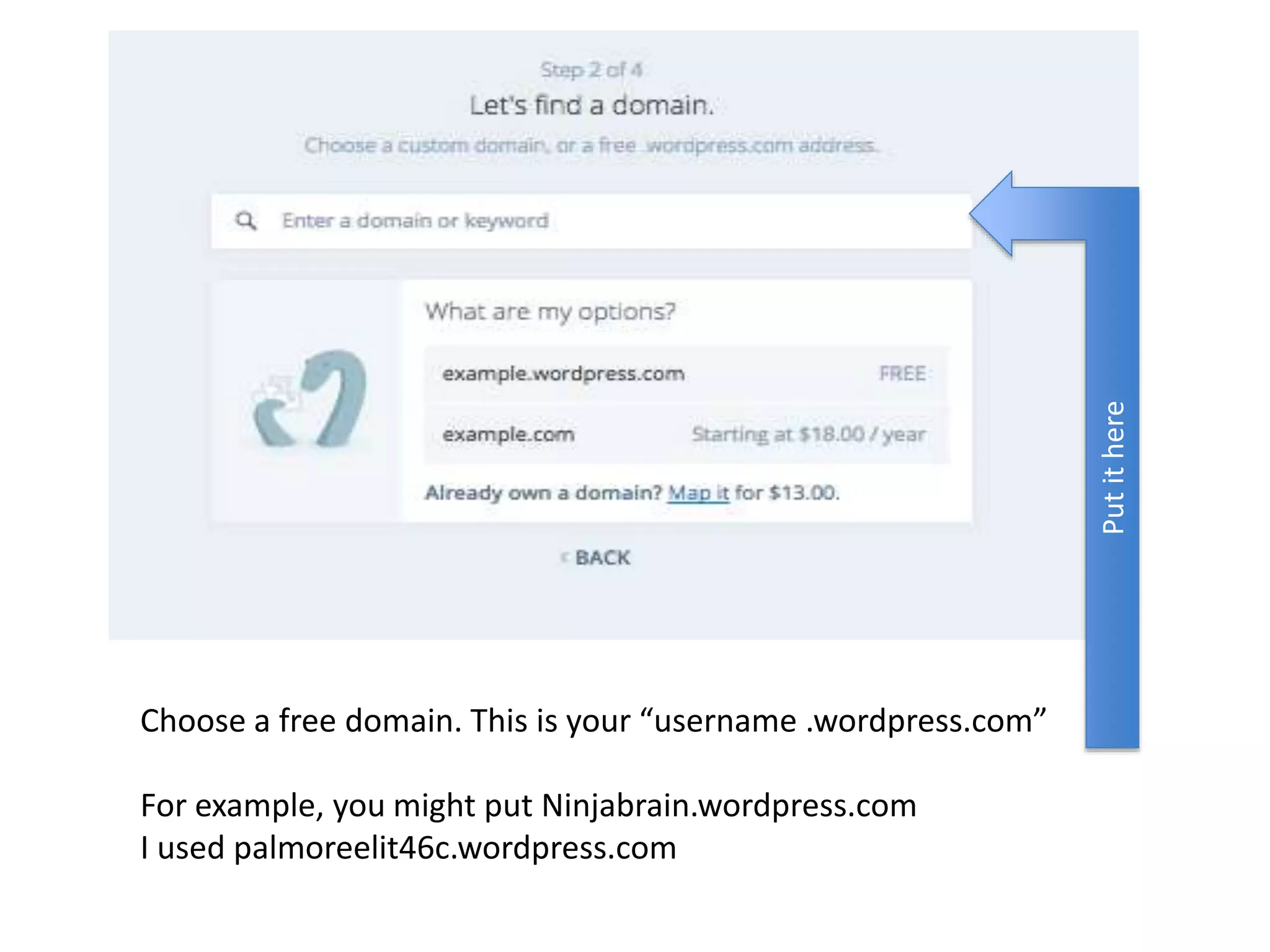
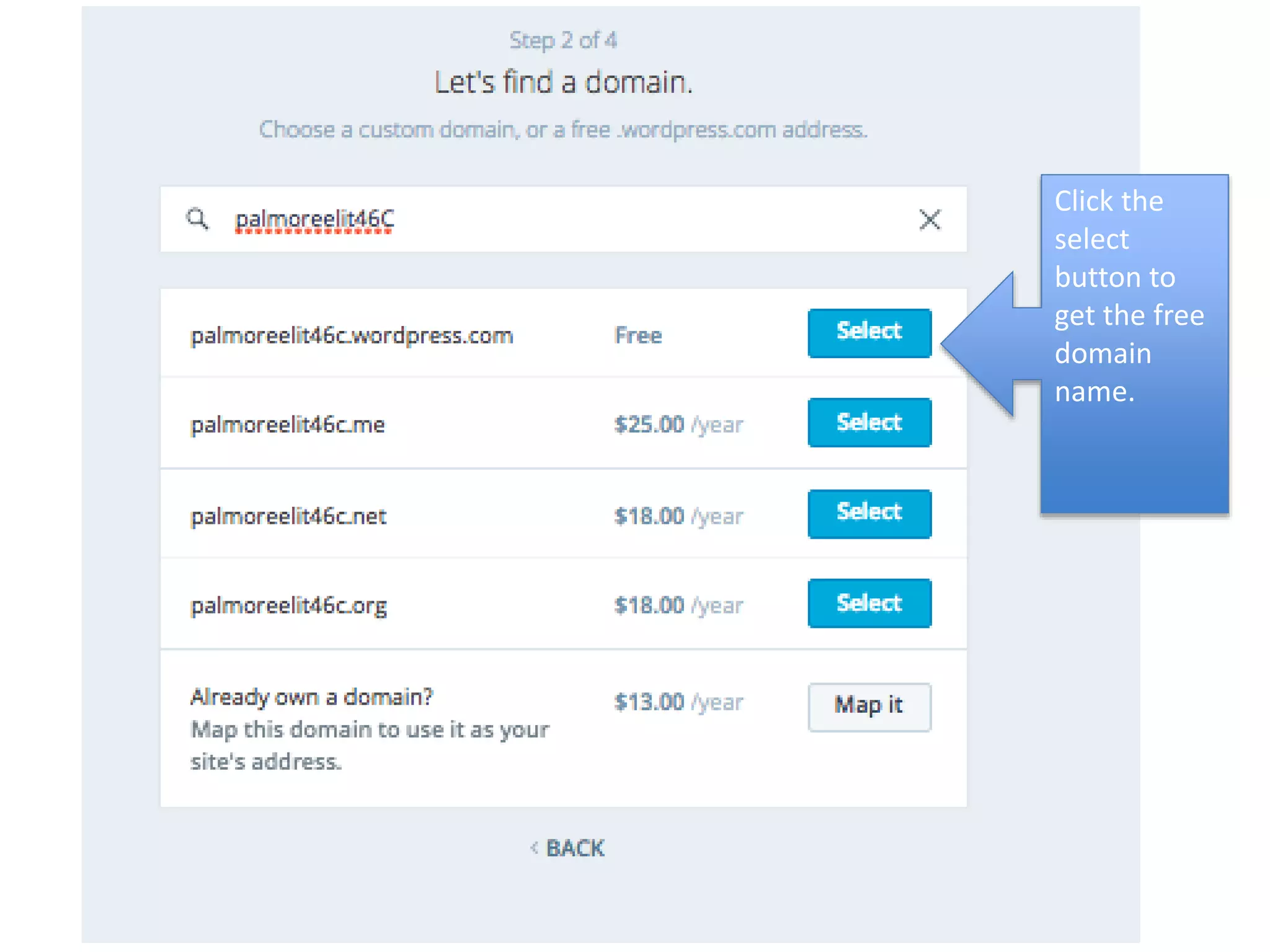
Choose a free domain. This is your “username .wordpress.com”
For example, you might put Ninjabrain.wordpress.com
I used palmoreelit46c.wordpress.com
Putithere
Click the
select
button to
get the free
domain
name.
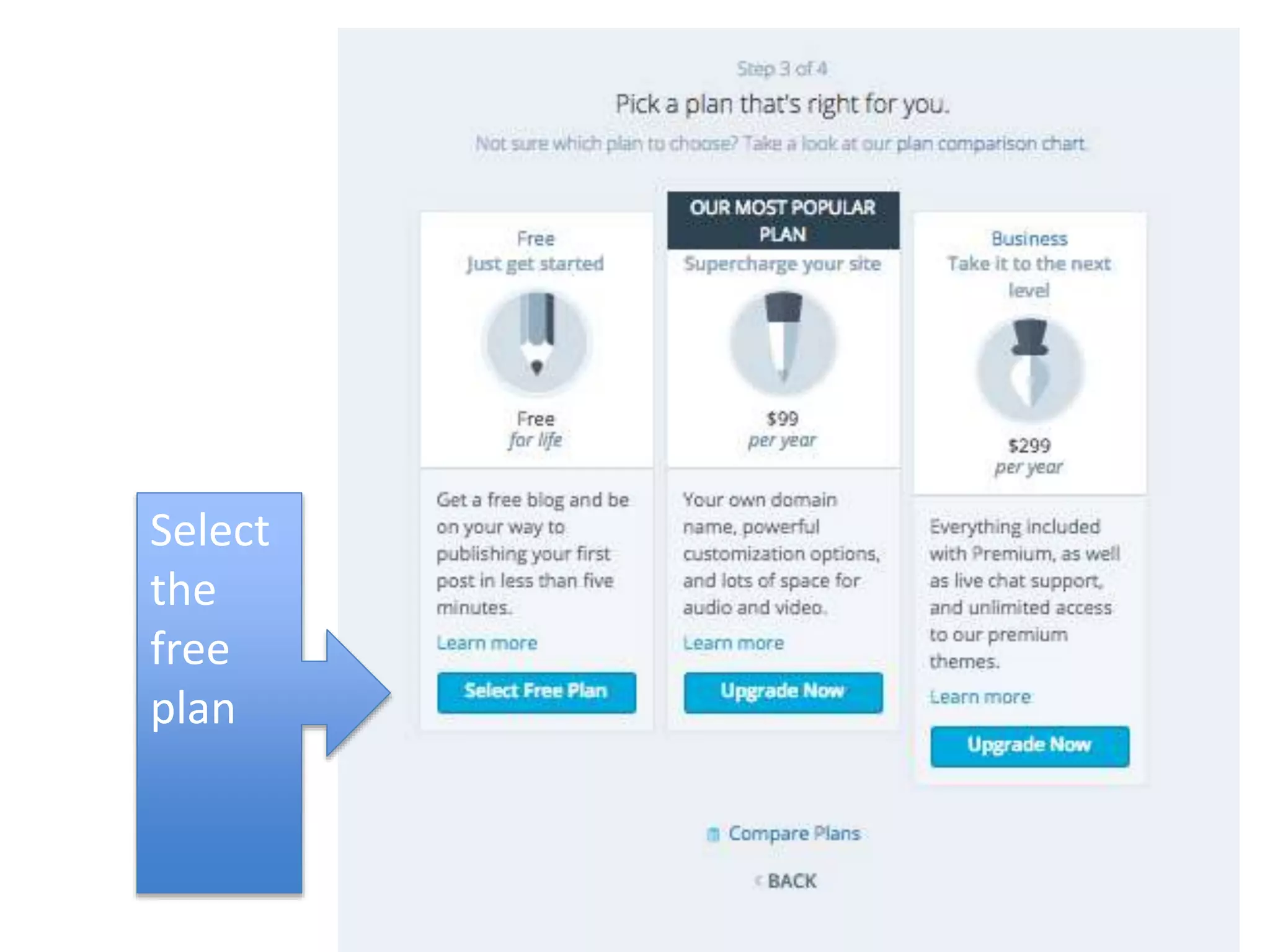
Select
the
free
plan
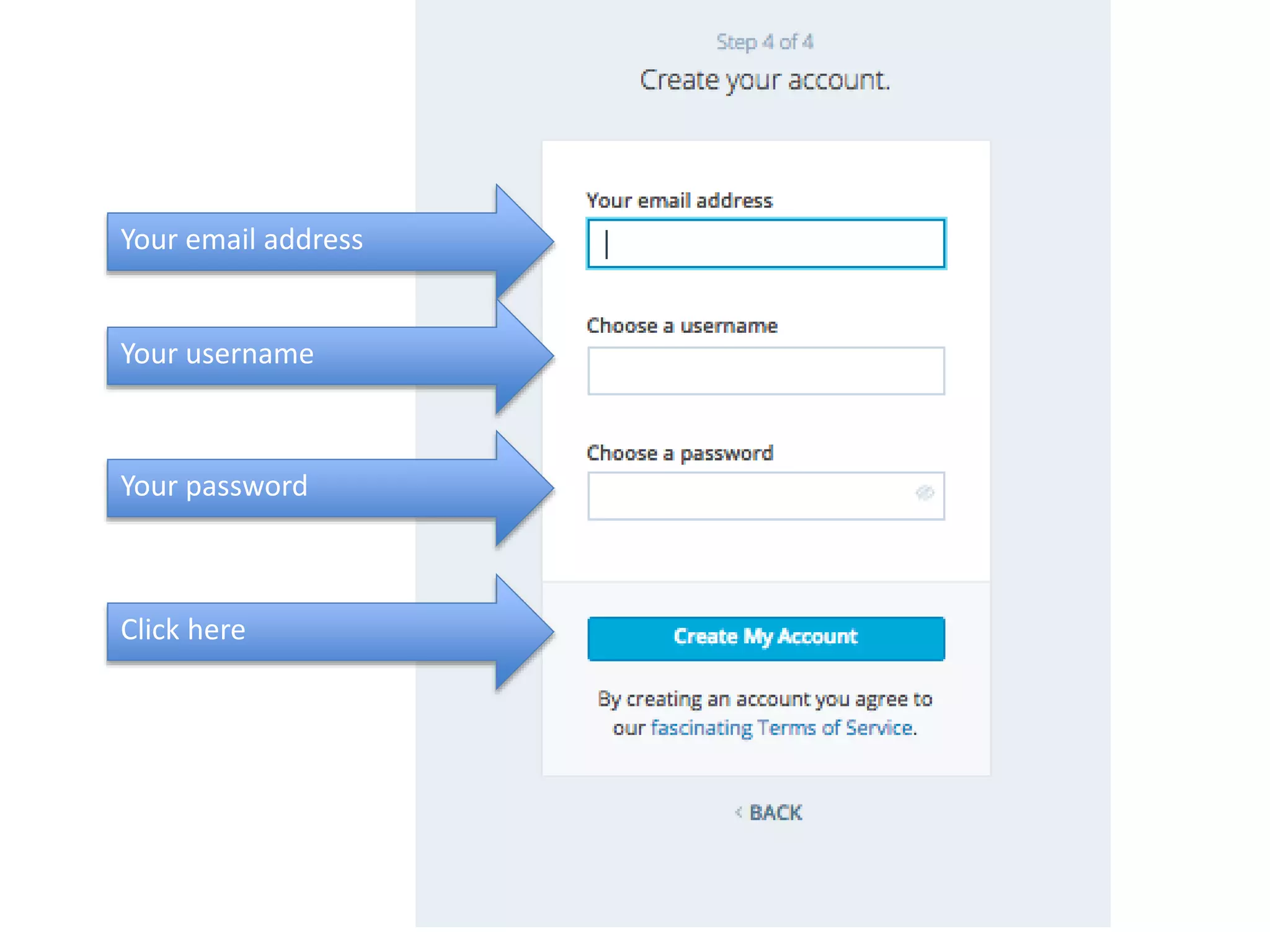
Your email address
Your username
Your password
Click here
Finish up
• Follow the rest of
the directions to
activate your site
and/or your
username.

Setting up your wordpress account

  • 1.
    Setting up your WordpressAccount Email me if you need help!
  • 2.
    In order todo the homework, you must establish an account. To make your own FREE Word Press account, go to Wordpress.com. The system will walk you through the steps to set up your own user-friendly Word Press blog. Alternatively, you can sign into our website through Facebook or Twitter. If you prefer not to use your own name, you may use a pseudonym. Just make sure you sign in with YOUR Word Press username before you post on our class page so you get credit for your work. Please email me your username once you have established which account you shall use for the quarter. If you cannot establish your website and username, please see me as soon as possible, and I will help you with the process. Much of our work will take place online, so establishing this connection is mandatory. • You may want to establish your new Gmail account before you establish your Wordpress username
  • 3.
  • 5.
    Choose a freedomain. This is your “username .wordpress.com” For example, you might put Ninjabrain.wordpress.com I used palmoreelit46c.wordpress.com Putithere
  • 6.
    Click the select button to getthe free domain name.
  • 7.
  • 8.
    Your email address Yourusername Your password Click here
  • 9.
    Finish up • Followthe rest of the directions to activate your site and/or your username.