Serverless
The future of application delivery
Doug Vanderweide, MCSE, MCSD, MCT
https://www.dougv.com
@dougvdotcom
linkedin.com/in/dougvdotcom
Today’s Objectives
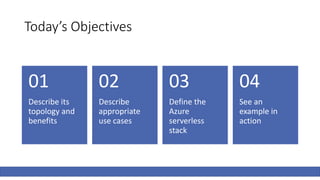
Describe its
topology and
benefits
01
Describe
appropriate
use cases
02
Define the
Azure
serverless
stack
03
See an
example in
action
04
What Is
Serverless?
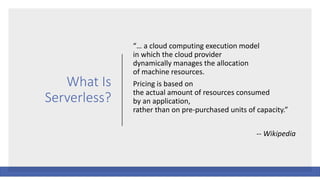
“… a cloud computing execution model
in which the cloud provider
dynamically manages the allocation
of machine resources.
Pricing is based on
the actual amount of resources consumed
by an application,
rather than on pre-purchased units of capacity.”
-- Wikipedia
Translation
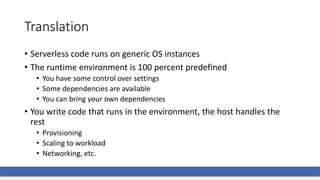
• Serverless code runs on generic OS instances
• The runtime environment is 100 percent predefined
• You have some control over settings
• Some dependencies are available
• You can bring your own dependencies
• You write code that runs in the environment, the host handles the
rest
• Provisioning
• Scaling to workload
• Networking, etc.
Translation, Continued
• The environment is created when you need it, deprovisioned when
you don’t
• You only pay for actual use, not provisioned time
• The host bills you based on the number of code executions you make
and the memory/CPU needed to execute the code
• Significant “free” allotments
Serverless Programming Model
• Trigger: An external event which causes the code to execute
• HTTP request
• Message
• File saved/modified/deleted in cloud file storage account
• Some other capturable event
• Input: Whatever data will be processed
• Header/body of HTTP request
• Message properties
• Name/location of uploaded file
• Output: Whatever data will be produced and “handed off”
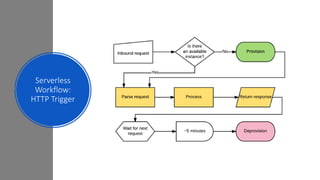
Serverless
Workflow:
HTTP Trigger
Serverless and Microservices
• Serverless is the logical outcome of the microservices pattern
• Narrowly focused concerns
• Each developed independently
• Communicating over standard protocols
• Callable from multiple solution
• Each adapting independently on its workload
• Fast-paced implementation (CI/CD)
Serverless Benefits
• Serverless frees us from configuring environments
• This speeds the tempo at which we can develop
• It eliminates significant DevOps tasks and roles
• That makes operations leaner, agile and profitable
• Serverless enables CI/CD
• That destroys sprint-based development and its drawbacks
Where Does Serverless Make Sense?
• Anyplace where a workflow can be easily defined with APIs
• Each API powers a microservice
• We chain together microservices into an implementation
• Anything that doesn’t demand constant high
CPU/memory/bandwidth
• Not appropriate for big data crunching, video processing, etc.
• Anyplace where state isn’t critical
• Disconnected microservices aren’t state-friendly, but there are workarounds
• Any time we don’t need complete control over environment
Serverless In Azure
Functions and Logic Apps
Azure Logic Apps
• Used to create step-based workflows from APIs
• Very similar to ifttt.com
• Comes with many predefined “connectors,” or APIs
• Any publicly accessible API can be a connector
• You can “roll your own” connectors
• Retains state for each step in a workflow
• You can “cascade” the results of one step to subsequent steps
• Completely programmable via JSON; can be integrated into source
control
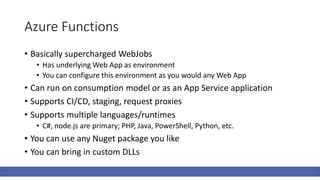
Azure Functions
• Basically supercharged WebJobs
• Has underlying Web App as environment
• You can configure this environment as you would any Web App
• Can run on consumption model or as an App Service application
• Supports CI/CD, staging, request proxies
• Supports multiple languages/runtimes
• C#, node.js are primary; PHP, Java, PowerShell, Python, etc.
• You can use any Nuget package you like
• You can bring in custom DLLs
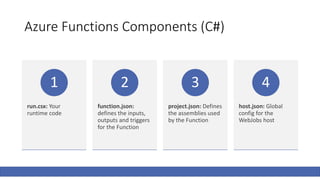
Azure Functions Components (C#)
run.csx: Your
runtime code
1
function.json:
defines the inputs,
outputs and triggers
for the Function
2
project.json: Defines
the assemblies used
by the Function
3
host.json: Global
config for the
WebJobs host
4
Demo Time!
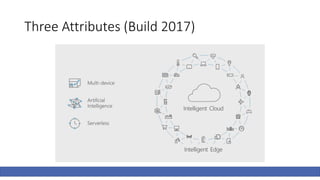
Three Attributes (Build 2017)
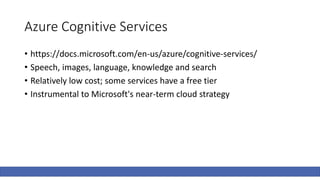
Azure Cognitive Services
• https://docs.microsoft.com/en-us/azure/cognitive-services/
• Speech, images, language, knowledge and search
• Relatively low cost; some services have a free tier
• Instrumental to Microsoft's near-term cloud strategy
Questions? Feedback? Thoughts?
• Repo for this talk: https://github.com/dougvdotcom/fwdnug-
serverless
• This deck on SlideShare:
• My contact info:
• https://www.dougv.com
• dougvanderweide@gmail.com
• github.com/dougvdotcom
• @dougvdotcom
• linkedin.com/in/dougvdotcom

Serverless: The future of application delivery

  • 1.
    Serverless The future ofapplication delivery Doug Vanderweide, MCSE, MCSD, MCT https://www.dougv.com @dougvdotcom linkedin.com/in/dougvdotcom
  • 2.
    Today’s Objectives Describe its topologyand benefits 01 Describe appropriate use cases 02 Define the Azure serverless stack 03 See an example in action 04
  • 3.
    What Is Serverless? “… acloud computing execution model in which the cloud provider dynamically manages the allocation of machine resources. Pricing is based on the actual amount of resources consumed by an application, rather than on pre-purchased units of capacity.” -- Wikipedia
  • 4.
    Translation • Serverless coderuns on generic OS instances • The runtime environment is 100 percent predefined • You have some control over settings • Some dependencies are available • You can bring your own dependencies • You write code that runs in the environment, the host handles the rest • Provisioning • Scaling to workload • Networking, etc.
  • 5.
    Translation, Continued • Theenvironment is created when you need it, deprovisioned when you don’t • You only pay for actual use, not provisioned time • The host bills you based on the number of code executions you make and the memory/CPU needed to execute the code • Significant “free” allotments
  • 6.
    Serverless Programming Model •Trigger: An external event which causes the code to execute • HTTP request • Message • File saved/modified/deleted in cloud file storage account • Some other capturable event • Input: Whatever data will be processed • Header/body of HTTP request • Message properties • Name/location of uploaded file • Output: Whatever data will be produced and “handed off”
  • 7.
  • 8.
    Serverless and Microservices •Serverless is the logical outcome of the microservices pattern • Narrowly focused concerns • Each developed independently • Communicating over standard protocols • Callable from multiple solution • Each adapting independently on its workload • Fast-paced implementation (CI/CD)
  • 9.
    Serverless Benefits • Serverlessfrees us from configuring environments • This speeds the tempo at which we can develop • It eliminates significant DevOps tasks and roles • That makes operations leaner, agile and profitable • Serverless enables CI/CD • That destroys sprint-based development and its drawbacks
  • 10.
    Where Does ServerlessMake Sense? • Anyplace where a workflow can be easily defined with APIs • Each API powers a microservice • We chain together microservices into an implementation • Anything that doesn’t demand constant high CPU/memory/bandwidth • Not appropriate for big data crunching, video processing, etc. • Anyplace where state isn’t critical • Disconnected microservices aren’t state-friendly, but there are workarounds • Any time we don’t need complete control over environment
  • 11.
  • 12.
    Azure Logic Apps •Used to create step-based workflows from APIs • Very similar to ifttt.com • Comes with many predefined “connectors,” or APIs • Any publicly accessible API can be a connector • You can “roll your own” connectors • Retains state for each step in a workflow • You can “cascade” the results of one step to subsequent steps • Completely programmable via JSON; can be integrated into source control
  • 13.
    Azure Functions • Basicallysupercharged WebJobs • Has underlying Web App as environment • You can configure this environment as you would any Web App • Can run on consumption model or as an App Service application • Supports CI/CD, staging, request proxies • Supports multiple languages/runtimes • C#, node.js are primary; PHP, Java, PowerShell, Python, etc. • You can use any Nuget package you like • You can bring in custom DLLs
  • 14.
    Azure Functions Components(C#) run.csx: Your runtime code 1 function.json: defines the inputs, outputs and triggers for the Function 2 project.json: Defines the assemblies used by the Function 3 host.json: Global config for the WebJobs host 4
  • 15.
  • 16.
  • 17.
    Azure Cognitive Services •https://docs.microsoft.com/en-us/azure/cognitive-services/ • Speech, images, language, knowledge and search • Relatively low cost; some services have a free tier • Instrumental to Microsoft's near-term cloud strategy
  • 18.
    Questions? Feedback? Thoughts? •Repo for this talk: https://github.com/dougvdotcom/fwdnug- serverless • This deck on SlideShare: • My contact info: • https://www.dougv.com • dougvanderweide@gmail.com • github.com/dougvdotcom • @dougvdotcom • linkedin.com/in/dougvdotcom