Outlines
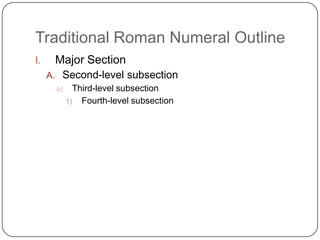
Traditional Roman Numeral Outline	Major SectionSecond-level subsectionThird-level subsectionFourth-level subsection
If you are writing an article about the development of the Internet for a company magazine, you might begin with the following major sections:History of the InternetGrowth of Internet technology and future societal issues for the InternetBut then you realize that the first-level heading is overall topic, andthat the second-level heading has too much in it.So…Background of Internet technologyGrowth of Internet technologyFuture societal issues for the Internet
More breakdown…	Background of Internet technologyGrowth of Internet technologyFuture societal issues for the InternetOnce you establish your major sections, look for minordivisions within each section. Background of Internet technologyPioneersLater developersGrowth of Internet technologyNetwork technologyImprovements in network technologyFuture societal issues for the InternetE-commerce and intellectual stakeholdersDomain space“Digital Divide”Privacy Issues
After you have all the second-level divisions…	Get really specific!!!
Sequential Outline (the easiest one)	Divide your subject into steps, then present the steps in the order in which they occur.
Outline: How to E-mail a Picture from a Digital CameraTransferring photos from camera to computerConnect camera to computer by plugging the camera cable into the computer port.Click on Camera icon on desktop to view images stored in the camera.Decide which photos you want to transfer.Saving photos on computerCreate and name a folder on your hard drive or on your desktop.Open and view images (as described in step 1).Select images you wish to save; drag them to the designated folder or save them by using imaging software.Delete images from camera.Back up images on an external medium.Modifying photosCrop, change resolution, or add effects, using imaging software.Save the edited image by using the Save As or Export command, renaming the image to reflect changes.Attaching photos to an e-mailOpen e-mail box and and click on Attachment icon.Locate designated folder and click on file to be sent.Before sending, check with recipient about file size restrictions.
Again, after getting first- and second-level headers, get more specific…This time add some narrative.
Choose one of the following and create a Sequential outline. How to make a PBJ sandwichHow to wash a load of laundryHow to add a photo to Facebook and tag somebodyHow to make cinnamon and sugar toastHow to grill the perfect steakHow to field dress a deerWhat to do on a first dateHow to bake chocolate chip cookies

Sequential Outlines

  • 1.
  • 2.
    Traditional Roman NumeralOutline Major SectionSecond-level subsectionThird-level subsectionFourth-level subsection
  • 3.
    If you arewriting an article about the development of the Internet for a company magazine, you might begin with the following major sections:History of the InternetGrowth of Internet technology and future societal issues for the InternetBut then you realize that the first-level heading is overall topic, andthat the second-level heading has too much in it.So…Background of Internet technologyGrowth of Internet technologyFuture societal issues for the Internet
  • 4.
    More breakdown… Background ofInternet technologyGrowth of Internet technologyFuture societal issues for the InternetOnce you establish your major sections, look for minordivisions within each section. Background of Internet technologyPioneersLater developersGrowth of Internet technologyNetwork technologyImprovements in network technologyFuture societal issues for the InternetE-commerce and intellectual stakeholdersDomain space“Digital Divide”Privacy Issues
  • 5.
    After you haveall the second-level divisions… Get really specific!!!
  • 6.
    Sequential Outline (theeasiest one) Divide your subject into steps, then present the steps in the order in which they occur.
  • 7.
    Outline: How toE-mail a Picture from a Digital CameraTransferring photos from camera to computerConnect camera to computer by plugging the camera cable into the computer port.Click on Camera icon on desktop to view images stored in the camera.Decide which photos you want to transfer.Saving photos on computerCreate and name a folder on your hard drive or on your desktop.Open and view images (as described in step 1).Select images you wish to save; drag them to the designated folder or save them by using imaging software.Delete images from camera.Back up images on an external medium.Modifying photosCrop, change resolution, or add effects, using imaging software.Save the edited image by using the Save As or Export command, renaming the image to reflect changes.Attaching photos to an e-mailOpen e-mail box and and click on Attachment icon.Locate designated folder and click on file to be sent.Before sending, check with recipient about file size restrictions.
  • 8.
    Again, after gettingfirst- and second-level headers, get more specific…This time add some narrative.
  • 9.
    Choose one ofthe following and create a Sequential outline. How to make a PBJ sandwichHow to wash a load of laundryHow to add a photo to Facebook and tag somebodyHow to make cinnamon and sugar toastHow to grill the perfect steakHow to field dress a deerWhat to do on a first dateHow to bake chocolate chip cookies

Editor's Notes

  • #6 Page 29 of WW text on doc. Camera.
  • #9 Project page 37 from WW.
  • #10 Go back to slide 7 as a reference