1
Sencha Touch
By: Ahmed Badie
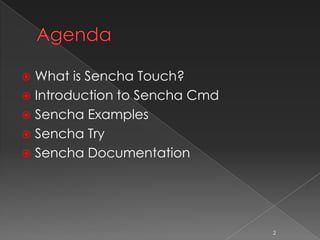
 What is Sencha Touch?
 Introduction to Sencha Cmd
 Sencha Examples
 Sencha Try
 Sencha Documentation
2
3
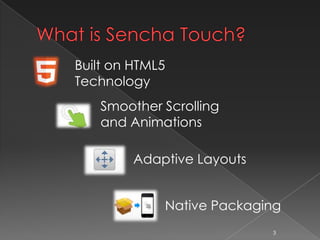
Built on HTML5
Technology
Smoother Scrolling
and Animations
Adaptive Layouts
Native Packaging
4
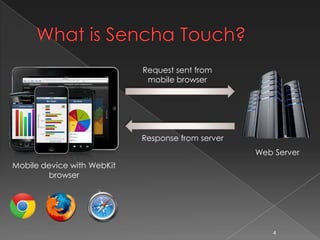
Request sent from
mobile browser
Response from server
Web Server
Mobile device with WebKit
browser
5
Sencha Cmd provides the following
capabilities:
 Code Generation Tools
 JS Compiler
 Web Server
 Packaging
 Management System
6
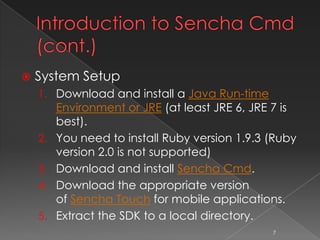
 System Setup
1. Download and install a Java Run-time
Environment or JRE (at least JRE 6, JRE 7 is best).
2. You need to install Ruby version 1.9.3 (Ruby
version 2.0 is not supported)
3. Download and install Sencha Cmd.
4. Download the appropriate version of Sencha
Touch for mobile applications.
5. Extract the SDK to a local directory.
7
Command Basics
8
sencha -sdk /path/to/sdk generate app MyApp /path/to/MyApp
• Generate an application skeleton
sencha fs web [-port 8000] start -map <dir_name>
• Start the Cmd web server
sencha help
• Display Sencha help
9
10
11
12
Ext JS
4.2.0
Sencha Touch
2.2.0
13
14
 Sencha official website
http://www.sencha.com
15

Introduction to Sencha touch

  • 1.
  • 2.
     What isSencha Touch?  Introduction to Sencha Cmd  Sencha Examples  Sencha Try  Sencha Documentation 2
  • 3.
    3 Built on HTML5 Technology SmootherScrolling and Animations Adaptive Layouts Native Packaging
  • 4.
    4 Request sent from mobilebrowser Response from server Web Server Mobile device with WebKit browser
  • 5.
  • 6.
    Sencha Cmd providesthe following capabilities:  Code Generation Tools  JS Compiler  Web Server  Packaging  Management System 6
  • 7.
     System Setup 1.Download and install a Java Run-time Environment or JRE (at least JRE 6, JRE 7 is best). 2. You need to install Ruby version 1.9.3 (Ruby version 2.0 is not supported) 3. Download and install Sencha Cmd. 4. Download the appropriate version of Sencha Touch for mobile applications. 5. Extract the SDK to a local directory. 7
  • 8.
    Command Basics 8 sencha -sdk/path/to/sdk generate app MyApp /path/to/MyApp • Generate an application skeleton sencha fs web [-port 8000] start -map <dir_name> • Start the Cmd web server sencha help • Display Sencha help
  • 9.
  • 10.
  • 11.
  • 12.
  • 13.
  • 14.
  • 15.
     Sencha officialwebsite http://www.sencha.com 15

Editor's Notes

  • #7 Distributed package management system for easy integration of packages (such as Ext JS Themes) created by others
  • #8 Distributed package management system for easy integration of packages (such as Ext JS Themes) created by others
  • #9 Distributed package management system for easy integration of packages (such as Ext JS Themes) created by others
  • #11 Distributed package management system for easy integration of packages (such as Ext JS Themes) created by others