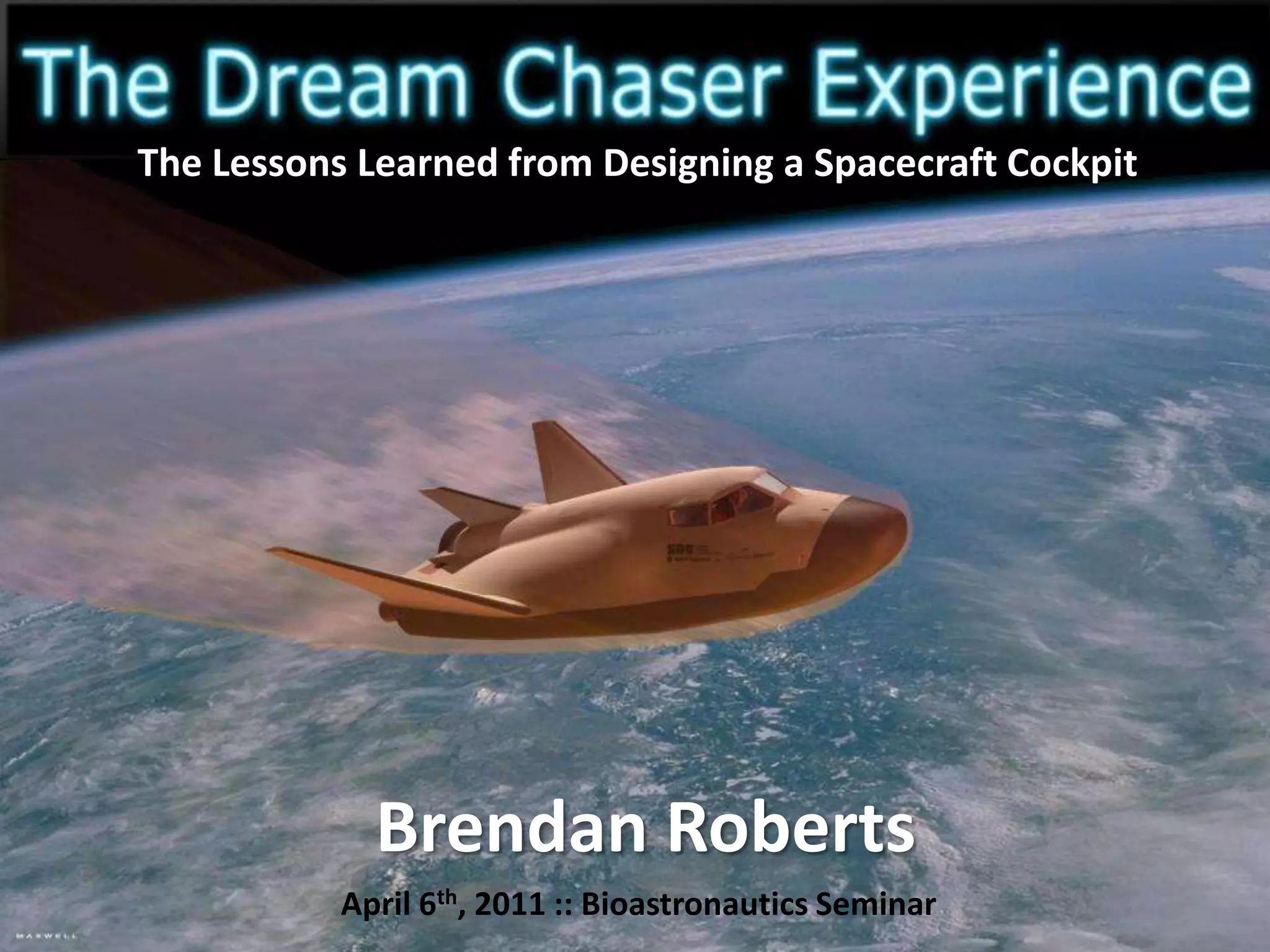
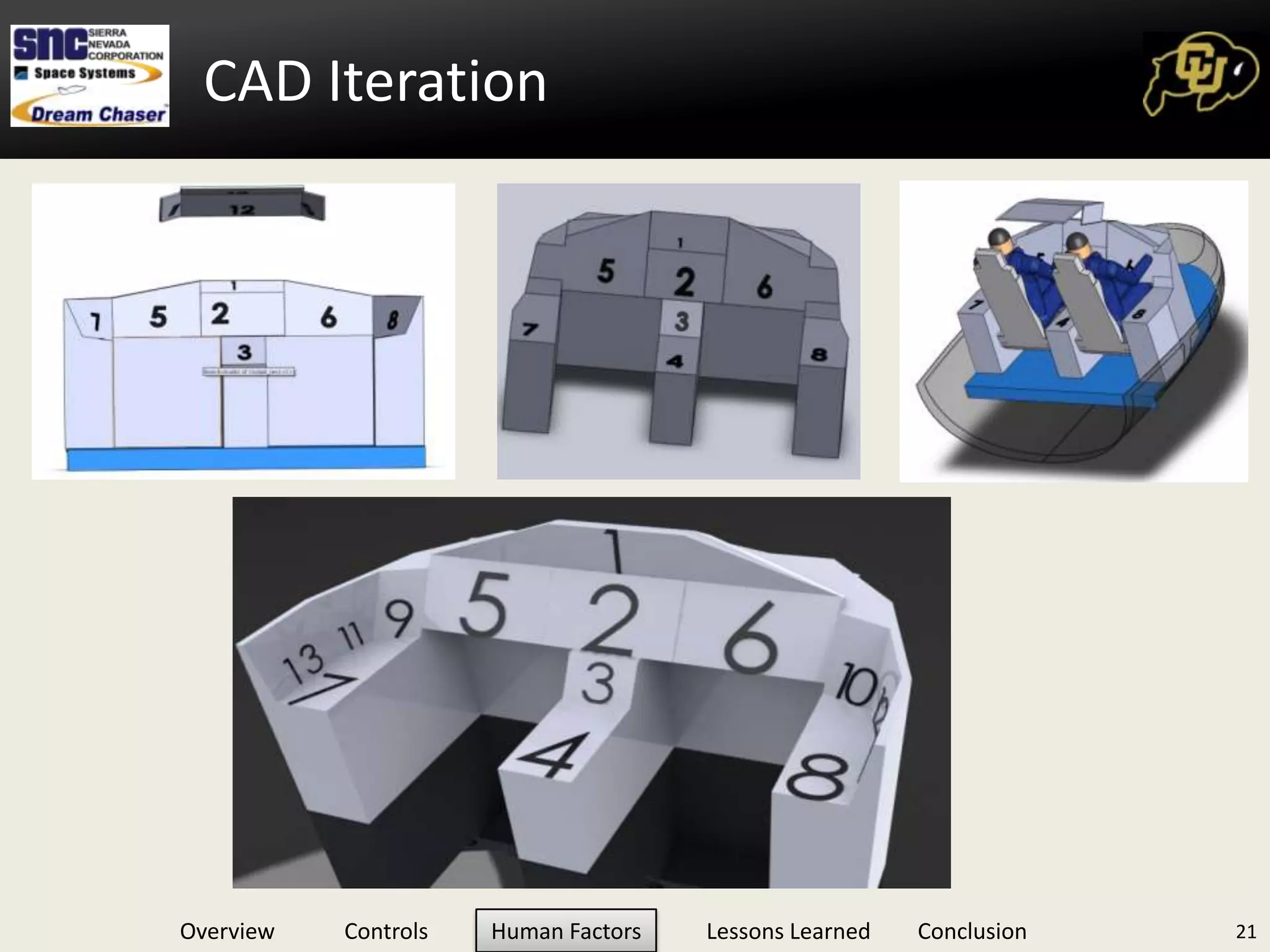
The Lessons Learned from Designing a Spacecraft CockpitApril 6th, 2011 :: Bioastronautics Seminar
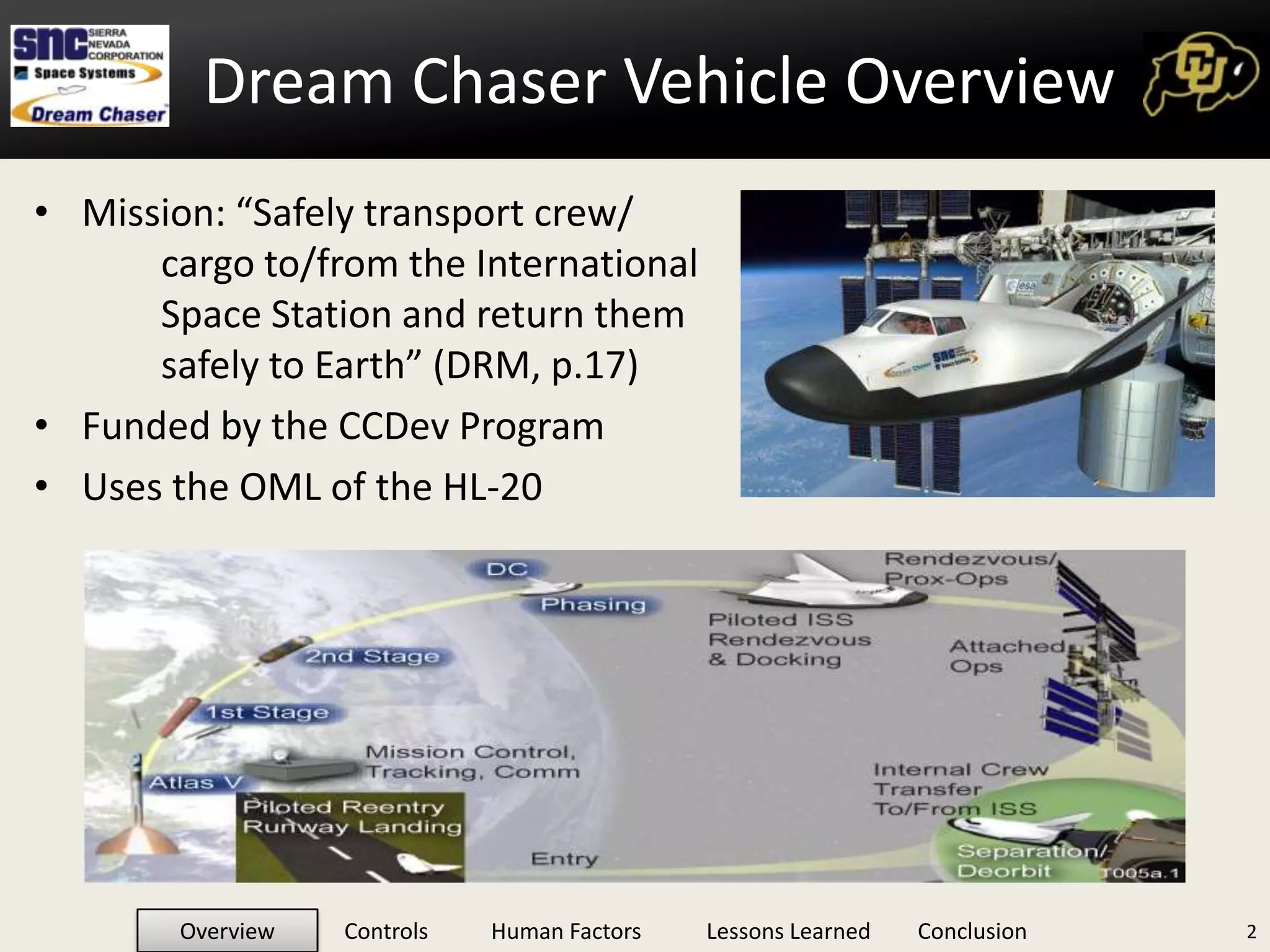
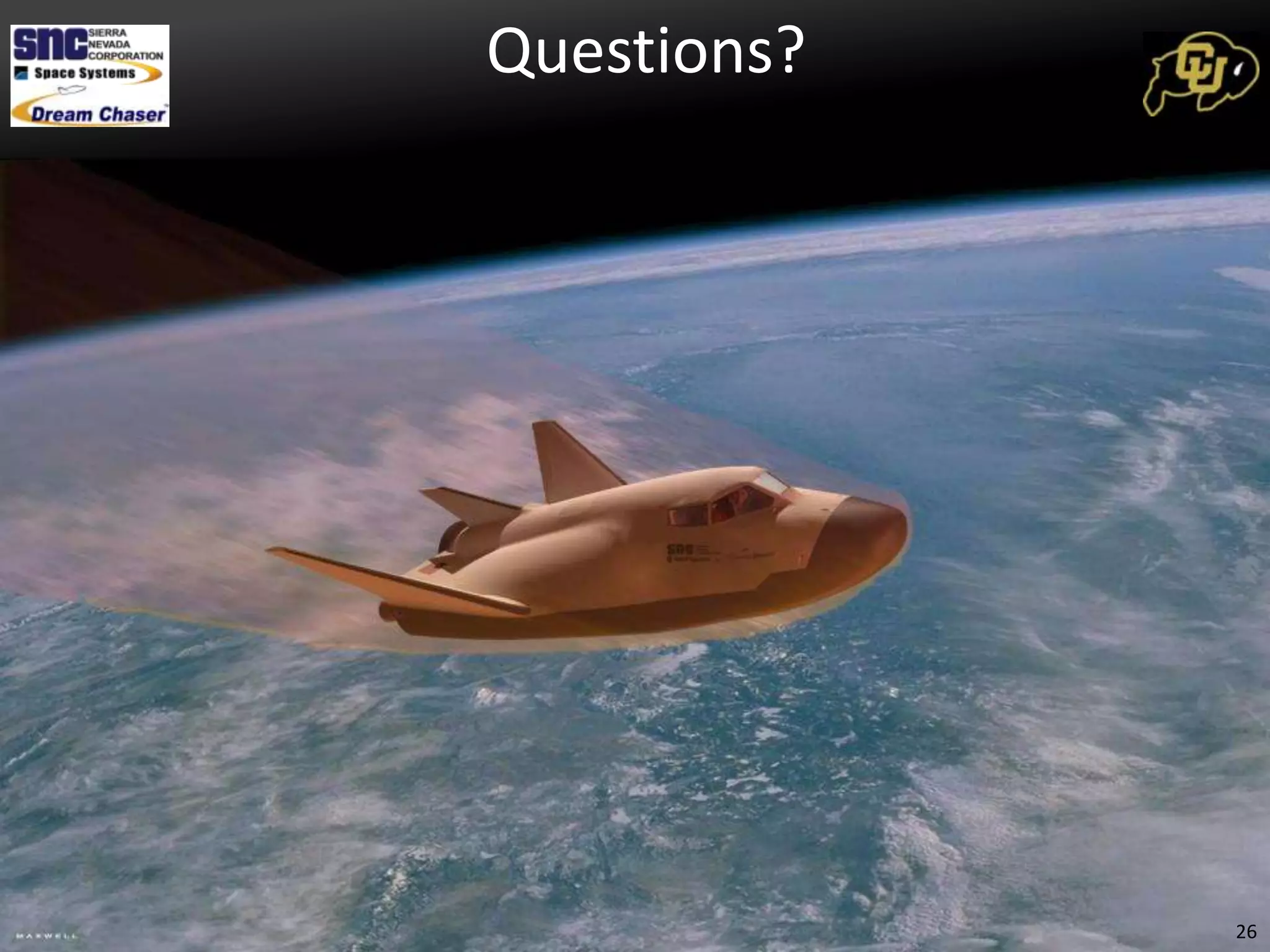
Mission: “Safely transport crew/cargo to/from the International Space Station and return them safely to Earth” (DRM, p.17)Funded by the CCDev ProgramUses the OML of the HL-202Dream Chaser Vehicle Overview
Provided Information from CustomerMission phasesROUGH RequirementsMission objectiveInner Mold Lining in CADGeneral deliverables (Baseline Architecture, etc.)A few key milestones (TIM, Mid, Final Pres)Is this enough?3Team Starting Point
You are not a pilotYou have design experience but only a Passenger-esque familiarity with cockpit layoutsYou have little spacecraft ops knowledgeYou have been tasked to design a spacecraft cockpitWhere do you start?4Starting from Scratch
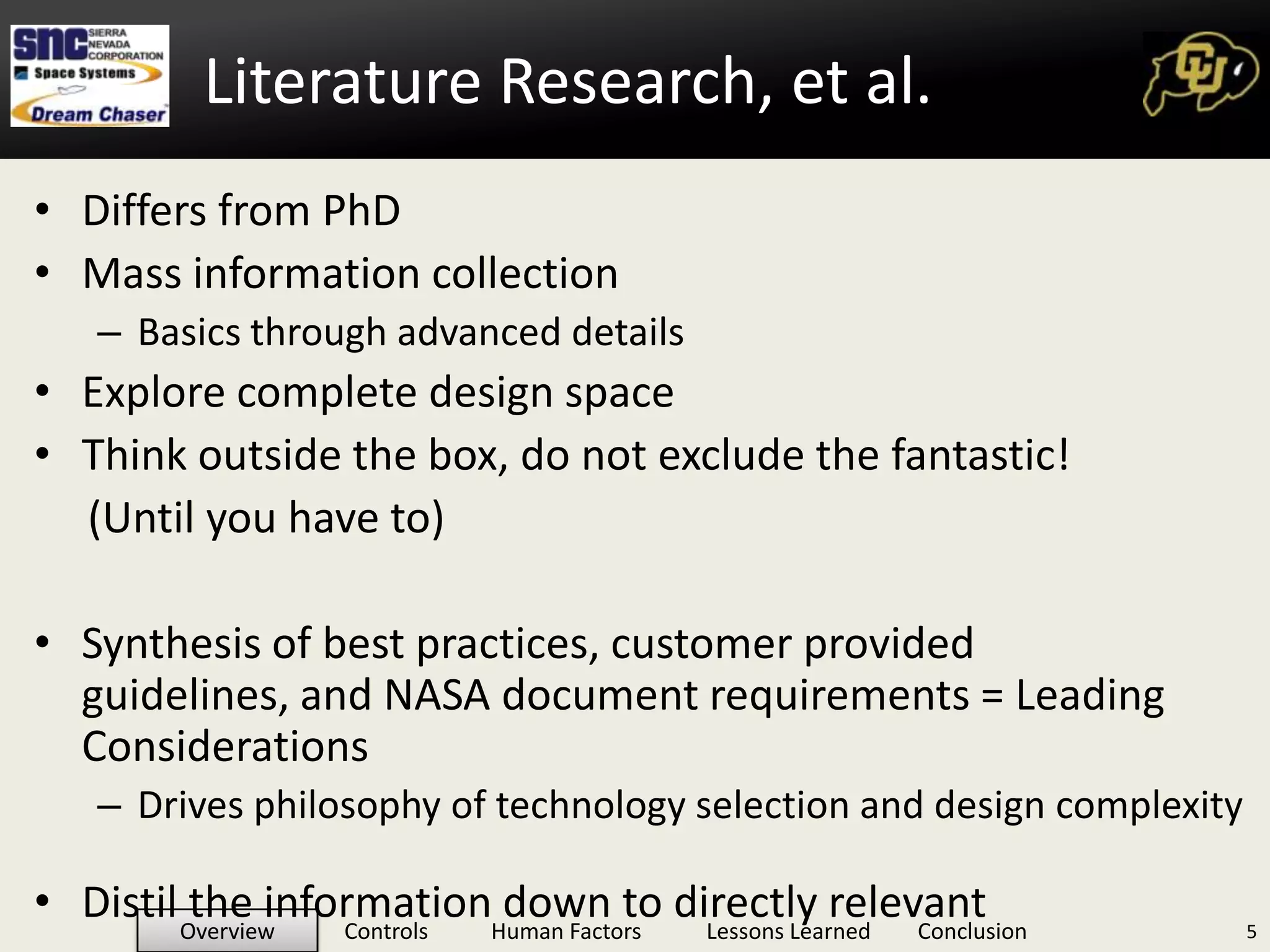
Differs from PhDMass information collectionBasics through advanced detailsExplore complete design spaceThink outside the box, do not exclude the fantastic!       (Until you have to)Synthesis of best practices, customer provided guidelines, and NASA document requirements = Leading ConsiderationsDrives philosophy of technology selection and design complexityDistil the information down to directly relevant5Literature Research, et al.
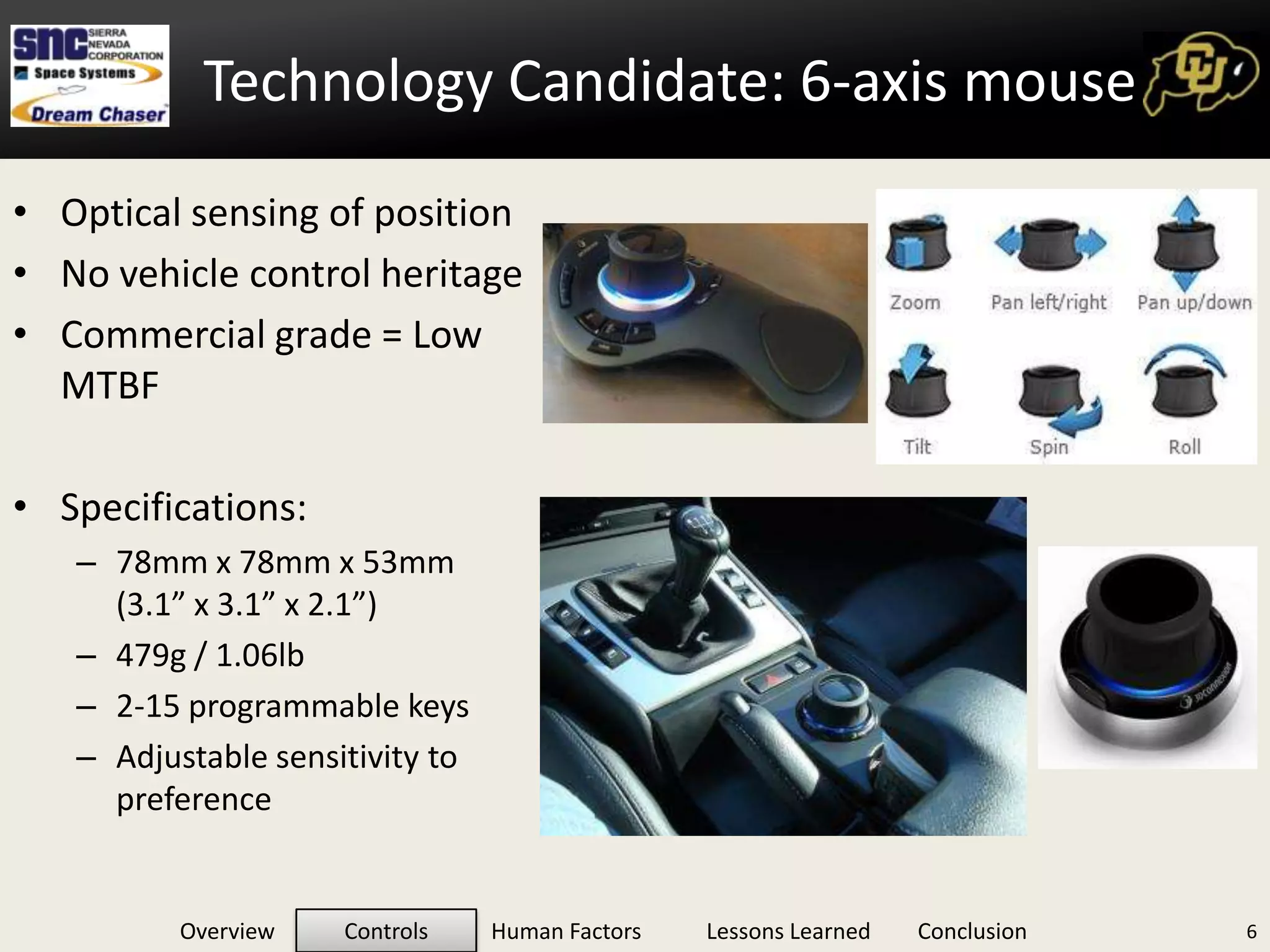
Technology Candidate: 6-axis mouse6Optical sensing of position
No vehicle control heritage
Commercial grade = Low MTBF
Specifications:
78mm x 78mm x 53mm      (3.1” x 3.1” x 2.1”)
479g / 1.06lb
2-15 programmable keys
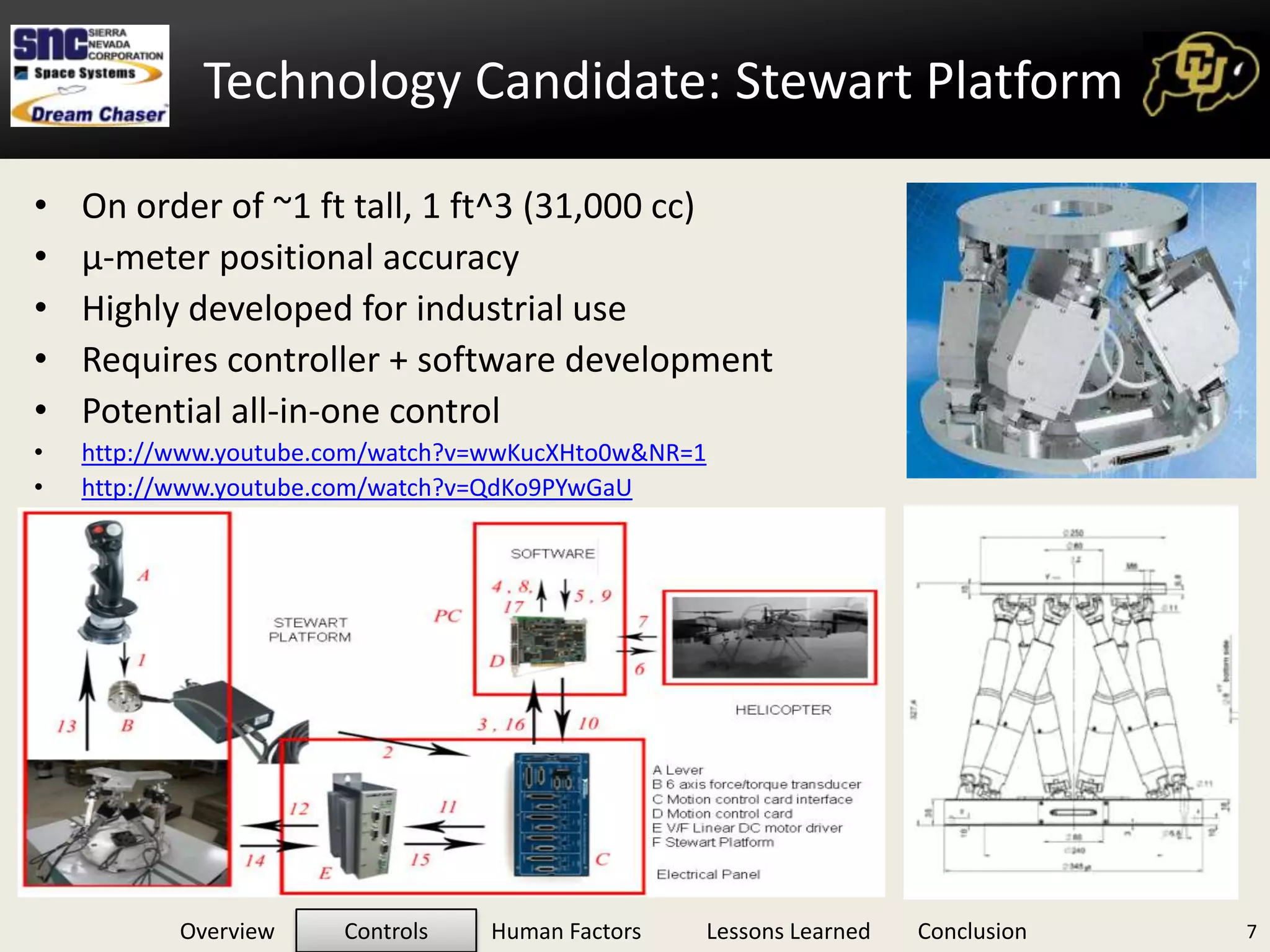
Adjustable sensitivity to preferenceTechnology Candidate: Stewart Platform7On order of ~1 ft tall, 1 ft^3 (31,000 cc)
μ-meter positional accuracy
Highly developed for industrial use
Requires controller + software development
Potential all-in-one control
http://www.youtube.com/watch?v=wwKucXHto0w&NR=1
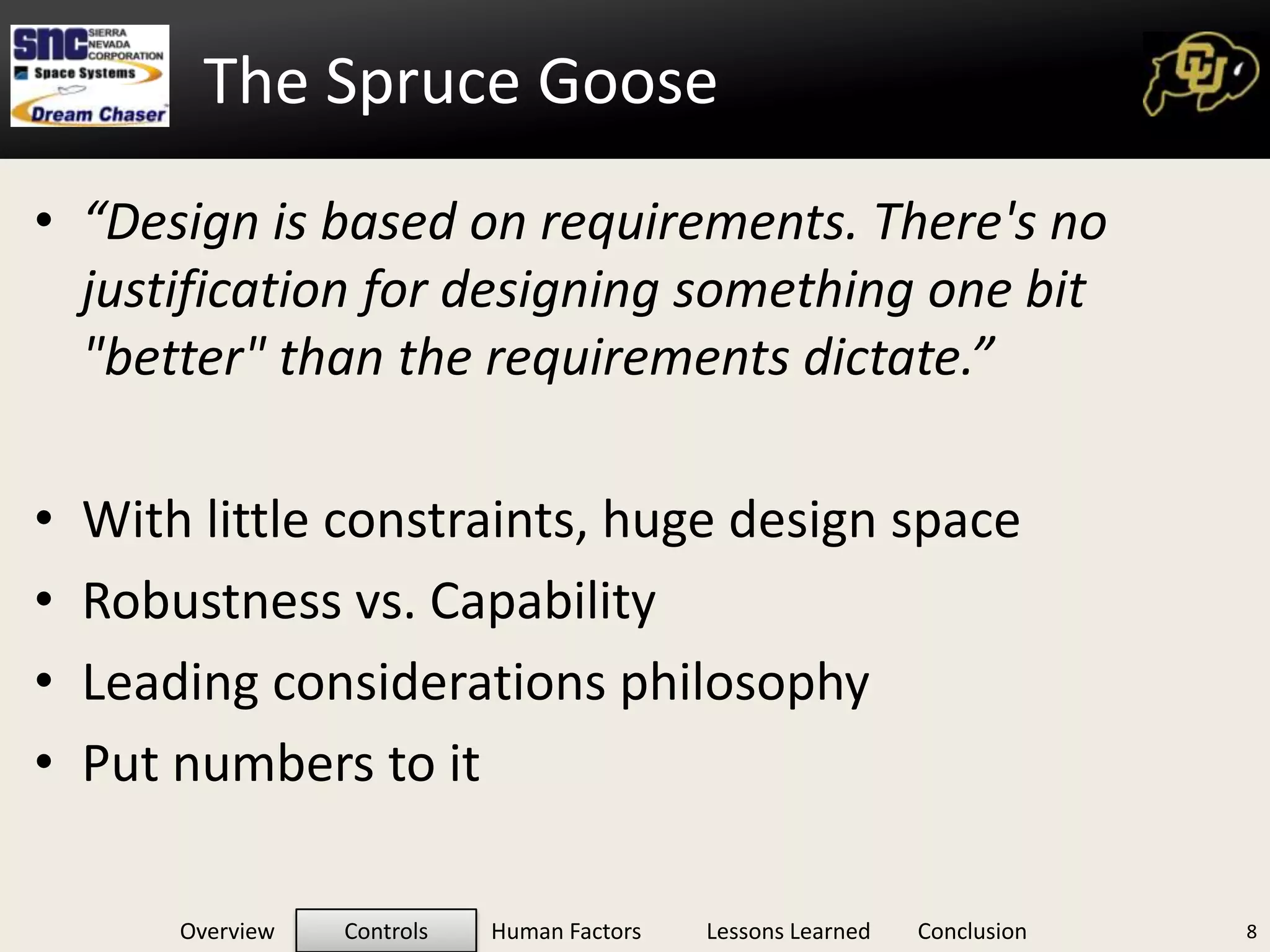
http://www.youtube.com/watch?v=QdKo9PYwGaUThe Spruce Goose“Design is based on requirements. There's no justification for designing something one bit "better" than the requirements dictate.”With little constraints, huge design spaceRobustness vs. CapabilityLeading considerations philosophyPut numbers to it8
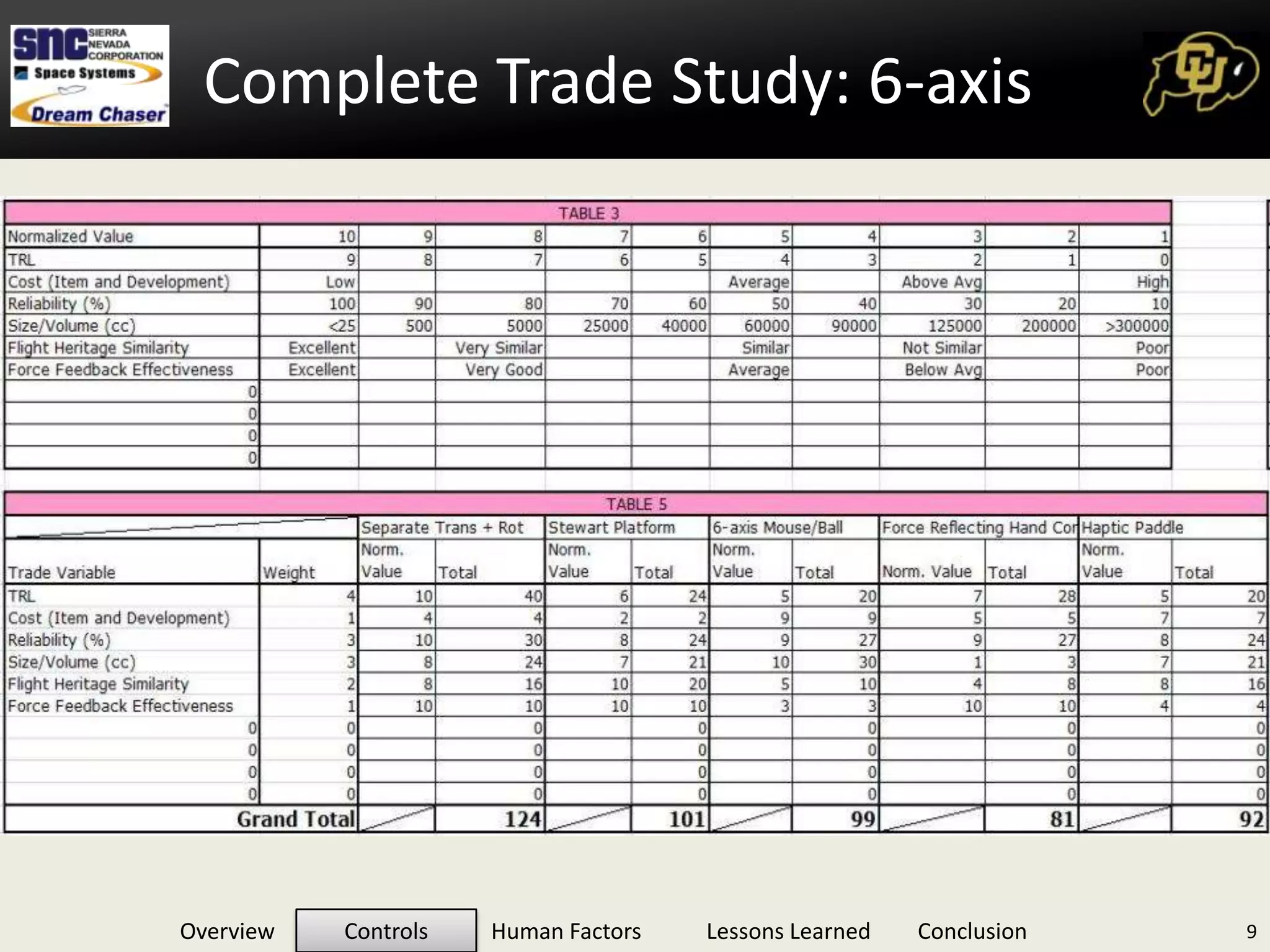
Complete Trade Study: 6-axisComplete Trade Study: 6-axis9
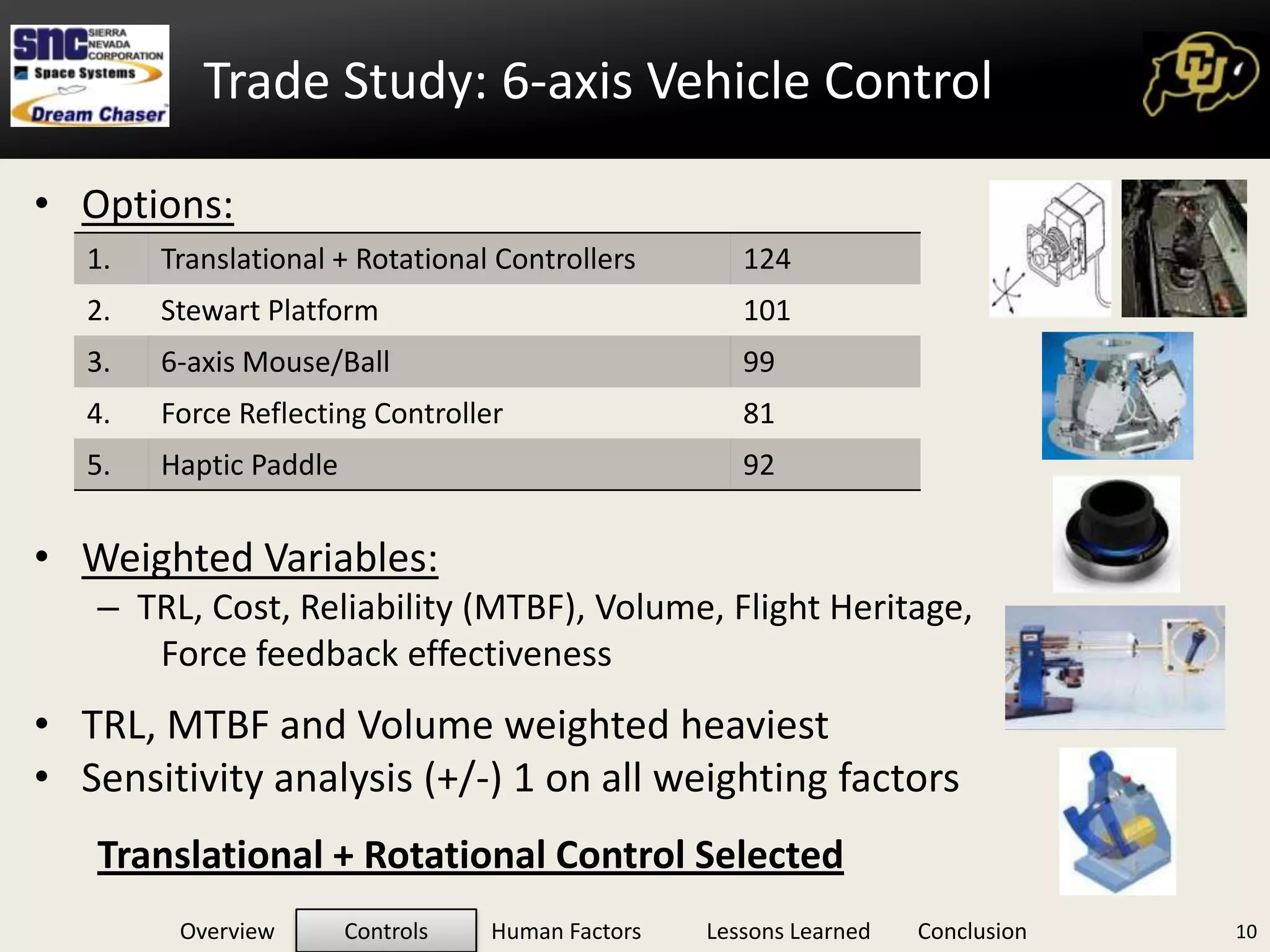
Trade Study: 6-axis Vehicle ControlOptions:Weighted Variables:TRL, Cost, Reliability (MTBF), Volume, Flight Heritage, Force feedback effectivenessTRL, MTBF and Volume weighted heaviestSensitivity analysis (+/-) 1 on all weighting factorsTranslational + Rotational Control Selected10
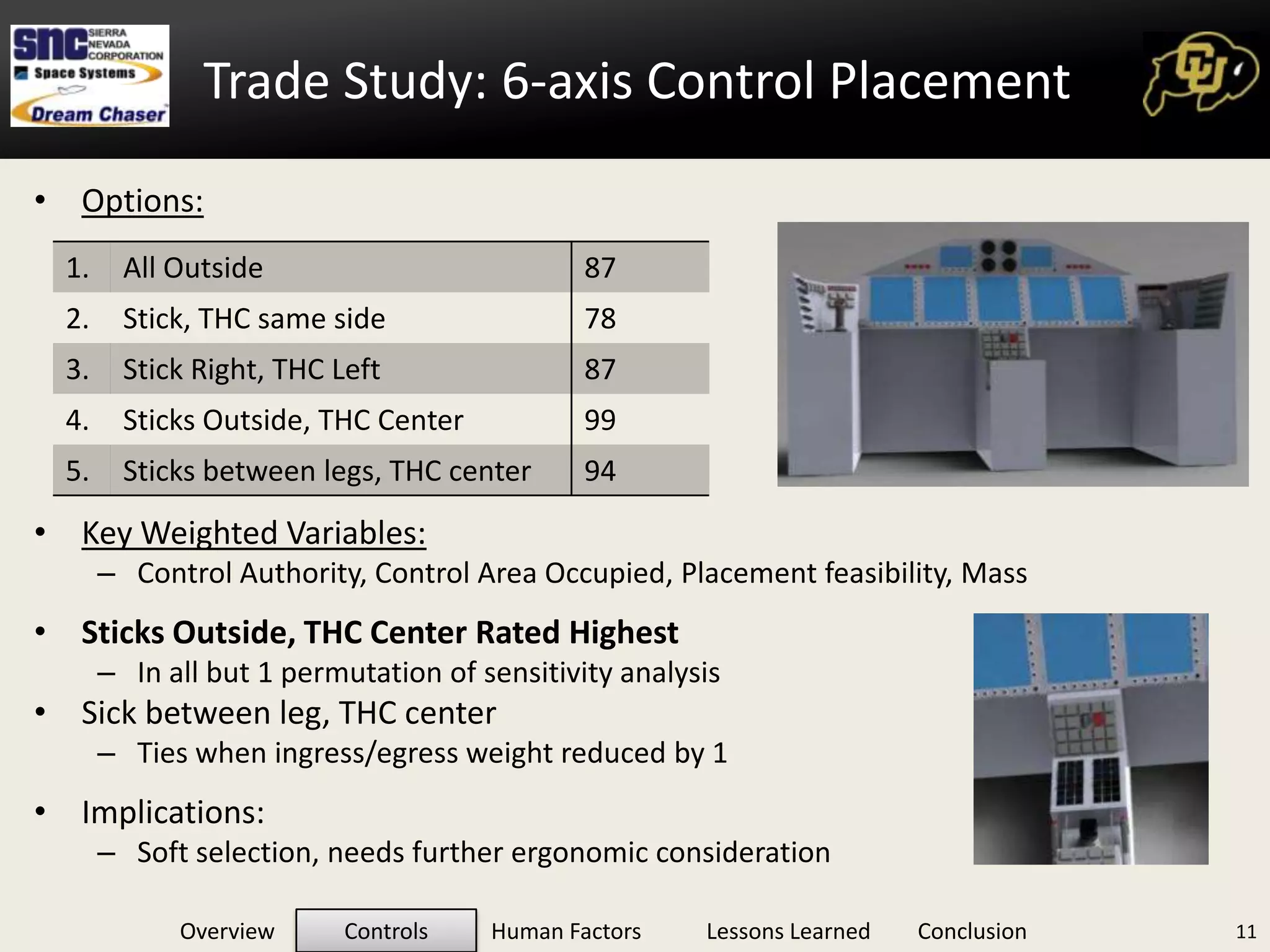
Trade Study: 6-axis Control PlacementOptions:Key Weighted Variables:Control Authority, Control Area Occupied, Placement feasibility, MassSticks Outside, THC Center Rated HighestIn all but 1 permutation of sensitivity analysisSick between leg, THC centerTies when ingress/egress weight reduced by 1Implications: Soft selection, needs further ergonomic consideration11
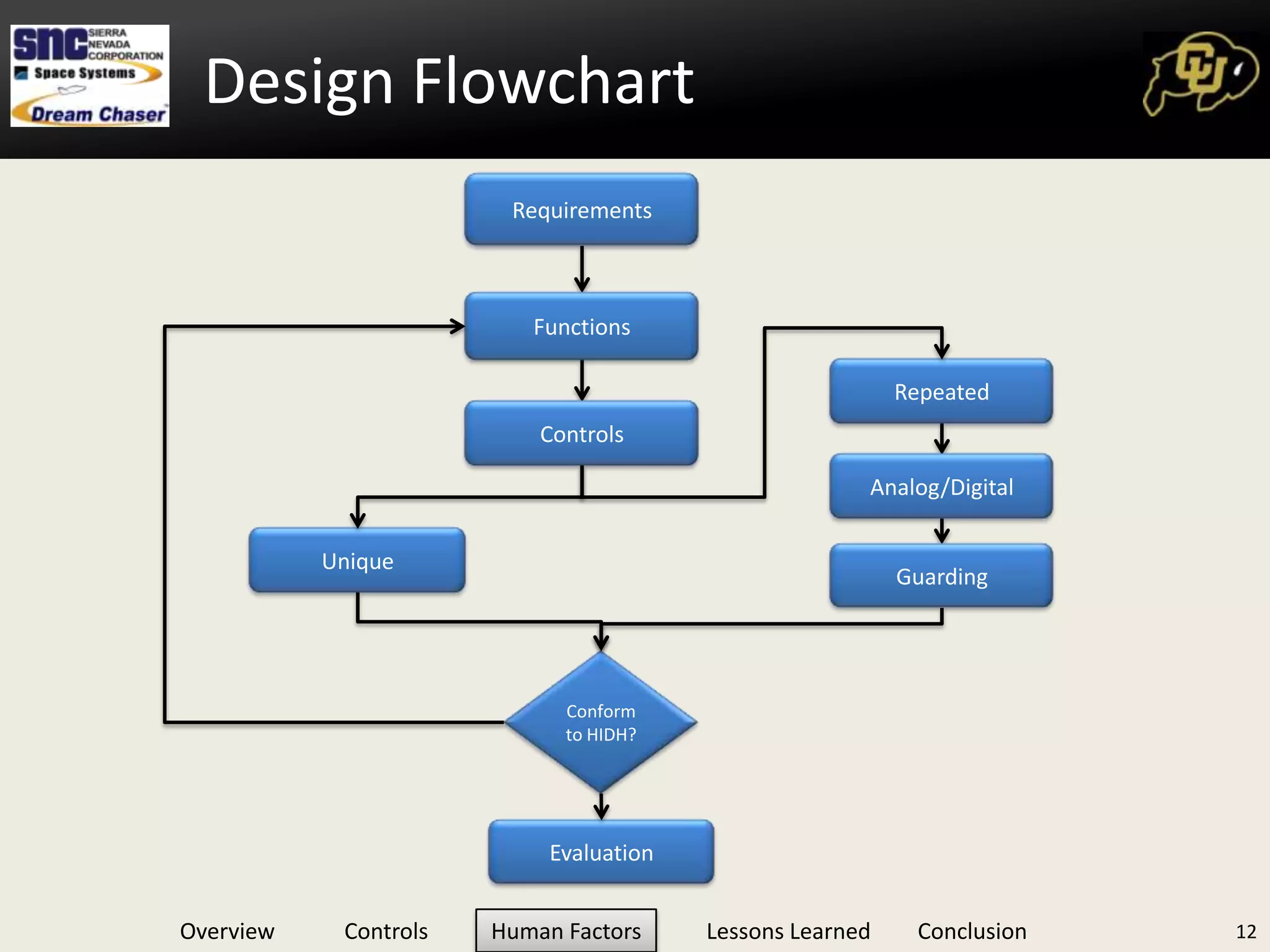
Design Flowchart12RequirementsFunctionsRepeatedControlsAnalog/DigitalUniqueGuardingConform  to HIDH?Evaluation
Human Machine IntegrationFlowchart Human Integration Design Considerations:Operation and manipulation in expected G profiles, any suited conditions, deconditioned crew, and conform to ‘blind’ operation.Ease of identification via consistent labeling, color coding, shape, operation, tactility.Controls will be selected with consideration to sequence, grouping, efficiency, and so no one limb is over-burdened.Controls will be identified by level of criticality. This will drive chosen redundancy, robustness and will restrict location. Protected from inadvertent actuation or movement.Any control protection method should not preclude operation within the time required.Etc..13
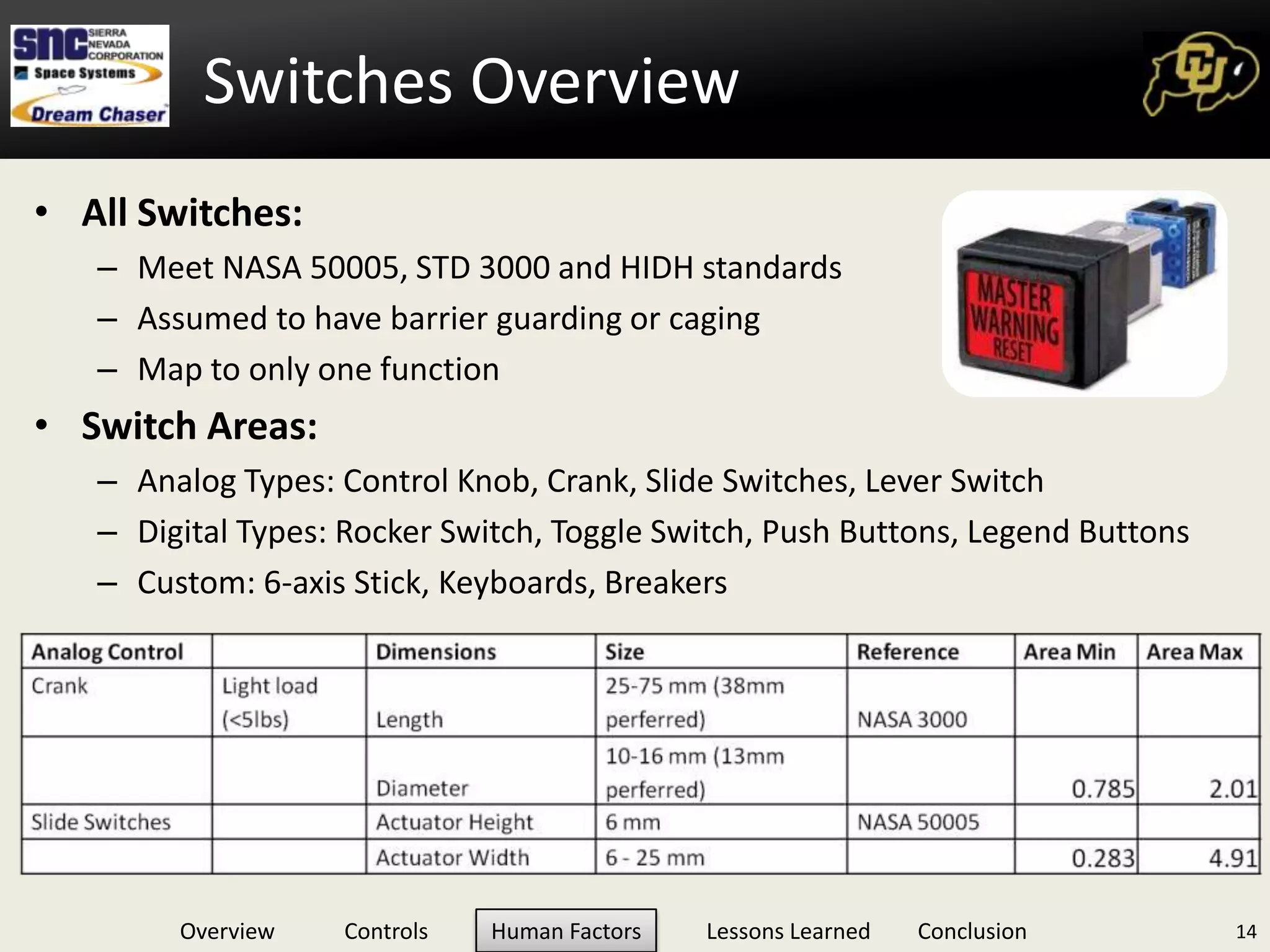
Switches OverviewAll Switches:Meet NASA 50005, STD 3000 and HIDH standardsAssumed to have barrier guarding or cagingMap to only one functionSwitch Areas:Analog Types: Control Knob, Crank, Slide Switches, Lever Switch   	Digital Types: Rocker Switch, Toggle Switch, Push Buttons, Legend ButtonsCustom: 6-axis Stick, Keyboards, Breakers14
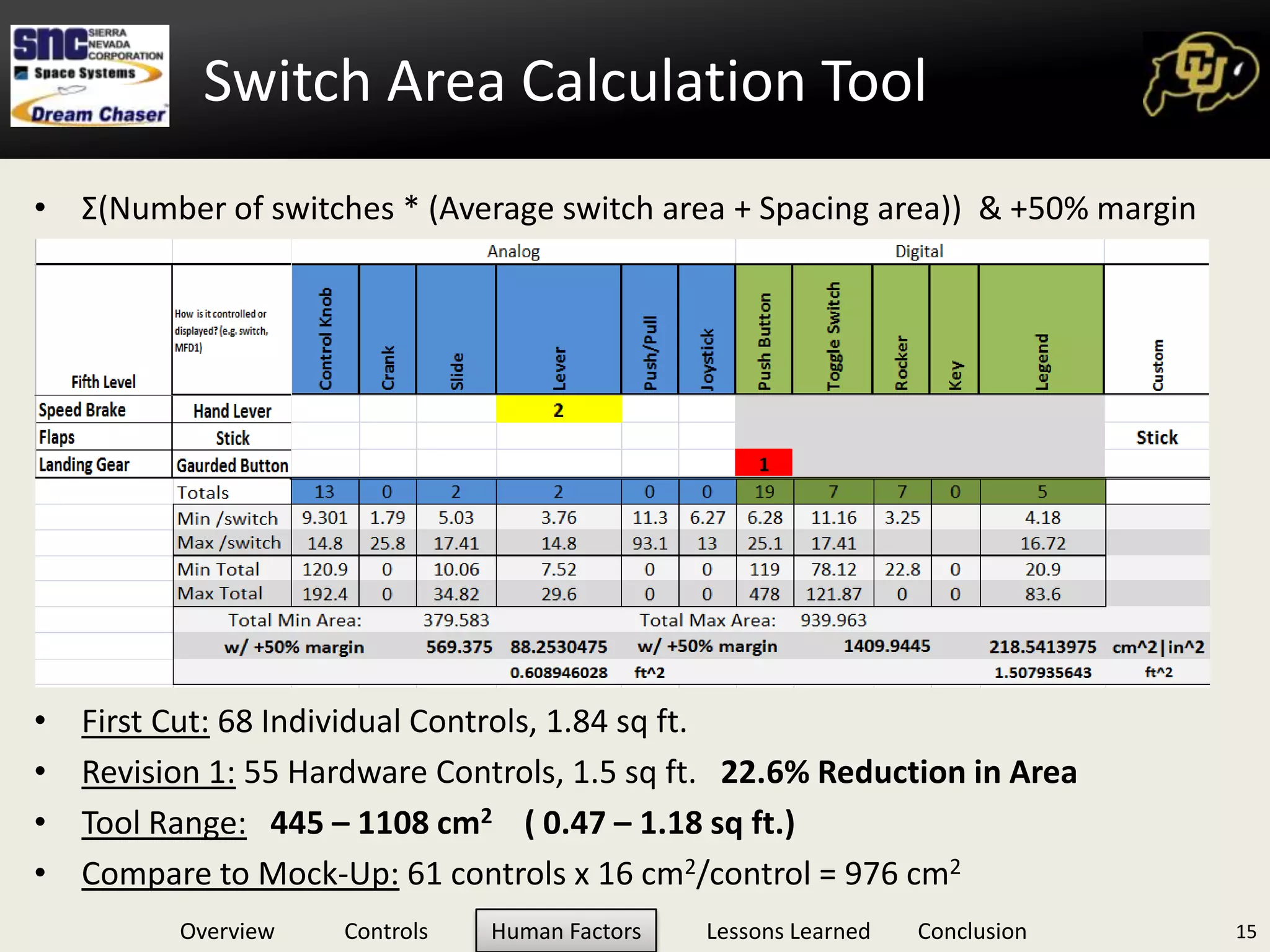
Switch Area Calculation ToolΣ(Number of switches * (Average switch area + Spacing area))  & +50% marginFirst Cut: 68 Individual Controls, 1.84 sq ft.Revision 1: 55 Hardware Controls, 1.5 sq ft.   22.6% Reduction in AreaTool Range:445 – 1108 cm2    ( 0.47 – 1.18 sq ft.)Compare to Mock-Up: 61 controls x 16 cm2/control = 976 cm215
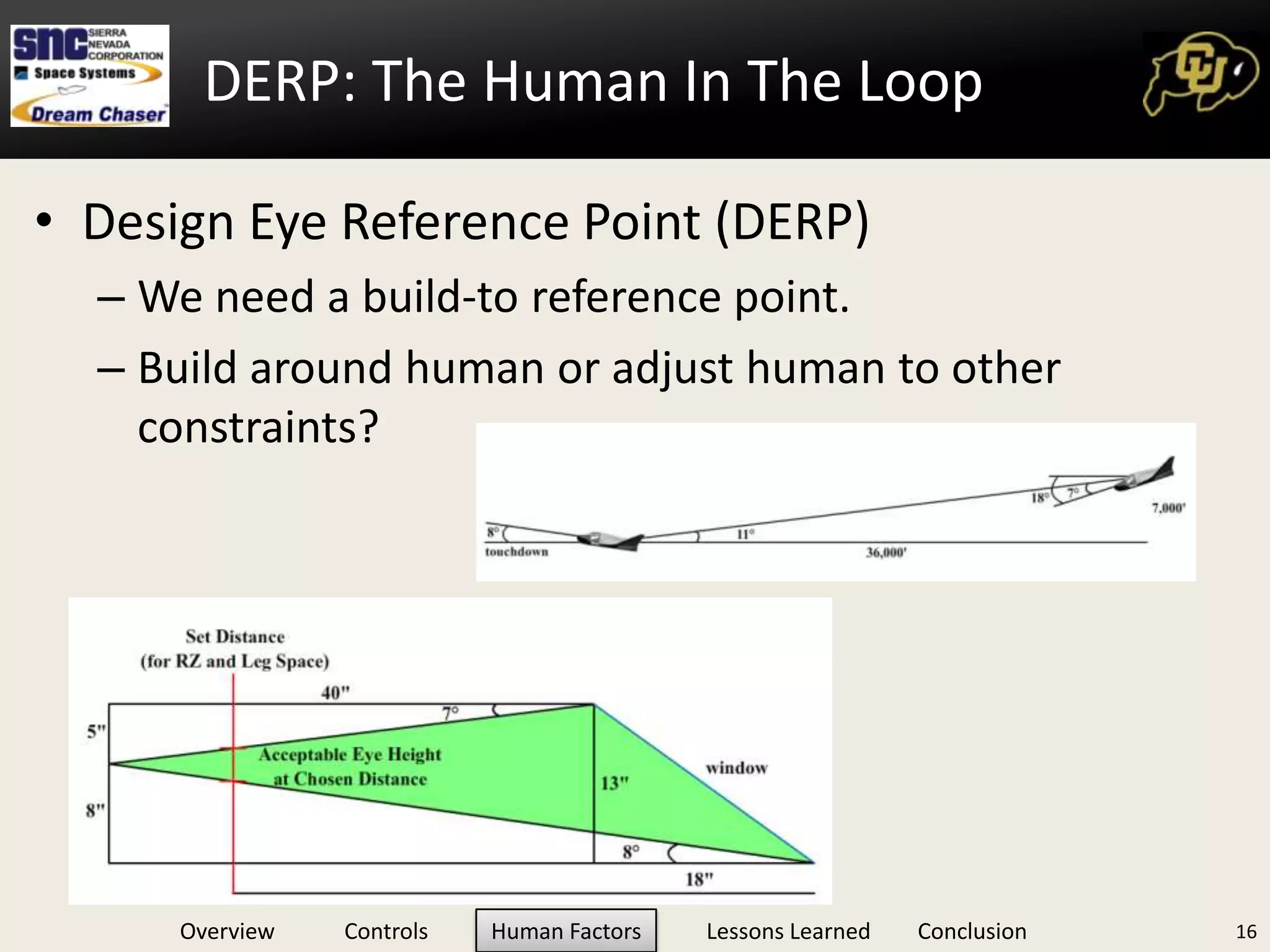
DERP: The Human In The LoopDesign Eye Reference Point (DERP)We need a build-to reference point. Build around human or adjust human to other constraints?16
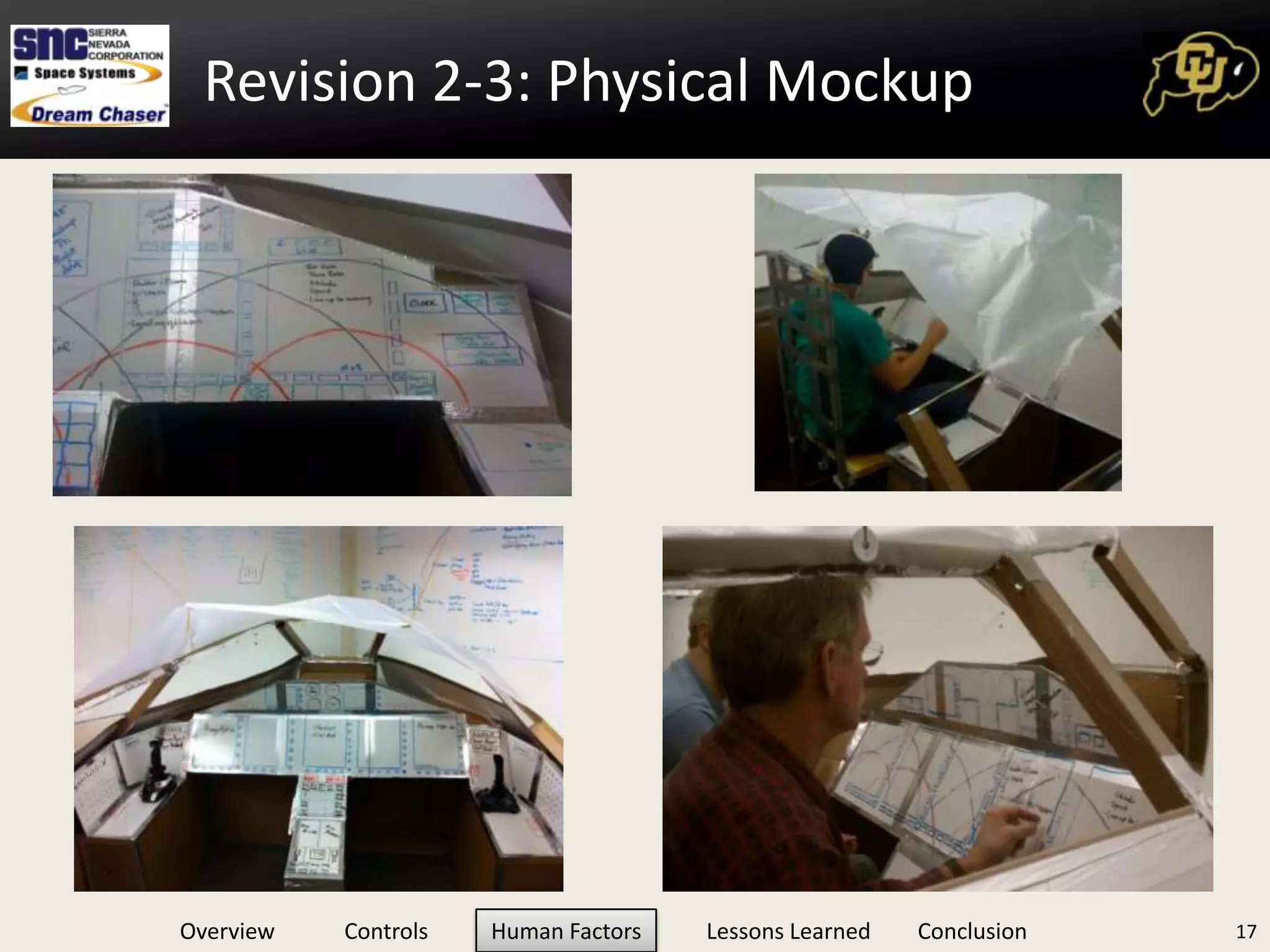
Revision 2-3: Physical Mockup17

Seminar Presentation

  • 1.
    The Lessons Learnedfrom Designing a Spacecraft CockpitApril 6th, 2011 :: Bioastronautics Seminar
  • 2.
    Mission: “Safely transportcrew/cargo to/from the International Space Station and return them safely to Earth” (DRM, p.17)Funded by the CCDev ProgramUses the OML of the HL-202Dream Chaser Vehicle Overview
  • 3.
    Provided Information fromCustomerMission phasesROUGH RequirementsMission objectiveInner Mold Lining in CADGeneral deliverables (Baseline Architecture, etc.)A few key milestones (TIM, Mid, Final Pres)Is this enough?3Team Starting Point
  • 4.
    You are nota pilotYou have design experience but only a Passenger-esque familiarity with cockpit layoutsYou have little spacecraft ops knowledgeYou have been tasked to design a spacecraft cockpitWhere do you start?4Starting from Scratch
  • 5.
    Differs from PhDMassinformation collectionBasics through advanced detailsExplore complete design spaceThink outside the box, do not exclude the fantastic! (Until you have to)Synthesis of best practices, customer provided guidelines, and NASA document requirements = Leading ConsiderationsDrives philosophy of technology selection and design complexityDistil the information down to directly relevant5Literature Research, et al.
  • 6.
    Technology Candidate: 6-axismouse6Optical sensing of position
  • 7.
  • 8.
  • 9.
  • 10.
    78mm x 78mmx 53mm (3.1” x 3.1” x 2.1”)
  • 11.
  • 12.
  • 13.
    Adjustable sensitivity topreferenceTechnology Candidate: Stewart Platform7On order of ~1 ft tall, 1 ft^3 (31,000 cc)
  • 14.
  • 15.
    Highly developed forindustrial use
  • 16.
    Requires controller +software development
  • 17.
  • 18.
  • 19.
    http://www.youtube.com/watch?v=QdKo9PYwGaUThe Spruce Goose“Designis based on requirements. There's no justification for designing something one bit "better" than the requirements dictate.”With little constraints, huge design spaceRobustness vs. CapabilityLeading considerations philosophyPut numbers to it8
  • 20.
    Complete Trade Study:6-axisComplete Trade Study: 6-axis9
  • 21.
    Trade Study: 6-axisVehicle ControlOptions:Weighted Variables:TRL, Cost, Reliability (MTBF), Volume, Flight Heritage, Force feedback effectivenessTRL, MTBF and Volume weighted heaviestSensitivity analysis (+/-) 1 on all weighting factorsTranslational + Rotational Control Selected10
  • 22.
    Trade Study: 6-axisControl PlacementOptions:Key Weighted Variables:Control Authority, Control Area Occupied, Placement feasibility, MassSticks Outside, THC Center Rated HighestIn all but 1 permutation of sensitivity analysisSick between leg, THC centerTies when ingress/egress weight reduced by 1Implications: Soft selection, needs further ergonomic consideration11
  • 23.
  • 24.
    Human Machine IntegrationFlowchartHuman Integration Design Considerations:Operation and manipulation in expected G profiles, any suited conditions, deconditioned crew, and conform to ‘blind’ operation.Ease of identification via consistent labeling, color coding, shape, operation, tactility.Controls will be selected with consideration to sequence, grouping, efficiency, and so no one limb is over-burdened.Controls will be identified by level of criticality. This will drive chosen redundancy, robustness and will restrict location. Protected from inadvertent actuation or movement.Any control protection method should not preclude operation within the time required.Etc..13
  • 25.
    Switches OverviewAll Switches:MeetNASA 50005, STD 3000 and HIDH standardsAssumed to have barrier guarding or cagingMap to only one functionSwitch Areas:Analog Types: Control Knob, Crank, Slide Switches, Lever Switch Digital Types: Rocker Switch, Toggle Switch, Push Buttons, Legend ButtonsCustom: 6-axis Stick, Keyboards, Breakers14
  • 26.
    Switch Area CalculationToolΣ(Number of switches * (Average switch area + Spacing area)) & +50% marginFirst Cut: 68 Individual Controls, 1.84 sq ft.Revision 1: 55 Hardware Controls, 1.5 sq ft. 22.6% Reduction in AreaTool Range:445 – 1108 cm2 ( 0.47 – 1.18 sq ft.)Compare to Mock-Up: 61 controls x 16 cm2/control = 976 cm215
  • 27.
    DERP: The HumanIn The LoopDesign Eye Reference Point (DERP)We need a build-to reference point. Build around human or adjust human to other constraints?16
  • 28.
  • 29.
  • 30.
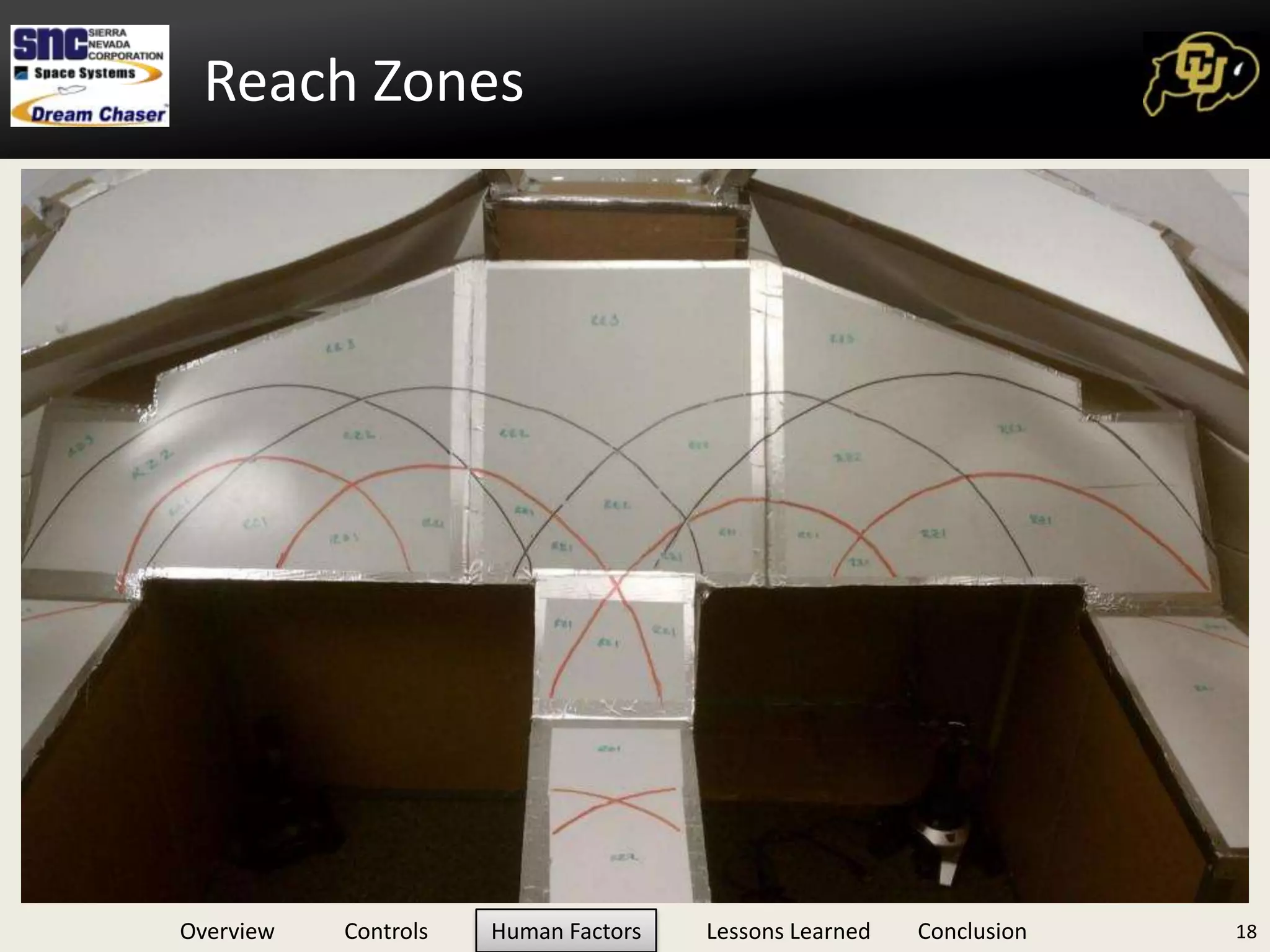
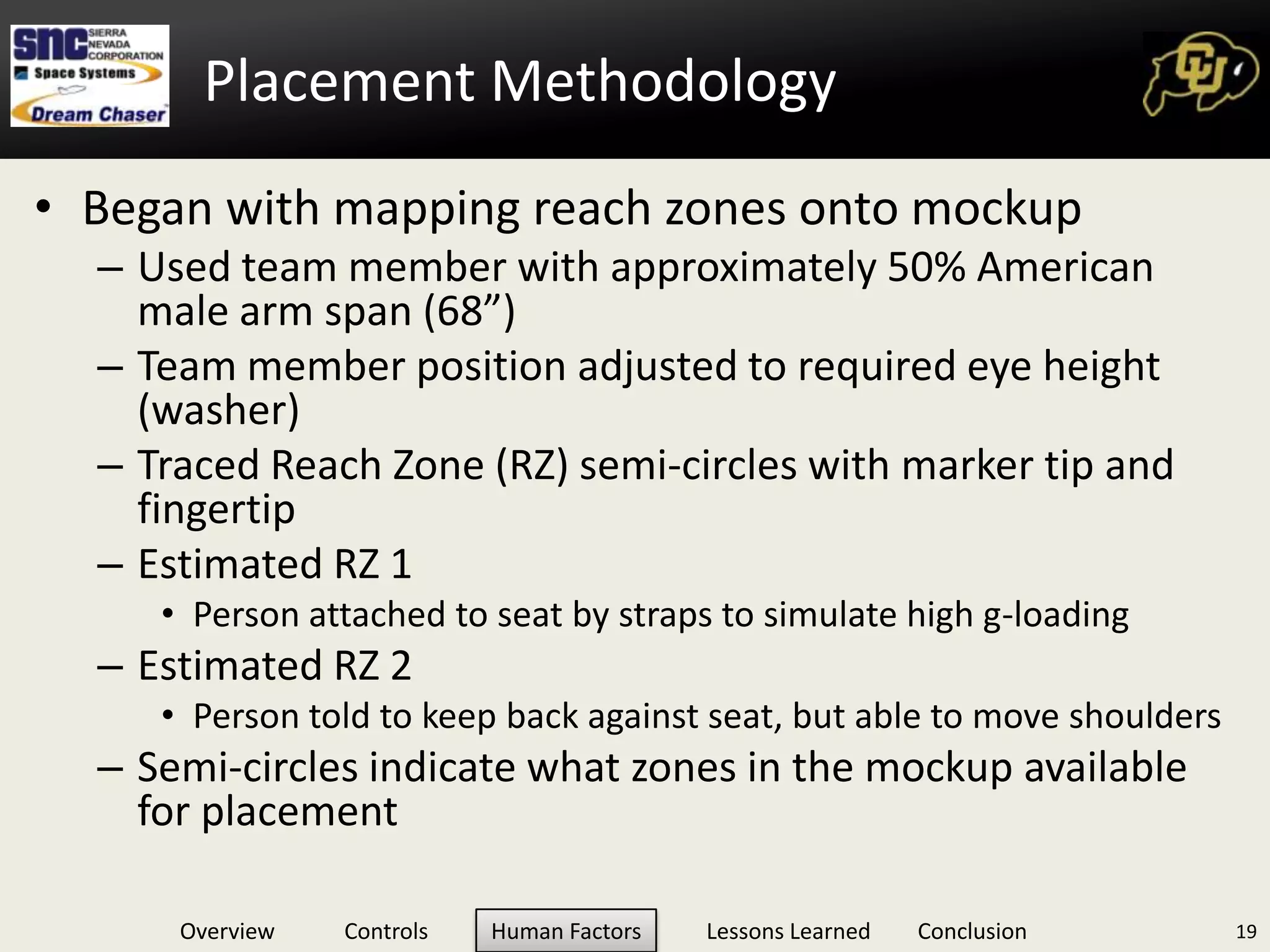
    Placement MethodologyBegan withmapping reach zones onto mockupUsed team member with approximately 50% American male arm span (68”)Team member position adjusted to required eye height (washer)Traced Reach Zone (RZ) semi-circles with marker tip and fingertipEstimated RZ 1Person attached to seat by straps to simulate high g-loadingEstimated RZ 2Person told to keep back against seat, but able to move shouldersSemi-circles indicate what zones in the mockup available for placement19
  • 31.
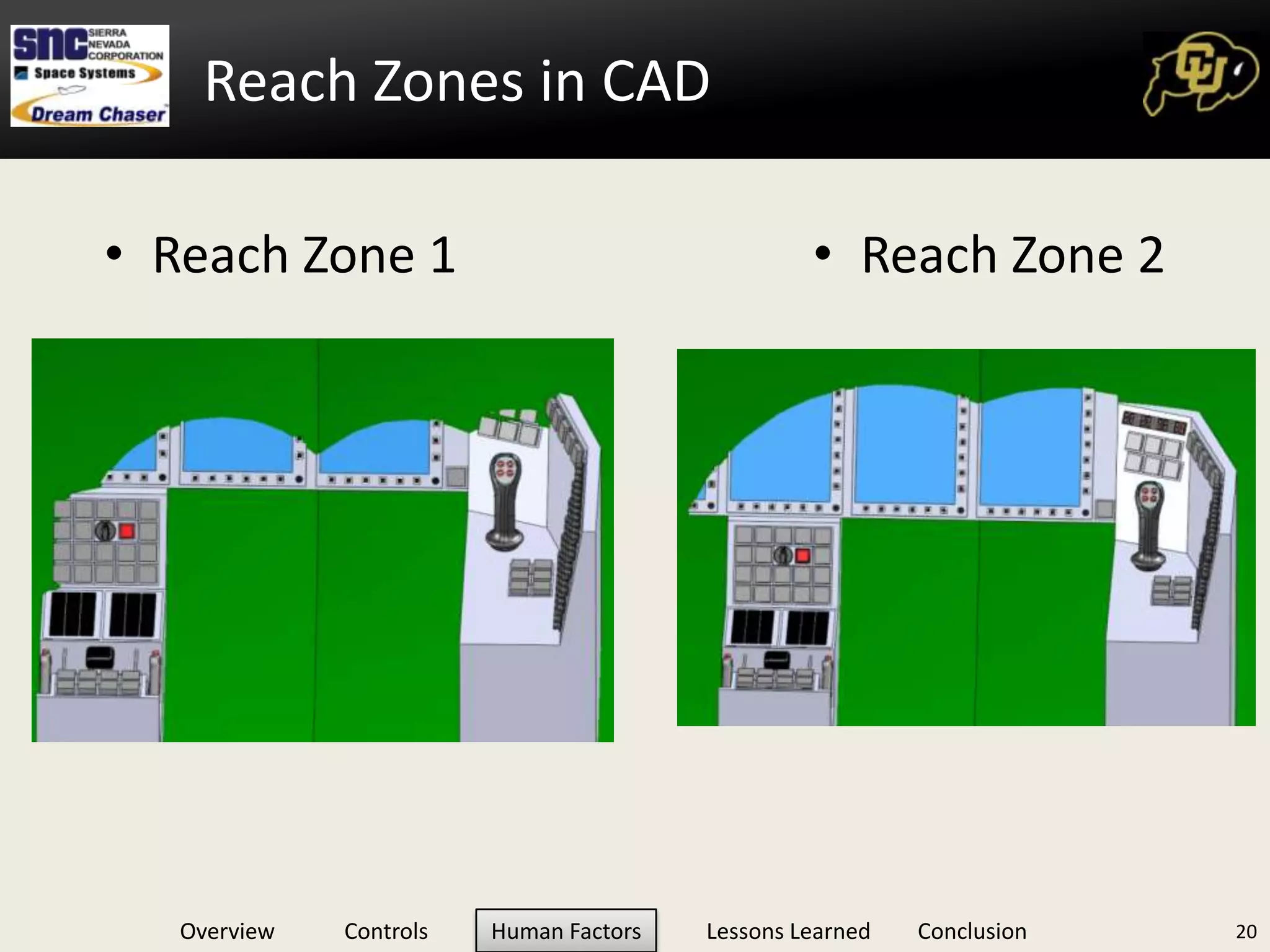
    Reach Zones inCAD20Reach Zone 1Reach Zone 2
  • 32.
  • 33.
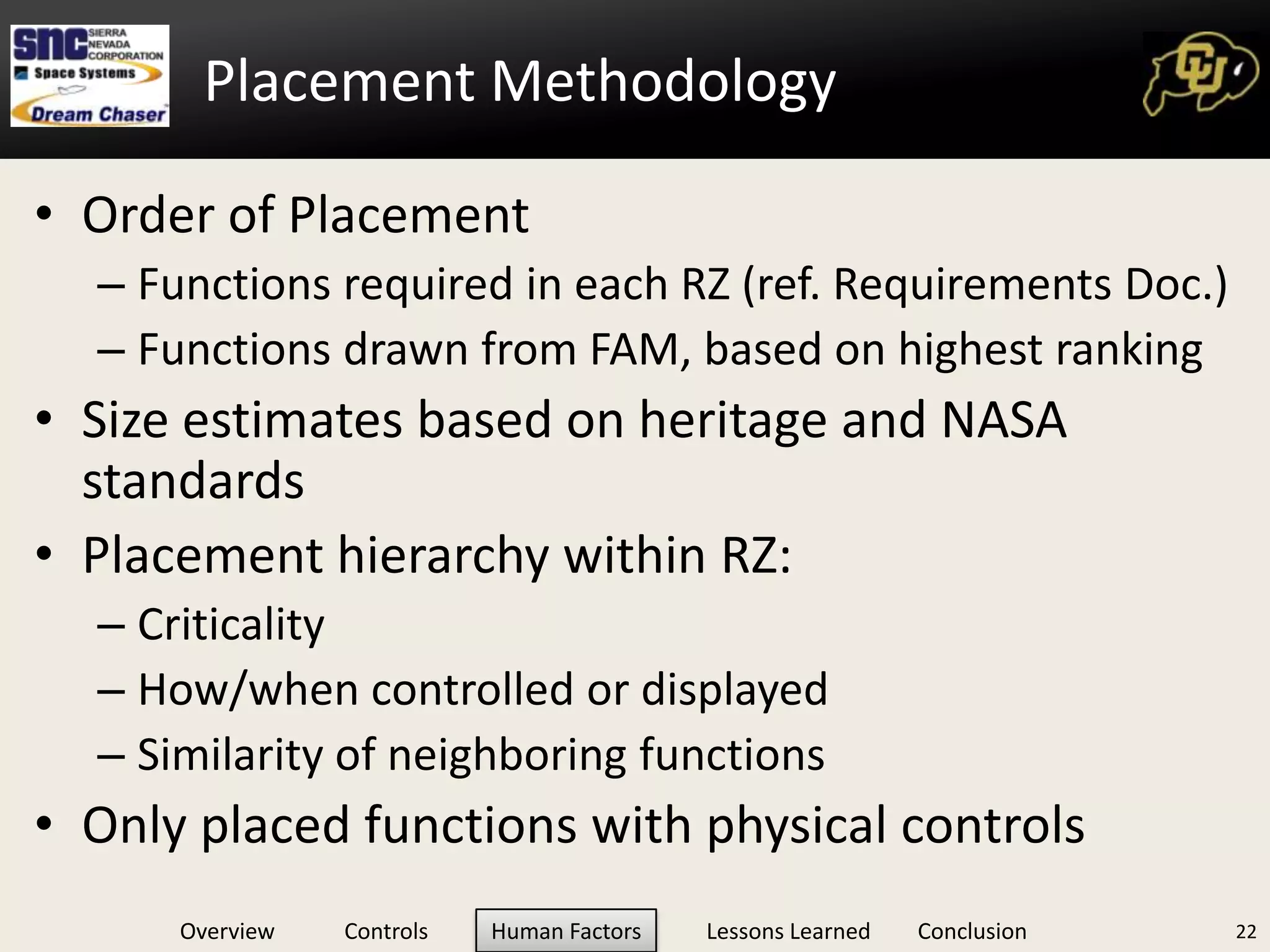
    Placement MethodologyOrder ofPlacement Functions required in each RZ (ref. Requirements Doc.)Functions drawn from FAM, based on highest ranking Size estimates based on heritage and NASA standardsPlacement hierarchy within RZ:CriticalityHow/when controlled or displayedSimilarity of neighboring functionsOnly placed functions with physical controls22
  • 34.
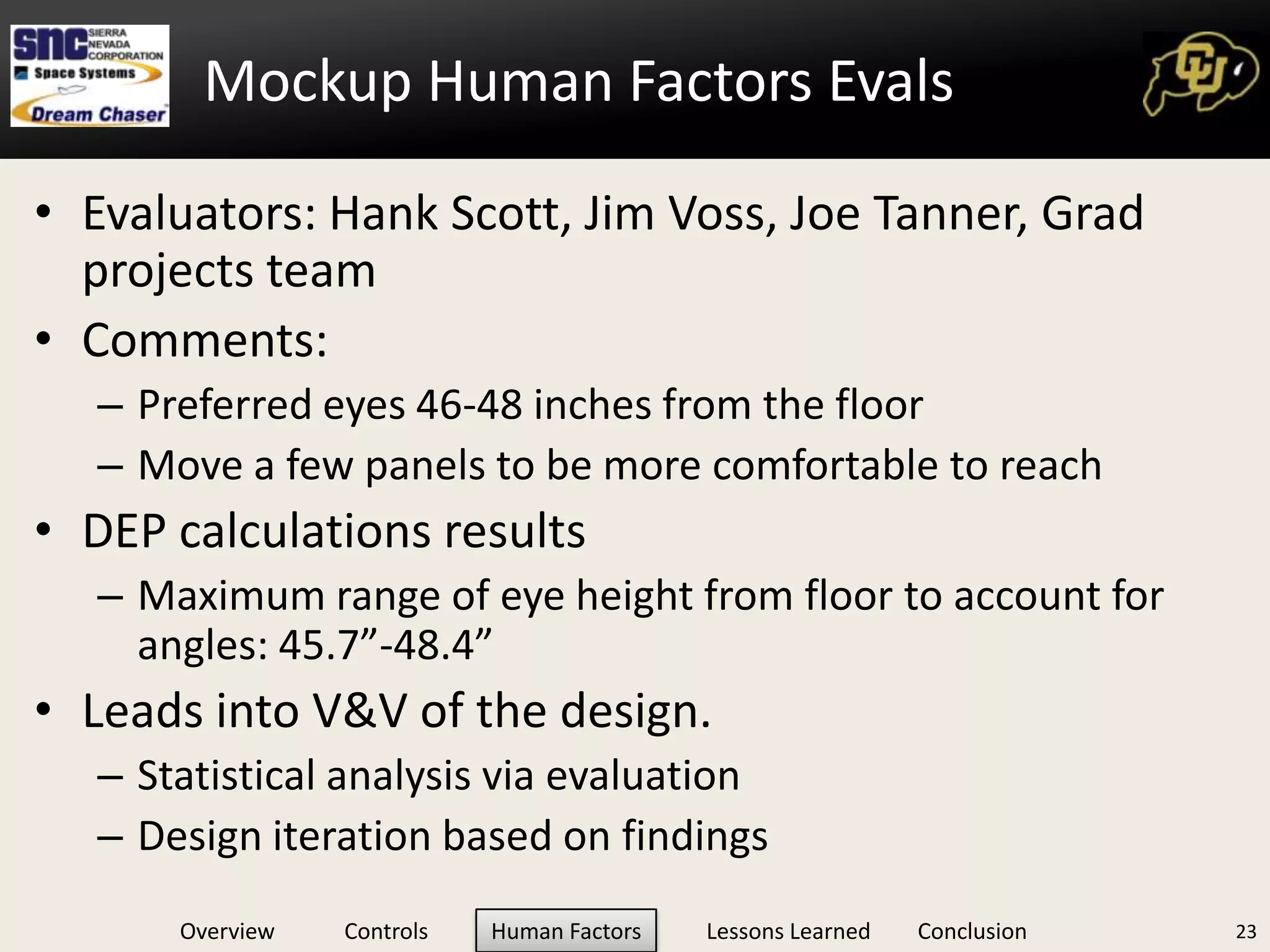
    Mockup Human FactorsEvalsEvaluators: Hank Scott, Jim Voss, Joe Tanner, Grad projects teamComments:Preferred eyes 46-48 inches from the floorMove a few panels to be more comfortable to reachDEP calculations resultsMaximum range of eye height from floor to account for angles: 45.7”-48.4”Leads into V&V of the design. Statistical analysis via evaluationDesign iteration based on findings23
  • 35.
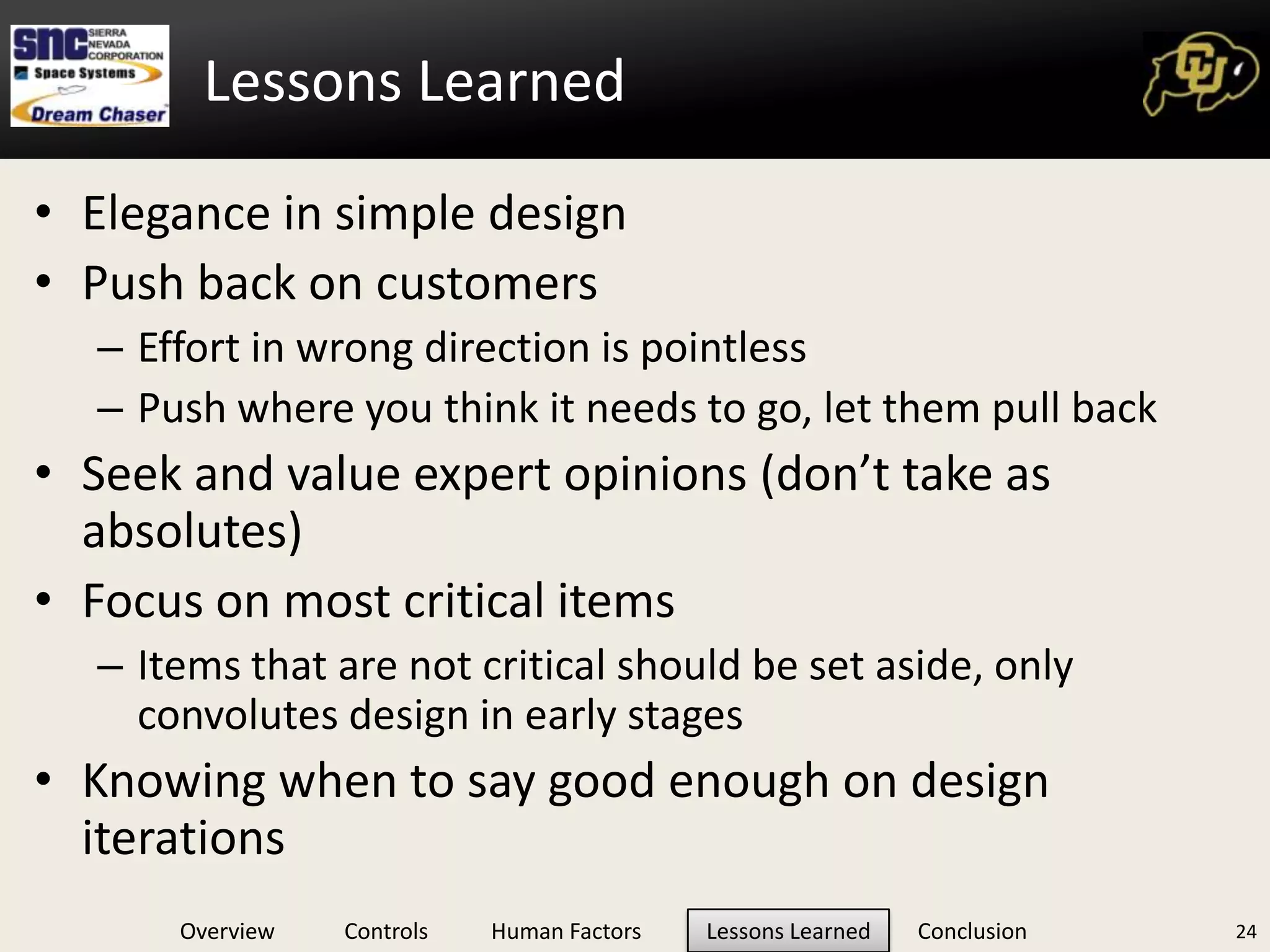
    Elegance in simpledesignPush back on customersEffort in wrong direction is pointlessPush where you think it needs to go, let them pull backSeek and value expert opinions (don’t take as absolutes)Focus on most critical itemsItems that are not critical should be set aside, only convolutes design in early stagesKnowing when to say good enough on design iterations24Lessons Learned
  • 36.
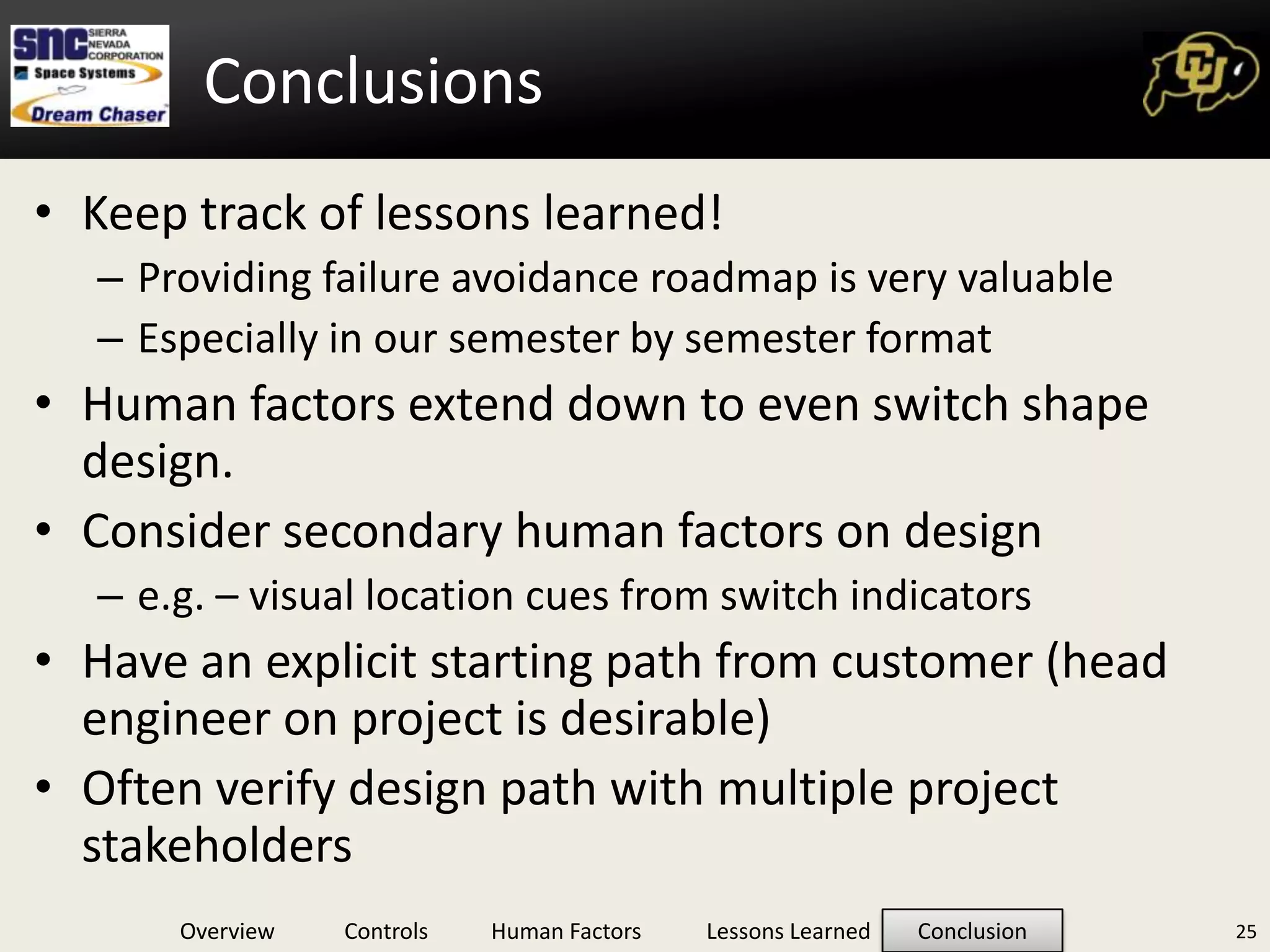
    ConclusionsKeep track oflessons learned!Providing failure avoidance roadmap is very valuableEspecially in our semester by semester formatHuman factors extend down to even switch shape design.Consider secondary human factors on designe.g. – visual location cues from switch indicatorsHave an explicit starting path from customer (head engineer on project is desirable) Often verify design path with multiple project stakeholders25
  • 37.
  • 38.
    References“Characterizing Scan Patternsin a Spacecraft Cockpit Simulator: Expert vs. Novice Performance.” Huemer, Valerie A., Hayashi, Miwa. Proceedings of the Human Factors and Ergonomics Society, 49th Annual Meeting. 2005. “Cockpit and mission system modernization”, Don. Anttila, Kyle DeLong, Mike Skaggs and Scott White. Published in Aircraft Engineering and Aerospace Technology, Vol. 72, Iss.2 pg 143-155. 2003.  “Cognitive Engineering: Issues in User-Centered System Design”, Emilie M. Roth, Emily S. Patterson and Randall J. Mumaw. Published in Encyclopedia of Software Engineering, 2nd Edition. New York: Wiley Interscience, John Wiley & Sons. “Crew and Display Concepts Evaluation for Synthetic/Enhanced Vision Systems”, Randall E. Bailey, Lynda J. Kramer and Lawrence J. Prinzel III. NASA Langley Research Center, VA. Published in SPIE Proceedings Vol. 6226 – Enhanced and Synthetic Vision 2006, May 20 2006.  FAA Human Factors Design Standards, Federal Aviation Administration. http://hf.tc.faa.gov/hfds/download_received.htm, 2003 edition with October 2009 updates. Chapters 2, 5 and 6.  Federal Standard, FED-STD-595, “Colors Used in Government Procurement.” Revision C, January 2008. Handbook for Human Engineering Design Guidelines, Department of Defense. Mil-Hdbk-759C. July 31, 1995. “Heads Up Display”. http://www.skybrary.aero/index.php/Head_Up_Display. Last modified July 20, 2010. “High Altitude Reconnaissance Aircraft Design.” California State Polytechnic University, Pomona. July 1990. “Human Factors Design Guidelines for Multifunction Displays.” S. Mejdal, Michael E. McCauley and Dennis B. Beringer. Office of Aerospace Medicine, Washington D.C. and the USDT and the FAA. DOT/FAA/AM-01/17. October 2001. “Human Factors in the Design of Spacecraft.” Wichman, Harvey. Aerospace Psychology Laboratory. New York, NY. 1992. “Human Performance in Six Degree of Freedom Input Control.” Zhai, Sumhim. University of Toronto. 1995. “Integrated Large Cockpit Display System”, Teshome G. Diriba. University of Maryland Eastern Shore Aviation Sciences Program. May 12, 2009.  JSC-28607, CRV Displays and Controls Requirements, Rev A. National Aeronautics and Space Administration, Lyndon B. Johnson Space Center, Houston, TX 77058, June 2002. Man-System Integration Standard, NASA STD-3000, Volume I, Revision B, July 1995. Military Standard, MIL-STD-1472. “Human engineering design criteria for military systems, equipment and facilities. 1999  “Multi-Model Cockpit Interface for Improved Airport Surface Operations.” Arthur, Jarvis J., Randall E. Bailey, Lawerence J. Prinzel, III, Lynda J. Kramer, and Steven P. Williams. The United States of America, assignee. Patent US 7,737,867 B2. 15 June 2010. “NASA Comparison of Pilot Effective Time Delay for Cockpit Controllers Used on Space Shuttle and Conventional Aircraft”, 1986 “NASA Orion Crew Vehicle will use voice controls in Boeing 787-style Honeywell smart cockpit.” Flightglobal, 2006. Product Focus: Cockpit Displays: LCDs vs. CRTs, Charlotee Adams. http://www.aviationtoday.com/av/categories/commercial/665.html. January 1, 2003.  “Steam Gauges or Glass, What’s Your Choice?”, Dan Farnsworth. http://www.danfarnsworth.com/?p=158. August 4 2010.  “Synthetic Vision System”. http://en.wikipedia.org/wiki/Synthetic_vision_system. Last modified August 19, 2010. Virtual Environment Display System, S.S. Fisher, M. McGreevy, J. Humphries and W. Robinett. NASA Ames Research Center. Published in Symposium on Interactive 3D Graphics: Proceedings of the 1986 workshop on Interactive 3D graphics. Pg. 77-87, 1987.27
  • 39.
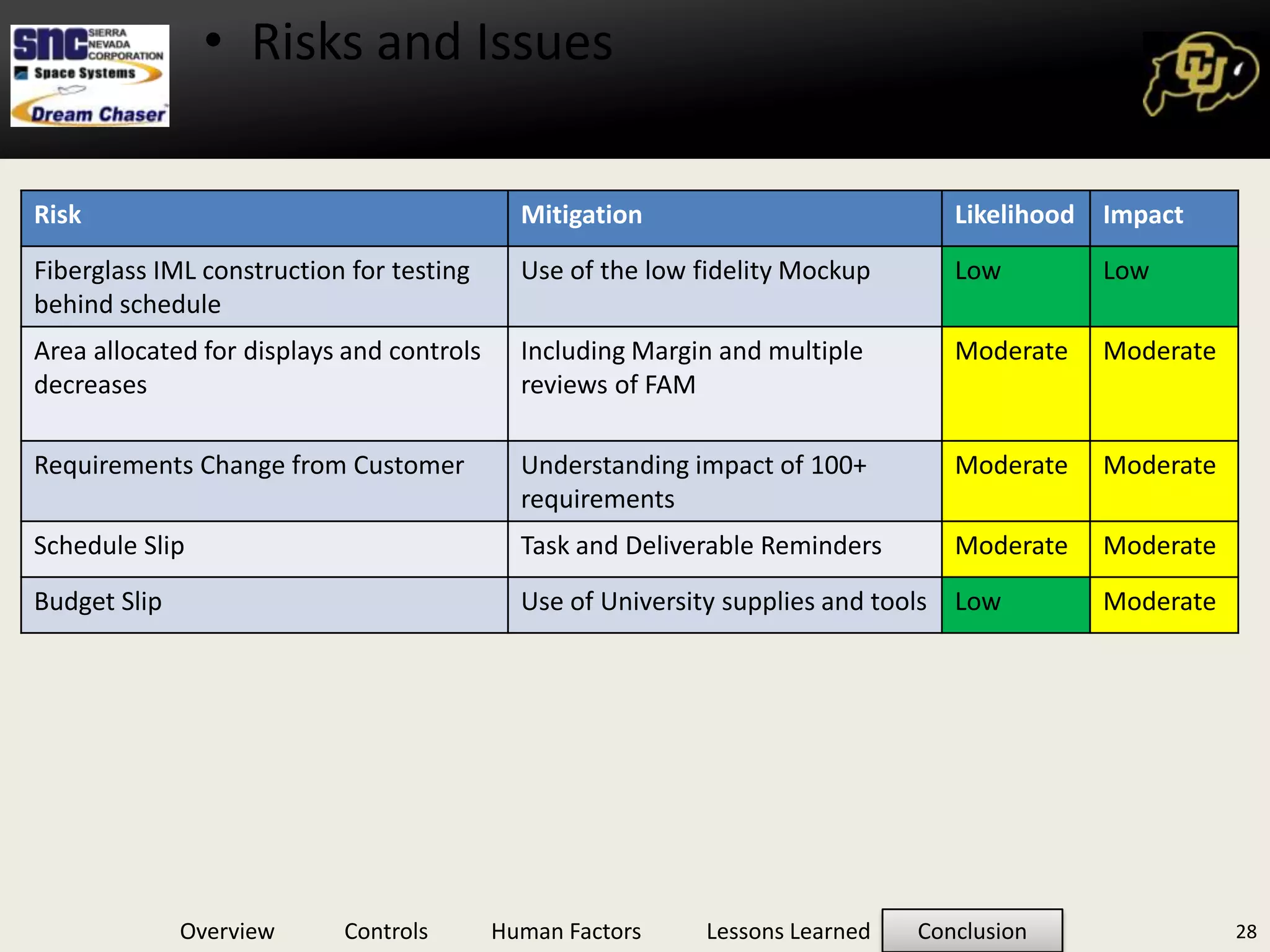
    Issues:Limited ergonomic reachSuitedoperation restrictionsTRL of selected hardware28Risks and Issues

Editor's Notes

  • #4 Point….need to push back on customer to get a clear picture in the beginning.
  • #8 Put these into the backup slides
  • #12 Describe locations on picture
  • #15 Map to one function - multi-function controls are considered separately.