

Prabath Siriwardena
Senior Architect & Chair, Integration MC

          Johann Nallathamby
   Software Engineer, Integration MC
AWS	
  Signature	
  -­‐	
  1	
  

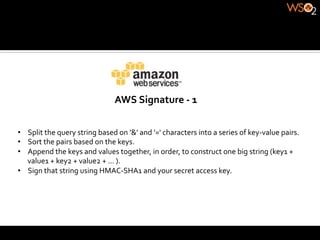
•  Split	
  the	
  query	
  string	
  based	
  on	
  '&'	
  and	
  '='	
  characters	
  into	
  a	
  series	
  of	
  key-­‐value	
  pairs.	
  
•  Sort	
  the	
  pairs	
  based	
  on	
  the	
  keys.	
  
•  Append	
  the	
  keys	
  and	
  values	
  together,	
  in	
  order,	
  to	
  construct	
  one	
  big	
  string	
  (key1	
  +	
  
   value1	
  +	
  key2	
  +	
  value2	
  +	
  ...	
  ).	
  
•  Sign	
  that	
  string	
  using	
  HMAC-­‐SHA1	
  and	
  your	
  secret	
  access	
  key.	
  
AWS	
  Signature	
  -­‐	
  2	
  

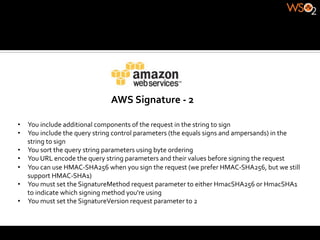
•  You	
  include	
  additional	
  components	
  of	
  the	
  request	
  in	
  the	
  string	
  to	
  sign	
  
•  You	
  include	
  the	
  query	
  string	
  control	
  parameters	
  (the	
  equals	
  signs	
  and	
  ampersands)	
  in	
  the	
  
   string	
  to	
  sign	
  
•  You	
  sort	
  the	
  query	
  string	
  parameters	
  using	
  byte	
  ordering	
  
•  You	
  URL	
  encode	
  the	
  query	
  string	
  parameters	
  and	
  their	
  values	
  before	
  signing	
  the	
  request	
  
•  You	
  can	
  use	
  HMAC-­‐SHA256	
  when	
  you	
  sign	
  the	
  request	
  (we	
  prefer	
  HMAC-­‐SHA256,	
  but	
  we	
  still	
  
   support	
  HMAC-­‐SHA1)	
  
•  You	
  must	
  set	
  the	
  SignatureMethod	
  request	
  parameter	
  to	
  either	
  HmacSHA256	
  or	
  HmacSHA1	
  
   to	
  indicate	
  which	
  signing	
  method	
  you're	
  using	
  
•  You	
  must	
  set	
  the	
  SignatureVersion	
  request	
  parameter	
  to	
  2	
  
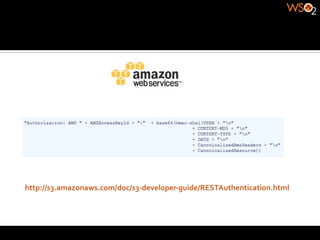
http://s3.amazonaws.com/doc/s3-­‐developer-­‐guide/RESTAuthentication.html	
  
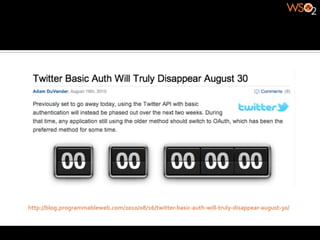
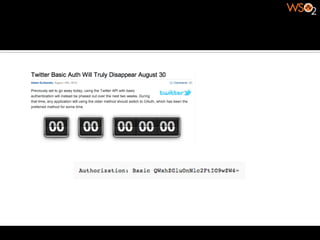
http://blog.programmableweb.com/2010/08/16/twitter-­‐basic-­‐auth-­‐will-­‐truly-­‐disappear-­‐august-­‐30/	
  
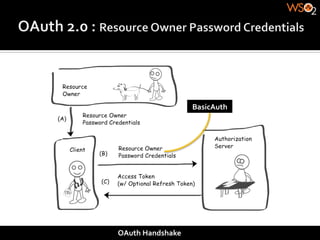
Third-­‐party	
  applications	
  are	
  required	
  to	
  store	
  the	
  resource	
  
owner's	
  credentials	
  for	
  future	
  use,	
  typically	
  a	
  password	
  in	
  clear-­‐
                                       text.	
  
Servers	
  are	
  required	
  to	
  support	
  password	
  authentication,	
  
 despite	
  the	
  security	
  weaknesses	
  created	
  by	
  passwords.	
  
Third-­‐party	
  applications	
  gain	
  overly	
  broad	
  access	
  to	
  the	
  
resource	
  owner's	
  protected	
  resources,	
  leaving	
  resource	
  owners	
  
  without	
  any	
  ability	
  to	
  restrict	
  duration	
  or	
  access	
  to	
  a	
  limited	
  
                                subset	
  of	
  resources.	
  
Resource	
  owners	
  cannot	
  revoke	
  access	
  to	
  an	
  individual	
  third-­‐
party	
  without	
  revoking	
  access	
  to	
  all	
  third-­‐parties,	
  and	
  must	
  do	
  
                     so	
  by	
  changing	
  their	
  password.	
  
Compromise	
  of	
  any	
  third-­‐party	
  application	
  results	
  in	
  
compromise	
  of	
  the	
  end-­‐user's	
  password	
  and	
  all	
  of	
  the	
  data	
  
                protected	
  by	
  that	
  password.	
  
http://www.flickr.com/services/api/misc.userauth.html	
  
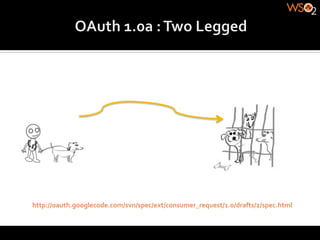
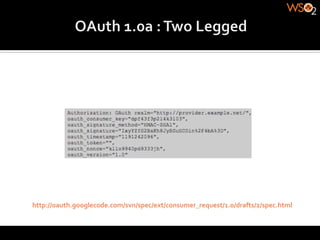
http://oauth.googlecode.com/svn/spec/ext/consumer_request/1.0/drafts/2/spec.html	
  
http://oauth.googlecode.com/svn/spec/ext/consumer_request/1.0/drafts/2/spec.html	
  
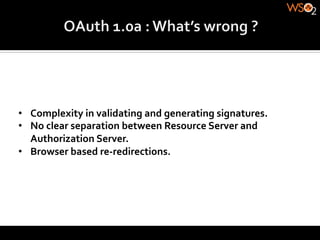
•  Complexity	
  in	
  validating	
  and	
  generating	
  signatures.	
  
•  No	
  clear	
  separation	
  between	
  Resource	
  Server	
  and	
  
   Authorization	
  Server.	
  
•  Browser	
  based	
  re-­‐redirections.	
  
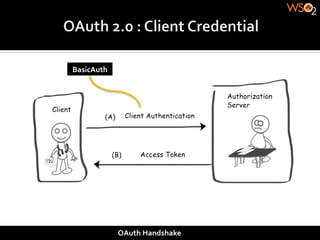
BasicAuth	


                OAuth	
  Handshake	
  
BasicAuth	


OAuth	
  Handshake	
  
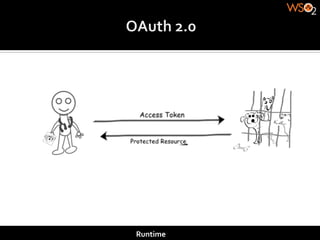
Runtime	
  
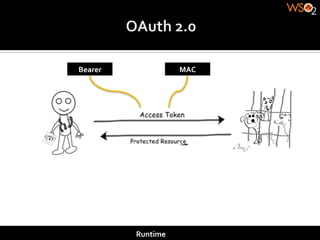
Bearer	
                   MAC	


             Runtime	
  
Bearer	
                                       MAC	


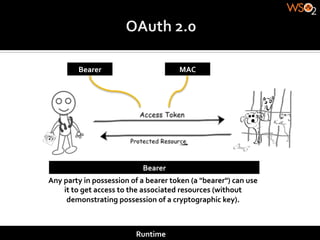
                                            Bearer	
  
Any	
  party	
  in	
  possession	
  of	
  a	
  bearer	
  token	
  (a	
  "bearer")	
  can	
  use	
  
       it	
  to	
  get	
  access	
  to	
  the	
  associated	
  resources	
  (without	
  
        demonstrating	
  possession	
  of	
  a	
  cryptographic	
  key).	


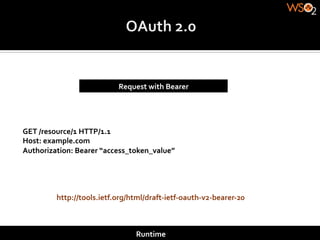
                                         Runtime	
  
Request	
  with	
  Bearer	


GET	
  /resource/1	
  HTTP/1.1	
  
Host:	
  example.com	
  
Authorization:	
  Bearer	
  “access_token_value”	


           http://tools.ietf.org/html/draft-­‐ietf-­‐oauth-­‐v2-­‐bearer-­‐20	


                                        Runtime	
  
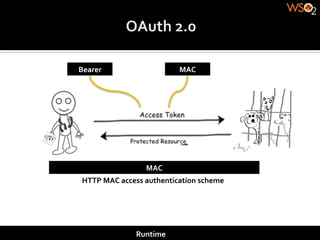
Bearer	
                            MAC	


                        MAC	
  
 HTTP	
  MAC	
  access	
  authentication	
  scheme	


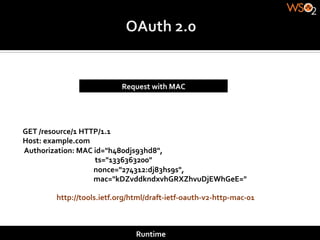
                    Runtime	
  
Request	
  with	
  MAC	


GET	
  /resource/1	
  HTTP/1.1	
  
Host:	
  example.com	
  
	
  Authorization:	
  MAC	
  id="h480djs93hd8",	


  ts="1336363200"	


  nonce="274312:dj83hs9s",	


  mac="kDZvddkndxvhGRXZhvuDjEWhGeE="	
  

                               http://tools.ietf.org/html/draft-­‐ietf-­‐oauth-­‐v2-­‐http-­‐mac-­‐01	


                                                                                                         Runtime	
  
Securing APIs

Securing APIs

  • 1.
    Prabath Siriwardena Senior Architect& Chair, Integration MC Johann Nallathamby Software Engineer, Integration MC
  • 4.
    AWS  Signature  -­‐  1   •  Split  the  query  string  based  on  '&'  and  '='  characters  into  a  series  of  key-­‐value  pairs.   •  Sort  the  pairs  based  on  the  keys.   •  Append  the  keys  and  values  together,  in  order,  to  construct  one  big  string  (key1  +   value1  +  key2  +  value2  +  ...  ).   •  Sign  that  string  using  HMAC-­‐SHA1  and  your  secret  access  key.  
  • 5.
    AWS  Signature  -­‐  2   •  You  include  additional  components  of  the  request  in  the  string  to  sign   •  You  include  the  query  string  control  parameters  (the  equals  signs  and  ampersands)  in  the   string  to  sign   •  You  sort  the  query  string  parameters  using  byte  ordering   •  You  URL  encode  the  query  string  parameters  and  their  values  before  signing  the  request   •  You  can  use  HMAC-­‐SHA256  when  you  sign  the  request  (we  prefer  HMAC-­‐SHA256,  but  we  still   support  HMAC-­‐SHA1)   •  You  must  set  the  SignatureMethod  request  parameter  to  either  HmacSHA256  or  HmacSHA1   to  indicate  which  signing  method  you're  using   •  You  must  set  the  SignatureVersion  request  parameter  to  2  
  • 6.
  • 7.
  • 9.
    Third-­‐party  applications  are  required  to  store  the  resource   owner's  credentials  for  future  use,  typically  a  password  in  clear-­‐ text.  
  • 10.
    Servers  are  required  to  support  password  authentication,   despite  the  security  weaknesses  created  by  passwords.  
  • 11.
    Third-­‐party  applications  gain  overly  broad  access  to  the   resource  owner's  protected  resources,  leaving  resource  owners   without  any  ability  to  restrict  duration  or  access  to  a  limited   subset  of  resources.  
  • 12.
    Resource  owners  cannot  revoke  access  to  an  individual  third-­‐ party  without  revoking  access  to  all  third-­‐parties,  and  must  do   so  by  changing  their  password.  
  • 13.
    Compromise  of  any  third-­‐party  application  results  in   compromise  of  the  end-­‐user's  password  and  all  of  the  data   protected  by  that  password.  
  • 14.
  • 21.
  • 22.
  • 23.
    •  Complexity  in  validating  and  generating  signatures.   •  No  clear  separation  between  Resource  Server  and   Authorization  Server.   •  Browser  based  re-­‐redirections.  
  • 25.
    BasicAuth   OAuth  Handshake  
  • 26.
  • 27.
  • 28.
    Bearer   MAC   Runtime  
  • 29.
    Bearer   MAC   Bearer   Any  party  in  possession  of  a  bearer  token  (a  "bearer")  can  use   it  to  get  access  to  the  associated  resources  (without   demonstrating  possession  of  a  cryptographic  key).   Runtime  
  • 30.
    Request  with  Bearer   GET  /resource/1  HTTP/1.1   Host:  example.com   Authorization:  Bearer  “access_token_value”   http://tools.ietf.org/html/draft-­‐ietf-­‐oauth-­‐v2-­‐bearer-­‐20   Runtime  
  • 31.
    Bearer   MAC   MAC   HTTP  MAC  access  authentication  scheme   Runtime  
  • 32.
    Request  with  MAC   GET  /resource/1  HTTP/1.1   Host:  example.com    Authorization:  MAC  id="h480djs93hd8",                ts="1336363200"                                                                                        nonce="274312:dj83hs9s",                                                                                        mac="kDZvddkndxvhGRXZhvuDjEWhGeE="   http://tools.ietf.org/html/draft-­‐ietf-­‐oauth-­‐v2-­‐http-­‐mac-­‐01   Runtime