Contents
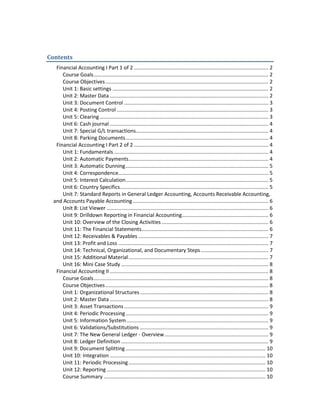
Financial Accounting I Part 1 of 2 ............................................................................................. 2
Course Goals......................................................................................................................... 2
Course Objectives................................................................................................................. 2
Unit 1: Basic settings ............................................................................................................ 2
Unit 2: Master Data .............................................................................................................. 2
Unit 3: Document Control .................................................................................................... 3
Unit 4: Posting Control ......................................................................................................... 3
Unit 5: Clearing..................................................................................................................... 3
Unit 6: Cash journal .............................................................................................................. 4
Unit 7: Special G/L transactions............................................................................................ 4
Unit 8: Parking Documents................................................................................................... 4
Financial Accounting I Part 2 of 2 ............................................................................................. 4
Unit 1: Fundamentals ........................................................................................................... 4
Unit 2: Automatic Payments................................................................................................. 4
Unit 3: Automatic Dunning................................................................................................... 5
Unit 4: Correspondence........................................................................................................ 5
Unit 5: Interest Calculation................................................................................................... 5
Unit 6: Country Specifics....................................................................................................... 5
Unit 7: Standard Reports in General Ledger Accounting, Accounts Receivable Accounting,
and Accounts Payable Accounting.............................................................................................. 6
Unit 8: List Viewer ................................................................................................................ 6
Unit 9: Drilldown Reporting in Financial Accounting............................................................ 6
Unit 10: Overview of the Closing Activities .......................................................................... 6
Unit 11: The Financial Statements........................................................................................ 6
Unit 12: Receivables & Payables .......................................................................................... 7
Unit 13: Profit and Loss ........................................................................................................ 7
Unit 14: Technical, Organizational, and Documentary Steps............................................... 7
Unit 15: Additional Material................................................................................................. 7
Unit 16: Mini Case Study ...................................................................................................... 8
Financial Accounting II.............................................................................................................. 8
Course Goals......................................................................................................................... 8
Course Objectives................................................................................................................. 8
Unit 1: Organizational Structures......................................................................................... 8
Unit 2: Master Data .............................................................................................................. 8
Unit 3: Asset Transactions.................................................................................................... 9
Unit 4: Periodic Processing................................................................................................... 9
Unit 5: Information System .................................................................................................. 9
Unit 6: Validations/Substitutions ......................................................................................... 9
Unit 7: The New General Ledger - Overview........................................................................ 9
Unit 8: Ledger Definition ...................................................................................................... 9
Unit 9: Document Splitting................................................................................................. 10
Unit 10: Integration ............................................................................................................ 10
Unit 11: Periodic Processing............................................................................................... 10
Unit 12: Reporting .............................................................................................................. 10
Course Summary ................................................................................................................ 10
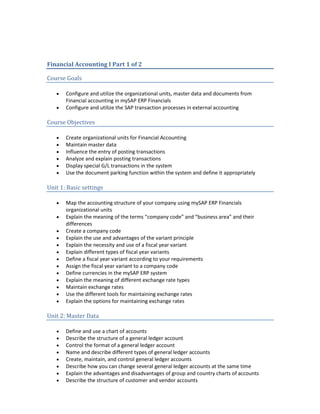
Financial Accounting I Part 1 of 2
Course Goals
• Configure and utilize the organizational units, master data and documents from
Financial accounting in mySAP ERP Financials
• Configure and utilize the SAP transaction processes in external accounting
Course Objectives
• Create organizational units for Financial Accounting
• Maintain master data
• Influence the entry of posting transactions
• Analyze and explain posting transactions
• Display special G/L transactions in the system
• Use the document parking function within the system and define it appropriately
Unit 1: Basic settings
• Map the accounting structure of your company using mySAP ERP Financials
organizational units
• Explain the meaning of the terms “company code” and “business area” and their
differences
• Create a company code
• Explain the use and advantages of the variant principle
• Explain the necessity and use of a fiscal year variant
• Explain different types of fiscal year variants
• Define a fiscal year variant according to your requirements
• Assign the fiscal year variant to a company code
• Define currencies in the mySAP ERP system
• Explain the meaning of different exchange rate types
• Maintain exchange rates
• Use the different tools for maintaining exchange rates
• Explain the options for maintaining exchange rates
Unit 2: Master Data
• Define and use a chart of accounts
• Describe the structure of a general ledger account
• Control the format of a general ledger account
• Name and describe different types of general ledger accounts
• Create, maintain, and control general ledger accounts
• Describe how you can change several general ledger accounts at the same time
• Explain the advantages and disadvantages of group and country charts of accounts
• Describe the structure of customer and vendor accounts
• Discuss the similarities and differences between general ledger and customer and
vendor accounts
• Control and maintain customer and vendor accounts
• Explain relationships between customer and vendor accounts
• Maintain bank master data
• Define house banks
• Create accounts at your house banks
• Maintain the links between bank and G/L acc
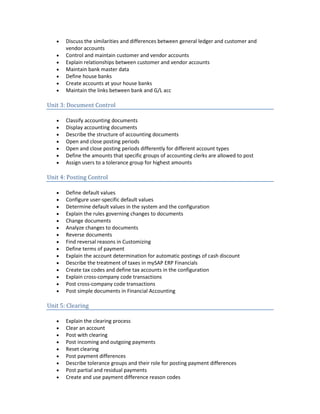
Unit 3: Document Control
• Classify accounting documents
• Display accounting documents
• Describe the structure of accounting documents
• Open and close posting periods
• Open and close posting periods differently for different account types
• Define the amounts that specific groups of accounting clerks are allowed to post
• Assign users to a tolerance group for highest amounts
Unit 4: Posting Control
• Define default values
• Configure user-specific default values
• Determine default values in the system and the configuration
• Explain the rules governing changes to documents
• Change documents
• Analyze changes to documents
• Reverse documents
• Find reversal reasons in Customizing
• Define terms of payment
• Explain the account determination for automatic postings of cash discount
• Describe the treatment of taxes in mySAP ERP Financials
• Create tax codes and define tax accounts in the configuration
• Explain cross-company code transactions
• Post cross-company code transactions
• Post simple documents in Financial Accounting
Unit 5: Clearing
• Explain the clearing process
• Clear an account
• Post with clearing
• Post incoming and outgoing payments
• Reset clearing
• Post payment differences
• Describe tolerance groups and their role for posting payment differences
• Post partial and residual payments
• Create and use payment difference reason codes
• Explain the system treatment of exchange rate diff
Unit 6: Cash journal
• Create a cash journal and assign it to a general ledger account
• Explain business transaction categories
• Create business transactions
• Save and post business transactions in the cash journal
Unit 7: Special G/L transactions
• Describe special G/L transactions
• Explain the particularities of special G/L transactions
• Explain the functions of special G/L transactions
• Configure special G/L transactions or check their configuration
• Create your own special G/L transactions as needed
Unit 8: Parking Documents
• Describe the functionality of document parking
• Identify the differences between parking documents and holding documents
• Park Financial Accounting documents
• Edit, delete or post parked documents
• Describe how to use the workflow when parking documents
• Name the advantages of using workflow when parking documents
Financial Accounting I Part 2 of 2
Unit 1: Fundamentals
• Identify the key fields in the customer/vendor master data for periodic processing of
Accounts Receivable and Accounts Payable (payments, dunning, correspondence,
interest calculation)
• Describe possible relationships between customer/vendor accounts
• Identify key fields for the payment and dunning programs in Financial Accounting
documents
Unit 2: Automatic Payments
• Describe the actions in the payment process
• State the individual steps in the payment program
• Describe the structure of the payment program configuration
• Carry out the basic configuration for the payment program
• List and explain the major processing steps of the payment program
• Maintain the parameters for the payment run
• Edit the payment proposal created by the payment program
• Generate payment media
• State the advantages of using the Payment Medium Workbench to create payment
media
• Convert a payment method for use with the Payment Medium Workbench
• Describe the steps involved in creating payment media using the Payment Medium
Workbench
• Describe how the debit balance check helps you prevent outgoing payments for
accounts with a debit balance
• Carry out a debit balance check
• Schedule periodic payment runs and fully automate them using the debit balance check
• Use the functions of the Schedule Manager for the payment process
Unit 3: Automatic Dunning
• Describe the dunning process in the SAP System
• Describe the structure of the dunning program configuration
• Configure the automatic dunning program
• Explain the purpose of dunning parameters
• Enter the parameters for a dunning run
• Describe how the dunning program creates the dunning proposal dataset
• Edit the dunning proposal created by the dunning program
• Start the print run of the dunning program
• Explain the criteria that are used to group items in dunning notices
Unit 4: Correspondence
• List the different correspondence requirements
• Localize the setting options for the standard correspondence in the IMG
• Set up your own correspondence
• Request correspondence
• Describe the structure of the dunning form
Unit 5: Interest Calculation
• Explain the basic options for calculating interest
• Explain the differences between account balance interest calculation and item interest
calculation
• Identify data required for interest calculation
• Configure the SAP System to perform interest calculation
• Run the interest calculation program
Unit 6: Country Specifics
• Explain the documents involved in check processing
• Create a check manually
• View check information
• Void checks
• Use void check reason codes
• Explain the flow of data in the lockbox process
• Explain the components of the process
• Review the configuration of lockbox program
Unit 7: Standard Reports in General Ledger Accounting, Accounts Receivable
Accounting, and Accounts Payable Accounting
• Demonstrate where to find the reports required in General Ledger, Accounts
Receivable, and Accounts Payable Accounting
• Explain the importance of information systems
• Execute reports
• Create report variants
• Use report variables
Unit 8: List Viewer
• Explain the concept SAP List Viewer
• Use the functions of the SAP List Viewer
• Use selection criteria for accounts in which you want to find line items in specific
company codes
• Choose selection criteria using search help
• Choose line items based on their status and category
• Change standard and user-specific screen layouts
Unit 9: Drilldown Reporting in Financial Accounting
• Describe your knowledge of the architecture of drilldown reporting
• Explain the terms characteristics and key figures and the different types of each.
• Explain the difference between single-axis and dual-axis forms and use these forms
appropriately
• Use various navigation options in drilldown reports
• Define forms
• Define and execute reports
• Define forms and reports more flexibly using characteristic and text variables
• Set up report-report interfaces
• Use report assignments
Unit 10: Overview of the Closing Activities
• Describe the integrated process of both month-end and year-end closing
Unit 11: The Financial Statements
• Identify where in the system you execute the financial statement program
• Describe the purpose of the financial statement version
• Create, change, and display financial statement versions
• Create financial statements using a drilldown report
Unit 12: Receivables & Payables
• Create balance confirmations
• Valuate foreign currency open items and balance sheet accounts
• Explain how individual value adjustments are posted and describe flat-rate individual
value adjustments for doubtful receivables
• Regroup receivables and payables
Unit 13: Profit and Loss
• Compare cost of sales accounting and period accounting
• Name the processes in Controlling that impact Financial Accounting
• Explain how the reconciliation ledger is used to update financial accounting for
transactions that cross FI organizational units
• Post accruals and deferrals for period-end closing
• Explain the advantage of using the accrual/deferral posting function
• Describe the generic functions of the Accrual Engine
• State the advantages of using the Accrual Engine in comparison to normal accrual
procedures
• Activate an application component of the Accrual Engine for a company code
• List the required closing activities for the Accrual Engine
• Describe how the application component “Manual Accruals” works
• Define subjects to be accrued as accrual objects
• Describe the basic settings of the application component “Manual Accruals”
• Define the posting control of an application component in the Accrual Engine
• Configure the account determination of an application component in the Accrual Engine
using rules
Unit 14: Technical, Organizational, and Documentary Steps
• Explain how balances are carried forward
• Explain the advantage of using the posting period tables
• Maintain the posting periods table
• Explain the procedure for carrying out adjustments to the financial statements and the
advantage of doing so
• Specify where Customizing for adjustments is carried out
• Explain the purpose of the balance audit trail
Unit 15: Additional Material
• Locate the general Customizing settings for tax processing within the IMG.
• Describe the 1099/1042 business process
• Locate the Customizing settings for withholding tax codes and 1099/1042 outputs
• Use withholding tax during invoicing and payment
• Create a tax return
• Create a return for tax on sales and purchases
• Locate the Customizing settings for automatic posting to the tax payable account during
execution of program RFUMSV00
• Analyze data relevant to European tax reporting
• Locate Customizing for tax reporting for the European Union.
• Create an EC sales list according to European Union requirements
• Perform reporting in accordance with the German foreign trade regulations.
• Describe the preparations for consolidation in Financial Accou
Unit 16: Mini Case Study
• Make settings to configure Financial Accounting in the SAP system.
Financial Accounting II
Course Goals
• Configure and apply FI-AA
• Understand the integration between FI-AA and accounting
• Identify possible uses of validation and substitution
Course Objectives
• Configure Asset Accounting
• Use Asset Accounting
• Apply validation and substitutions to financial accounting
• Understand the logic of New General Ledger Accounting
Unit 1: Organizational Structures
• Define a chart of depreciation
• Assign a chart of accounts and a chart of depreciation to a company code
• Describe how Asset Accounting is integrated with Cost Accounting
• Name asset classes
• Assign asset classes to assets
• Define which depreciation areas post their values to the general ledg
• Activate, configure, and use New General Ledger Accounting
Unit 2: Master Data
• Structure assets by creating asset classes
• Create and change master data in Asset Accounting
• Process mass changes using a worklist
Unit 3: Asset Transactions
• Post integrated and non-integrated asset acquisitions in the system
• Post integrated and non-integrated asset retirements in the system
• Represent intracompany and intercompany asset transfers in the system
• Represent assets under construction in the system
• Represent unplanned depreciation in the system
Unit 4: Periodic Processing
• Define depreciation areas
• Describe how a depreciation term is used in different depreciation areas
• Control the calculation of depreciation
• Analyze depreciation values
• Initiate the depreciation posting run
• Explain the tasks of the fiscal year change program and the year-end closing programs
Unit 5: Information System
• Choose and execute the various Asset Accounting reports
• Set up variable sorting and totaling for asset reporting
• Create the asset history sheet, and structure it to meet your needs
• Generate a depreciation forecast
• Simulate depreciation for assets
Unit 6: Validations/Substitutions
• Explain the ways in which validation and substitution can be used using a few examples
• Identify the areas of application and callup points of validation and substitution in
Financial Accounting
• Enter rules and define the Customizing of system messages to be output (prerequisites,
check, generation)
• Execute validations using your own rules and defined system messages
• Provide the prerequisites for substitution
• Define your own rules, specify substituted values and execute substitutions
• Explain how to use rules and use them
• Explain how to use sets and use them
Unit 7: The New General Ledger - Overview
• Outline the advantages and benefits of New General Ledger Accounting
• Name possible functions of New General Ledger Accounting
Unit 8: Ledger Definition
• Activate New General Ledger Accounting
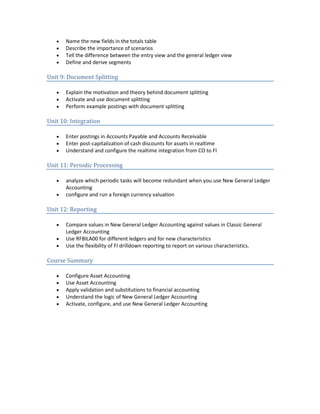
• Name the new fields in the totals table
• Describe the importance of scenarios
• Tell the difference between the entry view and the general ledger view
• Define and derive segments
Unit 9: Document Splitting
• Explain the motivation and theory behind document splitting
• Activate and use document splitting
• Perform example postings with document splitting
Unit 10: Integration
• Enter postings in Accounts Payable and Accounts Receivable
• Enter post-capitalization of cash discounts for assets in realtime
• Understand and configure the realtime integration from CO to FI
Unit 11: Periodic Processing
• analyze which periodic tasks will become redundant when you use New General Ledger
Accounting
• configure and run a foreign currency valuation
Unit 12: Reporting
• Compare values in New General Ledger Accounting against values in Classic General
Ledger Accounting
• Use RFBILA00 for different ledgers and for new characteristics
• Use the flexibility of FI drilldown reporting to report on various characteristics.
Course Summary
• Configure Asset Accounting
• Use Asset Accounting
• Apply validation and substitutions to financial accounting
• Understand the logic of New General Ledger Accounting
• Activate, configure, and use New General Ledger Accounting

Sap fi

  • 1.
    Contents Financial Accounting IPart 1 of 2 ............................................................................................. 2 Course Goals......................................................................................................................... 2 Course Objectives................................................................................................................. 2 Unit 1: Basic settings ............................................................................................................ 2 Unit 2: Master Data .............................................................................................................. 2 Unit 3: Document Control .................................................................................................... 3 Unit 4: Posting Control ......................................................................................................... 3 Unit 5: Clearing..................................................................................................................... 3 Unit 6: Cash journal .............................................................................................................. 4 Unit 7: Special G/L transactions............................................................................................ 4 Unit 8: Parking Documents................................................................................................... 4 Financial Accounting I Part 2 of 2 ............................................................................................. 4 Unit 1: Fundamentals ........................................................................................................... 4 Unit 2: Automatic Payments................................................................................................. 4 Unit 3: Automatic Dunning................................................................................................... 5 Unit 4: Correspondence........................................................................................................ 5 Unit 5: Interest Calculation................................................................................................... 5 Unit 6: Country Specifics....................................................................................................... 5 Unit 7: Standard Reports in General Ledger Accounting, Accounts Receivable Accounting, and Accounts Payable Accounting.............................................................................................. 6 Unit 8: List Viewer ................................................................................................................ 6 Unit 9: Drilldown Reporting in Financial Accounting............................................................ 6 Unit 10: Overview of the Closing Activities .......................................................................... 6 Unit 11: The Financial Statements........................................................................................ 6 Unit 12: Receivables & Payables .......................................................................................... 7 Unit 13: Profit and Loss ........................................................................................................ 7 Unit 14: Technical, Organizational, and Documentary Steps............................................... 7 Unit 15: Additional Material................................................................................................. 7 Unit 16: Mini Case Study ...................................................................................................... 8 Financial Accounting II.............................................................................................................. 8 Course Goals......................................................................................................................... 8 Course Objectives................................................................................................................. 8 Unit 1: Organizational Structures......................................................................................... 8 Unit 2: Master Data .............................................................................................................. 8 Unit 3: Asset Transactions.................................................................................................... 9 Unit 4: Periodic Processing................................................................................................... 9 Unit 5: Information System .................................................................................................. 9 Unit 6: Validations/Substitutions ......................................................................................... 9 Unit 7: The New General Ledger - Overview........................................................................ 9 Unit 8: Ledger Definition ...................................................................................................... 9 Unit 9: Document Splitting................................................................................................. 10 Unit 10: Integration ............................................................................................................ 10 Unit 11: Periodic Processing............................................................................................... 10 Unit 12: Reporting .............................................................................................................. 10 Course Summary ................................................................................................................ 10
  • 2.
    Financial Accounting IPart 1 of 2 Course Goals • Configure and utilize the organizational units, master data and documents from Financial accounting in mySAP ERP Financials • Configure and utilize the SAP transaction processes in external accounting Course Objectives • Create organizational units for Financial Accounting • Maintain master data • Influence the entry of posting transactions • Analyze and explain posting transactions • Display special G/L transactions in the system • Use the document parking function within the system and define it appropriately Unit 1: Basic settings • Map the accounting structure of your company using mySAP ERP Financials organizational units • Explain the meaning of the terms “company code” and “business area” and their differences • Create a company code • Explain the use and advantages of the variant principle • Explain the necessity and use of a fiscal year variant • Explain different types of fiscal year variants • Define a fiscal year variant according to your requirements • Assign the fiscal year variant to a company code • Define currencies in the mySAP ERP system • Explain the meaning of different exchange rate types • Maintain exchange rates • Use the different tools for maintaining exchange rates • Explain the options for maintaining exchange rates Unit 2: Master Data • Define and use a chart of accounts • Describe the structure of a general ledger account • Control the format of a general ledger account • Name and describe different types of general ledger accounts • Create, maintain, and control general ledger accounts • Describe how you can change several general ledger accounts at the same time • Explain the advantages and disadvantages of group and country charts of accounts • Describe the structure of customer and vendor accounts
  • 3.
    • Discuss thesimilarities and differences between general ledger and customer and vendor accounts • Control and maintain customer and vendor accounts • Explain relationships between customer and vendor accounts • Maintain bank master data • Define house banks • Create accounts at your house banks • Maintain the links between bank and G/L acc Unit 3: Document Control • Classify accounting documents • Display accounting documents • Describe the structure of accounting documents • Open and close posting periods • Open and close posting periods differently for different account types • Define the amounts that specific groups of accounting clerks are allowed to post • Assign users to a tolerance group for highest amounts Unit 4: Posting Control • Define default values • Configure user-specific default values • Determine default values in the system and the configuration • Explain the rules governing changes to documents • Change documents • Analyze changes to documents • Reverse documents • Find reversal reasons in Customizing • Define terms of payment • Explain the account determination for automatic postings of cash discount • Describe the treatment of taxes in mySAP ERP Financials • Create tax codes and define tax accounts in the configuration • Explain cross-company code transactions • Post cross-company code transactions • Post simple documents in Financial Accounting Unit 5: Clearing • Explain the clearing process • Clear an account • Post with clearing • Post incoming and outgoing payments • Reset clearing • Post payment differences • Describe tolerance groups and their role for posting payment differences • Post partial and residual payments • Create and use payment difference reason codes
  • 4.
    • Explain thesystem treatment of exchange rate diff Unit 6: Cash journal • Create a cash journal and assign it to a general ledger account • Explain business transaction categories • Create business transactions • Save and post business transactions in the cash journal Unit 7: Special G/L transactions • Describe special G/L transactions • Explain the particularities of special G/L transactions • Explain the functions of special G/L transactions • Configure special G/L transactions or check their configuration • Create your own special G/L transactions as needed Unit 8: Parking Documents • Describe the functionality of document parking • Identify the differences between parking documents and holding documents • Park Financial Accounting documents • Edit, delete or post parked documents • Describe how to use the workflow when parking documents • Name the advantages of using workflow when parking documents Financial Accounting I Part 2 of 2 Unit 1: Fundamentals • Identify the key fields in the customer/vendor master data for periodic processing of Accounts Receivable and Accounts Payable (payments, dunning, correspondence, interest calculation) • Describe possible relationships between customer/vendor accounts • Identify key fields for the payment and dunning programs in Financial Accounting documents Unit 2: Automatic Payments • Describe the actions in the payment process • State the individual steps in the payment program • Describe the structure of the payment program configuration • Carry out the basic configuration for the payment program • List and explain the major processing steps of the payment program • Maintain the parameters for the payment run
  • 5.
    • Edit thepayment proposal created by the payment program • Generate payment media • State the advantages of using the Payment Medium Workbench to create payment media • Convert a payment method for use with the Payment Medium Workbench • Describe the steps involved in creating payment media using the Payment Medium Workbench • Describe how the debit balance check helps you prevent outgoing payments for accounts with a debit balance • Carry out a debit balance check • Schedule periodic payment runs and fully automate them using the debit balance check • Use the functions of the Schedule Manager for the payment process Unit 3: Automatic Dunning • Describe the dunning process in the SAP System • Describe the structure of the dunning program configuration • Configure the automatic dunning program • Explain the purpose of dunning parameters • Enter the parameters for a dunning run • Describe how the dunning program creates the dunning proposal dataset • Edit the dunning proposal created by the dunning program • Start the print run of the dunning program • Explain the criteria that are used to group items in dunning notices Unit 4: Correspondence • List the different correspondence requirements • Localize the setting options for the standard correspondence in the IMG • Set up your own correspondence • Request correspondence • Describe the structure of the dunning form Unit 5: Interest Calculation • Explain the basic options for calculating interest • Explain the differences between account balance interest calculation and item interest calculation • Identify data required for interest calculation • Configure the SAP System to perform interest calculation • Run the interest calculation program Unit 6: Country Specifics • Explain the documents involved in check processing • Create a check manually • View check information • Void checks
  • 6.
    • Use voidcheck reason codes • Explain the flow of data in the lockbox process • Explain the components of the process • Review the configuration of lockbox program Unit 7: Standard Reports in General Ledger Accounting, Accounts Receivable Accounting, and Accounts Payable Accounting • Demonstrate where to find the reports required in General Ledger, Accounts Receivable, and Accounts Payable Accounting • Explain the importance of information systems • Execute reports • Create report variants • Use report variables Unit 8: List Viewer • Explain the concept SAP List Viewer • Use the functions of the SAP List Viewer • Use selection criteria for accounts in which you want to find line items in specific company codes • Choose selection criteria using search help • Choose line items based on their status and category • Change standard and user-specific screen layouts Unit 9: Drilldown Reporting in Financial Accounting • Describe your knowledge of the architecture of drilldown reporting • Explain the terms characteristics and key figures and the different types of each. • Explain the difference between single-axis and dual-axis forms and use these forms appropriately • Use various navigation options in drilldown reports • Define forms • Define and execute reports • Define forms and reports more flexibly using characteristic and text variables • Set up report-report interfaces • Use report assignments Unit 10: Overview of the Closing Activities • Describe the integrated process of both month-end and year-end closing Unit 11: The Financial Statements • Identify where in the system you execute the financial statement program • Describe the purpose of the financial statement version • Create, change, and display financial statement versions • Create financial statements using a drilldown report
  • 7.
    Unit 12: Receivables& Payables • Create balance confirmations • Valuate foreign currency open items and balance sheet accounts • Explain how individual value adjustments are posted and describe flat-rate individual value adjustments for doubtful receivables • Regroup receivables and payables Unit 13: Profit and Loss • Compare cost of sales accounting and period accounting • Name the processes in Controlling that impact Financial Accounting • Explain how the reconciliation ledger is used to update financial accounting for transactions that cross FI organizational units • Post accruals and deferrals for period-end closing • Explain the advantage of using the accrual/deferral posting function • Describe the generic functions of the Accrual Engine • State the advantages of using the Accrual Engine in comparison to normal accrual procedures • Activate an application component of the Accrual Engine for a company code • List the required closing activities for the Accrual Engine • Describe how the application component “Manual Accruals” works • Define subjects to be accrued as accrual objects • Describe the basic settings of the application component “Manual Accruals” • Define the posting control of an application component in the Accrual Engine • Configure the account determination of an application component in the Accrual Engine using rules Unit 14: Technical, Organizational, and Documentary Steps • Explain how balances are carried forward • Explain the advantage of using the posting period tables • Maintain the posting periods table • Explain the procedure for carrying out adjustments to the financial statements and the advantage of doing so • Specify where Customizing for adjustments is carried out • Explain the purpose of the balance audit trail Unit 15: Additional Material • Locate the general Customizing settings for tax processing within the IMG. • Describe the 1099/1042 business process • Locate the Customizing settings for withholding tax codes and 1099/1042 outputs • Use withholding tax during invoicing and payment • Create a tax return • Create a return for tax on sales and purchases • Locate the Customizing settings for automatic posting to the tax payable account during execution of program RFUMSV00
  • 8.
    • Analyze datarelevant to European tax reporting • Locate Customizing for tax reporting for the European Union. • Create an EC sales list according to European Union requirements • Perform reporting in accordance with the German foreign trade regulations. • Describe the preparations for consolidation in Financial Accou Unit 16: Mini Case Study • Make settings to configure Financial Accounting in the SAP system. Financial Accounting II Course Goals • Configure and apply FI-AA • Understand the integration between FI-AA and accounting • Identify possible uses of validation and substitution Course Objectives • Configure Asset Accounting • Use Asset Accounting • Apply validation and substitutions to financial accounting • Understand the logic of New General Ledger Accounting Unit 1: Organizational Structures • Define a chart of depreciation • Assign a chart of accounts and a chart of depreciation to a company code • Describe how Asset Accounting is integrated with Cost Accounting • Name asset classes • Assign asset classes to assets • Define which depreciation areas post their values to the general ledg • Activate, configure, and use New General Ledger Accounting Unit 2: Master Data • Structure assets by creating asset classes • Create and change master data in Asset Accounting • Process mass changes using a worklist
  • 9.
    Unit 3: AssetTransactions • Post integrated and non-integrated asset acquisitions in the system • Post integrated and non-integrated asset retirements in the system • Represent intracompany and intercompany asset transfers in the system • Represent assets under construction in the system • Represent unplanned depreciation in the system Unit 4: Periodic Processing • Define depreciation areas • Describe how a depreciation term is used in different depreciation areas • Control the calculation of depreciation • Analyze depreciation values • Initiate the depreciation posting run • Explain the tasks of the fiscal year change program and the year-end closing programs Unit 5: Information System • Choose and execute the various Asset Accounting reports • Set up variable sorting and totaling for asset reporting • Create the asset history sheet, and structure it to meet your needs • Generate a depreciation forecast • Simulate depreciation for assets Unit 6: Validations/Substitutions • Explain the ways in which validation and substitution can be used using a few examples • Identify the areas of application and callup points of validation and substitution in Financial Accounting • Enter rules and define the Customizing of system messages to be output (prerequisites, check, generation) • Execute validations using your own rules and defined system messages • Provide the prerequisites for substitution • Define your own rules, specify substituted values and execute substitutions • Explain how to use rules and use them • Explain how to use sets and use them Unit 7: The New General Ledger - Overview • Outline the advantages and benefits of New General Ledger Accounting • Name possible functions of New General Ledger Accounting Unit 8: Ledger Definition • Activate New General Ledger Accounting
  • 10.
    • Name thenew fields in the totals table • Describe the importance of scenarios • Tell the difference between the entry view and the general ledger view • Define and derive segments Unit 9: Document Splitting • Explain the motivation and theory behind document splitting • Activate and use document splitting • Perform example postings with document splitting Unit 10: Integration • Enter postings in Accounts Payable and Accounts Receivable • Enter post-capitalization of cash discounts for assets in realtime • Understand and configure the realtime integration from CO to FI Unit 11: Periodic Processing • analyze which periodic tasks will become redundant when you use New General Ledger Accounting • configure and run a foreign currency valuation Unit 12: Reporting • Compare values in New General Ledger Accounting against values in Classic General Ledger Accounting • Use RFBILA00 for different ledgers and for new characteristics • Use the flexibility of FI drilldown reporting to report on various characteristics. Course Summary • Configure Asset Accounting • Use Asset Accounting • Apply validation and substitutions to financial accounting • Understand the logic of New General Ledger Accounting • Activate, configure, and use New General Ledger Accounting