ACCENTURE
TECHNOLOGY
MEETUP
GENERATE CUSTOM
DOCUMENTS IN
SALESFORCE
Adam Francz
adam.francz@accenture.com
Salesforce Developer
ADAM FRANCZ
• Identity and Access Management
Designer
• Integration Architecture Designer
• Platform Developer
• Development Lifecycle and
Deployment Designer
• System Architect
• Data Architecture and
Management Designer
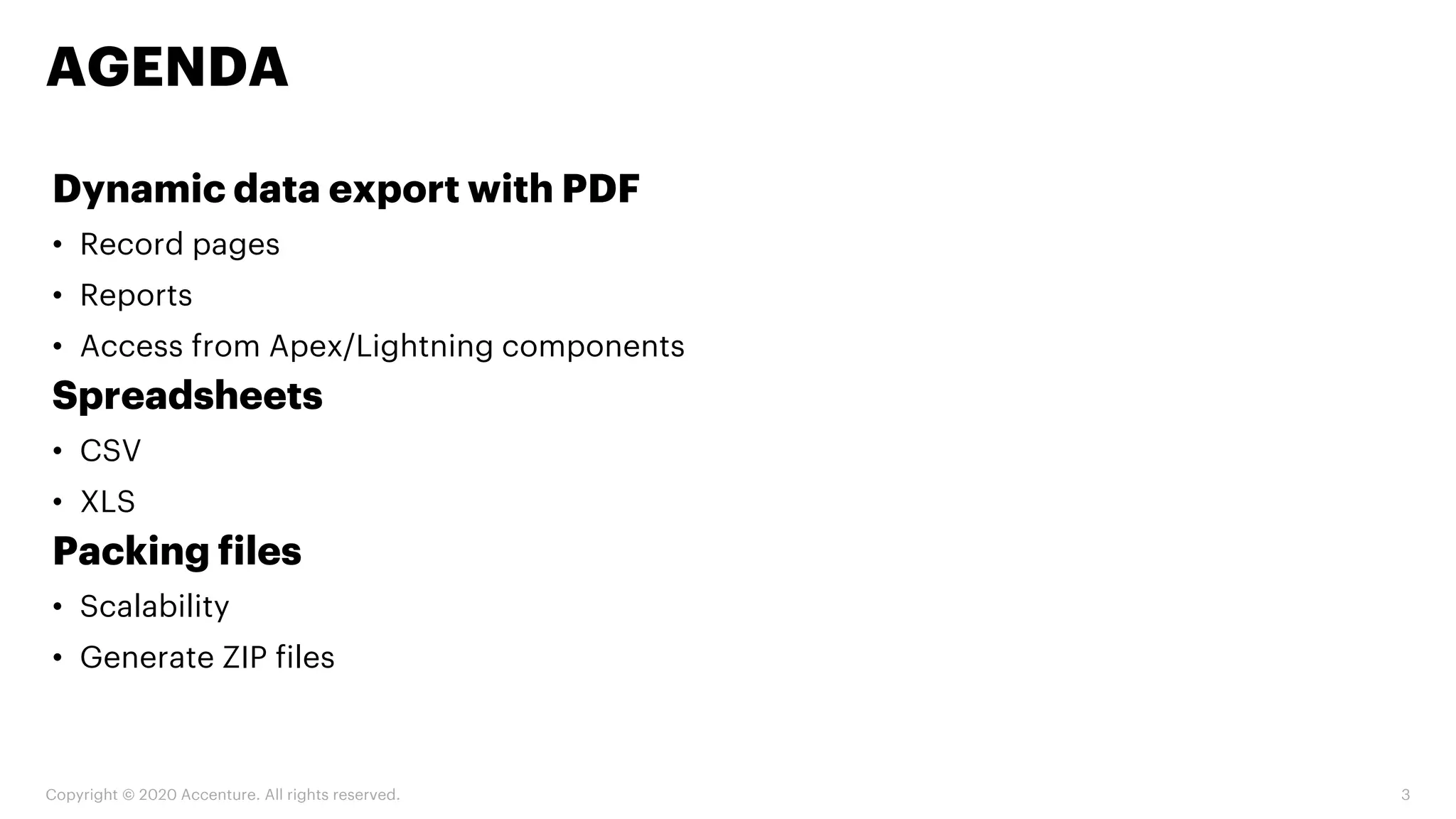
Dynamic data export with PDF
• Record pages
• Reports
• Access from Apex/Lightning components
Spreadsheets
• CSV
• XLS
Packing files
• Scalability
• Generate ZIP files
AGENDA
Copyright © 2020 Accenture. All rights reserved. 3
DYNAMIC DATA EXPORT
WITH PDF
RECORD PAGES
Copyright © 2020 Accenture. All rights reserved. 4
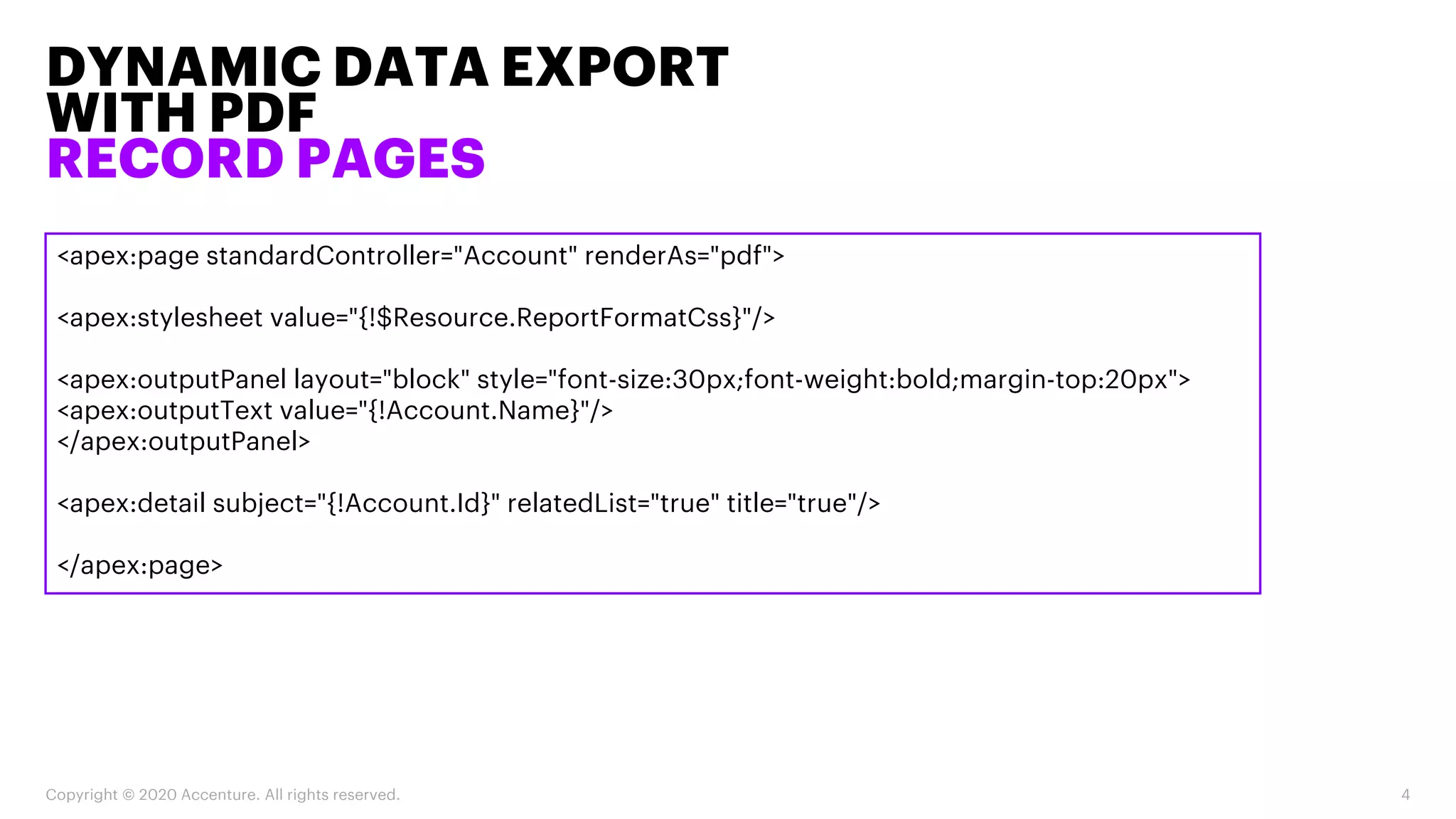
<apex:page standardController="Account" renderAs="pdf">
<apex:stylesheet value="{!$Resource.ReportFormatCss}"/>
<apex:outputPanel layout="block" style="font-size:30px;font-weight:bold;margin-top:20px">
<apex:outputText value="{!Account.Name}"/>
</apex:outputPanel>
<apex:detail subject="{!Account.Id}" relatedList="true" title="true"/>
</apex:page>
DYNAMIC DATA EXPORT
WITH PDF
RECORD PAGES
Copyright © 2020 Accenture. All rights reserved. 5
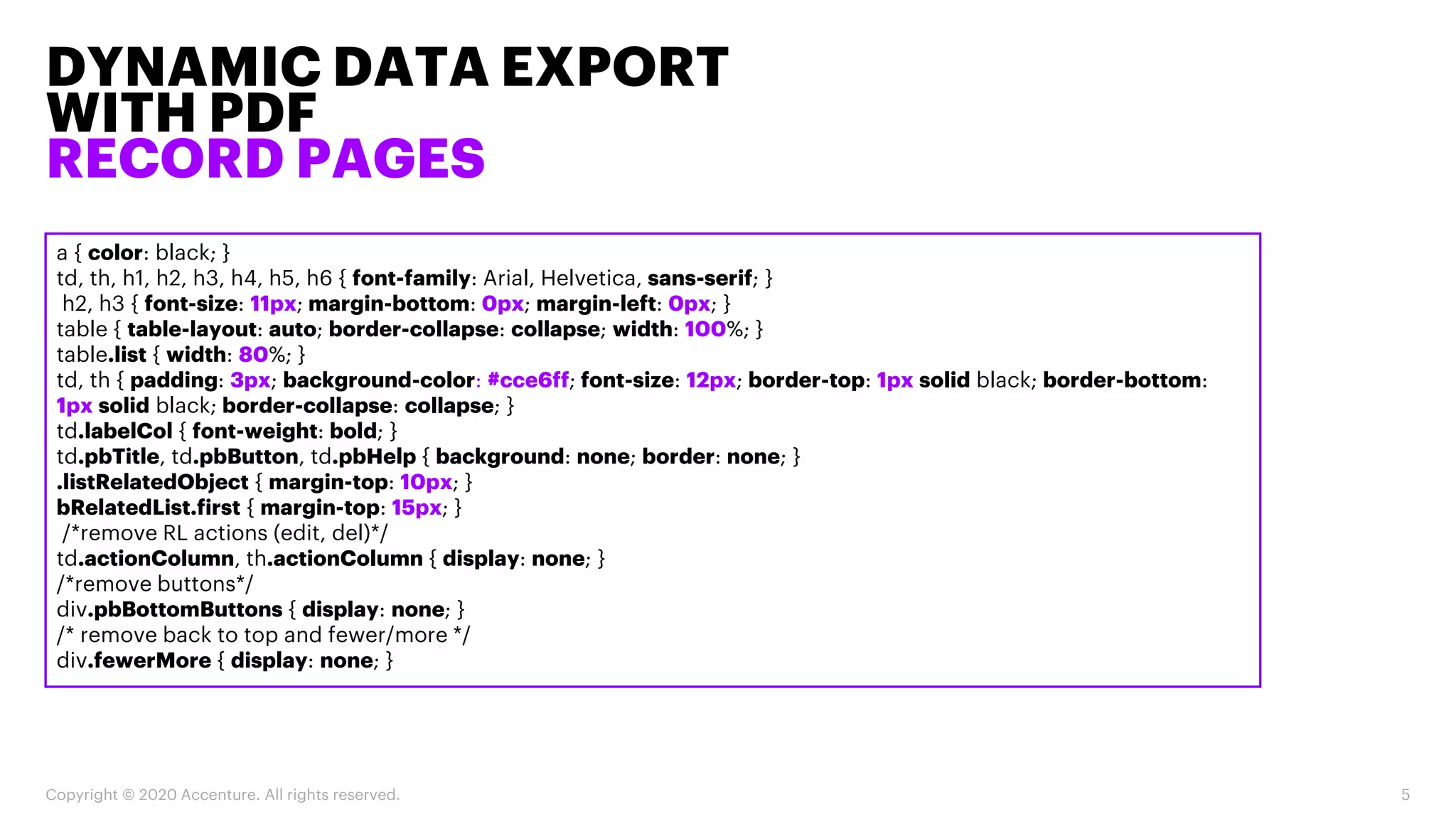
a { color: black; }
td, th, h1, h2, h3, h4, h5, h6 { font-family: Arial, Helvetica, sans-serif; }
h2, h3 { font-size: 11px; margin-bottom: 0px; margin-left: 0px; }
table { table-layout: auto; border-collapse: collapse; width: 100%; }
table.list { width: 80%; }
td, th { padding: 3px; background-color: #cce6ff; font-size: 12px; border-top: 1px solid black; border-bottom:
1px solid black; border-collapse: collapse; }
td.labelCol { font-weight: bold; }
td.pbTitle, td.pbButton, td.pbHelp { background: none; border: none; }
.listRelatedObject { margin-top: 10px; }
bRelatedList.first { margin-top: 15px; }
/*remove RL actions (edit, del)*/
td.actionColumn, th.actionColumn { display: none; }
/*remove buttons*/
div.pbBottomButtons { display: none; }
/* remove back to top and fewer/more */
div.fewerMore { display: none; }
DYNAMIC DATA EXPORT
WITH PDF
REPORTS
Copyright © 2020 Accenture. All rights reserved. 6
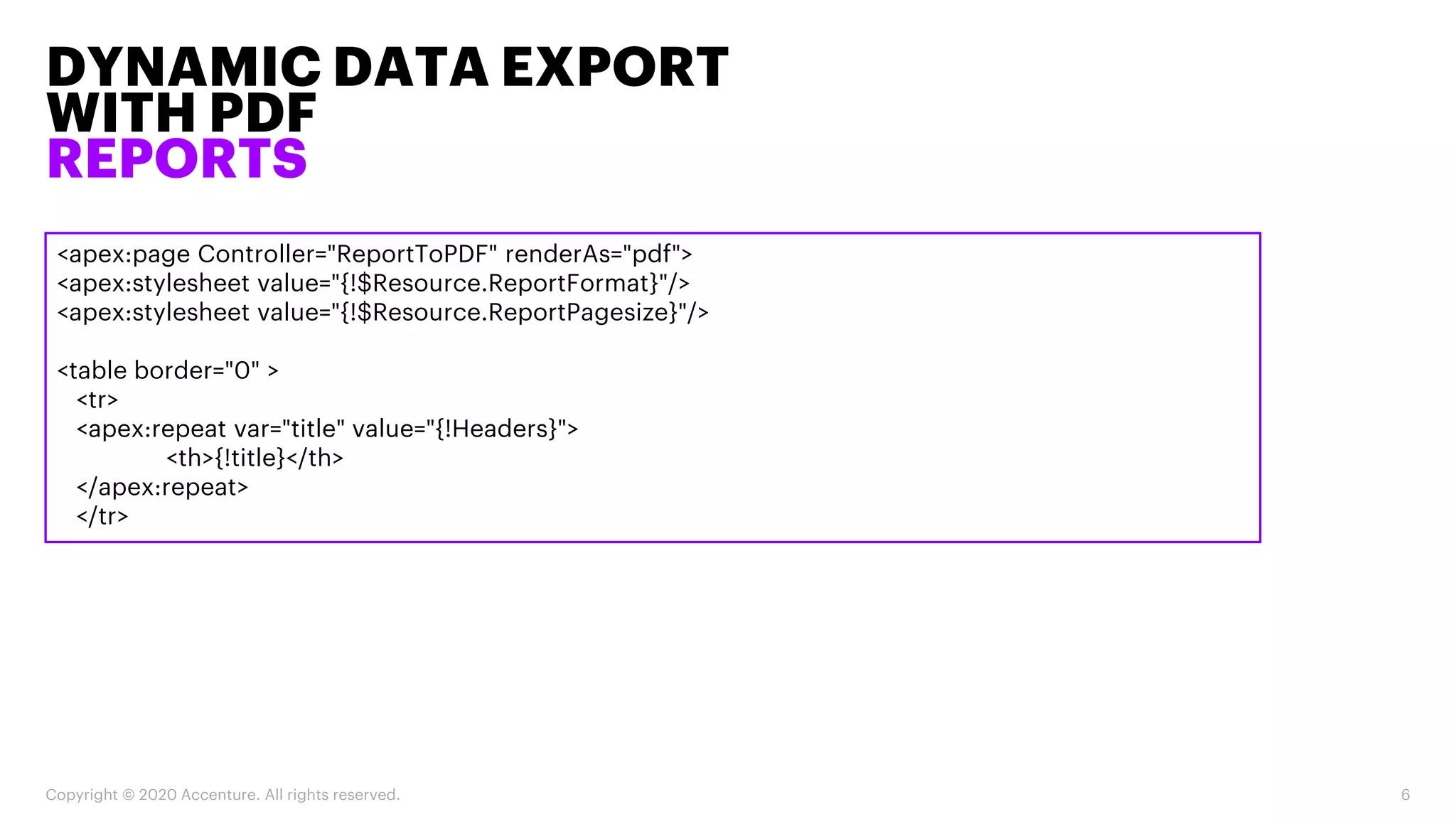
<apex:page Controller="ReportToPDF" renderAs="pdf">
<apex:stylesheet value="{!$Resource.ReportFormat}"/>
<apex:stylesheet value="{!$Resource.ReportPagesize}"/>
<table border="0" >
<tr>
<apex:repeat var="title" value="{!Headers}">
<th>{!title}</th>
</apex:repeat>
</tr>
DYNAMIC DATA EXPORT
WITH PDF
REPORTS
Copyright © 2020 Accenture. All rights reserved. 7
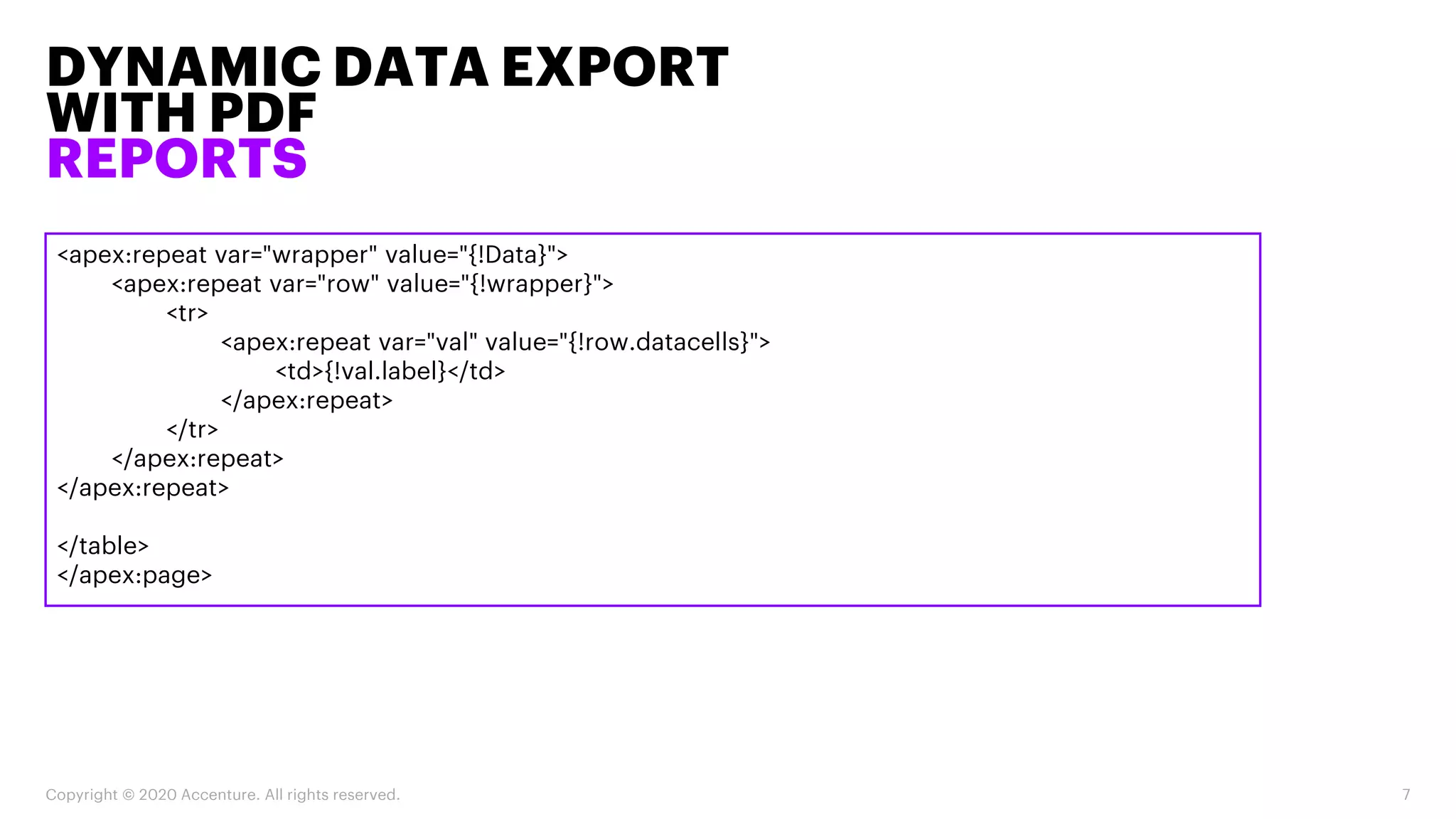
<apex:repeat var="wrapper" value="{!Data}">
<apex:repeat var="row" value="{!wrapper}">
<tr>
<apex:repeat var="val" value="{!row.datacells}">
<td>{!val.label}</td>
</apex:repeat>
</tr>
</apex:repeat>
</apex:repeat>
</table>
</apex:page>
DYNAMIC DATA EXPORT
WITH PDF
REPORTS
Copyright © 2020 Accenture. All rights reserved. 8
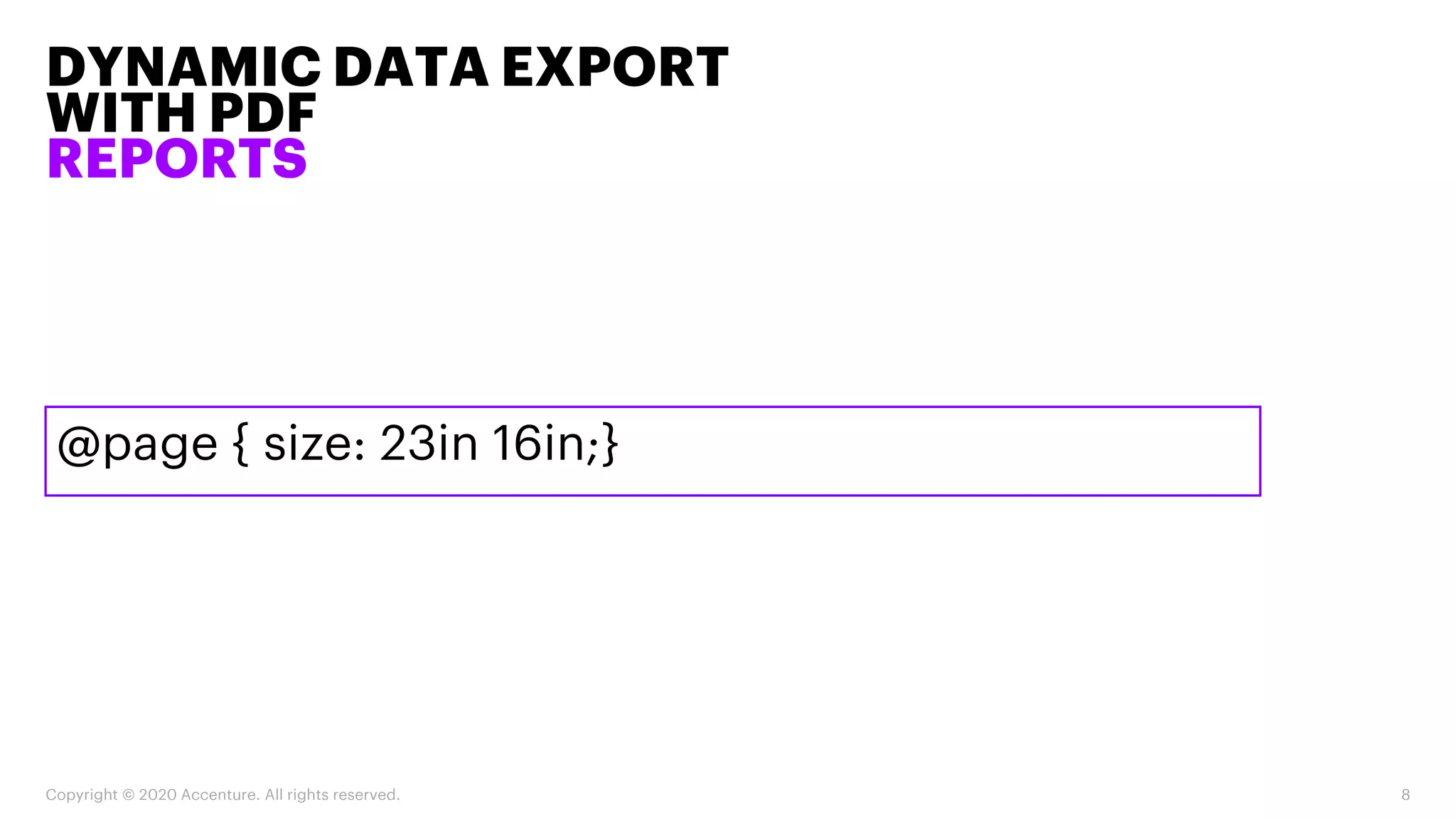
@page { size: 23in 16in;}
DYNAMIC DATA EXPORT
WITH PDF
REPORTS
Copyright © 2020 Accenture. All rights reserved. 9
String reportName = ApexPages.currentPage().getParameters().get('report’);
Id reportId = [Select Id From Report Where DeveloperName = :reportName Limit 1].Id;
Reports.reportResults results = Reports.ReportManager.runReport(reportId, true);
Reports.ReportFactWithDetails facts = (Reports.ReportFactWithDetails) results.getFactMap().get('T!T');
List<Reports.ReportDetailRow> dataList = facts.getRows();
headers = new List<String>();
Reports.ReportExtendedMetadata rmd = results.getReportExtendedMetadata();
for(Reports.DetailColumn r : rmd.getDetailColumnInfo().values()){
headers.add(r.getLabel());
}
DYNAMIC DATA EXPORT
WITH PDF
REPORTS
Copyright © 2020 Accenture. All rights reserved. 10
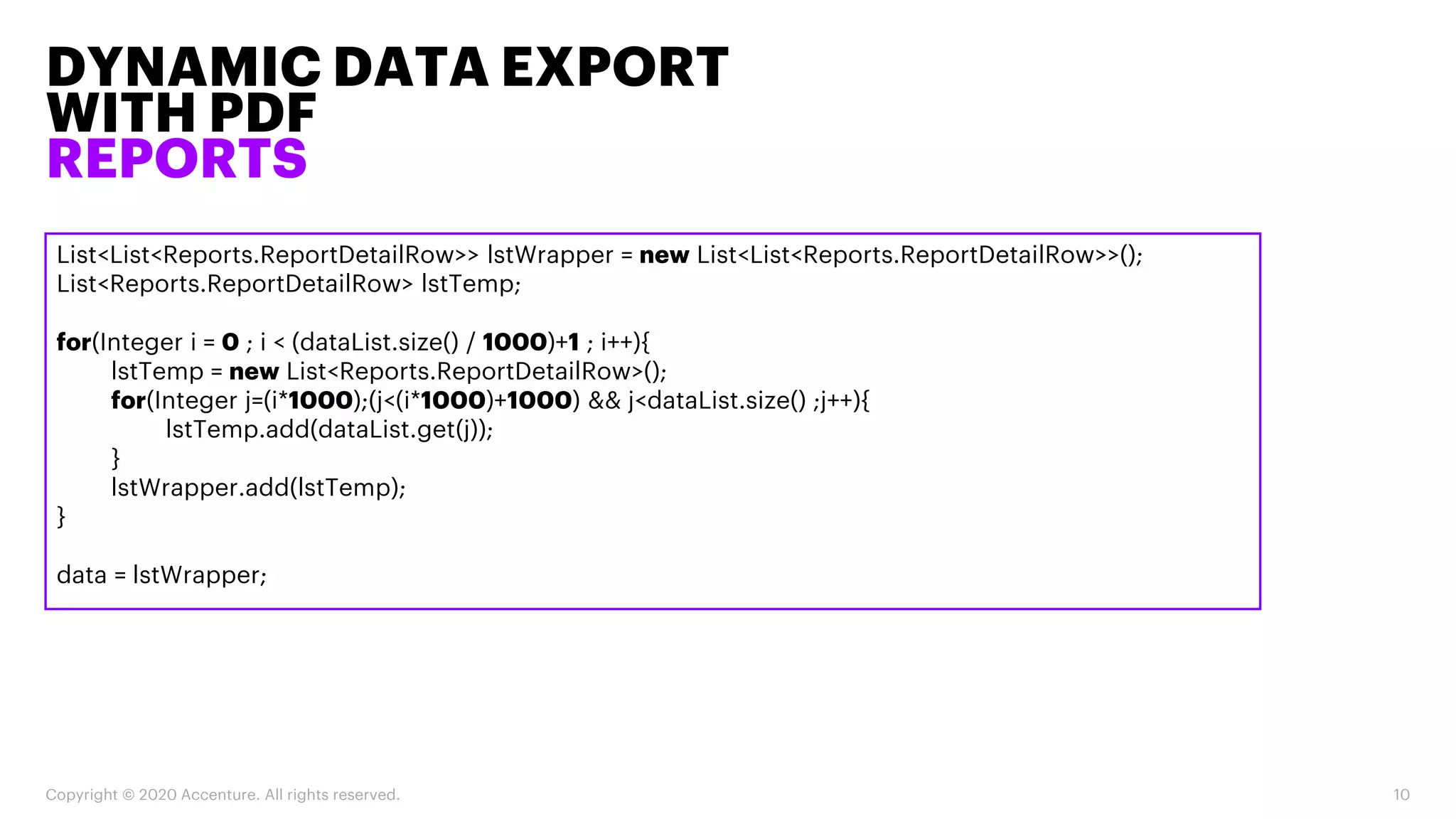
List<List<Reports.ReportDetailRow>> lstWrapper = new List<List<Reports.ReportDetailRow>>();
List<Reports.ReportDetailRow> lstTemp;
for(Integer i = 0 ; i < (dataList.size() / 1000)+1 ; i++){
lstTemp = new List<Reports.ReportDetailRow>();
for(Integer j=(i*1000);(j<(i*1000)+1000) && j<dataList.size() ;j++){
lstTemp.add(dataList.get(j));
}
lstWrapper.add(lstTemp);
}
data = lstWrapper;
DYNAMIC DATA EXPORT WITH PDF
ACCESS FROM APEX/LIGHTNING
COMPONENTS
Copyright © 2020 Accenture. All rights reserved. 11
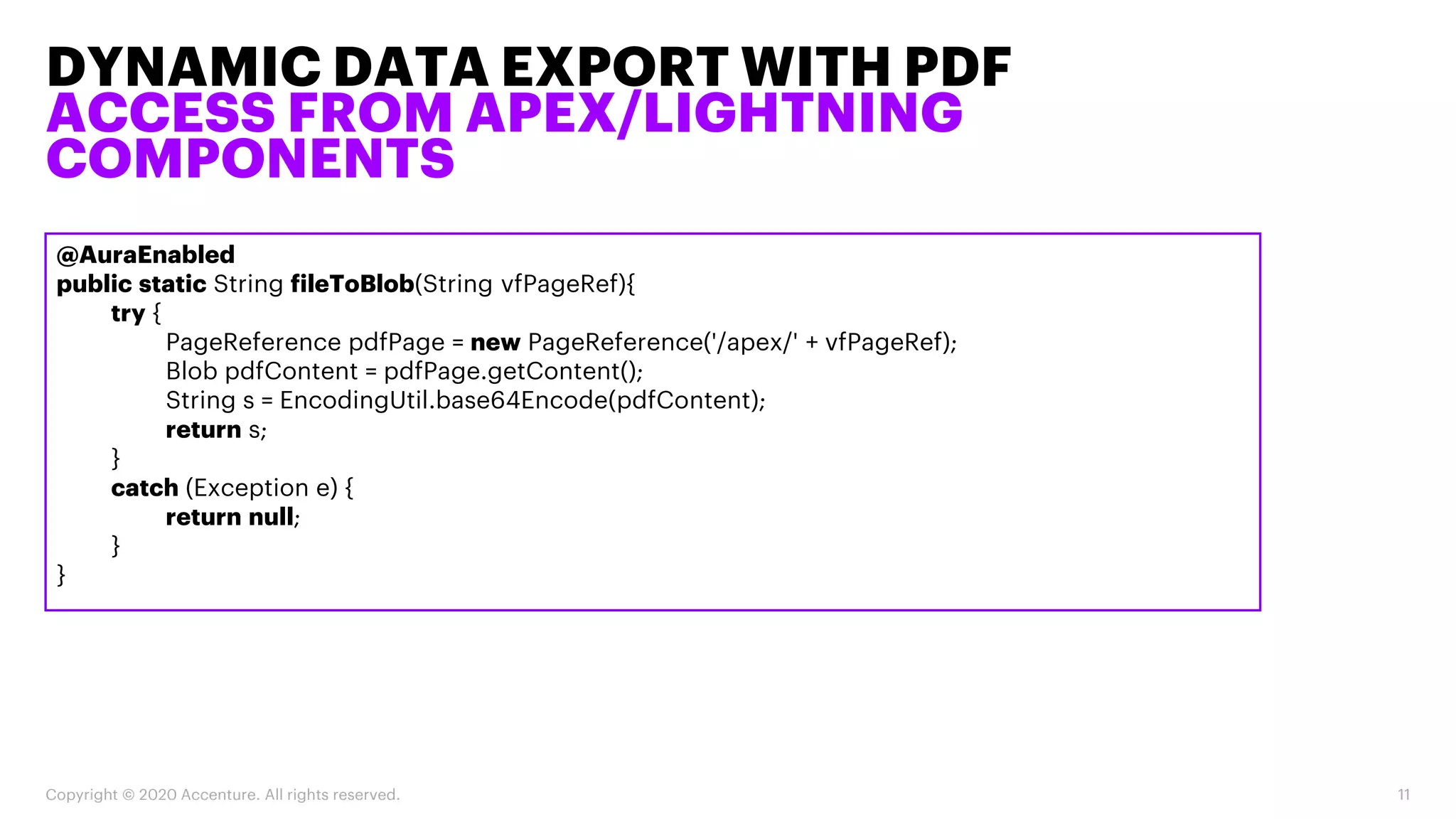
@AuraEnabled
public static String fileToBlob(String vfPageRef){
try {
PageReference pdfPage = new PageReference('/apex/' + vfPageRef);
Blob pdfContent = pdfPage.getContent();
String s = EncodingUtil.base64Encode(pdfContent);
return s;
}
catch (Exception e) {
return null;
}
}
DYNAMIC DATA EXPORT WITH PDF
ACCESS FROM APEX/LIGHTNING
COMPONENTS
Copyright © 2020 Accenture. All rights reserved. 12
var hiddenElement = document.createElement('a');
hiddenElement.href = 'data:application/pdf;base64,' + content;
hiddenElement.target = '_self';
hiddenElement.download = filename + '.pdf';
document.body.appendChild(hiddenElement);
hiddenElement.click();
SPREADSHEETS
CSV
Copyright © 2020 Accenture. All rights reserved. 13
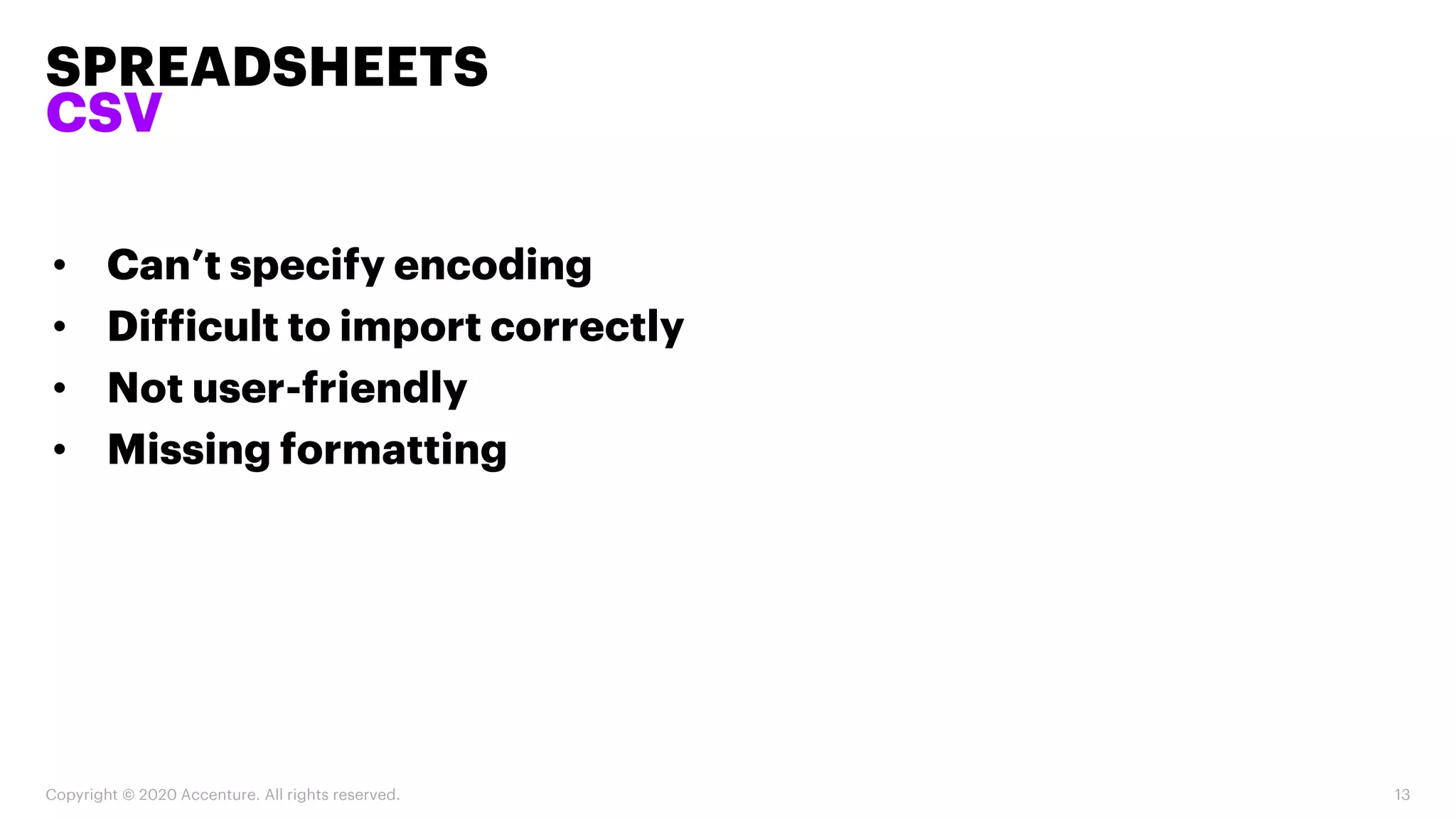
• Can’t specify encoding
• Difficult to import correctly
• Not user-friendly
• Missing formatting
SPREADSHEETS
XLS (XML)
Copyright © 2020 Accenture. All rights reserved. 14
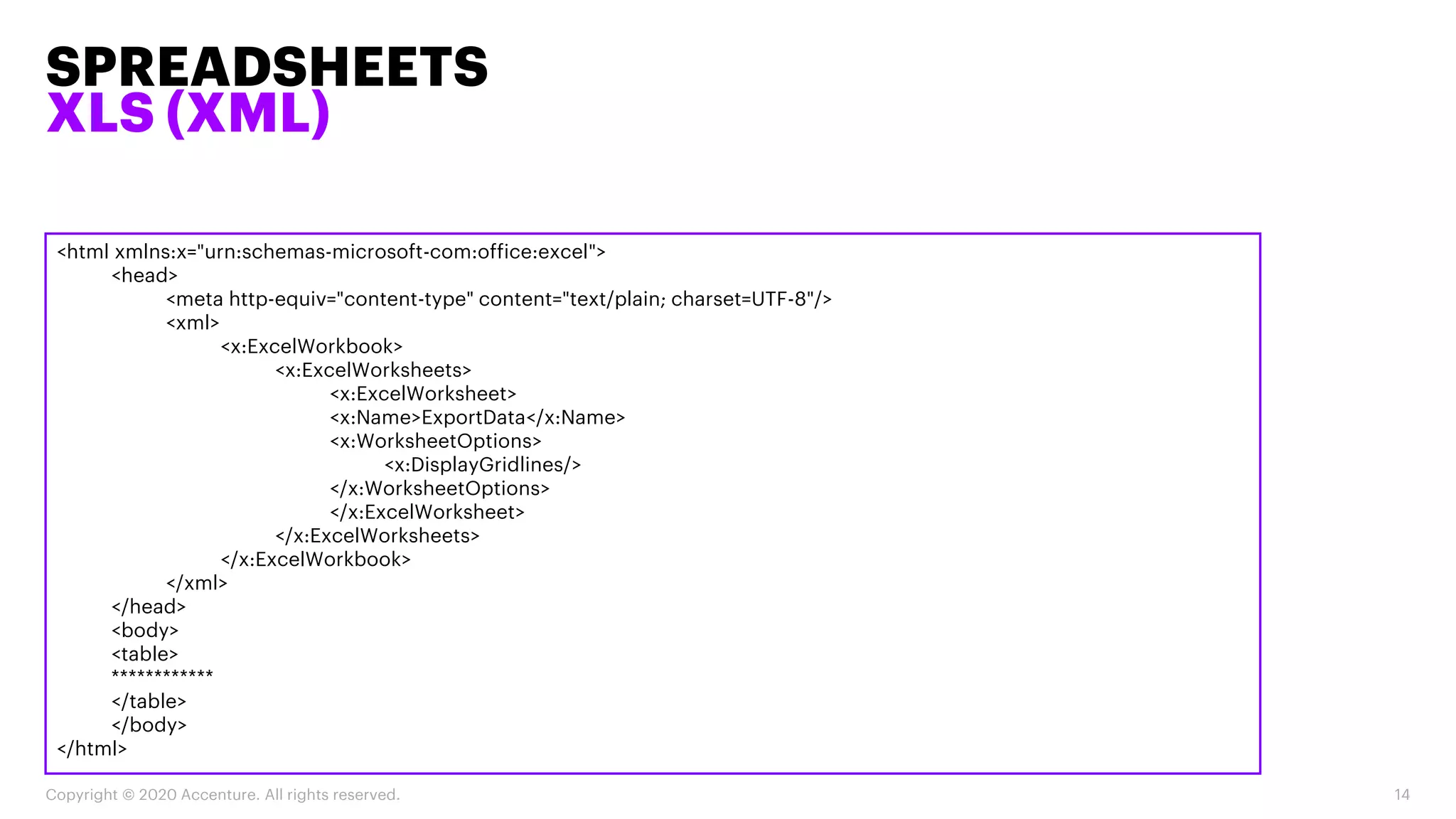
<html xmlns:x="urn:schemas-microsoft-com:office:excel">
<head>
<meta http-equiv="content-type" content="text/plain; charset=UTF-8"/>
<xml>
<x:ExcelWorkbook>
<x:ExcelWorksheets>
<x:ExcelWorksheet>
<x:Name>ExportData</x:Name>
<x:WorksheetOptions>
<x:DisplayGridlines/>
</x:WorksheetOptions>
</x:ExcelWorksheet>
</x:ExcelWorksheets>
</x:ExcelWorkbook>
</xml>
</head>
<body>
<table>
************
</table>
</body>
</html>
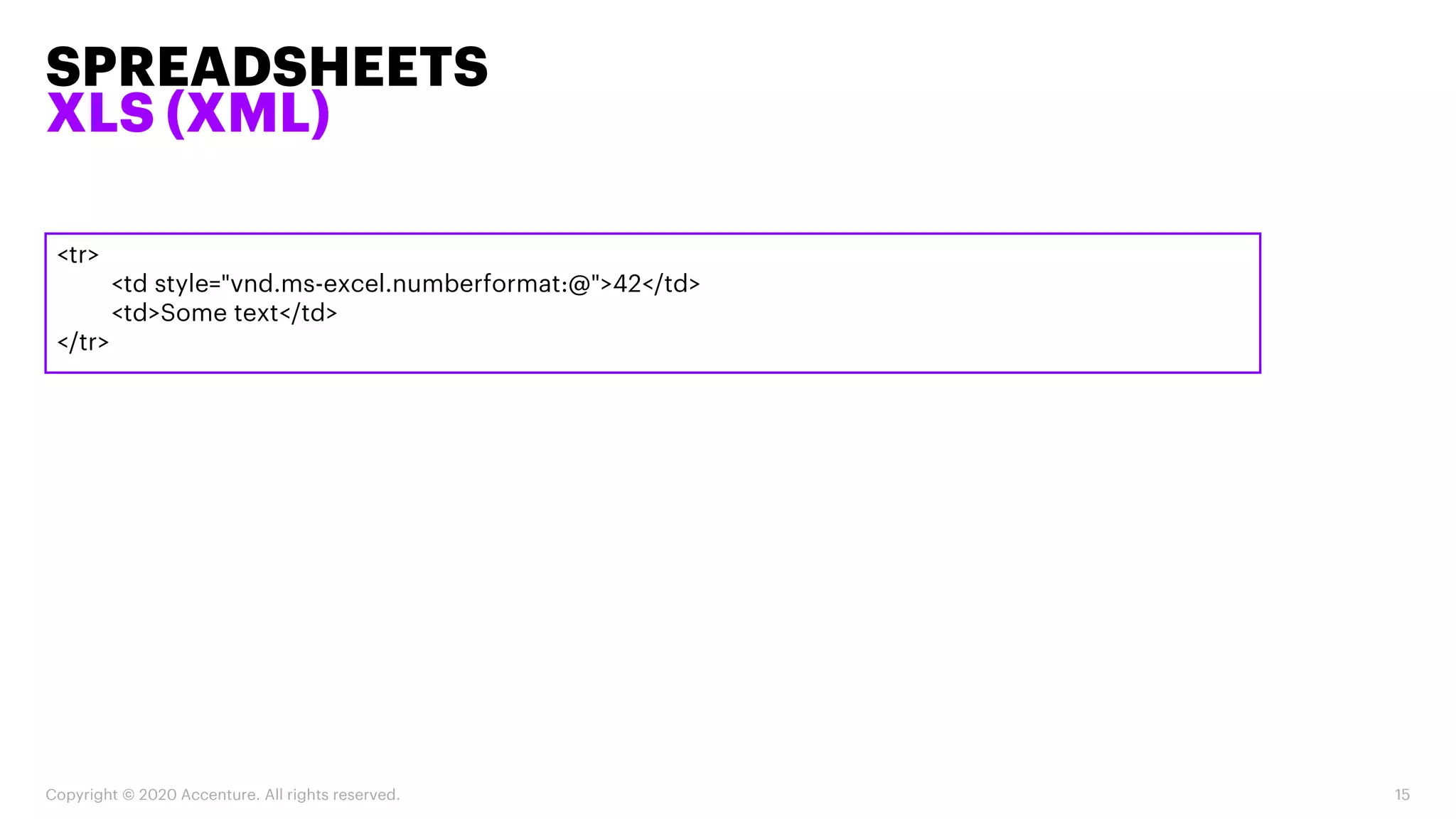
<tr>
<td style="vnd.ms-excel.numberformat:@">42</td>
<td>Some text</td>
</tr>
SPREADSHEETS
XLS (XML)
Copyright © 2020 Accenture. All rights reserved. 15
PACKING FILES
SCALABILITY
Copyright © 2020 Accenture. All rights reserved. 16
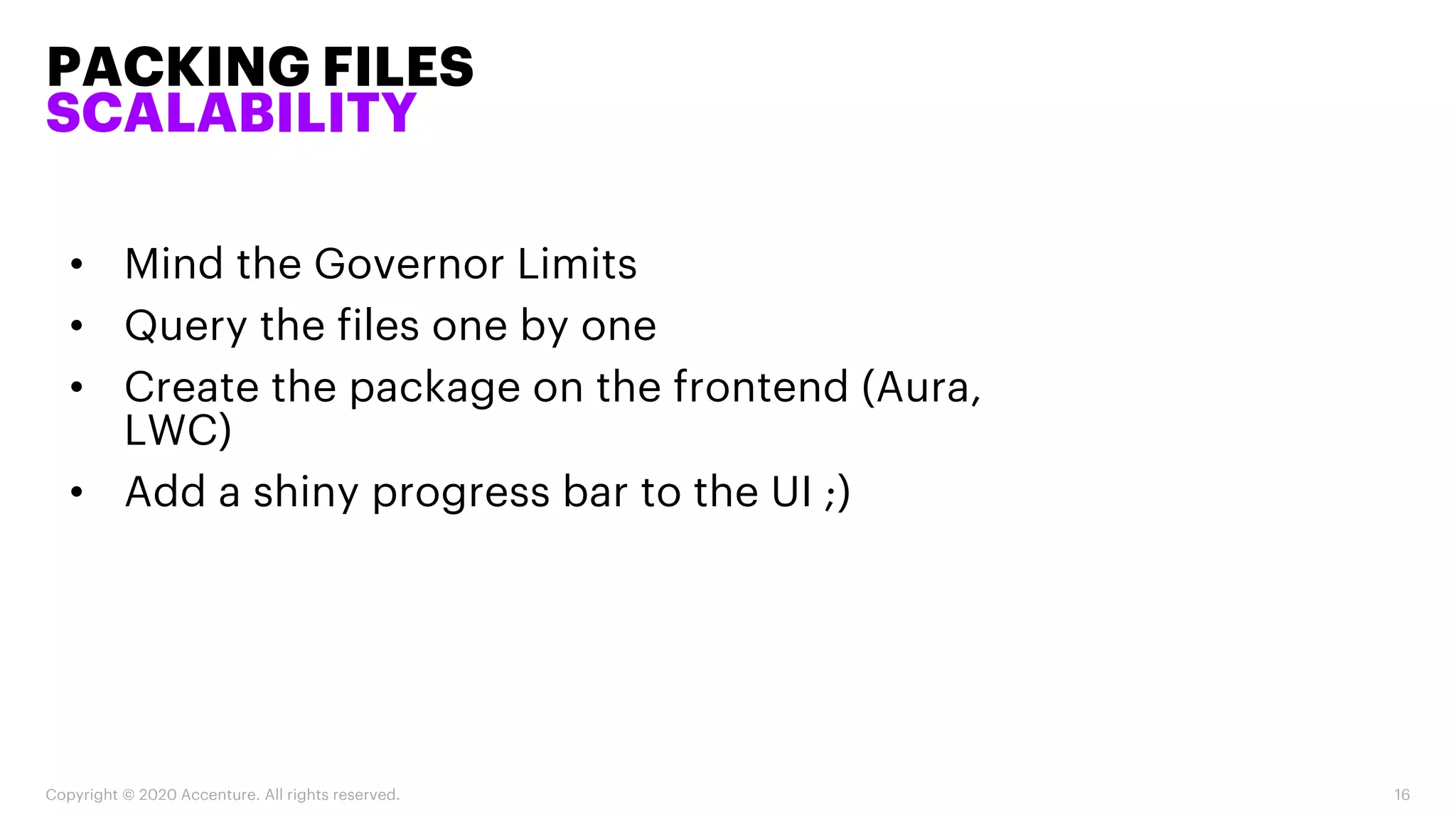
• Mind the Governor Limits
• Query the files one by one
• Create the package on the frontend (Aura,
LWC)
• Add a shiny progress bar to the UI ;)
PACKING FILES
ZIP
Copyright © 2020 Accenture. All rights reserved. 17
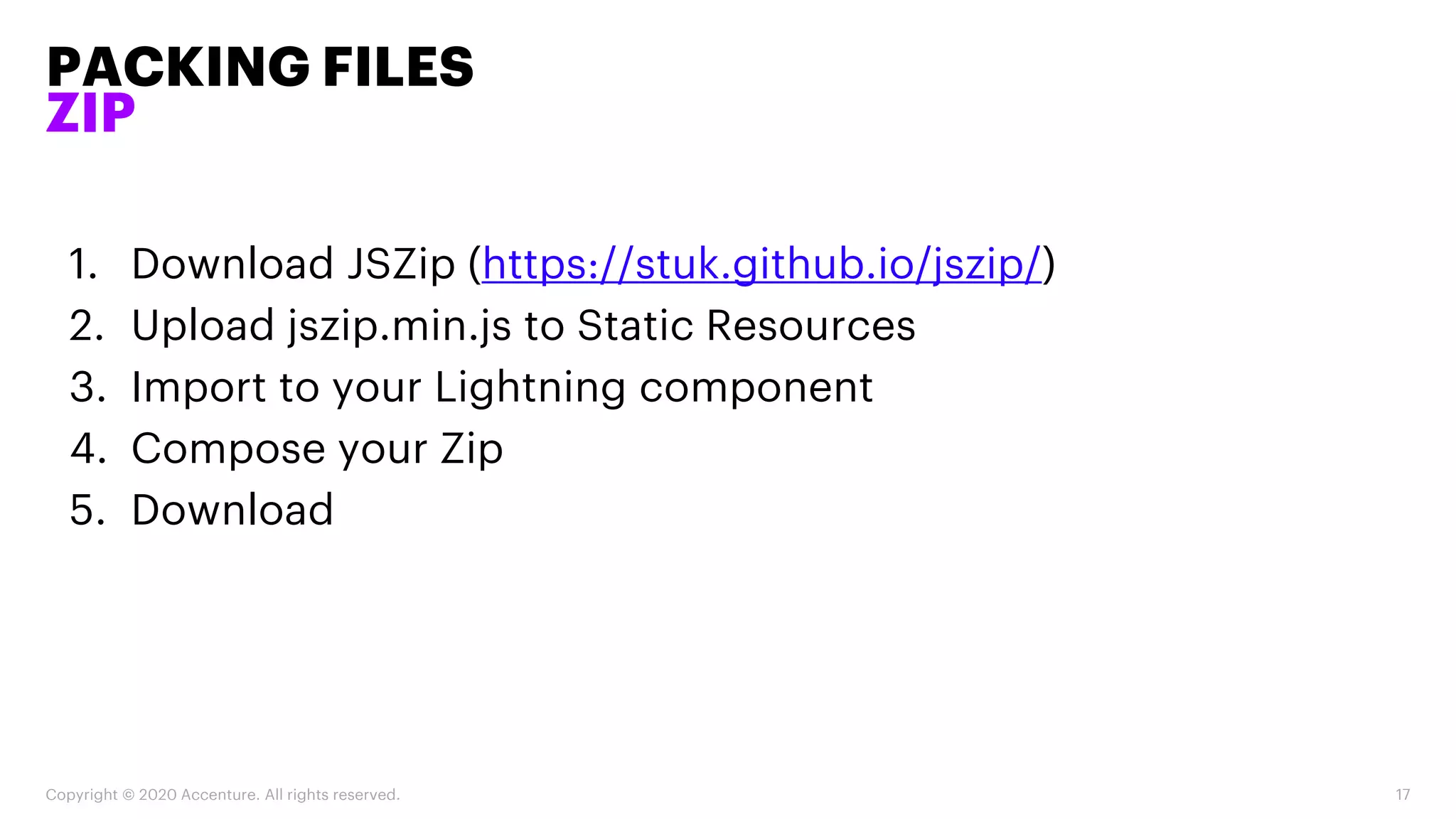
1. Download JSZip (https://stuk.github.io/jszip/)
2. Upload jszip.min.js to Static Resources
3. Import to your Lightning component
4. Compose your Zip
5. Download
PACKING FILES
ZIP
Copyright © 2020 Accenture. All rights reserved. 18
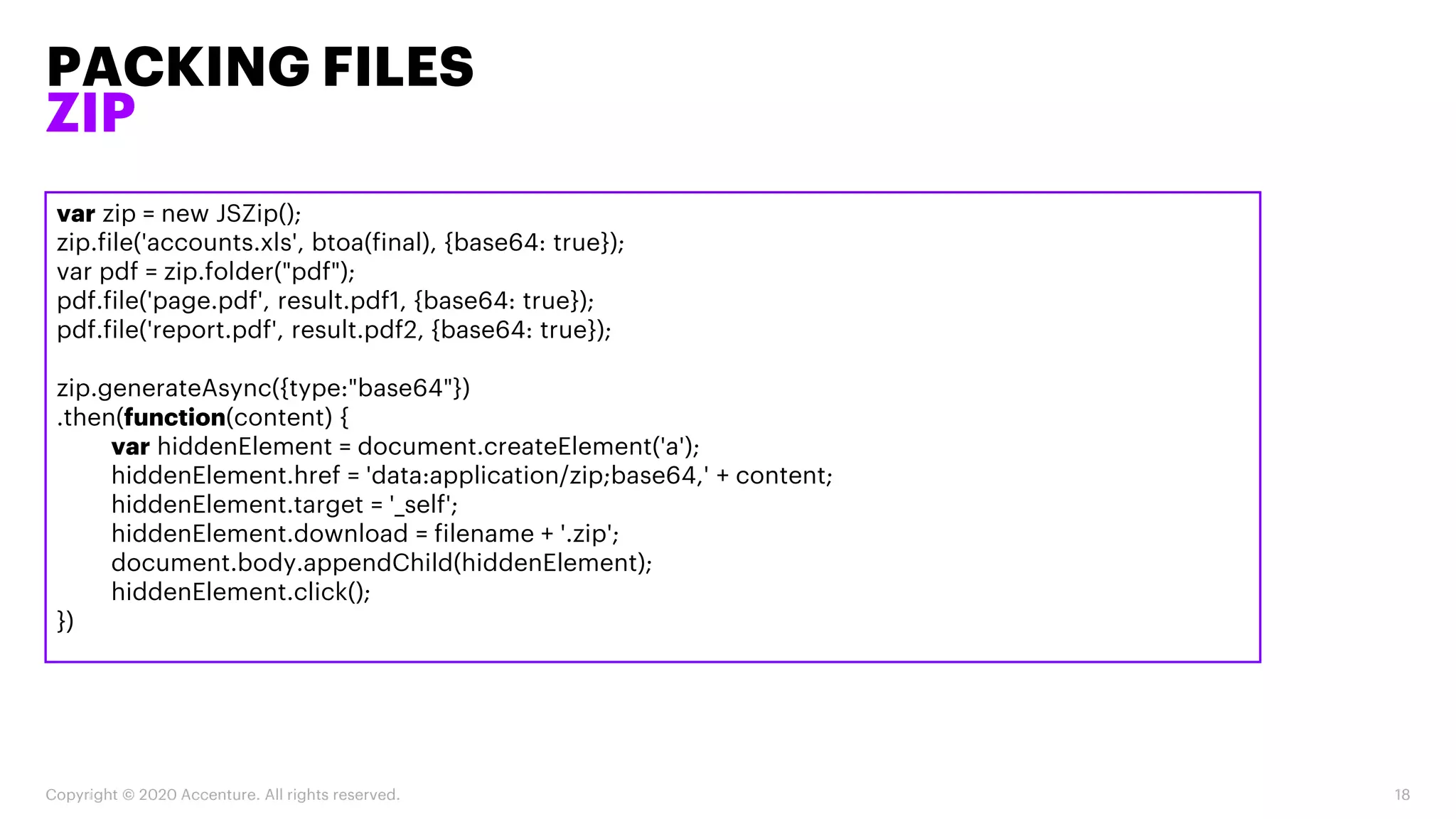
var zip = new JSZip();
zip.file('accounts.xls', btoa(final), {base64: true});
var pdf = zip.folder("pdf");
pdf.file('page.pdf', result.pdf1, {base64: true});
pdf.file('report.pdf', result.pdf2, {base64: true});
zip.generateAsync({type:"base64"})
.then(function(content) {
var hiddenElement = document.createElement('a');
hiddenElement.href = 'data:application/zip;base64,' + content;
hiddenElement.target = '_self';
hiddenElement.download = filename + '.zip';
document.body.appendChild(hiddenElement);
hiddenElement.click();
})
Q&A
THANK YOU
FOR YOUR
ATTENTION!

Salesforce meetup | Custom document generation

  • 1.
    ACCENTURE TECHNOLOGY MEETUP GENERATE CUSTOM DOCUMENTS IN SALESFORCE AdamFrancz adam.francz@accenture.com Salesforce Developer
  • 2.
    ADAM FRANCZ • Identityand Access Management Designer • Integration Architecture Designer • Platform Developer • Development Lifecycle and Deployment Designer • System Architect • Data Architecture and Management Designer
  • 3.
    Dynamic data exportwith PDF • Record pages • Reports • Access from Apex/Lightning components Spreadsheets • CSV • XLS Packing files • Scalability • Generate ZIP files AGENDA Copyright © 2020 Accenture. All rights reserved. 3
  • 4.
    DYNAMIC DATA EXPORT WITHPDF RECORD PAGES Copyright © 2020 Accenture. All rights reserved. 4 <apex:page standardController="Account" renderAs="pdf"> <apex:stylesheet value="{!$Resource.ReportFormatCss}"/> <apex:outputPanel layout="block" style="font-size:30px;font-weight:bold;margin-top:20px"> <apex:outputText value="{!Account.Name}"/> </apex:outputPanel> <apex:detail subject="{!Account.Id}" relatedList="true" title="true"/> </apex:page>
  • 5.
    DYNAMIC DATA EXPORT WITHPDF RECORD PAGES Copyright © 2020 Accenture. All rights reserved. 5 a { color: black; } td, th, h1, h2, h3, h4, h5, h6 { font-family: Arial, Helvetica, sans-serif; } h2, h3 { font-size: 11px; margin-bottom: 0px; margin-left: 0px; } table { table-layout: auto; border-collapse: collapse; width: 100%; } table.list { width: 80%; } td, th { padding: 3px; background-color: #cce6ff; font-size: 12px; border-top: 1px solid black; border-bottom: 1px solid black; border-collapse: collapse; } td.labelCol { font-weight: bold; } td.pbTitle, td.pbButton, td.pbHelp { background: none; border: none; } .listRelatedObject { margin-top: 10px; } bRelatedList.first { margin-top: 15px; } /*remove RL actions (edit, del)*/ td.actionColumn, th.actionColumn { display: none; } /*remove buttons*/ div.pbBottomButtons { display: none; } /* remove back to top and fewer/more */ div.fewerMore { display: none; }
  • 6.
    DYNAMIC DATA EXPORT WITHPDF REPORTS Copyright © 2020 Accenture. All rights reserved. 6 <apex:page Controller="ReportToPDF" renderAs="pdf"> <apex:stylesheet value="{!$Resource.ReportFormat}"/> <apex:stylesheet value="{!$Resource.ReportPagesize}"/> <table border="0" > <tr> <apex:repeat var="title" value="{!Headers}"> <th>{!title}</th> </apex:repeat> </tr>
  • 7.
    DYNAMIC DATA EXPORT WITHPDF REPORTS Copyright © 2020 Accenture. All rights reserved. 7 <apex:repeat var="wrapper" value="{!Data}"> <apex:repeat var="row" value="{!wrapper}"> <tr> <apex:repeat var="val" value="{!row.datacells}"> <td>{!val.label}</td> </apex:repeat> </tr> </apex:repeat> </apex:repeat> </table> </apex:page>
  • 8.
    DYNAMIC DATA EXPORT WITHPDF REPORTS Copyright © 2020 Accenture. All rights reserved. 8 @page { size: 23in 16in;}
  • 9.
    DYNAMIC DATA EXPORT WITHPDF REPORTS Copyright © 2020 Accenture. All rights reserved. 9 String reportName = ApexPages.currentPage().getParameters().get('report’); Id reportId = [Select Id From Report Where DeveloperName = :reportName Limit 1].Id; Reports.reportResults results = Reports.ReportManager.runReport(reportId, true); Reports.ReportFactWithDetails facts = (Reports.ReportFactWithDetails) results.getFactMap().get('T!T'); List<Reports.ReportDetailRow> dataList = facts.getRows(); headers = new List<String>(); Reports.ReportExtendedMetadata rmd = results.getReportExtendedMetadata(); for(Reports.DetailColumn r : rmd.getDetailColumnInfo().values()){ headers.add(r.getLabel()); }
  • 10.
    DYNAMIC DATA EXPORT WITHPDF REPORTS Copyright © 2020 Accenture. All rights reserved. 10 List<List<Reports.ReportDetailRow>> lstWrapper = new List<List<Reports.ReportDetailRow>>(); List<Reports.ReportDetailRow> lstTemp; for(Integer i = 0 ; i < (dataList.size() / 1000)+1 ; i++){ lstTemp = new List<Reports.ReportDetailRow>(); for(Integer j=(i*1000);(j<(i*1000)+1000) && j<dataList.size() ;j++){ lstTemp.add(dataList.get(j)); } lstWrapper.add(lstTemp); } data = lstWrapper;
  • 11.
    DYNAMIC DATA EXPORTWITH PDF ACCESS FROM APEX/LIGHTNING COMPONENTS Copyright © 2020 Accenture. All rights reserved. 11 @AuraEnabled public static String fileToBlob(String vfPageRef){ try { PageReference pdfPage = new PageReference('/apex/' + vfPageRef); Blob pdfContent = pdfPage.getContent(); String s = EncodingUtil.base64Encode(pdfContent); return s; } catch (Exception e) { return null; } }
  • 12.
    DYNAMIC DATA EXPORTWITH PDF ACCESS FROM APEX/LIGHTNING COMPONENTS Copyright © 2020 Accenture. All rights reserved. 12 var hiddenElement = document.createElement('a'); hiddenElement.href = 'data:application/pdf;base64,' + content; hiddenElement.target = '_self'; hiddenElement.download = filename + '.pdf'; document.body.appendChild(hiddenElement); hiddenElement.click();
  • 13.
    SPREADSHEETS CSV Copyright © 2020Accenture. All rights reserved. 13 • Can’t specify encoding • Difficult to import correctly • Not user-friendly • Missing formatting
  • 14.
    SPREADSHEETS XLS (XML) Copyright ©2020 Accenture. All rights reserved. 14 <html xmlns:x="urn:schemas-microsoft-com:office:excel"> <head> <meta http-equiv="content-type" content="text/plain; charset=UTF-8"/> <xml> <x:ExcelWorkbook> <x:ExcelWorksheets> <x:ExcelWorksheet> <x:Name>ExportData</x:Name> <x:WorksheetOptions> <x:DisplayGridlines/> </x:WorksheetOptions> </x:ExcelWorksheet> </x:ExcelWorksheets> </x:ExcelWorkbook> </xml> </head> <body> <table> ************ </table> </body> </html>
  • 15.
  • 16.
    PACKING FILES SCALABILITY Copyright ©2020 Accenture. All rights reserved. 16 • Mind the Governor Limits • Query the files one by one • Create the package on the frontend (Aura, LWC) • Add a shiny progress bar to the UI ;)
  • 17.
    PACKING FILES ZIP Copyright ©2020 Accenture. All rights reserved. 17 1. Download JSZip (https://stuk.github.io/jszip/) 2. Upload jszip.min.js to Static Resources 3. Import to your Lightning component 4. Compose your Zip 5. Download
  • 18.
    PACKING FILES ZIP Copyright ©2020 Accenture. All rights reserved. 18 var zip = new JSZip(); zip.file('accounts.xls', btoa(final), {base64: true}); var pdf = zip.folder("pdf"); pdf.file('page.pdf', result.pdf1, {base64: true}); pdf.file('report.pdf', result.pdf2, {base64: true}); zip.generateAsync({type:"base64"}) .then(function(content) { var hiddenElement = document.createElement('a'); hiddenElement.href = 'data:application/zip;base64,' + content; hiddenElement.target = '_self'; hiddenElement.download = filename + '.zip'; document.body.appendChild(hiddenElement); hiddenElement.click(); })
  • 19.
  • 20.