Downloaded 15 times

![RooWifi
14
XML sensor files: roomba.xml & rwr.xml
RooWifi has an external accessible
file that allows developers the ability to
perform a reading of the various sensors
of the robot through an interpreter /
standard XML parser.
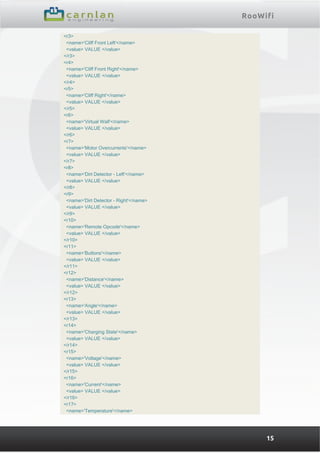
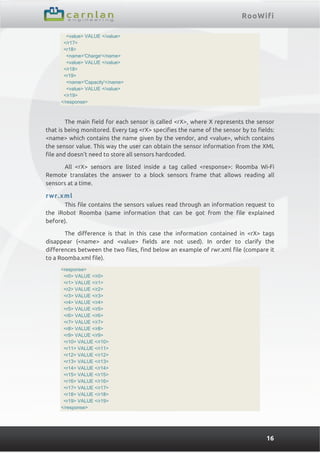
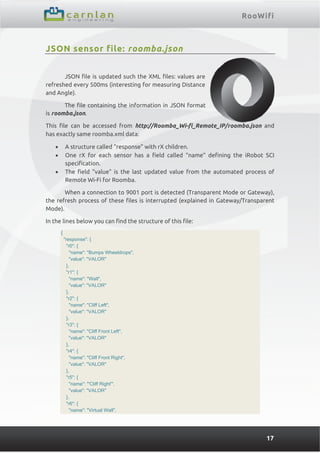
Different tags or fields are included in the XML files. Each tag defines a sensor
of the iRobot Roomba. The structure defines the request commands [142][0] were all
sensors are read. These files are named roomba.xml and rwr.xml that can be
accessed from the URL http:// Roomba_Wi-fi_Remote_IP/roomba.xml and http://
Roomba_Wi-fi_Remote_IP/rwr.xml
Remember that RooWifi requires user and password authentication. For this
reason leave these two fields in blank when configuring the device to use XML.
Otherwise the communication will be very slow or failed.
Given that the file is updated at the same time of execution, only two
simultaneous connections to roomba.xml and/or rwr.xml are allowed. This also
occurs when accessing through the web interface of the Roomba Wi-Fi Remote.
Important information: in order to balance the embedded workload and
create an efficient TCP/IP connection, when a connection to 9001 port is detected
(Transparent Mode or Gateway), the refresh process of these files is interrupted
(explained in Gateway/Transparent Mode).
roomba.xml
roomba.xml file is a read-only file and it is only updated with the value read
from the robot sensors. Sensors value is updated every 500ms and it does not
depend on the accesses or reads to the file (values are updated periodically). Note
this is an important data, see Angle and Distance dedicated section on the SCI iRobot
manual.
The fix part of the XML file structure is as shown below:
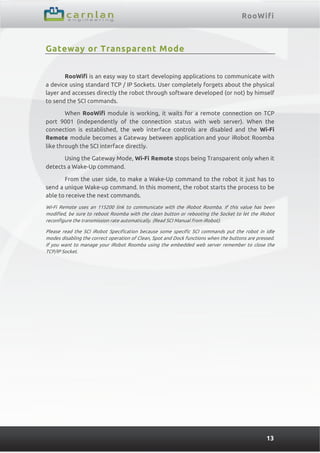
<response>
<r0>
<name>'Bumps Wheeldrops'</name>
<value> VALUE </value>
</r0>
<r1>
<name>'Wall'</name>
<value> VALUE </value>
</r1>
<r2>
<name>'Cliff Left'</name>
<value> VALUE </value>
</r2>](https://image.slidesharecdn.com/rwremoteuserguidev2rev15-130606115725-phpapp01/85/RooWifi-User-Guide-14-320.jpg)
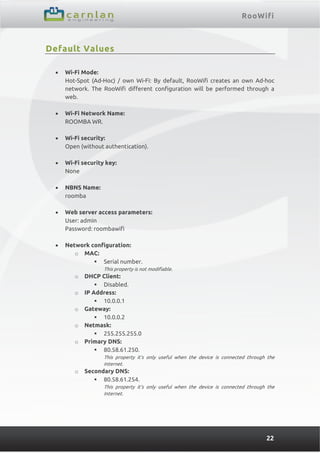

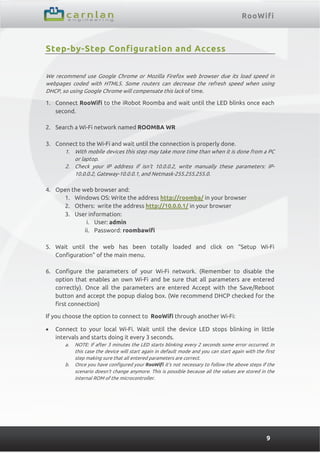
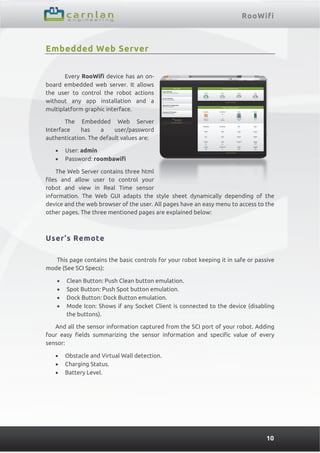
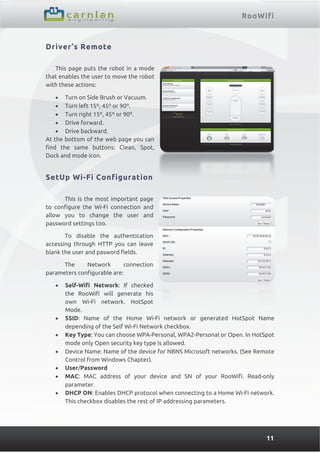
This page shows the current status of the robot and allows sending basic commands like Clean, Dock and Spot. User’s Remote: This page allows sending more advanced commands like: - Change robot mode (Safe, Passive, Full) - Control motors - Send virtual walls - Check battery status - Check firmware version Driver’s Remote: This page allows sending low level commands directly to the robot like: - Direct motor control - LED control - Buzzer control - Sensors values - Firmware update Setup Wi-Fi Configuration: This page allows configuring the Wi-Fi parameters to connect RooWifi to


