Lets
start coding
with
Ruby
I’m
Muntasim Ahmed
Developer @globo
ishkul.com
https://github.com/amuntasim/
https://www.linkedin.com/in/muntasim/
Web Developers?
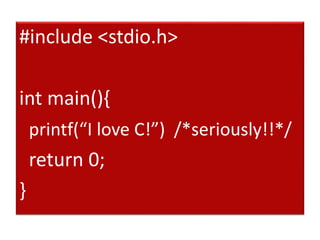
#include <stdio.h>
int main(){
printf(“I love C!”) /*seriously!!*/
return 0;
}
public class BigBrother{
public static void main(String[] args) {
String msg=“Hello!! Here is your big brother”
System.out.println(msg);
}
}
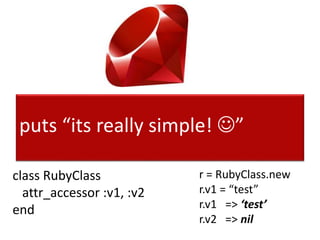
puts “its really simple! ”
class RubyClass
attr_accessor :v1, :v2
end
r = RubyClass.new
r.v1 = “test”
r.v1 => ‘test’
r.v2 => nil
Thank you Matz!
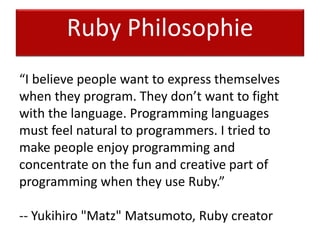
Ruby Philosophie
“I believe people want to express themselves
when they program. They don’t want to fight
with the language. Programming languages
must feel natural to programmers. I tried to
make people enjoy programming and
concentrate on the fun and creative part of
programming when they use Ruby.”
-- Yukihiro "Matz" Matsumoto, Ruby creator
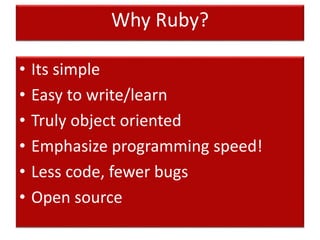
Why Ruby?
• Its simple
• Easy to write/learn
• Truly object oriented
• Emphasize programming speed!
• Less code, fewer bugs
• Open source
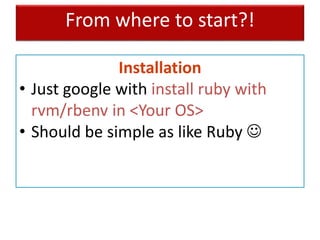
From where to start?!
Installation
• Just google with install ruby with
rvm/rbenv in <Your OS>
• Should be simple as like Ruby 
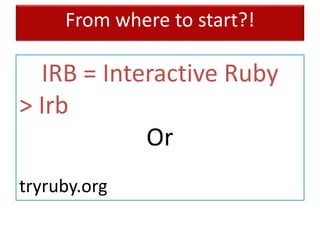
From where to start?!
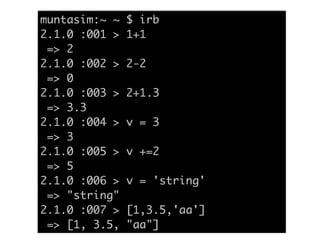
IRB = Interactive Ruby
> Irb
Or
tryruby.org
Inside Ruby
Everything is an object
3.odd? => true
“string”.length => 6
[].empty? => true
“abc”.methods => [..,..,..]
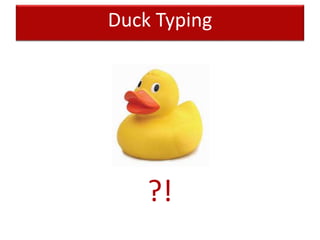
Duck Typing
?!
It doesn’t mind
• if you don’t like ‘;’ at the end
• even a method without ()
• If you want to express in your way
• and many more..
Happy Programmer 
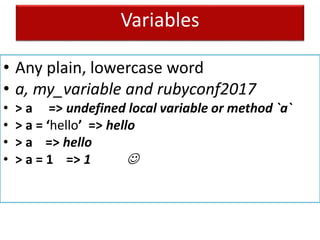
Variables
• Any plain, lowercase word
• a, my_variable and rubyconf2017
• > a => undefined local variable or method `a`
• > a = ‘hello’ => hello
• > a => hello
• > a = 1 => 1 
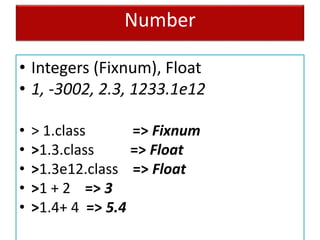
Number
• Integers (Fixnum), Float
• 1, -3002, 2.3, 1233.1e12
• > 1.class => Fixnum
• >1.3.class => Float
• >1.3e12.class => Float
• >1 + 2 => 3
• >1.4+ 4 => 5.4
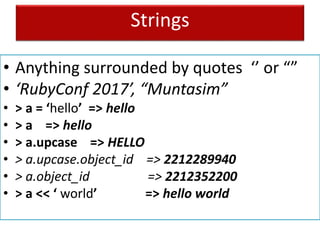
Strings
• Anything surrounded by quotes ‘’ or “”
• ‘RubyConf 2017’, “Muntasim”
• > a = ‘hello’ => hello
• > a => hello
• > a.upcase => HELLO
• > a.upcase.object_id => 2212289940
• > a.object_id => 2212352200
• > a << ‘ world’ => hello world
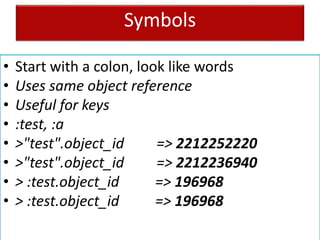
Symbols
• Start with a colon, look like words
• Uses same object reference
• Useful for keys
• :test, :a
• >"test".object_id => 2212252220
• >"test".object_id => 2212236940
• > :test.object_id => 196968
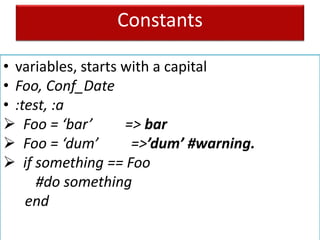
Constants
• variables, starts with a capital
• Foo, Conf_Date
• :test, :a
 Foo = ‘bar’ => bar
 Foo = ‘dum’ =>’dum’ #warning.
 if something == Foo
#do something
end
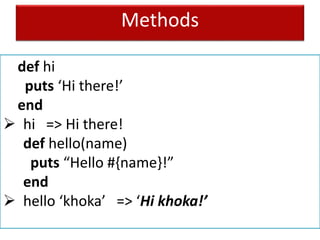
Methods
def hi
puts ‘Hi there!’
end
 hi => Hi there!
def hello(name)
puts “Hello #{name}!”
end
 hello ‘khoka’ => ‘Hi khoka!’
Arrays
• A list surrounded by square brackets
• [1,2,4]
• [‘a’, ‘B’, 1] 
 a = [1,3,5,’7’, ‘e’] => [1,3,5,’7’, ‘e’]
 a[2] => 3
 b = [5,6] => [5,6]
 a+b => [1,3,5,’7’, ‘e’, 5,6]
 ….
Hashes
• A list surrounded by curly braces
• {:a => 2, b: ‘3’}
 a = {:a => 2, b: ‘3’} => {:a => 2, b: ‘3’}
 a[:a] => 2, a[:b] => ‘3’
 a.keys => [:a, :b]
 ….
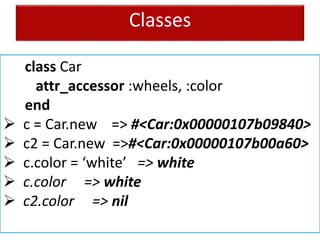
Classes
class Car
attr_accessor :wheels, :color
end
 c = Car.new => #<Car:0x00000107b09840>
 c2 = Car.new =>#<Car:0x00000107b00a60>
 c.color = ‘white’ => white
 c.color => white
 c2.color => nil
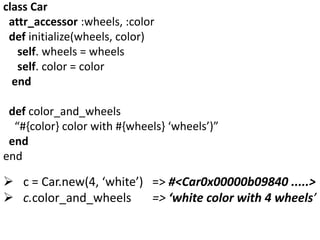
class Car
attr_accessor :wheels, :color
def initialize(wheels, color)
self. wheels = wheels
self. color = color
end
def color_and_wheels
“#{color} color with #{wheels} ‘wheels’)”
end
end
 c = Car.new(4, ‘white’) => #<Car0x00000b09840 .....>
 c.color_and_wheels => ‘white color with 4 wheels’
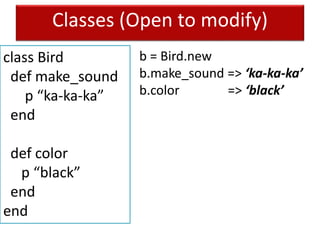
Classes (Open to modify)
class Bird
def make_sound
p “ka-ka-ka”
end
def color
p “black”
end
end
b = Bird.new
b.make_sound => ‘ka-ka-ka’
b.color => ‘black’
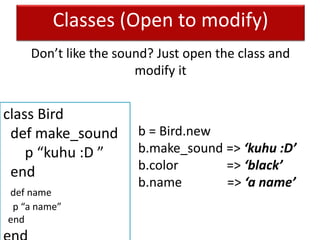
Classes (Open to modify)
class Bird
def make_sound
p “kuhu :D ”
end
def name
p “a name”
end
b = Bird.new
b.make_sound => ‘kuhu :D’
b.color => ‘black’
b.name => ‘a name’
Don’t like the sound? Just open the class and
modify it
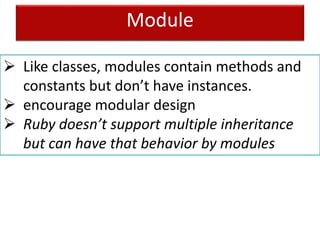
Module
 Like classes, modules contain methods and
constants but don’t have instances.
 encourage modular design
 Ruby doesn’t support multiple inheritance
but can have that behavior by modules
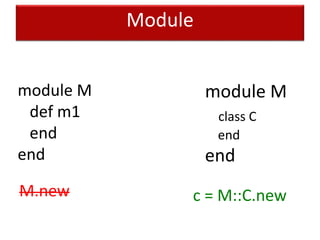
Module
module M
def m1
end
end
module M
class C
end
end
M.new c = M::C.new
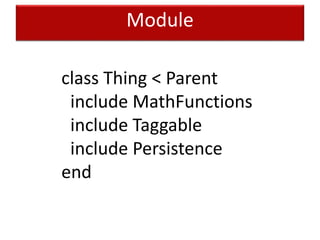
Module
class Thing < Parent
include MathFunctions
include Taggable
include Persistence
end
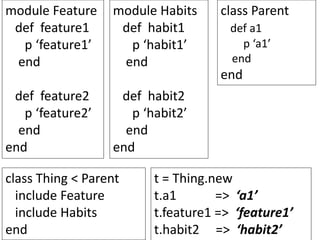
module Feature
def feature1
p ‘feature1’
end
def feature2
p ‘feature2’
end
end
module Habits
def habit1
p ‘habit1’
end
def habit2
p ‘habit2’
end
end
class Parent
def a1
p ‘a1’
end
end
class Thing < Parent
include Feature
include Habits
end
t = Thing.new
t.a1 => ‘a1’
t.feature1 => ‘feature1’
t.habit2 => ‘habit2’
More on Ruby Basics
• http://rubymonk.com/
• http://tryruby.org/
• http://rubykoans.com/
• http://ruby.learncodethehardway.org/
• http://poignant.guide/ (funny!)
Ruby eco system
• RVM/rbenv
• RubyGems
• Bundler
• Git/github
Ruby vs Ruby on Rails(aka Rails)
• Rails is written in the Ruby
• Rails uses many Ruby gems
• Rails is a framework
• Rails is used to build web apps
rubyonrails.org
Editors
• RubyMine
• Sublime Text
• Textmate
• Vim
• Emacs
• Or whatever you like
References:
• https://www.ruby-lang.org/en/
• https://dzone.com/refcardz/essential-ruby
• http://www.jasimabasheer.com/posts/meta_i
ntroduction_to_ruby.html
• http://curriculum.railsbridge.org/docs/

Rubyconf Bangladesh 2017 - Lets start coding in Ruby

  • 1.
  • 3.
  • 4.
  • 5.
    #include <stdio.h> int main(){ printf(“Ilove C!”) /*seriously!!*/ return 0; }
  • 6.
    public class BigBrother{ publicstatic void main(String[] args) { String msg=“Hello!! Here is your big brother” System.out.println(msg); } }
  • 7.
    puts “its reallysimple! ” class RubyClass attr_accessor :v1, :v2 end r = RubyClass.new r.v1 = “test” r.v1 => ‘test’ r.v2 => nil
  • 8.
  • 9.
    Ruby Philosophie “I believepeople want to express themselves when they program. They don’t want to fight with the language. Programming languages must feel natural to programmers. I tried to make people enjoy programming and concentrate on the fun and creative part of programming when they use Ruby.” -- Yukihiro "Matz" Matsumoto, Ruby creator
  • 10.
    Why Ruby? • Itssimple • Easy to write/learn • Truly object oriented • Emphasize programming speed! • Less code, fewer bugs • Open source
  • 11.
    From where tostart?! Installation • Just google with install ruby with rvm/rbenv in <Your OS> • Should be simple as like Ruby 
  • 12.
    From where tostart?! IRB = Interactive Ruby > Irb Or tryruby.org
  • 14.
  • 15.
    Everything is anobject 3.odd? => true “string”.length => 6 [].empty? => true “abc”.methods => [..,..,..]
  • 16.
  • 17.
    It doesn’t mind •if you don’t like ‘;’ at the end • even a method without () • If you want to express in your way • and many more.. Happy Programmer 
  • 20.
    Variables • Any plain,lowercase word • a, my_variable and rubyconf2017 • > a => undefined local variable or method `a` • > a = ‘hello’ => hello • > a => hello • > a = 1 => 1 
  • 21.
    Number • Integers (Fixnum),Float • 1, -3002, 2.3, 1233.1e12 • > 1.class => Fixnum • >1.3.class => Float • >1.3e12.class => Float • >1 + 2 => 3 • >1.4+ 4 => 5.4
  • 22.
    Strings • Anything surroundedby quotes ‘’ or “” • ‘RubyConf 2017’, “Muntasim” • > a = ‘hello’ => hello • > a => hello • > a.upcase => HELLO • > a.upcase.object_id => 2212289940 • > a.object_id => 2212352200 • > a << ‘ world’ => hello world
  • 23.
    Symbols • Start witha colon, look like words • Uses same object reference • Useful for keys • :test, :a • >"test".object_id => 2212252220 • >"test".object_id => 2212236940 • > :test.object_id => 196968 • > :test.object_id => 196968
  • 24.
    Constants • variables, startswith a capital • Foo, Conf_Date • :test, :a  Foo = ‘bar’ => bar  Foo = ‘dum’ =>’dum’ #warning.  if something == Foo #do something end
  • 25.
    Methods def hi puts ‘Hithere!’ end  hi => Hi there! def hello(name) puts “Hello #{name}!” end  hello ‘khoka’ => ‘Hi khoka!’
  • 26.
    Arrays • A listsurrounded by square brackets • [1,2,4] • [‘a’, ‘B’, 1]   a = [1,3,5,’7’, ‘e’] => [1,3,5,’7’, ‘e’]  a[2] => 3  b = [5,6] => [5,6]  a+b => [1,3,5,’7’, ‘e’, 5,6]  ….
  • 27.
    Hashes • A listsurrounded by curly braces • {:a => 2, b: ‘3’}  a = {:a => 2, b: ‘3’} => {:a => 2, b: ‘3’}  a[:a] => 2, a[:b] => ‘3’  a.keys => [:a, :b]  ….
  • 28.
    Classes class Car attr_accessor :wheels,:color end  c = Car.new => #<Car:0x00000107b09840>  c2 = Car.new =>#<Car:0x00000107b00a60>  c.color = ‘white’ => white  c.color => white  c2.color => nil
  • 29.
    class Car attr_accessor :wheels,:color def initialize(wheels, color) self. wheels = wheels self. color = color end def color_and_wheels “#{color} color with #{wheels} ‘wheels’)” end end  c = Car.new(4, ‘white’) => #<Car0x00000b09840 .....>  c.color_and_wheels => ‘white color with 4 wheels’
  • 30.
    Classes (Open tomodify) class Bird def make_sound p “ka-ka-ka” end def color p “black” end end b = Bird.new b.make_sound => ‘ka-ka-ka’ b.color => ‘black’
  • 31.
    Classes (Open tomodify) class Bird def make_sound p “kuhu :D ” end def name p “a name” end b = Bird.new b.make_sound => ‘kuhu :D’ b.color => ‘black’ b.name => ‘a name’ Don’t like the sound? Just open the class and modify it
  • 32.
    Module  Like classes,modules contain methods and constants but don’t have instances.  encourage modular design  Ruby doesn’t support multiple inheritance but can have that behavior by modules
  • 33.
    Module module M def m1 end end moduleM class C end end M.new c = M::C.new
  • 34.
    Module class Thing <Parent include MathFunctions include Taggable include Persistence end
  • 35.
    module Feature def feature1 p‘feature1’ end def feature2 p ‘feature2’ end end module Habits def habit1 p ‘habit1’ end def habit2 p ‘habit2’ end end class Parent def a1 p ‘a1’ end end class Thing < Parent include Feature include Habits end t = Thing.new t.a1 => ‘a1’ t.feature1 => ‘feature1’ t.habit2 => ‘habit2’
  • 36.
    More on RubyBasics • http://rubymonk.com/ • http://tryruby.org/ • http://rubykoans.com/ • http://ruby.learncodethehardway.org/ • http://poignant.guide/ (funny!)
  • 37.
    Ruby eco system •RVM/rbenv • RubyGems • Bundler • Git/github
  • 38.
    Ruby vs Rubyon Rails(aka Rails) • Rails is written in the Ruby • Rails uses many Ruby gems • Rails is a framework • Rails is used to build web apps rubyonrails.org
  • 39.
    Editors • RubyMine • SublimeText • Textmate • Vim • Emacs • Or whatever you like
  • 40.
    References: • https://www.ruby-lang.org/en/ • https://dzone.com/refcardz/essential-ruby •http://www.jasimabasheer.com/posts/meta_i ntroduction_to_ruby.html • http://curriculum.railsbridge.org/docs/

Editor's Notes

  • #12 - deals with objects, not the classes. - If the object has the method, it can call the method
  • #14 - deals with objects, not the classes. - If the object has the method, it can call the method
  • #17 - deals with objects, not the classes. - If the object has the method, it can call the method
  • #21 - deals with objects, not the classes. - If the object has the method, it can call the method
  • #22 - deals with objects, not the classes. - If the object has the method, it can call the method
  • #23 - deals with objects, not the classes. - If the object has the method, it can call the method
  • #24 - deals with objects, not the classes. - If the object has the method, it can call the method
  • #25 - deals with objects, not the classes. - If the object has the method, it can call the method
  • #26 - deals with objects, not the classes. - If the object has the method, it can call the method
  • #27 - deals with objects, not the classes. - If the object has the method, it can call the method
  • #28 - deals with objects, not the classes. - If the object has the method, it can call the method
  • #29 - deals with objects, not the classes. - If the object has the method, it can call the method
  • #31 - deals with objects, not the classes. - If the object has the method, it can call the method
  • #32 - deals with objects, not the classes. - If the object has the method, it can call the method
  • #33 - deals with objects, not the classes. - If the object has the method, it can call the method
  • #34 - deals with objects, not the classes. - If the object has the method, it can call the method
  • #35 - deals with objects, not the classes. - If the object has the method, it can call the method
  • #38 - deals with objects, not the classes. - If the object has the method, it can call the method
  • #39 - deals with objects, not the classes. - If the object has the method, it can call the method
  • #40 - deals with objects, not the classes. - If the object has the method, it can call the method