Basics of RationalBasics of Rational
Performance TesterPerformance Tester
Sindhu.T ( Glowtouch Technologies )
Rational Performance Tester
Long-term Goal
Getting less Response time
Scalability
Reliability
Number of Concurrent Users Required for the System
Acceptable limits of System utilization CPU,
Memory and Network etc.,
Threshold
Features of RPT
 Code-free testing
 Root cause analysis tool
 Real-time reporting
 Test data
 Load Testing
Scripting
How to do Scripting in a Simple
Way
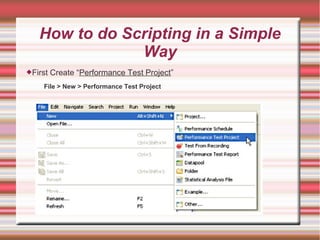
First Create “Performance Test Project”
File > New > Performance Test Project
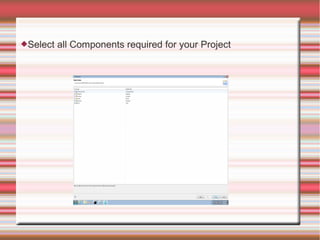
Select all Components required for your Project
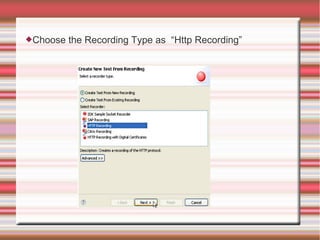
Choose the Recording Type as “Http Recording”
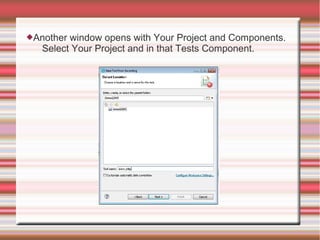
Another window opens with Your Project and Components.
Select Your Project and in that Tests Component.
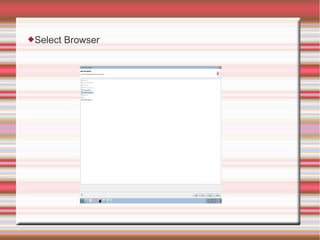
Select Browser
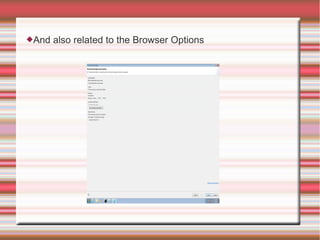
And also related to the Browser Options
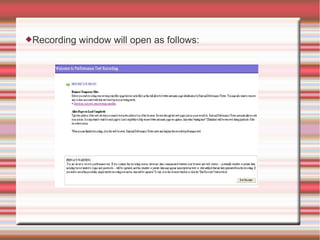
Recording window will open as follows:
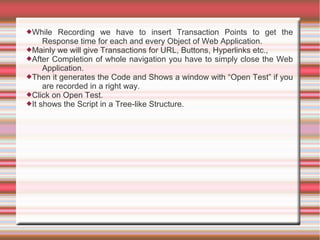
While Recording we have to insert Transaction Points to get the
Response time for each and every Object of Web Application.
Mainly we will give Transactions for URL, Buttons, Hyperlinks etc.,
After Completion of whole navigation you have to simply close the Web
Application.
Then it generates the Code and Shows a window with “Open Test” if you
are recorded in a right way.
Click on Open Test.
It shows the Script in a Tree-like Structure.
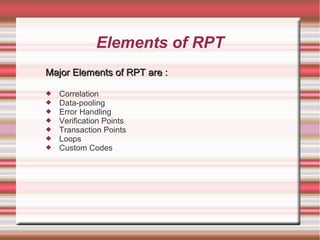
Elements of RPT
Major Elements of RPT are :Major Elements of RPT are :
 Correlation
 Data-pooling
 Error Handling
 Verification Points
 Transaction Points
 Loops
 Custom Codes
What is Correlation?
Correlation is nothing but Handling the Dynamic Data generated by
Server.
We will Correlate the Values like Ids which are unique to each user.
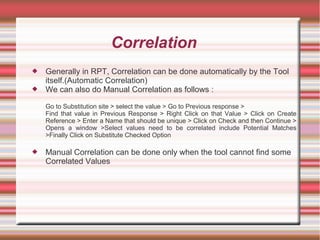
Correlation
 Generally in RPT, Correlation can be done automatically by the Tool
itself.(Automatic Correlation)
 We can also do Manual Correlation as follows :
Go to Substitution site > select the value > Go to Previous response >
Find that value in Previous Response > Right Click on that Value > Click on Create
Reference > Enter a Name that should be unique > Click on Check and then Continue >
Opens a window >Select values need to be correlated include Potential Matches
>Finally Click on Substitute Checked Option
 Manual Correlation can be done only when the tool cannot find some
Correlated Values
What is Datapool?
A Datapool provides variable data during test runs. Rational
Performance Tester scripts use data from when the test was
recorded. By associating a datapool with a test at runtime, you can
substitute the variable data in the datapool for the data in the test.
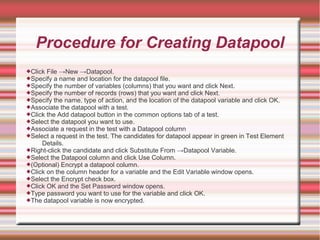
Procedure for Creating Datapool
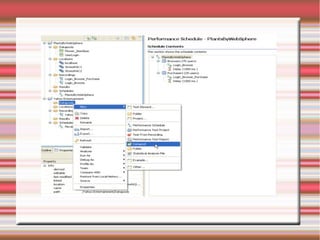
Click File →New →Datapool.
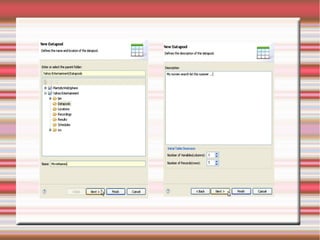
Specify a name and location for the datapool file.
Specify the number of variables (columns) that you want and click Next.
Specify the number of records (rows) that you want and click Next.
Specify the name, type of action, and the location of the datapool variable and click OK.
Associate the datapool with a test.
Click the Add datapool button in the common options tab of a test.
Select the datapool you want to use.
Associate a request in the test with a Datapool column
Select a request in the test. The candidates for datapool appear in green in Test Element
Details.
Right-click the candidate and click Substitute From →Datapool Variable.
Select the Datapool column and click Use Column.
(Optional) Encrypt a datapool column.
Click on the column header for a variable and the Edit Variable window opens.
Select the Encrypt check box.
Click OK and the Set Password window opens.
Type password you want to use for the variable and click OK.
The datapool variable is now encrypted.
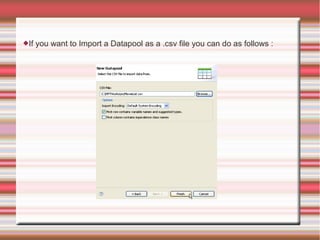
If you want to Import a Datapool as a .csv file you can do as follows :
Verification Points
Verification Points are a way to do the following things:
Detect problems in an application, such as: Does the Web page contain the expected information? Is
this the expected window?
Enforce an Service Level Agreement so that you can verify that each page in the transaction sequence
to multiple pages is correct
The following verification points are included in Test Perspective:
Content Verification Point searches for a specific string on a page.
Page Title Verification Point compares the page title against the recorded title.
Response Code Verification Point compares the HTTP code returned against the recorded code.
Response Size Verification Point compares the page size returned against the recorded size.
Custom is Java™ API available only when custom code is added to a test.
Contain Verification Point verifies the service message return object. The verification passes when the
message return object contains the specified XML data.
Equal Verification Point verifies the service message return object. The verification passes when the
message return object matches the specified XML data.
Query Verification Point verifies the number of nodes that are returned by an XPath query. The
verification passes when the number of nodes that are returned by an XPath query matches the
expected number of nodes specified in the verification point.
Attachment Verification Point verifies the service message return attachment. The verification passes
when the return attachment matches all of the criteria specified in the verification point.
Remember: The last four verification points only apply to Web Services/SOA scripts that are developed
with Rational Performance Tester version 8.0.
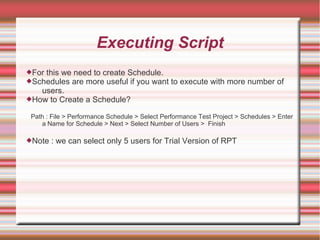
Executing Script
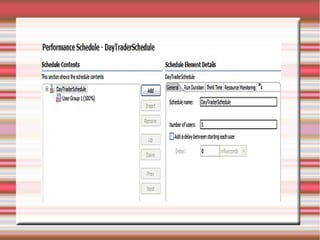
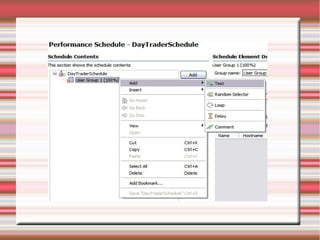
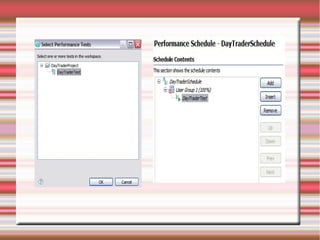
For this we need to create Schedule.
Schedules are more useful if you want to execute with more number of
users.
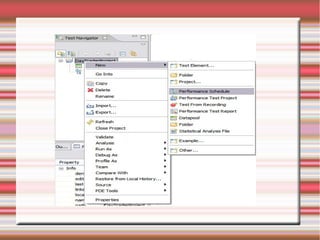
How to Create a Schedule?
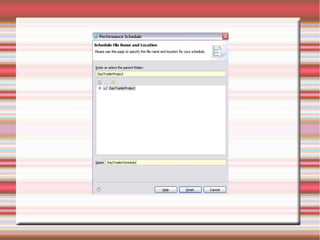
Path : File > Performance Schedule > Select Performance Test Project > Schedules > Enter
a Name for Schedule > Next > Select Number of Users > Finish
Note : we can select only 5 users for Trial Version of RPT
How to Run Script?
Its very Simple to run a Script.
Just save the changes that you have done previously and
Click on “Run”.
Thank YouThank You

Rpt ppt

  • 1.
    Basics of RationalBasicsof Rational Performance TesterPerformance Tester Sindhu.T ( Glowtouch Technologies ) Rational Performance Tester
  • 2.
    Long-term Goal Getting lessResponse time Scalability Reliability Number of Concurrent Users Required for the System Acceptable limits of System utilization CPU, Memory and Network etc., Threshold
  • 3.
    Features of RPT Code-free testing  Root cause analysis tool  Real-time reporting  Test data  Load Testing
  • 4.
  • 5.
    How to doScripting in a Simple Way First Create “Performance Test Project” File > New > Performance Test Project
  • 6.
    Select all Componentsrequired for your Project
  • 7.
    Choose the RecordingType as “Http Recording”
  • 8.
    Another window openswith Your Project and Components. Select Your Project and in that Tests Component.
  • 9.
  • 10.
    And also relatedto the Browser Options
  • 11.
    Recording window willopen as follows:
  • 12.
    While Recording wehave to insert Transaction Points to get the Response time for each and every Object of Web Application. Mainly we will give Transactions for URL, Buttons, Hyperlinks etc., After Completion of whole navigation you have to simply close the Web Application. Then it generates the Code and Shows a window with “Open Test” if you are recorded in a right way. Click on Open Test. It shows the Script in a Tree-like Structure.
  • 13.
    Elements of RPT MajorElements of RPT are :Major Elements of RPT are :  Correlation  Data-pooling  Error Handling  Verification Points  Transaction Points  Loops  Custom Codes
  • 14.
    What is Correlation? Correlationis nothing but Handling the Dynamic Data generated by Server. We will Correlate the Values like Ids which are unique to each user.
  • 15.
    Correlation  Generally inRPT, Correlation can be done automatically by the Tool itself.(Automatic Correlation)  We can also do Manual Correlation as follows : Go to Substitution site > select the value > Go to Previous response > Find that value in Previous Response > Right Click on that Value > Click on Create Reference > Enter a Name that should be unique > Click on Check and then Continue > Opens a window >Select values need to be correlated include Potential Matches >Finally Click on Substitute Checked Option  Manual Correlation can be done only when the tool cannot find some Correlated Values
  • 16.
    What is Datapool? ADatapool provides variable data during test runs. Rational Performance Tester scripts use data from when the test was recorded. By associating a datapool with a test at runtime, you can substitute the variable data in the datapool for the data in the test.
  • 17.
    Procedure for CreatingDatapool Click File →New →Datapool. Specify a name and location for the datapool file. Specify the number of variables (columns) that you want and click Next. Specify the number of records (rows) that you want and click Next. Specify the name, type of action, and the location of the datapool variable and click OK. Associate the datapool with a test. Click the Add datapool button in the common options tab of a test. Select the datapool you want to use. Associate a request in the test with a Datapool column Select a request in the test. The candidates for datapool appear in green in Test Element Details. Right-click the candidate and click Substitute From →Datapool Variable. Select the Datapool column and click Use Column. (Optional) Encrypt a datapool column. Click on the column header for a variable and the Edit Variable window opens. Select the Encrypt check box. Click OK and the Set Password window opens. Type password you want to use for the variable and click OK. The datapool variable is now encrypted.
  • 20.
    If you wantto Import a Datapool as a .csv file you can do as follows :
  • 21.
    Verification Points Verification Pointsare a way to do the following things: Detect problems in an application, such as: Does the Web page contain the expected information? Is this the expected window? Enforce an Service Level Agreement so that you can verify that each page in the transaction sequence to multiple pages is correct The following verification points are included in Test Perspective: Content Verification Point searches for a specific string on a page. Page Title Verification Point compares the page title against the recorded title. Response Code Verification Point compares the HTTP code returned against the recorded code. Response Size Verification Point compares the page size returned against the recorded size. Custom is Java™ API available only when custom code is added to a test. Contain Verification Point verifies the service message return object. The verification passes when the message return object contains the specified XML data. Equal Verification Point verifies the service message return object. The verification passes when the message return object matches the specified XML data. Query Verification Point verifies the number of nodes that are returned by an XPath query. The verification passes when the number of nodes that are returned by an XPath query matches the expected number of nodes specified in the verification point. Attachment Verification Point verifies the service message return attachment. The verification passes when the return attachment matches all of the criteria specified in the verification point. Remember: The last four verification points only apply to Web Services/SOA scripts that are developed with Rational Performance Tester version 8.0.
  • 22.
    Executing Script For thiswe need to create Schedule. Schedules are more useful if you want to execute with more number of users. How to Create a Schedule? Path : File > Performance Schedule > Select Performance Test Project > Schedules > Enter a Name for Schedule > Next > Select Number of Users > Finish Note : we can select only 5 users for Trial Version of RPT
  • 28.
    How to RunScript? Its very Simple to run a Script. Just save the changes that you have done previously and Click on “Run”.
  • 29.