1© 2015 The MathWorks, Inc.
Using MATLAB and Simulink for Robot
Simulation and Implementation
Yanliang Zhang (Ph.D.)
Robotics Product and Industry Manager
Yanliang.Zhang@mathworks.com
RoboUniverse, 5/11/2015
2
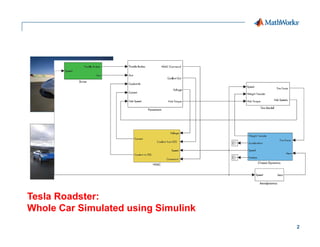
Tesla Roadster:
Whole Car Simulated using Simulink
3
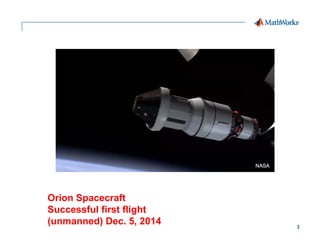
Orion Spacecraft
Successful first flight
(unmanned) Dec. 5, 2014
4
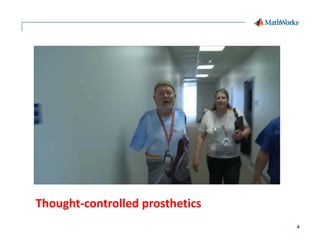
Thought‐controlled prosthetics
5
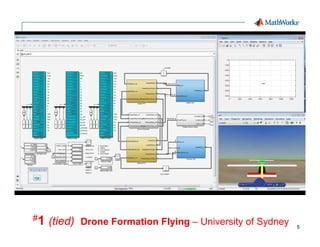
#1 (tied) Drone Formation Flying – University of Sydney
6
Smart Emergency Response System
7
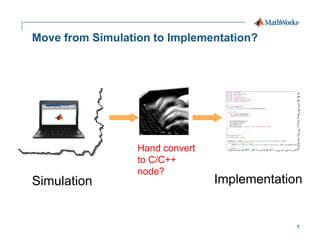
Move from Simulation to Implementation?
Hand convert
to C/C++
node?
Simulation Implementation
8
Demos…
1. Airplane Wing Landing Gear Control
2. Design and Test Robotics Algorithms Robots or
Simulators with MATLAB
3. Design and Test Robotics Algorithms Robots or
Simulators with Simulink
9
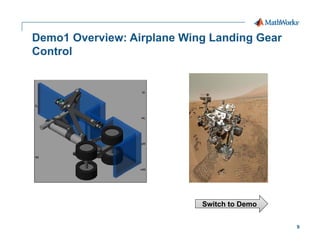
Demo1 Overview: Airplane Wing Landing Gear
Control
Switch to Demo
10
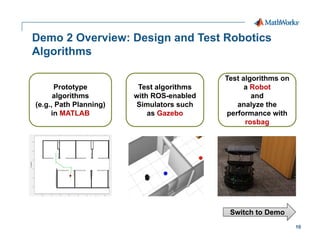
Demo 2 Overview: Design and Test Robotics
Algorithms
Prototype
algorithms
(e.g., Path Planning)
in MATLAB
Test algorithms
with ROS-enabled
Simulators such
as Gazebo
Test algorithms on
a Robot
and
analyze the
performance with
rosbag
Switch to Demo
11
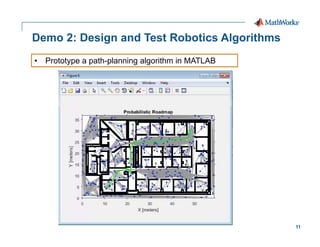
Demo 2: Design and Test Robotics Algorithms
• Prototype a path-planning algorithm in MATLAB
12
Demo 2: Design and Test Robotics Algorithms
• Test it with Gazebo through MATLAB-ROS Interface
13
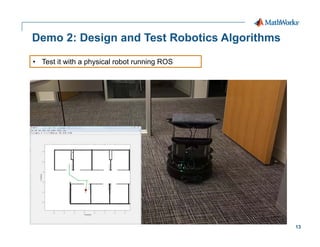
Demo 2: Design and Test Robotics Algorithms
• Test it with a physical robot running ROS
14
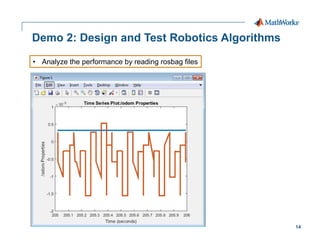
Demo 2: Design and Test Robotics Algorithms
• Analyze the performance by reading rosbag files
15
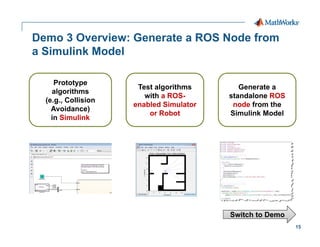
Demo 3 Overview: Generate a ROS Node from
a Simulink Model
Prototype
algorithms
(e.g., Collision
Avoidance)
in Simulink
Test algorithms
with a ROS-
enabled Simulator
or Robot
Generate a
standalone ROS
node from the
Simulink Model
Switch to Demo
16
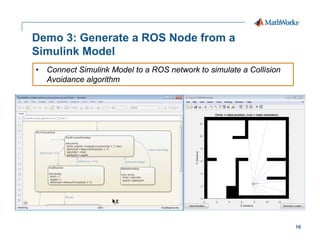
Demo 3: Generate a ROS Node from a
Simulink Model
• Connect Simulink Model to a ROS network to simulate a Collision
Avoidance algorithm
17
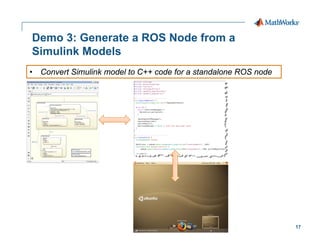
Demo 3: Generate a ROS Node from a
Simulink Models
• Convert Simulink model to C++ code for a standalone ROS node
18
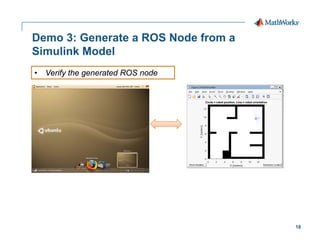
Demo 3: Generate a ROS Node from a
Simulink Model
• Verify the generated ROS node
19
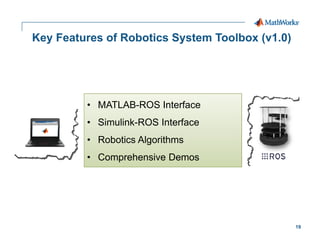
Key Features of Robotics System Toolbox (v1.0)
• MATLAB-ROS Interface
• Simulink-ROS Interface
• Robotics Algorithms
• Comprehensive Demos
20
Key Takeaways
 Robot simulation is important
 Moving from simulation to implementation is easy,
especially if you use MATLAB/Simulink
 MathWorks new launched Robotics System Toolbox
has seamless integration between MATLAB/Simulink
and ROS and Gazebo
21
Thank You…
Yanliang Zhang (Ph.D.)
Robotics Product and Industry Manager
Yanliang.Zhang@mathworks.com

Robot Simulation

  • 1.
    1© 2015 TheMathWorks, Inc. Using MATLAB and Simulink for Robot Simulation and Implementation Yanliang Zhang (Ph.D.) Robotics Product and Industry Manager Yanliang.Zhang@mathworks.com RoboUniverse, 5/11/2015
  • 2.
    2 Tesla Roadster: Whole CarSimulated using Simulink
  • 3.
    3 Orion Spacecraft Successful firstflight (unmanned) Dec. 5, 2014
  • 4.
  • 5.
    5 #1 (tied) DroneFormation Flying – University of Sydney
  • 6.
  • 7.
    7 Move from Simulationto Implementation? Hand convert to C/C++ node? Simulation Implementation
  • 8.
    8 Demos… 1. Airplane WingLanding Gear Control 2. Design and Test Robotics Algorithms Robots or Simulators with MATLAB 3. Design and Test Robotics Algorithms Robots or Simulators with Simulink
  • 9.
    9 Demo1 Overview: AirplaneWing Landing Gear Control Switch to Demo
  • 10.
    10 Demo 2 Overview:Design and Test Robotics Algorithms Prototype algorithms (e.g., Path Planning) in MATLAB Test algorithms with ROS-enabled Simulators such as Gazebo Test algorithms on a Robot and analyze the performance with rosbag Switch to Demo
  • 11.
    11 Demo 2: Designand Test Robotics Algorithms • Prototype a path-planning algorithm in MATLAB
  • 12.
    12 Demo 2: Designand Test Robotics Algorithms • Test it with Gazebo through MATLAB-ROS Interface
  • 13.
    13 Demo 2: Designand Test Robotics Algorithms • Test it with a physical robot running ROS
  • 14.
    14 Demo 2: Designand Test Robotics Algorithms • Analyze the performance by reading rosbag files
  • 15.
    15 Demo 3 Overview:Generate a ROS Node from a Simulink Model Prototype algorithms (e.g., Collision Avoidance) in Simulink Test algorithms with a ROS- enabled Simulator or Robot Generate a standalone ROS node from the Simulink Model Switch to Demo
  • 16.
    16 Demo 3: Generatea ROS Node from a Simulink Model • Connect Simulink Model to a ROS network to simulate a Collision Avoidance algorithm
  • 17.
    17 Demo 3: Generatea ROS Node from a Simulink Models • Convert Simulink model to C++ code for a standalone ROS node
  • 18.
    18 Demo 3: Generatea ROS Node from a Simulink Model • Verify the generated ROS node
  • 19.
    19 Key Features ofRobotics System Toolbox (v1.0) • MATLAB-ROS Interface • Simulink-ROS Interface • Robotics Algorithms • Comprehensive Demos
  • 20.
    20 Key Takeaways  Robotsimulation is important  Moving from simulation to implementation is easy, especially if you use MATLAB/Simulink  MathWorks new launched Robotics System Toolbox has seamless integration between MATLAB/Simulink and ROS and Gazebo
  • 21.
    21 Thank You… Yanliang Zhang(Ph.D.) Robotics Product and Industry Manager Yanliang.Zhang@mathworks.com