© 2009 IBM Corporation
SLI04
RESTful Work Items:
Opening up Collaborative ALM
Mik Kersten
CEO, Tasktop Technologies
mik@tasktop.com
SLI04
© 2009 IBM Corporation
Steve Speicher
CM Architect, IBM Rational
sspeiche@us.ibm.com
IBM Rational Software Conference 2009
SLI04
For the next 60 minutes…
Problem space
ALM and Change Management at IBM
The case for open services
Demos…Showtime!
Leveraging open services with Mylyn
Current state of OSLC CM
IBM Rational Software Conference 2009
SLI04
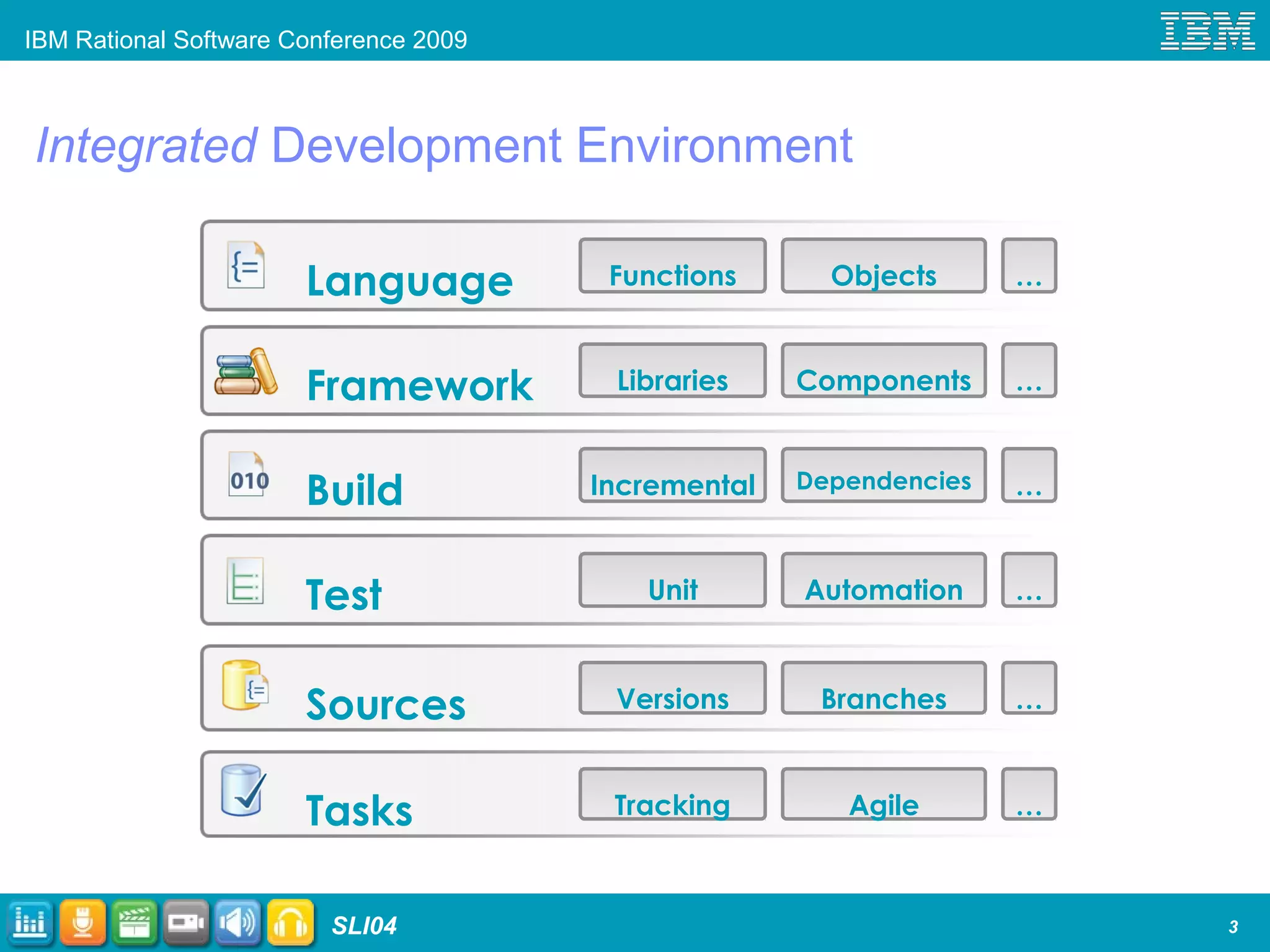
Integrated Development Environment
3
Language Functions
Framework
Test
Build
Objects
Libraries Components
Incremental Dependencies
Unit Automation
…
…
…
…
Sources Versions Branches …
Tasks Tracking Agile …
IBM Rational Software Conference 2009
SLI04
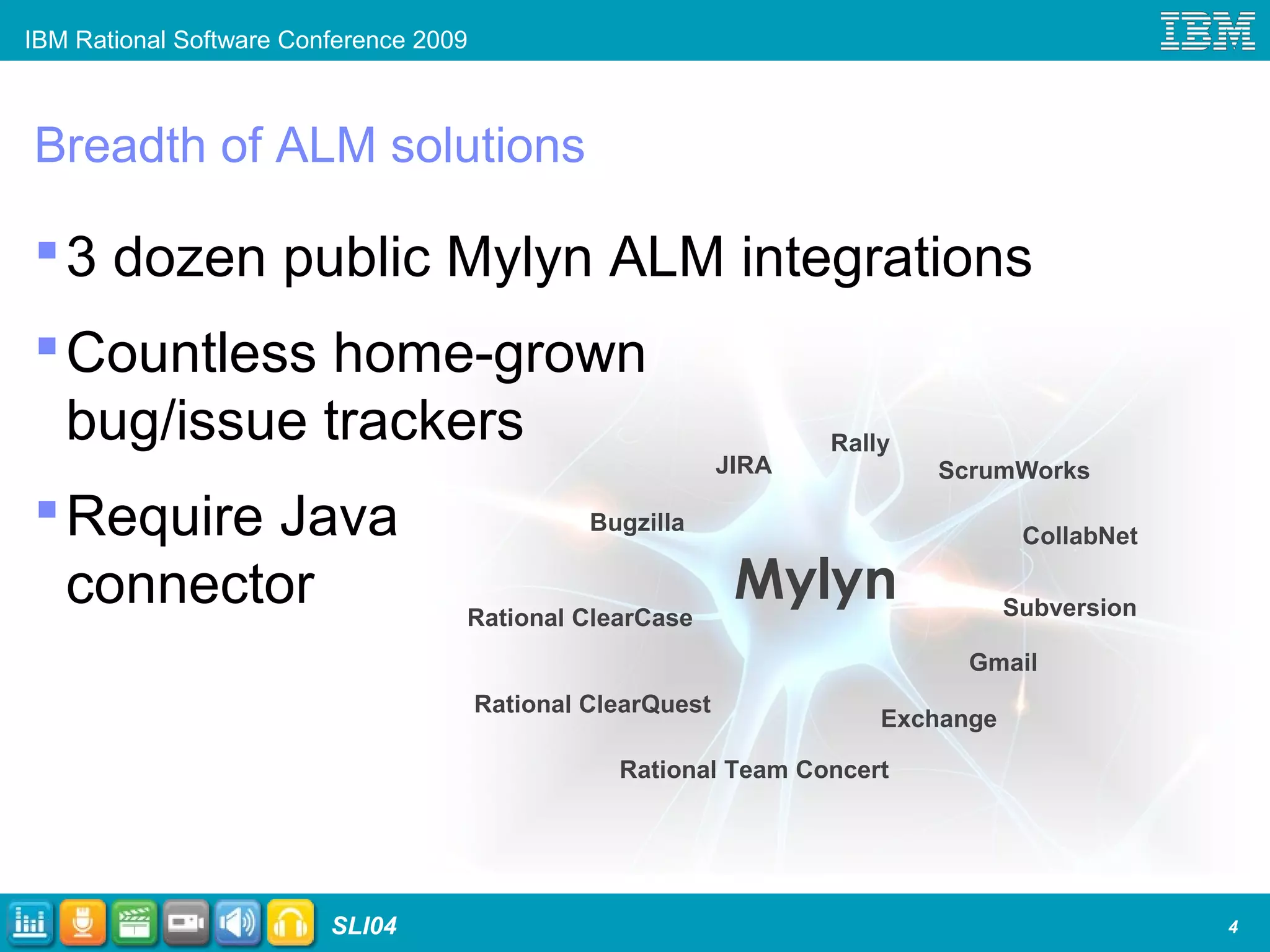
Breadth of ALM solutions
3 dozen public Mylyn ALM integrations
Countless home-grown
bug/issue trackers
Require Java
connector
4
Mylyn
Bugzilla
JIRA
Subversion
Exchange
Rally
ScrumWorks
Gmail
Rational ClearQuest
Rational ClearCase
Rational Team Concert
CollabNet
IBM Rational Software Conference 2009
SLI04
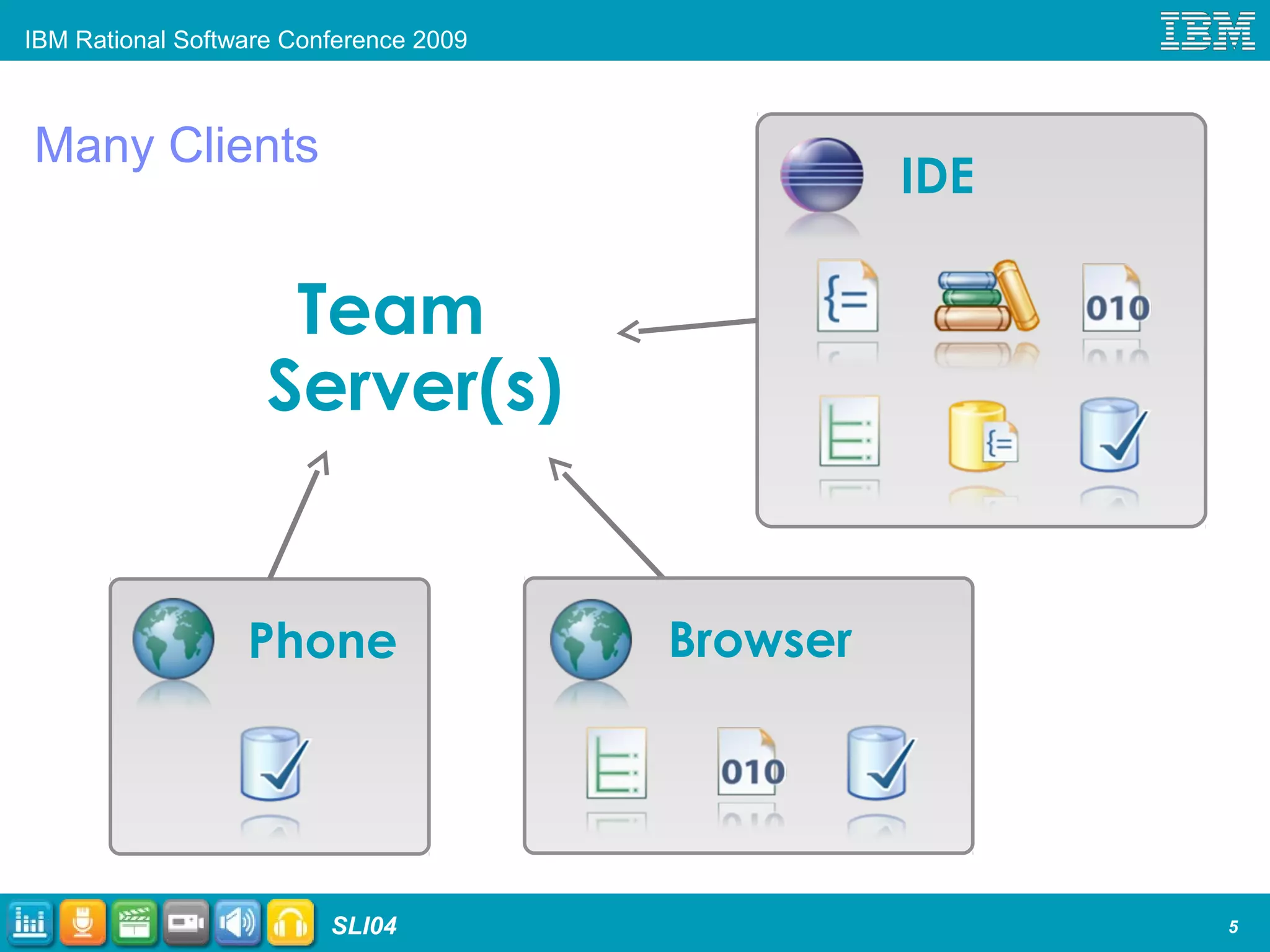
Many Clients
5
IDE
BrowserPhone
Team
Server(s)
IBM Rational Software Conference 2009
SLI04
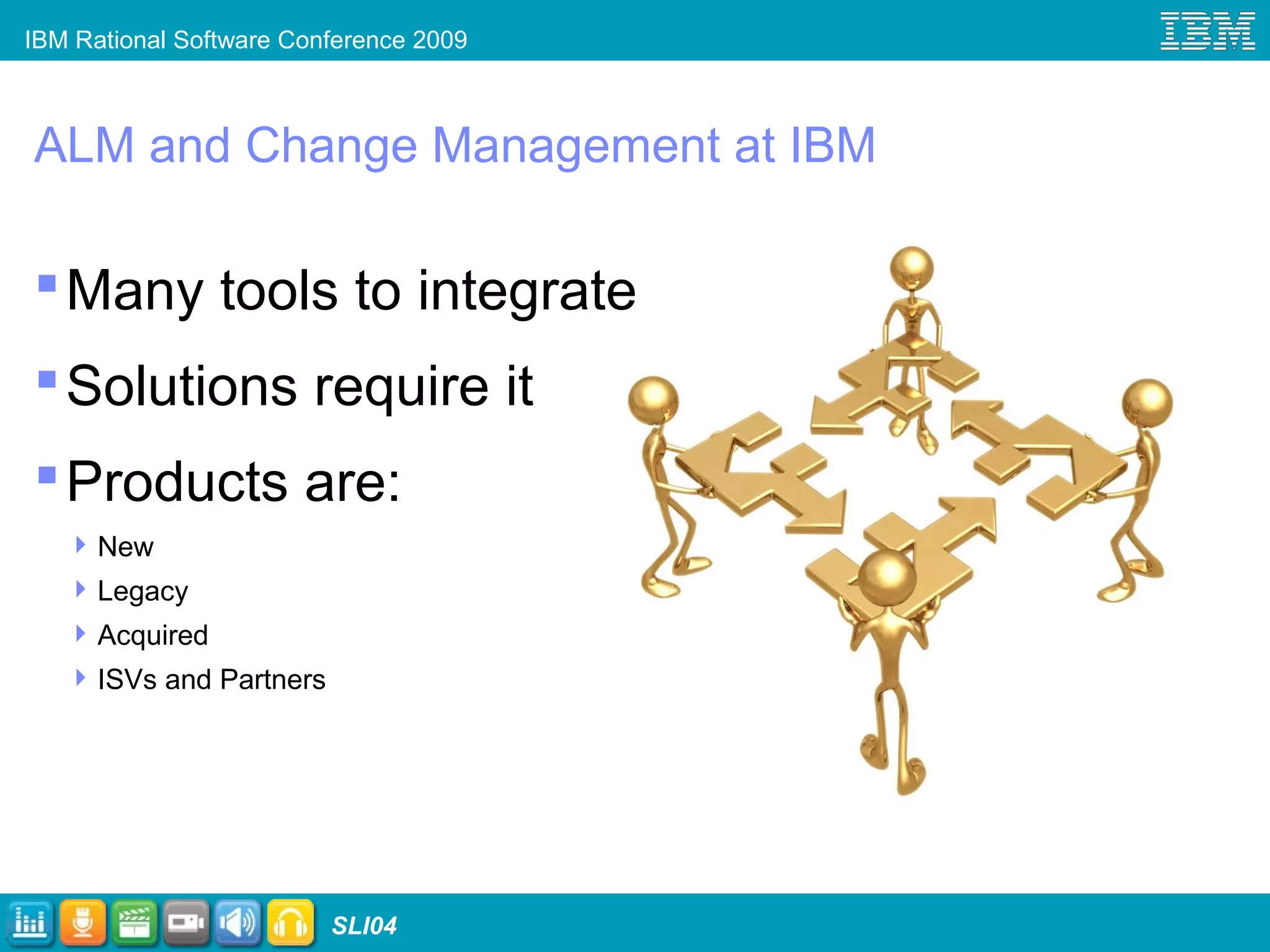
ALM and Change Management at IBM
Many tools to integrate
Solutions require it
Products are:
New
Legacy
Acquired
ISVs and Partners
IBM Rational Software Conference 2009
SLI04
ALM Solution Pain Points
Integrations built for
point-to-point products
Products can’t be
updated independently
Differing (incompatible)
models
IBM Rational Software Conference 2009
SLI04
Tasktop case for open services
Tremendous interest a Mylyn connector for
ClearQuest
Each one-off WS API comes with a burden
Legacy ALM tools are not going away soon
Need for a common, REST based API
URL-addressable resources, loose coupling
Ecipse/Mylyn support for generic functionality
IBM Rational Software Conference 2009
SLI04
…and then there became OSLC
Open Services for Lifecycle Collaboration
Introduced at RSDC 2008
Open community contribution
Scenario driven...a minimalist approach
Divided into focus areas
Change Management  Focus of this talk
Quality Management, Estimation & Measurement, Requirements Management, …
Solving integration in the open
IBM Rational Software Conference 2009
SLI04
OSLC Architectural Drivers
Working with RESTful architectural principles
(the Web seems to scale ok)
Leverage existing
standards:
XML, HTTP, Dublin Core
Keep the barrier to
entry for existing
products low
IBM Rational Software Conference 2009
SLI04
Current state of OSLC Change Management
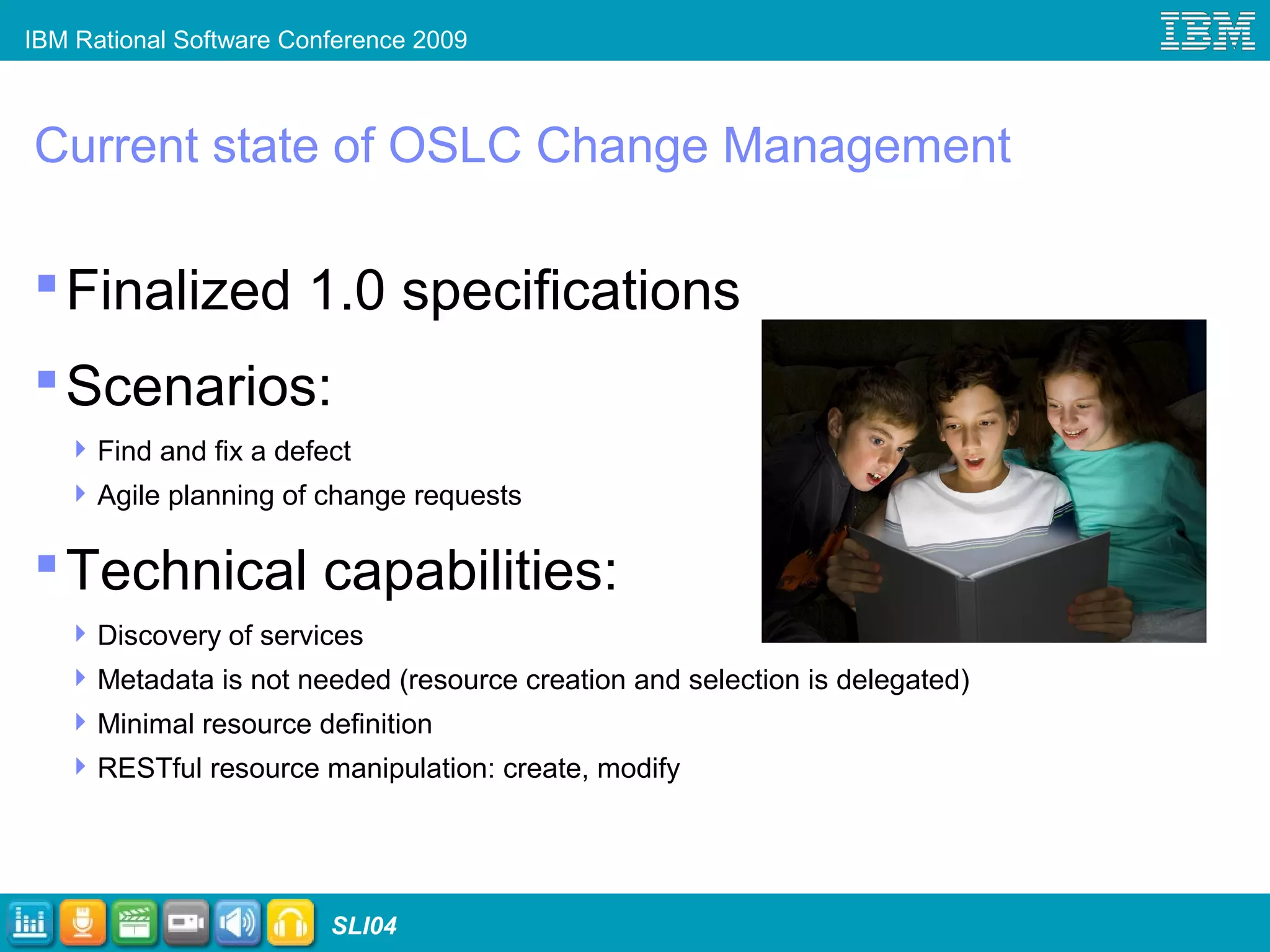
Finalized 1.0 specifications
Scenarios:
Find and fix a defect
Agile planning of change requests
Technical capabilities:
Discovery of services
Metadata is not needed (resource creation and selection is delegated)
Minimal resource definition
RESTful resource manipulation: create, modify
IBM Rational Software Conference 2009
SLI04 12
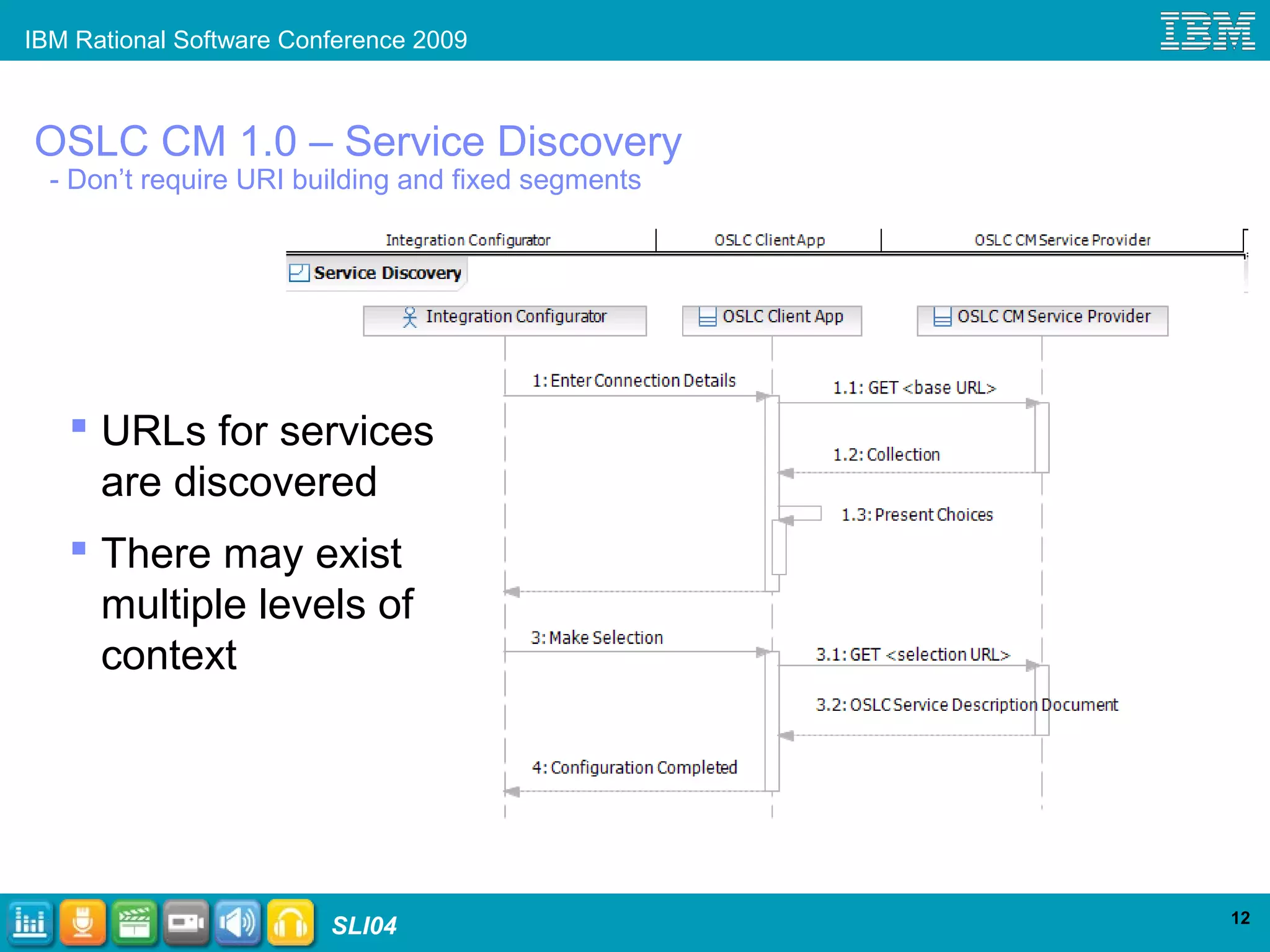
OSLC CM 1.0 – Service Discovery
- Don’t require URI building and fixed segments
 URLs for services
are discovered
 There may exist
multiple levels of
context
IBM Rational Software Conference 2009
SLI04 13
OSLC CM 1.0 – Delegation
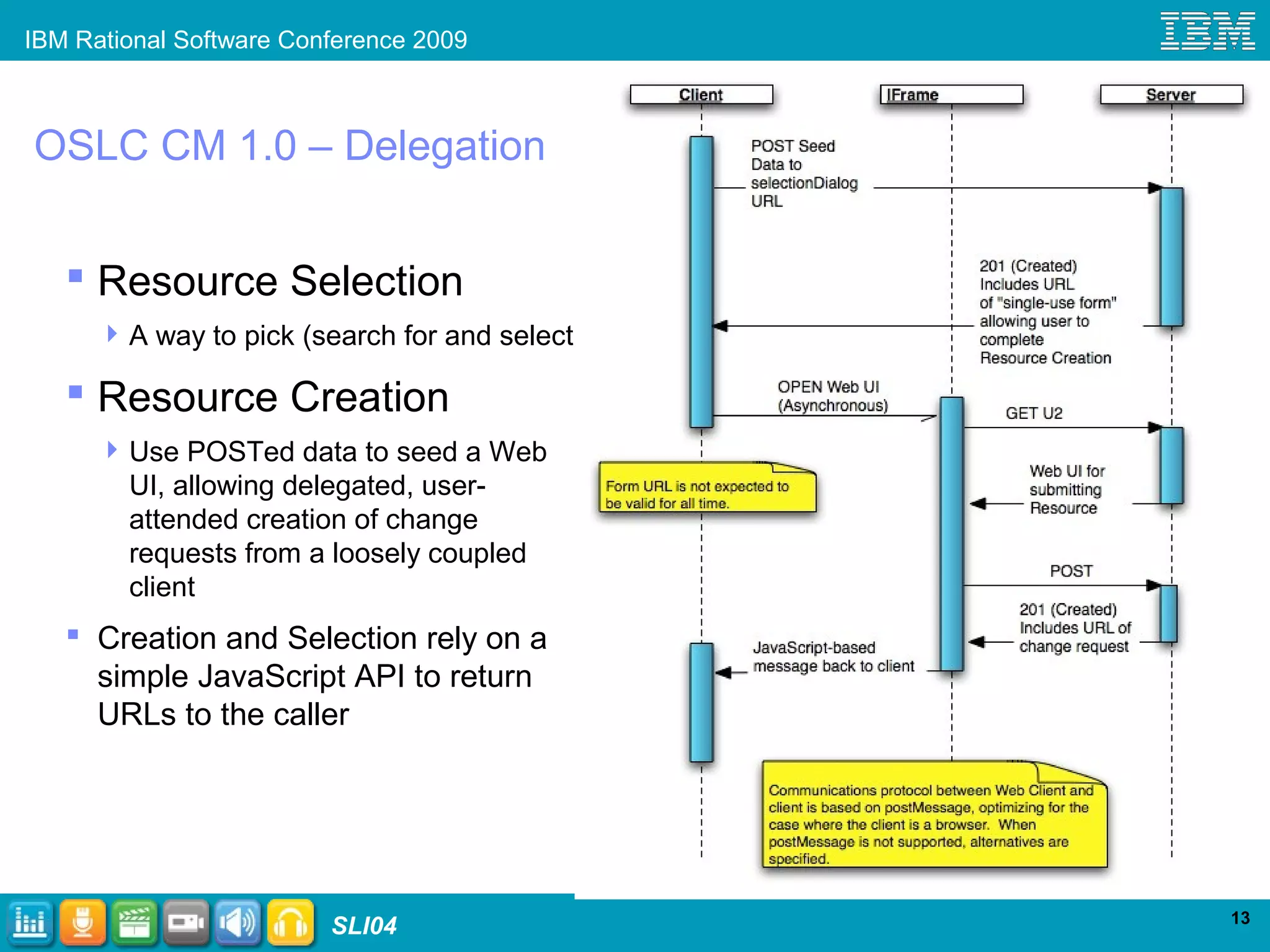
 Resource Selection
A way to pick (search for and select)
 Resource Creation
Use POSTed data to seed a Web
UI, allowing delegated, user-
attended creation of change
requests from a loosely coupled
client
 Creation and Selection rely on a
simple JavaScript API to return
URLs to the caller
IBM Rational Software Conference 2009
SLI04
Powered by
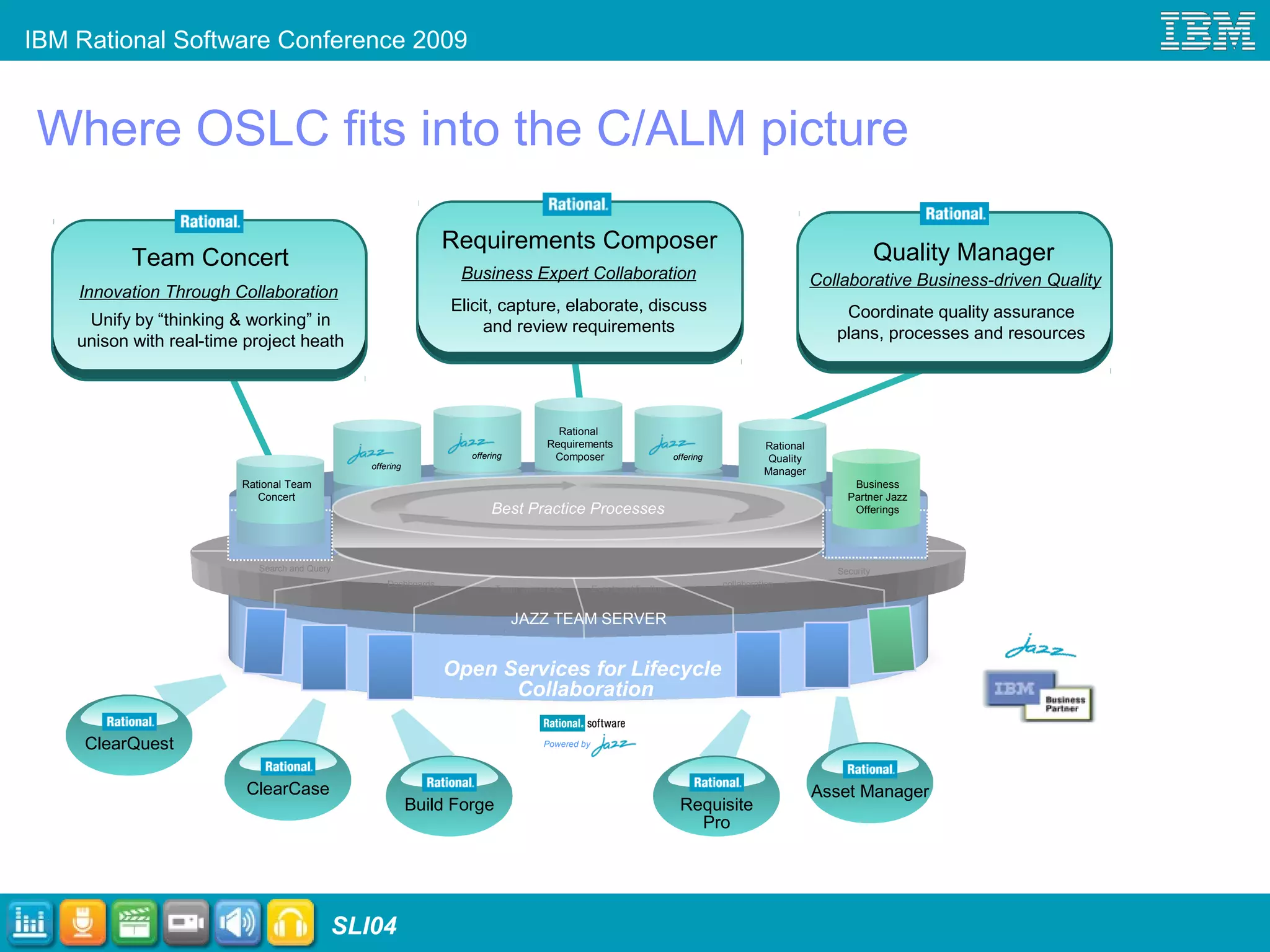
Where OSLC fits into the C/ALM picture
Business Expert Collaboration
Elicit, capture, elaborate, discuss
and review requirements
Requirements Composer
Open Services for Lifecycle
Collaboration
JAZZ TEAM SERVER
Best Practice Processes
Search and Query
collaboration
Team awareness Events notification
Security
Dashboards
Rational
Requirements
Composer
Collaborative Business-driven Quality
Quality Manager
Coordinate quality assurance
plans, processes and resources
Team Concert
Innovation Through Collaboration
Unify by “thinking & working” in
unison with real-time project heath
Rational
Quality
Manager
Rational Team
Concert
offering
offering offering
Business
Partner Jazz
Offerings
ClearQuest
ClearCase
Build Forge
Asset Manager
Requisite
Pro
IBM Rational Software Conference 2009
SLI04 15
IBM Rational Software Conference 2009
SLI04
OSLC - Interoperability in Heterogeneous Landscape
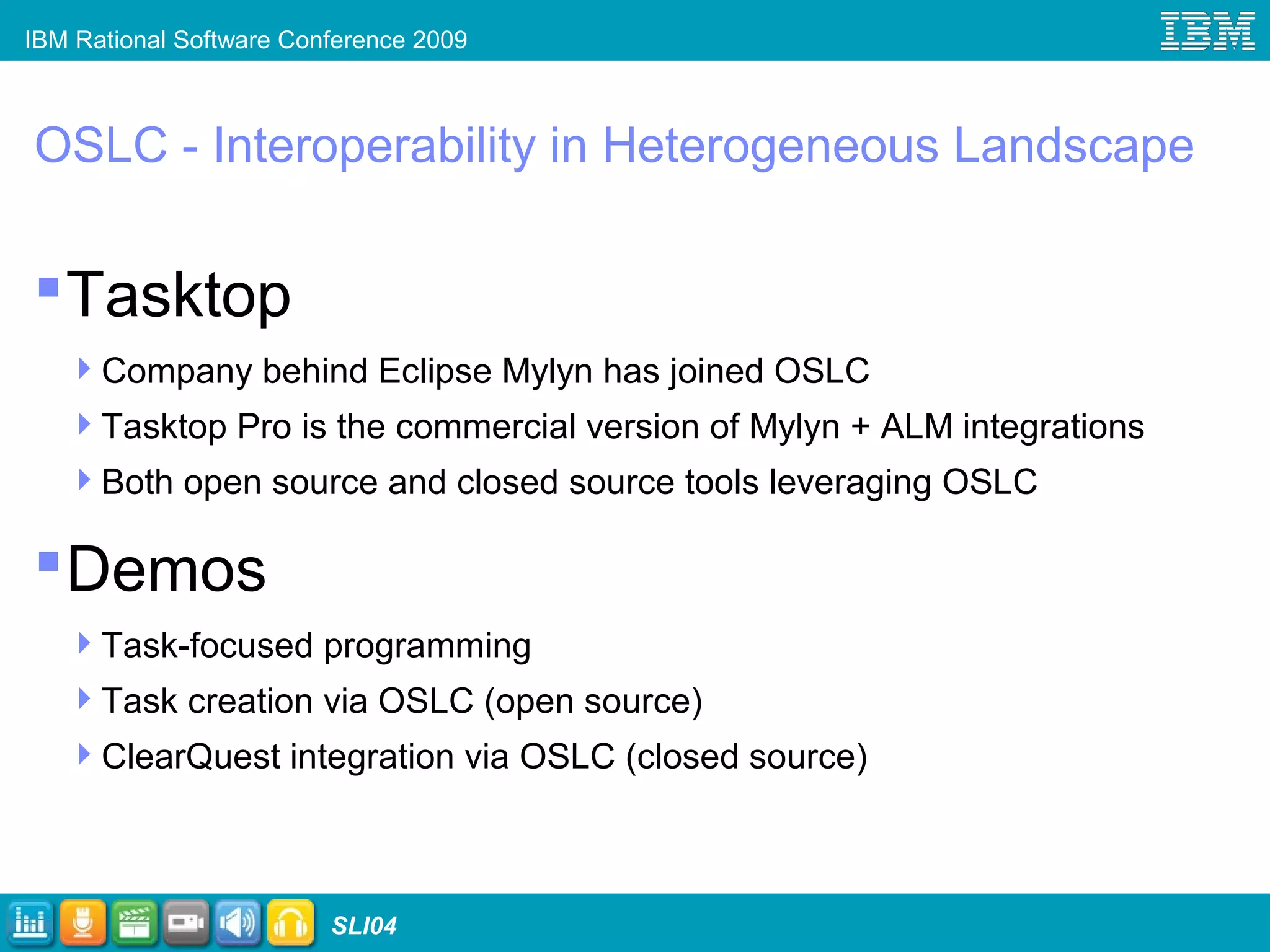
Tasktop
Company behind Eclipse Mylyn has joined OSLC
Tasktop Pro is the commercial version of Mylyn + ALM integrations
Both open source and closed source tools leveraging OSLC
Demos
Task-focused programming
Task creation via OSLC (open source)
ClearQuest integration via OSLC (closed source)
IBM Rational Software Conference 2009
SLI04
Task Creation Demo
IBM Rational Software Conference 2009
SLI04
Tasktop experiences participating in OSLC
OSLC solves a business problem for us
Process is open and participative
IP policies enable both our OSS
implementation and commercial extension
Lightweight & RESTful are a good way to go
Approach will affect the ALM landscape
We’re not done yet, need repository shape...
19
IBM Rational Software Conference 2009
SLI04
What’s next for OSLC Change Management
Progression with 2.0 specifications
Scenarios:
Aggregation of tasks in IDE tool
Monitoring project health
Technical capabilities:
Providing metadata about resources (schema)
Handling attachments to change requests
Seamless interaction with state models
IBM Rational Software Conference 2009
SLI04
Conclusion and Roadmap
What to expect
Evolving specifications with more adoption
Keep a look-out at http://www.open-services.net
Getting the tools
Visit Exhibit Hall and Rational Labs
Also see
SLI11 “ALM Integration in a Web 2.0 World” - Wednesday, June 3, 11:15
Visit Exhibit Hall and Rational Labs for demos and product information
Get Rational ClearQuest – Tasktop Beta http://tasktop.com
IBM Rational Software Conference 2009
SLI04 22
IBM Rational Software Conference 2009
SLI04 23
© Copyright IBM Corporation 2009. All rights reserved. The information contained in these materials is provided for informational purposes only, and is provided AS IS without warranty of any kind,
express or implied. IBM shall not be responsible for any damages arising out of the use of, or otherwise related to, these materials. Nothing contained in these materials is intended to, nor shall have
the effect of, creating any warranties or representations from IBM or its suppliers or licensors, or altering the terms and conditions of the applicable license agreement governing the use of IBM
software. References in these materials to IBM products, programs, or services do not imply that they will be available in all countries in which IBM operates. Product release dates and/or capabilities
referenced in these materials may change at any time at IBM’s sole discretion based on market opportunities or other factors, and are not intended to be a commitment to future product or feature
availability in any way. IBM, the IBM logo, Rational, the Rational logo, Telelogic, the Telelogic logo, and other IBM products and services are trademarks of the International Business Machines
Corporation, in the United States, other countries or both. Other company, product, or service names may be trademarks or service marks of others.

RESTful Work Items: Opening up Collaborative ALM (Rational Software Conference 2009)

  • 1.
    © 2009 IBMCorporation SLI04 RESTful Work Items: Opening up Collaborative ALM Mik Kersten CEO, Tasktop Technologies mik@tasktop.com SLI04 © 2009 IBM Corporation Steve Speicher CM Architect, IBM Rational sspeiche@us.ibm.com
  • 2.
    IBM Rational SoftwareConference 2009 SLI04 For the next 60 minutes… Problem space ALM and Change Management at IBM The case for open services Demos…Showtime! Leveraging open services with Mylyn Current state of OSLC CM
  • 3.
    IBM Rational SoftwareConference 2009 SLI04 Integrated Development Environment 3 Language Functions Framework Test Build Objects Libraries Components Incremental Dependencies Unit Automation … … … … Sources Versions Branches … Tasks Tracking Agile …
  • 4.
    IBM Rational SoftwareConference 2009 SLI04 Breadth of ALM solutions 3 dozen public Mylyn ALM integrations Countless home-grown bug/issue trackers Require Java connector 4 Mylyn Bugzilla JIRA Subversion Exchange Rally ScrumWorks Gmail Rational ClearQuest Rational ClearCase Rational Team Concert CollabNet
  • 5.
    IBM Rational SoftwareConference 2009 SLI04 Many Clients 5 IDE BrowserPhone Team Server(s)
  • 6.
    IBM Rational SoftwareConference 2009 SLI04 ALM and Change Management at IBM Many tools to integrate Solutions require it Products are: New Legacy Acquired ISVs and Partners
  • 7.
    IBM Rational SoftwareConference 2009 SLI04 ALM Solution Pain Points Integrations built for point-to-point products Products can’t be updated independently Differing (incompatible) models
  • 8.
    IBM Rational SoftwareConference 2009 SLI04 Tasktop case for open services Tremendous interest a Mylyn connector for ClearQuest Each one-off WS API comes with a burden Legacy ALM tools are not going away soon Need for a common, REST based API URL-addressable resources, loose coupling Ecipse/Mylyn support for generic functionality
  • 9.
    IBM Rational SoftwareConference 2009 SLI04 …and then there became OSLC Open Services for Lifecycle Collaboration Introduced at RSDC 2008 Open community contribution Scenario driven...a minimalist approach Divided into focus areas Change Management  Focus of this talk Quality Management, Estimation & Measurement, Requirements Management, … Solving integration in the open
  • 10.
    IBM Rational SoftwareConference 2009 SLI04 OSLC Architectural Drivers Working with RESTful architectural principles (the Web seems to scale ok) Leverage existing standards: XML, HTTP, Dublin Core Keep the barrier to entry for existing products low
  • 11.
    IBM Rational SoftwareConference 2009 SLI04 Current state of OSLC Change Management Finalized 1.0 specifications Scenarios: Find and fix a defect Agile planning of change requests Technical capabilities: Discovery of services Metadata is not needed (resource creation and selection is delegated) Minimal resource definition RESTful resource manipulation: create, modify
  • 12.
    IBM Rational SoftwareConference 2009 SLI04 12 OSLC CM 1.0 – Service Discovery - Don’t require URI building and fixed segments  URLs for services are discovered  There may exist multiple levels of context
  • 13.
    IBM Rational SoftwareConference 2009 SLI04 13 OSLC CM 1.0 – Delegation  Resource Selection A way to pick (search for and select)  Resource Creation Use POSTed data to seed a Web UI, allowing delegated, user- attended creation of change requests from a loosely coupled client  Creation and Selection rely on a simple JavaScript API to return URLs to the caller
  • 14.
    IBM Rational SoftwareConference 2009 SLI04 Powered by Where OSLC fits into the C/ALM picture Business Expert Collaboration Elicit, capture, elaborate, discuss and review requirements Requirements Composer Open Services for Lifecycle Collaboration JAZZ TEAM SERVER Best Practice Processes Search and Query collaboration Team awareness Events notification Security Dashboards Rational Requirements Composer Collaborative Business-driven Quality Quality Manager Coordinate quality assurance plans, processes and resources Team Concert Innovation Through Collaboration Unify by “thinking & working” in unison with real-time project heath Rational Quality Manager Rational Team Concert offering offering offering Business Partner Jazz Offerings ClearQuest ClearCase Build Forge Asset Manager Requisite Pro
  • 15.
    IBM Rational SoftwareConference 2009 SLI04 15
  • 16.
    IBM Rational SoftwareConference 2009 SLI04 OSLC - Interoperability in Heterogeneous Landscape Tasktop Company behind Eclipse Mylyn has joined OSLC Tasktop Pro is the commercial version of Mylyn + ALM integrations Both open source and closed source tools leveraging OSLC Demos Task-focused programming Task creation via OSLC (open source) ClearQuest integration via OSLC (closed source)
  • 17.
    IBM Rational SoftwareConference 2009 SLI04 Task Creation Demo
  • 18.
    IBM Rational SoftwareConference 2009 SLI04 Tasktop experiences participating in OSLC OSLC solves a business problem for us Process is open and participative IP policies enable both our OSS implementation and commercial extension Lightweight & RESTful are a good way to go Approach will affect the ALM landscape We’re not done yet, need repository shape... 19
  • 19.
    IBM Rational SoftwareConference 2009 SLI04 What’s next for OSLC Change Management Progression with 2.0 specifications Scenarios: Aggregation of tasks in IDE tool Monitoring project health Technical capabilities: Providing metadata about resources (schema) Handling attachments to change requests Seamless interaction with state models
  • 20.
    IBM Rational SoftwareConference 2009 SLI04 Conclusion and Roadmap What to expect Evolving specifications with more adoption Keep a look-out at http://www.open-services.net Getting the tools Visit Exhibit Hall and Rational Labs Also see SLI11 “ALM Integration in a Web 2.0 World” - Wednesday, June 3, 11:15 Visit Exhibit Hall and Rational Labs for demos and product information Get Rational ClearQuest – Tasktop Beta http://tasktop.com
  • 21.
    IBM Rational SoftwareConference 2009 SLI04 22
  • 22.
    IBM Rational SoftwareConference 2009 SLI04 23 © Copyright IBM Corporation 2009. All rights reserved. The information contained in these materials is provided for informational purposes only, and is provided AS IS without warranty of any kind, express or implied. IBM shall not be responsible for any damages arising out of the use of, or otherwise related to, these materials. Nothing contained in these materials is intended to, nor shall have the effect of, creating any warranties or representations from IBM or its suppliers or licensors, or altering the terms and conditions of the applicable license agreement governing the use of IBM software. References in these materials to IBM products, programs, or services do not imply that they will be available in all countries in which IBM operates. Product release dates and/or capabilities referenced in these materials may change at any time at IBM’s sole discretion based on market opportunities or other factors, and are not intended to be a commitment to future product or feature availability in any way. IBM, the IBM logo, Rational, the Rational logo, Telelogic, the Telelogic logo, and other IBM products and services are trademarks of the International Business Machines Corporation, in the United States, other countries or both. Other company, product, or service names may be trademarks or service marks of others.

Editor's Notes

  • #2 xAuthor Notes: This is the standard session track template for IBM Rational Software Conference 2009 Additional IBM presentation resource links available on W3: Rational Core Messaging Slideshttps://w3-03.ibm.com/software/marketing/markwh01.nsf/AllObjects/rt_mtb_cms/$file/RationalBrand_CoreSlides.ppt?OpenElement Rational Image Libraryhttps://w3-03.ibm.com/software/marketing/markwh01.nsf/AllObjects/rt_rsil/$file/Rational_Image+Library.ppt?OpenElement PowerPoint Best Practices Presentationhttps://w3-03.ibm.com/software/marketing/markwh01.nsf/AllObjects/rt_mtb_rpbp/$file/PowerPoint_BestPractices.ppt?OpenElement
  • #3 OSLC – Open Services for Lifecycle Collaboration CM – Change Management
  • #4 Mik – 10 minutes Talk about experiences within Eclipse Rational Quality Manager
  • #6 Problems: Many uses don’t require tight coupling to the client (e.g., report a defect) Server side developers need to write Java clients Standardize on the WS API to keep things sane via REST Version-to-version exact matching, have to be deployed to all clients Eliminate need for point-to-point integrations
  • #7 Steve – 10 mins Main focus on integrating Rational tools with each other and also what we’ve seen with customer’s integrating in their own environments New – based on modern tech – Web 2.0, Java, eclipse Legacy – increased cost to integrate Acquired – need to rapidly integrate ISVs and Partners – enabling an ecosystem and costs involved
  • #8 Steve – 10 mins Discusses pain points as reported by Rational customers Differing models: data storage, security, linking, etc.
  • #9 Mik – 1 min And now Steve will give you some background on OSLC and how it’s solving these problems
  • #10 Steve – 5 min Scenarios supported: Find and fix a defect Agile planning of change requests
  • #11 Steve – 5 min JFS : Jazz Foundation Services (which extend OSLC services)
  • #12 Steve – 10 min Adding experiences in OSLC
  • #15 Steve Key points: Jazz Team Server-based products provide an implementation of OSLC services Non-Jazz based products can also implement these OSLC services and plug into the ALM hub
  • #16 Optional IBM Rational “Demo” Breaker Slide
  • #17 This .pot file has been created in PowerPoint 2003 and is a Design Template to provide a standard “format” for presentations. Depending on how the source file was formatted, some slides will not ideally reformat once the template is applied. Therefore, some reformatting will be necessary. Reapply slide layouts: Task Pane / Slide Layout Can be applied thru normal or slide sorter view May have to reapply the layouts more than once in order to take effect Limit altering slide layout attributes on your slide (fonts, positioning, text box anchoring, positioning, etc.), this will create less reformatting rework when switching templates in the future or repurposing this slide in other presentations. Use “shift returns” if text wraps are needed to wrap around imagery. If slide layout customization is needed, it’s advised to break the customized text box from the slide layout by selecting the bounding box of the altered text box and cutting it from the slide, apply either the title slide layout or the blank layout, and then paste the text box back onto the slide. Your custom-formatting of the text layout will then be retained for future repurposing in other presentations. Recolor graphics if needed by using the embedded color palette swatches already in this template. Slide text: Don’t create long sentences or paragraphs on slides. Use concise bulleted list format. Use speaker notes for supporting bulleted content to avoid slides that are too text heavy. Use sentence case capitalization for presentation titles, slide titles, category labels and bullets: Format / Change Case / Sentence Case. Initial capitalization is limited to our products and offerings. When referring to our products, use the correct full name, (e.g., IBM Rational ClearCase). See “IBM Rational A-Z Product List” on the Rational brand All-in-One-page for reference: http://w3-103.ibm.com/software/xl/portal/!ut/p/_s.7_0_A/7_0_IP?type=doc&srcID=R9&docID=R106605Y95736W79 Avoid using cartoon like clip-art, use photo-art instead. See “Managing the Brand/Brand Identity Resources” on Rational Marketing Central’s W3 site for a list of image libraries: https://w3-03.ibm.com/software/marketing/marksite.nsf/AllMarketingPages/Brand-Rational-rt_rtb?opendocument?opendocument Close each presentation with the “Rational ThankYou Slide” located at: “Managing the Brand/Brand Identity Resources” on Rational Marketing Central’s W3 page: https://w3-03.ibm.com/software/marketing/marksite.nsf/AllMarketingPages/Brand-Rational-rt_rtb?opendocument?opendocument
  • #18 This .pot file has been created in PowerPoint 2003 and is a Design Template to provide a standard “format” for presentations. Depending on how the source file was formatted, some slides will not ideally reformat once the template is applied. Therefore, some reformatting will be necessary. Reapply slide layouts: Task Pane / Slide Layout Can be applied thru normal or slide sorter view May have to reapply the layouts more than once in order to take effect Limit altering slide layout attributes on your slide (fonts, positioning, text box anchoring, positioning, etc.), this will create less reformatting rework when switching templates in the future or repurposing this slide in other presentations. Use “shift returns” if text wraps are needed to wrap around imagery. If slide layout customization is needed, it’s advised to break the customized text box from the slide layout by selecting the bounding box of the altered text box and cutting it from the slide, apply either the title slide layout or the blank layout, and then paste the text box back onto the slide. Your custom-formatting of the text layout will then be retained for future repurposing in other presentations. Recolor graphics if needed by using the embedded color palette swatches already in this template. Slide text: Don’t create long sentences or paragraphs on slides. Use concise bulleted list format. Use speaker notes for supporting bulleted content to avoid slides that are too text heavy. Use sentence case capitalization for presentation titles, slide titles, category labels and bullets: Format / Change Case / Sentence Case. Initial capitalization is limited to our products and offerings. When referring to our products, use the correct full name, (e.g., IBM Rational ClearCase). See “IBM Rational A-Z Product List” on the Rational brand All-in-One-page for reference: http://w3-103.ibm.com/software/xl/portal/!ut/p/_s.7_0_A/7_0_IP?type=doc&srcID=R9&docID=R106605Y95736W79 Avoid using cartoon like clip-art, use photo-art instead. See “Managing the Brand/Brand Identity Resources” on Rational Marketing Central’s W3 site for a list of image libraries: https://w3-03.ibm.com/software/marketing/marksite.nsf/AllMarketingPages/Brand-Rational-rt_rtb?opendocument?opendocument Close each presentation with the “Rational ThankYou Slide” located at: “Managing the Brand/Brand Identity Resources” on Rational Marketing Central’s W3 page: https://w3-03.ibm.com/software/marketing/marksite.nsf/AllMarketingPages/Brand-Rational-rt_rtb?opendocument?opendocument
  • #19 This .pot file has been created in PowerPoint 2003 and is a Design Template to provide a standard “format” for presentations. Depending on how the source file was formatted, some slides will not ideally reformat once the template is applied. Therefore, some reformatting will be necessary. Reapply slide layouts: Task Pane / Slide Layout Can be applied thru normal or slide sorter view May have to reapply the layouts more than once in order to take effect Limit altering slide layout attributes on your slide (fonts, positioning, text box anchoring, positioning, etc.), this will create less reformatting rework when switching templates in the future or repurposing this slide in other presentations. Use “shift returns” if text wraps are needed to wrap around imagery. If slide layout customization is needed, it’s advised to break the customized text box from the slide layout by selecting the bounding box of the altered text box and cutting it from the slide, apply either the title slide layout or the blank layout, and then paste the text box back onto the slide. Your custom-formatting of the text layout will then be retained for future repurposing in other presentations. Recolor graphics if needed by using the embedded color palette swatches already in this template. Slide text: Don’t create long sentences or paragraphs on slides. Use concise bulleted list format. Use speaker notes for supporting bulleted content to avoid slides that are too text heavy. Use sentence case capitalization for presentation titles, slide titles, category labels and bullets: Format / Change Case / Sentence Case. Initial capitalization is limited to our products and offerings. When referring to our products, use the correct full name, (e.g., IBM Rational ClearCase). See “IBM Rational A-Z Product List” on the Rational brand All-in-One-page for reference: http://w3-103.ibm.com/software/xl/portal/!ut/p/_s.7_0_A/7_0_IP?type=doc&srcID=R9&docID=R106605Y95736W79 Avoid using cartoon like clip-art, use photo-art instead. See “Managing the Brand/Brand Identity Resources” on Rational Marketing Central’s W3 site for a list of image libraries: https://w3-03.ibm.com/software/marketing/marksite.nsf/AllMarketingPages/Brand-Rational-rt_rtb?opendocument?opendocument Close each presentation with the “Rational ThankYou Slide” located at: “Managing the Brand/Brand Identity Resources” on Rational Marketing Central’s W3 page: https://w3-03.ibm.com/software/marketing/marksite.nsf/AllMarketingPages/Brand-Rational-rt_rtb?opendocument?opendocument
  • #21 Steve – 10 mins
  • #22 Both – 5 mins
  • #23 Optional IBM Rational “Questions” Breaker Slide
  • #24 Mandatory IBM Rational standard closing slide to be included in all external presentations. Learn more links: IBM Rational software: www.ibm.com/software/rational Rational launch announcements: www.ibm.com/software/rational/announce/ Rational Software Delivery Platform: www.ibm.com/software/info/developer Accelerate change and delivery: www.ibm.com/software/rational/offerings/scm.html Deliver enduring quality: www.ibm.com/software/rational/offerings/testing.html Enable enterprise modernization: www.ibm.com/software/info/developer/solutions/em/index.jsp Ensure Web site security and compliance: www.ibm.com/software/rational/offerings/websecurity/ Improve project success: www.ibm.com/software/rational/offerings/lifecycle.html Manage architecture: www.ibm.com/software/rational/offerings/design.html Manage evolving requirements: www.ibm.com/software/rational/offerings/irm/ Small and midsized business: www.ibm.com/software/rational/smb/ Targeted solutions: www.ibm.com/software/info/developer/solutions/index.jsp Rational trial downloads: www.ibm.com/developerworks/rational/downloads Leading Innovation Web site: www.ibm.com/software/rational/leadership developerWorks Rational: www.ibm.com/developerworks/rational IBM Rational TV: www.ibm.com/software/info/television/index.jsp?cat=rational&media=video&item=en_us/rational/xml/M259765N40519Z80.xml IBM Rational Business Partners: www.ibm.com/partnerworld/pwhome.nsf/weblook/index.html IBM Rational Case Studies: www.ibm.com/software/success/cssdb.nsf/topstoriesFM?OpenForm&Site=rational