Speaker Profile
Tricia Sinclair
• D365 Solution Consultant for eBECS (DXC)
• Working in IT industry 10 + Years
• Lover of D365 and cupcakes
@tassyja
triciasinclair.com
Agenda
 Azure DevOps Overview
 Requirement Gathering Options
 Analysing Requirements
 Tracking Requirements
 Useful Tools and Extensions
What is Azure DevOps
“DevOps is the union of people, process and
technology to enable continuous delivery of
value to customers” –Microsoft
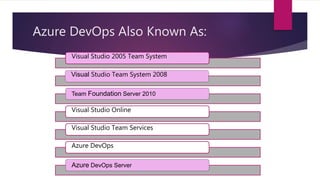
Azure DevOps Also Known As:
Visual Studio 2005 Team System
Visual Studio Team System 2008
Team Foundation Server 2010
Visual Studio Online
Visual Studio Team Services
Azure DevOps
Azure DevOps Server
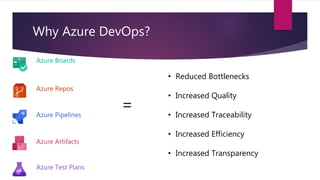
• Reduced Bottlenecks
• Increased Quality
• Increased Traceability
• Increased Efficiency
• Increased Transparency
Why Azure DevOps?
Azure Boards
Azure Repos
Azure Pipelines
Azure Test Plans
Azure Artifacts
=
• Resistance to Change
• Knowledge Gaps
• Unclear ROI
• Big Brother Effect
Azure DevOps: Typical Adoption Challenges
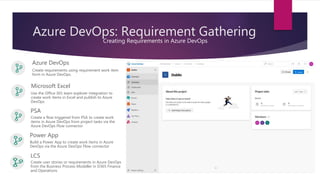
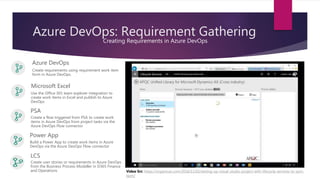
Azure DevOps: Requirement Gathering
Creating Requirements in Azure DevOps
Azure DevOps
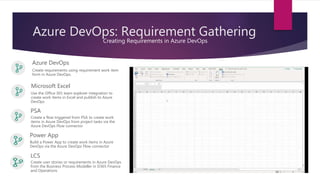
Microsoft Excel
PSA
Power App
Create requirements using requirement work item
form in Azure DevOps.
Use the Office 365 team explorer integration to
create work items in Excel and publish to Azure
DevOps
Build a Power App to create work items in Azure
DevOps via the Azure DevOps Flow connector
Create a flow triggered from PSA to create work
items in Azure DevOps from project tasks via the
Azure DevOps Flow connector
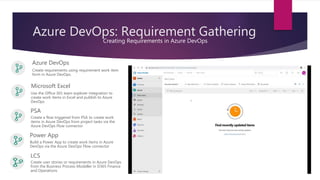
LCS
Create user stories or requirements in Azure DevOps
from the Business Process Modeller in D365 Finance
and Operations
Azure DevOps: Requirement Gathering
Creating Requirements in Azure DevOps
Azure DevOps
Microsoft Excel
PSA
Power App
Create requirements using requirement work item
form in Azure DevOps.
Use the Office 365 team explorer integration to
create work items in Excel and publish to Azure
DevOps
Build a Power App to create work items in Azure
DevOps via the Azure DevOps Flow connector
Create a flow triggered from PSA to create work
items in Azure DevOps from project tasks via the
Azure DevOps Flow connector
LCS
Create user stories or requirements in Azure DevOps
from the Business Process Modeller in D365 Finance
and Operations
Azure DevOps: Requirement Gathering
Creating Requirements in Azure DevOps
Azure DevOps
Microsoft Excel
PSA
Power App
Create requirements using requirement work item
form in Azure DevOps.
Use the Office 365 team explorer integration to
create work items in Excel and publish to Azure
DevOps
Build a Power App to create work items in Azure
DevOps via the Azure DevOps Flow connector
Create a flow triggered from PSA to create work
items in Azure DevOps from project tasks via the
Azure DevOps Flow connector
LCS
Create user stories or requirements in Azure DevOps
from the Business Process Modeller in D365 Finance
and Operations
Azure DevOps: Requirement Gathering
Creating Requirements in Azure DevOps
Azure DevOps
Microsoft Excel
PSA
Power App
Create requirements using requirement work item
form in Azure DevOps.
Use the Office 365 team explorer integration to
create work items in Excel and publish to Azure
DevOps
Build a Power App to create work items in Azure
DevOps via the Azure DevOps Flow connector
Create a flow triggered from PSA to create work
items in Azure DevOps from project tasks via the
Azure DevOps Flow connector
LCS
Create user stories or requirements in Azure DevOps
from the Business Process Modeller in D365 Finance
and Operations Video Src: https://organicax.com/2016/11/02/setting-up-visual-studio-project-with-lifecycle-services-to-sync-
bpm/
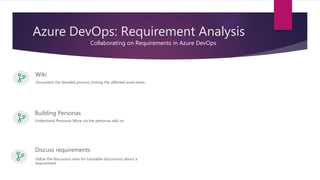
Azure DevOps: Requirement Analysis
Collaborating on Requirements in Azure DevOps
Wiki
Document the detailed process, linking the affected work items
Building Personas
Understand Personas More via the personas add on
Discuss requirements
Utilise the discussion area for traceable discussions about a
requirement
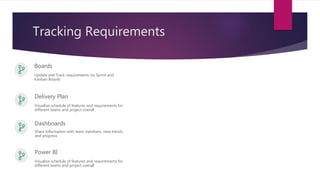
Tracking Requirements
Boards
Update and Track requirements via Sprint and
Kanban Boards
Delivery Plan
Visualise schedule of features and requirements for
different teams and project overall
Dashboards
Share Information with team members, view trends
and progress
Power BI
Visualise schedule of features and requirements for
different teams and project overall
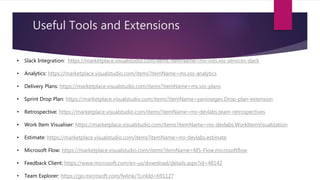
Useful Tools and Extensions
• Slack Integration: https://marketplace.visualstudio.com/items?itemName=ms-vsts.vss-services-slack
• Analytics: https://marketplace.visualstudio.com/items?itemName=ms.vss-analytics
• Delivery Plans: https://marketplace.visualstudio.com/items?itemName=ms.vss-plans
• Sprint Drop Plan: https://marketplace.visualstudio.com/items?itemName=yanivsegev.Drop-plan-extension
• Retrospective: https://marketplace.visualstudio.com/items?itemName=ms-devlabs.team-retrospectives
• Work Item Visualiser: https://marketplace.visualstudio.com/items?itemName=ms-devlabs.WorkItemVisualization
• Estimate: https://marketplace.visualstudio.com/items?itemName=ms-devlabs.estimate
• Microsoft Flow: https://marketplace.visualstudio.com/items?itemName=MS-Flow.microsoftflow
• Feedback Client: https://www.microsoft.com/en-us/download/details.aspx?id=48142
• Team Explorer: https://go.microsoft.com/fwlink/?LinkId=691127
Questions?
Requirement Gathering in Azure DevOps

Requirement Gathering in Azure DevOps

  • 2.
    Speaker Profile Tricia Sinclair •D365 Solution Consultant for eBECS (DXC) • Working in IT industry 10 + Years • Lover of D365 and cupcakes @tassyja triciasinclair.com
  • 3.
    Agenda  Azure DevOpsOverview  Requirement Gathering Options  Analysing Requirements  Tracking Requirements  Useful Tools and Extensions
  • 4.
    What is AzureDevOps “DevOps is the union of people, process and technology to enable continuous delivery of value to customers” –Microsoft
  • 5.
    Azure DevOps AlsoKnown As: Visual Studio 2005 Team System Visual Studio Team System 2008 Team Foundation Server 2010 Visual Studio Online Visual Studio Team Services Azure DevOps Azure DevOps Server
  • 6.
    • Reduced Bottlenecks •Increased Quality • Increased Traceability • Increased Efficiency • Increased Transparency Why Azure DevOps? Azure Boards Azure Repos Azure Pipelines Azure Test Plans Azure Artifacts =
  • 7.
    • Resistance toChange • Knowledge Gaps • Unclear ROI • Big Brother Effect Azure DevOps: Typical Adoption Challenges
  • 8.
    Azure DevOps: RequirementGathering Creating Requirements in Azure DevOps Azure DevOps Microsoft Excel PSA Power App Create requirements using requirement work item form in Azure DevOps. Use the Office 365 team explorer integration to create work items in Excel and publish to Azure DevOps Build a Power App to create work items in Azure DevOps via the Azure DevOps Flow connector Create a flow triggered from PSA to create work items in Azure DevOps from project tasks via the Azure DevOps Flow connector LCS Create user stories or requirements in Azure DevOps from the Business Process Modeller in D365 Finance and Operations
  • 9.
    Azure DevOps: RequirementGathering Creating Requirements in Azure DevOps Azure DevOps Microsoft Excel PSA Power App Create requirements using requirement work item form in Azure DevOps. Use the Office 365 team explorer integration to create work items in Excel and publish to Azure DevOps Build a Power App to create work items in Azure DevOps via the Azure DevOps Flow connector Create a flow triggered from PSA to create work items in Azure DevOps from project tasks via the Azure DevOps Flow connector LCS Create user stories or requirements in Azure DevOps from the Business Process Modeller in D365 Finance and Operations
  • 10.
    Azure DevOps: RequirementGathering Creating Requirements in Azure DevOps Azure DevOps Microsoft Excel PSA Power App Create requirements using requirement work item form in Azure DevOps. Use the Office 365 team explorer integration to create work items in Excel and publish to Azure DevOps Build a Power App to create work items in Azure DevOps via the Azure DevOps Flow connector Create a flow triggered from PSA to create work items in Azure DevOps from project tasks via the Azure DevOps Flow connector LCS Create user stories or requirements in Azure DevOps from the Business Process Modeller in D365 Finance and Operations
  • 11.
    Azure DevOps: RequirementGathering Creating Requirements in Azure DevOps Azure DevOps Microsoft Excel PSA Power App Create requirements using requirement work item form in Azure DevOps. Use the Office 365 team explorer integration to create work items in Excel and publish to Azure DevOps Build a Power App to create work items in Azure DevOps via the Azure DevOps Flow connector Create a flow triggered from PSA to create work items in Azure DevOps from project tasks via the Azure DevOps Flow connector LCS Create user stories or requirements in Azure DevOps from the Business Process Modeller in D365 Finance and Operations Video Src: https://organicax.com/2016/11/02/setting-up-visual-studio-project-with-lifecycle-services-to-sync- bpm/
  • 12.
    Azure DevOps: RequirementAnalysis Collaborating on Requirements in Azure DevOps Wiki Document the detailed process, linking the affected work items Building Personas Understand Personas More via the personas add on Discuss requirements Utilise the discussion area for traceable discussions about a requirement
  • 13.
    Tracking Requirements Boards Update andTrack requirements via Sprint and Kanban Boards Delivery Plan Visualise schedule of features and requirements for different teams and project overall Dashboards Share Information with team members, view trends and progress Power BI Visualise schedule of features and requirements for different teams and project overall
  • 14.
    Useful Tools andExtensions • Slack Integration: https://marketplace.visualstudio.com/items?itemName=ms-vsts.vss-services-slack • Analytics: https://marketplace.visualstudio.com/items?itemName=ms.vss-analytics • Delivery Plans: https://marketplace.visualstudio.com/items?itemName=ms.vss-plans • Sprint Drop Plan: https://marketplace.visualstudio.com/items?itemName=yanivsegev.Drop-plan-extension • Retrospective: https://marketplace.visualstudio.com/items?itemName=ms-devlabs.team-retrospectives • Work Item Visualiser: https://marketplace.visualstudio.com/items?itemName=ms-devlabs.WorkItemVisualization • Estimate: https://marketplace.visualstudio.com/items?itemName=ms-devlabs.estimate • Microsoft Flow: https://marketplace.visualstudio.com/items?itemName=MS-Flow.microsoftflow • Feedback Client: https://www.microsoft.com/en-us/download/details.aspx?id=48142 • Team Explorer: https://go.microsoft.com/fwlink/?LinkId=691127
  • 15.