Registration for companies – Step by Step
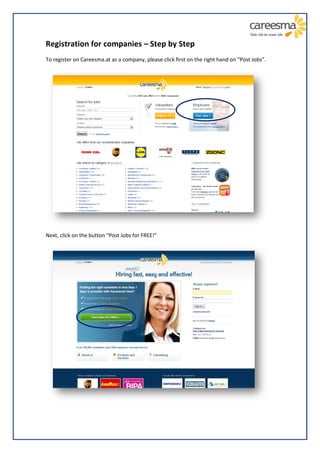
To register on Careesma.at as a company, please click first on the right hand on “Post Jobs”.


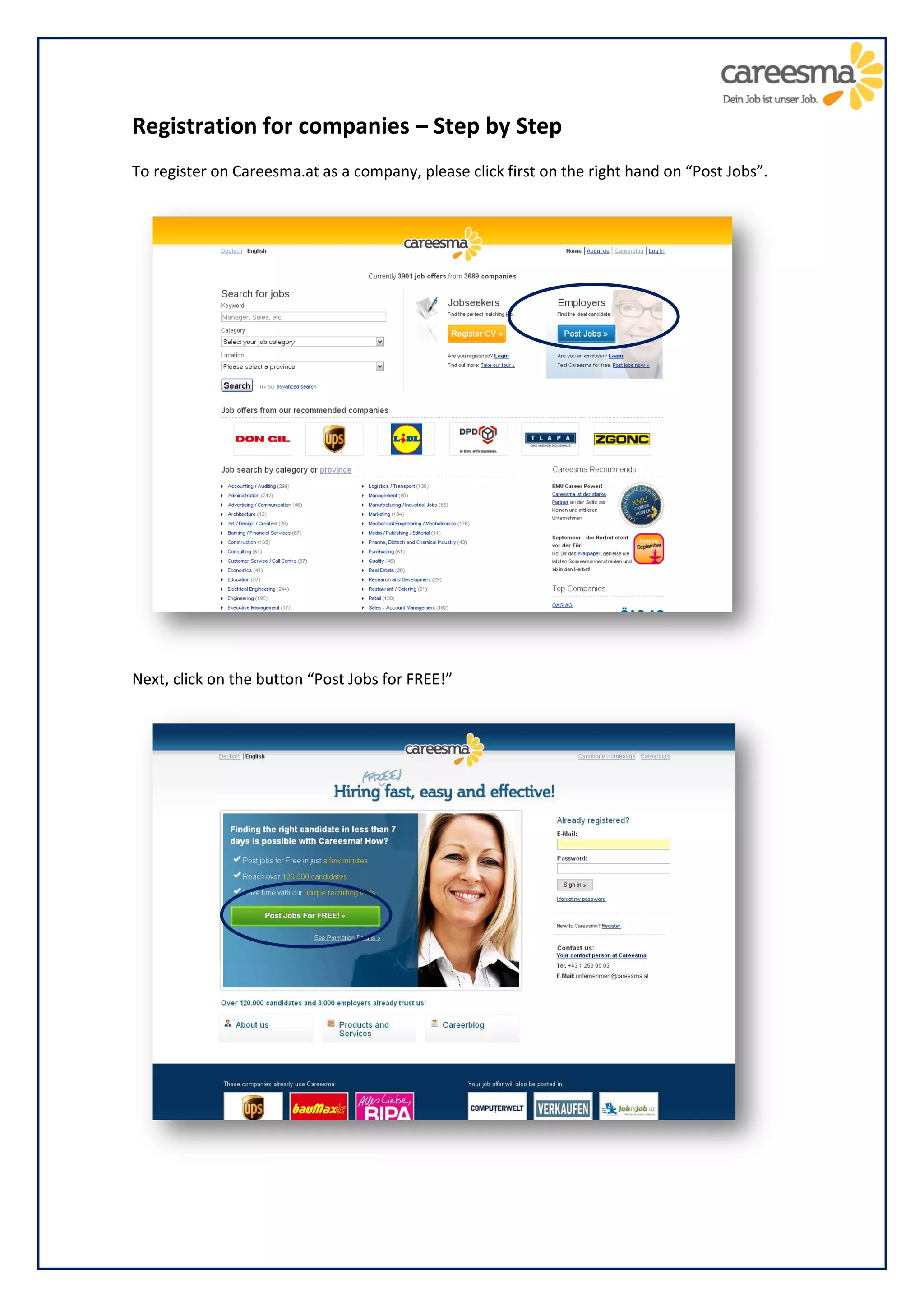
Next, click on the button “Post Jobs for FREE!”
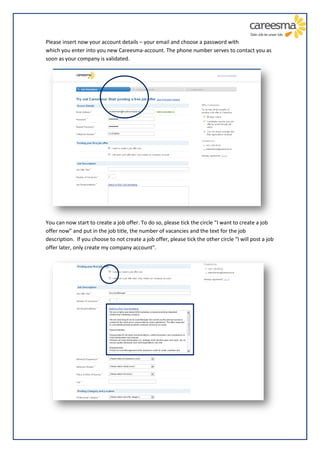
Please insert now your account details – your email and choose a password with
which you enter into you new Careesma-account. The phone number serves to contact you as
soon as your company is validated.


You can now start to create a job offer. To do so, please tick the circle “I want to create a job
offer now” and put in the job title, the number of vacancies and the text for the job
description. If you choose to not create a job offer, please tick the other circle “I will post a job
offer later, only create my company account”.
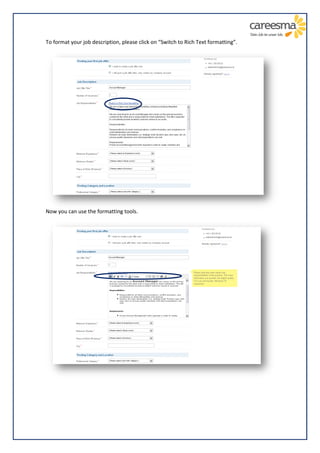
To format your job description, please click on “Switch to Rich Text formatting”.


Now you can use the formatting tools.
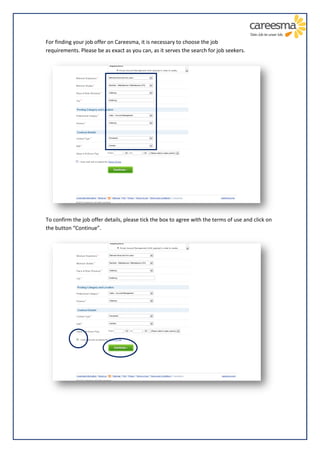
For finding your job offer on Careesma, it is necessary to choose the job
requirements. Please be as exact as you can, as it serves the search for job seekers.


To confirm the job offer details, please tick the box to agree with the terms of use and click on
the button “Continue”.
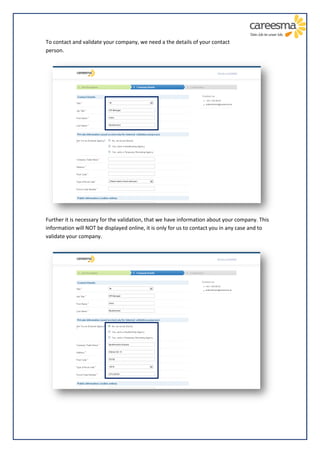
To contact and validate your company, we need a the details of your contact
person.


Further it is necessary for the validation, that we have information about your company. This
information will NOT be displayed online, it is only for us to contact you in any case and to
validate your company.
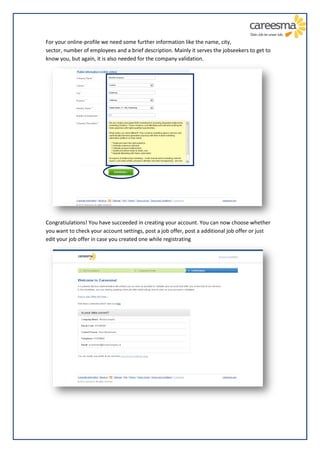
For your online-profile we need some further information like the name, city,
sector, number of employees and a brief description. Mainly it serves the jobseekers to get to
know you, but again, it is also needed for the company validation.


Congratiulations! You have succeeded in creating your account. You can now choose whether
you want to check your account settings, post a job offer, post a additional job offer or just
edit your job offer in case you created one while registrating

Registration for companies

  • 1.
    Registration for companies– Step by Step To register on Careesma.at as a company, please click first on the right hand on “Post Jobs”. Next, click on the button “Post Jobs for FREE!”
  • 2.
    Please insert nowyour account details – your email and choose a password with which you enter into you new Careesma-account. The phone number serves to contact you as soon as your company is validated. You can now start to create a job offer. To do so, please tick the circle “I want to create a job offer now” and put in the job title, the number of vacancies and the text for the job description. If you choose to not create a job offer, please tick the other circle “I will post a job offer later, only create my company account”.
  • 3.
    To format yourjob description, please click on “Switch to Rich Text formatting”. Now you can use the formatting tools.
  • 4.
    For finding yourjob offer on Careesma, it is necessary to choose the job requirements. Please be as exact as you can, as it serves the search for job seekers. To confirm the job offer details, please tick the box to agree with the terms of use and click on the button “Continue”.
  • 5.
    To contact andvalidate your company, we need a the details of your contact person. Further it is necessary for the validation, that we have information about your company. This information will NOT be displayed online, it is only for us to contact you in any case and to validate your company.
  • 6.
    For your online-profilewe need some further information like the name, city, sector, number of employees and a brief description. Mainly it serves the jobseekers to get to know you, but again, it is also needed for the company validation. Congratiulations! You have succeeded in creating your account. You can now choose whether you want to check your account settings, post a job offer, post a additional job offer or just edit your job offer in case you created one while registrating