Download as PDF, PPTX


![Any character
/./.test('foo');
// true
/./.test('rn')
// false
What do you need instead:
/[sS]/ for JavaScript
or
/./s (works in Perl/PCRE, not in JS)
11](https://image.slidesharecdn.com/regexp-dm-131205173718-phpapp02/85/Regular-Expressions-JavaScript-And-Beyond-11-320.jpg)






![Custom character classes
Example:
/[abc123]/
23](https://image.slidesharecdn.com/regexp-dm-131205173718-phpapp02/85/Regular-Expressions-JavaScript-And-Beyond-23-320.jpg)
![Custom character classes
Example:
/[abc123]/
Metacharacters and ranges supported:
/[A-Fd]/
24](https://image.slidesharecdn.com/regexp-dm-131205173718-phpapp02/85/Regular-Expressions-JavaScript-And-Beyond-24-320.jpg)
![Custom character classes
Example:
/[abc123]/
Metacharacters and ranges supported:
/[A-Fd]/
More than one range is okay:
/[a-cG-M0-7]/
25](https://image.slidesharecdn.com/regexp-dm-131205173718-phpapp02/85/Regular-Expressions-JavaScript-And-Beyond-25-320.jpg)
![Custom character classes
Example:
/[abc123]/
Metacharacters and ranges supported:
/[A-Fd]/
More than one range is okay:
/[a-cG-M0-7]/
IMPORTANT: ranges come from Unicode, not
from national alphabets!
26](https://image.slidesharecdn.com/regexp-dm-131205173718-phpapp02/85/Regular-Expressions-JavaScript-And-Beyond-26-320.jpg)
![Custom character classes
"dot" means just dot!
/[.]/.test('anything') // false
27](https://image.slidesharecdn.com/regexp-dm-131205173718-phpapp02/85/Regular-Expressions-JavaScript-And-Beyond-27-320.jpg)
![Custom character classes
"dot" means just dot!
/[.]/.test('anything') // false
adding ] /[]-]/
28](https://image.slidesharecdn.com/regexp-dm-131205173718-phpapp02/85/Regular-Expressions-JavaScript-And-Beyond-28-320.jpg)
![Inverted character classes
anything except a, b, c:
/[^abc]/
^ as a character:
/[abc^]/
29](https://image.slidesharecdn.com/regexp-dm-131205173718-phpapp02/85/Regular-Expressions-JavaScript-And-Beyond-29-320.jpg)
![Inverted character classes
/[^]/
matches ANY character;
a nice alternative to /[sS]/
30](https://image.slidesharecdn.com/regexp-dm-131205173718-phpapp02/85/Regular-Expressions-JavaScript-And-Beyond-30-320.jpg)
![Inverted character classes
/[^]/
matches ANY character;
could be
a nice alternative to /[sS]/
31](https://image.slidesharecdn.com/regexp-dm-131205173718-phpapp02/85/Regular-Expressions-JavaScript-And-Beyond-31-320.jpg)
![Inverted character classes
/[^]/
matches ANY character;
could be
a nice alternative to /[sS]/
Chrome, FF:
>>> /([^])/.exec('a');
['a', 'a']
32](https://image.slidesharecdn.com/regexp-dm-131205173718-phpapp02/85/Regular-Expressions-JavaScript-And-Beyond-32-320.jpg)
![Inverted character classes
/[^]/
matches ANY character;
could be
a nice alternative to /[sS]/
IE:
>>> /([^])/.exec('a');
['a', '']
33](https://image.slidesharecdn.com/regexp-dm-131205173718-phpapp02/85/Regular-Expressions-JavaScript-And-Beyond-33-320.jpg)
![Inverted character classes
/[^]/
matches ANY character;
could be
a nice alternative to /[sS]/
IE:
>>> /([sS])/.exec('a');
['a', 'a']
34](https://image.slidesharecdn.com/regexp-dm-131205173718-phpapp02/85/Regular-Expressions-JavaScript-And-Beyond-34-320.jpg)




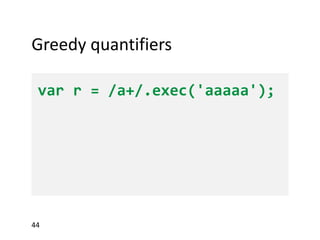
![Greedy quantifiers
var r = /a+/.exec('aaaaa');
>>> r[0]
45](https://image.slidesharecdn.com/regexp-dm-131205173718-phpapp02/85/Regular-Expressions-JavaScript-And-Beyond-45-320.jpg)
![Greedy quantifiers
var r = /a+/.exec('aaaaa');
>>> r[0]
"aaaaa"
46](https://image.slidesharecdn.com/regexp-dm-131205173718-phpapp02/85/Regular-Expressions-JavaScript-And-Beyond-46-320.jpg)

![Lazy quantifiers
var r = /a+?/.exec('aaaaa');
>>> r[0]
48](https://image.slidesharecdn.com/regexp-dm-131205173718-phpapp02/85/Regular-Expressions-JavaScript-And-Beyond-48-320.jpg)
![Lazy quantifiers
var r = /a+?/.exec('aaaaa');
>>> r[0]
"a"
49](https://image.slidesharecdn.com/regexp-dm-131205173718-phpapp02/85/Regular-Expressions-JavaScript-And-Beyond-49-320.jpg)
![Lazy quantifiers
var r = /a+?/.exec('aaaaa');
>>> r[0]
"a"
r = /a*?/.exec('aaaaa');
50](https://image.slidesharecdn.com/regexp-dm-131205173718-phpapp02/85/Regular-Expressions-JavaScript-And-Beyond-50-320.jpg)
![Lazy quantifiers
var r = /a+?/.exec('aaaaa');
>>> r[0]
"a"
r = /a*?/.exec('aaaaa');
>>> r[0]
51](https://image.slidesharecdn.com/regexp-dm-131205173718-phpapp02/85/Regular-Expressions-JavaScript-And-Beyond-51-320.jpg)
![Lazy quantifiers
var r = /a+?/.exec('aaaaa');
>>> r[0]
"a"
r = /a*?/.exec('aaaaa');
>>> r[0]
""
52](https://image.slidesharecdn.com/regexp-dm-131205173718-phpapp02/85/Regular-Expressions-JavaScript-And-Beyond-52-320.jpg)


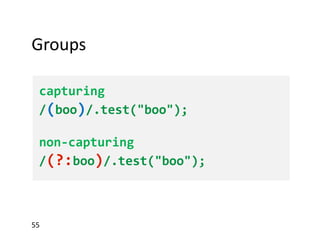
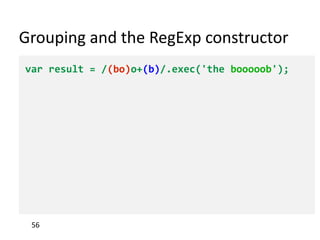


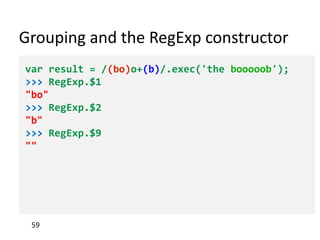


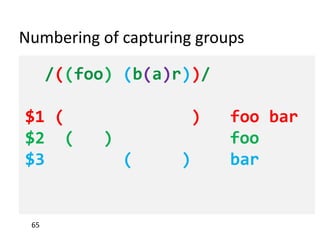


![Lookahead
var r = /best(?= match)/.exec('best match');
>>> !!r
true
>>> r[0]
"best"
69](https://image.slidesharecdn.com/regexp-dm-131205173718-phpapp02/85/Regular-Expressions-JavaScript-And-Beyond-69-320.jpg)
![Lookahead
var r = /best(?= match)/.exec('best match');
>>> !!r
true
>>> r[0]
"best"
>>> /best(?! match)/.test('best match')
false
70](https://image.slidesharecdn.com/regexp-dm-131205173718-phpapp02/85/Regular-Expressions-JavaScript-And-Beyond-70-320.jpg)


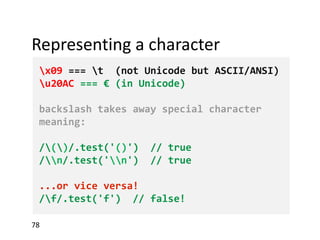


![Methods
RegExp instances:
/regexp/.exec('string')
null or array ['whole match', $1, $2, ...]
/regexp/.test('string')
false or true
String instances:
'str'.match(/regexp/)
'str'.match('w{1,3}')
- same as /regexp/.exec if no 'g' flag used;
- array of all matches if 'g' flag used (internal
capturing groups ignored)
'str'.search(/regexp/)
'str'.search('w{1,3}')
first match index, or -1
88](https://image.slidesharecdn.com/regexp-dm-131205173718-phpapp02/85/Regular-Expressions-JavaScript-And-Beyond-88-320.jpg)

![RegExp injection
// BAD CODE
var re = new RegExp('^' + userInput + '$');
// ...
var userInput = '[abc]'; // oops!
// GOOD, DO IT AT HOME
RegExp.escape = function(text) {
return text.replace(/[-[]{}()*+?.,^$|#s]/g, "$&");
};
var re = new RegExp('^' + RegExp.escape(userInput) + '$');
90](https://image.slidesharecdn.com/regexp-dm-131205173718-phpapp02/85/Regular-Expressions-JavaScript-And-Beyond-90-320.jpg)


The document provides an extensive overview of regular expressions in JavaScript, covering syntax, tokens, metacharacters, character classes, quantifiers, and groups. It outlines key concepts such as lookaheads, backreferences, and flags, as well as practical usage and potential pitfalls in regex implementation. Additionally, it offers resources for further reading and emphasizes the distinctions between JavaScript's regex capabilities and those in other programming languages.


