Ashley Hiatt, Hillary Funk, Niki Grewal,
Stephen Vizuete, and Wade Treichler
AGENDA
Initial Concept
Research
Prototyping & Testing
Final Design
Lessons Learned
Future Iterations
Questions?
INITIAL CONCEPT
● Medical alert system utilizing multiple sensors to
connect with designated emergency contacts when
vitals go out of range
● Would learn your patterns based on activity, user
entered data, and biometrics to make better health
decisions next time you repeat an activity
Basic health monitoring during fitness activities with a
contingency plan in place
RESEARCH
Competitive Analysis
Survey
Use Cases
Card Sort
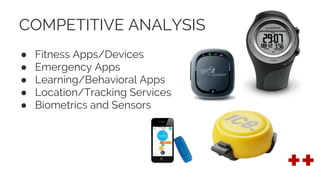
COMPETITIVE ANALYSIS
● Fitness Apps/Devices
● Emergency Apps
● Learning/Behavioral Apps
● Location/Tracking Services
● Biometrics and Sensors
SURVEY
● Sent to potential future users of the Red++ App
● 37 respondents
● 69% female and 31% male ranging in age from 18 to
over 55, with over half of respondents (69%) between
the ages of 18 and 35
● Respondents were asked to estimate the number of
hours per week spent doing physical activity, and
perceived level of exertion (low, medium or high
intensity).
SURVEY RESULTS
● Respondents wore a variety of health/fitness devices
and used a variety of health/fitness apps
● 69% analyze data from activities either sometimes or
always and 56% said that real-time data had high
importance to their overall experience.
● Hydration/water intake levels (74%),
sodium/electrolyte levels (66%), and heart rate (88%)
were important during or after an activity
● 72% want to notify EMS, 67% friends or family
USE CASE: NOVICE
● Just starting to actively monitor his/her health when performing
activities
● May not be ready to jump headfirst into regular monitoring, but are
interested in trying to maintain a record
● May not know what is important to monitor or when his/her body is
reaching its limits
● Red++ will help them learn not only their own limitations, but also how
their body is adjusting with regular activity
USE CASE: INTERMEDIATE
● This user has generally mastered the basic features and is interested in
exploring more advanced features
USE CASE: ADVANCED
● This user is very active and healthy
● He or she could be a cyclist who has used several fitness apps and
devices
● Convenient access to real time data is important along with a history of
activity
USE CASE: SOS (Significantly Out-of-Shape)
● Similar to the novice in his/her inexperience with health-monitoring
fitness devices
● The SOS user has purchased the app as a preventative measure to
dangerous overexertion
● Easy set up is important
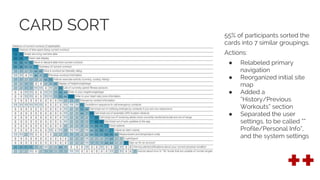
CARD SORT 55% of participants sorted the
cards into 7 similar groupings.
Actions:
● Relabeled primary
navigation
● Reorganized initial site
map
● Added a
“History/Previous
Workouts” section
● Separated the user
settings, to be called “”
Profile/Personal Info”,
and the system settings
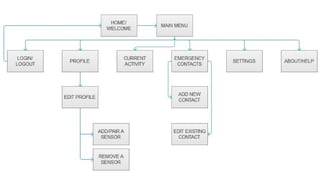
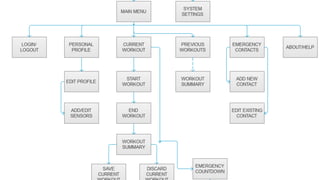
INITIAL SITEMAP
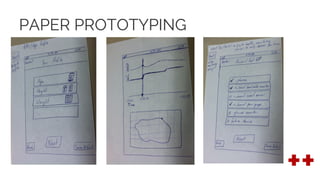
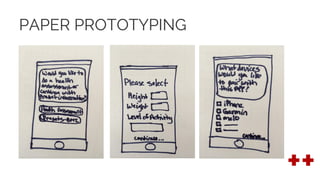
PAPER PROTOTYPING
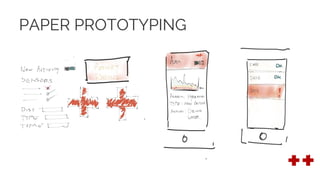
PAPER PROTOTYPING
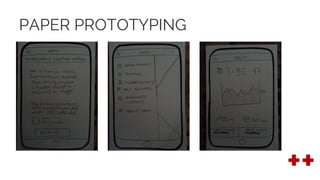
PAPER PROTOTYPING
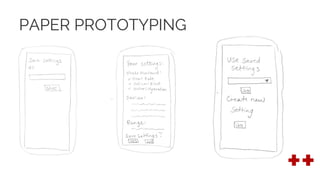
PAPER PROTOTYPING
PAPER PROTOTYPING
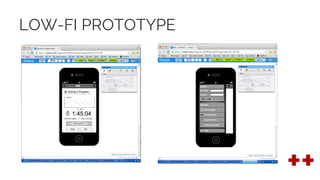
LOW-FI PROTOTYPE
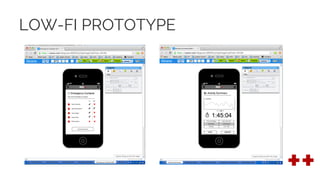
LOW-FI PROTOTYPE
USER TESTING RESULTS (LOW-FI)
● Users confused by the overly complex
user login functions
● Attaching sensors to specific activities was
difficult for users to execute
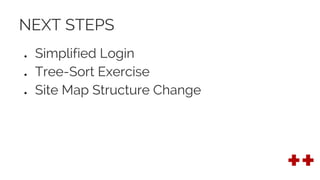
NEXT STEPS
● Simplified Login
● Tree-Sort Exercise
● Site Map Structure Change
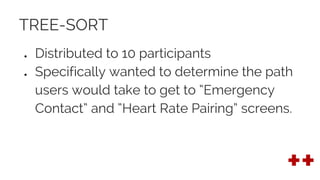
TREE-SORT
● Distributed to 10 participants
● Specifically wanted to determine the path
users would take to get to “Emergency
Contact” and “Heart Rate Pairing” screens.
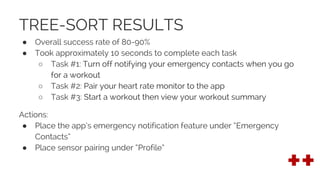
TREE-SORT RESULTS
● Overall success rate of 80-90%
● Took approximately 10 seconds to complete each task
○ Task #1: Turn off notifying your emergency contacts when you go
for a workout
○ Task #2: Pair your heart rate monitor to the app
○ Task #3: Start a workout then view your workout summary
Actions:
● Place the app’s emergency notification feature under “Emergency
Contacts”
● Place sensor pairing under “Profile”
UPDATED SITE MAP
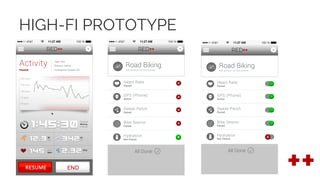
HIGH-FI PROTOTYPE
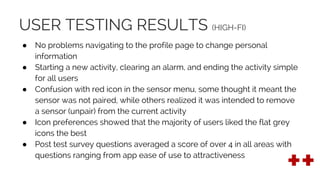
USER TESTING RESULTS (HIGH-FI)
● No problems navigating to the profile page to change personal
information
● Starting a new activity, clearing an alarm, and ending the activity simple
for all users
● Confusion with red icon in the sensor menu, some thought it meant the
sensor was not paired, while others realized it was intended to remove
a sensor (unpair) from the current activity
● Icon preferences showed that the majority of users liked the flat grey
icons the best
● Post test survey questions averaged a score of over 4 in all areas with
questions ranging from app ease of use to attractiveness
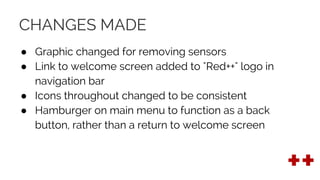
CHANGES MADE
● Graphic changed for removing sensors
● Link to welcome screen added to "Red++" logo in
navigation bar
● Icons throughout changed to be consistent
● Hamburger on main menu to function as a back
button, rather than a return to welcome screen
FINAL DESIGN
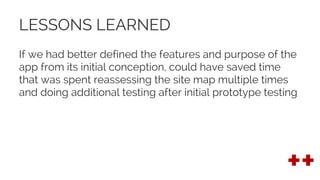
LESSONS LEARNED
If we had better defined the features and purpose of the
app from its initial conception, could have saved time
that was spent reassessing the site map multiple times
and doing additional testing after initial prototype testing
FUTURE ITERATIONS (OR WHAT WE DIDN’T GET TO)
● Feature that allows users to take a health assessment
when they first begin using the app
● Expand the emergency alert system by sending
relevant information such as medical history, allergy
data, and insurance information to EMS and
emergency contacts
QUESTIONS?

Red++ final preso

  • 1.
    Ashley Hiatt, HillaryFunk, Niki Grewal, Stephen Vizuete, and Wade Treichler
  • 2.
    AGENDA Initial Concept Research Prototyping &Testing Final Design Lessons Learned Future Iterations Questions?
  • 3.
    INITIAL CONCEPT ● Medicalalert system utilizing multiple sensors to connect with designated emergency contacts when vitals go out of range ● Would learn your patterns based on activity, user entered data, and biometrics to make better health decisions next time you repeat an activity Basic health monitoring during fitness activities with a contingency plan in place
  • 4.
  • 5.
    COMPETITIVE ANALYSIS ● FitnessApps/Devices ● Emergency Apps ● Learning/Behavioral Apps ● Location/Tracking Services ● Biometrics and Sensors
  • 6.
    SURVEY ● Sent topotential future users of the Red++ App ● 37 respondents ● 69% female and 31% male ranging in age from 18 to over 55, with over half of respondents (69%) between the ages of 18 and 35 ● Respondents were asked to estimate the number of hours per week spent doing physical activity, and perceived level of exertion (low, medium or high intensity).
  • 7.
    SURVEY RESULTS ● Respondentswore a variety of health/fitness devices and used a variety of health/fitness apps ● 69% analyze data from activities either sometimes or always and 56% said that real-time data had high importance to their overall experience. ● Hydration/water intake levels (74%), sodium/electrolyte levels (66%), and heart rate (88%) were important during or after an activity ● 72% want to notify EMS, 67% friends or family
  • 8.
    USE CASE: NOVICE ●Just starting to actively monitor his/her health when performing activities ● May not be ready to jump headfirst into regular monitoring, but are interested in trying to maintain a record ● May not know what is important to monitor or when his/her body is reaching its limits ● Red++ will help them learn not only their own limitations, but also how their body is adjusting with regular activity
  • 9.
    USE CASE: INTERMEDIATE ●This user has generally mastered the basic features and is interested in exploring more advanced features
  • 10.
    USE CASE: ADVANCED ●This user is very active and healthy ● He or she could be a cyclist who has used several fitness apps and devices ● Convenient access to real time data is important along with a history of activity
  • 11.
    USE CASE: SOS(Significantly Out-of-Shape) ● Similar to the novice in his/her inexperience with health-monitoring fitness devices ● The SOS user has purchased the app as a preventative measure to dangerous overexertion ● Easy set up is important
  • 12.
    CARD SORT 55%of participants sorted the cards into 7 similar groupings. Actions: ● Relabeled primary navigation ● Reorganized initial site map ● Added a “History/Previous Workouts” section ● Separated the user settings, to be called “” Profile/Personal Info”, and the system settings
  • 13.
  • 14.
  • 15.
  • 16.
  • 17.
  • 18.
  • 19.
  • 20.
  • 21.
    USER TESTING RESULTS(LOW-FI) ● Users confused by the overly complex user login functions ● Attaching sensors to specific activities was difficult for users to execute
  • 22.
    NEXT STEPS ● SimplifiedLogin ● Tree-Sort Exercise ● Site Map Structure Change
  • 23.
    TREE-SORT ● Distributed to10 participants ● Specifically wanted to determine the path users would take to get to “Emergency Contact” and “Heart Rate Pairing” screens.
  • 24.
    TREE-SORT RESULTS ● Overallsuccess rate of 80-90% ● Took approximately 10 seconds to complete each task ○ Task #1: Turn off notifying your emergency contacts when you go for a workout ○ Task #2: Pair your heart rate monitor to the app ○ Task #3: Start a workout then view your workout summary Actions: ● Place the app’s emergency notification feature under “Emergency Contacts” ● Place sensor pairing under “Profile”
  • 25.
  • 26.
  • 27.
    USER TESTING RESULTS(HIGH-FI) ● No problems navigating to the profile page to change personal information ● Starting a new activity, clearing an alarm, and ending the activity simple for all users ● Confusion with red icon in the sensor menu, some thought it meant the sensor was not paired, while others realized it was intended to remove a sensor (unpair) from the current activity ● Icon preferences showed that the majority of users liked the flat grey icons the best ● Post test survey questions averaged a score of over 4 in all areas with questions ranging from app ease of use to attractiveness
  • 28.
    CHANGES MADE ● Graphicchanged for removing sensors ● Link to welcome screen added to "Red++" logo in navigation bar ● Icons throughout changed to be consistent ● Hamburger on main menu to function as a back button, rather than a return to welcome screen
  • 29.
  • 30.
    LESSONS LEARNED If wehad better defined the features and purpose of the app from its initial conception, could have saved time that was spent reassessing the site map multiple times and doing additional testing after initial prototype testing
  • 31.
    FUTURE ITERATIONS (ORWHAT WE DIDN’T GET TO) ● Feature that allows users to take a health assessment when they first begin using the app ● Expand the emergency alert system by sending relevant information such as medical history, allergy data, and insurance information to EMS and emergency contacts
  • 32.