This document summarizes the steps to create a "red eyes" effect in a video:
1. Import the video and select the area around the eyes. Split the layer and delete unwanted bits.
2. Track the motion of each eye separately using null objects. This tracks the eye movement frame by frame.
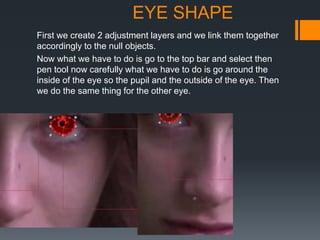
3. Create adjustment layers linked to the null objects. Use the pen tool to trace the shape of each pupil and eye.
4. Add color correction effects like curves to change the eye color. Adjust the color to properly fit within the eyes.
5. In Premier, align the colored eyes layers to the actual eyes in the video to ensure they stay in the correct position frame