Real-Time
Multi-Device Theming
Say Goodbye to the Refresh Button
Saturday, August 2, 2014
About the Speakers
Mac Bleser
Front-End Developer
@macbleser
Dave Sawyer
Solutions Architect
@cmsdave
cmsdave
Theming and Testing
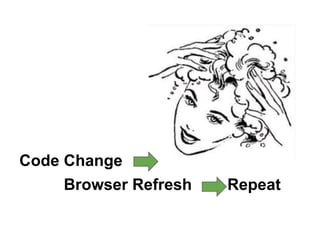
Repetitive cycles!
Code Change
Browser Refresh Repeat
● The number of devices and form
factors continues to grow
● Responsive design implementations
grow in complexity
● Old workflow is no longer sufficient
● Budget and scheduling realities
We no longer design
websites…
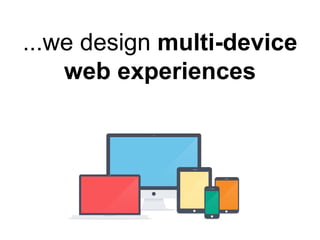
...we design multi-device
web experiences
Modern Web Development Practices:
What We Need
Modern Web Development Practices:
What We Need
1. Multi-device workflow
Modern Web Development Practices:
What We Need
1. Multi-device workflow
2. Synchronized browser testing to allow real-
time theming
Modern Web Development Practices:
What We Need
1. Multi-device workflow
2. Synchronized browser testing to allow real-
time theming
3. Performance as part of the development
process – not an afterthought
Modern Web Development Practices:
What We Need
1. Multi-device workflow
2. Synchronized browser testing to allow real-
time theming
3. Performance as part of the development
process – not an afterthought
4. Boilerplates: A starting point based on best
practices
Modern Web Development Practices:
What We Need
1. Multi-device workflow
2. Synchronized browser testing to allow real-
time theming
3. Performance as part of the development
process – not an afterthought
4. Boilerplates: A starting point based on best
practices
5. Automation: Task-runners
Modern Web Development Practices:
What We Need
1. Multi-device workflow
2. Synchronized browser testing to allow real-
time theming
3. Performance as part of the development
process – not an afterthought
4. Boilerplates: A starting point based on best
practices
5. Automation: Task-runners
6. Local web server for testing
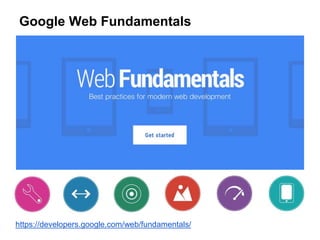
Google Web Fundamentals
https://developers.google.com/web/fundamentals/
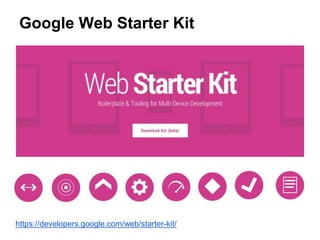
Google Web Starter Kit
https://developers.google.com/web/starter-kit/
Google Web Starter Kit
Inspired by:
Google Web Starter Kit
.com/google/web-starter-kit
Inspired by:
Underlying Technologies
Recommended Articles
● Git for Designers:
http://bit.ly/git4designers-tutsplus
● Intro to Git for Web Designers:
● http://bit.ly/intro-git-designers
Underlying Technologies
● Node.js: many of the tools in Google
Web Starter Kit are built on top of
Node.js
● Node Package Manager (NPM) for
installing tools
Underlying Technologies
http://gulpjs.com
Underlying Technologies
http://www.browsersync.io
Real-time Theming
● Synchronized browser and device
testing
● Real-time multi-device previews
● Live Browser Reloading
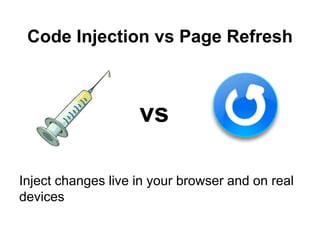
Code Injection vs Page Refresh
Inject changes live in your browser and on real
devices
vs
Cross-device Synchronization
● Synchronize clicks, scrolls, forms
and live-reload across multiple
devices as you edit your project.
● BrowserSync
Live Browser Reloading
● Reload the browser in real-time anytime an
edit is made without the need for an
extension.
● Allows you to make quick glances to get
immediate feedback on your changes.
Live Demo!
Performance optimization
● Minify and concatenate JavaScript, CSS,
HTML and Images to help keep your pages
lean.
● Minification
● Optimization of Images
● Aggregation
● Reduction of HTTP requests!
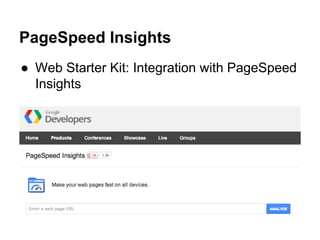
PageSpeed Insights
● Web Starter Kit: Integration with PageSpeed
Insights
Built in HTTP Server
● Local web server built in to Web Starter Kit
● A built in server for previewing your site
means you can test your pages without
messing with other tools.
● Best practice: Run Drupal locally!
● Other local server options: Mamp, Bitnami,
Acquia Dev Desktop, etc
Trivia Time!
Trivia Time!
In what year was the Netscape Navigator
browser first released?
Trivia Time!
December 1994
Thank You!
Questions?
@cmsdave
@macbleser

Real-Time Multi-Device Theming

Editor's Notes

  • #2 DAVE
  • #3 BOTH
  • #4 DAVE
  • #5 MAC Switching contexts
  • #6 DAVE: By a show of hands, how many of you work like this today?
  • #7 DAVE: Slide “Front end overload” MAC: - Additional Thoughts: As a designer and/or developer, you need to keep up with today’s explosion of growth in the mobile web. - Build designs that adapt across these scenarios
  • #8 DAVE
  • #9 MAC: As a designer and/or developer, you need to keep up with today’s explosion of growth in the mobile web. Unlike in the past, your websites’s users today may be on many different devices, from desktops and laptops to a wide variety of tablets and smartphones.
  • #10 MAC Build designs that adapt across these scenarios Optimize for a great mobile user experience on networks from a fiber optic connection to a single bar of 3G signal Great mobile experience isn’t just a cut down version of a desktop site
  • #11 DAVE
  • #12 DAVE
  • #13 DAVE: Slide MAC: Additional Thoughts: Catch big problems in real time - quick glances - immediate feedback
  • #14 DAVE: more about performance a little later
  • #15 DAVE: Slide MAC: Additional Thoughts Boilerplate - templates - components - RWD patterns
  • #16 DAVE: Slide MAC: Additional Thoughts: Task Runners - script that automates the parts of the build process - front-end tool overload
  • #17 DAVE: more on local web servers a little later
  • #18 DAVE Launched in May 2014 Best practices for modern web development Build great multi-device web experiences A comprehensive resource for multi-device web development Multi-device developer workflow + Web Starter Kit Create flexible, not fixed, layouts Touch, tap, click, and submit Only use media that loads fast and scales Performance is a feature Locate, call and snap https://developers.google.com/web/fundamentals/
  • #19 MAC “Your starting point for building great multi-device web experiences” Open source downloadable kit Create sites that follow Google’s best practice guidance Boilerplate & Tooling for Multi-Device Development Multi-device responsive boilerplate Living component style guide Cross-device Synchronization Live Browser Reloading Performance optimization Built in HTTP Server PageSpeed Insights Reporting Sass support https://developers.google.com/web/starter-kit/
  • #20 MAC HTML5BP HTML5 Boilerplate is an excellent and minimalist starting point for general front-end projects where you want to start from near scratch and build the layers of your projects up yourself To hit the ground running a little faster, which is why we build on the excellent work done by the HTML5 Boilerplate project to define a setup including responsive layouts, powerful performance optimization, cross-device tooling and a visual style guide Yeoman Yo is a fantastic scaffolding tool and Yeoman is a great workflow for creating new webapps, bringing a wealth of tooling to the table for those using different tech stacks and frameworks You need to install all of the dependencies for new projects up-front. Web Starter Kit allows you to download our project in just a click and get started in seconds
  • #21 MAC Combines the best of previous boilerplates: HTML5 Boilerplate and Yeoman public repo on Github Github trending repository https://github.com/Google/WebFundamentals
  • #22 DAVE
  • #23 DAVE
  • #24 DAVE Node.js is a cross-platform runtime environment and a library for running applications written in JavaScript outside the browser (for example, on the server)
  • #25 MAC Google Web Starter Kit utilizes gulp-ruby-sass to compile Sass into CSS, which requires both Ruby and Sass to work. “Compile Sass into CSS with ease, bringing support for variables, mixins and more.”
  • #26 MAC “the streaming build system” node streams = being able to do things simultaneously and efficiently
  • #27 MAC BrowserSync makes your workflow faster by synchronising URLs, interactions and code changes across multiple devices
  • #28 MAC
  • #29 DAVE: Slide MAC: Additional Thoughts: multi-step web form example
  • #30 MAC
  • #31 MAC
  • #32 MAC: DEMO - show css change - show html change DAVE IN THE AUDIENCE WITH DEVICES
  • #35 Macintosh-centric list