
React
With an intro to UI/UX, HTML/CSS & JS!
Giang & Brian
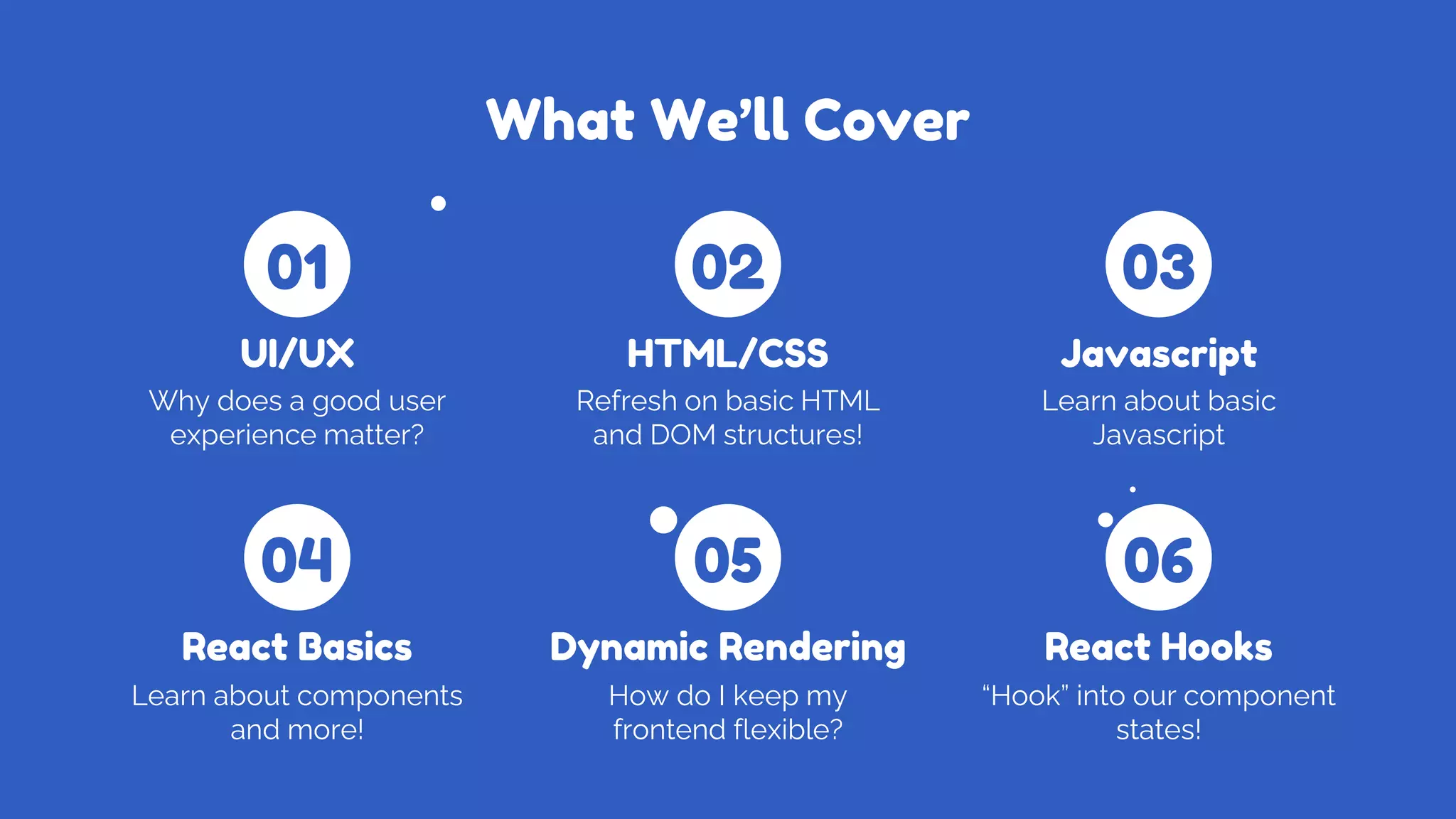
What We’ll Cover
Why does a good user
experience matter?
UI/UX
Refresh on basic HTML
and DOM structures!
HTML/CSS
Learn about basic
Javascript
Javascript
Learn about components
and more!
React Basics
How do I keep my
frontend flexible?
Dynamic Rendering
“Hook” into our component
states!
React Hooks
01
04
02
05
03
06
We’ll Create a React
App!
and most importantly…
What is UI/UX?
UX (User Experience)
All aspects of end-user interactions with a
service or product.
UI (User Interface)
The look, feel, and interactivity of an
experience.
What is UI/UX?
● A product always begins with its
UI/UX design.
● Consider user needs and wants
● Compose layouts and prototypes
● Requires fundamental design skills
A bad design is very noticeable!
Wireframing
Wireframing is a crucial part of the UI/UX process
of frontend design.
It could be thought of as a prototyping stage,
creating a mockup that is either:
- Low-fidelity: used to create the layout of
the the design.
- High-fidelity: builds off of the low-fidelity
mockup, adds style elements.
A wireframe should always be made before
writing any frontend code!
Good UI/UX Vs. Bad UI/UX
Spot which one’s which!
Taking this into
account…
Let’s work towards building something ourselves!
HTML: A Refresher
HTML (HyperText Markup Language) is a
standard markup language used to create
websites.
An HTML document consists of a series of
elements (tags).
Every HTML document uses a DOM model..
It’s the most fundamental language for web
development!
CSS: A Refresher
CSS is used to style HTML elements that are
displayed on the screen.
A CSS document consists of selectors.
The Result!
JavaScript Overview
● Created to program web apps
● Designed to be easy to learn
● One of the world’s most popular
programming languages
We won’t cover everything, just enough to
program in React!
Variables in JavaScript
Variables are containers for storing data.
A variable is declared with:
- const if you would like the data to be immutable.
- var if you would like the data to be mutable and
function-scoped
- Nowadays, you don’t usually use var!
- let if you would like the data to be mutable and block-
scoped
Data types in JavaScript
Data types define the type of a variable.
JavaScript is not strongly-typed language, meaning the same
variable can hold different values.
Functions (Normal vs. Arrow)
A function—like in other programming languages—is a piece of
code that is executed when something calls it.
Arrow functions provide closure to the environment around it.
It allows us to shorten function syntax, writing “const hello = ()
=> {}” rather than “const hello = function() {}”!
JSX
● JSX is a syntax extension of JavaScript
● Used in React, but isn’t required
● Allows us to write HTML elements in
JavaScript
● Intertwines the markup and logic of
web apps
Let’s learn React!
Finally…
What is React?
● A JavaScript framework
created by Meta
● Allows devs to quickly build
user-friendly web apps with
a modular infrastructure
● The most popular JavaScript
framework
Why React?
● Easily organize your code
into reusable components
● Can dynamically render
websites without refreshing
● Due to its popularity, there is
a lot of community support
Components
A component is a JavaScript class/function
that returns a React element.
When creating a React component, keep
reusability in mind! This is very important.
More About Components
Components can be rendered in two ways:
with or without children.
With children:
<button>
Login
</button>
Without children:
<NavBar />
More About Components
When creating a component, you can reuse
it inside another component!
When you write code between tags, it is
exposed to a component called children.
More About Components
Finally, you can also create components
with multiple properties!
The ({ url, title, desc }) seen is a process
called object destructuring. This pulls the
values out of the properties object (the {url,
title, desc}!) and represents them as “url”,
“title”, and “desc” respectively!
How do you dynamically
render data?
Wait but…
Dynamic Rendering
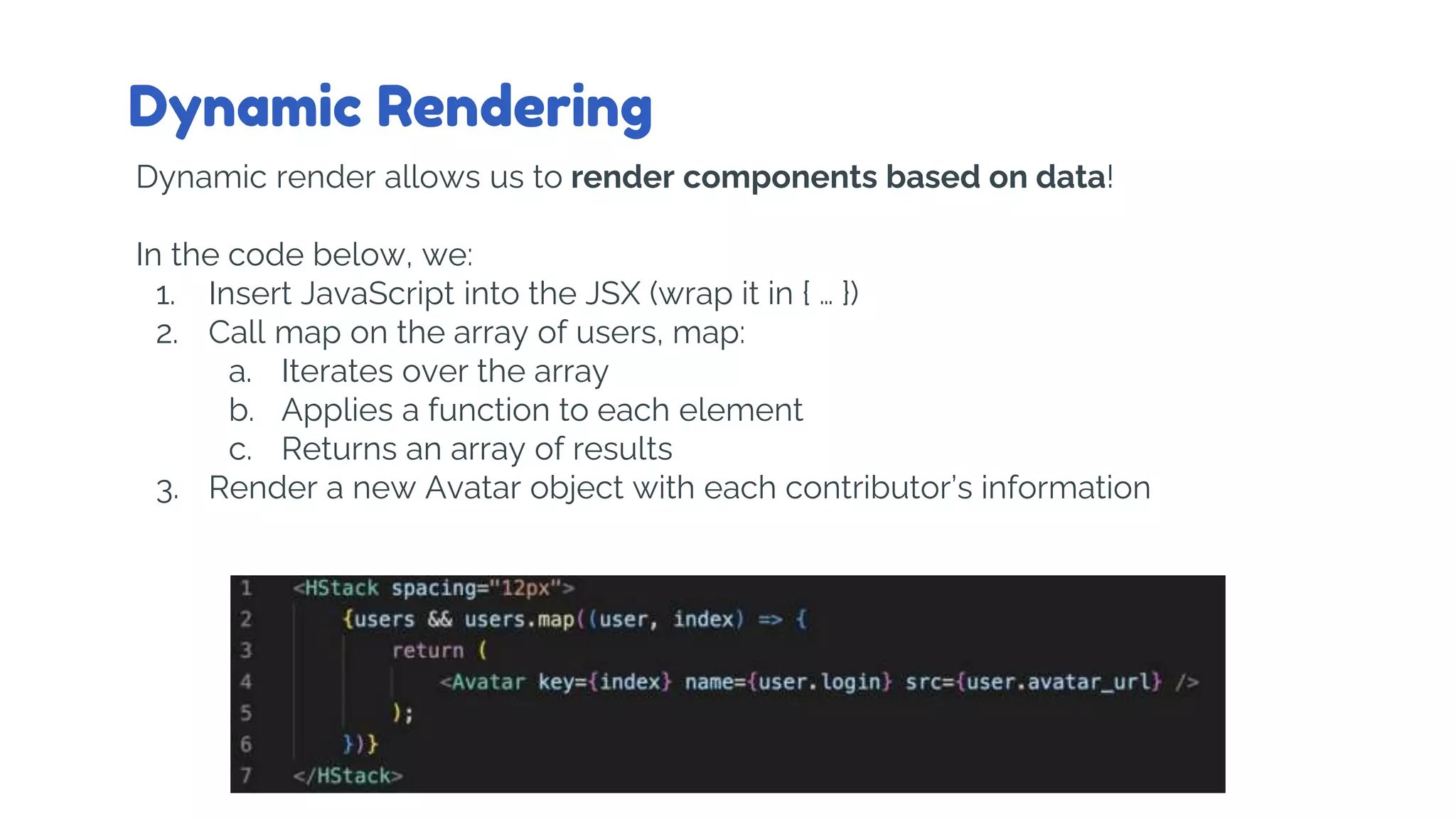
Dynamic render allows us to render components based on data!
In the code below, we:
1. Insert JavaScript into the JSX (wrap it in { … })
2. Call map on the array of users, map:
a. Iterates over the array
b. Applies a function to each element
c. Returns an array of results
3. Render a new Avatar object with each contributor’s information
Hooks
● “Hook” into a component’s
lifecycle and call methods
for any state!
● Useful when a component
needs to fetch data on load
or perform actions on a page
● Examples:
○ useState
○ useEffect
○ useRef
○ useContext
Due to time, we won’t be covering the component
lifecycle but it’s useful to know!
Using useState
useState is used to save the internal state
of a component. The hook has a state and
setter function!
This data persists after each re-render,
which is useful if a component needs to
display different information!
It causes a re-render whenever the state is
different from its previous state.
Let’s start coding!
Important Resources
Starter Code (this includes instructions for our project!):
https://github.com/utm-cssc/frontend-workshop-2022
React Resources:
- https://reactjs.org/
HTML/CSS Resources:
- https://www.w3schools.com/html/
- https://www.w3schools.com/css/
- https://www.w3schools.com/js/
UI/UX:
- https://grow.google/certificates/ux-design/
- any design course!
Resources
- https://reactjs.org/ (Official React Docs)
- https://www.w3schools.com/REACT/DEFAULT.ASP (W3S for react)
- https://www.w3schools.com/ (You can also use W3S to learn JS, HTML and
CSS)
- Reach out to us!
This presentation template was created by
Slidesgo, including icons by Flaticon, infographics
& images by Freepik and illustrations by Stories
Thanks for Coming!
Credit to Jarrod Servilla for portions of the
content in this workshop!

React Workshop

  • 1.
    React With an introto UI/UX, HTML/CSS & JS! Giang & Brian
  • 2.
    What We’ll Cover Whydoes a good user experience matter? UI/UX Refresh on basic HTML and DOM structures! HTML/CSS Learn about basic Javascript Javascript Learn about components and more! React Basics How do I keep my frontend flexible? Dynamic Rendering “Hook” into our component states! React Hooks 01 04 02 05 03 06
  • 3.
    We’ll Create aReact App! and most importantly…
  • 4.
    What is UI/UX? UX(User Experience) All aspects of end-user interactions with a service or product. UI (User Interface) The look, feel, and interactivity of an experience.
  • 5.
    What is UI/UX? ●A product always begins with its UI/UX design. ● Consider user needs and wants ● Compose layouts and prototypes ● Requires fundamental design skills A bad design is very noticeable!
  • 6.
    Wireframing Wireframing is acrucial part of the UI/UX process of frontend design. It could be thought of as a prototyping stage, creating a mockup that is either: - Low-fidelity: used to create the layout of the the design. - High-fidelity: builds off of the low-fidelity mockup, adds style elements. A wireframe should always be made before writing any frontend code!
  • 7.
    Good UI/UX Vs.Bad UI/UX Spot which one’s which!
  • 8.
    Taking this into account… Let’swork towards building something ourselves!
  • 9.
    HTML: A Refresher HTML(HyperText Markup Language) is a standard markup language used to create websites. An HTML document consists of a series of elements (tags). Every HTML document uses a DOM model.. It’s the most fundamental language for web development!
  • 10.
    CSS: A Refresher CSSis used to style HTML elements that are displayed on the screen. A CSS document consists of selectors.
  • 11.
  • 12.
    JavaScript Overview ● Createdto program web apps ● Designed to be easy to learn ● One of the world’s most popular programming languages We won’t cover everything, just enough to program in React!
  • 13.
    Variables in JavaScript Variablesare containers for storing data. A variable is declared with: - const if you would like the data to be immutable. - var if you would like the data to be mutable and function-scoped - Nowadays, you don’t usually use var! - let if you would like the data to be mutable and block- scoped
  • 14.
    Data types inJavaScript Data types define the type of a variable. JavaScript is not strongly-typed language, meaning the same variable can hold different values.
  • 15.
    Functions (Normal vs.Arrow) A function—like in other programming languages—is a piece of code that is executed when something calls it. Arrow functions provide closure to the environment around it. It allows us to shorten function syntax, writing “const hello = () => {}” rather than “const hello = function() {}”!
  • 16.
    JSX ● JSX isa syntax extension of JavaScript ● Used in React, but isn’t required ● Allows us to write HTML elements in JavaScript ● Intertwines the markup and logic of web apps
  • 17.
  • 18.
    What is React? ●A JavaScript framework created by Meta ● Allows devs to quickly build user-friendly web apps with a modular infrastructure ● The most popular JavaScript framework
  • 19.
    Why React? ● Easilyorganize your code into reusable components ● Can dynamically render websites without refreshing ● Due to its popularity, there is a lot of community support
  • 20.
    Components A component isa JavaScript class/function that returns a React element. When creating a React component, keep reusability in mind! This is very important.
  • 21.
    More About Components Componentscan be rendered in two ways: with or without children. With children: <button> Login </button> Without children: <NavBar />
  • 22.
    More About Components Whencreating a component, you can reuse it inside another component! When you write code between tags, it is exposed to a component called children.
  • 23.
    More About Components Finally,you can also create components with multiple properties! The ({ url, title, desc }) seen is a process called object destructuring. This pulls the values out of the properties object (the {url, title, desc}!) and represents them as “url”, “title”, and “desc” respectively!
  • 24.
    How do youdynamically render data? Wait but…
  • 25.
    Dynamic Rendering Dynamic renderallows us to render components based on data! In the code below, we: 1. Insert JavaScript into the JSX (wrap it in { … }) 2. Call map on the array of users, map: a. Iterates over the array b. Applies a function to each element c. Returns an array of results 3. Render a new Avatar object with each contributor’s information
  • 26.
    Hooks ● “Hook” intoa component’s lifecycle and call methods for any state! ● Useful when a component needs to fetch data on load or perform actions on a page ● Examples: ○ useState ○ useEffect ○ useRef ○ useContext Due to time, we won’t be covering the component lifecycle but it’s useful to know!
  • 27.
    Using useState useState isused to save the internal state of a component. The hook has a state and setter function! This data persists after each re-render, which is useful if a component needs to display different information! It causes a re-render whenever the state is different from its previous state.
  • 28.
  • 29.
    Important Resources Starter Code(this includes instructions for our project!): https://github.com/utm-cssc/frontend-workshop-2022 React Resources: - https://reactjs.org/ HTML/CSS Resources: - https://www.w3schools.com/html/ - https://www.w3schools.com/css/ - https://www.w3schools.com/js/ UI/UX: - https://grow.google/certificates/ux-design/ - any design course!
  • 30.
    Resources - https://reactjs.org/ (OfficialReact Docs) - https://www.w3schools.com/REACT/DEFAULT.ASP (W3S for react) - https://www.w3schools.com/ (You can also use W3S to learn JS, HTML and CSS) - Reach out to us!
  • 31.
    This presentation templatewas created by Slidesgo, including icons by Flaticon, infographics & images by Freepik and illustrations by Stories Thanks for Coming! Credit to Jarrod Servilla for portions of the content in this workshop!

Editor's Notes

  • #4 And most importantly, we’ll create a React App
  • #19 So what is React? Well it’s a JavaScript framework created by Meta It was created to allow devs to quickly build web apps with a modular infrastructure And as we code with Giang you can see that while being exposed to a framework for the first time may be daunting, it’s actually quite easy to use! And that’s why currently, React is the most popular JavaScript framework
  • #21 Note: Might talk a little bit about DOM tree here
  • #22 Practice: Add your name in the Intro component!
  • #23 Practice: create your own Footer component and add to the homepage!
  • #24 Practice: Use props to display your the contact data in Contact page, by completing the ContactInfo component
  • #26 Practice: Use props to display your the contact data in Contact page, but now with all data from constants.js
  • #28 Practice: Add state to the Home page navbar, and pass such state as props to Content Pane
  • #29 Complete the rest of the website (and TODOs)!