Rare frontend testing
by Andrii Vandakurov, frontend competency manager
eleks.com
Agenda
● API tests
● Load tests
● Layout tests
● QA
Presentation link
https://goo.gl/J1aZK
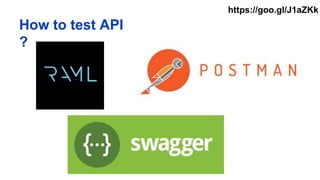
How to test API
?
https://goo.gl/J1aZKk
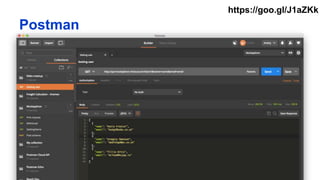
Postman
https://goo.gl/J1aZKk
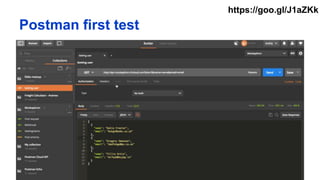
Postman first test
https://goo.gl/J1aZKk
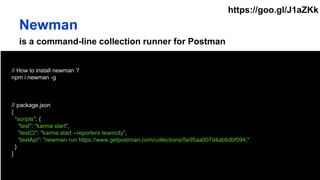
is a command-line collection runner for Postman
// How to install newman ?
npm i newman -g
// package.json
{
"scripts": {
"test": "karma start",
"testCI": "karma start --reporters teamcity",
"testApi": "newman run https://www.getpostman.com/collections/5e95aa007d4ab6dbf094;"
}
}
Newman
https://goo.gl/J1aZKk
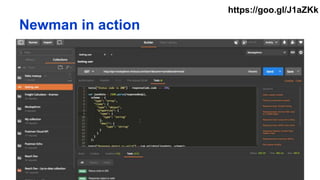
Newman in action
https://goo.gl/J1aZKk
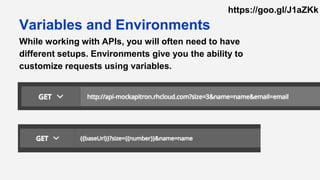
While working with APIs, you will often need to have
different setups. Environments give you the ability to
customize requests using variables.
Variables and Environments
https://goo.gl/J1aZKk
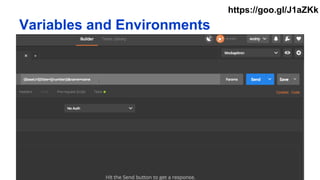
Variables and Environments
https://goo.gl/J1aZKk
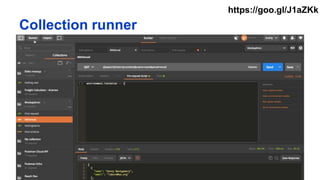
Collection runner
https://goo.gl/J1aZKk
Will help you to write API tests for your specific app logic
tests["Status code is 200"] = responseCode.code === 200;
var i = _.parseInt(environment.iteration);
if (i < 4) {
postman.setNextRequest("GettingName");
} else {
console.log("Finish ====");
postman.clearEnvironmentVariable("iteration");
postman.setNextRequest(null);
}
Conditional Workflows
https://goo.gl/J1aZKk
What else ?
● Pre-request scripts
● Integrated JS libs (lodash, tv4, …)
● Xml validation
● Console for debugging
● Import/export collections
● Convert data from
RAML/Swagger
● Proxy
● Data sync (Team account)
● Integrations (JIRA, Slack,
DataDog)
https://goo.gl/J1aZKk
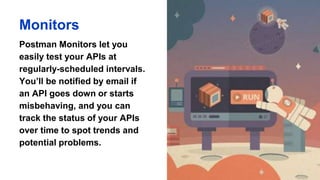
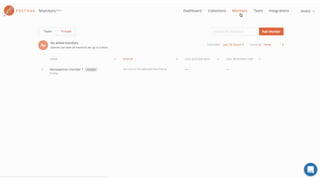
Monitors
Postman Monitors let you
easily test your APIs at
regularly-scheduled intervals.
You’ll be notified by email if
an API goes down or starts
misbehaving, and you can
track the status of your APIs
over time to spot trends and
potential problems.
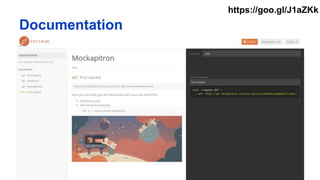
Documentation
https://goo.gl/J1aZKk
How to load test your app?
https://goo.gl/J1aZKk
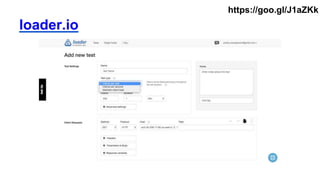
loader.io
https://goo.gl/J1aZKk
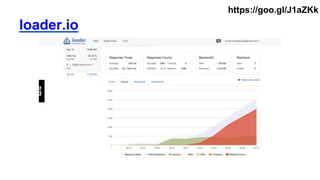
loader.io
https://goo.gl/J1aZKk
How to test layout ?
https://goo.gl/J1aZKk
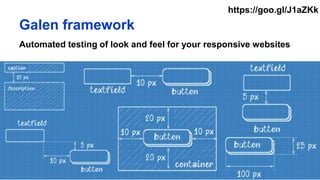
Galen framework
Automated testing of look and feel for your responsive websites
https://goo.gl/J1aZKk
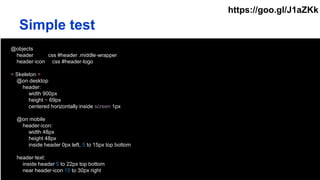
@objects
header css #header .middle-wrapper
header-icon css #header-logo
= Skeleton =
@on desktop
header:
width 900px
height ~ 69px
centered horizontally inside screen 1px
@on mobile
header-icon:
width 48px
height 48px
inside header 0px left, 5 to 15px top bottom
header-text:
inside header 5 to 22px top bottom
near header-icon 15 to 30px right
Simple test
https://goo.gl/J1aZKk
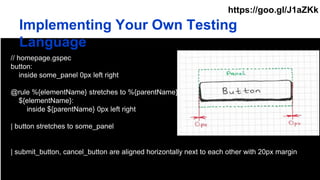
Implementing Your Own Testing
Language
// homepage.gspec
button:
inside some_panel 0px left right
@rule %{elementName} stretches to %{parentName}
${elementName}:
inside ${parentName} 0px left right
| button stretches to some_panel
| submit_button, cancel_button are aligned horizontally next to each other with 20px margin
https://goo.gl/J1aZKk
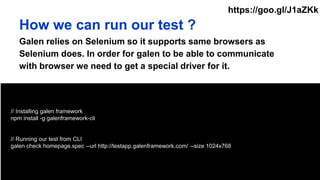
// Installing galen framework
npm install -g galenframework-cli
// Running our test from CLI
galen check homepage.spec --url http://testapp.galenframework.com/ --size 1024x768
How we can run our test ?
Galen relies on Selenium so it supports same browsers as
Selenium does. In order for galen to be able to communicate
with browser we need to get a special driver for it.
https://goo.gl/J1aZKk
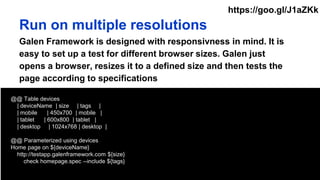
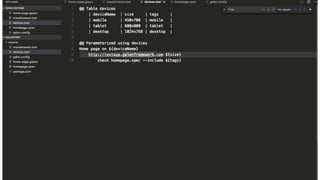
@@ Table devices
| deviceName | size | tags |
| mobile | 450x700 | mobile |
| tablet | 600x800 | tablet |
| desktop | 1024x768 | desktop |
@@ Parameterized using devices
Home page on ${deviceName}
http://testapp.galenframework.com ${size}
check homepage.spec --include ${tags}
Run on multiple resolutions
Galen Framework is designed with responsivness in mind. It is
easy to set up a test for different browser sizes. Galen just
opens a browser, resizes it to a defined size and then tests the
page according to specifications
https://goo.gl/J1aZKk
LoginPage = $page("Login page", {
username: "input[name='login.username']",
password: "input[name='login.password']",
loginButton: "button.button-login"
loginAs: loggedFunction ("Log in as ${_1.username}", function(user) {
this.username.typeText(user.username);
this.loginButton.click();
})
});
test("Login page", function() {
var driver = createDriver("http://testapp.galenframework.com", "1024x768");
new LoginPage(driver).waitForIt();
checkLayout(driver, "loginPage.gspec", ["desktop"]);
});
Javascript API
https://goo.gl/J1aZKk
Test in multiple browsers and platforms
https://goo.gl/J1aZKk
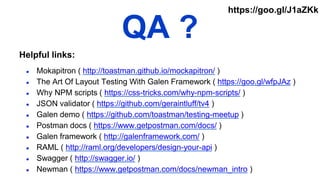
QA ?
● Mokapitron ( http://toastman.github.io/mockapitron/ )
● The Art Of Layout Testing With Galen Framework ( https://goo.gl/wfpJAz )
● Why NPM scripts ( https://css-tricks.com/why-npm-scripts/ )
● JSON validator ( https://github.com/geraintluff/tv4 )
● Galen demo ( https://github.com/toastman/testing-meetup )
● Postman docs ( https://www.getpostman.com/docs/ )
● Galen framework ( http://galenframework.com/ )
● RAML ( http://raml.org/developers/design-your-api )
● Swagger ( http://swagger.io/ )
● Newman ( https://www.getpostman.com/docs/newman_intro )
Helpful links:
https://goo.gl/J1aZKk

Rare frontend testing

  • 1.
    Rare frontend testing byAndrii Vandakurov, frontend competency manager eleks.com
  • 2.
    Agenda ● API tests ●Load tests ● Layout tests ● QA Presentation link https://goo.gl/J1aZK
  • 3.
    How to testAPI ? https://goo.gl/J1aZKk
  • 4.
  • 5.
  • 6.
    is a command-linecollection runner for Postman // How to install newman ? npm i newman -g // package.json { "scripts": { "test": "karma start", "testCI": "karma start --reporters teamcity", "testApi": "newman run https://www.getpostman.com/collections/5e95aa007d4ab6dbf094;" } } Newman https://goo.gl/J1aZKk
  • 7.
  • 8.
    While working withAPIs, you will often need to have different setups. Environments give you the ability to customize requests using variables. Variables and Environments https://goo.gl/J1aZKk
  • 9.
  • 10.
  • 11.
    Will help youto write API tests for your specific app logic tests["Status code is 200"] = responseCode.code === 200; var i = _.parseInt(environment.iteration); if (i < 4) { postman.setNextRequest("GettingName"); } else { console.log("Finish ===="); postman.clearEnvironmentVariable("iteration"); postman.setNextRequest(null); } Conditional Workflows https://goo.gl/J1aZKk
  • 12.
    What else ? ●Pre-request scripts ● Integrated JS libs (lodash, tv4, …) ● Xml validation ● Console for debugging ● Import/export collections ● Convert data from RAML/Swagger ● Proxy ● Data sync (Team account) ● Integrations (JIRA, Slack, DataDog) https://goo.gl/J1aZKk
  • 13.
    Monitors Postman Monitors letyou easily test your APIs at regularly-scheduled intervals. You’ll be notified by email if an API goes down or starts misbehaving, and you can track the status of your APIs over time to spot trends and potential problems.
  • 15.
  • 16.
    How to loadtest your app? https://goo.gl/J1aZKk
  • 17.
  • 18.
  • 19.
    How to testlayout ? https://goo.gl/J1aZKk
  • 20.
    Galen framework Automated testingof look and feel for your responsive websites https://goo.gl/J1aZKk
  • 21.
    @objects header css #header.middle-wrapper header-icon css #header-logo = Skeleton = @on desktop header: width 900px height ~ 69px centered horizontally inside screen 1px @on mobile header-icon: width 48px height 48px inside header 0px left, 5 to 15px top bottom header-text: inside header 5 to 22px top bottom near header-icon 15 to 30px right Simple test https://goo.gl/J1aZKk
  • 22.
    Implementing Your OwnTesting Language // homepage.gspec button: inside some_panel 0px left right @rule %{elementName} stretches to %{parentName} ${elementName}: inside ${parentName} 0px left right | button stretches to some_panel | submit_button, cancel_button are aligned horizontally next to each other with 20px margin https://goo.gl/J1aZKk
  • 23.
    // Installing galenframework npm install -g galenframework-cli // Running our test from CLI galen check homepage.spec --url http://testapp.galenframework.com/ --size 1024x768 How we can run our test ? Galen relies on Selenium so it supports same browsers as Selenium does. In order for galen to be able to communicate with browser we need to get a special driver for it. https://goo.gl/J1aZKk
  • 24.
    @@ Table devices |deviceName | size | tags | | mobile | 450x700 | mobile | | tablet | 600x800 | tablet | | desktop | 1024x768 | desktop | @@ Parameterized using devices Home page on ${deviceName} http://testapp.galenframework.com ${size} check homepage.spec --include ${tags} Run on multiple resolutions Galen Framework is designed with responsivness in mind. It is easy to set up a test for different browser sizes. Galen just opens a browser, resizes it to a defined size and then tests the page according to specifications https://goo.gl/J1aZKk
  • 26.
    LoginPage = $page("Loginpage", { username: "input[name='login.username']", password: "input[name='login.password']", loginButton: "button.button-login" loginAs: loggedFunction ("Log in as ${_1.username}", function(user) { this.username.typeText(user.username); this.loginButton.click(); }) }); test("Login page", function() { var driver = createDriver("http://testapp.galenframework.com", "1024x768"); new LoginPage(driver).waitForIt(); checkLayout(driver, "loginPage.gspec", ["desktop"]); }); Javascript API https://goo.gl/J1aZKk
  • 27.
    Test in multiplebrowsers and platforms https://goo.gl/J1aZKk
  • 28.
    QA ? ● Mokapitron( http://toastman.github.io/mockapitron/ ) ● The Art Of Layout Testing With Galen Framework ( https://goo.gl/wfpJAz ) ● Why NPM scripts ( https://css-tricks.com/why-npm-scripts/ ) ● JSON validator ( https://github.com/geraintluff/tv4 ) ● Galen demo ( https://github.com/toastman/testing-meetup ) ● Postman docs ( https://www.getpostman.com/docs/ ) ● Galen framework ( http://galenframework.com/ ) ● RAML ( http://raml.org/developers/design-your-api ) ● Swagger ( http://swagger.io/ ) ● Newman ( https://www.getpostman.com/docs/newman_intro ) Helpful links: https://goo.gl/J1aZKk