Chapter 3
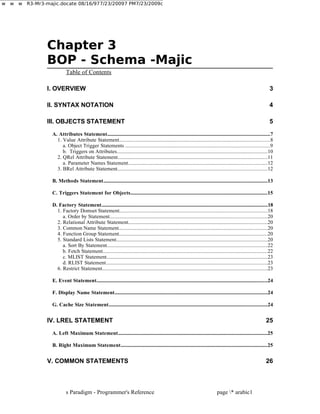
BOP -Schema -Majic
Table of Contents
I. OVERVIEW 3
II. SYNTAX NOTATION 4
III. OBJECTS STATEMENT 5
A. Attributes Statement.................................................................................................................................7
1. Value Attribute Statement...................................................................................................................8
a. Object Trigger Statements ..............................................................................................................9
b. Triggers on Attributes...................................................................................................................10
2. QRel Attribute Statement..................................................................................................................11
a. Parameter Names Statement..........................................................................................................12
3. BRel Attribute Statement..................................................................................................................12
B. Methods Statement..................................................................................................................................13
C. Triggers Statement for Objects.............................................................................................................15
D. Factory Statement....................................................................................................................................18
1. Factory Domset Statement.................................................................................................................18
a. Order by Statement........................................................................................................................20
2. Relational Attribute Statement..........................................................................................................20
3. Common Name Statement.................................................................................................................20
4. Function Group Statement.................................................................................................................20
5. Standard Lists Statement...................................................................................................................20
a. Sort By Statement..........................................................................................................................22
b. Fetch Statement..............................................................................................................................22
c. MLIST Statement...........................................................................................................................23
d. RLIST Statement...........................................................................................................................23
6. Restrict Statement..............................................................................................................................23
E. Event Statement........................................................................................................................................24
F. Display Name Statement.........................................................................................................................24
G. Cache Size Statement..............................................................................................................................24
IV. LREL STATEMENT 25
A. Left Maximum Statement.......................................................................................................................25
B. Right Maximum Statement.....................................................................................................................25
V. COMMON STATEMENTS 26
s Paradigm - Programmer's Reference page * arabic1
w w w R3-Mr3-majic.docate 08/16/977/23/20097 PM7/23/2009c
2.
. Syntax Notation
st
A.Where Clause............................................................................................................................................26
B. Order_by Clause.......................................................................................................................................26
C. Domset Clause...........................................................................................................................................27
D. Maximum Fetch Clause...........................................................................................................................27
VI. MODIFICATION STATEMENTS 28
A. Attribute Modification Statements.......................................................................................................28
B. Modify Factory Statement......................................................................................................................29
1. Standard Lists Statement...................................................................................................................29
C. Modify Business Object syntax..............................................................................................................29
VII. EXAMPLE .MAJ FILE 31
VIII. TRIGGERS AT EXECUTION TIME 32
A. Overiew.......................................................................................................................................................32
B. Object Triggers.........................................................................................................................................34
1. NEW_INIT.........................................................................................................................................34
2. DB_INIT............................................................................................................................................34
3. PRE_VALIDATE..............................................................................................................................35
4. POST_VALIDATE...........................................................................................................................35
5. POST_CI............................................................................................................................................36
C. Attribute Triggers....................................................................................................................................37
1. ON_PRE_VAL..................................................................................................................................37
2. ON_POST_VAL................................................................................................................................38
3. ON_POST_VAL_ASYNC................................................................................................................39
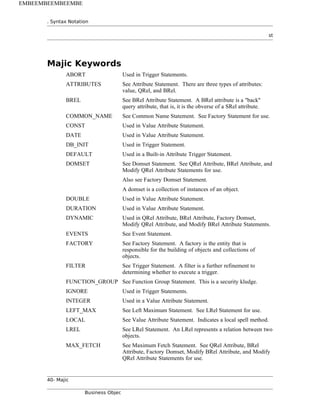
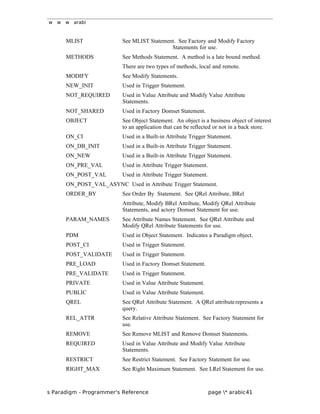
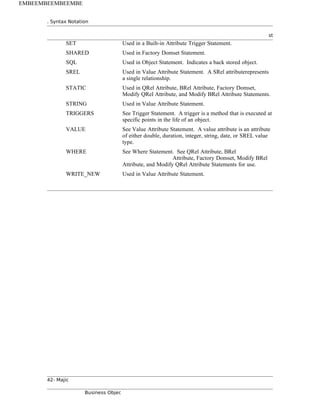
MAJIC KEYWORDS 40
2- Majic
Business Objec
EMBEEMBEEMBEEMBE
3.
w w warabi
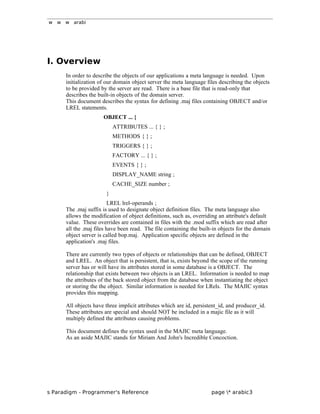
I. Overview
In order to describe the objects of our applications a meta language is needed. Upon
initialization of our domain object server the meta language files describing the objects
to be provided by the server are read. There is a base file that is read-only that
describes the built-in objects of the domain server.
This document describes the syntax for defining .maj files containing OBJECT and/or
LREL statements.
OBJECT ... {
ATTRIBUTES ... { } ;
METHODS { } ;
TRIGGERS { } ;
FACTORY ... { } ;
EVENTS { } ;
DISPLAY_NAME string ;
CACHE_SIZE number ;
}
LREL lrel-operands ;
The .maj suffix is used to designate object definition files. The meta language also
allows the modification of object definitions, such as, overriding an attribute's default
value. These overrides are contained in files with the .mod suffix which are read after
all the .maj files have been read. The file containing the built-in objects for the domain
object server is called bop.maj. Application specific objects are defined in the
application's .maj files.
There are currently two types of objects or relationships that can be defined, OBJECT
and LREL. An object that is persistent, that is, exists beyond the scope of the running
server has or will have its attributes stored in some database is a OBJECT. The
relationship that exists between two objects is an LREL. Information is needed to map
the attributes of the back stored object from the database when instantiating the object
or storing the the object. Similar information is needed for LRels. The MAJIC syntax
provides this mapping.
All objects have three implicit attributes which are id, persistent_id, and producer_id.
These attributes are special and should NOT be included in a majic file as it will
multiply defined the attributes causing problems.
This document defines the syntax used in the MAJIC meta language.
As an aside MAJIC stands for Miriam And John's Incredible Concoction.
s Paradigm - Programmer's Reference page * arabic3
4.
. Syntax Notation
st
II.Syntax Notation
This syntax makes very heavy use of the semicolon as a demarcation. The object
definition is a collection of statements some required and some optional. There are also
optional fields within a statement that have default values if they are not specified.
The general syntaxes are:
KEYWORD required_fields optional_fields ;
KEYWORD required_fields optional_fields {
required_statements ;
optional_statements ;
} ;
name KEYWORD required_fields optional_fields ;
name KEYWORD required_fields optional_fields {
required_statements ;
optional_statements ;
} ;
Notation:
; Used to demarcate a statement.
{ } Used to group statements for definitions that
have optional statements or multiple statements.
( ) Used to enclose a signature description or other
related information.
[ ] Used to indicate an optional field.
4- Majic
Business Objec
EMBEEMBEEMBEEMBE
5.
w w warabi
III. Objects Statement
There are three types of business objects of interest to an application. The SQL and
PDM objects are closely tied to a back store. This is reflected in several of the
statements that compose the objects' definitions. The other type of object is not back
stored. To specify a non-back stored object the template_name must be specified. The
optional statements used in defining the objects are identical.
Syntax:
OBJECT object_name [ type ] [ template_name ] {
optional_statements ;
} ;
Arguments:
object_name This is the name given to the object.
type This is the type of the object. The keywords for
this argument are:
PDM back stored PDM object
SQL back stored object
The default type is SQL.
template_name This is the name of the object's template in the
domain object server's data dictionary. This
argument is specified when defining a non-back
stored object.
An example of a template name is:
DUMMY:SQL
The input argument of template_name is only
part of the full name. The full name is given in
the output from the utility sr_class which
dumps the domain object server's data
dictionary.
Required Statements:
At least one of the optional statements must be included.
Optional Statements:
ATTRIBUTES { } ; Section III-A
METHODS { } ; Section III-B
TRIGGERS { } ; Section III-C
FACTORY factory_name { } ; Section III-D
EVENTS { } ; Section III-E
DISPLAY_NAME string ; Section III-F
CACHE_SIZE number ; Section III-G
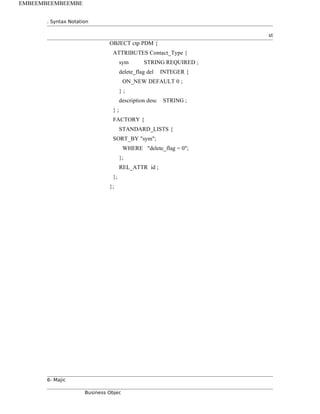
Example:
s Paradigm - Programmer's Reference page * arabic5
w w warabi
A. Attributes Statement
There are currently three types of attributes that can be defined: value, BRel, and QRel.
Syntax:
ATTRIBUTES [ table_name ] {
optional_statements ;
} ;
Arguments:
table_name This is the name of the table in the database that contains
the columns associated with the attributes.
If not specified it defaults to the object_name in the
OBJECT statement.
Required Statements:
At least one of the optional statements must be included.
Optional Statements (See subsections 1 through 3 ):
name [ LOCAL|col_name ]
value_type [ access_type [ status_type ] ]{ } ;
name [ LOCAL|col_name ]
SREL factory_name [ access_type [ status_type ] ] { } ;
name BREL factory_name srel_name [ update_type ] { } ;
name QREL factory_name [ update_type ] { } ;
Example:
ATTRIBUTES Notify_Log_Header {
start_date nlh_start DATE WRITE_NEW {
ON_NEW DEFAULT NOW ;
} ;
last_mod DATE {
ON_CI DEFAULT NOW ;
} ;
msg_hdr nlh_hdr STRING 20 WRITE_NEW ;
msg_text nlh_msg STRING WRITE_NEW ;
msg_ack nlh_user_ack STRING ;
contact nlh_c_addressee SREL cnt WRITE_NEW ;
notify_method nlh_cm_method INTEGER WRITE_NEW ;
activity_notify nlh_transition INTEGER WRITE_NEW ;
pri_event nlh_pri INTEGER WRITE_NEW ;
notify_type nlh_type INTEGER WRITE_NEW ;
ack_time nlh_ack_time DURATION ;
s Paradigm - Programmer's Reference page * arabic7
8.
. Syntax Notation
st
statusnlh_status INTEGER REQUIRED ;
end_date nlh_end DATE {
ON_NEW DEFAULT NOW ;
} ;
};
1. Value Attribute Statement
An value attribute has a data type that is either an integer, a double, a string, a time
duration, a date, or a SRel. A SRel attribute represents a single relation. This type of
attribute usually maps to a column in the database table.
If the attribute is a string then the size is indicated as a integer immediately following
the value_type argument or it takes a default length from the back store.
Syntax:
name [ LOCAL|col_name ]
value_type [ access_type [ status_type ] ] {
optional_statements ;
} ;
name [ LOCAL|col_name ] SREL fac_name [ access_type [ status_type] ] {
optional_statements ;
} ;
Arguments:
name This is the name of the attribute.
LOCAL Keyword to specify that the attribute does not map to a
column in a table in the back store.
col_name This is the name of the column in a table in the back store.
If neither LOCAL or col_name is specified the default is
that the attribute has a corresponding column in the table
and the name of the column is the same name specified in
the first argument, 'name'.
value_type This is the attribute's value_type. The keywords for this
argument are:
INTEGER DOUBLE STRING
STRING length DURATION
DATE SREL
fac_name This is only specified if the value type is SREL. It is the
type of object the SREL attribute is referring to.
access_type This defines the access to the attribute. The keywords for
this argument are:
CONST Cannot be changed
8- Majic
Business Objec
EMBEEMBEEMBEEMBE
9.
w w warabi
PRIVATE Read only
PUBLIC Read/Write access
WRITE_NEW Writeable only at creation
The default value is PUBLIC.
status_type This reflects the attributes required-ness at check-in time.
The keywords for this argument are:
REQUIRED NOT_REQUIRED
The default value is NOT_REQUIRED.
Required Statements:
NONE
Optional Statements (See following subsections a and b):
ON_NEW when value ;
ON_CI when value ;
ON_DB_INIT when value ;
ON_PRE_VAL method_info( trigger_args ) pos [ timeout [ timeout_flag ] ] ;
ON_POST_VAL method_info( trigger_args ) pos [ timeout [ timeout_flag ] ] ;
ON_POST_VAL_ASYNC method_info( trigger_args ) pos
[ timeout [ timeout_flag ] ] ;
Example:
last_mod VALUE DATE {
ON_CI DEFAULT NOW ;
} ;
dept dept_ref SREL dept ;
a. Object Trigger Statements
These are three built-in triggers that default or set the value of an attribute at specific
times which are ON_NEW, ON_CI, and ON_DB_INIT.
ON_NEW is the point where an attribute is being created for the first time. ON_CI is
the point where an attribute is being checked into the back store. And ON_DB_INIT is
.... - JC???
Built-in triggers are only valid for attributes that are either an integer, a string, a date, or
a SREL.
Syntax:
type when value
Arguments:
type This specifies the particular built-in trigger. The keywords
for this argument are:
ON_NEW ON_CI ON_DB_INIT
when This defines when the value specified is to be used, either as
a default at creation or at a set. The keywords for this
argument are:
s Paradigm - Programmer's Reference page * arabic9
10.
. Syntax Notation
st
DEFAULTat creation
SET at setting
value This is either a numeric value, a string value, or the
keyword NOW according to the type of the attribute.
NOW is used for a attribute of type time and sets the
attribute to the current date and time.
Example:
ON_NEW DEFAULT 90 ;
b. Triggers on Attributes
There are three predefined triggers on attributes which are ON_PRE_VAL,
ON_POST_VAL, and ON_POST_VAL_ASYNC. ON_PRE_VAL is at the point prior
to the setting an attribute to a new value. ON_POST_VAL is after an attribute has been
set to a new value and the call to the method is performed synchronously.
ON_POST_VAL_ASYNC is the same as ON_POST_VAL except that the call to the
method is done asynchronously.
Syntax:
event mth( trigger_args ) pos [ timeout [timeout_flag] ] ;
event mth@remote_spec( trigger_args ) pos [ timeout [timeout_flag] ] ;
Arguments:
event This specifies the type of event. The keywords for this
argument are:
ON_PRE_VAL
ON_POST_VAL
ON_POST_VAL_ASYNC
mth This is the name of the method to call.
remote_spec This is a quoted string of the format:
node|proc|obj[|ref_count]
where the format components are:
node The remote node name
proc The remote process
obj The remote object
ref_count Whether the object is
ref counted or not.
The only valid input is 0 or 1
trigger_args A list of comma separated attributes by name to pass into
the trigger.
pos This is the numeric ordinal position of the trigger. The
lowest ordinal value will fire first. There is no guarantee of
firing order for triggers with the same ordinal value.
10- Majic
Business Objec
EMBEEMBEEMBEEMBE
11.
w w warabi
timeout This specifies the number of seconds to allow the trigger to
execute. The default value is the value of the
NX_BPTIMEMOUT environment variable.
timeout_flag This specifies what to do if an error or a timeout occurs.
The keywords for this argument are:
ABORT IGNORE
If a timeout is specified the default is IGNORE. If no
timeout is specified the default is ABORT.
Example:
ON_PRE_VAL set_val_contact( l_name, m_name, f_name ) 55 ;
2. QRel Attribute Statement
A QRel attribute is a query relation.
Syntax:
name QREL object_name [ update_type ] {
required_statements ;
optional_statements ;
} ;
Arguments:
name This is the name of the attribute.
object_name This is the factory name of the query target. This is the
short name.
update_type This input parameter indicates whether the relation is
dynamic, that is, it could change over the life of the
attribute or not. The keywords for this argument are:
DYNAMIC automatic updated after any change
STATIC updated only at time of instantiation
The default value is DYNAMIC.
Required Statements:
WHERE quoted_string ; Section V-D
Optional Statements:
PARAM_NAMES { } ; Section III-A-2-a
ORDER_BY quoted_string ; Section V-B
DOMSET name ; Section V-C
MAX_FETCH number ; Section V-D
Example:
dead_accounts QREL bank DYNAMIC {
WHERE "account.status = CLOSED" ;
MAX_FETCH 50 ;
} ;
s Paradigm - Programmer's Reference page * arabic11
12.
. Syntax Notation
st
a.Parameter Names Statement
The PARAM_NAMES statement specifies the attributes associated with the where
clause. This is only necessary if the where clause contains a hook. A hook is the
question mark charcater, ?, and used as a place holder for the value to be compared
against. For example, x = ?, with a passed in parameter of 4 would be the comparison,
"if x equals 4". There should be an attribute name for each hook in the where clause.
This is order dependent, that is, the nth name corresponds to the nth hook.
Syntax:
PARAM_NAMES { name, name, ... } ;
Arguments:
name This is the name of an attribute.
Example:
PARAM_NAMES { l_name, f_name, m_name, salary } ;
3. BRel Attribute Statement
A BRel attribute is a query relation that is the obverse of a given SREL.
Syntax:
name BREL object_name srel_name [ update_type ] {
optional_statements ;
} ;
Arguments:
name This is the name of the attribute.
object_name This is the name of the object that this is a "back" relation
to.
srel_name This is the name of the attribute in the object that this is a
"back" relation to.
update_type This attribute indicates whether the relation is dynamic, that
is, it could change over the life of the attribute or not. The
keywords for this argument are: DYNAMIC or STATIC
The default value is DYNAMIC.
Required Statements:
NONE
Optional Statements:
WHERE quoted_string ; Section V-A
ORDER_BY quoted_string ; Section V-B
DOMSET name ; Section V-C
MAX_FETCH number ; Section V-D
Example:
all_open_creq BREL cr customer DYNAMIC {
WHERE "cr.active = 1" ;
DOMSET cr_list_limit ;
} ;
12- Majic
Business Objec
EMBEEMBEEMBEEMBE
13.
w w warabi
B. Methods Statement
A method is a late bound method that can be associated with either an object or an
attribute. There are currently two types of methods that can be defined, local and
remote. A local method is a spell method. Spell methods are defined in .spl suffix files
and are read in by the domain object server at initialization.
The remote method is intended for the end-user's use in customization or controlling
which server provides what objects and methods but still allows other servers access.
An example might be having only one server providing a service for security purposes.
Syntax:
METHODS {
optional_statements ;
} ;
Required Statements:
At least one of the optional statements must be included.
Optional Statements:
method_name( data_type [ arg_name ], ...) ;
method_name@remote_spec( data_type [ arg_name ], ...) ;
Arguments:
method_name This is the name of the spell method.
remote_spec This is a quoted string of the format:
node|proc|obj[|ref_count]
where the format components are:
node The remote node name
proc The remote process
obj The remote object
ref_count Whether the object is ref counted. The only valid input is 0 or 1.
data_type
These arguments are used to define the signature of the method. The keywords
for this argument are: nil, integer, double, string, duration, date,
object BPObject reference message BPObject message
any
Any of the above types value_arg An argument of either integer, double
string, duration, or data type
...
Any number of any type of arguments option optional arguments and type
list_mask( number )
A data_type can be a composite of OR'ed values.
s Paradigm - Programmer's Reference page * arabic13
14.
. Syntax Notation
st
Forexample,
nil|object
which defines an argument is either a nil object or a BPObject reference.
list_mask is a way of identify a structure which is composed of the following
'number' of elements. For example,
list_mask(2), integer, string
defines a structure composed of an integer and a string in that order. Later
when calling the method with this signature multiples of the structure can be
passed, continuing the example:
( 3, 42, string1, 56, string2, 78, string3 )
is a valid call to the method. To pass a single structure the following would be
passed: ( 1, 89, only_one_string )
Be careful not to mix the definition of the method's signature with the
arguments passed when calling the method.
arg_name This is an optional name to make the
method signature more readable.
Example:
METHODS {
init_call_request( integer, integer, string ) ;
close_call_request( object, integer, string ) ;
reopen_call_request( object, integer, string ) ;
change_status( object, integer, string, string ) ;
log_callback( object, integer, string, duration, date ) ;
log_comment( object, integer, string ) ;
log_research( object, integer, string, duration, date ) ;
quick_ticket( object, integer );
transfer(object, integer, string, integer, integer ) ;
calc_balance@"banker|savings|account|0"( string, string, integer) ;
transfer_money( string from_accnt, string to_accnt, integer amount)
;
} ;
14- Majic
Business Objec
EMBEEMBEEMBEEMBE
15.
w w warabi
C. Triggers Statement for Objects
Triggers can be associated at the object or attribute level. The attribute level triggers
are covered in Section III-A-1-b. More information on triggers can be found in the
triggers.doc paper. A trigger is defined for certain events that occur in the live of an
attribute or object. There is a predefined set of events which a trigger can be defined
for. The FILTER clause is only valid on the events: PRE_VALIDATE,
POST_VALIDATE, and POST_CI.
Syntax:
TRIGGERS {
optional_statements ;
} ;
Required Statements:
At least one of the optional statement must be included.
Syntax:
event mth( trigger_args ) pos [ timeout [ timeout_flag ] ]
[ FILTER ( condition ) ] ;
event mth@remote_spec( trigger_args ) pos [ timeout [ timeout_flag ] ]
[ FILTER ( condition ) ] ;
Arguments:
event The type of event this trigger will execute on.
The keywords for this argument are:
NEW_INIT
DB_INIT
PRE_VALIDATE
POST_VALIDATE
POST_CI
mth This is the name of the method to call.
remote_spec This is a quoted string of the format:
node|proc|obj[|ref_count]
where the format components are:
node The remote node name
proc The remote process
obj The remote object
ref_count Whether the object is ref
counted ornot. The only valid input is 0 or 1
pos This is the numeric ordinal position of the
trigger.
The lowest ordinal value will fire first. There is
no guarantee of firing order for triggers with
the same ordinal value.
timeout This specifies the number of seconds to allow
the trigger to execute. The default value is the
s Paradigm - Programmer's Reference page * arabic15
16.
. Syntax Notation
st
valueof the NX_BPTIMEMOUT environment
variable.
timeout_flag This specifies what to do if an error or a
timeout occurs. The keywords for this
argument are:
ABORT IGNORE
If a timeout is specified the default is IGNORE.
If no timeout is specified the default is ABORT.
NOTE: The timeout_flag is not always used.
trigger_args A list of comma separated attributes by name to
be pass to the trigger.
condition Conditions can be connected with logic
operands. A condition is one of the following
syntaxes:
value comparison_op value
value { [ [ original_value ] -> [ new_value ] ] }
The later format is a special and unusual syntax
that requires further explanation. Below are the
four possible cases of change({ -> }):
The attribute is being changed.
value {}
The attribute has this orig_value but is now
being changed.
value { orig_value -> }
The attribute is being changed to new value.
value { -> new_value }
The attribute has this orig_value but is being
changed to the new value.
value { orig_value -> new_value }
condition arguments:
value One of the following:
- integer constants are specified as integers
- string constants are quoted with either single
or double quotes
- date constants are quoted strings as
"MM/DD/YYYY HH:MM:SS"
or integers representing UNIX time stamps.
- pseudo values NULL and NOT_NULL
- unquoted names are Dob attributes
16- Majic
Business Objec
EMBEEMBEEMBEEMBE
17.
w w warabi
- For PRE_VALIDATE and
POST_VALIDATE triggers the original value
of an attribute or the value it is to be set to
NOTE: ONLY value attributes or SRel
attributes can be used when using an attribute
as the value argument.
comparison_op The keys for this argument are:
== equal
!= not equal
> greater than
< less than
>= greater than or equal to
<= less than or equal to
! not
{ -> } change
NOTE: The comparison_op listed last in the list
above is only valid for the Dob triggers:
PRE_VALIDATE
POST_VALIDATE
POST_CI
logic_op The keys for logic operands are:
&& and
|| or
Examples:
FILTER ( status { "OP" -> "CL" } && assignee != NULL )
This filter will evaluate to true if the original value of the attribute status was "OP"
and it it being changed to a value of "CL" and the assignee is not equal to NULL>
TRIGGER {
POST_CI
post_ci_notify( type, notify_list, msg_title, msg_body,
msg_ack )
55 FILTER ( type != "CL" && notify_list {} ) ;
} ;
s Paradigm - Programmer's Reference page * arabic17
18.
. Syntax Notation
st
D.Factory Statement
The factory is responsible for building the object and collections of the objects. A
single object has a public interface called Dob. A collect of objects has a public
interface called Domset.
Syntax:
FACTORY [ factory_name ] {
optional_statement ;
} ;
Arguments:
factory_name This is the name for the factory. If
factory_name isnot specified the default of the
OBJECT template_name is used. If the
OBJECT template_name is not specified then
the OBJECT name is used.
Required Statements:
At least one of the optional statements must be included.
Optional Statements:
DOMSET { } ; Section III-D-1
REL_ATTR name ; Section III-D-2
COMMON_NAME name ; Section III-D-3
FUNCTION_GROUP name ; Section III-D-4
STANDARD_LISTS { } ; Section III-D-5
RESTRICT where_clause { } ; Section III-D-6
METHODS { } ; Section III-B
Example:
FACTORY {
STANDARD_LISTS {
SORT_BY "sym,code";
};
REL_ATTR code ;
COMMON_NAME sym ;
FUNCTION_GROUP "admin" ;
} ;
1. Factory Domset Statement
This statement defines a collection of objects.
Syntax:
DOMSET name sort_column
[ fetch_column [ scope volatility ] ] {
18- Majic
Business Objec
EMBEEMBEEMBEEMBE
19.
w w warabi
optional_statements ;
} ;
Arguments:
name This is the name for the domset.
sort_column The sort_column string is a comma separated
string of the sort keys with asc (ascending
order) or desc (descending order). The default
is asc. Examples of
sort_column values are:
"timer asc, name desc"
"lhs_attrs=lpid+lattr+lseq,
rhs_attrs=rpid+rattr+rseq"
"timer"
There is one 'special' attribute name.
'ROW_HITS' that can appear in a sort_column
or fetch_column. If present this will show the
number of times a row has been added to the
domset.
fetch_column This is a list of white-spaced separated attribute
names.
scope This defines the scope of the domset. The
keywords for this argument are:
SHARED
NOT_SHARED
The default value is NOT_SHARED.
volatility This defines the nature of the domset, that is,
once created is it static or if a new candidate is
created after the domset's creation will it be
added to the domset if it meets the domset's
criteria? The keywordsfor this argument are:
PRE_LOAD
DYNAMIC
STATIC
The default value is STATIC.
Required Statements:
NONE
Optional Statements:
ORDER_BY quoted_string ; Section III-D-1-a
WHERE quoted_string ; Section V-A
MAX_FETCH number ; Section V-D
Example:
DOMSET delete_list "name, target, method" "interest" DYNAMIC ;
s Paradigm - Programmer's Reference page * arabic19
20.
. Syntax Notation
st
a.Order by Statement
The ORDER_BY statement is used to further refine the ordering of the elements
returned in the domset.
Syntax:
ORDER_BY quoted_string ;
Arguments:
quoted_string This is a list of the attributes to use for
determining the domset's ordering of elements.
Example:
ORDER_BY "d_name, dept_no" ;
2. Relational Attribute Statement
The relation attribute defines what attribute will represent an object when the object is
being referenced by a SRel.
Syntax:
REL_ATTR name ;
Arguments:
name This is the name of the attribute to use for the
relational column.
Example:
REL_ATTR id ;
3. Common Name Statement
This is a hint for a name to be used by applications. This is a kludge.
Syntax:
COMMON_NAME name ;
Arguments:
name This is hint for a name to use for display
purposes. This is a user-interface kludge.
Example:
COMMON_NAME sym ;
4. Function Group Statement
This is a security kludge.
Syntax:
FUNCTION_GROUP name ;
Arguments:
name This name of the security function group used
by the viewer.
Example:
FUNCTION_GROUP "admin" ;
5. Standard Lists Statement
When a factory is created the domset creates some standard lists for that factory. This
statement defines paramaters and properties about that list and defines which lists
20- Majic
Business Objec
EMBEEMBEEMBEEMBE
21.
w w warabi
should be created. Each standard lists has a name by which can be used to get an
instance of the list from the factory. All standard lists share the same sort indices and
fetch columns. Some of the standard lists have a where clause automatically added to
any fetch which is done to restrict the objects in the list to some subset of the possible
objects in the factory.
The names used for accessing the standard lists and their properties are as follow:
Name Description
MLIST A Master list containing an in-ram references to
all of the objects in the factory. This list is kept
in sync with the data repository. The user may
not start a fetch, or clear out this list.
RLIST A Restricted Master list containing a subset of
the objects in the factory. The subset is defined
by a where clause.
Other than this where clause, the RLIST is the
same as the MLIST.
MLIST_DYNAMIC An ad-hoc list the user may request. This list is
kept in sync with the data repository and may
change it's contents at any time. The
user may perform fetch, fetch_more, and empty
methods on this list.
MLIST_STATIC Same as the MLIST_DYNAMIC except that
the contents of the list do not stay in sync with
the data repository. In other words the items in
the list do not change without the user taking
direct action to change them with a fetch,
fetch_more, or empty method call.
RLIST_DYNAMIC Same as MLIST_DYNAMIC with the addition
of the subset feature of the RLIST. In other
words the where clause is added to any fetch
done.
RLIST_STATIC Same as MLIST_STATIC with the addition of
the subset feature of the RLIST. In other words
the where clause is added to any fetch done.
There are additional lists created for each factory which are not affected by this entry in
the majic file. (DYNAMIC and STATIC). These ad_hoc lists have no where clause
restrictions and no fetch or sort columns.
A dynamic list will reflect the addition, deletion, and modification of objects that meet
the list's definition. A static list will only contain the objects from its initial creation.
For example, a new object that is created after a static list that meets the list's definition
will not be added to the list. However, a new object that is created after a dynamic list
will be added to the dynamic list if it meets the list's definition.
Sort columns specify the order of the objects in the list. Fetch columns specify the
columns fetched from each object and saved in the list data structures.
The MLIST and RLIST master list and restricted list are special, global, auto-instance
lists. There is only one list respectively and it is instantiated when the domain server is
s Paradigm - Programmer's Reference page * arabic21
22.
. Syntax Notation
st
started.As stated before they are an in RAM represtation of all the objects in a factory
that meet the lists definition. For the master list this is all the objects in the factory. For
the restricted list this is all the objects that meet the WHERE clause. These lists can
speed up access and display for an application. They can also use up too many
resources in the domain server. Tuning the domain server requires deciding where to
have master lists and restricted lists or not. As such there are statements to turn master
lists and restricted lists ON or OFF. If a WHERE clause has been specified then there
exists a restricted list. To turn off this restricted list one must also turn off the MLIST.
Attempting to turn off the restricted list without also truning off the Master list is a fatal
error.
Syntax:
STANDARD_LISTS {
optional_statements ;
} ;
Required Statements:
At least one of the optional statements must be included.
Optional Statements:
SORT_BY index_info ; Section III-D-5-a
FETCH fetch_info ; Section III-D-5-b
WHERE where_clause ; Section V-A
MLIST ON | OFF ; Section III-D-5-c
RLIST ON | OFF ; Section III-D-5-d
Example:
STANDARD_LISTS {
SORT_BY "sym,code" ;
FETCH "description" ;
WHERE "delete_flag = 0" ;
};
a. Sort By Statement
Defines the attributes to be used for sorting a list.
Syntax:
SORT_BY index_info ;
Arguments:
index_info The list of sort attributes for organizing the list.
Example:
SORT_BY "sym,code" ;
b. Fetch Statement
Defines the additional attributes to be fetched for the object.
Syntax:
FETCH fetch_info ;
Arguments:
22- Majic
Business Objec
EMBEEMBEEMBEEMBE
23.
w w warabi
fetch_info The list of additional attributes to collect.
Example:
FETCH "description" ;
c. MLIST Statement
Turns on or off the master list.
Syntax:
MLIST ON | OFF ;
Arguments:
ON | OFF Turns the MLIST on or off. Defaults:
If no SORT_BY clause is defined the default is off. If there
is a SORT_BY clause the default is on.
Note: a zero length SORT_BY is the same as not being set.
Example:
MLIST ON ;
d. RLIST Statement
Turns on or off the restricted list. Note that one must also turn off the master list when
turning off the restricted list.
Syntax:
RLIST ON | OFF ;
Arugments:
ON | OFF Turns the RLIST on or off. Defaults:
If no WHERE clause is defined the default is off.
If a WHERE clause is defined the default is on.
Note: a zero length WHERE is the same as not being set.
Example:
RLIST ON ;
6. Restrict Statement
This statement limits the items which can be produced by the factory. It overrides any
other consideration.
Syntax:
RESTRICT quoted_string { value_pair, value_pair, ... } ;
Arguments:
quoted_string This is further qualifications to be used in
conjunction with the where clause.
value_pair Value pair with the format of:
attribute_name = value
Example:
RESTRICT "type = 2305 AND alias = -1"
{ type = 2305, alias = -1 } ;
s Paradigm - Programmer's Reference page * arabic23
24.
. Syntax Notation
st
E.Event Statement
Events are simply a list of names of events the objects will send notification about.
Syntax:
EVENTS { name, name, ... } ;
Arguments:
name This is the name of the event.
Example:
EVENTS { New_User, User_Deleted } ;
F. Display Name Statement
This is used by applications.
Syntax:
DISPLAY_NAME string ;
Arguments:
name This is the name to for application to display.
Example:
DISPLAY_NAME Contact ;
G. Cache Size Statement
This is used to overide the default cache size, that is, how many objects are cached.
The default is currently 100.
Syntax:
CACHE_SIZE number ;
Arguments:
number This is the number to cache.
Example:
CACHE_SIZE 50 ;
24- Majic
Business Objec
EMBEEMBEEMBEEMBE
25.
w w warabi
IV. LRel Statement
There is a relation that is outside the scope of being defined within a single object. This
is a list relation (LREL). A LREL represents a specific relation between two things.
Syntax:
LREL fac bob attr <> bob attr {
optional_statements ;
} ;
Arguments:
fac This is the name of the factory.
bob This the object name from the OBJECT definition. This is
NOT the template name.
attr This the attribute name.
Optional Statements:
LEFT_MAX integer ; Section IV-A
RIGHT_MAX integer ; Section IV-B
Example:
LREL lrel1 cnt bins <> Cr_Stored_Queries cntcrsq ;
A. Left Maximum Statement
This statement specifies the maximum number of entries for the left side of an LRel.
Syntax:
LEFT_MAX integer ;
Arguments:
integer The maximum number of entries for the left
side of an LRel.
Example:
LEFT_MAX 50 ;
B. Right Maximum Statement
This statement specifies the maximum number of entries for the right side of an LRel.
Syntax:
RIGHT_MAX integer ;
Arguments:
integer The maximum number of entries for the right
side of an LRel.
Example:
RIGHT_MAX 50 ;
s Paradigm - Programmer's Reference page * arabic25
26.
. Syntax Notation
st
V.Common Statements
A. Where Clause
This statement associates a sql-like where clause with a given item. Where clauses are
used on QREL, BREL, FACTORY DOMSET, and STANDARD_LIST, along with
MODIFY statements
Syntax:
WHERE quoted_string ;
Arguments:
quoted_string This is a where clause.
Example:
WHERE "cr.active = 1" ;
B. Order_by Clause
This statement is used in the definition of a BRel or a QRel attribute. It defines the sort
key or keys to use for the attribute. The keys must be valid keys for the Domset. If this
statement is not included the sort key will default to the first sort key of the Domset.
Order_by clauses are used on QREL, BREL, FACTORY DOMSET, and
STANDARD_LIST, along with MODIFY
Syntax:
ORDER_BY quoted_string ;
Arguments:
quoted_string The sort keys to use with the Domset.
Example:
act_log BREL alg call_req_id DYNAMIC {
DOMSET alg_list ;
ORDER_BY analyst ;
} ;
26- Majic
Business Objec
EMBEEMBEEMBEEMBE
27.
w w warabi
C. Domset Clause
This statement associates a domset with a given item. DOMSET clauses are used on
QREL, BREL, and STANDARD_LIST, along with MODIFY
This DOMSET clause has a limited set of parameters. For DOMSET in the FACTORY,
see FACTORY.
Syntax:
DOMSET name ;
Arguments:
name The name of a domset.
Example:
DOMSET cr_list_limit ;
D. Maximum Fetch Clause
This statement sets a maximum number of items to be returned in a domset.
Syntax:
MAX_FETCH number ;
Arguments:
number This argument specifies the maximum number
of items to fetch.
Example:
MAX_FETCH 100 ;
s Paradigm - Programmer's Reference page * arabic27
28.
. Syntax Notation
st
VI.Modification Statements
The previous syntax dealt with defining new object, attributes, etc. The following
syntax is used to modify existing objects, attributes, or factory for an object. The intent
of the Modify section is that these are a more simple interface to modify the dictionary.
These entries should be placed in a mod file in the mods/majic directory.
The object name is the short name which imediately follows the keyword OBJECT.
A. Attribute Modification Statements
All attributes share the same syntax. If you attempt a non-sensical modification the
domserver will abort. (For example if you try and make a QREL a REQUIRED field.)
Syntax:
MODIFY object_name attribute_name modify_attr_values;
Arguments:
object_name This is the name of the object where the attribute was
originally defined. If a template name was specified in the
originally definition that is what is used here.
attribute_name The attribute's name.
modify_attr_values A single entry or a list of statements surrounded by {};
REQUIRED ;
STATIC | DYNAMIC ;
ON_NEW when value;
ON_CI when value ;
ON_DB_INIT when value ;
ON_PRE_VAL method_info( trigger_args ) pos [ timeout[ timeout_flag ] ];
ON_POST_VAL method_info( trigger_args ) pos
[ timeout[ timeout_flag ] ];
ON_POST_VAL_ASYNC method_info( trigger_args ) pos
[ timeout [ timeout_flag ] ] ;
WHERE quoted_string ; Section V-A
PARAM_NAMES { } ; Section III-A-2-a
ORDER_BY quoted_string ; Section V-B
DOMSET name ; Section V-C
MAX_FETCH number ; Section V-D
Example:
MODIFY emp salary REQUIRED ;
MODIFY emp salary ON_NEW DEFAULT 123 ;
MODIFY emp associates STATIC ;
28- Majic
Business Objec
EMBEEMBEEMBEEMBE
29.
w w warabi
MODIFY emp associates { WHERE "active_flag = 1";
ORDER_BY "hire_date";
DOMSET "example_domset";
};
B. Modify Factory Statement
Allows you to remove and modify domsets in the factory.
Syntax:
MODIFY FACTORY object_name mod_factory_args;
Arguments:
object_name This is the name of the object where the factory was
originally defined. If a template name was specified in the
originally definition that is what is used here.
mod_factory_args: A single item noted below or a list of them enclosed with
brackets.
FUNCTION_GROUP name ; Section III-D-4
STANDARD_LISTS Section III-D-5
1. Standard Lists Statement
See Section III-D-5. The example below shows turning off the master list and the rlist
but it is not intended to state that only disabling of the master list and restricted list are
valid in a modify factory statement. Any of the optional statements within a standard
list statement is valid within a modify factory statement.
Example:
MODIFY FACTORY EMPLOYEE {
STANDARD_LISTS {
MLIST OFF;
RLIST OFF;
} ;
} ;
C. Modify Business Object syntax
Allows you to add triggers, etc to a business object. At this point only triggers can be
added, this is expected to change in the future.
Syntax:
MODIFY object_name modify_ob_args ;
Arguments:
object_name This is the name of the object where the factory was
originally defined. If a template name was specified in the
originally definition that is what is used here.
mod_ob_args: A single item noted below or a list of them enclosed with
brackets.
s Paradigm - Programmer's Reference page * arabic29
30.
. Syntax Notation
st
mod_ob_arg:
eventmth( trigger_args ) pos [ timeout [ timeout_flag ] ]
[ FILTER ( condition ) ] ;
event mth@remote_spec( trigger_args ) pos [ timeout
[ timeout_flag ] ]
[ FILTER ( condition ) ] ;
event The type of event this trigger will execute on.
The keywords for this argument are:
NEW_INIT DB_INIT
PRE_VALIDATE POST_VALIDATE
POST_CI
Example:
MODIFY cnt PRE_VALIDATE foo ( last_name) 45;
30- Majic
Business Objec
EMBEEMBEEMBEEMBE
31.
w w warabi
VII. Example .maj File
Below is the MAJIC file used in the white box testing with the simple first_form test
application.
OBJECT dept SQL
{
ATTRIBUTES Department {
dept_no STRING ;
d_name STRING ;
budget INTEGER ;
members BREL emp dept ;
} ;
FACTORY {
STANDARD_LISTS { SORT_BY "dept_no, d_name"; };
REL_ATTR dept_no ;
} ;
} ;
OBJECT emp SQL
{
ATTRIBUTES Employee {
emp_no STRING ;
l_name STRING ;
dept SREL dept ; // ref to dept_no
salary INTEGER ;
} ;
METHODS { tickle() ; } ;
FACTORY {
STANDARD_LISTS { SORT_BY "emp_no, l_name" ;
};
} ;
} ;
s Paradigm - Programmer's Reference page * arabic31
32.
. Syntax Notation
st
VIII.Triggers at execution time
A. Overiew
Trigger happen at specific times in the life cycle of an object, such as, creation or the
changing of a value. Theses specific times are called event triggers. There are eight
defined event triggers. These are:
Object Triggers
NEW_INIT Chance to do complex initial default on a new Dob
DB_INIT Last chance init after loading values from DB
PRE_VALIDATE Chance to modify values prior to a validate/checkin
POST_VALIDATE Make sure the Dob is valid prior to a save
POST_CI Notify that some values have changed
Attribute Triggers
ON_PRE_VAL Chance to trap and possibly abort a user change of an
attribute
ON_POST_VAL Serial notification of a change to an attribute
ON_POST_VAL_ASYNC Notify of a change being made to an attribute
Multiple triggers can be defined to execute at a specific moment. The order of
execution of these multiple triggers is determined by an ordinal value associated with
each trigger. A trigger with an ordinal value of 1 is executed prior to a trigger with an
ordinal value of 2 and so on. The order of execution of triggers with the same ordinal
value is not guaranteed to occur in any specific order such as first defined is first
executed. If you need to guarantee order than use different ordinal values.
Since there can be multiple triggers defined to execute at a particular moment each
trigger can define whether execution of the triggers will continue or abort. There are
two points at which the determination to continue or to abort are made. One is the
trigger fails for some reason. The other is the trigger failed to complete within a
specified time, that is, a timeout occurs.
The arguments passed to a trigger are sometimes confusing. We have attempted to use
the same pattern of arguments for all of the dob triggers, and another pattern for the
attribute triggers. If you get confused as to what arguments are being passed, do a
bop_logging and examine the arguments. If you do this you will note three additional
arguments at the beginning of the trigger message. These are internal arguments which
provide context to the interpretor and they should be disreguarded.
The first three arguments (which should be ignored) are:
string template_name, string trigger_name, Object_Ref obj_ref // The 'this'
pointer
WARNING. You need to be careful reguarding unanticipated recursion. For example
if you had an object with two attributes, fred and wilma. If fred has an
32- Majic
Business Objec
EMBEEMBEEMBEEMBE
33.
w w warabi
'ON_PRE_VAL" that does a set_val on wilma, and wilma has an 'ON_PRE_VAL' that
does a set_val on fred, you will be hosed.
s Paradigm - Programmer's Reference page * arabic33
34.
. Syntax Notation
st
B.Object Triggers
1. NEW_INIT
This is executed prior to the creation (as opposed to instantiation) of an object. It is
here that one can do complex initial default calculations for a new object. This is a
serial trigger. Execution will not proceed until the trigger returns.
Arguments:
The function you define for the trigger is called with an array of triplets which
correspond to the attributes you defined in majic. Each element of the triplet consists of
the attribute name, the 'old' value, and the 'new' value. Old is the 'original' and new is
the 'changed'.
(string attr_name, value old_val, value new_val) []
Reply:
For the reply, you provide the attributes you want to set, and what the value to set
should be. An error return is not supported. Do not attempt to change the attributes
using a 'this' pointer;
(string attr_name, value change_val)[]
Note: There is NO context here. Do not attempt to access the dob. It does not exist.
Ignore the 'new_val' in the input arguments.
2. DB_INIT
This is executed prior to instantiation. At this point the backstore has been asked for
data, and you have a chance to add any attribute values you wish. This is the last
chance for initialization after reading values from the database. This is a serial trigger.
Execution will not proceed until the trigger returns.
Arguments:
The function you define for the trigger is called with an array of triplets which
correspond to the attributes you defined in majic. Each element of the triplet consists of
the attribute name, the 'old' value, and the 'new' value. Old is the 'original' and new is
the 'changed'.
(string attr_name, value old_val, value new_val) []
Reply:
For the reply, you provide the attributes you want to set, and what the value to set
should be. An error return is not supported. Do not attempt to change the attributes
using a 'this' pointer;
(string attr_name, value change_val)[]
Note: There is NO context here. Do not attempt to access the dob. It does not exist.
Ignore the 'new_val' in the input arguments.
34- Majic
Business Objec
EMBEEMBEEMBEEMBE
35.
w w warabi
3. PRE_VALIDATE
This is executed prior to a validate/checkin. It is here that one can modify the values
prior to a checkin. This is a serial trigger. Execution will not proceed until the trigger
returns.
From your function you can typically do two things. Either simply return an error code
saying that the validation check has failed, or you can modify attributes using the 'this'
pointer.
Arguments:
The function you define for the trigger is called with an array of triplets which
correspond to the attributes you defined in majic. Each element of the triplet consists of
the attribute name, the 'old' value, and the 'new' value. Old is the 'original' and new is
the 'changed'.
(string attr_name, value old_val, value new_val) []
Error Reply:
Set error_code != 0, put a string error_text in msg[0]
Success Reply:
Set error_code == 0
Notes/Side Effects:
You are in the exclusive session of the group leader doing the checkin (CI) when you
get this call. We make a Dob just for your use on this function. Do not attempt to save
the 'this' pointer.
4. POST_VALIDATE
This is executed after the validate pass, and prior to the saving of the changes. It is here
that one can do additional modifications of attributes before it is written to the database.
This is a serial trigger. Execution will not proceed until the trigger returns.
From your function you can typically do two things. Either simply return an error code
saying that the validation check has failed, or you can modify attributes using the 'this'
pointer.
Arguments:
The function you define for the trigger is called with an array of triplets which
correspond to the attributes you defined in majic. Each element of the triplet consists of
the attribute name, the 'old' value, and the 'new' value. Old is the 'original' and new is
the 'changed'.
(string attr_name, value old_val, value new_val) []
Error Reply:
Set error_code != 0, put a string error_text in msg[0]
Success Reply:
Set error_code == 0
Notes/Side Effects:
You are in the exclusive session of the group leader doing the checkin (CI) when you
get this call. We make a Dob just for your use on this function. Do not attempt to save
the 'this' pointer.
s Paradigm - Programmer's Reference page * arabic35
36.
. Syntax Notation
st
5.POST_CI
This is executed to notify a change of value. This is an asynchronous trigger. You do
not reply.
You can do virtually nothing from this function except fire off notifications, set events,
etc.
Arguments:
The function you define for the trigger is called with an array of triplets which
correspond to the attributes you defined in majic. Each element of the triplet consists of
the attribute name, the 'old' value, and the 'new' value. Old is the 'original' and new is
the 'changed'.
(string attr_name, value old_val, value new_val) []
No Reply's:
Notes/Side Effects:
This is an asynchronous only call. There is NO 'this' pointer, and you do not get a
change to respond in any way.
36- Majic
Business Objec
EMBEEMBEEMBEEMBE
37.
w w warabi
C. Attribute Triggers
1. ON_PRE_VAL
This is executed during a set on an attribute. This function is intended to allow you to
check that what is entered is valid. It also gives you a way to coerce the value being set
to some other value without calling the validate triggers.
You will typically either fail the change, causing an error, or you can coerce the value
to some other value and continue. If we did not coerce the value, we would do another
ON_PRE_VAL and things get nasty quickly.
Arguments:
The function you define for the trigger is called with a bunch of stuff for the attribute,
then the standard array of attribute triblets you passed in as part of the majic definition.
attr_name attribute name for attribute being set
attr_val.orig original attribute value (could be in the db)
attr_val.last attribute value prior to set
attr_val.new value passed with set_attr message
set_val_smag smag value from the set_attr message
group_leader object reference for a group leader or NIL
(string attr_name, value old_val, value new_val) []
Error Reply:
Set error_code != 0, put a string error_text in msg[0]
Success Reply:
Set error_code == 0
Success Reply - and coerce the set_val to a new value:
Set error_code == 0;
set msg[0] to the new value
s Paradigm - Programmer's Reference page * arabic37
38.
. Syntax Notation
st
2.ON_POST_VAL
This is executed to notify of a change to an attribute, IE it has passed all validation
steps. This is a serial trigger. Execution will not proceed until the trigger returns.
What you do here is to perhaps set other attributes based on the value just set, etc using
the 'this' pointer..
Arguments:
The function you define for the trigger is called with a bunch of stuff for the attribute,
then the standard array of attribute triblets you passed in as part of the majic definition.
attr_name attribute name for attribute being set
attr_val.orig original attribute value (could be in the db)
attr_val.last attribute value prior to set
attr_val.new value passed with set_attr message
set_val_smag smag value from the set_attr message
group_leader object reference for a group leader or NIL
(string attr_name, value old_val, value new_val) []
Example, call manager has
ON_POSTVAL build_combo_name(last,first,middle);
but routine names argv[9], argv[12], and argv[15]. ???
Error Reply:
No error reply is possible.
Success Reply:
Set error_code == 0
Notes/Side Effects:
A Dob reference is passed in the synchronous case. No return errors possible.
38- Majic
Business Objec
EMBEEMBEEMBEEMBE
39.
w w warabi
3. ON_POST_VAL_ASYNC
This is executed to notify of a change to an attribute, IE it has passed all validation
steps. This is an async trigger. Execution will proceed immediately and will not wait
for a reply.
What you do here is to perhaps set other attributes based on the value just set, etc using
the 'this' pointer..
Arguments:
The function you define for the trigger is called with a bunch of stuff for the attribute,
then the standard array of attribute triblets you passed in as part of the majic definition.
attr_name attribute name for attribute being set
attr_val.orig original attribute value (could be in the db)
attr_val.last attribute value prior to set
attr_val.new value passed with set_attr message
set_val_smag smag value from the set_attr message
group_leader object reference for a group leader or NIL
(string attr_name, value old_val, value new_val) []
Reply:
None supported.
Notes/Side Effects:
There is no Dob reference passed.
s Paradigm - Programmer's Reference page * arabic39
40.
. Syntax Notation
st
MajicKeywords
ABORT Used in Trigger Statements.
ATTRIBUTES See Attribute Statement. There are three types of attributes:
value, QRel, and BRel.
BREL See BRel Attribute Statement. A BRel attribute is a "back"
query attribute, that is, it is the obverse of a SRel attribute.
COMMON_NAME See Common Name Statement. See Factory Statement for use.
CONST Used in Value Attribute Statement.
DATE Used in Value Attribute Statement.
DB_INIT Used in Trigger Statement.
DEFAULT Used in a Built-in Attribute Trigger Statement.
DOMSET See Domset Statement. See QRel Attribute, BRel Attribute, and
Modify QRel Attribute Statements for use.
Also see Factory Domset Statement.
A domset is a collection of instances of an object.
DOUBLE Used in Value Attribute Statement.
DURATION Used in Value Attribute Statement.
DYNAMIC Used in QRel Attribute, BRel Attribute, Factory Domset,
Modify QRel Attribute, and Modify BRel Attribute Statements.
EVENTS See Event Statement.
FACTORY See Factory Statement. A factory is the entity that is
responsible for the building of objects and collections of
objects.
FILTER See Trigger Statement. A filter is a further refinement to
determining whether to execute a trigger.
FUNCTION_GROUP See Function Group Statement. This is a security kludge.
IGNORE Used in Trigger Statements.
INTEGER Used in a Value Attribute Statement.
LEFT_MAX See Left Maximum Statement. See LRel Statement for use.
LOCAL See Value Attribute Statement. Indicates a local spell method.
LREL See LRel Statement. An LRel represents a relation between two
objects.
MAX_FETCH See Maximum Fetch Statement. See QRel Attribute, BRel
Attribute, Factory Domset, Modify BRel Attribute, and Modify
QRel Attribute Statements for use.
40- Majic
Business Objec
EMBEEMBEEMBEEMBE
41.
w w warabi
MLIST See MLIST Statement. See Factory and Modify Factory
Statements for use.
METHODS See Methods Statement. A method is a late bound method.
There are two types of methods, local and remote.
MODIFY See Modify Statements.
NEW_INIT Used in Trigger Statement.
NOT_REQUIRED Used in Value Attribute and Modify Value Attribute
Statements.
NOT_SHARED Used in Factory Domset Statement.
OBJECT See Object Statement. An object is a business object of interest
to an application that can be reflected or not in a back store.
ON_CI Used in a Built-in Attribute Trigger Statement.
ON_DB_INIT Used in a Built-in Attribute Trigger Statement.
ON_NEW Used in a Built-in Attribute Trigger Statement.
ON_PRE_VAL Used in Attribute Trigger Statement.
ON_POST_VAL Used in Attribute Trigger Statement.
ON_POST_VAL_ASYNC Used in Attribute Trigger Statement.
ORDER_BY See Order By Statement. See QRel Attribute, BRel
Attribute, Modify BRel Attribute, Modify QRel Attribute
Statements, and actory Domset Statement for use.
PARAM_NAMES See Attribute Names Statement. See QRel Attribute and
Modify QRel Attribute Statements for use.
PDM Used in Object Statement. Indicates a Paradigm object.
POST_CI Used in Trigger Statement.
POST_VALIDATE Used in Trigger Statement.
PRE_LOAD Used in Factory Domset Statement.
PRE_VALIDATE Used in Trigger Statement.
PRIVATE Used in Value Attribute Statement.
PUBLIC Used in Value Attribute Statement.
QREL See QRel Attribute Statement. A QRel attributerepresents a
query.
REL_ATTR See Relative Attribute Statement. See Factory Statement for
use.
REMOVE See Remove MLIST and Remove Domset Statements.
REQUIRED Used in Value Attribute and Modify Value Attribute
Statements.
RESTRICT See Restrict Statement. See Factory Statement for use.
RIGHT_MAX See Right Maximum Statement. See LRel Statement for use.
s Paradigm - Programmer's Reference page * arabic41
42.
. Syntax Notation
st
SETUsed in a Built-in Attribute Trigger Statement.
SHARED Used in Factory Domset Statement.
SQL Used in Object Statement. Indicates a back stored object.
SREL Used in Value Attribute Statement. A SRel attributerepresents
a single relationship.
STATIC Used in QRel Attribute, BRel Attribute, Factory Domset,
Modify QRel Attribute, and Modify BRel Attribute Statements.
STRING Used in Value Attribute Statement.
TRIGGERS See Trigger Statement. A trigger is a method that is executed at
specific points in the life of an object.
VALUE See Value Attribute Statement. A value attribute is an attribute
of either double, duration, integer, string, date, or SREL value
type.
WHERE See Where Statement. See QRel Attribute, BRel
Attribute, Factory Domset, Modify BRel
Attribute, and Modify QRel Attribute Statements for use.
WRITE_NEW Used in Value Attribute Statement.
42- Majic
Business Objec
EMBEEMBEEMBEEMBE
![. Syntax Notation
st
II. Syntax Notation
This syntax makes very heavy use of the semicolon as a demarcation. The object
definition is a collection of statements some required and some optional. There are also
optional fields within a statement that have default values if they are not specified.
The general syntaxes are:
KEYWORD required_fields optional_fields ;
KEYWORD required_fields optional_fields {
required_statements ;
optional_statements ;
} ;
name KEYWORD required_fields optional_fields ;
name KEYWORD required_fields optional_fields {
required_statements ;
optional_statements ;
} ;
Notation:
; Used to demarcate a statement.
{ } Used to group statements for definitions that
have optional statements or multiple statements.
( ) Used to enclose a signature description or other
related information.
[ ] Used to indicate an optional field.
4- Majic
Business Objec
EMBEEMBEEMBEEMBE](https://image.slidesharecdn.com/r3-majic-250806163723-db490f20/85/r3-vrfiles-BOP-Schema-Majic-Broadcom-CA-SDM-4-320.jpg)
![w w w arabi
III. Objects Statement
There are three types of business objects of interest to an application. The SQL and
PDM objects are closely tied to a back store. This is reflected in several of the
statements that compose the objects' definitions. The other type of object is not back
stored. To specify a non-back stored object the template_name must be specified. The
optional statements used in defining the objects are identical.
Syntax:
OBJECT object_name [ type ] [ template_name ] {
optional_statements ;
} ;
Arguments:
object_name This is the name given to the object.
type This is the type of the object. The keywords for
this argument are:
PDM back stored PDM object
SQL back stored object
The default type is SQL.
template_name This is the name of the object's template in the
domain object server's data dictionary. This
argument is specified when defining a non-back
stored object.
An example of a template name is:
DUMMY:SQL
The input argument of template_name is only
part of the full name. The full name is given in
the output from the utility sr_class which
dumps the domain object server's data
dictionary.
Required Statements:
At least one of the optional statements must be included.
Optional Statements:
ATTRIBUTES { } ; Section III-A
METHODS { } ; Section III-B
TRIGGERS { } ; Section III-C
FACTORY factory_name { } ; Section III-D
EVENTS { } ; Section III-E
DISPLAY_NAME string ; Section III-F
CACHE_SIZE number ; Section III-G
Example:
s Paradigm - Programmer's Reference page * arabic5](https://image.slidesharecdn.com/r3-majic-250806163723-db490f20/85/r3-vrfiles-BOP-Schema-Majic-Broadcom-CA-SDM-5-320.jpg)
![w w w arabi
A. Attributes Statement
There are currently three types of attributes that can be defined: value, BRel, and QRel.
Syntax:
ATTRIBUTES [ table_name ] {
optional_statements ;
} ;
Arguments:
table_name This is the name of the table in the database that contains
the columns associated with the attributes.
If not specified it defaults to the object_name in the
OBJECT statement.
Required Statements:
At least one of the optional statements must be included.
Optional Statements (See subsections 1 through 3 ):
name [ LOCAL|col_name ]
value_type [ access_type [ status_type ] ]{ } ;
name [ LOCAL|col_name ]
SREL factory_name [ access_type [ status_type ] ] { } ;
name BREL factory_name srel_name [ update_type ] { } ;
name QREL factory_name [ update_type ] { } ;
Example:
ATTRIBUTES Notify_Log_Header {
start_date nlh_start DATE WRITE_NEW {
ON_NEW DEFAULT NOW ;
} ;
last_mod DATE {
ON_CI DEFAULT NOW ;
} ;
msg_hdr nlh_hdr STRING 20 WRITE_NEW ;
msg_text nlh_msg STRING WRITE_NEW ;
msg_ack nlh_user_ack STRING ;
contact nlh_c_addressee SREL cnt WRITE_NEW ;
notify_method nlh_cm_method INTEGER WRITE_NEW ;
activity_notify nlh_transition INTEGER WRITE_NEW ;
pri_event nlh_pri INTEGER WRITE_NEW ;
notify_type nlh_type INTEGER WRITE_NEW ;
ack_time nlh_ack_time DURATION ;
s Paradigm - Programmer's Reference page * arabic7](https://image.slidesharecdn.com/r3-majic-250806163723-db490f20/85/r3-vrfiles-BOP-Schema-Majic-Broadcom-CA-SDM-7-320.jpg)
![. Syntax Notation
st
status nlh_status INTEGER REQUIRED ;
end_date nlh_end DATE {
ON_NEW DEFAULT NOW ;
} ;
};
1. Value Attribute Statement
An value attribute has a data type that is either an integer, a double, a string, a time
duration, a date, or a SRel. A SRel attribute represents a single relation. This type of
attribute usually maps to a column in the database table.
If the attribute is a string then the size is indicated as a integer immediately following
the value_type argument or it takes a default length from the back store.
Syntax:
name [ LOCAL|col_name ]
value_type [ access_type [ status_type ] ] {
optional_statements ;
} ;
name [ LOCAL|col_name ] SREL fac_name [ access_type [ status_type] ] {
optional_statements ;
} ;
Arguments:
name This is the name of the attribute.
LOCAL Keyword to specify that the attribute does not map to a
column in a table in the back store.
col_name This is the name of the column in a table in the back store.
If neither LOCAL or col_name is specified the default is
that the attribute has a corresponding column in the table
and the name of the column is the same name specified in
the first argument, 'name'.
value_type This is the attribute's value_type. The keywords for this
argument are:
INTEGER DOUBLE STRING
STRING length DURATION
DATE SREL
fac_name This is only specified if the value type is SREL. It is the
type of object the SREL attribute is referring to.
access_type This defines the access to the attribute. The keywords for
this argument are:
CONST Cannot be changed
8- Majic
Business Objec
EMBEEMBEEMBEEMBE](https://image.slidesharecdn.com/r3-majic-250806163723-db490f20/85/r3-vrfiles-BOP-Schema-Majic-Broadcom-CA-SDM-8-320.jpg)
![w w w arabi
PRIVATE Read only
PUBLIC Read/Write access
WRITE_NEW Writeable only at creation
The default value is PUBLIC.
status_type This reflects the attributes required-ness at check-in time.
The keywords for this argument are:
REQUIRED NOT_REQUIRED
The default value is NOT_REQUIRED.
Required Statements:
NONE
Optional Statements (See following subsections a and b):
ON_NEW when value ;
ON_CI when value ;
ON_DB_INIT when value ;
ON_PRE_VAL method_info( trigger_args ) pos [ timeout [ timeout_flag ] ] ;
ON_POST_VAL method_info( trigger_args ) pos [ timeout [ timeout_flag ] ] ;
ON_POST_VAL_ASYNC method_info( trigger_args ) pos
[ timeout [ timeout_flag ] ] ;
Example:
last_mod VALUE DATE {
ON_CI DEFAULT NOW ;
} ;
dept dept_ref SREL dept ;
a. Object Trigger Statements
These are three built-in triggers that default or set the value of an attribute at specific
times which are ON_NEW, ON_CI, and ON_DB_INIT.
ON_NEW is the point where an attribute is being created for the first time. ON_CI is
the point where an attribute is being checked into the back store. And ON_DB_INIT is
.... - JC???
Built-in triggers are only valid for attributes that are either an integer, a string, a date, or
a SREL.
Syntax:
type when value
Arguments:
type This specifies the particular built-in trigger. The keywords
for this argument are:
ON_NEW ON_CI ON_DB_INIT
when This defines when the value specified is to be used, either as
a default at creation or at a set. The keywords for this
argument are:
s Paradigm - Programmer's Reference page * arabic9](https://image.slidesharecdn.com/r3-majic-250806163723-db490f20/85/r3-vrfiles-BOP-Schema-Majic-Broadcom-CA-SDM-9-320.jpg)
![. Syntax Notation
st
DEFAULT at creation
SET at setting
value This is either a numeric value, a string value, or the
keyword NOW according to the type of the attribute.
NOW is used for a attribute of type time and sets the
attribute to the current date and time.
Example:
ON_NEW DEFAULT 90 ;
b. Triggers on Attributes
There are three predefined triggers on attributes which are ON_PRE_VAL,
ON_POST_VAL, and ON_POST_VAL_ASYNC. ON_PRE_VAL is at the point prior
to the setting an attribute to a new value. ON_POST_VAL is after an attribute has been
set to a new value and the call to the method is performed synchronously.
ON_POST_VAL_ASYNC is the same as ON_POST_VAL except that the call to the
method is done asynchronously.
Syntax:
event mth( trigger_args ) pos [ timeout [timeout_flag] ] ;
event mth@remote_spec( trigger_args ) pos [ timeout [timeout_flag] ] ;
Arguments:
event This specifies the type of event. The keywords for this
argument are:
ON_PRE_VAL
ON_POST_VAL
ON_POST_VAL_ASYNC
mth This is the name of the method to call.
remote_spec This is a quoted string of the format:
node|proc|obj[|ref_count]
where the format components are:
node The remote node name
proc The remote process
obj The remote object
ref_count Whether the object is
ref counted or not.
The only valid input is 0 or 1
trigger_args A list of comma separated attributes by name to pass into
the trigger.
pos This is the numeric ordinal position of the trigger. The
lowest ordinal value will fire first. There is no guarantee of
firing order for triggers with the same ordinal value.
10- Majic
Business Objec
EMBEEMBEEMBEEMBE](https://image.slidesharecdn.com/r3-majic-250806163723-db490f20/85/r3-vrfiles-BOP-Schema-Majic-Broadcom-CA-SDM-10-320.jpg)
![w w w arabi
timeout This specifies the number of seconds to allow the trigger to
execute. The default value is the value of the
NX_BPTIMEMOUT environment variable.
timeout_flag This specifies what to do if an error or a timeout occurs.
The keywords for this argument are:
ABORT IGNORE
If a timeout is specified the default is IGNORE. If no
timeout is specified the default is ABORT.
Example:
ON_PRE_VAL set_val_contact( l_name, m_name, f_name ) 55 ;
2. QRel Attribute Statement
A QRel attribute is a query relation.
Syntax:
name QREL object_name [ update_type ] {
required_statements ;
optional_statements ;
} ;
Arguments:
name This is the name of the attribute.
object_name This is the factory name of the query target. This is the
short name.
update_type This input parameter indicates whether the relation is
dynamic, that is, it could change over the life of the
attribute or not. The keywords for this argument are:
DYNAMIC automatic updated after any change
STATIC updated only at time of instantiation
The default value is DYNAMIC.
Required Statements:
WHERE quoted_string ; Section V-D
Optional Statements:
PARAM_NAMES { } ; Section III-A-2-a
ORDER_BY quoted_string ; Section V-B
DOMSET name ; Section V-C
MAX_FETCH number ; Section V-D
Example:
dead_accounts QREL bank DYNAMIC {
WHERE "account.status = CLOSED" ;
MAX_FETCH 50 ;
} ;
s Paradigm - Programmer's Reference page * arabic11](https://image.slidesharecdn.com/r3-majic-250806163723-db490f20/85/r3-vrfiles-BOP-Schema-Majic-Broadcom-CA-SDM-11-320.jpg)
![. Syntax Notation
st
a. Parameter Names Statement
The PARAM_NAMES statement specifies the attributes associated with the where
clause. This is only necessary if the where clause contains a hook. A hook is the
question mark charcater, ?, and used as a place holder for the value to be compared
against. For example, x = ?, with a passed in parameter of 4 would be the comparison,
"if x equals 4". There should be an attribute name for each hook in the where clause.
This is order dependent, that is, the nth name corresponds to the nth hook.
Syntax:
PARAM_NAMES { name, name, ... } ;
Arguments:
name This is the name of an attribute.
Example:
PARAM_NAMES { l_name, f_name, m_name, salary } ;
3. BRel Attribute Statement
A BRel attribute is a query relation that is the obverse of a given SREL.
Syntax:
name BREL object_name srel_name [ update_type ] {
optional_statements ;
} ;
Arguments:
name This is the name of the attribute.
object_name This is the name of the object that this is a "back" relation
to.
srel_name This is the name of the attribute in the object that this is a
"back" relation to.
update_type This attribute indicates whether the relation is dynamic, that
is, it could change over the life of the attribute or not. The
keywords for this argument are: DYNAMIC or STATIC
The default value is DYNAMIC.
Required Statements:
NONE
Optional Statements:
WHERE quoted_string ; Section V-A
ORDER_BY quoted_string ; Section V-B
DOMSET name ; Section V-C
MAX_FETCH number ; Section V-D
Example:
all_open_creq BREL cr customer DYNAMIC {
WHERE "cr.active = 1" ;
DOMSET cr_list_limit ;
} ;
12- Majic
Business Objec
EMBEEMBEEMBEEMBE](https://image.slidesharecdn.com/r3-majic-250806163723-db490f20/85/r3-vrfiles-BOP-Schema-Majic-Broadcom-CA-SDM-12-320.jpg)
![w w w arabi
B. Methods Statement
A method is a late bound method that can be associated with either an object or an
attribute. There are currently two types of methods that can be defined, local and
remote. A local method is a spell method. Spell methods are defined in .spl suffix files
and are read in by the domain object server at initialization.
The remote method is intended for the end-user's use in customization or controlling
which server provides what objects and methods but still allows other servers access.
An example might be having only one server providing a service for security purposes.
Syntax:
METHODS {
optional_statements ;
} ;
Required Statements:
At least one of the optional statements must be included.
Optional Statements:
method_name( data_type [ arg_name ], ...) ;
method_name@remote_spec( data_type [ arg_name ], ...) ;
Arguments:
method_name This is the name of the spell method.
remote_spec This is a quoted string of the format:
node|proc|obj[|ref_count]
where the format components are:
node The remote node name
proc The remote process
obj The remote object
ref_count Whether the object is ref counted. The only valid input is 0 or 1.
data_type
These arguments are used to define the signature of the method. The keywords
for this argument are: nil, integer, double, string, duration, date,
object BPObject reference message BPObject message
any
Any of the above types value_arg An argument of either integer, double
string, duration, or data type
...
Any number of any type of arguments option optional arguments and type
list_mask( number )
A data_type can be a composite of OR'ed values.
s Paradigm - Programmer's Reference page * arabic13](https://image.slidesharecdn.com/r3-majic-250806163723-db490f20/85/r3-vrfiles-BOP-Schema-Majic-Broadcom-CA-SDM-13-320.jpg)
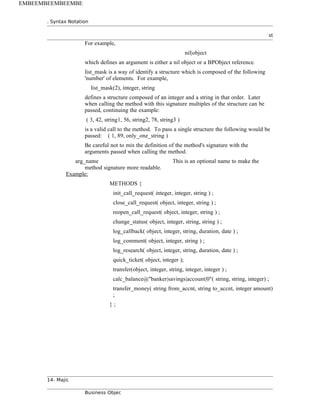
![w w w arabi
C. Triggers Statement for Objects
Triggers can be associated at the object or attribute level. The attribute level triggers
are covered in Section III-A-1-b. More information on triggers can be found in the
triggers.doc paper. A trigger is defined for certain events that occur in the live of an
attribute or object. There is a predefined set of events which a trigger can be defined
for. The FILTER clause is only valid on the events: PRE_VALIDATE,
POST_VALIDATE, and POST_CI.
Syntax:
TRIGGERS {
optional_statements ;
} ;
Required Statements:
At least one of the optional statement must be included.
Syntax:
event mth( trigger_args ) pos [ timeout [ timeout_flag ] ]
[ FILTER ( condition ) ] ;
event mth@remote_spec( trigger_args ) pos [ timeout [ timeout_flag ] ]
[ FILTER ( condition ) ] ;
Arguments:
event The type of event this trigger will execute on.
The keywords for this argument are:
NEW_INIT
DB_INIT
PRE_VALIDATE
POST_VALIDATE
POST_CI
mth This is the name of the method to call.
remote_spec This is a quoted string of the format:
node|proc|obj[|ref_count]
where the format components are:
node The remote node name
proc The remote process
obj The remote object
ref_count Whether the object is ref
counted ornot. The only valid input is 0 or 1
pos This is the numeric ordinal position of the
trigger.
The lowest ordinal value will fire first. There is
no guarantee of firing order for triggers with
the same ordinal value.
timeout This specifies the number of seconds to allow
the trigger to execute. The default value is the
s Paradigm - Programmer's Reference page * arabic15](https://image.slidesharecdn.com/r3-majic-250806163723-db490f20/85/r3-vrfiles-BOP-Schema-Majic-Broadcom-CA-SDM-15-320.jpg)
![. Syntax Notation
st
value of the NX_BPTIMEMOUT environment
variable.
timeout_flag This specifies what to do if an error or a
timeout occurs. The keywords for this
argument are:
ABORT IGNORE
If a timeout is specified the default is IGNORE.
If no timeout is specified the default is ABORT.
NOTE: The timeout_flag is not always used.
trigger_args A list of comma separated attributes by name to
be pass to the trigger.
condition Conditions can be connected with logic
operands. A condition is one of the following
syntaxes:
value comparison_op value
value { [ [ original_value ] -> [ new_value ] ] }
The later format is a special and unusual syntax
that requires further explanation. Below are the
four possible cases of change({ -> }):
The attribute is being changed.
value {}
The attribute has this orig_value but is now
being changed.
value { orig_value -> }
The attribute is being changed to new value.
value { -> new_value }
The attribute has this orig_value but is being
changed to the new value.
value { orig_value -> new_value }
condition arguments:
value One of the following:
- integer constants are specified as integers
- string constants are quoted with either single
or double quotes
- date constants are quoted strings as
"MM/DD/YYYY HH:MM:SS"
or integers representing UNIX time stamps.
- pseudo values NULL and NOT_NULL
- unquoted names are Dob attributes
16- Majic
Business Objec
EMBEEMBEEMBEEMBE](https://image.slidesharecdn.com/r3-majic-250806163723-db490f20/85/r3-vrfiles-BOP-Schema-Majic-Broadcom-CA-SDM-16-320.jpg)
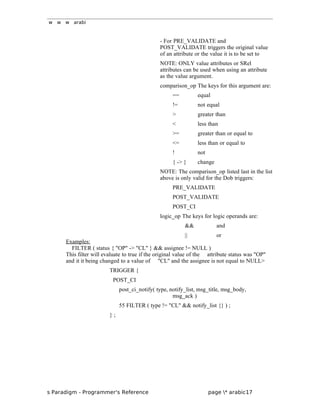
![. Syntax Notation
st
D. Factory Statement
The factory is responsible for building the object and collections of the objects. A
single object has a public interface called Dob. A collect of objects has a public
interface called Domset.
Syntax:
FACTORY [ factory_name ] {
optional_statement ;
} ;
Arguments:
factory_name This is the name for the factory. If
factory_name isnot specified the default of the
OBJECT template_name is used. If the
OBJECT template_name is not specified then
the OBJECT name is used.
Required Statements:
At least one of the optional statements must be included.
Optional Statements:
DOMSET { } ; Section III-D-1
REL_ATTR name ; Section III-D-2
COMMON_NAME name ; Section III-D-3
FUNCTION_GROUP name ; Section III-D-4
STANDARD_LISTS { } ; Section III-D-5
RESTRICT where_clause { } ; Section III-D-6
METHODS { } ; Section III-B
Example:
FACTORY {
STANDARD_LISTS {
SORT_BY "sym,code";
};
REL_ATTR code ;
COMMON_NAME sym ;
FUNCTION_GROUP "admin" ;
} ;
1. Factory Domset Statement
This statement defines a collection of objects.
Syntax:
DOMSET name sort_column
[ fetch_column [ scope volatility ] ] {
18- Majic
Business Objec
EMBEEMBEEMBEEMBE](https://image.slidesharecdn.com/r3-majic-250806163723-db490f20/85/r3-vrfiles-BOP-Schema-Majic-Broadcom-CA-SDM-18-320.jpg)
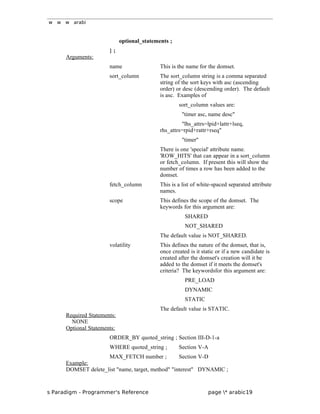
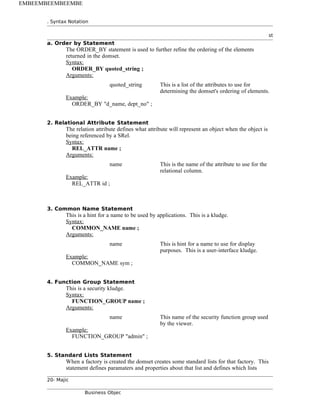
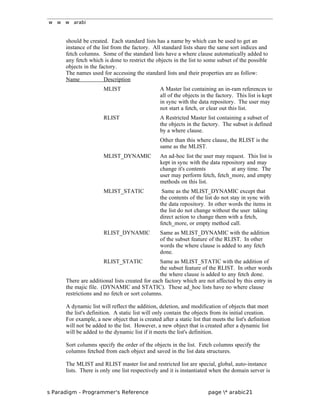
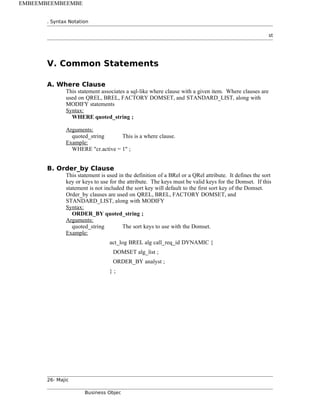
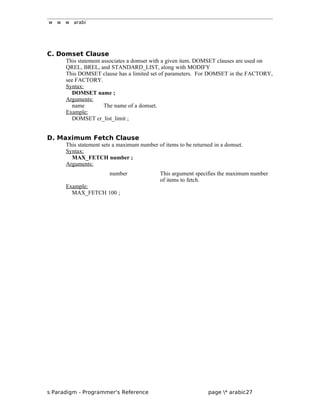
![. Syntax Notation
st
VI. Modification Statements
The previous syntax dealt with defining new object, attributes, etc. The following
syntax is used to modify existing objects, attributes, or factory for an object. The intent
of the Modify section is that these are a more simple interface to modify the dictionary.
These entries should be placed in a mod file in the mods/majic directory.
The object name is the short name which imediately follows the keyword OBJECT.
A. Attribute Modification Statements
All attributes share the same syntax. If you attempt a non-sensical modification the
domserver will abort. (For example if you try and make a QREL a REQUIRED field.)
Syntax:
MODIFY object_name attribute_name modify_attr_values;
Arguments:
object_name This is the name of the object where the attribute was
originally defined. If a template name was specified in the
originally definition that is what is used here.
attribute_name The attribute's name.
modify_attr_values A single entry or a list of statements surrounded by {};
REQUIRED ;
STATIC | DYNAMIC ;
ON_NEW when value;
ON_CI when value ;
ON_DB_INIT when value ;
ON_PRE_VAL method_info( trigger_args ) pos [ timeout[ timeout_flag ] ];
ON_POST_VAL method_info( trigger_args ) pos
[ timeout[ timeout_flag ] ];
ON_POST_VAL_ASYNC method_info( trigger_args ) pos
[ timeout [ timeout_flag ] ] ;
WHERE quoted_string ; Section V-A
PARAM_NAMES { } ; Section III-A-2-a
ORDER_BY quoted_string ; Section V-B
DOMSET name ; Section V-C
MAX_FETCH number ; Section V-D
Example:
MODIFY emp salary REQUIRED ;
MODIFY emp salary ON_NEW DEFAULT 123 ;
MODIFY emp associates STATIC ;
28- Majic
Business Objec
EMBEEMBEEMBEEMBE](https://image.slidesharecdn.com/r3-majic-250806163723-db490f20/85/r3-vrfiles-BOP-Schema-Majic-Broadcom-CA-SDM-28-320.jpg)
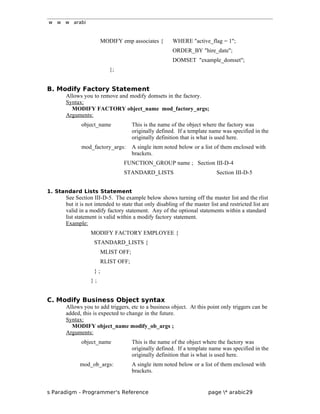
![. Syntax Notation
st
mod_ob_arg:
event mth( trigger_args ) pos [ timeout [ timeout_flag ] ]
[ FILTER ( condition ) ] ;
event mth@remote_spec( trigger_args ) pos [ timeout
[ timeout_flag ] ]
[ FILTER ( condition ) ] ;
event The type of event this trigger will execute on.
The keywords for this argument are:
NEW_INIT DB_INIT
PRE_VALIDATE POST_VALIDATE
POST_CI
Example:
MODIFY cnt PRE_VALIDATE foo ( last_name) 45;
30- Majic
Business Objec
EMBEEMBEEMBEEMBE](https://image.slidesharecdn.com/r3-majic-250806163723-db490f20/85/r3-vrfiles-BOP-Schema-Majic-Broadcom-CA-SDM-30-320.jpg)
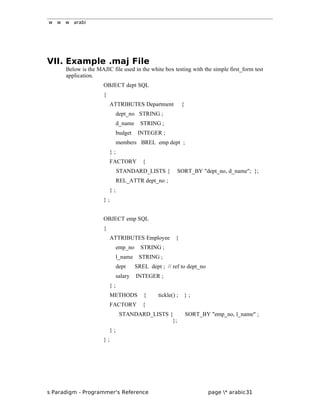
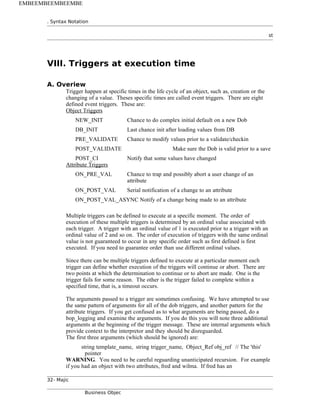
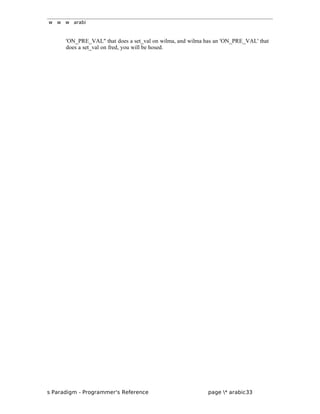
![. Syntax Notation
st
B. Object Triggers
1. NEW_INIT
This is executed prior to the creation (as opposed to instantiation) of an object. It is
here that one can do complex initial default calculations for a new object. This is a
serial trigger. Execution will not proceed until the trigger returns.
Arguments:
The function you define for the trigger is called with an array of triplets which
correspond to the attributes you defined in majic. Each element of the triplet consists of
the attribute name, the 'old' value, and the 'new' value. Old is the 'original' and new is
the 'changed'.
(string attr_name, value old_val, value new_val) []
Reply:
For the reply, you provide the attributes you want to set, and what the value to set
should be. An error return is not supported. Do not attempt to change the attributes
using a 'this' pointer;
(string attr_name, value change_val)[]
Note: There is NO context here. Do not attempt to access the dob. It does not exist.
Ignore the 'new_val' in the input arguments.
2. DB_INIT
This is executed prior to instantiation. At this point the backstore has been asked for
data, and you have a chance to add any attribute values you wish. This is the last
chance for initialization after reading values from the database. This is a serial trigger.
Execution will not proceed until the trigger returns.
Arguments:
The function you define for the trigger is called with an array of triplets which
correspond to the attributes you defined in majic. Each element of the triplet consists of
the attribute name, the 'old' value, and the 'new' value. Old is the 'original' and new is
the 'changed'.
(string attr_name, value old_val, value new_val) []
Reply:
For the reply, you provide the attributes you want to set, and what the value to set
should be. An error return is not supported. Do not attempt to change the attributes
using a 'this' pointer;
(string attr_name, value change_val)[]
Note: There is NO context here. Do not attempt to access the dob. It does not exist.
Ignore the 'new_val' in the input arguments.
34- Majic
Business Objec
EMBEEMBEEMBEEMBE](https://image.slidesharecdn.com/r3-majic-250806163723-db490f20/85/r3-vrfiles-BOP-Schema-Majic-Broadcom-CA-SDM-34-320.jpg)
![w w w arabi
3. PRE_VALIDATE
This is executed prior to a validate/checkin. It is here that one can modify the values
prior to a checkin. This is a serial trigger. Execution will not proceed until the trigger
returns.
From your function you can typically do two things. Either simply return an error code
saying that the validation check has failed, or you can modify attributes using the 'this'
pointer.
Arguments:
The function you define for the trigger is called with an array of triplets which
correspond to the attributes you defined in majic. Each element of the triplet consists of
the attribute name, the 'old' value, and the 'new' value. Old is the 'original' and new is
the 'changed'.
(string attr_name, value old_val, value new_val) []
Error Reply:
Set error_code != 0, put a string error_text in msg[0]
Success Reply:
Set error_code == 0
Notes/Side Effects:
You are in the exclusive session of the group leader doing the checkin (CI) when you
get this call. We make a Dob just for your use on this function. Do not attempt to save
the 'this' pointer.
4. POST_VALIDATE
This is executed after the validate pass, and prior to the saving of the changes. It is here
that one can do additional modifications of attributes before it is written to the database.
This is a serial trigger. Execution will not proceed until the trigger returns.
From your function you can typically do two things. Either simply return an error code
saying that the validation check has failed, or you can modify attributes using the 'this'
pointer.
Arguments:
The function you define for the trigger is called with an array of triplets which
correspond to the attributes you defined in majic. Each element of the triplet consists of
the attribute name, the 'old' value, and the 'new' value. Old is the 'original' and new is
the 'changed'.
(string attr_name, value old_val, value new_val) []
Error Reply:
Set error_code != 0, put a string error_text in msg[0]
Success Reply:
Set error_code == 0
Notes/Side Effects:
You are in the exclusive session of the group leader doing the checkin (CI) when you
get this call. We make a Dob just for your use on this function. Do not attempt to save
the 'this' pointer.
s Paradigm - Programmer's Reference page * arabic35](https://image.slidesharecdn.com/r3-majic-250806163723-db490f20/85/r3-vrfiles-BOP-Schema-Majic-Broadcom-CA-SDM-35-320.jpg)
![. Syntax Notation
st
5. POST_CI
This is executed to notify a change of value. This is an asynchronous trigger. You do
not reply.
You can do virtually nothing from this function except fire off notifications, set events,
etc.
Arguments:
The function you define for the trigger is called with an array of triplets which
correspond to the attributes you defined in majic. Each element of the triplet consists of
the attribute name, the 'old' value, and the 'new' value. Old is the 'original' and new is
the 'changed'.
(string attr_name, value old_val, value new_val) []
No Reply's:
Notes/Side Effects:
This is an asynchronous only call. There is NO 'this' pointer, and you do not get a
change to respond in any way.
36- Majic
Business Objec
EMBEEMBEEMBEEMBE](https://image.slidesharecdn.com/r3-majic-250806163723-db490f20/85/r3-vrfiles-BOP-Schema-Majic-Broadcom-CA-SDM-36-320.jpg)
![w w w arabi
C. Attribute Triggers
1. ON_PRE_VAL
This is executed during a set on an attribute. This function is intended to allow you to
check that what is entered is valid. It also gives you a way to coerce the value being set
to some other value without calling the validate triggers.
You will typically either fail the change, causing an error, or you can coerce the value
to some other value and continue. If we did not coerce the value, we would do another
ON_PRE_VAL and things get nasty quickly.
Arguments:
The function you define for the trigger is called with a bunch of stuff for the attribute,
then the standard array of attribute triblets you passed in as part of the majic definition.
attr_name attribute name for attribute being set
attr_val.orig original attribute value (could be in the db)
attr_val.last attribute value prior to set
attr_val.new value passed with set_attr message
set_val_smag smag value from the set_attr message
group_leader object reference for a group leader or NIL
(string attr_name, value old_val, value new_val) []
Error Reply:
Set error_code != 0, put a string error_text in msg[0]
Success Reply:
Set error_code == 0
Success Reply - and coerce the set_val to a new value:
Set error_code == 0;
set msg[0] to the new value
s Paradigm - Programmer's Reference page * arabic37](https://image.slidesharecdn.com/r3-majic-250806163723-db490f20/85/r3-vrfiles-BOP-Schema-Majic-Broadcom-CA-SDM-37-320.jpg)
![. Syntax Notation
st
2. ON_POST_VAL
This is executed to notify of a change to an attribute, IE it has passed all validation
steps. This is a serial trigger. Execution will not proceed until the trigger returns.
What you do here is to perhaps set other attributes based on the value just set, etc using
the 'this' pointer..
Arguments:
The function you define for the trigger is called with a bunch of stuff for the attribute,
then the standard array of attribute triblets you passed in as part of the majic definition.
attr_name attribute name for attribute being set
attr_val.orig original attribute value (could be in the db)
attr_val.last attribute value prior to set
attr_val.new value passed with set_attr message
set_val_smag smag value from the set_attr message
group_leader object reference for a group leader or NIL
(string attr_name, value old_val, value new_val) []
Example, call manager has
ON_POSTVAL build_combo_name(last,first,middle);
but routine names argv[9], argv[12], and argv[15]. ???
Error Reply:
No error reply is possible.
Success Reply:
Set error_code == 0
Notes/Side Effects:
A Dob reference is passed in the synchronous case. No return errors possible.
38- Majic
Business Objec
EMBEEMBEEMBEEMBE](https://image.slidesharecdn.com/r3-majic-250806163723-db490f20/85/r3-vrfiles-BOP-Schema-Majic-Broadcom-CA-SDM-38-320.jpg)
![w w w arabi
3. ON_POST_VAL_ASYNC
This is executed to notify of a change to an attribute, IE it has passed all validation
steps. This is an async trigger. Execution will proceed immediately and will not wait
for a reply.
What you do here is to perhaps set other attributes based on the value just set, etc using
the 'this' pointer..
Arguments:
The function you define for the trigger is called with a bunch of stuff for the attribute,
then the standard array of attribute triblets you passed in as part of the majic definition.
attr_name attribute name for attribute being set
attr_val.orig original attribute value (could be in the db)
attr_val.last attribute value prior to set
attr_val.new value passed with set_attr message
set_val_smag smag value from the set_attr message
group_leader object reference for a group leader or NIL
(string attr_name, value old_val, value new_val) []
Reply:
None supported.
Notes/Side Effects:
There is no Dob reference passed.
s Paradigm - Programmer's Reference page * arabic39](https://image.slidesharecdn.com/r3-majic-250806163723-db490f20/85/r3-vrfiles-BOP-Schema-Majic-Broadcom-CA-SDM-39-320.jpg)