R12 MOAC AND PAYABLE FEATURES   AMIT CHINTAWAR BIG RIVERS ELECTRIC CORPORATION
Agenda MOAC Overview MOAC Setup Impact of MOAC in R12 Setting up SQL Session MOAC Database Architecture Virtual Private Database Multi-Org Access Control John Peters, JRPJR, Inc.
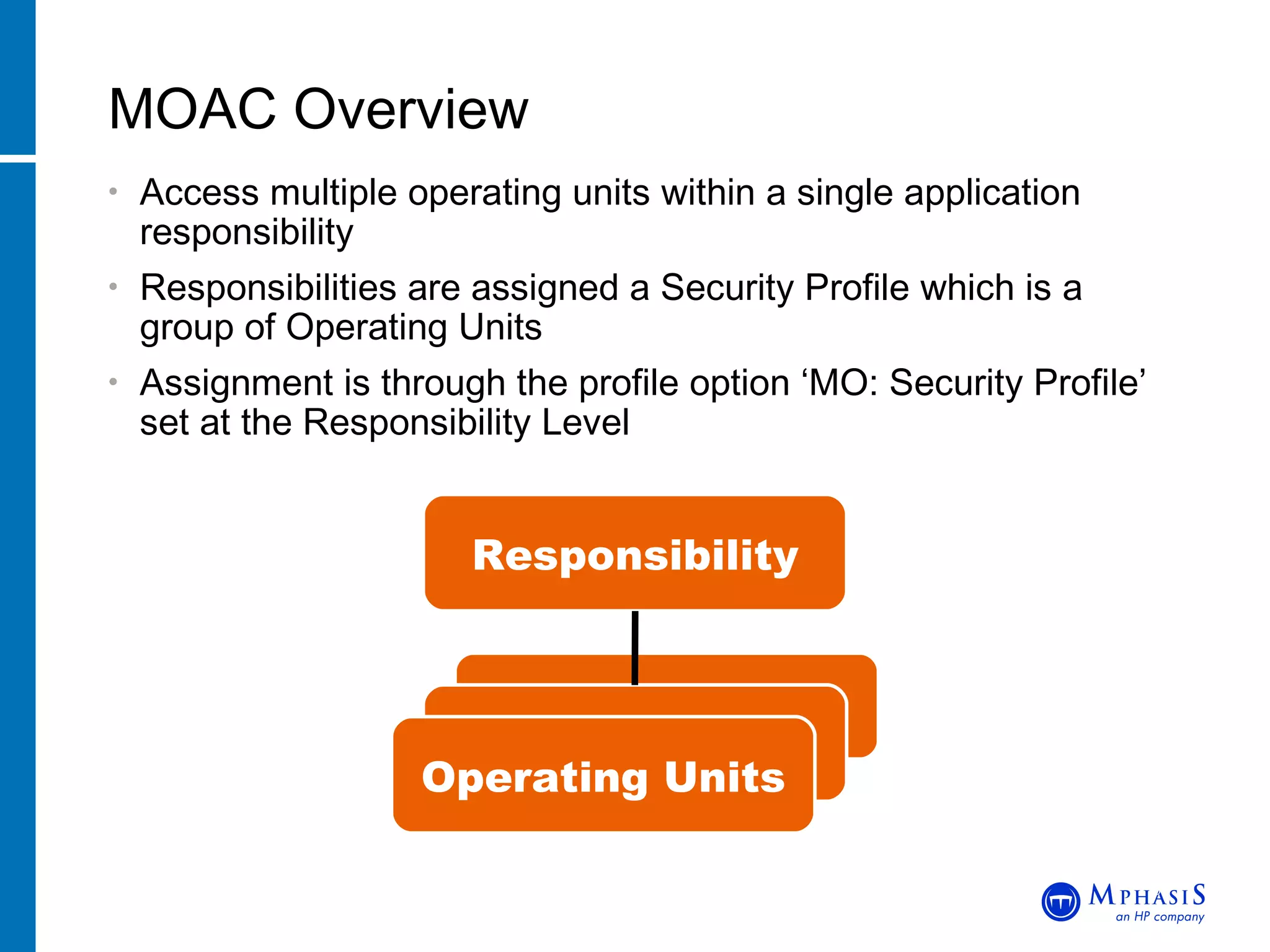
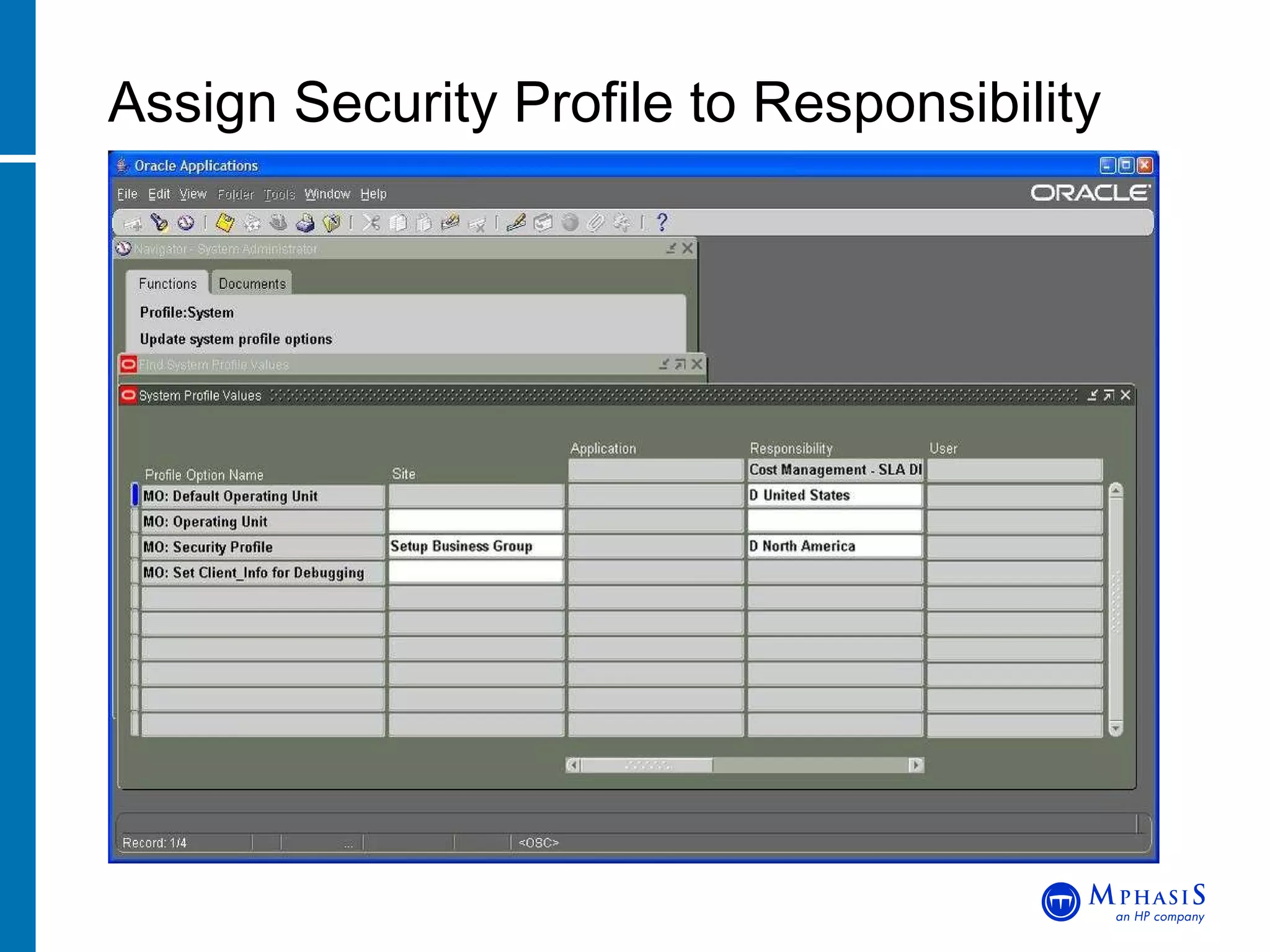
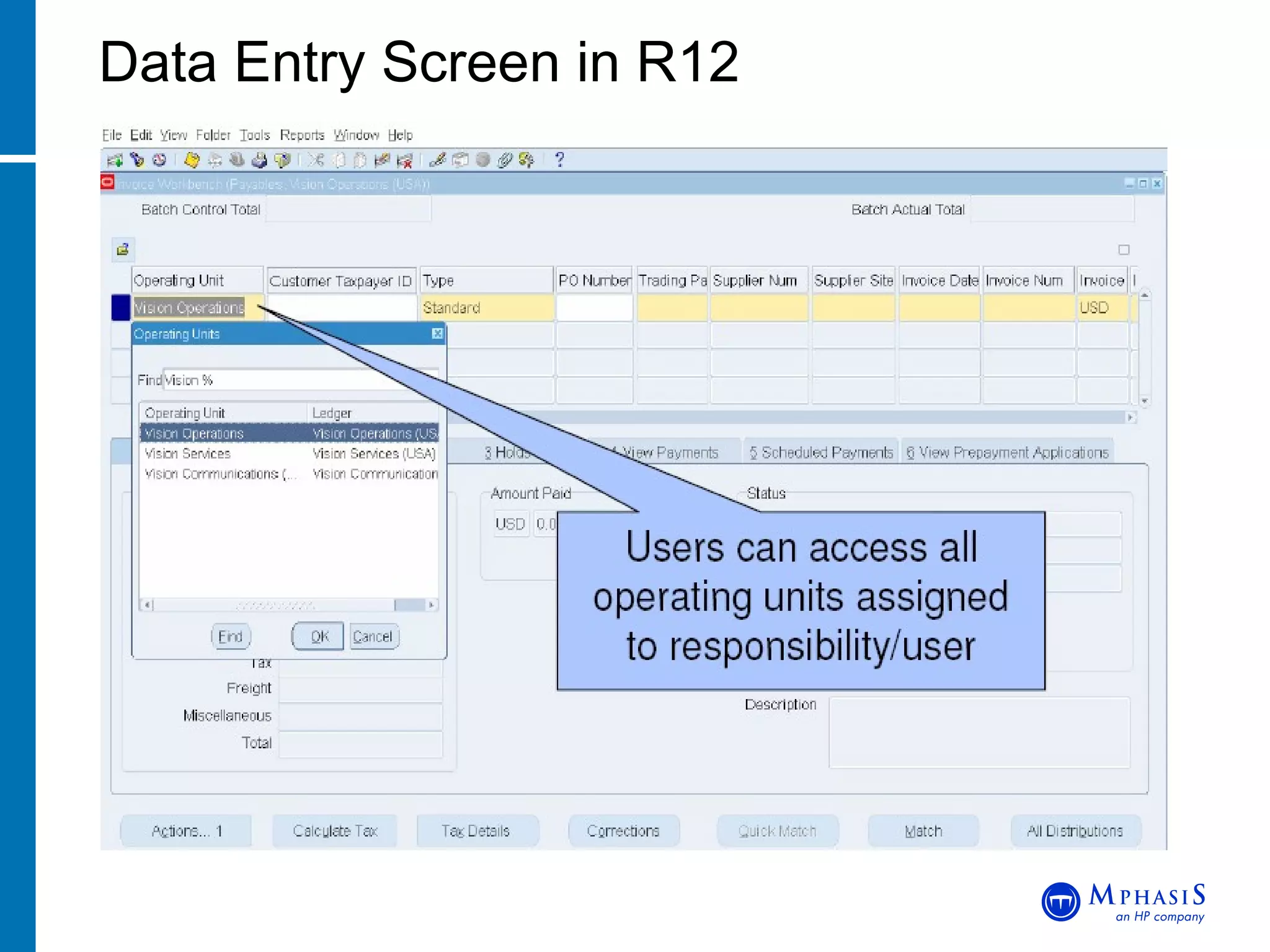
Access multiple operating units within a single application responsibility Responsibilities are assigned a Security Profile which is a group of Operating Units Assignment is through the profile option ‘MO: Security Profile’ set at the Responsibility Level MOAC Overview John Peters, JRPJR, Inc. Responsibility Operating Units
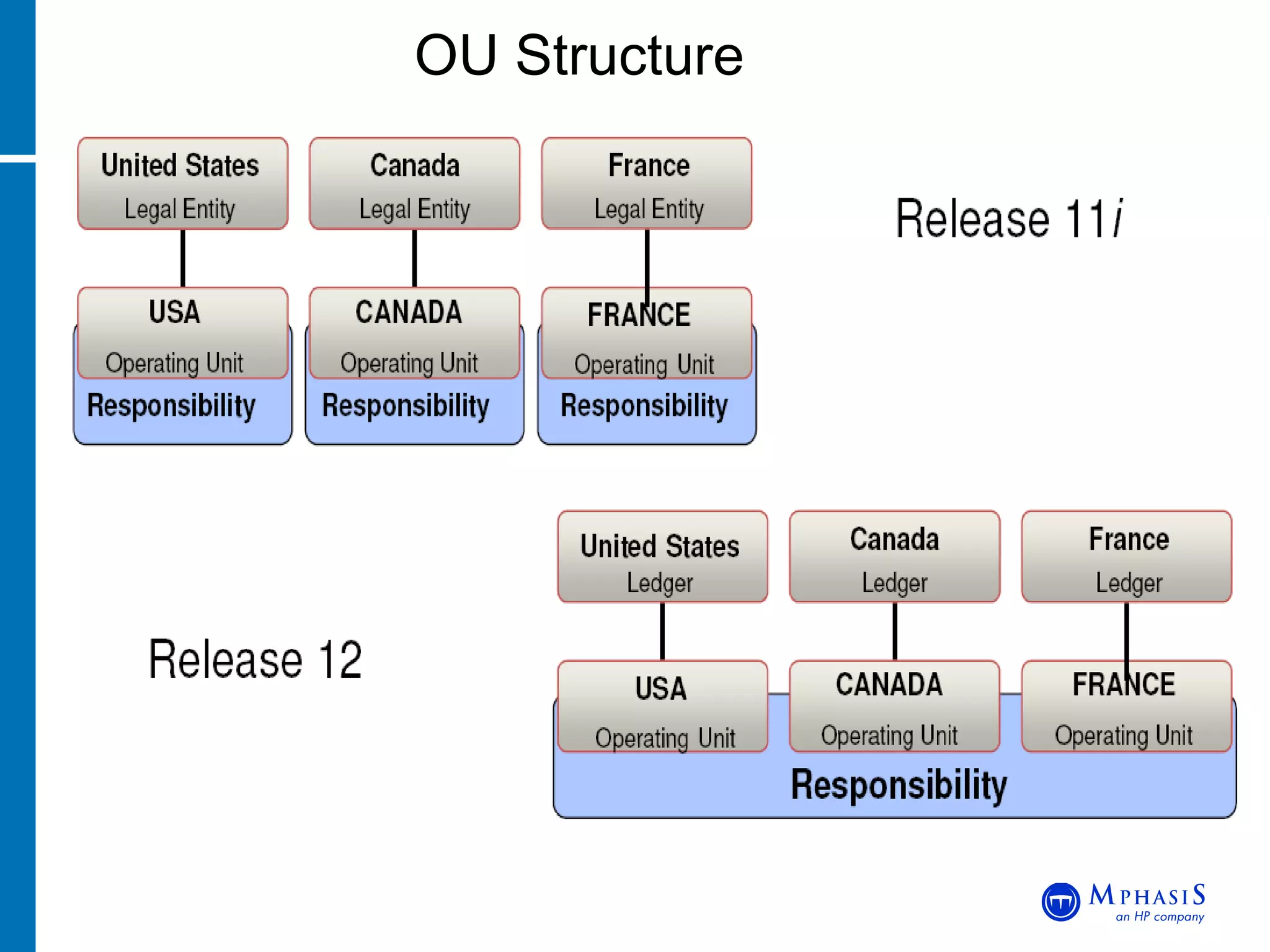
OU Structure
Define Operating Units in HR Define Security Profile composed of Operating Units Run Security List Maintenance Program Assign Security Profile to Profile Option Profile Options MO: Operating Unit - Used when Multi-Org is NOT enabled - On upgrade, assigned operating unit of 11i responsibility MO: Security Profile - Assign security profile name at User or Responsibility level MO: Default Operating Unit - Assign default operating unit MOAC Setup John Peters, JRPJR, Inc.
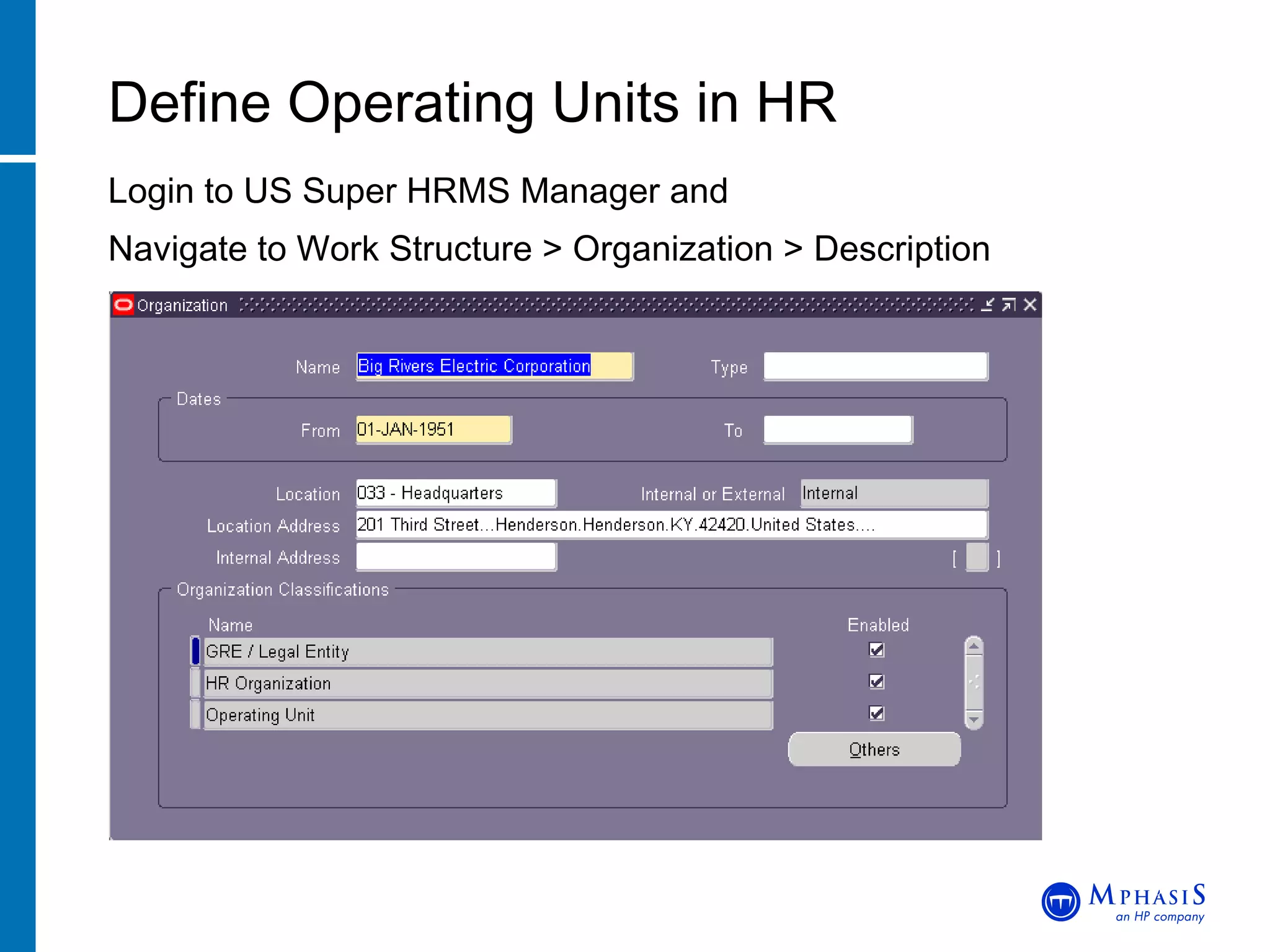
Login to US Super HRMS Manager and Navigate to Work Structure > Organization > Description Define Operating Units in HR John Peters, JRPJR, Inc.
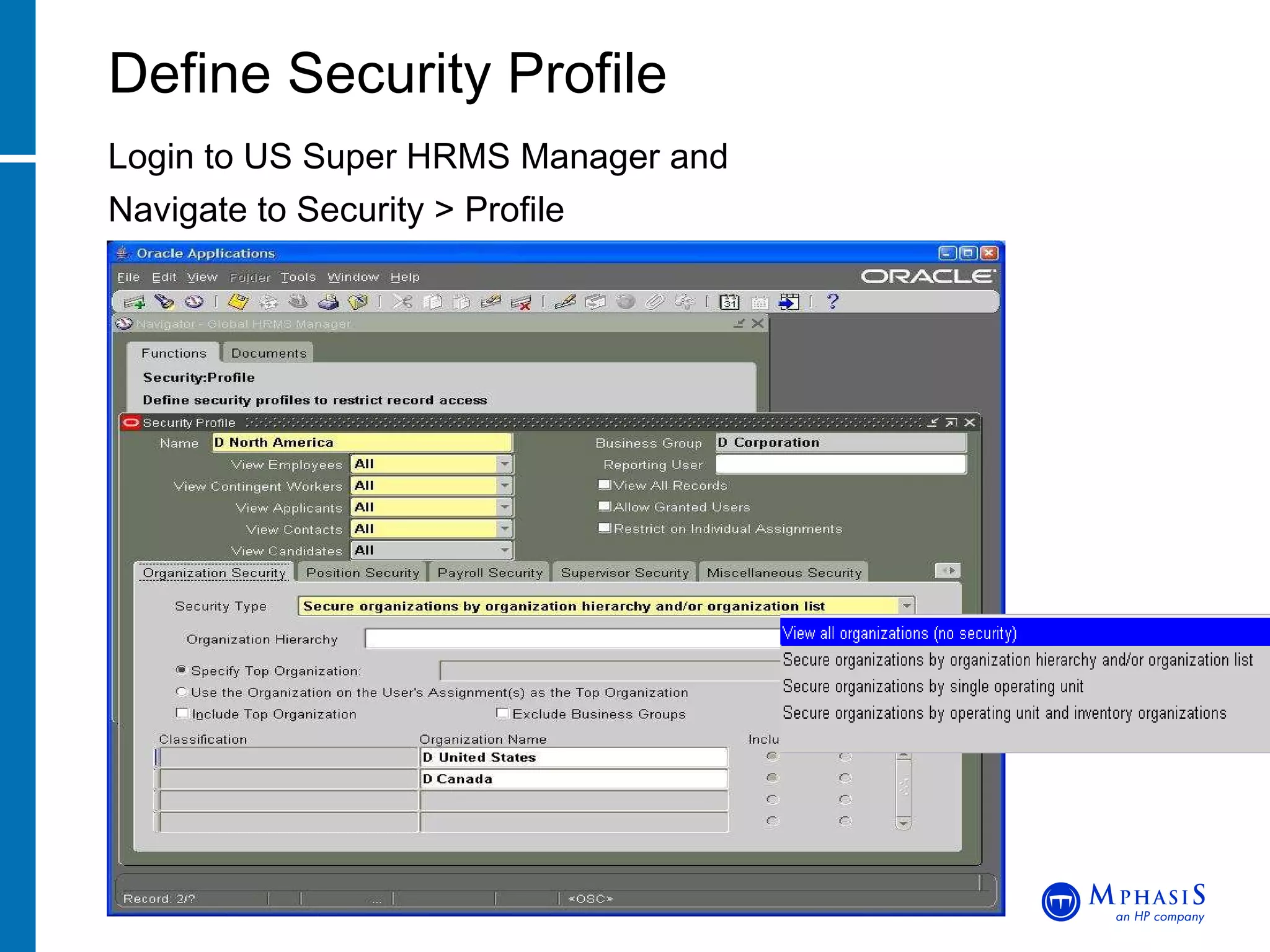
Login to US Super HRMS Manager and Navigate to Security > Profile Define Security Profile John Peters, JRPJR, Inc.
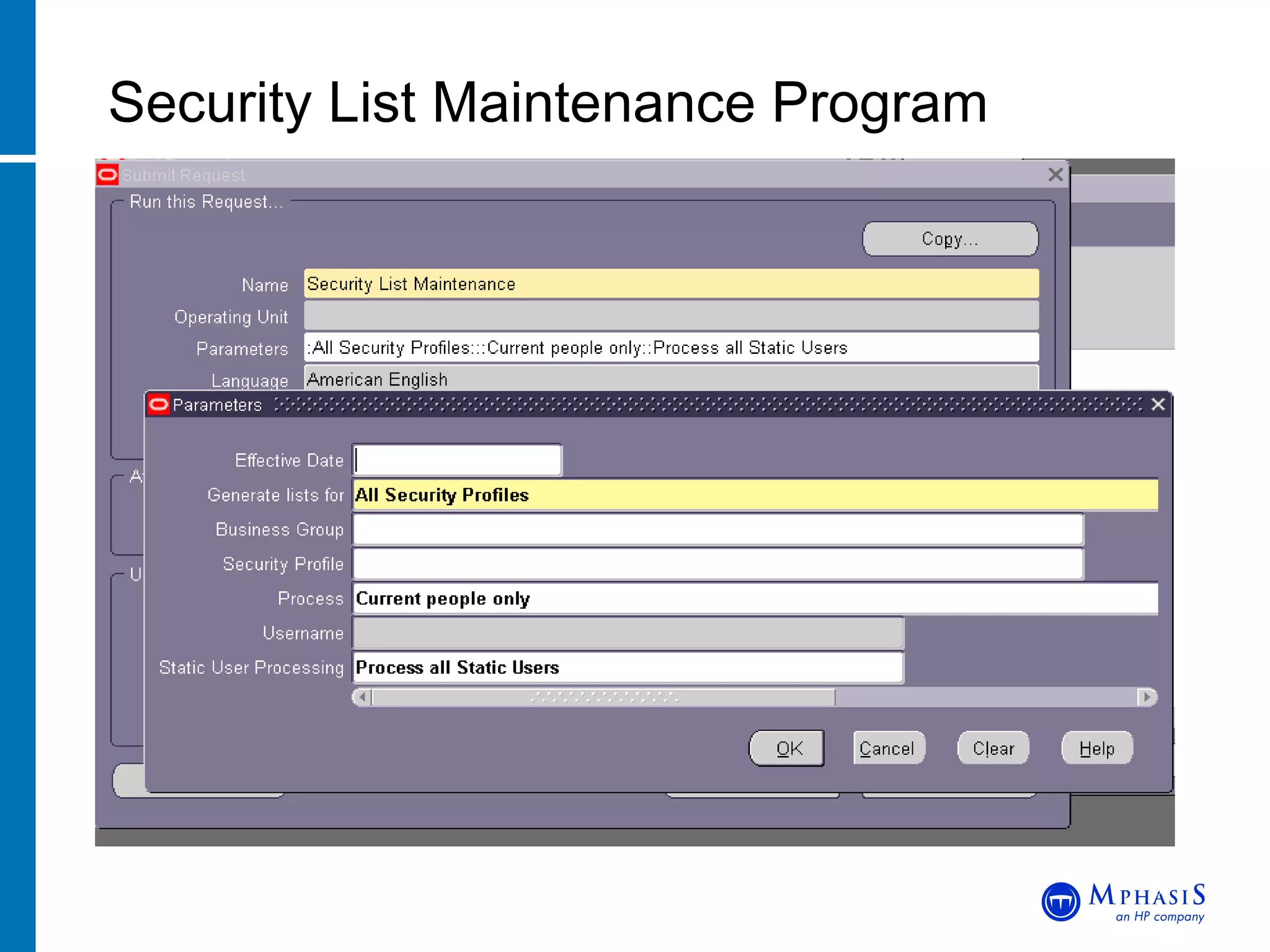
Security List Maintenance Program John Peters, JRPJR, Inc.
Assign Security Profile to Responsibility John Peters, JRPJR, Inc.
Data Entry Screen in R12
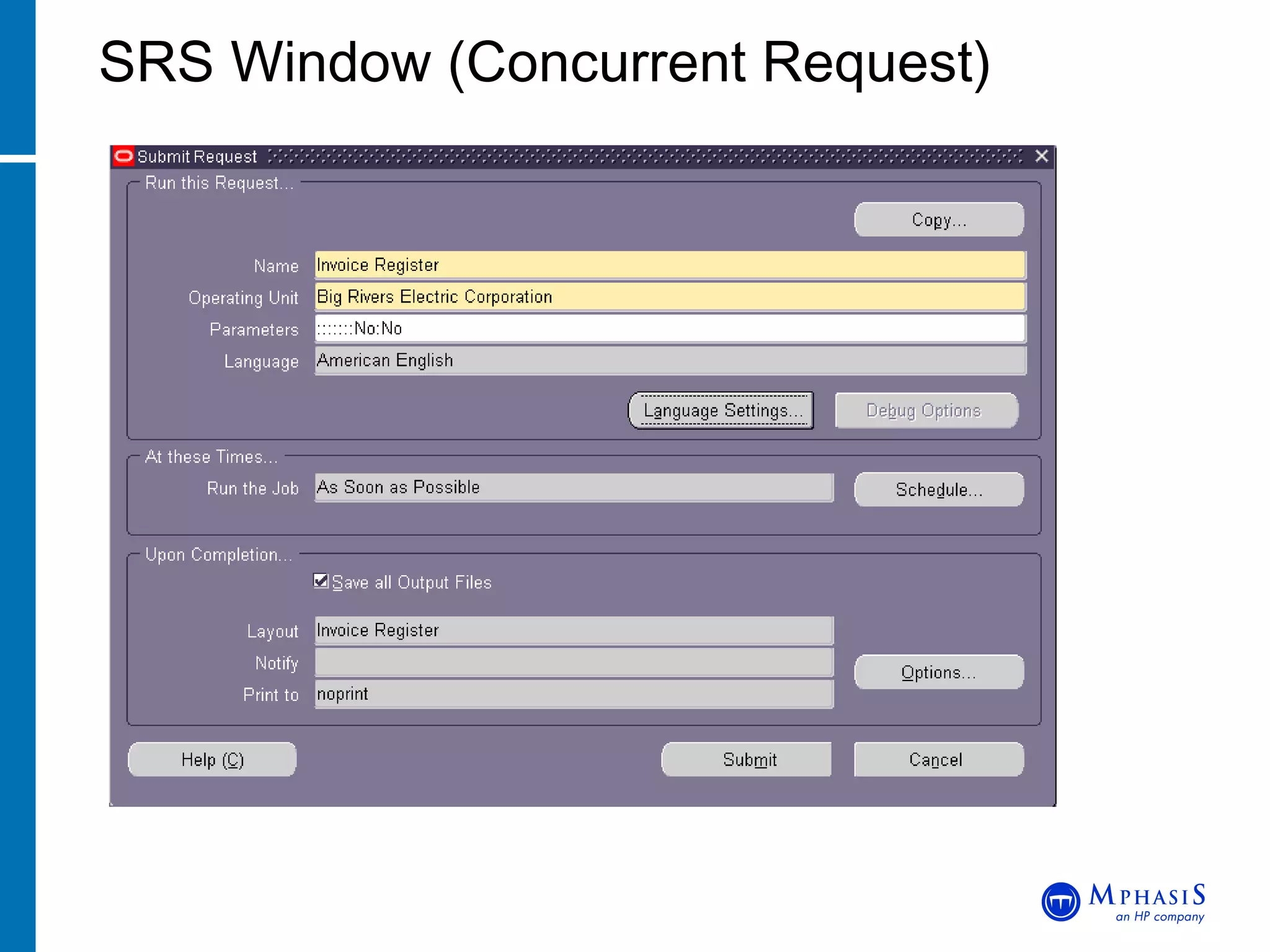
SRS Window (Concurrent Request)
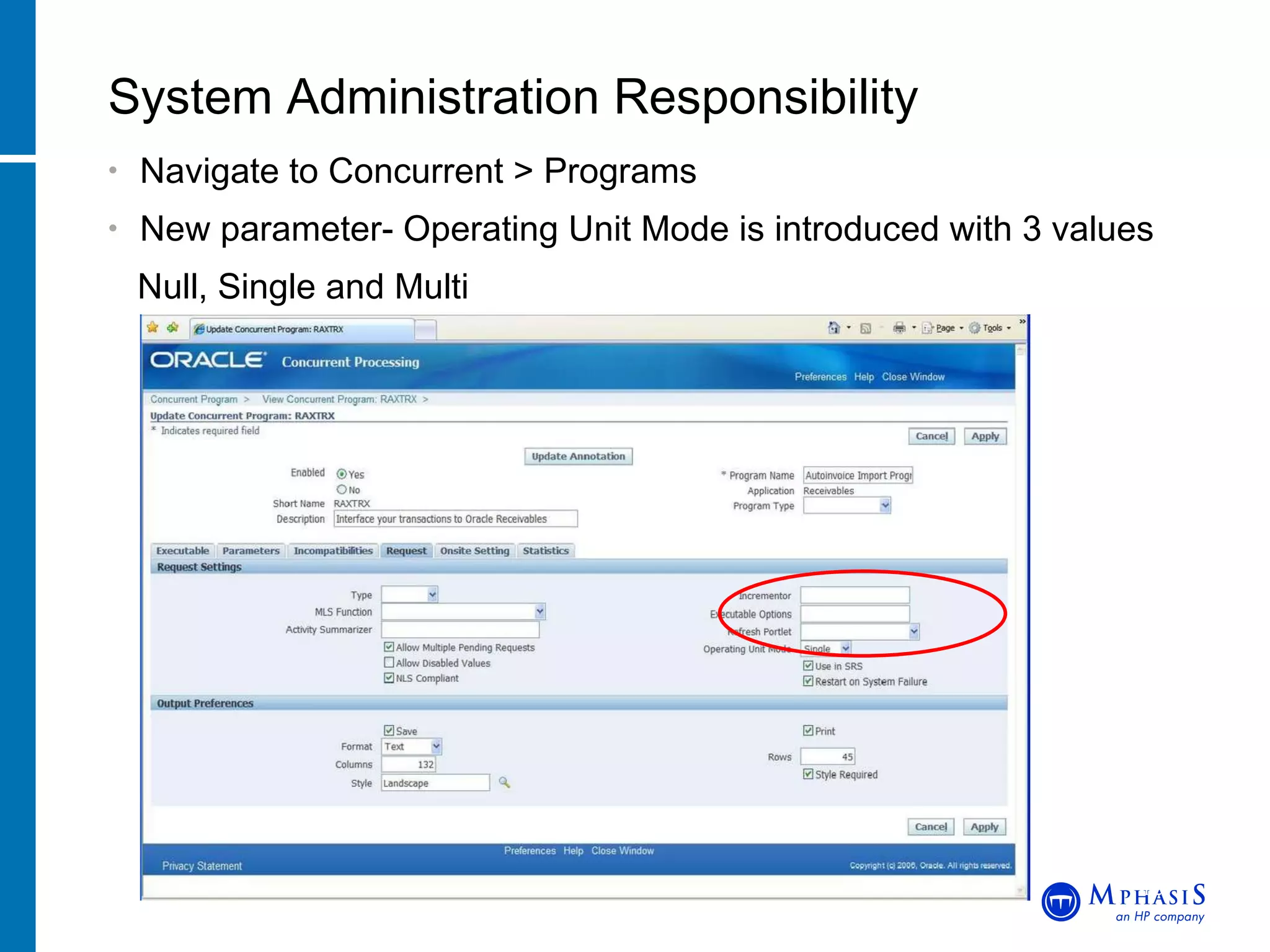
Navigate to Concurrent > Programs New parameter- Operating Unit Mode is introduced with 3 values Null, Single and Multi System Administration Responsibility John Peters, JRPJR, Inc.
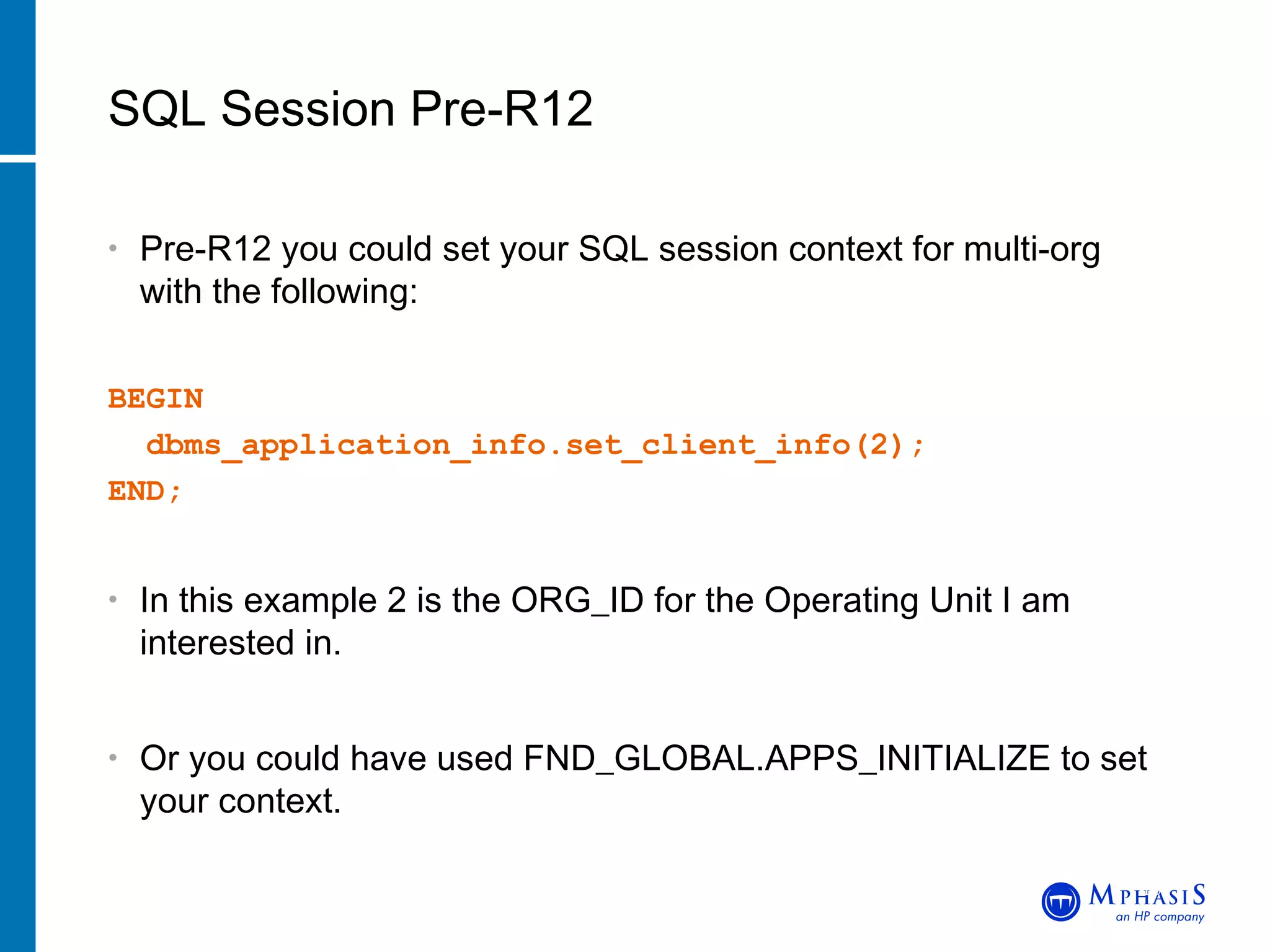
Pre-R12 you could set your SQL session context for multi-org with the following: BEGIN    dbms_application_info.set_client_info(2);     END; In this example 2 is the ORG_ID for the Operating Unit I am interested in. Or you could have used FND_GLOBAL.APPS_INITIALIZE to set your context. SQL Session Pre-R12 John Peters, JRPJR, Inc.
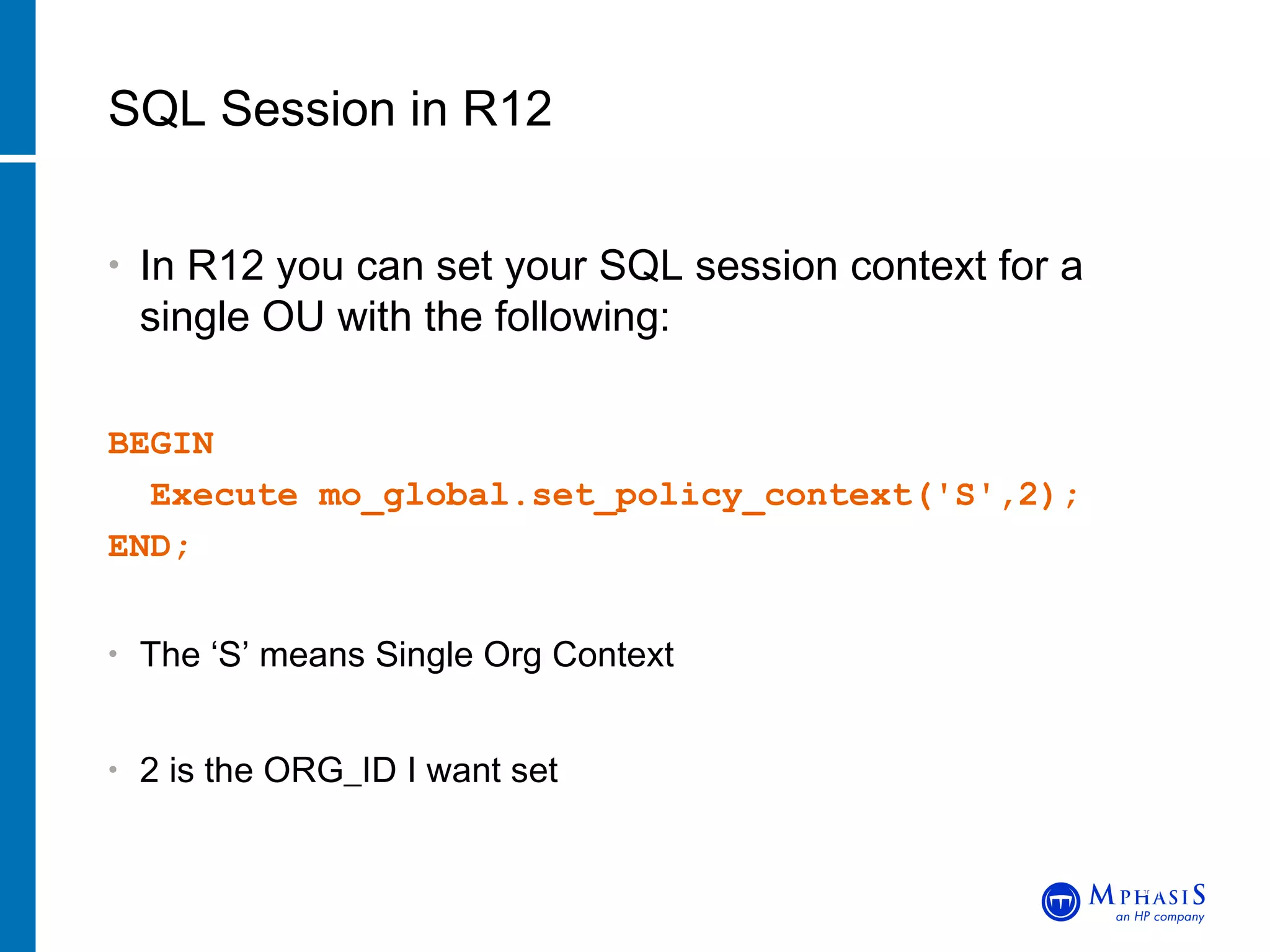
In R12 you can set your SQL session context for a single OU with the following: BEGIN Execute mo_global.set_policy_context('S',2);  END; The ‘S’ means Single Org Context 2 is the ORG_ID I want set SQL Session in R12 John Peters, JRPJR, Inc.
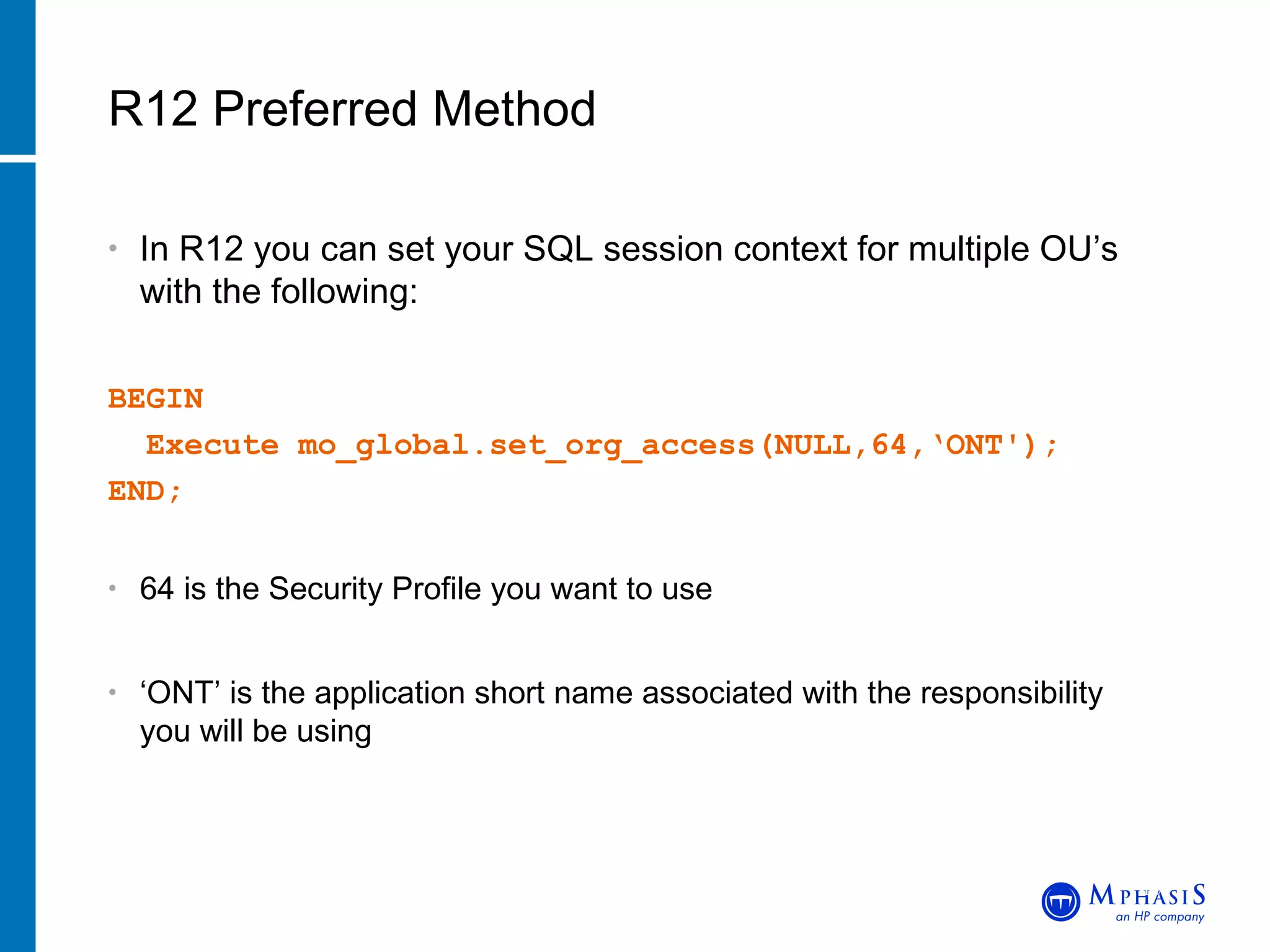
In R12 you can set your SQL session context for multiple OU’s with the following: BEGIN Execute mo_global.set_org_access(NULL,64,‘ONT');  END; 64 is the Security Profile you want to use ‘ ONT’ is the application short name associated with the responsibility you will be using R12 Preferred Method John Peters, JRPJR, Inc.
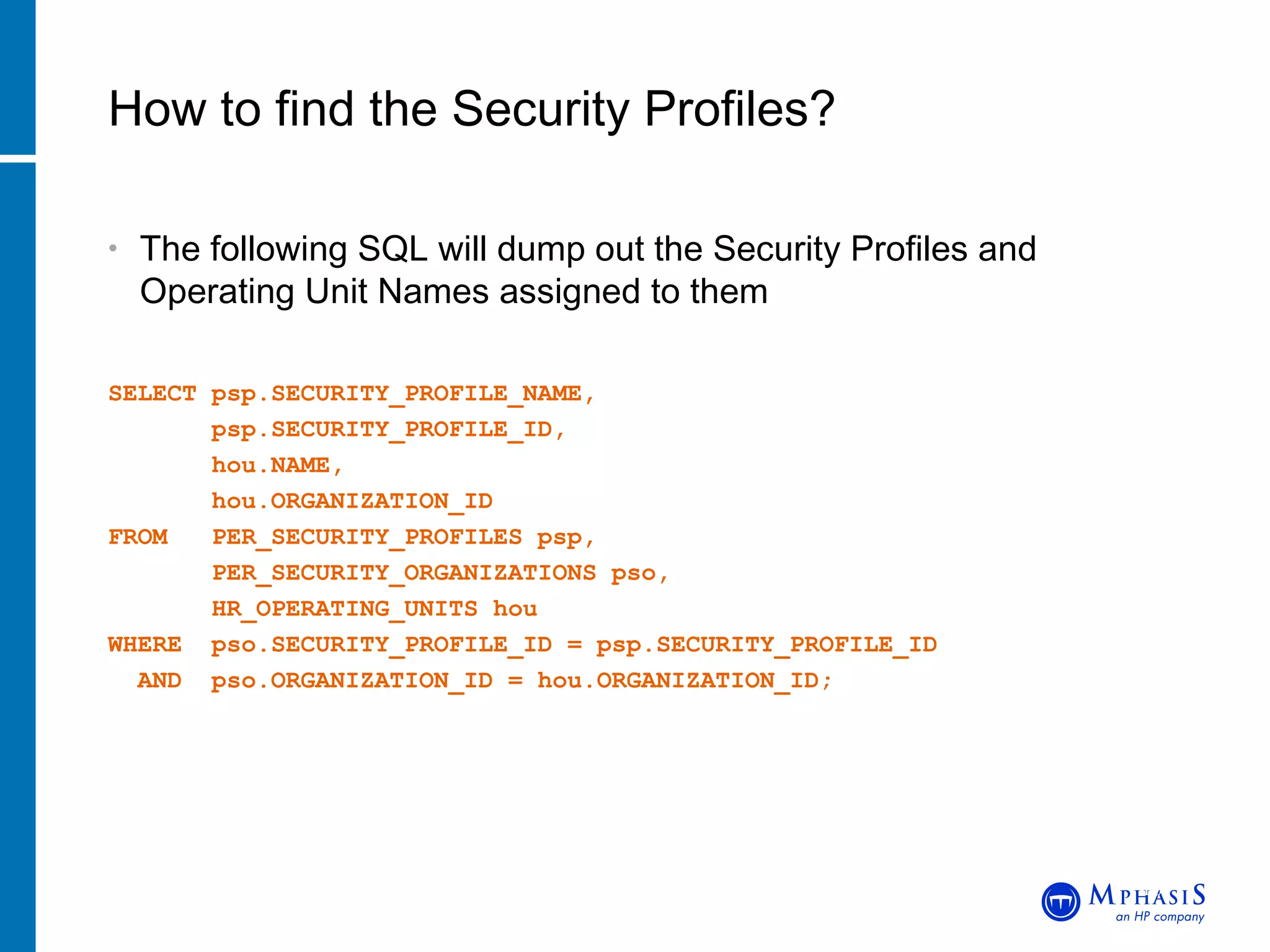
The following SQL will dump out the Security Profiles and Operating Unit Names assigned to them SELECT psp.SECURITY_PROFILE_NAME, psp.SECURITY_PROFILE_ID, hou.NAME, hou.ORGANIZATION_ID FROM  PER_SECURITY_PROFILES psp, PER_SECURITY_ORGANIZATIONS pso, HR_OPERATING_UNITS hou WHERE  pso.SECURITY_PROFILE_ID = psp.SECURITY_PROFILE_ID AND  pso.ORGANIZATION_ID = hou.ORGANIZATION_ID; How to find the Security Profiles? John Peters, JRPJR, Inc.
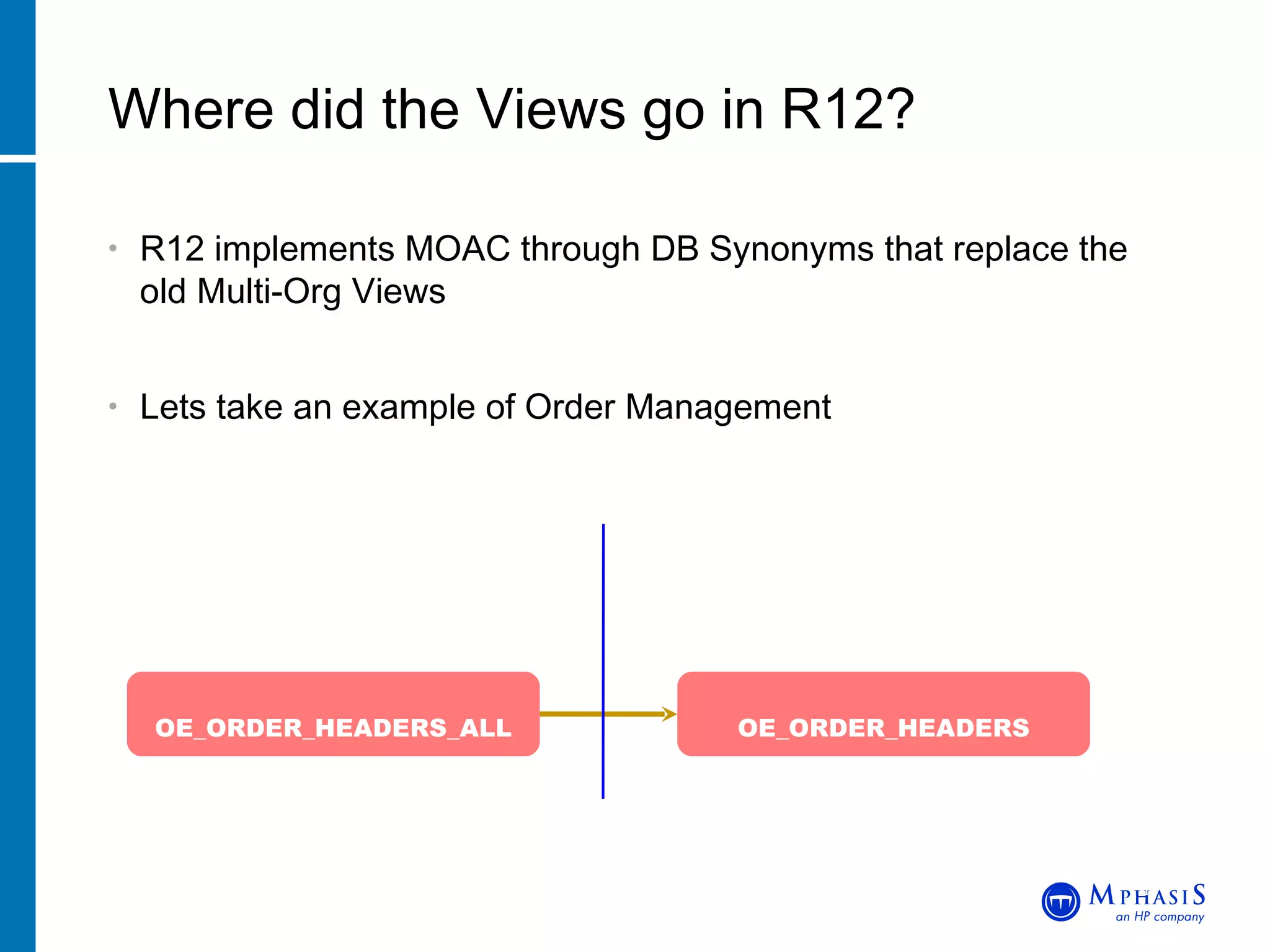
R12 implements MOAC through DB Synonyms that replace the old Multi-Org Views Lets take an example of Order Management Where did the Views go in R12? John Peters, JRPJR, Inc. OE_ORDER_HEADERS_ALL OE_ORDER_HEADERS ONT DB User APPS DB   User
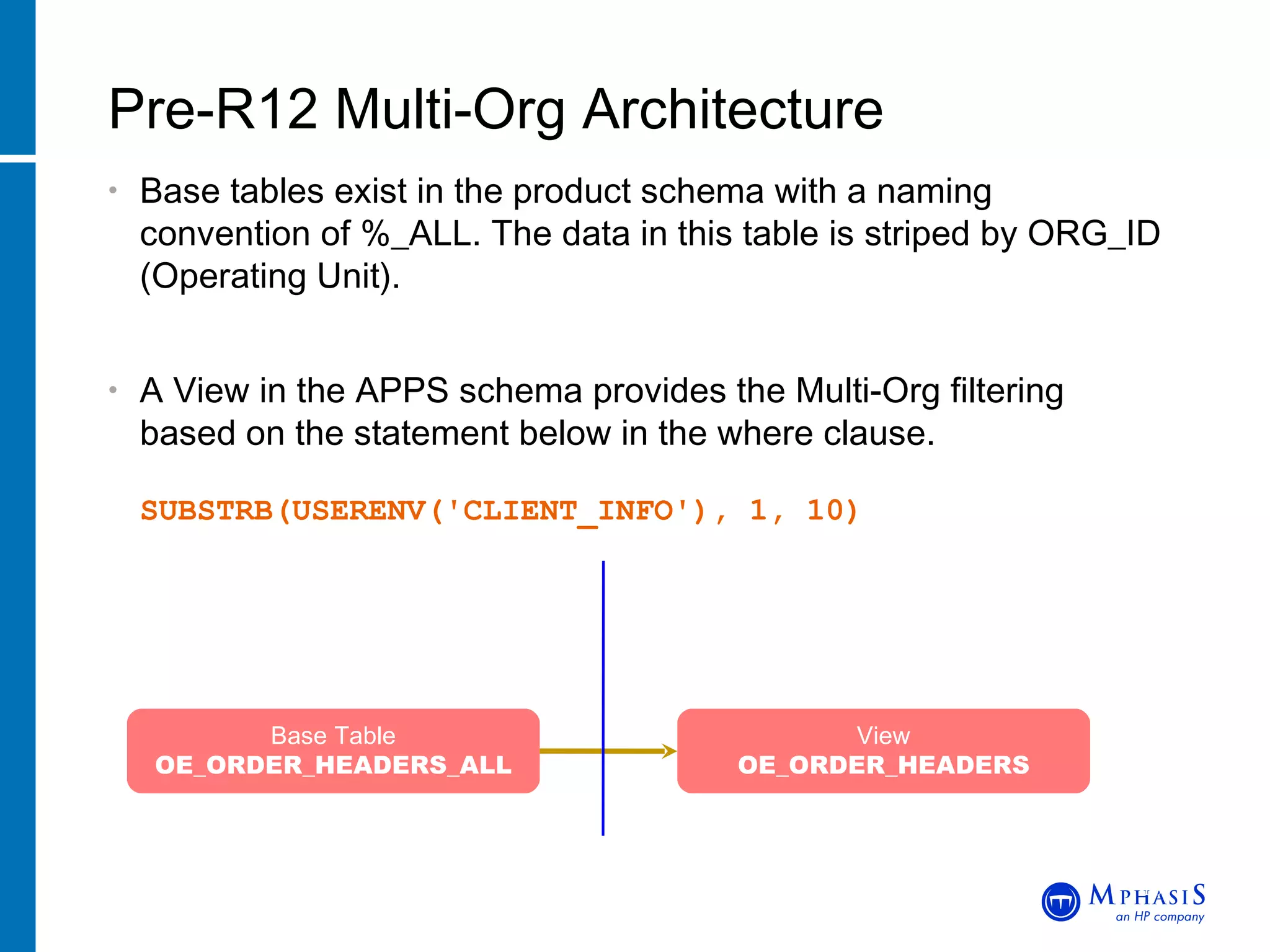
Base tables exist in the product schema with a naming convention of %_ALL. The data in this table is striped by ORG_ID (Operating Unit). A View in the APPS schema provides the Multi-Org filtering based on the statement below in the where clause.  SUBSTRB(USERENV('CLIENT_INFO'), 1, 10) Pre-R12 Multi-Org Architecture John Peters, JRPJR, Inc. Base Table OE_ORDER_HEADERS_ALL View OE_ORDER_HEADERS ONT DB User APPS DB   User
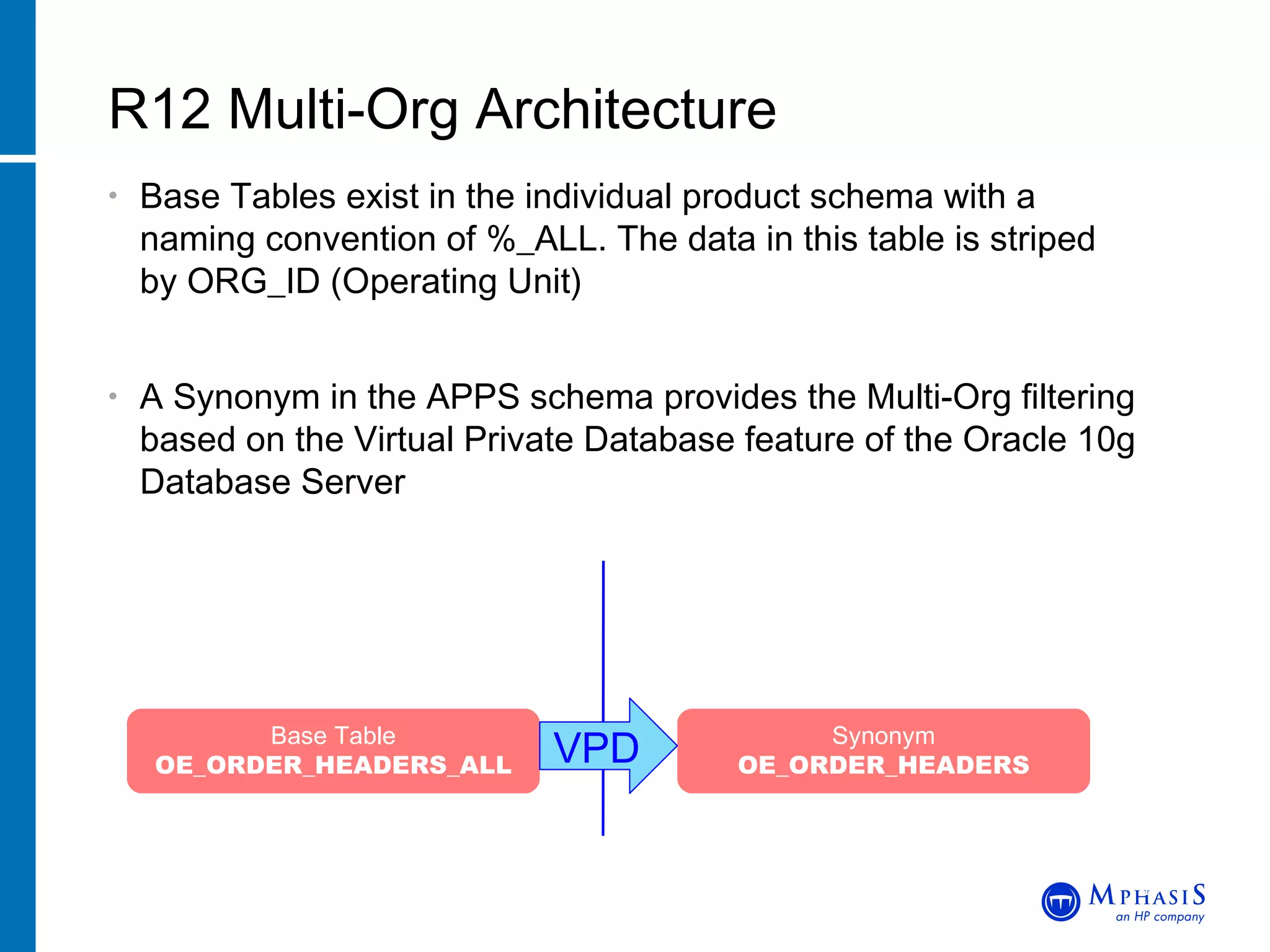
Base Tables exist in the individual product schema with a  naming convention of %_ALL. The data in this table is striped  by ORG_ID (Operating Unit) A Synonym in the APPS schema provides the Multi-Org filtering based on the Virtual Private Database feature of the Oracle 10g Database Server R12 Multi-Org Architecture John Peters, JRPJR, Inc. Base Table OE_ORDER_HEADERS_ALL Synonym OE_ORDER_HEADERS VPD ONT DB User APPS DB   User
This is a security feature of the Oracle Database Server 10G Security Policies can be applied to database object to control access to specific rows and columns in the object The Security Policies are not easily viewable using tools like TOAD You need to be careful if you drop a Synonym because you won’t always know if a Security Policy is applied to the Synonym and more importantly how to reapply it What is a Virtual Private Database? John Peters, JRPJR, Inc.
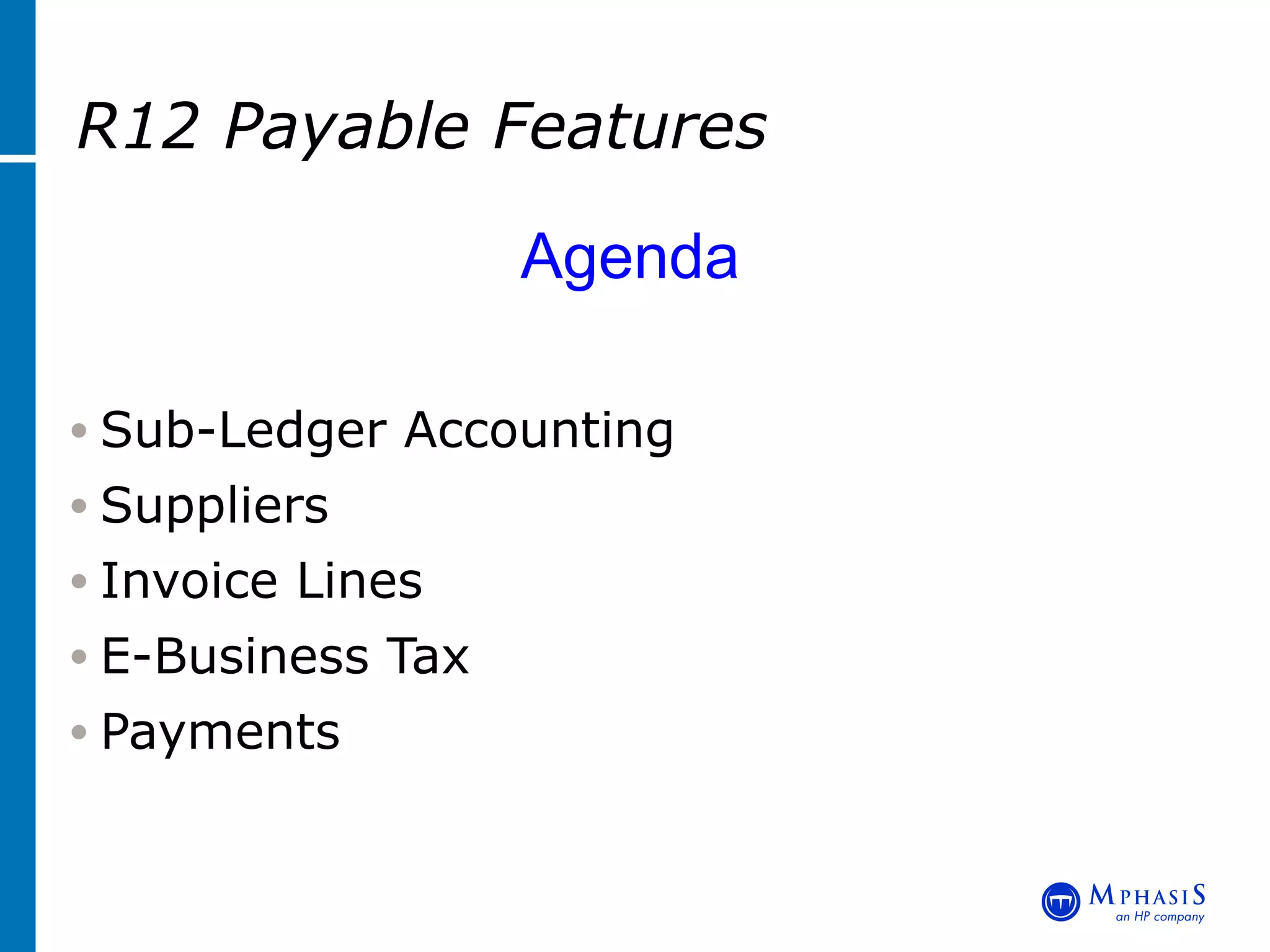
R12 Payable Features   Agenda Sub-Ledger Accounting Suppliers Invoice Lines E-Business Tax Payments
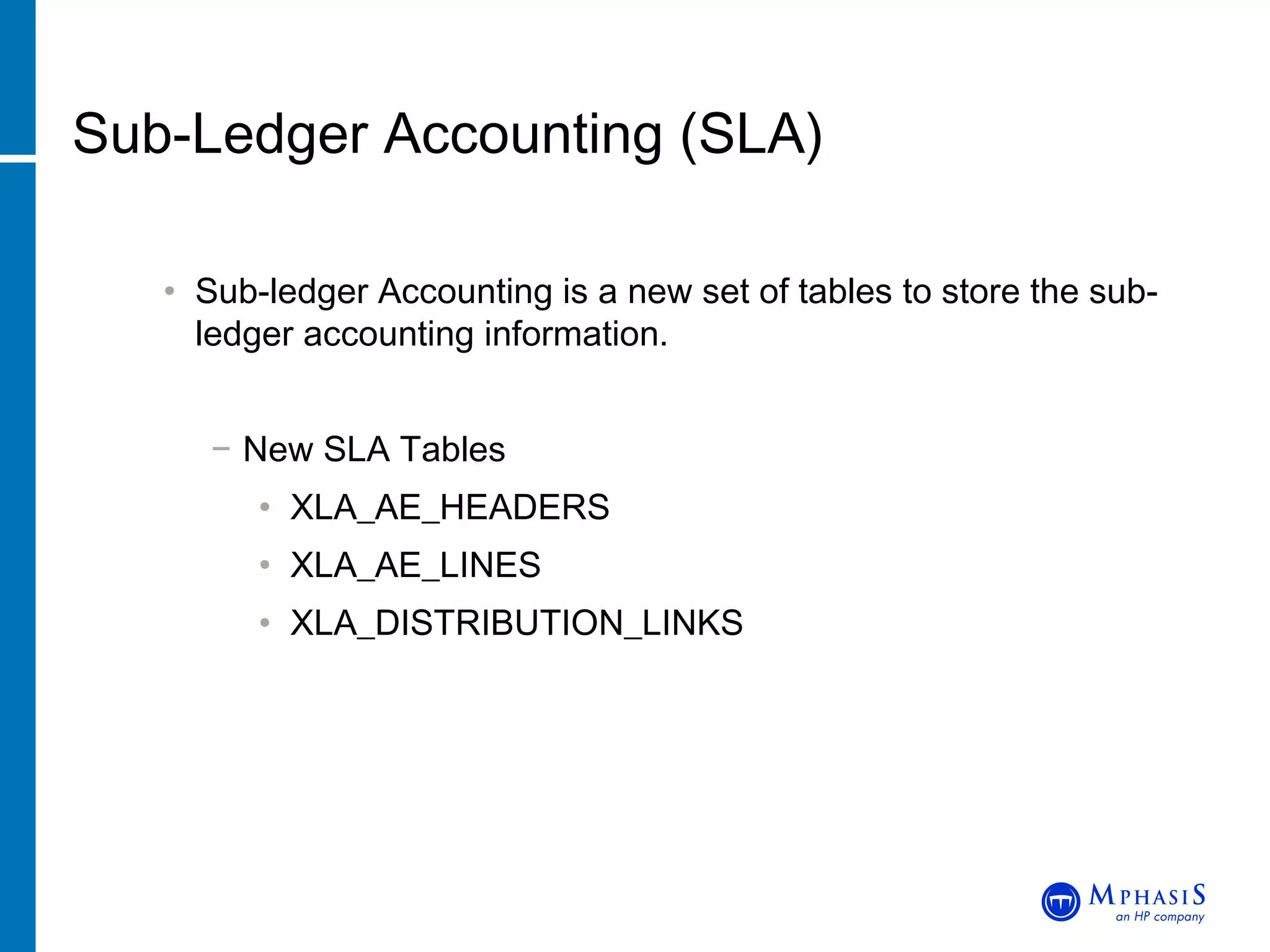
Sub-Ledger Accounting (SLA) Sub-ledger Accounting is a new set of tables to store the sub-ledger accounting information. New SLA Tables XLA_AE_HEADERS XLA_AE_LINES  XLA_DISTRIBUTION_LINKS
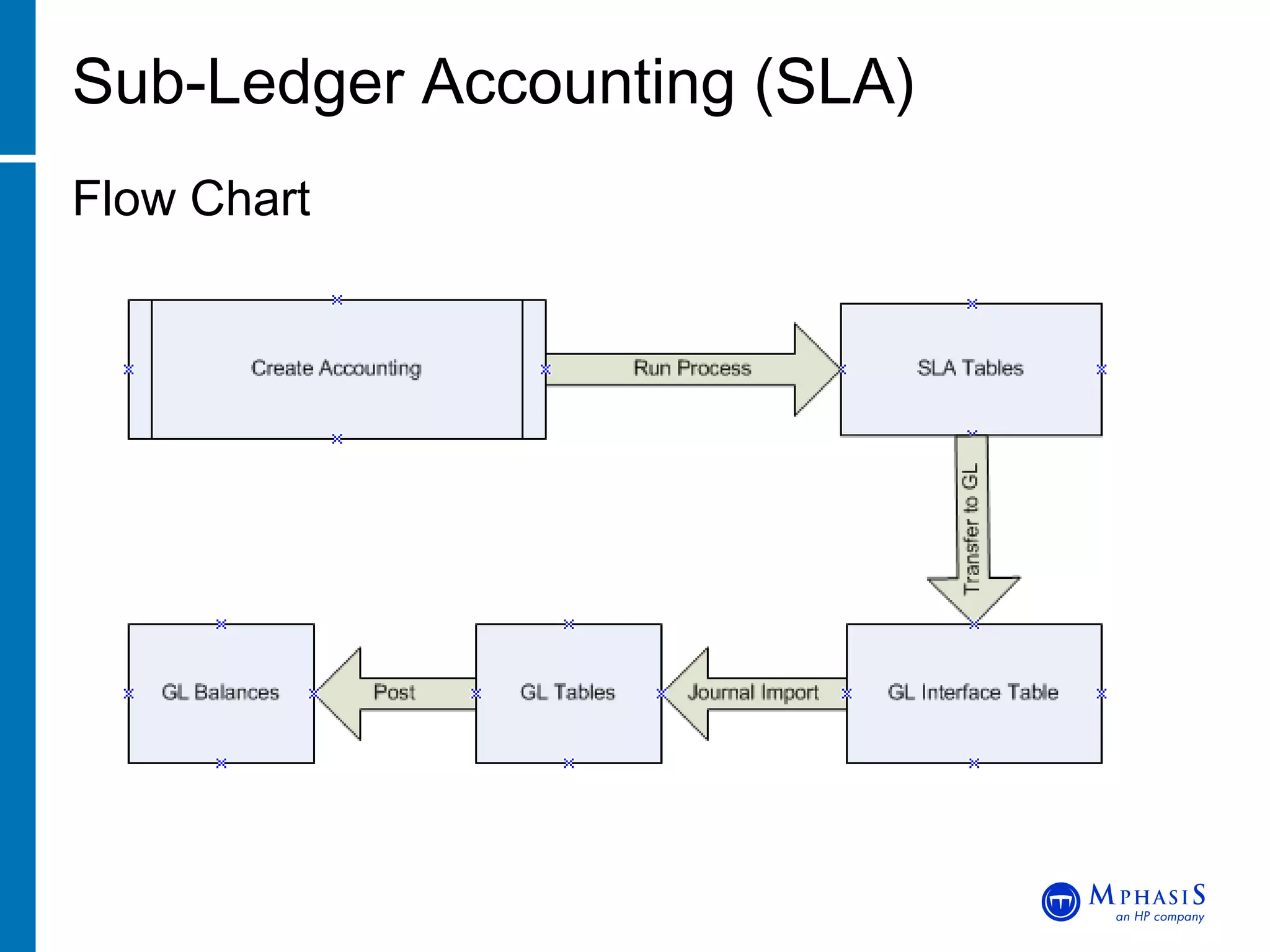
Sub-Ledger Accounting (SLA) Flow Chart
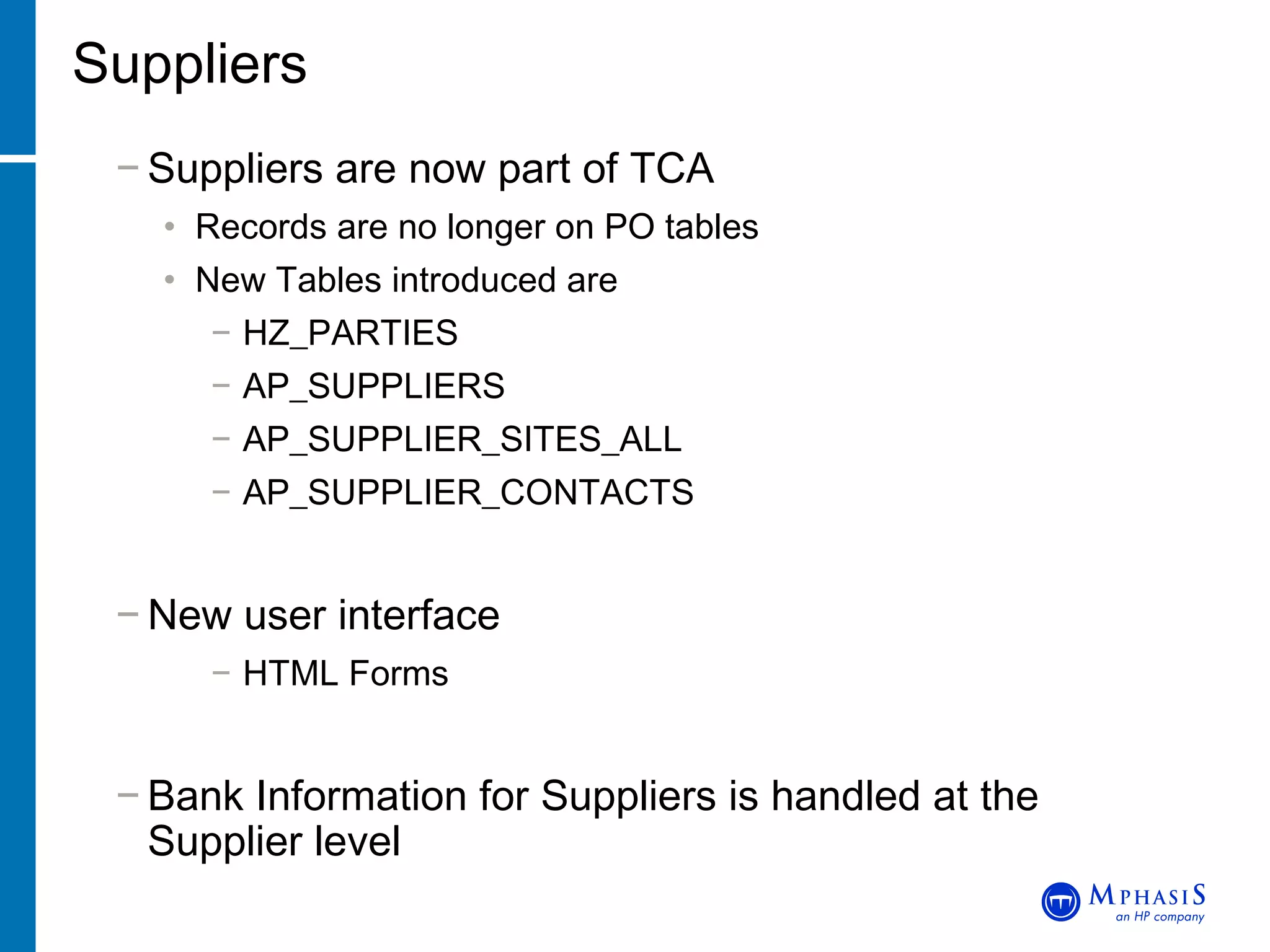
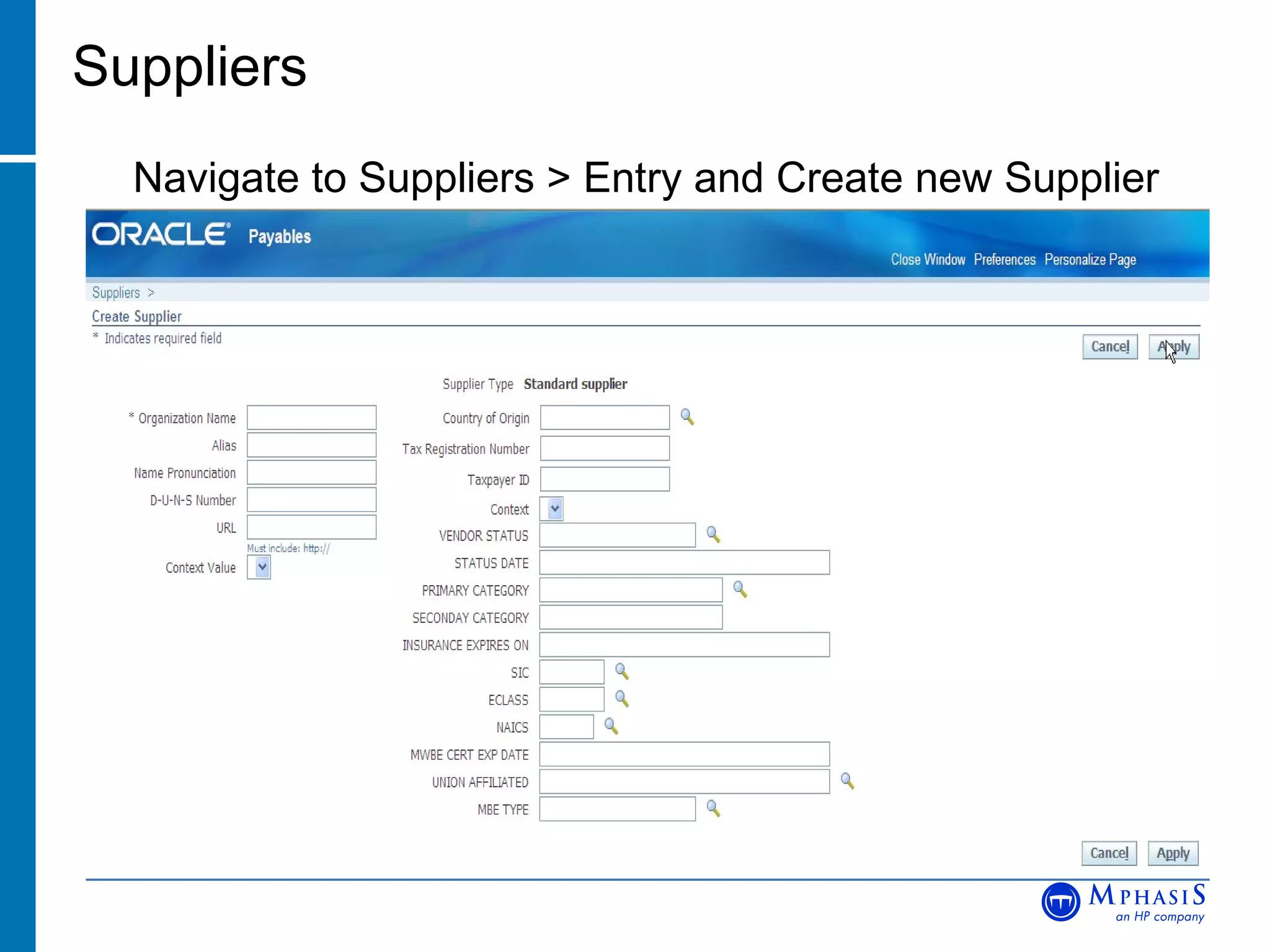
Suppliers Suppliers are now part of TCA Records are no longer on PO tables New Tables introduced are HZ_PARTIES AP_SUPPLIERS AP_SUPPLIER_SITES_ALL AP_SUPPLIER_CONTACTS New user interface HTML Forms Bank Information for Suppliers is handled at the  Supplier level
Suppliers Navigate to Suppliers > Entry and Create new Supplier
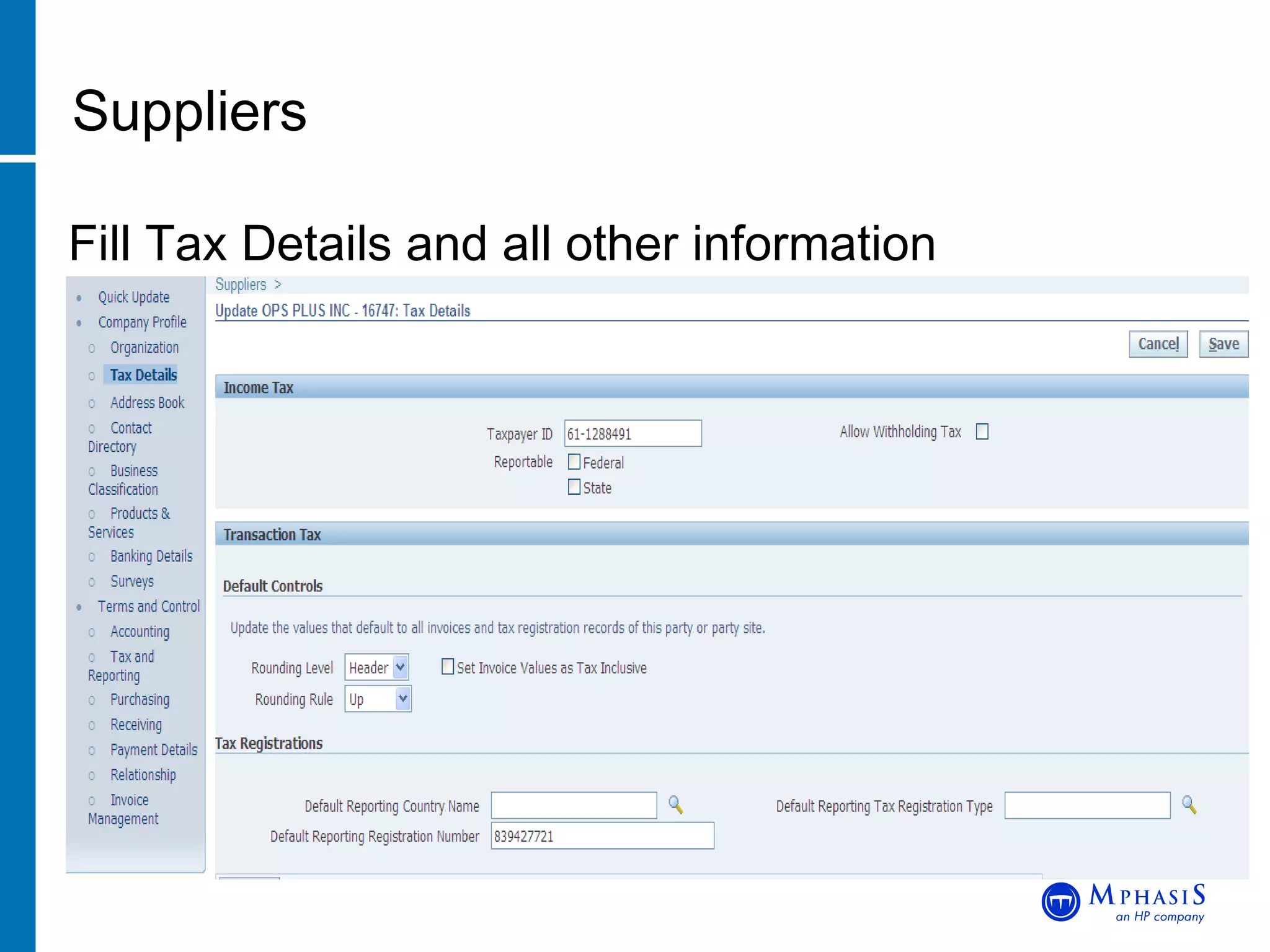
Suppliers Fill Tax Details and all other information
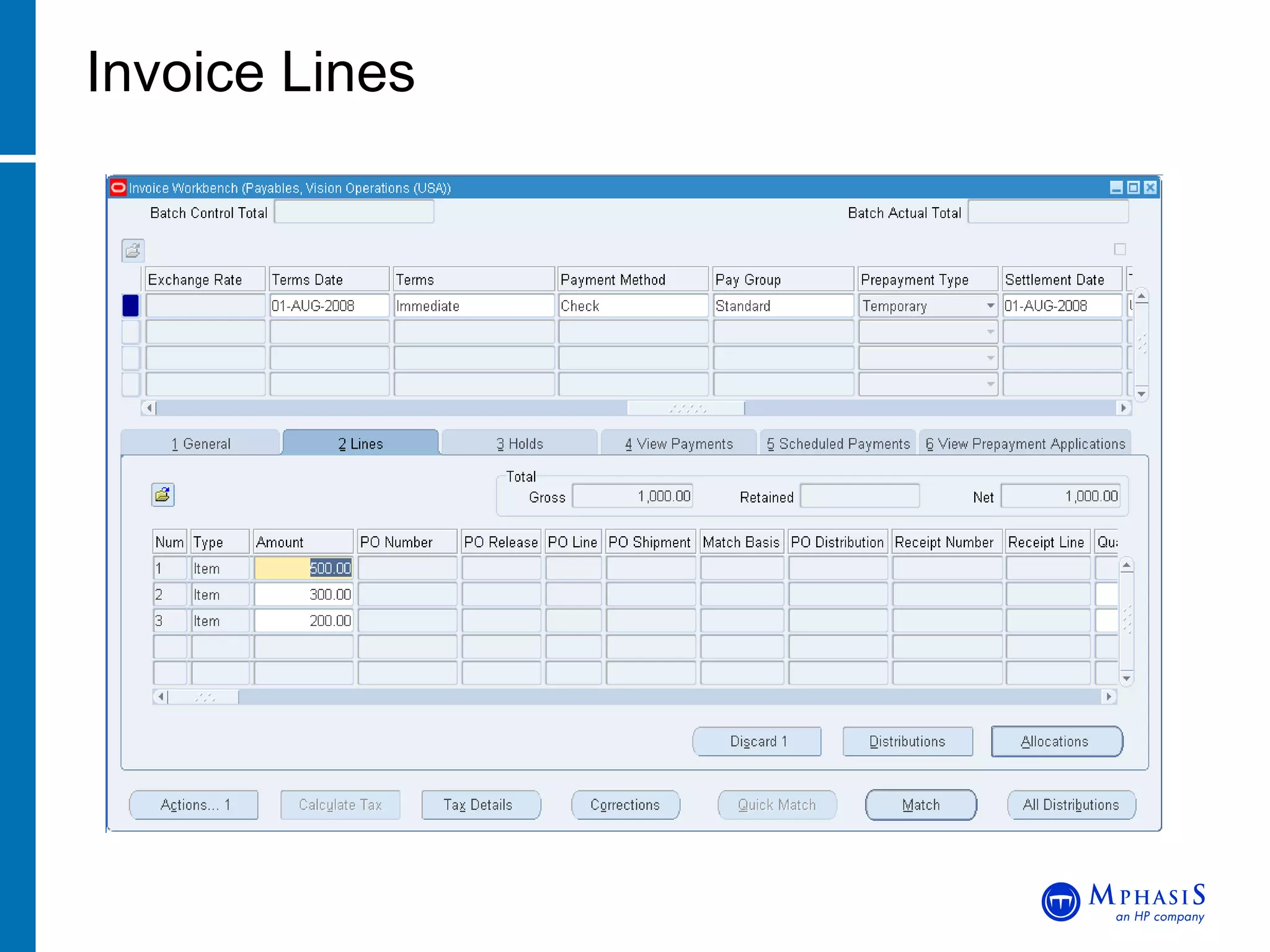
Invoice Lines Designed to model paper or electronic Invoices Represents Goods or Services, Tax and Freight Additional fields for recording such items as Manufacturer and Serial Number Line Level Approval and matching invoice to PO
  Invoice Lines
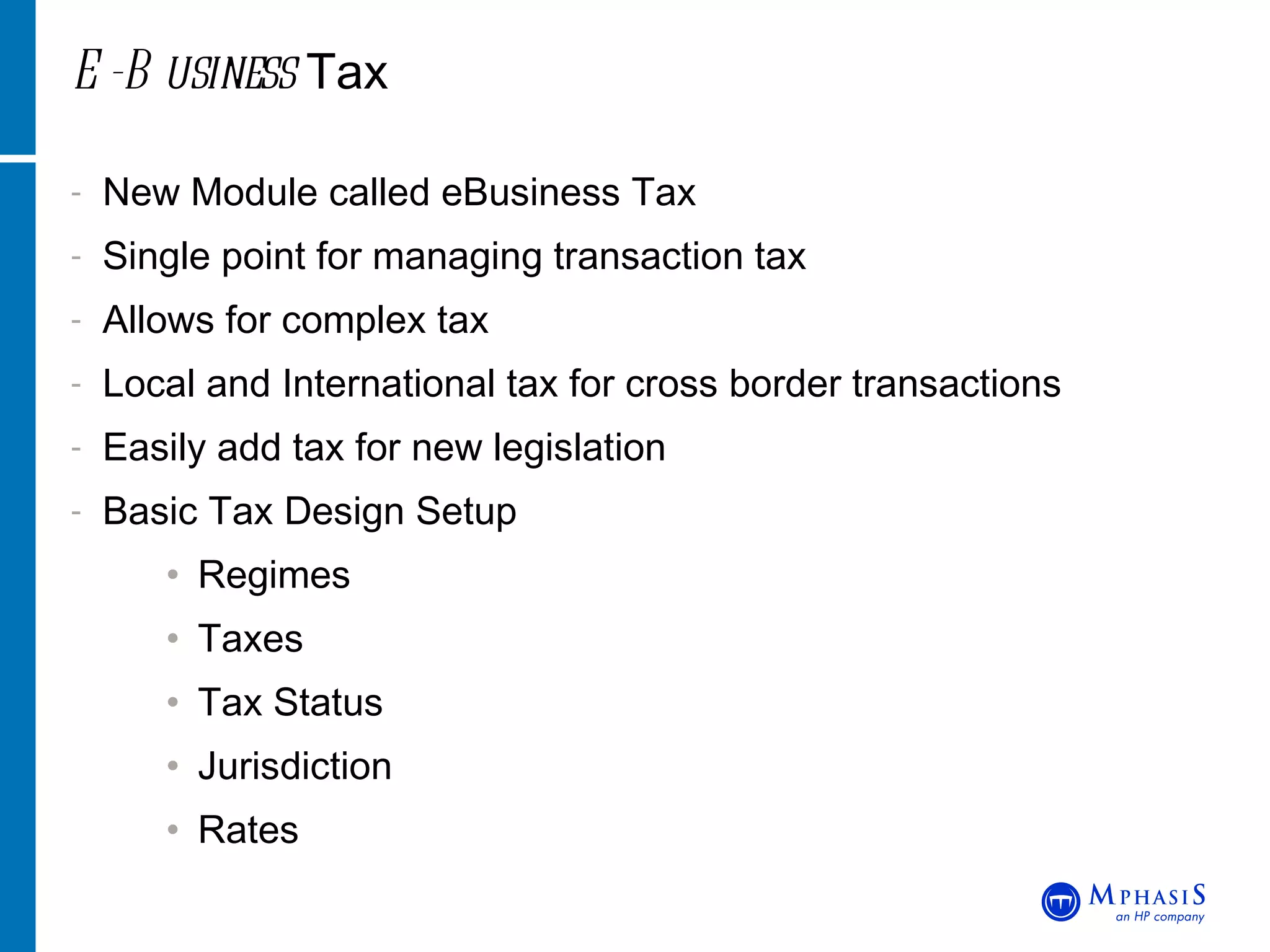
E-Business  Tax New Module called eBusiness Tax Single point for managing transaction tax Allows for complex tax  Local and International tax for cross border transactions Easily add tax for new legislation Basic Tax Design Setup Regimes Taxes Tax Status Jurisdiction Rates
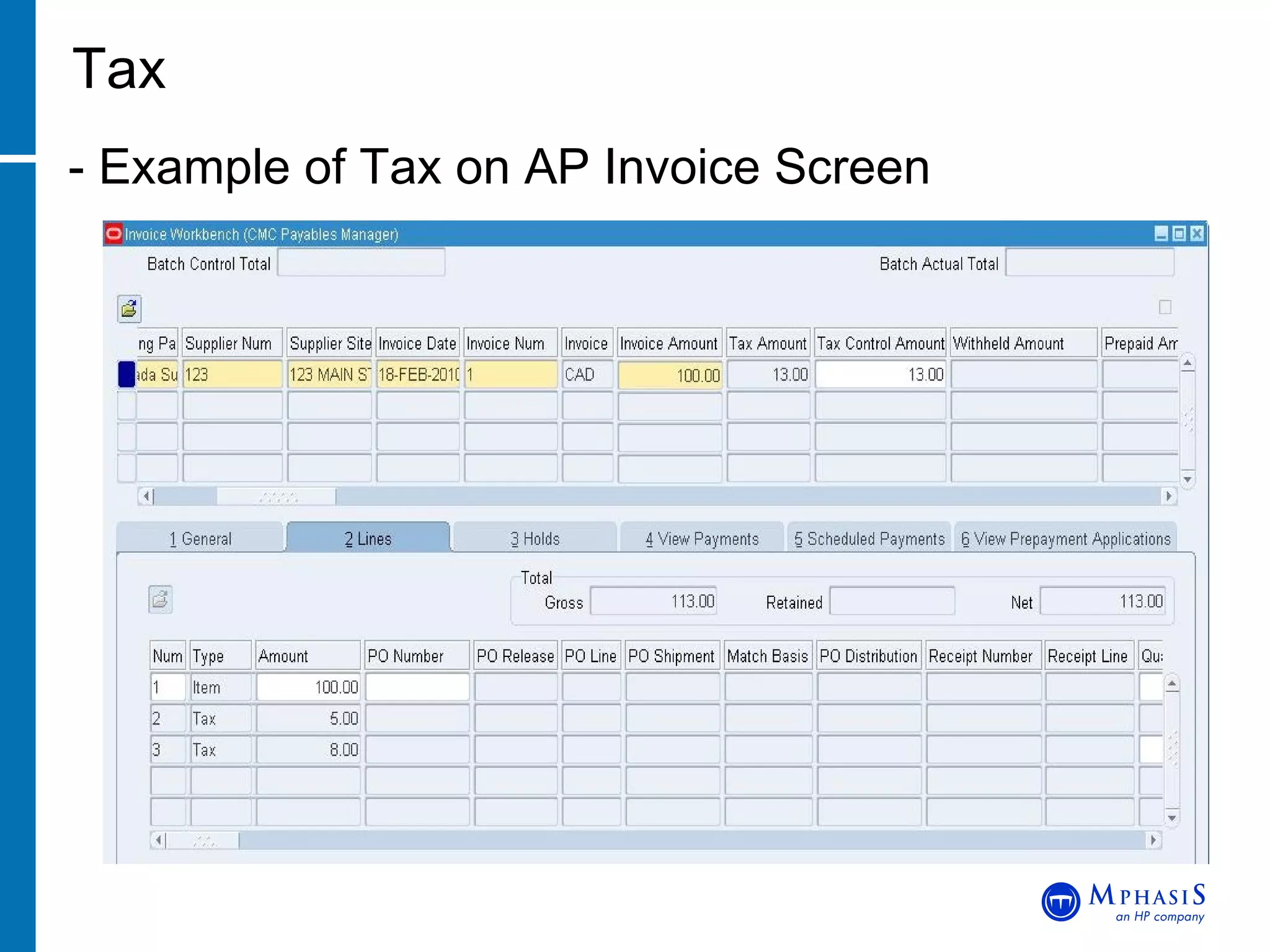
Tax - Example of Tax on AP Invoice Screen
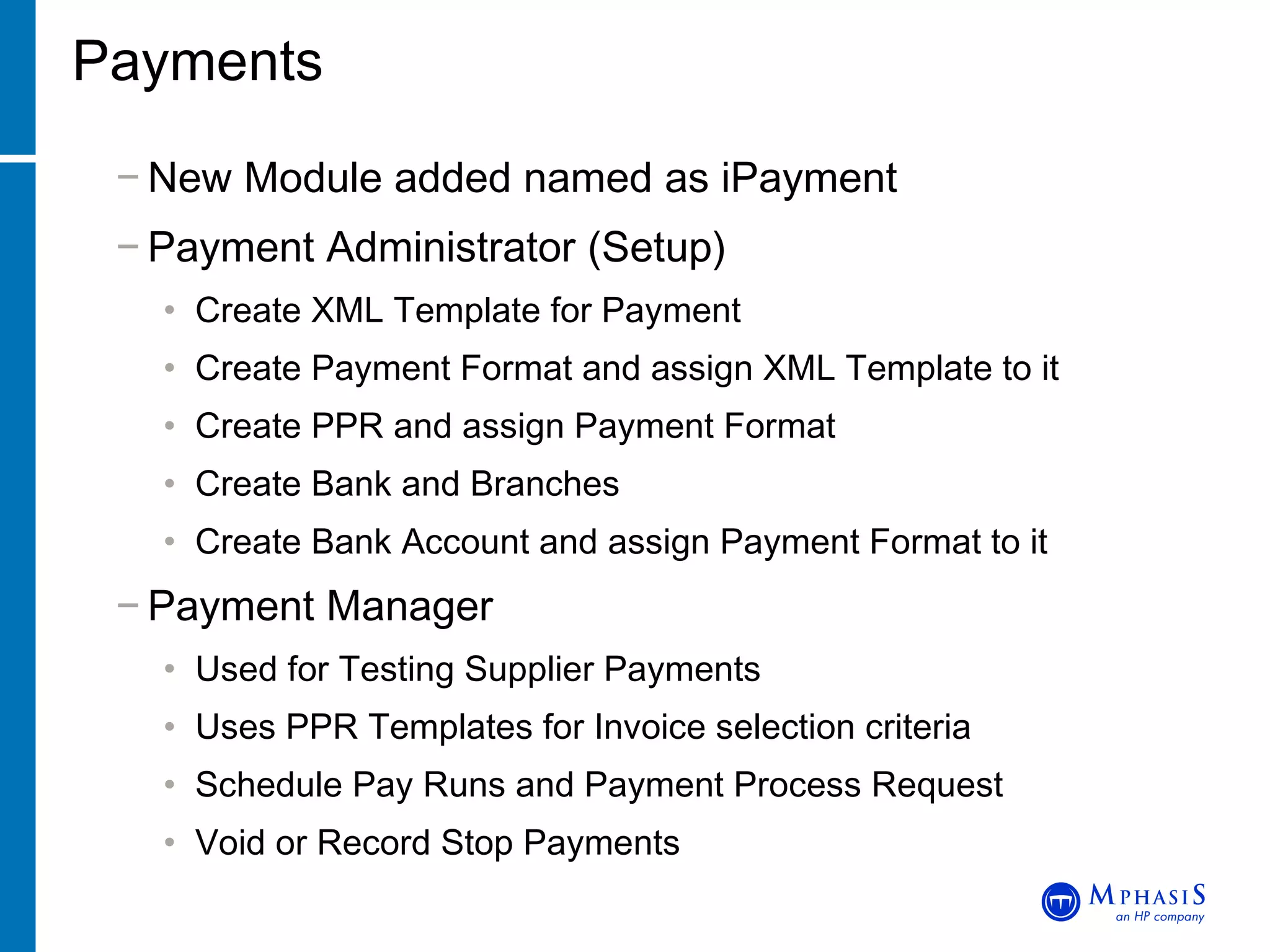
Payments New Module added named as iPayment Payment Administrator (Setup) Create XML Template for Payment Create Payment Format and assign XML Template to it Create PPR and assign Payment Format Create Bank and Branches Create Bank Account and assign Payment Format to it Payment Manager Used for Testing Supplier Payments Uses PPR Templates for Invoice selection criteria Schedule Pay Runs and Payment Process Request Void or Record Stop Payments
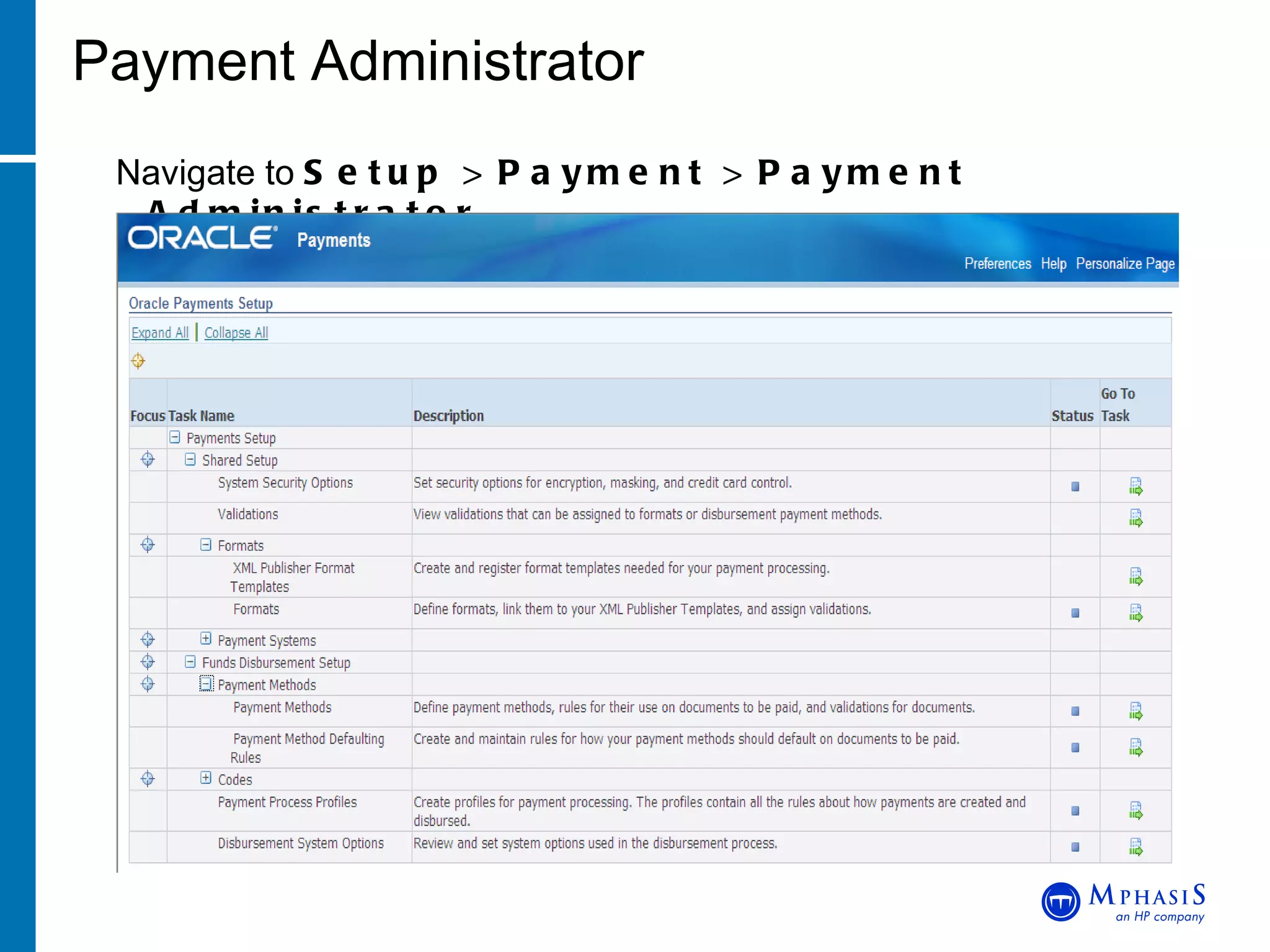
Payment Administrator Navigate to  Setup > Payment > Payment Administrator
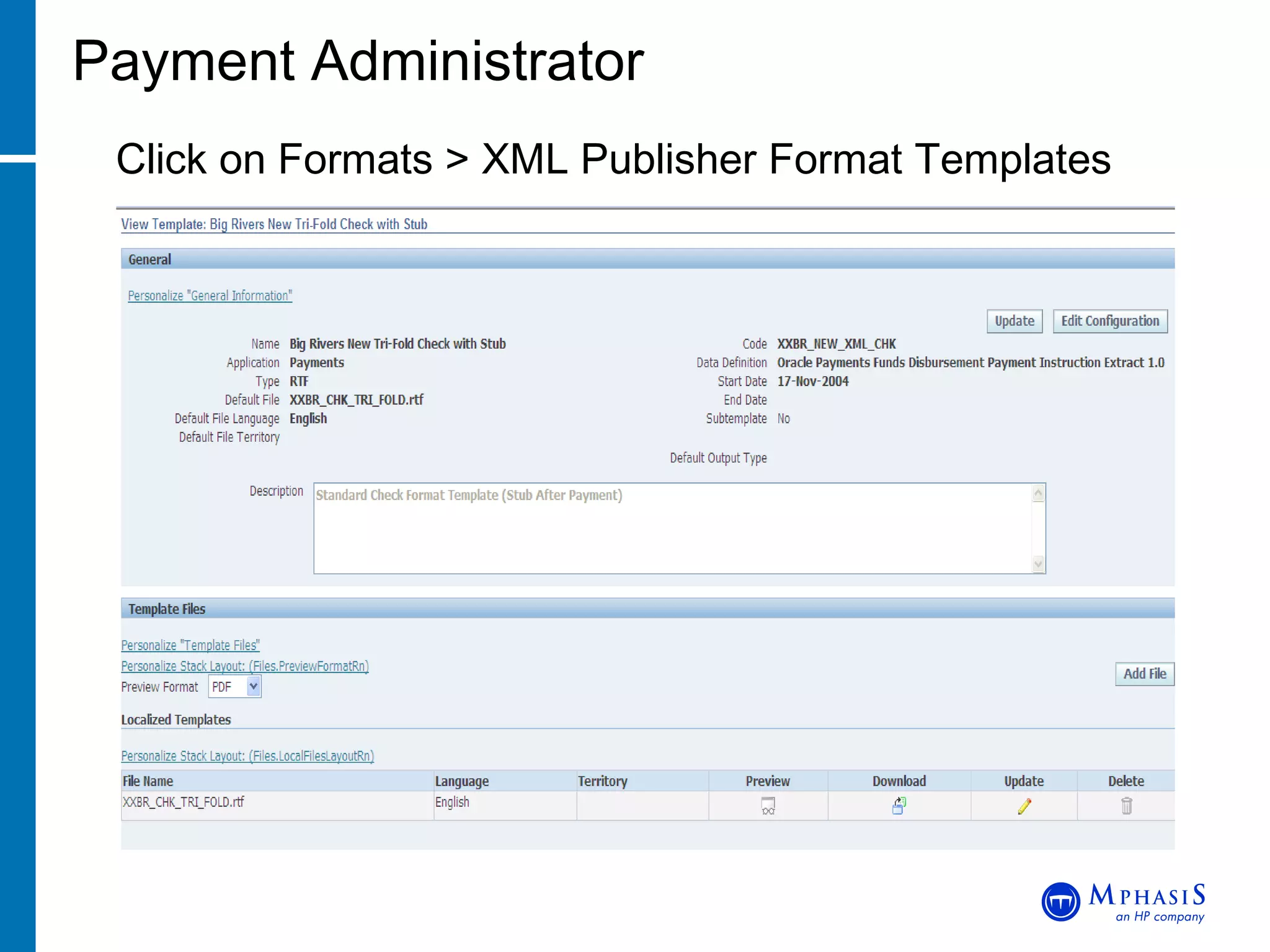
Payment Administrator Click on Formats > XML Publisher Format Templates
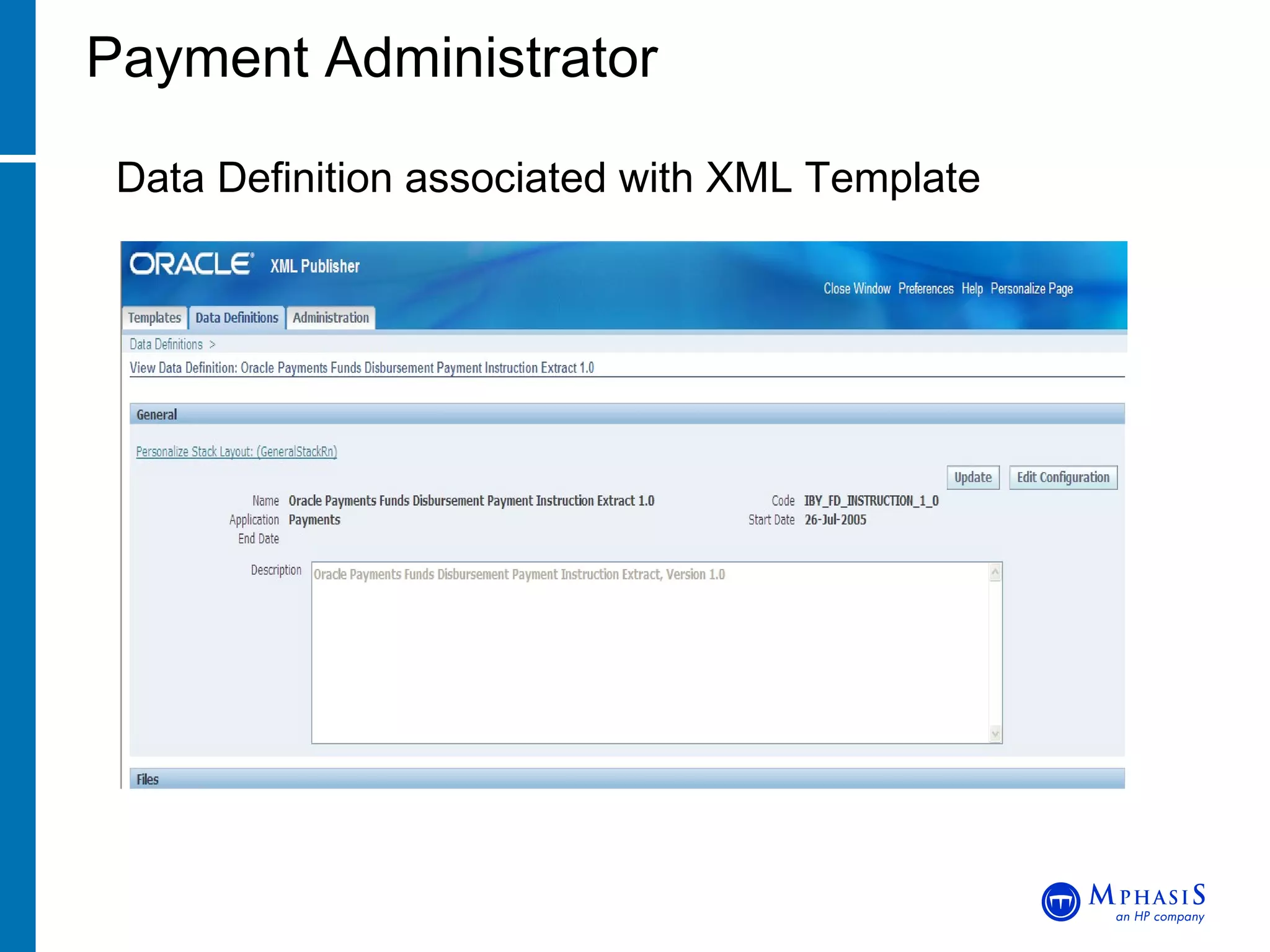
Payment Administrator Data Definition associated with XML Template
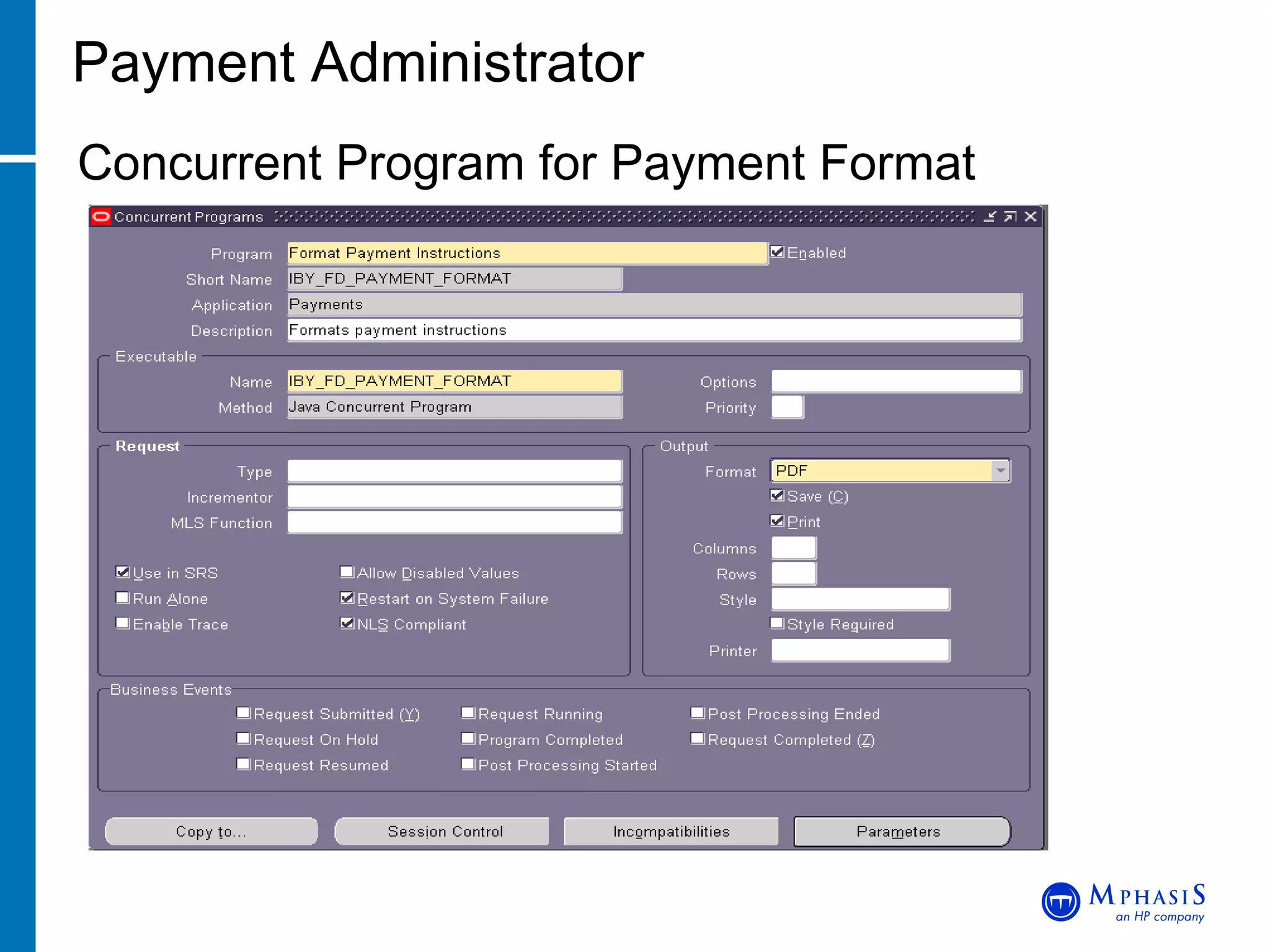
Payment Administrator Concurrent Program for Payment Format
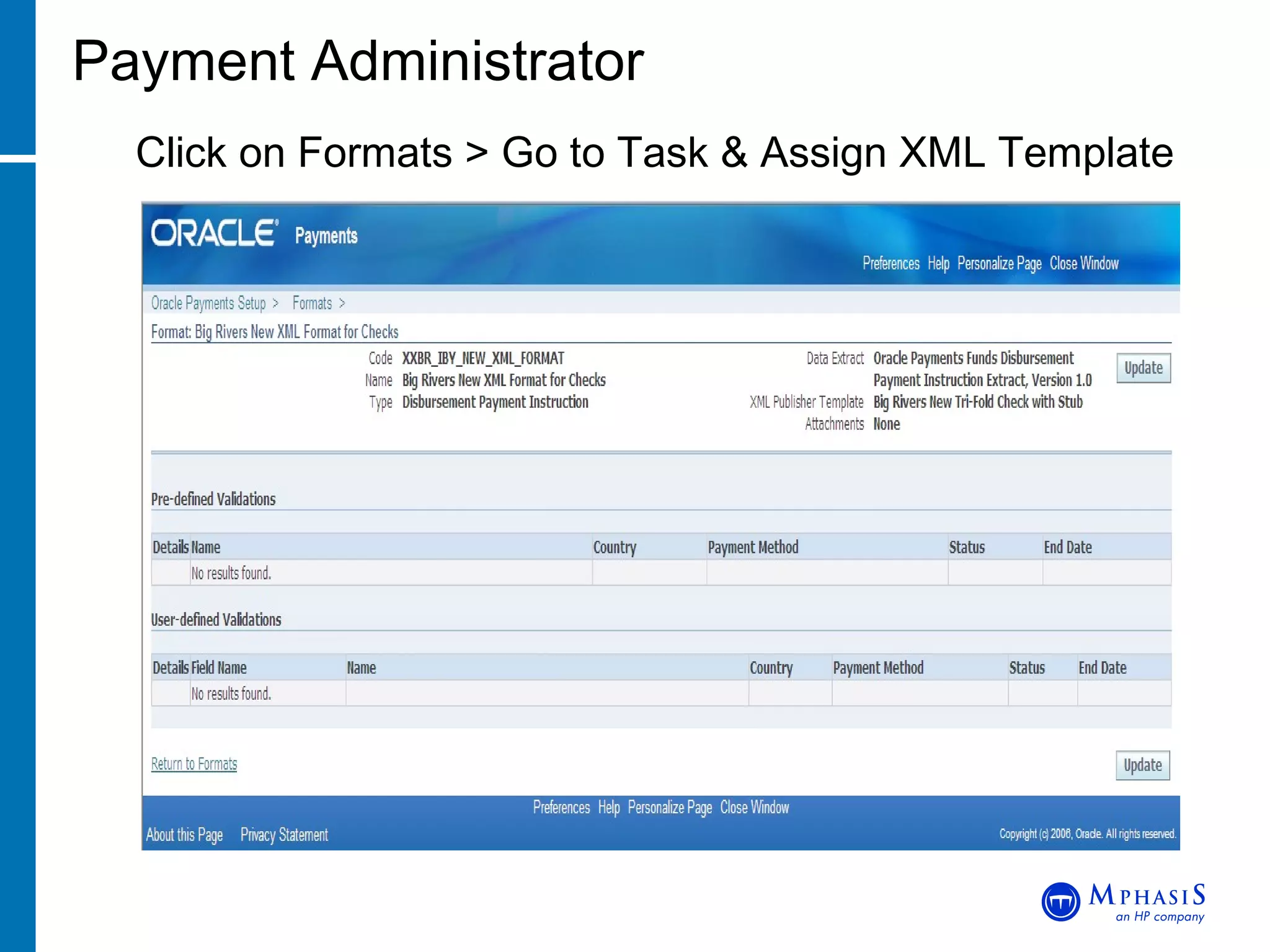
Payment Administrator Click on Formats > Go to Task & Assign XML Template
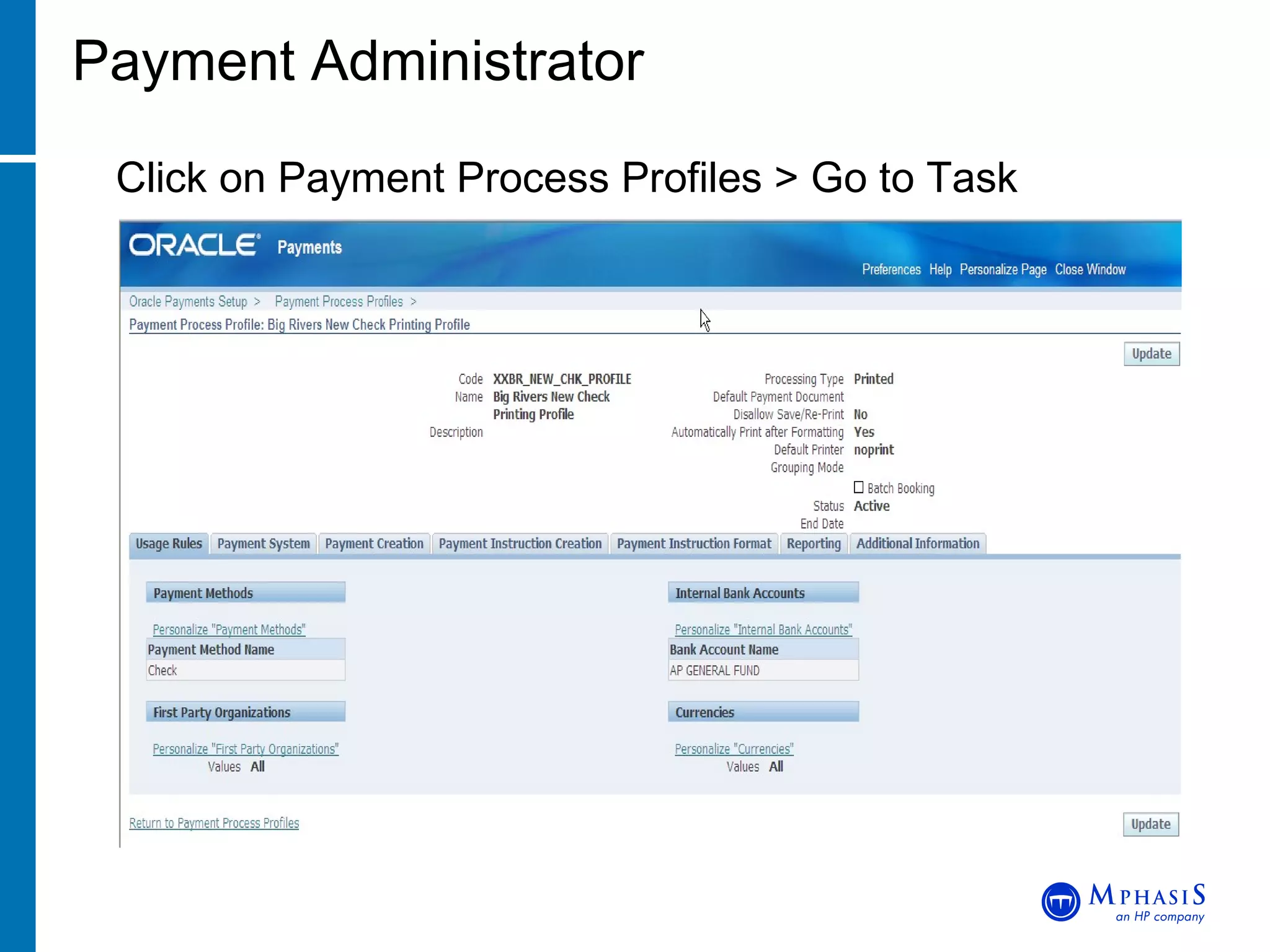
Payment Administrator Click on Payment Process Profiles > Go to Task
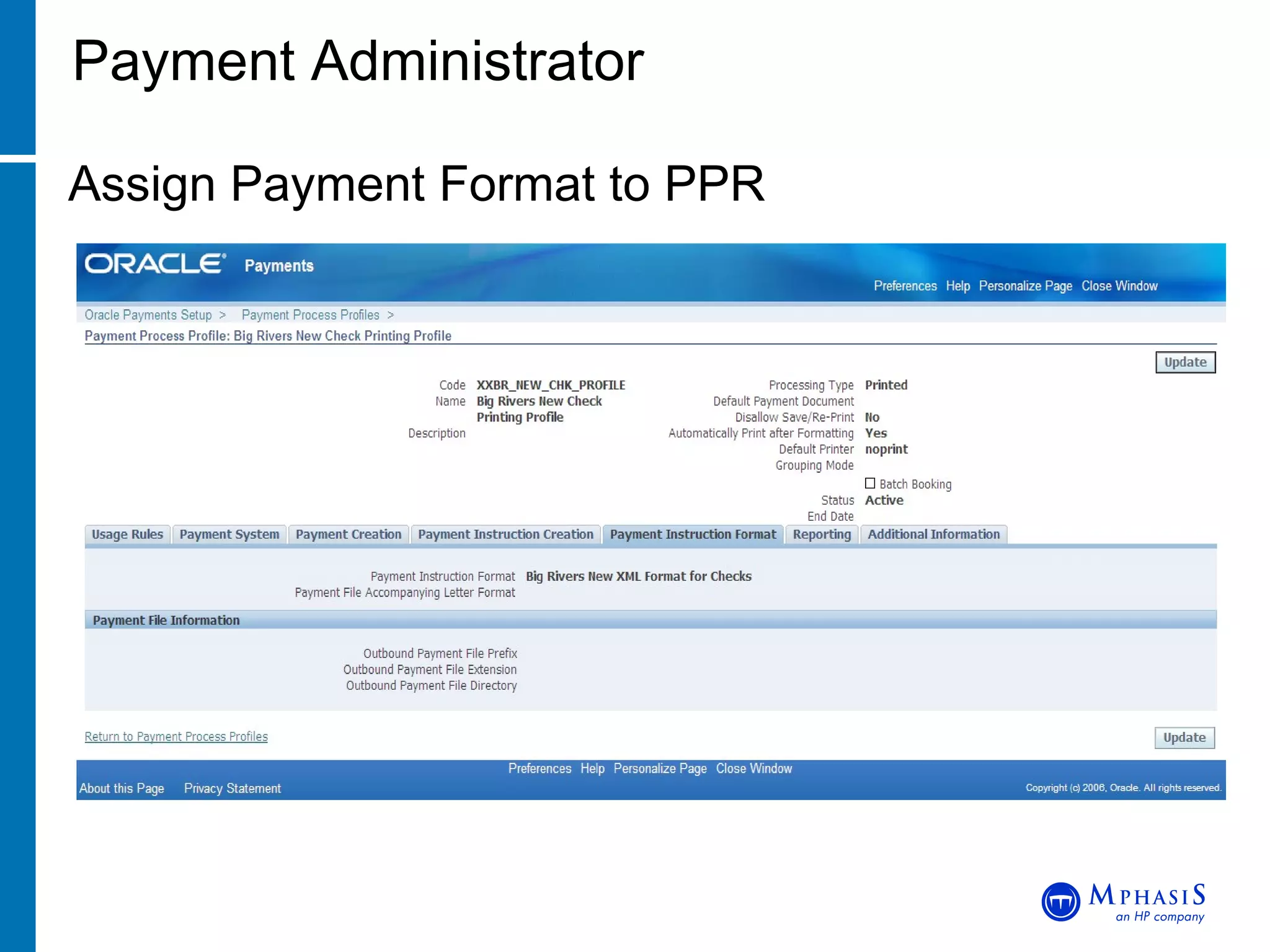
Payment Administrator Assign Payment Format to PPR
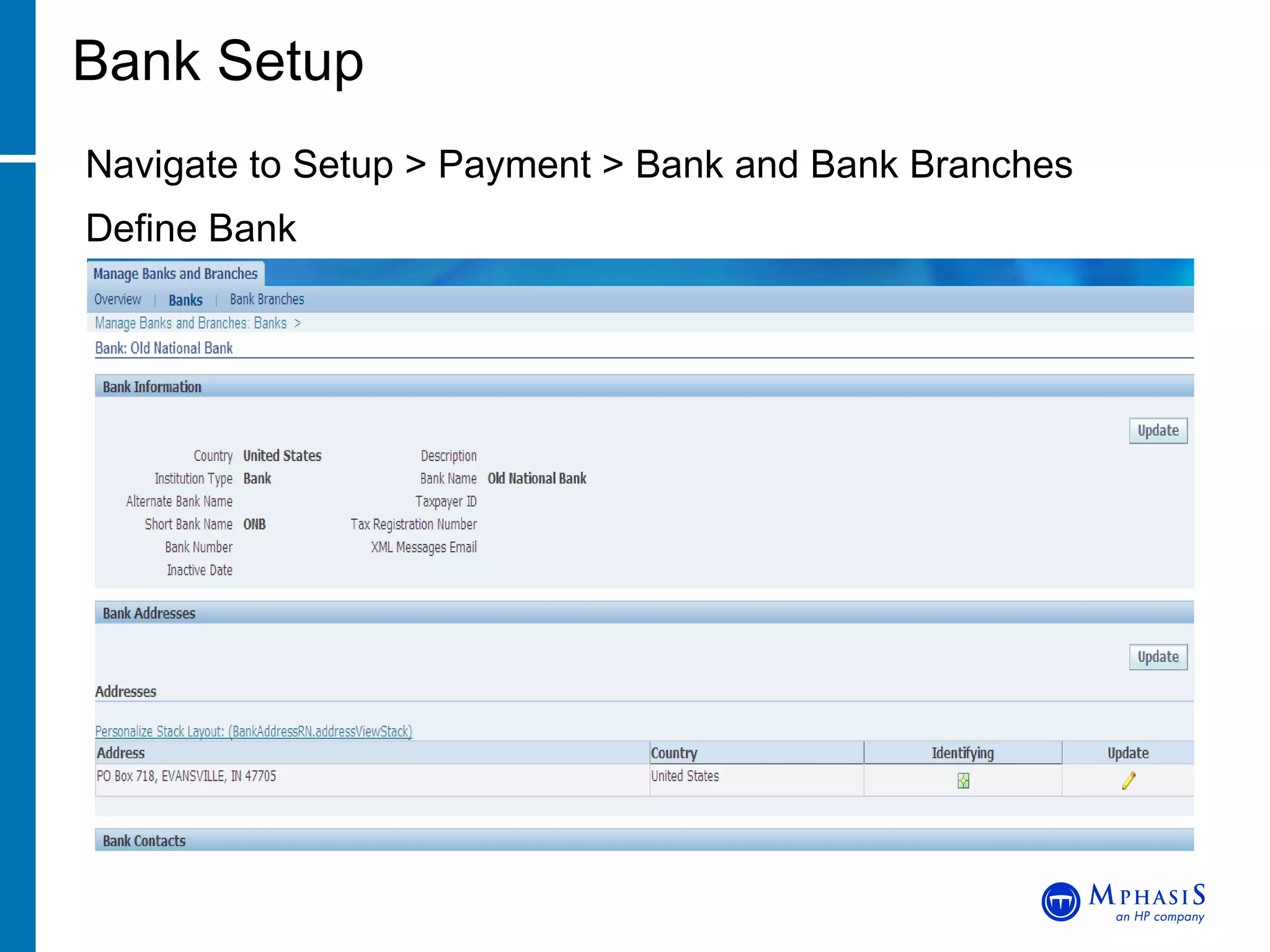
Bank Setup Navigate to Setup > Payment > Bank and Bank Branches Define Bank
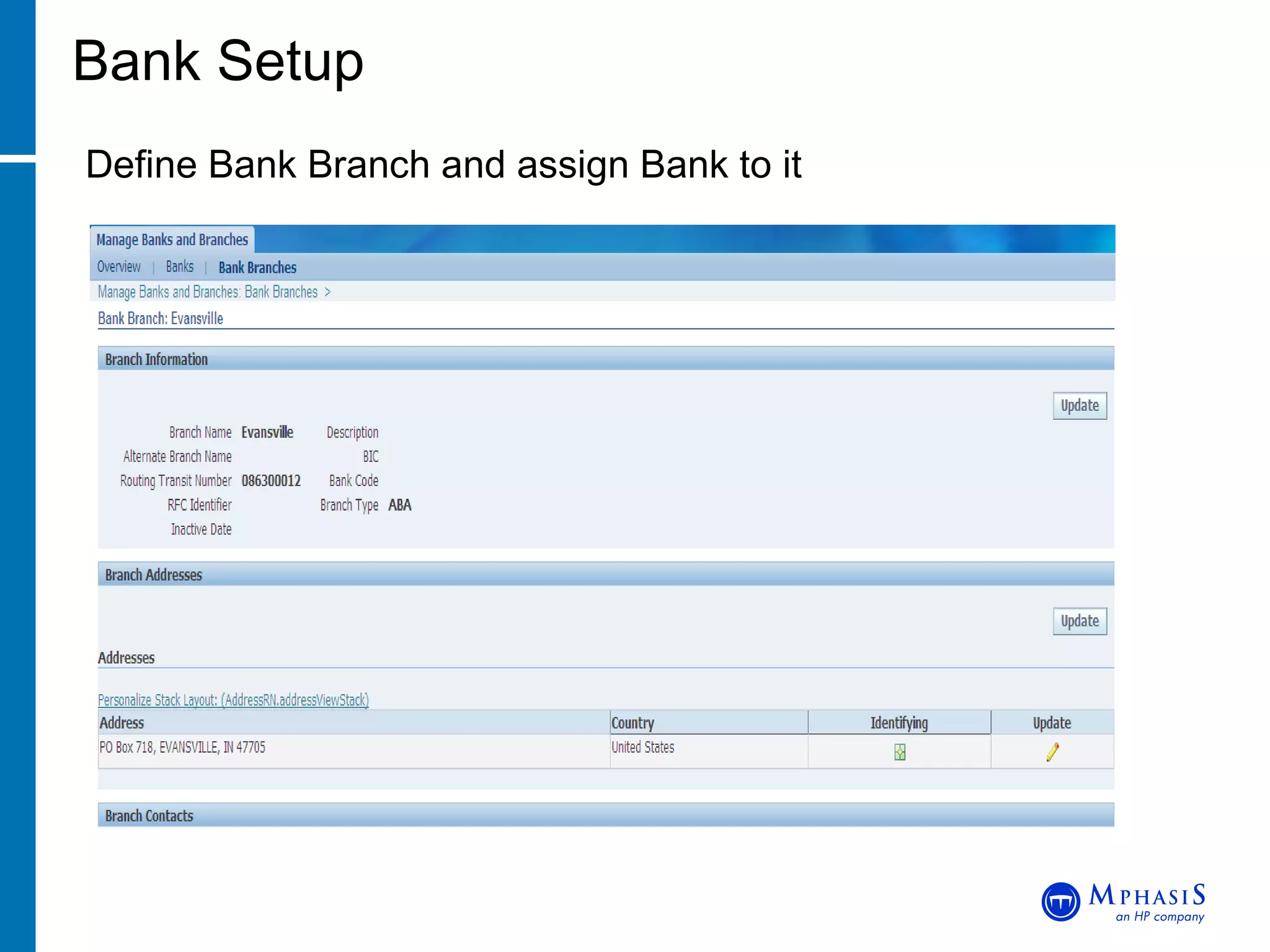
Bank Setup Define Bank Branch and assign Bank to it
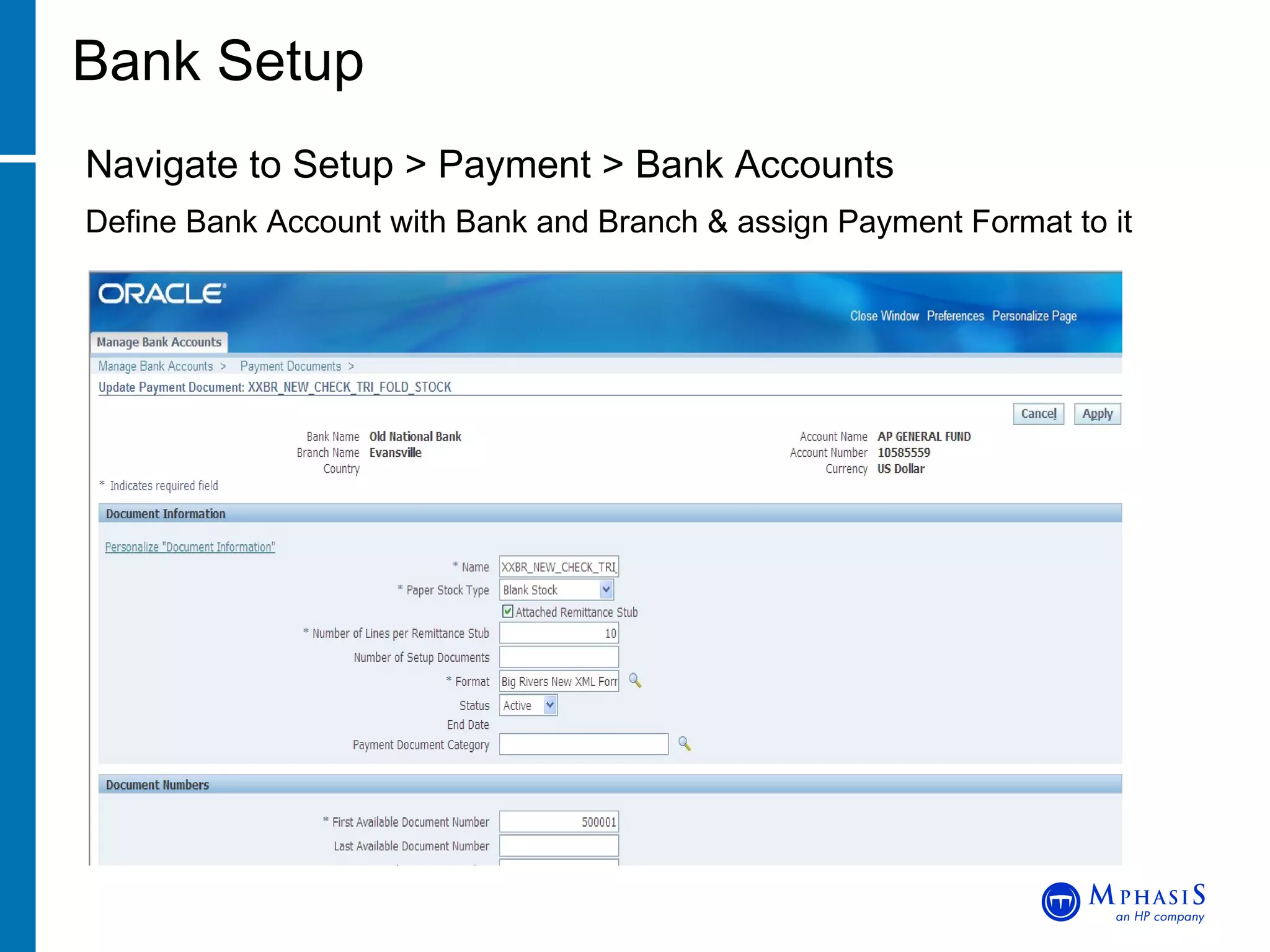
Bank Setup Navigate to Setup > Payment > Bank Accounts Define Bank Account with Bank and Branch & assign Payment Format to it
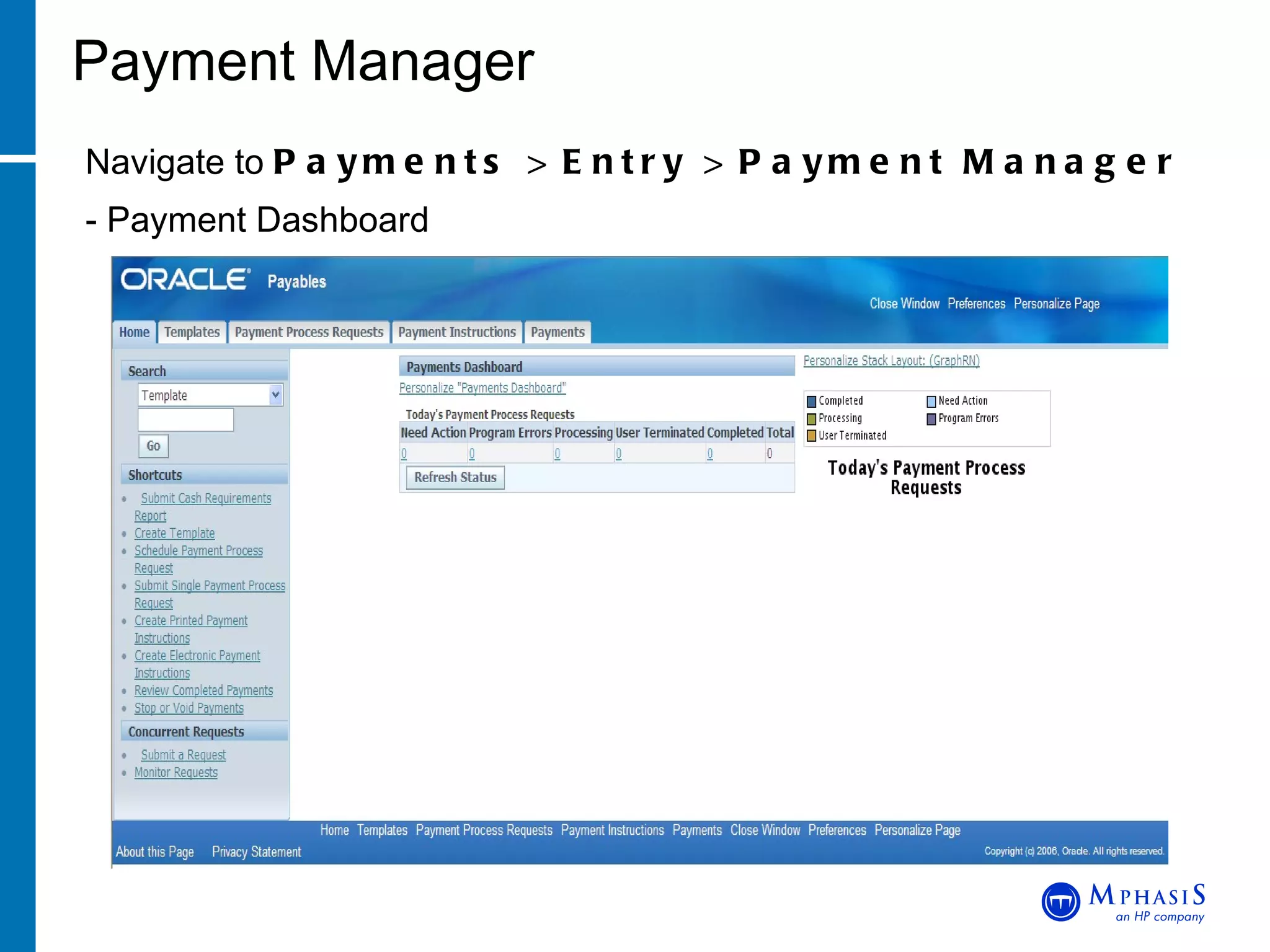
Payment Manager Navigate to  Payments > Entry > Payment Manager   - Payment Dashboard
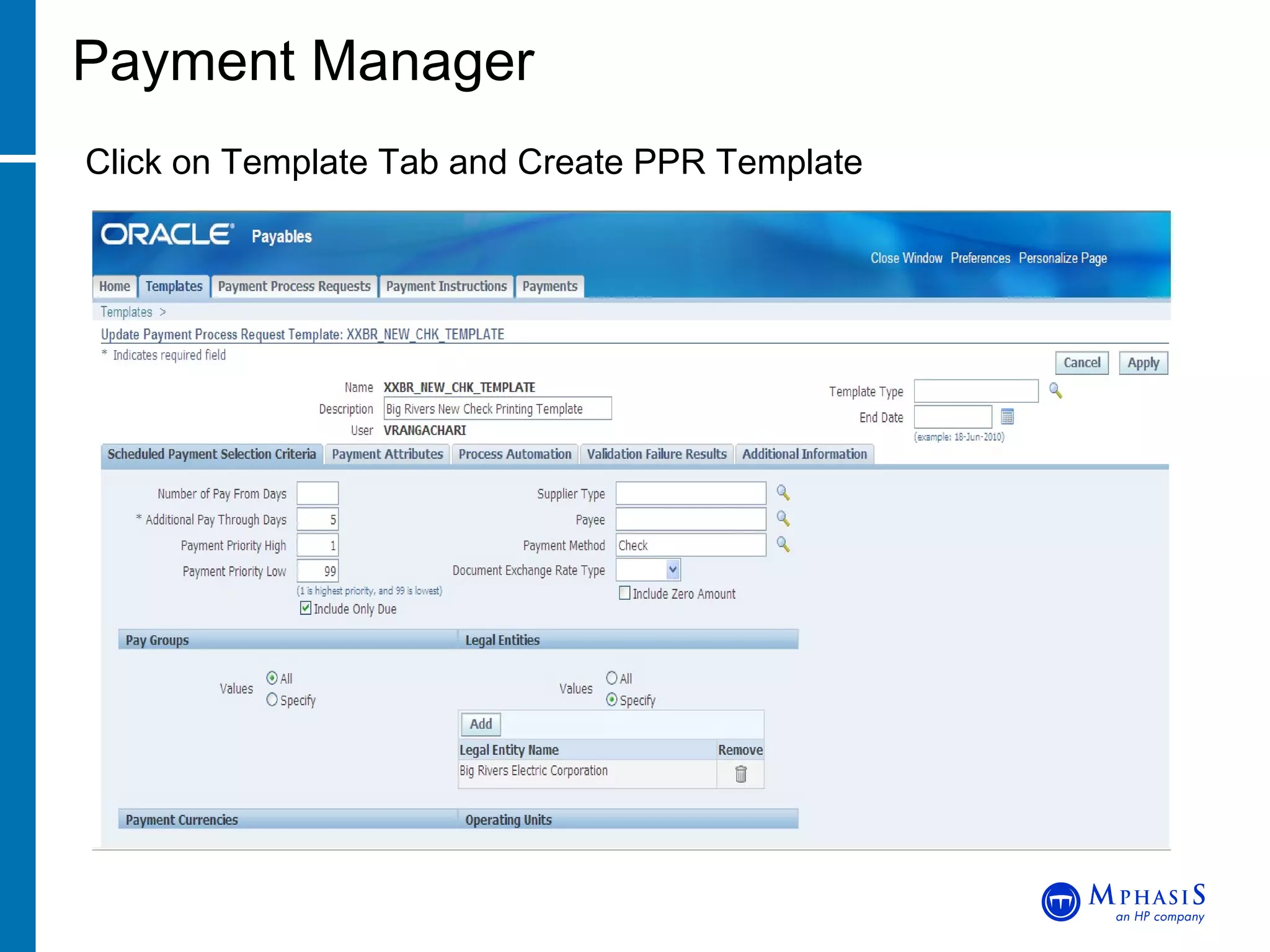
Payment Manager Click on Template Tab and Create PPR Template
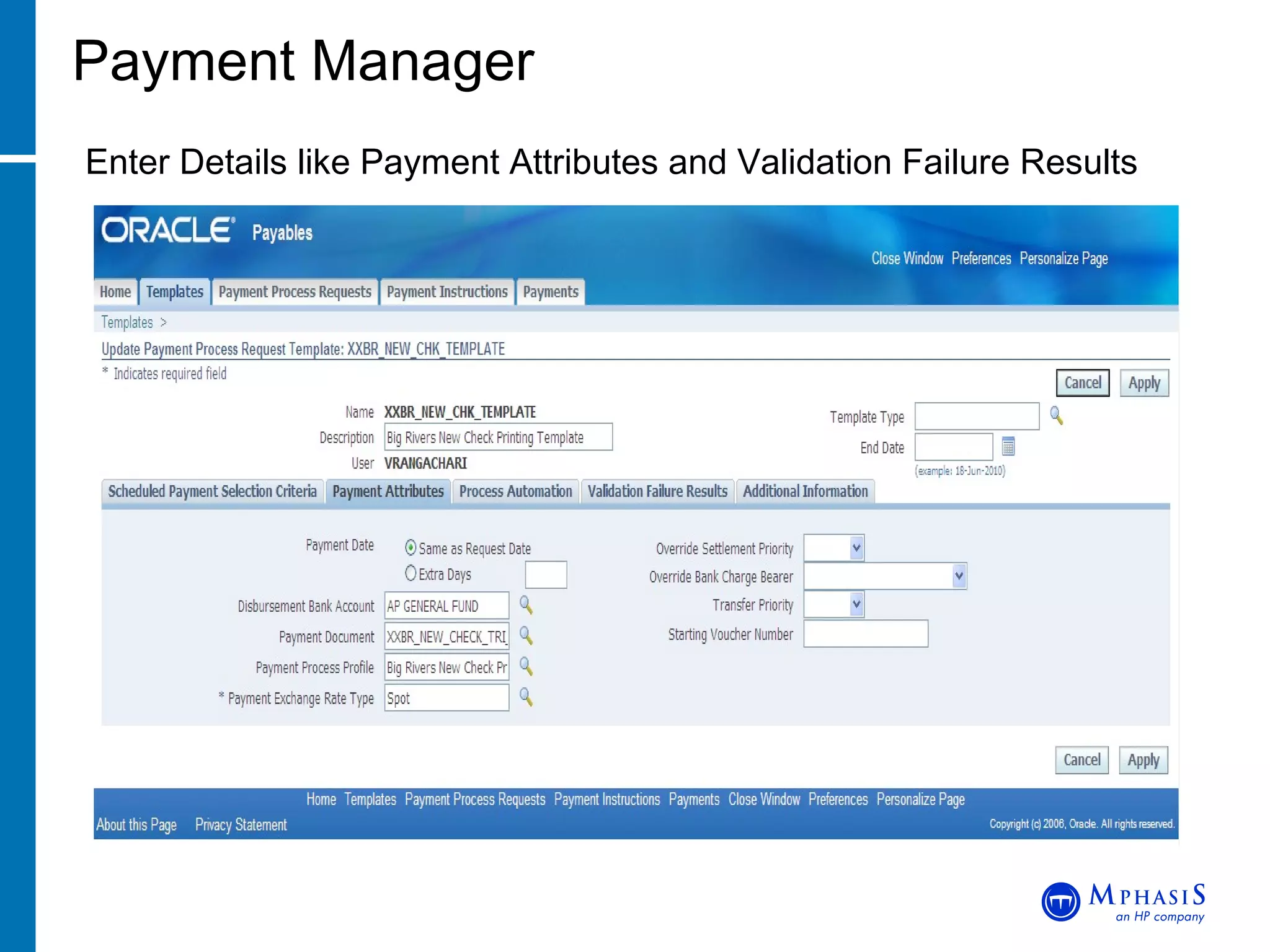
Payment Manager Enter Details like Payment Attributes and Validation Failure Results
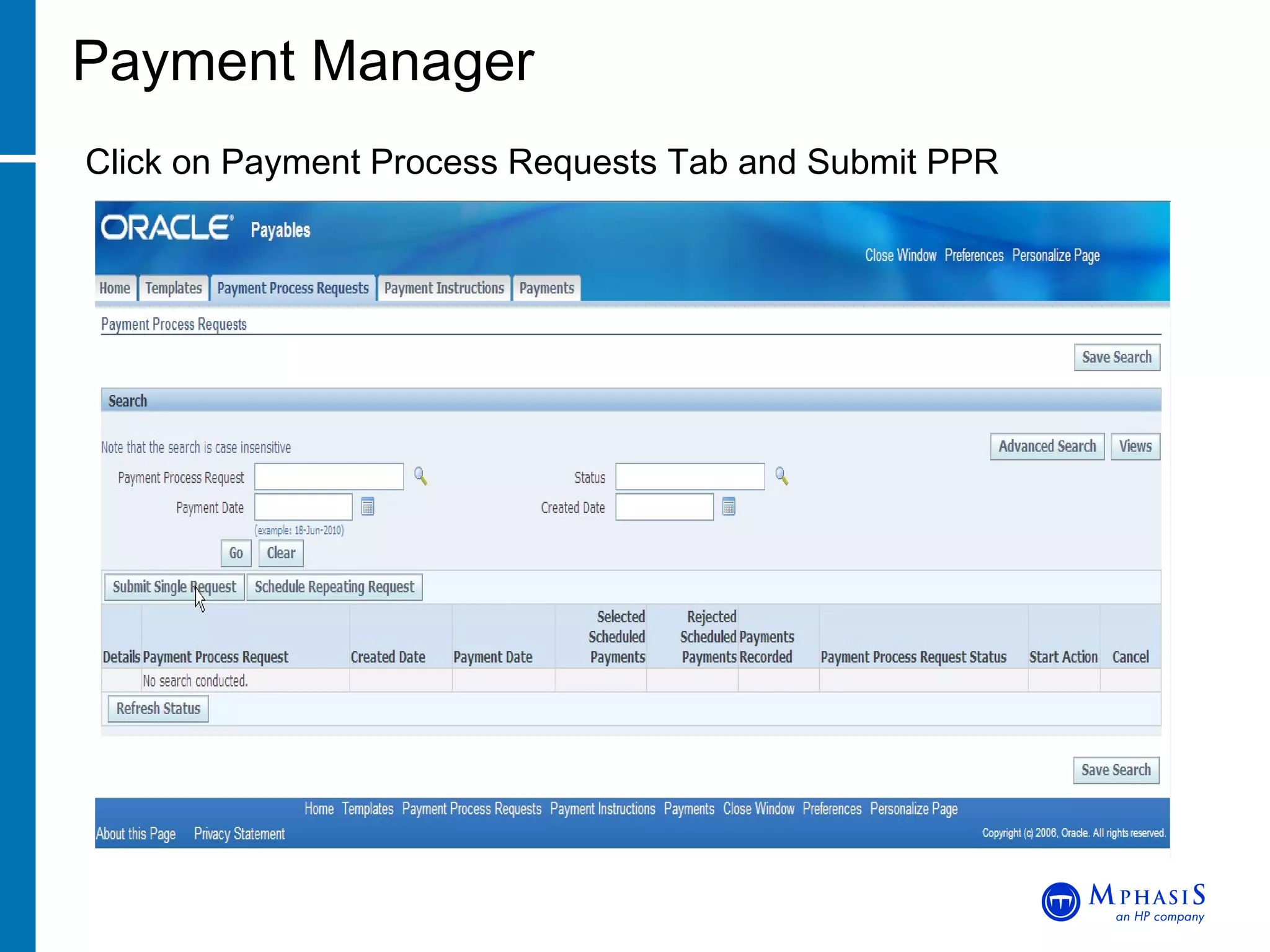
Payment Manager Click on Payment Process Requests Tab and Submit PPR
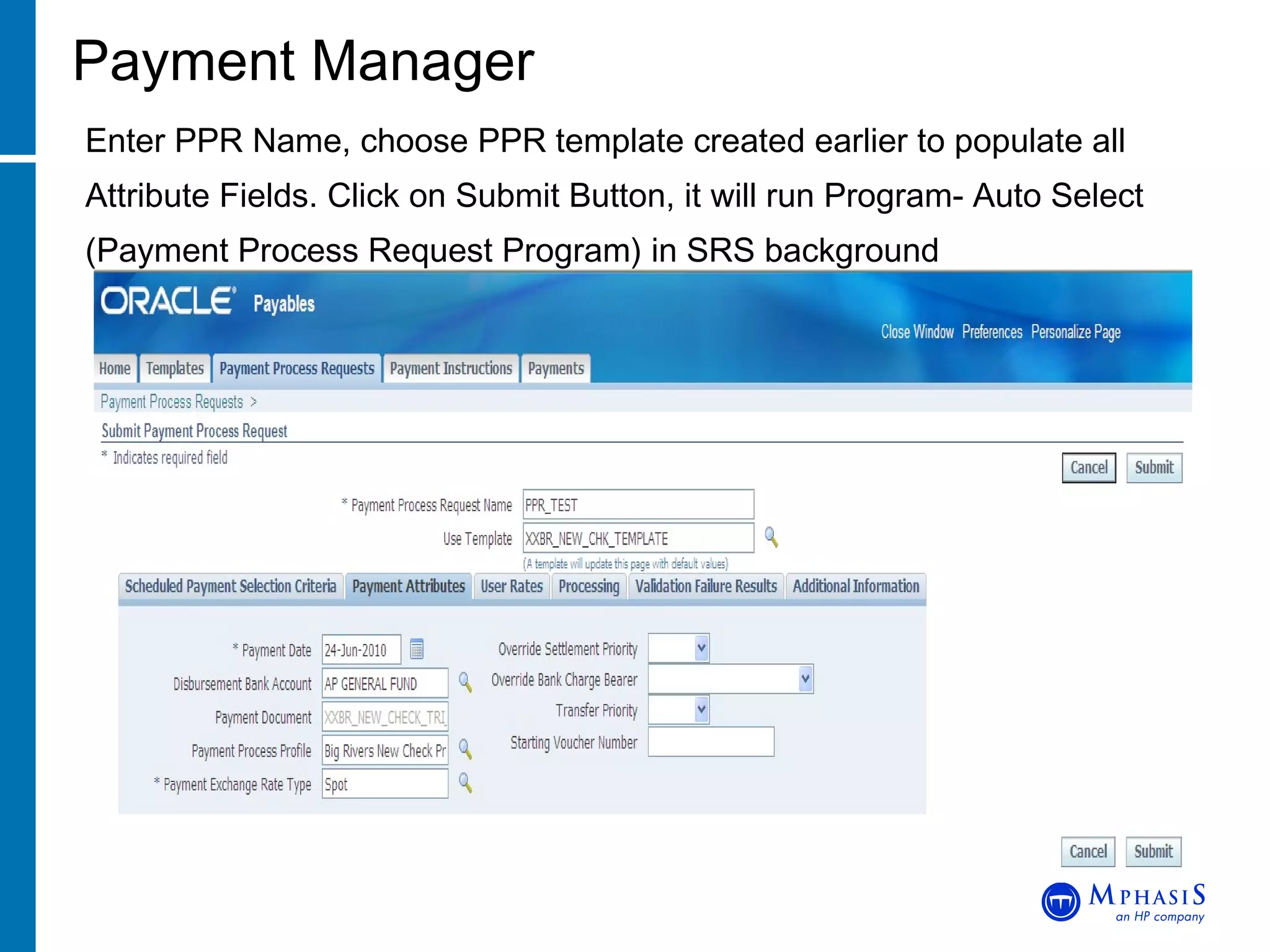
Payment Manager Enter PPR Name, choose PPR template created earlier to populate all Attribute Fields. Click on Submit Button, it will run Program-  Auto Select (Payment Process Request Program) in SRS background
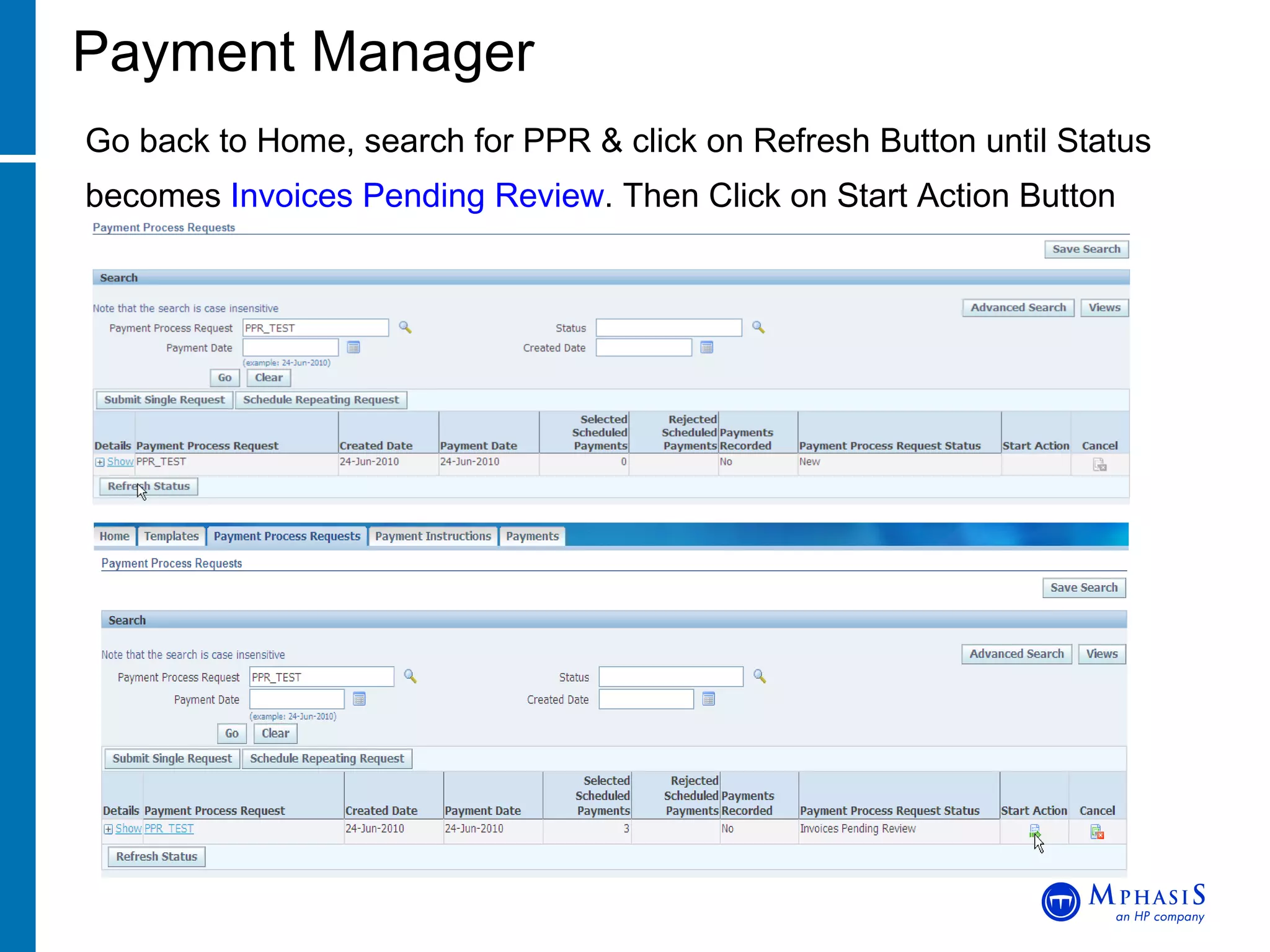
Payment Manager Go back to Home, search for PPR & click on Refresh Button until Status becomes  Invoices Pending Review . Then Click on Start Action Button
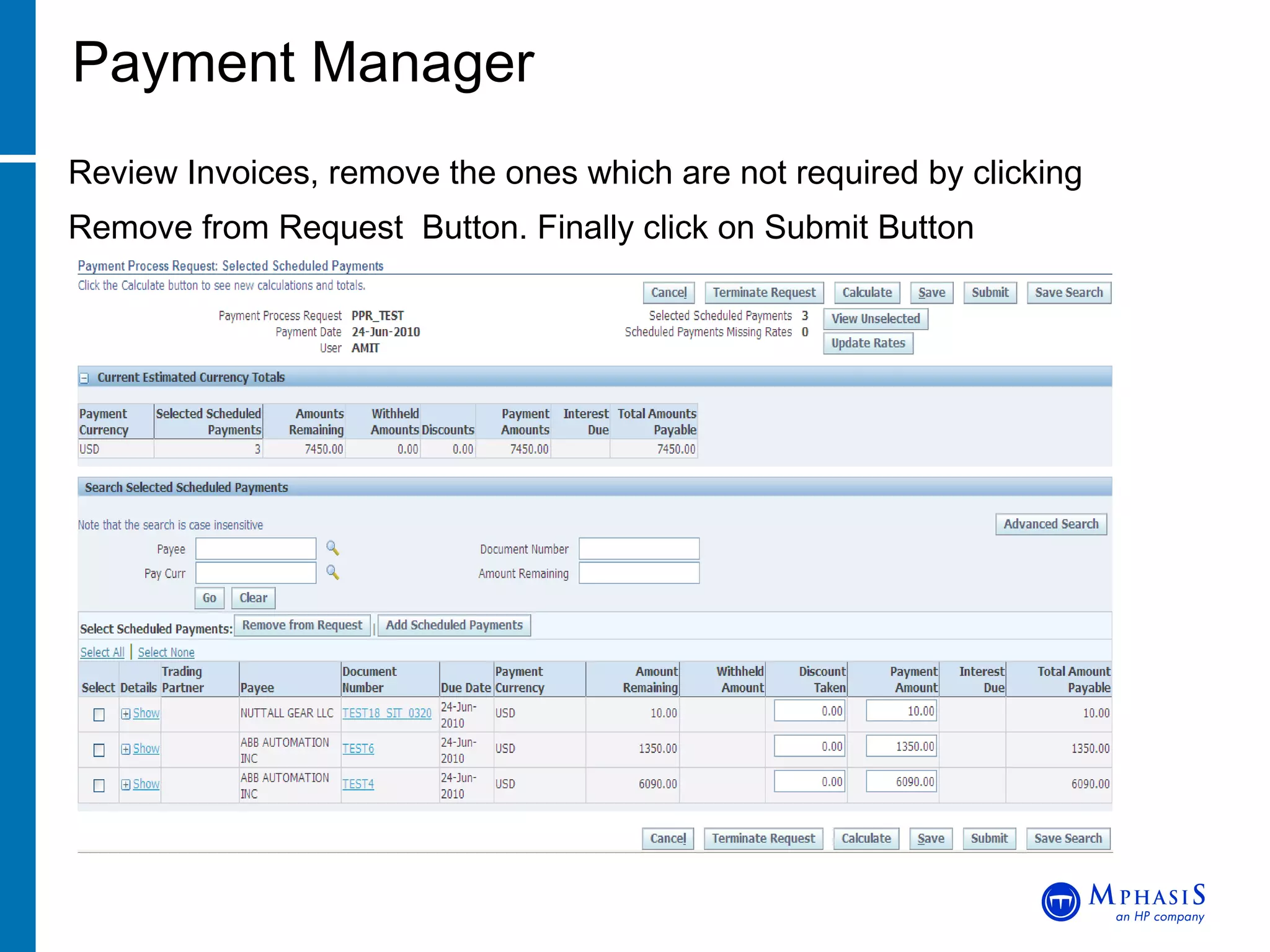
Payment Manager Review Invoices, remove the ones which are not required by clicking Remove from Request  Button. Finally click on Submit Button
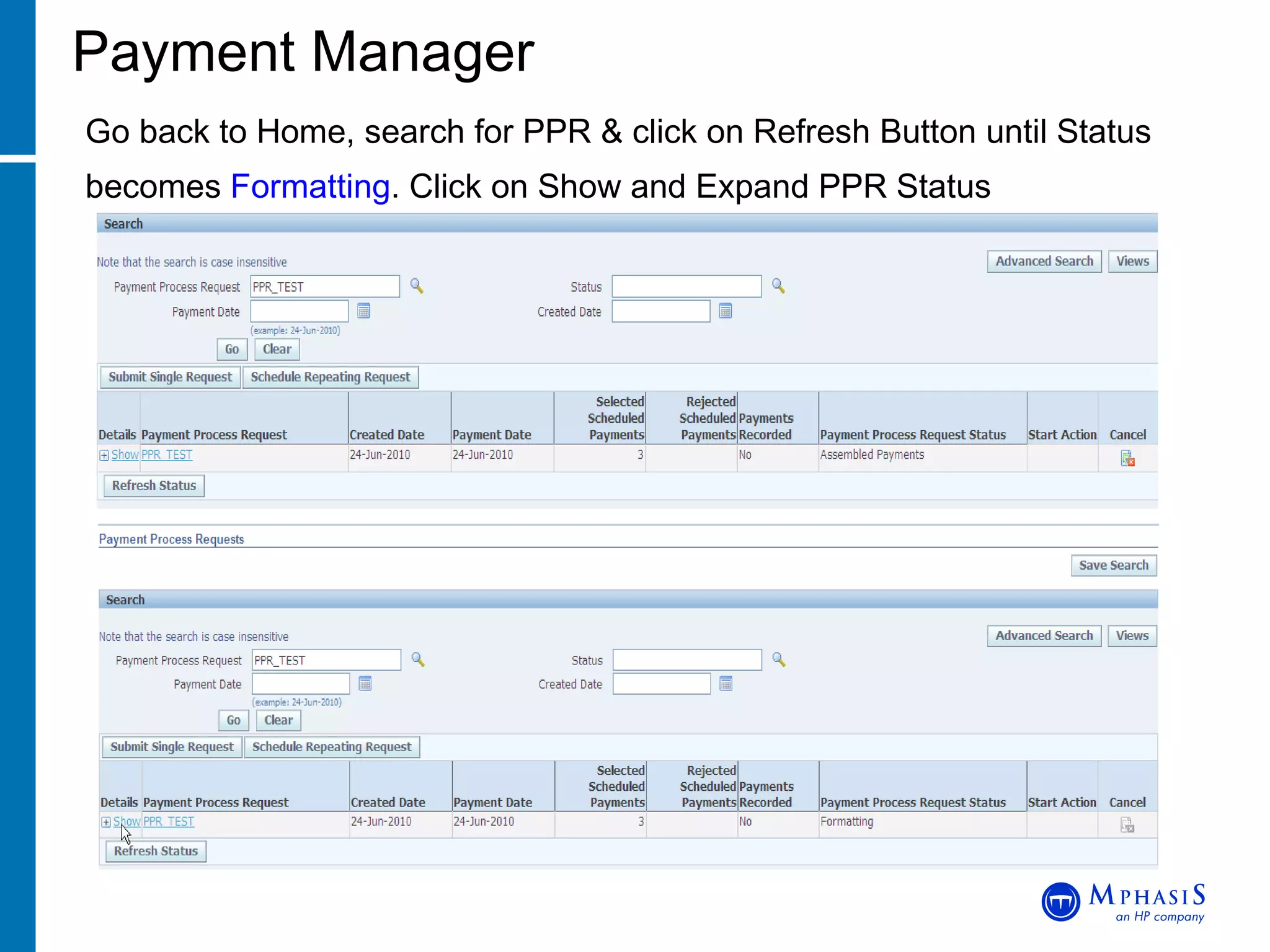
Payment Manager Go back to Home, search for PPR & click on Refresh Button until Status becomes  Formatting . Click on Show and Expand PPR Status
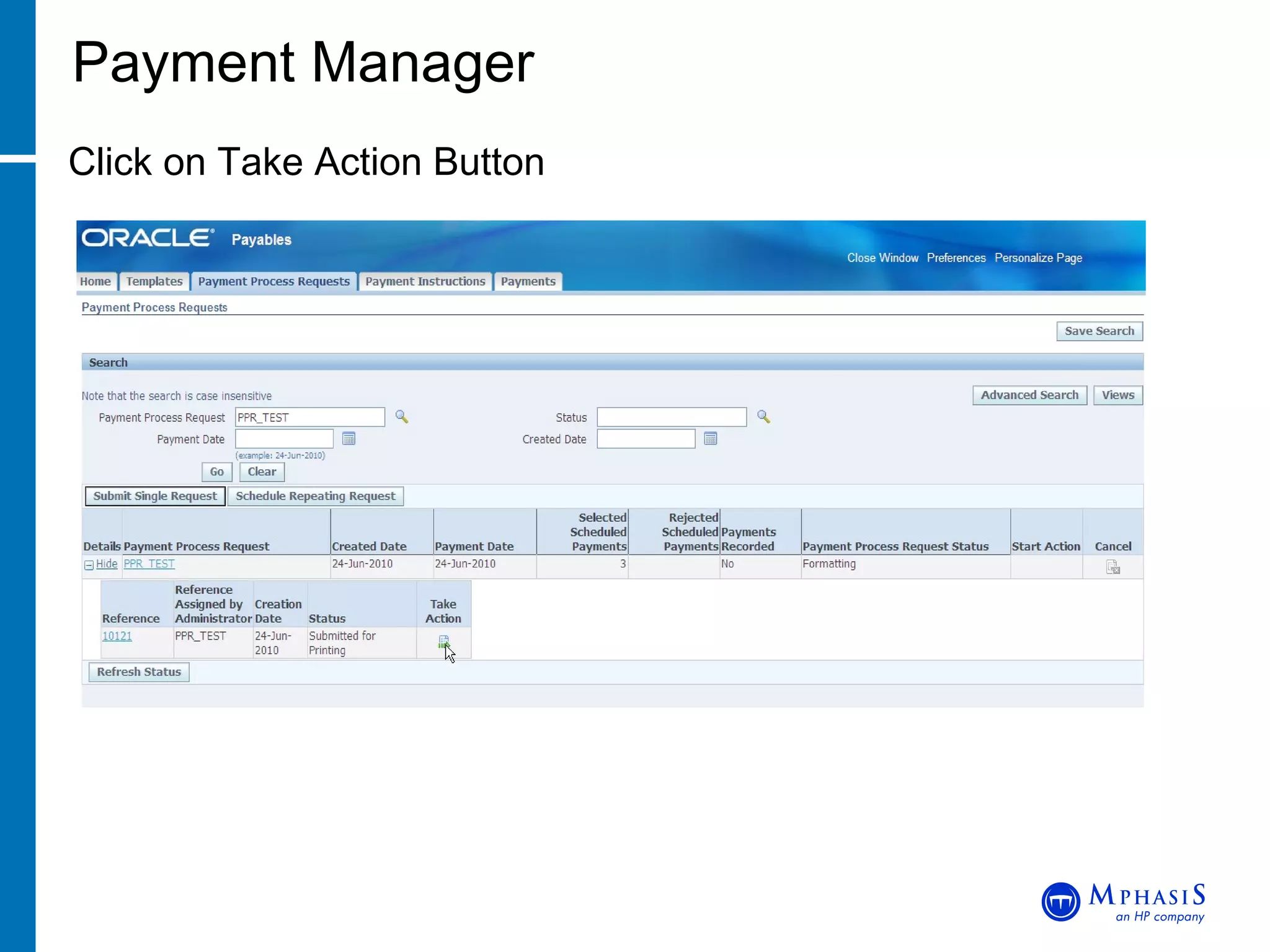
Payment Manager Click on Take Action Button
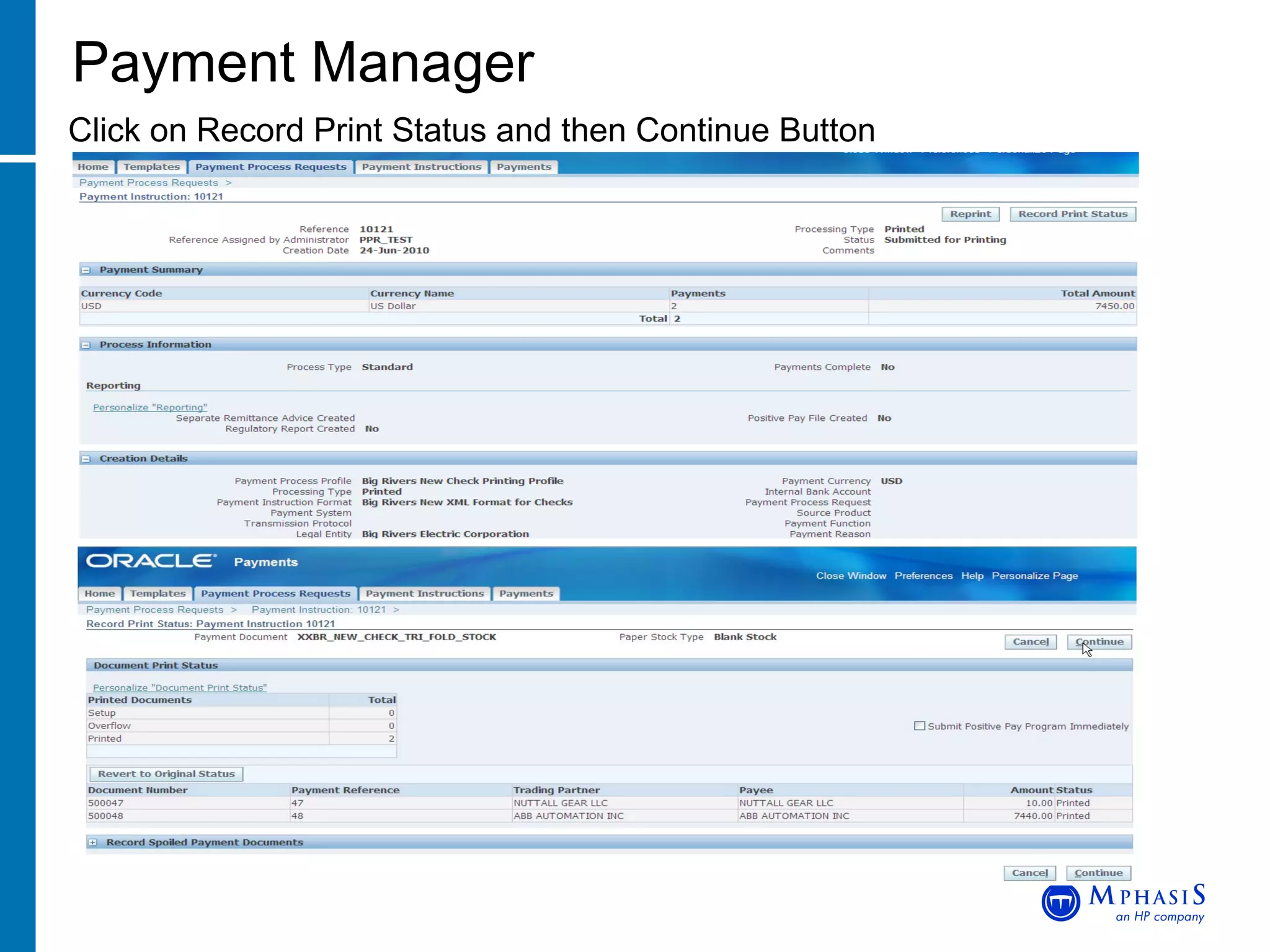
Payment Manager Click on Record Print Status and then Continue Button
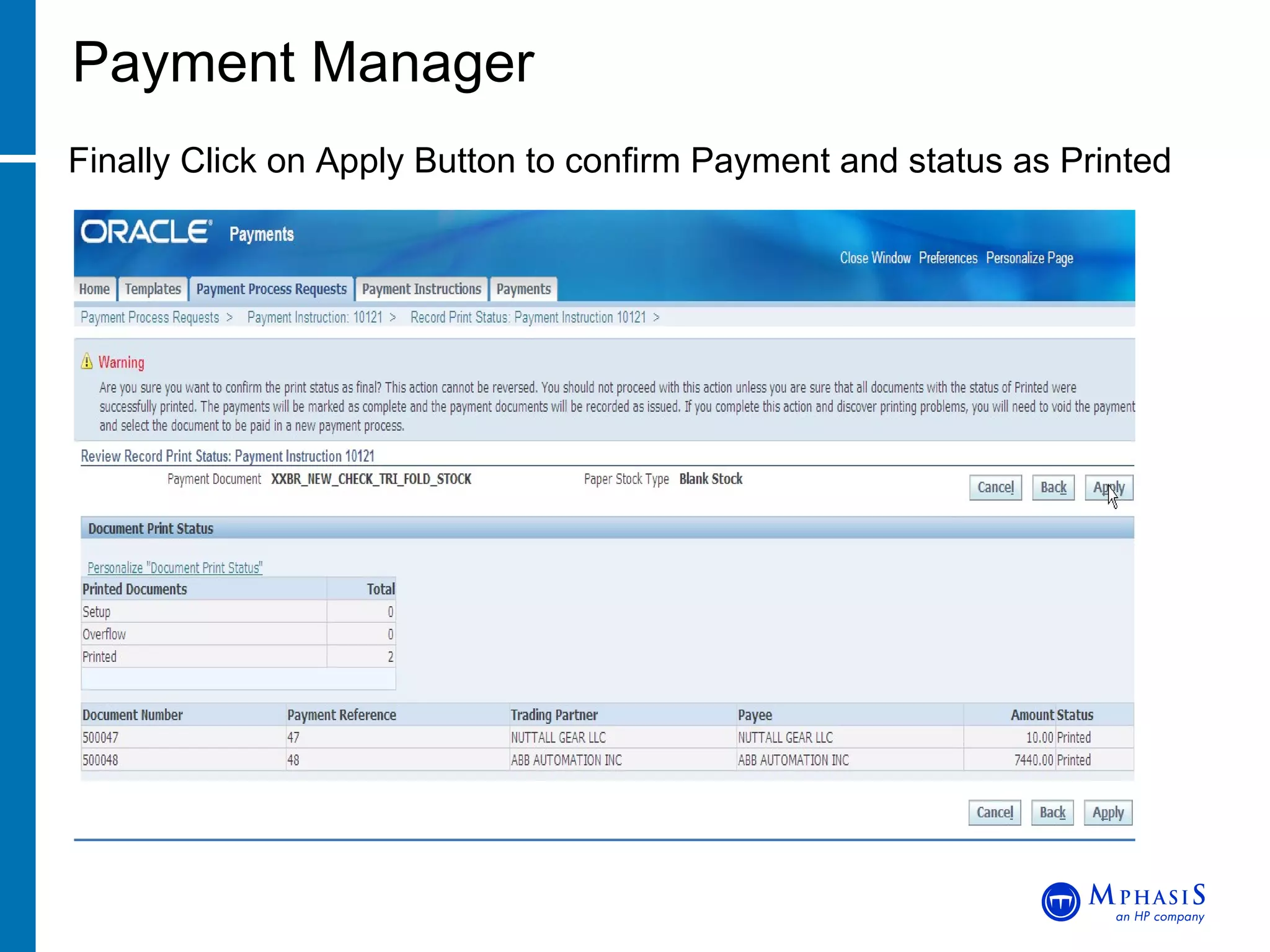
Payment Manager Finally Click on Apply Button to confirm Payment and status as Printed
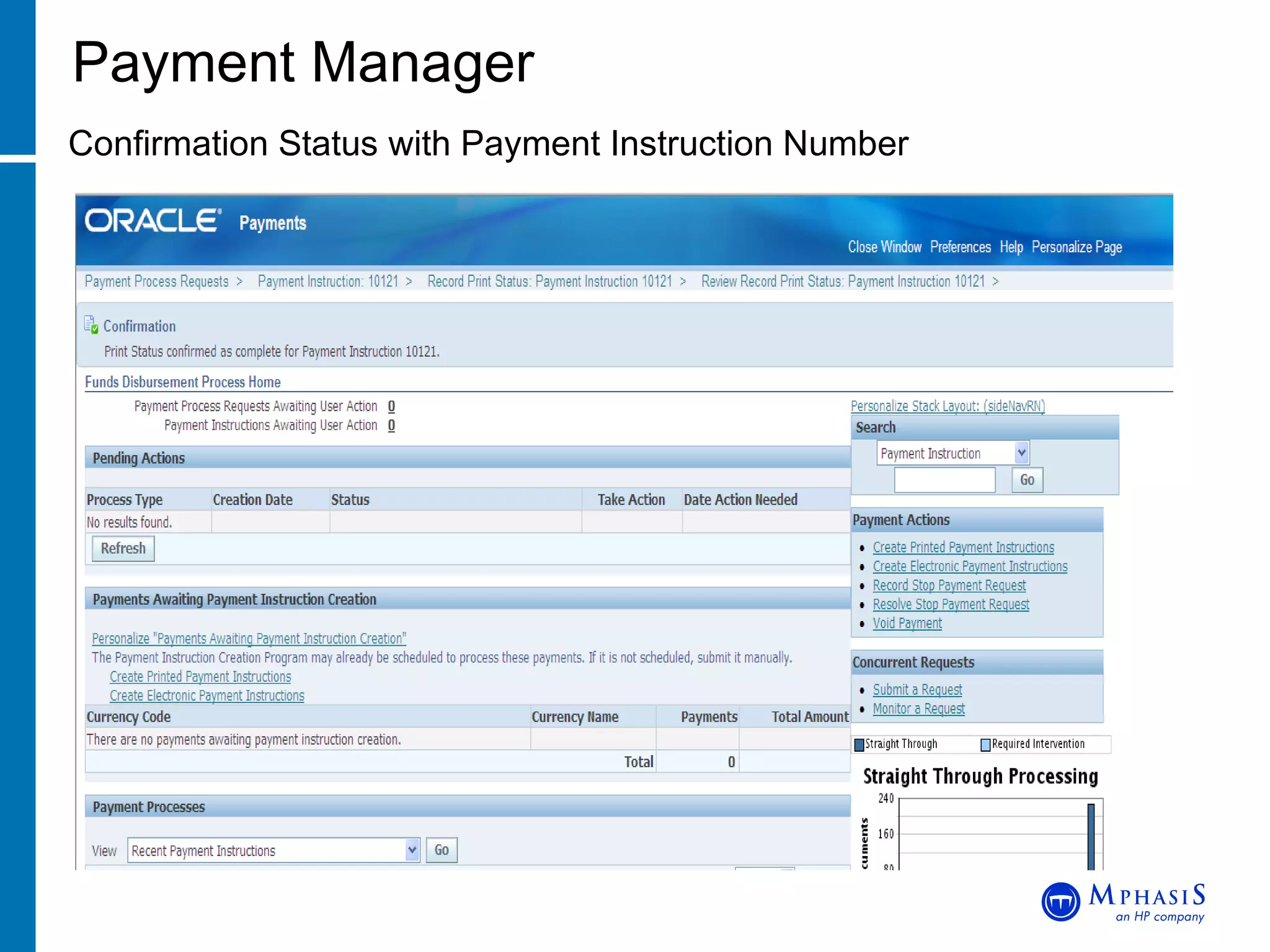
Payment Manager Confirmation Status with Payment Instruction Number
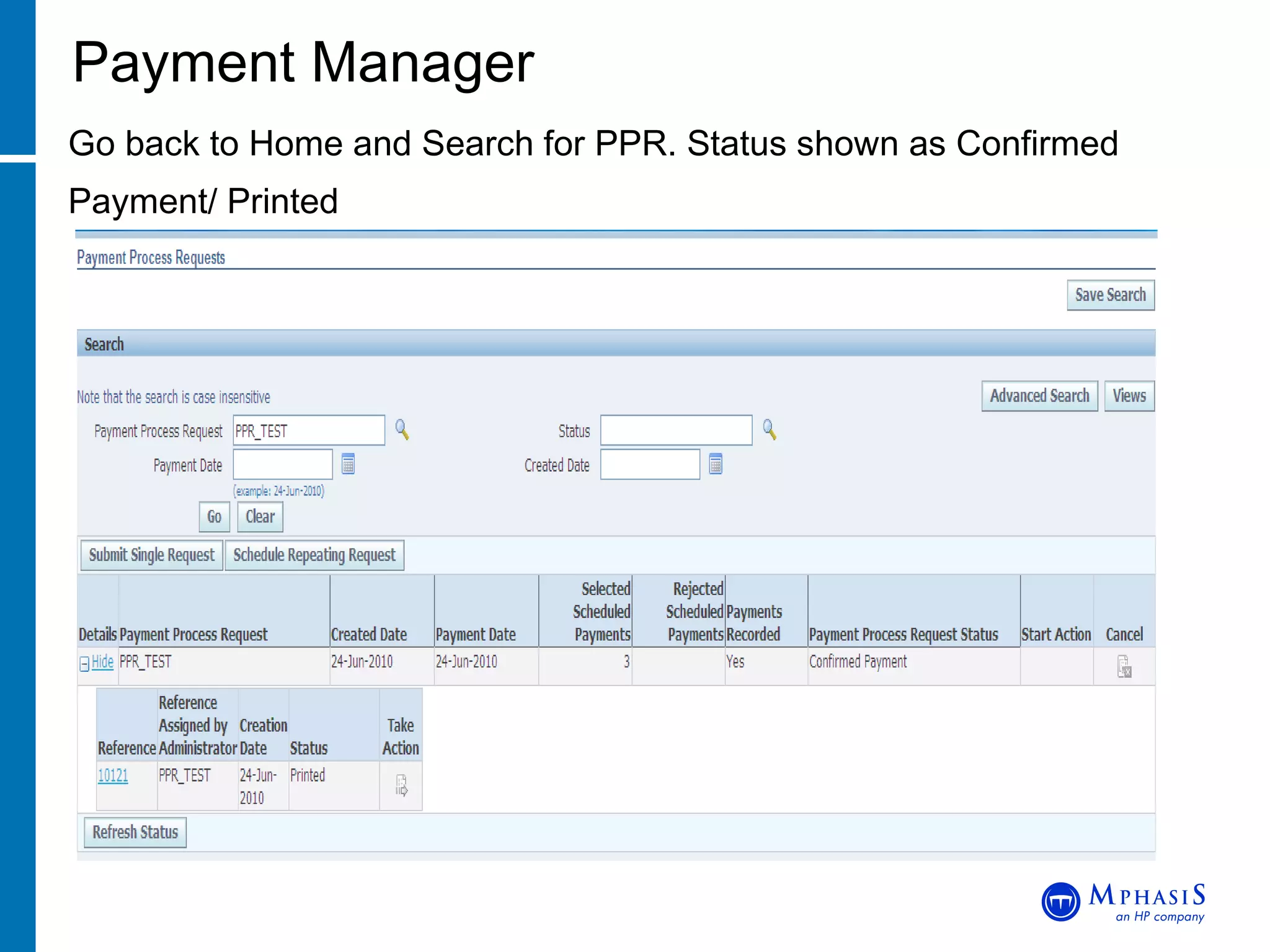
Payment Manager Go back to Home and Search for PPR. Status shown as Confirmed Payment/ Printed
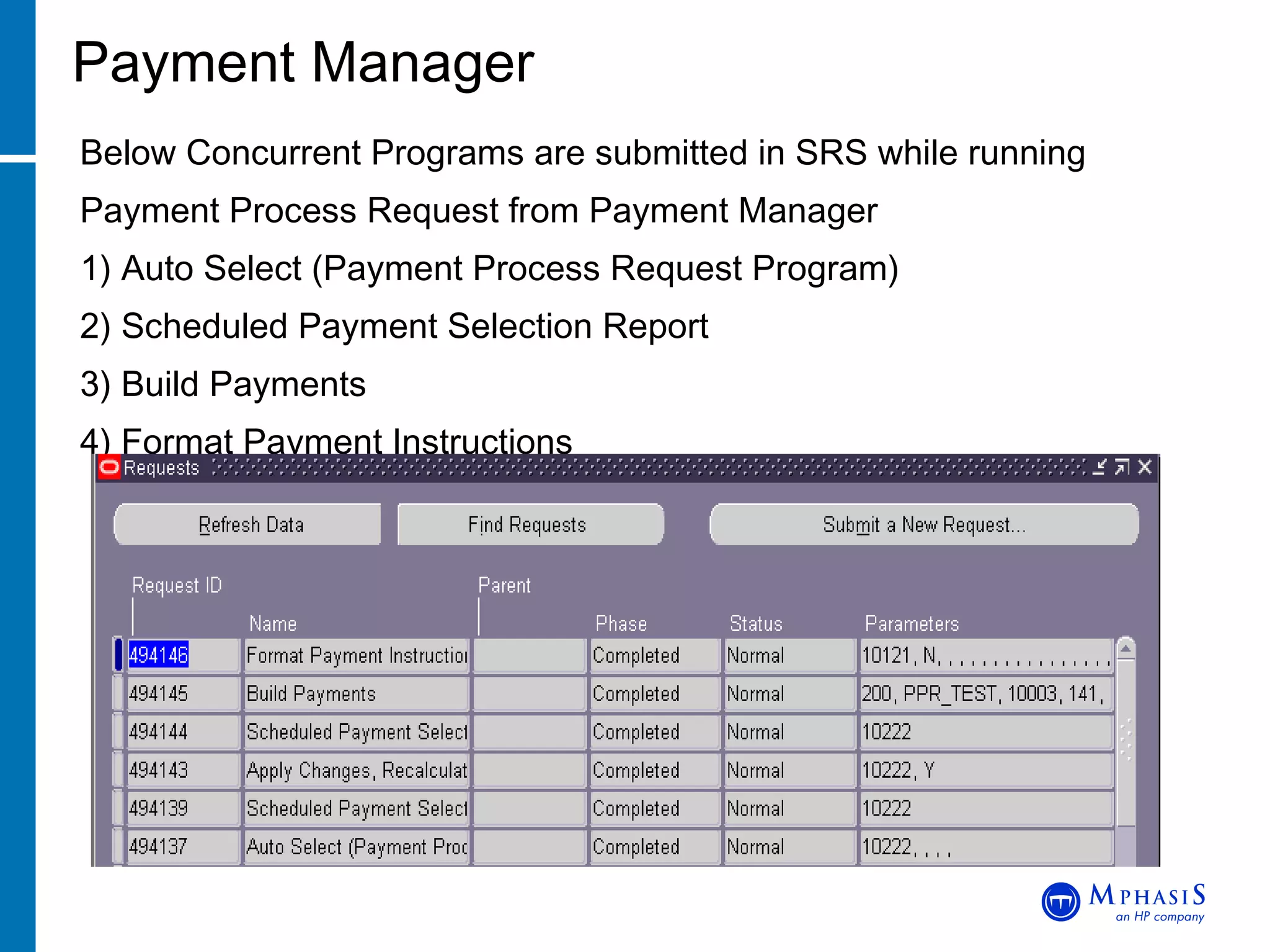
Payment Manager Below Concurrent Programs are submitted in SRS while running Payment Process Request from Payment Manager 1) Auto Select (Payment Process Request Program) 2) Scheduled Payment Selection Report 3) Build Payments 4) Format Payment Instructions
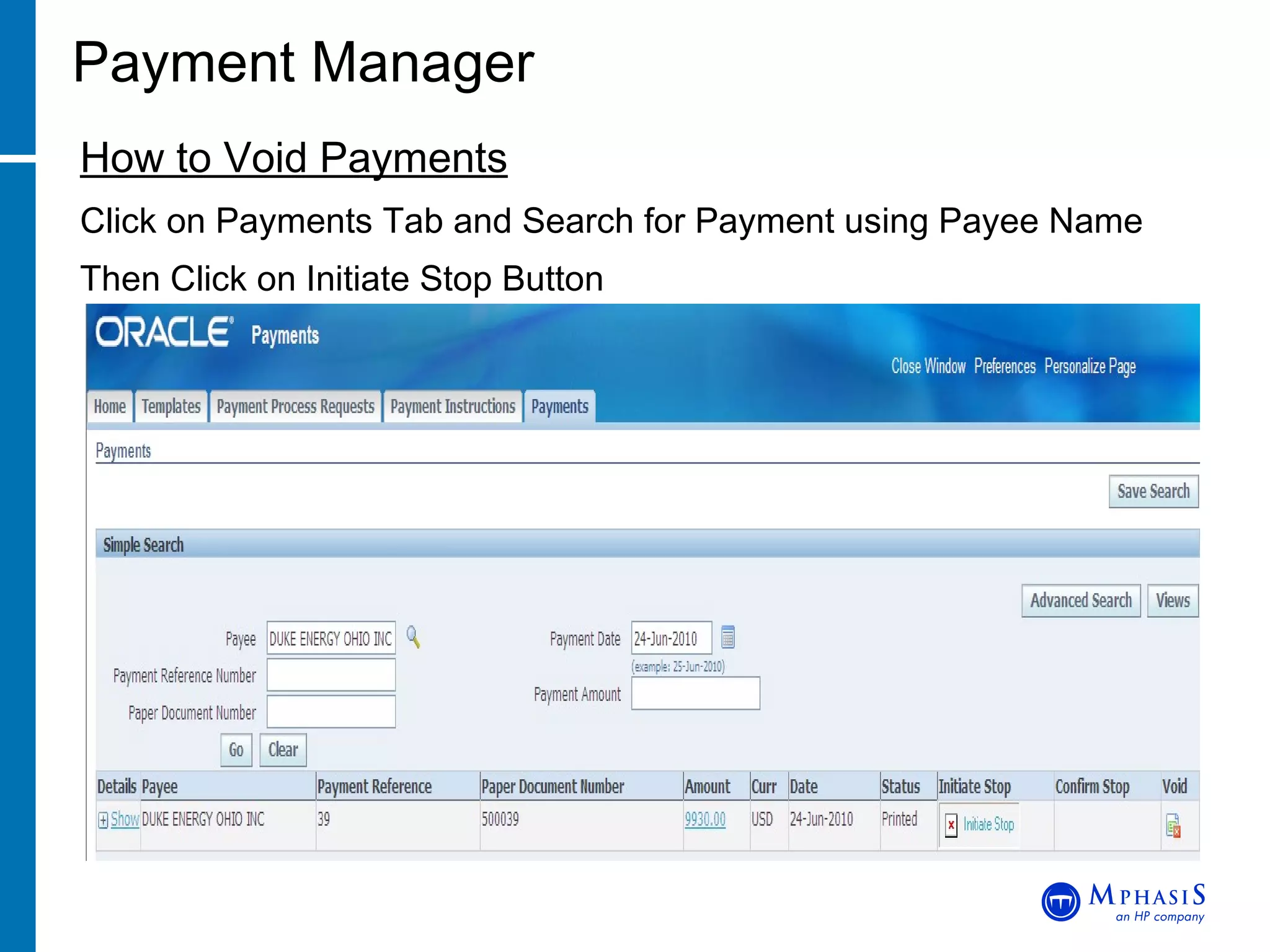
Payment Manager How to Void Payments Click on Payments Tab and Search for Payment using Payee Name Then Click on Initiate Stop Button
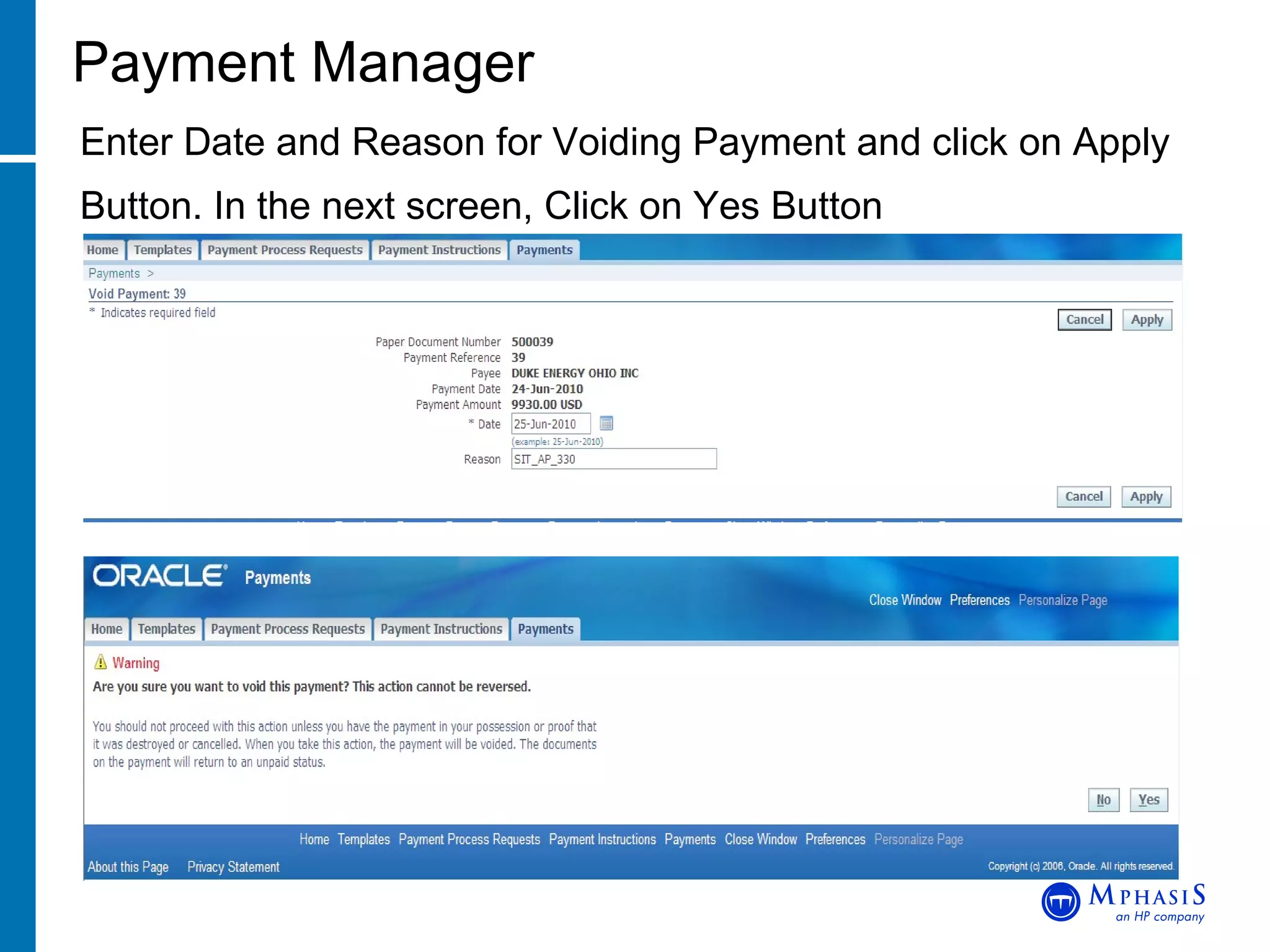
Payment Manager Enter Date and Reason for Voiding Payment and click on Apply Button. In the next screen, Click on Yes Button
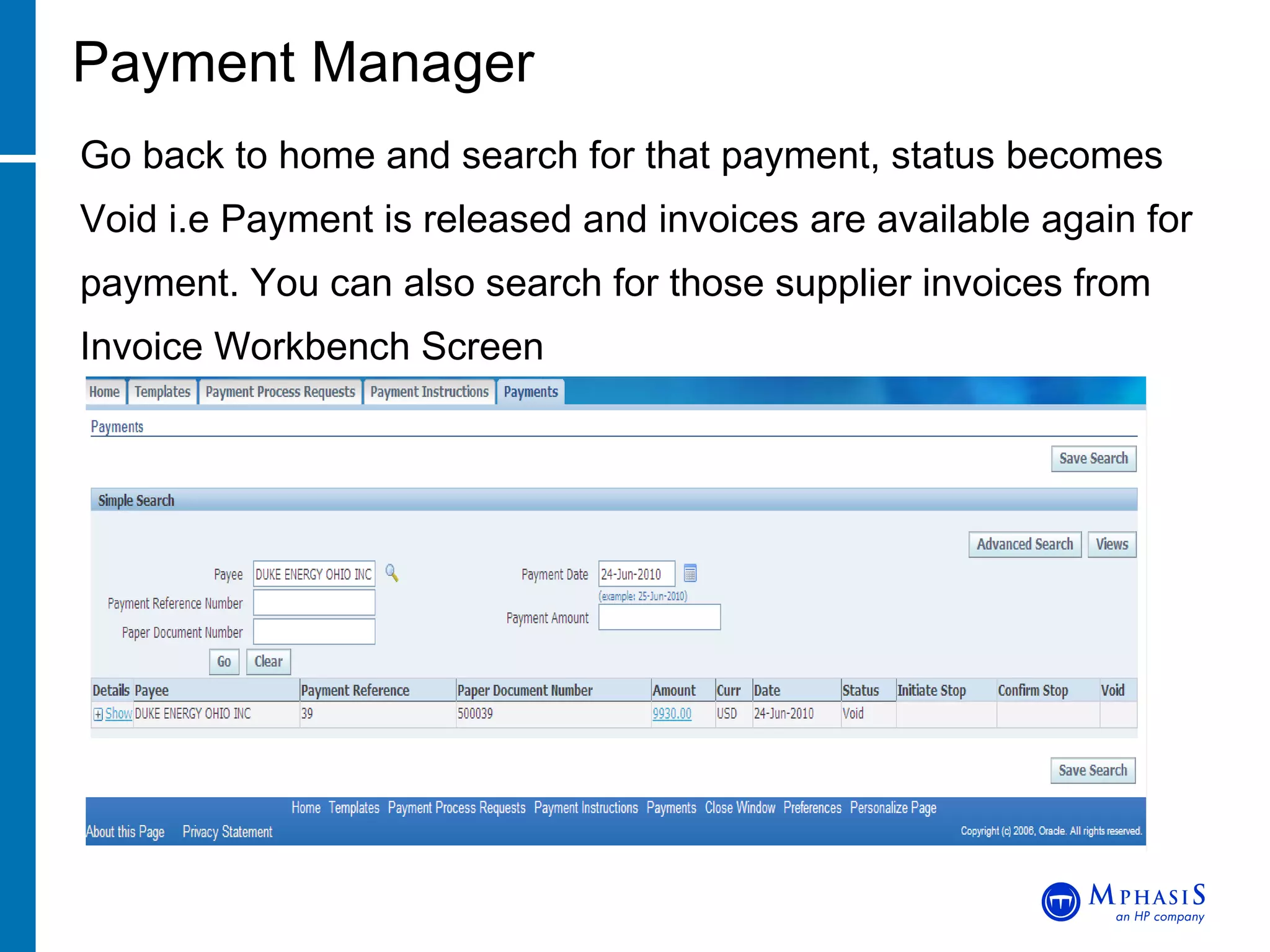
Payment Manager Go back to home and search for that payment, status becomes Void i.e Payment is released and invoices are available again for payment. You can also search for those supplier invoices from Invoice Workbench Screen
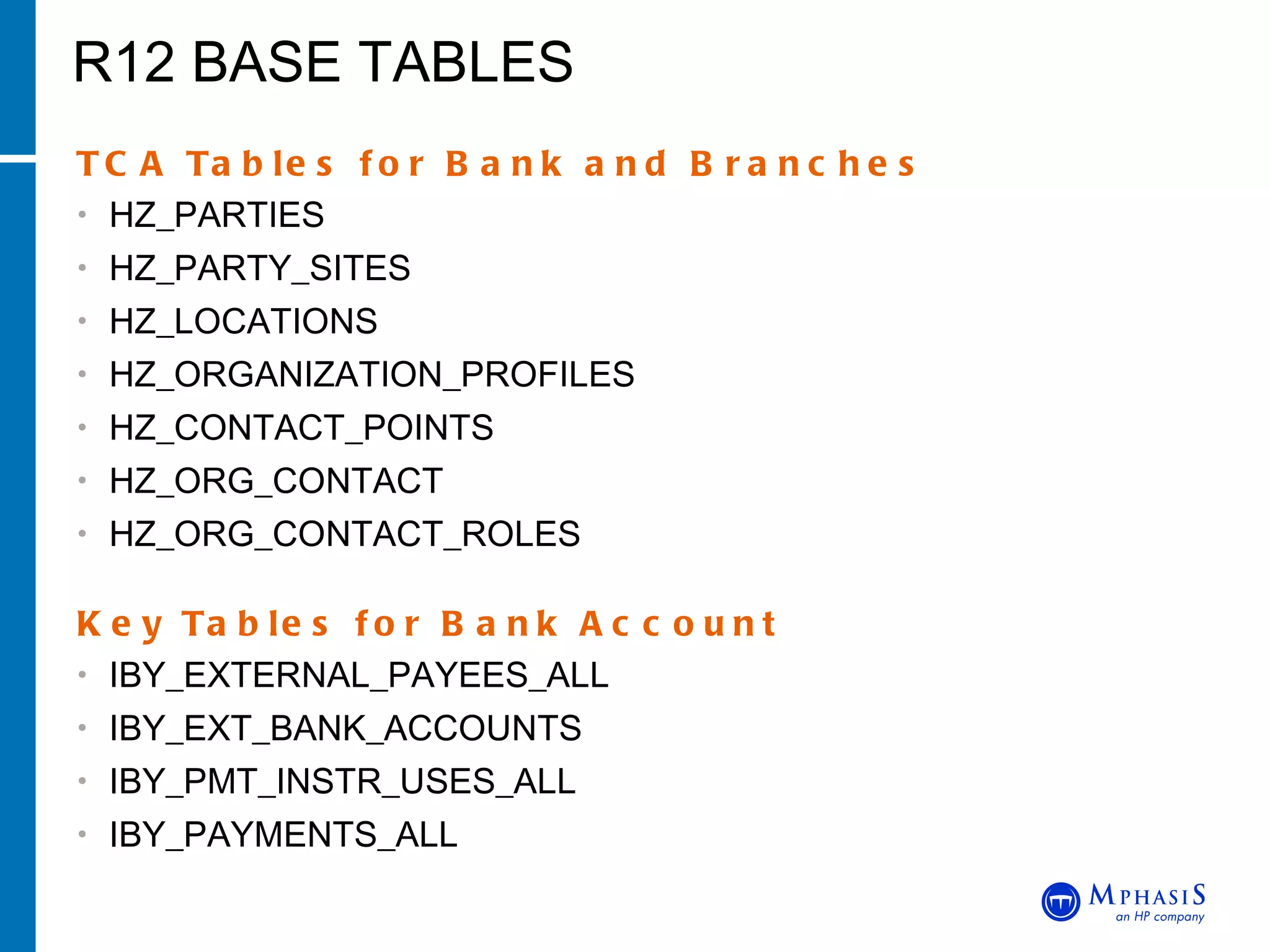
R12 BASE TABLES TCA Tables for Bank and Branches HZ_PARTIES HZ_PARTY_SITES HZ_LOCATIONS HZ_ORGANIZATION_PROFILES HZ_CONTACT_POINTS HZ_ORG_CONTACT HZ_ORG_CONTACT_ROLES  Key Tables for Bank Account IBY_EXTERNAL_PAYEES_ALL IBY_EXT_BANK_ACCOUNTS IBY_PMT_INSTR_USES_ALL IBY_PAYMENTS_ALL
Thanks End of Session

R12 MOAC AND PAYABLES

  • 1.
    R12 MOAC ANDPAYABLE FEATURES AMIT CHINTAWAR BIG RIVERS ELECTRIC CORPORATION
  • 2.
    Agenda MOAC OverviewMOAC Setup Impact of MOAC in R12 Setting up SQL Session MOAC Database Architecture Virtual Private Database Multi-Org Access Control John Peters, JRPJR, Inc.
  • 3.
    Access multiple operatingunits within a single application responsibility Responsibilities are assigned a Security Profile which is a group of Operating Units Assignment is through the profile option ‘MO: Security Profile’ set at the Responsibility Level MOAC Overview John Peters, JRPJR, Inc. Responsibility Operating Units
  • 4.
  • 5.
    Define Operating Unitsin HR Define Security Profile composed of Operating Units Run Security List Maintenance Program Assign Security Profile to Profile Option Profile Options MO: Operating Unit - Used when Multi-Org is NOT enabled - On upgrade, assigned operating unit of 11i responsibility MO: Security Profile - Assign security profile name at User or Responsibility level MO: Default Operating Unit - Assign default operating unit MOAC Setup John Peters, JRPJR, Inc.
  • 6.
    Login to USSuper HRMS Manager and Navigate to Work Structure > Organization > Description Define Operating Units in HR John Peters, JRPJR, Inc.
  • 7.
    Login to USSuper HRMS Manager and Navigate to Security > Profile Define Security Profile John Peters, JRPJR, Inc.
  • 8.
    Security List MaintenanceProgram John Peters, JRPJR, Inc.
  • 9.
    Assign Security Profileto Responsibility John Peters, JRPJR, Inc.
  • 10.
  • 11.
  • 12.
    Navigate to Concurrent> Programs New parameter- Operating Unit Mode is introduced with 3 values Null, Single and Multi System Administration Responsibility John Peters, JRPJR, Inc.
  • 13.
    Pre-R12 you couldset your SQL session context for multi-org with the following: BEGIN   dbms_application_info.set_client_info(2);    END; In this example 2 is the ORG_ID for the Operating Unit I am interested in. Or you could have used FND_GLOBAL.APPS_INITIALIZE to set your context. SQL Session Pre-R12 John Peters, JRPJR, Inc.
  • 14.
    In R12 youcan set your SQL session context for a single OU with the following: BEGIN Execute mo_global.set_policy_context('S',2); END; The ‘S’ means Single Org Context 2 is the ORG_ID I want set SQL Session in R12 John Peters, JRPJR, Inc.
  • 15.
    In R12 youcan set your SQL session context for multiple OU’s with the following: BEGIN Execute mo_global.set_org_access(NULL,64,‘ONT'); END; 64 is the Security Profile you want to use ‘ ONT’ is the application short name associated with the responsibility you will be using R12 Preferred Method John Peters, JRPJR, Inc.
  • 16.
    The following SQLwill dump out the Security Profiles and Operating Unit Names assigned to them SELECT psp.SECURITY_PROFILE_NAME, psp.SECURITY_PROFILE_ID, hou.NAME, hou.ORGANIZATION_ID FROM PER_SECURITY_PROFILES psp, PER_SECURITY_ORGANIZATIONS pso, HR_OPERATING_UNITS hou WHERE pso.SECURITY_PROFILE_ID = psp.SECURITY_PROFILE_ID AND pso.ORGANIZATION_ID = hou.ORGANIZATION_ID; How to find the Security Profiles? John Peters, JRPJR, Inc.
  • 17.
    R12 implements MOACthrough DB Synonyms that replace the old Multi-Org Views Lets take an example of Order Management Where did the Views go in R12? John Peters, JRPJR, Inc. OE_ORDER_HEADERS_ALL OE_ORDER_HEADERS ONT DB User APPS DB User
  • 18.
    Base tables existin the product schema with a naming convention of %_ALL. The data in this table is striped by ORG_ID (Operating Unit). A View in the APPS schema provides the Multi-Org filtering based on the statement below in the where clause. SUBSTRB(USERENV('CLIENT_INFO'), 1, 10) Pre-R12 Multi-Org Architecture John Peters, JRPJR, Inc. Base Table OE_ORDER_HEADERS_ALL View OE_ORDER_HEADERS ONT DB User APPS DB User
  • 19.
    Base Tables existin the individual product schema with a naming convention of %_ALL. The data in this table is striped by ORG_ID (Operating Unit) A Synonym in the APPS schema provides the Multi-Org filtering based on the Virtual Private Database feature of the Oracle 10g Database Server R12 Multi-Org Architecture John Peters, JRPJR, Inc. Base Table OE_ORDER_HEADERS_ALL Synonym OE_ORDER_HEADERS VPD ONT DB User APPS DB User
  • 20.
    This is asecurity feature of the Oracle Database Server 10G Security Policies can be applied to database object to control access to specific rows and columns in the object The Security Policies are not easily viewable using tools like TOAD You need to be careful if you drop a Synonym because you won’t always know if a Security Policy is applied to the Synonym and more importantly how to reapply it What is a Virtual Private Database? John Peters, JRPJR, Inc.
  • 21.
    R12 Payable Features Agenda Sub-Ledger Accounting Suppliers Invoice Lines E-Business Tax Payments
  • 22.
    Sub-Ledger Accounting (SLA)Sub-ledger Accounting is a new set of tables to store the sub-ledger accounting information. New SLA Tables XLA_AE_HEADERS XLA_AE_LINES XLA_DISTRIBUTION_LINKS
  • 23.
  • 24.
    Suppliers Suppliers arenow part of TCA Records are no longer on PO tables New Tables introduced are HZ_PARTIES AP_SUPPLIERS AP_SUPPLIER_SITES_ALL AP_SUPPLIER_CONTACTS New user interface HTML Forms Bank Information for Suppliers is handled at the Supplier level
  • 25.
    Suppliers Navigate toSuppliers > Entry and Create new Supplier
  • 26.
    Suppliers Fill TaxDetails and all other information
  • 27.
    Invoice Lines Designedto model paper or electronic Invoices Represents Goods or Services, Tax and Freight Additional fields for recording such items as Manufacturer and Serial Number Line Level Approval and matching invoice to PO
  • 28.
    InvoiceLines
  • 29.
    E-Business TaxNew Module called eBusiness Tax Single point for managing transaction tax Allows for complex tax Local and International tax for cross border transactions Easily add tax for new legislation Basic Tax Design Setup Regimes Taxes Tax Status Jurisdiction Rates
  • 30.
    Tax - Exampleof Tax on AP Invoice Screen
  • 31.
    Payments New Moduleadded named as iPayment Payment Administrator (Setup) Create XML Template for Payment Create Payment Format and assign XML Template to it Create PPR and assign Payment Format Create Bank and Branches Create Bank Account and assign Payment Format to it Payment Manager Used for Testing Supplier Payments Uses PPR Templates for Invoice selection criteria Schedule Pay Runs and Payment Process Request Void or Record Stop Payments
  • 32.
    Payment Administrator Navigateto Setup > Payment > Payment Administrator
  • 33.
    Payment Administrator Clickon Formats > XML Publisher Format Templates
  • 34.
    Payment Administrator DataDefinition associated with XML Template
  • 35.
    Payment Administrator ConcurrentProgram for Payment Format
  • 36.
    Payment Administrator Clickon Formats > Go to Task & Assign XML Template
  • 37.
    Payment Administrator Clickon Payment Process Profiles > Go to Task
  • 38.
    Payment Administrator AssignPayment Format to PPR
  • 39.
    Bank Setup Navigateto Setup > Payment > Bank and Bank Branches Define Bank
  • 40.
    Bank Setup DefineBank Branch and assign Bank to it
  • 41.
    Bank Setup Navigateto Setup > Payment > Bank Accounts Define Bank Account with Bank and Branch & assign Payment Format to it
  • 42.
    Payment Manager Navigateto Payments > Entry > Payment Manager - Payment Dashboard
  • 43.
    Payment Manager Clickon Template Tab and Create PPR Template
  • 44.
    Payment Manager EnterDetails like Payment Attributes and Validation Failure Results
  • 45.
    Payment Manager Clickon Payment Process Requests Tab and Submit PPR
  • 46.
    Payment Manager EnterPPR Name, choose PPR template created earlier to populate all Attribute Fields. Click on Submit Button, it will run Program- Auto Select (Payment Process Request Program) in SRS background
  • 47.
    Payment Manager Goback to Home, search for PPR & click on Refresh Button until Status becomes Invoices Pending Review . Then Click on Start Action Button
  • 48.
    Payment Manager ReviewInvoices, remove the ones which are not required by clicking Remove from Request Button. Finally click on Submit Button
  • 49.
    Payment Manager Goback to Home, search for PPR & click on Refresh Button until Status becomes Formatting . Click on Show and Expand PPR Status
  • 50.
    Payment Manager Clickon Take Action Button
  • 51.
    Payment Manager Clickon Record Print Status and then Continue Button
  • 52.
    Payment Manager FinallyClick on Apply Button to confirm Payment and status as Printed
  • 53.
    Payment Manager ConfirmationStatus with Payment Instruction Number
  • 54.
    Payment Manager Goback to Home and Search for PPR. Status shown as Confirmed Payment/ Printed
  • 55.
    Payment Manager BelowConcurrent Programs are submitted in SRS while running Payment Process Request from Payment Manager 1) Auto Select (Payment Process Request Program) 2) Scheduled Payment Selection Report 3) Build Payments 4) Format Payment Instructions
  • 56.
    Payment Manager Howto Void Payments Click on Payments Tab and Search for Payment using Payee Name Then Click on Initiate Stop Button
  • 57.
    Payment Manager EnterDate and Reason for Voiding Payment and click on Apply Button. In the next screen, Click on Yes Button
  • 58.
    Payment Manager Goback to home and search for that payment, status becomes Void i.e Payment is released and invoices are available again for payment. You can also search for those supplier invoices from Invoice Workbench Screen
  • 59.
    R12 BASE TABLESTCA Tables for Bank and Branches HZ_PARTIES HZ_PARTY_SITES HZ_LOCATIONS HZ_ORGANIZATION_PROFILES HZ_CONTACT_POINTS HZ_ORG_CONTACT HZ_ORG_CONTACT_ROLES Key Tables for Bank Account IBY_EXTERNAL_PAYEES_ALL IBY_EXT_BANK_ACCOUNTS IBY_PMT_INSTR_USES_ALL IBY_PAYMENTS_ALL
  • 60.