Downloaded 67 times


![Calculator
> 1+2
[1] 3
> 1+2*3
[1] 7
> (1+2)*3
[1] 9
> pi
[1] 3.141593
> sin(0)
[1] 0
> sin(1)
[1] 0.841471](https://image.slidesharecdn.com/rprogramming-140612030152-phpapp01/85/R-programming-basics-12-320.jpg)
![Variables
> a = 100
> a + 5
[1] 105](https://image.slidesharecdn.com/rprogramming-140612030152-phpapp01/85/R-programming-basics-13-320.jpg)
![Vector
> a = c(1,2,3,4)
[1] 1 2 3 4
> b = c(2,3,4,5)
> a+b
[1] 3 5 7 9
>](https://image.slidesharecdn.com/rprogramming-140612030152-phpapp01/85/R-programming-basics-14-320.jpg)
![Sequences
> 1:10
[1] 1 2 3 4 5 6 7 8 9 10
> a = 1:10
> a
[1] 1 2 3 4 5 6 7 8 9 10
> a*2
[1] 2 4 6 8 10 12 14 16 18 20](https://image.slidesharecdn.com/rprogramming-140612030152-phpapp01/85/R-programming-basics-15-320.jpg)
![min, max, range
> a
[1] 1 9 3 4
> min(a)
[1] 1
> max(a)
[1] 9
> range(a)
[1] 1 9](https://image.slidesharecdn.com/rprogramming-140612030152-phpapp01/85/R-programming-basics-16-320.jpg)
![sum, prod
> a = c(1,2,3,4)
> sum(a)
[1] 10
> prod(a)
[1] 24](https://image.slidesharecdn.com/rprogramming-140612030152-phpapp01/85/R-programming-basics-17-320.jpg)
![Strings
> a = "ORION"
> a
[1] "ORION"
> substring(a,2,4)
[1] "RIO“
> nchar(a)
[1] 5](https://image.slidesharecdn.com/rprogramming-140612030152-phpapp01/85/R-programming-basics-18-320.jpg)
![if-then/else
>if (a==50) date()
[1] "Wed Jun 11 01:03:14 2014"
> a = 110
> if (a > 100) "Greater than 100" else " Not greater than 100 "
[1] "Greater than 100"
> a = 50
> if (a > 100) "Greater than 100" else “Not greater than 100"
[1] "Not greater than 100"](https://image.slidesharecdn.com/rprogramming-140612030152-phpapp01/85/R-programming-basics-19-320.jpg)
![for loop
> a
[1] 1 2 3 4
> s = 0
> for(i in a)
+ s = s + i
> s
[1] 10](https://image.slidesharecdn.com/rprogramming-140612030152-phpapp01/85/R-programming-basics-20-320.jpg)
![switch
> i = 2
> switch(i,"I","II","III")
[1] "II"](https://image.slidesharecdn.com/rprogramming-140612030152-phpapp01/85/R-programming-basics-21-320.jpg)
![User functions
> f1 = function(r) 2 * pi * r
> f1(10)
[1] 62.83185](https://image.slidesharecdn.com/rprogramming-140612030152-phpapp01/85/R-programming-basics-22-320.jpg)
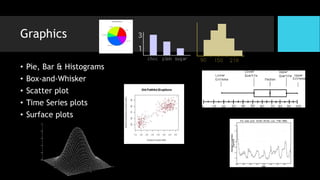

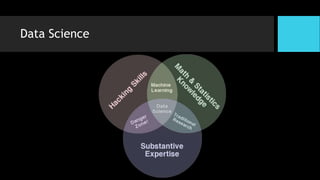
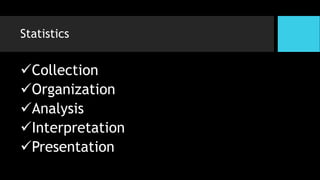
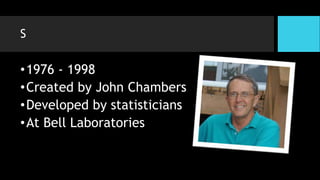
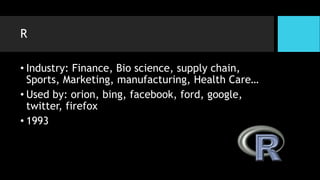
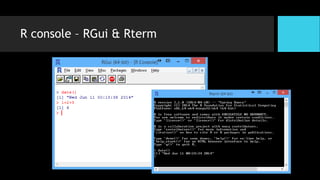
R is a statistical programming language developed in 1976 at Bell Labs for statistical analysis and graphics. It is widely used in academia and industry for data science tasks like statistics, machine learning, and visualization. R is open source and has a large user community that contributes additional packages. It allows calculation, data manipulation, and visualization through its programming language and interactive console.


