

© Integrated Computer Solutions, Inc. All Rights Reserved
QVariant, QObject
June 26, 2018
Qt for Beginners Summer Webinar Series
Part II
Copyright 2018, Integrated Computers Solutions, Inc.
This work may not be reproduced in whole or in part without the express written consent of Integrated
Computer Solutions, Inc.
© 2018 Integrated Computer Solutions, Inc., The Qt Company
All Rights Reserved
Qt’s Object Model
• Qt’s 1,500 classes can be divided into two groups
• Identity types 
• Value types 
• Identity types
• derive from QObject 
• extend C++ with many dynamic features using a meta‐object system 
• cannot be copied as the copy constructor and assignment operator equal to 
delete
• QWidget, QWindow, QApplication, QEventLoop, QThread, QFile, QTcpSocket
• Value types are standard C++ classes
• QColor, QEvent, QDataStream, QMetaType
• ~100 value types use copy‐on‐write pattern – implicitly shared 
• QString, QByteArray, QList, QVector, QHash, QCache, QDir, QPixmap, QImage, 
QBrush, QPen
2
© 2018 Integrated Computer Solutions, Inc., The Qt Company
All Rights Reserved
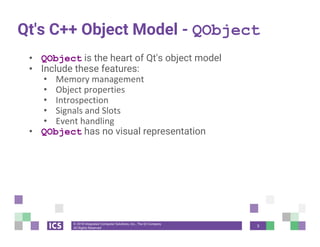
Qt's C++ Object Model - QObject
• QObject is the heart of Qt's object model
• Include these features:
• Memory management
• Object properties
• Introspection
• Signals and Slots
• Event handling
• QObject has no visual representation
3
© 2018 Integrated Computer Solutions, Inc., The Qt Company
All Rights Reserved
Let’s Start With Some Code!
const QMetaObject *metaObj = object->metaObject();
const QString className = metaObj->className();
const int propertyCount = metaObj->propertyCount();
for (int i=0; i<propertyCount; ++i) {
const QMetaProperty metaProp = metaObj->property(i);
const QString typeName = metaProp.typeName();
const QString propertyName = metaProp.name();
const QVariant value = object-
>property(propertyName);
}
4
© 2018 Integrated Computer Solutions, Inc., The Qt Company
All Rights Reserved
Meet QVariant
• QVariant
• Union for common Qt "value types" (copyable, assignable)
• Supports implicit sharing (fast copying)
• Supports user types
• A generic data object
5
© 2018 Integrated Computer Solutions, Inc., The Qt Company
All Rights Reserved
Let’s Start With Some Code!
const QMetaObject *metaObj = object->metaObject();
const QString className = metaObj->className();
const int propertyCount = metaObj->propertyCount();
for (int i=0; i<propertyCount; ++i) {
const QMetaProperty metaProp = metaObj->property(i);
const QString typeName = metaProp.typeName();
const QString propertyName = metaProp.name();
const QVariant value = object-
>property(propertyName);
}
6
© 2018 Integrated Computer Solutions, Inc., The Qt Company
All Rights Reserved
QVariant
• For QtCore types
QVariant variant(42);
int value = variant.toInt(); // read back as integer
QString text = variant.toString(); // read back as string
qDebug() << variant.typeName(); // int
• For non-core and custom types:
QVariant variant = QVariant::fromValue(QColor(Qt::red));
QColor color = variant.value<QColor>(); // read back
qDebug() << variant.typeName(); // "QColor"
7
© 2018 Integrated Computer Solutions, Inc., The Qt Company
All Rights Reserved
Making Your Custom Classes
QVariants
#include <QMetaType>
class Contact
{
public:
void setName(const QString & name);
QString name() const;
...
};
Q_DECLARE_METATYPE(Contact);
● Type must support default construction, copy and assignment.
● Q_DECLARE_METATYPE should be after class definition in header file.
8
© 2018 Integrated Computer Solutions, Inc., The Qt Company
All Rights Reserved
qRegisterMetaType
• Q_DECLARE_METATYPE makes the type known to
QVariant and template based functions
• qRegisterMetaType will register the type
const int typeId = qRegisterMetaType<Contact>();
• Type can be used with property system and as signal
parameters in queued connections
9
© 2018 Integrated Computer Solutions, Inc., The Qt Company
All Rights Reserved
Properties
• Q_PROPERTY is a macro:
Q_PROPERTY(type name READ getFunction
[WRITE setFunction] [RESET resetFunction]
[NOTIFY notifySignal])
• Property access methods:
QVariant property(const char* name) const;
void setProperty(const char* name,const QVariant& value);
• Note:
• Q_OBJECT macro is required for Q_PROPERTY to work
10
© 2018 Integrated Computer Solutions, Inc., The Qt Company
All Rights Reserved
Connecting Signals to Slots
11
© 2018 Integrated Computer Solutions, Inc., The Qt Company
All Rights Reserved
QObject Tree
• QObjects organize themselves in object trees
• Based on parent‐child relationship
• QObject(QObject *parent = Q_NULLPTR)
• Parent adds object to list of children
• const QObjectList &children();
• QList<QWidget> findChildren()
• Parent owns children
• Construction/Destruction
• Tree can be constructed in any order
• Tree can be destroyed in any order
• if object has parent: object first removed from parent
• if object has children: deletes each child first
• No object is deleted twice
• Note: Parent-child relationship is NOT inheritance
12
© 2018 Integrated Computer Solutions, Inc., The Qt Company
All Rights Reserved
Further Reading
- The Qt Property System
http://doc.qt.io/qt-5/properties.html
- How Signals and Slots Work
https://woboq.com/blog/how-qt-signals-slots-work.html
13
© 2018 Integrated Computer Solutions, Inc., The Qt Company
All Rights Reserved
In the Next Webinar
• QML — July 19
• QWidgets — August 2
• Model/View — August 16
So Tune in, Same Qt Channel, Same Qt Time!
14
© Integrated Computer Solutions, Inc. All Rights Reserved
© Integrated Computer Solutions
This document is based on a Creative Commons training course, written by a
community of Certified Qt Training Partners. It is provided "as is" with no
warranty whatsoever.
Prior to 2012, parts of this document were written or further developed by
people who are or were employed by Trolltech, KDAB, Nokia, ICS, and possibly
others.
Since 2013, this particular fork is maintained by ICS.
Qt is developed by The Qt Company (a subsidiary of Digia) together
with the Qt Project under open governance.

QVariant, QObject — Qt's not just for GUI development

  • 1.
    © Integrated ComputerSolutions, Inc. All Rights Reserved QVariant, QObject June 26, 2018 Qt for Beginners Summer Webinar Series Part II Copyright 2018, Integrated Computers Solutions, Inc. This work may not be reproduced in whole or in part without the express written consent of Integrated Computer Solutions, Inc.
  • 2.
    © 2018 IntegratedComputer Solutions, Inc., The Qt Company All Rights Reserved Qt’s Object Model • Qt’s 1,500 classes can be divided into two groups • Identity types  • Value types  • Identity types • derive from QObject  • extend C++ with many dynamic features using a meta‐object system  • cannot be copied as the copy constructor and assignment operator equal to  delete • QWidget, QWindow, QApplication, QEventLoop, QThread, QFile, QTcpSocket • Value types are standard C++ classes • QColor, QEvent, QDataStream, QMetaType • ~100 value types use copy‐on‐write pattern – implicitly shared  • QString, QByteArray, QList, QVector, QHash, QCache, QDir, QPixmap, QImage,  QBrush, QPen 2
  • 3.
    © 2018 IntegratedComputer Solutions, Inc., The Qt Company All Rights Reserved Qt's C++ Object Model - QObject • QObject is the heart of Qt's object model • Include these features: • Memory management • Object properties • Introspection • Signals and Slots • Event handling • QObject has no visual representation 3
  • 4.
    © 2018 IntegratedComputer Solutions, Inc., The Qt Company All Rights Reserved Let’s Start With Some Code! const QMetaObject *metaObj = object->metaObject(); const QString className = metaObj->className(); const int propertyCount = metaObj->propertyCount(); for (int i=0; i<propertyCount; ++i) { const QMetaProperty metaProp = metaObj->property(i); const QString typeName = metaProp.typeName(); const QString propertyName = metaProp.name(); const QVariant value = object- >property(propertyName); } 4
  • 5.
    © 2018 IntegratedComputer Solutions, Inc., The Qt Company All Rights Reserved Meet QVariant • QVariant • Union for common Qt "value types" (copyable, assignable) • Supports implicit sharing (fast copying) • Supports user types • A generic data object 5
  • 6.
    © 2018 IntegratedComputer Solutions, Inc., The Qt Company All Rights Reserved Let’s Start With Some Code! const QMetaObject *metaObj = object->metaObject(); const QString className = metaObj->className(); const int propertyCount = metaObj->propertyCount(); for (int i=0; i<propertyCount; ++i) { const QMetaProperty metaProp = metaObj->property(i); const QString typeName = metaProp.typeName(); const QString propertyName = metaProp.name(); const QVariant value = object- >property(propertyName); } 6
  • 7.
    © 2018 IntegratedComputer Solutions, Inc., The Qt Company All Rights Reserved QVariant • For QtCore types QVariant variant(42); int value = variant.toInt(); // read back as integer QString text = variant.toString(); // read back as string qDebug() << variant.typeName(); // int • For non-core and custom types: QVariant variant = QVariant::fromValue(QColor(Qt::red)); QColor color = variant.value<QColor>(); // read back qDebug() << variant.typeName(); // "QColor" 7
  • 8.
    © 2018 IntegratedComputer Solutions, Inc., The Qt Company All Rights Reserved Making Your Custom Classes QVariants #include <QMetaType> class Contact { public: void setName(const QString & name); QString name() const; ... }; Q_DECLARE_METATYPE(Contact); ● Type must support default construction, copy and assignment. ● Q_DECLARE_METATYPE should be after class definition in header file. 8
  • 9.
    © 2018 IntegratedComputer Solutions, Inc., The Qt Company All Rights Reserved qRegisterMetaType • Q_DECLARE_METATYPE makes the type known to QVariant and template based functions • qRegisterMetaType will register the type const int typeId = qRegisterMetaType<Contact>(); • Type can be used with property system and as signal parameters in queued connections 9
  • 10.
    © 2018 IntegratedComputer Solutions, Inc., The Qt Company All Rights Reserved Properties • Q_PROPERTY is a macro: Q_PROPERTY(type name READ getFunction [WRITE setFunction] [RESET resetFunction] [NOTIFY notifySignal]) • Property access methods: QVariant property(const char* name) const; void setProperty(const char* name,const QVariant& value); • Note: • Q_OBJECT macro is required for Q_PROPERTY to work 10
  • 11.
    © 2018 IntegratedComputer Solutions, Inc., The Qt Company All Rights Reserved Connecting Signals to Slots 11
  • 12.
    © 2018 IntegratedComputer Solutions, Inc., The Qt Company All Rights Reserved QObject Tree • QObjects organize themselves in object trees • Based on parent‐child relationship • QObject(QObject *parent = Q_NULLPTR) • Parent adds object to list of children • const QObjectList &children(); • QList<QWidget> findChildren() • Parent owns children • Construction/Destruction • Tree can be constructed in any order • Tree can be destroyed in any order • if object has parent: object first removed from parent • if object has children: deletes each child first • No object is deleted twice • Note: Parent-child relationship is NOT inheritance 12
  • 13.
    © 2018 IntegratedComputer Solutions, Inc., The Qt Company All Rights Reserved Further Reading - The Qt Property System http://doc.qt.io/qt-5/properties.html - How Signals and Slots Work https://woboq.com/blog/how-qt-signals-slots-work.html 13
  • 14.
    © 2018 IntegratedComputer Solutions, Inc., The Qt Company All Rights Reserved In the Next Webinar • QML — July 19 • QWidgets — August 2 • Model/View — August 16 So Tune in, Same Qt Channel, Same Qt Time! 14
  • 15.
    © Integrated ComputerSolutions, Inc. All Rights Reserved © Integrated Computer Solutions This document is based on a Creative Commons training course, written by a community of Certified Qt Training Partners. It is provided "as is" with no warranty whatsoever. Prior to 2012, parts of this document were written or further developed by people who are or were employed by Trolltech, KDAB, Nokia, ICS, and possibly others. Since 2013, this particular fork is maintained by ICS. Qt is developed by The Qt Company (a subsidiary of Digia) together with the Qt Project under open governance.