
Quick Tour to Front-End Unit Testing Using 
Jasmine 
Gil Fink 
Join the conversation on Twitter: @SoftArchConf #SA2014
Agenda 
• Why Unit Testing? 
• Behavior Driven Development 
• Unit Testing in JavaScript? 
• Jasmine 
• Jasmine and Karma
Life Without Unit Testing
Why Unit Testing? 
• Tests 
– Act as safety net when you modify your code 
• Increase your confidence in your code 
– Encourage good design 
– Help to detect bugs in early stages of the project 
– Serve as live documentation
Behavior Driven Development 
• Development approach based on test driven 
development (TDD) 
• Combines the good parts of different 
development approaches 
– Test driven development (TDD) 
– Domain driven development (DDD) 
– Object oriented analysis (OOA) 
– Object oriented design (OOD) 
– The combination of approaches isn’t mandatory
Behavior Driven Development – 
Cont. 
• BDD specifies that tests should be created for 
the requirements (behaviors) 
– Set by the business owners 
• Developers and business owners should 
collaborate to specify the requirements 
• The output of the tests should be readable 
– For to the developer 
– For the business owners
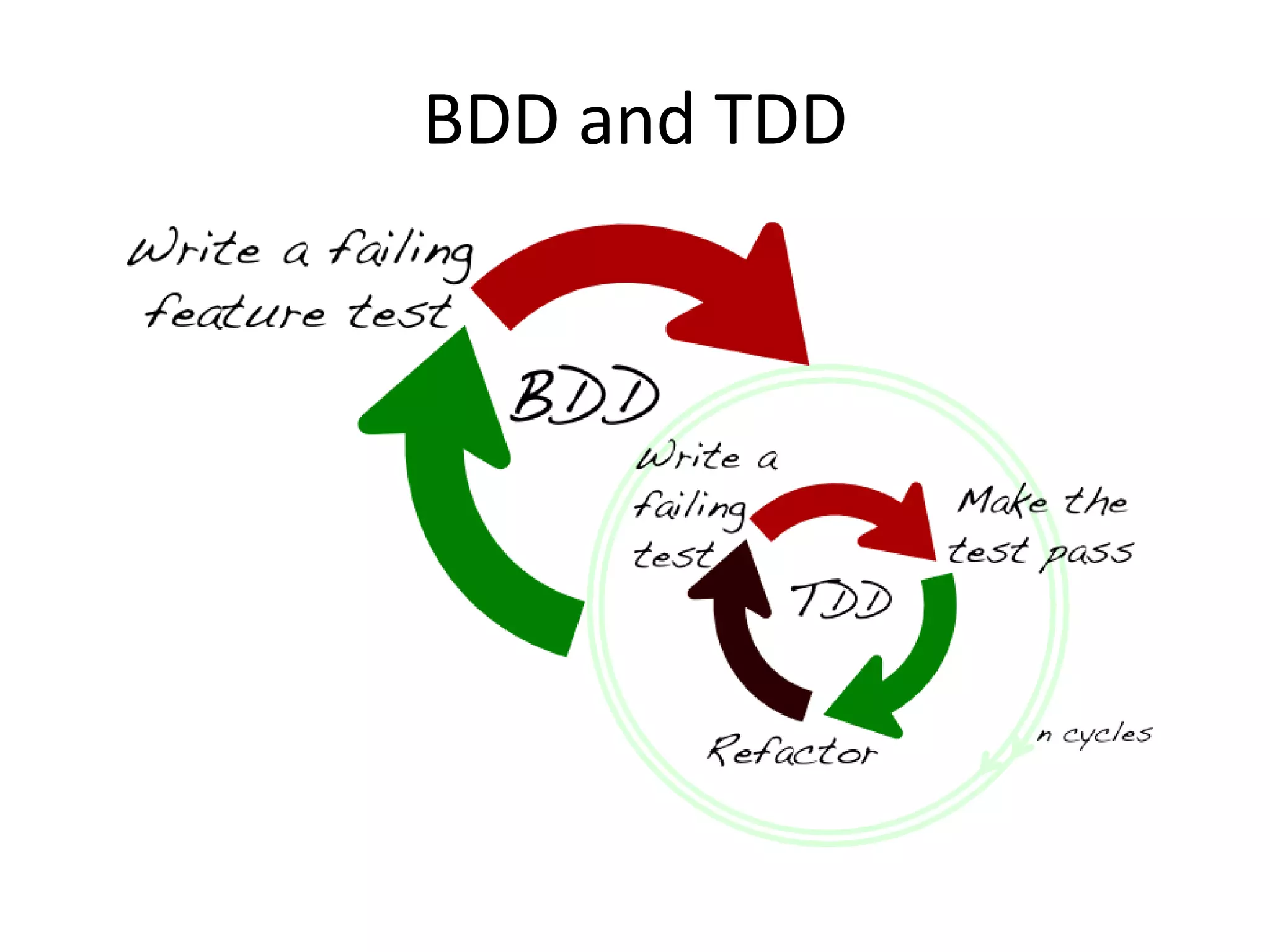
BDD and TDD
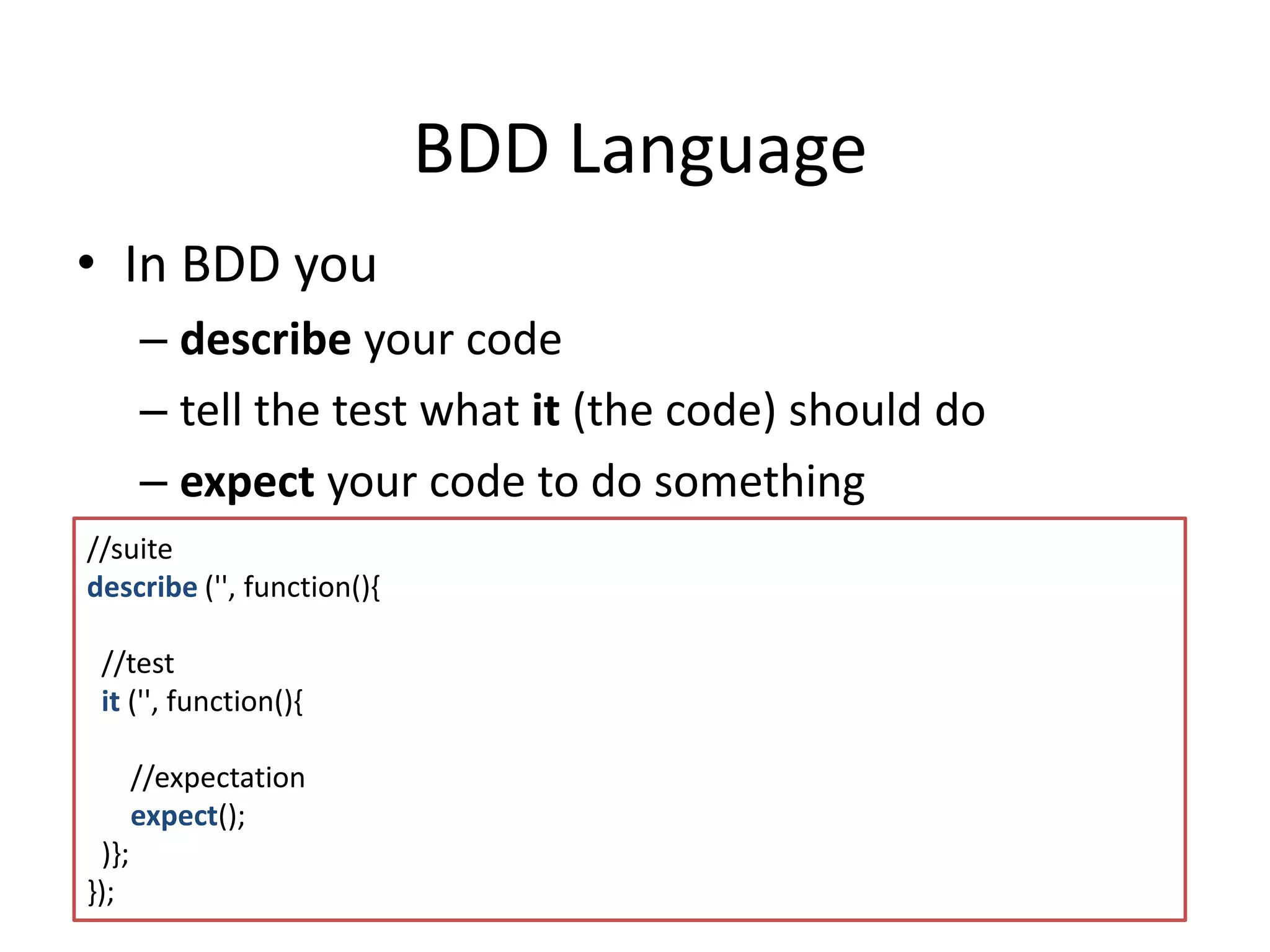
BDD Language 
• In BDD you 
– describe your code 
– tell the test what it (the code) should do 
– expect your code to do something 
//suite 
describe ('', function(){ 
//test 
it ('', function(){ 
//expectation 
expect(); 
)}; 
});
Unit Testing in JavaScript? 
• JavaScript is everywhere 
– Browsers 
– Servers 
– Operation Systems 
– Databases 
– Mobile 
– Devices 
• You are doing it in any other language…
Jasmine 
• JavaScript BDD framework 
• Can be downloaded from: 
http://jasmine.github.io/
Setting Up The Environment 
• Download Jasmine 
– or use a package manager such as Bower or Nuget 
• Create a Spec (Test) Runner file 
– Responsible to run all the unit tests 
– Runs in the browser 
• Create the Unit Test files 
• Jasmine can also run headless 
– Without a browser context
Demo 
SETTING THE ENVIRONMENT
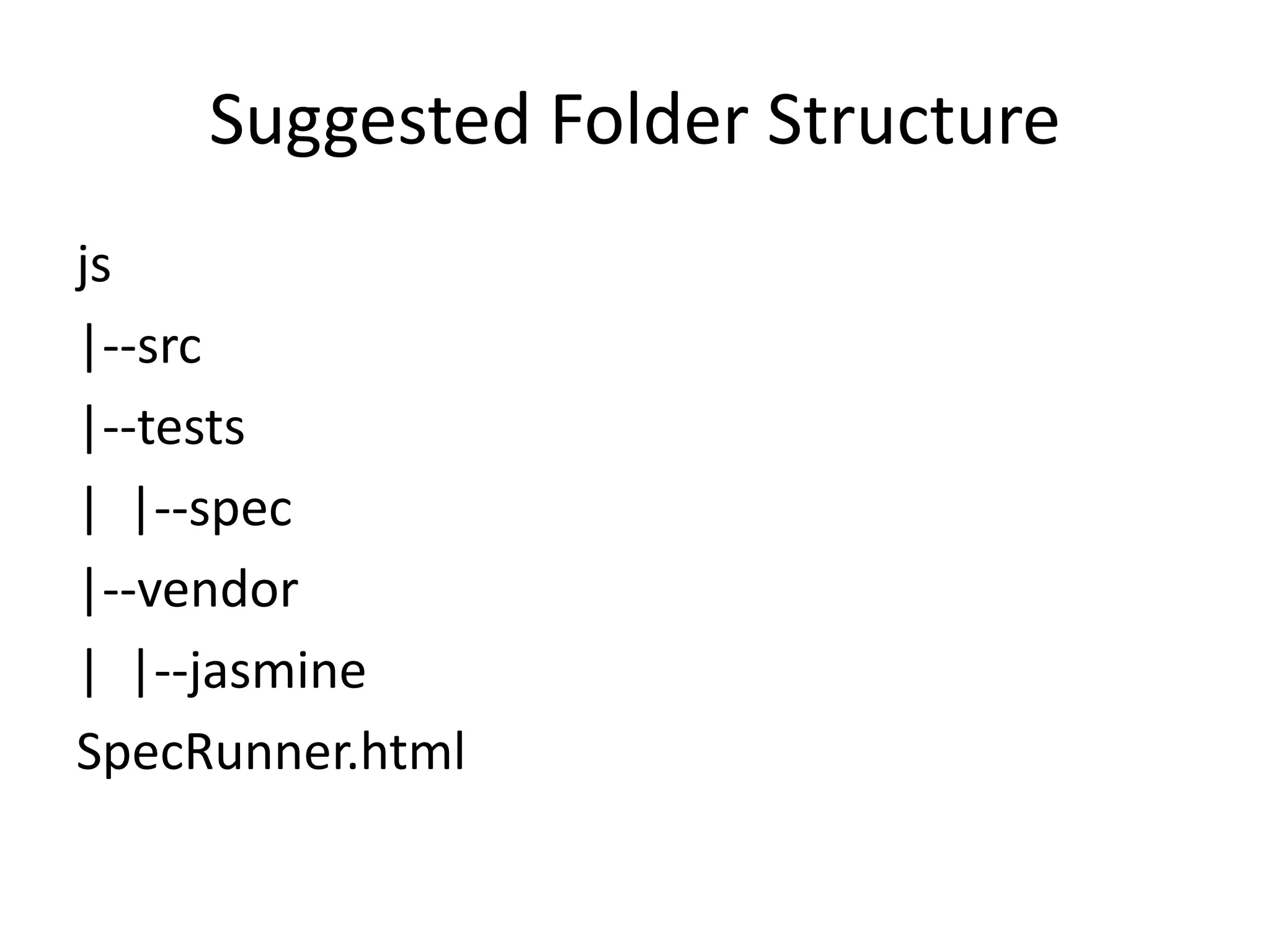
Suggested Folder Structure 
js 
|--src 
|--tests 
| |--spec 
|--vendor 
| |--jasmine 
SpecRunner.html
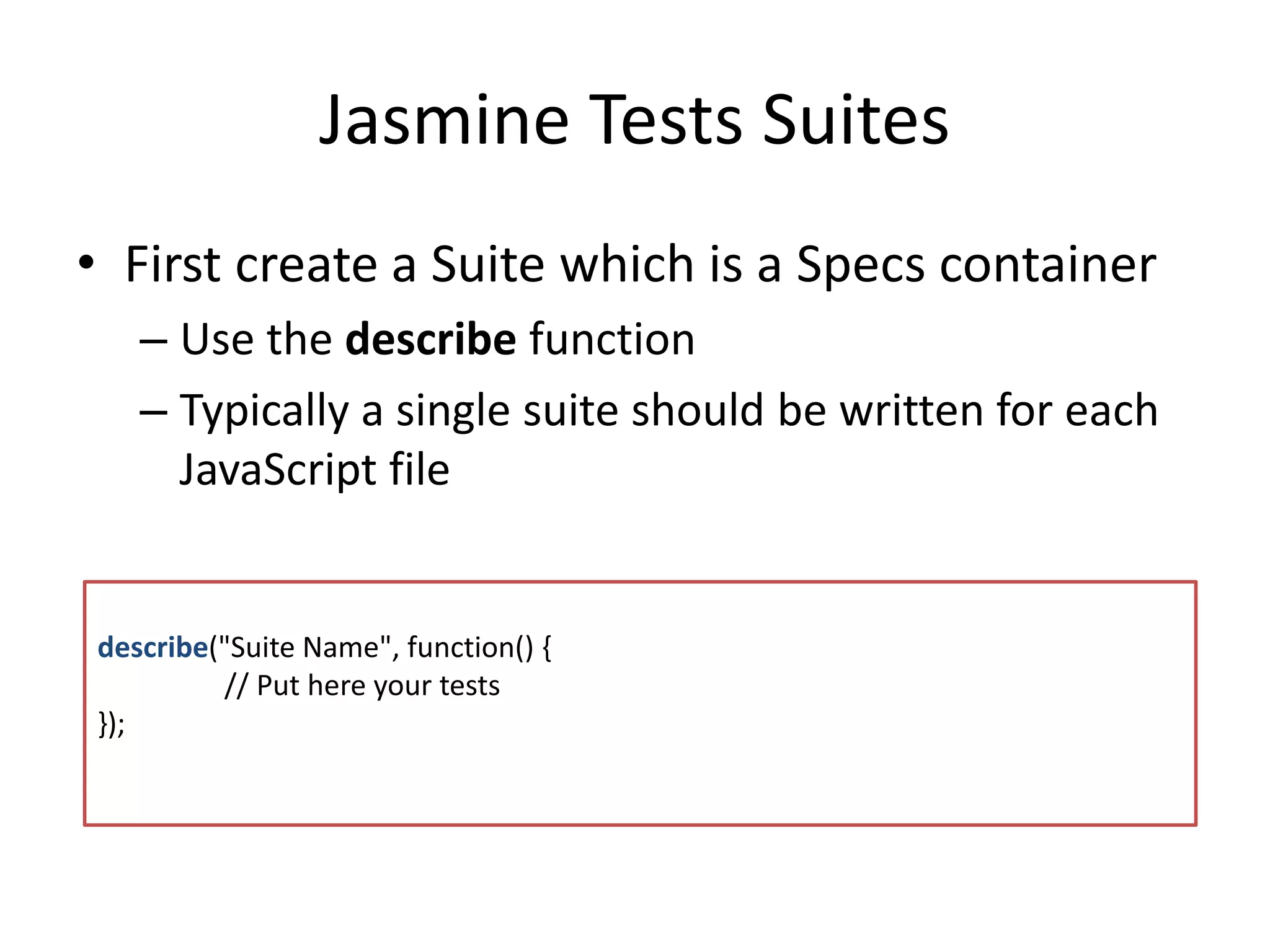
Jasmine Tests Suites 
• First create a Suite which is a Specs container 
– Use the describe function 
– Typically a single suite should be written for each 
JavaScript file 
describe("Suite Name", function() { 
// Put here your tests 
});
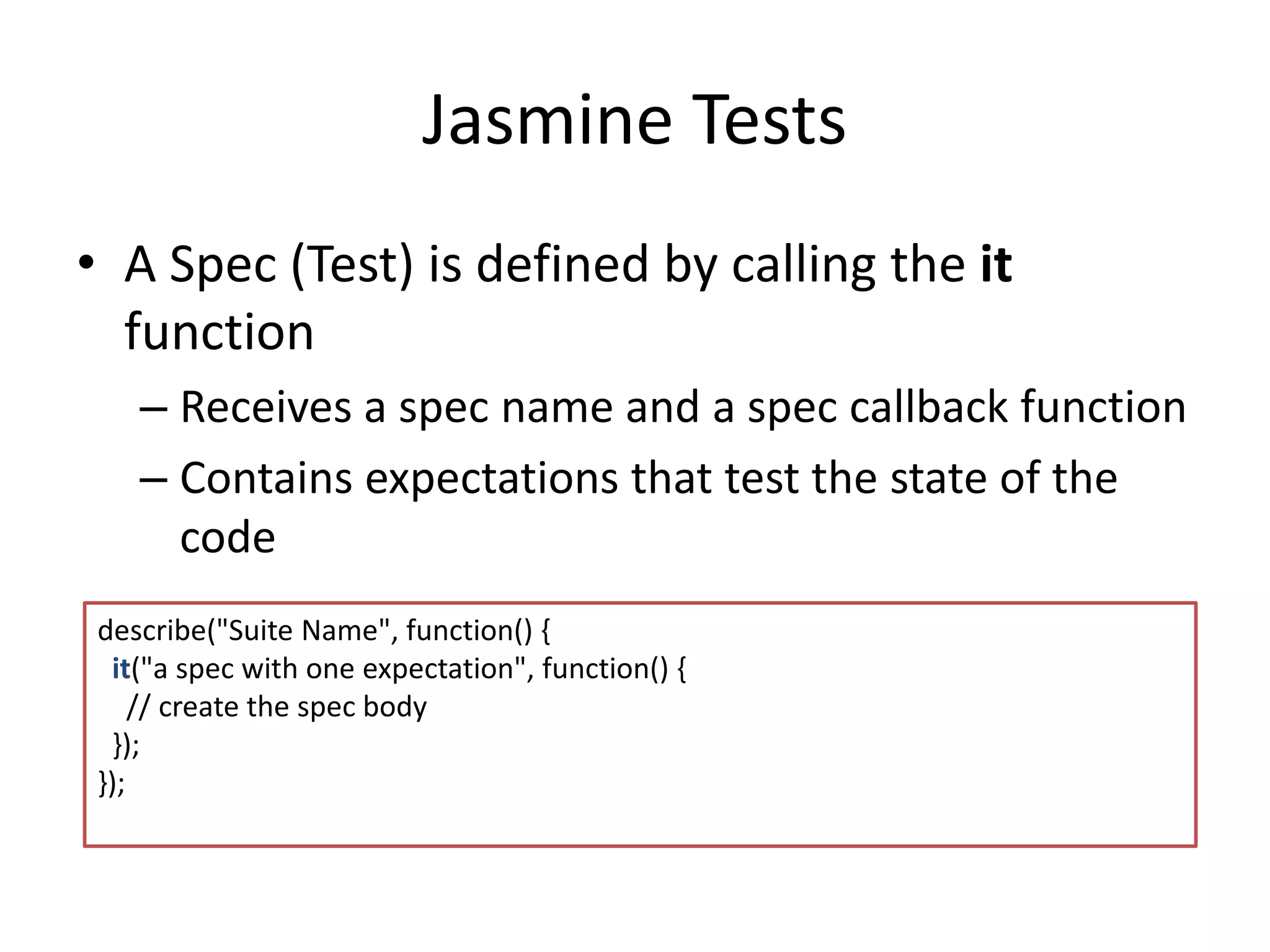
Jasmine Tests 
• A Spec (Test) is defined by calling the it 
function 
– Receives a spec name and a spec callback function 
– Contains expectations that test the state of the 
code 
de scribe("Suite Name", function() { 
it("a spec with one expectation", function() { 
// create the spec body 
}); 
});
Expectations 
• Expectations are assertions 
– Can be either true or false 
• Use the expect function within a spec to 
declare an expectation 
– Receives the actual value as parameter 
• Include fluent API for matchers 
– A Matcher is a comparison between the actual 
and the expected values
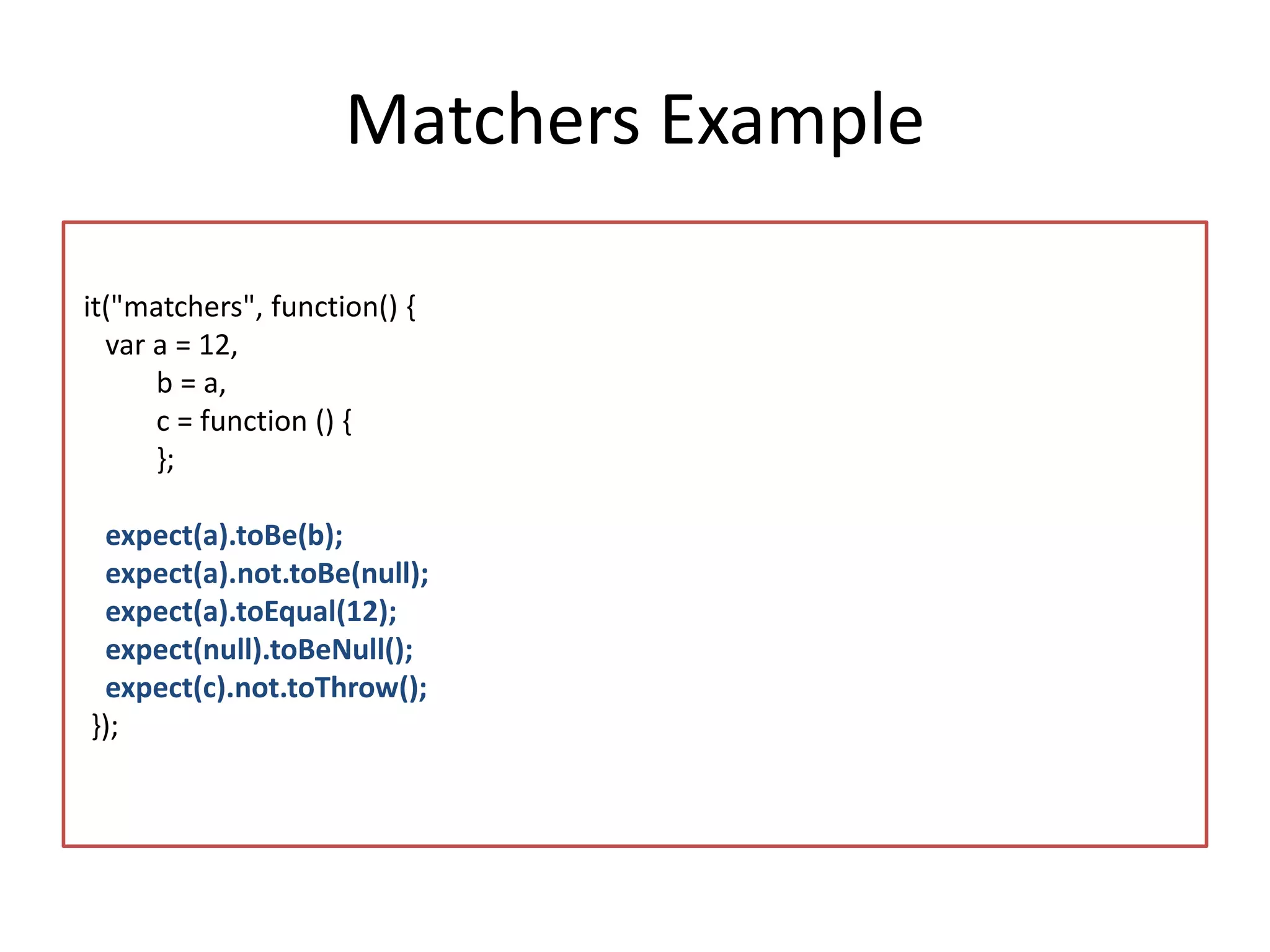
Matchers Example 
it("matchers", function() { 
var a = 12, 
b = a, 
c = function () { 
}; 
expect(a).toBe(b); 
expect(a).not.toBe(null); 
expect(a).toEqual(12); 
expect(null).toBeNull(); 
expect(c).not.toThrow(); 
});
Demo 
CREATING SUITES AND SPECS
More on Suites and Specs 
• You can disable a test suite by using xdescribe 
• You can mark a spec as pending (not running) 
– Using xit 
– By calling the pending function 
xdescribe("A spec", function() { 
xit(“that is pending", function() { 
pending(); 
}); 
});
Creating a Custom Matcher 
• You can create your own custom matcher 
• The matcher should return true/false 
according to the actual value and the 
expectation you set
Setup and Teardown 
• Jasmine includes 
– beforeEach – runs before each test 
– afterEach – runs after each test 
• Should exists inside a test suite
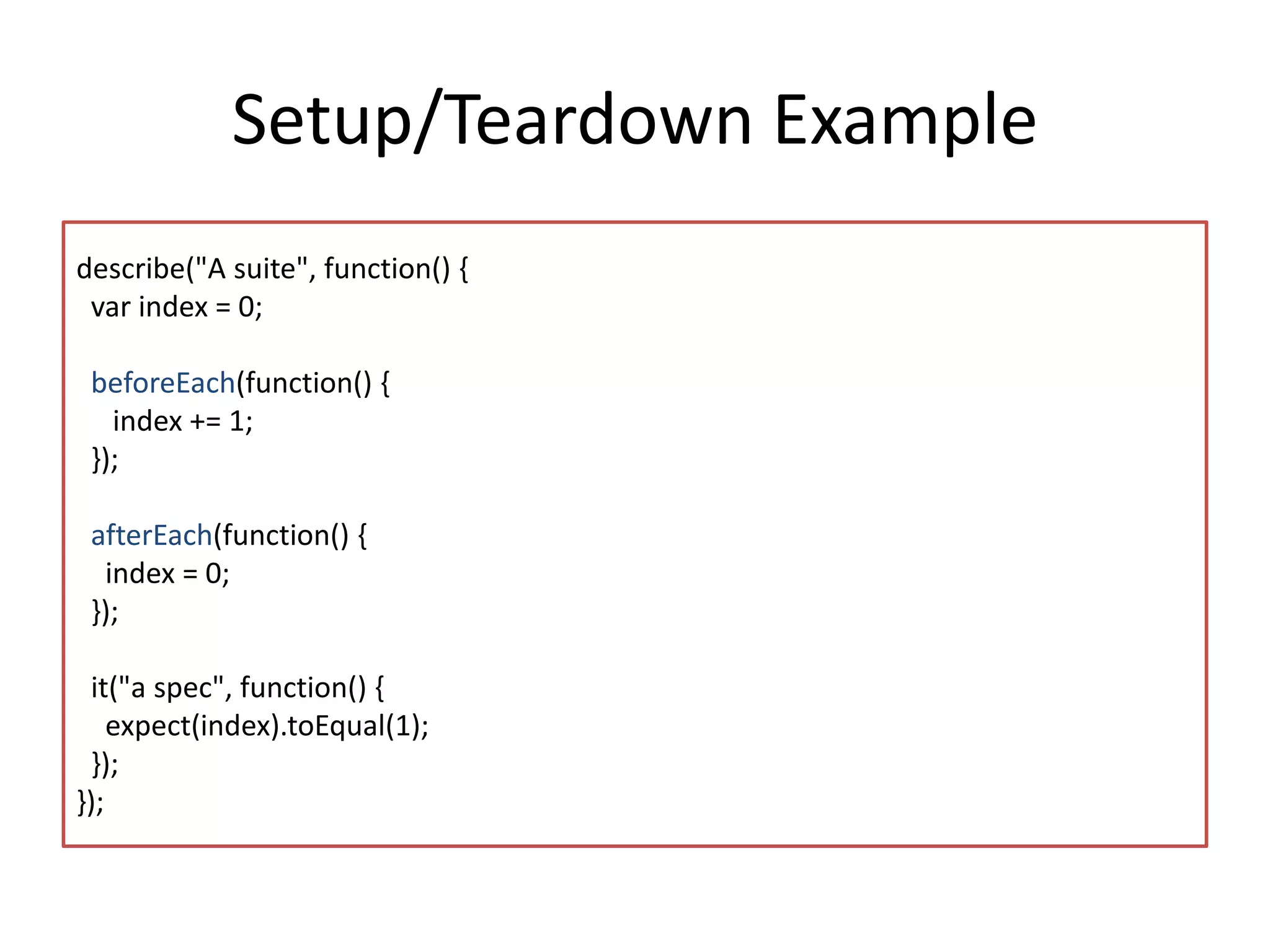
Setup/Teardown Example 
describe("A suite", function() { 
var index = 0; 
beforeEach(function() { 
index += 1; 
}); 
afterEach(function() { 
index = 0; 
}); 
it("a spec", function() { 
expect(index).toEqual(1); 
}); 
});
Demo 
USING SETUP AND TEARDOWN
Nested describe Calls 
• Calls for describe can be nested 
– Good for creation of hierarchies 
• The beforeEach/afterEach of nested describe 
runs after a parent describe 
describe("A spec", function() { 
describe("nested inside a second describe", function() { 
}); 
});
Working with Spies 
• A spy is a test double object 
• It replaces the real implementation and fake 
its behavior 
• Use spyOn, createSpy and createSpyObj 
functions
Demo 
WORKING WITH SPIES
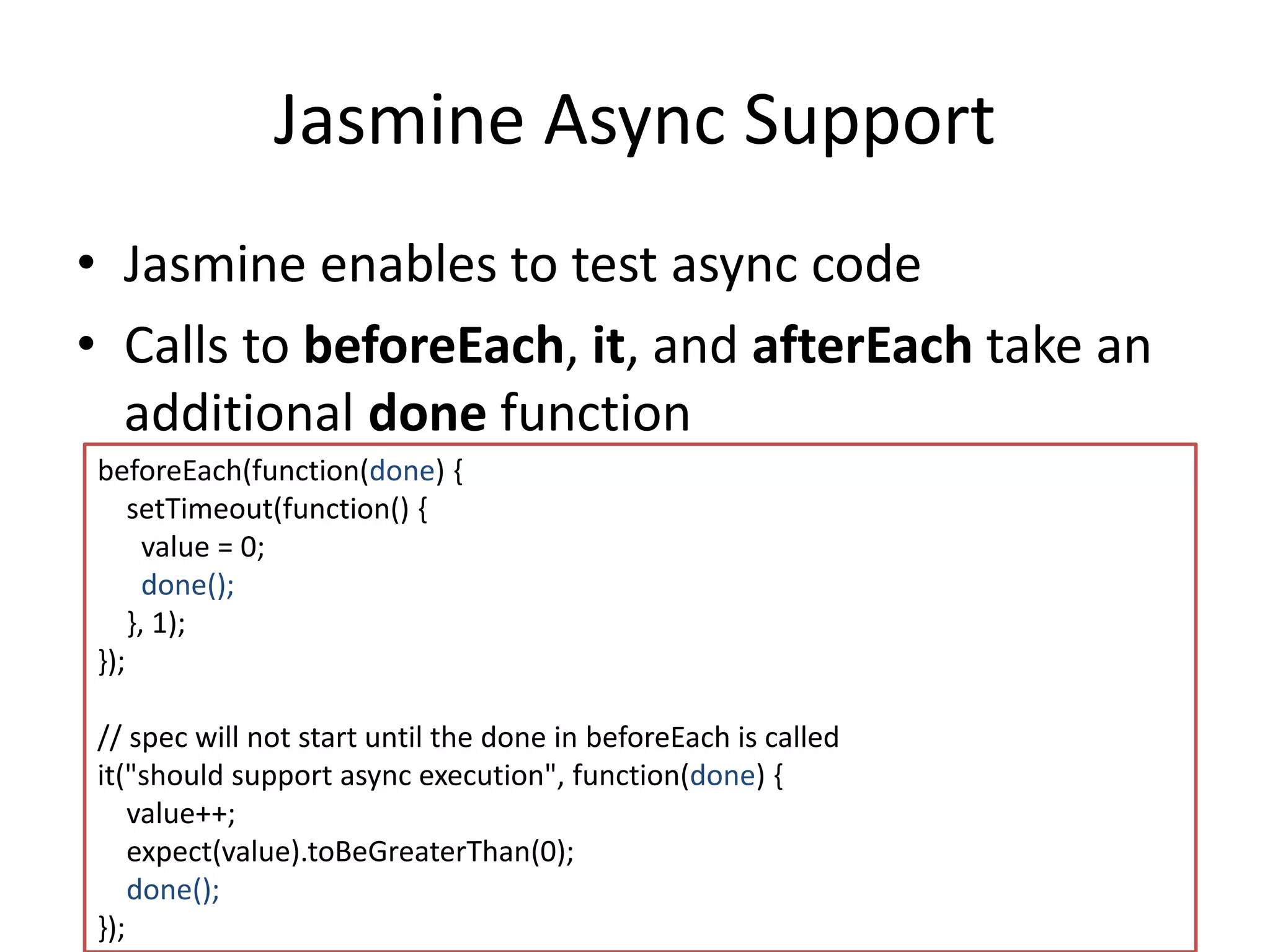
Jasmine Async Support 
• Jasmine enables to test async code 
• Calls to beforeEach, it, and afterEach take an 
additional done function 
beforeEach(function(done) { 
setTimeout(function() { 
value = 0; 
done(); 
}, 1); 
}); 
// spec will not start until the done in beforeEach is called 
it("should support async execution", function(done) { 
value++; 
expect(value).toBeGreaterThan(0); 
done(); 
});
Demo 
WORKING WITH ASYNC FUNCTIONS
Jasmine and Karma 
• Karma is a test runner for JavaScript 
– Executes JavaScript code in multiple browser 
instances 
– Makes BDD/TDD development easier 
– Can use any JavaScript testing library 
• In this session we will use Jasmine
Demo 
JASMINE AND KARMA
Questions?
Summary 
• Unit Tests are an important part of any 
development process 
• Jasmine library can help you to test your 
JavaScript code 
• Add tests to your JavaScript code!
Resources 
• Session slide deck – 
• Jasmine – http://jasmine.github.io/ 
• My Website – http://www.gilfink.net 
• Follow me on Twitter – @gilfink
Thank You

Quick tour to front end unit testing using jasmine

  • 1.
    Quick Tour toFront-End Unit Testing Using Jasmine Gil Fink Join the conversation on Twitter: @SoftArchConf #SA2014
  • 2.
    Agenda • WhyUnit Testing? • Behavior Driven Development • Unit Testing in JavaScript? • Jasmine • Jasmine and Karma
  • 3.
  • 4.
    Why Unit Testing? • Tests – Act as safety net when you modify your code • Increase your confidence in your code – Encourage good design – Help to detect bugs in early stages of the project – Serve as live documentation
  • 5.
    Behavior Driven Development • Development approach based on test driven development (TDD) • Combines the good parts of different development approaches – Test driven development (TDD) – Domain driven development (DDD) – Object oriented analysis (OOA) – Object oriented design (OOD) – The combination of approaches isn’t mandatory
  • 6.
    Behavior Driven Development– Cont. • BDD specifies that tests should be created for the requirements (behaviors) – Set by the business owners • Developers and business owners should collaborate to specify the requirements • The output of the tests should be readable – For to the developer – For the business owners
  • 7.
  • 8.
    BDD Language •In BDD you – describe your code – tell the test what it (the code) should do – expect your code to do something //suite describe ('', function(){ //test it ('', function(){ //expectation expect(); )}; });
  • 9.
    Unit Testing inJavaScript? • JavaScript is everywhere – Browsers – Servers – Operation Systems – Databases – Mobile – Devices • You are doing it in any other language…
  • 10.
    Jasmine • JavaScriptBDD framework • Can be downloaded from: http://jasmine.github.io/
  • 11.
    Setting Up TheEnvironment • Download Jasmine – or use a package manager such as Bower or Nuget • Create a Spec (Test) Runner file – Responsible to run all the unit tests – Runs in the browser • Create the Unit Test files • Jasmine can also run headless – Without a browser context
  • 12.
    Demo SETTING THEENVIRONMENT
  • 13.
    Suggested Folder Structure js |--src |--tests | |--spec |--vendor | |--jasmine SpecRunner.html
  • 14.
    Jasmine Tests Suites • First create a Suite which is a Specs container – Use the describe function – Typically a single suite should be written for each JavaScript file describe("Suite Name", function() { // Put here your tests });
  • 15.
    Jasmine Tests •A Spec (Test) is defined by calling the it function – Receives a spec name and a spec callback function – Contains expectations that test the state of the code de scribe("Suite Name", function() { it("a spec with one expectation", function() { // create the spec body }); });
  • 16.
    Expectations • Expectationsare assertions – Can be either true or false • Use the expect function within a spec to declare an expectation – Receives the actual value as parameter • Include fluent API for matchers – A Matcher is a comparison between the actual and the expected values
  • 17.
    Matchers Example it("matchers",function() { var a = 12, b = a, c = function () { }; expect(a).toBe(b); expect(a).not.toBe(null); expect(a).toEqual(12); expect(null).toBeNull(); expect(c).not.toThrow(); });
  • 18.
  • 19.
    More on Suitesand Specs • You can disable a test suite by using xdescribe • You can mark a spec as pending (not running) – Using xit – By calling the pending function xdescribe("A spec", function() { xit(“that is pending", function() { pending(); }); });
  • 20.
    Creating a CustomMatcher • You can create your own custom matcher • The matcher should return true/false according to the actual value and the expectation you set
  • 21.
    Setup and Teardown • Jasmine includes – beforeEach – runs before each test – afterEach – runs after each test • Should exists inside a test suite
  • 22.
    Setup/Teardown Example describe("Asuite", function() { var index = 0; beforeEach(function() { index += 1; }); afterEach(function() { index = 0; }); it("a spec", function() { expect(index).toEqual(1); }); });
  • 23.
    Demo USING SETUPAND TEARDOWN
  • 24.
    Nested describe Calls • Calls for describe can be nested – Good for creation of hierarchies • The beforeEach/afterEach of nested describe runs after a parent describe describe("A spec", function() { describe("nested inside a second describe", function() { }); });
  • 25.
    Working with Spies • A spy is a test double object • It replaces the real implementation and fake its behavior • Use spyOn, createSpy and createSpyObj functions
  • 26.
  • 27.
    Jasmine Async Support • Jasmine enables to test async code • Calls to beforeEach, it, and afterEach take an additional done function beforeEach(function(done) { setTimeout(function() { value = 0; done(); }, 1); }); // spec will not start until the done in beforeEach is called it("should support async execution", function(done) { value++; expect(value).toBeGreaterThan(0); done(); });
  • 28.
    Demo WORKING WITHASYNC FUNCTIONS
  • 29.
    Jasmine and Karma • Karma is a test runner for JavaScript – Executes JavaScript code in multiple browser instances – Makes BDD/TDD development easier – Can use any JavaScript testing library • In this session we will use Jasmine
  • 30.
  • 31.
  • 32.
    Summary • UnitTests are an important part of any development process • Jasmine library can help you to test your JavaScript code • Add tests to your JavaScript code!
  • 33.
    Resources • Sessionslide deck – • Jasmine – http://jasmine.github.io/ • My Website – http://www.gilfink.net • Follow me on Twitter – @gilfink
  • 34.