3 WAYS TO TEST YOUR
COLDFUSION API
Gavin Pickin
CFSummit() 2017
Agenda
● Who Am I?
● State of the Room?
● CF API
● Ways to test your API?
● Overview of Testing Tools
● Using Testing in your Workflow
● Installing Jasmine
● Installing Testbox
● Live Demo
Who am I?
Gavin Pickin – developing Web Apps since late 90s
● Software Consultant for Ortus Solutions
● ContentBox Evangelist
What else do you need to know?
● Blog - http://www.gpickin.com
● Twitter – http://twitter.com/gpickin
● Github - https://github.com/gpickin
Let’s get on with the show.
APIs in CFML
Most CF Apps are moving towards providing an API for multiple consumers
CF has many REST API Solutions and even more with CF 2016
● Built in CF
● Built in Railo/Lucee
● Coldbox API
● Taffy
Ways to Test your Code
● Click around in the browser yourself
● Setup Selenium / Web Driver to
click around for you
● Structured Programmatic Tests
Types of Testing
● Black/White Box
● Unit Testing
● Integration Testing
● Functional Tests
● System Tests
● End to End Tests
● Sanity Testing
● Regression Test
● Acceptance Tests
● Load Testing
● Stress Test
● Performance Tests
● Usability Tests
● + More
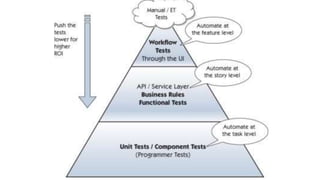
Integration Testing
● Integration Tests several of the pieces together
● Most of the types of tests are variations of an Integration
Test
● Can include mocks but can full end to end tests including
DB / APIs
Unit Testing
“unit testing is a software verification and validation method in
which a programmer tests if individual units of source code
are fit for use. A unit is the smallest testable part of an
application”
- wikipedia
Unit Testing can...
● Can improve code quality -> quick error discovery
● Code confidence via immediate verification
● Can expose high coupling
● Will encourage refactoring to produce > testable code
● Remember: Testing is all about behavior and expectations
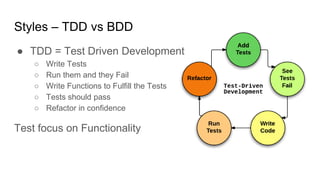
Styles – TDD vs BDD
● TDD = Test Driven Development
○ Write Tests
○ Run them and they Fail
○ Write Functions to Fulfill the Tests
○ Tests should pass
○ Refactor in confidence
Test focus on Functionality
Styles - TDD vs BDD
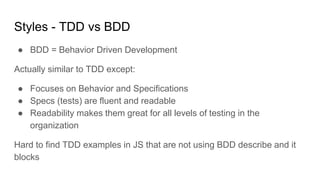
● BDD = Behavior Driven Development
Actually similar to TDD except:
● Focuses on Behavior and Specifications
● Specs (tests) are fluent and readable
● Readability makes them great for all levels of testing in the
organization
Hard to find TDD examples in JS that are not using BDD describe and it
blocks
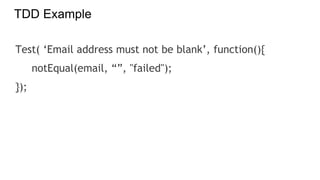
TDD Example
Test( ‘Email address must not be blank’, function(){
notEqual(email, “”, "failed");
});
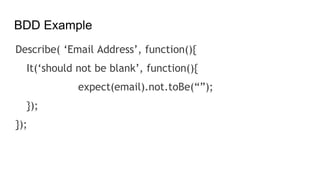
BDD Example
Describe( ‘Email Address’, function(){
It(‘should not be blank’, function(){
expect(email).not.toBe(“”);
});
});
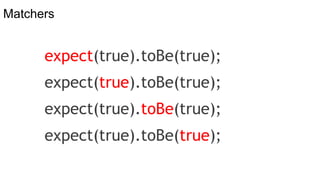
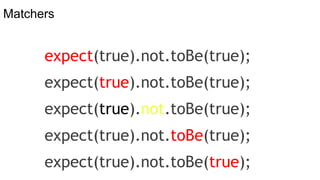
Matchers
expect(true).toBe(true);
Matchers
expect(true).not.toBe(true);
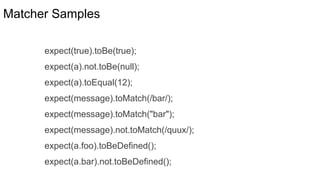
Matcher Samples
expect(true).toBe(true);
expect(a).not.toBe(null);
expect(a).toEqual(12);
expect(message).toMatch(/bar/);
expect(message).toMatch("bar");
expect(message).not.toMatch(/quux/);
expect(a.foo).toBeDefined();
expect(a.bar).not.toBeDefined();
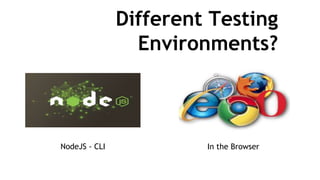
Different Testing
Environments?
NodeJS - CLI In the Browser
CF Testing Tools
* MxUnit was the standard
* TestBox is the new standard
Other options
TestBox
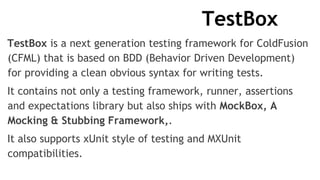
TestBox is a next generation testing framework for ColdFusion
(CFML) that is based on BDD (Behavior Driven Development)
for providing a clean obvious syntax for writing tests.
It contains not only a testing framework, runner, assertions
and expectations library but also ships with MockBox, A
Mocking & Stubbing Framework,.
It also supports xUnit style of testing and MXUnit
compatibilities.
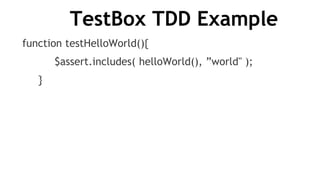
TestBox TDD Example
function testHelloWorld(){
$assert.includes( helloWorld(), ”world" );
}
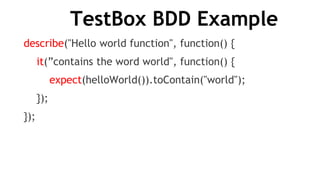
TestBox BDD Example
describe("Hello world function", function() {
it(”contains the word world", function() {
expect(helloWorld()).toContain("world");
});
});
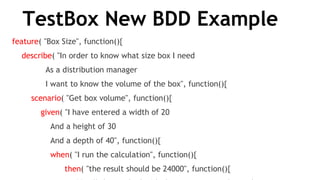
TestBox New BDD Example
feature( "Box Size", function(){
describe( "In order to know what size box I need
As a distribution manager
I want to know the volume of the box", function(){
scenario( "Get box volume", function(){
given( "I have entered a width of 20
And a height of 30
And a depth of 40", function(){
when( "I run the calculation", function(){
then( "the result should be 24000", function(){
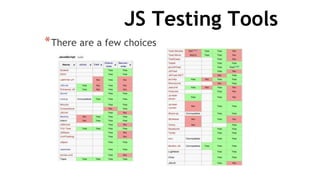
JS Testing Tools
*There are a few choices
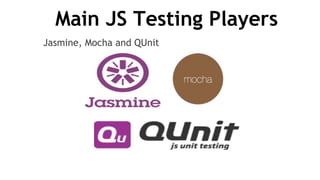
Main JS Testing Players
Jasmine, Mocha and QUnit
Jasmine
*Jasmine comes ready to go out of the box
*Fluent Syntax – BDD Style
*Includes lots of matchers
*Has spies included
*Very popular, lots of support
*Angular uses Jasmine with Karma (CLI)
*Headless running and plays well with CI servers
Jasmine - Cons
Async testing in 1.3 can be a headache
*Async testing in 2.0 is hard to find
blog posts on (I need to write one)
*Expects *spec.js suffix for test files
*This can be modified depending on
how you are running the tests
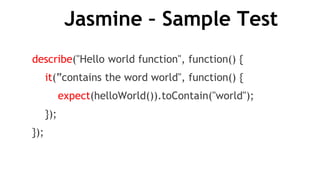
Jasmine – Sample Test
describe("Hello world function", function() {
it(”contains the word world", function() {
expect(helloWorld()).toContain("world");
});
});
Mocha
*Simple Setup
*Simple Async testing
*Works great with other Assertion libraries like Chai ( not
included )
*Solid Support with CI Servers, with Plugins for others
*Opinion says Mocha blazing the trail for new features
Mocha - Cons
*Requires other Libraries for key features
*No Assertion Library included
*No Mocking / Spied included
*Need to create the runner manually
*Newer to the game so not as popular or supported as
others but gaining traction.
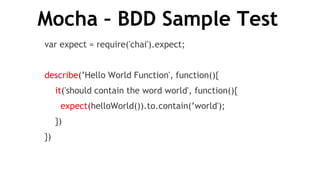
Mocha – BDD Sample Test
var expect = require('chai').expect;
describe(’Hello World Function', function(){
it('should contain the word world', function(){
expect(helloWorld()).to.contain(’world');
})
})
QUnit
*The oldest of the main testing frameworks
*Is popular due to use in jQuery and age
*Ember’s default Unit testing Framework
QUnit - Cons
*Development slowed down since
2013 (but still under development)
*Syntax – No BDD style
*Assertion libraries – limited matchers
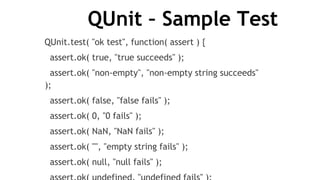
QUnit – Sample Test
QUnit.test( "ok test", function( assert ) {
assert.ok( true, "true succeeds" );
assert.ok( "non-empty", "non-empty string succeeds"
);
assert.ok( false, "false fails" );
assert.ok( 0, "0 fails" );
assert.ok( NaN, "NaN fails" );
assert.ok( "", "empty string fails" );
assert.ok( null, "null fails" );
Using Testing in your Workflow
*Using HTML Test Runners
*Keep a Browser open
*F5 refresh tests
Command Line Tests
*Run Jasmine – manual
*Run tests at the end of each section of work
*Run Grunt-Watch – automatic
*Runs Jasmine on every file change
*Grunt can run other tasks as well,
minification etc
Testing in your IDE
*Browser Views
*Eclipse allows you to open files in web view
– uses HTML Runner
*Run Jasmine / Grunt / Karma in IDE Console
*Fairly Easy to setup
*See Demo– Sublime Text 2 (if we have time)
Live Demo and Examples
*Install / Run Jasmine Standalone for Browser
*Install / Run Jasmine with NodeJs
*Install / Run Jasmine with Grunt Watch
*Install / Run Testbox in Browser
*Install / Run Testbox with Grunt Watch
*Install / Run Grunt Watch inside Sublime Text 2
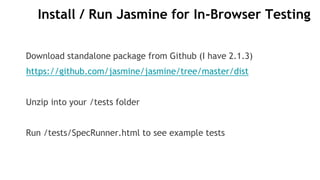
Install / Run Jasmine for In-Browser Testing
Download standalone package from Github (I have 2.1.3)
https://github.com/jasmine/jasmine/tree/master/dist
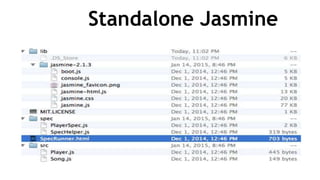
Unzip into your /tests folder
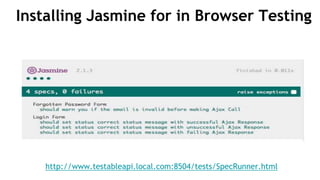
Run /tests/SpecRunner.html to see example tests
Standalone Jasmine
Installing Jasmine for in Browser Testing
http://www.testableapi.local.com:8504/tests/SpecRunner.html
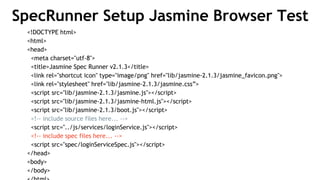
SpecRunner Setup Jasmine Browser Test
<!DOCTYPE html>
<html>
<head>
<meta charset="utf-8">
<title>Jasmine Spec Runner v2.1.3</title>
<link rel="shortcut icon" type="image/png" href="lib/jasmine-2.1.3/jasmine_favicon.png">
<link rel="stylesheet" href="lib/jasmine-2.1.3/jasmine.css”>
<script src="lib/jasmine-2.1.3/jasmine.js"></script>
<script src="lib/jasmine-2.1.3/jasmine-html.js"></script>
<script src="lib/jasmine-2.1.3/boot.js"></script>
<!-- include source files here... -->
<script src="../js/services/loginService.js"></script>
<!-- include spec files here... -->
<script src="spec/loginServiceSpec.js"></script>
</head>
<body>
</body>
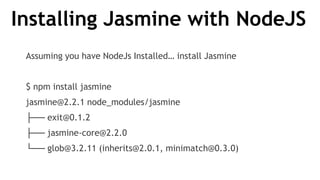
Installing Jasmine with NodeJS
Assuming you have NodeJs Installed… install Jasmine
$ npm install jasmine
jasmine@2.2.1 node_modules/jasmine
├── exit@0.1.2
├── jasmine-core@2.2.0
└── glob@3.2.11 (inherits@2.0.1, minimatch@0.3.0)
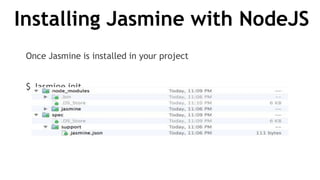
Installing Jasmine with NodeJS
Once Jasmine is installed in your project
$ Jasmine init
Installing Jasmine with NodeJS
Edit Jasmine.json to update Locations for Spec Files and Helper Files
{
"spec_dir": "spec",
"spec_files": [
"**/*[sS]pec.js"
],
"helpers": [
"helpers/**/*.js"
]
}
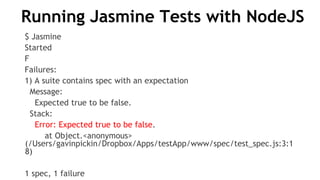
Running Jasmine Tests with NodeJS
$ Jasmine
Started
F
Failures:
1) A suite contains spec with an expectation
Message:
Expected true to be false.
Stack:
Error: Expected true to be false.
at Object.<anonymous>
(/Users/gavinpickin/Dropbox/Apps/testApp/www/spec/test_spec.js:3:1
8)
1 spec, 1 failure
Running Jasmine Tests with NodeJS
*Jasmine-Node is great for Node
*Jasmine Node doesn’t have a headless browser
*Hard to test Browser code
*So what should I use?
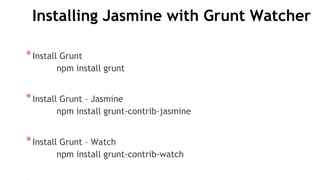
Installing Jasmine with Grunt Watcher
*Install Grunt
npm install grunt
*Install Grunt – Jasmine
npm install grunt-contrib-jasmine
*Install Grunt – Watch
npm install grunt-contrib-watch
Configuring Jasmine with Grunt Watcher
// gruntfile.js - https://gist.github.com/gpickin/1e1e7902d1d3676d23c5
module.exports = function (grunt) {
grunt.initConfig({
pkg: grunt.file.readJSON('node_modules/grunt/package.json'),
jasmine: {
all: {
src: ['js/*.js' ],
options: {
//'vendor': ['path/to/vendor/libs/*.js'],
'specs': ['specs/*.js' ], '--web-security': false
}
Configuring Jasmine with Grunt Watcher
// gruntfile.js part 2
watch: {
js: {
files: [
'js/*.js',
'specs/*.js',
],
tasks: ['jasmine:all']
}
}
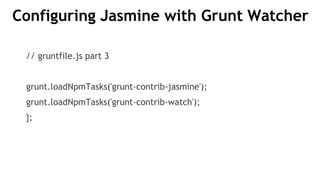
Configuring Jasmine with Grunt Watcher
// gruntfile.js part 3
grunt.loadNpmTasks('grunt-contrib-jasmine');
grunt.loadNpmTasks('grunt-contrib-watch');
};
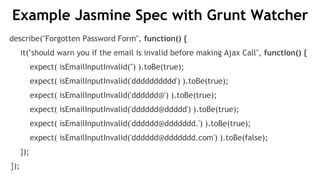
Example Jasmine Spec with Grunt Watcher
describe("Forgotten Password Form", function() {
it("should warn you if the email is invalid before making Ajax Call", function() {
expect( isEmailInputInvalid('') ).toBe(true);
expect( isEmailInputInvalid('dddddddddd') ).toBe(true);
expect( isEmailInputInvalid('dddddd@') ).toBe(true);
expect( isEmailInputInvalid('dddddd@ddddd') ).toBe(true);
expect( isEmailInputInvalid('dddddd@ddddddd.') ).toBe(true);
expect( isEmailInputInvalid('dddddd@ddddddd.com') ).toBe(false);
});
});
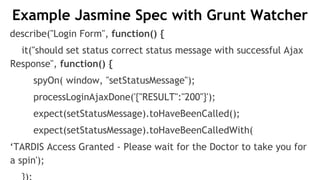
Example Jasmine Spec with Grunt Watcher
describe("Login Form", function() {
it("should set status correct status message with successful Ajax
Response", function() {
spyOn( window, "setStatusMessage");
processLoginAjaxDone('{"RESULT":"200"}');
expect(setStatusMessage).toHaveBeenCalled();
expect(setStatusMessage).toHaveBeenCalledWith(
‘TARDIS Access Granted - Please wait for the Doctor to take you for
a spin');
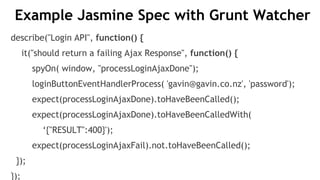
Example Jasmine Spec with Grunt Watcher
describe("Login API", function() {
it("should return a failing Ajax Response", function() {
spyOn( window, "processLoginAjaxDone");
loginButtonEventHandlerProcess( 'gavin@gavin.co.nz', 'password');
expect(processLoginAjaxDone).toHaveBeenCalled();
expect(processLoginAjaxDone).toHaveBeenCalledWith(
‘{"RESULT":400}');
expect(processLoginAjaxFail).not.toHaveBeenCalled();
});
});
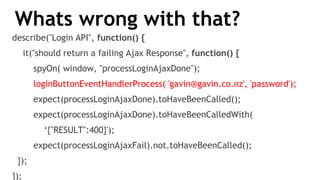
Whats wrong with that?
describe("Login API", function() {
it("should return a failing Ajax Response", function() {
spyOn( window, "processLoginAjaxDone");
loginButtonEventHandlerProcess( 'gavin@gavin.co.nz', 'password');
expect(processLoginAjaxDone).toHaveBeenCalled();
expect(processLoginAjaxDone).toHaveBeenCalledWith(
‘{"RESULT":400}');
expect(processLoginAjaxFail).not.toHaveBeenCalled();
});
});
Unit Tests and Async Calls
*You want Unit Tests to test the unit and not it’s
dependencies
*You want Unit Tests to run quick
*You should mock the API in the Ajax call
*But we want to test the API
*So essentially, we’re writing an integration test.
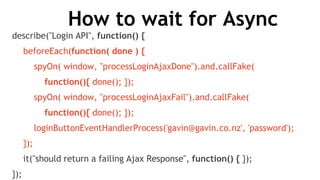
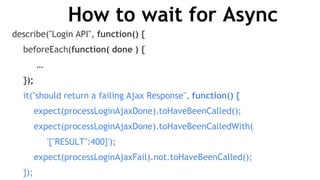
How to wait for Async
describe("Login API", function() {
beforeEach(function( done ) {
spyOn( window, "processLoginAjaxDone").and.callFake(
function(){ done(); });
spyOn( window, "processLoginAjaxFail").and.callFake(
function(){ done(); });
loginButtonEventHandlerProcess('gavin@gavin.co.nz', 'password');
});
it("should return a failing Ajax Response", function() { });
});
How to wait for Async
describe("Login API", function() {
beforeEach(function( done ) {
…
});
it("should return a failing Ajax Response", function() {
expect(processLoginAjaxDone).toHaveBeenCalled();
expect(processLoginAjaxDone).toHaveBeenCalledWith(
'{"RESULT":400}');
expect(processLoginAjaxFail).not.toHaveBeenCalled();
});
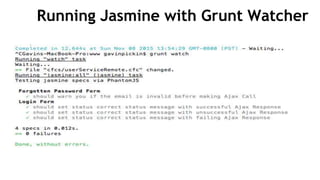
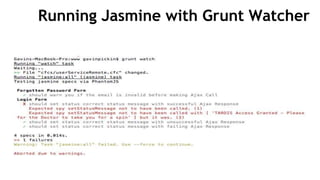
Running Jasmine with Grunt Watcher
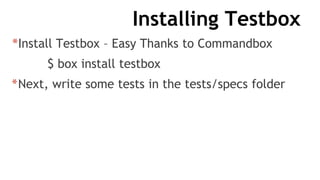
Installing Testbox
*Install Testbox – Easy Thanks to Commandbox
$ box install testbox
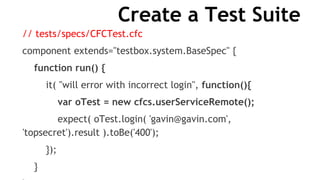
*Next, write some tests in the tests/specs folder
Create a Test Suite
// tests/specs/CFCTest.cfc
component extends="testbox.system.BaseSpec" {
function run() {
it( "will error with incorrect login", function(){
var oTest = new cfcs.userServiceRemote();
expect( oTest.login( 'gavin@gavin.com',
'topsecret').result ).toBe('400');
});
}
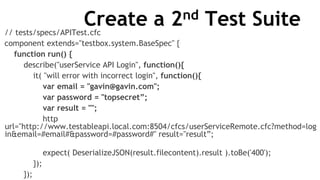
Create a 2nd Test Suite// tests/specs/APITest.cfc
component extends="testbox.system.BaseSpec" {
function run() {
describe("userService API Login", function(){
it( "will error with incorrect login", function(){
var email = "gavin@gavin.com";
var password = "topsecret”;
var result = "";
http
url="http://www.testableapi.local.com:8504/cfcs/userServiceRemote.cfc?method=log
in&email=#email#&password=#password#" result="result”;
expect( DeserializeJSON(result.filecontent).result ).toBe('400');
});
});
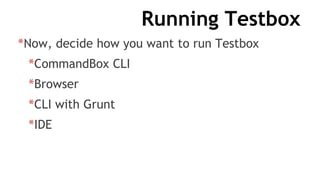
Running Testbox
*Now, decide how you want to run Testbox
*CommandBox CLI
*Browser
*CLI with Grunt
*IDE
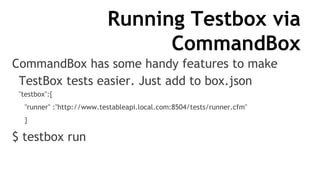
Running Testbox via
CommandBox
CommandBox has some handy features to make
TestBox tests easier. Just add to box.json
"testbox":{
"runner" :"http://www.testableapi.local.com:8504/tests/runner.cfm"
}
$ testbox run
Running Testbox via
CommandBox
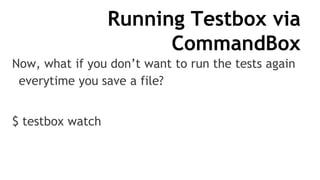
Now, what if you don’t want to run the tests again
everytime you save a file?
$ testbox watch
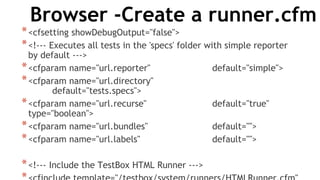
Browser -Create a runner.cfm
*<cfsetting showDebugOutput="false">
*<!--- Executes all tests in the 'specs' folder with simple reporter
by default --->
*<cfparam name="url.reporter" default="simple">
*<cfparam name="url.directory"
default="tests.specs">
*<cfparam name="url.recurse" default="true"
type="boolean">
*<cfparam name="url.bundles" default="">
*<cfparam name="url.labels" default="">
*<!--- Include the TestBox HTML Runner --->
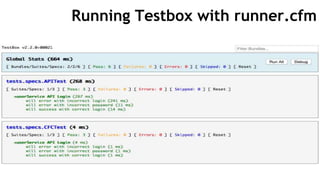
Running Testbox with runner.cfm
Running Testbox with Grunt Watch
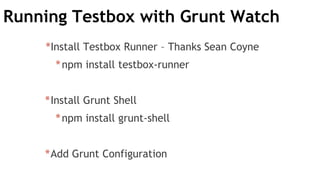
*Install Testbox Runner – Thanks Sean Coyne
*npm install testbox-runner
*Install Grunt Shell
*npm install grunt-shell
*Add Grunt Configuration
Adding TestBox Config 1
module.exports = function (grunt) {
grunt.loadNpmTasks('grunt-shell');
grunt.initConfig({ … })
}
Adding TestBox Config 2
Watch: {
…
cfml: {
files: [ "cfcs/*.cfc"],
tasks: [ "testbox" ]
}
}
Adding TestBox Config 3
shell: {
testbox: {
command: "./node_modules/testbox-
runner/index.js --colors --runner
http://www.testableapi.local.com:8504/tests/r
unner.cfm --directory /tests/specs --recurse
true”
}
Adding TestBox Config 4
grunt.registerTask("testbox", [ "shell:testbox" ]);
grunt.loadNpmTasks('grunt-contrib-jasmine');
grunt.loadNpmTasks('grunt-contrib-watch');
Adding TestBox Config 5
js: {
files: [
'js/*.js',
'specs/*.js',
"cfcs/*.cfc”
],
tasks: ['jasmine:all']
},
GruntFile.js Gists
Jasmine
https://gist.github.com/gpickin/1e1e7902d1d3
676d23c5
Jasmine + Testbox
https://gist.github.com/gpickin/9fc82df3667ee
b63c7e7
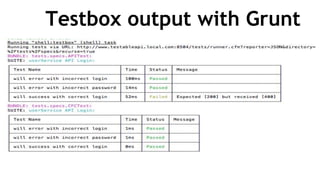
Testbox output with Grunt
Testbox Runner JSON
*Testbox has several runners, you have seen the HTML one, this
Runner uses the JSON runner and then formats it.
*http://www.testableapi.local.com:8504/tests/runner.cfm?rep
orter=JSON&directory=%2Ftests%2Fspecs&recurse=true
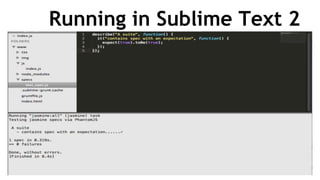
Running in Sublime Text 2
*Install PackageControl into Sublime Text
*Install Grunt from PackageControl
*https://packagecontrol.io/packages/Grunt
*Update Grunt Sublime Settings for paths
{
"exec_args": { "path": "/bin:/usr/bin:/usr/local/bin” }
}
*Then Command Shift P – grunt
ERRORS ON MY
MACHINE TODAY
Running in Sublime Text 2
ColdBox REST API
*It’s easy to get started with ColdBox Rest with
CommandBox’s scaffolding.
## create app
coldbox create app name=MyRestAPP skeleton=rest
## Start up a server with rewrites on port 8505
server start port=8505
ColdBox REST API
Let’s have a look
My Testing Videos
NVCFUG Meetup 2017 - Testing is natural, testing is fun, not everybody does
it but everybody should!
http://experts.adobeconnect.com/testboxortusinh/
ODW 2015 - Testing my API with TestBox on Server and Jasmine on Client
http://experts.adobeconnect.com/p6akdiyds21/
CBW 2014 - Mockbox, get ready to mock your socks off
Video: https://vimeo.com/112238773
Slides:
https://docs.google.com/file/d/0B_65i6I500NiN1BoVmVmaFh5dlBXd2ljV1NuY
1d3WEtxdUt3/edit
Other Testing Videos
ODW2017 - Testing my Non-ColdBox site with TestBox - Nolan Erck
https://vimeo.com/241813746
ODW 2016 - Testing Automation - Luis Majano
https://vimeo.com/194169908
ODW 2016 - Integrated - A TestBox packe for even better Integration Tests - Eric Peterson
https://vimeo.com/194168660
ODW 2016 - Code Coverage for CFML - Brad Wood
https://vimeo.com/194134971
ODW 2015 - TestBox BDD - Luis Majano
https://vimeo.com/148262563
CBDW 2013 - Mocking and Stubbing - Luis Majano
https://vimeo.com/groups/coldbox/videos/68861083
My Other Videos
ODW 2017 - Real World ContentBox Microservices
https://vimeo.com/241813747
Containers Roadshow 2017 - Playing with Docker with Gavin Pickin
https://vimeo.com/groups/coldbox/videos/236135671
ContentBox Roadshow 2016 - What's new with ContentBox 3
https://t.co/CdPTM4FFAh
ContentBox Roadshow 2016 - ContentBox Administration 101
http://experts.adobeconnect.com/p2vx8nqb3wd/
ContentBox Roadshow 2016 - ContentBoxContentBox Modules Deep Dive
http://experts.adobeconnect.com/p7d7h77mivb/
ODW 2016 - ContentBox CMS Deep Dive
http://experts.adobeconnect.com/p4yd4a6n5bj/
My Other Videos - cont
ODW 2015 - Relax with ColdBox RESTFul Services
http://experts.adobeconnect.com/p67qaf48xum/
ODW 2015 - Getting Started With ContentBox
http://experts.adobeconnect.com/p249qn543je/
CBDW 2013 - Learning ColdBox through Testing
https://vimeo.com/groups/coldbox/videos/69995315
3 Ways to test your ColdFusion API - 2017 Adobe CF Summit

3 Ways to test your ColdFusion API - 2017 Adobe CF Summit

  • 1.
    3 WAYS TOTEST YOUR COLDFUSION API Gavin Pickin CFSummit() 2017
  • 2.
    Agenda ● Who AmI? ● State of the Room? ● CF API ● Ways to test your API? ● Overview of Testing Tools ● Using Testing in your Workflow ● Installing Jasmine ● Installing Testbox ● Live Demo
  • 3.
    Who am I? GavinPickin – developing Web Apps since late 90s ● Software Consultant for Ortus Solutions ● ContentBox Evangelist What else do you need to know? ● Blog - http://www.gpickin.com ● Twitter – http://twitter.com/gpickin ● Github - https://github.com/gpickin Let’s get on with the show.
  • 4.
    APIs in CFML MostCF Apps are moving towards providing an API for multiple consumers CF has many REST API Solutions and even more with CF 2016 ● Built in CF ● Built in Railo/Lucee ● Coldbox API ● Taffy
  • 5.
    Ways to Testyour Code ● Click around in the browser yourself ● Setup Selenium / Web Driver to click around for you ● Structured Programmatic Tests
  • 6.
    Types of Testing ●Black/White Box ● Unit Testing ● Integration Testing ● Functional Tests ● System Tests ● End to End Tests ● Sanity Testing ● Regression Test ● Acceptance Tests ● Load Testing ● Stress Test ● Performance Tests ● Usability Tests ● + More
  • 8.
    Integration Testing ● IntegrationTests several of the pieces together ● Most of the types of tests are variations of an Integration Test ● Can include mocks but can full end to end tests including DB / APIs
  • 9.
    Unit Testing “unit testingis a software verification and validation method in which a programmer tests if individual units of source code are fit for use. A unit is the smallest testable part of an application” - wikipedia
  • 10.
    Unit Testing can... ●Can improve code quality -> quick error discovery ● Code confidence via immediate verification ● Can expose high coupling ● Will encourage refactoring to produce > testable code ● Remember: Testing is all about behavior and expectations
  • 11.
    Styles – TDDvs BDD ● TDD = Test Driven Development ○ Write Tests ○ Run them and they Fail ○ Write Functions to Fulfill the Tests ○ Tests should pass ○ Refactor in confidence Test focus on Functionality
  • 12.
    Styles - TDDvs BDD ● BDD = Behavior Driven Development Actually similar to TDD except: ● Focuses on Behavior and Specifications ● Specs (tests) are fluent and readable ● Readability makes them great for all levels of testing in the organization Hard to find TDD examples in JS that are not using BDD describe and it blocks
  • 13.
    TDD Example Test( ‘Emailaddress must not be blank’, function(){ notEqual(email, “”, "failed"); });
  • 14.
    BDD Example Describe( ‘EmailAddress’, function(){ It(‘should not be blank’, function(){ expect(email).not.toBe(“”); }); });
  • 15.
  • 16.
  • 17.
  • 18.
  • 19.
    CF Testing Tools *MxUnit was the standard * TestBox is the new standard Other options
  • 20.
    TestBox TestBox is anext generation testing framework for ColdFusion (CFML) that is based on BDD (Behavior Driven Development) for providing a clean obvious syntax for writing tests. It contains not only a testing framework, runner, assertions and expectations library but also ships with MockBox, A Mocking & Stubbing Framework,. It also supports xUnit style of testing and MXUnit compatibilities.
  • 21.
    TestBox TDD Example functiontestHelloWorld(){ $assert.includes( helloWorld(), ”world" ); }
  • 22.
    TestBox BDD Example describe("Helloworld function", function() { it(”contains the word world", function() { expect(helloWorld()).toContain("world"); }); });
  • 23.
    TestBox New BDDExample feature( "Box Size", function(){ describe( "In order to know what size box I need As a distribution manager I want to know the volume of the box", function(){ scenario( "Get box volume", function(){ given( "I have entered a width of 20 And a height of 30 And a depth of 40", function(){ when( "I run the calculation", function(){ then( "the result should be 24000", function(){
  • 24.
    JS Testing Tools *Thereare a few choices
  • 25.
    Main JS TestingPlayers Jasmine, Mocha and QUnit
  • 26.
    Jasmine *Jasmine comes readyto go out of the box *Fluent Syntax – BDD Style *Includes lots of matchers *Has spies included *Very popular, lots of support *Angular uses Jasmine with Karma (CLI) *Headless running and plays well with CI servers
  • 27.
    Jasmine - Cons Asynctesting in 1.3 can be a headache *Async testing in 2.0 is hard to find blog posts on (I need to write one) *Expects *spec.js suffix for test files *This can be modified depending on how you are running the tests
  • 28.
    Jasmine – SampleTest describe("Hello world function", function() { it(”contains the word world", function() { expect(helloWorld()).toContain("world"); }); });
  • 29.
    Mocha *Simple Setup *Simple Asynctesting *Works great with other Assertion libraries like Chai ( not included ) *Solid Support with CI Servers, with Plugins for others *Opinion says Mocha blazing the trail for new features
  • 30.
    Mocha - Cons *Requiresother Libraries for key features *No Assertion Library included *No Mocking / Spied included *Need to create the runner manually *Newer to the game so not as popular or supported as others but gaining traction.
  • 31.
    Mocha – BDDSample Test var expect = require('chai').expect; describe(’Hello World Function', function(){ it('should contain the word world', function(){ expect(helloWorld()).to.contain(’world'); }) })
  • 32.
    QUnit *The oldest ofthe main testing frameworks *Is popular due to use in jQuery and age *Ember’s default Unit testing Framework
  • 33.
    QUnit - Cons *Developmentslowed down since 2013 (but still under development) *Syntax – No BDD style *Assertion libraries – limited matchers
  • 34.
    QUnit – SampleTest QUnit.test( "ok test", function( assert ) { assert.ok( true, "true succeeds" ); assert.ok( "non-empty", "non-empty string succeeds" ); assert.ok( false, "false fails" ); assert.ok( 0, "0 fails" ); assert.ok( NaN, "NaN fails" ); assert.ok( "", "empty string fails" ); assert.ok( null, "null fails" );
  • 35.
    Using Testing inyour Workflow *Using HTML Test Runners *Keep a Browser open *F5 refresh tests
  • 36.
    Command Line Tests *RunJasmine – manual *Run tests at the end of each section of work *Run Grunt-Watch – automatic *Runs Jasmine on every file change *Grunt can run other tasks as well, minification etc
  • 37.
    Testing in yourIDE *Browser Views *Eclipse allows you to open files in web view – uses HTML Runner *Run Jasmine / Grunt / Karma in IDE Console *Fairly Easy to setup *See Demo– Sublime Text 2 (if we have time)
  • 38.
    Live Demo andExamples *Install / Run Jasmine Standalone for Browser *Install / Run Jasmine with NodeJs *Install / Run Jasmine with Grunt Watch *Install / Run Testbox in Browser *Install / Run Testbox with Grunt Watch *Install / Run Grunt Watch inside Sublime Text 2
  • 39.
    Install / RunJasmine for In-Browser Testing Download standalone package from Github (I have 2.1.3) https://github.com/jasmine/jasmine/tree/master/dist Unzip into your /tests folder Run /tests/SpecRunner.html to see example tests
  • 40.
  • 41.
    Installing Jasmine forin Browser Testing http://www.testableapi.local.com:8504/tests/SpecRunner.html
  • 42.
    SpecRunner Setup JasmineBrowser Test <!DOCTYPE html> <html> <head> <meta charset="utf-8"> <title>Jasmine Spec Runner v2.1.3</title> <link rel="shortcut icon" type="image/png" href="lib/jasmine-2.1.3/jasmine_favicon.png"> <link rel="stylesheet" href="lib/jasmine-2.1.3/jasmine.css”> <script src="lib/jasmine-2.1.3/jasmine.js"></script> <script src="lib/jasmine-2.1.3/jasmine-html.js"></script> <script src="lib/jasmine-2.1.3/boot.js"></script> <!-- include source files here... --> <script src="../js/services/loginService.js"></script> <!-- include spec files here... --> <script src="spec/loginServiceSpec.js"></script> </head> <body> </body>
  • 43.
    Installing Jasmine withNodeJS Assuming you have NodeJs Installed… install Jasmine $ npm install jasmine jasmine@2.2.1 node_modules/jasmine ├── exit@0.1.2 ├── jasmine-core@2.2.0 └── glob@3.2.11 (inherits@2.0.1, minimatch@0.3.0)
  • 44.
    Installing Jasmine withNodeJS Once Jasmine is installed in your project $ Jasmine init
  • 45.
    Installing Jasmine withNodeJS Edit Jasmine.json to update Locations for Spec Files and Helper Files { "spec_dir": "spec", "spec_files": [ "**/*[sS]pec.js" ], "helpers": [ "helpers/**/*.js" ] }
  • 46.
    Running Jasmine Testswith NodeJS $ Jasmine Started F Failures: 1) A suite contains spec with an expectation Message: Expected true to be false. Stack: Error: Expected true to be false. at Object.<anonymous> (/Users/gavinpickin/Dropbox/Apps/testApp/www/spec/test_spec.js:3:1 8) 1 spec, 1 failure
  • 47.
    Running Jasmine Testswith NodeJS *Jasmine-Node is great for Node *Jasmine Node doesn’t have a headless browser *Hard to test Browser code *So what should I use?
  • 48.
    Installing Jasmine withGrunt Watcher *Install Grunt npm install grunt *Install Grunt – Jasmine npm install grunt-contrib-jasmine *Install Grunt – Watch npm install grunt-contrib-watch
  • 49.
    Configuring Jasmine withGrunt Watcher // gruntfile.js - https://gist.github.com/gpickin/1e1e7902d1d3676d23c5 module.exports = function (grunt) { grunt.initConfig({ pkg: grunt.file.readJSON('node_modules/grunt/package.json'), jasmine: { all: { src: ['js/*.js' ], options: { //'vendor': ['path/to/vendor/libs/*.js'], 'specs': ['specs/*.js' ], '--web-security': false }
  • 50.
    Configuring Jasmine withGrunt Watcher // gruntfile.js part 2 watch: { js: { files: [ 'js/*.js', 'specs/*.js', ], tasks: ['jasmine:all'] } }
  • 51.
    Configuring Jasmine withGrunt Watcher // gruntfile.js part 3 grunt.loadNpmTasks('grunt-contrib-jasmine'); grunt.loadNpmTasks('grunt-contrib-watch'); };
  • 52.
    Example Jasmine Specwith Grunt Watcher describe("Forgotten Password Form", function() { it("should warn you if the email is invalid before making Ajax Call", function() { expect( isEmailInputInvalid('') ).toBe(true); expect( isEmailInputInvalid('dddddddddd') ).toBe(true); expect( isEmailInputInvalid('dddddd@') ).toBe(true); expect( isEmailInputInvalid('dddddd@ddddd') ).toBe(true); expect( isEmailInputInvalid('dddddd@ddddddd.') ).toBe(true); expect( isEmailInputInvalid('dddddd@ddddddd.com') ).toBe(false); }); });
  • 53.
    Example Jasmine Specwith Grunt Watcher describe("Login Form", function() { it("should set status correct status message with successful Ajax Response", function() { spyOn( window, "setStatusMessage"); processLoginAjaxDone('{"RESULT":"200"}'); expect(setStatusMessage).toHaveBeenCalled(); expect(setStatusMessage).toHaveBeenCalledWith( ‘TARDIS Access Granted - Please wait for the Doctor to take you for a spin');
  • 54.
    Example Jasmine Specwith Grunt Watcher describe("Login API", function() { it("should return a failing Ajax Response", function() { spyOn( window, "processLoginAjaxDone"); loginButtonEventHandlerProcess( 'gavin@gavin.co.nz', 'password'); expect(processLoginAjaxDone).toHaveBeenCalled(); expect(processLoginAjaxDone).toHaveBeenCalledWith( ‘{"RESULT":400}'); expect(processLoginAjaxFail).not.toHaveBeenCalled(); }); });
  • 55.
    Whats wrong withthat? describe("Login API", function() { it("should return a failing Ajax Response", function() { spyOn( window, "processLoginAjaxDone"); loginButtonEventHandlerProcess( 'gavin@gavin.co.nz', 'password'); expect(processLoginAjaxDone).toHaveBeenCalled(); expect(processLoginAjaxDone).toHaveBeenCalledWith( ‘{"RESULT":400}'); expect(processLoginAjaxFail).not.toHaveBeenCalled(); }); });
  • 56.
    Unit Tests andAsync Calls *You want Unit Tests to test the unit and not it’s dependencies *You want Unit Tests to run quick *You should mock the API in the Ajax call *But we want to test the API *So essentially, we’re writing an integration test.
  • 57.
    How to waitfor Async describe("Login API", function() { beforeEach(function( done ) { spyOn( window, "processLoginAjaxDone").and.callFake( function(){ done(); }); spyOn( window, "processLoginAjaxFail").and.callFake( function(){ done(); }); loginButtonEventHandlerProcess('gavin@gavin.co.nz', 'password'); }); it("should return a failing Ajax Response", function() { }); });
  • 58.
    How to waitfor Async describe("Login API", function() { beforeEach(function( done ) { … }); it("should return a failing Ajax Response", function() { expect(processLoginAjaxDone).toHaveBeenCalled(); expect(processLoginAjaxDone).toHaveBeenCalledWith( '{"RESULT":400}'); expect(processLoginAjaxFail).not.toHaveBeenCalled(); });
  • 59.
    Running Jasmine withGrunt Watcher
  • 60.
    Running Jasmine withGrunt Watcher
  • 61.
    Installing Testbox *Install Testbox– Easy Thanks to Commandbox $ box install testbox *Next, write some tests in the tests/specs folder
  • 62.
    Create a TestSuite // tests/specs/CFCTest.cfc component extends="testbox.system.BaseSpec" { function run() { it( "will error with incorrect login", function(){ var oTest = new cfcs.userServiceRemote(); expect( oTest.login( 'gavin@gavin.com', 'topsecret').result ).toBe('400'); }); }
  • 63.
    Create a 2ndTest Suite// tests/specs/APITest.cfc component extends="testbox.system.BaseSpec" { function run() { describe("userService API Login", function(){ it( "will error with incorrect login", function(){ var email = "gavin@gavin.com"; var password = "topsecret”; var result = ""; http url="http://www.testableapi.local.com:8504/cfcs/userServiceRemote.cfc?method=log in&email=#email#&password=#password#" result="result”; expect( DeserializeJSON(result.filecontent).result ).toBe('400'); }); });
  • 64.
    Running Testbox *Now, decidehow you want to run Testbox *CommandBox CLI *Browser *CLI with Grunt *IDE
  • 65.
    Running Testbox via CommandBox CommandBoxhas some handy features to make TestBox tests easier. Just add to box.json "testbox":{ "runner" :"http://www.testableapi.local.com:8504/tests/runner.cfm" } $ testbox run
  • 66.
    Running Testbox via CommandBox Now,what if you don’t want to run the tests again everytime you save a file? $ testbox watch
  • 67.
    Browser -Create arunner.cfm *<cfsetting showDebugOutput="false"> *<!--- Executes all tests in the 'specs' folder with simple reporter by default ---> *<cfparam name="url.reporter" default="simple"> *<cfparam name="url.directory" default="tests.specs"> *<cfparam name="url.recurse" default="true" type="boolean"> *<cfparam name="url.bundles" default=""> *<cfparam name="url.labels" default=""> *<!--- Include the TestBox HTML Runner --->
  • 68.
  • 69.
    Running Testbox withGrunt Watch *Install Testbox Runner – Thanks Sean Coyne *npm install testbox-runner *Install Grunt Shell *npm install grunt-shell *Add Grunt Configuration
  • 70.
    Adding TestBox Config1 module.exports = function (grunt) { grunt.loadNpmTasks('grunt-shell'); grunt.initConfig({ … }) }
  • 71.
    Adding TestBox Config2 Watch: { … cfml: { files: [ "cfcs/*.cfc"], tasks: [ "testbox" ] } }
  • 72.
    Adding TestBox Config3 shell: { testbox: { command: "./node_modules/testbox- runner/index.js --colors --runner http://www.testableapi.local.com:8504/tests/r unner.cfm --directory /tests/specs --recurse true” }
  • 73.
    Adding TestBox Config4 grunt.registerTask("testbox", [ "shell:testbox" ]); grunt.loadNpmTasks('grunt-contrib-jasmine'); grunt.loadNpmTasks('grunt-contrib-watch');
  • 74.
    Adding TestBox Config5 js: { files: [ 'js/*.js', 'specs/*.js', "cfcs/*.cfc” ], tasks: ['jasmine:all'] },
  • 75.
    GruntFile.js Gists Jasmine https://gist.github.com/gpickin/1e1e7902d1d3 676d23c5 Jasmine +Testbox https://gist.github.com/gpickin/9fc82df3667ee b63c7e7
  • 76.
  • 77.
    Testbox Runner JSON *Testboxhas several runners, you have seen the HTML one, this Runner uses the JSON runner and then formats it. *http://www.testableapi.local.com:8504/tests/runner.cfm?rep orter=JSON&directory=%2Ftests%2Fspecs&recurse=true
  • 78.
    Running in SublimeText 2 *Install PackageControl into Sublime Text *Install Grunt from PackageControl *https://packagecontrol.io/packages/Grunt *Update Grunt Sublime Settings for paths { "exec_args": { "path": "/bin:/usr/bin:/usr/local/bin” } } *Then Command Shift P – grunt ERRORS ON MY MACHINE TODAY
  • 79.
  • 81.
    ColdBox REST API *It’seasy to get started with ColdBox Rest with CommandBox’s scaffolding. ## create app coldbox create app name=MyRestAPP skeleton=rest ## Start up a server with rewrites on port 8505 server start port=8505
  • 82.
  • 83.
    My Testing Videos NVCFUGMeetup 2017 - Testing is natural, testing is fun, not everybody does it but everybody should! http://experts.adobeconnect.com/testboxortusinh/ ODW 2015 - Testing my API with TestBox on Server and Jasmine on Client http://experts.adobeconnect.com/p6akdiyds21/ CBW 2014 - Mockbox, get ready to mock your socks off Video: https://vimeo.com/112238773 Slides: https://docs.google.com/file/d/0B_65i6I500NiN1BoVmVmaFh5dlBXd2ljV1NuY 1d3WEtxdUt3/edit
  • 84.
    Other Testing Videos ODW2017- Testing my Non-ColdBox site with TestBox - Nolan Erck https://vimeo.com/241813746 ODW 2016 - Testing Automation - Luis Majano https://vimeo.com/194169908 ODW 2016 - Integrated - A TestBox packe for even better Integration Tests - Eric Peterson https://vimeo.com/194168660 ODW 2016 - Code Coverage for CFML - Brad Wood https://vimeo.com/194134971 ODW 2015 - TestBox BDD - Luis Majano https://vimeo.com/148262563 CBDW 2013 - Mocking and Stubbing - Luis Majano https://vimeo.com/groups/coldbox/videos/68861083
  • 85.
    My Other Videos ODW2017 - Real World ContentBox Microservices https://vimeo.com/241813747 Containers Roadshow 2017 - Playing with Docker with Gavin Pickin https://vimeo.com/groups/coldbox/videos/236135671 ContentBox Roadshow 2016 - What's new with ContentBox 3 https://t.co/CdPTM4FFAh ContentBox Roadshow 2016 - ContentBox Administration 101 http://experts.adobeconnect.com/p2vx8nqb3wd/ ContentBox Roadshow 2016 - ContentBoxContentBox Modules Deep Dive http://experts.adobeconnect.com/p7d7h77mivb/ ODW 2016 - ContentBox CMS Deep Dive http://experts.adobeconnect.com/p4yd4a6n5bj/
  • 86.
    My Other Videos- cont ODW 2015 - Relax with ColdBox RESTFul Services http://experts.adobeconnect.com/p67qaf48xum/ ODW 2015 - Getting Started With ContentBox http://experts.adobeconnect.com/p249qn543je/ CBDW 2013 - Learning ColdBox through Testing https://vimeo.com/groups/coldbox/videos/69995315