Question 7: Looking back at
your preliminary task, what
do you feel you have learnt
in the progression from it to
the full product?
Music Magazine Evaluation
Starting my preliminary
task
When I first started my preliminary task, I learnt a
lot of things such as how to use Photoshop,
Wordpress and Prezi I also learnt how to use
other websites such as Emaze and other
presentation software.
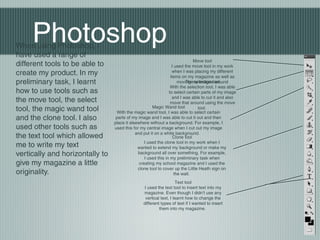
PhotoshopWhen using Photoshop, I
have used a range of
different tools to be able to
create my product. In my
preliminary task, I learnt
how to use tools such as
the move tool, the select
tool, the magic wand tool
and the clone tool. I also
used other tools such as
the text tool which allowed
me to write my text
vertically and horizontally to
give my magazine a little
originality.
Move tool
I used the move tool in my work
when I was placing my different
items on my magazine as well as
moving my images aroundThe selection tool
With the selection tool, I was able
to select certain parts of my image
and I was able to cut it and also
move that around using the move
tool.Magic Wand tool
With the magic wand tool, I was able to select certain
parts of my image and I was able to cut it out and then
place it elsewhere without a background. For example, I
used this for my central image when I cut out my image
and put it on a white background.
Clone tool
I used the clone tool in my work when I
wanted to extend my background or make my
background all over something. For example,
I used this in my preliminary task when
creating my school magazine and I used the
clone tool to cover up the Little Heath sign on
the wall.
Text tool
I used the text tool to insert text into my
magazine. Even though I didn’t use any
vertical text, I learnt how to change the
different types of text if I wanted to insert
them into my magazine.
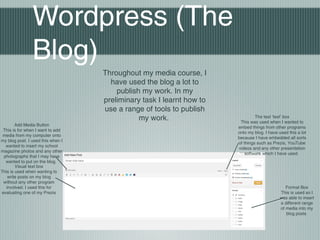
Wordpress (The
Blog)
Throughout my media course, I
have used the blog a lot to
publish my work. In my
preliminary task I learnt how to
use a range of tools to publish
my work.
Add Media Button
This is for when I want to add
media from my computer onto
my blog post. I used this when I
wanted to insert my school
magazine photos and any other
photographs that I may have
wanted to put on the blog.
Visual text box
This is used when wanting to
write posts on my blog
without any other program
involved. I used this for
evaluating one of my Prezis
The text ‘text’ box
This was used when I wanted to
embed things from other programs
onto my blog. I have used this a lot
because I have embedded all sorts
of things such as Prezis, YouTube
videos and any other presentation
software which I have used.
Format Box
This is used so I
was able to insert
a different range
of media into my
blog posts
Prezi
When presenting my work, I have used Prezi a
lot as it gives my presentations a lot more edge
to it and it is also a lot more original than a plain
powerpoint. I have learnt several different tools
on Prezi in order to create my content.
When I first started this course, I had never
heard of Prezi and I wasn’t quite sure on how to
use it or how to move anything around so it
suited to what I wanted it to be. Now that I have
had a lot more experience with Prezi, I am now
able to insert photographs and make transitions
and backgrounds to make my presentations as
interesting as possible.
Conclusion
In conclusion, I have learnt a lot from when I
started my preliminary task that I was able to use
in the making of my music magazine and in the
process of presenting my work. Not only will I be
able to use Prezi and other software in the future
but I will also be able to use Photoshop to make
other products or edit my photographs.
Conclusion
In conclusion, I have learnt a lot from when I
started my preliminary task that I was able to use
in the making of my music magazine and in the
process of presenting my work. Not only will I be
able to use Prezi and other software in the future
but I will also be able to use Photoshop to make
other products or edit my photographs.

Question 7 newyk

  • 1.
    Question 7: Lookingback at your preliminary task, what do you feel you have learnt in the progression from it to the full product? Music Magazine Evaluation
  • 2.
    Starting my preliminary task WhenI first started my preliminary task, I learnt a lot of things such as how to use Photoshop, Wordpress and Prezi I also learnt how to use other websites such as Emaze and other presentation software.
  • 3.
    PhotoshopWhen using Photoshop,I have used a range of different tools to be able to create my product. In my preliminary task, I learnt how to use tools such as the move tool, the select tool, the magic wand tool and the clone tool. I also used other tools such as the text tool which allowed me to write my text vertically and horizontally to give my magazine a little originality. Move tool I used the move tool in my work when I was placing my different items on my magazine as well as moving my images aroundThe selection tool With the selection tool, I was able to select certain parts of my image and I was able to cut it and also move that around using the move tool.Magic Wand tool With the magic wand tool, I was able to select certain parts of my image and I was able to cut it out and then place it elsewhere without a background. For example, I used this for my central image when I cut out my image and put it on a white background. Clone tool I used the clone tool in my work when I wanted to extend my background or make my background all over something. For example, I used this in my preliminary task when creating my school magazine and I used the clone tool to cover up the Little Heath sign on the wall. Text tool I used the text tool to insert text into my magazine. Even though I didn’t use any vertical text, I learnt how to change the different types of text if I wanted to insert them into my magazine.
  • 4.
    Wordpress (The Blog) Throughout mymedia course, I have used the blog a lot to publish my work. In my preliminary task I learnt how to use a range of tools to publish my work. Add Media Button This is for when I want to add media from my computer onto my blog post. I used this when I wanted to insert my school magazine photos and any other photographs that I may have wanted to put on the blog. Visual text box This is used when wanting to write posts on my blog without any other program involved. I used this for evaluating one of my Prezis The text ‘text’ box This was used when I wanted to embed things from other programs onto my blog. I have used this a lot because I have embedded all sorts of things such as Prezis, YouTube videos and any other presentation software which I have used. Format Box This is used so I was able to insert a different range of media into my blog posts
  • 5.
    Prezi When presenting mywork, I have used Prezi a lot as it gives my presentations a lot more edge to it and it is also a lot more original than a plain powerpoint. I have learnt several different tools on Prezi in order to create my content. When I first started this course, I had never heard of Prezi and I wasn’t quite sure on how to use it or how to move anything around so it suited to what I wanted it to be. Now that I have had a lot more experience with Prezi, I am now able to insert photographs and make transitions and backgrounds to make my presentations as interesting as possible.
  • 6.
    Conclusion In conclusion, Ihave learnt a lot from when I started my preliminary task that I was able to use in the making of my music magazine and in the process of presenting my work. Not only will I be able to use Prezi and other software in the future but I will also be able to use Photoshop to make other products or edit my photographs.
  • 7.
    Conclusion In conclusion, Ihave learnt a lot from when I started my preliminary task that I was able to use in the making of my music magazine and in the process of presenting my work. Not only will I be able to use Prezi and other software in the future but I will also be able to use Photoshop to make other products or edit my photographs.