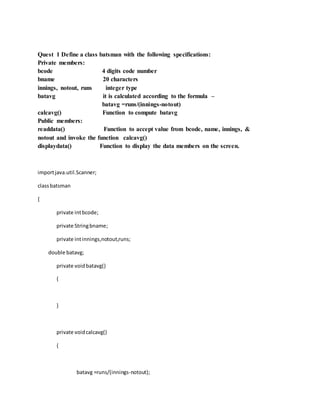
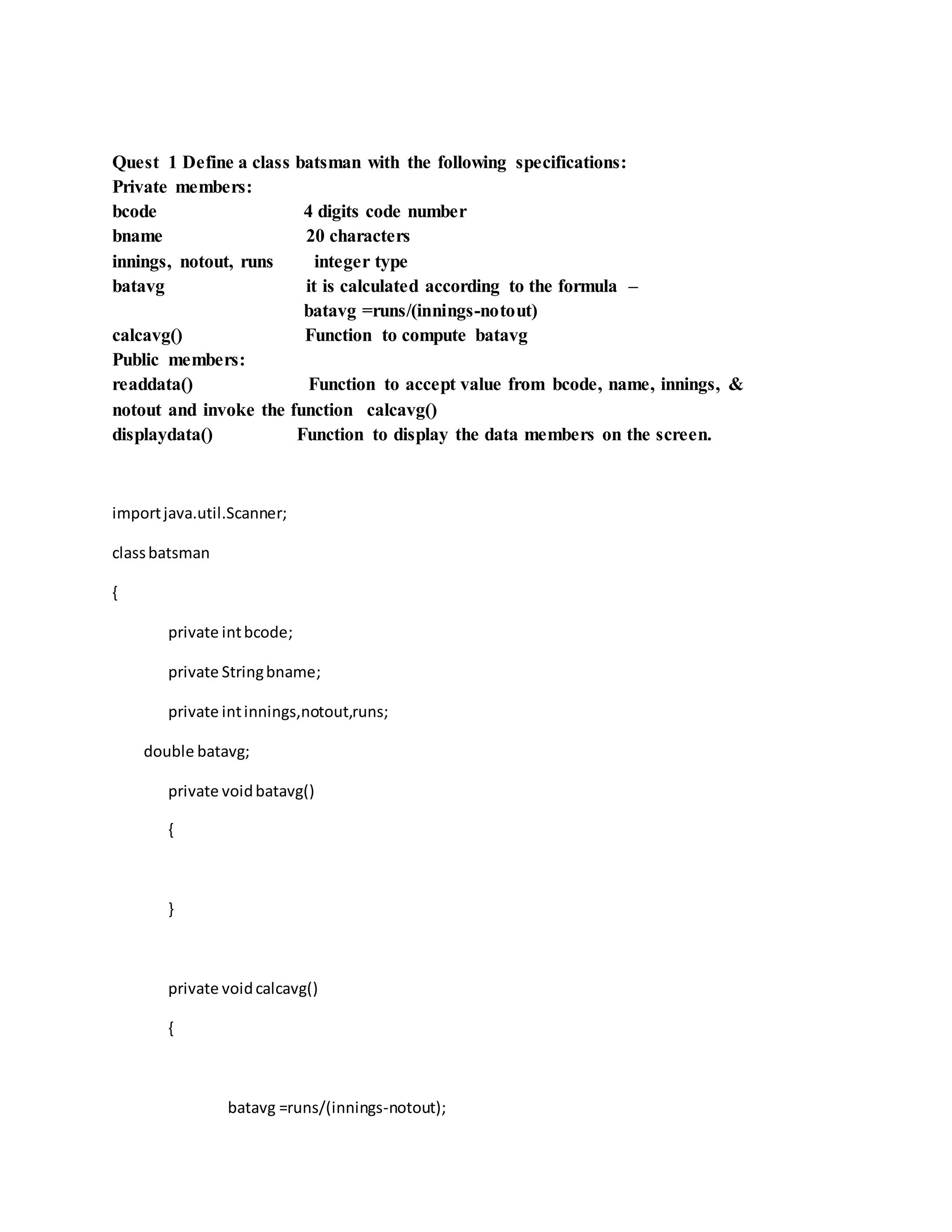
Quest 1 Define a class batsman with the following specifications:
Private members:
bcode 4 digits code number
bname 20 characters
innings, notout, runs integer type
batavg it is calculated according to the formula –
batavg =runs/(innings-notout)
calcavg() Function to compute batavg
Public members:
readdata() Function to accept value from bcode, name, innings, &
notout and invoke the function calcavg()
displaydata() Function to display the data members on the screen.
importjava.util.Scanner;
classbatsman
{
private intbcode;
private Stringbname;
private intinnings,notout,runs;
double batavg;
private voidbatavg()
{
}
private voidcalcavg()
{
batavg =runs/(innings-notout);
}
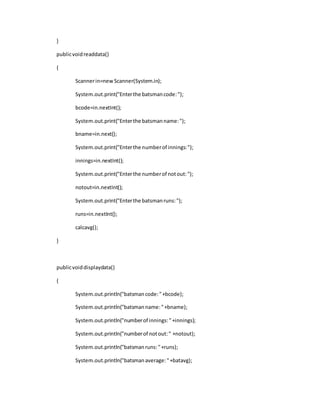
publicvoidreaddata()
{
Scannerin=newScanner(System.in);
System.out.print("Enterthe batsmancode:");
bcode=in.nextInt();
System.out.print("Enterthe batsmanname:");
bname=in.next();
System.out.print("Enterthe numberof innings:");
innings=in.nextInt();
System.out.print("Enterthe numberof notout:");
notout=in.nextInt();
System.out.print("Enterthe batsmanruns:");
runs=in.nextInt();
calcavg();
}
publicvoiddisplaydata()
{
System.out.println("batsmancode:"+bcode);
System.out.println("batsmanname:"+bname);
System.out.println("numberof innings:"+innings);
System.out.println("numberof notout:" +notout);
System.out.println("batsmanruns:"+runs);
System.out.println("batsmanaverage:"+batavg);
}
}
classbatman
{
publicstaticvoidmain(Stringargs[])
{
batsmanb=newbatsman();
b.readdata();
b.displaydata();
}
}
Ques 2. Define a class TEST in JAVA with following description:
Private Members
TestCode of type integer
Description of type string
NoCandidate of type integer
CenterReqd (number of centers required) of type integer
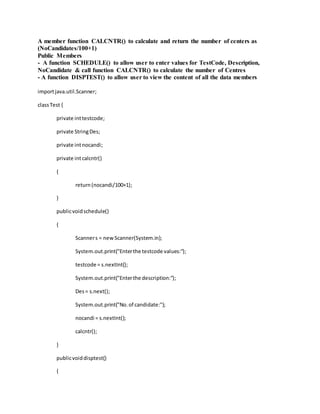
A member function CALCNTR() to calculate and return the number of centers as
(NoCandidates/100+1)
Public Members
- A function SCHEDULE() to allow user to enter values for TestCode, Description,
NoCandidate & call function CALCNTR() to calculate the number of Centres
- A function DISPTEST() to allow user to view the content of all the data members
importjava.util.Scanner;
classTest {
private inttestcode;
private StringDes;
private intnocandi;
private intcalcntr()
{
return(nocandi/100+1);
}
publicvoidschedule()
{
Scanners = newScanner(System.in);
System.out.print("Enterthe testcode values:");
testcode = s.nextInt();
System.out.print("Enterthe description:");
Des= s.next();
System.out.print("No.of candidate:");
nocandi = s.nextInt();
calcntr();
}
publicvoiddisptest()
{
System.out.println("testcode:"+testcode);
System.out.println("descriptionis:"+Des);
System.out.println("no.of centersis:"+nocandi);
}
}
classtestt
{
publicstaticvoidmain(String[] args) {
Testt1 = newTest();
t1.schedule();
t1.disptest();
}
}
Quest3. Define a class in C++ with following description:
Private Members
A data member Flight number of type integer
A data member Destinationof type string
A data member Distance of type float
A data member Fuel of type float
A member function CALFUEL() to calculate the value of Fuel as per the
following criteria
Distance Fuel
<=1000 500
more than 1000 and <=2000 1100
more than 2000 2200
Public Members
A function FEEDINFO()to allow user to enter values for Flight Number,
Destination, Distance & call function CALFUEL() to calculate the quantity of
Fuel
A function SHOWINFO()to allow userto view the content of all the data
members
importjava.util.Scanner;
classflight
{
private intflight_no;
private Stringdestination;
private floatdistance;
private floatfuel;
private voidcalfuel()
{
if (distance<=1000)
fuel=500;
else if(distance>=2000)
fuel=1000;
else fuel=2200;
}
publicvoidFEEDINFO()
{
Scannerin=newScanner(System.in);
System.out.print("Enterthe Flightnumber:");
flight_no=in.nextInt();
System.out.print("Enterthe Destinationof flight:");
destination=in.next();
System.out.print("Enterthe Distance of Flight:");
distance=in.nextFloat();
calfuel();
}
publicvoidSHOWINFO()
{
System.out.println("Flightnumber="+flight_no);
System.out.println("Destinationof flight="+destination);
System.out.println("Distance of Flight="+distance);
System.out.println("Fuel="+fuel);
}
}
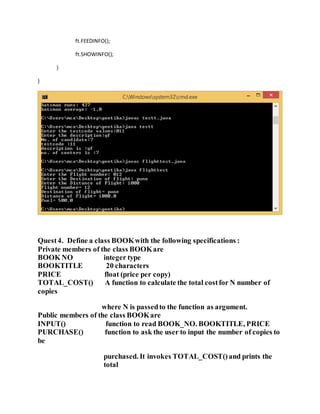
classflighttest
{
publicstaticvoidmain(Stringargs[])
{
flightft=newflight();
ft.FEEDINFO();
ft.SHOWINFO();
}
}
Quest4. Define a class BOOKwith the following specifications :
Private members of the class BOOKare
BOOK NO integer type
BOOKTITLE 20 characters
PRICE float (price per copy)
TOTAL_COST() A function to calculate the total costfor N number of
copies
where N is passedto the function as argument.
Public members of the class BOOKare
INPUT() function to read BOOK_NO. BOOKTITLE, PRICE
PURCHASE() function to ask the user to input the number of copies to
be
purchased. It invokes TOTAL_COST()and prints the
total
costto be paid by the user.
importjava.util.Scanner;
classBOOK
{
private intbook_no,no_copies;
private Stringbook_title;
private floatprice,cost;
private voidTOTAL_COST(intn)
{
cost=n*price;
}
publicvoidinput()
{
Scannerin=newScanner(System.in);
System.out.print("Enterthe BookNumber:");
book_no=in.nextInt();
System.out.print("Enterthe BookTitle:");
book_title=in.next();
System.out.print("Enterthe BookPrice:");
price=in.nextFloat();
}
publicvoidpurchase()
{
Scannerin=newScanner(System.in);
System.out.print("enterthe noof copiespurchase:");
no_copies=in.nextInt();
TOTAL_COST(no_copies);
}
publicvoiddisplay()
{
System.out.println("BookNumber:"+book_no);
System.out.println("BookTitle:"+book_title);
System.out.println("BookPrice:"+price);
System.out.println("Numberof copies:"+no_copies);
System.out.println("totalCost"+cost);
}
}
classbooks
{
publicstaticvoidmain(Stringargs[])
{
BOOKb= newBOOK();
b.input();
b.purchase();
b.display();
}
}
Quest5. Define a class REPORTwith the following specification:
Private members :
adno 4 digit admissionnumber
name 20 characters
marks an array of 5 floating point values
average average marks obtained
GETAVG() a function to compute the average obtainedin five
subject
Public members:
READINFO() function to acceptvalues for adno, name, marks. Invoke
the function GETAVG()
DISPLAYINFO() function to display all data members of report on the
screen.
importjava.util.*;
classReport
{
private intadno;
private Stringname;
private double marks[]={56.00,68.50,69.30,76.00,78.30};
private double avg;
private double getavg()
{
return((56.00+68.50+69.30+76.00+78.30)/5.00);
}
publicvoidreadinfo()
{
Scannerin=newScanner(System.in);
System.out.print("Enter4digitaddmissionnumber:");
adno=in.nextInt();
System.out.print("Entername:");
name=in.next();
}
publicvoiddisplayinfo()
{
System.out.println("The 4digitadmissionnumberis:"+adno);
System.out.println("The name of the studentis:"+name);
System.out.println("The avginfive subjectsobtainedbythe studentis:"+getavg());
}
}
classreportt
{
publicstaticvoidmain(String[] args)
{
Reportobj=newReport();
obj.readinfo();
obj.displayinfo();
}
}
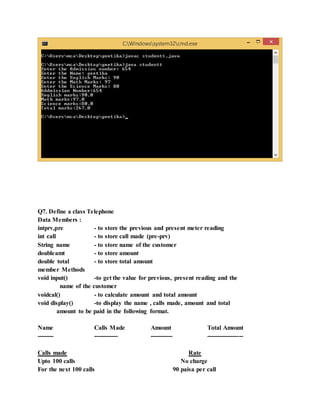
Q6. Define a class student with the following specification
Private members of class student
admno integer
sname 20 character
eng. math, science float
total float
ctotal() a function to calculate eng + math + science with float return type.
Public member function of class student
Takedata() Function to accept values for admno, sname, eng, science
and invoke ctotal() to calculate total.
Showdata() Function to display all the data members on the screen
importjava.util.Scanner;
classStudent
{
private intadno;
private Stringsname;
private floateng,math,sci;
private floattotal;
publicvoidctotal()
{
total=eng+math+sci;
}
publicvoidtakedata()
{
Scannerin=new Scanner(System.in);
System.out.print("Enterthe Admissionnumber:");
adno=in.nextInt();
System.out.print("Enterthe Name:");
sname=in.next();
System.out.print("Enterthe EnglishMarks:");
eng=in.nextFloat();
System.out.print("Enterthe MathMarks: ");
math=in.nextFloat();
System.out.print("Enterthe Science Marks:");
sci=in.nextFloat();
ctotal();
}
publicvoidshowdata()
{
System.out.println("AddmissionNumber:"+adno);
System.out.println("Englishmarks:"+eng);
System.out.println("Mathmarks:"+math);
System.out.println("Science marks:"+sci);
System.out.println("Total marks:"+total);
}
}
classstudentt
{
publicstaticvoidmain(String[] args)
{
Students1=newStudent();
s1.takedata();
s1.showdata();
}
}
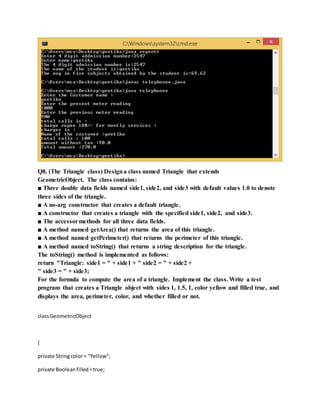
Q7. Define a class Telephone
Data Members :
intprv,pre - to store the previous and present meter reading
int call - to store call made (pre-prv)
String name - to store name of the customer
doubleamt - to store amount
double total - to store total amount
member Methods
void input() -to get the value for previous, present reading and the
name of the customer
voidcal() - to calculate amount and total amount
void display() -to display the name , calls made, amount and total
amount to be paid in the following format.
Name Calls Made Amount Total Amount
-------- ------------ ----------- ------------------
Calls made Rate
Upto 100 calls No charge
For the next 100 calls 90 paisa per call
For the next 200 calls 80 paisa per call
More than 400 calls 70 paisa per call
Every customer has to pay Rs. 180 per month as monthly rent for the services.
importjava.util.Scanner;
classTelephone
{
intprv,pre;
intcall;
Stringname;
double amt;
double total;
voidinput()
{
Scanners = newScanner(System.in);
System.out.println("Enterthe Customername :");
name = s.next();
System.out.println("Enterthe presentmeterreading");
pre = s.nextInt();
System.out.println("Enterthe previousmeterreading");
prv = s.nextInt();
System.out.println("totalcallsis:");
call = (pre-prv);
}
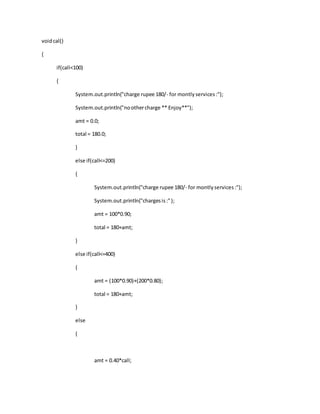
voidcal()
{
if(call<100)
{
System.out.println("charge rupee 180/- for montlyservices:");
System.out.println("noothercharge ** Enjoy**");
amt = 0.0;
total = 180.0;
}
else if(call<=200)
{
System.out.println("charge rupee 180/- for montlyservices:");
System.out.println("chargesis:");
amt = 100*0.90;
total = 180+amt;
}
else if(call<=400)
{
amt = (100*0.90)+(200*0.80);
total = 180+amt;
}
else
{
amt = 0.40*call;
total=180+amt;
}
}
voiddisplay()
{
System.out.println("Name of the customer:"+name);
System.out.println("totalcalls:" +call);
System.out.println("amountwithouttax :"+amt);
System.out.println("Total amount:"+total);
}
}
classtelephonee
{
publicstaticvoidmain(String[] args)
{
Telephone t=newTelephone();
t.input();
t.cal();
t.display();
}
}
Q8. (The Triangle class) Designa class named Triangle that extends
GeometricObject. The class contains:
■ Three double data fields named side1, side2, and side3 with default values 1.0 to denote
three sides of the triangle.
■ A no-arg constructor that creates a default triangle.
■ A constructor that creates a triangle with the specified side1, side2, and side3.
■ The accessormethods for all three data fields.
■ A method named getArea() that returns the area of this triangle.
■ A method named getPerimeter() that returns the perimeter of this triangle.
■ A method named toString() that returns a string description for the triangle.
The toString() method is implemented as follows:
return "Triangle: side1 = " + side1 + " side2 = " + side2 +
" side3 = " + side3;
For the formula to compute the area of a triangle. Implement the class. Write a test
program that creates a Triangle object with sides 1, 1.5, 1, color yellow and filled true, and
displays the area, perimeter, color, and whether filled or not.
classGeometricObject
{
private Stringcolor= "Yellow";
private Booleanfilled=true;
publicStringgetColor()
{
returncolor;
}
publicvoidsetColor(Stringcolor)
{
this.color= color;
}
publicbooleanisFilled()
{
returnfilled;
}
publicvoidsetFilled(booleanfilled)
{
this.filled=filled;
}
publicStringtoStrings()
{
return " Color:" + color+ " and filled:"+ filled;
}
}
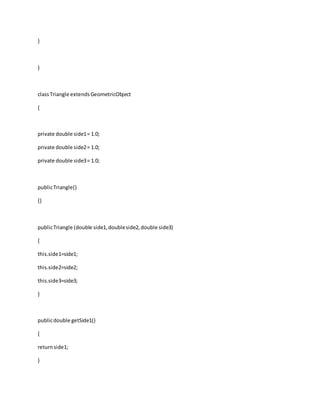
classTriangle extendsGeometricObject
{
private double side1= 1.0;
private double side2= 1.0;
private double side3= 1.0;
publicTriangle()
{}
publicTriangle (double side1,doubleside2,double side3)
{
this.side1=side1;
this.side2=side2;
this.side3=side3;
}
publicdouble getSide1()
{
returnside1;
}
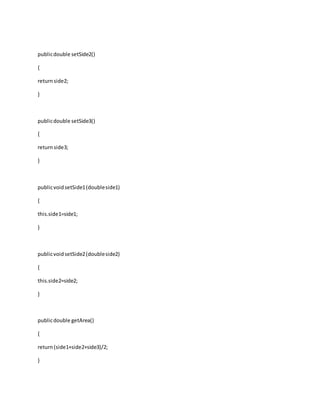
publicdouble setSide2()
{
returnside2;
}
publicdouble setSide3()
{
returnside3;
}
publicvoidsetSide1(doubleside1)
{
this.side1=side1;
}
publicvoidsetSide2(doubleside2)
{
this.side2=side2;
}
publicdouble getArea()
{
return(side1+side2+side3)/2;
}
publicdouble getPerimeter()
{
returnside1+side2+side3;
}
publicStringtoString()
{
return"Side 1 = " + side1+ " Side 2 = " + side2+ " Side 3 = " + side3;
}
}
publicclasstrianglee
{
publicstaticvoidmain(String[ ] args)
{
Triangle Triangle =newTriangle(1,1.5,1);
System.out.println("The Triangle Sidesare " + Triangle.toString());
System.out.println("The Triangle’sAreais" + Triangle.getArea());
System.out.println("The Triangle’sPerimeteris"+ Triangle.getPerimeter());
System.out.println("The Triangle'sColoris" + Triangle.getColor());
System.out.println("The Triangle is"+ Triangle.isFilled());
}
}
Q9. (The Person, Student, Employee, Faculty, and Staff classes) Designa class named
Person and its two subclasses named Student and Employee. Make Faculty and Staff
subclasses of Employee. A person has a name, address, phone number, and email address.
A student has a class status (freshman, sophomore, junior, or senior). Define the status as a
constant. An employee has an office, salary, and date hired. Define a class named MyDate
that contains the fields year, month, and day. A faculty member has office hours and a
rank. A staff member has a title. Override the toString method in each class to display the
class name and the person’s name. Implement the classes. Write a test program that
creates a Person, Student, Employee, Faculty, and Staff, and invokes their toString()
methods.
importjava.util.Scanner;
classmydate
{
intd,m,y;
publicvoidgetdate()
{
Scannerin=newScanner(System.in);
System.out.print("Enterday:");
d=in.nextInt();
System.out.print("Entermonth:");
m=in.nextInt();
System.out.print("EnterYear:");
y=in.nextInt();
}
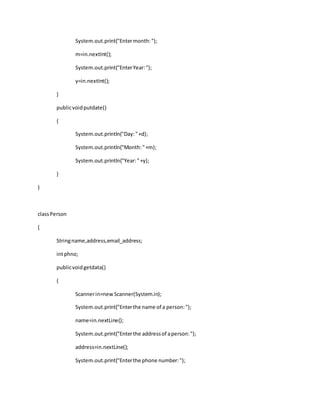
publicvoidputdate()
{
System.out.println("Day:"+d);
System.out.println("Month:"+m);
System.out.println("Year:"+y);
}
}
classPerson
{
Stringname,address,email_address;
intphno;
publicvoidgetdata()
{
Scannerin=newScanner(System.in);
System.out.print("Enterthe name of a person:");
name=in.nextLine();
System.out.print("Enterthe addressof aperson:");
address=in.nextLine();
System.out.print("Enterthe phone number:");
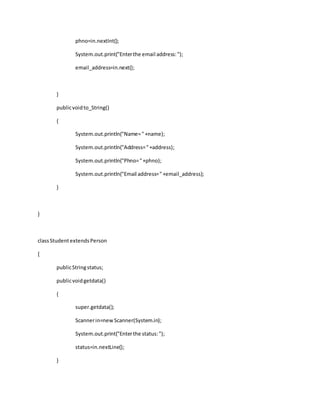
phno=in.nextInt();
System.out.print("Enterthe email address:");
email_address=in.next();
}
publicvoidto_String()
{
System.out.println("Name="+name);
System.out.println("Address="+address);
System.out.println("Phno="+phno);
System.out.println("Email address="+email_address);
}
}
classStudentextendsPerson
{
publicStringstatus;
publicvoidgetdata()
{
super.getdata();
Scannerin=newScanner(System.in);
System.out.print("Enterthe status:");
status=in.nextLine();
}
publicvoidto_String()
{
super.to_String();
System.out.println("Status="+status);
}
}
classEmployee extendsPerson
{
Stringoffice;
intsalary;
mydate hired_date=newmydate();
publicvoidgetdata()
{
super.getdata();
Scannerin=newScanner(System.in);
System.out.print("Enteroffice:");
office=in.next();
System.out.print("Entersalary:");
salary=in.nextInt();
System.out.print("Enterhiredate:");
hired_date.putdate();
}
publicvoidto_String()
{
super.to_String();
System.out.println("Office="+office);
System.out.print("Salary="+salary);
hired_date.putdate();
}
}
classfacultyextendsEmployee
{
intrank;
floatoffice_hrs;
publicvoidgetdata()
{
super.getdata();
Scannerin=newScanner(System.in);
System.out.print("Enterrank:");
rank=in.nextInt();
System.out.print("Enterofficehours:");
office_hrs=in.nextFloat();
}
publicvoid to_String()
{
super.to_String();
System.out.println("Rank="+rank);
System.out.println("Office hours="+office_hrs);
}
}
classstaff extendsEmployee
{
Stringtitle;
publicvoidgetdata()
{
super.getdata();
Scannerin=new Scanner(System.in);
System.out.println("Entertitle:");
title=in.next();
}
publicvoidto_String()
{
super.toString();
System.out.println("title="+title);
}
}
classtesttt
{
publicstaticvoidmain(String[] args)
{
Scannerin=newScanner(System.in);
intch;
System.out.println("Enterthe Information");
System.out.println("n1.Studentn2.facultyn3.staffn");
System.out.print("Enterthe choice:");
ch=in.nextInt();
switch(ch)
{
case 1:
Students=newStudent();
s.getdata();
s.to_String();
break;
case 2:
facultyf=newfaculty();
f.getdata();
f.to_String();
break;
case 3:
staff st=newstaff();
st.getdata();
st.to_String();
break;
default:
System.out.println("Noinformationavailable");
}
}
}
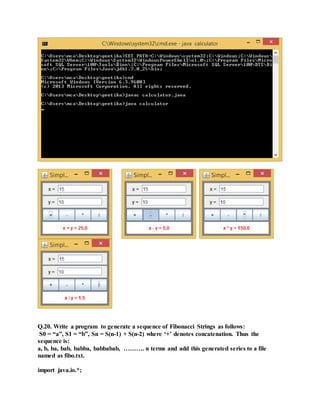
Q.19. Write a program using AWT/swings or create a GUI in application for a simple
calculator. (use proper layout).
import java.awt.*;
import java.awt.event.*;
import javax.swing.*;
public class calculator extends JApplet
{
public static void main(String[] args)
{
JFrame window = new JFrame("Simple Calculator");
CalcPanel content = new CalcPanel();
window.setContentPane(content);
window.pack();
window.setLocation(100,100);
window.setDefaultCloseOperation( JFrame.EXIT_ON_CLOSE );
window.setVisible(true);
}
public void init() {
setContentPane( new CalcPanel() );
}
public static class CalcPanel extends JPanel implements ActionListener
{
private JTextField xInput, yInput;
private JLabel answer;
public CalcPanel() {
setBackground(Color.GRAY);
setBorder( BorderFactory.createEmptyBorder(5,5,5,5) );
xInput = new JTextField("0", 10);
xInput.setBackground(Color.WHITE);
yInput = new JTextField("0", 10);
yInput.setBackground(Color.WHITE);
JPanel xPanel = new JPanel();
xPanel.add( new JLabel(" x = "));
xPanel.add(xInput);
JPanel yPanel = new JPanel();
yPanel.add( new JLabel(" y = "));
yPanel.add(yInput);
JPanel buttonPanel = new JPanel();
buttonPanel.setLayout(new GridLayout(1,4));
JButton plus = new JButton("+");
plus.addActionListener(this);
buttonPanel.add(plus);
JButton minus = new JButton("-");
minus.addActionListener(this);
buttonPanel.add(minus);
JButton times = new JButton("*");
times.addActionListener(this);
buttonPanel.add(times);
JButton divide = new JButton("/");
divide.addActionListener(this);
buttonPanel.add(divide);
answer = new JLabel("x + y = 0", JLabel.CENTER);
answer.setForeground(Color.red);
answer.setBackground(Color.white);
answer.setOpaque(true);
setLayout(new GridLayout(4,1,3,3));
add(xPanel);
add(yPanel);
add(buttonPanel);
add(answer);
xInput.requestFocus();
}
public void actionPerformed(ActionEvent evt) {
double x, y;
try
{
String xStr = xInput.getText();
x = Double.parseDouble(xStr);
}
catch (NumberFormatException e) {
answer.setText("Illegal data for x.");
xInput.requestFocus();
return;
}
try {
String yStr = yInput.getText();
y = Double.parseDouble(yStr);
}
catch (NumberFormatException e) {
answer.setText("Illegal data for y.");
yInput.requestFocus();
return;
}
String op = evt.getActionCommand();
if (op.equals("+"))
answer.setText( "x + y = " + (x+y) );
else if (op.equals("-"))
answer.setText( "x - y = " + (x-y) );
else if (op.equals("*"))
answer.setText( "x * y = " + (x*y) );
else if (op.equals("/")) {
if (y == 0)
answer.setText("Can't divide by zero!");
else
answer.setText( "x / y = " + (x/y) );
}
}
}
}
Q.20. Write a program to generate a sequence of Fibonacci Strings as follows:
S0 = “a”, S1 = “b”, Sn = S(n-1) + S(n-2) where ‘+’ denotes concatenation. Thus the
sequence is:
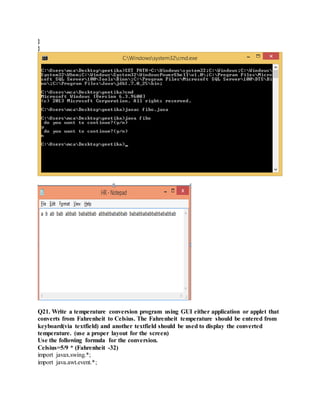
a, b, ba, bab, babba, babbabab, ………. n terms and add this generated series to a file
named as fibo.txt.
import java.io.*;
import java.lang.*;
import java.util.*;
class fibo
{
public static void main(String[] args)
{
FileOutputStream fout=null;
try{
fout = new FileOutputStream("fibo.txt");
char ch='y',t,ar[];
String s1="a",s2="b",s3=null;
t= s1.charAt(0);
fout.write(t); fout.write(' ');
t= s2.charAt(0);
fout.write(t);fout.write(' ');
Scanner reader = new Scanner(System.in);
do
{
s3=s1+s2; s1=s2; s2=s3;
ar=s3.toCharArray();
for(int i=0;i<s3.length();i++)
fout.write(ar[i]);
fout.write(' ');
System.out.println(" do you want to continue?(y/n)");
ch = reader.next().charAt(0);
}
while(ch!='n');
}
catch(IOException e)
{
System.out.println(e);
System.exit(-1);
}
finally{
try{
fout.close();
}
catch(IOException e){}
}
}
}
Q21. Write a temperature conversion program using GUI either application or applet that
converts from Fahrenheit to Celsius. The Fahrenheit temperature should be entered from
keyboard(via textfield) and another textfield should be used to display the converted
temperature. (use a proper layout for the screen)
Use the following formula for the conversion.
Celsius=5/9 * (Fahrenheit -32)
import javax.swing.*;
import java.awt.event.*;
class Converter extends JFrame
{
Converter()
{
super("Converter");
setSize(400,400);
setVisible(true);
setDefaultCloseOperation(JFrame.EXIT_ON_CLOSE);
setLayout(null);
JLabel l1=new JLabel("Enter in Fehrenheit");
final JTextField t1=new JTextField(25);
JButton b=new JButton("Convert To celsius");
JLabel l2=new JLabel("Value in Celsius");
final JTextField t2=new JTextField(25);
t2.setEditable(false);
l1.setBounds(20,50,200,25);
t1.setBounds(200,50,200,25);
b.setBounds(100,100,150,25);
l2.setBounds(20,150,200,25);
t2.setBounds(200,150,200,25);
b.addActionListener(new ActionListener()
{
public void actionPerformed(ActionEvent e) {
try {
double
fahrenheit=Double.parseDouble(t1.getText());
System.out.println(fahrenheit);
t2.setText(""+0.5555*(fahrenheit-32));
}
catch(NumberFormatException nfe){
nfe.printStackTrace();}
}});
add(l1);
add(t1);
add(l2);
add(t2);
add(b);
}
public static void main(String a[])
{
new Converter();
}
}
Q.22. Create an applet which will have three radio buttons for color RED, GREEN, BLUE
on selection of a radio button the background color should be change accordingly.
import java.awt.*;
import java.awt.event.*;
import java.applet.*;
/*<APPLET CODE="choice" WIDTH=400 HEIGHT=400>
</APPLET>*/
public class choice extends Applet implements ItemListener
{
Checkbox cb1,cb2,cb3;
CheckboxGroup cbg=null;
public void init()
{
cbg=new CheckboxGroup();
cb1=new Checkbox("RED",cbg,false);
cb2=new Checkbox("GREEN",cbg,false);
cb3=new Checkbox("YELLOW",cbg,false);
add(cb1); add(cb2); add(cb3);
cb1.addItemListener(this);
cb2.addItemListener(this);
cb3.addItemListener(this);
}
public void itemStateChanged(ItemEvent evt)
{
repaint();
}
public void paint(Graphics g)
{
Checkbox c1=cbg.getSelectedCheckbox();
if(c1.getLabel()=="RED")
setBackground(Color.red);
else if( c1.getLabel() == "GREEN")
setBackground(Color.green);
else if( c1.getLabel() == "YELLOW")
setBackground(Color.yellow);
g.drawString("applet",10,100);
}
}
Output:
Q.23. Write a program to create two threads, one thread will print odd numbers and
second thread will print evennumbers between 1 to 10.
import java.lang.*;
import java.util.*;
class even extends Thread
{
public void run()
{
for(int i=1;i<=10;i++)
{
if((i%2)==0)
System.out.println("Even no. "+i);
}
}
}
class odd extends Thread
{
public void run()
{
for(int i=1;i<=10;i++)
{
if((i%2)!=0)
System.out.println("Odd no. "+i);
}
}
}
class Evenodd
{
public static void main(String[] args)
{
odd od=new odd();
even evn=new even();
od.start();
evn.start();
}
}
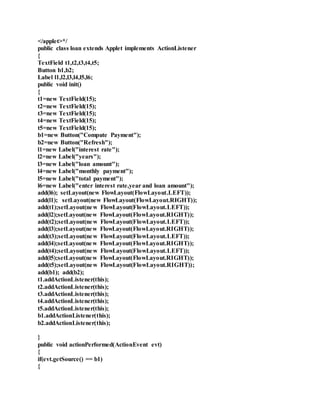
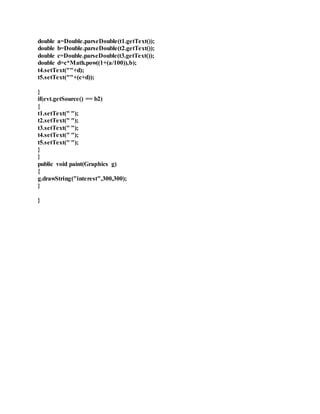
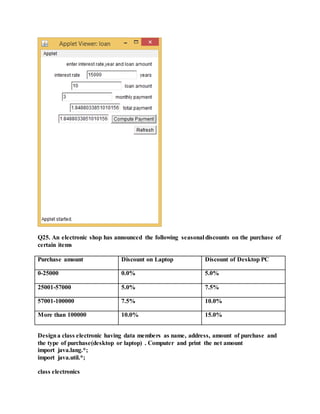
Q24. (Loan calculator):Write an applet for calculating loan payment, as shown in below
Figure. The user can enter the interest rate, the number of years, and the loan amount and
click the Compute Payment button to display the monthly payment and total payment.
import java.awt.*;
import java.awt.event.*;
import java.applet.*;
import java.lang.Math;
/*<applet code="loan" width=300 height=400>
</applet>*/
public class loan extends Applet implements ActionListener
{
TextField t1,t2,t3,t4,t5;
Button b1,b2;
Label l1,l2,l3,l4,l5,l6;
public void init()
{
t1=new TextField(15);
t2=new TextField(15);
t3=new TextField(15);
t4=new TextField(15);
t5=new TextField(15);
b1=new Button("Compute Payment");
b2=new Button("Refresh");
l1=new Label("interest rate");
l2=new Label("years");
l3=new Label("loan amount");
l4=new Label("monthly payment");
l5=new Label("total payment");
l6=new Label("enter interest rate,year and loan amount");
add(l6); setLayout(new FlowLayout(FlowLayout.LEFT));
add(l1); setLayout(new FlowLayout(FlowLayout.RIGHT));
add(t1);setLayout(new FlowLayout(FlowLayout.LEFT));
add(l2);setLayout(new FlowLayout(FlowLayout.RIGHT));
add(t2);setLayout(new FlowLayout(FlowLayout.LEFT));
add(l3);setLayout(new FlowLayout(FlowLayout.RIGHT));
add(t3);setLayout(new FlowLayout(FlowLayout.LEFT));
add(l4);setLayout(new FlowLayout(FlowLayout.RIGHT));
add(t4);setLayout(new FlowLayout(FlowLayout.LEFT));
add(l5);setLayout(new FlowLayout(FlowLayout.RIGHT));
add(t5);setLayout(new FlowLayout(FlowLayout.RIGHT));
add(b1); add(b2);
t1.addActionListener(this);
t2.addActionListener(this);
t3.addActionListener(this);
t4.addActionListener(this);
t5.addActionListener(this);
b1.addActionListener(this);
b2.addActionListener(this);
}
public void actionPerformed(ActionEvent evt)
{
if(evt.getSource() == b1)
{
double a=Double.parseDouble(t1.getText());
double b=Double.parseDouble(t2.getText());
double c=Double.parseDouble(t3.getText());
double d=c*Math.pow((1+(a/100)),b);
t4.setText(""+d);
t5.setText(""+(c+d));
}
if(evt.getSource() == b2)
{
t1.setText(" ");
t2.setText(" ");
t3.setText(" ");
t4.setText(" ");
t5.setText(" ");
}
}
public void paint(Graphics g)
{
g.drawString("interest",300,300);
}
}
Q25. An electronic shop has announced the following seasonal discounts on the purchase of
certain items
Purchase amount Discount on Laptop Discount of Desktop PC
0-25000 0.0% 5.0%
25001-57000 5.0% 7.5%
57001-100000 7.5% 10.0%
More than 100000 10.0% 15.0%
Designa class electronic having data members as name, address, amount of purchase and
the type of purchase(desktop or laptop) . Computer and print the net amount
import java.lang.*;
import java.util.*;
class electronics
{
String name,address,type;
double amount,discount;
electronics()
{
name=null;address=null;type=null; amount=0.0;discount=0.0;
}
void compute(String str,double amt)
{
if(str.equals("Laptop"))
{
if(amt>=25001 && amt<=57000)
discount=amt*(.05);
else if(amt>=57001 && amt<=100000)
discount=amt*(7.5/100);
else if(amt>100000) discount=amt*(10.0/100);
}
if(str.equals("Desktop PC"))
{
if(amt>=0 && amt<=25000) discount=amt*(5.0/100);
else if(amt>=25001 && amt<=57000)
discount=amt*(7.5/100);
else if(amt>=57001 && amt<=100000)
discount=amt*(10.0/100);
else if(amt>100000) discount=amt*(15.0/100);
}
amount -=discount;
System.out.println("total amount for " + str + " is :"+amount);
}
}
class elec
{
public static void main(String[] args)
{
Scanner reader=new Scanner(System.in);
electronics e=new electronics();
System.out.println("enter name");
e.name=reader.nextLine();
System.out.println("enter address");
e.address=reader.nextLine();
System.out.println("1. Laptop n2. DesktopPCnenter choice for type");
int a=reader.nextInt();
switch(a)
{
case 1: e.type="Laptop"; break;
case 2: e.type="DesktopPC"; break;
default: System.out.println("entered wrong choice"); break;
}System.out.println("enter amount");
e.amount=reader.nextDouble();
e.compute(e.type,e.amount);
}
}
Q26. Write a java program to calculate area of different shape (minimum 5 for eq. –
square, rectangle….) by using method overriding concept.
import java.lang.*;
import java.util.*;
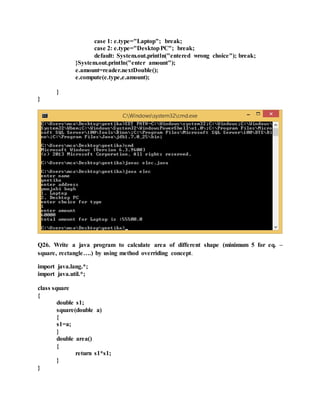
class square
{
double s1;
square(double a)
{
s1=a;
}
double area()
{
return s1*s1;
}
}
class rectangle extends square
{
double s2;
rectangle(double a,double b)
{
super(a); s2=b;
}
double area()
{
return s1*s2;
}
}
class triangle extends square
{
double s2;
triangle(double a,double b)
{
super(a); s2=b;
}
double area()
{
return s1*s2/2;
}
}
class circle extends square
{
circle(double a)
{
super(a);
}
double area()
{
return 3.14*s1*s1;
}
}
class rhombus extends square
{
double s2;
rhombus(double a,double b)
{
super(a); s2=b;
}
double area()
{
return s1*s2/2;
}
}
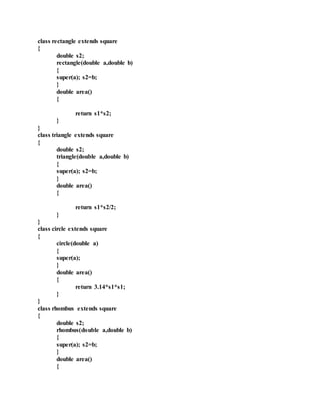
class area
{
public static void main(String[] args)
{
square s1= new square(15.0);
rectangle r1= new rectangle(12.0,13.0);
triangle t1= new triangle(8.0,5.0);
circle c1= new circle(6.0);
rhombus rm1= new rhombus(11.0,9.0);
square s2;
s2=s1; System.out.println("Area of Square :" +s2.area());
s2=r1; System.out.println("Area of rectangle :" +s2.area());
s2=t1; System.out.println("Area of triangle :" +s2.area());
s2=c1; System.out.println("Area of circle :" +s2.area());
s2=rm1; System.out.println("Area of rhombus :" +s2.area());
}
}
Q27. Write a program that prompts the user to enter the name of an ASCII text file and
display the frequency of the characters in the file.
import java.io.*;
class q27
{
static int temp[]=new int[255];
public static void main(String[] args)
{
FileInputStream fin=null;
char c;
try{
fin=new FileInputStream (args[0]);
do
{
c=(char)fin.read();
if(c!='q')
temp[c]++;
else break;
} while(c!=-1);
for(int i=0;i<255;i++)
{
if(temp[i]>0)
System.out.println("char :"+(char)i+" frequency :"+temp[i]);
}
}catch (IOException e) {
e.printStackTrace();
}
finally{
try{fin.close();
}
catch(IOException e) {}}
}
}
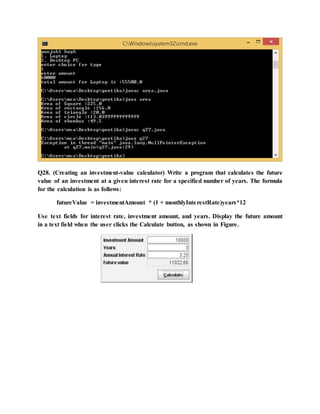
Q28. (Creating an investment-value calculator) Write a program that calculates the future
value of an investment at a given interest rate for a specified number of years. The formula
for the calculation is as follows:
futureValue = investmentAmount * (1 + monthlyInterestRate)years*12
Use text fields for interest rate, investment amount, and years. Display the future amount
in a text field when the user clicks the Calculate button, as shown in Figure.

Quest 1 define a class batsman with the following specifications

  • 1.
    Quest 1 Definea class batsman with the following specifications: Private members: bcode 4 digits code number bname 20 characters innings, notout, runs integer type batavg it is calculated according to the formula – batavg =runs/(innings-notout) calcavg() Function to compute batavg Public members: readdata() Function to accept value from bcode, name, innings, & notout and invoke the function calcavg() displaydata() Function to display the data members on the screen. importjava.util.Scanner; classbatsman { private intbcode; private Stringbname; private intinnings,notout,runs; double batavg; private voidbatavg() { } private voidcalcavg() { batavg =runs/(innings-notout);
  • 2.
    } publicvoidreaddata() { Scannerin=newScanner(System.in); System.out.print("Enterthe batsmancode:"); bcode=in.nextInt(); System.out.print("Enterthe batsmanname:"); bname=in.next(); System.out.print("Enterthenumberof innings:"); innings=in.nextInt(); System.out.print("Enterthe numberof notout:"); notout=in.nextInt(); System.out.print("Enterthe batsmanruns:"); runs=in.nextInt(); calcavg(); } publicvoiddisplaydata() { System.out.println("batsmancode:"+bcode); System.out.println("batsmanname:"+bname); System.out.println("numberof innings:"+innings); System.out.println("numberof notout:" +notout); System.out.println("batsmanruns:"+runs); System.out.println("batsmanaverage:"+batavg);
  • 3.
    } } classbatman { publicstaticvoidmain(Stringargs[]) { batsmanb=newbatsman(); b.readdata(); b.displaydata(); } } Ques 2. Definea class TEST in JAVA with following description: Private Members TestCode of type integer Description of type string NoCandidate of type integer CenterReqd (number of centers required) of type integer
  • 4.
    A member functionCALCNTR() to calculate and return the number of centers as (NoCandidates/100+1) Public Members - A function SCHEDULE() to allow user to enter values for TestCode, Description, NoCandidate & call function CALCNTR() to calculate the number of Centres - A function DISPTEST() to allow user to view the content of all the data members importjava.util.Scanner; classTest { private inttestcode; private StringDes; private intnocandi; private intcalcntr() { return(nocandi/100+1); } publicvoidschedule() { Scanners = newScanner(System.in); System.out.print("Enterthe testcode values:"); testcode = s.nextInt(); System.out.print("Enterthe description:"); Des= s.next(); System.out.print("No.of candidate:"); nocandi = s.nextInt(); calcntr(); } publicvoiddisptest() {
  • 5.
    System.out.println("testcode:"+testcode); System.out.println("descriptionis:"+Des); System.out.println("no.of centersis:"+nocandi); } } classtestt { publicstaticvoidmain(String[] args){ Testt1 = newTest(); t1.schedule(); t1.disptest(); } } Quest3. Define a class in C++ with following description: Private Members A data member Flight number of type integer
  • 6.
    A data memberDestinationof type string A data member Distance of type float A data member Fuel of type float A member function CALFUEL() to calculate the value of Fuel as per the following criteria Distance Fuel <=1000 500 more than 1000 and <=2000 1100 more than 2000 2200 Public Members A function FEEDINFO()to allow user to enter values for Flight Number, Destination, Distance & call function CALFUEL() to calculate the quantity of Fuel A function SHOWINFO()to allow userto view the content of all the data members importjava.util.Scanner; classflight { private intflight_no; private Stringdestination; private floatdistance; private floatfuel; private voidcalfuel() { if (distance<=1000) fuel=500; else if(distance>=2000) fuel=1000; else fuel=2200;
  • 7.
    } publicvoidFEEDINFO() { Scannerin=newScanner(System.in); System.out.print("Enterthe Flightnumber:"); flight_no=in.nextInt(); System.out.print("Enterthe Destinationofflight:"); destination=in.next(); System.out.print("Enterthe Distance of Flight:"); distance=in.nextFloat(); calfuel(); } publicvoidSHOWINFO() { System.out.println("Flightnumber="+flight_no); System.out.println("Destinationof flight="+destination); System.out.println("Distance of Flight="+distance); System.out.println("Fuel="+fuel); } } classflighttest { publicstaticvoidmain(Stringargs[]) { flightft=newflight();
  • 8.
    ft.FEEDINFO(); ft.SHOWINFO(); } } Quest4. Define aclass BOOKwith the following specifications : Private members of the class BOOKare BOOK NO integer type BOOKTITLE 20 characters PRICE float (price per copy) TOTAL_COST() A function to calculate the total costfor N number of copies where N is passedto the function as argument. Public members of the class BOOKare INPUT() function to read BOOK_NO. BOOKTITLE, PRICE PURCHASE() function to ask the user to input the number of copies to be purchased. It invokes TOTAL_COST()and prints the total
  • 9.
    costto be paidby the user. importjava.util.Scanner; classBOOK { private intbook_no,no_copies; private Stringbook_title; private floatprice,cost; private voidTOTAL_COST(intn) { cost=n*price; } publicvoidinput() { Scannerin=newScanner(System.in); System.out.print("Enterthe BookNumber:"); book_no=in.nextInt(); System.out.print("Enterthe BookTitle:"); book_title=in.next(); System.out.print("Enterthe BookPrice:"); price=in.nextFloat(); } publicvoidpurchase() { Scannerin=newScanner(System.in);
  • 10.
  • 11.
    } } Quest5. Define aclass REPORTwith the following specification: Private members : adno 4 digit admissionnumber name 20 characters marks an array of 5 floating point values average average marks obtained GETAVG() a function to compute the average obtainedin five subject Public members: READINFO() function to acceptvalues for adno, name, marks. Invoke the function GETAVG() DISPLAYINFO() function to display all data members of report on the screen. importjava.util.*; classReport {
  • 12.
    private intadno; private Stringname; privatedouble marks[]={56.00,68.50,69.30,76.00,78.30}; private double avg; private double getavg() { return((56.00+68.50+69.30+76.00+78.30)/5.00); } publicvoidreadinfo() { Scannerin=newScanner(System.in); System.out.print("Enter4digitaddmissionnumber:"); adno=in.nextInt(); System.out.print("Entername:"); name=in.next(); } publicvoiddisplayinfo() { System.out.println("The 4digitadmissionnumberis:"+adno); System.out.println("The name of the studentis:"+name); System.out.println("The avginfive subjectsobtainedbythe studentis:"+getavg()); } } classreportt {
  • 13.
    publicstaticvoidmain(String[] args) { Reportobj=newReport(); obj.readinfo(); obj.displayinfo(); } } Q6. Definea class student with the following specification Private members of class student admno integer sname 20 character eng. math, science float total float ctotal() a function to calculate eng + math + science with float return type. Public member function of class student Takedata() Function to accept values for admno, sname, eng, science and invoke ctotal() to calculate total. Showdata() Function to display all the data members on the screen importjava.util.Scanner;
  • 14.
    classStudent { private intadno; private Stringsname; privatefloateng,math,sci; private floattotal; publicvoidctotal() { total=eng+math+sci; } publicvoidtakedata() { Scannerin=new Scanner(System.in); System.out.print("Enterthe Admissionnumber:"); adno=in.nextInt(); System.out.print("Enterthe Name:"); sname=in.next(); System.out.print("Enterthe EnglishMarks:"); eng=in.nextFloat(); System.out.print("Enterthe MathMarks: "); math=in.nextFloat(); System.out.print("Enterthe Science Marks:"); sci=in.nextFloat(); ctotal(); }
  • 15.
  • 16.
    Q7. Define aclass Telephone Data Members : intprv,pre - to store the previous and present meter reading int call - to store call made (pre-prv) String name - to store name of the customer doubleamt - to store amount double total - to store total amount member Methods void input() -to get the value for previous, present reading and the name of the customer voidcal() - to calculate amount and total amount void display() -to display the name , calls made, amount and total amount to be paid in the following format. Name Calls Made Amount Total Amount -------- ------------ ----------- ------------------ Calls made Rate Upto 100 calls No charge For the next 100 calls 90 paisa per call
  • 17.
    For the next200 calls 80 paisa per call More than 400 calls 70 paisa per call Every customer has to pay Rs. 180 per month as monthly rent for the services. importjava.util.Scanner; classTelephone { intprv,pre; intcall; Stringname; double amt; double total; voidinput() { Scanners = newScanner(System.in); System.out.println("Enterthe Customername :"); name = s.next(); System.out.println("Enterthe presentmeterreading"); pre = s.nextInt(); System.out.println("Enterthe previousmeterreading"); prv = s.nextInt(); System.out.println("totalcallsis:"); call = (pre-prv); }
  • 18.
    voidcal() { if(call<100) { System.out.println("charge rupee 180/-for montlyservices:"); System.out.println("noothercharge ** Enjoy**"); amt = 0.0; total = 180.0; } else if(call<=200) { System.out.println("charge rupee 180/- for montlyservices:"); System.out.println("chargesis:"); amt = 100*0.90; total = 180+amt; } else if(call<=400) { amt = (100*0.90)+(200*0.80); total = 180+amt; } else { amt = 0.40*call;
  • 19.
    total=180+amt; } } voiddisplay() { System.out.println("Name of thecustomer:"+name); System.out.println("totalcalls:" +call); System.out.println("amountwithouttax :"+amt); System.out.println("Total amount:"+total); } } classtelephonee { publicstaticvoidmain(String[] args) { Telephone t=newTelephone(); t.input(); t.cal(); t.display(); } }
  • 20.
    Q8. (The Triangleclass) Designa class named Triangle that extends GeometricObject. The class contains: ■ Three double data fields named side1, side2, and side3 with default values 1.0 to denote three sides of the triangle. ■ A no-arg constructor that creates a default triangle. ■ A constructor that creates a triangle with the specified side1, side2, and side3. ■ The accessormethods for all three data fields. ■ A method named getArea() that returns the area of this triangle. ■ A method named getPerimeter() that returns the perimeter of this triangle. ■ A method named toString() that returns a string description for the triangle. The toString() method is implemented as follows: return "Triangle: side1 = " + side1 + " side2 = " + side2 + " side3 = " + side3; For the formula to compute the area of a triangle. Implement the class. Write a test program that creates a Triangle object with sides 1, 1.5, 1, color yellow and filled true, and displays the area, perimeter, color, and whether filled or not. classGeometricObject { private Stringcolor= "Yellow"; private Booleanfilled=true;
  • 21.
  • 22.
    } } classTriangle extendsGeometricObject { private doubleside1= 1.0; private double side2= 1.0; private double side3= 1.0; publicTriangle() {} publicTriangle (double side1,doubleside2,double side3) { this.side1=side1; this.side2=side2; this.side3=side3; } publicdouble getSide1() { returnside1; }
  • 23.
  • 24.
    publicdouble getPerimeter() { returnside1+side2+side3; } publicStringtoString() { return"Side 1= " + side1+ " Side 2 = " + side2+ " Side 3 = " + side3; } } publicclasstrianglee { publicstaticvoidmain(String[ ] args) { Triangle Triangle =newTriangle(1,1.5,1); System.out.println("The Triangle Sidesare " + Triangle.toString()); System.out.println("The Triangle’sAreais" + Triangle.getArea()); System.out.println("The Triangle’sPerimeteris"+ Triangle.getPerimeter()); System.out.println("The Triangle'sColoris" + Triangle.getColor()); System.out.println("The Triangle is"+ Triangle.isFilled()); } }
  • 25.
    Q9. (The Person,Student, Employee, Faculty, and Staff classes) Designa class named Person and its two subclasses named Student and Employee. Make Faculty and Staff subclasses of Employee. A person has a name, address, phone number, and email address. A student has a class status (freshman, sophomore, junior, or senior). Define the status as a constant. An employee has an office, salary, and date hired. Define a class named MyDate that contains the fields year, month, and day. A faculty member has office hours and a rank. A staff member has a title. Override the toString method in each class to display the class name and the person’s name. Implement the classes. Write a test program that creates a Person, Student, Employee, Faculty, and Staff, and invokes their toString() methods. importjava.util.Scanner; classmydate { intd,m,y; publicvoidgetdate() { Scannerin=newScanner(System.in); System.out.print("Enterday:"); d=in.nextInt();
  • 26.
  • 27.
    phno=in.nextInt(); System.out.print("Enterthe email address:"); email_address=in.next(); } publicvoidto_String() { System.out.println("Name="+name); System.out.println("Address="+address); System.out.println("Phno="+phno); System.out.println("Emailaddress="+email_address); } } classStudentextendsPerson { publicStringstatus; publicvoidgetdata() { super.getdata(); Scannerin=newScanner(System.in); System.out.print("Enterthe status:"); status=in.nextLine(); }
  • 28.
  • 29.
  • 30.
  • 31.
    intch; System.out.println("Enterthe Information"); System.out.println("n1.Studentn2.facultyn3.staffn"); System.out.print("Enterthe choice:"); ch=in.nextInt(); switch(ch) { case1: Students=newStudent(); s.getdata(); s.to_String(); break; case 2: facultyf=newfaculty(); f.getdata(); f.to_String(); break; case 3: staff st=newstaff(); st.getdata(); st.to_String(); break; default: System.out.println("Noinformationavailable"); }
  • 32.
    } } Q.19. Write aprogram using AWT/swings or create a GUI in application for a simple calculator. (use proper layout). import java.awt.*; import java.awt.event.*; import javax.swing.*; public class calculator extends JApplet { public static void main(String[] args) { JFrame window = new JFrame("Simple Calculator"); CalcPanel content = new CalcPanel(); window.setContentPane(content); window.pack(); window.setLocation(100,100); window.setDefaultCloseOperation( JFrame.EXIT_ON_CLOSE ); window.setVisible(true); } public void init() { setContentPane( new CalcPanel() ); } public static class CalcPanel extends JPanel implements ActionListener { private JTextField xInput, yInput;
  • 33.
    private JLabel answer; publicCalcPanel() { setBackground(Color.GRAY); setBorder( BorderFactory.createEmptyBorder(5,5,5,5) ); xInput = new JTextField("0", 10); xInput.setBackground(Color.WHITE); yInput = new JTextField("0", 10); yInput.setBackground(Color.WHITE); JPanel xPanel = new JPanel(); xPanel.add( new JLabel(" x = ")); xPanel.add(xInput); JPanel yPanel = new JPanel(); yPanel.add( new JLabel(" y = ")); yPanel.add(yInput); JPanel buttonPanel = new JPanel(); buttonPanel.setLayout(new GridLayout(1,4)); JButton plus = new JButton("+"); plus.addActionListener(this); buttonPanel.add(plus); JButton minus = new JButton("-"); minus.addActionListener(this); buttonPanel.add(minus); JButton times = new JButton("*"); times.addActionListener(this); buttonPanel.add(times); JButton divide = new JButton("/"); divide.addActionListener(this); buttonPanel.add(divide); answer = new JLabel("x + y = 0", JLabel.CENTER); answer.setForeground(Color.red); answer.setBackground(Color.white); answer.setOpaque(true); setLayout(new GridLayout(4,1,3,3)); add(xPanel); add(yPanel); add(buttonPanel); add(answer); xInput.requestFocus(); } public void actionPerformed(ActionEvent evt) { double x, y; try { String xStr = xInput.getText(); x = Double.parseDouble(xStr); }
  • 34.
    catch (NumberFormatException e){ answer.setText("Illegal data for x."); xInput.requestFocus(); return; } try { String yStr = yInput.getText(); y = Double.parseDouble(yStr); } catch (NumberFormatException e) { answer.setText("Illegal data for y."); yInput.requestFocus(); return; } String op = evt.getActionCommand(); if (op.equals("+")) answer.setText( "x + y = " + (x+y) ); else if (op.equals("-")) answer.setText( "x - y = " + (x-y) ); else if (op.equals("*")) answer.setText( "x * y = " + (x*y) ); else if (op.equals("/")) { if (y == 0) answer.setText("Can't divide by zero!"); else answer.setText( "x / y = " + (x/y) ); } } } }
  • 35.
    Q.20. Write aprogram to generate a sequence of Fibonacci Strings as follows: S0 = “a”, S1 = “b”, Sn = S(n-1) + S(n-2) where ‘+’ denotes concatenation. Thus the sequence is: a, b, ba, bab, babba, babbabab, ………. n terms and add this generated series to a file named as fibo.txt. import java.io.*;
  • 36.
    import java.lang.*; import java.util.*; classfibo { public static void main(String[] args) { FileOutputStream fout=null; try{ fout = new FileOutputStream("fibo.txt"); char ch='y',t,ar[]; String s1="a",s2="b",s3=null; t= s1.charAt(0); fout.write(t); fout.write(' '); t= s2.charAt(0); fout.write(t);fout.write(' '); Scanner reader = new Scanner(System.in); do { s3=s1+s2; s1=s2; s2=s3; ar=s3.toCharArray(); for(int i=0;i<s3.length();i++) fout.write(ar[i]); fout.write(' '); System.out.println(" do you want to continue?(y/n)"); ch = reader.next().charAt(0); } while(ch!='n'); } catch(IOException e) { System.out.println(e); System.exit(-1); } finally{ try{ fout.close(); } catch(IOException e){} }
  • 37.
    } } Q21. Write atemperature conversion program using GUI either application or applet that converts from Fahrenheit to Celsius. The Fahrenheit temperature should be entered from keyboard(via textfield) and another textfield should be used to display the converted temperature. (use a proper layout for the screen) Use the following formula for the conversion. Celsius=5/9 * (Fahrenheit -32) import javax.swing.*; import java.awt.event.*;
  • 38.
    class Converter extendsJFrame { Converter() { super("Converter"); setSize(400,400); setVisible(true); setDefaultCloseOperation(JFrame.EXIT_ON_CLOSE); setLayout(null); JLabel l1=new JLabel("Enter in Fehrenheit"); final JTextField t1=new JTextField(25); JButton b=new JButton("Convert To celsius"); JLabel l2=new JLabel("Value in Celsius"); final JTextField t2=new JTextField(25); t2.setEditable(false); l1.setBounds(20,50,200,25); t1.setBounds(200,50,200,25); b.setBounds(100,100,150,25); l2.setBounds(20,150,200,25); t2.setBounds(200,150,200,25); b.addActionListener(new ActionListener() { public void actionPerformed(ActionEvent e) { try { double fahrenheit=Double.parseDouble(t1.getText()); System.out.println(fahrenheit); t2.setText(""+0.5555*(fahrenheit-32)); } catch(NumberFormatException nfe){ nfe.printStackTrace();} }}); add(l1); add(t1); add(l2); add(t2); add(b); } public static void main(String a[]) { new Converter(); } }
  • 39.
    Q.22. Create anapplet which will have three radio buttons for color RED, GREEN, BLUE on selection of a radio button the background color should be change accordingly. import java.awt.*; import java.awt.event.*; import java.applet.*; /*<APPLET CODE="choice" WIDTH=400 HEIGHT=400> </APPLET>*/ public class choice extends Applet implements ItemListener { Checkbox cb1,cb2,cb3; CheckboxGroup cbg=null; public void init() { cbg=new CheckboxGroup();
  • 40.
    cb1=new Checkbox("RED",cbg,false); cb2=new Checkbox("GREEN",cbg,false); cb3=newCheckbox("YELLOW",cbg,false); add(cb1); add(cb2); add(cb3); cb1.addItemListener(this); cb2.addItemListener(this); cb3.addItemListener(this); } public void itemStateChanged(ItemEvent evt) { repaint(); } public void paint(Graphics g) { Checkbox c1=cbg.getSelectedCheckbox(); if(c1.getLabel()=="RED") setBackground(Color.red); else if( c1.getLabel() == "GREEN") setBackground(Color.green); else if( c1.getLabel() == "YELLOW") setBackground(Color.yellow); g.drawString("applet",10,100); } }
  • 41.
    Output: Q.23. Write aprogram to create two threads, one thread will print odd numbers and second thread will print evennumbers between 1 to 10. import java.lang.*; import java.util.*; class even extends Thread { public void run() { for(int i=1;i<=10;i++) { if((i%2)==0) System.out.println("Even no. "+i); } } } class odd extends Thread { public void run() { for(int i=1;i<=10;i++) { if((i%2)!=0) System.out.println("Odd no. "+i); } } } class Evenodd { public static void main(String[] args) { odd od=new odd(); even evn=new even(); od.start();
  • 42.
    evn.start(); } } Q24. (Loan calculator):Writean applet for calculating loan payment, as shown in below Figure. The user can enter the interest rate, the number of years, and the loan amount and click the Compute Payment button to display the monthly payment and total payment. import java.awt.*; import java.awt.event.*; import java.applet.*; import java.lang.Math; /*<applet code="loan" width=300 height=400>
  • 43.
    </applet>*/ public class loanextends Applet implements ActionListener { TextField t1,t2,t3,t4,t5; Button b1,b2; Label l1,l2,l3,l4,l5,l6; public void init() { t1=new TextField(15); t2=new TextField(15); t3=new TextField(15); t4=new TextField(15); t5=new TextField(15); b1=new Button("Compute Payment"); b2=new Button("Refresh"); l1=new Label("interest rate"); l2=new Label("years"); l3=new Label("loan amount"); l4=new Label("monthly payment"); l5=new Label("total payment"); l6=new Label("enter interest rate,year and loan amount"); add(l6); setLayout(new FlowLayout(FlowLayout.LEFT)); add(l1); setLayout(new FlowLayout(FlowLayout.RIGHT)); add(t1);setLayout(new FlowLayout(FlowLayout.LEFT)); add(l2);setLayout(new FlowLayout(FlowLayout.RIGHT)); add(t2);setLayout(new FlowLayout(FlowLayout.LEFT)); add(l3);setLayout(new FlowLayout(FlowLayout.RIGHT)); add(t3);setLayout(new FlowLayout(FlowLayout.LEFT)); add(l4);setLayout(new FlowLayout(FlowLayout.RIGHT)); add(t4);setLayout(new FlowLayout(FlowLayout.LEFT)); add(l5);setLayout(new FlowLayout(FlowLayout.RIGHT)); add(t5);setLayout(new FlowLayout(FlowLayout.RIGHT)); add(b1); add(b2); t1.addActionListener(this); t2.addActionListener(this); t3.addActionListener(this); t4.addActionListener(this); t5.addActionListener(this); b1.addActionListener(this); b2.addActionListener(this); } public void actionPerformed(ActionEvent evt) { if(evt.getSource() == b1) {
  • 44.
    double a=Double.parseDouble(t1.getText()); double b=Double.parseDouble(t2.getText()); doublec=Double.parseDouble(t3.getText()); double d=c*Math.pow((1+(a/100)),b); t4.setText(""+d); t5.setText(""+(c+d)); } if(evt.getSource() == b2) { t1.setText(" "); t2.setText(" "); t3.setText(" "); t4.setText(" "); t5.setText(" "); } } public void paint(Graphics g) { g.drawString("interest",300,300); } }
  • 45.
    Q25. An electronicshop has announced the following seasonal discounts on the purchase of certain items Purchase amount Discount on Laptop Discount of Desktop PC 0-25000 0.0% 5.0% 25001-57000 5.0% 7.5% 57001-100000 7.5% 10.0% More than 100000 10.0% 15.0% Designa class electronic having data members as name, address, amount of purchase and the type of purchase(desktop or laptop) . Computer and print the net amount import java.lang.*; import java.util.*; class electronics
  • 46.
    { String name,address,type; double amount,discount; electronics() { name=null;address=null;type=null;amount=0.0;discount=0.0; } void compute(String str,double amt) { if(str.equals("Laptop")) { if(amt>=25001 && amt<=57000) discount=amt*(.05); else if(amt>=57001 && amt<=100000) discount=amt*(7.5/100); else if(amt>100000) discount=amt*(10.0/100); } if(str.equals("Desktop PC")) { if(amt>=0 && amt<=25000) discount=amt*(5.0/100); else if(amt>=25001 && amt<=57000) discount=amt*(7.5/100); else if(amt>=57001 && amt<=100000) discount=amt*(10.0/100); else if(amt>100000) discount=amt*(15.0/100); } amount -=discount; System.out.println("total amount for " + str + " is :"+amount); } } class elec { public static void main(String[] args) { Scanner reader=new Scanner(System.in); electronics e=new electronics(); System.out.println("enter name"); e.name=reader.nextLine(); System.out.println("enter address"); e.address=reader.nextLine(); System.out.println("1. Laptop n2. DesktopPCnenter choice for type"); int a=reader.nextInt(); switch(a) {
  • 47.
    case 1: e.type="Laptop";break; case 2: e.type="DesktopPC"; break; default: System.out.println("entered wrong choice"); break; }System.out.println("enter amount"); e.amount=reader.nextDouble(); e.compute(e.type,e.amount); } } Q26. Write a java program to calculate area of different shape (minimum 5 for eq. – square, rectangle….) by using method overriding concept. import java.lang.*; import java.util.*; class square { double s1; square(double a) { s1=a; } double area() { return s1*s1; } }
  • 48.
    class rectangle extendssquare { double s2; rectangle(double a,double b) { super(a); s2=b; } double area() { return s1*s2; } } class triangle extends square { double s2; triangle(double a,double b) { super(a); s2=b; } double area() { return s1*s2/2; } } class circle extends square { circle(double a) { super(a); } double area() { return 3.14*s1*s1; } } class rhombus extends square { double s2; rhombus(double a,double b) { super(a); s2=b; } double area() {
  • 49.
    return s1*s2/2; } } class area { publicstatic void main(String[] args) { square s1= new square(15.0); rectangle r1= new rectangle(12.0,13.0); triangle t1= new triangle(8.0,5.0); circle c1= new circle(6.0); rhombus rm1= new rhombus(11.0,9.0); square s2; s2=s1; System.out.println("Area of Square :" +s2.area()); s2=r1; System.out.println("Area of rectangle :" +s2.area()); s2=t1; System.out.println("Area of triangle :" +s2.area()); s2=c1; System.out.println("Area of circle :" +s2.area()); s2=rm1; System.out.println("Area of rhombus :" +s2.area()); } }
  • 50.
    Q27. Write aprogram that prompts the user to enter the name of an ASCII text file and display the frequency of the characters in the file. import java.io.*; class q27 { static int temp[]=new int[255]; public static void main(String[] args) { FileInputStream fin=null; char c; try{ fin=new FileInputStream (args[0]); do { c=(char)fin.read(); if(c!='q') temp[c]++; else break; } while(c!=-1); for(int i=0;i<255;i++) { if(temp[i]>0) System.out.println("char :"+(char)i+" frequency :"+temp[i]); } }catch (IOException e) { e.printStackTrace(); } finally{ try{fin.close(); } catch(IOException e) {}} } }
  • 51.
    Q28. (Creating aninvestment-value calculator) Write a program that calculates the future value of an investment at a given interest rate for a specified number of years. The formula for the calculation is as follows: futureValue = investmentAmount * (1 + monthlyInterestRate)years*12 Use text fields for interest rate, investment amount, and years. Display the future amount in a text field when the user clicks the Calculate button, as shown in Figure.