Introduction to classand objects: Defining
class and objects
Lecture 2
Department of Computer Science and Engineering, ITER
Siksha ’O’ Anusandhan (Deemed to be University), Bhubaneswar, Odisha, India.
1 / 33
2.
Contents
1 Introduction toclass and Object
2 Class: A Blueprint
3 Object: A Physical Entity
4 Ways to Initialize Object
5 Use of Multiple Java Classes
6 Variables in Java
7 Memory Allocation for Objects in Java
8 Passing Arguments into a member function of a class
9 Returning Objects from Methods in Java
2 / 33
3.
Introduction to classand Object
This lecturer note sketches the foundation on which the entire Java programming
Language is developed.
After knowing the basic building blocks of programming languages like Operators,
Conditional statements, Loops, now it’s the time to proceed towards different concepts of
Object Oriented Programming Languages(OOPs).
Java Classes and Objects are one of the core building blocks of Java applications,
frameworks and APIs (Application Programming Interfaces).
Java is an object-oriented programming language where everything in Java is associated
with classes and objects.
Let us now look deep into the real-world, where we find everything around us are objects
such as cars, dogs, humans, etc.
These objects have some states and behaviors which are used to differentiate them
properly.
If we consider a human i,e a student, then its state are name, branch,regdno, sec, marks
etc. and the behavior like reading, playing, eating etc.
3 / 33
4.
Continue...
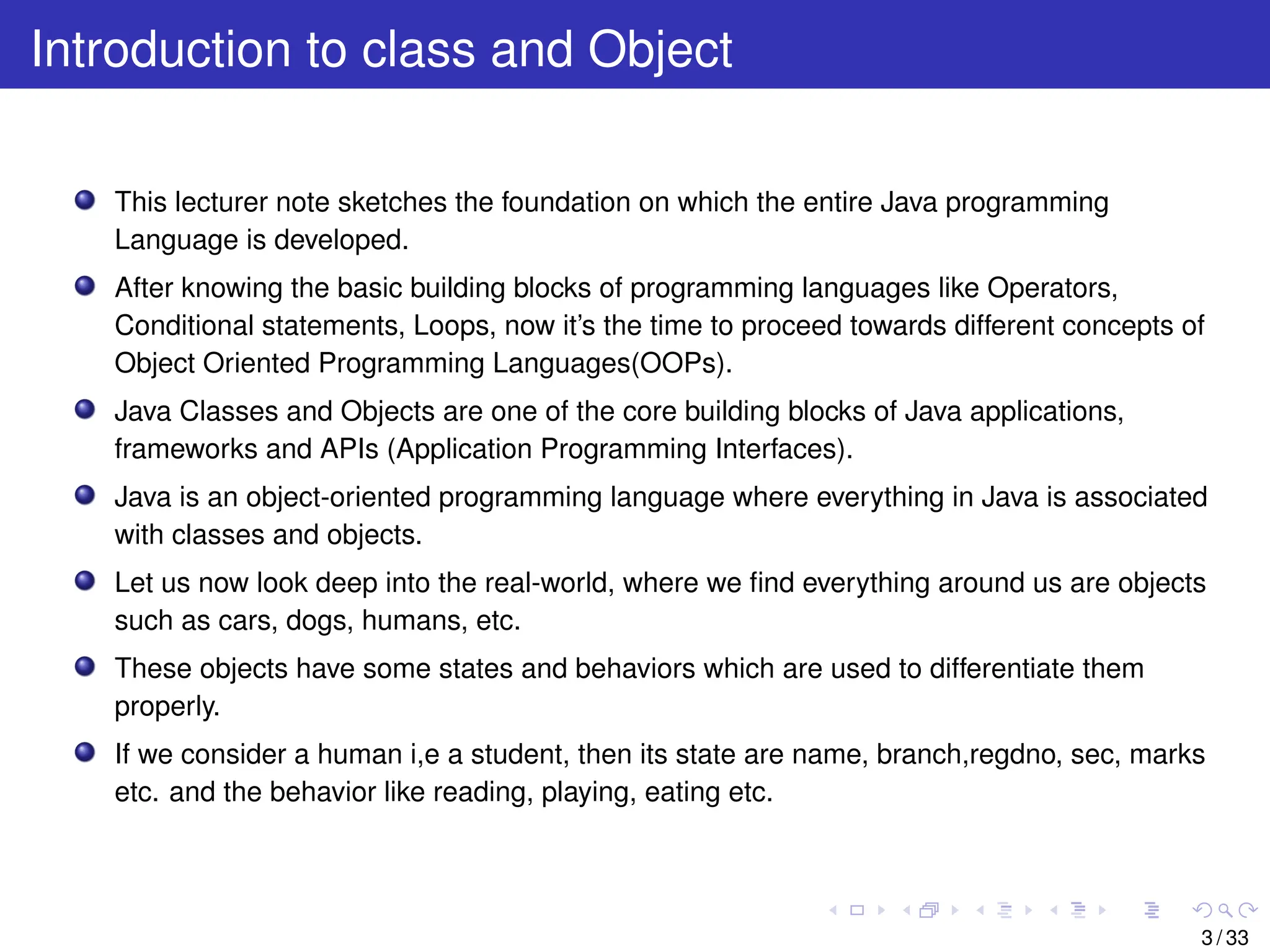
Figure 1 pictoriallyrepresents the states and behaviors of a student.
Figure 1: Characteristics of a Student Object
Our basic aim is to relate the real wold objects with software objects and class is one of the
concept of Object-Oriented Programming which revolve around the real-life entities i,e
objects.
Class in Java logically describes how an object will behave and what the object will contain.
4 / 33
5.
Continue...
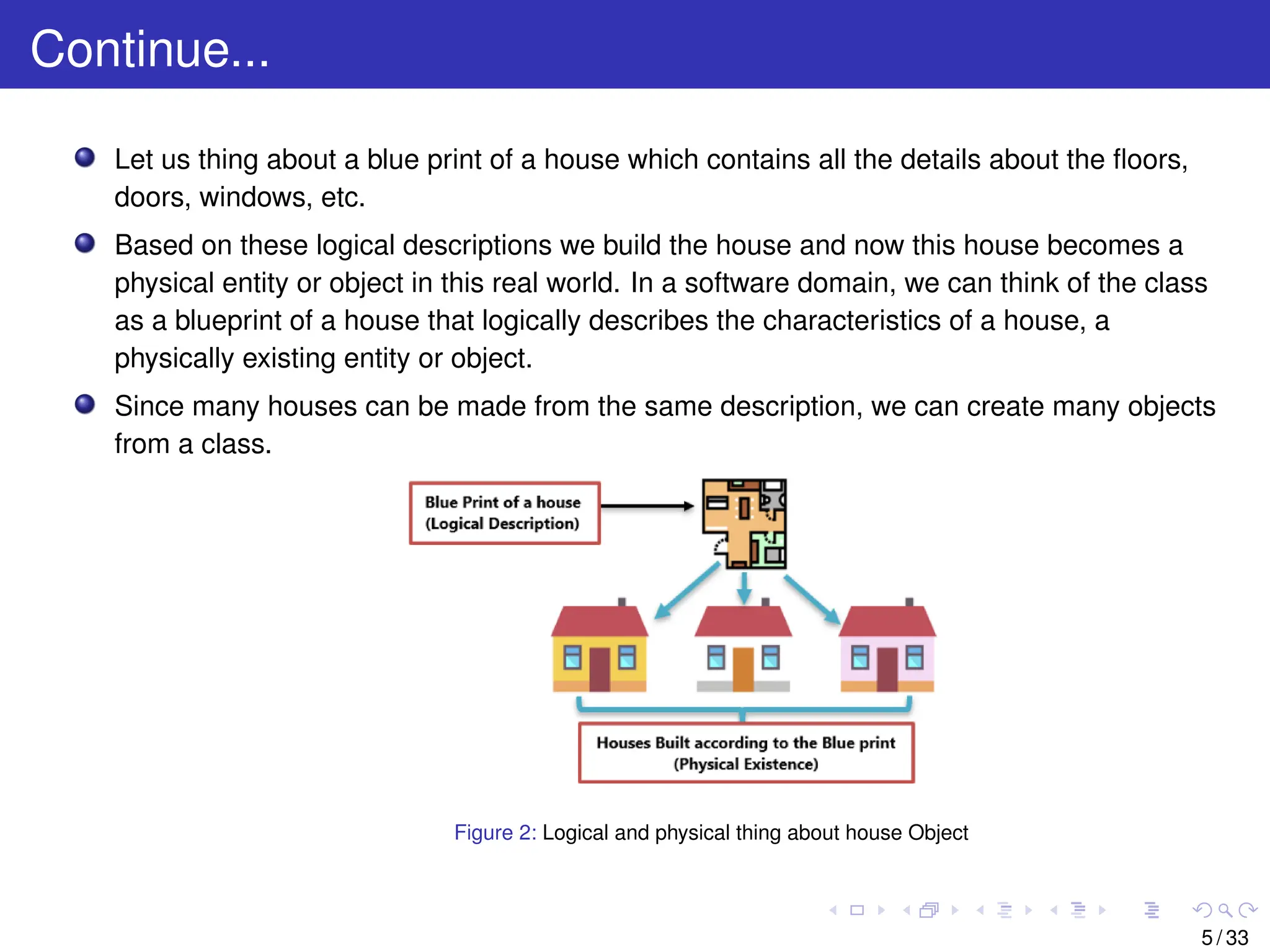
Let us thingabout a blue print of a house which contains all the details about the floors,
doors, windows, etc.
Based on these logical descriptions we build the house and now this house becomes a
physical entity or object in this real world. In a software domain, we can think of the class
as a blueprint of a house that logically describes the characteristics of a house, a
physically existing entity or object.
Since many houses can be made from the same description, we can create many objects
from a class.
Figure 2: Logical and physical thing about house Object
5 / 33
6.
Class: A Blueprint
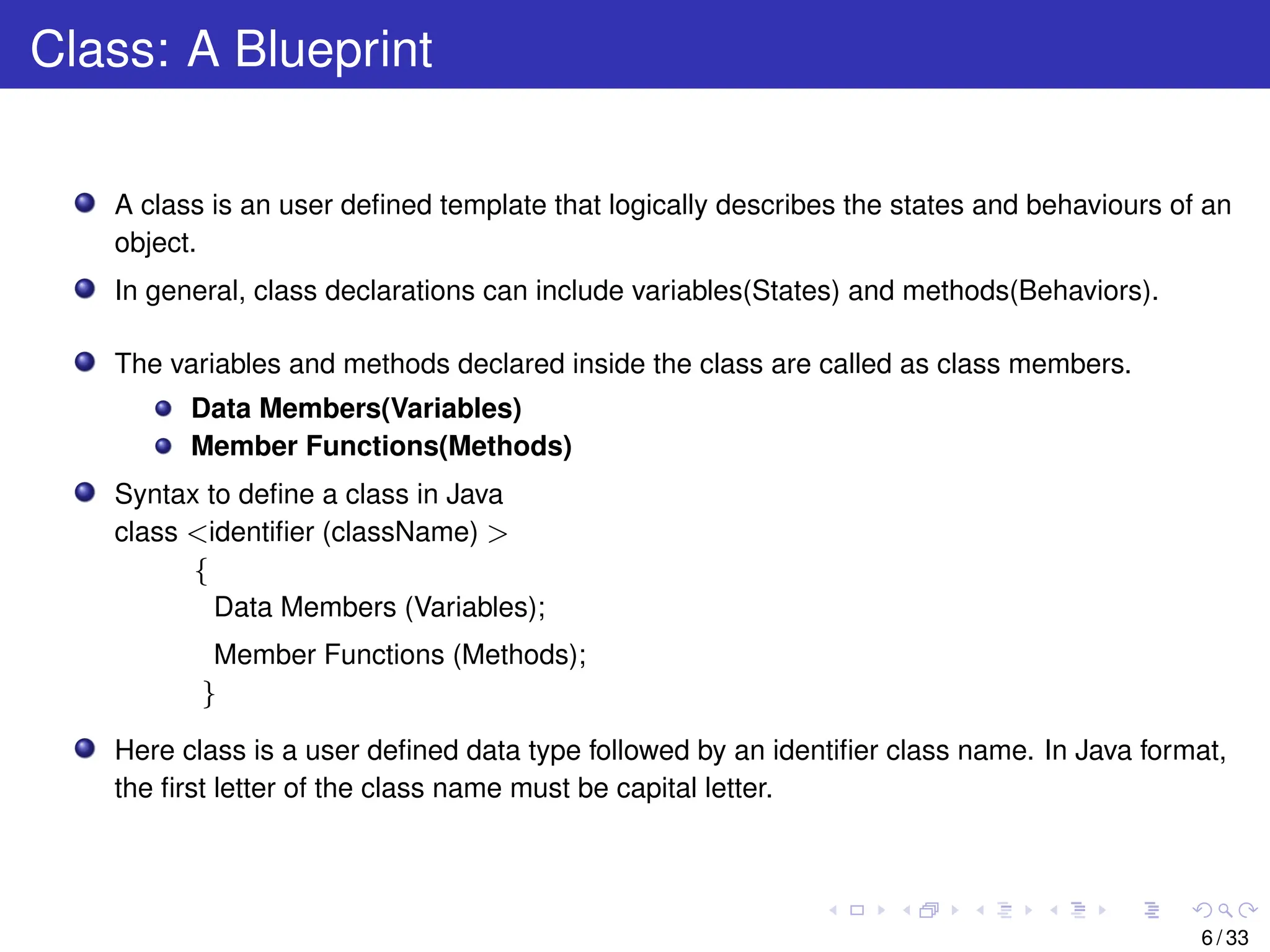
Aclass is an user defined template that logically describes the states and behaviours of an
object.
In general, class declarations can include variables(States) and methods(Behaviors).
The variables and methods declared inside the class are called as class members.
Data Members(Variables)
Member Functions(Methods)
Syntax to define a class in Java
class <identifier (className) >
{
Data Members (Variables);
Member Functions (Methods);
}
Here class is a user defined data type followed by an identifier class name. In Java format,
the first letter of the class name must be capital letter.
6 / 33
7.
Continue...
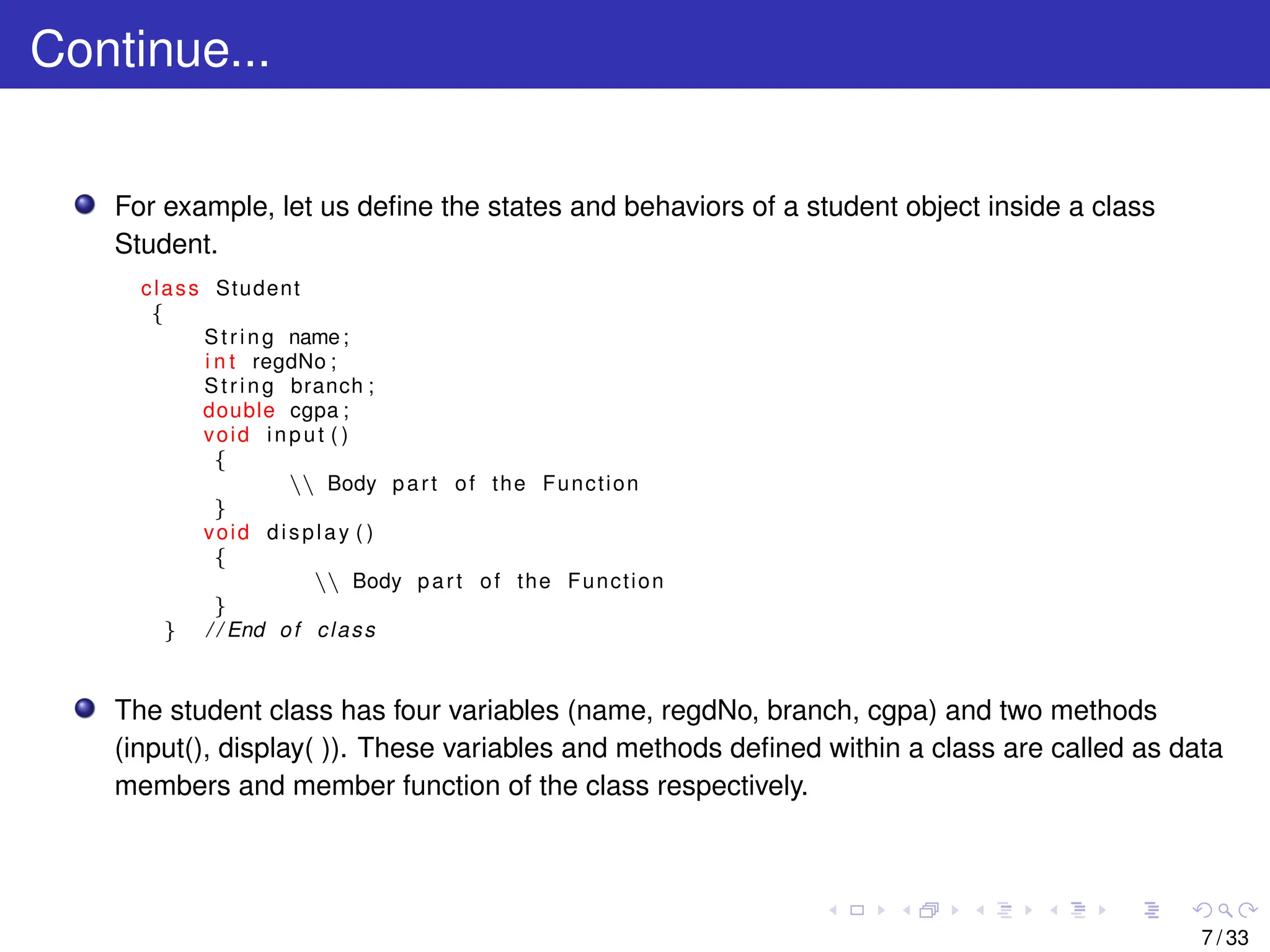
For example, letus define the states and behaviors of a student object inside a class
Student.
class Student
{
String name;
i n t regdNo ;
String branch ;
double cgpa ;
void input ( )
{
Body part of the Function
}
void display ( )
{
Body part of the Function
}
} / / End of class
The student class has four variables (name, regdNo, branch, cgpa) and two methods
(input(), display( )). These variables and methods defined within a class are called as data
members and member function of the class respectively.
7 / 33
8.
Object: A PhysicalEntity
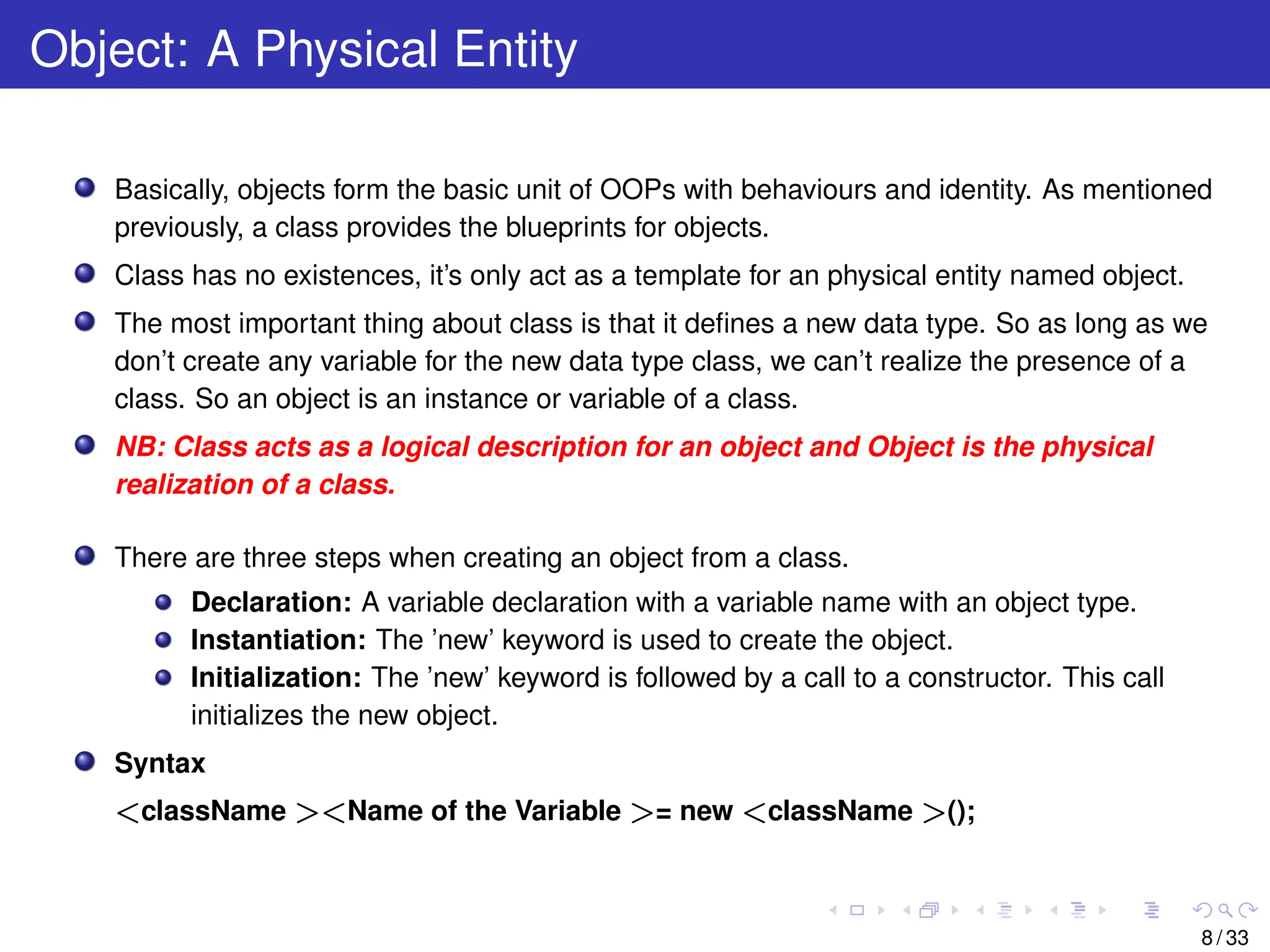
Basically, objects form the basic unit of OOPs with behaviours and identity. As mentioned
previously, a class provides the blueprints for objects.
Class has no existences, it’s only act as a template for an physical entity named object.
The most important thing about class is that it defines a new data type. So as long as we
don’t create any variable for the new data type class, we can’t realize the presence of a
class. So an object is an instance or variable of a class.
NB: Class acts as a logical description for an object and Object is the physical
realization of a class.
There are three steps when creating an object from a class.
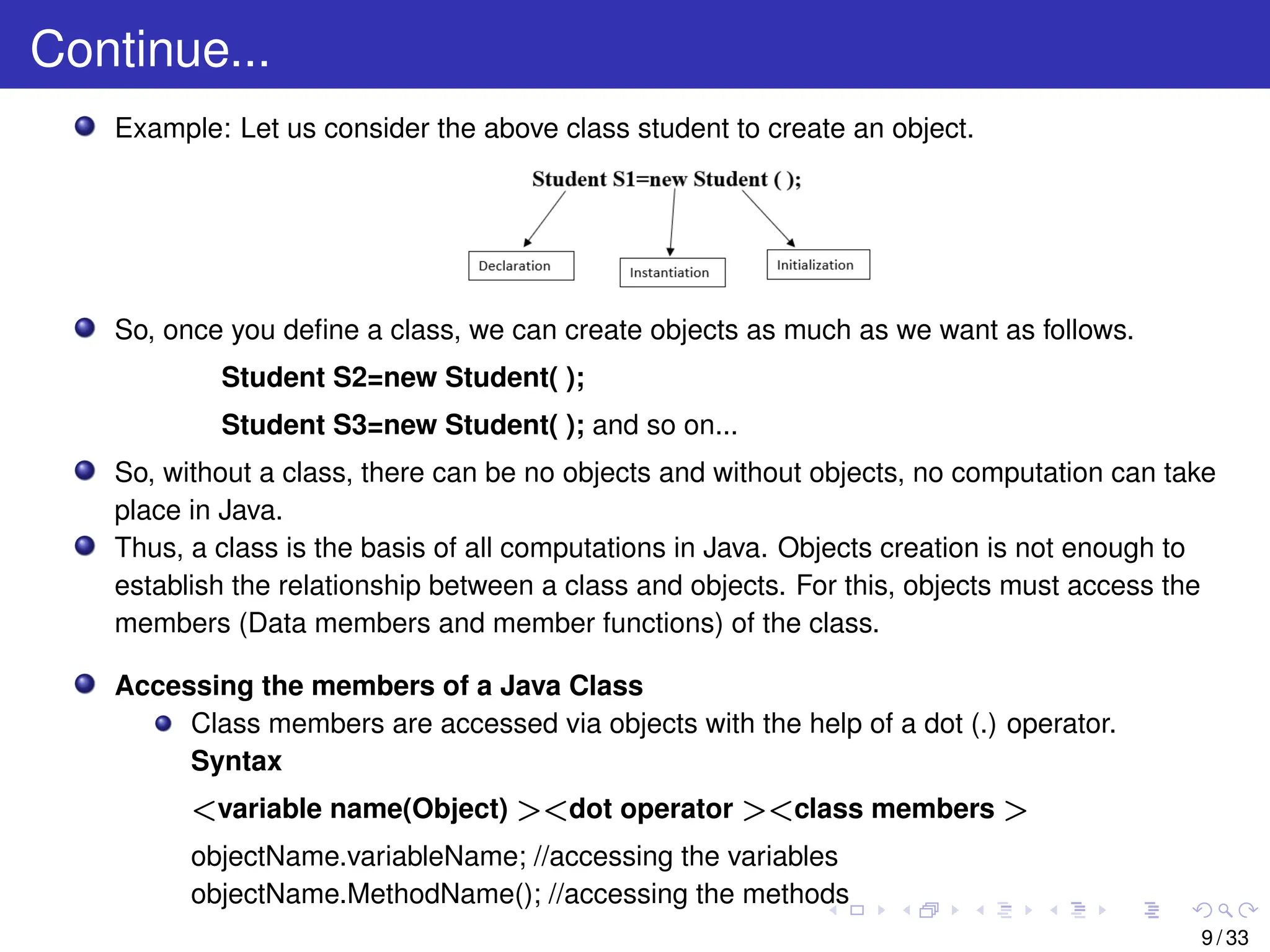
Declaration: A variable declaration with a variable name with an object type.
Instantiation: The ’new’ keyword is used to create the object.
Initialization: The ’new’ keyword is followed by a call to a constructor. This call
initializes the new object.
Syntax
<className ><Name of the Variable >= new <className >();
8 / 33
9.
Continue...
Example: Let usconsider the above class student to create an object.
So, once you define a class, we can create objects as much as we want as follows.
Student S2=new Student( );
Student S3=new Student( ); and so on...
So, without a class, there can be no objects and without objects, no computation can take
place in Java.
Thus, a class is the basis of all computations in Java. Objects creation is not enough to
establish the relationship between a class and objects. For this, objects must access the
members (Data members and member functions) of the class.
Accessing the members of a Java Class
Class members are accessed via objects with the help of a dot (.) operator.
Syntax
<variable name(Object) ><dot operator ><class members >
objectName.variableName; //accessing the variables
objectName.MethodName(); //accessing the methods
9 / 33
10.
Ways to InitializeObject
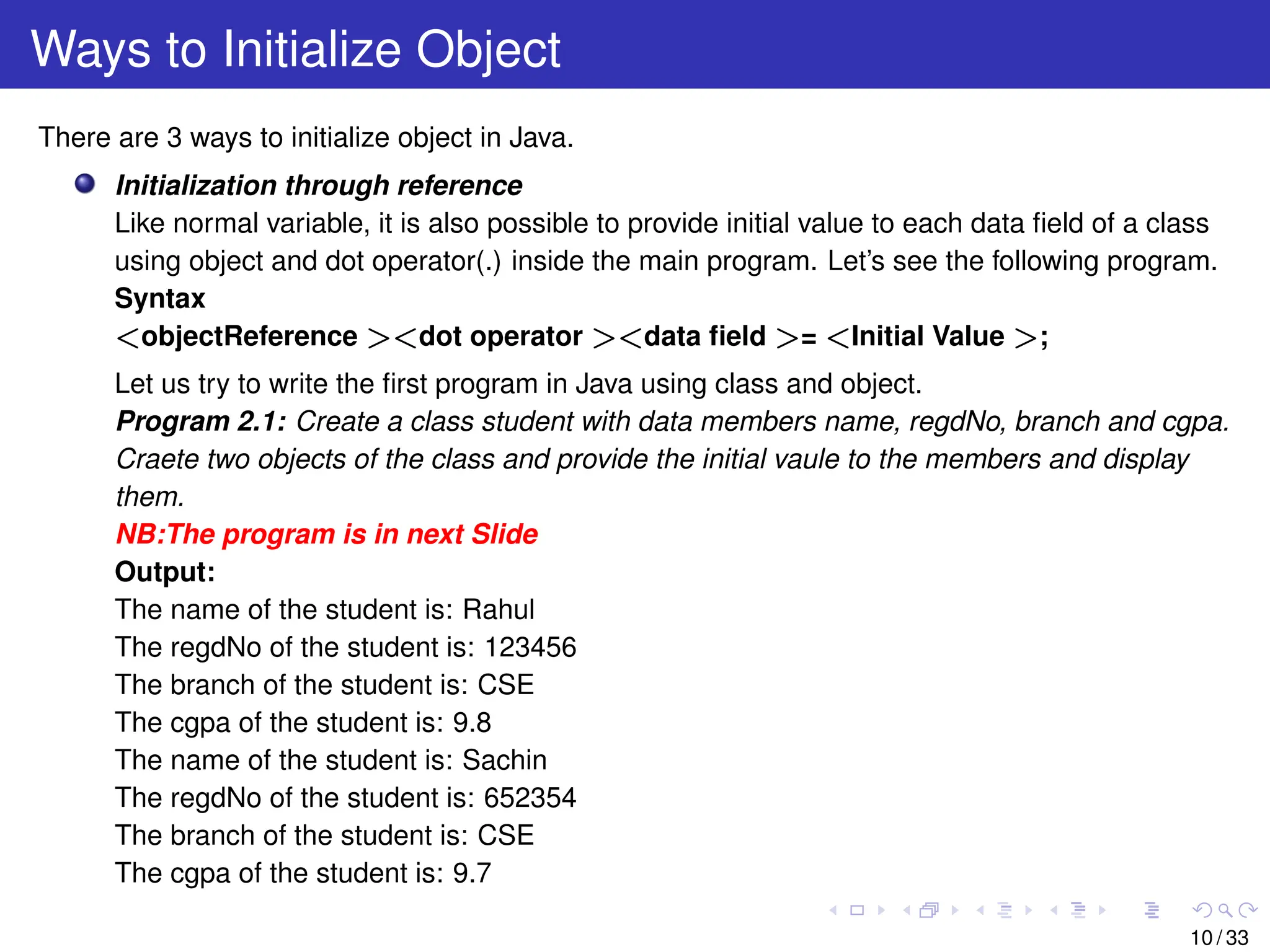
There are 3 ways to initialize object in Java.
Initialization through reference
Like normal variable, it is also possible to provide initial value to each data field of a class
using object and dot operator(.) inside the main program. Let’s see the following program.
Syntax
<objectReference ><dot operator ><data field >= <Initial Value >;
Let us try to write the first program in Java using class and object.
Program 2.1: Create a class student with data members name, regdNo, branch and cgpa.
Craete two objects of the class and provide the initial vaule to the members and display
them.
NB:The program is in next Slide
Output:
The name of the student is: Rahul
The regdNo of the student is: 123456
The branch of the student is: CSE
The cgpa of the student is: 9.8
The name of the student is: Sachin
The regdNo of the student is: 652354
The branch of the student is: CSE
The cgpa of the student is: 9.7
10 / 33
11.
Continue...
public class Student
{
Stringname;
i n t regdNo ;
String branch ;
double cgpa ;
void display ( )
{
System . out . p r i n t l n ( ” The name of the student i s : ”+name ) ;
System . out . p r i n t l n ( ” The regdNo of the student i s : ”+regdNo ) ;
System . out . p r i n t l n ( ” The branch of the student i s : ”+branch ) ;
System . out . p r i n t l n ( ” The cgpa of the student i s : ”+cgpa ) ;
}
public s t a t i c void main ( String args [ ] )
{
Student S1=new Student ( ) ;
Student S2=new Student ( ) ;
S1 .name=” Rahul ” ;
S1 . regNo=123456;
S1 . branch=”CSE” ;
S1 . cgpa =9.8;
S2 .name=” Sachin ” ;
S2 . regNo=652354;
S2 . branch=”CSE” ;
S2 . cgpa =9.7;
S1 . display ( ) ;
S2 . display ( ) ;
}
} / / End of class
11 / 33
12.
Continue...
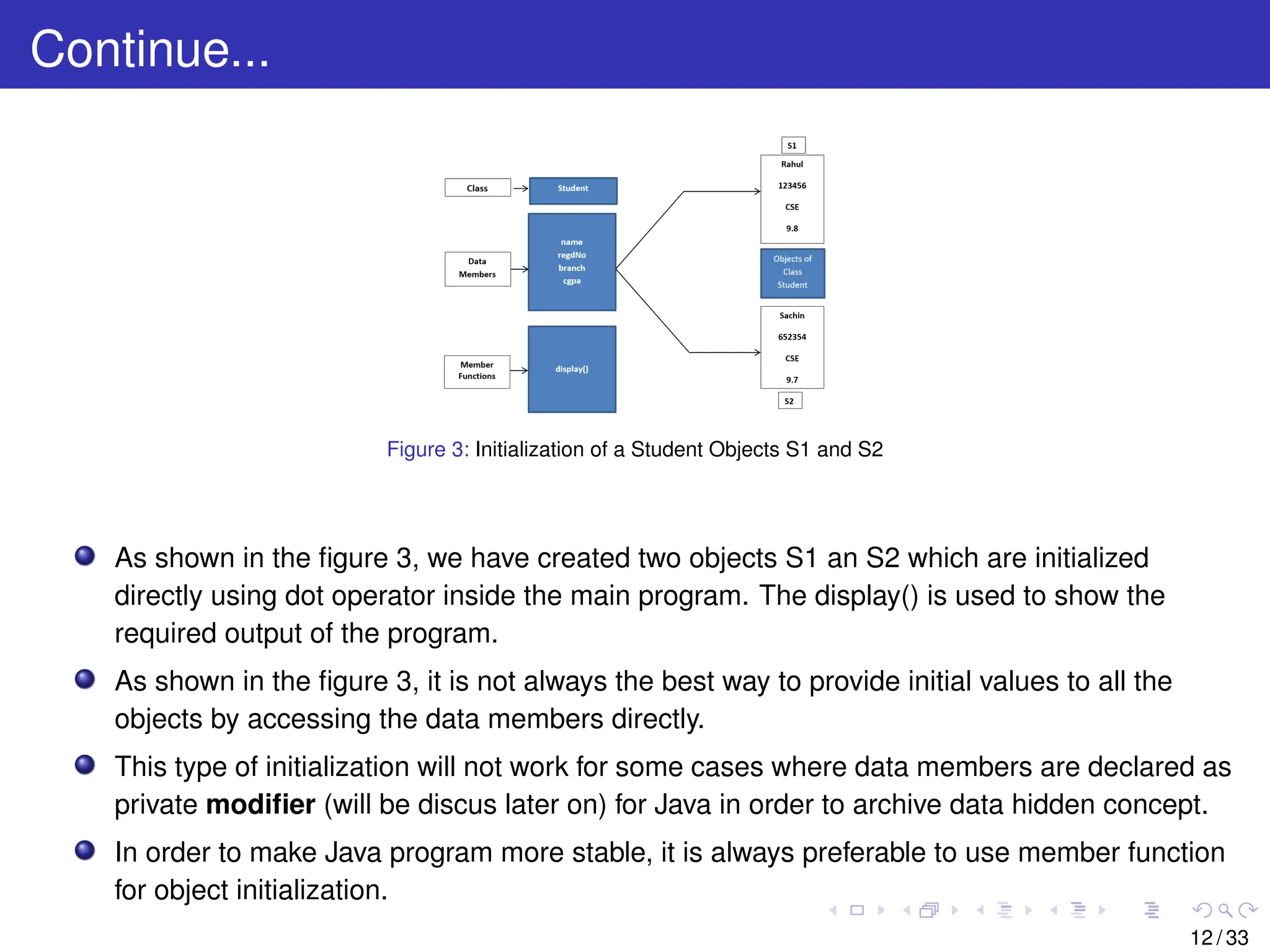
Figure 3: Initializationof a Student Objects S1 and S2
As shown in the figure 3, we have created two objects S1 an S2 which are initialized
directly using dot operator inside the main program. The display() is used to show the
required output of the program.
As shown in the figure 3, it is not always the best way to provide initial values to all the
objects by accessing the data members directly.
This type of initialization will not work for some cases where data members are declared as
private modifier (will be discus later on) for Java in order to archive data hidden concept.
In order to make Java program more stable, it is always preferable to use member function
for object initialization.
12 / 33
13.
Continue...
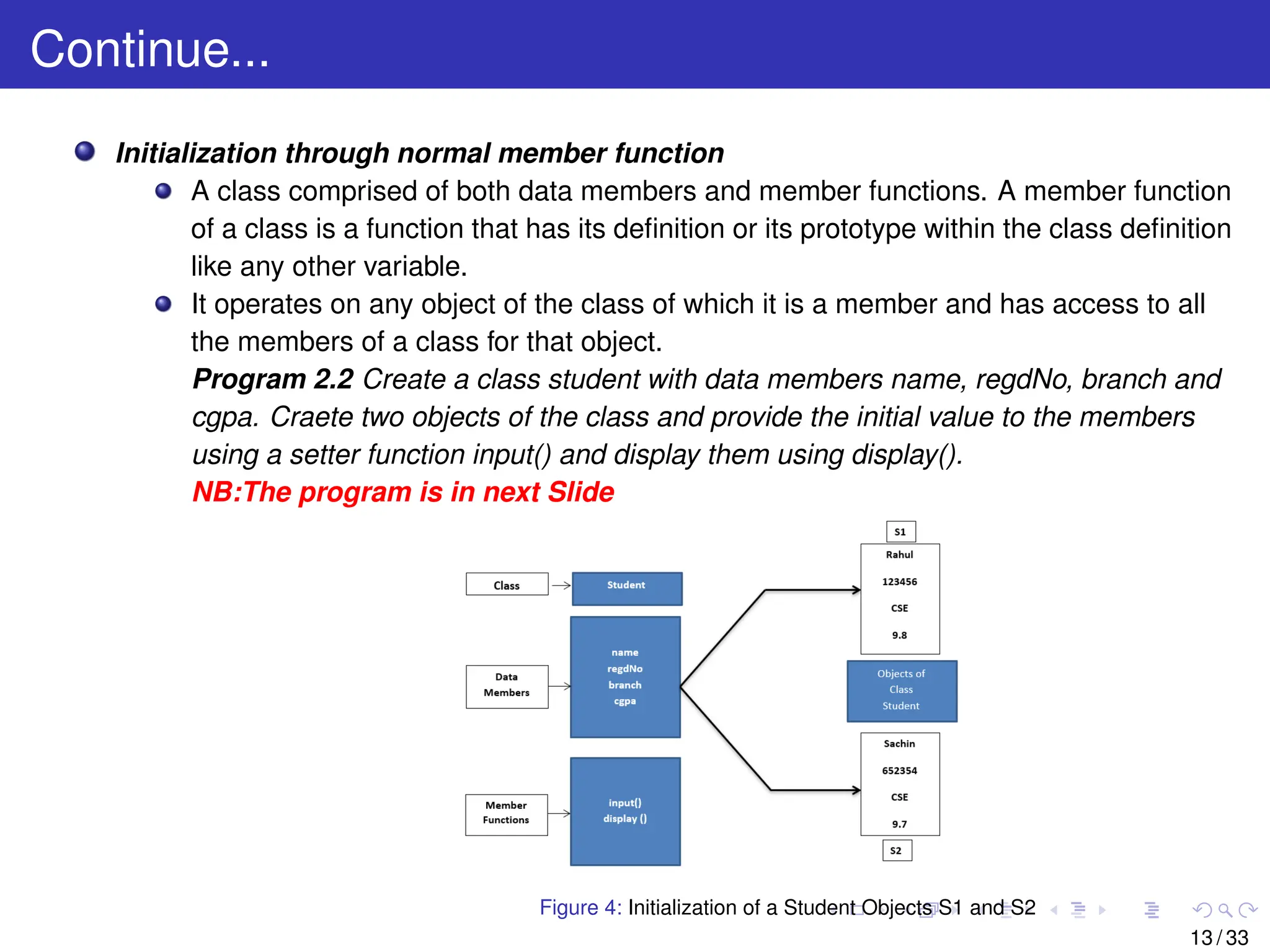
Initialization through normalmember function
A class comprised of both data members and member functions. A member function
of a class is a function that has its definition or its prototype within the class definition
like any other variable.
It operates on any object of the class of which it is a member and has access to all
the members of a class for that object.
Program 2.2 Create a class student with data members name, regdNo, branch and
cgpa. Craete two objects of the class and provide the initial value to the members
using a setter function input() and display them using display().
NB:The program is in next Slide
Figure 4: Initialization of a Student Objects S1 and S2
13 / 33
14.
Continue...
import Java .u t i l . Scanner ;
public class Student
{
String name;
i n t regdNo ;
String branch ;
double cgpa ;
void input ( )
{
Scanner sc=new Scanner ( ) ;
System . out . p r i n t l n ( ” Enter the information of the Student . ” ) ;
name=sc . next ( ) ;
regdNo=sc . nextInt ( ) ;
branch=sc . next ( ) ;
cgpa=sc . nextDouble ( ) ;
}
void display ( )
{
System . out . p r i n t l n ( ” The name of the student i s : ”+name ) ;
System . out . p r i n t l n ( ” The regdNo of the student i s : ”+regdNo ) ;
System . out . p r i n t l n ( ” The branch of the student i s : ”+branch ) ;
System . out . p r i n t l n ( ” The cgpa of the student i s : ”+cgpa ) ;
}
public s t a t i c void main ( String args [ ] )
{
Student S1=new Student ( ) ;
Student S2=new Student ( ) ;
S1 . input ( ) ;
S1 . display ( ) ;
S2 . input ( ) ;
S2 . display ( ) ;
}
} / / End of class 14 / 33
15.
Continue...
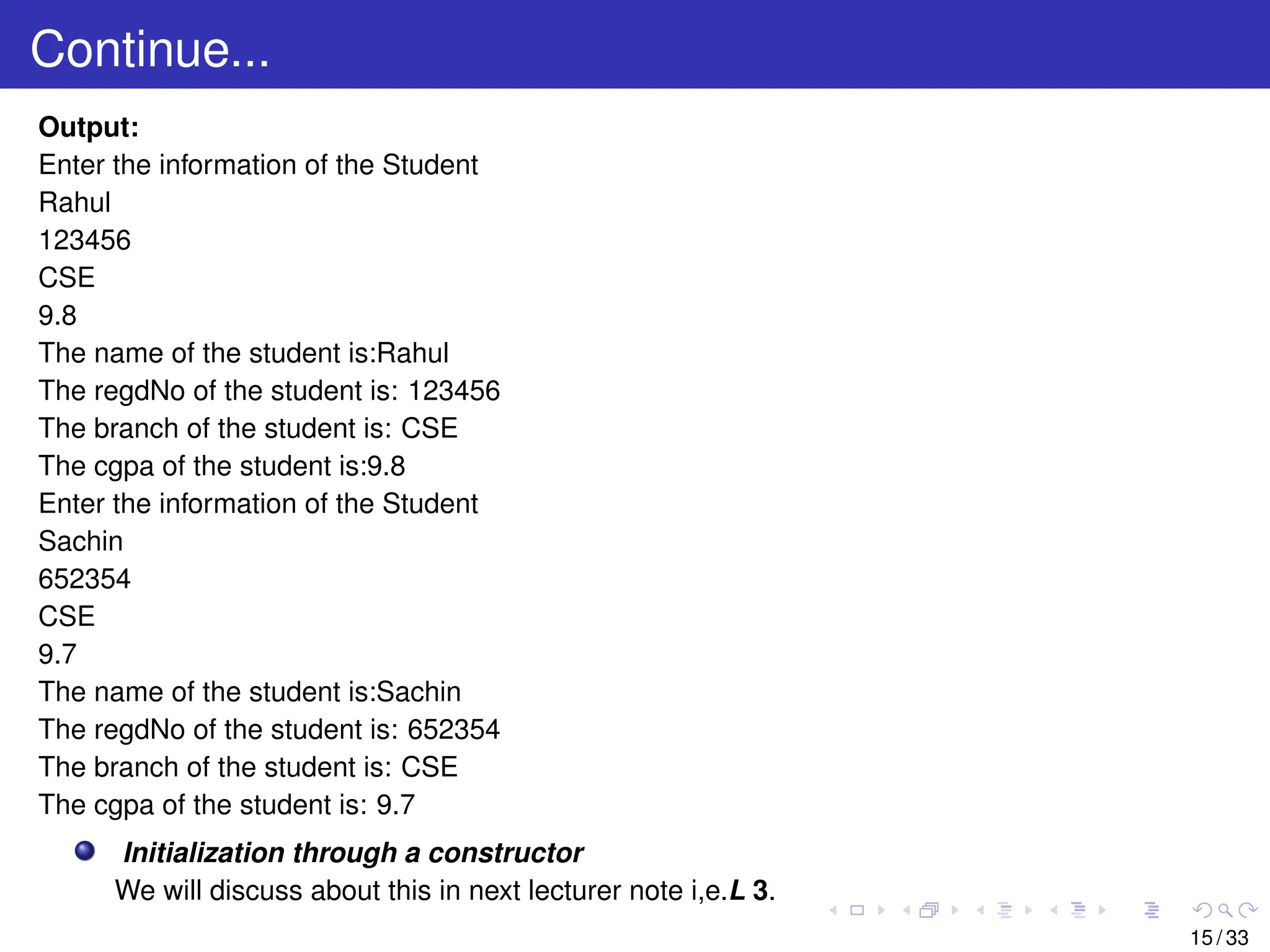
Output:
Enter the informationof the Student
Rahul
123456
CSE
9.8
The name of the student is:Rahul
The regdNo of the student is: 123456
The branch of the student is: CSE
The cgpa of the student is:9.8
Enter the information of the Student
Sachin
652354
CSE
9.7
The name of the student is:Sachin
The regdNo of the student is: 652354
The branch of the student is: CSE
The cgpa of the student is: 9.7
Initialization through a constructor
We will discuss about this in next lecturer note i,e.L 3.
15 / 33
16.
Use of MultipleJava Classes
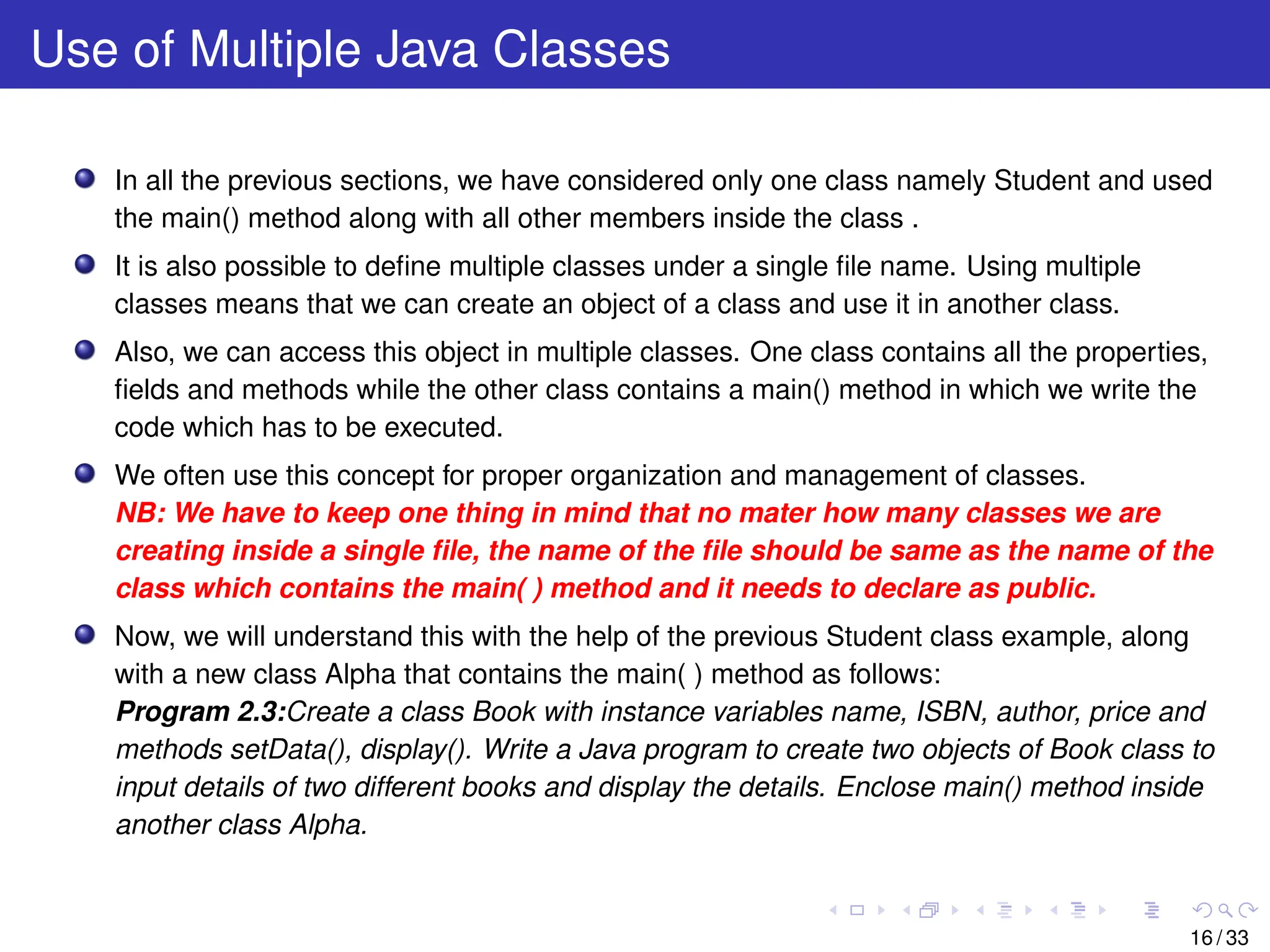
In all the previous sections, we have considered only one class namely Student and used
the main() method along with all other members inside the class .
It is also possible to define multiple classes under a single file name. Using multiple
classes means that we can create an object of a class and use it in another class.
Also, we can access this object in multiple classes. One class contains all the properties,
fields and methods while the other class contains a main() method in which we write the
code which has to be executed.
We often use this concept for proper organization and management of classes.
NB: We have to keep one thing in mind that no mater how many classes we are
creating inside a single file, the name of the file should be same as the name of the
class which contains the main( ) method and it needs to declare as public.
Now, we will understand this with the help of the previous Student class example, along
with a new class Alpha that contains the main( ) method as follows:
Program 2.3:Create a class Book with instance variables name, ISBN, author, price and
methods setData(), display(). Write a Java program to create two objects of Book class to
input details of two different books and display the details. Enclose main() method inside
another class Alpha.
16 / 33
17.
Continue...
import Java .u t i l . Scanner ;
class Book
{
String name;
i n t ISBN ;
String author ;
double price ;
void setData ( )
{
Scanner sc=new Scanner ( System . in ) ;
System . out . p r i n t l n ( ” Enter the information of the Book . ” ) ;
name=sc . next ( ) ;
ISBN=sc . nextInt ( ) ;
author=sc . next ( ) ;
price=sc . nextDouble ( ) ;
}
void display ( )
{
System . out . p r i n t l n ( ” The name of the Book i s : ”+name ) ;
System . out . p r i n t l n ( ” The ISBN of the Book i s : ”+ISBN ) ;
System . out . p r i n t l n ( ” The author of the Book i s : ”+author ) ;
System . out . p r i n t l n ( ” The price of the Book i s : ”+price ) ;
}
} / / End of class Book
public class Alpha {
public s t a t i c void main ( String args [ ] ) {
Book B1=new Book ( ) ;
Book B2=new Book ( ) ;
B1 . setData ( ) ;
B1 . display ( ) ;
B2 . setData ( ) ;
B2 . display ( ) ;
}
} 17 / 33
18.
Continue...
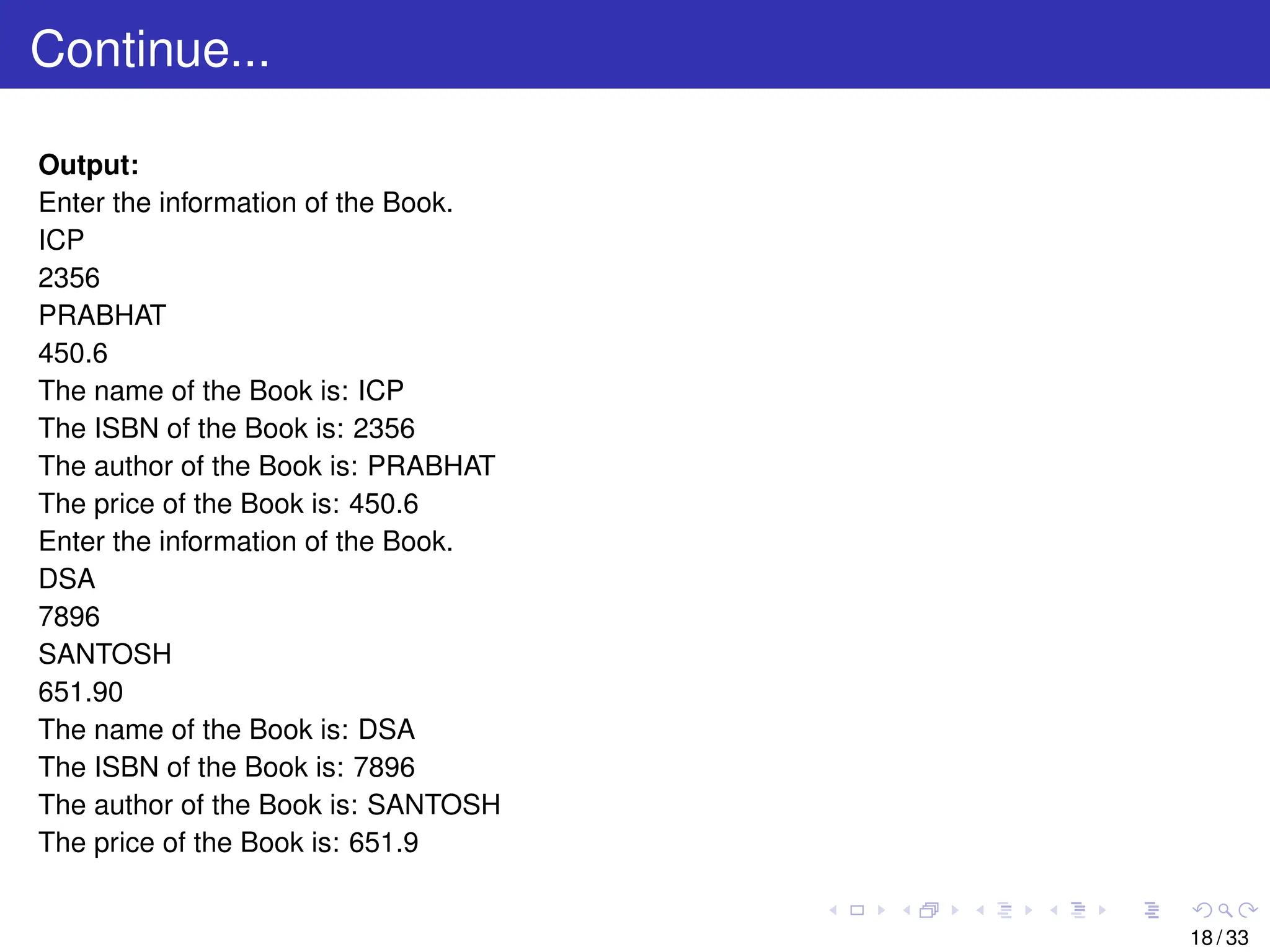
Output:
Enter the informationof the Book.
ICP
2356
PRABHAT
450.6
The name of the Book is: ICP
The ISBN of the Book is: 2356
The author of the Book is: PRABHAT
The price of the Book is: 450.6
Enter the information of the Book.
DSA
7896
SANTOSH
651.90
The name of the Book is: DSA
The ISBN of the Book is: 7896
The author of the Book is: SANTOSH
The price of the Book is: 651.9
18 / 33
19.
Continue...
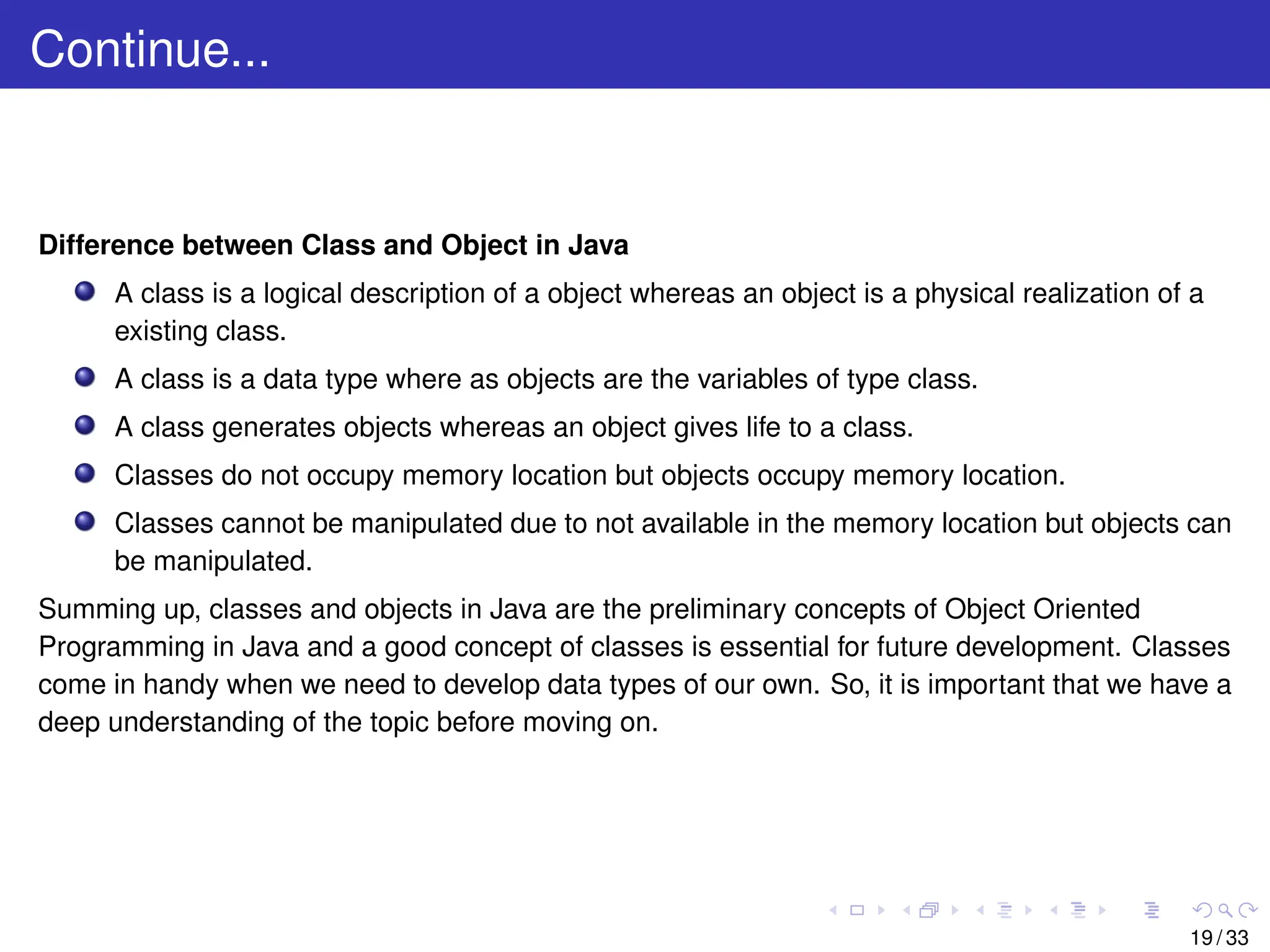
Difference between Classand Object in Java
A class is a logical description of a object whereas an object is a physical realization of a
existing class.
A class is a data type where as objects are the variables of type class.
A class generates objects whereas an object gives life to a class.
Classes do not occupy memory location but objects occupy memory location.
Classes cannot be manipulated due to not available in the memory location but objects can
be manipulated.
Summing up, classes and objects in Java are the preliminary concepts of Object Oriented
Programming in Java and a good concept of classes is essential for future development. Classes
come in handy when we need to develop data types of our own. So, it is important that we have a
deep understanding of the topic before moving on.
19 / 33
20.
Variables in Java
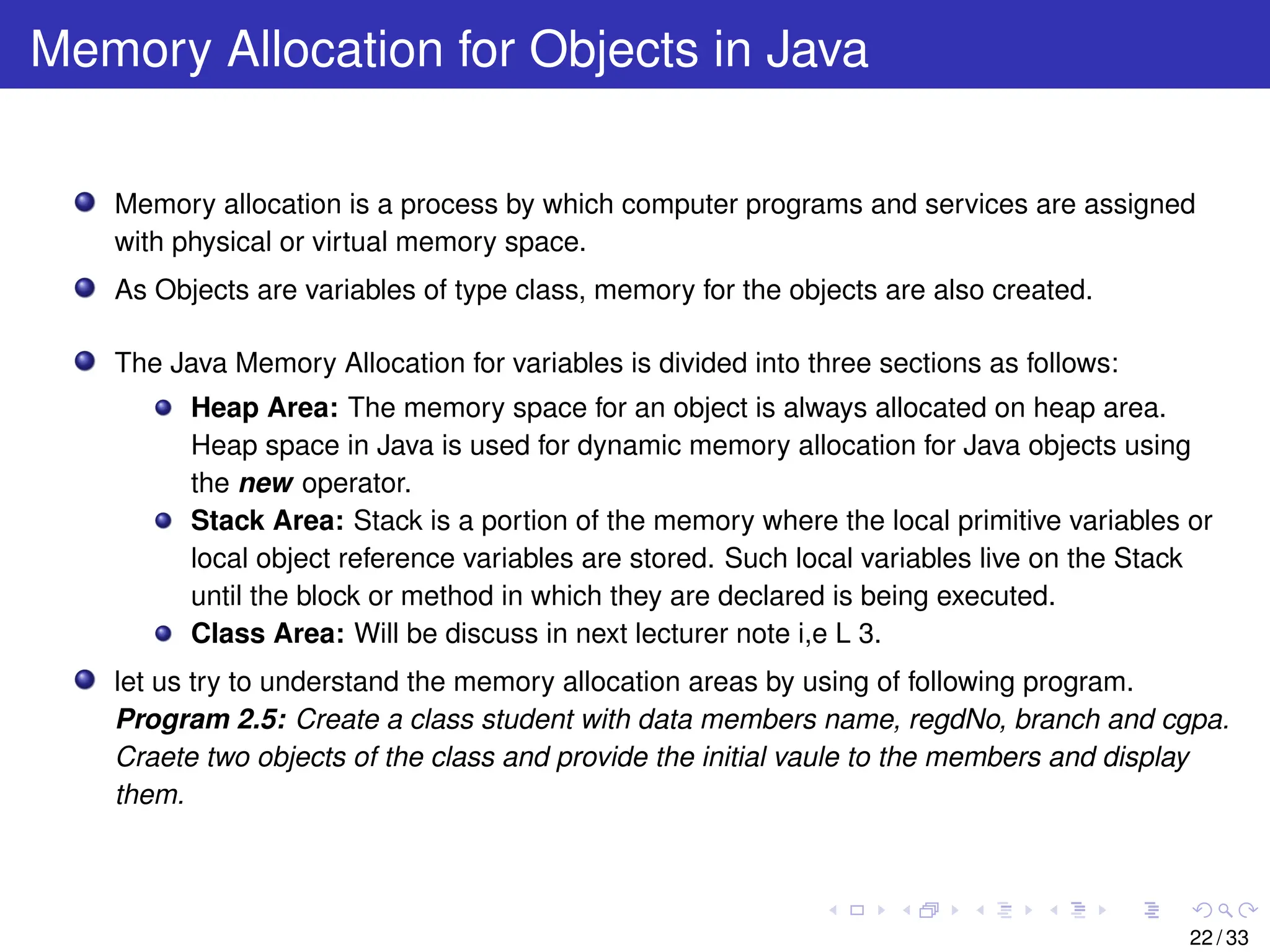
Avariable is a container which holds the value while the Java program is executed. A
variable is assigned with a data type. Variable is a name of memory location.
There are three types of variables in Java:
Local variables: A variable defined within a block or method is called local variable.
The scope of these variables exists only within the block in which the variable is
declared. i.e. we can access these variable only within that block.Initialisation of
Local Variable is Mandatory.
Instance variables: Instance variables are declared in a class, but outside a
method. They are also called data members or field variables.
Class/static variables: These variables are declared with the static keyword in a
class, but outside a method. We will discuss about this in next lecturer note i,e L 3.
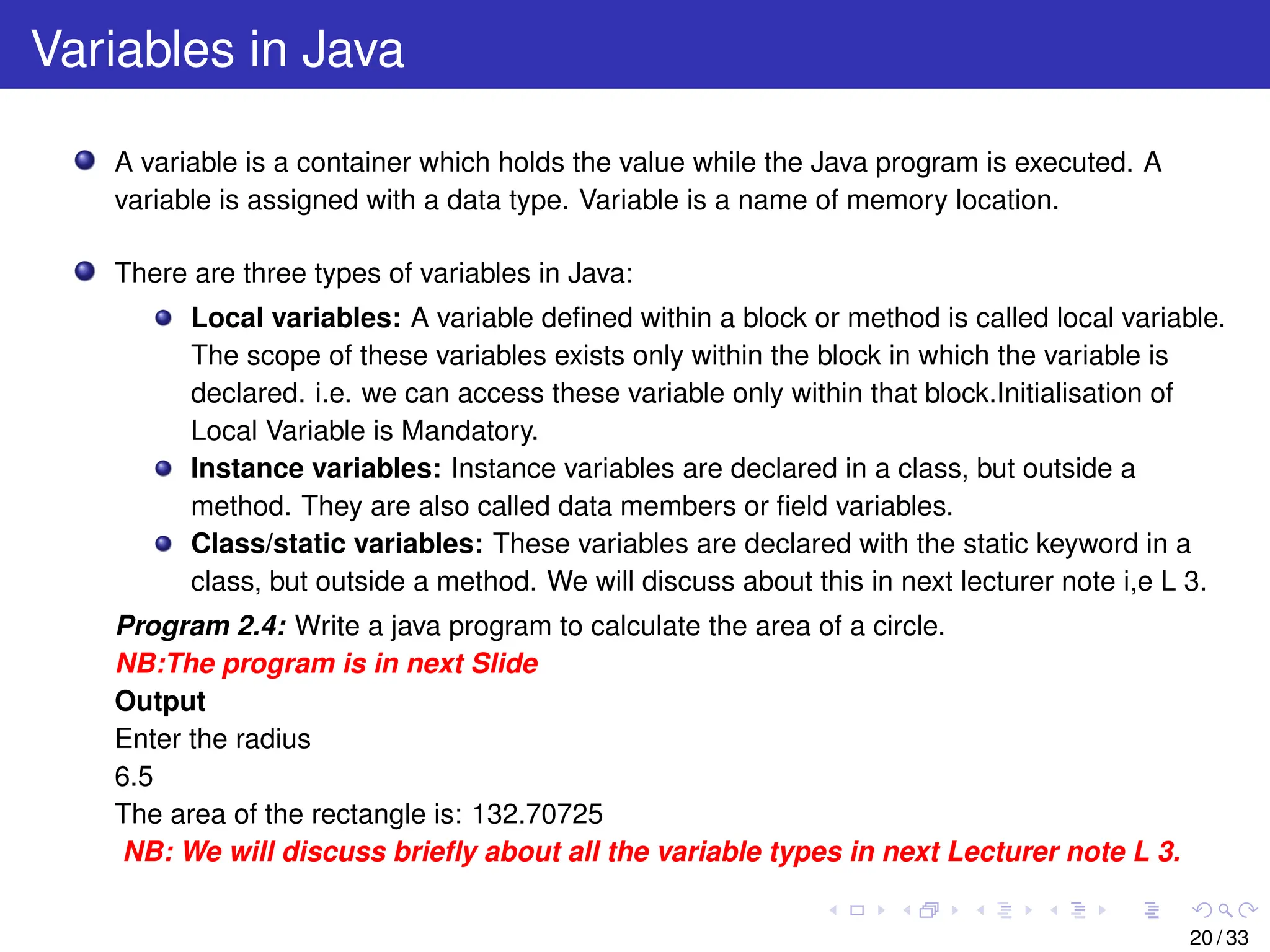
Program 2.4: Write a java program to calculate the area of a circle.
NB:The program is in next Slide
Output
Enter the radius
6.5
The area of the rectangle is: 132.70725
NB: We will discuss briefly about all the variable types in next Lecturer note L 3.
20 / 33
21.
Continue...
import java .u t i l . Scanner ;
class Circle
{
double rad ; / / INSTANCE VARIABLE
void getData ( )
{
Scanner sc=new Scanner ( System . in ) ;
System . out . p r i n t l n ( ” Enter the radius ” ) ;
rad=sc . nextDouble ( ) ;
}
void calculate ( )
{
double pi =3.141; / / LOCAL VARIABLE
System . out . p r i n t l n ( ” The area of the rectangle i s : ”+ ( pi * rad * rad ) ) ;
}
}
public class Alpha
{
public s t a t i c void main ( String args [ ] )
{
Circle C1=new Circle ( ) ;
C1. getData ( ) ;
C1. calculate ( ) ;
}
} / / End of class Alpha
21 / 33
22.
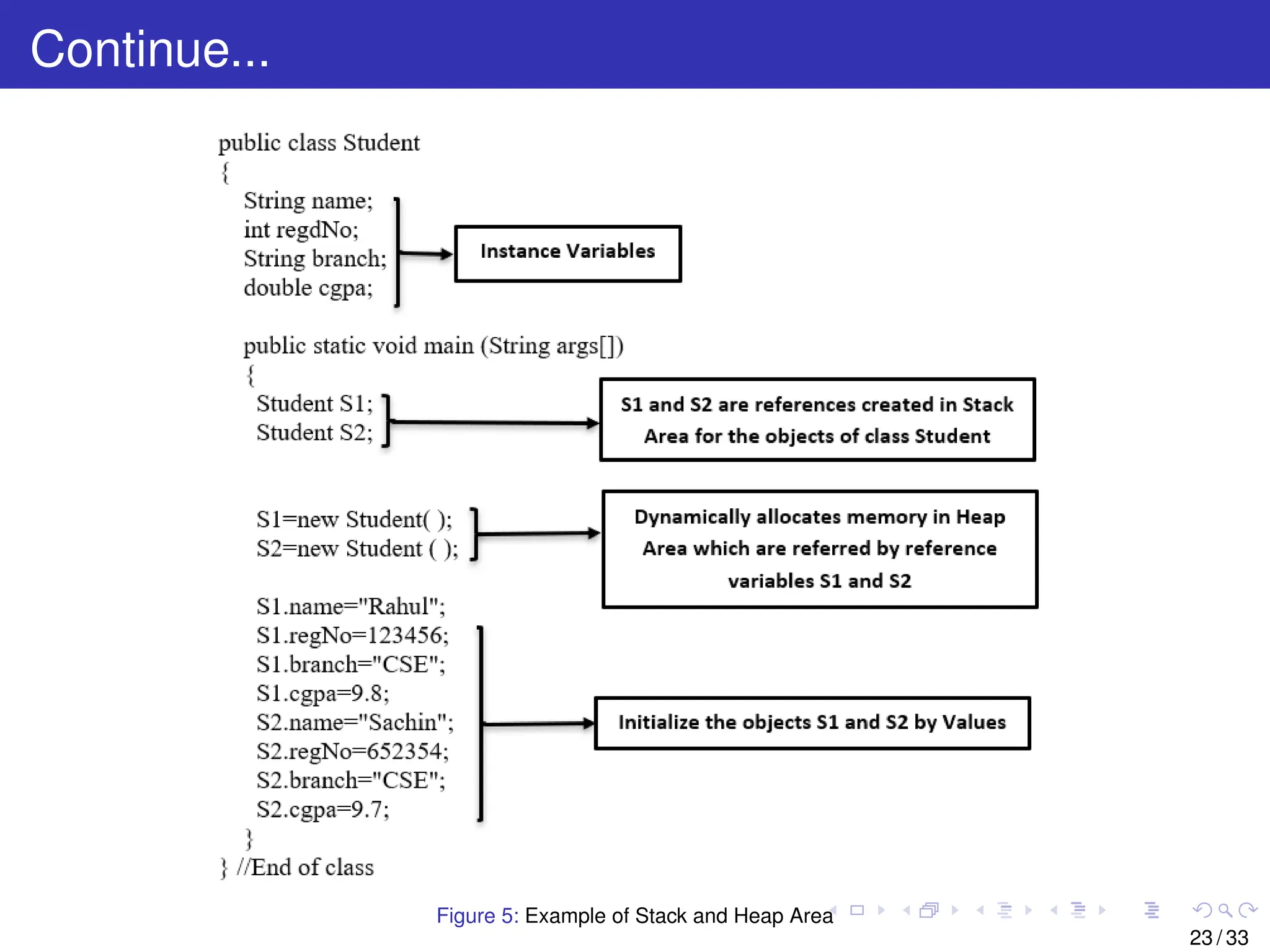
Memory Allocation forObjects in Java
Memory allocation is a process by which computer programs and services are assigned
with physical or virtual memory space.
As Objects are variables of type class, memory for the objects are also created.
The Java Memory Allocation for variables is divided into three sections as follows:
Heap Area: The memory space for an object is always allocated on heap area.
Heap space in Java is used for dynamic memory allocation for Java objects using
the new operator.
Stack Area: Stack is a portion of the memory where the local primitive variables or
local object reference variables are stored. Such local variables live on the Stack
until the block or method in which they are declared is being executed.
Class Area: Will be discuss in next lecturer note i,e L 3.
let us try to understand the memory allocation areas by using of following program.
Program 2.5: Create a class student with data members name, regdNo, branch and cgpa.
Craete two objects of the class and provide the initial vaule to the members and display
them.
22 / 33
Continue...
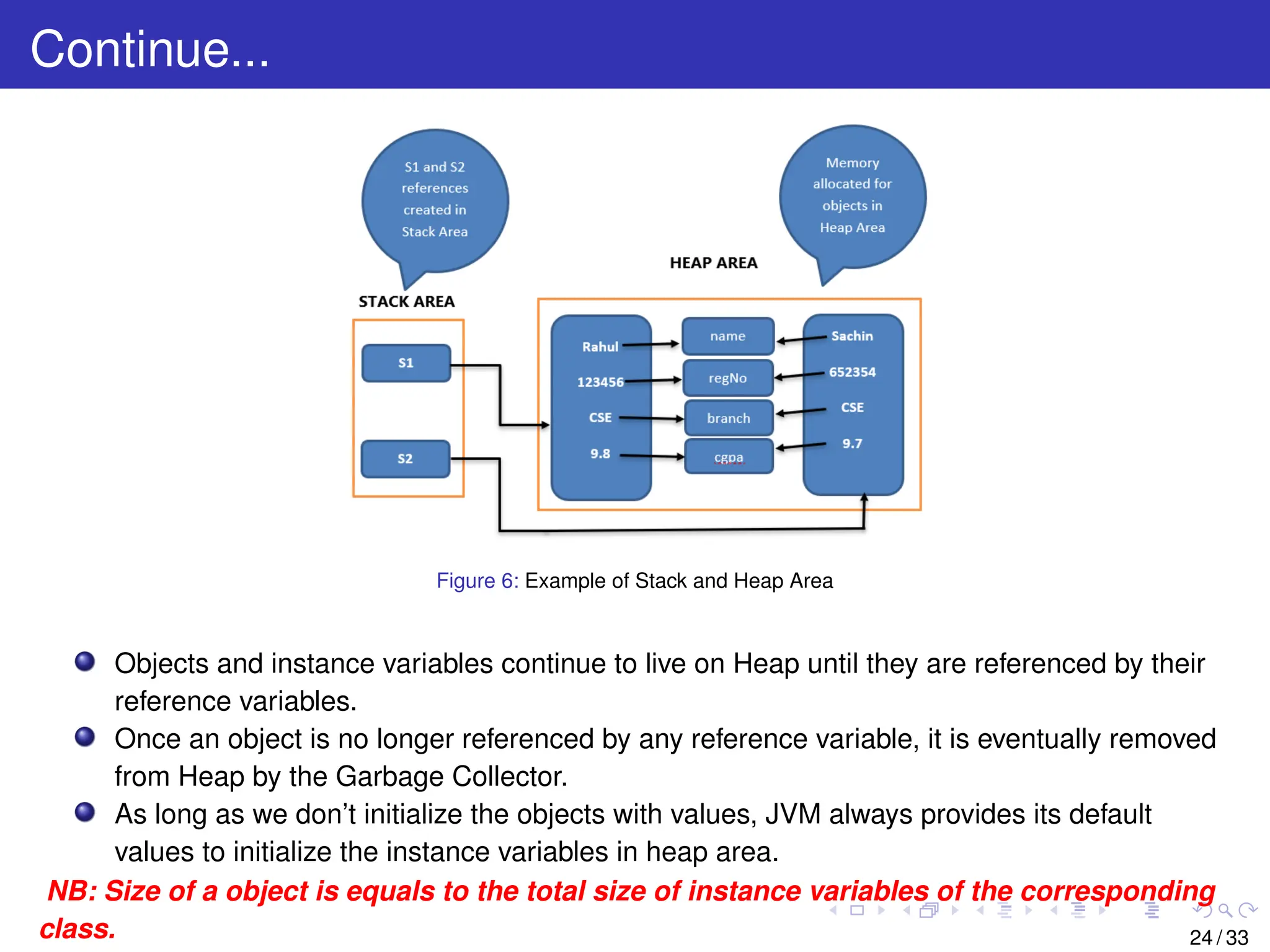
Figure 6: Exampleof Stack and Heap Area
Objects and instance variables continue to live on Heap until they are referenced by their
reference variables.
Once an object is no longer referenced by any reference variable, it is eventually removed
from Heap by the Garbage Collector.
As long as we don’t initialize the objects with values, JVM always provides its default
values to initialize the instance variables in heap area.
NB: Size of a object is equals to the total size of instance variables of the corresponding
class. 24 / 33
25.
Passing Arguments intoa member function of a class
Similar to functions in other programming languages, Java methods accept input from the
caller through its arguments. Arguments provide information to the method from outside
the scope of the method.
When we write any member function inside the class, we must determine the number and
type of the arguments required by that method. You declare the type and name for each
argument in the method signature.
There are basically two types of parameter passing mechanism as follows:
Passing Primitive Data Type Arguments
Primitive arguments, such as an int or a double, are passed into methods by value.
This means that any changes to the values of the parameters exist only within the
scope of the method. When the method returns, the parameters are gone and any
changes to them are lost. Here is an example:
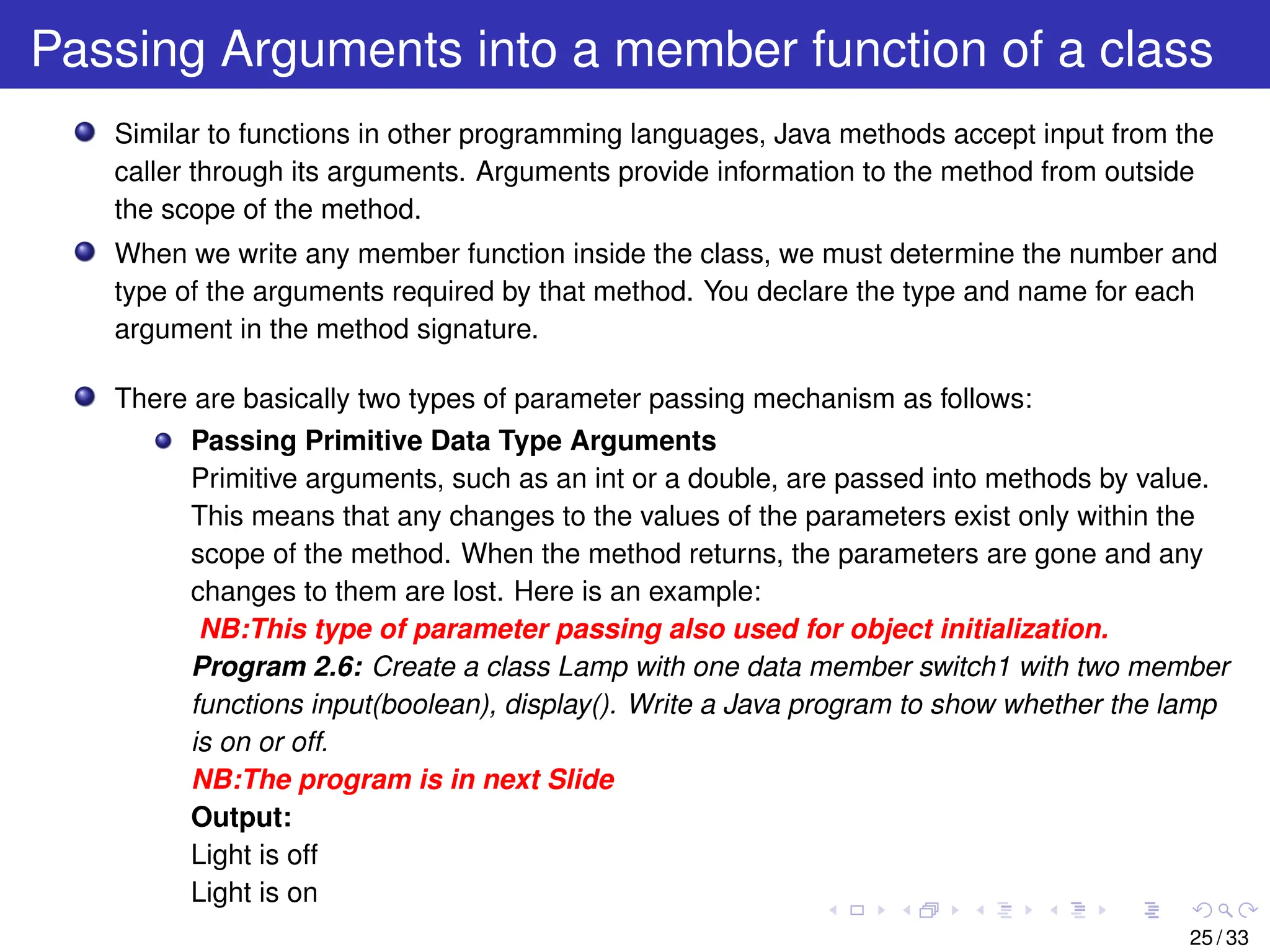
NB:This type of parameter passing also used for object initialization.
Program 2.6: Create a class Lamp with one data member switch1 with two member
functions input(boolean), display(). Write a Java program to show whether the lamp
is on or off.
NB:The program is in next Slide
Output:
Light is off
Light is on
25 / 33
26.
Continue...
class Lamp {
booleanswitch1 ;
void input ( boolean p ) / / Passing P r i m i t i v e Data Type Arguments
{
switch1=p ;
}
void display ( )
{
i f ( switch1==true )
{
System . out . p r i n t l n ( ” Light i s on ” ) ;
}
else
{
System . out . p r i n t l n ( ” Light i s o f f ” ) ;
}
}
}
public class Alpha {
public s t a t i c void main ( String [ ] args )
{
Lamp L1 = new Lamp ( ) ;
L1 . input ( false ) ;
L1 . display ( ) ;
Lamp L2 = new Lamp ( ) ;
L2 . input ( true ) ;
L2 . display ( ) ;
}
}
NB: While initializing, the data type of instance variable must match with function
argument type.
26 / 33
27.
Continue...
Passing Reference DataType Arguments(Objects as function Arguments)
Although Java is strictly pass by value, still it is possible to pass reference type
(Basically object) to all the member function of a class. When we pass a primitive
type to a method, it is passed by value.
But when we pass an object to a method, the situation changes dramatically,
because objects are passed by what is effectively call-by-reference.
While creating a variable of a class type, we only create a reference to an object.
Thus, when we pass this reference to a method, the parameter that receives it will
refer to the same object as that referred to by the argument.
This effectively means that objects act as if they are passed to methods by use of
call-by-reference. Changes to the object inside the method do reflect in the object
used as an argument.We can pass Object of any class as parameter to a method in
Java.
We can access the instance variables of a class using dot operator using the object
passed as argument inside the called method.
NB:It is good practice to initialize instance variables of an object before
passing object as parameter to method otherwise it will take default initial
values.
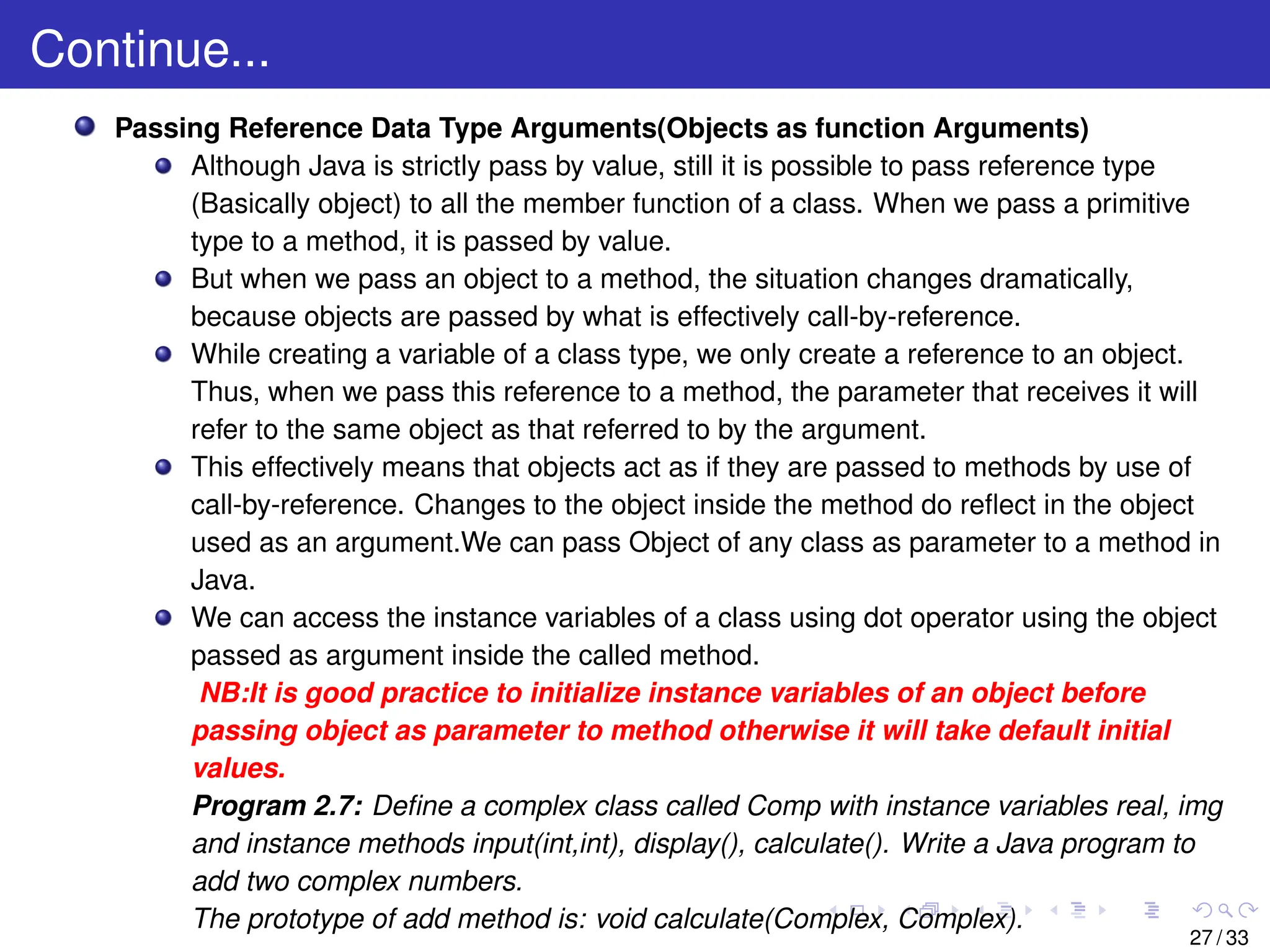
Program 2.7: Define a complex class called Comp with instance variables real, img
and instance methods input(int,int), display(), calculate(). Write a Java program to
add two complex numbers.
The prototype of add method is: void calculate(Complex, Complex).
27 / 33
28.
Continue...
class Comp
{
i nt real ;
i n t img ;
void input ( i n t p , i n t q ) / / Passing P r i m i t i v e Data Type Arguments
{
real =p ;
img=q ;
}
void calculate (Comp C11, Comp C22) / / Passing Reference Type Arguments
{
real =C11 . real +C22 . real ;
img=C11 . img+C22 . img ;
}
void display ( )
{
System . out . p r i n t l n ( real +”+ i ”+img ) ;
}
} / / End of Class Comp
public class Alpha
{
public s t a t i c void main ( String [ ] args )
{
Comp C1=new Comp ( ) ;
Comp C2=new Comp ( ) ;
C1. input (10 ,20);
C2. input (30 ,40);
Comp C3=new Comp ( ) ;
C3. calculate (C1,C2 ) ;
C1. display ( ) ;
C2. display ( ) ;
System . out . p r i n t l n ( ” The sum of C1 and C2 i s : ” ) ;
C3. display ( ) ;
}} / / End of Class Alpha 28 / 33
29.
Continue...
Output:
10+i20
30+i40
The sum ofC1 and C2 is:
40+i60
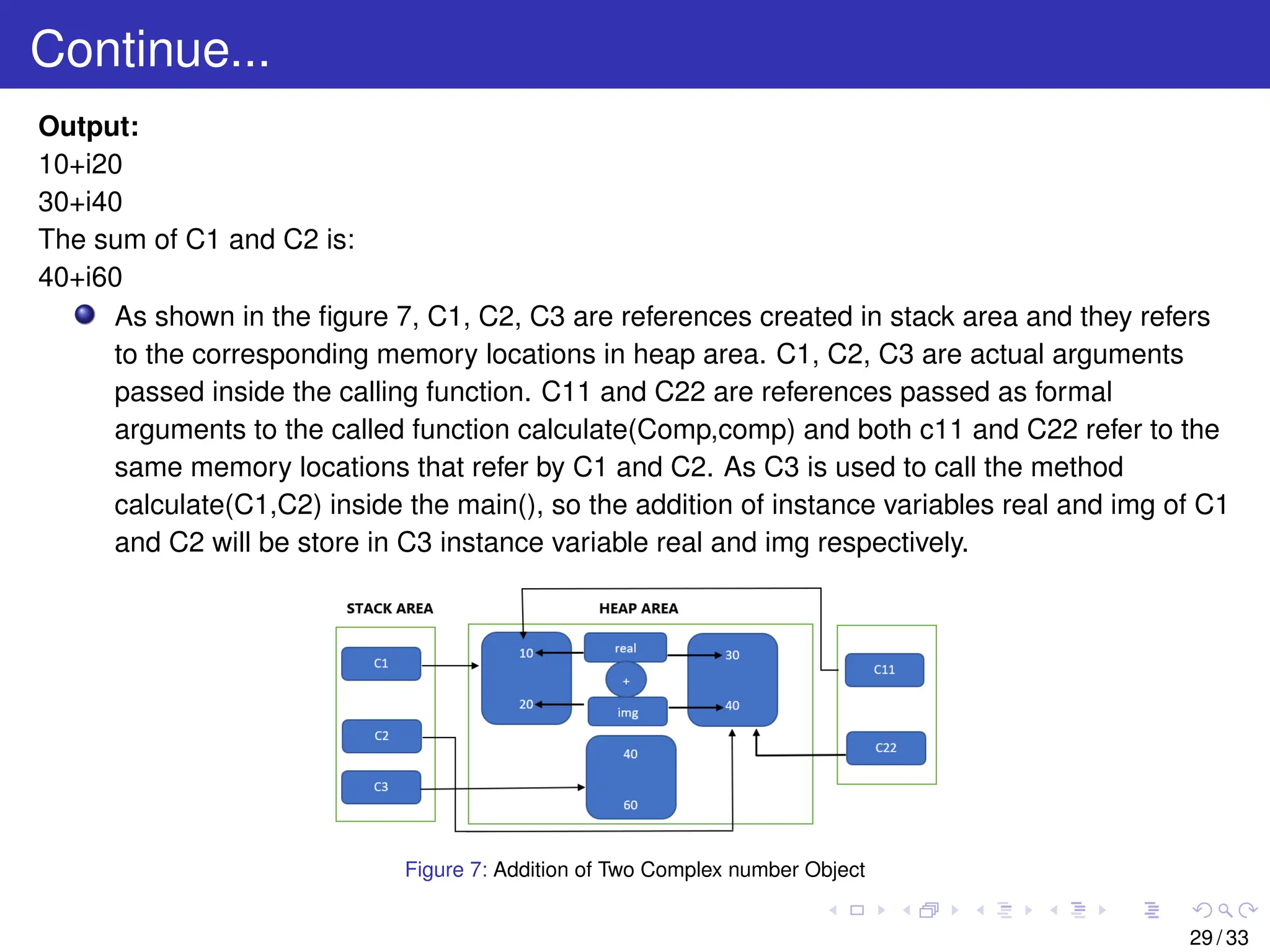
As shown in the figure 7, C1, C2, C3 are references created in stack area and they refers
to the corresponding memory locations in heap area. C1, C2, C3 are actual arguments
passed inside the calling function. C11 and C22 are references passed as formal
arguments to the called function calculate(Comp,comp) and both c11 and C22 refer to the
same memory locations that refer by C1 and C2. As C3 is used to call the method
calculate(C1,C2) inside the main(), so the addition of instance variables real and img of C1
and C2 will be store in C3 instance variable real and img respectively.
Figure 7: Addition of Two Complex number Object
29 / 33
30.
Returning Objects fromMethods in Java
A method can return an object in a similar manner as that of returning a variable of
primitive types from methods. When a method returns an object, the return type of the
method is the name of the class to which the object belongs and the normal return
statement in the method is used to return the object. This can be illustrated in the following
program.
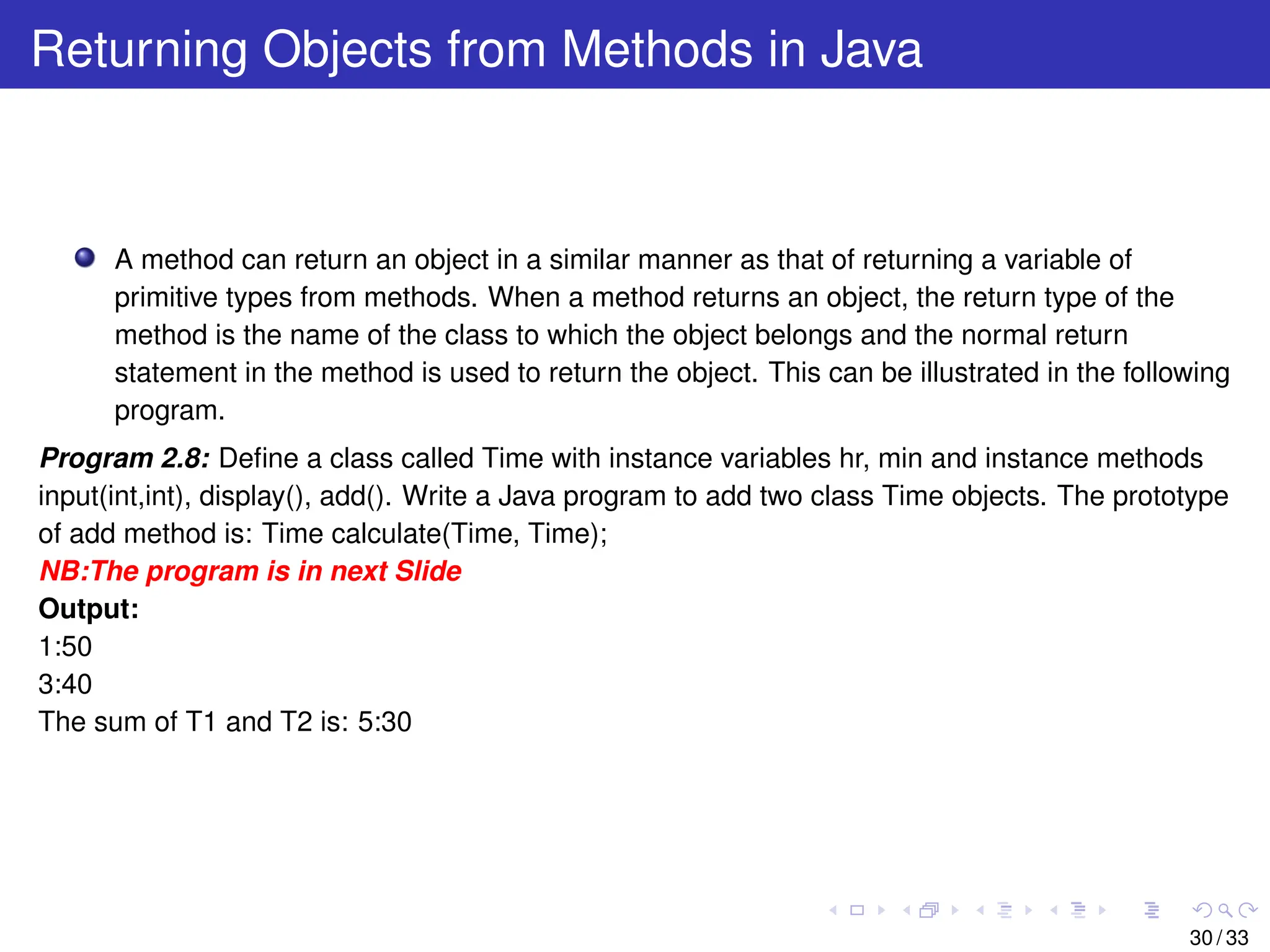
Program 2.8: Define a class called Time with instance variables hr, min and instance methods
input(int,int), display(), add(). Write a Java program to add two class Time objects. The prototype
of add method is: Time calculate(Time, Time);
NB:The program is in next Slide
Output:
1:50
3:40
The sum of T1 and T2 is: 5:30
30 / 33
31.
Continue...
class Time
{ in t hr , min ;
void input ( i n t p , i n t q )
{ hr=p ; min=q;}
Time calculate ( Time T11 , Time T22 ) / / Function returning Object
{
Time T33=new Time ( ) ;
T33 . min=T11 . min+T22 . min ; i n t x=0;
i f ( T33 . min>=60)
{
x=T33 . min /60; T33 . min=T33 . min%60;
}
T33 . hr=T11 . hr+T22 . hr+x ;
return T33 ;
}
void display ( )
{
System . out . p r i n t l n ( hr+” : ”+min ) ; }} / / End of Class Time
public class Alpha
{ public s t a t i c void main ( String [ ] args ){
Time T1=new Time ( ) ;
Time T2=new Time ( ) ;
T1 . input (1 ,50);
T2 . input (3 ,40);
Time T3=new Time ( ) ;
T3=T3 . calculate (T1 , T2 ) ;
T1 . display ( ) ;
T2 . display ( ) ;
System . out . p r i n t l n ( ” The sum of T1 and T2 i s : ” ) ;
T3 . display ( ) ;
}} / / End of Class Alpha
31 / 33
32.
Continue...
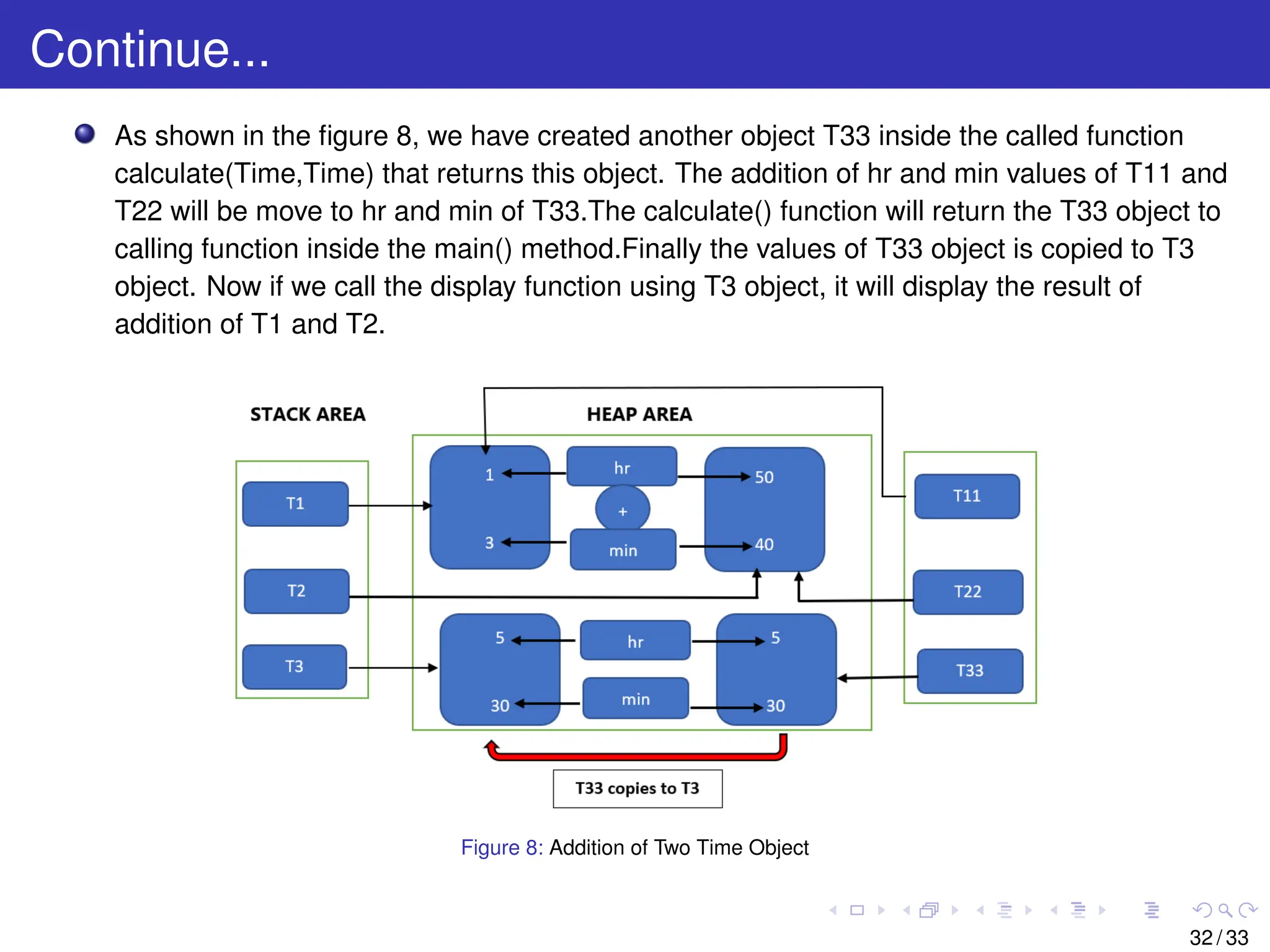
As shown inthe figure 8, we have created another object T33 inside the called function
calculate(Time,Time) that returns this object. The addition of hr and min values of T11 and
T22 will be move to hr and min of T33.The calculate() function will return the T33 object to
calling function inside the main() method.Finally the values of T33 object is copied to T3
object. Now if we call the display function using T3 object, it will display the result of
addition of T1 and T2.
Figure 8: Addition of Two Time Object
32 / 33
33.
References
Y Daniel Liang‘Introduction to JAVA Programming, Comprehensive Version’,
Pearson, 2014.
33 / 33
![Continue...
public class Student
{
String name;
i n t regdNo ;
String branch ;
double cgpa ;
void display ( )
{
System . out . p r i n t l n ( ” The name of the student i s : ”+name ) ;
System . out . p r i n t l n ( ” The regdNo of the student i s : ”+regdNo ) ;
System . out . p r i n t l n ( ” The branch of the student i s : ”+branch ) ;
System . out . p r i n t l n ( ” The cgpa of the student i s : ”+cgpa ) ;
}
public s t a t i c void main ( String args [ ] )
{
Student S1=new Student ( ) ;
Student S2=new Student ( ) ;
S1 .name=” Rahul ” ;
S1 . regNo=123456;
S1 . branch=”CSE” ;
S1 . cgpa =9.8;
S2 .name=” Sachin ” ;
S2 . regNo=652354;
S2 . branch=”CSE” ;
S2 . cgpa =9.7;
S1 . display ( ) ;
S2 . display ( ) ;
}
} / / End of class
11 / 33](https://image.slidesharecdn.com/lecture2-251213160629-40e4eca2/75/Lecture_kbkbbbhgvyffdddrddrdredrdrddd2-pdf-11-2048.jpg)
![Continue...
import Java . u t i l . Scanner ;
public class Student
{
String name;
i n t regdNo ;
String branch ;
double cgpa ;
void input ( )
{
Scanner sc=new Scanner ( ) ;
System . out . p r i n t l n ( ” Enter the information of the Student . ” ) ;
name=sc . next ( ) ;
regdNo=sc . nextInt ( ) ;
branch=sc . next ( ) ;
cgpa=sc . nextDouble ( ) ;
}
void display ( )
{
System . out . p r i n t l n ( ” The name of the student i s : ”+name ) ;
System . out . p r i n t l n ( ” The regdNo of the student i s : ”+regdNo ) ;
System . out . p r i n t l n ( ” The branch of the student i s : ”+branch ) ;
System . out . p r i n t l n ( ” The cgpa of the student i s : ”+cgpa ) ;
}
public s t a t i c void main ( String args [ ] )
{
Student S1=new Student ( ) ;
Student S2=new Student ( ) ;
S1 . input ( ) ;
S1 . display ( ) ;
S2 . input ( ) ;
S2 . display ( ) ;
}
} / / End of class 14 / 33](https://image.slidesharecdn.com/lecture2-251213160629-40e4eca2/75/Lecture_kbkbbbhgvyffdddrddrdredrdrddd2-pdf-14-2048.jpg)
![Continue...
import Java . u t i l . Scanner ;
class Book
{
String name;
i n t ISBN ;
String author ;
double price ;
void setData ( )
{
Scanner sc=new Scanner ( System . in ) ;
System . out . p r i n t l n ( ” Enter the information of the Book . ” ) ;
name=sc . next ( ) ;
ISBN=sc . nextInt ( ) ;
author=sc . next ( ) ;
price=sc . nextDouble ( ) ;
}
void display ( )
{
System . out . p r i n t l n ( ” The name of the Book i s : ”+name ) ;
System . out . p r i n t l n ( ” The ISBN of the Book i s : ”+ISBN ) ;
System . out . p r i n t l n ( ” The author of the Book i s : ”+author ) ;
System . out . p r i n t l n ( ” The price of the Book i s : ”+price ) ;
}
} / / End of class Book
public class Alpha {
public s t a t i c void main ( String args [ ] ) {
Book B1=new Book ( ) ;
Book B2=new Book ( ) ;
B1 . setData ( ) ;
B1 . display ( ) ;
B2 . setData ( ) ;
B2 . display ( ) ;
}
} 17 / 33](https://image.slidesharecdn.com/lecture2-251213160629-40e4eca2/75/Lecture_kbkbbbhgvyffdddrddrdredrdrddd2-pdf-17-2048.jpg)
![Continue...
import java . u t i l . Scanner ;
class Circle
{
double rad ; / / INSTANCE VARIABLE
void getData ( )
{
Scanner sc=new Scanner ( System . in ) ;
System . out . p r i n t l n ( ” Enter the radius ” ) ;
rad=sc . nextDouble ( ) ;
}
void calculate ( )
{
double pi =3.141; / / LOCAL VARIABLE
System . out . p r i n t l n ( ” The area of the rectangle i s : ”+ ( pi * rad * rad ) ) ;
}
}
public class Alpha
{
public s t a t i c void main ( String args [ ] )
{
Circle C1=new Circle ( ) ;
C1. getData ( ) ;
C1. calculate ( ) ;
}
} / / End of class Alpha
21 / 33](https://image.slidesharecdn.com/lecture2-251213160629-40e4eca2/75/Lecture_kbkbbbhgvyffdddrddrdredrdrddd2-pdf-21-2048.jpg)
![Continue...
class Lamp {
boolean switch1 ;
void input ( boolean p ) / / Passing P r i m i t i v e Data Type Arguments
{
switch1=p ;
}
void display ( )
{
i f ( switch1==true )
{
System . out . p r i n t l n ( ” Light i s on ” ) ;
}
else
{
System . out . p r i n t l n ( ” Light i s o f f ” ) ;
}
}
}
public class Alpha {
public s t a t i c void main ( String [ ] args )
{
Lamp L1 = new Lamp ( ) ;
L1 . input ( false ) ;
L1 . display ( ) ;
Lamp L2 = new Lamp ( ) ;
L2 . input ( true ) ;
L2 . display ( ) ;
}
}
NB: While initializing, the data type of instance variable must match with function
argument type.
26 / 33](https://image.slidesharecdn.com/lecture2-251213160629-40e4eca2/75/Lecture_kbkbbbhgvyffdddrddrdredrdrddd2-pdf-26-2048.jpg)
![Continue...
class Comp
{
i n t real ;
i n t img ;
void input ( i n t p , i n t q ) / / Passing P r i m i t i v e Data Type Arguments
{
real =p ;
img=q ;
}
void calculate (Comp C11, Comp C22) / / Passing Reference Type Arguments
{
real =C11 . real +C22 . real ;
img=C11 . img+C22 . img ;
}
void display ( )
{
System . out . p r i n t l n ( real +”+ i ”+img ) ;
}
} / / End of Class Comp
public class Alpha
{
public s t a t i c void main ( String [ ] args )
{
Comp C1=new Comp ( ) ;
Comp C2=new Comp ( ) ;
C1. input (10 ,20);
C2. input (30 ,40);
Comp C3=new Comp ( ) ;
C3. calculate (C1,C2 ) ;
C1. display ( ) ;
C2. display ( ) ;
System . out . p r i n t l n ( ” The sum of C1 and C2 i s : ” ) ;
C3. display ( ) ;
}} / / End of Class Alpha 28 / 33](https://image.slidesharecdn.com/lecture2-251213160629-40e4eca2/75/Lecture_kbkbbbhgvyffdddrddrdredrdrddd2-pdf-28-2048.jpg)
![Continue...
class Time
{ i n t hr , min ;
void input ( i n t p , i n t q )
{ hr=p ; min=q;}
Time calculate ( Time T11 , Time T22 ) / / Function returning Object
{
Time T33=new Time ( ) ;
T33 . min=T11 . min+T22 . min ; i n t x=0;
i f ( T33 . min>=60)
{
x=T33 . min /60; T33 . min=T33 . min%60;
}
T33 . hr=T11 . hr+T22 . hr+x ;
return T33 ;
}
void display ( )
{
System . out . p r i n t l n ( hr+” : ”+min ) ; }} / / End of Class Time
public class Alpha
{ public s t a t i c void main ( String [ ] args ){
Time T1=new Time ( ) ;
Time T2=new Time ( ) ;
T1 . input (1 ,50);
T2 . input (3 ,40);
Time T3=new Time ( ) ;
T3=T3 . calculate (T1 , T2 ) ;
T1 . display ( ) ;
T2 . display ( ) ;
System . out . p r i n t l n ( ” The sum of T1 and T2 i s : ” ) ;
T3 . display ( ) ;
}} / / End of Class Alpha
31 / 33](https://image.slidesharecdn.com/lecture2-251213160629-40e4eca2/75/Lecture_kbkbbbhgvyffdddrddrdredrdrddd2-pdf-31-2048.jpg)


![[DSC Europe 25] Branko Urosevic -Rethinking Financial Talent: Integrating Cod...](https://cdn.slidesharecdn.com/ss_thumbnails/8jjrus8ttko6qj64f58f-3-251212103250-642c6374-thumbnail.jpg?width=640&height=640&fit=bounds)
![[DSC Europe 25] Vladimir Jelic - The AI-Driven Security Shift From Reactive D...](https://cdn.slidesharecdn.com/ss_thumbnails/6g5gj25mtjwayniqem1t-6-251209104645-7a5a5fc6-thumbnail.jpg?width=640&height=640&fit=bounds)
![[DSC Europe 25] Dusan Nesic - Securing Tomorrow’s Infrastructure: Why Cyber-P...](https://cdn.slidesharecdn.com/ss_thumbnails/qikbszfftyowjm2q6duw-1-251211083848-8f2ead6b-thumbnail.jpg?width=640&height=640&fit=bounds)

![[DSC Europe 25] Kaja Kandare - LLM as a judge.pptx](https://cdn.slidesharecdn.com/ss_thumbnails/arxyccaxsdsd1ba99wjw-7-251212104007-2b4e3f64-thumbnail.jpg?width=640&height=640&fit=bounds)


![[DSC Europe 25] Bassam Maharmeh - Artificial Intelligence: Opportunities and ...](https://cdn.slidesharecdn.com/ss_thumbnails/thhfmr2fqpawzj7hsjpg-5-251211083048-2c23204f-thumbnail.jpg?width=640&height=640&fit=bounds)
![[DSC Europe 25] Katherine Forrest - AI NOW: Understanding the Velocity of Cha...](https://cdn.slidesharecdn.com/ss_thumbnails/wvvbruqfrci0sfq9xwgb-4-251212104007-e5ad1987-thumbnail.jpg?width=640&height=640&fit=bounds)

![[DSC Europe 25] Imai Jen-La Plante - The New Generation: AI and the Future of...](https://cdn.slidesharecdn.com/ss_thumbnails/kxi8t2l5rggivgcenyba-1-jenlaplante-dsc-251208152532-d1e076c2-thumbnail.jpg?width=640&height=640&fit=bounds)
![[DSC Europe 25] Marija Vlajkovic & Andrea Radonjanin - Integration of AI tool...](https://cdn.slidesharecdn.com/ss_thumbnails/qf1jrglttoc3bm8s3aop-final-integration-of-ai-tools-251208151905-394f3a6a-thumbnail.jpg?width=640&height=640&fit=bounds)


![[DSC Europe 25] Sara Polak - The Ancient Operating System: What Archaeology T...](https://cdn.slidesharecdn.com/ss_thumbnails/3vch2p6tttdnwhsgazoz-3-sara-polak-smart-cities-251208152532-64404202-thumbnail.jpg?width=640&height=640&fit=bounds)
![[DSC Europe 25] Marko Krstic - Understanding the AI Threat Landscape - Risks,...](https://cdn.slidesharecdn.com/ss_thumbnails/tiyim1ins5jvbrvzpzla-2-251209104645-c69d3553-thumbnail.jpg?width=640&height=640&fit=bounds)