QualiSystems Proprietary 1 & Confidential 
TestShell Introduction 
End-to-End 
Test Automation 
December 2010 
Standards of Excellence 
Amy Ho
9001:2000 90003:2004 
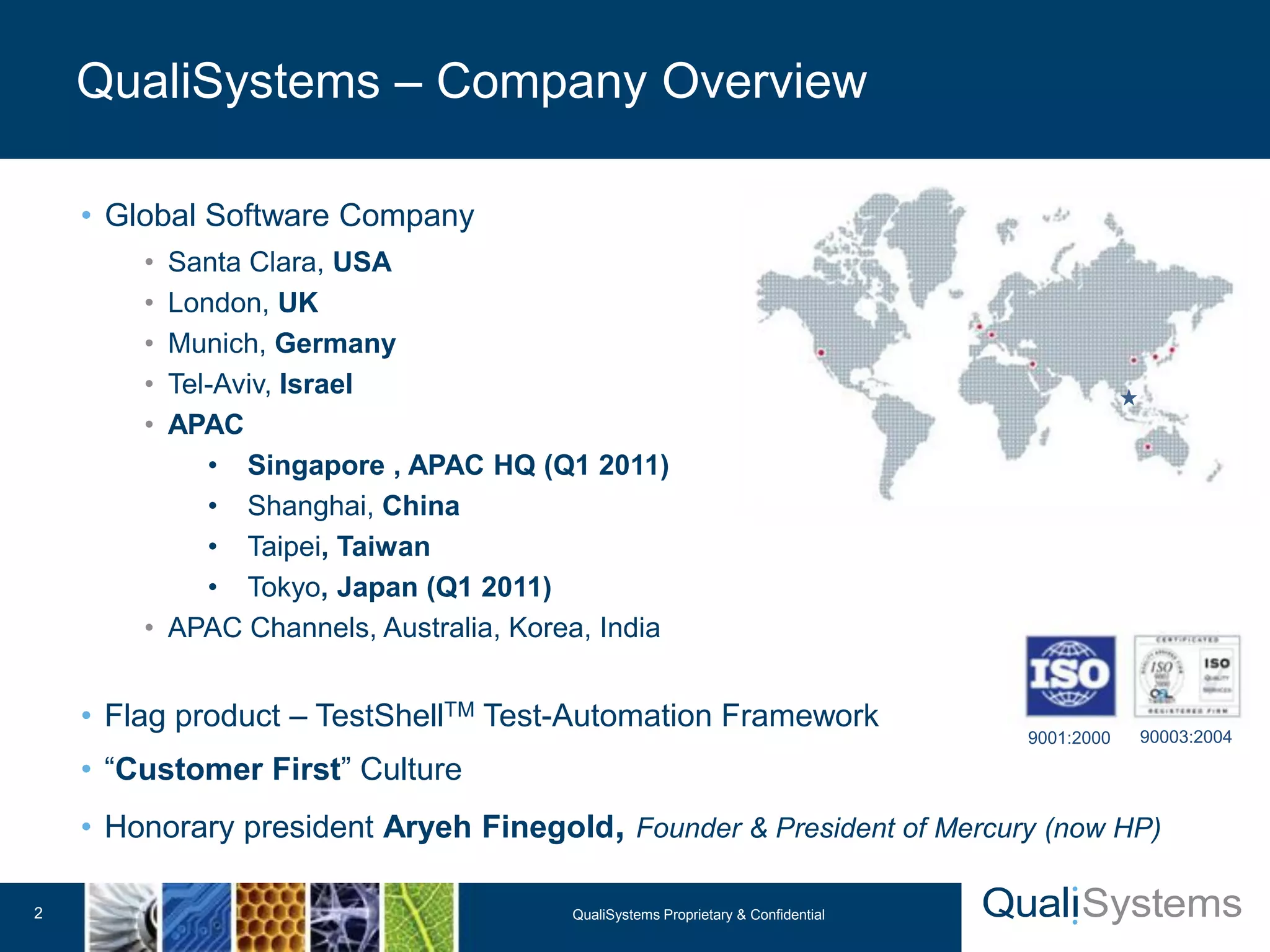
• Global Software Company 
• Santa Clara, USA 
• London, UK 
• Munich, Germany 
• Tel-Aviv, Israel 
• APAC 
• Singapore , APAC HQ (Q1 2011) 
• Shanghai, China 
• Taipei, Taiwan 
• Tokyo, Japan (Q1 2011) 
• APAC Channels, Australia, Korea, India 
• Flag product – TestShellTM Test-Automation Framework 
• “Customer First” Culture 
• Honorary president Aryeh Finegold, Founder & President of Mercury (now HP) 
QualiSystems – Company Overview 
QualiSystems Proprietary 2 & Confidential
QualiSystems Proprietary 3 & Confidential 
Customers Snapshot 
We help our customers 
 Improve Product Quality 
 Shorten Time to Market 
 Reduce Expenditures
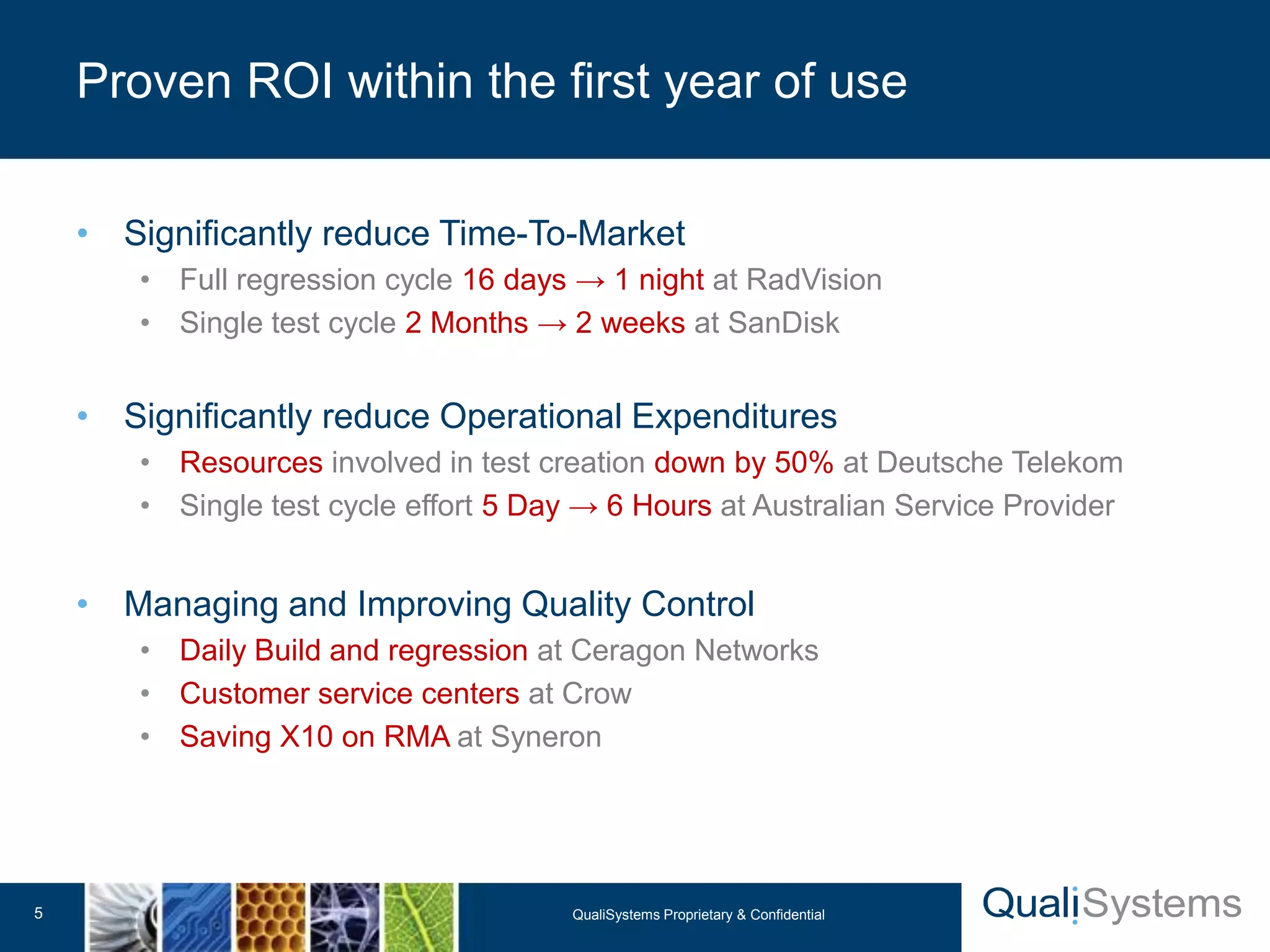
• Significantly reduce Time-To-Market 
• Full regression cycle 16 days → 1 night at RadVision 
• Single test cycle 2 Months → 2 weeks at SanDisk 
• Significantly reduce Operational Expenditures 
• Resources involved in test creation down by 50% at Deutsche Telekom 
• Single test cycle effort 5 Day → 6 Hours at Australian Service Provider 
• Managing and Improving Quality Control 
• Daily Build and regression at Ceragon Networks 
• Customer service centers at Crow 
• Saving X10 on RMA at Syneron 
Proven ROI within the first year of use 
QualiSystems Proprietary 5 & Confidential
Test Topology
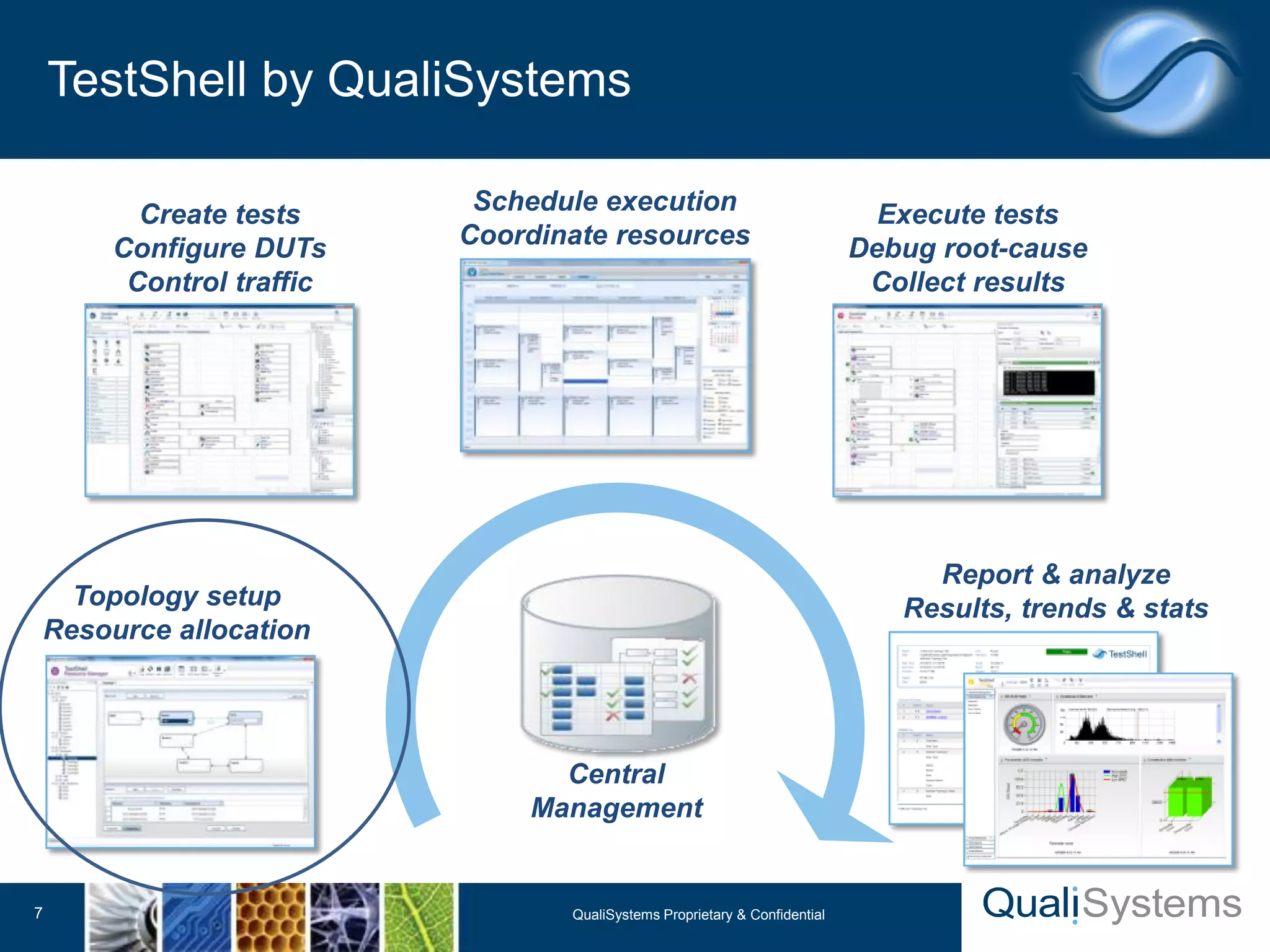
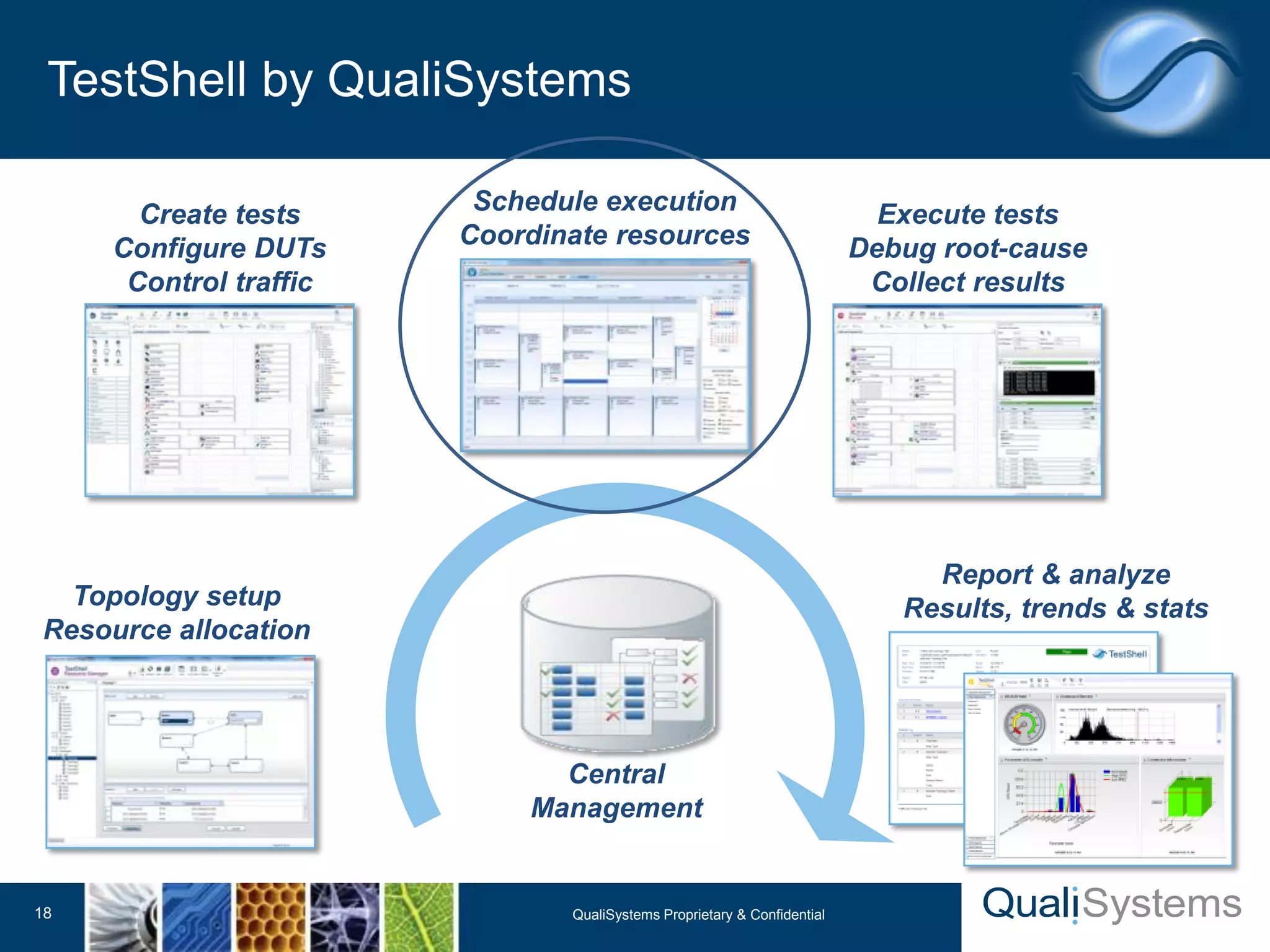
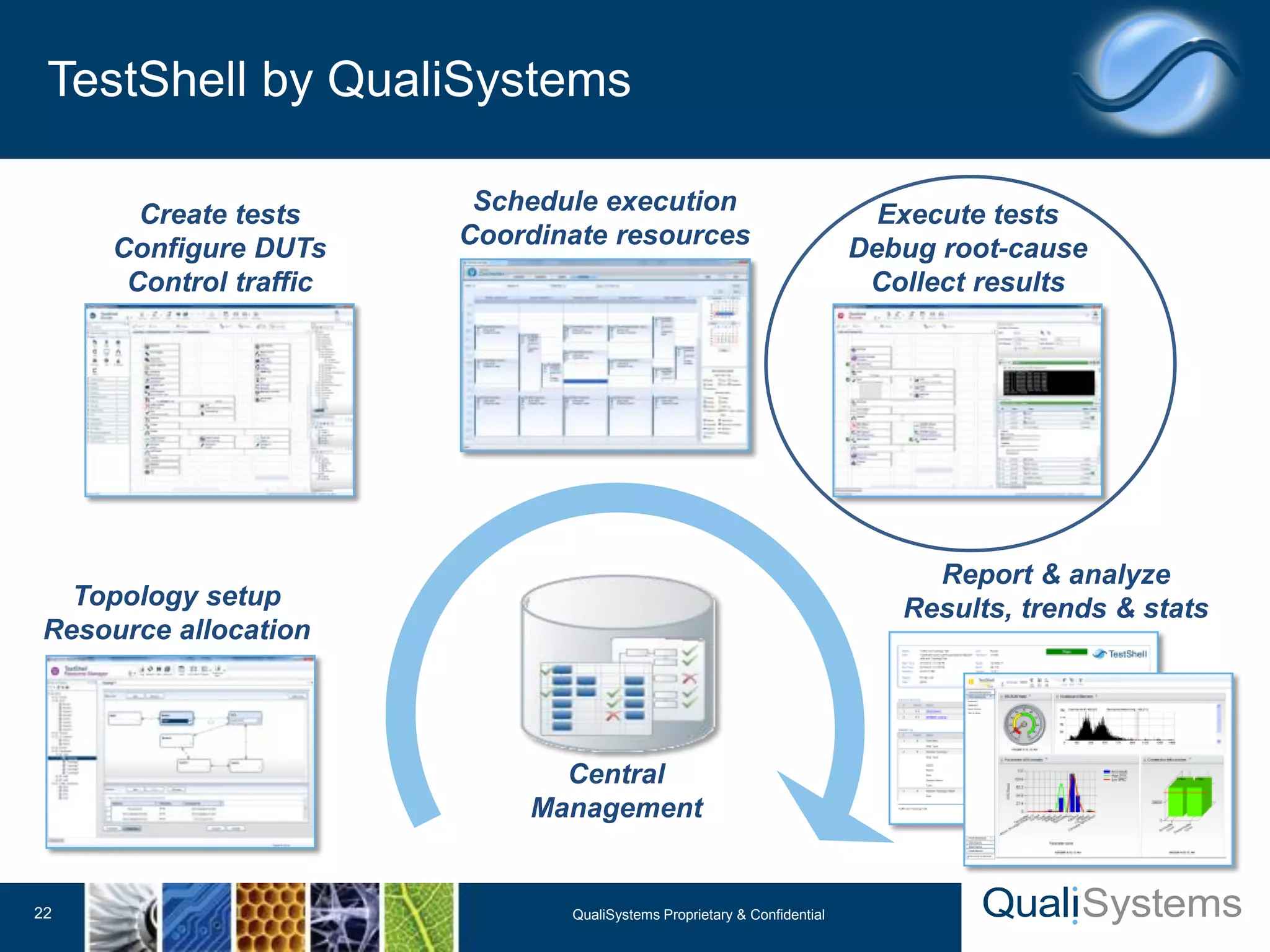
TestShell by QualiSystems 
7 QualiSystems Proprietary & Confidential 
Create tests 
Configure DUTs 
Control traffic 
Topology setup 
Resource allocation 
Execute tests 
Debug root-cause 
Collect results 
Schedule execution 
Coordinate resources 
Report & analyze 
Results, trends & stats 
Central 
Management
• Setup the lab topology into the resource manager: 
• Define all lab resources 
• Define all the lab physical connections 
• Activate topologies from tests: 
• Locking and reservation resources when tests run 
• Performing actions on the resources based on topology 
• Integration with Layer1 Switch to manage the physical 
connections (optional) 
• The Result: multiple users can load, create, lock and 
reserve diverse multi-vendor resources when running tests 
Topology Setup – Concept 
Topology 
Setup 
Tests 
Creation 
Tests 
Scheduling 
Tests 
Execution 
Result 
Analysis
• Simplified Topology Creation – Graphical Diagram 
• Guarantee resource locking and availability for the entire testing cycle 
• Create multiple topology documents activated with a single click 
• Publish resource availability across the testing team 
• Track utilization records to maximize resource usage 
• Verify resource availability prior to execution 
• Automatically inherit all resource parameters directly to the test by 
resource selection 
TestShell Topology Setup - Benefits
Tests Creation
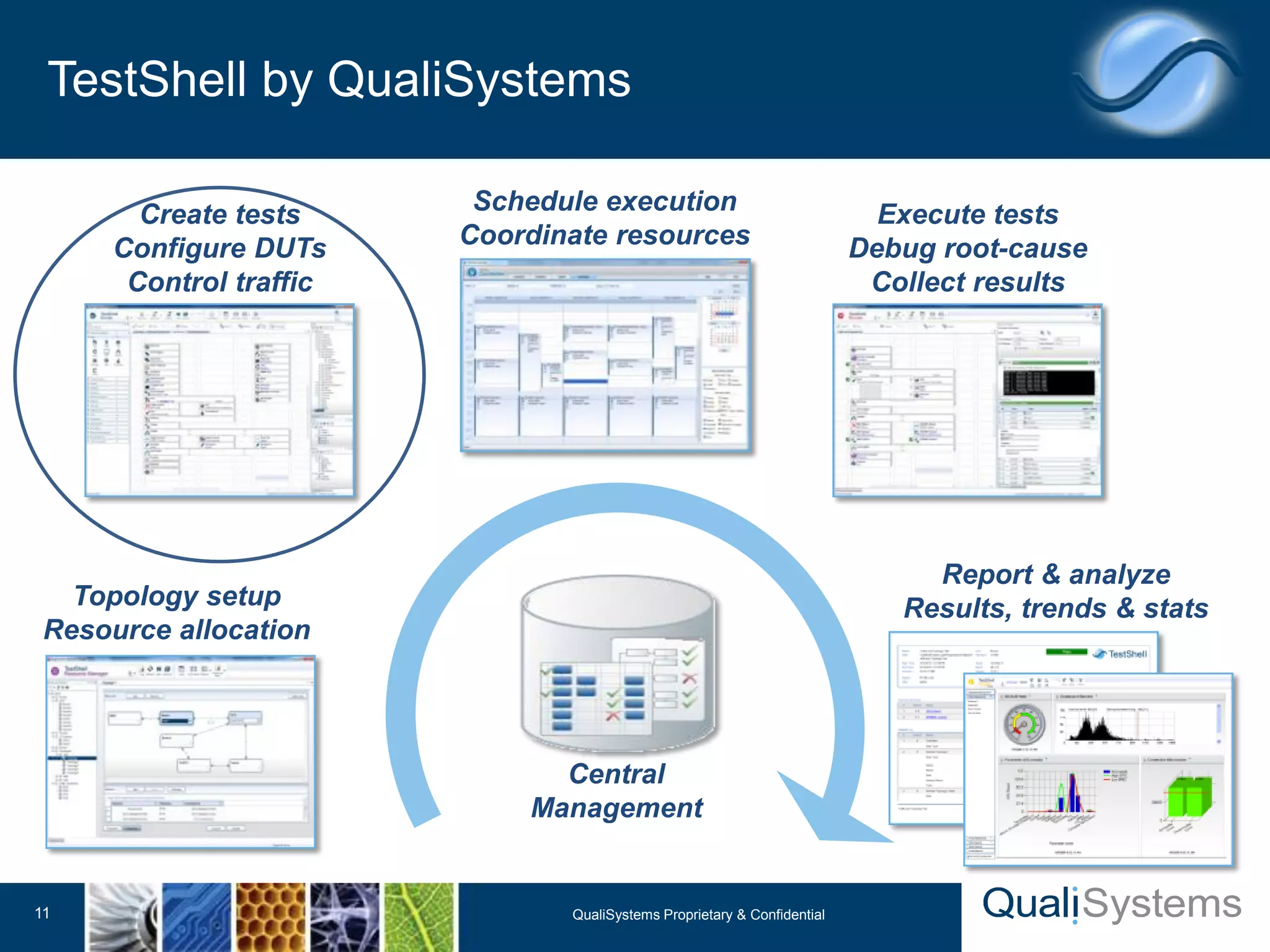
TestShell by QualiSystems 
11 QualiSystems Proprietary & Confidential 
Create tests 
Configure DUTs 
Control traffic 
Topology setup 
Resource allocation 
Execute tests 
Debug root-cause 
Collect results 
Schedule execution 
Coordinate resources 
Report & analyze 
Results, trends & stats 
Central 
Management
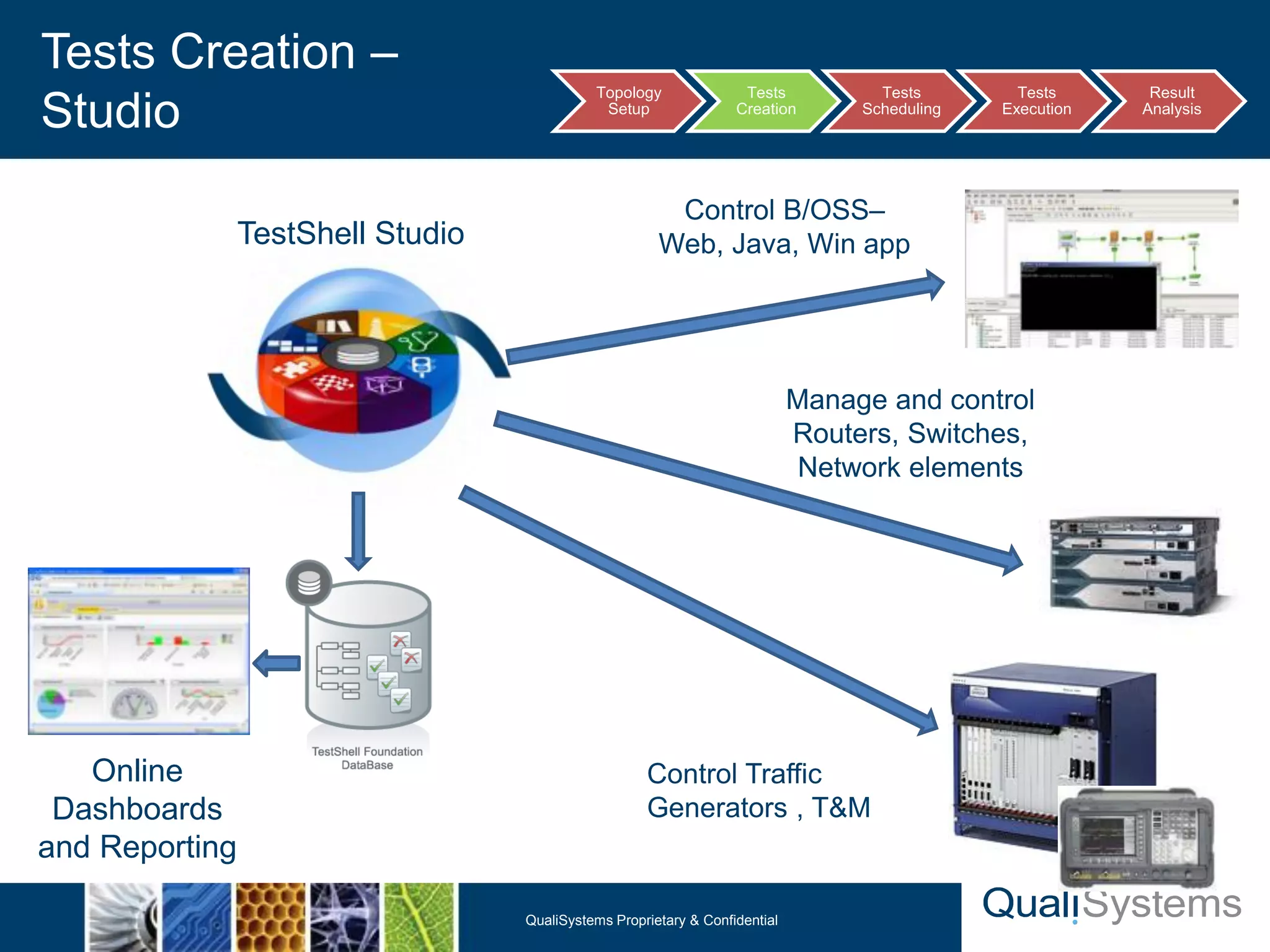
Tests Creation – 
Studio Topology 
Setup 
Tests 
Creation 
Tests 
Scheduling 
Tests 
Execution 
Result 
Analysis 
Manage and control 
Routers, Switches, 
Network elements 
QualiSystems Proprietary & Confidential 
12 
TestShell Studio 
Online 
Dashboards 
and Reporting 
Control B/OSS– 
Web, Java, Win app 
Control Traffic 
Generators , T&M
Automated Test Script Starting 
------------------------------- 
Ping 192.168.1.56 
Done 
Configure DUT Service 
Done 
Configure IXIA Traffic 
Done 
Start IXIA Traffic 
Done 
Load IXIA result file 
‘C:IXIALogsadministratorresults.csv’ 
Done 
Calculate Traffic Loss… 
IXIA packets sent = 10,000 
IXIA Result = 144 packets 
Check Against Criteria 
112 < SPEC && 10,000 > SPEC 
Save log file to path: 
C:Automated TestsProject 
FolderTest_14_01_2010 
Test Pass 
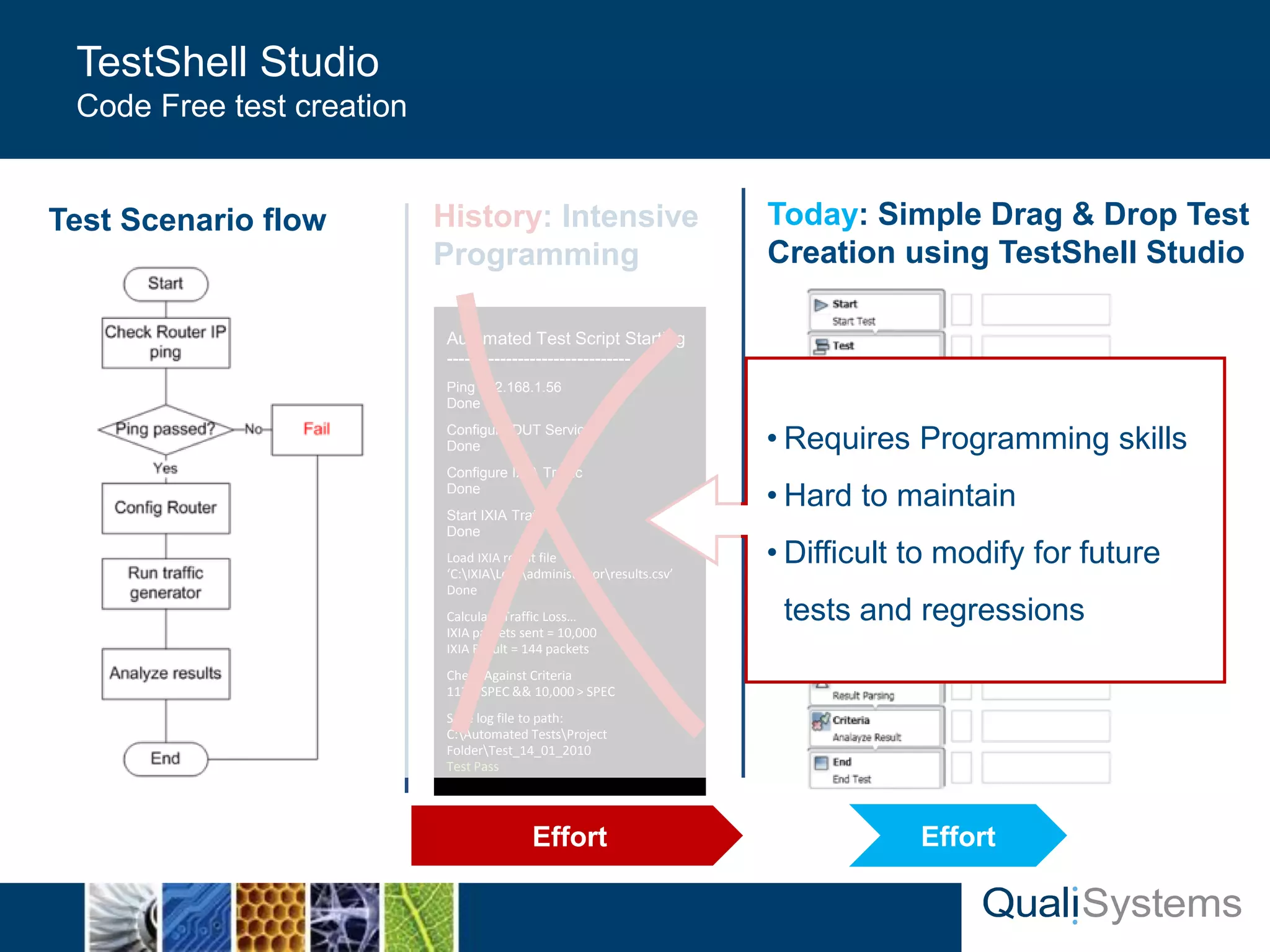
TestShell Studio 
Code Free test creation 
History: Intensive 
Programming 
Test Scenario flow Today: Simple Drag & Drop Test 
Creation using TestShell Studio 
Effort Effort 
• Requires Programming skills 
• Hard to maintain 
• Difficult to modify for future 
tests and regressions
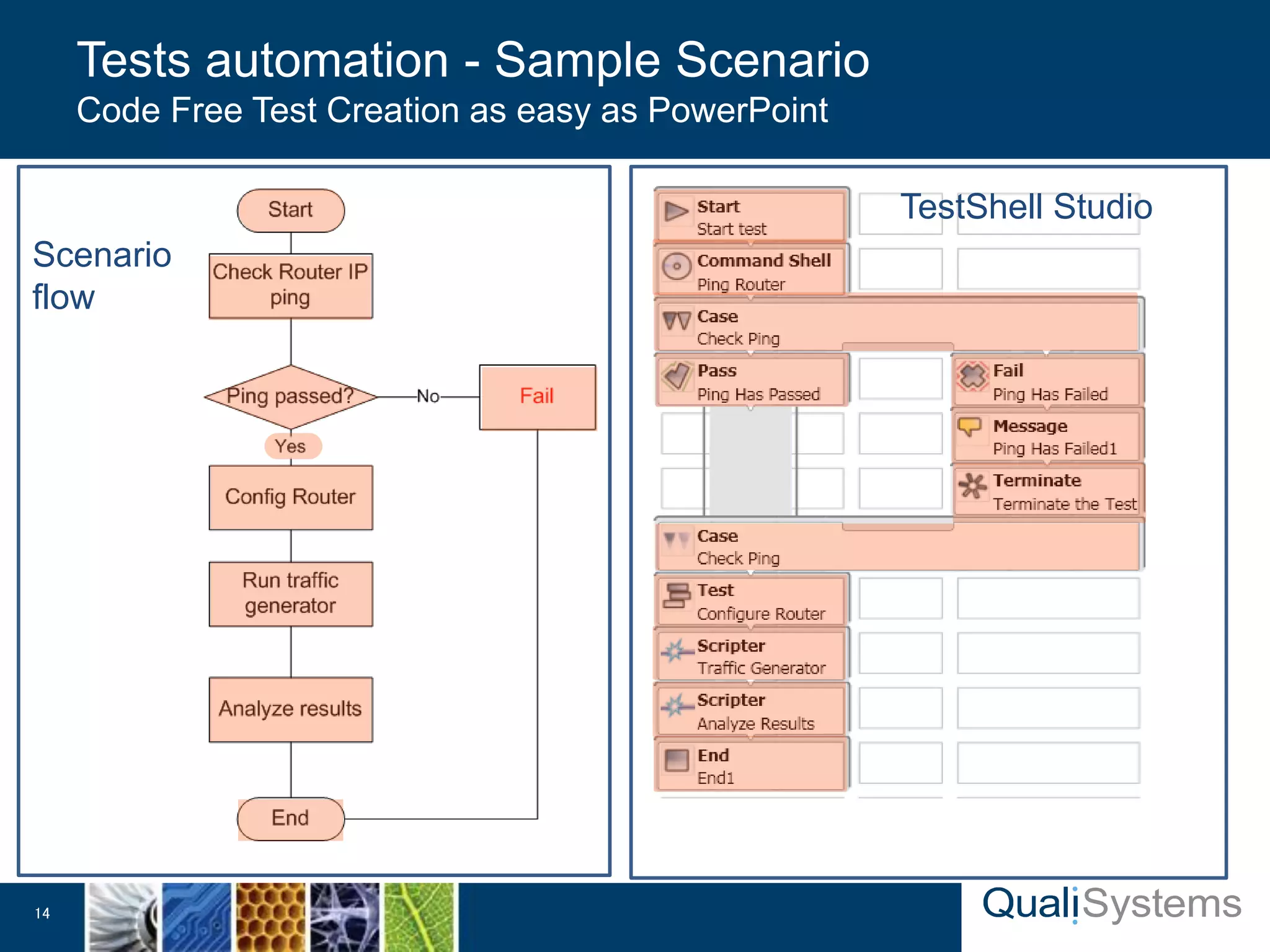
Tests automation - Sample Scenario 
Code Free Test Creation as easy as PowerPoint 
14 
TestShell Studio 
Scenario 
flow
• Messages, Instructions 
• Alerts, Remarks 
• Watchers, Graphs 
• etc. 
Dialogs 
• Variables 
• Cases, Loops, Delays 
• Parallelization, events 
• etc. 
Logic 
Modules 
• Traffic generators 
• Network analyzers 
• Spectrum, scope 
• Generators, etc. 
T&M 
Modules 
• Symbian 
• Windows Mobile 
• iPhone, Blackberry 
• Android 
Mobile 
Modules 
• Mail & SMS, File Engine 
• GUI Automation, Attributes 
• Requirements 
Management, QTP ,LR , Etc.. 
Utilities 
• Telnet, SSH, TCP, UDP 
• SNMP (& Traps), FTP 
• Traffic Generators, Switches 
• etc. 
Networking 
• Web GUI 
• Web Services 
• etc. 
Web 
Modules 
• Exe, DLLs, CLI, VIs 
• Script-Engines 
• TCL, Perl, Python, VB, Java 
• MatLab, OCR 
Scripts & 
Software 
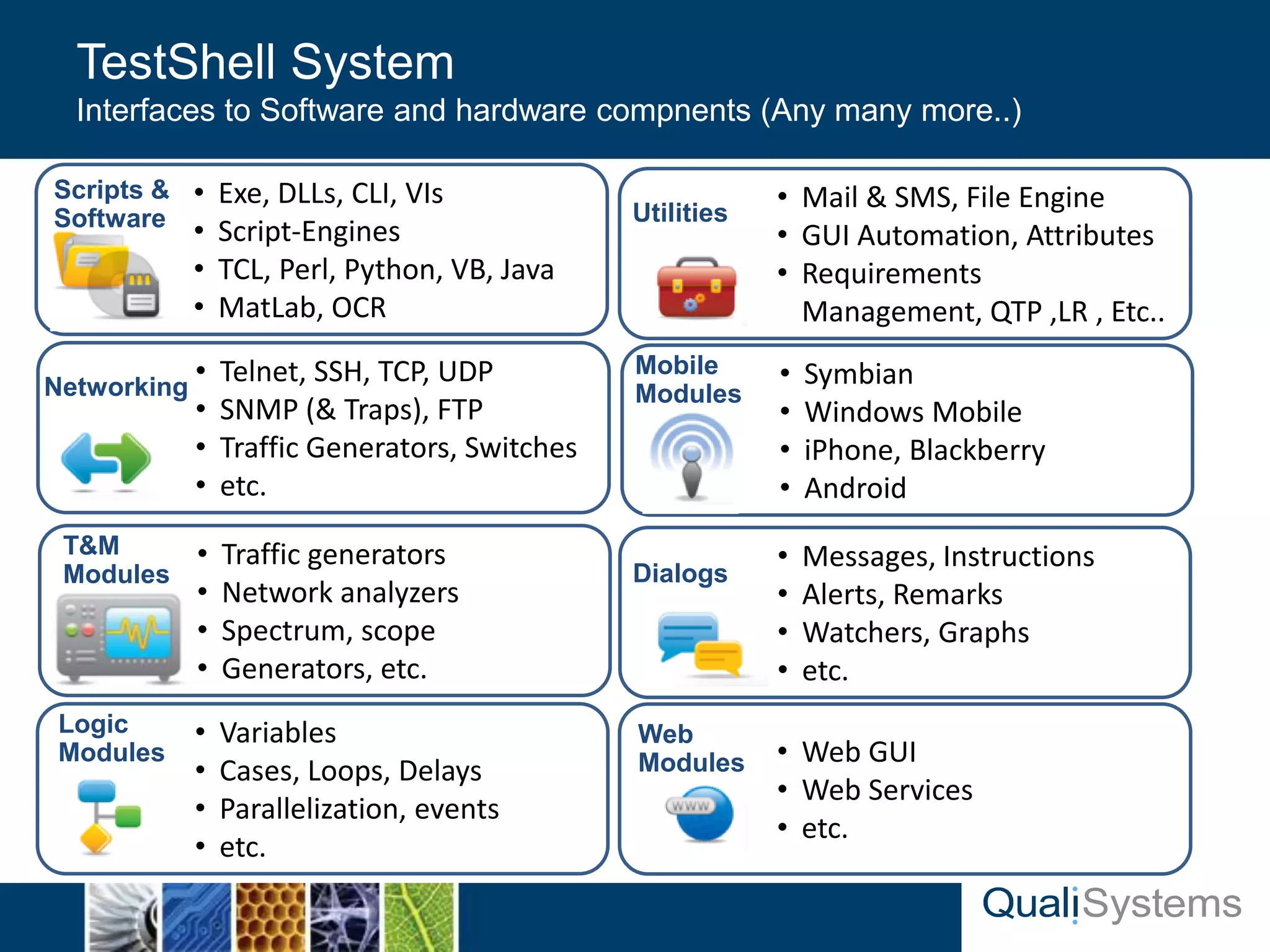
TestShell System 
Interfaces to Software and hardware compnents (Any many more..)
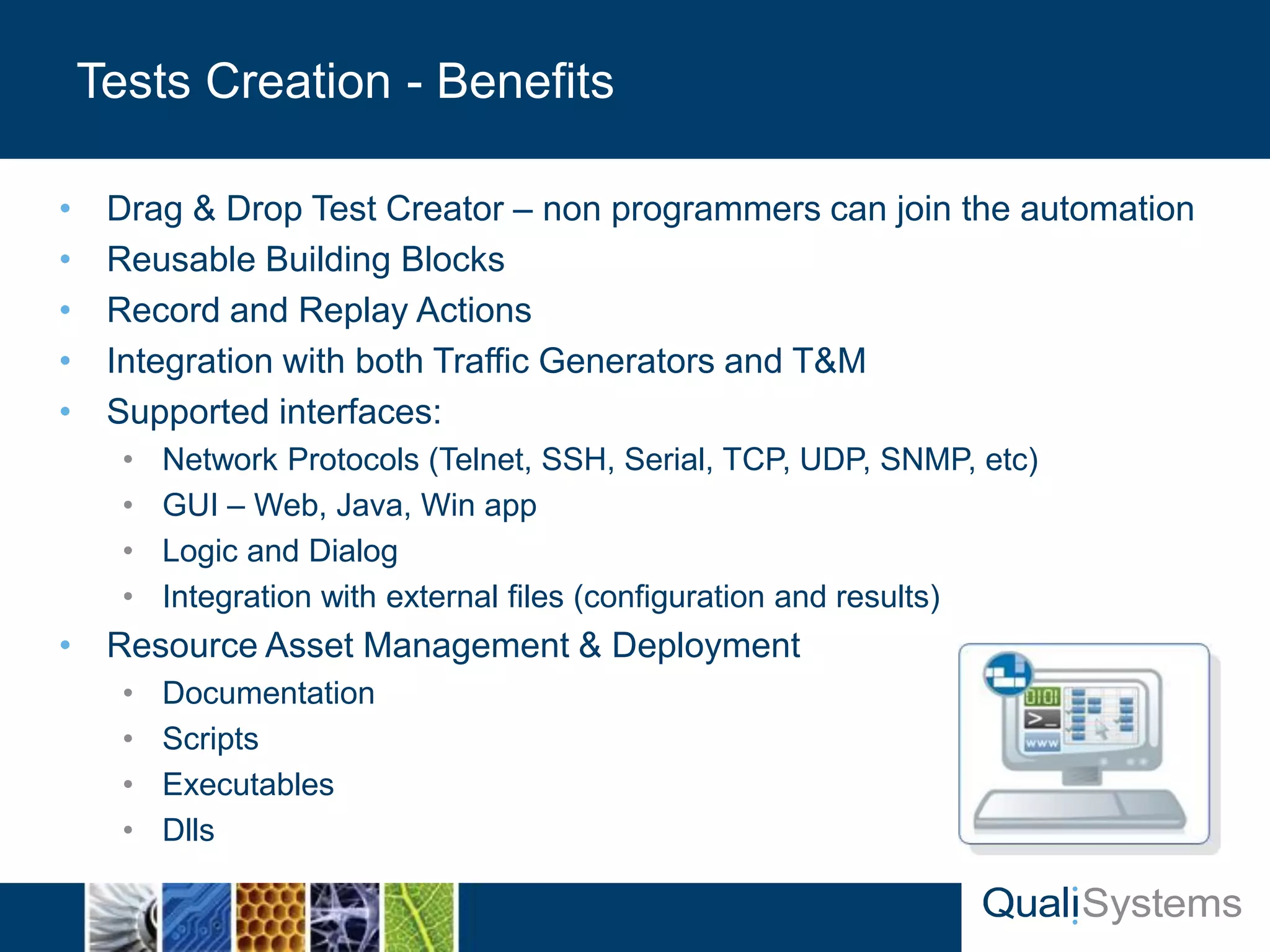
• Drag & Drop Test Creator – non programmers can join the automation 
• Reusable Building Blocks 
• Record and Replay Actions 
• Integration with both Traffic Generators and T&M 
• Supported interfaces: 
• Network Protocols (Telnet, SSH, Serial, TCP, UDP, SNMP, etc) 
• GUI – Web, Java, Win app 
• Logic and Dialog 
• Integration with external files (configuration and results) 
• Resource Asset Management & Deployment 
• Documentation 
• Scripts 
• Executables 
• Dlls 
Tests Creation - Benefits
Tests Scheduling 
QualiSystems Proprietary 17 & Confidential
TestShell by QualiSystems 
18 QualiSystems Proprietary & Confidential 
Create tests 
Configure DUTs 
Control traffic 
Topology setup 
Resource allocation 
Execute tests 
Debug root-cause 
Collect results 
Schedule execution 
Coordinate resources 
Report & analyze 
Results, trends & stats 
Central 
Management
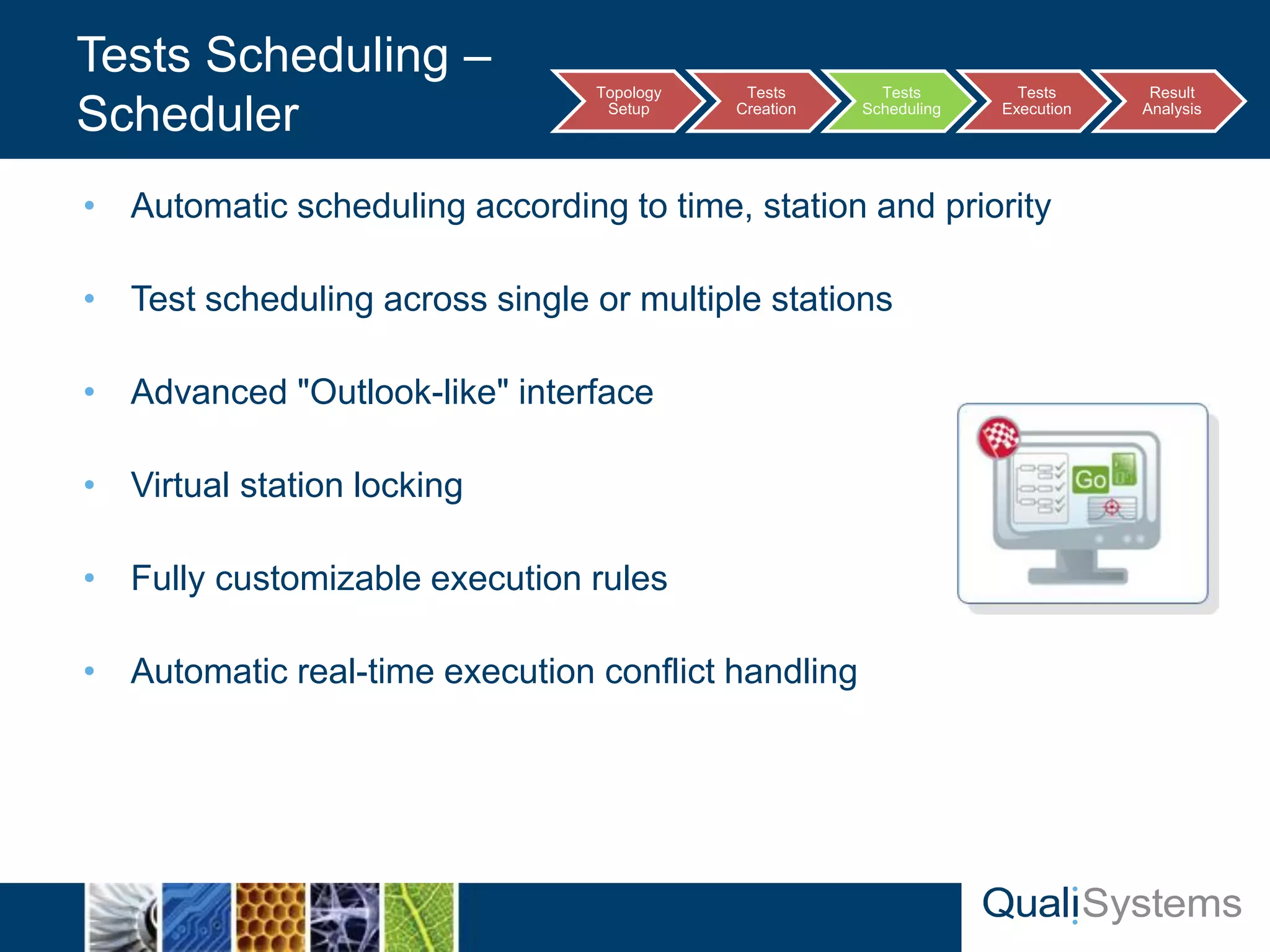
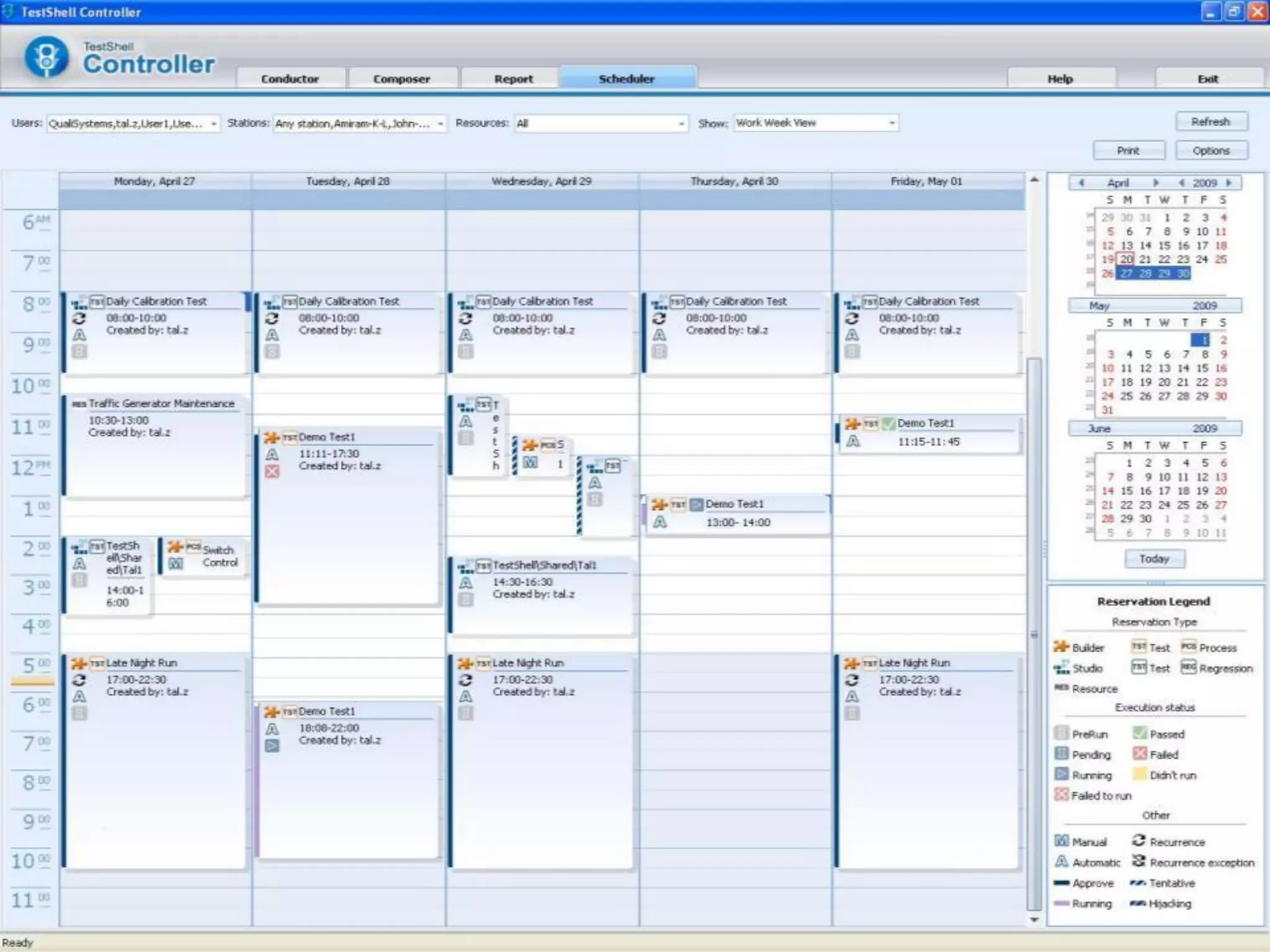
• Automatic scheduling according to time, station and priority 
• Test scheduling across single or multiple stations 
• Advanced "Outlook-like" interface 
• Virtual station locking 
• Fully customizable execution rules 
• Automatic real-time execution conflict handling 
Tests Scheduling – 
Scheduler 
Topology 
Setup 
Tests 
Creation 
Tests 
Scheduling 
Tests 
Execution 
Result 
Analysis
Tests Execution 
QualiSystems Proprietary 21 & Confidential
TestShell by QualiSystems 
22 QualiSystems Proprietary & Confidential 
Create tests 
Configure DUTs 
Control traffic 
Topology setup 
Resource allocation 
Execute tests 
Debug root-cause 
Collect results 
Schedule execution 
Coordinate resources 
Report & analyze 
Results, trends & stats 
Central 
Management
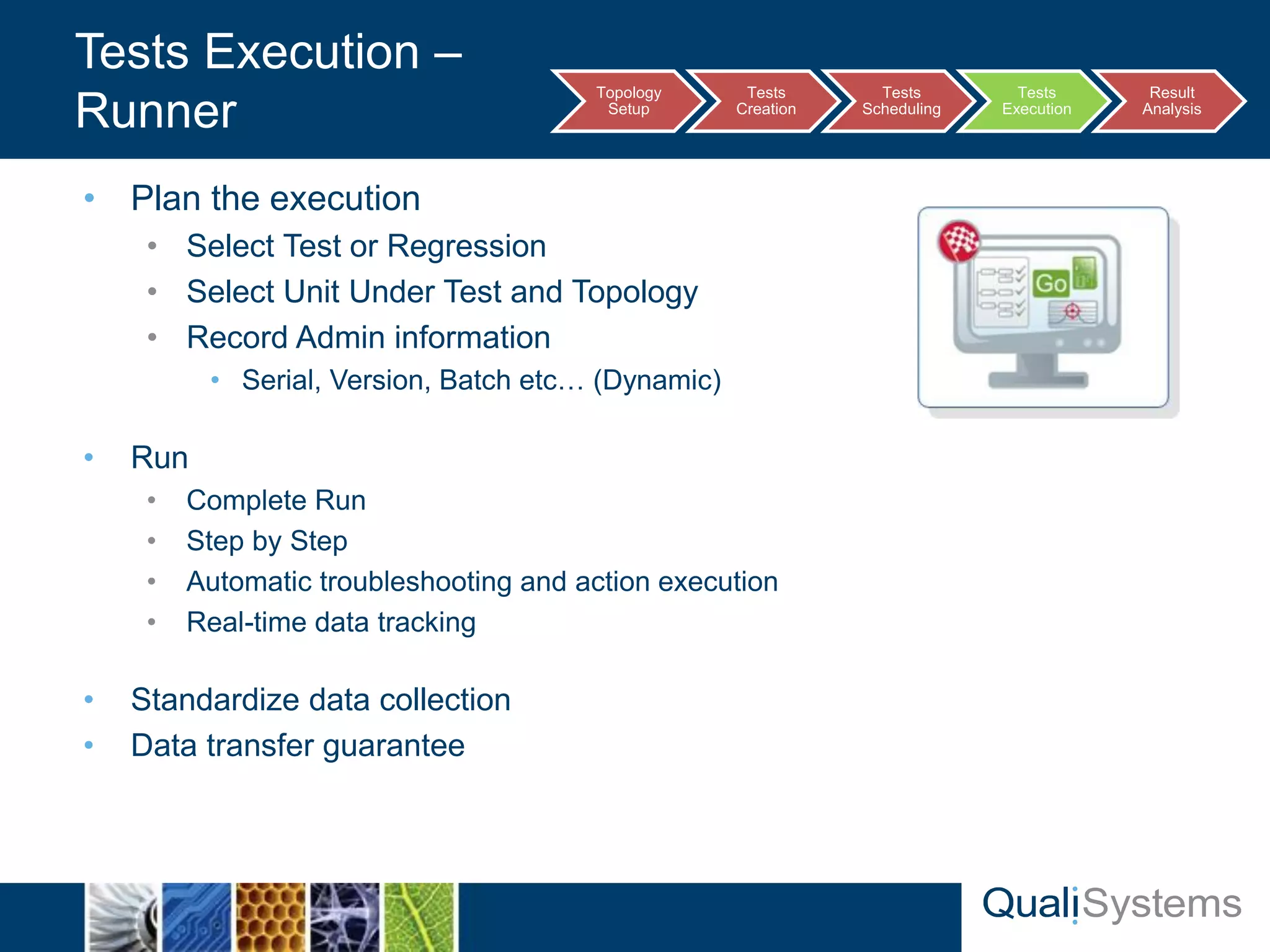
• Plan the execution 
• Select Test or Regression 
• Select Unit Under Test and Topology 
• Record Admin information 
• Serial, Version, Batch etc… (Dynamic) 
• Run 
• Complete Run 
• Step by Step 
• Automatic troubleshooting and action execution 
• Real-time data tracking 
• Standardize data collection 
• Data transfer guarantee 
Tests Execution – 
Runner Topology 
Setup 
Tests 
Creation 
Tests 
Scheduling 
Tests 
Execution 
Result 
Analysis
Results Analysis 
QualiSystems Proprietary 24 & Confidential
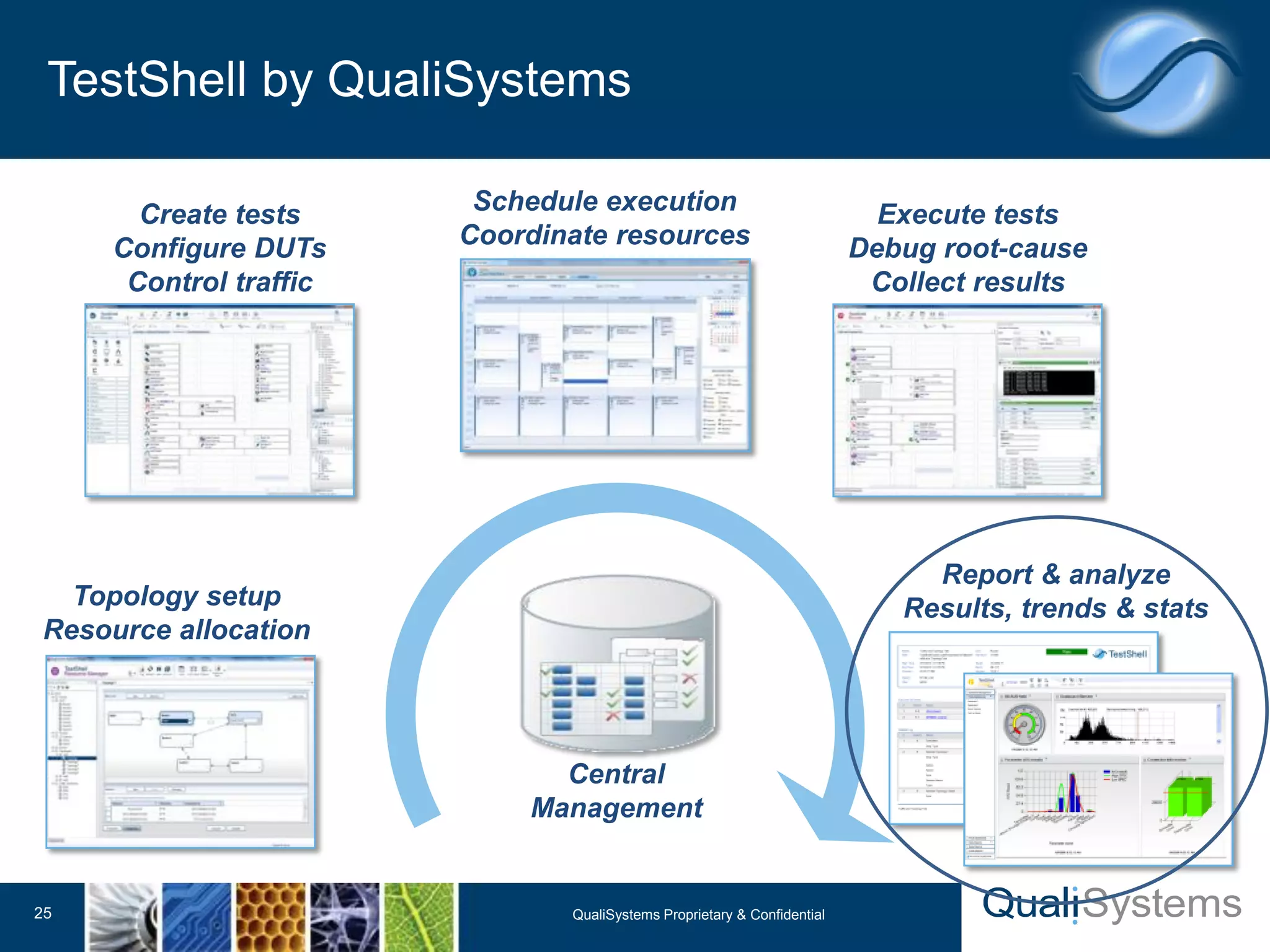
TestShell by QualiSystems 
25 QualiSystems Proprietary & Confidential 
Create tests 
Configure DUTs 
Control traffic 
Topology setup 
Resource allocation 
Execute tests 
Debug root-cause 
Collect results 
Schedule execution 
Coordinate resources 
Report & analyze 
Results, trends & stats 
Central 
Management
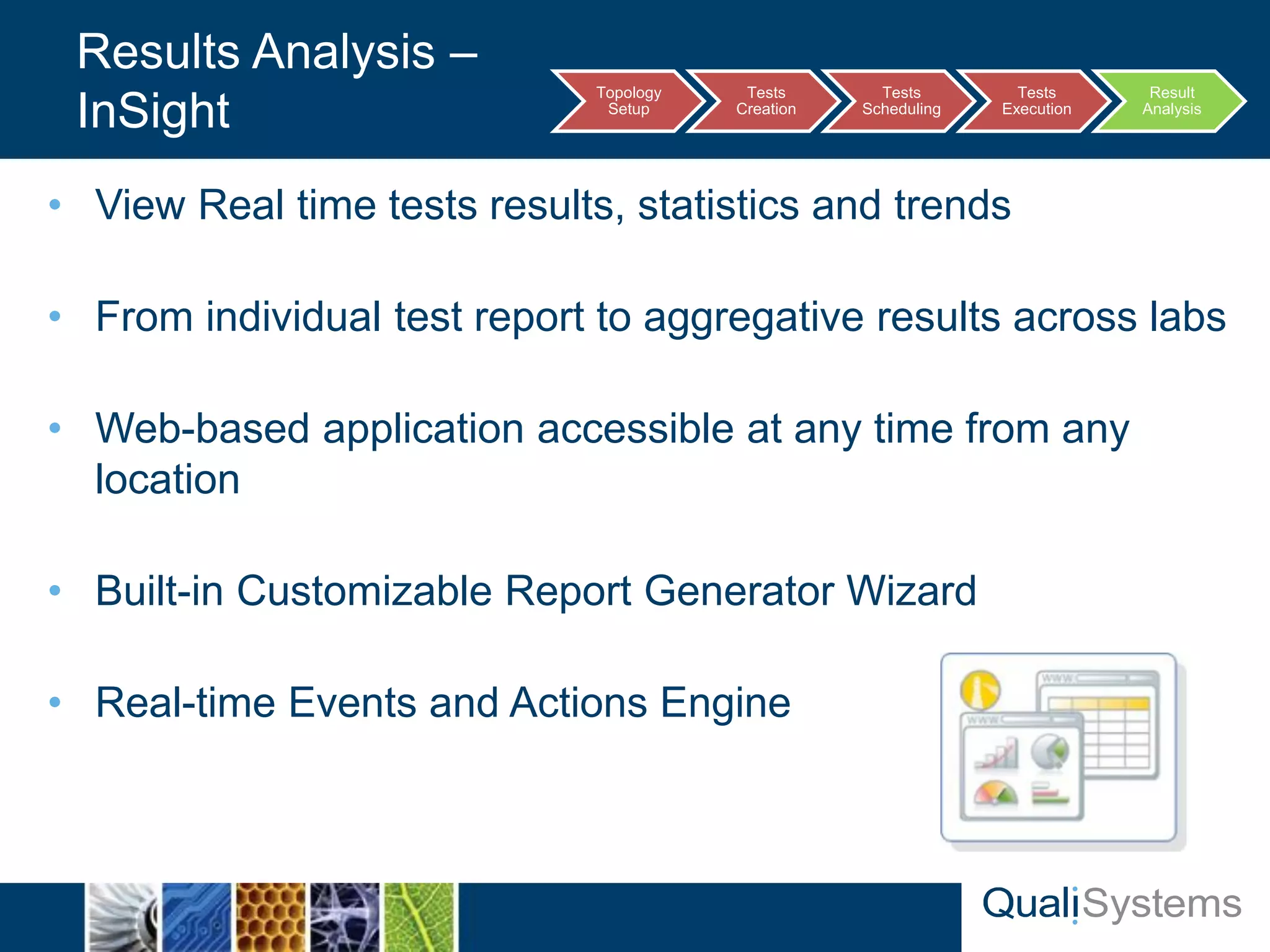
• View Real time tests results, statistics and trends 
• From individual test report to aggregative results across labs 
• Web-based application accessible at any time from any 
location 
• Built-in Customizable Report Generator Wizard 
• Real-time Events and Actions Engine 
Results Analysis – 
InSight Topology 
Setup 
Tests 
Creation 
Tests 
Scheduling 
Tests 
Execution 
Result 
Analysis
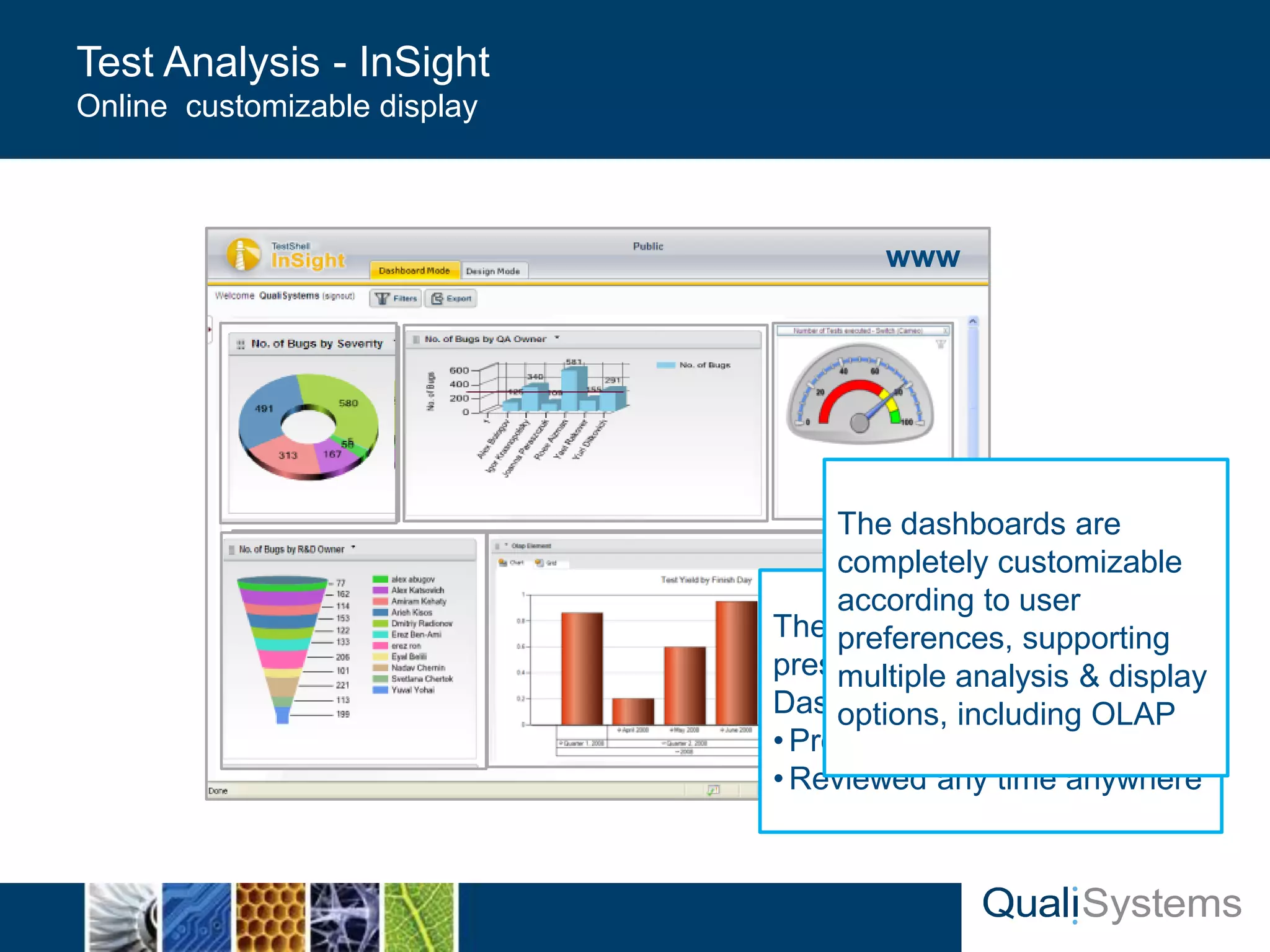
Test Analysis - InSight 
Online customizable display 
The analayzed data is 
presented via online 
Dasboards: 
• Providing real time analysis 
•Reviewed any time anywhere 
www 
The dashboards are 
completely customizable 
according to user 
preferences, supporting 
multiple analysis & display 
options, including OLAP
Deployment 
QualiSystems Proprietary 29 & Confidential
Deployment 
Mercury Confidential & Proprietary 
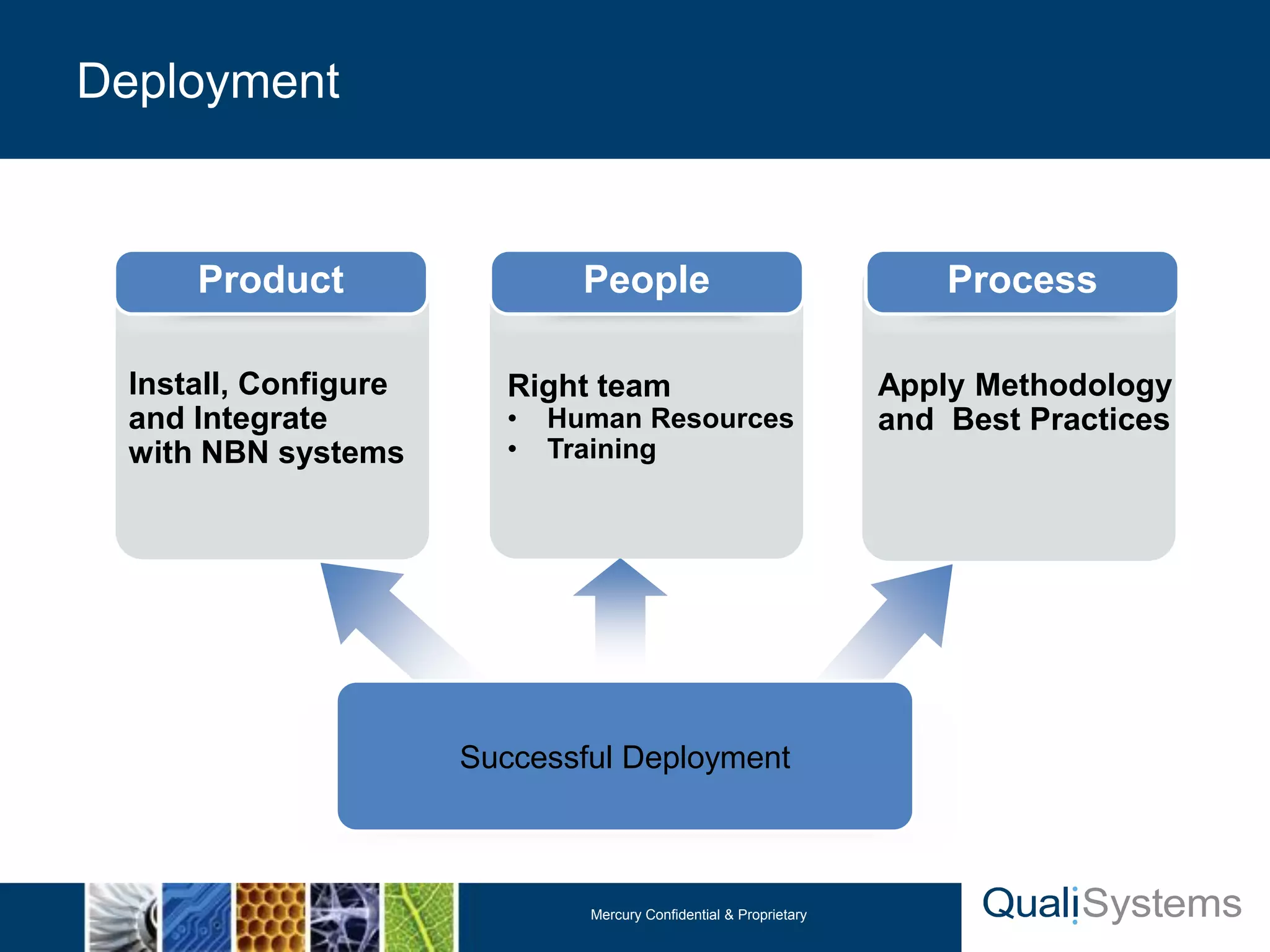
Successful Deployment 
Install, Configure 
and Integrate 
with NBN systems 
Apply Methodology 
and Best Practices 
Right team 
• Human Resources 
• Training 
Product People Process
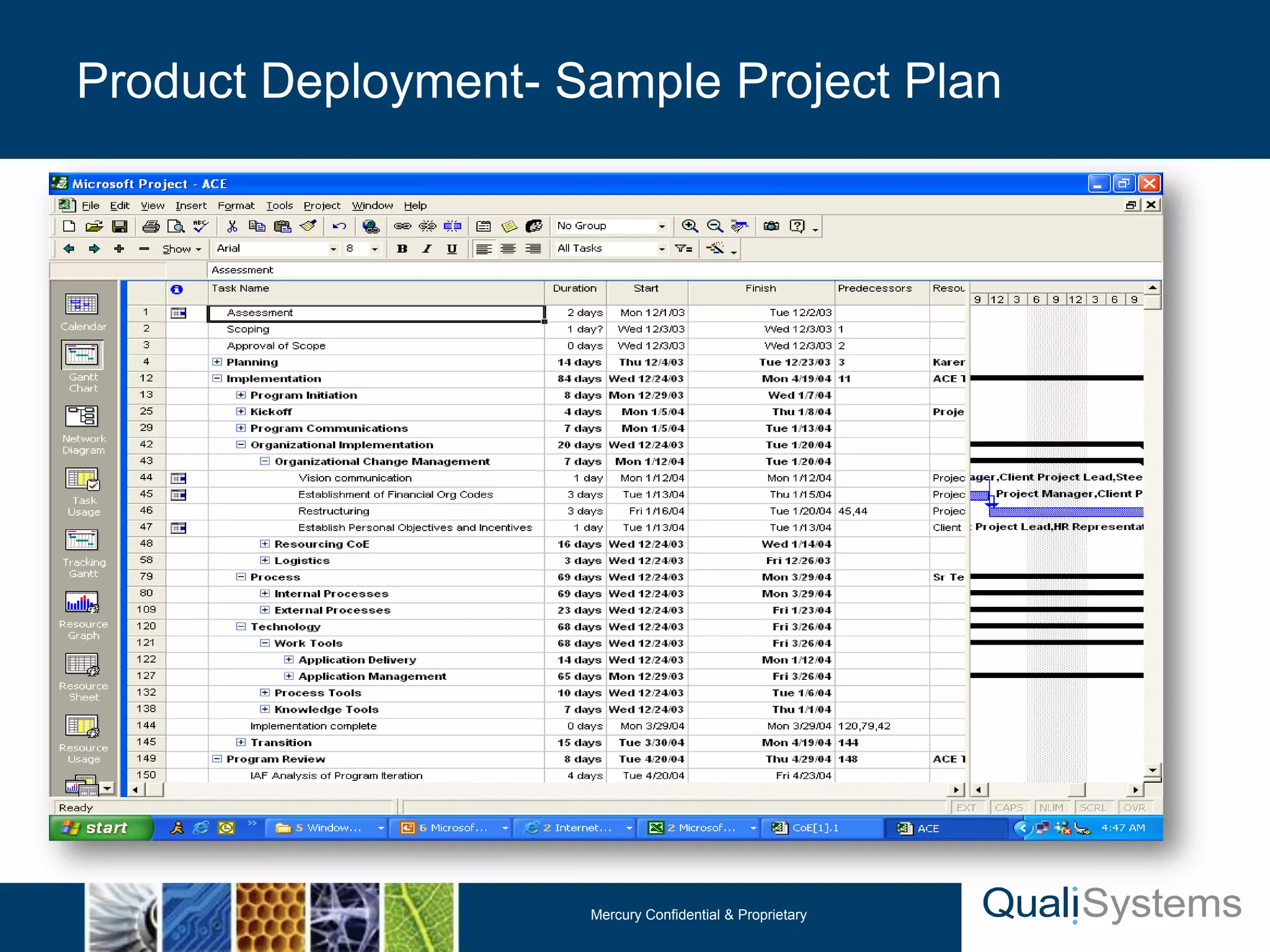
Product Deployment- Sample Project Plan 
Mercury Confidential & Proprietary
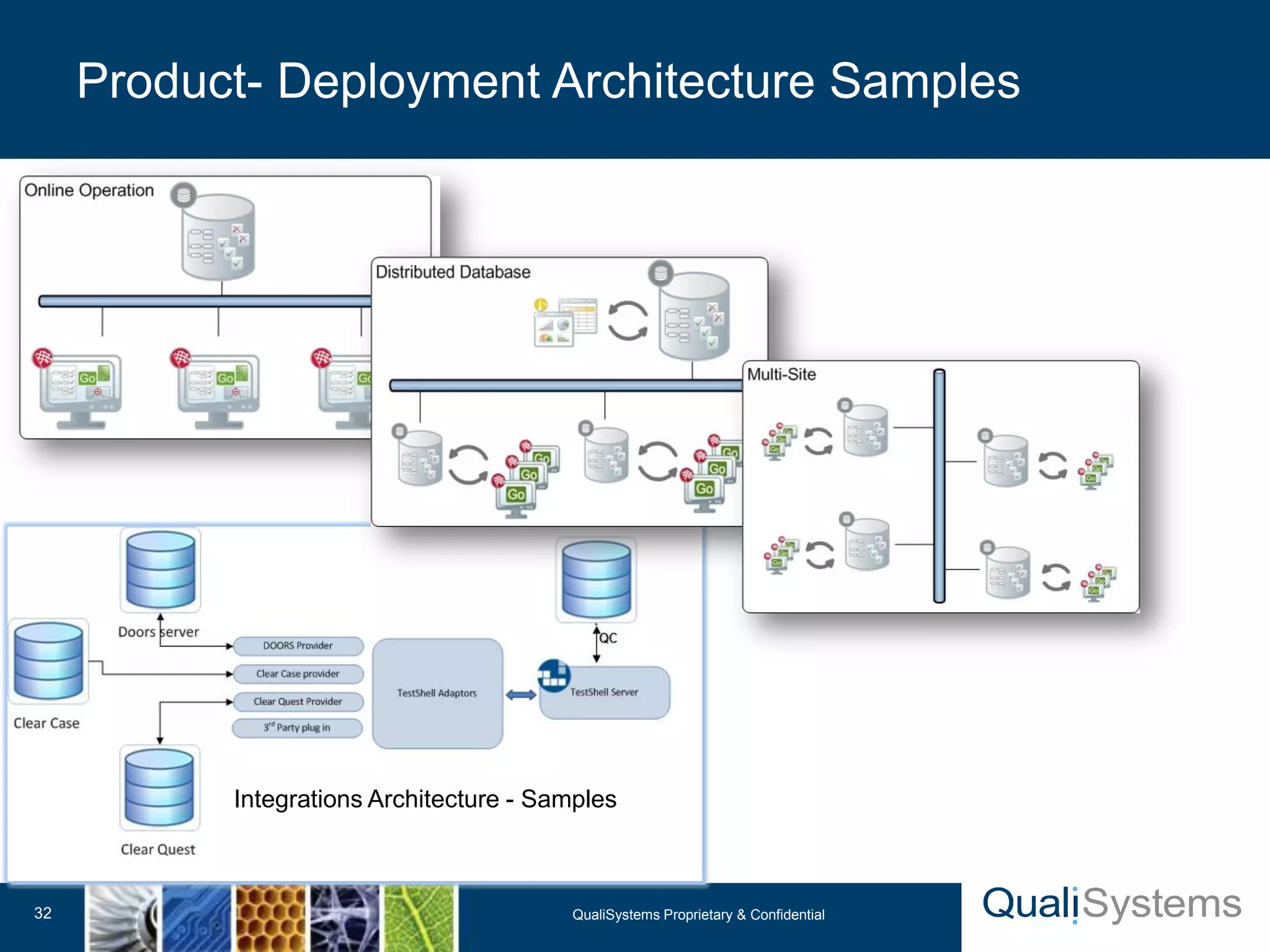
Product- Deployment Architecture Samples 
QualiSystems Proprietary 32 & Confidential 
Integrations Architecture - Samples
TestShell Components 
QualiSystems Proprietary 33 & Confidential
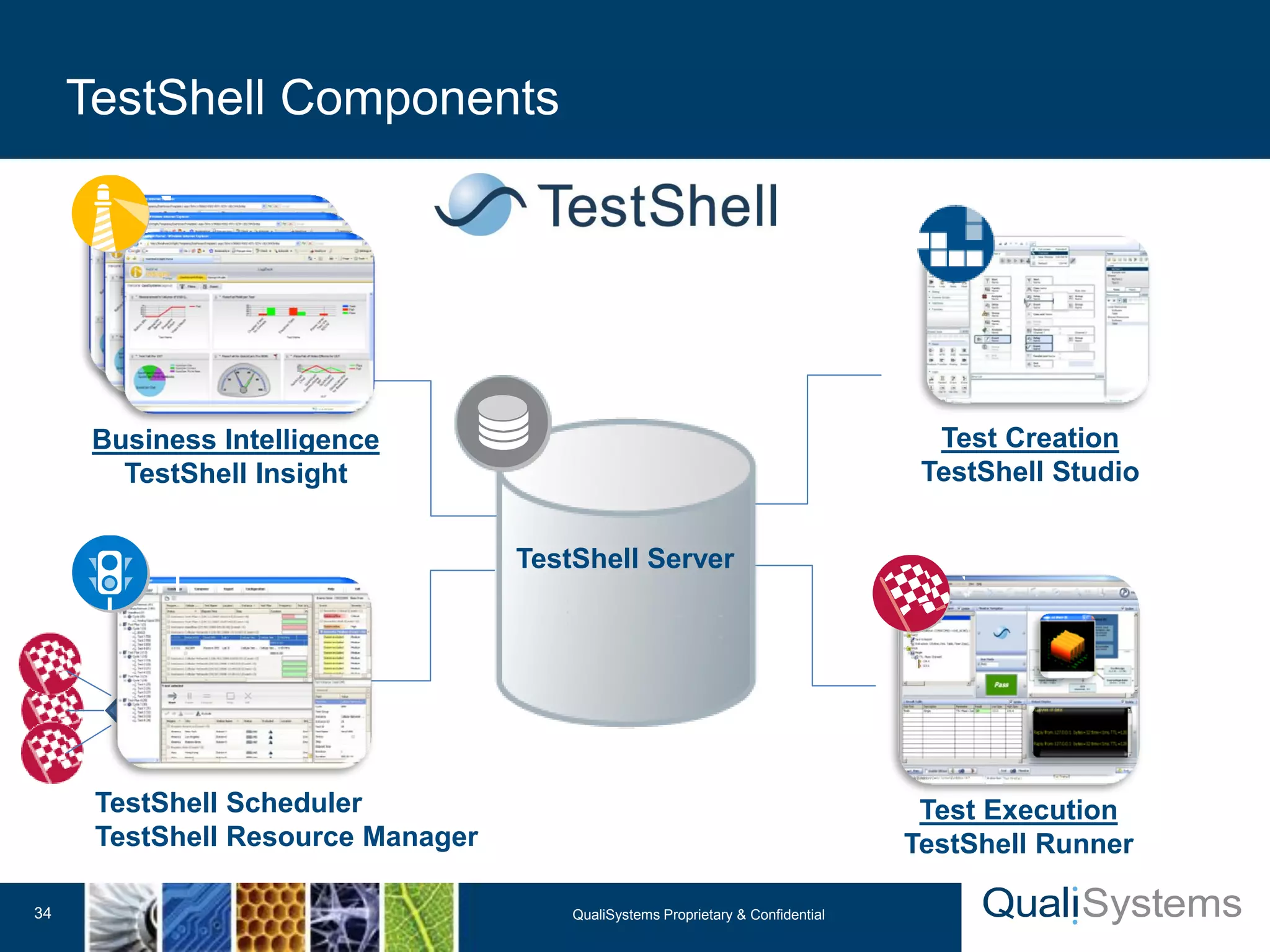
TestShell Components 
QualiSystems Proprietary 34 & Confidential 
Test Creation 
TestShell Studio 
Test Execution 
TestShell Runner 
TestShell Scheduler 
TestShell Resource Manager 
Business Intelligence 
TestShell Insight 
TestShell Server
QualiSystems Proprietary 35 & Confidential 
Thank you 
www.qualisystems.com

QualiSystems-Brief TestShell

  • 1.
    QualiSystems Proprietary 1& Confidential TestShell Introduction End-to-End Test Automation December 2010 Standards of Excellence Amy Ho
  • 2.
    9001:2000 90003:2004 •Global Software Company • Santa Clara, USA • London, UK • Munich, Germany • Tel-Aviv, Israel • APAC • Singapore , APAC HQ (Q1 2011) • Shanghai, China • Taipei, Taiwan • Tokyo, Japan (Q1 2011) • APAC Channels, Australia, Korea, India • Flag product – TestShellTM Test-Automation Framework • “Customer First” Culture • Honorary president Aryeh Finegold, Founder & President of Mercury (now HP) QualiSystems – Company Overview QualiSystems Proprietary 2 & Confidential
  • 3.
    QualiSystems Proprietary 3& Confidential Customers Snapshot We help our customers  Improve Product Quality  Shorten Time to Market  Reduce Expenditures
  • 4.
    • Significantly reduceTime-To-Market • Full regression cycle 16 days → 1 night at RadVision • Single test cycle 2 Months → 2 weeks at SanDisk • Significantly reduce Operational Expenditures • Resources involved in test creation down by 50% at Deutsche Telekom • Single test cycle effort 5 Day → 6 Hours at Australian Service Provider • Managing and Improving Quality Control • Daily Build and regression at Ceragon Networks • Customer service centers at Crow • Saving X10 on RMA at Syneron Proven ROI within the first year of use QualiSystems Proprietary 5 & Confidential
  • 5.
  • 6.
    TestShell by QualiSystems 7 QualiSystems Proprietary & Confidential Create tests Configure DUTs Control traffic Topology setup Resource allocation Execute tests Debug root-cause Collect results Schedule execution Coordinate resources Report & analyze Results, trends & stats Central Management
  • 7.
    • Setup thelab topology into the resource manager: • Define all lab resources • Define all the lab physical connections • Activate topologies from tests: • Locking and reservation resources when tests run • Performing actions on the resources based on topology • Integration with Layer1 Switch to manage the physical connections (optional) • The Result: multiple users can load, create, lock and reserve diverse multi-vendor resources when running tests Topology Setup – Concept Topology Setup Tests Creation Tests Scheduling Tests Execution Result Analysis
  • 8.
    • Simplified TopologyCreation – Graphical Diagram • Guarantee resource locking and availability for the entire testing cycle • Create multiple topology documents activated with a single click • Publish resource availability across the testing team • Track utilization records to maximize resource usage • Verify resource availability prior to execution • Automatically inherit all resource parameters directly to the test by resource selection TestShell Topology Setup - Benefits
  • 9.
  • 10.
    TestShell by QualiSystems 11 QualiSystems Proprietary & Confidential Create tests Configure DUTs Control traffic Topology setup Resource allocation Execute tests Debug root-cause Collect results Schedule execution Coordinate resources Report & analyze Results, trends & stats Central Management
  • 11.
    Tests Creation – Studio Topology Setup Tests Creation Tests Scheduling Tests Execution Result Analysis Manage and control Routers, Switches, Network elements QualiSystems Proprietary & Confidential 12 TestShell Studio Online Dashboards and Reporting Control B/OSS– Web, Java, Win app Control Traffic Generators , T&M
  • 12.
    Automated Test ScriptStarting ------------------------------- Ping 192.168.1.56 Done Configure DUT Service Done Configure IXIA Traffic Done Start IXIA Traffic Done Load IXIA result file ‘C:IXIALogsadministratorresults.csv’ Done Calculate Traffic Loss… IXIA packets sent = 10,000 IXIA Result = 144 packets Check Against Criteria 112 < SPEC && 10,000 > SPEC Save log file to path: C:Automated TestsProject FolderTest_14_01_2010 Test Pass TestShell Studio Code Free test creation History: Intensive Programming Test Scenario flow Today: Simple Drag & Drop Test Creation using TestShell Studio Effort Effort • Requires Programming skills • Hard to maintain • Difficult to modify for future tests and regressions
  • 13.
    Tests automation -Sample Scenario Code Free Test Creation as easy as PowerPoint 14 TestShell Studio Scenario flow
  • 14.
    • Messages, Instructions • Alerts, Remarks • Watchers, Graphs • etc. Dialogs • Variables • Cases, Loops, Delays • Parallelization, events • etc. Logic Modules • Traffic generators • Network analyzers • Spectrum, scope • Generators, etc. T&M Modules • Symbian • Windows Mobile • iPhone, Blackberry • Android Mobile Modules • Mail & SMS, File Engine • GUI Automation, Attributes • Requirements Management, QTP ,LR , Etc.. Utilities • Telnet, SSH, TCP, UDP • SNMP (& Traps), FTP • Traffic Generators, Switches • etc. Networking • Web GUI • Web Services • etc. Web Modules • Exe, DLLs, CLI, VIs • Script-Engines • TCL, Perl, Python, VB, Java • MatLab, OCR Scripts & Software TestShell System Interfaces to Software and hardware compnents (Any many more..)
  • 15.
    • Drag &Drop Test Creator – non programmers can join the automation • Reusable Building Blocks • Record and Replay Actions • Integration with both Traffic Generators and T&M • Supported interfaces: • Network Protocols (Telnet, SSH, Serial, TCP, UDP, SNMP, etc) • GUI – Web, Java, Win app • Logic and Dialog • Integration with external files (configuration and results) • Resource Asset Management & Deployment • Documentation • Scripts • Executables • Dlls Tests Creation - Benefits
  • 16.
    Tests Scheduling QualiSystemsProprietary 17 & Confidential
  • 17.
    TestShell by QualiSystems 18 QualiSystems Proprietary & Confidential Create tests Configure DUTs Control traffic Topology setup Resource allocation Execute tests Debug root-cause Collect results Schedule execution Coordinate resources Report & analyze Results, trends & stats Central Management
  • 18.
    • Automatic schedulingaccording to time, station and priority • Test scheduling across single or multiple stations • Advanced "Outlook-like" interface • Virtual station locking • Fully customizable execution rules • Automatic real-time execution conflict handling Tests Scheduling – Scheduler Topology Setup Tests Creation Tests Scheduling Tests Execution Result Analysis
  • 20.
    Tests Execution QualiSystemsProprietary 21 & Confidential
  • 21.
    TestShell by QualiSystems 22 QualiSystems Proprietary & Confidential Create tests Configure DUTs Control traffic Topology setup Resource allocation Execute tests Debug root-cause Collect results Schedule execution Coordinate resources Report & analyze Results, trends & stats Central Management
  • 22.
    • Plan theexecution • Select Test or Regression • Select Unit Under Test and Topology • Record Admin information • Serial, Version, Batch etc… (Dynamic) • Run • Complete Run • Step by Step • Automatic troubleshooting and action execution • Real-time data tracking • Standardize data collection • Data transfer guarantee Tests Execution – Runner Topology Setup Tests Creation Tests Scheduling Tests Execution Result Analysis
  • 23.
    Results Analysis QualiSystemsProprietary 24 & Confidential
  • 24.
    TestShell by QualiSystems 25 QualiSystems Proprietary & Confidential Create tests Configure DUTs Control traffic Topology setup Resource allocation Execute tests Debug root-cause Collect results Schedule execution Coordinate resources Report & analyze Results, trends & stats Central Management
  • 25.
    • View Realtime tests results, statistics and trends • From individual test report to aggregative results across labs • Web-based application accessible at any time from any location • Built-in Customizable Report Generator Wizard • Real-time Events and Actions Engine Results Analysis – InSight Topology Setup Tests Creation Tests Scheduling Tests Execution Result Analysis
  • 26.
    Test Analysis -InSight Online customizable display The analayzed data is presented via online Dasboards: • Providing real time analysis •Reviewed any time anywhere www The dashboards are completely customizable according to user preferences, supporting multiple analysis & display options, including OLAP
  • 27.
  • 28.
    Deployment Mercury Confidential& Proprietary Successful Deployment Install, Configure and Integrate with NBN systems Apply Methodology and Best Practices Right team • Human Resources • Training Product People Process
  • 29.
    Product Deployment- SampleProject Plan Mercury Confidential & Proprietary
  • 30.
    Product- Deployment ArchitectureSamples QualiSystems Proprietary 32 & Confidential Integrations Architecture - Samples
  • 31.
    TestShell Components QualiSystemsProprietary 33 & Confidential
  • 32.
    TestShell Components QualiSystemsProprietary 34 & Confidential Test Creation TestShell Studio Test Execution TestShell Runner TestShell Scheduler TestShell Resource Manager Business Intelligence TestShell Insight TestShell Server
  • 33.
    QualiSystems Proprietary 35& Confidential Thank you www.qualisystems.com