V1.2.2.2


cover


           Linux Integration
           with Windows (Samba)
           (Course Code QLX26)


           Student Notebook
           ERC 4.0


           IBM Certified Course Material
Student Notebook


Trademarks
IBM® is a registered trademark of International Business Machines Corporation.
The following are trademarks of International Business Machines Corporation in the United
States, or other countries, or both:
AIX®                                         Hummingbird®                                  Perform™
PowerPC®                                     PS/2®                                         SP™
Microsoft, Windows and Windows NT are trademarks of Microsoft Corporation in the
United States, other countries, or both.
Pentium is a trademark of Intel Corporation in the United States, other countries, or both.
UNIX is a registered trademark of The Open Group in the United States and other
countries.
Linux is a registered trademark of Linus Torvalds in the United States and other countries.
Other company, product and service names may be trademarks or service marks of others.


October 2003 Edition

The information contained in this document has not been submitted to any formal IBM test and is distributed on an “as is” basis without
any warranty either express or implied. The use of this information or the implementation of any of these techniques is a customer
responsibility and depends on the customer’s ability to evaluate and integrate them into the customer’s operational environment. While
each item may have been reviewed by IBM for accuracy in a specific situation, there is no guarantee that the same or similar results will
result elsewhere. Customers attempting to adapt these techniques to their own environments do so at their own risk. The original
repository material for this course has been certified as being Year 2000 compliant.

 © Copyright International Business Machines Corporation 1999, 2003. All rights reserved.
This document may not be reproduced in whole or in part without the prior written permission of IBM.
Note to U.S. Government Users — Documentation related to restricted rights — Use, duplication or disclosure is subject to restrictions
set forth in GSA ADP Schedule Contract with IBM Corp.
V1.2.2
                                                                                                                    Student Notebook


TOC      Contents
         Trademarks. . . . . . . . . . . . . . . . . . . . . . . . . . . . . . . . . . . . . . . . . . . . . . . . . . . . . . . vii

         Course Description . . . . . . . . . . . . . . . . . . . . . . . . . . . . . . . . . . . . . . . . . . . . . . . . . ix

         Agenda . . . . . . . . . . . . . . . . . . . . . . . . . . . . . . . . . . . . . . . . . . . . . . . . . . . . . . . . . . . xi

         Unit 1. Samba Overview and Installation . . . . . . . . . . . . . . . . . . . . . . . . . . . . . . . 1-1
             Unit Objectives . . . . . . . . . . . . . . . . . . . . . . . . . . . . . . . . . . . . . . . . . . . . . . . . . . . . 1-2
             What is Samba? . . . . . . . . . . . . . . . . . . . . . . . . . . . . . . . . . . . . . . . . . . . . . . . . . . . 1-3
             Samba Features . . . . . . . . . . . . . . . . . . . . . . . . . . . . . . . . . . . . . . . . . . . . . . . . . . . 1-4
             Samba Overview . . . . . . . . . . . . . . . . . . . . . . . . . . . . . . . . . . . . . . . . . . . . . . . . . . . 1-5
             smb.conf Overview . . . . . . . . . . . . . . . . . . . . . . . . . . . . . . . . . . . . . . . . . . . . . . . . . 1-7
             Samba Installation Overview . . . . . . . . . . . . . . . . . . . . . . . . . . . . . . . . . . . . . . . . . . 1-9
             Locating the Samba Software . . . . . . . . . . . . . . . . . . . . . . . . . . . . . . . . . . . . . . . . 1-10
             File System Conflicts . . . . . . . . . . . . . . . . . . . . . . . . . . . . . . . . . . . . . . . . . . . . . . . 1-12
             Perform the Installation . . . . . . . . . . . . . . . . . . . . . . . . . . . . . . . . . . . . . . . . . . . . . 1-14
             Verifying the Installation . . . . . . . . . . . . . . . . . . . . . . . . . . . . . . . . . . . . . . . . . . . . 1-16
             The smbclient Command . . . . . . . . . . . . . . . . . . . . . . . . . . . . . . . . . . . . . . . . . . . 1-18
             Checkpoint . . . . . . . . . . . . . . . . . . . . . . . . . . . . . . . . . . . . . . . . . . . . . . . . . . . . . . 1-19
             Unit Summary . . . . . . . . . . . . . . . . . . . . . . . . . . . . . . . . . . . . . . . . . . . . . . . . . . . . 1-20

         Unit 2. Network Browsing . . . . . . . . . . . . . . . . . . . . . . . . . . . . . . . . . . . . . . . . . . . 2-1
             Unit Objectives . . . . . . . . . . . . . . . . . . . . . . . . . . . . . . . . . . . . . . . . . . . . . . . . . . . . 2-2
             NetBIOS System Identification . . . . . . . . . . . . . . . . . . . . . . . . . . . . . . . . . . . . . . . . 2-3
             Local Master Browser . . . . . . . . . . . . . . . . . . . . . . . . . . . . . . . . . . . . . . . . . . . . . . . 2-4
             NetBIOS over TCP/IP . . . . . . . . . . . . . . . . . . . . . . . . . . . . . . . . . . . . . . . . . . . . . . . 2-6
             Domain Master Browser . . . . . . . . . . . . . . . . . . . . . . . . . . . . . . . . . . . . . . . . . . . . . 2-7
             Mapping IP Addresses to NetBIOS Names . . . . . . . . . . . . . . . . . . . . . . . . . . . . . . . 2-8
             Checkpoint . . . . . . . . . . . . . . . . . . . . . . . . . . . . . . . . . . . . . . . . . . . . . . . . . . . . . . 2-10
             Unit Summary . . . . . . . . . . . . . . . . . . . . . . . . . . . . . . . . . . . . . . . . . . . . . . . . . . . . 2-11

         Unit 3. Authentication . . . . . . . . . . . . . . . . . . . . . . . . . . . . . . . . . . . . . . . . . . . . . . 3-1
             Unit Objectives . . . . . . . . . . . . . . . . . . . . . . . . . . . . . . . . . . . . . . . . . . . . . . . . . . . . 3-2
             Authentication . . . . . . . . . . . . . . . . . . . . . . . . . . . . . . . . . . . . . . . . . . . . . . . . . . . . . 3-3
             Win9x Password-Protected Shares . . . . . . . . . . . . . . . . . . . . . . . . . . . . . . . . . . . . . 3-5
             WinNT Password-Protected User Accounts . . . . . . . . . . . . . . . . . . . . . . . . . . . . . . 3-6
             Samba Username/Password Mapping . . . . . . . . . . . . . . . . . . . . . . . . . . . . . . . . . . 3-7
             Encrypted Passwords (1 of 2) . . . . . . . . . . . . . . . . . . . . . . . . . . . . . . . . . . . . . . . . . 3-9
             Encrypted Passwords (2 of 2) . . . . . . . . . . . . . . . . . . . . . . . . . . . . . . . . . . . . . . . . 3-11
             Guest Account . . . . . . . . . . . . . . . . . . . . . . . . . . . . . . . . . . . . . . . . . . . . . . . . . . . . 3-13
             Checkpoint . . . . . . . . . . . . . . . . . . . . . . . . . . . . . . . . . . . . . . . . . . . . . . . . . . . . . . 3-14
             Unit Summary . . . . . . . . . . . . . . . . . . . . . . . . . . . . . . . . . . . . . . . . . . . . . . . . . . . . 3-15


         © Copyright IBM Corp. 1999, 2003                                                                            Contents          iii
                                          Course materials may not be reproduced in whole or in part
                                                 without the prior written permission of IBM.
Student Notebook


Unit 4. File Sharing . . . . . . . . . . . . . . . . . . . . . . . . . . . . . . . . . . . . . . . . . . . . . . . 4-1
    Unit Objectives . . . . . . . . . . . . . . . . . . . . . . . . . . . . . . . . . . . . . . . . . . . . . . . . . . . . .4-2
    The Purpose of File Sharing . . . . . . . . . . . . . . . . . . . . . . . . . . . . . . . . . . . . . . . . . . .4-3
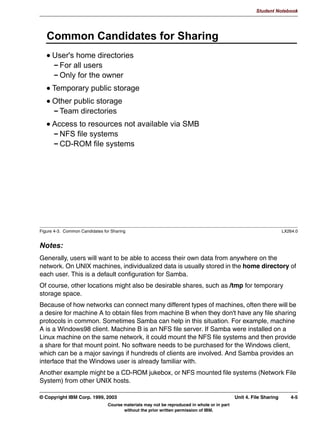
    Common Candidates for Sharing . . . . . . . . . . . . . . . . . . . . . . . . . . . . . . . . . . . . . . .4-5
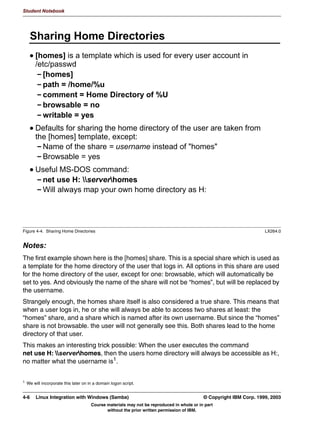
    Sharing Home Directories . . . . . . . . . . . . . . . . . . . . . . . . . . . . . . . . . . . . . . . . . . . . .4-6
    Sharing Other Directories . . . . . . . . . . . . . . . . . . . . . . . . . . . . . . . . . . . . . . . . . . . . .4-7
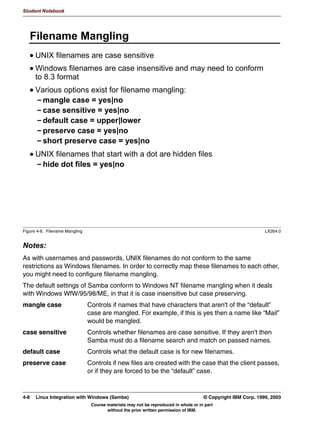
    Filename Mangling . . . . . . . . . . . . . . . . . . . . . . . . . . . . . . . . . . . . . . . . . . . . . . . . . .4-8
    Windows NT Access Control Lists . . . . . . . . . . . . . . . . . . . . . . . . . . . . . . . . . . . . .4-10
    Other Sharing Options . . . . . . . . . . . . . . . . . . . . . . . . . . . . . . . . . . . . . . . . . . . . . .4-12
    Checkpoint . . . . . . . . . . . . . . . . . . . . . . . . . . . . . . . . . . . . . . . . . . . . . . . . . . . . . . .4-14
    Unit Summary . . . . . . . . . . . . . . . . . . . . . . . . . . . . . . . . . . . . . . . . . . . . . . . . . . . . .4-15

Unit 5. Printer Sharing . . . . . . . . . . . . . . . . . . . . . . . . . . . . . . . . . . . . . . . . . . . . . 5-1
    Unit Objectives . . . . . . . . . . . . . . . . . . . . . . . . . . . . . . . . . . . . . . . . . . . . . . . . . . . . .5-2
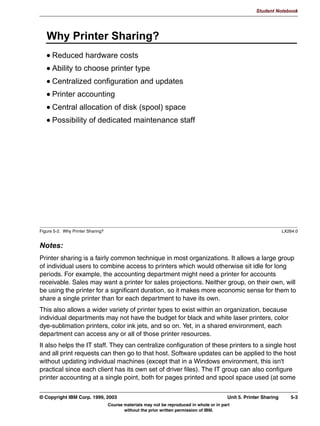
    Why Printer Sharing? . . . . . . . . . . . . . . . . . . . . . . . . . . . . . . . . . . . . . . . . . . . . . . . .5-3
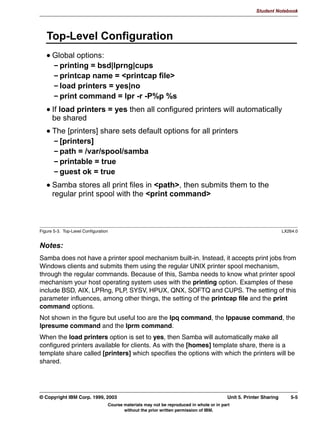
    Top-Level Configuration . . . . . . . . . . . . . . . . . . . . . . . . . . . . . . . . . . . . . . . . . . . . . .5-5
    Example of Printer Sharing . . . . . . . . . . . . . . . . . . . . . . . . . . . . . . . . . . . . . . . . . . . .5-7
    Auto Driver Installation Under Windows (1 of 2) . . . . . . . . . . . . . . . . . . . . . . . . . . . .5-9
    Auto Driver Installation under Windows (2 of 2) . . . . . . . . . . . . . . . . . . . . . . . . . . .5-10
    Checkpoint . . . . . . . . . . . . . . . . . . . . . . . . . . . . . . . . . . . . . . . . . . . . . . . . . . . . . . .5-12
    Unit Summary . . . . . . . . . . . . . . . . . . . . . . . . . . . . . . . . . . . . . . . . . . . . . . . . . . . . .5-13

Unit 6. Windows Domain Support . . . . . . . . . . . . . . . . . . . . . . . . . . . . . . . . . . . . 6-1
    Unit Objectives . . . . . . . . . . . . . . . . . . . . . . . . . . . . . . . . . . . . . . . . . . . . . . . . . . . . .6-2
    A Windows Domain . . . . . . . . . . . . . . . . . . . . . . . . . . . . . . . . . . . . . . . . . . . . . . . . .6-3
    Remote Authentication with security=server . . . . . . . . . . . . . . . . . . . . . . . . . . . . . .6-4
    Remote Authentication with security=domain . . . . . . . . . . . . . . . . . . . . . . . . . . . . . .6-6
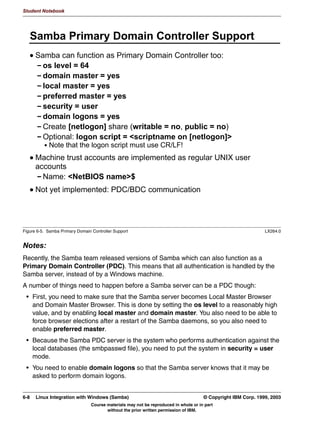
    Samba Primary Domain Controller Support . . . . . . . . . . . . . . . . . . . . . . . . . . . . . . .6-8
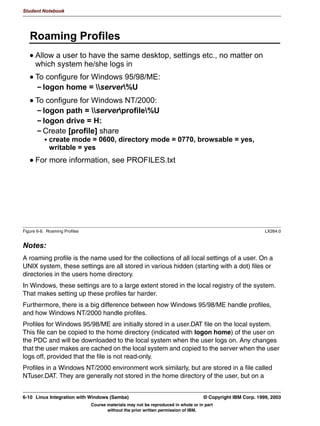
    Roaming Profiles . . . . . . . . . . . . . . . . . . . . . . . . . . . . . . . . . . . . . . . . . . . . . . . . . .6-10
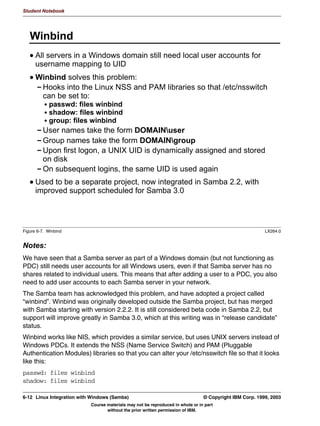
    Winbind . . . . . . . . . . . . . . . . . . . . . . . . . . . . . . . . . . . . . . . . . . . . . . . . . . . . . . . . . .6-12
    Checkpoint . . . . . . . . . . . . . . . . . . . . . . . . . . . . . . . . . . . . . . . . . . . . . . . . . . . . . . .6-14
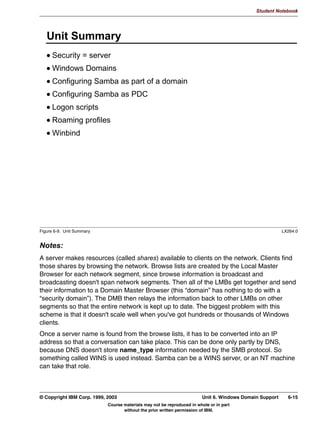
    Unit Summary . . . . . . . . . . . . . . . . . . . . . . . . . . . . . . . . . . . . . . . . . . . . . . . . . . . . .6-15

Unit 7. Configuring Samba Using SWAT. . . . . . . . . . . . . . . . . . . . . . . . . . . . . . . 7-1
    Unit Objectives . . . . . . . . . . . . . . . . . . . . . . . . . . . . . . . . . . . . . . . . . . . . . . . . . . . . .7-2
    Samba Web Administration Tool . . . . . . . . . . . . . . . . . . . . . . . . . . . . . . . . . . . . . . .7-3
    What Can SWAT Do For You? . . . . . . . . . . . . . . . . . . . . . . . . . . . . . . . . . . . . . . . . .7-4
    SWAT Home Page . . . . . . . . . . . . . . . . . . . . . . . . . . . . . . . . . . . . . . . . . . . . . . . . . .7-5
    SWAT Globals Page . . . . . . . . . . . . . . . . . . . . . . . . . . . . . . . . . . . . . . . . . . . . . . . . .7-6
    SWAT Shares Page . . . . . . . . . . . . . . . . . . . . . . . . . . . . . . . . . . . . . . . . . . . . . . . . .7-7
    SWAT Status Page . . . . . . . . . . . . . . . . . . . . . . . . . . . . . . . . . . . . . . . . . . . . . . . . . .7-8
    What SWAT Cannot Do . . . . . . . . . . . . . . . . . . . . . . . . . . . . . . . . . . . . . . . . . . . . . .7-9
    Configuring [x]inetd to Support SWAT . . . . . . . . . . . . . . . . . . . . . . . . . . . . . . . . . .7-10
    Checkpoint . . . . . . . . . . . . . . . . . . . . . . . . . . . . . . . . . . . . . . . . . . . . . . . . . . . . . . .7-12
    Unit Summary . . . . . . . . . . . . . . . . . . . . . . . . . . . . . . . . . . . . . . . . . . . . . . . . . . . . .7-13

Unit 8. Tips and Techniques . . . . . . . . . . . . . . . . . . . . . . . . . . . . . . . . . . . . . . . . 8-1
    Unit Objectives . . . . . . . . . . . . . . . . . . . . . . . . . . . . . . . . . . . . . . . . . . . . . . . . . . . . .8-2

iv    Linux Integration with Windows (Samba)                                               © Copyright IBM Corp. 1999, 2003
                                  Course materials may not be reproduced in whole or in part
                                         without the prior written permission of IBM.
V1.2.2
                                                                                                                    Student Notebook


TOC           Samba 3.0 Feature Summary . . . . . . . . . . . . . . . . . . . . . . . . . . . . . . . . . . . . . . . . . 8-3
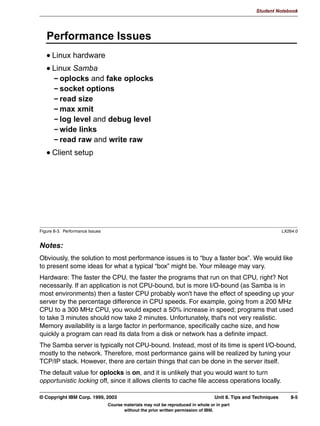
              Performance Issues . . . . . . . . . . . . . . . . . . . . . . . . . . . . . . . . . . . . . . . . . . . . . . . . 8-5
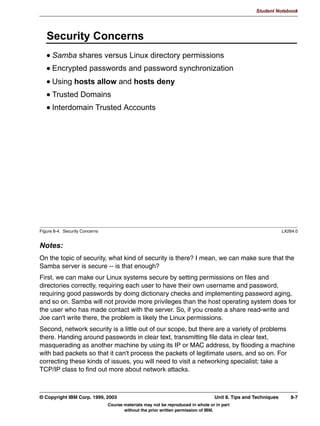
              Security Concerns . . . . . . . . . . . . . . . . . . . . . . . . . . . . . . . . . . . . . . . . . . . . . . . . . . 8-7
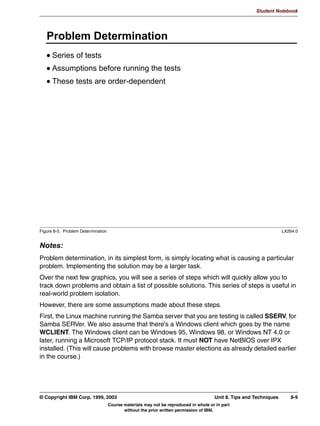
              Problem Determination . . . . . . . . . . . . . . . . . . . . . . . . . . . . . . . . . . . . . . . . . . . . . . 8-9
              Test 1 — Syntax of smb.conf . . . . . . . . . . . . . . . . . . . . . . . . . . . . . . . . . . . . . . . . 8-11
              Test 2 — Network Connectivity . . . . . . . . . . . . . . . . . . . . . . . . . . . . . . . . . . . . . . . 8-12
              Test 3 — Connect to the Samba Server . . . . . . . . . . . . . . . . . . . . . . . . . . . . . . . . 8-13
              Test 4 — Samba's Name Lookup . . . . . . . . . . . . . . . . . . . . . . . . . . . . . . . . . . . . . 8-15
              Test 5 — Client Response to Name Lookup . . . . . . . . . . . . . . . . . . . . . . . . . . . . . 8-16
              Test 6 — Client Response to Broadcast . . . . . . . . . . . . . . . . . . . . . . . . . . . . . . . . 8-17
              Test 7 — Session Configuration . . . . . . . . . . . . . . . . . . . . . . . . . . . . . . . . . . . . . . 8-18
              Test 8 — Client's Name Lookup . . . . . . . . . . . . . . . . . . . . . . . . . . . . . . . . . . . . . . 8-19
              Test 9 — User Authentication . . . . . . . . . . . . . . . . . . . . . . . . . . . . . . . . . . . . . . . . 8-20
              Test 10 — Full Package . . . . . . . . . . . . . . . . . . . . . . . . . . . . . . . . . . . . . . . . . . . . 8-21
              Still Having Trouble? . . . . . . . . . . . . . . . . . . . . . . . . . . . . . . . . . . . . . . . . . . . . . . . 8-22
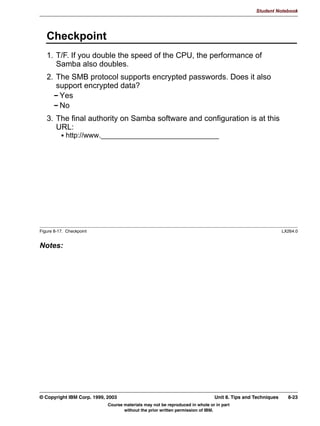
              Checkpoint . . . . . . . . . . . . . . . . . . . . . . . . . . . . . . . . . . . . . . . . . . . . . . . . . . . . . . 8-23
              Unit Summary . . . . . . . . . . . . . . . . . . . . . . . . . . . . . . . . . . . . . . . . . . . . . . . . . . . . 8-24

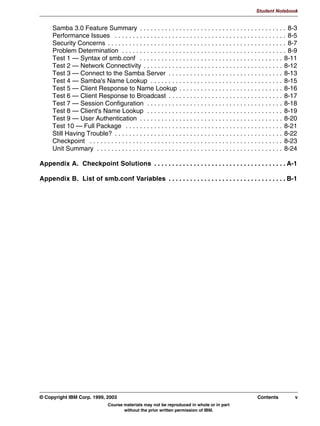
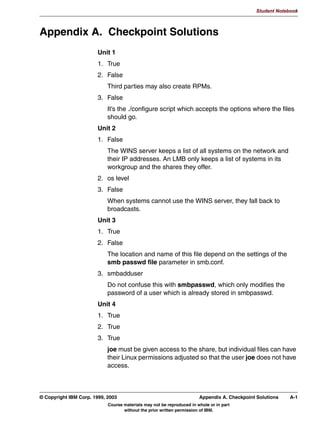
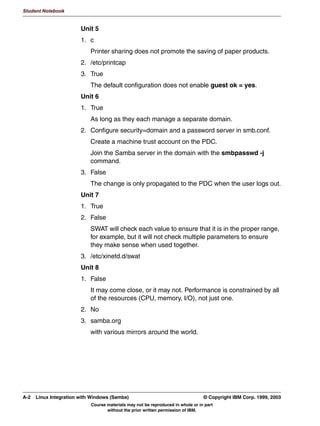
         Appendix A. Checkpoint Solutions . . . . . . . . . . . . . . . . . . . . . . . . . . . . . . . . . . . . . A-1

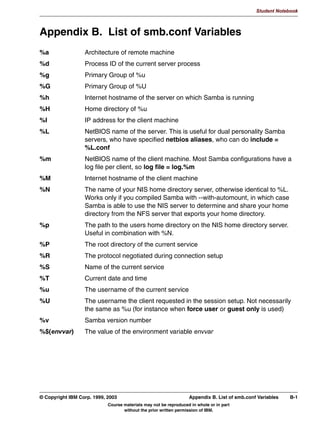
         Appendix B. List of smb.conf Variables . . . . . . . . . . . . . . . . . . . . . . . . . . . . . . . . . B-1


         © Copyright IBM Corp. 1999, 2003                                                                            Contents          v
                                         Course materials may not be reproduced in whole or in part
                                                without the prior written permission of IBM.
Student Notebook


vi   Linux Integration with Windows (Samba)                                     © Copyright IBM Corp. 1999, 2003
                           Course materials may not be reproduced in whole or in part
                                  without the prior written permission of IBM.
V1.2.2
                                                                                                   Student Notebook


TMK      Trademarks
         The reader should recognize that the following terms, which appear in the content of this
         training document, are official trademarks of IBM or other companies:
         IBM® is a registered trademark of International Business Machines Corporation.
         The following are trademarks of International Business Machines Corporation in the United
         States, or other countries, or both:
         AIX®                                Hummingbird®                             Perform™
         PowerPC®                            PS/2®                                    SP™
         Microsoft, Windows and Windows NT are trademarks of Microsoft Corporation in the
         United States, other countries, or both.
         Pentium is a trademark of Intel Corporation in the United States, other countries, or both.
         UNIX is a registered trademark of The Open Group in the United States and other
         countries.
         Linux is a registered trademark of Linus Torvalds in the United States and other countries.
         Other company, product and service names may be trademarks or service marks of others.


         © Copyright IBM Corp. 1999, 2003                                                         Trademarks    vii
                                     Course materials may not be reproduced in whole or in part
                                            without the prior written permission of IBM.
Student Notebook


viii   Linux Integration with Windows (Samba)                                     © Copyright IBM Corp. 1999, 2003
                             Course materials may not be reproduced in whole or in part
                                    without the prior written permission of IBM.
V1.2.2   BKM2MIF
                                                                                                           Student Notebook


Uempty   Course Description
         Linux Integration with Windows (Samba)

         Duration: 2 days

         Purpose
                                 This course is designed to teach the student how to install, configure,
                                 and use the Samba package to share files and printers from a Linux
                                 system on a Windows-based LAN.

         Audience
                                 The typical student will be a Linux system administrator who needs to
                                 provide a file server and/or printer server for a Windows-based
                                 network of workstations. Other candidates will be management
                                 professionals concerned with the management of such a system.

         Prerequisites
                                 Familiarity with Unix commands is required. Some background with
                                 Windows-based networking would be helpful, as would a broad
                                 understanding of networking concepts, but these are not required.

         Objectives
                                 At the end of the course, students should be familiar with and be able
                                 to perform/configure:
                                  • An installation of the Samba software
                                  • Network Browsing
                                  • Authentication
                                  • File Sharing
                                  • Printer Sharing
                                  • Windows Domain Support
                                  • SWAT
                                  • Troubleshooting


         © Copyright IBM Corp. 1999, 2003                                                         Course Description     ix
                                     Course materials may not be reproduced in whole or in part
                                            without the prior written permission of IBM.
Student Notebook


x   Linux Integration with Windows (Samba)                                     © Copyright IBM Corp. 1999, 2003
                          Course materials may not be reproduced in whole or in part
                                 without the prior written permission of IBM.
V1.2.2   BKM2MIF
                                                                                                  Student Notebook


Uempty   Agenda

         Day 1
                                     Welcome
                                     Unit 1 - Samba Overview and Installation
                                     Exercise 1 - Installing Samba
                                     Unit 2 - Network Browsing
                                     Exercise 2 - Network Browsing
                                     Unit 3 - Authentication
                                     Exercise 3 - Authentication
                                     Unit 4 - File Sharing
                                     Exercise 4 - File Sharing


         Day 2
                                     Unit 5 - Printer Sharing
                                     Exercise 5 - Printer Sharing
                                     Unit 6 - Windows Domain Support
                                     Exercise 6 - Windows Domain Support
                                     Unit 7 - Configuring Samba Using SWAT
                                     Exercise 7 - Configuring Samba Using SWAT
                                     Unit 8 - Tips and Techniques


         © Copyright IBM Corp. 1999, 2003                                                          Agenda       xi
                                     Course materials may not be reproduced in whole or in part
                                            without the prior written permission of IBM.
Student Notebook


xii   Linux Integration with Windows (Samba)                                     © Copyright IBM Corp. 1999, 2003
                            Course materials may not be reproduced in whole or in part
                                   without the prior written permission of IBM.
V1.2.2   BKM2MIF
                                                                                                       Student Notebook


Uempty   Unit 1. Samba Overview and Installation

         What This Unit Is About
                                 This unit covers the Samba product and the different ways in which it
                                 can be installed.


         What You Should Be Able to Do
                                 After completing this unit, you should be able to:
                                  • Give an overview of Samba
                                  • Discuss the different distribution formats of Samba
                                  • Install Samba


         How You Will Check Your Progress
                                 Accountability:
                                  • Checkpoint questions
                                  • Lab exercises


         © Copyright IBM Corp. 1999, 2003                                 Unit 1. Samba Overview and Installation   1-1
                                     Course materials may not be reproduced in whole or in part
                                            without the prior written permission of IBM.
Student Notebook


      8QLW 2EMHFWLYHV
      $IWHU FRPSOHWLQJ WKLV XQLW RX VKRXOG EH DEOH WR
       *LYH DQ RYHUYLHZ RI 6DPED
       'LVFXVV WKH GLIIHUHQW GLVWULEXWLRQ IRUPDWV RI 6DPED
       ,QVWDOO 6DPED


Figure 1-1. Unit Objectives                                                                                 LX264.0


Notes:


1-2    Linux Integration with Windows (Samba)                                      © Copyright IBM Corp. 1999, 2003
                              Course materials may not be reproduced in whole or in part
                                     without the prior written permission of IBM.
V1.2.2   BKM2MIF
                                                                                                        Student Notebook


Uempty
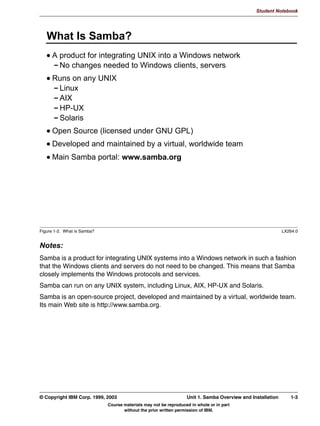
            :KDW ,V 6DPED
              $ SURGXFW IRU LQWHJUDWLQJ 81,; LQWR D :LQGRZV QHWZRUN
                1R FKDQJHV QHHGHG WR :LQGRZV FOLHQWV VHUYHUV
              5XQV RQ DQ 81,;
               /LQX[
               $,;
               +38;
               6RODULV
              2SHQ 6RXUFH OLFHQVHG XQGHU *18 *3/
'HYHORSHG DQG PDLQWDLQHG E D YLUWXDO ZRUOGZLGH WHDP
              0DLQ 6DPED SRUWDO ZZZVDPEDRUJ


         Figure 1-2. What is Samba?                                                                                  LX264.0


         Notes:
         Samba is a product for integrating UNIX systems into a Windows network in such a fashion
         that the Windows clients and servers do not need to be changed. This means that Samba
         closely implements the Windows protocols and services.
         Samba can run on any UNIX system, including Linux, AIX, HP-UX and Solaris.
         Samba is an open-source project, developed and maintained by a virtual, worldwide team.
         Its main Web site is http://www.samba.org.


         © Copyright IBM Corp. 1999, 2003                                  Unit 1. Samba Overview and Installation      1-3
                                      Course materials may not be reproduced in whole or in part
                                             without the prior written permission of IBM.
Student Notebook


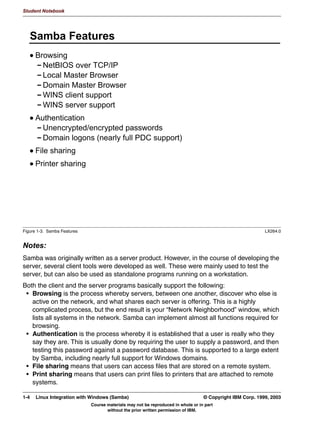
      6DPED )HDWXUHV
      %URZVLQJ
        1HW%,26 RYHU 73,3
        /RFDO 0DVWHU %URZVHU
        'RPDLQ 0DVWHU %URZVHU
        :,16 FOLHQW VXSSRUW
        :,16 VHUYHU VXSSRUW
      $XWKHQWLFDWLRQ
        8QHQFUSWHGHQFUSWHG SDVVZRUGV
        'RPDLQ ORJRQV QHDUO IXOO 3' VXSSRUW
)LOH VKDULQJ
      3ULQWHU VKDULQJ


Figure 1-3. Samba Features                                                                                 LX264.0


Notes:
Samba was originally written as a server product. However, in the course of developing the
server, several client tools were developed as well. These were mainly used to test the
server, but can also be used as standalone programs running on a workstation.
Both the client and the server programs basically support the following:
 • Browsing is the process whereby servers, between one another, discover who else is
   active on the network, and what shares each server is offering. This is a highly
   complicated process, but the end result is your “Network Neighborhood” window, which
   lists all systems in the network. Samba can implement almost all functions required for
   browsing.
 • Authentication is the process whereby it is established that a user is really who they
   say they are. This is usually done by requiring the user to supply a password, and then
   testing this password against a password database. This is supported to a large extent
   by Samba, including nearly full support for Windows domains.
 • File sharing means that users can access files that are stored on a remote system.
 • Print sharing means that users can print files to printers that are attached to remote
   systems.

1-4   Linux Integration with Windows (Samba)                                      © Copyright IBM Corp. 1999, 2003
                             Course materials may not be reproduced in whole or in part
                                    without the prior written permission of IBM.
V1.2.2   BKM2MIF
                                                                                                        Student Notebook


Uempty
            6DPED 2YHUYLHZ
              7ZR GDHPRQV
               QPEG QDPH ORRNXS EURZVLQJ
               VPEG DXWKHQWLFDWLRQ ILOH DQG SULQW VKDULQJ
              *OREDO FRQILJXUDWLRQ ILOH VPEFRQI
              9DULRXV RWKHU FRQILJXUDWLRQ ILOHV UHIHUHQFHG LQ VPEFRQI
VPEXVHUV
                VPESDVVZG
                OPKRVWV
              9DULRXV XVHUVSDFH WRROV
                VPEFOLHQW
                QPEORRNXS
                VPESULQW
                VPEPRXQW
              *8, DGPLQ WRRO 6:$7


         Figure 1-4. Samba Overview                                                                                  LX264.0


         Notes:
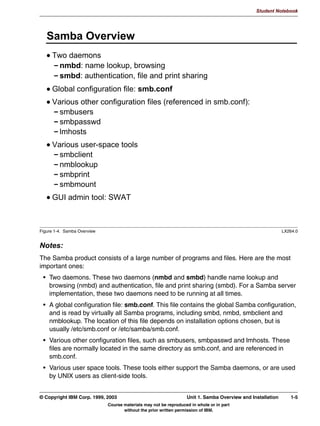
         The Samba product consists of a large number of programs and files. Here are the most
         important ones:
          • Two daemons. These two daemons (nmbd and smbd) handle name lookup and
            browsing (nmbd) and authentication, file and print sharing (smbd). For a Samba server
            implementation, these two daemons need to be running at all times.
          • A global configuration file: smb.conf. This file contains the global Samba configuration,
            and is read by virtually all Samba programs, including smbd, nmbd, smbclient and
            nmblookup. The location of this file depends on installation options chosen, but is
            usually /etc/smb.conf or /etc/samba/smb.conf.
          • Various other configuration files, such as smbusers, smbpasswd and lmhosts. These
            files are normally located in the same directory as smb.conf, and are referenced in
            smb.conf.
          • Various user space tools. These tools either support the Samba daemons, or are used
            by UNIX users as client-side tools.


         © Copyright IBM Corp. 1999, 2003                                  Unit 1. Samba Overview and Installation      1-5
                                      Course materials may not be reproduced in whole or in part
                                             without the prior written permission of IBM.
Student Notebook


 • A GUI administration tool: SWAT (Samba Web Administration Tool). SWAT is
   developed alongside all the other Samba tools and is thus always kept up to date. It
   implements a web (HTTP/HTML) interface at TCP port 901, which allows you to create
   your smb.conf file using a browser such as Netscape, Konqueror or Lynx.


1-6   Linux Integration with Windows (Samba)                                     © Copyright IBM Corp. 1999, 2003
                            Course materials may not be reproduced in whole or in part
                                   without the prior written permission of IBM.
V1.2.2   BKM2MIF
                                                                                                           Student Notebook


Uempty
            VPEFRQI 2YHUYLHZ
               0DLQ FRQILJXUDWLRQ ILOH RI 6DPED
               7SLFDOO ORFDWHG LQ HWF RU HWFVDPED
               *OREDO RSWLRQV LQ JOREDO@ VHFWLRQ
                 )RU H[DPSOH QHWELRV QDPH ORJ OHYHO ORJ ILOH KRVWV DOORZ
                 LQFOXGH VRFNHW RSWLRQV LQWHUIDFHV
               6KDUHV VSHFLILHG LQ VKDUHQDPH@ VHFWLRQV
                 DQ KDYH DV PDQ VKDUHV DV RX ZDQW
                 KRPHV@ DQG SULQWHUV@ DUH VSHFLDO WHPSODWH VKDUHV
               DQ FRQWDLQ YDULDEOHV VWDUW ZLWK
WHVWSDUP FKHFNV VQWD[ RI WKLV ILOH
               5HVWDUW 6DPED GDHPRQV DIWHU HGLWLQJ WKLV ILOH


         Figure 1-5. smb.conf Overview                                                                                  LX264.0


         Notes:
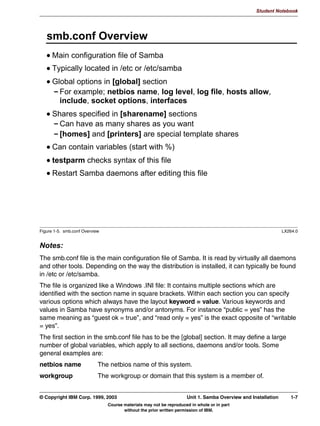
         The smb.conf file is the main configuration file of Samba. It is read by virtually all daemons
         and other tools. Depending on the way the distribution is installed, it can typically be found
         in /etc or /etc/samba.
         The file is organized like a Windows .INI file: It contains multiple sections which are
         identified with the section name in square brackets. Within each section you can specify
         various options which always have the layout keyword = value. Various keywords and
         values in Samba have synonyms and/or antonyms. For instance “public = yes” has the
         same meaning as “guest ok = true”, and “read only = yes” is the exact opposite of “writable
         = yes”.
         The first section in the smb.conf file has to be the [global] section. It may define a large
         number of global variables, which apply to all sections, daemons and/or tools. Some
         general examples are:
         netbios name                The netbios name of this system.
         workgroup                   The workgroup or domain that this system is a member of.


         © Copyright IBM Corp. 1999, 2003                                     Unit 1. Samba Overview and Installation      1-7
                                         Course materials may not be reproduced in whole or in part
                                                without the prior written permission of IBM.
Student Notebook


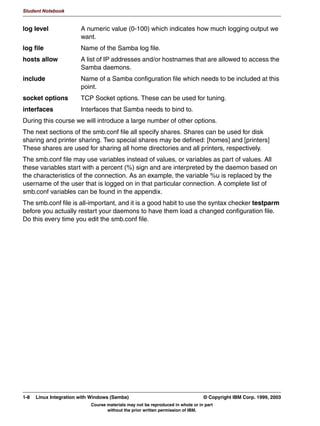
log level               A numeric value (0-100) which indicates how much logging output we
                        want.
log file                Name of the Samba log file.
hosts allow             A list of IP addresses and/or hostnames that are allowed to access the
                        Samba daemons.
include                 Name of a Samba configuration file which needs to be included at this
                        point.
socket options          TCP Socket options. These can be used for tuning.
interfaces              Interfaces that Samba needs to bind to.
During this course we will introduce a large number of other options.
The next sections of the smb.conf file all specify shares. Shares can be used for disk
sharing and printer sharing. Two special shares may be defined: [homes] and [printers]
These shares are used for sharing all home directories and all printers, respectively.
The smb.conf file may use variables instead of values, or variables as part of values. All
these variables start with a percent (%) sign and are interpreted by the daemon based on
the characteristics of the connection. As an example, the variable %u is replaced by the
username of the user that is logged on in that particular connection. A complete list of
smb.conf variables can be found in the appendix.
The smb.conf file is all-important, and it is a good habit to use the syntax checker testparm
before you actually restart your daemons to have them load a changed configuration file.
Do this every time you edit the smb.conf file.


1-8   Linux Integration with Windows (Samba)                                     © Copyright IBM Corp. 1999, 2003
                            Course materials may not be reproduced in whole or in part
                                   without the prior written permission of IBM.
V1.2.2   BKM2MIF
                                                                                                             Student Notebook


Uempty
            6DPED ,QVWDOODWLRQ 2YHUYLHZ
               /RFDWH DQG GRZQORDG WKH VRIWZDUH
               6ROYH ILOH VVWHP FRQIOLFWV
               3HUIRUP WKH LQVWDOODWLRQ


         Figure 1-6. Samba Installation Overview                                                                          LX264.0


         Notes:
         Before installing the Samba package, we should take a look at just what installation
         includes.
         Installation is composed of a number of parts. First is the acquisition of the software.
         Second is to check the directories used for installation to determine if there are any
         conflicts with existing software, and to ensure that those directories will supply adequate
         space. And third, unpacking the software.
         These procedures will be discussed in more detail over the next few pages.


         © Copyright IBM Corp. 1999, 2003                                       Unit 1. Samba Overview and Installation      1-9
                                           Course materials may not be reproduced in whole or in part
                                                  without the prior written permission of IBM.
Student Notebook


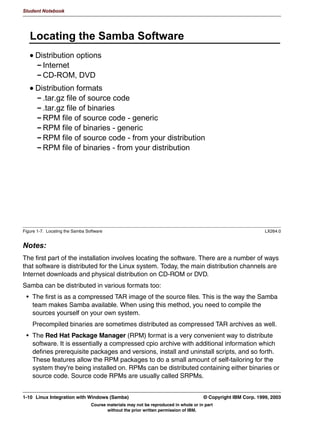
   /RFDWLQJ WKH 6DPED 6RIWZDUH
      'LVWULEXWLRQ RSWLRQV
        ,QWHUQHW
        '520 '9'
      'LVWULEXWLRQ IRUPDWV
        WDUJ] ILOH RI VRXUFH FRGH
        WDUJ] ILOH RI ELQDULHV
        530 ILOH RI VRXUFH FRGH  JHQHULF
        530 ILOH RI ELQDULHV  JHQHULF
        530 ILOH RI VRXUFH FRGH  IURP RXU GLVWULEXWLRQ
        530 ILOH RI ELQDULHV  IURP RXU GLVWULEXWLRQ


Figure 1-7. Locating the Samba Software                                                                        LX264.0


Notes:
The first part of the installation involves locating the software. There are a number of ways
that software is distributed for the Linux system. Today, the main distribution channels are
Internet downloads and physical distribution on CD-ROM or DVD.
Samba can be distributed in various formats too:
 • The first is as a compressed TAR image of the source files. This is the way the Samba
   team makes Samba available. When using this method, you need to compile the
   sources yourself on your own system.
    Precompiled binaries are sometimes distributed as compressed TAR archives as well.
 • The Red Hat Package Manager (RPM) format is a very convenient way to distribute
   software. It is essentially a compressed cpio archive with additional information which
   defines prerequisite packages and versions, install and uninstall scripts, and so forth.
   These features allow the RPM packages to do a small amount of self-tailoring for the
   system they're being installed on. RPMs can be distributed containing either binaries or
   source code. Source code RPMs are usually called SRPMs.


1-10 Linux Integration with Windows (Samba)                                           © Copyright IBM Corp. 1999, 2003
                                 Course materials may not be reproduced in whole or in part
                                        without the prior written permission of IBM.
V1.2.2   BKM2MIF
                                                                                                       Student Notebook


Uempty       RPMs can be generated by anyone, not just Red Hat. This means that you may find
             RPMs that are created by volunteers on the internet, which should work on any
             distribution, and RPMs that are created by your distribution manufacturer. These RPMs
             are typically tailored for your distribution.


         © Copyright IBM Corp. 1999, 2003                                 Unit 1. Samba Overview and Installation   1-11
                                     Course materials may not be reproduced in whole or in part
                                            without the prior written permission of IBM.
Student Notebook


   )LOH 6VWHP RQIOLFWV
      'LUHFWRULHV
        3UREOHPV ZLWK H[LVWLQJ GLUHFWRULHV
        'LIIHUHQW RZQHUVKLSSHUPLVVLRQV
      )LOHQDPHV
         3UREOHPV ZLWK H[LVWLQJ ILOHV
         'LIIHUHQW RZQHUVKLSSHUPLVVLRQV
      )LOH VVWHP IUHH VSDFH


Figure 1-8. File System Conflicts                                                                                 LX264.0


Notes:
The next step is to review the directories that will be used by the software to make sure that
those directories are not already in use and contain conflicting file names.
In most cases, this step isn't really necessary because most packages will store their files
into a subdirectory which is based on the name of the package. For example, Samba by
default stores its configuration file as /etc/smb.conf and user information as
/etc/smbusers -- it's unlikely that another package will use the same name. But it can
happen, and the experienced administrator knows how much easier it is to check in
advance than to repair the damage afterwards! But if a directory is unpacked with different
permissions than the directory that already exists, permission problems can occur when
applications try to access that directory.
For TAR images, using tar -ztvf pkgname.tgz will provide a list of the contents of the
image. Then that list should be compared against your system's current state.
For RPM images, you can use rpm -qip pkgname.rpm to see an overview of what the
package is and does, and it often contains installation information, if necessary. Otherwise,
you can use rpm -qlp pkgname.rpm to list the filenames included in the package.

1-12 Linux Integration with Windows (Samba)                                              © Copyright IBM Corp. 1999, 2003
                                    Course materials may not be reproduced in whole or in part
                                           without the prior written permission of IBM.
V1.2.2   BKM2MIF
                                                                                                       Student Notebook


Uempty   It's also possible to run out of space in the file system during installation. To check this,
         you'll need to know the uncompressed size of the package. Use either tar -zt or rpm -qvl to
         obtain that information. Unfortunately, when rpm -qip reports a size requirement, it doesn't
         take into account the partitions on the existing system; the number it provides is a grand
         total of the space required.


         © Copyright IBM Corp. 1999, 2003                                 Unit 1. Samba Overview and Installation   1-13
                                     Course materials may not be reproduced in whole or in part
                                            without the prior written permission of IBM.
Student Notebook


   3HUIRUP WKH ,QVWDOODWLRQ
      WDUJ] ILOH RI VRXUFH FRGH
         WDU ][YI VDPEDYHUVLRQWDUJ]
         FRQILJXUH
         PDNH
         PDNH LQVWDOO
      WDUJ] LPDJH RI ELQDULHV
         WDU ][YI VDPEDYHUVLRQWDUJ]
         /RRN IRU ,167$// DQG 5($'0( ILOHV
      530 ILOH RI ELQDULHV
       USP LYK VDPEDYHUVLRQDUFKUSP
      530 ILOH RI VRXUFH FRGH
       USP LYK VDPEDYHUVLRQVUFUSP
       USP EE VDPEDYHUVLRQVSHF RU USPEXLOG
USP LYK VDPEDYHUVLRQDUFKUSP


Figure 1-9. Perform the Installation                                                                                 LX264.0


Notes:
The last step is to actually perform the installation. How this is done depends on the
distribution format:
 • The most complicated installation is when you have downloaded the source files from
   the Samba Web site in .tar.gz format. You first need to unpack this file into a separate
   directory. This is done with the tar -zxvf samba-version.tar.gz command. The
   separate directory is usually created automatically.
     Once unpacked, you need to configure Samba for your architecture. This is done with a
     configure script, which comes with Samba. The configure script takes a large number
     of options: Execute the ./configure --help command to see the options that are
     available.
     After configuration has finished you need to run make to compile all programs, and
     make install to install the programs in the proper directories. The directories where the
     programs and other files will be installed depend on the options that were passed to the
     configure program.


1-14 Linux Integration with Windows (Samba)                                                 © Copyright IBM Corp. 1999, 2003
                                       Course materials may not be reproduced in whole or in part
                                              without the prior written permission of IBM.
V1.2.2   BKM2MIF
                                                                                                       Student Notebook


Uempty    • If you've got a .tar.gz image of the binaries, then you need to unpack this file with the tar
            -zxvf samba-version.tar.gz command as well. Then, look for the INSTALL and
            README files, which contain detailed instructions on how to install the programs and
            other files properly on your architecture.
          • If you've got the RPM file of the binaries, all you need to do is install it with the
            command rpm -ivh samba-version.arch.rpm. Keep in mind that distribution vendors
            often separate the Samba binaries into several RPM package files. You may have to
            specify more than one file with the RPM command.
          • If you've got the RPM file of the sources, then the first thing you need to do is install it.
            This will create a number of files on your system, one of which is the file
            samba-version.spec file. This file contains all the information and commands required
            to build the binary RPM. With the rpm -bb samba-version.spec command you start
            the build process of this binary RPM (use rpmbuild for RPM v4 had higher). At the end
            of the process, you can install the binary RPMs, just like before, with the rpm -ivh
            samba-version.arch.rpm command.
         The advantage of the RPM technique is that it allows the computer to issue warnings and
         errors if prerequisite software isn't available when the installation is performed. Typically,
         this means installing the prerequisites first. Also, the RPM system admonishes adherence
         to the Linux FSSTND (File System Standard) by all package builders. The FSSTND
         specifies where configuration files should be placed, where program files should be put,
         and so on. (See it at http://www.pathname.com/fhs/)


         © Copyright IBM Corp. 1999, 2003                                 Unit 1. Samba Overview and Installation   1-15
                                     Course materials may not be reproduced in whole or in part
                                            without the prior written permission of IBM.
Student Notebook


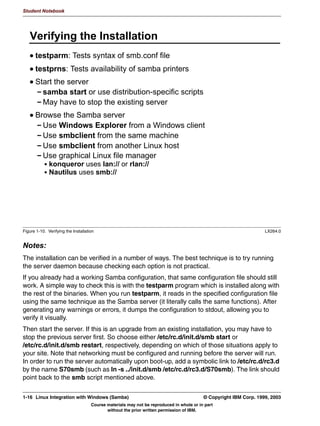
   9HULILQJ WKH ,QVWDOODWLRQ
      WHVWSDUP 7HVWV VQWD[ RI VPEFRQI ILOH
      WHVWSUQV 7HVWV DYDLODELOLW RI VDPED SULQWHUV
      6WDUW WKH VHUYHU
        VDPED VWDUW RU XVH GLVWULEXWLRQVSHFLILF VFULSWV
        0D KDYH WR VWRS WKH H[LVWLQJ VHUYHU
      %URZVH WKH 6DPED VHUYHU
        8VH :LQGRZV ([SORUHU IURP D :LQGRZV FOLHQW
        8VH VPEFOLHQW IURP WKH VDPH PDFKLQH
        8VH VPEFOLHQW IURP DQRWKHU /LQX[ KRVW
        8VH JUDSKLFDO /LQX[ ILOH PDQDJHU
              NRQTXHURU XVHV ODQ RU UODQ
              1DXWLOXV XVHV VPE


Figure 1-10. Verifying the Installation                                                                            LX264.0


Notes:
The installation can be verified in a number of ways. The best technique is to try running
the server daemon because checking each option is not practical.
If you already had a working Samba configuration, that same configuration file should still
work. A simple way to check this is with the testparm program which is installed along with
the rest of the binaries. When you run testparm, it reads in the specified configuration file
using the same technique as the Samba server (it literally calls the same functions). After
generating any warnings or errors, it dumps the configuration to stdout, allowing you to
verify it visually.
Then start the server. If this is an upgrade from an existing installation, you may have to
stop the previous server first. So choose either /etc/rc.d/init.d/smb start or
/etc/rc.d/init.d/smb restart, respectively, depending on which of those situations apply to
your site. Note that networking must be configured and running before the server will run.
In order to run the server automatically upon boot-up, add a symbolic link to /etc/rc.d/rc3.d
by the name S70smb (such as ln -s ../init.d/smb /etc/rc.d/rc3.d/S70smb). The link should
point back to the smb script mentioned above.

1-16 Linux Integration with Windows (Samba)                                               © Copyright IBM Corp. 1999, 2003
                                     Course materials may not be reproduced in whole or in part
                                            without the prior written permission of IBM.
V1.2.2   BKM2MIF
                                                                                                       Student Notebook


Uempty   Finally, browse the network from a client. If you are using Windows Explorer, you should
         see the default network name of Mygroup under the Entire Network tree. If you are using
         smbclient, you should see a list of default shares (one of them will be IPC$). The following
         page describes the options on smbclient.
         Many Linux distributions include graphical file managers that are also able to browse the
         network. Konqueror in the KDE environment and Nautilus in the GNOME environment
         have this ability.


         © Copyright IBM Corp. 1999, 2003                                 Unit 1. Samba Overview and Installation   1-17
                                     Course materials may not be reproduced in whole or in part
                                            without the prior written permission of IBM.
Student Notebook


   7KH VPEFOLHQW RPPDQG
     VPEFOLHQW / 6HUYHU1DPH ^1_8 8VHU1DPH`
      /RJV RQ WR 6HUYHU1DPH DV D JXHVW RU DV 8VHU1DPH DQG OLVWV
      LQIRUPDWLRQ DERXW WKH VHUYHU
      6HUYHU1DPH LV WKH 1HW%,26 QDPH RI WKH PDFKLQH RU WKH /LQX[
      KRVW QDPH LI WKH 1HW%,26 QDPH KDVQ
W EHHQ FRQILJXUHG
     VPEFOLHQW 6HUYHU1DPHVKDUH ^1_8 8VHU1DPH`
      3URYLGHV DQ LQWHUDFWLYH IWSOLNH ILOH WUDQVIHU VHVVLRQ
      /RJ RQ WR 6HUYHU1DPH DV JXHVW RU DV 8VHU1DPH
      RQQHFWV WR VKDUH
      6KRXOG UHFHLYH DQ LQWHUDFWLYH VPE! SURPSW ZKLFK DFFHSWV
      IWSVWOH FRPPDQGV OV GLU JHW SXW 


Figure 1-11. The smbclient Command                                                                           LX264.0


Notes:
This command comes with the Samba package. It is used as the Linux client for connecting
to SMB shares.
The first version given above logs in to the Samba server as the guest account (discussed
more in the next unit) and lists the resources available on that server.
The second version of the command provides an interactive session, similar to the one that
ftp provides. Once connected, the user can issue get and put commands to retrieve or
send files.
The -L option should be used to determine if the Samba server is even running and
listening for network requests. The version that connects to a share name will determine if
specific shares are configured correctly. The default is for users’ home directories to be
automatically shared by Samba, so the above command should function correctly. In later
units, we'll learn how to add additional shares, both disk space and printers.


1-18 Linux Integration with Windows (Samba)                                         © Copyright IBM Corp. 1999, 2003
                               Course materials may not be reproduced in whole or in part
                                      without the prior written permission of IBM.
V1.2.2   BKM2MIF
                                                                                                       Student Notebook


Uempty
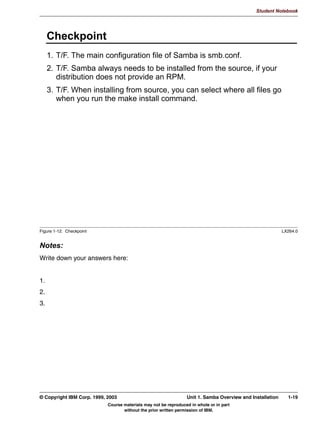
              KHFNSRLQW
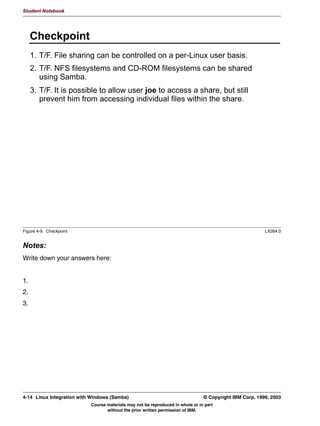
               7) 7KH PDLQ FRQILJXUDWLRQ ILOH RI 6DPED LV VPEFRQI
               7) 6DPED DOZDV QHHGV WR EH LQVWDOOHG IURP WKH VRXUFH LI RXU
                 GLVWULEXWLRQ GRHV QRW SURYLGH DQ 530
               7) :KHQ LQVWDOOLQJ IURP VRXUFH RX FDQ VHOHFW ZKHUH DOO ILOHV JR
                 ZKHQ RX UXQ WKH PDNH LQVWDOO FRPPDQG


         Figure 1-12. Checkpoint                                                                                    LX264.0


         Notes:
         Write down your answers here:


         1.
         2.
         3.


         © Copyright IBM Corp. 1999, 2003                                 Unit 1. Samba Overview and Installation     1-19
                                     Course materials may not be reproduced in whole or in part
                                            without the prior written permission of IBM.
Student Notebook


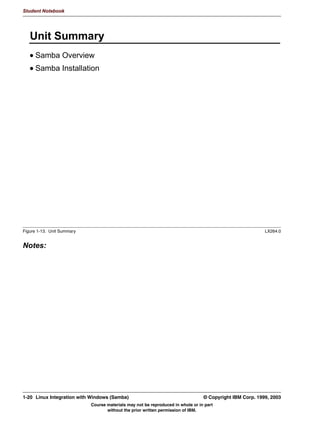
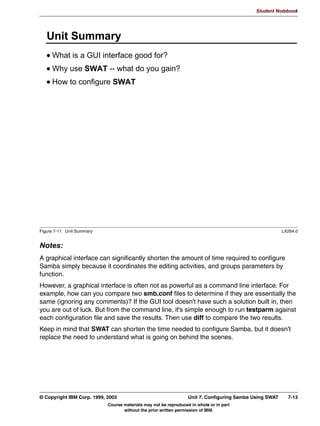
   8QLW 6XPPDU
     6DPED 2YHUYLHZ
     6DPED ,QVWDOODWLRQ


Figure 1-13. Unit Summary                                                                                 LX264.0


Notes:


1-20 Linux Integration with Windows (Samba)                                      © Copyright IBM Corp. 1999, 2003
                            Course materials may not be reproduced in whole or in part
                                   without the prior written permission of IBM.
V1.2.2   BKM2MIF
                                                                                                        Student Notebook


Uempty   Unit 2. Network Browsing

         What This Unit Is About
                                 This unit covers network browsing, which is the way for a
                                 NetBIOS-based network to determine which systems are available in
                                 the network, and what shares they offer.


         What You Should Be Able to Do
                                 After completing this unit, you should be able to:
                                  • Describe how a NetBIOS system is identified
                                  • Describe the function of a Local Master Browser and Domain
                                    Master Browser
                                  • Describe the function of a WINS server
                                  • Configure Samba to participate in network browsing


         How You Will Check Your Progress
                                 Accountability:
                                  • Checkpoint questions
                                  • Lab exercises


         © Copyright IBM Corp. 1999, 2003                                                 Unit 2. Network Browsing   2-1
                                     Course materials may not be reproduced in whole or in part
                                            without the prior written permission of IBM.
Student Notebook


      8QLW 2EMHFWLYHV
      $IWHU FRPSOHWLQJ WKLV XQLW RX VKRXOG EH DEOH WR
       'HVFULEH KRZ D 1HW%,26 VVWHP LV LGHQWLILHG
       'HVFULEH WKH IXQFWLRQ RI D /RFDO 0DVWHU %URZVHU DQG 'RPDLQ
       0DVWHU %URZVHU
       'HVFULEH WKH IXQFWLRQ RI D :,16 VHUYHU
       RQILJXUH 6DPED WR SDUWLFLSDWH LQ QHWZRUN EURZVLQJ


Figure 2-1. Unit Objectives                                                                                 LX264.0


Notes:


2-2    Linux Integration with Windows (Samba)                                      © Copyright IBM Corp. 1999, 2003
                              Course materials may not be reproduced in whole or in part
                                     without the prior written permission of IBM.
V1.2.2   BKM2MIF
                                                                                                                Student Notebook


Uempty
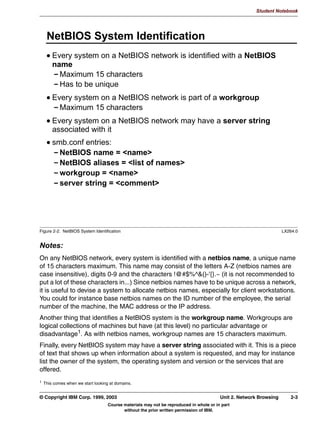
              1HW%,26 6VWHP ,GHQWLILFDWLRQ
                 (YHU VVWHP RQ D 1HW%,26 QHWZRUN LV LGHQWLILHG ZLWK D 1HW%,26
                 QDPH
                   0D[LPXP  FKDUDFWHUV
                   +DV WR EH XQLTXH
                 (YHU VVWHP RQ D 1HW%,26 QHWZRUN LV SDUW RI D ZRUNJURXS
                   0D[LPXP  FKDUDFWHUV
                 (YHU VVWHP RQ D 1HW%,26 QHWZRUN PD KDYH D VHUYHU VWULQJ
                 DVVRFLDWHG ZLWK LW
                 VPEFRQI HQWULHV
                   1HW%,26 QDPH QDPH!
                   1HW%,26 DOLDVHV OLVW RI QDPHV!
                   ZRUNJURXS QDPH!
                   VHUYHU VWULQJ FRPPHQW!


         Figure 2-2. NetBIOS System Identification                                                                           LX264.0


         Notes:
         On any NetBIOS network, every system is identified with a netbios name, a unique name
         of 15 characters maximum. This name may consist of the letters A-Z (netbios names are
         case insensitive), digits 0-9 and the characters !@#$%^()-'{}.~ (it is not recommended to
         put a lot of these characters in...) Since netbios names have to be unique across a network,
         it is useful to devise a system to allocate netbios names, especially for client workstations.
         You could for instance base netbios names on the ID number of the employee, the serial
         number of the machine, the MAC address or the IP address.
         Another thing that identifies a NetBIOS system is the workgroup name. Workgroups are
         logical collections of machines but have (at this level) no particular advantage or
         disadvantage1. As with netbios names, workgroup names are 15 characters maximum.
         Finally, every NetBIOS system may have a server string associated with it. This is a piece
         of text that shows up when information about a system is requested, and may for instance
         list the owner of the system, the operating system and version or the services that are
         offered.
         1   This comes when we start looking at domains.


         © Copyright IBM Corp. 1999, 2003                                                         Unit 2. Network Browsing      2-3
                                             Course materials may not be reproduced in whole or in part
                                                    without the prior written permission of IBM.
Student Notebook


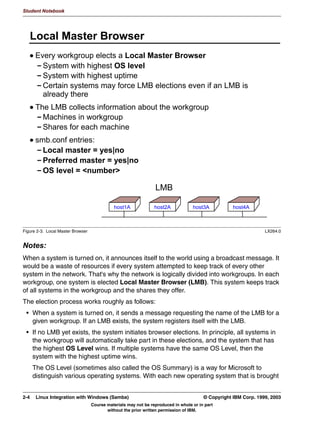
      /RFDO 0DVWHU %URZVHU
       (YHU ZRUNJURXS HOHFWV D /RFDO 0DVWHU %URZVHU
         6VWHP ZLWK KLJKHVW 26 OHYHO
         6VWHP ZLWK KLJKHVW XSWLPH
         HUWDLQ VVWHPV PD IRUFH /0% HOHFWLRQV HYHQ LI DQ /0% LV
         DOUHDG WKHUH
       7KH /0% FROOHFWV LQIRUPDWLRQ DERXW WKH ZRUNJURXS
         0DFKLQHV LQ ZRUNJURXS
         6KDUHV IRU HDFK PDFKLQH
       VPEFRQI HQWULHV
         /RFDO PDVWHU HV_QR
         3UHIHUUHG PDVWHU HV_QR
         26 OHYHO QXPEHU!

                                                                 /0%

                                             KRVW$              KRVW$            KRVW$           KRVW$


Figure 2-3. Local Master Browser                                                                                 LX264.0


Notes:
When a system is turned on, it announces itself to the world using a broadcast message. It
would be a waste of resources if every system attempted to keep track of every other
system in the network. That's why the network is logically divided into workgroups. In each
workgroup, one system is elected Local Master Browser (LMB). This system keeps track
of all systems in the workgroup and the shares they offer.
The election process works roughly as follows:
 • When a system is turned on, it sends a message requesting the name of the LMB for a
   given workgroup. If an LMB exists, the system registers itself with the LMB.
 • If no LMB yet exists, the system initiates browser elections. In principle, all systems in
   the workgroup will automatically take part in these elections, and the system that has
   the highest OS Level wins. If multiple systems have the same OS Level, then the
   system with the highest uptime wins.
      The OS Level (sometimes also called the OS Summary) is a way for Microsoft to
      distinguish various operating systems. With each new operating system that is brought


2-4    Linux Integration with Windows (Samba)                                           © Copyright IBM Corp. 1999, 2003
                                   Course materials may not be reproduced in whole or in part
                                          without the prior written permission of IBM.
V1.2.2   BKM2MIF
                                                                                                        Student Notebook


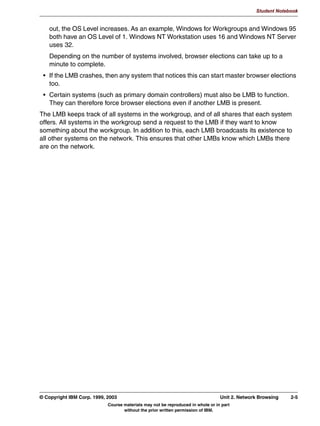
Uempty       out, the OS Level increases. As an example, Windows for Workgroups and Windows 95
             both have an OS Level of 1. Windows NT Workstation uses 16 and Windows NT Server
             uses 32.
             Depending on the number of systems involved, browser elections can take up to a
             minute to complete.
          • If the LMB crashes, then any system that notices this can start master browser elections
            too.
          • Certain systems (such as primary domain controllers) must also be LMB to function.
            They can therefore force browser elections even if another LMB is present.
         The LMB keeps track of all systems in the workgroup, and of all shares that each system
         offers. All systems in the workgroup send a request to the LMB if they want to know
         something about the workgroup. In addition to this, each LMB broadcasts its existence to
         all other systems on the network. This ensures that other LMBs know which LMBs there
         are on the network.


         © Copyright IBM Corp. 1999, 2003                                                 Unit 2. Network Browsing   2-5
                                     Course materials may not be reproduced in whole or in part
                                            without the prior written permission of IBM.
Student Notebook


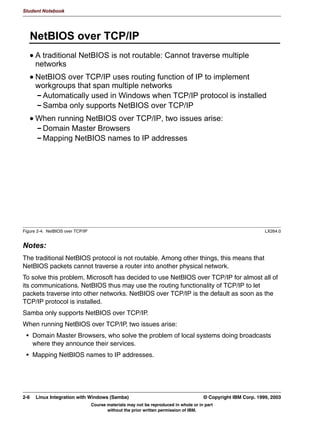
      1HW%,26 RYHU 73,3
      $ WUDGLWLRQDO 1HW%,26 LV QRW URXWDEOH DQQRW WUDYHUVH PXOWLSOH
      QHWZRUNV
      1HW%,26 RYHU 73,3 XVHV URXWLQJ IXQFWLRQ RI ,3 WR LPSOHPHQW
      ZRUNJURXSV WKDW VSDQ PXOWLSOH QHWZRUNV
       $XWRPDWLFDOO XVHG LQ :LQGRZV ZKHQ 73,3 SURWRFRO LV LQVWDOOHG
       6DPED RQO VXSSRUWV 1HW%,26 RYHU 73,3
      :KHQ UXQQLQJ 1HW%,26 RYHU 73,3 WZR LVVXHV DULVH
       'RPDLQ 0DVWHU %URZVHUV
       0DSSLQJ 1HW%,26 QDPHV WR ,3 DGGUHVVHV


Figure 2-4. NetBIOS over TCP/IP                                                                                 LX264.0


Notes:
The traditional NetBIOS protocol is not routable. Among other things, this means that
NetBIOS packets cannot traverse a router into another physical network.
To solve this problem, Microsoft has decided to use NetBIOS over TCP/IP for almost all of
its communications. NetBIOS thus may use the routing functionality of TCP/IP to let
packets traverse into other networks. NetBIOS over TCP/IP is the default as soon as the
TCP/IP protocol is installed.
Samba only supports NetBIOS over TCP/IP.
When running NetBIOS over TCP/IP, two issues arise:
 • Domain Master Browsers, who solve the problem of local systems doing broadcasts
   where they announce their services.
 • Mapping NetBIOS names to IP addresses.


2-6    Linux Integration with Windows (Samba)                                          © Copyright IBM Corp. 1999, 2003
                                  Course materials may not be reproduced in whole or in part
                                         without the prior written permission of IBM.
V1.2.2   BKM2MIF
                                                                                                            Student Notebook


Uempty
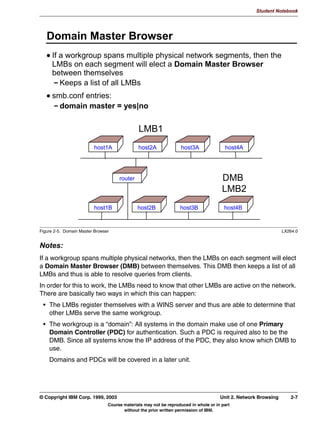
            'RPDLQ 0DVWHU %URZVHU
               ,I D ZRUNJURXS VSDQV PXOWLSOH SKVLFDO QHWZRUN VHJPHQWV WKHQ WKH
               /0%V RQ HDFK VHJPHQW ZLOO HOHFW D 'RPDLQ 0DVWHU %URZVHU
               EHWZHHQ WKHPVHOYHV
                  .HHSV D OLVW RI DOO /0%V
               VPEFRQI HQWULHV
                 GRPDLQ PDVWHU                  HV_QR


                                                       /0%
                                  KRVW$               KRVW$              KRVW$               KRVW$


                                              URXWHU                                           '0%
                                                                                               /0%
                                  KRVW%               KRVW%              KRVW%               KRVW%


         Figure 2-5. Domain Master Browser                                                                               LX264.0


         Notes:
         If a workgroup spans multiple physical networks, then the LMBs on each segment will elect
         a Domain Master Browser (DMB) between themselves. This DMB then keeps a list of all
         LMBs and thus is able to resolve queries from clients.
         In order for this to work, the LMBs need to know that other LMBs are active on the network.
         There are basically two ways in which this can happen:
          • The LMBs register themselves with a WINS server and thus are able to determine that
            other LMBs serve the same workgroup.
          • The workgroup is a “domain”: All systems in the domain make use of one Primary
            Domain Controller (PDC) for authentication. Such a PDC is required also to be the
            DMB. Since all systems know the IP address of the PDC, they also know which DMB to
            use.
             Domains and PDCs will be covered in a later unit.


         © Copyright IBM Corp. 1999, 2003                                                     Unit 2. Network Browsing      2-7
                                         Course materials may not be reproduced in whole or in part
                                                without the prior written permission of IBM.
Student Notebook


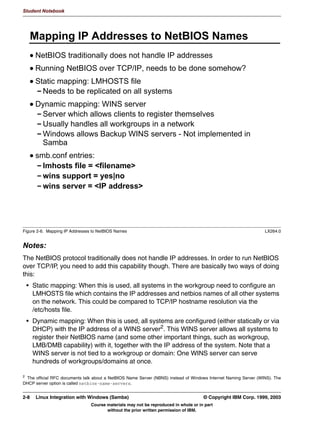
      0DSSLQJ ,3 $GGUHVVHV WR 1HW%,26 1DPHV
       1HW%,26 WUDGLWLRQDOO GRHV QRW KDQGOH ,3 DGGUHVVHV
       5XQQLQJ 1HW%,26 RYHU 73,3 QHHGV WR EH GRQH VRPHKRZ
       6WDWLF PDSSLQJ /0+2676 ILOH
         1HHGV WR EH UHSOLFDWHG RQ DOO VVWHPV
       'QDPLF PDSSLQJ :,16 VHUYHU
        6HUYHU ZKLFK DOORZV FOLHQWV WR UHJLVWHU WKHPVHOYHV
        8VXDOO KDQGOHV DOO ZRUNJURXSV LQ D QHWZRUN
        :LQGRZV DOORZV %DFNXS :,16 VHUYHUV  1RW LPSOHPHQWHG LQ
        6DPED
       VPEFRQI HQWULHV
         OPKRVWV ILOH ILOHQDPH!
         ZLQV VXSSRUW HV_QR
         ZLQV VHUYHU ,3 DGGUHVV!


Figure 2-6. Mapping IP Addresses to NetBIOS Names                                                                LX264.0


Notes:
The NetBIOS protocol traditionally does not handle IP addresses. In order to run NetBIOS
over TCP/IP, you need to add this capability though. There are basically two ways of doing
this:
    • Static mapping: When this is used, all systems in the workgroup need to configure an
      LMHOSTS file which contains the IP addresses and netbios names of all other systems
      on the network. This could be compared to TCP/IP hostname resolution via the
      /etc/hosts file.
    • Dynamic mapping: When this is used, all systems are configured (either statically or via
      DHCP) with the IP address of a WINS server2. This WINS server allows all systems to
      register their NetBIOS name (and some other important things, such as workgroup,
      LMB/DMB capability) with it, together with the IP address of the system. Note that a
      WINS server is not tied to a workgroup or domain: One WINS server can serve
      hundreds of workgroups/domains at once.

2
 The official RFC documents talk about a NetBIOS Name Server (NBNS) instead of Windows Internet Naming Server (WINS). The
DHCP server option is called netbios-name-servers.


2-8    Linux Integration with Windows (Samba)                                        © Copyright IBM Corp. 1999, 2003
                                Course materials may not be reproduced in whole or in part
                                       without the prior written permission of IBM.
V1.2.2   BKM2MIF
                                                                                                        Student Notebook


Uempty       Windows allows for Backup WINS servers to be configured, in case the primary WINS
             server crashes. Samba does not have that functionality (yet).
             To run Samba as a WINS client, use the wins server = IP address option line.
             To run Samba as a WINS server, use the wins support = yes option line. Never
             use wins support = yes together with a wins server = IP address line!


         © Copyright IBM Corp. 1999, 2003                                                 Unit 2. Network Browsing   2-9
                                     Course materials may not be reproduced in whole or in part
                                            without the prior written permission of IBM.
Student Notebook


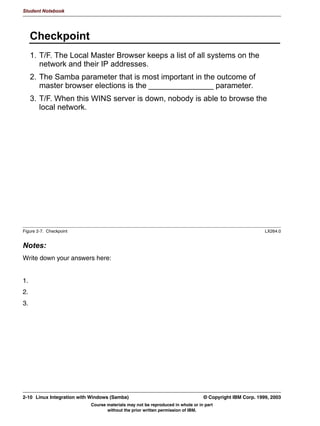
     KHFNSRLQW
      7) 7KH /RFDO 0DVWHU %URZVHU NHHSV D OLVW RI DOO VVWHPV RQ WKH
        QHWZRUN DQG WKHLU ,3 DGGUHVVHV
      7KH 6DPED SDUDPHWHU WKDW LV PRVW LPSRUWDQW LQ WKH RXWFRPH RI
        PDVWHU EURZVHU HOHFWLRQV LV WKH BBBBBBBBBBBBBBB SDUDPHWHU
      7) :KHQ WKLV :,16 VHUYHU LV GRZQ QRERG LV DEOH WR EURZVH WKH
        ORFDO QHWZRUN


Figure 2-7. Checkpoint                                                                                   LX264.0


Notes:
Write down your answers here:


1.
2.
3.


2-10 Linux Integration with Windows (Samba)                                     © Copyright IBM Corp. 1999, 2003
                           Course materials may not be reproduced in whole or in part
                                  without the prior written permission of IBM.
V1.2.2   BKM2MIF
                                                                                                        Student Notebook


Uempty
            8QLW 6XPPDU
              6VWHP LGHQWLILFDWLRQ
              1HWZRUN EURZVLQJ
              :,16 VHUYHUV


         Figure 2-8. Unit Summary                                                                                    LX264.0


         Notes:


         © Copyright IBM Corp. 1999, 2003                                                 Unit 2. Network Browsing     2-11
                                     Course materials may not be reproduced in whole or in part
                                            without the prior written permission of IBM.
Student Notebook


2-12 Linux Integration with Windows (Samba)                                     © Copyright IBM Corp. 1999, 2003
                           Course materials may not be reproduced in whole or in part
                                  without the prior written permission of IBM.
V1.2.2   BKM2MIF
                                                                                                           Student Notebook


Uempty   Unit 3. Authentication

         What This Unit Is About
                                 This unit covers authentication in a Windows environment, and how
                                 Samba handles this.


         What You Should Be Able to Do
                                 After completing this unit, you should be able to:
                                  • Describe the way Windows performs authentication in general
                                  • Explain the difference between share level and user level security
                                  • Explain the way Samba handles authentication
                                  • Explain the difficulties involved in encrypted passwords, and how
                                    Samba handles this
                                  • Set up a guest account


         How You Will Check Your Progress
                                 Accountability:
                                  • Checkpoint Questions
                                  • Lab exercises


         © Copyright IBM Corp. 1999, 2003                                                      Unit 3. Authentication   3-1
                                      Course materials may not be reproduced in whole or in part
                                             without the prior written permission of IBM.
Student Notebook


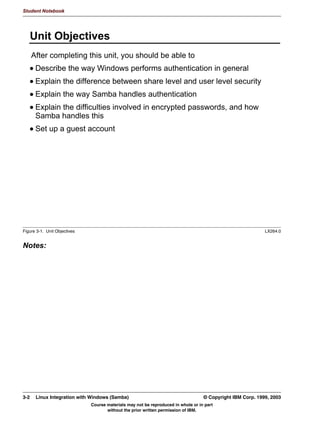
      8QLW 2EMHFWLYHV
      $IWHU FRPSOHWLQJ WKLV XQLW RX VKRXOG EH DEOH WR
       'HVFULEH WKH ZD :LQGRZV SHUIRUPV DXWKHQWLFDWLRQ LQ JHQHUDO
       ([SODLQ WKH GLIIHUHQFH EHWZHHQ VKDUH OHYHO DQG XVHU OHYHO VHFXULW
       ([SODLQ WKH ZD 6DPED KDQGOHV DXWKHQWLFDWLRQ
       ([SODLQ WKH GLIILFXOWLHV LQYROYHG LQ HQFUSWHG SDVVZRUGV DQG KRZ
       6DPED KDQGOHV WKLV
       6HW XS D JXHVW DFFRXQW


Figure 3-1. Unit Objectives                                                                                 LX264.0


Notes:


3-2    Linux Integration with Windows (Samba)                                      © Copyright IBM Corp. 1999, 2003
                              Course materials may not be reproduced in whole or in part
                                     without the prior written permission of IBM.
V1.2.2   BKM2MIF
                                                                                                           Student Notebook


Uempty
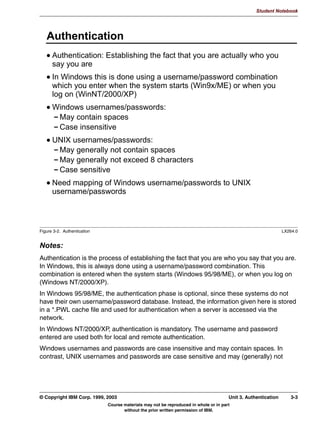
            $XWKHQWLFDWLRQ
               $XWKHQWLFDWLRQ (VWDEOLVKLQJ WKH IDFW WKDW RX DUH DFWXDOO ZKR RX
               VD RX DUH
               ,Q :LQGRZV WKLV LV GRQH XVLQJ D XVHUQDPHSDVVZRUG FRPELQDWLRQ
               ZKLFK RX HQWHU ZKHQ WKH VVWHP VWDUWV :LQ[0(
RU ZKHQ RX
               ORJ RQ :LQ17;3
:LQGRZV XVHUQDPHVSDVVZRUGV
                0D FRQWDLQ VSDFHV
                DVH LQVHQVLWLYH
               81,; XVHUQDPHVSDVVZRUGV
                0D JHQHUDOO QRW FRQWDLQ VSDFHV
                0D JHQHUDOO QRW H[FHHG  FKDUDFWHUV
                DVH VHQVLWLYH
               1HHG PDSSLQJ RI :LQGRZV XVHUQDPHSDVVZRUGV WR 81,;
               XVHUQDPHSDVVZRUGV


         Figure 3-2. Authentication                                                                                     LX264.0


         Notes:
         Authentication is the process of establishing the fact that you are who you say that you are.
         In Windows, this is always done using a username/password combination. This
         combination is entered when the system starts (Windows 95/98/ME), or when you log on
         (Windows NT/2000/XP).
         In Windows 95/98/ME, the authentication phase is optional, since these systems do not
         have their own username/password database. Instead, the information given here is stored
         in a *.PWL cache file and used for authentication when a server is accessed via the
         network.
         In Windows NT/2000/XP, authentication is mandatory. The username and password
         entered are used both for local and remote authentication.
         Windows usernames and passwords are case insensitive and may contain spaces. In
         contrast, UNIX usernames and passwords are case sensitive and may (generally) not


         © Copyright IBM Corp. 1999, 2003                                                      Unit 3. Authentication      3-3
                                      Course materials may not be reproduced in whole or in part
                                             without the prior written permission of IBM.
Student Notebook


contain spaces1. Furthermore, UNIX usernames and passwords are generally limited to
eight characters2.
This means that in most cases, a mapping between Windows usernames/passwords and
UNIX usernames/passwords is required. How this is done is the topic of this unit.


1 Technically, a username can contain spaces, but a lot of programs will not handle this properly. And you need to surround the
username with quotes every time it is part of a shell command, such as chown “joe doe” joesfile.
2
  Most Linux distributions use MD5 instead of crypt() to encrypt passwords. This means that passwords can be longer than eight
characters.


3-4   Linux Integration with Windows (Samba)                                            © Copyright IBM Corp. 1999, 2003
                                 Course materials may not be reproduced in whole or in part
                                        without the prior written permission of IBM.
V1.2.2   BKM2MIF
                                                                                                              Student Notebook


Uempty
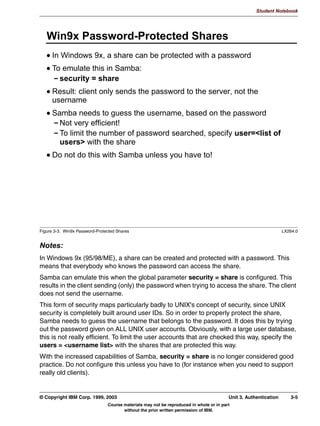
            :LQ[ 3DVVZRUG3URWHFWHG 6KDUHV
               ,Q :LQGRZV [ D VKDUH FDQ EH SURWHFWHG ZLWK D SDVVZRUG
               7R HPXODWH WKLV LQ 6DPED
                 VHFXULW VKDUH
               5HVXOW FOLHQW RQO VHQGV WKH SDVVZRUG WR WKH VHUYHU QRW WKH
               XVHUQDPH
               6DPED QHHGV WR JXHVV WKH XVHUQDPH EDVHG RQ WKH SDVVZRUG
                 1RW YHU HIILFLHQW
                 7R OLPLW WKH QXPEHU RI SDVVZRUG VHDUFKHG VSHFLI XVHU OLVW RI
                 XVHUV! ZLWK WKH VKDUH
               'R QRW GR WKLV ZLWK 6DPED XQOHVV RX KDYH WR


         Figure 3-3. Win9x Password-Protected Shares                                                                       LX264.0


         Notes:
         In Windows 9x (95/98/ME), a share can be created and protected with a password. This
         means that everybody who knows the password can access the share.
         Samba can emulate this when the global parameter security = share is configured. This
         results in the client sending (only) the password when trying to access the share. The client
         does not send the username.
         This form of security maps particularly badly to UNIX's concept of security, since UNIX
         security is completely built around user IDs. So in order to properly protect the share,
         Samba needs to guess the username that belongs to the password. It does this by trying
         out the password given on ALL UNIX user accounts. Obviously, with a large user database,
         this is not really efficient. To limit the user accounts that are checked this way, specify the
         users = username list with the shares that are protected this way.
         With the increased capabilities of Samba, security = share is no longer considered good
         practice. Do not configure this unless you have to (for instance when you need to support
         really old clients).


         © Copyright IBM Corp. 1999, 2003                                                         Unit 3. Authentication      3-5
                                         Course materials may not be reproduced in whole or in part
                                                without the prior written permission of IBM.
Student Notebook


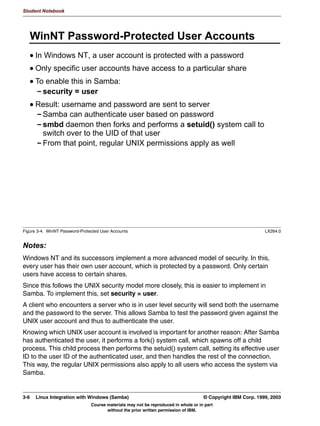
      :LQ17 3DVVZRUG3URWHFWHG 8VHU $FFRXQWV
      ,Q :LQGRZV 17 D XVHU DFFRXQW LV SURWHFWHG ZLWK D SDVVZRUG
      2QO VSHFLILF XVHU DFFRXQWV KDYH DFFHVV WR D SDUWLFXODU VKDUH
      7R HQDEOH WKLV LQ 6DPED
        VHFXULW XVHU
      5HVXOW XVHUQDPH DQG SDVVZRUG DUH VHQW WR VHUYHU
       6DPED FDQ DXWKHQWLFDWH XVHU EDVHG RQ SDVVZRUG
       VPEG GDHPRQ WKHQ IRUNV DQG SHUIRUPV D VHWXLG
VVWHP FDOO WR
       VZLWFK RYHU WR WKH 8,' RI WKDW XVHU
       )URP WKDW SRLQW UHJXODU 81,; SHUPLVVLRQV DSSO DV ZHOO


Figure 3-4. WinNT Password-Protected User Accounts                                                            LX264.0


Notes:
Windows NT and its successors implement a more advanced model of security. In this,
every user has their own user account, which is protected by a password. Only certain
users have access to certain shares.
Since this follows the UNIX security model more closely, this is easier to implement in
Samba. To implement this, set security = user.
A client who encounters a server who is in user level security will send both the username
and the password to the server. This allows Samba to test the password given against the
UNIX user account and thus to authenticate the user.
Knowing which UNIX user account is involved is important for another reason: After Samba
has authenticated the user, it performs a fork() system call, which spawns off a child
process. This child process then performs the setuid() system call, setting its effective user
ID to the user ID of the authenticated user, and then handles the rest of the connection.
This way, the regular UNIX permissions also apply to all users who access the system via
Samba.


3-6   Linux Integration with Windows (Samba)                                         © Copyright IBM Corp. 1999, 2003
                                Course materials may not be reproduced in whole or in part
                                       without the prior written permission of IBM.
V1.2.2   BKM2MIF
                                                                                                                   Student Notebook


Uempty
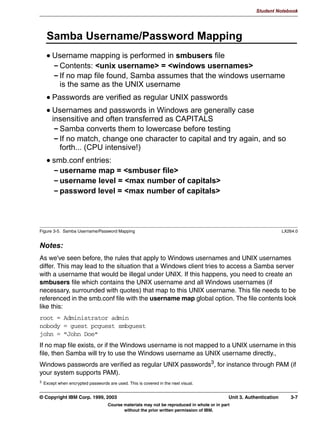
              6DPED 8VHUQDPH3DVVZRUG 0DSSLQJ
                 8VHUQDPH PDSSLQJ LV SHUIRUPHG LQ VPEXVHUV ILOH
                  RQWHQWV XQL[ XVHUQDPH! ZLQGRZV XVHUQDPHV!
                  ,I QR PDS ILOH IRXQG 6DPED DVVXPHV WKDW WKH ZLQGRZV XVHUQDPH
                  LV WKH VDPH DV WKH 81,; XVHUQDPH
                 3DVVZRUGV DUH YHULILHG DV UHJXODU 81,; SDVVZRUGV
                 8VHUQDPHV DQG SDVVZRUGV LQ :LQGRZV DUH JHQHUDOO FDVH
                 LQVHQVLWLYH DQG RIWHQ WUDQVIHUUHG DV $3,7$/6
                   6DPED FRQYHUWV WKHP WR ORZHUFDVH EHIRUH WHVWLQJ
                   ,I QR PDWFK FKDQJH RQH FKDUDFWHU WR FDSLWDO DQG WU DJDLQ DQG VR
                   IRUWK 38 LQWHQVLYH
VPEFRQI HQWULHV
                   XVHUQDPH PDS VPEXVHU ILOH!
                   XVHUQDPH OHYHO PD[ QXPEHU RI FDSLWDOV!
                   SDVVZRUG OHYHO PD[ QXPEHU RI FDSLWDOV!


         Figure 3-5. Samba Username/Password Mapping                                                                            LX264.0


         Notes:
         As we've seen before, the rules that apply to Windows usernames and UNIX usernames
         differ. This may lead to the situation that a Windows client tries to access a Samba server
         with a username that would be illegal under UNIX. If this happens, you need to create an
         smbusers file which contains the UNIX username and all Windows usernames (if
         necessary, surrounded with quotes) that map to this UNIX username. This file needs to be
         referenced in the smb.conf file with the username map global option. The file contents look
         like this:
         root = Administrator admin
         nobody = guest pcguest smbguest
         john = John Doe
         If no map file exists, or if the Windows username is not mapped to a UNIX username in this
         file, then Samba will try to use the Windows username as UNIX username directly.,
         Windows passwords are verified as regular UNIX passwords3, for instance through PAM (if
         your system supports PAM).
         3   Except when encrypted passwords are used. This is covered in the next visual.


         © Copyright IBM Corp. 1999, 2003                                                              Unit 3. Authentication      3-7
                                              Course materials may not be reproduced in whole or in part
                                                     without the prior written permission of IBM.
Student Notebook


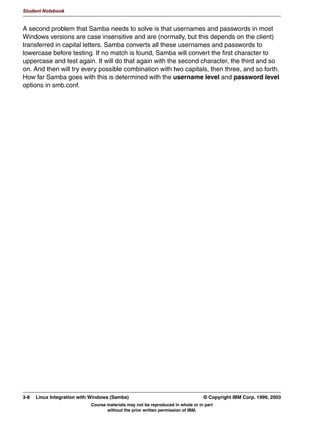
A second problem that Samba needs to solve is that usernames and passwords in most
Windows versions are case insensitive and are (normally, but this depends on the client)
transferred in capital letters. Samba converts all these usernames and passwords to
lowercase before testing. If no match is found, Samba will convert the first character to
uppercase and test again. It will do that again with the second character, the third and so
on. And then will try every possible combination with two capitals, then three, and so forth.
How far Samba goes with this is determined with the username level and password level
options in smb.conf.


3-8   Linux Integration with Windows (Samba)                                     © Copyright IBM Corp. 1999, 2003
                            Course materials may not be reproduced in whole or in part
                                   without the prior written permission of IBM.
V1.2.2   BKM2MIF
                                                                                                                Student Notebook


Uempty
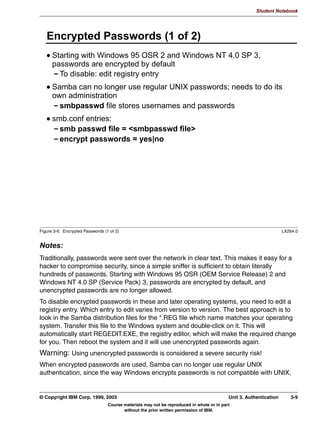
            (QFUSWHG 3DVVZRUGV  RI
6WDUWLQJ ZLWK :LQGRZV  265  DQG :LQGRZV 17  63 
               SDVVZRUGV DUH HQFUSWHG E GHIDXOW
                 7R GLVDEOH HGLW UHJLVWU HQWU
               6DPED FDQ QR ORQJHU XVH UHJXODU 81,; SDVVZRUGV QHHGV WR GR LWV
               RZQ DGPLQLVWUDWLRQ
                 VPESDVVZG ILOH VWRUHV XVHUQDPHV DQG SDVVZRUGV
               VPEFRQI HQWULHV
                 VPE SDVVZG ILOH VPESDVVZG ILOH!
                 HQFUSW SDVVZRUGV HV_QR


         Figure 3-6. Encrypted Passwords (1 of 2)                                                                            LX264.0


         Notes:
         Traditionally, passwords were sent over the network in clear text. This makes it easy for a
         hacker to compromise security, since a simple sniffer is sufficient to obtain literally
         hundreds of passwords. Starting with Windows 95 OSR (OEM Service Release) 2 and
         Windows NT 4.0 SP (Service Pack) 3, passwords are encrypted by default, and
         unencrypted passwords are no longer allowed.
         To disable encrypted passwords in these and later operating systems, you need to edit a
         registry entry. Which entry to edit varies from version to version. The best approach is to
         look in the Samba distribution files for the *.REG file which name matches your operating
         system. Transfer this file to the Windows system and double-click on it. This will
         automatically start REGEDIT.EXE, the registry editor, which will make the required change
         for you. Then reboot the system and it will use unencrypted passwords again.
         Warning: Using unencrypted passwords is considered a severe security risk!
         When encrypted passwords are used, Samba can no longer use regular UNIX
         authentication, since the way Windows encrypts passwords is not compatible with UNIX,


         © Copyright IBM Corp. 1999, 2003                                                           Unit 3. Authentication      3-9
                                           Course materials may not be reproduced in whole or in part
                                                  without the prior written permission of IBM.
Student Notebook


and both methods are one-way encryptions. Samba thus needs to do its own password
administration. This is done by means of an smbpasswd file.


3-10 Linux Integration with Windows (Samba)                                     © Copyright IBM Corp. 1999, 2003
                           Course materials may not be reproduced in whole or in part
                                  without the prior written permission of IBM.
V1.2.2   BKM2MIF
                                                                                                                Student Notebook


Uempty
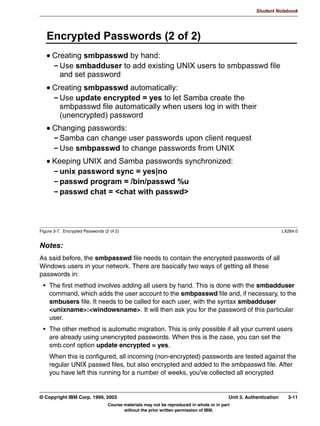
            (QFUSWHG 3DVVZRUGV  RI
UHDWLQJ VPESDVVZG E KDQG
                 8VH VPEDGGXVHU WR DGG H[LVWLQJ 81,; XVHUV WR VPESDVVZG ILOH
                 DQG VHW SDVVZRUG
               UHDWLQJ VPESDVVZG DXWRPDWLFDOO
                 8VH XSGDWH HQFUSWHG HV WR OHW 6DPED FUHDWH WKH
                 VPESDVVZG ILOH DXWRPDWLFDOO ZKHQ XVHUV ORJ LQ ZLWK WKHLU
                 XQHQFUSWHG
SDVVZRUG
               KDQJLQJ SDVVZRUGV
                6DPED FDQ FKDQJH XVHU SDVVZRUGV XSRQ FOLHQW UHTXHVW
                8VH VPESDVVZG WR FKDQJH SDVVZRUGV IURP 81,;
               .HHSLQJ 81,; DQG 6DPED SDVVZRUGV VQFKURQL]HG
                 XQL[ SDVVZRUG VQF HV_QR
                 SDVVZG SURJUDP ELQSDVVZG X
                 SDVVZG FKDW FKDW ZLWK SDVVZG!


         Figure 3-7. Encrypted Passwords (2 of 2)                                                                            LX264.0


         Notes:
         As said before, the smbpasswd file needs to contain the encrypted passwords of all
         Windows users in your network. There are basically two ways of getting all these
         passwords in:
          • The first method involves adding all users by hand. This is done with the smbadduser
            command, which adds the user account to the smbpasswd file and, if necessary, to the
            smbusers file. It needs to be called for each user, with the syntax smbadduser
            unixname:windowsname. It will then ask you for the password of this particular
            user.
          • The other method is automatic migration. This is only possible if all your current users
            are already using unencrypted passwords. When this is the case, you can set the
            smb.conf option update encrypted = yes.
             When this is configured, all incoming (non-encrypted) passwords are tested against the
             regular UNIX passwd files, but also encrypted and added to the smbpasswd file. After
             you have left this running for a number of weeks, you've collected all encrypted


         © Copyright IBM Corp. 1999, 2003                                                           Unit 3. Authentication     3-11
                                           Course materials may not be reproduced in whole or in part
                                                  without the prior written permission of IBM.
Student Notebook


   passwords in the smbpasswd file and can upgrade your Samba server to use encrypted
   passwords exclusively.
Samba also allows you to change your passwords. When this is done from a Windows
client, Samba makes the change itself. But a UNIX user can also change a Samba
password by means of the smbpasswd program.
Using encrypted passwords means that users will have two passwords on the same server.
This may lead to confusion. You therefore might want to configure password
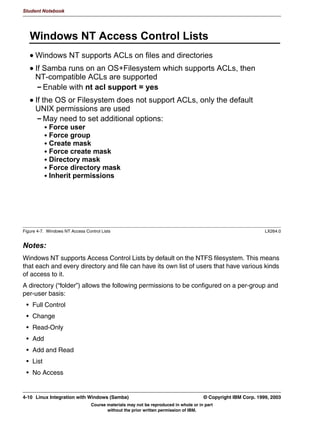
synchronization. This is automatically done by Samba and smbpasswd if the unix
password sync option is turned on in smb.conf. When turned on, Samba or smbpasswd
will call the password program and will perform the passwd chat conversation with it to
change the UNIX password.


3-12 Linux Integration with Windows (Samba)                                     © Copyright IBM Corp. 1999, 2003
                           Course materials may not be reproduced in whole or in part
                                  without the prior written permission of IBM.
V1.2.2   BKM2MIF
                                                                                                          Student Notebook


Uempty
            *XHVW $FFRXQW
               :KHQ D XVHU ORJV RQ WR WKH VDPED VHUYHU ZLWK DQ XQNQRZQ
               XVHUQDPH UHVXOWV GHSHQG RQ PDS WR JXHVW SDUDPHWHU
                 PDS WR JXHVW QHYHU 1RW DXWKHQWLFDWHG
                 PDS WR JXHVW EDG XVHU 0DSSHG WR JXHVW DFFRXQW DFFRXQW
                 PDS WR JXHVW EDG SDVVZRUG 0DSSHG WR JXHVW DFFRXQW
                 DFFRXQW HYHQ LI WKH XVHUQDPH H[LVWV EXW WKH SDVVZRUG LV ZURQJ
               7KH JXHVW DFFRXQW SDUDPHWHU GHWHUPLQHV ZKLFK 81,; DFFRXQW LV
               XVHG DV JXHVW DFFRXQW
                 JXHVW DFFRXQW SFJXHVW


         Figure 3-8. Guest Account                                                                                     LX264.0


         Notes:
         When a user logs in to the Samba server with an unknown or with no username, then the
         results depend on the setting of the map to guest parameter:
          • When set to never, nothing happens. The user is not authenticated and is not granted
            access to the system.
          • When set to bad user, the user is mapped to the “guest account”. This means that the
            user can access all shares that were identified as being available for the guest user.
          • When set to bad password, the user is mapped to the guest account as well.
            Moreover, all users that try to access the server with a valid username but with the
            wrong password are also mapped to the guest account.
            This option leads to the situation that a user who logs in to the server but by accident
            types a wrong password gets error messages like “Share does not exist” instead of
            “Wrong Password”. This can be really confusing, both for the user and the helpdesk.
            Use of this method is therefore not recommended.
         The guest account option identifies the UNIX user account that is used to implement the
         guest account.

         © Copyright IBM Corp. 1999, 2003                                                     Unit 3. Authentication     3-13
                                     Course materials may not be reproduced in whole or in part
                                            without the prior written permission of IBM.
Student Notebook


     KHFNSRLQW
      7) 2Q WKH PRUH UHFHQW YHUVLRQV RI :LQGRZV HQFUSWHG
        SDVVZRUGV DUH HQDEOHG E GHIDXOW
      7) 7KH 6DPED HQFUSWHG SDVVZRUGV DUH DOZDV NHSW LQ D ILOH
        HWFVPESDVVZG
      :KHQ RX KDYH DQ H[LVWLQJ 81,; XVHU DQG RX ZDQW WKDW XVHU WR
        EH DGGHG WR WKH VPESDVVZG ILOH WKH FRPPDQG WR UXQ LV
        BBBBBBBBBBBBBBBBBBBBBBB 


Figure 3-9. Checkpoint                                                                                   LX264.0


Notes:
Write down your answers here:


1.
2.
3.


3-14 Linux Integration with Windows (Samba)                                     © Copyright IBM Corp. 1999, 2003
                           Course materials may not be reproduced in whole or in part
                                  without the prior written permission of IBM.
V1.2.2   BKM2MIF
                                                                                                          Student Notebook


Uempty
            8QLW 6XPPDU
              $XWKHQWLFDWLRQ
              6KDUH OHYHO DXWKHQWLFDWLRQ
              8VHU OHYHO DXWKHQWLFDWLRQ
              :LQGRZV81,; XVHUQDPHSDVVZRUG PDSSLQJ
              (QFUSWHG SDVVZRUGV
              *XHVW DFFRXQW


         Figure 3-10. Unit Summary                                                                                     LX264.0


         Notes:
         The locations that Samba uses for its files and directories are configurable. Some of them
         can only be changed at the time the software is compiled (which is one reason why an
         administrator may want to compile the code themselves). Others, like log files and spool
         directories, can be overridden in the configuration file.
         Most of the parameter values in the global section become defaults for the dynamically
         created shares based on homes and printers, although there are exceptions. This will be
         discussed more in the following units.
         We also looked at some sample configurations, including a couple of pages on how a
         Windows client would be configured if it were to cooperate with Samba on a network.


         © Copyright IBM Corp. 1999, 2003                                                     Unit 3. Authentication     3-15
                                     Course materials may not be reproduced in whole or in part
                                            without the prior written permission of IBM.
Student Notebook


3-16 Linux Integration with Windows (Samba)                                     © Copyright IBM Corp. 1999, 2003
                           Course materials may not be reproduced in whole or in part
                                  without the prior written permission of IBM.
V1.2.2   BKM2MIF
                                                                                                           Student Notebook


Uempty   Unit 4. File Sharing

         What This Unit Is About
                                 This unit will introduce the student to the configuration details for using
                                 Samba as a file server. There are basically two different, but similar,
                                 configurations: home directories, and all other directories.


         What You Should Be Able to Do
                                 After completing this unit, you should be able to:
                                  • Create shares for UNIX users' home directories
                                  • Set Samba permissions on directories
                                  • Be able to configure an NFS or CD-ROM mount point as a Samba
                                    share


         How You Will Check Your Progress
                                 Accountability:
                                  • Checkpoint questions
                                  • Lab exercises


         © Copyright IBM Corp. 1999, 2003                                                         Unit 4. File Sharing   4-1
                                     Course materials may not be reproduced in whole or in part
                                            without the prior written permission of IBM.
Student Notebook


      8QLW 2EMHFWLYHV
      $IWHU FRPSOHWLQJ WKLV XQLW RX VKRXOG EH DEOH WR
       UHDWH VKDUHV IRU 81,; XVHUV
 KRPH GLUHFWRULHV
       6HW 6DPED SHUPLVVLRQV RQ GLUHFWRULHV
       %H DEOH WR FRQILJXUH DQ 1)6 RU '520 PRXQW SRLQW DV D 6DPED
       VKDUH


Figure 4-1. Unit Objectives                                                                                 LX264.0


Notes:


4-2    Linux Integration with Windows (Samba)                                      © Copyright IBM Corp. 1999, 2003
                              Course materials may not be reproduced in whole or in part
                                     without the prior written permission of IBM.
V1.2.2   BKM2MIF
                                                                                                                 Student Notebook


Uempty
            7KH 3XUSRVH RI )LOH 6KDULQJ
               $FFHVV WR SULYDWH UHVRXUFHV
               $FFHVV WR VKDUHG UHVRXUFHV
               (DVH RI DGPLQLVWUDWLRQ
                 3HUPLVVLRQV
                 %DFNXSV
                 RQILJXUDWLRQ


         Figure 4-2. The Purpose of File Sharing                                                                               LX264.0


         Notes:
         File sharing means providing non-local access from network clients to a central storage
         repository.
         Typically, file sharing is used to provide access to resources located in a single spot without
         having to copy the information all around the network. For example, there may be a
         common set of memo templates, letterhead templates, reports, and so on, that the
         company may desire to make available to all of its office staff. A good approach would be to
         place all of those files on a single machine somewhere on the network and provide public
         access to those files. Then the office staff can access them as needed, and when an
         update needs to be done, it can be done in just a single location -- on the server.
         Those resources are typically public, as in the above scenario, but private resources can
         be shared also. These would be resources that require clients to authenticate themselves
         to the server and prove who they are. Then certain individuals can be configured with
         access.
         In addition to making it easier for the user (in terms of accessing the data), it's also easier
         for the administrator of the information when the data needs updating or backing up. And

         © Copyright IBM Corp. 1999, 2003                                                               Unit 4. File Sharing      4-3
                                           Course materials may not be reproduced in whole or in part
                                                  without the prior written permission of IBM.
Student Notebook


because all of the data is in one place, access can be controlled centrally as well
(controlling the floppy that's being passed around is much more difficult). And lastly, the
actual implementation of the data storage can change without affecting the clients. For
example, the data could be moved to CD-ROM and yet the clients could continue to access
it from the server in exactly the same way. The data could even be moved to another host
on the network, and as long as the file server can still access it, the data could continue to
be shared.


4-4   Linux Integration with Windows (Samba)                                     © Copyright IBM Corp. 1999, 2003
                            Course materials may not be reproduced in whole or in part
                                   without the prior written permission of IBM.
V1.2.2   BKM2MIF
                                                                                                               Student Notebook


Uempty
            RPPRQ DQGLGDWHV IRU 6KDULQJ
               8VHU
V KRPH GLUHFWRULHV
                )RU DOO XVHUV
                2QO IRU WKH RZQHU
               7HPSRUDU SXEOLF VWRUDJH
               2WKHU SXEOLF VWRUDJH
                 7HDP GLUHFWRULHV
               $FFHVV WR UHVRXUFHV QRW DYDLODEOH YLD 60%
                 1)6 ILOH VVWHPV
                 '520 ILOH VVWHPV


         Figure 4-3. Common Candidates for Sharing                                                                           LX264.0


         Notes:
         Generally, users will want to be able to access their own data from anywhere on the
         network. On UNIX machines, individualized data is usually stored in the home directory of
         each user. This is a default configuration for Samba.
         Of course, other locations might also be desirable shares, such as /tmp for temporary
         storage space.
         Because of how networks can connect many different types of machines, often there will be
         a desire for machine A to obtain files from machine B when they don't have any file sharing
         protocols in common. Sometimes Samba can help in this situation. For example, machine
         A is a Windows98 client. Machine B is an NFS file server. If Samba were installed on a
         Linux machine on the same network, it could mount the NFS file systems and then provide
         a share for that mount point. No software needs to be purchased for the Windows client,
         which can be a major savings if hundreds of clients are involved. And Samba provides an
         interface that the Windows user is already familiar with.
         Another example might be a CD-ROM jukebox, or NFS mounted file systems (Network File
         System) from other UNIX hosts.

         © Copyright IBM Corp. 1999, 2003                                                             Unit 4. File Sharing      4-5
                                         Course materials may not be reproduced in whole or in part
                                                without the prior written permission of IBM.
Student Notebook


      6KDULQJ +RPH 'LUHFWRULHV
        KRPHV@ LV D WHPSODWH ZKLFK LV XVHG IRU HYHU XVHU DFFRXQW LQ
        HWFSDVVZG
          KRPHV@
          SDWK KRPH X
          FRPPHQW +RPH 'LUHFWRU RI 8
          EURZVDEOH QR
          ZULWDEOH HV
        'HIDXOWV IRU VKDULQJ WKH KRPH GLUHFWRU RI WKH XVHU DUH WDNHQ IURP
        WKH KRPHV@ WHPSODWH H[FHSW
          1DPH RI WKH VKDUH XVHUQDPH LQVWHDG RI KRPHV
          %URZVDEOH HV
        8VHIXO 06'26 FRPPDQG
         QHW XVH + ??VHUYHU?KRPHV
         :LOO DOZDV PDS RXU RZQ KRPH GLUHFWRU DV +


Figure 4-4. Sharing Home Directories                                                                                 LX264.0


Notes:
The first example shown here is the [homes] share. This is a special share which is used as
a template for the home directory of the user that logs in. All options in this share are used
for the home directory of the user, except for one: browsable, which will automatically be
set to yes. And obviously the name of the share will not be “homes”, but will be replaced by
the username.
Strangely enough, the homes share itself is also considered a true share. This means that
when a user logs in, he or she will always be able to access two shares at least: the
“homes” share, and a share which is named after its own username. But since the “homes”
share is not browsable. the user will not generally see this. Both shares lead to the home
directory of that user.
This makes an interesting trick possible: When the user executes the command
net use H: serverhomes, then the users home directory will always be accessible as H:,
no matter what the username is1.


1   We will incorporate this later on in a domain logon script.


4-6     Linux Integration with Windows (Samba)                                              © Copyright IBM Corp. 1999, 2003
                                       Course materials may not be reproduced in whole or in part
                                              without the prior written permission of IBM.
V1.2.2   BKM2MIF
                                                                                                                  Student Notebook


Uempty
            6KDULQJ 2WKHU 'LUHFWRULHV
               6SHFLI WKH VKDUH QDPH LQVLGH WKH EUDFNHWV
               ([DPSOH
                 WPS@
                 FRPPHQW )UHH GLVN VSDFH KHUH
                 ZULWDEOH HV
                 EURZVDEOH HV
                 SXEOLF HV
                 SDWK WPS


         Figure 4-5. Sharing Other Directories                                                                                  LX264.0


         Notes:
         If you want to share other directories than just home directories alone, then you need to list
         all these shares individually.
         The share definition in smb.conf starts with the share name in brackets. This is followed by
         the options that apply to the share. For each share, the following options are almost always
         specified:
          • comment, which contains a description of the share.
          • writable, which determines if a user can write to the share, or if this is a read-only
            share. (The option read only is the inverse of this option.)
          • browsable, which specifies whether the share shows up in a browse list, such as your
            “Network Neighborhood”.
          • public, which is a synonym for guest ok, and determines if the guest user (a user
            mapped to the guest account) has access to the share.
          • path, which specifies the UNIX directory for the share.


         © Copyright IBM Corp. 1999, 2003                                                                Unit 4. File Sharing      4-7
                                            Course materials may not be reproduced in whole or in part
                                                   without the prior written permission of IBM.
Student Notebook


      )LOHQDPH 0DQJOLQJ
      81,; ILOHQDPHV DUH FDVH VHQVLWLYH
      :LQGRZV ILOHQDPHV DUH FDVH LQVHQVLWLYH DQG PD QHHG WR FRQIRUP
      WR  IRUPDW
      9DULRXV RSWLRQV H[LVW IRU ILOHQDPH PDQJOLQJ
        PDQJOH FDVH HV_QR
        FDVH VHQVLWLYH HV_QR
        GHIDXOW FDVH XSSHU_ORZHU
        SUHVHUYH FDVH HV_QR
        VKRUW SUHVHUYH FDVH HV_QR
      81,; ILOHQDPHV WKDW VWDUW ZLWK D GRW DUH KLGGHQ ILOHV
       KLGH GRW ILOHV HV_QR


Figure 4-6. Filename Mangling                                                                                  LX264.0


Notes:
As with usernames and passwords, UNIX filenames do not conform to the same
restrictions as Windows filenames. In order to correctly map these filenames to each other,
you might need to configure filename mangling.
The default settings of Samba conform to Windows NT filename mangling when it deals
with Windows WfW/95/98/ME, in that it is case insensitive but case preserving.
mangle case                     Controls if names that have characters that aren't of the “default”
                                case are mangled. For example, if this is yes then a name like “Mail”
                                would be mangled.
case sensitive                  Controls whether filenames are case sensitive. If they aren't then
                                Samba must do a filename search and match on passed names.
default case                    Controls what the default case is for new filenames.
preserve case                   Controls if new files are created with the case that the client passes,
                                or if they are forced to be the “default” case.


4-8    Linux Integration with Windows (Samba)                                         © Copyright IBM Corp. 1999, 2003
                                 Course materials may not be reproduced in whole or in part
                                        without the prior written permission of IBM.
V1.2.2   BKM2MIF
                                                                                                           Student Notebook


Uempty   short preserve case Controls if new files which conform to the 8.3 syntax (upper case
                             and suitable length) are created upper case or if they are forced to
                             be the “default” case. This option can be used with “preserve case =
                             yes” to permit long filenames to retain their case, while short names
                             are lowercase.
         Another difference between UNIX and Windows filenames is that in UNIX a file is made
         hidden by starting the filename with a dot. To control whether these files need to be visible
         from Windows, use the hide dot files option.


         © Copyright IBM Corp. 1999, 2003                                                         Unit 4. File Sharing   4-9
                                     Course materials may not be reproduced in whole or in part
                                            without the prior written permission of IBM.
Student Notebook


   :LQGRZV 17 $FFHVV RQWURO /LVWV
      :LQGRZV 17 VXSSRUWV $/V RQ ILOHV DQG GLUHFWRULHV
      ,I 6DPED UXQV RQ DQ 26)LOHVVWHP ZKLFK VXSSRUWV $/V WKHQ
      17FRPSDWLEOH $/V DUH VXSSRUWHG
         (QDEOH ZLWK QW DFO VXSSRUW HV
      ,I WKH 26 RU )LOHVVWHP GRHV QRW VXSSRUW $/V RQO WKH GHIDXOW
      81,; SHUPLVVLRQV DUH XVHG
         0D QHHG WR VHW DGGLWLRQDO RSWLRQV
            )RUFH XVHU
            )RUFH JURXS
            UHDWH PDVN
            )RUFH FUHDWH PDVN
            'LUHFWRU PDVN
            )RUFH GLUHFWRU PDVN
            ,QKHULW SHUPLVVLRQV


Figure 4-7. Windows NT Access Control Lists                                                                    LX264.0


Notes:
Windows NT supports Access Control Lists by default on the NTFS filesystem. This means
that each and every directory and file can have its own list of users that have various kinds
of access to it.
A directory (“folder”) allows the following permissions to be configured on a per-group and
per-user basis:
 • Full Control
 • Change
 • Read-Only
 • Add
 • Add and Read
 • List
 • No Access


4-10 Linux Integration with Windows (Samba)                                           © Copyright IBM Corp. 1999, 2003
                                 Course materials may not be reproduced in whole or in part
                                        without the prior written permission of IBM.
V1.2.2   BKM2MIF
                                                                                                           Student Notebook


Uempty   A file allows the following permissions:
          • Full Control
          • Change
          • Read-Only
          • No Access
         If Samba runs on an operating system and filesystem that supports ACLs, then Samba will
         make use of these ACLs to implement Windows NT ACLs as long as nt acl support = yes.
         If Samba runs on an operating system or filesystem that does not support ACLs, then
         Samba uses the regular UNIX file and directory permissions (rwxrwxrwx). If this is not
         enough for your requirements, then you can use some options on the share to enhance
         your security a little further:
          • force user
          • force group
          • create mask
          • force create mask
          • directory mask
          • force directory mask
          • inherit permissions


         © Copyright IBM Corp. 1999, 2003                                                         Unit 4. File Sharing   4-11
                                     Course materials may not be reproduced in whole or in part
                                            without the prior written permission of IBM.
Student Notebook


   2WKHU 6KDULQJ 2SWLRQV
      5HDG 2QO 5HDG:ULWH 5HDG0RVWO
       ZULWDEOH HV_QR RU UHDG RQO HV_QR
       ZULWH OLVW XVHUQDPH OLVW!
       UHDG OLVW XVHUQDPH OLVW!
      6SHFLI YDOLG XVHUV
        YDOLG XVHUV XVHUQDPH OLVW!
      $OORZ)RUFH JXHVW DFFHVV
        JXHVW RN HV_QR RU SXEOLF                               HV_QR
        JXHVW RQO HV_QR
      ([HFXWH FRPPDQGV EHIRUHDIWHU VKDUH LV DFFHVVHG
        SUHH[HF FRPPDQG!
        SRVWH[HF FRPPDQG!
      /RFNLQJ
        ORFNLQJ             HV_QR


Figure 4-8. Other Sharing Options                                                                                 LX264.0


Notes:
There are other options that you might want to specify when configuring shares.
The first set of options that you might want to specify is who has read and write access to
the share. There are basically two options that apply here:
 • writable is the opposite of read only. They specify in general if the share is read-only
   or read-write.
 • write list is a list of usernames who are permitted to write to a share which is read-only
   in general. The opposite of a write list is a read list, which specifies the list of users who
   can only read from a share which is read-write in general.
The next parameter that you might want to use is the valid users parameter, which
specifies a list of users that are given access to the share. Users that are not in this list will
not even see the share in their browse list.
The next two parameters specify whether guest access is allowed or forced. guest ok
gives access to the share for the guest user, and guest only forces every user (even a
legitimate one) to be mapped to the guest account when accessing the share. This can be

4-12 Linux Integration with Windows (Samba)                                              © Copyright IBM Corp. 1999, 2003
                                    Course materials may not be reproduced in whole or in part
                                           without the prior written permission of IBM.
V1.2.2   BKM2MIF
                                                                                                           Student Notebook


Uempty   useful if all users need to access a certain directory as a particular user. (If needed, you
         can specify a guest account parameter within the share definition so that not the regular
         guest account, but a guest account specific for this share is used.)
         There are also smb.conf options that force Samba to execute a command before and after
         a user accesses a share. The two most important ones are preexec and postexec, but
         there are a few more related to this:
          • preexec specifies a script or command to execute before the share is opened. The
            command or script is run as the user that connects to the share.
          • preexec close = yes|no determines if the share should be closed or not if the preexec
            command failed.
          • root preexec and root preexec close are identical to preexec and preexec close, but
            all commands are run as root instead of the user that connected to the share.
          • postexec specifies a script or command to execute after the share has been closed.
            The command or script is run as the user that connected to the share.
          • root postexec is identical to postexec, but the command is run as root instead of the
            user that connected to the share.
         The last command covered here is the locking command. Locking is fully implemented in
         Samba and makes use of the operating systems features, where possible. For read-only
         shares, locking is generally not required and turning it off has proven to be able to deliver a
         performance increase. The disadvantage is that if somebody accesses the share directory
         not via Samba, but via another method, then he or she might be able to write to files that
         would otherwise be locked.


         © Copyright IBM Corp. 1999, 2003                                                         Unit 4. File Sharing   4-13
                                     Course materials may not be reproduced in whole or in part
                                            without the prior written permission of IBM.
Student Notebook


     KHFNSRLQW
      7) )LOH VKDULQJ FDQ EH FRQWUROOHG RQ D SHU/LQX[ XVHU EDVLV
      7) 1)6 ILOHVVWHPV DQG '520 ILOHVVWHPV FDQ EH VKDUHG
        XVLQJ 6DPED
      7) ,W LV SRVVLEOH WR DOORZ XVHU MRH WR DFFHVV D VKDUH EXW VWLOO
        SUHYHQW KLP IURP DFFHVVLQJ LQGLYLGXDO ILOHV ZLWKLQ WKH VKDUH


Figure 4-9. Checkpoint                                                                                   LX264.0


Notes:
Write down your answers here:


1.
2.
3.


4-14 Linux Integration with Windows (Samba)                                     © Copyright IBM Corp. 1999, 2003
                           Course materials may not be reproduced in whole or in part
                                  without the prior written permission of IBM.
V1.2.2   BKM2MIF
                                                                                                           Student Notebook


Uempty
            8QLW 6XPPDU
              3XUSRVH RI ILOH VKDULQJ
              6KDULQJ KRPH GLUHFWRULHV
              6KDULQJ RWKHU GLUHFWRULHV
              )LOHQDPH PDQJOLQJ
              :LQGRZ 17 $/V
              2WKHU VKDUH RSWLRQV


         Figure 4-10. Unit Summary                                                                                       LX264.0


         Notes:
         We know that file sharing is useful and productive. There are many times when it can be
         used effectively.
         Some good choices for sharing would be home directories and public access storage
         space.
         We looked at specific examples and discussed some tweaks you might make to speed
         things up a bit in certain cases.
         Please take the time to review the documentation for the smb.conf(5) file. And also
         smbpasswd(1) and smbd(8), if you would like.


         © Copyright IBM Corp. 1999, 2003                                                         Unit 4. File Sharing     4-15
                                     Course materials may not be reproduced in whole or in part
                                            without the prior written permission of IBM.
Student Notebook


4-16 Linux Integration with Windows (Samba)                                     © Copyright IBM Corp. 1999, 2003
                           Course materials may not be reproduced in whole or in part
                                  without the prior written permission of IBM.
V1.2.2   BKM2MIF
                                                                                                         Student Notebook


Uempty   Unit 5. Printer Sharing

         What This Unit Is About
                                 This unit describes the setup and configuration of printer sharing using
                                 Samba.


         What You Should Be Able to Do
                                 After completing this unit, you should be able to:
                                  • Configure Samba to share all the host system printers
                                  • Configure a single printer in two different operating modes
                                  • Configure Samba to automatically provide Windows clients with
                                    drivers


         How You Will Check Your Progress
                                 Accountability:
                                  • Checkpoint questions
                                  • Lab exercises


         © Copyright IBM Corp. 1999, 2003                                                    Unit 5. Printer Sharing   5-1
                                     Course materials may not be reproduced in whole or in part
                                            without the prior written permission of IBM.
Student Notebook


      8QLW 2EMHFWLYHV
      $IWHU FRPSOHWLQJ WKLV XQLW RX VKRXOG EH DEOH WR
       RQILJXUH 6DPED WR VKDUH DOO WKH KRVW VVWHP SULQWHUV
       RQILJXUH D VLQJOH SULQWHU LQ WZR GLIIHUHQW RSHUDWLQJ PRGHV
       RQILJXUH DXWRLQVWDOODWLRQ RI :LQGRZV GULYHUV


Figure 5-1. Unit Objectives                                                                                 LX264.0


Notes:


5-2    Linux Integration with Windows (Samba)                                      © Copyright IBM Corp. 1999, 2003
                              Course materials may not be reproduced in whole or in part
                                     without the prior written permission of IBM.
V1.2.2   BKM2MIF
                                                                                                                Student Notebook


Uempty
            :K 3ULQWHU 6KDULQJ
               5HGXFHG KDUGZDUH FRVWV
               $ELOLW WR FKRRVH SULQWHU WSH
               HQWUDOL]HG FRQILJXUDWLRQ DQG XSGDWHV
               3ULQWHU DFFRXQWLQJ
               HQWUDO DOORFDWLRQ RI GLVN VSRRO
VSDFH
               3RVVLELOLW RI GHGLFDWHG PDLQWHQDQFH VWDII


         Figure 5-2. Why Printer Sharing?                                                                                     LX264.0


         Notes:
         Printer sharing is a fairly common technique in most organizations. It allows a large group
         of individual users to combine access to printers which would otherwise sit idle for long
         periods. For example, the accounting department might need a printer for accounts
         receivable. Sales may want a printer for sales projections. Neither group, on their own, will
         be using the printer for a significant duration, so it makes more economic sense for them to
         share a single printer than for each department to have its own.
         This also allows a wider variety of printer types to exist within an organization, because
         individual departments may not have the budget for black and white laser printers, color
         dye-sublimation printers, color ink jets, and so on. Yet, in a shared environment, each
         department can access any or all of those printer resources.
         It also helps the IT staff. They can centralize configuration of these printers to a single host
         and all print requests can then go to that host. Software updates can be applied to the host
         without updating individual machines (except that in a Windows environment, this isn't
         practical since each client has its own set of driver files). The IT group can also configure
         printer accounting at a single point, both for pages printed and spool space used (at some

         © Copyright IBM Corp. 1999, 2003                                                           Unit 5. Printer Sharing      5-3
                                            Course materials may not be reproduced in whole or in part
                                                   without the prior written permission of IBM.
Student Notebook


sites this can be significant if jobs are printed shortest-job-next and a large job sits in spool
space for a long time).


5-4   Linux Integration with Windows (Samba)                                     © Copyright IBM Corp. 1999, 2003
                            Course materials may not be reproduced in whole or in part
                                   without the prior written permission of IBM.
V1.2.2   BKM2MIF
                                                                                                               Student Notebook


Uempty
            7RS/HYHO RQILJXUDWLRQ
               *OREDO RSWLRQV
                 SULQWLQJ EVG_OSUQJ_FXSV
                 SULQWFDS QDPH SULQWFDS ILOH!
                 ORDG SULQWHUV HV_QR
                 SULQW FRPPDQG OSU U 3 S V
               ,I ORDG SULQWHUV                HV WKHQ DOO FRQILJXUHG SULQWHUV ZLOO DXWRPDWLFDOO
               EH VKDUHG
               7KH SULQWHUV@ VKDUH VHWV GHIDXOW RSWLRQV IRU DOO SULQWHUV
                 SULQWHUV@
                 SDWK YDUVSRROVDPED
                 SULQWDEOH WUXH
                 JXHVW RN WUXH
               6DPED VWRUHV DOO SULQW ILOHV LQ SDWK! WKHQ VXEPLWV WKHP WR WKH
               UHJXODU SULQW VSRRO ZLWK WKH SULQW FRPPDQG!


         Figure 5-3. Top-Level Configuration                                                                                 LX264.0


         Notes:
         Samba does not have a printer spool mechanism built-in. Instead, it accepts print jobs from
         Windows clients and submits them using the regular UNIX printer spool mechanism,
         through the regular commands. Because of this, Samba needs to know what printer spool
         mechanism your host operating system uses with the printing option. Examples of these
         include BSD, AIX, LPRng, PLP, SYSV, HPUX, QNX, SOFTQ and CUPS. The setting of this
         parameter influences, among other things, the setting of the printcap file and the print
         command options.
         Not shown in the figure but useful too are the lpq command, the lppause command, the
         lpresume command and the lprm command.
         When the load printers option is set to yes, then Samba will automatically make all
         configured printers available for clients. As with the [homes] template share, there is a
         template share called [printers] which specifies the options with which the printers will be
         shared.


         © Copyright IBM Corp. 1999, 2003                                                          Unit 5. Printer Sharing      5-5
                                           Course materials may not be reproduced in whole or in part
                                                  without the prior written permission of IBM.
Student Notebook


In the [printers] template share, some options that are typically defined are:
 • path: This is the directory where Samba will store the jobs that were submitted to it,
   before submitting them to the right printer with the print command command.
 • read only = true or writable = no: This is required since otherwise users would be able
   to place files here directly, instead of using the proper spooling commands.
 • printable = true: This means that the share is a printer share, not a file share.
 • guest ok = true: This allows all users to access the printers. For tighter security, you
   might consider setting guest ok = false. On the other hand, if you also specify guest
   only = yes, then users can delete (runaway) jobs from other users, which might be
   appropriate for departmental printers.


5-6   Linux Integration with Windows (Samba)                                     © Copyright IBM Corp. 1999, 2003
                            Course materials may not be reproduced in whole or in part
                                   without the prior written permission of IBM.
V1.2.2   BKM2MIF
                                                                                                               Student Notebook


Uempty
            ([DPSOHV RI 3ULQWHU 6KDULQJ
               6LPSOH H[DPSOH RI WZR FXVWRP SULQWHU VKDUHV
               SFO@
               SDWK YDUVSRROVDPEDSFO
               SULQWDEOH HV
               UHDG RQO WUXH
               SULQWHU KSOM

                SRVWVFULSW@
                SDWK YDUVSRROVDPEDSRVWVFULSW
                SULQWDEOH HV
                UHDG RQO WUXH
                SULQWHU KSOM
                SULQW FRPPDQG XVUELQOSU U 3 S W SV                                       V
               5HPHPEHU WR VHW ORDG SULQWHUV                            QR LI RX VSHFLI LQGLYLGXDO
               SULQWHUV


         Figure 5-4. Example of Printer Sharing                                                                              LX264.0


         Notes:
         Shown above are two different printer shares. However, they each refer to the same
         printer.
         The first share, called pcl by clients, refers to the hplj4 printer configured on the host
         operating system (in the /etc/printcap file). The writable attribute is properly set, as is the
         path to the spool directory. Notice that the printer field was required to tell Samba which
         OS printer to use, since it can't be determined from the share name (which is not the same
         as the OS printer name). This share will automatically be available when browsing this
         server, because it's configured by hand into the smb.conf file.
         The second share, called ps by clients, also refers to the hplj4 printer, but this time in
         postscript mode. The postscript mode is determined by the command we are using to
         queue up a file to be printed. Notice the use of the %p as a place holder for the host's
         printer name, and the use of -r to cause the spool file to be removed when printing is
         complete. Without the %p, Samba would not have had any way of knowing the printer to
         use, so the lpr command would execute using the default printer as defined by the host
         OS. The %s is the full path name to the spool file (if you want only the filename, use %f

         © Copyright IBM Corp. 1999, 2003                                                          Unit 5. Printer Sharing      5-7
                                           Course materials may not be reproduced in whole or in part
                                                  without the prior written permission of IBM.
Student Notebook


instead). We wouldn't have to specify the command line normally, but with postscript
printers the -t ps option must be given to lpr or the job won't print correctly.


5-8   Linux Integration with Windows (Samba)                                     © Copyright IBM Corp. 1999, 2003
                            Course materials may not be reproduced in whole or in part
                                   without the prior written permission of IBM.
V1.2.2   BKM2MIF
                                                                                                                Student Notebook


Uempty
            $XWR 'ULYHU ,QVWDOODWLRQ
            XQGHU :LQGRZV  RI
UHDWH D SULQWHU DGPLQ XVHU
                 XVHUDGG QWDGPLQ
               UHDWH D GLUHFWRU IRU WKH GULYHU ILOHV
                 PNGLU S HWFVDPEDGULYHUV^:,1:;`
                 FKJUS 5 QWDGPLQ HWFVDPEDGULYHUV
                 FKPRG 5  HWFVDPEDGULYHUV
               0DNH D VKDUH FDOOHG SULQW
                SDWK HWFVDPEDGULYHUV
                EURZVDEOH HV
                JXHVW RN HV
                UHDG RQO HV
                ZULWH OLVW QWDGPLQ URRW
                FUHDWH PRGH 
                GLUHFWRU PRGH 


         Figure 5-5. Auto Driver Installation Under Windows (1 of 2)                                                          LX264.0


         Notes:
         As of Samba 2.2, there is support for the native Windows NT printing mechanisms. This
         includes support for downloading printer driver files on demand to Windows
         95/98/ME/NT/2000/XP clients, also called Point-n-Print. You can also upload printer
         drivers to Samba via the Windows NT Add Printer Wizard (APW). Windows NT printer
         access control lists (ACLS) and advanced printer queue manipulation is also supported.
         To support the auto uploading and downloading of printer driver files, you must first
         configure a file share called [print$]. This name is hard coded in Samba’s internals, as well
         as in Windows. The path variable should be set to something appropriate to your
         installation. Other parameters that should be set are browsable, write list, and file and
         directory mode values.
         Next, we need to create the subdirectory structure in the [print$] path. These subdirectories
         correspond to the supported client architectures. For Windows 95/98/ME, create a
         directory called “WIN40”. For WIndows NT/2000/XP, a directory called “W32X86”. For
         Windows NT PowerPC, a directory called “W32PPC”, and so on.


         © Copyright IBM Corp. 1999, 2003                                                           Unit 5. Printer Sharing      5-9
                                            Course materials may not be reproduced in whole or in part
                                                   without the prior written permission of IBM.
Student Notebook


   $XWR 'ULYHU ,QVWDOODWLRQ
   XQGHU :LQGRZV  RI
8SORDG GULYHUV WR 6DPED VHUYHU
       )URP D :LQGRZV 17;3 FOLHQW WKLV FDQ EH GRQH YLD WKH $GG
       3ULQWHU :L]DUG XWLOLW UHFRPPHQGHG
8VH WKH USFFOLHQW XWLOLW SURJUDP DQG LW
V VXEFRPPDQGV WR XSORDG
       DQG FRQILJXUH WKH GULYHU ILOHV
      'ULYHUV IRU YDULRXV SODWIRUPV DUH SODFHG LQ VHSDUDWH GLUHFWRULHV
        :,1           :LQGRZV 0(
        :;          :LQGRZV 17;3
        :33          :LQGRZV 17 IRU 3RZHU3
        $QG VR IRUWK
      :LQGRZV 17 GULYHUV                                     :; NHUQHO PRGH
:LQGRZV ;3 GULYHUV                                :; XVHU PRGH
Figure 5-6. Auto Driver Installation under Windows (2 of 2)                                                      LX264.0


Notes:
Once the [print$] share is created, the driver files need to be uploaded to the share.
Unfortunately, this procedure is not as simple as merely copying the files into the right
directories. The driver needs to be configured properly in Samba, and this is a non-trivial
task. There are currently two methods to do this:
 • Install the print driver locally on the Windows client, then use the Samba command line
   utility rpcclient with various subcommands like adddriver, getdriver, setdriver, etc. to
   determine which files belong to the driver, and upload them to the Samba server. This
   needs to be done for any Windows 9X/ME clients, but is NOT recommended due to the
   complexity involved.
 • Use the Windows NT/2000/XP Add Printer Wizard utility to upload and install the
   drivers. This is the recommended procedure.
The Samba documentation describes both procedures in full detail.
Once the drivers are installed, they will be placed in the corresponding architecture
directories. Under the W32X86 directory, an additional subdirectory is created for Windows


5-10 Linux Integration with Windows (Samba)                                             © Copyright IBM Corp. 1999, 2003
                                   Course materials may not be reproduced in whole or in part
                                          without the prior written permission of IBM.
V1.2.2   BKM2MIF
                                                                                                         Student Notebook


Uempty   NT drivers and Windows 2000/XP drivers. This is because Windows NT drivers run in
         “kernel mode”, while the Windows 2000/XP drivers run in “user mode”.
         The last step is to go to each different type of Windows client and test whether or not the
         driver is downloaded and installed correctly. This is not as easy as it seems. The correct
         “Device Mode” must be set for each driver; otherwise print output may be less than optimal,
         or may not print at all. This is done by modifying a property in the printer definition.
         An example of this procedure is as follows:
          • Browse the Network Neighborhood
          • Find the Samba server
          • Open the Printers and Faxes folder
          • Highlight the printer, and right-click to get the context menu.
          • Select Properties...
          • Go to the Advanced tab, click on Printing Details
          • Change the “Portrait” page setting to “Landscape” and back again.
         Lastly, you should always make the first client connection as the root user, or a printer
         admin user (like ntadmin). This ensures that the printer “Device Mode” is set correctly, and
         that the default settings for the printer are configured properly.


         © Copyright IBM Corp. 1999, 2003                                                    Unit 5. Printer Sharing   5-11
                                     Course materials may not be reproduced in whole or in part
                                            without the prior written permission of IBM.
Student Notebook


     KHFNSRLQW
      :KLFK RI WKH IROORZLQJ LV 127 D JRRG UHDVRQ IRU VKDULQJ SULQWHUV
        EHWZHHQ ZRUNVWDWLRQV
       D ,W PD EH SRVVLEOH WR UHGXFH PDLQWHQDQFH FRVWV
       E RQILJXUDWLRQ FKDQJHV DQG XSGDWHV FDQ EH FHQWUDOL]HG
       F 3ULQWHU VKDULQJ VDYHV SDSHU DQG LWV ESURGXFWV
       G 7KHUH LV D SRWHQWLDO IRU D ZLGHU YDULHW RI SULQWHU WSHV
      6DPED FRQILJXUHG ZLWK SULQWLQJ OSUQJ
ZLOO DXWRPDWLFDOO FUHDWH
        SULQWHU VKDUHV IRU RX EDVHG RQ WKH KRVW
V OLVW RI GHILQHG TXHXHV E
        UHDGLQJ WKH BBBBBBBBBBBBBBBBBBB ILOH
      7) 8VHUV PXVW EH DXWKHQWLFDWHG WR XVH D SULQWHU VKDUH FUHDWHG E
        WKH GHIDXOW FRQILJXUDWLRQ RI SULQWHUV@


Figure 5-7. Checkpoint                                                                                   LX264.0


Notes:
Write down your answers here:


1.
2.
3.


5-12 Linux Integration with Windows (Samba)                                     © Copyright IBM Corp. 1999, 2003
                           Course materials may not be reproduced in whole or in part
                                  without the prior written permission of IBM.
V1.2.2   BKM2MIF
                                                                                                         Student Notebook


Uempty
            8QLW 6XPPDU
              5HDVRQV IRU SULQWHU VKDULQJ
              $XWRPDWHG VKDULQJ RI DOO SULQWHUV
              6KDULQJ LQGLYLGXDO SULQWHUV
              $XWRPDWLF SULQWHU GULYHU LQVWDOODWLRQ RQ :LQGRZV FOLHQWV


         Figure 5-8. Unit Summary                                                                                      LX264.0


         Notes:
         We now know why we might want to share printers and how to share printers using
         Samba, so all that's left is to DO IT!
         Be sure to follow the guidelines given here and the configuration of the printers should be
         relatively straightforward.


         © Copyright IBM Corp. 1999, 2003                                                    Unit 5. Printer Sharing     5-13
                                     Course materials may not be reproduced in whole or in part
                                            without the prior written permission of IBM.
Student Notebook


5-14 Linux Integration with Windows (Samba)                                     © Copyright IBM Corp. 1999, 2003
                           Course materials may not be reproduced in whole or in part
                                  without the prior written permission of IBM.
V1.2.2   BKM2MIF
                                                                                                       Student Notebook


Uempty   Unit 6. Windows Domain Support

         What This Unit Is About
                                 In this unit we will see how to configure Samba as part of a Windows
                                 NT domain, either as a domain server or as the Primary Domain
                                 Controller (PDC).


         What You Should Be Able to Do
                                 After completing this unit, you should be able to:
                                  •   List the advantages of working with Windows domains
                                  •   Configure Samba as a server in a domain
                                  •   Configure Samba as a Primary Domain Controller
                                  •   Configure Logon Scripts and Roaming Profiles
                                  •   Discuss Winbind


         How You Will Check Your Progress
                                 Accountability:
                                  • Checkpoint questions
                                  • Lab exercises


         © Copyright IBM Corp. 1999, 2003                                         Unit 6. Windows Domain Support    6-1
                                      Course materials may not be reproduced in whole or in part
                                             without the prior written permission of IBM.
Student Notebook


      8QLW 2EMHFWLYHV
      $IWHU FRPSOHWLQJ WKLV XQLW RX VKRXOG EH DEOH WR
       /LVW WKH DGYDQWDJHV IURP ZRUNLQJ ZLWK :LQGRZV GRPDLQV
       RQILJXUH 6DPED DV D VHUYHU LQ D GRPDLQ
       RQILJXUH 6DPED DV D 3ULPDU 'RPDLQ RQWUROOHU
       RQILJXUH /RJRQ 6FULSWV DQG 5RDPLQJ 3URILOHV
       'LVFXVV :LQELQG


Figure 6-1. Unit Objectives                                                                                 LX264.0


Notes:


6-2    Linux Integration with Windows (Samba)                                      © Copyright IBM Corp. 1999, 2003
                              Course materials may not be reproduced in whole or in part
                                     without the prior written permission of IBM.
V1.2.2   BKM2MIF
                                                                                                         Student Notebook


Uempty
            $ :LQGRZV 'RPDLQ
              $ :LQGRZV 'RPDLQ LV D JURXS RI FOLHQWV DQG VHUYHUV ZKR VKDUH
              DXWKHQWLFDWLRQDXWKRUL]DWLRQ LQIRUPDWLRQ
              0DLQ FKDUDFWHULVWLFV
               HQWUDO XVHUQDPHSDVVZRUG PDQDJHPHQW
               $XWKHQWLFDWLRQ LV SHUIRUPHG ZKHQ ORJJLQJ LQ QRW ZKHQ DFFHVVLQJ
               WKH VKDUH
               6XSSRUWV ORJRQ VFULSWV
               6XSSRUWV URDPLQJ SURILOHV
              $ :LQGRZV 'RPDLQ DOZDV QHHGV D 3ULPDU 'RPDLQ RQWUROOHU
              SUHVHQW
                0D EH DXJPHQWHG ZLWK RQH RU PRUH %DFNXS 'RPDLQ RQWUROOHUV


         Figure 6-2. A Windows Domain                                                                                LX264.0


         Notes:
         A Windows Domain is a group of Windows servers and clients who share authentication
         and authorization information. This means that any user, when logging in to any client, is
         actually logged onto the domain instead of onto the machine that he or she happens to be
         sitting at. If the authorization succeeds, the user can access any resources in the domain,
         without the need to log on again.
         The main characteristic is that the user is authenticated by a central server (the Primary
         Domain Controller) when he or she logs on. This also allows the use of logon scripts and
         roaming profiles.
         A Windows Domain cannot exist without a Primary Domain Controller being present. Since
         this machine is crucial to the existence of the domain, a typical domain will have several
         backups, called Backup Domain Controllers, which automatically synchronize with the
         Primary.


         © Copyright IBM Corp. 1999, 2003                                           Unit 6. Windows Domain Support      6-3
                                        Course materials may not be reproduced in whole or in part
                                               without the prior written permission of IBM.
Student Notebook


      5HPRWH $XWKHQWLFDWLRQ ZLWK VHFXULW VHUYHU
       ,QVWHDG RI ORFDO DXWKHQWLFDWLRQ D 6DPED VHUYHU FDQ DXWKHQWLFDWH D
       XVHU DJDLQVW DQRWKHU VVWHP ZLWK VHFXULW VHUYHU
         'RQH E VHQGLQJ D ORJRQ UHTXHVW WR WKH SDVVZRUG VHUYHU
         VSHFLILHG LQ VPEFRQI
       7KLV LV 127 GRPDLQ DXWKHQWLFDWLRQ
       'LVDGYDQWDJHV
         RQQHFWLRQ WR DXWKHQWLFDWLRQ VHUYHU QHHGV WR EH NHSW RSHQ ZKLOH
         VKDUH LV XVHG UHVRXUFH VWDUYDWLRQ
8VHU VWLOO QHHGV D ORFDO 8,'


                                                           6DPED
             :LQGRZV                                         :LQGRZV
                     /RJRQ UHTXHVW VHUYHU ZLWK /RJRQ UHTXHVW
              FOLHQW                VHFXULW                 RU 6DPED
                                     VHUYHU                    VHUYHU


Figure 6-3. Remote Authentication with security=server                                                          LX264.0


Notes:
One of the things the Samba team first added to Samba when working on Domain support
was security = server. In this security mode, a user logging on to a Samba server is not
authenticated against the local password database, but against a remote Windows server
or Samba server running in security = user mode. This was basically done by setting up a
second client connection to the authentication server.
Note that this is NOT the same as domain authentication: the client is only authenticated
when the user actually accesses the share, instead of when the user logs on.
There are two main drawbacks to this scheme:
 • For technical reasons, the connection to the authentication server needs to be kept
   open for as long as the user is connected to the share. This can quickly lead to resource
   starvation on the authentication server.
 • The user still needs a local UNIX user ID for Samba to perform the correct Windows
   username to UNIX username mapping. This means that you still need to add user
   accounts to UNIX, even if you're not sharing home directories at all.


6-4    Linux Integration with Windows (Samba)                                          © Copyright IBM Corp. 1999, 2003
                                  Course materials may not be reproduced in whole or in part
                                         without the prior written permission of IBM.
V1.2.2   BKM2MIF
                                                                                                      Student Notebook


Uempty   security = server is not used much anymore. Samba has improved and does a far better
         job of implementing Windows Domains now.


         © Copyright IBM Corp. 1999, 2003                                        Unit 6. Windows Domain Support    6-5
                                     Course materials may not be reproduced in whole or in part
                                            without the prior written permission of IBM.
Student Notebook


      5HPRWH $XWKHQWLFDWLRQ ZLWK VHFXULW GRPDLQ
      VHFXULW GRPDLQ DOORZV GRPDLQ ORJRQV
        3DVVZRUG LV YHULILHG RQ 3' LQVWHDG RI ORFDOO
        6SHFLI 3' ZLWK SDVVZRUG VHUYHU 3' 1DPH!
      6DPED VHUYHU QHHGV WR MRLQ WKH GRPDLQ
        UHDWH PDFKLQH DFFRXQW RQ 3' XVLQJ 6HUYHU 0DQDJHU IRU
        'RPDLQV
        6WRS 6DPED VPESDVVZG M '20$,1 6WDUW 6DPED
      8VHU VWLOO QHHGV D ORFDO 8,'
       2QO WKH SDVVZRUG LV YHULILHG RQ WKH GRPDLQ FRQWUROOHU


                                                           6DPED
             :LQGRZV                                                                             :LQGRZV
                     /RJRQ UHTXHVW VHUYHU ZLWK                                3DVVZRUG
              FOLHQW                VHFXULW                                  YDOLGDWLRQ          3'
                                                           GRPDLQ


Figure 6-4. Remote Authentication with security=domain                                                          LX264.0


Notes:
The most recent versions of Samba have near complete Windows Domain support. One of
the things that Samba can do is function as a server in a Windows Domain, where
authentication is passed off to the Primary Domain Controller. This is implemented with the
security = domain option. You also need to specify the password server option, which
should mention the NetBIOS name of the Primary Domain Controller, and the NetBIOS
names of any Backup Domain Controllers, if you have them. Alternatively, you can specify
password server = *, which allows Samba to use the same PDC discovery mechanism
that Windows uses.
You also need to make sure that Samba “joins” the domain. This is done by creating a
machine account for the Samba server on the PDC, and then executing the command
smbpasswd -j DOMAIN -r PDC -U user%password. This command can only be
executed when the Samba daemons are not running.
Note that Samba does not yet have the functionality built-in to automatically create a
machine account on a PDC, regardless of whether the PDC is a Windows or a Samba
machine.

6-6    Linux Integration with Windows (Samba)                                          © Copyright IBM Corp. 1999, 2003
                                  Course materials may not be reproduced in whole or in part
                                         without the prior written permission of IBM.
V1.2.2   BKM2MIF
                                                                                                      Student Notebook


Uempty   When your Samba system has successfully joined the domain, it will store domain
         information in the secrets.tbd file, which is located in the same directory as the other
         configuration files.
         With this security setting, one of the problems of security=server has been solved. One
         problem remains though: even though the password is checked somewhere else, the user
         still needs a local user ID. The Samba team has only just begun tackling this problem, and
         how this is tackled will be covered later.


         © Copyright IBM Corp. 1999, 2003                                        Unit 6. Windows Domain Support    6-7
                                     Course materials may not be reproduced in whole or in part
                                            without the prior written permission of IBM.
Student Notebook


      6DPED 3ULPDU 'RPDLQ RQWUROOHU 6XSSRUW
      6DPED FDQ IXQFWLRQ DV 3ULPDU 'RPDLQ RQWUROOHU WRR
        RV OHYHO 
        GRPDLQ PDVWHU HV
        ORFDO PDVWHU HV
        SUHIHUUHG PDVWHU HV
        VHFXULW XVHU
        GRPDLQ ORJRQV HV
        UHDWH QHWORJRQ@ VKDUH ZULWDEOH QR SXEOLF QR
2SWLRQDO ORJRQ VFULSW VFULSWQDPH RQ QHWORJRQ@!
            1RWH WKDW WKH ORJRQ VFULSW PXVW XVH 5/)
      0DFKLQH WUXVW DFFRXQWV DUH LPSOHPHQWHG DV UHJXODU 81,; XVHU
      DFFRXQWV
        1DPH 1HW%,26 QDPH!
      1RW HW LPSOHPHQWHG 3'%' FRPPXQLFDWLRQ


Figure 6-5. Samba Primary Domain Controller Support                                                            LX264.0


Notes:
Recently, the Samba team released versions of Samba which can also function as a
Primary Domain Controller (PDC). This means that all authentication is handled by the
Samba server, instead of by a Windows machine.
A number of things need to happen before a Samba server can be a PDC though:
 • First, you need to make sure that the Samba server becomes Local Master Browser
   and Domain Master Browser. This is done by setting the os level to a reasonably high
   value, and by enabling local master and domain master. You also need to be able to
   force browser elections after a restart of the Samba daemons, so you also need to
   enable preferred master.
 • Because the Samba PDC server is the system who performs authentication against the
   local databases (the smbpasswd file), you need to put the system in security = user
   mode.
 • You need to enable domain logons so that the Samba server knows that it may be
   asked to perform domain logons.


6-8    Linux Integration with Windows (Samba)                                         © Copyright IBM Corp. 1999, 2003
                                 Course materials may not be reproduced in whole or in part
                                        without the prior written permission of IBM.
V1.2.2   BKM2MIF
                                                                                                                                    Student Notebook


Uempty       • You need to create a [netlogon] share, with settings writable = no and public = no.
             • Optionally, you may want to configure logon scripts on the [netlogon] share, which are
               executed on the client systems when the user logs on.
                Note that these scripts are MS-DOS batch files, so their extension has to be “.BAT” and
                the file format should be CR/LF1.
         Being the PDC, the Samba server should also support the regular Windows (or Samba)
         servers that are part of the domain. For these systems, a “Machine Trust Account” needs to
         be created. For technical reasons, the Samba team has chosen to implement these
         accounts as regular user accounts under UNIX. The user name of these accounts should
         be the NetBIOS name of the server, followed by a dollar sign ($). These accounts are not
         for logging in, so you might want to set their home directory to /dev/null, and their shell to
         /bin/false. You do need to set an initial Samba password though, which is used for the
         machine to join the domain.
         The command to manually add a machine trust account thus would be:
         useradd -g 100 -d /dev/null -c Machine Nickname -s /bin/false -M machine_name$
         passwd -l machine_name$
         smbpasswd -a -m machine_name
         Recently, the Samba team added support to the Samba PDC server to create machine
         trust accounts on the fly. This is done with the add user script parameter. Only the root
         user is allowed to create machine trust accounts. When you add a machine to a domain,
         you therefore need to authenticate to the Samba PDC as root, with the root password that
         is stored in the smbpasswd file. For security reasons, make sure that this password is not
         the same as the root password from /etc/shadow!
         The smb.conf line that is needed to create machine trust accounts on the fly is:
         add user script = /usr/sbin/useradd -g 100 -d /dev/null -c %U -s /bin/false -M %u
         Something that is not yet implemented is the communication protocol that is used to
         synchronize the PDC with the BDCs. This means that Samba cannot support any Windows
         BDCs, nor can it function as a BDC to a Windows PDC. Also “work in progress” is support
         for Windows 2000 domains.


         1   To achieve this, edit the script with vi and before saving apply the : set tx setting. Alternatively, end each line with Ctrl-V, Ctrl-M.


         © Copyright IBM Corp. 1999, 2003                                                             Unit 6. Windows Domain Support                    6-9
                                                 Course materials may not be reproduced in whole or in part
                                                        without the prior written permission of IBM.
Student Notebook


   5RDPLQJ 3URILOHV
      $OORZ D XVHU WR KDYH WKH VDPH GHVNWRS VHWWLQJV HWF QR PDWWHU RQ
      ZKLFK VVWHP KHVKH ORJV LQ
      7R FRQILJXUH IRU :LQGRZV 0(
        ORJRQ KRPH ??VHUYHU? 8
      7R FRQILJXUH IRU :LQGRZV 17
        ORJRQ SDWK ??VHUYHU?SURILOH? 8
        ORJRQ GULYH +
        UHDWH SURILOH@ VKDUH
             FUHDWH PRGH  GLUHFWRU PRGH                            EURZVDEOH            HV
             ZULWDEOH HV
      )RU PRUH LQIRUPDWLRQ VHH 352),/(6W[W


Figure 6-6. Roaming Profiles                                                                                 LX264.0


Notes:
A roaming profile is the name used for the collections of all local settings of a user. On a
UNIX system, these settings are all stored in various hidden (starting with a dot) files or
directories in the users home directory.
In Windows, these settings are to a large extent stored in the local registry of the system.
That makes setting up these profiles far harder.
Furthermore, there is a big difference between how Windows 95/98/ME handle profiles,
and how Windows NT/2000 handle profiles.
Profiles for Windows 95/98/ME are initially stored in a user.DAT file on the local system.
This file can be copied to the home directory (indicated with logon home) of the user on
the PDC and will be downloaded to the local system when the user logs on. Any changes
that the user makes are cached on the local system and copied to the server when the user
logs off, provided that the file is not read-only.
Profiles in a Windows NT/2000 environment work similarly, but are stored in a file called
NTuser.DAT. They are generally not stored in the home directory of the user, but on a


6-10 Linux Integration with Windows (Samba)                                         © Copyright IBM Corp. 1999, 2003
                               Course materials may not be reproduced in whole or in part
                                      without the prior written permission of IBM.
V1.2.2   BKM2MIF
                                                                                                      Student Notebook


Uempty   special [profile] share. This share contains a subdirectory for each user. The logon path
         parameter determines where the user profile is located. Windows NT/2000 also uses the
         logon home and logon drive parameters to identify where the home directory of the user
         is, and where it should be mapped.
         Profiles both for Windows 95/98/ME and NT/2000 are sensitive to case, but not entirely
         case sensitive as UNIX is. In practice, this means that the following smb.conf options need
         to be used on the [homes] share (Windows 95/98/ME) or the [profiles] share (Windows
         NT/2000):
         preserve case = yes
         short preserve case = yes
         case sensitive = no
         It is usually easiest to add these settings to the [global] section.
         When all this is set up on the Samba PDC, then the server side is ready. All that is left to do
         is configure all clients for roaming profiles. This requires several registry changes to each
         client. For more information, see the PROFILES.txt file, which is part of the Samba
         distribution.


         © Copyright IBM Corp. 1999, 2003                                        Unit 6. Windows Domain Support   6-11
                                     Course materials may not be reproduced in whole or in part
                                            without the prior written permission of IBM.
Student Notebook


   :LQELQG
      $OO VHUYHUV LQ D :LQGRZV GRPDLQ VWLOO QHHG ORFDO XVHU DFFRXQWV IRU
      XVHUQDPH PDSSLQJ WR 8,'
      :LQELQG VROYHV WKLV SUREOHP
       +RRNV LQWR WKH /LQX[ 166 DQG 3$0 OLEUDULHV VR WKDW HWFQVVZLWFK
       FDQ EH VHW WR
            SDVVZG ILOHV ZLQELQG
            VKDGRZ ILOHV ZLQELQG
            JURXS ILOHV ZLQELQG
         8VHU QDPHV WDNH WKH IRUP '20$,1?XVHU
         *URXS QDPHV WDNH WKH IRUP '20$,1?JURXS
         8SRQ ILUVW ORJRQ D 81,; 8,' LV GQDPLFDOO DVVLJQHG DQG VWRUHG
         RQ GLVN
         2Q VXEVHTXHQW ORJLQV WKH VDPH 8,' LV XVHG DJDLQ
      8VHG WR EH D VHSDUDWH SURMHFW QRZ LQWHJUDWHG LQ 6DPED  ZLWK
      LPSURYHG VXSSRUW VFKHGXOHG IRU 6DPED 


Figure 6-7. Winbind                                                                                      LX264.0


Notes:
We have seen that a Samba server as part of a Windows domain (but not functioning as
PDC) still needs user accounts for all Windows users, even if that Samba server has no
shares related to individual users. This means that after adding a user to a PDC, you also
need to add user accounts to each Samba server in your network.
The Samba team has acknowledged this problem, and have adopted a project called
“winbind”. Winbind was originally developed outside the Samba project, but has merged
with Samba starting with version 2.2.2. It is still considered beta code in Samba 2.2, but
support will improve greatly in Samba 3.0, which at this writing was in “release candidate”
status.
Winbind works like NIS, which provides a similar service, but uses UNIX servers instead of
Windows PDCs. It extends the NSS (Name Service Switch) and PAM (Pluggable
Authentication Modules) libraries so that you can alter your /etc/nsswitch file so that it looks
like this:
passwd: files winbind
shadow: files winbind

6-12 Linux Integration with Windows (Samba)                                     © Copyright IBM Corp. 1999, 2003
                           Course materials may not be reproduced in whole or in part
                                  without the prior written permission of IBM.
V1.2.2   BKM2MIF
                                                                                                      Student Notebook


Uempty   group: files winbind
         This essentially means that ANY service that requires authentication (even a local logon
         that has nothing to do with Samba) will first check the local files (/etc/passwd, /etc/shadow
         and /etc/group, respectively) for authentication information, and then will contact the
         winbindd daemon. This daemon then contacts the Windows PDC to verify the password.
         If the authentication succeeds and that particular user has not yet logged into this server, a
         free UNIX UID will be taken out of a range that is aside for winbind, and this UID will be
         reserved for this particular user. The next time the same user logs on, the same UID will be
         used again. For this, the winbindd daemon keeps a local list of assigned UIDs.
         The only difference you will notice on a system which uses winbind is that user IDs take the
         form DOMAINuser, and that group IDs take the form DOMAINgroup.


         © Copyright IBM Corp. 1999, 2003                                        Unit 6. Windows Domain Support   6-13
                                     Course materials may not be reproduced in whole or in part
                                            without the prior written permission of IBM.
Student Notebook


     KHFNSRLQW
      7) RX FDQ KDYH PXOWLSOH 3ULPDU 'RPDLQ RQWUROOHUV RQ RQH
        QHWZRUN
      :KDW VWHSV GR RX QHHG WR XQGHUWDNH WR FRQILJXUH D 6DPED VHUYHU
        DV SDUW RI D GRPDLQ
          BBBBBBBBBBBBBBBBBBBBBBBBBBBBBBBBBBBBBBBBBBBBB
          BBBBBBBBBBBBBBBBBBBBBBBBBBBBBBBBBBBBBBBBBBBBB
          BBBBBBBBBBBBBBBBBBBBBBBBBBBBBBBBBBBBBBBBBBBBB
      7) :KHQ XVLQJ URDPLQJ SURILOHV LI RX PDNH D FKDQJH WR RXU
        GHVNWRS WKHQ WKLV FKDQJH LV LPPHGLDWHO VWRUHG RQ WKH 3'


Figure 6-8. Checkpoint                                                                                   LX264.0


Notes:
Write down your answers here:


1.
2.
3.


6-14 Linux Integration with Windows (Samba)                                     © Copyright IBM Corp. 1999, 2003
                           Course materials may not be reproduced in whole or in part
                                  without the prior written permission of IBM.
V1.2.2   BKM2MIF
                                                                                                      Student Notebook


Uempty
            8QLW 6XPPDU
              6HFXULW          VHUYHU
              :LQGRZV 'RPDLQV
              RQILJXULQJ 6DPED DV SDUW RI D GRPDLQ
              RQILJXULQJ 6DPED DV 3'
              /RJRQ VFULSWV
              5RDPLQJ SURILOHV
              :LQELQG


         Figure 6-9. Unit Summary                                                                                 LX264.0


         Notes:
         A server makes resources (called shares) available to clients on the network. Clients find
         those shares by browsing the network. Browse lists are created by the Local Master
         Browser for each network segment, since browse information is broadcast and
         broadcasting doesn't span network segments. Then all of the LMBs get together and send
         their information to a Domain Master Browser (this “domain” has nothing to do with a
         “security domain”). The DMB then relays the information back to other LMBs on other
         segments so that the entire network is kept up to date. The biggest problem with this
         scheme is that it doesn't scale well when you've got hundreds or thousands of Windows
         clients.
         Once a server name is found from the browse lists, it has to be converted into an IP
         address so that a conversation can take place. This can be done only partly by DNS,
         because DNS doesn't store name_type information needed by the SMB protocol. So
         something called WINS is used instead. Samba can be a WINS server, or an NT machine
         can take that role.


         © Copyright IBM Corp. 1999, 2003                                        Unit 6. Windows Domain Support     6-15
                                     Course materials may not be reproduced in whole or in part
                                            without the prior written permission of IBM.
Student Notebook


Clients can be authenticated in either share mode or user mode. These were discussed
previously in the unit on file sharing. This unit covered setting up Samba as a client in an
NT Domain.
Batch scripts and user preferences can be stored on a server to be automatically
downloaded when the user logs on to a server.


6-16 Linux Integration with Windows (Samba)                                     © Copyright IBM Corp. 1999, 2003
                           Course materials may not be reproduced in whole or in part
                                  without the prior written permission of IBM.
V1.2.2   BKM2MIF
                                                                                                       Student Notebook


Uempty   Unit 7. Configuring Samba Using SWAT

         What This Unit Is About
                                 This unit shows how to configure Samba using a graphical tool.


         What You Should Be Able to Do
                                 After completing this unit, you should be able to:
                                  •   Discuss SWAT
                                  •   Show how SWAT is used
                                  •   Describe what SWAT can do for you
                                  •   Configure [x]inetd to support SWAT


         How You Will Check Your Progress
                                 Accountability:
                                  • Checkpoint questions
                                  • Lab Exercises


         © Copyright IBM Corp. 1999, 2003                                   Unit 7. Configuring Samba Using SWAT    7-1
                                      Course materials may not be reproduced in whole or in part
                                             without the prior written permission of IBM.
Student Notebook


      8QLW 2EMHFWLYHV
      $IWHU FRPSOHWLQJ WKLV XQLW RX VKRXOG EH DEOH WR
       'LVFXVV 6:$7
       6KRZ KRZ 6:$7 LV XVHG
       'HVFULEH ZKDW 6:$7 FDQ GR IRU RX
       RQILJXUH [@LQHWG WR VXSSRUW 6:$7


Figure 7-1. Unit Objectives                                                                                 LX264.0


Notes:


7-2    Linux Integration with Windows (Samba)                                      © Copyright IBM Corp. 1999, 2003
                              Course materials may not be reproduced in whole or in part
                                     without the prior written permission of IBM.
V1.2.2   BKM2MIF
                                                                                                           Student Notebook


Uempty
            6DPED :HE $GPLQLVWUDWLRQ 7RRO
               +773 (QJLQH IRU PDLQWDLQLQJ RXU 6DPED VHUYHU
                VPEFRQI
                9DULRXV RWKHU 6DPED ILOHV
                /LVW VWDWXV RI 6DPED GDHPRQV
                6WDUW6WRS5HVWDUW 6DPED GDHPRQV
                /LVW DFWLYH FRQQHFWLRQV
               DQ EH DFFHVVHG ZLWK DQ QRUPDO EURZVHU VXFK DV 1HWVFDSH
               .RQTXHURU /Q[ 06 ,(
               5XQV RXW RI [@LQHWG 73 SRUW 


         Figure 7-2. Samba Web Administration Tool                                                                     LX264.0


         Notes:
         GUI interfaces are generally regarded as being more of a hand-holding strategy to using a
         tool. By providing a simple and easier-to-use interface, the user can get the job done more
         quickly. In the case of SWAT, this is definitely true. It is not that the GUI provides any great
         amount of functionality; it merely integrates the configuration environment behind a Web
         browser. Help is just a hyperlink away, directly into the online documentation. The interface
         is cleaner, with hard-coded choices for those parameters that require them (such as yes/no
         or true/false parameters).
         Because the configuration is done through a Web browser, Samba can be configured from
         afar and in a system-independent fashion. There is no need to learn vi just to edit the
         smb.conf file.
         And the interface can configure both basic and advanced features of Samba, so that a
         beginning administrator can deal with the simple stuff first and get the shares up and
         running, then come back to the configuration later and fine-tune it.


         © Copyright IBM Corp. 1999, 2003                                       Unit 7. Configuring Samba Using SWAT      7-3
                                          Course materials may not be reproduced in whole or in part
                                                 without the prior written permission of IBM.
Student Notebook


      :KDW DQ 6:$7 'R )RU RX
      $GMXVW DQ DQG HYHU JOREDO SDUDPHWHU
      RQILJXUH GLVN VSDFH VKDUHV
      RQILJXUH SULQWHU VKDUHV
      9LHZ VWDWXV RI WKH FXUUHQW VHUYHU GDHPRQV
      9LHZ WKH FRQILJXUDWLRQ ILOH LQ UDZ IRUPDW
      0DQDJH SDVVZRUGV ERWK DGPLQLVWUDWRU DQG XVHU


Figure 7-3. What Can SWAT Do For You?                                                                        LX264.0


Notes:
SWAT controls access to the modification of a smb.conf file by requiring the users to
authenticate themselves. When you connect to a SWAT home page, you'll be asked for
your user ID and password. If your user ID is root and your password is correct for the
Linux machine that SWAT is running on, you'll have the option of modifying values instead
of only displaying the current contents.
Every global parameter can be modified through SWAT. The big advantage is that they are
grouped by functionality on the SWAT page and there are links directly into the online help
documentation, should the exact details of a parameter be needed.
SWAT can configure both disk shares and printers. It can configure the default homes
share and the default printers share, although typically, the highest usage will come from
adding new disk shares.
In addition, SWAT has a status link which provides a snapshot view of what the server is
doing at the time the snapshot is taken. It reports on the number of active sessions, where
those sessions connected from, and much more.


7-4   Linux Integration with Windows (Samba)                                        © Copyright IBM Corp. 1999, 2003
                               Course materials may not be reproduced in whole or in part
                                      without the prior written permission of IBM.
V1.2.2   BKM2MIF
                                                                                                       Student Notebook


Uempty
            6:$7 +RPH 3DJH


         Figure 7-4. SWAT Home Page                                                                                LX264.0


         Notes:
         As soon as you point your web browser to http://localhost:901, you are prompted for a
         username and password. Login as root and you will be presented with the SWAT Home
         Page. From this page, you can access the various manual pages for Samba directly, and
         you can go to various configuration screens.


         © Copyright IBM Corp. 1999, 2003                                   Unit 7. Configuring Samba Using SWAT      7-5
                                      Course materials may not be reproduced in whole or in part
                                             without the prior written permission of IBM.
Student Notebook


      6:$7 *OREDOV 3DJH


Figure 7-5. SWAT Globals Page                                                                                 LX264.0


Notes:
Notice how the various parameters are grouped into categories. This makes it significantly
easier to configure various aspects of the server.
Also, you will notice that all fields have a Set Default button which puts the default value for
the field into the input box. This is interpreted to mean the default value for SWAT, not the
Samba server. Usually, it just empties out the field completely.
Another thing that is useful is the button “advanced view”. When you retrieve the globals
page, only the most common global options are visible. When you click on “advanced
view”, ALL global options are shown, even the ones that you do not even want to know
about!


7-6   Linux Integration with Windows (Samba)                                         © Copyright IBM Corp. 1999, 2003
                                Course materials may not be reproduced in whole or in part
                                       without the prior written permission of IBM.
V1.2.2   BKM2MIF
                                                                                                         Student Notebook


Uempty
            6:$7 6KDUHV 3DJH


         Figure 7-6. SWAT Shares Page                                                                                LX264.0


         Notes:
         This is the starting point page for adding or modifying a share. If you choose an existing
         share from the name to drop-down listbox and click Choose Share, the specifics for that
         share will be displayed (next slide).
         If you instead choose an existing share from the drop-down listbox and click Delete Share,
         then the share configuration will be removed from the configuration file.
         Lastly, you can type in the name of a new share that you want to create and click Create
         Share. This will create a new share and display the share editing screen (next slide).
         The top of the browser page shows the links to the various sections of the SWAT Web site.


         © Copyright IBM Corp. 1999, 2003                                     Unit 7. Configuring Samba Using SWAT      7-7
                                        Course materials may not be reproduced in whole or in part
                                               without the prior written permission of IBM.
Student Notebook


      6:$7 6WDWXV 3DJH


Figure 7-7. SWAT Status Page                                                                                 LX264.0


Notes:
This screen shows the current activity of the Samba server. It has an option to let itself
refresh every n seconds, so you can just keep this running somewhere in the background
to get a quick overview on what Samba is doing.


7-8   Linux Integration with Windows (Samba)                                        © Copyright IBM Corp. 1999, 2003
                               Course materials may not be reproduced in whole or in part
                                      without the prior written permission of IBM.
V1.2.2   BKM2MIF
                                                                                                            Student Notebook


Uempty
            :KDW 6:$7 DQQRW 'R
              :LOO QRW PDNH UHFRPPHQGDWLRQV
              :LOO QRW ZDUQ DERXW LQFRPSDWLEOH RU QRQVHQVH FRPELQDWLRQV RI
              SDUDPHWHUV
              'RHV QRW YHULI WKH FRQWHQWV RI PRVW XVHUGHILQHG ILHOGV
              ,V RQO DV VHFXUH DV D QRUPDO KWWS FRQQHFWLRQ


         Figure 7-8. What SWAT Cannot Do                                                                                LX264.0


         Notes:
         The SWAT tool will not analyze your choices to make recommendations. It doesn't verify
         that the list of user names that you put into the users parameter are actual Linux user
         names (you may put names there and not have created the Linux names yet). It is only as
         secure as your network browser, since it doesn't communicate using https. That means
         that the authentication that happens at the beginning of the session is passed over the
         network as plaintext.
         And there is some configuration involved. You will need a browser for the interface,
         although even a text-based browser such as lynx works just fine. And it requires that you
         tweak the /etc/inetd.conf file or create an /etc/xinetd.d/swat file, depending on whether
         your distribution uses inetd or xinetd. Most distributions configure SWAT automatically
         when the RPM is installed.


         © Copyright IBM Corp. 1999, 2003                                        Unit 7. Configuring Samba Using SWAT      7-9
                                           Course materials may not be reproduced in whole or in part
                                                  without the prior written permission of IBM.
Student Notebook


   RQILJXULQJ [@LQHWG WR 6XSSRUW 6:$7
      ,I RXU GLVWULEXWLRQ XVHV LQHWG
         $GG WKH IROORZLQJ OLQH DW WKH ERWWRP RI HWFLQHWGFRQI
         VZDW VWUHDP WFS QRZDLW URRW XVUELQVZDW VZDW
         5HVWDUW WKH LQHWG VHUYHU
      ,I RXU GLVWULEXWLRQ XVHV [LQHWG
         KDQJH GLVDEOH HV LQWR GLVDEOH                                  QR LQ HWF[LQHWGGVZDW
         RU FKNFRQILJ VZDW RQ
5HVWDUW WKH [LQHWG VHUYHU


Figure 7-9. Configuring [x]inetd to Support SWAT                                                                LX264.0


Notes:
There's not really a whole lot to configuring SWAT, since it runs out of [x]inetd.
 • If your distribution uses the inetd daemon, you need to edit the /etc/inetd.conf file and
   tell inetd how to invoke SWAT when someone visits the interface port. That would be
   done using a Web address like http://localhost:901/ from within a Web browser.
    Add the line shown above at the end of the file. You may want to check first and see if it
    has already been added. If it is already there, just make sure it is uncommented.
    The first field of the inetd.conf file is a cross-reference to the /etc/services file. It would
    be wise to check over there and make sure that the string SWAT showed up in column
    one somewhere in that file.
    Then just restart the inetd server. The easiest way is probably to use:
         /etc/rc.d/init.d/inet restart
    That shell script will locate the pid of the server and send it a HUP signal. If it can't find
    the server, you will be notified.


7-10 Linux Integration with Windows (Samba)                                            © Copyright IBM Corp. 1999, 2003
                                  Course materials may not be reproduced in whole or in part
                                         without the prior written permission of IBM.
V1.2.2   BKM2MIF
                                                                                                      Student Notebook


Uempty    • If your distribution uses xinetd, then the process is even simpler. SWAT, when installed
            from RPM, will put a file in /etc/xinetd.d, which contains the xinetd configuration for
            SWAT. The only thing you need to do is enable it, because it is disabled by default. This
            can be done by manually editing the file, or by running the command chkconfig swat
            on
             After this, restart xinetd.


         © Copyright IBM Corp. 1999, 2003                                  Unit 7. Configuring Samba Using SWAT   7-11
                                     Course materials may not be reproduced in whole or in part
                                            without the prior written permission of IBM.
Student Notebook


     KHFNSRLQW
      7) 6:$7 FDQ FRQILJXUH ERWK GLVN VKDUHV DQG SULQWHU VKDUH
      7) 6:$7 ZLOO FKHFN WKH FRQWHQWV RI UHODWHG SDUDPHWHUV WR HQVXUH
        WKDW WKH GR QRW FRQWDLQ FRQWUDGLFWRU RU FRQIOLFWLQJ YDOXHV
      ,Q RUGHU WR FRQQHFW WR 6:$7 YLD D :HE EURZVHU WKH
        BBBBBBBBBBBBBBBBBBBBBBB ILOH LQ WKH HWF GLUHFWRU PXVW EH
        FRQILJXUHG ILUVW


Figure 7-10. Checkpoint                                                                                  LX264.0


Notes:
Write down your answers here:


1.
2.
3.


7-12 Linux Integration with Windows (Samba)                                     © Copyright IBM Corp. 1999, 2003
                           Course materials may not be reproduced in whole or in part
                                  without the prior written permission of IBM.
V1.2.2   BKM2MIF
                                                                                                      Student Notebook


Uempty
            8QLW 6XPPDU
              :KDW LV D *8, LQWHUIDFH JRRG IRU
              :K XVH 6:$7  ZKDW GR RX JDLQ
              +RZ WR FRQILJXUH 6:$7


         Figure 7-11. Unit Summary                                                                                LX264.0


         Notes:
         A graphical interface can significantly shorten the amount of time required to configure
         Samba simply because it coordinates the editing activities, and groups parameters by
         function.
         However, a graphical interface is often not as powerful as a command line interface. For
         example, how can you compare two smb.conf files to determine if they are essentially the
         same (ignoring any comments)? If the GUI tool doesn't have such a solution built in, then
         you are out of luck. But from the command line, it's simple enough to run testparm against
         each configuration file and save the results. Then use diff to compare the two results.
         Keep in mind that SWAT can shorten the time needed to configure Samba, but it doesn't
         replace the need to understand what is going on behind the scenes.


         © Copyright IBM Corp. 1999, 2003                                  Unit 7. Configuring Samba Using SWAT     7-13
                                     Course materials may not be reproduced in whole or in part
                                            without the prior written permission of IBM.
Student Notebook


7-14 Linux Integration with Windows (Samba)                                     © Copyright IBM Corp. 1999, 2003
                           Course materials may not be reproduced in whole or in part
                                  without the prior written permission of IBM.
V1.2.2   BKM2MIF
                                                                                                        Student Notebook


Uempty   Unit 8. Tips and Techniques

         What This Unit Is About
                                 This unit summarizes various recommendations that have been made
                                 throughout the course, as well as presenting new techniques for
                                 diagnosing problems.


         What You Should Be Able to Do
                                 After completing this unit, you should be able to:
                                  • Understand upcoming Samba enhancements and features
                                  • Summarize performance issues
                                  • Review security issues


         How You Will Check Your Progress
                                 Accountability:
                                  • Checkpoint questions


         References
                                 WHATSNEW.txt                     Samba text documentation
                                 DIAGNOSIS.txt                    Samba text documentation


         © Copyright IBM Corp. 1999, 2003                                              Unit 8. Tips and Techniques   8-1
                                     Course materials may not be reproduced in whole or in part
                                            without the prior written permission of IBM.
Student Notebook


      8QLW 2EMHFWLYHV
      $IWHU FRPSOHWLQJ WKLV XQLW RX VKRXOG EH DEOH WR
       8QGHUVWDQG XSFRPLQJ 6DPED HQKDQFHPHQWV DQG IHDWXUHV
       6XPPDUL]H SHUIRUPDQFH LVVXHV
       5HYLHZ VHFXULW LVVXHV
       3URYLGH WHFKQLTXHV IRU GLDJQRVLQJ SUREOHPV


Figure 8-1. Unit Objectives                                                                                 LX264.0


Notes:


8-2    Linux Integration with Windows (Samba)                                      © Copyright IBM Corp. 1999, 2003
                              Course materials may not be reproduced in whole or in part
                                     without the prior written permission of IBM.
V1.2.2   BKM2MIF
                                                                                                           Student Notebook


Uempty
            6DPED  )HDWXUH 6XPPDU
              $FWLYH 'LUHFWRU 6XSSRUW DV D FOLHQW
81,2'( 6XSSRUW ERWK RYHU WKH QHWZRUN DQG LQWHUQDOO
              $XWKHQWLFDWLRQ VVWHP LV FRPSOHWHO UHZULWWHQ
              $ QHZ FRPPDQG QHW
                ([SHFWHG WR UHSODFH DOO RWKHU FOLHQW FRPPDQGV
                0RUH IDPLOLDU WR :LQGRZV DGPLQLVWUDWRUV
              %HWWHU SULQWLQJ VXSSRUW IRU :LQGRZV ;3
              6XSSRUW IRU HVWDEOLVKLQJ WUXVW :LQGRZV 17 VWOH WUXVW UHODWLRQVKLSV
              ,QLWLDO VXSSRUW IRU D GLVWULEXWHG :LQELQG DUFKLWHFWXUH XVLQJ /'$3
              'RFXPHQWDWLRQ LPSURYHPHQWV


         Figure 8-2. Samba 3.0 Feature Summary                                                                          LX264.0


         Notes:
         As of this writing, the next major version of Samba, Samba 3.0 (also known as Samba-3) is
         in second release candidate status. Among the many enhancements included in this
         version are:
          • Active Directory Support: Samba-3 now has the ability to join an Active Directory
            domain. This is useful if your security policy prohibits the use of NT-compatible
            authentication, or if your network consists solely of Windows 2000/XP machines and
            uses full Kerberos.
            Configuration of ADS is done in the smb.conf file through new directives realm and
            ads server.
          • UNICODE support: Samba now has improved support for UNICODE, both internally in
            the code, as well as over the network. This improves Samba’s multilingual support
            greatly.
          • Authentication: The authentication system was completely rewritten. On the surface,
            the changes are minimal, but much more configurable than prior versions.


         © Copyright IBM Corp. 1999, 2003                                                 Unit 8. Tips and Techniques      8-3
                                        Course materials may not be reproduced in whole or in part
                                               without the prior written permission of IBM.
Student Notebook


 • The “net” command: A new command is introduced in Samba-3: “net”. This
   command is somewhat similar to the “net” command in Windows. The plan for net to
   replace some of the standalone commands (such as smbpasswd). It also eases the
   learning curve for Windows administrators migrating or implementing Samba-3.
 • Better Printing Support: The printing subsystem has improved, to allow features such
   as Point-n-Print and automatic driver download for not only Windows 9X/ME, but also
   Windows 2000/XP/2003. Samba-3 also has the ability to publish printer attributes in the
   Active Directory structure.
 • NT-style Trust: Samba-3 also supports the establishment of trust relationships with
   Windows NT PDCs.
 • Winbind support: Winbind support is improved, with default dual-daemon
   configuration, and LDAP storage of UID/GID maps.
 • Documentation: The Samba-3 documentation has been greatly improved and
   rewritten.
Of all these enhancements, the Active Directory support is possibly the most critical. As
more companies roll out Windows 2000/2003/XP only networks and migrate to Active
Directory, this feature will become more important.


8-4   Linux Integration with Windows (Samba)                                     © Copyright IBM Corp. 1999, 2003
                            Course materials may not be reproduced in whole or in part
                                   without the prior written permission of IBM.
V1.2.2   BKM2MIF
                                                                                                             Student Notebook


Uempty
            3HUIRUPDQFH ,VVXHV
               /LQX[ KDUGZDUH
               /LQX[ 6DPED
                 RSORFNV DQG IDNH RSORFNV
                 VRFNHW RSWLRQV
                 UHDG VL]H
                 PD[ [PLW
                 ORJ OHYHO DQG GHEXJ OHYHO
                 ZLGH OLQNV
                 UHDG UDZ DQG ZULWH UDZ
               OLHQW VHWXS


         Figure 8-3. Performance Issues                                                                                   LX264.0


         Notes:
         Obviously, the solution to most performance issues is to “buy a faster box”. We would like
         to present some ideas for what a typical “box” might be. Your mileage may vary.
         Hardware: The faster the CPU, the faster the programs that run on that CPU, right? Not
         necessarily. If an application is not CPU-bound, but is more I/O-bound (as Samba is in
         most environments) then a faster CPU probably won't have the effect of speeding up your
         server by the percentage difference in CPU speeds. For example, going from a 200 MHz
         CPU to a 300 MHz CPU, you would expect a 50% increase in speed; programs that used
         to take 3 minutes should now take 2 minutes. Unfortunately, that's not very realistic.
         Memory availability is a large factor in performance, specifically cache size, and how
         quickly a program can read its data from a disk or network has a definite impact.
         The Samba server is typically not CPU-bound. Instead, most of its time is spent I/O-bound,
         mostly to the network. Therefore, most performance gains will be realized by tuning your
         TCP/IP stack. However, there are certain things that can be done in the server itself.
         The default value for oplocks is on, and it is unlikely that you would want to turn
         opportunistic locking off, since it allows clients to cache file access operations locally.

         © Copyright IBM Corp. 1999, 2003                                                   Unit 8. Tips and Techniques      8-5
                                          Course materials may not be reproduced in whole or in part
                                                 without the prior written permission of IBM.
Student Notebook


Turning it off will likely cause a 30% or more slowdown in NetBench results, possibly more
in a real application environment situation. (Visit www.mindcraft.com/benchmarks/ for
links to various benchmarks.) The old fake oplocks parameter from pre-1.9.18 Samba is
deprecated and should not be used. However, setting fake oplocks = yes tells the server
to inform all clients that they can obtain an oplock. This can be of big benefit on read only
shares or shares which can guarantee that only a single client will be accessing them at a
time.
Many Samba users have reported that setting socket options = TCP_NODELAY results in
read times being cut in half. The best explanation seen for this is that the Microsoft TCP/IP
stack is slow in sending TCP ACKs.
Very little experimentation has been done with read size, which is used to control the size
of reads to and from disk and network devices. Proper adjustment will result in overlapping
I/O requests between the network and the disk and could conceivably speed things up
considerably. However, this parameter is likely to be very system-dependent (network card,
drivers used, disk type, disk drivers, adapter drivers, system memory available, bus type,
and so on).
The max xmit parameter controls how large a packet Samba should try to negotiate with
the client when the client connects. It defaults to 65536 bytes, although it is likely that
different clients will perform better with other sizes. Experimentation with your client
software on your network is required to know for sure.
Log levels (or debug level in the smb.conf file) higher than 2 will severely slow down the
server and should only be used for debugging. The slowdown is because the server does a
buffer flush on the log file after each output operation in case the server should crash (this
is debugging information, after all.).
If you disable wide links (ignoring symbolic link checks is enabled by default) for security
purposes, the server must perform extra checking on file types. This will slow the server
down a bit, although having the getwd cache turned on will help somewhat (on by default).
You might try turning off read raw in the server. It seems that some clients are actually
slower when performing raw reads, presumably because they've been optimized for normal
file reads. Only experimentation will tell whether it's faster or slower for your network. The
same applies to write raw.


8-6   Linux Integration with Windows (Samba)                                     © Copyright IBM Corp. 1999, 2003
                            Course materials may not be reproduced in whole or in part
                                   without the prior written permission of IBM.
V1.2.2   BKM2MIF
                                                                                                            Student Notebook


Uempty
            6HFXULW RQFHUQV
               6DPED VKDUHV YHUVXV /LQX[ GLUHFWRU SHUPLVVLRQV
               (QFUSWHG SDVVZRUGV DQG SDVVZRUG VQFKURQL]DWLRQ
               8VLQJ KRVWV DOORZ DQG KRVWV GHQ
               7UXVWHG 'RPDLQV
               ,QWHUGRPDLQ 7UXVWHG $FFRXQWV


         Figure 8-4. Security Concerns                                                                                   LX264.0


         Notes:
         On the topic of security, what kind of security is there? I mean, we can make sure that the
         Samba server is secure -- is that enough?
         First, we can make our Linux systems secure by setting permissions on files and
         directories correctly, requiring each user to have their own username and password,
         requiring good passwords by doing dictionary checks and implementing password aging,
         and so on. Samba will not provide more privileges than the host operating system does for
         the user who has made contact with the server. So, if you create a share read-write and
         Joe can't write there, the problem is likely the Linux permissions.
         Second, network security is a little out of our scope, but there are a variety of problems
         there. Handing around passwords in clear text, transmitting file data in clear text,
         masquerading as another machine by using its IP or MAC address, by flooding a machine
         with bad packets so that it can't process the packets of legitimate users, and so on. For
         correcting these kinds of issues, you will need to visit a networking specialist; take a
         TCP/IP class to find out more about network attacks.


         © Copyright IBM Corp. 1999, 2003                                                  Unit 8. Tips and Techniques      8-7
                                         Course materials may not be reproduced in whole or in part
                                                without the prior written permission of IBM.

Qlx26stud

  • 1.
    V1.2.2.2 cover Linux Integration with Windows (Samba) (Course Code QLX26) Student Notebook ERC 4.0 IBM Certified Course Material
  • 2.
    Student Notebook Trademarks IBM® isa registered trademark of International Business Machines Corporation. The following are trademarks of International Business Machines Corporation in the United States, or other countries, or both: AIX® Hummingbird® Perform™ PowerPC® PS/2® SP™ Microsoft, Windows and Windows NT are trademarks of Microsoft Corporation in the United States, other countries, or both. Pentium is a trademark of Intel Corporation in the United States, other countries, or both. UNIX is a registered trademark of The Open Group in the United States and other countries. Linux is a registered trademark of Linus Torvalds in the United States and other countries. Other company, product and service names may be trademarks or service marks of others. October 2003 Edition The information contained in this document has not been submitted to any formal IBM test and is distributed on an “as is” basis without any warranty either express or implied. The use of this information or the implementation of any of these techniques is a customer responsibility and depends on the customer’s ability to evaluate and integrate them into the customer’s operational environment. While each item may have been reviewed by IBM for accuracy in a specific situation, there is no guarantee that the same or similar results will result elsewhere. Customers attempting to adapt these techniques to their own environments do so at their own risk. The original repository material for this course has been certified as being Year 2000 compliant. © Copyright International Business Machines Corporation 1999, 2003. All rights reserved. This document may not be reproduced in whole or in part without the prior written permission of IBM. Note to U.S. Government Users — Documentation related to restricted rights — Use, duplication or disclosure is subject to restrictions set forth in GSA ADP Schedule Contract with IBM Corp.
  • 3.
    V1.2.2 Student Notebook TOC Contents Trademarks. . . . . . . . . . . . . . . . . . . . . . . . . . . . . . . . . . . . . . . . . . . . . . . . . . . . . . . vii Course Description . . . . . . . . . . . . . . . . . . . . . . . . . . . . . . . . . . . . . . . . . . . . . . . . . ix Agenda . . . . . . . . . . . . . . . . . . . . . . . . . . . . . . . . . . . . . . . . . . . . . . . . . . . . . . . . . . . xi Unit 1. Samba Overview and Installation . . . . . . . . . . . . . . . . . . . . . . . . . . . . . . . 1-1 Unit Objectives . . . . . . . . . . . . . . . . . . . . . . . . . . . . . . . . . . . . . . . . . . . . . . . . . . . . 1-2 What is Samba? . . . . . . . . . . . . . . . . . . . . . . . . . . . . . . . . . . . . . . . . . . . . . . . . . . . 1-3 Samba Features . . . . . . . . . . . . . . . . . . . . . . . . . . . . . . . . . . . . . . . . . . . . . . . . . . . 1-4 Samba Overview . . . . . . . . . . . . . . . . . . . . . . . . . . . . . . . . . . . . . . . . . . . . . . . . . . . 1-5 smb.conf Overview . . . . . . . . . . . . . . . . . . . . . . . . . . . . . . . . . . . . . . . . . . . . . . . . . 1-7 Samba Installation Overview . . . . . . . . . . . . . . . . . . . . . . . . . . . . . . . . . . . . . . . . . . 1-9 Locating the Samba Software . . . . . . . . . . . . . . . . . . . . . . . . . . . . . . . . . . . . . . . . 1-10 File System Conflicts . . . . . . . . . . . . . . . . . . . . . . . . . . . . . . . . . . . . . . . . . . . . . . . 1-12 Perform the Installation . . . . . . . . . . . . . . . . . . . . . . . . . . . . . . . . . . . . . . . . . . . . . 1-14 Verifying the Installation . . . . . . . . . . . . . . . . . . . . . . . . . . . . . . . . . . . . . . . . . . . . 1-16 The smbclient Command . . . . . . . . . . . . . . . . . . . . . . . . . . . . . . . . . . . . . . . . . . . 1-18 Checkpoint . . . . . . . . . . . . . . . . . . . . . . . . . . . . . . . . . . . . . . . . . . . . . . . . . . . . . . 1-19 Unit Summary . . . . . . . . . . . . . . . . . . . . . . . . . . . . . . . . . . . . . . . . . . . . . . . . . . . . 1-20 Unit 2. Network Browsing . . . . . . . . . . . . . . . . . . . . . . . . . . . . . . . . . . . . . . . . . . . 2-1 Unit Objectives . . . . . . . . . . . . . . . . . . . . . . . . . . . . . . . . . . . . . . . . . . . . . . . . . . . . 2-2 NetBIOS System Identification . . . . . . . . . . . . . . . . . . . . . . . . . . . . . . . . . . . . . . . . 2-3 Local Master Browser . . . . . . . . . . . . . . . . . . . . . . . . . . . . . . . . . . . . . . . . . . . . . . . 2-4 NetBIOS over TCP/IP . . . . . . . . . . . . . . . . . . . . . . . . . . . . . . . . . . . . . . . . . . . . . . . 2-6 Domain Master Browser . . . . . . . . . . . . . . . . . . . . . . . . . . . . . . . . . . . . . . . . . . . . . 2-7 Mapping IP Addresses to NetBIOS Names . . . . . . . . . . . . . . . . . . . . . . . . . . . . . . . 2-8 Checkpoint . . . . . . . . . . . . . . . . . . . . . . . . . . . . . . . . . . . . . . . . . . . . . . . . . . . . . . 2-10 Unit Summary . . . . . . . . . . . . . . . . . . . . . . . . . . . . . . . . . . . . . . . . . . . . . . . . . . . . 2-11 Unit 3. Authentication . . . . . . . . . . . . . . . . . . . . . . . . . . . . . . . . . . . . . . . . . . . . . . 3-1 Unit Objectives . . . . . . . . . . . . . . . . . . . . . . . . . . . . . . . . . . . . . . . . . . . . . . . . . . . . 3-2 Authentication . . . . . . . . . . . . . . . . . . . . . . . . . . . . . . . . . . . . . . . . . . . . . . . . . . . . . 3-3 Win9x Password-Protected Shares . . . . . . . . . . . . . . . . . . . . . . . . . . . . . . . . . . . . . 3-5 WinNT Password-Protected User Accounts . . . . . . . . . . . . . . . . . . . . . . . . . . . . . . 3-6 Samba Username/Password Mapping . . . . . . . . . . . . . . . . . . . . . . . . . . . . . . . . . . 3-7 Encrypted Passwords (1 of 2) . . . . . . . . . . . . . . . . . . . . . . . . . . . . . . . . . . . . . . . . . 3-9 Encrypted Passwords (2 of 2) . . . . . . . . . . . . . . . . . . . . . . . . . . . . . . . . . . . . . . . . 3-11 Guest Account . . . . . . . . . . . . . . . . . . . . . . . . . . . . . . . . . . . . . . . . . . . . . . . . . . . . 3-13 Checkpoint . . . . . . . . . . . . . . . . . . . . . . . . . . . . . . . . . . . . . . . . . . . . . . . . . . . . . . 3-14 Unit Summary . . . . . . . . . . . . . . . . . . . . . . . . . . . . . . . . . . . . . . . . . . . . . . . . . . . . 3-15 © Copyright IBM Corp. 1999, 2003 Contents iii Course materials may not be reproduced in whole or in part without the prior written permission of IBM.
  • 4.
    Student Notebook Unit 4.File Sharing . . . . . . . . . . . . . . . . . . . . . . . . . . . . . . . . . . . . . . . . . . . . . . . 4-1 Unit Objectives . . . . . . . . . . . . . . . . . . . . . . . . . . . . . . . . . . . . . . . . . . . . . . . . . . . . .4-2 The Purpose of File Sharing . . . . . . . . . . . . . . . . . . . . . . . . . . . . . . . . . . . . . . . . . . .4-3 Common Candidates for Sharing . . . . . . . . . . . . . . . . . . . . . . . . . . . . . . . . . . . . . . .4-5 Sharing Home Directories . . . . . . . . . . . . . . . . . . . . . . . . . . . . . . . . . . . . . . . . . . . . .4-6 Sharing Other Directories . . . . . . . . . . . . . . . . . . . . . . . . . . . . . . . . . . . . . . . . . . . . .4-7 Filename Mangling . . . . . . . . . . . . . . . . . . . . . . . . . . . . . . . . . . . . . . . . . . . . . . . . . .4-8 Windows NT Access Control Lists . . . . . . . . . . . . . . . . . . . . . . . . . . . . . . . . . . . . .4-10 Other Sharing Options . . . . . . . . . . . . . . . . . . . . . . . . . . . . . . . . . . . . . . . . . . . . . .4-12 Checkpoint . . . . . . . . . . . . . . . . . . . . . . . . . . . . . . . . . . . . . . . . . . . . . . . . . . . . . . .4-14 Unit Summary . . . . . . . . . . . . . . . . . . . . . . . . . . . . . . . . . . . . . . . . . . . . . . . . . . . . .4-15 Unit 5. Printer Sharing . . . . . . . . . . . . . . . . . . . . . . . . . . . . . . . . . . . . . . . . . . . . . 5-1 Unit Objectives . . . . . . . . . . . . . . . . . . . . . . . . . . . . . . . . . . . . . . . . . . . . . . . . . . . . .5-2 Why Printer Sharing? . . . . . . . . . . . . . . . . . . . . . . . . . . . . . . . . . . . . . . . . . . . . . . . .5-3 Top-Level Configuration . . . . . . . . . . . . . . . . . . . . . . . . . . . . . . . . . . . . . . . . . . . . . .5-5 Example of Printer Sharing . . . . . . . . . . . . . . . . . . . . . . . . . . . . . . . . . . . . . . . . . . . .5-7 Auto Driver Installation Under Windows (1 of 2) . . . . . . . . . . . . . . . . . . . . . . . . . . . .5-9 Auto Driver Installation under Windows (2 of 2) . . . . . . . . . . . . . . . . . . . . . . . . . . .5-10 Checkpoint . . . . . . . . . . . . . . . . . . . . . . . . . . . . . . . . . . . . . . . . . . . . . . . . . . . . . . .5-12 Unit Summary . . . . . . . . . . . . . . . . . . . . . . . . . . . . . . . . . . . . . . . . . . . . . . . . . . . . .5-13 Unit 6. Windows Domain Support . . . . . . . . . . . . . . . . . . . . . . . . . . . . . . . . . . . . 6-1 Unit Objectives . . . . . . . . . . . . . . . . . . . . . . . . . . . . . . . . . . . . . . . . . . . . . . . . . . . . .6-2 A Windows Domain . . . . . . . . . . . . . . . . . . . . . . . . . . . . . . . . . . . . . . . . . . . . . . . . .6-3 Remote Authentication with security=server . . . . . . . . . . . . . . . . . . . . . . . . . . . . . .6-4 Remote Authentication with security=domain . . . . . . . . . . . . . . . . . . . . . . . . . . . . . .6-6 Samba Primary Domain Controller Support . . . . . . . . . . . . . . . . . . . . . . . . . . . . . . .6-8 Roaming Profiles . . . . . . . . . . . . . . . . . . . . . . . . . . . . . . . . . . . . . . . . . . . . . . . . . .6-10 Winbind . . . . . . . . . . . . . . . . . . . . . . . . . . . . . . . . . . . . . . . . . . . . . . . . . . . . . . . . . .6-12 Checkpoint . . . . . . . . . . . . . . . . . . . . . . . . . . . . . . . . . . . . . . . . . . . . . . . . . . . . . . .6-14 Unit Summary . . . . . . . . . . . . . . . . . . . . . . . . . . . . . . . . . . . . . . . . . . . . . . . . . . . . .6-15 Unit 7. Configuring Samba Using SWAT. . . . . . . . . . . . . . . . . . . . . . . . . . . . . . . 7-1 Unit Objectives . . . . . . . . . . . . . . . . . . . . . . . . . . . . . . . . . . . . . . . . . . . . . . . . . . . . .7-2 Samba Web Administration Tool . . . . . . . . . . . . . . . . . . . . . . . . . . . . . . . . . . . . . . .7-3 What Can SWAT Do For You? . . . . . . . . . . . . . . . . . . . . . . . . . . . . . . . . . . . . . . . . .7-4 SWAT Home Page . . . . . . . . . . . . . . . . . . . . . . . . . . . . . . . . . . . . . . . . . . . . . . . . . .7-5 SWAT Globals Page . . . . . . . . . . . . . . . . . . . . . . . . . . . . . . . . . . . . . . . . . . . . . . . . .7-6 SWAT Shares Page . . . . . . . . . . . . . . . . . . . . . . . . . . . . . . . . . . . . . . . . . . . . . . . . .7-7 SWAT Status Page . . . . . . . . . . . . . . . . . . . . . . . . . . . . . . . . . . . . . . . . . . . . . . . . . .7-8 What SWAT Cannot Do . . . . . . . . . . . . . . . . . . . . . . . . . . . . . . . . . . . . . . . . . . . . . .7-9 Configuring [x]inetd to Support SWAT . . . . . . . . . . . . . . . . . . . . . . . . . . . . . . . . . .7-10 Checkpoint . . . . . . . . . . . . . . . . . . . . . . . . . . . . . . . . . . . . . . . . . . . . . . . . . . . . . . .7-12 Unit Summary . . . . . . . . . . . . . . . . . . . . . . . . . . . . . . . . . . . . . . . . . . . . . . . . . . . . .7-13 Unit 8. Tips and Techniques . . . . . . . . . . . . . . . . . . . . . . . . . . . . . . . . . . . . . . . . 8-1 Unit Objectives . . . . . . . . . . . . . . . . . . . . . . . . . . . . . . . . . . . . . . . . . . . . . . . . . . . . .8-2 iv Linux Integration with Windows (Samba) © Copyright IBM Corp. 1999, 2003 Course materials may not be reproduced in whole or in part without the prior written permission of IBM.
  • 5.
    V1.2.2 Student Notebook TOC Samba 3.0 Feature Summary . . . . . . . . . . . . . . . . . . . . . . . . . . . . . . . . . . . . . . . . . 8-3 Performance Issues . . . . . . . . . . . . . . . . . . . . . . . . . . . . . . . . . . . . . . . . . . . . . . . . 8-5 Security Concerns . . . . . . . . . . . . . . . . . . . . . . . . . . . . . . . . . . . . . . . . . . . . . . . . . . 8-7 Problem Determination . . . . . . . . . . . . . . . . . . . . . . . . . . . . . . . . . . . . . . . . . . . . . . 8-9 Test 1 — Syntax of smb.conf . . . . . . . . . . . . . . . . . . . . . . . . . . . . . . . . . . . . . . . . 8-11 Test 2 — Network Connectivity . . . . . . . . . . . . . . . . . . . . . . . . . . . . . . . . . . . . . . . 8-12 Test 3 — Connect to the Samba Server . . . . . . . . . . . . . . . . . . . . . . . . . . . . . . . . 8-13 Test 4 — Samba's Name Lookup . . . . . . . . . . . . . . . . . . . . . . . . . . . . . . . . . . . . . 8-15 Test 5 — Client Response to Name Lookup . . . . . . . . . . . . . . . . . . . . . . . . . . . . . 8-16 Test 6 — Client Response to Broadcast . . . . . . . . . . . . . . . . . . . . . . . . . . . . . . . . 8-17 Test 7 — Session Configuration . . . . . . . . . . . . . . . . . . . . . . . . . . . . . . . . . . . . . . 8-18 Test 8 — Client's Name Lookup . . . . . . . . . . . . . . . . . . . . . . . . . . . . . . . . . . . . . . 8-19 Test 9 — User Authentication . . . . . . . . . . . . . . . . . . . . . . . . . . . . . . . . . . . . . . . . 8-20 Test 10 — Full Package . . . . . . . . . . . . . . . . . . . . . . . . . . . . . . . . . . . . . . . . . . . . 8-21 Still Having Trouble? . . . . . . . . . . . . . . . . . . . . . . . . . . . . . . . . . . . . . . . . . . . . . . . 8-22 Checkpoint . . . . . . . . . . . . . . . . . . . . . . . . . . . . . . . . . . . . . . . . . . . . . . . . . . . . . . 8-23 Unit Summary . . . . . . . . . . . . . . . . . . . . . . . . . . . . . . . . . . . . . . . . . . . . . . . . . . . . 8-24 Appendix A. Checkpoint Solutions . . . . . . . . . . . . . . . . . . . . . . . . . . . . . . . . . . . . . A-1 Appendix B. List of smb.conf Variables . . . . . . . . . . . . . . . . . . . . . . . . . . . . . . . . . B-1 © Copyright IBM Corp. 1999, 2003 Contents v Course materials may not be reproduced in whole or in part without the prior written permission of IBM.
  • 6.
    Student Notebook vi Linux Integration with Windows (Samba) © Copyright IBM Corp. 1999, 2003 Course materials may not be reproduced in whole or in part without the prior written permission of IBM.
  • 7.
    V1.2.2 Student Notebook TMK Trademarks The reader should recognize that the following terms, which appear in the content of this training document, are official trademarks of IBM or other companies: IBM® is a registered trademark of International Business Machines Corporation. The following are trademarks of International Business Machines Corporation in the United States, or other countries, or both: AIX® Hummingbird® Perform™ PowerPC® PS/2® SP™ Microsoft, Windows and Windows NT are trademarks of Microsoft Corporation in the United States, other countries, or both. Pentium is a trademark of Intel Corporation in the United States, other countries, or both. UNIX is a registered trademark of The Open Group in the United States and other countries. Linux is a registered trademark of Linus Torvalds in the United States and other countries. Other company, product and service names may be trademarks or service marks of others. © Copyright IBM Corp. 1999, 2003 Trademarks vii Course materials may not be reproduced in whole or in part without the prior written permission of IBM.
  • 8.
    Student Notebook viii Linux Integration with Windows (Samba) © Copyright IBM Corp. 1999, 2003 Course materials may not be reproduced in whole or in part without the prior written permission of IBM.
  • 9.
    V1.2.2 BKM2MIF Student Notebook Uempty Course Description Linux Integration with Windows (Samba) Duration: 2 days Purpose This course is designed to teach the student how to install, configure, and use the Samba package to share files and printers from a Linux system on a Windows-based LAN. Audience The typical student will be a Linux system administrator who needs to provide a file server and/or printer server for a Windows-based network of workstations. Other candidates will be management professionals concerned with the management of such a system. Prerequisites Familiarity with Unix commands is required. Some background with Windows-based networking would be helpful, as would a broad understanding of networking concepts, but these are not required. Objectives At the end of the course, students should be familiar with and be able to perform/configure: • An installation of the Samba software • Network Browsing • Authentication • File Sharing • Printer Sharing • Windows Domain Support • SWAT • Troubleshooting © Copyright IBM Corp. 1999, 2003 Course Description ix Course materials may not be reproduced in whole or in part without the prior written permission of IBM.
  • 10.
    Student Notebook x Linux Integration with Windows (Samba) © Copyright IBM Corp. 1999, 2003 Course materials may not be reproduced in whole or in part without the prior written permission of IBM.
  • 11.
    V1.2.2 BKM2MIF Student Notebook Uempty Agenda Day 1 Welcome Unit 1 - Samba Overview and Installation Exercise 1 - Installing Samba Unit 2 - Network Browsing Exercise 2 - Network Browsing Unit 3 - Authentication Exercise 3 - Authentication Unit 4 - File Sharing Exercise 4 - File Sharing Day 2 Unit 5 - Printer Sharing Exercise 5 - Printer Sharing Unit 6 - Windows Domain Support Exercise 6 - Windows Domain Support Unit 7 - Configuring Samba Using SWAT Exercise 7 - Configuring Samba Using SWAT Unit 8 - Tips and Techniques © Copyright IBM Corp. 1999, 2003 Agenda xi Course materials may not be reproduced in whole or in part without the prior written permission of IBM.
  • 12.
    Student Notebook xii Linux Integration with Windows (Samba) © Copyright IBM Corp. 1999, 2003 Course materials may not be reproduced in whole or in part without the prior written permission of IBM.
  • 13.
    V1.2.2 BKM2MIF Student Notebook Uempty Unit 1. Samba Overview and Installation What This Unit Is About This unit covers the Samba product and the different ways in which it can be installed. What You Should Be Able to Do After completing this unit, you should be able to: • Give an overview of Samba • Discuss the different distribution formats of Samba • Install Samba How You Will Check Your Progress Accountability: • Checkpoint questions • Lab exercises © Copyright IBM Corp. 1999, 2003 Unit 1. Samba Overview and Installation 1-1 Course materials may not be reproduced in whole or in part without the prior written permission of IBM.
  • 14.
    Student Notebook 8QLW 2EMHFWLYHV $IWHU FRPSOHWLQJ WKLV XQLW RX VKRXOG EH DEOH WR *LYH DQ RYHUYLHZ RI 6DPED 'LVFXVV WKH GLIIHUHQW GLVWULEXWLRQ IRUPDWV RI 6DPED ,QVWDOO 6DPED Figure 1-1. Unit Objectives LX264.0 Notes: 1-2 Linux Integration with Windows (Samba) © Copyright IBM Corp. 1999, 2003 Course materials may not be reproduced in whole or in part without the prior written permission of IBM.
  • 15.
    V1.2.2 BKM2MIF Student Notebook Uempty :KDW ,V 6DPED $ SURGXFW IRU LQWHJUDWLQJ 81,; LQWR D :LQGRZV QHWZRUN 1R FKDQJHV QHHGHG WR :LQGRZV FOLHQWV VHUYHUV 5XQV RQ DQ 81,; /LQX[ $,; +38; 6RODULV 2SHQ 6RXUFH OLFHQVHG XQGHU *18 *3/
  • 16.
    'HYHORSHG DQG PDLQWDLQHGE D YLUWXDO ZRUOGZLGH WHDP 0DLQ 6DPED SRUWDO ZZZVDPEDRUJ Figure 1-2. What is Samba? LX264.0 Notes: Samba is a product for integrating UNIX systems into a Windows network in such a fashion that the Windows clients and servers do not need to be changed. This means that Samba closely implements the Windows protocols and services. Samba can run on any UNIX system, including Linux, AIX, HP-UX and Solaris. Samba is an open-source project, developed and maintained by a virtual, worldwide team. Its main Web site is http://www.samba.org. © Copyright IBM Corp. 1999, 2003 Unit 1. Samba Overview and Installation 1-3 Course materials may not be reproduced in whole or in part without the prior written permission of IBM.
  • 17.
    Student Notebook 6DPED )HDWXUHV %URZVLQJ 1HW%,26 RYHU 73,3 /RFDO 0DVWHU %URZVHU 'RPDLQ 0DVWHU %URZVHU :,16 FOLHQW VXSSRUW :,16 VHUYHU VXSSRUW $XWKHQWLFDWLRQ 8QHQFUSWHGHQFUSWHG SDVVZRUGV 'RPDLQ ORJRQV QHDUO IXOO 3' VXSSRUW
  • 18.
    )LOH VKDULQJ 3ULQWHU VKDULQJ Figure 1-3. Samba Features LX264.0 Notes: Samba was originally written as a server product. However, in the course of developing the server, several client tools were developed as well. These were mainly used to test the server, but can also be used as standalone programs running on a workstation. Both the client and the server programs basically support the following: • Browsing is the process whereby servers, between one another, discover who else is active on the network, and what shares each server is offering. This is a highly complicated process, but the end result is your “Network Neighborhood” window, which lists all systems in the network. Samba can implement almost all functions required for browsing. • Authentication is the process whereby it is established that a user is really who they say they are. This is usually done by requiring the user to supply a password, and then testing this password against a password database. This is supported to a large extent by Samba, including nearly full support for Windows domains. • File sharing means that users can access files that are stored on a remote system. • Print sharing means that users can print files to printers that are attached to remote systems. 1-4 Linux Integration with Windows (Samba) © Copyright IBM Corp. 1999, 2003 Course materials may not be reproduced in whole or in part without the prior written permission of IBM.
  • 19.
    V1.2.2 BKM2MIF Student Notebook Uempty 6DPED 2YHUYLHZ 7ZR GDHPRQV QPEG QDPH ORRNXS EURZVLQJ VPEG DXWKHQWLFDWLRQ ILOH DQG SULQW VKDULQJ *OREDO FRQILJXUDWLRQ ILOH VPEFRQI 9DULRXV RWKHU FRQILJXUDWLRQ ILOHV UHIHUHQFHG LQ VPEFRQI
  • 20.
    VPEXVHUV VPESDVVZG OPKRVWV 9DULRXV XVHUVSDFH WRROV VPEFOLHQW QPEORRNXS VPESULQW VPEPRXQW *8, DGPLQ WRRO 6:$7 Figure 1-4. Samba Overview LX264.0 Notes: The Samba product consists of a large number of programs and files. Here are the most important ones: • Two daemons. These two daemons (nmbd and smbd) handle name lookup and browsing (nmbd) and authentication, file and print sharing (smbd). For a Samba server implementation, these two daemons need to be running at all times. • A global configuration file: smb.conf. This file contains the global Samba configuration, and is read by virtually all Samba programs, including smbd, nmbd, smbclient and nmblookup. The location of this file depends on installation options chosen, but is usually /etc/smb.conf or /etc/samba/smb.conf. • Various other configuration files, such as smbusers, smbpasswd and lmhosts. These files are normally located in the same directory as smb.conf, and are referenced in smb.conf. • Various user space tools. These tools either support the Samba daemons, or are used by UNIX users as client-side tools. © Copyright IBM Corp. 1999, 2003 Unit 1. Samba Overview and Installation 1-5 Course materials may not be reproduced in whole or in part without the prior written permission of IBM.
  • 21.
    Student Notebook •A GUI administration tool: SWAT (Samba Web Administration Tool). SWAT is developed alongside all the other Samba tools and is thus always kept up to date. It implements a web (HTTP/HTML) interface at TCP port 901, which allows you to create your smb.conf file using a browser such as Netscape, Konqueror or Lynx. 1-6 Linux Integration with Windows (Samba) © Copyright IBM Corp. 1999, 2003 Course materials may not be reproduced in whole or in part without the prior written permission of IBM.
  • 22.
    V1.2.2 BKM2MIF Student Notebook Uempty VPEFRQI 2YHUYLHZ 0DLQ FRQILJXUDWLRQ ILOH RI 6DPED 7SLFDOO ORFDWHG LQ HWF RU HWFVDPED *OREDO RSWLRQV LQ JOREDO@ VHFWLRQ )RU H[DPSOH QHWELRV QDPH ORJ OHYHO ORJ ILOH KRVWV DOORZ LQFOXGH VRFNHW RSWLRQV LQWHUIDFHV 6KDUHV VSHFLILHG LQ VKDUHQDPH@ VHFWLRQV DQ KDYH DV PDQ VKDUHV DV RX ZDQW KRPHV@ DQG SULQWHUV@ DUH VSHFLDO WHPSODWH VKDUHV DQ FRQWDLQ YDULDEOHV VWDUW ZLWK
  • 23.
    WHVWSDUP FKHFNV VQWD[RI WKLV ILOH 5HVWDUW 6DPED GDHPRQV DIWHU HGLWLQJ WKLV ILOH Figure 1-5. smb.conf Overview LX264.0 Notes: The smb.conf file is the main configuration file of Samba. It is read by virtually all daemons and other tools. Depending on the way the distribution is installed, it can typically be found in /etc or /etc/samba. The file is organized like a Windows .INI file: It contains multiple sections which are identified with the section name in square brackets. Within each section you can specify various options which always have the layout keyword = value. Various keywords and values in Samba have synonyms and/or antonyms. For instance “public = yes” has the same meaning as “guest ok = true”, and “read only = yes” is the exact opposite of “writable = yes”. The first section in the smb.conf file has to be the [global] section. It may define a large number of global variables, which apply to all sections, daemons and/or tools. Some general examples are: netbios name The netbios name of this system. workgroup The workgroup or domain that this system is a member of. © Copyright IBM Corp. 1999, 2003 Unit 1. Samba Overview and Installation 1-7 Course materials may not be reproduced in whole or in part without the prior written permission of IBM.
  • 24.
    Student Notebook log level A numeric value (0-100) which indicates how much logging output we want. log file Name of the Samba log file. hosts allow A list of IP addresses and/or hostnames that are allowed to access the Samba daemons. include Name of a Samba configuration file which needs to be included at this point. socket options TCP Socket options. These can be used for tuning. interfaces Interfaces that Samba needs to bind to. During this course we will introduce a large number of other options. The next sections of the smb.conf file all specify shares. Shares can be used for disk sharing and printer sharing. Two special shares may be defined: [homes] and [printers] These shares are used for sharing all home directories and all printers, respectively. The smb.conf file may use variables instead of values, or variables as part of values. All these variables start with a percent (%) sign and are interpreted by the daemon based on the characteristics of the connection. As an example, the variable %u is replaced by the username of the user that is logged on in that particular connection. A complete list of smb.conf variables can be found in the appendix. The smb.conf file is all-important, and it is a good habit to use the syntax checker testparm before you actually restart your daemons to have them load a changed configuration file. Do this every time you edit the smb.conf file. 1-8 Linux Integration with Windows (Samba) © Copyright IBM Corp. 1999, 2003 Course materials may not be reproduced in whole or in part without the prior written permission of IBM.
  • 25.
    V1.2.2 BKM2MIF Student Notebook Uempty 6DPED ,QVWDOODWLRQ 2YHUYLHZ /RFDWH DQG GRZQORDG WKH VRIWZDUH 6ROYH ILOH VVWHP FRQIOLFWV 3HUIRUP WKH LQVWDOODWLRQ Figure 1-6. Samba Installation Overview LX264.0 Notes: Before installing the Samba package, we should take a look at just what installation includes. Installation is composed of a number of parts. First is the acquisition of the software. Second is to check the directories used for installation to determine if there are any conflicts with existing software, and to ensure that those directories will supply adequate space. And third, unpacking the software. These procedures will be discussed in more detail over the next few pages. © Copyright IBM Corp. 1999, 2003 Unit 1. Samba Overview and Installation 1-9 Course materials may not be reproduced in whole or in part without the prior written permission of IBM.
  • 26.
    Student Notebook /RFDWLQJ WKH 6DPED 6RIWZDUH 'LVWULEXWLRQ RSWLRQV ,QWHUQHW '520 '9' 'LVWULEXWLRQ IRUPDWV WDUJ] ILOH RI VRXUFH FRGH WDUJ] ILOH RI ELQDULHV 530 ILOH RI VRXUFH FRGH JHQHULF 530 ILOH RI ELQDULHV JHQHULF 530 ILOH RI VRXUFH FRGH IURP RXU GLVWULEXWLRQ 530 ILOH RI ELQDULHV IURP RXU GLVWULEXWLRQ Figure 1-7. Locating the Samba Software LX264.0 Notes: The first part of the installation involves locating the software. There are a number of ways that software is distributed for the Linux system. Today, the main distribution channels are Internet downloads and physical distribution on CD-ROM or DVD. Samba can be distributed in various formats too: • The first is as a compressed TAR image of the source files. This is the way the Samba team makes Samba available. When using this method, you need to compile the sources yourself on your own system. Precompiled binaries are sometimes distributed as compressed TAR archives as well. • The Red Hat Package Manager (RPM) format is a very convenient way to distribute software. It is essentially a compressed cpio archive with additional information which defines prerequisite packages and versions, install and uninstall scripts, and so forth. These features allow the RPM packages to do a small amount of self-tailoring for the system they're being installed on. RPMs can be distributed containing either binaries or source code. Source code RPMs are usually called SRPMs. 1-10 Linux Integration with Windows (Samba) © Copyright IBM Corp. 1999, 2003 Course materials may not be reproduced in whole or in part without the prior written permission of IBM.
  • 27.
    V1.2.2 BKM2MIF Student Notebook Uempty RPMs can be generated by anyone, not just Red Hat. This means that you may find RPMs that are created by volunteers on the internet, which should work on any distribution, and RPMs that are created by your distribution manufacturer. These RPMs are typically tailored for your distribution. © Copyright IBM Corp. 1999, 2003 Unit 1. Samba Overview and Installation 1-11 Course materials may not be reproduced in whole or in part without the prior written permission of IBM.
  • 28.
    Student Notebook )LOH 6VWHP RQIOLFWV 'LUHFWRULHV 3UREOHPV ZLWK H[LVWLQJ GLUHFWRULHV 'LIIHUHQW RZQHUVKLSSHUPLVVLRQV )LOHQDPHV 3UREOHPV ZLWK H[LVWLQJ ILOHV 'LIIHUHQW RZQHUVKLSSHUPLVVLRQV )LOH VVWHP IUHH VSDFH Figure 1-8. File System Conflicts LX264.0 Notes: The next step is to review the directories that will be used by the software to make sure that those directories are not already in use and contain conflicting file names. In most cases, this step isn't really necessary because most packages will store their files into a subdirectory which is based on the name of the package. For example, Samba by default stores its configuration file as /etc/smb.conf and user information as /etc/smbusers -- it's unlikely that another package will use the same name. But it can happen, and the experienced administrator knows how much easier it is to check in advance than to repair the damage afterwards! But if a directory is unpacked with different permissions than the directory that already exists, permission problems can occur when applications try to access that directory. For TAR images, using tar -ztvf pkgname.tgz will provide a list of the contents of the image. Then that list should be compared against your system's current state. For RPM images, you can use rpm -qip pkgname.rpm to see an overview of what the package is and does, and it often contains installation information, if necessary. Otherwise, you can use rpm -qlp pkgname.rpm to list the filenames included in the package. 1-12 Linux Integration with Windows (Samba) © Copyright IBM Corp. 1999, 2003 Course materials may not be reproduced in whole or in part without the prior written permission of IBM.
  • 29.
    V1.2.2 BKM2MIF Student Notebook Uempty It's also possible to run out of space in the file system during installation. To check this, you'll need to know the uncompressed size of the package. Use either tar -zt or rpm -qvl to obtain that information. Unfortunately, when rpm -qip reports a size requirement, it doesn't take into account the partitions on the existing system; the number it provides is a grand total of the space required. © Copyright IBM Corp. 1999, 2003 Unit 1. Samba Overview and Installation 1-13 Course materials may not be reproduced in whole or in part without the prior written permission of IBM.
  • 30.
    Student Notebook 3HUIRUP WKH ,QVWDOODWLRQ WDUJ] ILOH RI VRXUFH FRGH WDU ][YI VDPEDYHUVLRQWDUJ] FRQILJXUH PDNH PDNH LQVWDOO WDUJ] LPDJH RI ELQDULHV WDU ][YI VDPEDYHUVLRQWDUJ] /RRN IRU ,167$// DQG 5($'0( ILOHV 530 ILOH RI ELQDULHV USP LYK VDPEDYHUVLRQDUFKUSP 530 ILOH RI VRXUFH FRGH USP LYK VDPEDYHUVLRQVUFUSP USP EE VDPEDYHUVLRQVSHF RU USPEXLOG
  • 31.
    USP LYK VDPEDYHUVLRQDUFKUSP Figure1-9. Perform the Installation LX264.0 Notes: The last step is to actually perform the installation. How this is done depends on the distribution format: • The most complicated installation is when you have downloaded the source files from the Samba Web site in .tar.gz format. You first need to unpack this file into a separate directory. This is done with the tar -zxvf samba-version.tar.gz command. The separate directory is usually created automatically. Once unpacked, you need to configure Samba for your architecture. This is done with a configure script, which comes with Samba. The configure script takes a large number of options: Execute the ./configure --help command to see the options that are available. After configuration has finished you need to run make to compile all programs, and make install to install the programs in the proper directories. The directories where the programs and other files will be installed depend on the options that were passed to the configure program. 1-14 Linux Integration with Windows (Samba) © Copyright IBM Corp. 1999, 2003 Course materials may not be reproduced in whole or in part without the prior written permission of IBM.
  • 32.
    V1.2.2 BKM2MIF Student Notebook Uempty • If you've got a .tar.gz image of the binaries, then you need to unpack this file with the tar -zxvf samba-version.tar.gz command as well. Then, look for the INSTALL and README files, which contain detailed instructions on how to install the programs and other files properly on your architecture. • If you've got the RPM file of the binaries, all you need to do is install it with the command rpm -ivh samba-version.arch.rpm. Keep in mind that distribution vendors often separate the Samba binaries into several RPM package files. You may have to specify more than one file with the RPM command. • If you've got the RPM file of the sources, then the first thing you need to do is install it. This will create a number of files on your system, one of which is the file samba-version.spec file. This file contains all the information and commands required to build the binary RPM. With the rpm -bb samba-version.spec command you start the build process of this binary RPM (use rpmbuild for RPM v4 had higher). At the end of the process, you can install the binary RPMs, just like before, with the rpm -ivh samba-version.arch.rpm command. The advantage of the RPM technique is that it allows the computer to issue warnings and errors if prerequisite software isn't available when the installation is performed. Typically, this means installing the prerequisites first. Also, the RPM system admonishes adherence to the Linux FSSTND (File System Standard) by all package builders. The FSSTND specifies where configuration files should be placed, where program files should be put, and so on. (See it at http://www.pathname.com/fhs/) © Copyright IBM Corp. 1999, 2003 Unit 1. Samba Overview and Installation 1-15 Course materials may not be reproduced in whole or in part without the prior written permission of IBM.
  • 33.
    Student Notebook 9HULILQJ WKH ,QVWDOODWLRQ WHVWSDUP 7HVWV VQWD[ RI VPEFRQI ILOH WHVWSUQV 7HVWV DYDLODELOLW RI VDPED SULQWHUV 6WDUW WKH VHUYHU VDPED VWDUW RU XVH GLVWULEXWLRQVSHFLILF VFULSWV 0D KDYH WR VWRS WKH H[LVWLQJ VHUYHU %URZVH WKH 6DPED VHUYHU 8VH :LQGRZV ([SORUHU IURP D :LQGRZV FOLHQW 8VH VPEFOLHQW IURP WKH VDPH PDFKLQH 8VH VPEFOLHQW IURP DQRWKHU /LQX[ KRVW 8VH JUDSKLFDO /LQX[ ILOH PDQDJHU NRQTXHURU XVHV ODQ RU UODQ 1DXWLOXV XVHV VPE Figure 1-10. Verifying the Installation LX264.0 Notes: The installation can be verified in a number of ways. The best technique is to try running the server daemon because checking each option is not practical. If you already had a working Samba configuration, that same configuration file should still work. A simple way to check this is with the testparm program which is installed along with the rest of the binaries. When you run testparm, it reads in the specified configuration file using the same technique as the Samba server (it literally calls the same functions). After generating any warnings or errors, it dumps the configuration to stdout, allowing you to verify it visually. Then start the server. If this is an upgrade from an existing installation, you may have to stop the previous server first. So choose either /etc/rc.d/init.d/smb start or /etc/rc.d/init.d/smb restart, respectively, depending on which of those situations apply to your site. Note that networking must be configured and running before the server will run. In order to run the server automatically upon boot-up, add a symbolic link to /etc/rc.d/rc3.d by the name S70smb (such as ln -s ../init.d/smb /etc/rc.d/rc3.d/S70smb). The link should point back to the smb script mentioned above. 1-16 Linux Integration with Windows (Samba) © Copyright IBM Corp. 1999, 2003 Course materials may not be reproduced in whole or in part without the prior written permission of IBM.
  • 34.
    V1.2.2 BKM2MIF Student Notebook Uempty Finally, browse the network from a client. If you are using Windows Explorer, you should see the default network name of Mygroup under the Entire Network tree. If you are using smbclient, you should see a list of default shares (one of them will be IPC$). The following page describes the options on smbclient. Many Linux distributions include graphical file managers that are also able to browse the network. Konqueror in the KDE environment and Nautilus in the GNOME environment have this ability. © Copyright IBM Corp. 1999, 2003 Unit 1. Samba Overview and Installation 1-17 Course materials may not be reproduced in whole or in part without the prior written permission of IBM.
  • 35.
    Student Notebook 7KH VPEFOLHQW RPPDQG VPEFOLHQW / 6HUYHU1DPH ^1_8 8VHU1DPH` /RJV RQ WR 6HUYHU1DPH DV D JXHVW RU DV 8VHU1DPH DQG OLVWV LQIRUPDWLRQ DERXW WKH VHUYHU 6HUYHU1DPH LV WKH 1HW%,26 QDPH RI WKH PDFKLQH RU WKH /LQX[ KRVW QDPH LI WKH 1HW%,26 QDPH KDVQ W EHHQ FRQILJXUHG VPEFOLHQW 6HUYHU1DPHVKDUH ^1_8 8VHU1DPH` 3URYLGHV DQ LQWHUDFWLYH IWSOLNH ILOH WUDQVIHU VHVVLRQ /RJ RQ WR 6HUYHU1DPH DV JXHVW RU DV 8VHU1DPH RQQHFWV WR VKDUH 6KRXOG UHFHLYH DQ LQWHUDFWLYH VPE! SURPSW ZKLFK DFFHSWV IWSVWOH FRPPDQGV OV GLU JHW SXW Figure 1-11. The smbclient Command LX264.0 Notes: This command comes with the Samba package. It is used as the Linux client for connecting to SMB shares. The first version given above logs in to the Samba server as the guest account (discussed more in the next unit) and lists the resources available on that server. The second version of the command provides an interactive session, similar to the one that ftp provides. Once connected, the user can issue get and put commands to retrieve or send files. The -L option should be used to determine if the Samba server is even running and listening for network requests. The version that connects to a share name will determine if specific shares are configured correctly. The default is for users’ home directories to be automatically shared by Samba, so the above command should function correctly. In later units, we'll learn how to add additional shares, both disk space and printers. 1-18 Linux Integration with Windows (Samba) © Copyright IBM Corp. 1999, 2003 Course materials may not be reproduced in whole or in part without the prior written permission of IBM.
  • 36.
    V1.2.2 BKM2MIF Student Notebook Uempty KHFNSRLQW 7) 7KH PDLQ FRQILJXUDWLRQ ILOH RI 6DPED LV VPEFRQI 7) 6DPED DOZDV QHHGV WR EH LQVWDOOHG IURP WKH VRXUFH LI RXU GLVWULEXWLRQ GRHV QRW SURYLGH DQ 530 7) :KHQ LQVWDOOLQJ IURP VRXUFH RX FDQ VHOHFW ZKHUH DOO ILOHV JR ZKHQ RX UXQ WKH PDNH LQVWDOO FRPPDQG Figure 1-12. Checkpoint LX264.0 Notes: Write down your answers here: 1. 2. 3. © Copyright IBM Corp. 1999, 2003 Unit 1. Samba Overview and Installation 1-19 Course materials may not be reproduced in whole or in part without the prior written permission of IBM.
  • 37.
    Student Notebook 8QLW 6XPPDU 6DPED 2YHUYLHZ 6DPED ,QVWDOODWLRQ Figure 1-13. Unit Summary LX264.0 Notes: 1-20 Linux Integration with Windows (Samba) © Copyright IBM Corp. 1999, 2003 Course materials may not be reproduced in whole or in part without the prior written permission of IBM.
  • 38.
    V1.2.2 BKM2MIF Student Notebook Uempty Unit 2. Network Browsing What This Unit Is About This unit covers network browsing, which is the way for a NetBIOS-based network to determine which systems are available in the network, and what shares they offer. What You Should Be Able to Do After completing this unit, you should be able to: • Describe how a NetBIOS system is identified • Describe the function of a Local Master Browser and Domain Master Browser • Describe the function of a WINS server • Configure Samba to participate in network browsing How You Will Check Your Progress Accountability: • Checkpoint questions • Lab exercises © Copyright IBM Corp. 1999, 2003 Unit 2. Network Browsing 2-1 Course materials may not be reproduced in whole or in part without the prior written permission of IBM.
  • 39.
    Student Notebook 8QLW 2EMHFWLYHV $IWHU FRPSOHWLQJ WKLV XQLW RX VKRXOG EH DEOH WR 'HVFULEH KRZ D 1HW%,26 VVWHP LV LGHQWLILHG 'HVFULEH WKH IXQFWLRQ RI D /RFDO 0DVWHU %URZVHU DQG 'RPDLQ 0DVWHU %URZVHU 'HVFULEH WKH IXQFWLRQ RI D :,16 VHUYHU RQILJXUH 6DPED WR SDUWLFLSDWH LQ QHWZRUN EURZVLQJ Figure 2-1. Unit Objectives LX264.0 Notes: 2-2 Linux Integration with Windows (Samba) © Copyright IBM Corp. 1999, 2003 Course materials may not be reproduced in whole or in part without the prior written permission of IBM.
  • 40.
    V1.2.2 BKM2MIF Student Notebook Uempty 1HW%,26 6VWHP ,GHQWLILFDWLRQ (YHU VVWHP RQ D 1HW%,26 QHWZRUN LV LGHQWLILHG ZLWK D 1HW%,26 QDPH 0D[LPXP FKDUDFWHUV +DV WR EH XQLTXH (YHU VVWHP RQ D 1HW%,26 QHWZRUN LV SDUW RI D ZRUNJURXS 0D[LPXP FKDUDFWHUV (YHU VVWHP RQ D 1HW%,26 QHWZRUN PD KDYH D VHUYHU VWULQJ DVVRFLDWHG ZLWK LW VPEFRQI HQWULHV 1HW%,26 QDPH QDPH! 1HW%,26 DOLDVHV OLVW RI QDPHV! ZRUNJURXS QDPH! VHUYHU VWULQJ FRPPHQW! Figure 2-2. NetBIOS System Identification LX264.0 Notes: On any NetBIOS network, every system is identified with a netbios name, a unique name of 15 characters maximum. This name may consist of the letters A-Z (netbios names are case insensitive), digits 0-9 and the characters !@#$%^()-'{}.~ (it is not recommended to put a lot of these characters in...) Since netbios names have to be unique across a network, it is useful to devise a system to allocate netbios names, especially for client workstations. You could for instance base netbios names on the ID number of the employee, the serial number of the machine, the MAC address or the IP address. Another thing that identifies a NetBIOS system is the workgroup name. Workgroups are logical collections of machines but have (at this level) no particular advantage or disadvantage1. As with netbios names, workgroup names are 15 characters maximum. Finally, every NetBIOS system may have a server string associated with it. This is a piece of text that shows up when information about a system is requested, and may for instance list the owner of the system, the operating system and version or the services that are offered. 1 This comes when we start looking at domains. © Copyright IBM Corp. 1999, 2003 Unit 2. Network Browsing 2-3 Course materials may not be reproduced in whole or in part without the prior written permission of IBM.
  • 41.
    Student Notebook /RFDO 0DVWHU %URZVHU (YHU ZRUNJURXS HOHFWV D /RFDO 0DVWHU %URZVHU 6VWHP ZLWK KLJKHVW 26 OHYHO 6VWHP ZLWK KLJKHVW XSWLPH HUWDLQ VVWHPV PD IRUFH /0% HOHFWLRQV HYHQ LI DQ /0% LV DOUHDG WKHUH 7KH /0% FROOHFWV LQIRUPDWLRQ DERXW WKH ZRUNJURXS 0DFKLQHV LQ ZRUNJURXS 6KDUHV IRU HDFK PDFKLQH VPEFRQI HQWULHV /RFDO PDVWHU HV_QR 3UHIHUUHG PDVWHU HV_QR 26 OHYHO QXPEHU! /0% KRVW$ KRVW$ KRVW$ KRVW$ Figure 2-3. Local Master Browser LX264.0 Notes: When a system is turned on, it announces itself to the world using a broadcast message. It would be a waste of resources if every system attempted to keep track of every other system in the network. That's why the network is logically divided into workgroups. In each workgroup, one system is elected Local Master Browser (LMB). This system keeps track of all systems in the workgroup and the shares they offer. The election process works roughly as follows: • When a system is turned on, it sends a message requesting the name of the LMB for a given workgroup. If an LMB exists, the system registers itself with the LMB. • If no LMB yet exists, the system initiates browser elections. In principle, all systems in the workgroup will automatically take part in these elections, and the system that has the highest OS Level wins. If multiple systems have the same OS Level, then the system with the highest uptime wins. The OS Level (sometimes also called the OS Summary) is a way for Microsoft to distinguish various operating systems. With each new operating system that is brought 2-4 Linux Integration with Windows (Samba) © Copyright IBM Corp. 1999, 2003 Course materials may not be reproduced in whole or in part without the prior written permission of IBM.
  • 42.
    V1.2.2 BKM2MIF Student Notebook Uempty out, the OS Level increases. As an example, Windows for Workgroups and Windows 95 both have an OS Level of 1. Windows NT Workstation uses 16 and Windows NT Server uses 32. Depending on the number of systems involved, browser elections can take up to a minute to complete. • If the LMB crashes, then any system that notices this can start master browser elections too. • Certain systems (such as primary domain controllers) must also be LMB to function. They can therefore force browser elections even if another LMB is present. The LMB keeps track of all systems in the workgroup, and of all shares that each system offers. All systems in the workgroup send a request to the LMB if they want to know something about the workgroup. In addition to this, each LMB broadcasts its existence to all other systems on the network. This ensures that other LMBs know which LMBs there are on the network. © Copyright IBM Corp. 1999, 2003 Unit 2. Network Browsing 2-5 Course materials may not be reproduced in whole or in part without the prior written permission of IBM.
  • 43.
    Student Notebook 1HW%,26 RYHU 73,3 $ WUDGLWLRQDO 1HW%,26 LV QRW URXWDEOH DQQRW WUDYHUVH PXOWLSOH QHWZRUNV 1HW%,26 RYHU 73,3 XVHV URXWLQJ IXQFWLRQ RI ,3 WR LPSOHPHQW ZRUNJURXSV WKDW VSDQ PXOWLSOH QHWZRUNV $XWRPDWLFDOO XVHG LQ :LQGRZV ZKHQ 73,3 SURWRFRO LV LQVWDOOHG 6DPED RQO VXSSRUWV 1HW%,26 RYHU 73,3 :KHQ UXQQLQJ 1HW%,26 RYHU 73,3 WZR LVVXHV DULVH 'RPDLQ 0DVWHU %URZVHUV 0DSSLQJ 1HW%,26 QDPHV WR ,3 DGGUHVVHV Figure 2-4. NetBIOS over TCP/IP LX264.0 Notes: The traditional NetBIOS protocol is not routable. Among other things, this means that NetBIOS packets cannot traverse a router into another physical network. To solve this problem, Microsoft has decided to use NetBIOS over TCP/IP for almost all of its communications. NetBIOS thus may use the routing functionality of TCP/IP to let packets traverse into other networks. NetBIOS over TCP/IP is the default as soon as the TCP/IP protocol is installed. Samba only supports NetBIOS over TCP/IP. When running NetBIOS over TCP/IP, two issues arise: • Domain Master Browsers, who solve the problem of local systems doing broadcasts where they announce their services. • Mapping NetBIOS names to IP addresses. 2-6 Linux Integration with Windows (Samba) © Copyright IBM Corp. 1999, 2003 Course materials may not be reproduced in whole or in part without the prior written permission of IBM.
  • 44.
    V1.2.2 BKM2MIF Student Notebook Uempty 'RPDLQ 0DVWHU %URZVHU ,I D ZRUNJURXS VSDQV PXOWLSOH SKVLFDO QHWZRUN VHJPHQWV WKHQ WKH /0%V RQ HDFK VHJPHQW ZLOO HOHFW D 'RPDLQ 0DVWHU %URZVHU EHWZHHQ WKHPVHOYHV .HHSV D OLVW RI DOO /0%V VPEFRQI HQWULHV GRPDLQ PDVWHU HV_QR /0% KRVW$ KRVW$ KRVW$ KRVW$ URXWHU '0% /0% KRVW% KRVW% KRVW% KRVW% Figure 2-5. Domain Master Browser LX264.0 Notes: If a workgroup spans multiple physical networks, then the LMBs on each segment will elect a Domain Master Browser (DMB) between themselves. This DMB then keeps a list of all LMBs and thus is able to resolve queries from clients. In order for this to work, the LMBs need to know that other LMBs are active on the network. There are basically two ways in which this can happen: • The LMBs register themselves with a WINS server and thus are able to determine that other LMBs serve the same workgroup. • The workgroup is a “domain”: All systems in the domain make use of one Primary Domain Controller (PDC) for authentication. Such a PDC is required also to be the DMB. Since all systems know the IP address of the PDC, they also know which DMB to use. Domains and PDCs will be covered in a later unit. © Copyright IBM Corp. 1999, 2003 Unit 2. Network Browsing 2-7 Course materials may not be reproduced in whole or in part without the prior written permission of IBM.
  • 45.
    Student Notebook 0DSSLQJ ,3 $GGUHVVHV WR 1HW%,26 1DPHV 1HW%,26 WUDGLWLRQDOO GRHV QRW KDQGOH ,3 DGGUHVVHV 5XQQLQJ 1HW%,26 RYHU 73,3 QHHGV WR EH GRQH VRPHKRZ 6WDWLF PDSSLQJ /0+2676 ILOH 1HHGV WR EH UHSOLFDWHG RQ DOO VVWHPV 'QDPLF PDSSLQJ :,16 VHUYHU 6HUYHU ZKLFK DOORZV FOLHQWV WR UHJLVWHU WKHPVHOYHV 8VXDOO KDQGOHV DOO ZRUNJURXSV LQ D QHWZRUN :LQGRZV DOORZV %DFNXS :,16 VHUYHUV 1RW LPSOHPHQWHG LQ 6DPED VPEFRQI HQWULHV OPKRVWV ILOH ILOHQDPH! ZLQV VXSSRUW HV_QR ZLQV VHUYHU ,3 DGGUHVV! Figure 2-6. Mapping IP Addresses to NetBIOS Names LX264.0 Notes: The NetBIOS protocol traditionally does not handle IP addresses. In order to run NetBIOS over TCP/IP, you need to add this capability though. There are basically two ways of doing this: • Static mapping: When this is used, all systems in the workgroup need to configure an LMHOSTS file which contains the IP addresses and netbios names of all other systems on the network. This could be compared to TCP/IP hostname resolution via the /etc/hosts file. • Dynamic mapping: When this is used, all systems are configured (either statically or via DHCP) with the IP address of a WINS server2. This WINS server allows all systems to register their NetBIOS name (and some other important things, such as workgroup, LMB/DMB capability) with it, together with the IP address of the system. Note that a WINS server is not tied to a workgroup or domain: One WINS server can serve hundreds of workgroups/domains at once. 2 The official RFC documents talk about a NetBIOS Name Server (NBNS) instead of Windows Internet Naming Server (WINS). The DHCP server option is called netbios-name-servers. 2-8 Linux Integration with Windows (Samba) © Copyright IBM Corp. 1999, 2003 Course materials may not be reproduced in whole or in part without the prior written permission of IBM.
  • 46.
    V1.2.2 BKM2MIF Student Notebook Uempty Windows allows for Backup WINS servers to be configured, in case the primary WINS server crashes. Samba does not have that functionality (yet). To run Samba as a WINS client, use the wins server = IP address option line. To run Samba as a WINS server, use the wins support = yes option line. Never use wins support = yes together with a wins server = IP address line! © Copyright IBM Corp. 1999, 2003 Unit 2. Network Browsing 2-9 Course materials may not be reproduced in whole or in part without the prior written permission of IBM.
  • 47.
    Student Notebook KHFNSRLQW 7) 7KH /RFDO 0DVWHU %URZVHU NHHSV D OLVW RI DOO VVWHPV RQ WKH QHWZRUN DQG WKHLU ,3 DGGUHVVHV 7KH 6DPED SDUDPHWHU WKDW LV PRVW LPSRUWDQW LQ WKH RXWFRPH RI PDVWHU EURZVHU HOHFWLRQV LV WKH BBBBBBBBBBBBBBB SDUDPHWHU 7) :KHQ WKLV :,16 VHUYHU LV GRZQ QRERG LV DEOH WR EURZVH WKH ORFDO QHWZRUN Figure 2-7. Checkpoint LX264.0 Notes: Write down your answers here: 1. 2. 3. 2-10 Linux Integration with Windows (Samba) © Copyright IBM Corp. 1999, 2003 Course materials may not be reproduced in whole or in part without the prior written permission of IBM.
  • 48.
    V1.2.2 BKM2MIF Student Notebook Uempty 8QLW 6XPPDU 6VWHP LGHQWLILFDWLRQ 1HWZRUN EURZVLQJ :,16 VHUYHUV Figure 2-8. Unit Summary LX264.0 Notes: © Copyright IBM Corp. 1999, 2003 Unit 2. Network Browsing 2-11 Course materials may not be reproduced in whole or in part without the prior written permission of IBM.
  • 49.
    Student Notebook 2-12 LinuxIntegration with Windows (Samba) © Copyright IBM Corp. 1999, 2003 Course materials may not be reproduced in whole or in part without the prior written permission of IBM.
  • 50.
    V1.2.2 BKM2MIF Student Notebook Uempty Unit 3. Authentication What This Unit Is About This unit covers authentication in a Windows environment, and how Samba handles this. What You Should Be Able to Do After completing this unit, you should be able to: • Describe the way Windows performs authentication in general • Explain the difference between share level and user level security • Explain the way Samba handles authentication • Explain the difficulties involved in encrypted passwords, and how Samba handles this • Set up a guest account How You Will Check Your Progress Accountability: • Checkpoint Questions • Lab exercises © Copyright IBM Corp. 1999, 2003 Unit 3. Authentication 3-1 Course materials may not be reproduced in whole or in part without the prior written permission of IBM.
  • 51.
    Student Notebook 8QLW 2EMHFWLYHV $IWHU FRPSOHWLQJ WKLV XQLW RX VKRXOG EH DEOH WR 'HVFULEH WKH ZD :LQGRZV SHUIRUPV DXWKHQWLFDWLRQ LQ JHQHUDO ([SODLQ WKH GLIIHUHQFH EHWZHHQ VKDUH OHYHO DQG XVHU OHYHO VHFXULW ([SODLQ WKH ZD 6DPED KDQGOHV DXWKHQWLFDWLRQ ([SODLQ WKH GLIILFXOWLHV LQYROYHG LQ HQFUSWHG SDVVZRUGV DQG KRZ 6DPED KDQGOHV WKLV 6HW XS D JXHVW DFFRXQW Figure 3-1. Unit Objectives LX264.0 Notes: 3-2 Linux Integration with Windows (Samba) © Copyright IBM Corp. 1999, 2003 Course materials may not be reproduced in whole or in part without the prior written permission of IBM.
  • 52.
    V1.2.2 BKM2MIF Student Notebook Uempty $XWKHQWLFDWLRQ $XWKHQWLFDWLRQ (VWDEOLVKLQJ WKH IDFW WKDW RX DUH DFWXDOO ZKR RX VD RX DUH ,Q :LQGRZV WKLV LV GRQH XVLQJ D XVHUQDPHSDVVZRUG FRPELQDWLRQ ZKLFK RX HQWHU ZKHQ WKH VVWHP VWDUWV :LQ[0(
  • 53.
    RU ZKHQ RX ORJ RQ :LQ17;3
  • 54.
    :LQGRZV XVHUQDPHVSDVVZRUGV 0D FRQWDLQ VSDFHV DVH LQVHQVLWLYH 81,; XVHUQDPHVSDVVZRUGV 0D JHQHUDOO QRW FRQWDLQ VSDFHV 0D JHQHUDOO QRW H[FHHG FKDUDFWHUV DVH VHQVLWLYH 1HHG PDSSLQJ RI :LQGRZV XVHUQDPHSDVVZRUGV WR 81,; XVHUQDPHSDVVZRUGV Figure 3-2. Authentication LX264.0 Notes: Authentication is the process of establishing the fact that you are who you say that you are. In Windows, this is always done using a username/password combination. This combination is entered when the system starts (Windows 95/98/ME), or when you log on (Windows NT/2000/XP). In Windows 95/98/ME, the authentication phase is optional, since these systems do not have their own username/password database. Instead, the information given here is stored in a *.PWL cache file and used for authentication when a server is accessed via the network. In Windows NT/2000/XP, authentication is mandatory. The username and password entered are used both for local and remote authentication. Windows usernames and passwords are case insensitive and may contain spaces. In contrast, UNIX usernames and passwords are case sensitive and may (generally) not © Copyright IBM Corp. 1999, 2003 Unit 3. Authentication 3-3 Course materials may not be reproduced in whole or in part without the prior written permission of IBM.
  • 55.
    Student Notebook contain spaces1.Furthermore, UNIX usernames and passwords are generally limited to eight characters2. This means that in most cases, a mapping between Windows usernames/passwords and UNIX usernames/passwords is required. How this is done is the topic of this unit. 1 Technically, a username can contain spaces, but a lot of programs will not handle this properly. And you need to surround the username with quotes every time it is part of a shell command, such as chown “joe doe” joesfile. 2 Most Linux distributions use MD5 instead of crypt() to encrypt passwords. This means that passwords can be longer than eight characters. 3-4 Linux Integration with Windows (Samba) © Copyright IBM Corp. 1999, 2003 Course materials may not be reproduced in whole or in part without the prior written permission of IBM.
  • 56.
    V1.2.2 BKM2MIF Student Notebook Uempty :LQ[ 3DVVZRUG3URWHFWHG 6KDUHV ,Q :LQGRZV [ D VKDUH FDQ EH SURWHFWHG ZLWK D SDVVZRUG 7R HPXODWH WKLV LQ 6DPED VHFXULW VKDUH 5HVXOW FOLHQW RQO VHQGV WKH SDVVZRUG WR WKH VHUYHU QRW WKH XVHUQDPH 6DPED QHHGV WR JXHVV WKH XVHUQDPH EDVHG RQ WKH SDVVZRUG 1RW YHU HIILFLHQW 7R OLPLW WKH QXPEHU RI SDVVZRUG VHDUFKHG VSHFLI XVHU OLVW RI XVHUV! ZLWK WKH VKDUH 'R QRW GR WKLV ZLWK 6DPED XQOHVV RX KDYH WR Figure 3-3. Win9x Password-Protected Shares LX264.0 Notes: In Windows 9x (95/98/ME), a share can be created and protected with a password. This means that everybody who knows the password can access the share. Samba can emulate this when the global parameter security = share is configured. This results in the client sending (only) the password when trying to access the share. The client does not send the username. This form of security maps particularly badly to UNIX's concept of security, since UNIX security is completely built around user IDs. So in order to properly protect the share, Samba needs to guess the username that belongs to the password. It does this by trying out the password given on ALL UNIX user accounts. Obviously, with a large user database, this is not really efficient. To limit the user accounts that are checked this way, specify the users = username list with the shares that are protected this way. With the increased capabilities of Samba, security = share is no longer considered good practice. Do not configure this unless you have to (for instance when you need to support really old clients). © Copyright IBM Corp. 1999, 2003 Unit 3. Authentication 3-5 Course materials may not be reproduced in whole or in part without the prior written permission of IBM.
  • 57.
    Student Notebook :LQ17 3DVVZRUG3URWHFWHG 8VHU $FFRXQWV ,Q :LQGRZV 17 D XVHU DFFRXQW LV SURWHFWHG ZLWK D SDVVZRUG 2QO VSHFLILF XVHU DFFRXQWV KDYH DFFHVV WR D SDUWLFXODU VKDUH 7R HQDEOH WKLV LQ 6DPED VHFXULW XVHU 5HVXOW XVHUQDPH DQG SDVVZRUG DUH VHQW WR VHUYHU 6DPED FDQ DXWKHQWLFDWH XVHU EDVHG RQ SDVVZRUG VPEG GDHPRQ WKHQ IRUNV DQG SHUIRUPV D VHWXLG
  • 58.
    VVWHP FDOO WR VZLWFK RYHU WR WKH 8,' RI WKDW XVHU )URP WKDW SRLQW UHJXODU 81,; SHUPLVVLRQV DSSO DV ZHOO Figure 3-4. WinNT Password-Protected User Accounts LX264.0 Notes: Windows NT and its successors implement a more advanced model of security. In this, every user has their own user account, which is protected by a password. Only certain users have access to certain shares. Since this follows the UNIX security model more closely, this is easier to implement in Samba. To implement this, set security = user. A client who encounters a server who is in user level security will send both the username and the password to the server. This allows Samba to test the password given against the UNIX user account and thus to authenticate the user. Knowing which UNIX user account is involved is important for another reason: After Samba has authenticated the user, it performs a fork() system call, which spawns off a child process. This child process then performs the setuid() system call, setting its effective user ID to the user ID of the authenticated user, and then handles the rest of the connection. This way, the regular UNIX permissions also apply to all users who access the system via Samba. 3-6 Linux Integration with Windows (Samba) © Copyright IBM Corp. 1999, 2003 Course materials may not be reproduced in whole or in part without the prior written permission of IBM.
  • 59.
    V1.2.2 BKM2MIF Student Notebook Uempty 6DPED 8VHUQDPH3DVVZRUG 0DSSLQJ 8VHUQDPH PDSSLQJ LV SHUIRUPHG LQ VPEXVHUV ILOH RQWHQWV XQL[ XVHUQDPH! ZLQGRZV XVHUQDPHV! ,I QR PDS ILOH IRXQG 6DPED DVVXPHV WKDW WKH ZLQGRZV XVHUQDPH LV WKH VDPH DV WKH 81,; XVHUQDPH 3DVVZRUGV DUH YHULILHG DV UHJXODU 81,; SDVVZRUGV 8VHUQDPHV DQG SDVVZRUGV LQ :LQGRZV DUH JHQHUDOO FDVH LQVHQVLWLYH DQG RIWHQ WUDQVIHUUHG DV $3,7$/6 6DPED FRQYHUWV WKHP WR ORZHUFDVH EHIRUH WHVWLQJ ,I QR PDWFK FKDQJH RQH FKDUDFWHU WR FDSLWDO DQG WU DJDLQ DQG VR IRUWK 38 LQWHQVLYH
  • 60.
    VPEFRQI HQWULHV XVHUQDPH PDS VPEXVHU ILOH! XVHUQDPH OHYHO PD[ QXPEHU RI FDSLWDOV! SDVVZRUG OHYHO PD[ QXPEHU RI FDSLWDOV! Figure 3-5. Samba Username/Password Mapping LX264.0 Notes: As we've seen before, the rules that apply to Windows usernames and UNIX usernames differ. This may lead to the situation that a Windows client tries to access a Samba server with a username that would be illegal under UNIX. If this happens, you need to create an smbusers file which contains the UNIX username and all Windows usernames (if necessary, surrounded with quotes) that map to this UNIX username. This file needs to be referenced in the smb.conf file with the username map global option. The file contents look like this: root = Administrator admin nobody = guest pcguest smbguest john = John Doe If no map file exists, or if the Windows username is not mapped to a UNIX username in this file, then Samba will try to use the Windows username as UNIX username directly., Windows passwords are verified as regular UNIX passwords3, for instance through PAM (if your system supports PAM). 3 Except when encrypted passwords are used. This is covered in the next visual. © Copyright IBM Corp. 1999, 2003 Unit 3. Authentication 3-7 Course materials may not be reproduced in whole or in part without the prior written permission of IBM.
  • 61.
    Student Notebook A secondproblem that Samba needs to solve is that usernames and passwords in most Windows versions are case insensitive and are (normally, but this depends on the client) transferred in capital letters. Samba converts all these usernames and passwords to lowercase before testing. If no match is found, Samba will convert the first character to uppercase and test again. It will do that again with the second character, the third and so on. And then will try every possible combination with two capitals, then three, and so forth. How far Samba goes with this is determined with the username level and password level options in smb.conf. 3-8 Linux Integration with Windows (Samba) © Copyright IBM Corp. 1999, 2003 Course materials may not be reproduced in whole or in part without the prior written permission of IBM.
  • 62.
    V1.2.2 BKM2MIF Student Notebook Uempty (QFUSWHG 3DVVZRUGV RI
  • 63.
    6WDUWLQJ ZLWK :LQGRZV 265 DQG :LQGRZV 17 63 SDVVZRUGV DUH HQFUSWHG E GHIDXOW 7R GLVDEOH HGLW UHJLVWU HQWU 6DPED FDQ QR ORQJHU XVH UHJXODU 81,; SDVVZRUGV QHHGV WR GR LWV RZQ DGPLQLVWUDWLRQ VPESDVVZG ILOH VWRUHV XVHUQDPHV DQG SDVVZRUGV VPEFRQI HQWULHV VPE SDVVZG ILOH VPESDVVZG ILOH! HQFUSW SDVVZRUGV HV_QR Figure 3-6. Encrypted Passwords (1 of 2) LX264.0 Notes: Traditionally, passwords were sent over the network in clear text. This makes it easy for a hacker to compromise security, since a simple sniffer is sufficient to obtain literally hundreds of passwords. Starting with Windows 95 OSR (OEM Service Release) 2 and Windows NT 4.0 SP (Service Pack) 3, passwords are encrypted by default, and unencrypted passwords are no longer allowed. To disable encrypted passwords in these and later operating systems, you need to edit a registry entry. Which entry to edit varies from version to version. The best approach is to look in the Samba distribution files for the *.REG file which name matches your operating system. Transfer this file to the Windows system and double-click on it. This will automatically start REGEDIT.EXE, the registry editor, which will make the required change for you. Then reboot the system and it will use unencrypted passwords again. Warning: Using unencrypted passwords is considered a severe security risk! When encrypted passwords are used, Samba can no longer use regular UNIX authentication, since the way Windows encrypts passwords is not compatible with UNIX, © Copyright IBM Corp. 1999, 2003 Unit 3. Authentication 3-9 Course materials may not be reproduced in whole or in part without the prior written permission of IBM.
  • 64.
    Student Notebook and bothmethods are one-way encryptions. Samba thus needs to do its own password administration. This is done by means of an smbpasswd file. 3-10 Linux Integration with Windows (Samba) © Copyright IBM Corp. 1999, 2003 Course materials may not be reproduced in whole or in part without the prior written permission of IBM.
  • 65.
    V1.2.2 BKM2MIF Student Notebook Uempty (QFUSWHG 3DVVZRUGV RI
  • 66.
    UHDWLQJ VPESDVVZG EKDQG 8VH VPEDGGXVHU WR DGG H[LVWLQJ 81,; XVHUV WR VPESDVVZG ILOH DQG VHW SDVVZRUG UHDWLQJ VPESDVVZG DXWRPDWLFDOO 8VH XSGDWH HQFUSWHG HV WR OHW 6DPED FUHDWH WKH VPESDVVZG ILOH DXWRPDWLFDOO ZKHQ XVHUV ORJ LQ ZLWK WKHLU XQHQFUSWHG
  • 67.
    SDVVZRUG KDQJLQJ SDVVZRUGV 6DPED FDQ FKDQJH XVHU SDVVZRUGV XSRQ FOLHQW UHTXHVW 8VH VPESDVVZG WR FKDQJH SDVVZRUGV IURP 81,; .HHSLQJ 81,; DQG 6DPED SDVVZRUGV VQFKURQL]HG XQL[ SDVVZRUG VQF HV_QR SDVVZG SURJUDP ELQSDVVZG X SDVVZG FKDW FKDW ZLWK SDVVZG! Figure 3-7. Encrypted Passwords (2 of 2) LX264.0 Notes: As said before, the smbpasswd file needs to contain the encrypted passwords of all Windows users in your network. There are basically two ways of getting all these passwords in: • The first method involves adding all users by hand. This is done with the smbadduser command, which adds the user account to the smbpasswd file and, if necessary, to the smbusers file. It needs to be called for each user, with the syntax smbadduser unixname:windowsname. It will then ask you for the password of this particular user. • The other method is automatic migration. This is only possible if all your current users are already using unencrypted passwords. When this is the case, you can set the smb.conf option update encrypted = yes. When this is configured, all incoming (non-encrypted) passwords are tested against the regular UNIX passwd files, but also encrypted and added to the smbpasswd file. After you have left this running for a number of weeks, you've collected all encrypted © Copyright IBM Corp. 1999, 2003 Unit 3. Authentication 3-11 Course materials may not be reproduced in whole or in part without the prior written permission of IBM.
  • 68.
    Student Notebook passwords in the smbpasswd file and can upgrade your Samba server to use encrypted passwords exclusively. Samba also allows you to change your passwords. When this is done from a Windows client, Samba makes the change itself. But a UNIX user can also change a Samba password by means of the smbpasswd program. Using encrypted passwords means that users will have two passwords on the same server. This may lead to confusion. You therefore might want to configure password synchronization. This is automatically done by Samba and smbpasswd if the unix password sync option is turned on in smb.conf. When turned on, Samba or smbpasswd will call the password program and will perform the passwd chat conversation with it to change the UNIX password. 3-12 Linux Integration with Windows (Samba) © Copyright IBM Corp. 1999, 2003 Course materials may not be reproduced in whole or in part without the prior written permission of IBM.
  • 69.
    V1.2.2 BKM2MIF Student Notebook Uempty *XHVW $FFRXQW :KHQ D XVHU ORJV RQ WR WKH VDPED VHUYHU ZLWK DQ XQNQRZQ XVHUQDPH UHVXOWV GHSHQG RQ PDS WR JXHVW SDUDPHWHU PDS WR JXHVW QHYHU 1RW DXWKHQWLFDWHG PDS WR JXHVW EDG XVHU 0DSSHG WR JXHVW DFFRXQW DFFRXQW PDS WR JXHVW EDG SDVVZRUG 0DSSHG WR JXHVW DFFRXQW DFFRXQW HYHQ LI WKH XVHUQDPH H[LVWV EXW WKH SDVVZRUG LV ZURQJ 7KH JXHVW DFFRXQW SDUDPHWHU GHWHUPLQHV ZKLFK 81,; DFFRXQW LV XVHG DV JXHVW DFFRXQW JXHVW DFFRXQW SFJXHVW Figure 3-8. Guest Account LX264.0 Notes: When a user logs in to the Samba server with an unknown or with no username, then the results depend on the setting of the map to guest parameter: • When set to never, nothing happens. The user is not authenticated and is not granted access to the system. • When set to bad user, the user is mapped to the “guest account”. This means that the user can access all shares that were identified as being available for the guest user. • When set to bad password, the user is mapped to the guest account as well. Moreover, all users that try to access the server with a valid username but with the wrong password are also mapped to the guest account. This option leads to the situation that a user who logs in to the server but by accident types a wrong password gets error messages like “Share does not exist” instead of “Wrong Password”. This can be really confusing, both for the user and the helpdesk. Use of this method is therefore not recommended. The guest account option identifies the UNIX user account that is used to implement the guest account. © Copyright IBM Corp. 1999, 2003 Unit 3. Authentication 3-13 Course materials may not be reproduced in whole or in part without the prior written permission of IBM.
  • 70.
    Student Notebook KHFNSRLQW 7) 2Q WKH PRUH UHFHQW YHUVLRQV RI :LQGRZV HQFUSWHG SDVVZRUGV DUH HQDEOHG E GHIDXOW 7) 7KH 6DPED HQFUSWHG SDVVZRUGV DUH DOZDV NHSW LQ D ILOH HWFVPESDVVZG :KHQ RX KDYH DQ H[LVWLQJ 81,; XVHU DQG RX ZDQW WKDW XVHU WR EH DGGHG WR WKH VPESDVVZG ILOH WKH FRPPDQG WR UXQ LV BBBBBBBBBBBBBBBBBBBBBBB Figure 3-9. Checkpoint LX264.0 Notes: Write down your answers here: 1. 2. 3. 3-14 Linux Integration with Windows (Samba) © Copyright IBM Corp. 1999, 2003 Course materials may not be reproduced in whole or in part without the prior written permission of IBM.
  • 71.
    V1.2.2 BKM2MIF Student Notebook Uempty 8QLW 6XPPDU $XWKHQWLFDWLRQ 6KDUH OHYHO DXWKHQWLFDWLRQ 8VHU OHYHO DXWKHQWLFDWLRQ :LQGRZV81,; XVHUQDPHSDVVZRUG PDSSLQJ (QFUSWHG SDVVZRUGV *XHVW DFFRXQW Figure 3-10. Unit Summary LX264.0 Notes: The locations that Samba uses for its files and directories are configurable. Some of them can only be changed at the time the software is compiled (which is one reason why an administrator may want to compile the code themselves). Others, like log files and spool directories, can be overridden in the configuration file. Most of the parameter values in the global section become defaults for the dynamically created shares based on homes and printers, although there are exceptions. This will be discussed more in the following units. We also looked at some sample configurations, including a couple of pages on how a Windows client would be configured if it were to cooperate with Samba on a network. © Copyright IBM Corp. 1999, 2003 Unit 3. Authentication 3-15 Course materials may not be reproduced in whole or in part without the prior written permission of IBM.
  • 72.
    Student Notebook 3-16 LinuxIntegration with Windows (Samba) © Copyright IBM Corp. 1999, 2003 Course materials may not be reproduced in whole or in part without the prior written permission of IBM.
  • 73.
    V1.2.2 BKM2MIF Student Notebook Uempty Unit 4. File Sharing What This Unit Is About This unit will introduce the student to the configuration details for using Samba as a file server. There are basically two different, but similar, configurations: home directories, and all other directories. What You Should Be Able to Do After completing this unit, you should be able to: • Create shares for UNIX users' home directories • Set Samba permissions on directories • Be able to configure an NFS or CD-ROM mount point as a Samba share How You Will Check Your Progress Accountability: • Checkpoint questions • Lab exercises © Copyright IBM Corp. 1999, 2003 Unit 4. File Sharing 4-1 Course materials may not be reproduced in whole or in part without the prior written permission of IBM.
  • 74.
    Student Notebook 8QLW 2EMHFWLYHV $IWHU FRPSOHWLQJ WKLV XQLW RX VKRXOG EH DEOH WR UHDWH VKDUHV IRU 81,; XVHUV KRPH GLUHFWRULHV 6HW 6DPED SHUPLVVLRQV RQ GLUHFWRULHV %H DEOH WR FRQILJXUH DQ 1)6 RU '520 PRXQW SRLQW DV D 6DPED VKDUH Figure 4-1. Unit Objectives LX264.0 Notes: 4-2 Linux Integration with Windows (Samba) © Copyright IBM Corp. 1999, 2003 Course materials may not be reproduced in whole or in part without the prior written permission of IBM.
  • 75.
    V1.2.2 BKM2MIF Student Notebook Uempty 7KH 3XUSRVH RI )LOH 6KDULQJ $FFHVV WR SULYDWH UHVRXUFHV $FFHVV WR VKDUHG UHVRXUFHV (DVH RI DGPLQLVWUDWLRQ 3HUPLVVLRQV %DFNXSV RQILJXUDWLRQ Figure 4-2. The Purpose of File Sharing LX264.0 Notes: File sharing means providing non-local access from network clients to a central storage repository. Typically, file sharing is used to provide access to resources located in a single spot without having to copy the information all around the network. For example, there may be a common set of memo templates, letterhead templates, reports, and so on, that the company may desire to make available to all of its office staff. A good approach would be to place all of those files on a single machine somewhere on the network and provide public access to those files. Then the office staff can access them as needed, and when an update needs to be done, it can be done in just a single location -- on the server. Those resources are typically public, as in the above scenario, but private resources can be shared also. These would be resources that require clients to authenticate themselves to the server and prove who they are. Then certain individuals can be configured with access. In addition to making it easier for the user (in terms of accessing the data), it's also easier for the administrator of the information when the data needs updating or backing up. And © Copyright IBM Corp. 1999, 2003 Unit 4. File Sharing 4-3 Course materials may not be reproduced in whole or in part without the prior written permission of IBM.
  • 76.
    Student Notebook because allof the data is in one place, access can be controlled centrally as well (controlling the floppy that's being passed around is much more difficult). And lastly, the actual implementation of the data storage can change without affecting the clients. For example, the data could be moved to CD-ROM and yet the clients could continue to access it from the server in exactly the same way. The data could even be moved to another host on the network, and as long as the file server can still access it, the data could continue to be shared. 4-4 Linux Integration with Windows (Samba) © Copyright IBM Corp. 1999, 2003 Course materials may not be reproduced in whole or in part without the prior written permission of IBM.
  • 77.
    V1.2.2 BKM2MIF Student Notebook Uempty RPPRQ DQGLGDWHV IRU 6KDULQJ 8VHU V KRPH GLUHFWRULHV )RU DOO XVHUV 2QO IRU WKH RZQHU 7HPSRUDU SXEOLF VWRUDJH 2WKHU SXEOLF VWRUDJH 7HDP GLUHFWRULHV $FFHVV WR UHVRXUFHV QRW DYDLODEOH YLD 60% 1)6 ILOH VVWHPV '520 ILOH VVWHPV Figure 4-3. Common Candidates for Sharing LX264.0 Notes: Generally, users will want to be able to access their own data from anywhere on the network. On UNIX machines, individualized data is usually stored in the home directory of each user. This is a default configuration for Samba. Of course, other locations might also be desirable shares, such as /tmp for temporary storage space. Because of how networks can connect many different types of machines, often there will be a desire for machine A to obtain files from machine B when they don't have any file sharing protocols in common. Sometimes Samba can help in this situation. For example, machine A is a Windows98 client. Machine B is an NFS file server. If Samba were installed on a Linux machine on the same network, it could mount the NFS file systems and then provide a share for that mount point. No software needs to be purchased for the Windows client, which can be a major savings if hundreds of clients are involved. And Samba provides an interface that the Windows user is already familiar with. Another example might be a CD-ROM jukebox, or NFS mounted file systems (Network File System) from other UNIX hosts. © Copyright IBM Corp. 1999, 2003 Unit 4. File Sharing 4-5 Course materials may not be reproduced in whole or in part without the prior written permission of IBM.
  • 78.
    Student Notebook 6KDULQJ +RPH 'LUHFWRULHV KRPHV@ LV D WHPSODWH ZKLFK LV XVHG IRU HYHU XVHU DFFRXQW LQ HWFSDVVZG KRPHV@ SDWK KRPH X FRPPHQW +RPH 'LUHFWRU RI 8 EURZVDEOH QR ZULWDEOH HV 'HIDXOWV IRU VKDULQJ WKH KRPH GLUHFWRU RI WKH XVHU DUH WDNHQ IURP WKH KRPHV@ WHPSODWH H[FHSW 1DPH RI WKH VKDUH XVHUQDPH LQVWHDG RI KRPHV %URZVDEOH HV 8VHIXO 06'26 FRPPDQG QHW XVH + ??VHUYHU?KRPHV :LOO DOZDV PDS RXU RZQ KRPH GLUHFWRU DV + Figure 4-4. Sharing Home Directories LX264.0 Notes: The first example shown here is the [homes] share. This is a special share which is used as a template for the home directory of the user that logs in. All options in this share are used for the home directory of the user, except for one: browsable, which will automatically be set to yes. And obviously the name of the share will not be “homes”, but will be replaced by the username. Strangely enough, the homes share itself is also considered a true share. This means that when a user logs in, he or she will always be able to access two shares at least: the “homes” share, and a share which is named after its own username. But since the “homes” share is not browsable. the user will not generally see this. Both shares lead to the home directory of that user. This makes an interesting trick possible: When the user executes the command net use H: serverhomes, then the users home directory will always be accessible as H:, no matter what the username is1. 1 We will incorporate this later on in a domain logon script. 4-6 Linux Integration with Windows (Samba) © Copyright IBM Corp. 1999, 2003 Course materials may not be reproduced in whole or in part without the prior written permission of IBM.
  • 79.
    V1.2.2 BKM2MIF Student Notebook Uempty 6KDULQJ 2WKHU 'LUHFWRULHV 6SHFLI WKH VKDUH QDPH LQVLGH WKH EUDFNHWV ([DPSOH WPS@ FRPPHQW )UHH GLVN VSDFH KHUH ZULWDEOH HV EURZVDEOH HV SXEOLF HV SDWK WPS Figure 4-5. Sharing Other Directories LX264.0 Notes: If you want to share other directories than just home directories alone, then you need to list all these shares individually. The share definition in smb.conf starts with the share name in brackets. This is followed by the options that apply to the share. For each share, the following options are almost always specified: • comment, which contains a description of the share. • writable, which determines if a user can write to the share, or if this is a read-only share. (The option read only is the inverse of this option.) • browsable, which specifies whether the share shows up in a browse list, such as your “Network Neighborhood”. • public, which is a synonym for guest ok, and determines if the guest user (a user mapped to the guest account) has access to the share. • path, which specifies the UNIX directory for the share. © Copyright IBM Corp. 1999, 2003 Unit 4. File Sharing 4-7 Course materials may not be reproduced in whole or in part without the prior written permission of IBM.
  • 80.
    Student Notebook )LOHQDPH 0DQJOLQJ 81,; ILOHQDPHV DUH FDVH VHQVLWLYH :LQGRZV ILOHQDPHV DUH FDVH LQVHQVLWLYH DQG PD QHHG WR FRQIRUP WR IRUPDW 9DULRXV RSWLRQV H[LVW IRU ILOHQDPH PDQJOLQJ PDQJOH FDVH HV_QR FDVH VHQVLWLYH HV_QR GHIDXOW FDVH XSSHU_ORZHU SUHVHUYH FDVH HV_QR VKRUW SUHVHUYH FDVH HV_QR 81,; ILOHQDPHV WKDW VWDUW ZLWK D GRW DUH KLGGHQ ILOHV KLGH GRW ILOHV HV_QR Figure 4-6. Filename Mangling LX264.0 Notes: As with usernames and passwords, UNIX filenames do not conform to the same restrictions as Windows filenames. In order to correctly map these filenames to each other, you might need to configure filename mangling. The default settings of Samba conform to Windows NT filename mangling when it deals with Windows WfW/95/98/ME, in that it is case insensitive but case preserving. mangle case Controls if names that have characters that aren't of the “default” case are mangled. For example, if this is yes then a name like “Mail” would be mangled. case sensitive Controls whether filenames are case sensitive. If they aren't then Samba must do a filename search and match on passed names. default case Controls what the default case is for new filenames. preserve case Controls if new files are created with the case that the client passes, or if they are forced to be the “default” case. 4-8 Linux Integration with Windows (Samba) © Copyright IBM Corp. 1999, 2003 Course materials may not be reproduced in whole or in part without the prior written permission of IBM.
  • 81.
    V1.2.2 BKM2MIF Student Notebook Uempty short preserve case Controls if new files which conform to the 8.3 syntax (upper case and suitable length) are created upper case or if they are forced to be the “default” case. This option can be used with “preserve case = yes” to permit long filenames to retain their case, while short names are lowercase. Another difference between UNIX and Windows filenames is that in UNIX a file is made hidden by starting the filename with a dot. To control whether these files need to be visible from Windows, use the hide dot files option. © Copyright IBM Corp. 1999, 2003 Unit 4. File Sharing 4-9 Course materials may not be reproduced in whole or in part without the prior written permission of IBM.
  • 82.
    Student Notebook :LQGRZV 17 $FFHVV RQWURO /LVWV :LQGRZV 17 VXSSRUWV $/V RQ ILOHV DQG GLUHFWRULHV ,I 6DPED UXQV RQ DQ 26)LOHVVWHP ZKLFK VXSSRUWV $/V WKHQ 17FRPSDWLEOH $/V DUH VXSSRUWHG (QDEOH ZLWK QW DFO VXSSRUW HV ,I WKH 26 RU )LOHVVWHP GRHV QRW VXSSRUW $/V RQO WKH GHIDXOW 81,; SHUPLVVLRQV DUH XVHG 0D QHHG WR VHW DGGLWLRQDO RSWLRQV )RUFH XVHU )RUFH JURXS UHDWH PDVN )RUFH FUHDWH PDVN 'LUHFWRU PDVN )RUFH GLUHFWRU PDVN ,QKHULW SHUPLVVLRQV Figure 4-7. Windows NT Access Control Lists LX264.0 Notes: Windows NT supports Access Control Lists by default on the NTFS filesystem. This means that each and every directory and file can have its own list of users that have various kinds of access to it. A directory (“folder”) allows the following permissions to be configured on a per-group and per-user basis: • Full Control • Change • Read-Only • Add • Add and Read • List • No Access 4-10 Linux Integration with Windows (Samba) © Copyright IBM Corp. 1999, 2003 Course materials may not be reproduced in whole or in part without the prior written permission of IBM.
  • 83.
    V1.2.2 BKM2MIF Student Notebook Uempty A file allows the following permissions: • Full Control • Change • Read-Only • No Access If Samba runs on an operating system and filesystem that supports ACLs, then Samba will make use of these ACLs to implement Windows NT ACLs as long as nt acl support = yes. If Samba runs on an operating system or filesystem that does not support ACLs, then Samba uses the regular UNIX file and directory permissions (rwxrwxrwx). If this is not enough for your requirements, then you can use some options on the share to enhance your security a little further: • force user • force group • create mask • force create mask • directory mask • force directory mask • inherit permissions © Copyright IBM Corp. 1999, 2003 Unit 4. File Sharing 4-11 Course materials may not be reproduced in whole or in part without the prior written permission of IBM.
  • 84.
    Student Notebook 2WKHU 6KDULQJ 2SWLRQV 5HDG 2QO 5HDG:ULWH 5HDG0RVWO ZULWDEOH HV_QR RU UHDG RQO HV_QR ZULWH OLVW XVHUQDPH OLVW! UHDG OLVW XVHUQDPH OLVW! 6SHFLI YDOLG XVHUV YDOLG XVHUV XVHUQDPH OLVW! $OORZ)RUFH JXHVW DFFHVV JXHVW RN HV_QR RU SXEOLF HV_QR JXHVW RQO HV_QR ([HFXWH FRPPDQGV EHIRUHDIWHU VKDUH LV DFFHVVHG SUHH[HF FRPPDQG! SRVWH[HF FRPPDQG! /RFNLQJ ORFNLQJ HV_QR Figure 4-8. Other Sharing Options LX264.0 Notes: There are other options that you might want to specify when configuring shares. The first set of options that you might want to specify is who has read and write access to the share. There are basically two options that apply here: • writable is the opposite of read only. They specify in general if the share is read-only or read-write. • write list is a list of usernames who are permitted to write to a share which is read-only in general. The opposite of a write list is a read list, which specifies the list of users who can only read from a share which is read-write in general. The next parameter that you might want to use is the valid users parameter, which specifies a list of users that are given access to the share. Users that are not in this list will not even see the share in their browse list. The next two parameters specify whether guest access is allowed or forced. guest ok gives access to the share for the guest user, and guest only forces every user (even a legitimate one) to be mapped to the guest account when accessing the share. This can be 4-12 Linux Integration with Windows (Samba) © Copyright IBM Corp. 1999, 2003 Course materials may not be reproduced in whole or in part without the prior written permission of IBM.
  • 85.
    V1.2.2 BKM2MIF Student Notebook Uempty useful if all users need to access a certain directory as a particular user. (If needed, you can specify a guest account parameter within the share definition so that not the regular guest account, but a guest account specific for this share is used.) There are also smb.conf options that force Samba to execute a command before and after a user accesses a share. The two most important ones are preexec and postexec, but there are a few more related to this: • preexec specifies a script or command to execute before the share is opened. The command or script is run as the user that connects to the share. • preexec close = yes|no determines if the share should be closed or not if the preexec command failed. • root preexec and root preexec close are identical to preexec and preexec close, but all commands are run as root instead of the user that connected to the share. • postexec specifies a script or command to execute after the share has been closed. The command or script is run as the user that connected to the share. • root postexec is identical to postexec, but the command is run as root instead of the user that connected to the share. The last command covered here is the locking command. Locking is fully implemented in Samba and makes use of the operating systems features, where possible. For read-only shares, locking is generally not required and turning it off has proven to be able to deliver a performance increase. The disadvantage is that if somebody accesses the share directory not via Samba, but via another method, then he or she might be able to write to files that would otherwise be locked. © Copyright IBM Corp. 1999, 2003 Unit 4. File Sharing 4-13 Course materials may not be reproduced in whole or in part without the prior written permission of IBM.
  • 86.
    Student Notebook KHFNSRLQW 7) )LOH VKDULQJ FDQ EH FRQWUROOHG RQ D SHU/LQX[ XVHU EDVLV 7) 1)6 ILOHVVWHPV DQG '520 ILOHVVWHPV FDQ EH VKDUHG XVLQJ 6DPED 7) ,W LV SRVVLEOH WR DOORZ XVHU MRH WR DFFHVV D VKDUH EXW VWLOO SUHYHQW KLP IURP DFFHVVLQJ LQGLYLGXDO ILOHV ZLWKLQ WKH VKDUH Figure 4-9. Checkpoint LX264.0 Notes: Write down your answers here: 1. 2. 3. 4-14 Linux Integration with Windows (Samba) © Copyright IBM Corp. 1999, 2003 Course materials may not be reproduced in whole or in part without the prior written permission of IBM.
  • 87.
    V1.2.2 BKM2MIF Student Notebook Uempty 8QLW 6XPPDU 3XUSRVH RI ILOH VKDULQJ 6KDULQJ KRPH GLUHFWRULHV 6KDULQJ RWKHU GLUHFWRULHV )LOHQDPH PDQJOLQJ :LQGRZ 17 $/V 2WKHU VKDUH RSWLRQV Figure 4-10. Unit Summary LX264.0 Notes: We know that file sharing is useful and productive. There are many times when it can be used effectively. Some good choices for sharing would be home directories and public access storage space. We looked at specific examples and discussed some tweaks you might make to speed things up a bit in certain cases. Please take the time to review the documentation for the smb.conf(5) file. And also smbpasswd(1) and smbd(8), if you would like. © Copyright IBM Corp. 1999, 2003 Unit 4. File Sharing 4-15 Course materials may not be reproduced in whole or in part without the prior written permission of IBM.
  • 88.
    Student Notebook 4-16 LinuxIntegration with Windows (Samba) © Copyright IBM Corp. 1999, 2003 Course materials may not be reproduced in whole or in part without the prior written permission of IBM.
  • 89.
    V1.2.2 BKM2MIF Student Notebook Uempty Unit 5. Printer Sharing What This Unit Is About This unit describes the setup and configuration of printer sharing using Samba. What You Should Be Able to Do After completing this unit, you should be able to: • Configure Samba to share all the host system printers • Configure a single printer in two different operating modes • Configure Samba to automatically provide Windows clients with drivers How You Will Check Your Progress Accountability: • Checkpoint questions • Lab exercises © Copyright IBM Corp. 1999, 2003 Unit 5. Printer Sharing 5-1 Course materials may not be reproduced in whole or in part without the prior written permission of IBM.
  • 90.
    Student Notebook 8QLW 2EMHFWLYHV $IWHU FRPSOHWLQJ WKLV XQLW RX VKRXOG EH DEOH WR RQILJXUH 6DPED WR VKDUH DOO WKH KRVW VVWHP SULQWHUV RQILJXUH D VLQJOH SULQWHU LQ WZR GLIIHUHQW RSHUDWLQJ PRGHV RQILJXUH DXWRLQVWDOODWLRQ RI :LQGRZV GULYHUV Figure 5-1. Unit Objectives LX264.0 Notes: 5-2 Linux Integration with Windows (Samba) © Copyright IBM Corp. 1999, 2003 Course materials may not be reproduced in whole or in part without the prior written permission of IBM.
  • 91.
    V1.2.2 BKM2MIF Student Notebook Uempty :K 3ULQWHU 6KDULQJ 5HGXFHG KDUGZDUH FRVWV $ELOLW WR FKRRVH SULQWHU WSH HQWUDOL]HG FRQILJXUDWLRQ DQG XSGDWHV 3ULQWHU DFFRXQWLQJ HQWUDO DOORFDWLRQ RI GLVN VSRRO
  • 92.
    VSDFH 3RVVLELOLW RI GHGLFDWHG PDLQWHQDQFH VWDII Figure 5-2. Why Printer Sharing? LX264.0 Notes: Printer sharing is a fairly common technique in most organizations. It allows a large group of individual users to combine access to printers which would otherwise sit idle for long periods. For example, the accounting department might need a printer for accounts receivable. Sales may want a printer for sales projections. Neither group, on their own, will be using the printer for a significant duration, so it makes more economic sense for them to share a single printer than for each department to have its own. This also allows a wider variety of printer types to exist within an organization, because individual departments may not have the budget for black and white laser printers, color dye-sublimation printers, color ink jets, and so on. Yet, in a shared environment, each department can access any or all of those printer resources. It also helps the IT staff. They can centralize configuration of these printers to a single host and all print requests can then go to that host. Software updates can be applied to the host without updating individual machines (except that in a Windows environment, this isn't practical since each client has its own set of driver files). The IT group can also configure printer accounting at a single point, both for pages printed and spool space used (at some © Copyright IBM Corp. 1999, 2003 Unit 5. Printer Sharing 5-3 Course materials may not be reproduced in whole or in part without the prior written permission of IBM.
  • 93.
    Student Notebook sites thiscan be significant if jobs are printed shortest-job-next and a large job sits in spool space for a long time). 5-4 Linux Integration with Windows (Samba) © Copyright IBM Corp. 1999, 2003 Course materials may not be reproduced in whole or in part without the prior written permission of IBM.
  • 94.
    V1.2.2 BKM2MIF Student Notebook Uempty 7RS/HYHO RQILJXUDWLRQ *OREDO RSWLRQV SULQWLQJ EVG_OSUQJ_FXSV SULQWFDS QDPH SULQWFDS ILOH! ORDG SULQWHUV HV_QR SULQW FRPPDQG OSU U 3 S V ,I ORDG SULQWHUV HV WKHQ DOO FRQILJXUHG SULQWHUV ZLOO DXWRPDWLFDOO EH VKDUHG 7KH SULQWHUV@ VKDUH VHWV GHIDXOW RSWLRQV IRU DOO SULQWHUV SULQWHUV@ SDWK YDUVSRROVDPED SULQWDEOH WUXH JXHVW RN WUXH 6DPED VWRUHV DOO SULQW ILOHV LQ SDWK! WKHQ VXEPLWV WKHP WR WKH UHJXODU SULQW VSRRO ZLWK WKH SULQW FRPPDQG! Figure 5-3. Top-Level Configuration LX264.0 Notes: Samba does not have a printer spool mechanism built-in. Instead, it accepts print jobs from Windows clients and submits them using the regular UNIX printer spool mechanism, through the regular commands. Because of this, Samba needs to know what printer spool mechanism your host operating system uses with the printing option. Examples of these include BSD, AIX, LPRng, PLP, SYSV, HPUX, QNX, SOFTQ and CUPS. The setting of this parameter influences, among other things, the setting of the printcap file and the print command options. Not shown in the figure but useful too are the lpq command, the lppause command, the lpresume command and the lprm command. When the load printers option is set to yes, then Samba will automatically make all configured printers available for clients. As with the [homes] template share, there is a template share called [printers] which specifies the options with which the printers will be shared. © Copyright IBM Corp. 1999, 2003 Unit 5. Printer Sharing 5-5 Course materials may not be reproduced in whole or in part without the prior written permission of IBM.
  • 95.
    Student Notebook In the[printers] template share, some options that are typically defined are: • path: This is the directory where Samba will store the jobs that were submitted to it, before submitting them to the right printer with the print command command. • read only = true or writable = no: This is required since otherwise users would be able to place files here directly, instead of using the proper spooling commands. • printable = true: This means that the share is a printer share, not a file share. • guest ok = true: This allows all users to access the printers. For tighter security, you might consider setting guest ok = false. On the other hand, if you also specify guest only = yes, then users can delete (runaway) jobs from other users, which might be appropriate for departmental printers. 5-6 Linux Integration with Windows (Samba) © Copyright IBM Corp. 1999, 2003 Course materials may not be reproduced in whole or in part without the prior written permission of IBM.
  • 96.
    V1.2.2 BKM2MIF Student Notebook Uempty ([DPSOHV RI 3ULQWHU 6KDULQJ 6LPSOH H[DPSOH RI WZR FXVWRP SULQWHU VKDUHV SFO@ SDWK YDUVSRROVDPEDSFO SULQWDEOH HV UHDG RQO WUXH SULQWHU KSOM SRVWVFULSW@ SDWK YDUVSRROVDPEDSRVWVFULSW SULQWDEOH HV UHDG RQO WUXH SULQWHU KSOM SULQW FRPPDQG XVUELQOSU U 3 S W SV V 5HPHPEHU WR VHW ORDG SULQWHUV QR LI RX VSHFLI LQGLYLGXDO SULQWHUV Figure 5-4. Example of Printer Sharing LX264.0 Notes: Shown above are two different printer shares. However, they each refer to the same printer. The first share, called pcl by clients, refers to the hplj4 printer configured on the host operating system (in the /etc/printcap file). The writable attribute is properly set, as is the path to the spool directory. Notice that the printer field was required to tell Samba which OS printer to use, since it can't be determined from the share name (which is not the same as the OS printer name). This share will automatically be available when browsing this server, because it's configured by hand into the smb.conf file. The second share, called ps by clients, also refers to the hplj4 printer, but this time in postscript mode. The postscript mode is determined by the command we are using to queue up a file to be printed. Notice the use of the %p as a place holder for the host's printer name, and the use of -r to cause the spool file to be removed when printing is complete. Without the %p, Samba would not have had any way of knowing the printer to use, so the lpr command would execute using the default printer as defined by the host OS. The %s is the full path name to the spool file (if you want only the filename, use %f © Copyright IBM Corp. 1999, 2003 Unit 5. Printer Sharing 5-7 Course materials may not be reproduced in whole or in part without the prior written permission of IBM.
  • 97.
    Student Notebook instead). Wewouldn't have to specify the command line normally, but with postscript printers the -t ps option must be given to lpr or the job won't print correctly. 5-8 Linux Integration with Windows (Samba) © Copyright IBM Corp. 1999, 2003 Course materials may not be reproduced in whole or in part without the prior written permission of IBM.
  • 98.
    V1.2.2 BKM2MIF Student Notebook Uempty $XWR 'ULYHU ,QVWDOODWLRQ XQGHU :LQGRZV RI
  • 99.
    UHDWH D SULQWHUDGPLQ XVHU XVHUDGG QWDGPLQ UHDWH D GLUHFWRU IRU WKH GULYHU ILOHV PNGLU S HWFVDPEDGULYHUV^:,1:;` FKJUS 5 QWDGPLQ HWFVDPEDGULYHUV FKPRG 5 HWFVDPEDGULYHUV 0DNH D VKDUH FDOOHG SULQW SDWK HWFVDPEDGULYHUV EURZVDEOH HV JXHVW RN HV UHDG RQO HV ZULWH OLVW QWDGPLQ URRW FUHDWH PRGH GLUHFWRU PRGH Figure 5-5. Auto Driver Installation Under Windows (1 of 2) LX264.0 Notes: As of Samba 2.2, there is support for the native Windows NT printing mechanisms. This includes support for downloading printer driver files on demand to Windows 95/98/ME/NT/2000/XP clients, also called Point-n-Print. You can also upload printer drivers to Samba via the Windows NT Add Printer Wizard (APW). Windows NT printer access control lists (ACLS) and advanced printer queue manipulation is also supported. To support the auto uploading and downloading of printer driver files, you must first configure a file share called [print$]. This name is hard coded in Samba’s internals, as well as in Windows. The path variable should be set to something appropriate to your installation. Other parameters that should be set are browsable, write list, and file and directory mode values. Next, we need to create the subdirectory structure in the [print$] path. These subdirectories correspond to the supported client architectures. For Windows 95/98/ME, create a directory called “WIN40”. For WIndows NT/2000/XP, a directory called “W32X86”. For Windows NT PowerPC, a directory called “W32PPC”, and so on. © Copyright IBM Corp. 1999, 2003 Unit 5. Printer Sharing 5-9 Course materials may not be reproduced in whole or in part without the prior written permission of IBM.
  • 100.
    Student Notebook $XWR 'ULYHU ,QVWDOODWLRQ XQGHU :LQGRZV RI
  • 101.
    8SORDG GULYHUV WR6DPED VHUYHU )URP D :LQGRZV 17;3 FOLHQW WKLV FDQ EH GRQH YLD WKH $GG 3ULQWHU :L]DUG XWLOLW UHFRPPHQGHG
  • 102.
    8VH WKH USFFOLHQWXWLOLW SURJUDP DQG LW V VXEFRPPDQGV WR XSORDG DQG FRQILJXUH WKH GULYHU ILOHV 'ULYHUV IRU YDULRXV SODWIRUPV DUH SODFHG LQ VHSDUDWH GLUHFWRULHV :,1 :LQGRZV 0( :; :LQGRZV 17;3 :33 :LQGRZV 17 IRU 3RZHU3 $QG VR IRUWK :LQGRZV 17 GULYHUV :; NHUQHO PRGH
  • 103.
    :LQGRZV ;3 GULYHUV :; XVHU PRGH
  • 104.
    Figure 5-6. AutoDriver Installation under Windows (2 of 2) LX264.0 Notes: Once the [print$] share is created, the driver files need to be uploaded to the share. Unfortunately, this procedure is not as simple as merely copying the files into the right directories. The driver needs to be configured properly in Samba, and this is a non-trivial task. There are currently two methods to do this: • Install the print driver locally on the Windows client, then use the Samba command line utility rpcclient with various subcommands like adddriver, getdriver, setdriver, etc. to determine which files belong to the driver, and upload them to the Samba server. This needs to be done for any Windows 9X/ME clients, but is NOT recommended due to the complexity involved. • Use the Windows NT/2000/XP Add Printer Wizard utility to upload and install the drivers. This is the recommended procedure. The Samba documentation describes both procedures in full detail. Once the drivers are installed, they will be placed in the corresponding architecture directories. Under the W32X86 directory, an additional subdirectory is created for Windows 5-10 Linux Integration with Windows (Samba) © Copyright IBM Corp. 1999, 2003 Course materials may not be reproduced in whole or in part without the prior written permission of IBM.
  • 105.
    V1.2.2 BKM2MIF Student Notebook Uempty NT drivers and Windows 2000/XP drivers. This is because Windows NT drivers run in “kernel mode”, while the Windows 2000/XP drivers run in “user mode”. The last step is to go to each different type of Windows client and test whether or not the driver is downloaded and installed correctly. This is not as easy as it seems. The correct “Device Mode” must be set for each driver; otherwise print output may be less than optimal, or may not print at all. This is done by modifying a property in the printer definition. An example of this procedure is as follows: • Browse the Network Neighborhood • Find the Samba server • Open the Printers and Faxes folder • Highlight the printer, and right-click to get the context menu. • Select Properties... • Go to the Advanced tab, click on Printing Details • Change the “Portrait” page setting to “Landscape” and back again. Lastly, you should always make the first client connection as the root user, or a printer admin user (like ntadmin). This ensures that the printer “Device Mode” is set correctly, and that the default settings for the printer are configured properly. © Copyright IBM Corp. 1999, 2003 Unit 5. Printer Sharing 5-11 Course materials may not be reproduced in whole or in part without the prior written permission of IBM.
  • 106.
    Student Notebook KHFNSRLQW :KLFK RI WKH IROORZLQJ LV 127 D JRRG UHDVRQ IRU VKDULQJ SULQWHUV EHWZHHQ ZRUNVWDWLRQV D ,W PD EH SRVVLEOH WR UHGXFH PDLQWHQDQFH FRVWV E RQILJXUDWLRQ FKDQJHV DQG XSGDWHV FDQ EH FHQWUDOL]HG F 3ULQWHU VKDULQJ VDYHV SDSHU DQG LWV ESURGXFWV G 7KHUH LV D SRWHQWLDO IRU D ZLGHU YDULHW RI SULQWHU WSHV 6DPED FRQILJXUHG ZLWK SULQWLQJ OSUQJ
  • 107.
    ZLOO DXWRPDWLFDOO FUHDWH SULQWHU VKDUHV IRU RX EDVHG RQ WKH KRVW V OLVW RI GHILQHG TXHXHV E UHDGLQJ WKH BBBBBBBBBBBBBBBBBBB ILOH 7) 8VHUV PXVW EH DXWKHQWLFDWHG WR XVH D SULQWHU VKDUH FUHDWHG E WKH GHIDXOW FRQILJXUDWLRQ RI SULQWHUV@ Figure 5-7. Checkpoint LX264.0 Notes: Write down your answers here: 1. 2. 3. 5-12 Linux Integration with Windows (Samba) © Copyright IBM Corp. 1999, 2003 Course materials may not be reproduced in whole or in part without the prior written permission of IBM.
  • 108.
    V1.2.2 BKM2MIF Student Notebook Uempty 8QLW 6XPPDU 5HDVRQV IRU SULQWHU VKDULQJ $XWRPDWHG VKDULQJ RI DOO SULQWHUV 6KDULQJ LQGLYLGXDO SULQWHUV $XWRPDWLF SULQWHU GULYHU LQVWDOODWLRQ RQ :LQGRZV FOLHQWV Figure 5-8. Unit Summary LX264.0 Notes: We now know why we might want to share printers and how to share printers using Samba, so all that's left is to DO IT! Be sure to follow the guidelines given here and the configuration of the printers should be relatively straightforward. © Copyright IBM Corp. 1999, 2003 Unit 5. Printer Sharing 5-13 Course materials may not be reproduced in whole or in part without the prior written permission of IBM.
  • 109.
    Student Notebook 5-14 LinuxIntegration with Windows (Samba) © Copyright IBM Corp. 1999, 2003 Course materials may not be reproduced in whole or in part without the prior written permission of IBM.
  • 110.
    V1.2.2 BKM2MIF Student Notebook Uempty Unit 6. Windows Domain Support What This Unit Is About In this unit we will see how to configure Samba as part of a Windows NT domain, either as a domain server or as the Primary Domain Controller (PDC). What You Should Be Able to Do After completing this unit, you should be able to: • List the advantages of working with Windows domains • Configure Samba as a server in a domain • Configure Samba as a Primary Domain Controller • Configure Logon Scripts and Roaming Profiles • Discuss Winbind How You Will Check Your Progress Accountability: • Checkpoint questions • Lab exercises © Copyright IBM Corp. 1999, 2003 Unit 6. Windows Domain Support 6-1 Course materials may not be reproduced in whole or in part without the prior written permission of IBM.
  • 111.
    Student Notebook 8QLW 2EMHFWLYHV $IWHU FRPSOHWLQJ WKLV XQLW RX VKRXOG EH DEOH WR /LVW WKH DGYDQWDJHV IURP ZRUNLQJ ZLWK :LQGRZV GRPDLQV RQILJXUH 6DPED DV D VHUYHU LQ D GRPDLQ RQILJXUH 6DPED DV D 3ULPDU 'RPDLQ RQWUROOHU RQILJXUH /RJRQ 6FULSWV DQG 5RDPLQJ 3URILOHV 'LVFXVV :LQELQG Figure 6-1. Unit Objectives LX264.0 Notes: 6-2 Linux Integration with Windows (Samba) © Copyright IBM Corp. 1999, 2003 Course materials may not be reproduced in whole or in part without the prior written permission of IBM.
  • 112.
    V1.2.2 BKM2MIF Student Notebook Uempty $ :LQGRZV 'RPDLQ $ :LQGRZV 'RPDLQ LV D JURXS RI FOLHQWV DQG VHUYHUV ZKR VKDUH DXWKHQWLFDWLRQDXWKRUL]DWLRQ LQIRUPDWLRQ 0DLQ FKDUDFWHULVWLFV HQWUDO XVHUQDPHSDVVZRUG PDQDJHPHQW $XWKHQWLFDWLRQ LV SHUIRUPHG ZKHQ ORJJLQJ LQ QRW ZKHQ DFFHVVLQJ WKH VKDUH 6XSSRUWV ORJRQ VFULSWV 6XSSRUWV URDPLQJ SURILOHV $ :LQGRZV 'RPDLQ DOZDV QHHGV D 3ULPDU 'RPDLQ RQWUROOHU SUHVHQW 0D EH DXJPHQWHG ZLWK RQH RU PRUH %DFNXS 'RPDLQ RQWUROOHUV Figure 6-2. A Windows Domain LX264.0 Notes: A Windows Domain is a group of Windows servers and clients who share authentication and authorization information. This means that any user, when logging in to any client, is actually logged onto the domain instead of onto the machine that he or she happens to be sitting at. If the authorization succeeds, the user can access any resources in the domain, without the need to log on again. The main characteristic is that the user is authenticated by a central server (the Primary Domain Controller) when he or she logs on. This also allows the use of logon scripts and roaming profiles. A Windows Domain cannot exist without a Primary Domain Controller being present. Since this machine is crucial to the existence of the domain, a typical domain will have several backups, called Backup Domain Controllers, which automatically synchronize with the Primary. © Copyright IBM Corp. 1999, 2003 Unit 6. Windows Domain Support 6-3 Course materials may not be reproduced in whole or in part without the prior written permission of IBM.
  • 113.
    Student Notebook 5HPRWH $XWKHQWLFDWLRQ ZLWK VHFXULW VHUYHU ,QVWHDG RI ORFDO DXWKHQWLFDWLRQ D 6DPED VHUYHU FDQ DXWKHQWLFDWH D XVHU DJDLQVW DQRWKHU VVWHP ZLWK VHFXULW VHUYHU 'RQH E VHQGLQJ D ORJRQ UHTXHVW WR WKH SDVVZRUG VHUYHU VSHFLILHG LQ VPEFRQI 7KLV LV 127 GRPDLQ DXWKHQWLFDWLRQ 'LVDGYDQWDJHV RQQHFWLRQ WR DXWKHQWLFDWLRQ VHUYHU QHHGV WR EH NHSW RSHQ ZKLOH VKDUH LV XVHG UHVRXUFH VWDUYDWLRQ
  • 114.
    8VHU VWLOO QHHGVD ORFDO 8,' 6DPED :LQGRZV :LQGRZV /RJRQ UHTXHVW VHUYHU ZLWK /RJRQ UHTXHVW FOLHQW VHFXULW RU 6DPED VHUYHU VHUYHU Figure 6-3. Remote Authentication with security=server LX264.0 Notes: One of the things the Samba team first added to Samba when working on Domain support was security = server. In this security mode, a user logging on to a Samba server is not authenticated against the local password database, but against a remote Windows server or Samba server running in security = user mode. This was basically done by setting up a second client connection to the authentication server. Note that this is NOT the same as domain authentication: the client is only authenticated when the user actually accesses the share, instead of when the user logs on. There are two main drawbacks to this scheme: • For technical reasons, the connection to the authentication server needs to be kept open for as long as the user is connected to the share. This can quickly lead to resource starvation on the authentication server. • The user still needs a local UNIX user ID for Samba to perform the correct Windows username to UNIX username mapping. This means that you still need to add user accounts to UNIX, even if you're not sharing home directories at all. 6-4 Linux Integration with Windows (Samba) © Copyright IBM Corp. 1999, 2003 Course materials may not be reproduced in whole or in part without the prior written permission of IBM.
  • 115.
    V1.2.2 BKM2MIF Student Notebook Uempty security = server is not used much anymore. Samba has improved and does a far better job of implementing Windows Domains now. © Copyright IBM Corp. 1999, 2003 Unit 6. Windows Domain Support 6-5 Course materials may not be reproduced in whole or in part without the prior written permission of IBM.
  • 116.
    Student Notebook 5HPRWH $XWKHQWLFDWLRQ ZLWK VHFXULW GRPDLQ VHFXULW GRPDLQ DOORZV GRPDLQ ORJRQV 3DVVZRUG LV YHULILHG RQ 3' LQVWHDG RI ORFDOO 6SHFLI 3' ZLWK SDVVZRUG VHUYHU 3' 1DPH! 6DPED VHUYHU QHHGV WR MRLQ WKH GRPDLQ UHDWH PDFKLQH DFFRXQW RQ 3' XVLQJ 6HUYHU 0DQDJHU IRU 'RPDLQV 6WRS 6DPED VPESDVVZG M '20$,1 6WDUW 6DPED 8VHU VWLOO QHHGV D ORFDO 8,' 2QO WKH SDVVZRUG LV YHULILHG RQ WKH GRPDLQ FRQWUROOHU 6DPED :LQGRZV :LQGRZV /RJRQ UHTXHVW VHUYHU ZLWK 3DVVZRUG FOLHQW VHFXULW YDOLGDWLRQ 3' GRPDLQ Figure 6-4. Remote Authentication with security=domain LX264.0 Notes: The most recent versions of Samba have near complete Windows Domain support. One of the things that Samba can do is function as a server in a Windows Domain, where authentication is passed off to the Primary Domain Controller. This is implemented with the security = domain option. You also need to specify the password server option, which should mention the NetBIOS name of the Primary Domain Controller, and the NetBIOS names of any Backup Domain Controllers, if you have them. Alternatively, you can specify password server = *, which allows Samba to use the same PDC discovery mechanism that Windows uses. You also need to make sure that Samba “joins” the domain. This is done by creating a machine account for the Samba server on the PDC, and then executing the command smbpasswd -j DOMAIN -r PDC -U user%password. This command can only be executed when the Samba daemons are not running. Note that Samba does not yet have the functionality built-in to automatically create a machine account on a PDC, regardless of whether the PDC is a Windows or a Samba machine. 6-6 Linux Integration with Windows (Samba) © Copyright IBM Corp. 1999, 2003 Course materials may not be reproduced in whole or in part without the prior written permission of IBM.
  • 117.
    V1.2.2 BKM2MIF Student Notebook Uempty When your Samba system has successfully joined the domain, it will store domain information in the secrets.tbd file, which is located in the same directory as the other configuration files. With this security setting, one of the problems of security=server has been solved. One problem remains though: even though the password is checked somewhere else, the user still needs a local user ID. The Samba team has only just begun tackling this problem, and how this is tackled will be covered later. © Copyright IBM Corp. 1999, 2003 Unit 6. Windows Domain Support 6-7 Course materials may not be reproduced in whole or in part without the prior written permission of IBM.
  • 118.
    Student Notebook 6DPED 3ULPDU 'RPDLQ RQWUROOHU 6XSSRUW 6DPED FDQ IXQFWLRQ DV 3ULPDU 'RPDLQ RQWUROOHU WRR RV OHYHO GRPDLQ PDVWHU HV ORFDO PDVWHU HV SUHIHUUHG PDVWHU HV VHFXULW XVHU GRPDLQ ORJRQV HV UHDWH QHWORJRQ@ VKDUH ZULWDEOH QR SXEOLF QR
  • 119.
    2SWLRQDO ORJRQ VFULSWVFULSWQDPH RQ QHWORJRQ@! 1RWH WKDW WKH ORJRQ VFULSW PXVW XVH 5/) 0DFKLQH WUXVW DFFRXQWV DUH LPSOHPHQWHG DV UHJXODU 81,; XVHU DFFRXQWV 1DPH 1HW%,26 QDPH! 1RW HW LPSOHPHQWHG 3'%' FRPPXQLFDWLRQ Figure 6-5. Samba Primary Domain Controller Support LX264.0 Notes: Recently, the Samba team released versions of Samba which can also function as a Primary Domain Controller (PDC). This means that all authentication is handled by the Samba server, instead of by a Windows machine. A number of things need to happen before a Samba server can be a PDC though: • First, you need to make sure that the Samba server becomes Local Master Browser and Domain Master Browser. This is done by setting the os level to a reasonably high value, and by enabling local master and domain master. You also need to be able to force browser elections after a restart of the Samba daemons, so you also need to enable preferred master. • Because the Samba PDC server is the system who performs authentication against the local databases (the smbpasswd file), you need to put the system in security = user mode. • You need to enable domain logons so that the Samba server knows that it may be asked to perform domain logons. 6-8 Linux Integration with Windows (Samba) © Copyright IBM Corp. 1999, 2003 Course materials may not be reproduced in whole or in part without the prior written permission of IBM.
  • 120.
    V1.2.2 BKM2MIF Student Notebook Uempty • You need to create a [netlogon] share, with settings writable = no and public = no. • Optionally, you may want to configure logon scripts on the [netlogon] share, which are executed on the client systems when the user logs on. Note that these scripts are MS-DOS batch files, so their extension has to be “.BAT” and the file format should be CR/LF1. Being the PDC, the Samba server should also support the regular Windows (or Samba) servers that are part of the domain. For these systems, a “Machine Trust Account” needs to be created. For technical reasons, the Samba team has chosen to implement these accounts as regular user accounts under UNIX. The user name of these accounts should be the NetBIOS name of the server, followed by a dollar sign ($). These accounts are not for logging in, so you might want to set their home directory to /dev/null, and their shell to /bin/false. You do need to set an initial Samba password though, which is used for the machine to join the domain. The command to manually add a machine trust account thus would be: useradd -g 100 -d /dev/null -c Machine Nickname -s /bin/false -M machine_name$ passwd -l machine_name$ smbpasswd -a -m machine_name Recently, the Samba team added support to the Samba PDC server to create machine trust accounts on the fly. This is done with the add user script parameter. Only the root user is allowed to create machine trust accounts. When you add a machine to a domain, you therefore need to authenticate to the Samba PDC as root, with the root password that is stored in the smbpasswd file. For security reasons, make sure that this password is not the same as the root password from /etc/shadow! The smb.conf line that is needed to create machine trust accounts on the fly is: add user script = /usr/sbin/useradd -g 100 -d /dev/null -c %U -s /bin/false -M %u Something that is not yet implemented is the communication protocol that is used to synchronize the PDC with the BDCs. This means that Samba cannot support any Windows BDCs, nor can it function as a BDC to a Windows PDC. Also “work in progress” is support for Windows 2000 domains. 1 To achieve this, edit the script with vi and before saving apply the : set tx setting. Alternatively, end each line with Ctrl-V, Ctrl-M. © Copyright IBM Corp. 1999, 2003 Unit 6. Windows Domain Support 6-9 Course materials may not be reproduced in whole or in part without the prior written permission of IBM.
  • 121.
    Student Notebook 5RDPLQJ 3URILOHV $OORZ D XVHU WR KDYH WKH VDPH GHVNWRS VHWWLQJV HWF QR PDWWHU RQ ZKLFK VVWHP KHVKH ORJV LQ 7R FRQILJXUH IRU :LQGRZV 0( ORJRQ KRPH ??VHUYHU? 8 7R FRQILJXUH IRU :LQGRZV 17 ORJRQ SDWK ??VHUYHU?SURILOH? 8 ORJRQ GULYH + UHDWH SURILOH@ VKDUH FUHDWH PRGH GLUHFWRU PRGH EURZVDEOH HV ZULWDEOH HV )RU PRUH LQIRUPDWLRQ VHH 352),/(6W[W Figure 6-6. Roaming Profiles LX264.0 Notes: A roaming profile is the name used for the collections of all local settings of a user. On a UNIX system, these settings are all stored in various hidden (starting with a dot) files or directories in the users home directory. In Windows, these settings are to a large extent stored in the local registry of the system. That makes setting up these profiles far harder. Furthermore, there is a big difference between how Windows 95/98/ME handle profiles, and how Windows NT/2000 handle profiles. Profiles for Windows 95/98/ME are initially stored in a user.DAT file on the local system. This file can be copied to the home directory (indicated with logon home) of the user on the PDC and will be downloaded to the local system when the user logs on. Any changes that the user makes are cached on the local system and copied to the server when the user logs off, provided that the file is not read-only. Profiles in a Windows NT/2000 environment work similarly, but are stored in a file called NTuser.DAT. They are generally not stored in the home directory of the user, but on a 6-10 Linux Integration with Windows (Samba) © Copyright IBM Corp. 1999, 2003 Course materials may not be reproduced in whole or in part without the prior written permission of IBM.
  • 122.
    V1.2.2 BKM2MIF Student Notebook Uempty special [profile] share. This share contains a subdirectory for each user. The logon path parameter determines where the user profile is located. Windows NT/2000 also uses the logon home and logon drive parameters to identify where the home directory of the user is, and where it should be mapped. Profiles both for Windows 95/98/ME and NT/2000 are sensitive to case, but not entirely case sensitive as UNIX is. In practice, this means that the following smb.conf options need to be used on the [homes] share (Windows 95/98/ME) or the [profiles] share (Windows NT/2000): preserve case = yes short preserve case = yes case sensitive = no It is usually easiest to add these settings to the [global] section. When all this is set up on the Samba PDC, then the server side is ready. All that is left to do is configure all clients for roaming profiles. This requires several registry changes to each client. For more information, see the PROFILES.txt file, which is part of the Samba distribution. © Copyright IBM Corp. 1999, 2003 Unit 6. Windows Domain Support 6-11 Course materials may not be reproduced in whole or in part without the prior written permission of IBM.
  • 123.
    Student Notebook :LQELQG $OO VHUYHUV LQ D :LQGRZV GRPDLQ VWLOO QHHG ORFDO XVHU DFFRXQWV IRU XVHUQDPH PDSSLQJ WR 8,' :LQELQG VROYHV WKLV SUREOHP +RRNV LQWR WKH /LQX[ 166 DQG 3$0 OLEUDULHV VR WKDW HWFQVVZLWFK FDQ EH VHW WR SDVVZG ILOHV ZLQELQG VKDGRZ ILOHV ZLQELQG JURXS ILOHV ZLQELQG 8VHU QDPHV WDNH WKH IRUP '20$,1?XVHU *URXS QDPHV WDNH WKH IRUP '20$,1?JURXS 8SRQ ILUVW ORJRQ D 81,; 8,' LV GQDPLFDOO DVVLJQHG DQG VWRUHG RQ GLVN 2Q VXEVHTXHQW ORJLQV WKH VDPH 8,' LV XVHG DJDLQ 8VHG WR EH D VHSDUDWH SURMHFW QRZ LQWHJUDWHG LQ 6DPED ZLWK LPSURYHG VXSSRUW VFKHGXOHG IRU 6DPED Figure 6-7. Winbind LX264.0 Notes: We have seen that a Samba server as part of a Windows domain (but not functioning as PDC) still needs user accounts for all Windows users, even if that Samba server has no shares related to individual users. This means that after adding a user to a PDC, you also need to add user accounts to each Samba server in your network. The Samba team has acknowledged this problem, and have adopted a project called “winbind”. Winbind was originally developed outside the Samba project, but has merged with Samba starting with version 2.2.2. It is still considered beta code in Samba 2.2, but support will improve greatly in Samba 3.0, which at this writing was in “release candidate” status. Winbind works like NIS, which provides a similar service, but uses UNIX servers instead of Windows PDCs. It extends the NSS (Name Service Switch) and PAM (Pluggable Authentication Modules) libraries so that you can alter your /etc/nsswitch file so that it looks like this: passwd: files winbind shadow: files winbind 6-12 Linux Integration with Windows (Samba) © Copyright IBM Corp. 1999, 2003 Course materials may not be reproduced in whole or in part without the prior written permission of IBM.
  • 124.
    V1.2.2 BKM2MIF Student Notebook Uempty group: files winbind This essentially means that ANY service that requires authentication (even a local logon that has nothing to do with Samba) will first check the local files (/etc/passwd, /etc/shadow and /etc/group, respectively) for authentication information, and then will contact the winbindd daemon. This daemon then contacts the Windows PDC to verify the password. If the authentication succeeds and that particular user has not yet logged into this server, a free UNIX UID will be taken out of a range that is aside for winbind, and this UID will be reserved for this particular user. The next time the same user logs on, the same UID will be used again. For this, the winbindd daemon keeps a local list of assigned UIDs. The only difference you will notice on a system which uses winbind is that user IDs take the form DOMAINuser, and that group IDs take the form DOMAINgroup. © Copyright IBM Corp. 1999, 2003 Unit 6. Windows Domain Support 6-13 Course materials may not be reproduced in whole or in part without the prior written permission of IBM.
  • 125.
    Student Notebook KHFNSRLQW 7) RX FDQ KDYH PXOWLSOH 3ULPDU 'RPDLQ RQWUROOHUV RQ RQH QHWZRUN :KDW VWHSV GR RX QHHG WR XQGHUWDNH WR FRQILJXUH D 6DPED VHUYHU DV SDUW RI D GRPDLQ BBBBBBBBBBBBBBBBBBBBBBBBBBBBBBBBBBBBBBBBBBBBB BBBBBBBBBBBBBBBBBBBBBBBBBBBBBBBBBBBBBBBBBBBBB BBBBBBBBBBBBBBBBBBBBBBBBBBBBBBBBBBBBBBBBBBBBB 7) :KHQ XVLQJ URDPLQJ SURILOHV LI RX PDNH D FKDQJH WR RXU GHVNWRS WKHQ WKLV FKDQJH LV LPPHGLDWHO VWRUHG RQ WKH 3' Figure 6-8. Checkpoint LX264.0 Notes: Write down your answers here: 1. 2. 3. 6-14 Linux Integration with Windows (Samba) © Copyright IBM Corp. 1999, 2003 Course materials may not be reproduced in whole or in part without the prior written permission of IBM.
  • 126.
    V1.2.2 BKM2MIF Student Notebook Uempty 8QLW 6XPPDU 6HFXULW VHUYHU :LQGRZV 'RPDLQV RQILJXULQJ 6DPED DV SDUW RI D GRPDLQ RQILJXULQJ 6DPED DV 3' /RJRQ VFULSWV 5RDPLQJ SURILOHV :LQELQG Figure 6-9. Unit Summary LX264.0 Notes: A server makes resources (called shares) available to clients on the network. Clients find those shares by browsing the network. Browse lists are created by the Local Master Browser for each network segment, since browse information is broadcast and broadcasting doesn't span network segments. Then all of the LMBs get together and send their information to a Domain Master Browser (this “domain” has nothing to do with a “security domain”). The DMB then relays the information back to other LMBs on other segments so that the entire network is kept up to date. The biggest problem with this scheme is that it doesn't scale well when you've got hundreds or thousands of Windows clients. Once a server name is found from the browse lists, it has to be converted into an IP address so that a conversation can take place. This can be done only partly by DNS, because DNS doesn't store name_type information needed by the SMB protocol. So something called WINS is used instead. Samba can be a WINS server, or an NT machine can take that role. © Copyright IBM Corp. 1999, 2003 Unit 6. Windows Domain Support 6-15 Course materials may not be reproduced in whole or in part without the prior written permission of IBM.
  • 127.
    Student Notebook Clients canbe authenticated in either share mode or user mode. These were discussed previously in the unit on file sharing. This unit covered setting up Samba as a client in an NT Domain. Batch scripts and user preferences can be stored on a server to be automatically downloaded when the user logs on to a server. 6-16 Linux Integration with Windows (Samba) © Copyright IBM Corp. 1999, 2003 Course materials may not be reproduced in whole or in part without the prior written permission of IBM.
  • 128.
    V1.2.2 BKM2MIF Student Notebook Uempty Unit 7. Configuring Samba Using SWAT What This Unit Is About This unit shows how to configure Samba using a graphical tool. What You Should Be Able to Do After completing this unit, you should be able to: • Discuss SWAT • Show how SWAT is used • Describe what SWAT can do for you • Configure [x]inetd to support SWAT How You Will Check Your Progress Accountability: • Checkpoint questions • Lab Exercises © Copyright IBM Corp. 1999, 2003 Unit 7. Configuring Samba Using SWAT 7-1 Course materials may not be reproduced in whole or in part without the prior written permission of IBM.
  • 129.
    Student Notebook 8QLW 2EMHFWLYHV $IWHU FRPSOHWLQJ WKLV XQLW RX VKRXOG EH DEOH WR 'LVFXVV 6:$7 6KRZ KRZ 6:$7 LV XVHG 'HVFULEH ZKDW 6:$7 FDQ GR IRU RX RQILJXUH [@LQHWG WR VXSSRUW 6:$7 Figure 7-1. Unit Objectives LX264.0 Notes: 7-2 Linux Integration with Windows (Samba) © Copyright IBM Corp. 1999, 2003 Course materials may not be reproduced in whole or in part without the prior written permission of IBM.
  • 130.
    V1.2.2 BKM2MIF Student Notebook Uempty 6DPED :HE $GPLQLVWUDWLRQ 7RRO +773 (QJLQH IRU PDLQWDLQLQJ RXU 6DPED VHUYHU VPEFRQI 9DULRXV RWKHU 6DPED ILOHV /LVW VWDWXV RI 6DPED GDHPRQV 6WDUW6WRS5HVWDUW 6DPED GDHPRQV /LVW DFWLYH FRQQHFWLRQV DQ EH DFFHVVHG ZLWK DQ QRUPDO EURZVHU VXFK DV 1HWVFDSH .RQTXHURU /Q[ 06 ,( 5XQV RXW RI [@LQHWG 73 SRUW Figure 7-2. Samba Web Administration Tool LX264.0 Notes: GUI interfaces are generally regarded as being more of a hand-holding strategy to using a tool. By providing a simple and easier-to-use interface, the user can get the job done more quickly. In the case of SWAT, this is definitely true. It is not that the GUI provides any great amount of functionality; it merely integrates the configuration environment behind a Web browser. Help is just a hyperlink away, directly into the online documentation. The interface is cleaner, with hard-coded choices for those parameters that require them (such as yes/no or true/false parameters). Because the configuration is done through a Web browser, Samba can be configured from afar and in a system-independent fashion. There is no need to learn vi just to edit the smb.conf file. And the interface can configure both basic and advanced features of Samba, so that a beginning administrator can deal with the simple stuff first and get the shares up and running, then come back to the configuration later and fine-tune it. © Copyright IBM Corp. 1999, 2003 Unit 7. Configuring Samba Using SWAT 7-3 Course materials may not be reproduced in whole or in part without the prior written permission of IBM.
  • 131.
    Student Notebook :KDW DQ 6:$7 'R )RU RX $GMXVW DQ DQG HYHU JOREDO SDUDPHWHU RQILJXUH GLVN VSDFH VKDUHV RQILJXUH SULQWHU VKDUHV 9LHZ VWDWXV RI WKH FXUUHQW VHUYHU GDHPRQV 9LHZ WKH FRQILJXUDWLRQ ILOH LQ UDZ IRUPDW 0DQDJH SDVVZRUGV ERWK DGPLQLVWUDWRU DQG XVHU Figure 7-3. What Can SWAT Do For You? LX264.0 Notes: SWAT controls access to the modification of a smb.conf file by requiring the users to authenticate themselves. When you connect to a SWAT home page, you'll be asked for your user ID and password. If your user ID is root and your password is correct for the Linux machine that SWAT is running on, you'll have the option of modifying values instead of only displaying the current contents. Every global parameter can be modified through SWAT. The big advantage is that they are grouped by functionality on the SWAT page and there are links directly into the online help documentation, should the exact details of a parameter be needed. SWAT can configure both disk shares and printers. It can configure the default homes share and the default printers share, although typically, the highest usage will come from adding new disk shares. In addition, SWAT has a status link which provides a snapshot view of what the server is doing at the time the snapshot is taken. It reports on the number of active sessions, where those sessions connected from, and much more. 7-4 Linux Integration with Windows (Samba) © Copyright IBM Corp. 1999, 2003 Course materials may not be reproduced in whole or in part without the prior written permission of IBM.
  • 132.
    V1.2.2 BKM2MIF Student Notebook Uempty 6:$7 +RPH 3DJH Figure 7-4. SWAT Home Page LX264.0 Notes: As soon as you point your web browser to http://localhost:901, you are prompted for a username and password. Login as root and you will be presented with the SWAT Home Page. From this page, you can access the various manual pages for Samba directly, and you can go to various configuration screens. © Copyright IBM Corp. 1999, 2003 Unit 7. Configuring Samba Using SWAT 7-5 Course materials may not be reproduced in whole or in part without the prior written permission of IBM.
  • 133.
    Student Notebook 6:$7 *OREDOV 3DJH Figure 7-5. SWAT Globals Page LX264.0 Notes: Notice how the various parameters are grouped into categories. This makes it significantly easier to configure various aspects of the server. Also, you will notice that all fields have a Set Default button which puts the default value for the field into the input box. This is interpreted to mean the default value for SWAT, not the Samba server. Usually, it just empties out the field completely. Another thing that is useful is the button “advanced view”. When you retrieve the globals page, only the most common global options are visible. When you click on “advanced view”, ALL global options are shown, even the ones that you do not even want to know about! 7-6 Linux Integration with Windows (Samba) © Copyright IBM Corp. 1999, 2003 Course materials may not be reproduced in whole or in part without the prior written permission of IBM.
  • 134.
    V1.2.2 BKM2MIF Student Notebook Uempty 6:$7 6KDUHV 3DJH Figure 7-6. SWAT Shares Page LX264.0 Notes: This is the starting point page for adding or modifying a share. If you choose an existing share from the name to drop-down listbox and click Choose Share, the specifics for that share will be displayed (next slide). If you instead choose an existing share from the drop-down listbox and click Delete Share, then the share configuration will be removed from the configuration file. Lastly, you can type in the name of a new share that you want to create and click Create Share. This will create a new share and display the share editing screen (next slide). The top of the browser page shows the links to the various sections of the SWAT Web site. © Copyright IBM Corp. 1999, 2003 Unit 7. Configuring Samba Using SWAT 7-7 Course materials may not be reproduced in whole or in part without the prior written permission of IBM.
  • 135.
    Student Notebook 6:$7 6WDWXV 3DJH Figure 7-7. SWAT Status Page LX264.0 Notes: This screen shows the current activity of the Samba server. It has an option to let itself refresh every n seconds, so you can just keep this running somewhere in the background to get a quick overview on what Samba is doing. 7-8 Linux Integration with Windows (Samba) © Copyright IBM Corp. 1999, 2003 Course materials may not be reproduced in whole or in part without the prior written permission of IBM.
  • 136.
    V1.2.2 BKM2MIF Student Notebook Uempty :KDW 6:$7 DQQRW 'R :LOO QRW PDNH UHFRPPHQGDWLRQV :LOO QRW ZDUQ DERXW LQFRPSDWLEOH RU QRQVHQVH FRPELQDWLRQV RI SDUDPHWHUV 'RHV QRW YHULI WKH FRQWHQWV RI PRVW XVHUGHILQHG ILHOGV ,V RQO DV VHFXUH DV D QRUPDO KWWS FRQQHFWLRQ Figure 7-8. What SWAT Cannot Do LX264.0 Notes: The SWAT tool will not analyze your choices to make recommendations. It doesn't verify that the list of user names that you put into the users parameter are actual Linux user names (you may put names there and not have created the Linux names yet). It is only as secure as your network browser, since it doesn't communicate using https. That means that the authentication that happens at the beginning of the session is passed over the network as plaintext. And there is some configuration involved. You will need a browser for the interface, although even a text-based browser such as lynx works just fine. And it requires that you tweak the /etc/inetd.conf file or create an /etc/xinetd.d/swat file, depending on whether your distribution uses inetd or xinetd. Most distributions configure SWAT automatically when the RPM is installed. © Copyright IBM Corp. 1999, 2003 Unit 7. Configuring Samba Using SWAT 7-9 Course materials may not be reproduced in whole or in part without the prior written permission of IBM.
  • 137.
    Student Notebook RQILJXULQJ [@LQHWG WR 6XSSRUW 6:$7 ,I RXU GLVWULEXWLRQ XVHV LQHWG $GG WKH IROORZLQJ OLQH DW WKH ERWWRP RI HWFLQHWGFRQI VZDW VWUHDP WFS QRZDLW URRW XVUELQVZDW VZDW 5HVWDUW WKH LQHWG VHUYHU ,I RXU GLVWULEXWLRQ XVHV [LQHWG KDQJH GLVDEOH HV LQWR GLVDEOH QR LQ HWF[LQHWGGVZDW RU FKNFRQILJ VZDW RQ
  • 138.
    5HVWDUW WKH [LQHWGVHUYHU Figure 7-9. Configuring [x]inetd to Support SWAT LX264.0 Notes: There's not really a whole lot to configuring SWAT, since it runs out of [x]inetd. • If your distribution uses the inetd daemon, you need to edit the /etc/inetd.conf file and tell inetd how to invoke SWAT when someone visits the interface port. That would be done using a Web address like http://localhost:901/ from within a Web browser. Add the line shown above at the end of the file. You may want to check first and see if it has already been added. If it is already there, just make sure it is uncommented. The first field of the inetd.conf file is a cross-reference to the /etc/services file. It would be wise to check over there and make sure that the string SWAT showed up in column one somewhere in that file. Then just restart the inetd server. The easiest way is probably to use: /etc/rc.d/init.d/inet restart That shell script will locate the pid of the server and send it a HUP signal. If it can't find the server, you will be notified. 7-10 Linux Integration with Windows (Samba) © Copyright IBM Corp. 1999, 2003 Course materials may not be reproduced in whole or in part without the prior written permission of IBM.
  • 139.
    V1.2.2 BKM2MIF Student Notebook Uempty • If your distribution uses xinetd, then the process is even simpler. SWAT, when installed from RPM, will put a file in /etc/xinetd.d, which contains the xinetd configuration for SWAT. The only thing you need to do is enable it, because it is disabled by default. This can be done by manually editing the file, or by running the command chkconfig swat on After this, restart xinetd. © Copyright IBM Corp. 1999, 2003 Unit 7. Configuring Samba Using SWAT 7-11 Course materials may not be reproduced in whole or in part without the prior written permission of IBM.
  • 140.
    Student Notebook KHFNSRLQW 7) 6:$7 FDQ FRQILJXUH ERWK GLVN VKDUHV DQG SULQWHU VKDUH 7) 6:$7 ZLOO FKHFN WKH FRQWHQWV RI UHODWHG SDUDPHWHUV WR HQVXUH WKDW WKH GR QRW FRQWDLQ FRQWUDGLFWRU RU FRQIOLFWLQJ YDOXHV ,Q RUGHU WR FRQQHFW WR 6:$7 YLD D :HE EURZVHU WKH BBBBBBBBBBBBBBBBBBBBBBB ILOH LQ WKH HWF GLUHFWRU PXVW EH FRQILJXUHG ILUVW Figure 7-10. Checkpoint LX264.0 Notes: Write down your answers here: 1. 2. 3. 7-12 Linux Integration with Windows (Samba) © Copyright IBM Corp. 1999, 2003 Course materials may not be reproduced in whole or in part without the prior written permission of IBM.
  • 141.
    V1.2.2 BKM2MIF Student Notebook Uempty 8QLW 6XPPDU :KDW LV D *8, LQWHUIDFH JRRG IRU :K XVH 6:$7 ZKDW GR RX JDLQ +RZ WR FRQILJXUH 6:$7 Figure 7-11. Unit Summary LX264.0 Notes: A graphical interface can significantly shorten the amount of time required to configure Samba simply because it coordinates the editing activities, and groups parameters by function. However, a graphical interface is often not as powerful as a command line interface. For example, how can you compare two smb.conf files to determine if they are essentially the same (ignoring any comments)? If the GUI tool doesn't have such a solution built in, then you are out of luck. But from the command line, it's simple enough to run testparm against each configuration file and save the results. Then use diff to compare the two results. Keep in mind that SWAT can shorten the time needed to configure Samba, but it doesn't replace the need to understand what is going on behind the scenes. © Copyright IBM Corp. 1999, 2003 Unit 7. Configuring Samba Using SWAT 7-13 Course materials may not be reproduced in whole or in part without the prior written permission of IBM.
  • 142.
    Student Notebook 7-14 LinuxIntegration with Windows (Samba) © Copyright IBM Corp. 1999, 2003 Course materials may not be reproduced in whole or in part without the prior written permission of IBM.
  • 143.
    V1.2.2 BKM2MIF Student Notebook Uempty Unit 8. Tips and Techniques What This Unit Is About This unit summarizes various recommendations that have been made throughout the course, as well as presenting new techniques for diagnosing problems. What You Should Be Able to Do After completing this unit, you should be able to: • Understand upcoming Samba enhancements and features • Summarize performance issues • Review security issues How You Will Check Your Progress Accountability: • Checkpoint questions References WHATSNEW.txt Samba text documentation DIAGNOSIS.txt Samba text documentation © Copyright IBM Corp. 1999, 2003 Unit 8. Tips and Techniques 8-1 Course materials may not be reproduced in whole or in part without the prior written permission of IBM.
  • 144.
    Student Notebook 8QLW 2EMHFWLYHV $IWHU FRPSOHWLQJ WKLV XQLW RX VKRXOG EH DEOH WR 8QGHUVWDQG XSFRPLQJ 6DPED HQKDQFHPHQWV DQG IHDWXUHV 6XPPDUL]H SHUIRUPDQFH LVVXHV 5HYLHZ VHFXULW LVVXHV 3URYLGH WHFKQLTXHV IRU GLDJQRVLQJ SUREOHPV Figure 8-1. Unit Objectives LX264.0 Notes: 8-2 Linux Integration with Windows (Samba) © Copyright IBM Corp. 1999, 2003 Course materials may not be reproduced in whole or in part without the prior written permission of IBM.
  • 145.
    V1.2.2 BKM2MIF Student Notebook Uempty 6DPED )HDWXUH 6XPPDU $FWLYH 'LUHFWRU 6XSSRUW DV D FOLHQW
  • 146.
    81,2'( 6XSSRUW ERWKRYHU WKH QHWZRUN DQG LQWHUQDOO $XWKHQWLFDWLRQ VVWHP LV FRPSOHWHO UHZULWWHQ $ QHZ FRPPDQG QHW ([SHFWHG WR UHSODFH DOO RWKHU FOLHQW FRPPDQGV 0RUH IDPLOLDU WR :LQGRZV DGPLQLVWUDWRUV %HWWHU SULQWLQJ VXSSRUW IRU :LQGRZV ;3 6XSSRUW IRU HVWDEOLVKLQJ WUXVW :LQGRZV 17 VWOH WUXVW UHODWLRQVKLSV ,QLWLDO VXSSRUW IRU D GLVWULEXWHG :LQELQG DUFKLWHFWXUH XVLQJ /'$3 'RFXPHQWDWLRQ LPSURYHPHQWV Figure 8-2. Samba 3.0 Feature Summary LX264.0 Notes: As of this writing, the next major version of Samba, Samba 3.0 (also known as Samba-3) is in second release candidate status. Among the many enhancements included in this version are: • Active Directory Support: Samba-3 now has the ability to join an Active Directory domain. This is useful if your security policy prohibits the use of NT-compatible authentication, or if your network consists solely of Windows 2000/XP machines and uses full Kerberos. Configuration of ADS is done in the smb.conf file through new directives realm and ads server. • UNICODE support: Samba now has improved support for UNICODE, both internally in the code, as well as over the network. This improves Samba’s multilingual support greatly. • Authentication: The authentication system was completely rewritten. On the surface, the changes are minimal, but much more configurable than prior versions. © Copyright IBM Corp. 1999, 2003 Unit 8. Tips and Techniques 8-3 Course materials may not be reproduced in whole or in part without the prior written permission of IBM.
  • 147.
    Student Notebook •The “net” command: A new command is introduced in Samba-3: “net”. This command is somewhat similar to the “net” command in Windows. The plan for net to replace some of the standalone commands (such as smbpasswd). It also eases the learning curve for Windows administrators migrating or implementing Samba-3. • Better Printing Support: The printing subsystem has improved, to allow features such as Point-n-Print and automatic driver download for not only Windows 9X/ME, but also Windows 2000/XP/2003. Samba-3 also has the ability to publish printer attributes in the Active Directory structure. • NT-style Trust: Samba-3 also supports the establishment of trust relationships with Windows NT PDCs. • Winbind support: Winbind support is improved, with default dual-daemon configuration, and LDAP storage of UID/GID maps. • Documentation: The Samba-3 documentation has been greatly improved and rewritten. Of all these enhancements, the Active Directory support is possibly the most critical. As more companies roll out Windows 2000/2003/XP only networks and migrate to Active Directory, this feature will become more important. 8-4 Linux Integration with Windows (Samba) © Copyright IBM Corp. 1999, 2003 Course materials may not be reproduced in whole or in part without the prior written permission of IBM.
  • 148.
    V1.2.2 BKM2MIF Student Notebook Uempty 3HUIRUPDQFH ,VVXHV /LQX[ KDUGZDUH /LQX[ 6DPED RSORFNV DQG IDNH RSORFNV VRFNHW RSWLRQV UHDG VL]H PD[ [PLW ORJ OHYHO DQG GHEXJ OHYHO ZLGH OLQNV UHDG UDZ DQG ZULWH UDZ OLHQW VHWXS Figure 8-3. Performance Issues LX264.0 Notes: Obviously, the solution to most performance issues is to “buy a faster box”. We would like to present some ideas for what a typical “box” might be. Your mileage may vary. Hardware: The faster the CPU, the faster the programs that run on that CPU, right? Not necessarily. If an application is not CPU-bound, but is more I/O-bound (as Samba is in most environments) then a faster CPU probably won't have the effect of speeding up your server by the percentage difference in CPU speeds. For example, going from a 200 MHz CPU to a 300 MHz CPU, you would expect a 50% increase in speed; programs that used to take 3 minutes should now take 2 minutes. Unfortunately, that's not very realistic. Memory availability is a large factor in performance, specifically cache size, and how quickly a program can read its data from a disk or network has a definite impact. The Samba server is typically not CPU-bound. Instead, most of its time is spent I/O-bound, mostly to the network. Therefore, most performance gains will be realized by tuning your TCP/IP stack. However, there are certain things that can be done in the server itself. The default value for oplocks is on, and it is unlikely that you would want to turn opportunistic locking off, since it allows clients to cache file access operations locally. © Copyright IBM Corp. 1999, 2003 Unit 8. Tips and Techniques 8-5 Course materials may not be reproduced in whole or in part without the prior written permission of IBM.
  • 149.
    Student Notebook Turning itoff will likely cause a 30% or more slowdown in NetBench results, possibly more in a real application environment situation. (Visit www.mindcraft.com/benchmarks/ for links to various benchmarks.) The old fake oplocks parameter from pre-1.9.18 Samba is deprecated and should not be used. However, setting fake oplocks = yes tells the server to inform all clients that they can obtain an oplock. This can be of big benefit on read only shares or shares which can guarantee that only a single client will be accessing them at a time. Many Samba users have reported that setting socket options = TCP_NODELAY results in read times being cut in half. The best explanation seen for this is that the Microsoft TCP/IP stack is slow in sending TCP ACKs. Very little experimentation has been done with read size, which is used to control the size of reads to and from disk and network devices. Proper adjustment will result in overlapping I/O requests between the network and the disk and could conceivably speed things up considerably. However, this parameter is likely to be very system-dependent (network card, drivers used, disk type, disk drivers, adapter drivers, system memory available, bus type, and so on). The max xmit parameter controls how large a packet Samba should try to negotiate with the client when the client connects. It defaults to 65536 bytes, although it is likely that different clients will perform better with other sizes. Experimentation with your client software on your network is required to know for sure. Log levels (or debug level in the smb.conf file) higher than 2 will severely slow down the server and should only be used for debugging. The slowdown is because the server does a buffer flush on the log file after each output operation in case the server should crash (this is debugging information, after all.). If you disable wide links (ignoring symbolic link checks is enabled by default) for security purposes, the server must perform extra checking on file types. This will slow the server down a bit, although having the getwd cache turned on will help somewhat (on by default). You might try turning off read raw in the server. It seems that some clients are actually slower when performing raw reads, presumably because they've been optimized for normal file reads. Only experimentation will tell whether it's faster or slower for your network. The same applies to write raw. 8-6 Linux Integration with Windows (Samba) © Copyright IBM Corp. 1999, 2003 Course materials may not be reproduced in whole or in part without the prior written permission of IBM.
  • 150.
    V1.2.2 BKM2MIF Student Notebook Uempty 6HFXULW RQFHUQV 6DPED VKDUHV YHUVXV /LQX[ GLUHFWRU SHUPLVVLRQV (QFUSWHG SDVVZRUGV DQG SDVVZRUG VQFKURQL]DWLRQ 8VLQJ KRVWV DOORZ DQG KRVWV GHQ 7UXVWHG 'RPDLQV ,QWHUGRPDLQ 7UXVWHG $FFRXQWV Figure 8-4. Security Concerns LX264.0 Notes: On the topic of security, what kind of security is there? I mean, we can make sure that the Samba server is secure -- is that enough? First, we can make our Linux systems secure by setting permissions on files and directories correctly, requiring each user to have their own username and password, requiring good passwords by doing dictionary checks and implementing password aging, and so on. Samba will not provide more privileges than the host operating system does for the user who has made contact with the server. So, if you create a share read-write and Joe can't write there, the problem is likely the Linux permissions. Second, network security is a little out of our scope, but there are a variety of problems there. Handing around passwords in clear text, transmitting file data in clear text, masquerading as another machine by using its IP or MAC address, by flooding a machine with bad packets so that it can't process the packets of legitimate users, and so on. For correcting these kinds of issues, you will need to visit a networking specialist; take a TCP/IP class to find out more about network attacks. © Copyright IBM Corp. 1999, 2003 Unit 8. Tips and Techniques 8-7 Course materials may not be reproduced in whole or in part without the prior written permission of IBM.
  • 151.
    Student Notebook Third, securingthe client is one of the most difficult parts of the picture. Windows likes to think that it is friendly, but it isn't too friendly to the security auditor whose job it is to make sure that unauthorized access hasn't been granted. Many Windows utilities and applications don't create any logs of incoming or outgoing requests for files or data. This is also outside the scope of a course on Samba. So, what can we do with our Samba server? Let's review the possibilities: Encrypted passwords. This is a good idea simply because modern releases of Windows NT will refuse to talk to Samba otherwise. UNIX password synchronization. Probably another good idea, since it allows users to keep a single password for both the client and the Linux machine. Samba has two parameters that can restrict access to the server based on host name or IP address information. They are hosts allow and hosts deny. The general format of these parameters is the same as the hosts.access(5) from the tcpwrapper package. A brief description is that the IP address and netmask can be specified for either of these parameters, and in fact, a list of such pairs can be provided. This means the administrator can carefully craft the host access list to the server. For internal networks, hosts deny = NONE and hosts allow = ALL might be sufficient. For Internet connected machines, something like hosts deny = ALL and hosts allow = a.b.c.d/netmask might be more appropriate, where a.b.c.d/netmask represents the range of IP addresses allocated to your internal network. Of course, it couldn't hurt to set that up even on an internal network. Samba can now participate in Windows NT security domain management, in the form of having an entry in the NT machine account database. This also means, then, that a Samba server can be part of a trusted domain and can provide user accounts which are trusted independently as well. Packet encryption of SMB data across a network is not supported at the SMB layer. However, it should be possible to implement it at the TCP layer of the protocol. Whether this is a good idea or not depends on the implementation. See Cheswick and Bellovin's Firewalls and Internet Security, Addison-Wesley, and Stallings and Stephenson's Implementing Internet Security, New Riders Publishing, for additional details. 8-8 Linux Integration with Windows (Samba) © Copyright IBM Corp. 1999, 2003 Course materials may not be reproduced in whole or in part without the prior written permission of IBM.
  • 152.
    V1.2.2 BKM2MIF Student Notebook Uempty 3UREOHP 'HWHUPLQDWLRQ 6HULHV RI WHVWV $VVXPSWLRQV EHIRUH UXQQLQJ WKH WHVWV 7KHVH WHVWV DUH RUGHUGHSHQGHQW Figure 8-5. Problem Determination LX264.0 Notes: Problem determination, in its simplest form, is simply locating what is causing a particular problem. Implementing the solution may be a larger task. Over the next few graphics, you will see a series of steps which will quickly allow you to track down problems and obtain a list of possible solutions. This series of steps is useful in real-world problem isolation. However, there are some assumptions made about these steps. First, the Linux machine running the Samba server that you are testing is called SSERV, for Samba SERVer. We also assume that there's a Windows client which goes by the name WCLIENT. The Windows client can be Windows 95, Windows 98, or Windows NT 4.0 or later, running a Microsoft TCP/IP protocol stack. It must NOT have NetBIOS over IPX installed. (This will cause problems with browse master elections as already detailed earlier in the course.) © Copyright IBM Corp. 1999, 2003 Unit 8. Tips and Techniques 8-9 Course materials may not be reproduced in whole or in part without the prior written permission of IBM.
  • 153.
    Student Notebook The SSERVmachine will need a share called tmp. If you don't have one, we suggest you use the following smb.conf configuration to create one: [tmp] path = /tmp writable = no comment = Temporary space If you have to add such a share, be sure to restart the server. As you proceed through these tests, pay close attention to any error messages you receive. If any of these tests report that your server is being unfriendly, you should first check that your IP name resolution is correctly set up. For example, make sure that your /etc/resolv.conf file points to valid name servers and that the /etc/nsswitch.conf has the correct entries. See the DNS documentation and man pages for details. If you are not using DNS for name resolution, make sure dns proxy = no appears in your smb.conf file. Use testparm liberally and often to verify your configuration file. 8-10 Linux Integration with Windows (Samba) © Copyright IBM Corp. 1999, 2003 Course materials may not be reproduced in whole or in part without the prior written permission of IBM.
  • 154.
    V1.2.2 BKM2MIF Student Notebook Uempty 7HVW 6QWD[ RI VPEFRQI KDQJH WR WKH GLUHFWRU FRQWDLQLQJ WKH VPEFRQI ([HFXWH WKH IROORZLQJ FRPPDQG WHVWSDUP VPEFRQI ,I LW UHSRUWV DQ HUURUV WKH VPEFRQI LV IDXOW Figure 8-6. Test 1 — Syntax of smb.conf LX264.0 Notes: The testparm command should be used to verify the contents of the smb.conf file at all times. It is too easy for a typo to go unnoticed in the configuration file. This is less likely when SWAT is used, but the contents of the fields can still contain errors, and unless you are looking at all of the possible parameters, you may not catch the fact that the values of some parameters are interrelated. The purpose of having you change directory and then provide a filename on the command line is so that testparm doesn't grab a smb.conf from directory X when you're editing the file in directory Y -- you'd never know. If you run testparm without any parameters, it will tell you where it's reading the configuration file from. You can use this information to verify that you're editing the correct file. © Copyright IBM Corp. 1999, 2003 Unit 8. Tips and Techniques 8-11 Course materials may not be reproduced in whole or in part without the prior written permission of IBM.
  • 155.
    Student Notebook 7HVW 1HWZRUN RQQHFWLYLW 5XQ WKH IROORZLQJ FRPPDQG IURP WKH FOLHQW 3LQJ 66(59 RX PD KDYH WR RSHQ D '26 ZLQGRZ WR UXQ SLQJ ,I RX GRQ W JHW D YDOLG UHVSRQVH WKHQ RXU 73,3 LV QRW FRQILJXUHG SURSHUO +RVW QRW IRXQG PHDQV QDPH UHVROXWLRQ LVQ W ZRUNLQJ KHFN HWFKRVWV HWFUHVROYFRQI HWFQVVZLWFKFRQI RXOG EH EHKLQG D ILUHZDOO Figure 8-7. Test 2 — Network Connectivity LX264.0 Notes: In order to run the ping command from the client, you will likely need to open a DOS prompt window. Some application suites also include a ping command, such as the Hummingbird eXceed package; you may use that version, if you like. Ping is a very simple low-level command. It just sends out ICMP ECHO messages over the wire and checks to see if they return back. If this doesn't work, there's a basic configuration problem with the TCP/IP stack on the client. If you get no route to host or host unreachable, then you may be on a separate subnet that requires a router to forward packets and that router isn't forwarding ping packets. You'll have to adjust the configuration of the router in this case. The odds are good that if the router isn't passing ping packets, it probably won't pass other packets either. If you get host not found or similar messages, your name resolution isn't working. Check the DNS settings on the client in the Network Neighborhood Properties and check the TCP/IP properties, the DNS tab, to see if DNS is correctly configured. Contact your network administrator for the proper values. 8-12 Linux Integration with Windows (Samba) © Copyright IBM Corp. 1999, 2003 Course materials may not be reproduced in whole or in part without the prior written permission of IBM.
  • 156.
    V1.2.2 BKM2MIF Student Notebook Uempty 7HVW RQQHFW WR WKH 6DPED 6HUYHU 5XQ WKH IROORZLQJ FRPPDQG RQ WKH /LQX[ ER[ VPEFOLHQW / 66(59 ,I RX JHW D EDG SDVVZRUG HUURU LW FRXOG EH ,QFRUUHFW KRVWVDOORZ KRVWVGHQ ILOHV ,QYDOLG YDOLG XVHUV SDUDPHWHU LQ VPEFRQI ,QYDOLG JXHVW DFFRXQW SDUDPHWHU LQ VPEFRQI ,I RX JHW D FRQQHFWLRQ UHIXVHG HUURU WKH VPEG VHUYLFH LV QRW UXQQLQJ KHFN ZLWK VHUYLFH VPEG VWDWXV RU SV HI _ JUHS VPEG ,I RX JHW D VHUYHU VRIWZDUH LV QRW EHLQJ IULHQGO HUURU KHFN WKH FRPPDQG OLQH SDUDPHWHUV WR VPEG 8VH WHVWSDUP DQG YHULI ORJ DQG VSRRO GLUHFWRULHV Figure 8-8. Test 3 — Connect to the Samba Server LX264.0 Notes: If the smbclient command can't connect to the server, there's a basic configuration problem. Bad password might mean an incorrect host configuration (Samba won't allow access), or that the guest account is not a valid username (the guest account is used to access the browse list on the server, because the information is public). Connection refused means that no one is listening on the port, so check that smbd is running and the inetd configuration (if you're using inetd startup) is correct. If smbd does appear to be running, check the hosts allow setting. At a minimum, it should have the loopback device (which is what you are testing by running smbclient on the Linux machine) such as hosts allow = a.b.c.d/yy 127.0.0.1. The value of yy should be the number of bits in the netmask (such as 24 for a Class C address). The problem could also be that another application is already listening on port 139 and so Samba can't use that port. You can use netstat -a to verify this. © Copyright IBM Corp. 1999, 2003 Unit 8. Tips and Techniques 8-13 Course materials may not be reproduced in whole or in part without the prior written permission of IBM.
  • 157.
    Student Notebook Last, youcan check the log.nmb log file, probably located in /usr/local/samba/var, to see what IP address, broadcast address, and subnet mask were used by SSERV when the name lookup daemon started. Run testparm to verify that they're the same. 8-14 Linux Integration with Windows (Samba) © Copyright IBM Corp. 1999, 2003 Course materials may not be reproduced in whole or in part without the prior written permission of IBM.
  • 158.
    V1.2.2 BKM2MIF Student Notebook Uempty 7HVW 6DPED¶V 1DPH /RRNXS 5XQ WKH IROORZLQJ FRPPDQG RQ WKH /LQX[ ER[ QPEORRNXS % 66(59 BB6$0%$BB RX VKRXOG JHW WKH ,3 DGGUHVV RI RXU 6DPED VHUYHU GLVSODHG ,I RX GRQ W WKHQ QPEG LV LQFRUUHFWO LQVWDOOHG KHFN RXU LQHWGFRQI LI RX UXQ LW IURP WKHUH KHFN WKDW WKH GDHPRQ LV UXQQLQJ LI RX VWDUW LW VRPHZKHUH HOVH Figure 8-9. Test 4 — Samba's Name Lookup LX264.0 Notes: This test checks the configuration of the nmbd daemon, the one responsible for doing name-to-address translations. © Copyright IBM Corp. 1999, 2003 Unit 8. Tips and Techniques 8-15 Course materials may not be reproduced in whole or in part without the prior written permission of IBM.
  • 159.
    Student Notebook 7HVW OLHQW 5HVSRQVH WR 1DPH /RRNXS 5XQ WKH IROORZLQJ FRPPDQG RQ WKH /LQX[ ER[ QPEORRNXS % :/,(17 RX VKRXOG JHW WKH FOLHQW V ,3 DGGUHVV GLVSODHG ,I RX GRQ W WKHQ 7KH FOLHQW VRIWZDUH LV QRW VHW XS FRUUHFWO 7KH VRIWZDUH LV QRW UXQQLQJ RU 7KH FOLHQW QDPH LV PLVVSHOOHG Figure 8-10. Test 5 — Client Response to Name Lookup LX264.0 Notes: If the nmblookup fails, then the client isn't responding to the request for name translation. The client software isn't configured correctly, the machine or software isn't up and running, or the client name you used in the command is misspelled. 8-16 Linux Integration with Windows (Samba) © Copyright IBM Corp. 1999, 2003 Course materials may not be reproduced in whole or in part without the prior written permission of IBM.
  • 160.
    V1.2.2 BKM2MIF Student Notebook Uempty 7HVW OLHQW 5HVSRQVH WR %URDGFDVW 5XQ WKH IROORZLQJ FRPPDQG RQ WKH /LQX[ ER[ QPEORRNXS G 7KLV LV WKH VDPH DV WHVW EXW XVHV D EURDGFDVW $ QXPEHU RI 1HW%,26RYHU73,3 KRVWV VKRXOG UHVSRQG RX VKRXOG VHH JRW D SRVLWLYH QDPH TXHU UHVSRQVH ,I WKLV GRHVQ W ZRUN H[SHULPHQW ZLWK WKH ,QWHUIDFHV SDUDPHWHU UH ,3 DGGUHVV EURDGFDVW DGGUHVV DQG QHWPDVN Figure 8-11. Test 6 — Client Response to Broadcast LX264.0 Notes: If the client and server are not on the same subnet, the broadcast won't work. You'll have to add the -B option to the command to set the broadcast address to the client's subnet value. This test will likely fail if your subnet mask and broadcast address are not correct. Refer to the results of Test 3 also. © Copyright IBM Corp. 1999, 2003 Unit 8. Tips and Techniques 8-17 Course materials may not be reproduced in whole or in part without the prior written permission of IBM.
  • 161.
    Student Notebook 7HVW 6HVVLRQ RQILJXUDWLRQ 5XQ WKH IROORZLQJ FRPPDQG RQ WKH /LQX[ ER[ VPEFOLHQW ??66(59?WPS (QWHU WKH SDVVZRUG RI RXU FXUUHQW DFFRXQW 7HVW RWKHU DFFRXQWV E DGGLQJ 8 DFFRXQWQDPH ,I WKH HUURU LV LQYDOLG QHWZRUN QDPH WKHQ 7KH WPS VKDUH LV QRW VHW XS FRUUHFWO ,I WKH HUURU LV EDG SDVVZRUG WKH OLNHO FDXVHV DUH 6KDGRZ SDVVZRUGV HQDEOHG EXW QRW FRPSLOHG 9DOLG XVHUV SDUDPHWHU LV LQFRUUHFW RX KDYH D PL[HGFDVH SDVVZRUG DQG SDVVZRUG OHYHO LV WRR VPDOO 7KH SDWK RI WKH WPS VKDUH LV LQFRUUHFW (QFUSWHG SDVVZRUGV DUH HQDEOHG EXW VPESDVVZG GRHV QRW H[LVW Figure 8-12. Test 7 — Session Configuration LX264.0 Notes: If the smbclient command prompts for a password, enter the one for your current user name. When successful, the smbclient prompt is smb If you get that prompt, quit smbclient by typing the quit command and pressing Enter. Carefully consider the options listed above if you get a bad password response. The last is particularly important if you're trying to coexist with a Windows NT 4.0 SP3+ network where Windows NT requires encrypted passwords. You may have enabled them without setting up all the details. See the unit on File Sharing for the details on user mode access to shares. The note on mixed-case passwords doesn't apply if you are using encrypted passwords. 8-18 Linux Integration with Windows (Samba) © Copyright IBM Corp. 1999, 2003 Course materials may not be reproduced in whole or in part without the prior written permission of IBM.
  • 162.
    V1.2.2 BKM2MIF Student Notebook Uempty 7HVW OLHQW¶V 1DPH /RRNXS 5XQ WKH IROORZLQJ FRPPDQG RQ WKH :LQGRZV FOLHQW QHW YLHZ ??66(59 RX VKRXOG JHW D OLVW RI VKDUHV RQ WKDW VHUYHU ,I RX JHW D QHWZRUN QDPH QRW IRXQG HUURU WKHQ 1HW%,26 QDPH UHVROXWLRQ LVQ W ZRUNLQJ KHFN WKH QPEG LQVWDOODWLRQ FRPPDQG OLQH DQG VXFK
  • 163.
    RQILJXUH WKH FOLHQWWR XVH D :,16 VHUYHU (QDEOH '16 ORRNXS RQ WKH FOLHQW $GG 66(59 WR WKH OPKRVWV ILOH RQ WKH FOLHQW ,I RX JHW DQ LQYDOLG QHWZRUN QDPH RU EDG SDVVZRUG HUURU UHIHU WR 7HVW IRU DSSURSULDWH VROXWLRQV Figure 8-13. Test 8 — Client's Name Lookup LX264.0 Notes: You will need to open a DOS prompt window in order to run net view. Once again, some application suites will have similar programs which won't require a DOS window. Keep in mind that the name used to connect to SSERV will be the name you used to log on to the Windows client. You will need to have a corresponding user account on the Linux machine in order for this to work. Also, the password will have to be the same. The case can differ in the passwords, but then the password level parameter needs to be set appropriately in the smb.conf file. If the error is specified host is not receiving requests, it means there is a listener on the port, but they didn't want to talk to you. This is probably because some kind of port monitoring software has connection requests from your client turned off. On Linux machines, this is likely the tcpwrapper package. © Copyright IBM Corp. 1999, 2003 Unit 8. Tips and Techniques 8-19 Course materials may not be reproduced in whole or in part without the prior written permission of IBM.
  • 164.
    Student Notebook 7HVW 8VHU $XWKHQWLFDWLRQ 5XQ WKH IROORZLQJ FRPPDQG RQ WKH FOLHQW QHW XVH ; ??66(59?WPS (QWHU RXU SDVVZRUG ,I RX GRQ W JHW FRPPDQG FRPSOHWHG VXFFHVVIXOO WKHUH ZDV D SUREOHP KHFN WKH 73,3 VHWWLQJV RQ WKH FOLHQW KHFN WKH VPEFRQI ILOH IRU WKH KRVWV DOORZ DQG KRVWV GHQ SDUDPHWHUV ,W LV SRVVLEOH WKH VHUYHU FDQ W ILJXUH RXW ZKR RX DUH $GG XVHU 86(51$0( WR WKH WPS VKDUH ZKHUH 86(51$0( LV RXU XVHUQDPH 5HVWDUW WKH 6DPED VHUYHU VPEG LQ SDUWLFXODU
  • 165.
    Figure 8-14. Test9 — User Authentication LX264.0 Notes: Once again, you will need a DOS window for this command. Older software, such as Windows for Workgroups, does not send the user name during session startup, so it is possible that the server does not know who you are. You can hard-code the smb.conf with your user name and try the test again. If it now works, then this is the problem. Unfortunately, if this is the problem, the solution is not pretty. You can either upgrade the software on the client (a good idea anyway), or allow guest access on the server via guest ok = yes. This means that all access to the data in the share will be as the guest account. 8-20 Linux Integration with Windows (Samba) © Copyright IBM Corp. 1999, 2003 Course materials may not be reproduced in whole or in part without the prior written permission of IBM.
  • 166.
    V1.2.2 BKM2MIF Student Notebook Uempty 7HVW )XOO 3DFNDJH )URP WKH :LQGRZV ILOH PDQDJHU WU WR EURZVH WKH VHUYHU ,I RX JHW LQYDOLG SDVVZRUG RX DUH SUREDEO UXQQLQJ :LQGRZV 17 63 DQG DUHQ W XVLQJ HQFUSWHG SDVVZRUGV (LWKHU VHW 6HFXULW VHUYHU 3DVVZRUG VHUYHU :LQB17B0DFKLQH 2U FRPSLOH LQ VXSSRUW IRU HQFUSWHG SDVVZRUGV DQG (QFUSWHG SDVVZRUGV HV Figure 8-15. Test 10 — Full Package LX264.0 Notes: Linux distributions typically have the encrypted passwords support already compiled, so you'll probably just have to turn them on in the configuration file. If not, however, you'll need to refer back to the Installation unit to determine the requirements for source code compilation. © Copyright IBM Corp. 1999, 2003 Unit 8. Tips and Techniques 8-21 Course materials may not be reproduced in whole or in part without the prior written permission of IBM.
  • 167.
    Student Notebook 6WLOO +DYLQJ 7URXEOH 7U XVLQJ WFSGXPSVPE WR VQLII RXW WKH SUREOHP SDFNHW YLHZHU
  • 168.
    /RRN DW XVUGRFVDPED[]GRFVWH[WGRFV 9LVLW KWWSZZZVDPEDRUJVDPED IRU PRUH LQIRUPDWLRQ 6XEVFULEH WR WKH 6DPED PDLOLQJ OLVW DW VDPED#VDPEDRUJ Figure 8-16. Still Having Trouble? LX264.0 Notes: There is not much else to do at this point. It is possible that your software has been upgraded beyond the level used to write this material and that the protocols have changed to add some new feature that breaks existing code. You can use tcpdump-smb to sniff out SMB packets on the network between two known working systems and then compare those packets with the dialogue between the machines giving you the problems. This information can be used by the Samba development team to help write patched code, and you may discover the problem yourself by just examining the packet contents. You can also browse through the /usr/doc/samba-*/docs hierarchy looking at the various documentation. The textdocs subdirectory contains a file called DIAGNOSIS.txt which was used in the generation of this portion of the unit. That document may well be more up-to-date than this material, especially if there's been a recent release of the Samba package. You can visit http://www.samba.org/samba/ for more information, or join the mailing list at samba@samba.org. 8-22 Linux Integration with Windows (Samba) © Copyright IBM Corp. 1999, 2003 Course materials may not be reproduced in whole or in part without the prior written permission of IBM.
  • 169.
    V1.2.2 BKM2MIF Student Notebook Uempty KHFNSRLQW 7) ,I RX GRXEOH WKH VSHHG RI WKH 38 WKH SHUIRUPDQFH RI 6DPED DOVR GRXEOHV 7KH 60% SURWRFRO VXSSRUWV HQFUSWHG SDVVZRUGV 'RHV LW DOVR VXSSRUW HQFUSWHG GDWD HV 1R 7KH ILQDO DXWKRULW RQ 6DPED VRIWZDUH DQG FRQILJXUDWLRQ LV DW WKLV 85/ KWWSZZZBBBBBBBBBBBBBBBBBBBBBBBBBBBBBB Figure 8-17. Checkpoint LX264.0 Notes: © Copyright IBM Corp. 1999, 2003 Unit 8. Tips and Techniques 8-23 Course materials may not be reproduced in whole or in part without the prior written permission of IBM.
  • 170.
    Student Notebook 8QLW 6XPPDU 1HZ 6DPED IHDWXUHV 3HUIRUPDQFH LVVXHV 6HFXULW FRQFHUQV 3UREOHP GHWHUPLQDWLRQ KHOS Figure 8-18. Unit Summary LX264.0 Notes: This unit has tried to address some common issues in setting up a Samba server. We want to make sure we mention (yet again), that the Samba package is a moving product and will continue to evolve over time. A good example is the comment made by a Samba developer that there is a lot of encouragement for the Samba team to write their own security server replication protocol, since Microsoft refuses to release the specifications for theirs. Such things will undoubtedly have an impact on all facets of server security. We want to wish you luck in setting up your Samba configurations. We have found that Samba is a very robust product, that certainly fills a need in the corporate environment. We hope you enjoy using the package as much as we do. 8-24 Linux Integration with Windows (Samba) © Copyright IBM Corp. 1999, 2003 Course materials may not be reproduced in whole or in part without the prior written permission of IBM.
  • 171.
    V1.2.2 Student Notebook AP Appendix A. Checkpoint Solutions Unit 1 1. True 2. False Third parties may also create RPMs. 3. False It’s the ./configure script which accepts the options where the files should go. Unit 2 1. False The WINS server keeps a list of all systems on the network and their IP addresses. An LMB only keeps a list of systems in its workgroup and the shares they offer. 2. os level 3. False When systems cannot use the WINS server, they fall back to broadcasts. Unit 3 1. True 2. False The location and name of this file depend on the settings of the smb passwd file parameter in smb.conf. 3. smbadduser Do not confuse this with smbpasswd, which only modifies the password of a user which is already stored in smbpasswd. Unit 4 1. True 2. True 3. True joe must be given access to the share, but individual files can have their Linux permissions adjusted so that the user joe does not have access. © Copyright IBM Corp. 1999, 2003 Appendix A. Checkpoint Solutions A-1 Course materials may not be reproduced in whole or in part without the prior written permission of IBM.
  • 172.
    Student Notebook Unit 5 1. c Printer sharing does not promote the saving of paper products. 2. /etc/printcap 3. True The default configuration does not enable guest ok = yes. Unit 6 1. True As long as they each manage a separate domain. 2. Configure security=domain and a password server in smb.conf. Create a machine trust account on the PDC. Join the Samba server in the domain with the smbpasswd -j command. 3. False The change is only propagated to the PDC when the user logs out. Unit 7 1. True 2. False SWAT will check each value to ensure that it is in the proper range, for example, but it will not check multiple parameters to ensure they make sense when used together. 3. /etc/xinetd.d/swat Unit 8 1. False It may come close, or it may not. Performance is constrained by all of the resources (CPU, memory, I/O), not just one. 2. No 3. samba.org with various mirrors around the world. A-2 Linux Integration with Windows (Samba) © Copyright IBM Corp. 1999, 2003 Course materials may not be reproduced in whole or in part without the prior written permission of IBM.
  • 173.
    V1.2.2 BKM2MIF Student Notebook Uempty Appendix B. List of smb.conf Variables %a Architecture of remote machine %d Process ID of the current server process %g Primary Group of %u %G Primary Group of %U %h Internet hostname of the server on which Samba is running %H Home directory of %u %I IP address for the client machine %L NetBIOS name of the server. This is useful for dual personality Samba servers, who have specified netbios aliases, who can do include = %L.conf %m NetBIOS name of the client machine. Most Samba configurations have a log file per client, so log file = log.%m %M Internet hostname of the client machine %N The name of your NIS home directory server, otherwise identical to %L. Works only if you compiled Samba with --with-automount, in which case Samba is able to use the NIS server to determine and share your home directory from the NFS server that exports your home directory. %p The path to the users home directory on the NIS home directory server. Useful in combination with %N. %P The root directory of the current service %R The protocol negotiated during connection setup %S Name of the current service %T Current date and time %u The username of the current service %U The username the client requested in the session setup. Not necessarily the same as %u (for instance when force user or guest only is used) %v Samba version number %$(envvar) The value of the environment variable envvar © Copyright IBM Corp. 1999, 2003 Appendix B. List of smb.conf Variables B-1 Course materials may not be reproduced in whole or in part without the prior written permission of IBM.
  • 174.
    Student Notebook B-2 Linux Integration with Windows (Samba) © Copyright IBM Corp. 1999, 2003 Course materials may not be reproduced in whole or in part without the prior written permission of IBM.
  • 175.