How did you use new media
technologies in the construction and
 research, planning and evaluation
               stages?

         Construction
There are various technologies that I have used
throughout the whole of the project. These
different technologies have further developed
my knowledge and I could use them to make my
work more interesting and better presented. It
makes it all the more clear.
Throughout the construction stages, the technology
had to be more for the professionalism of the
product and therefore the presentation was vital in
order for it to be successful. In order to get this, we
used professional software.
The technology in this stage therefore had to be
professional, but also something that we could go
back and edit with quickly and easily.
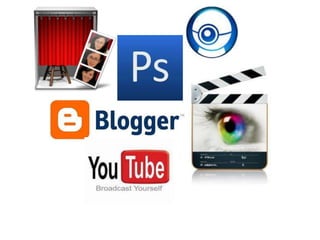
Blogger is an online programme where you can post blogs continuously for as long
as necessary. This is good for a project in general because it means that it can be
continued through the whole thing.
In this blog you can have different admins. This helped particularly with our group
because we could all get credit for the work that we did (as well as when we signed
our own name). This basically meant we could post different things and share our
work load, as well as having a continuous flow of work.
In Blogger you can upload a load of different things, this is beginning with the simple
text on the blog post. This isn’t the only thing though, because also images can be
uploaded, alongside video clips and more. This was great for the group and
individual work because it meant that we could incorporate all of our work and
present the different technologies as they should have been.
In terms of the construction, we used Blogger to upload the progress that we made
on our products and used it to further analyse our images, explaining the process of
what we were doing. We also used Blogger for our weekly updates.
Photobooth is a programme to which you can use a webcam and record short videos/
clips. On here you can click record or take little snapshots- which is helpful in terms of
quick videos.
As a group we used photobooth to record our little feedback bits and pieces after
discussing our ideas and what we had individually found. We also used it for giving a few
reflections.
On photobooth you can also add special effects to certain things. We decided this wasn’t
really relevant for our project and therefore decided not to do that.
With regards to the construction, we used photobooth mainly to discuss what we were
doing and get any relevant footage that we needed. This was usually for things like the
weekly updates or for changes in the construction (which was usually the filming due to
unforeseen circumstances). This was good because it allowed us to keep focused on
what we were doing and therefore we knew all that we had to and could keep up to
date with what needed to be done.
Cybercam is similar to photobooth in the way you can record short video clips using a
webcam again. This was good again because it could vary the technology used.
As this programme was on my laptop, the group didn’t actually use it together. However
I used it to give brief summaries of what I’d found and then also I used it for certain bits
of feedback or videos of me using software.
On the cybercam you can add certain special effects, but again I avoided these because
what I was using it for wasn’t particularly relevant for what I was using it for. However,
these effects could be used if it was for other projects and it was relevant which would
make things interesting.
In terms of the construction, I mainly used this for giving any feedback from what was
happening and how it was being adapted to fit things that we needed. This was mainly
for little updates so we knew everything that was happening and what we had done.
YouTube is a broadcasting website for making watching videos. These videos are
usually home made ones, however there are other types of videos- such as music
videos, promotions (such as trailers), which helped our group greatly.
As a group, and individually, we could find all different kinds of videos that could help
us in the project. We also could upload our group work onto here to then embed into
our blog.
On YouTube you can upload your own videos and also watch others. You can also get
little comments and therefore other feedback- which is good for our group to help us
edit our trailer usually.
When it came to the construction, we mainly used YouTube for uploading our footage
to get feedback, however we did use it a couple of times to get more research done
when our ideas were developing. This was a good way to get feedback because there
was a vast amount of audience and therefore we could get a lot of feedback and the
website is easily accessed for us to use and embed into our blog.
Final cut is a video editing software. On this software you upload clips and can edit
them together or cut certain bits of one clip. You can also edit different sounds too-
which both have helped us to have professional products and well structured work.
As a group we used final cut together mainly so that we all knew what was going on
and then shared it amongst the different YouTube channels.
On Final Cut we could edit our videos, adding special effects onto them and little inter-
titles onto each. This is helpful to get a good presentation of the work and make it look
professional and easy to follow.
In the construction side of things, Final Cut was arguably the most important piece of
technology. On this we edited any little updates of footage and we also used it for our
main task of the trailer, to import our clips and edit them together. This therefore made
it vital and therefore something we needed to use. Also this software was professional
and therefore allowed us to have a good professional final product.
Photoshop is an editing software for pieces of print work. In this software you can
create professional pieces of print work, with different fonts and images. This was good
mainly for our posters and magazines.
As a group we used Photoshop to outline the magazine as we decided it would be
better to work on this together as we decided to only create one. This was good
because we could all work on it together and give enough feedback. When it came to
the posters we worked individually and therefore all of us used Photoshop. This was
good because we then all had developed certain skills.
On Photoshop you can get access to all different kinds of fonts and brushes which
would be professional and therefore a positive aspect to make our products equally
professional. This was good because we were supposed to be mimicking products that
are actually out there.
In terms of the construction, Photoshop was equally as valid as Final Cut because we
used it for our ancillary tasks the majority of the time. This was good because it had
everything we needed for the products and therefore we could construct it well.
Like the rest of the project, we tried to vary the
technology that we used to make it fresh and
professional. We had to also vary it because
different software was better for different
things- for example Final Cut was necessary for
the trailer, as opposed to Photoshop that
wouldn’t be able to. This therefore kept our
work fresh and professional, to hopefully follow
the majority of the forms and conventions of the
construction sides of this field.

Q4- Construction

  • 1.
    How did youuse new media technologies in the construction and research, planning and evaluation stages? Construction
  • 2.
    There are varioustechnologies that I have used throughout the whole of the project. These different technologies have further developed my knowledge and I could use them to make my work more interesting and better presented. It makes it all the more clear.
  • 3.
    Throughout the constructionstages, the technology had to be more for the professionalism of the product and therefore the presentation was vital in order for it to be successful. In order to get this, we used professional software. The technology in this stage therefore had to be professional, but also something that we could go back and edit with quickly and easily.
  • 5.
    Blogger is anonline programme where you can post blogs continuously for as long as necessary. This is good for a project in general because it means that it can be continued through the whole thing. In this blog you can have different admins. This helped particularly with our group because we could all get credit for the work that we did (as well as when we signed our own name). This basically meant we could post different things and share our work load, as well as having a continuous flow of work. In Blogger you can upload a load of different things, this is beginning with the simple text on the blog post. This isn’t the only thing though, because also images can be uploaded, alongside video clips and more. This was great for the group and individual work because it meant that we could incorporate all of our work and present the different technologies as they should have been. In terms of the construction, we used Blogger to upload the progress that we made on our products and used it to further analyse our images, explaining the process of what we were doing. We also used Blogger for our weekly updates.
  • 6.
    Photobooth is aprogramme to which you can use a webcam and record short videos/ clips. On here you can click record or take little snapshots- which is helpful in terms of quick videos. As a group we used photobooth to record our little feedback bits and pieces after discussing our ideas and what we had individually found. We also used it for giving a few reflections. On photobooth you can also add special effects to certain things. We decided this wasn’t really relevant for our project and therefore decided not to do that. With regards to the construction, we used photobooth mainly to discuss what we were doing and get any relevant footage that we needed. This was usually for things like the weekly updates or for changes in the construction (which was usually the filming due to unforeseen circumstances). This was good because it allowed us to keep focused on what we were doing and therefore we knew all that we had to and could keep up to date with what needed to be done.
  • 7.
    Cybercam is similarto photobooth in the way you can record short video clips using a webcam again. This was good again because it could vary the technology used. As this programme was on my laptop, the group didn’t actually use it together. However I used it to give brief summaries of what I’d found and then also I used it for certain bits of feedback or videos of me using software. On the cybercam you can add certain special effects, but again I avoided these because what I was using it for wasn’t particularly relevant for what I was using it for. However, these effects could be used if it was for other projects and it was relevant which would make things interesting. In terms of the construction, I mainly used this for giving any feedback from what was happening and how it was being adapted to fit things that we needed. This was mainly for little updates so we knew everything that was happening and what we had done.
  • 8.
    YouTube is abroadcasting website for making watching videos. These videos are usually home made ones, however there are other types of videos- such as music videos, promotions (such as trailers), which helped our group greatly. As a group, and individually, we could find all different kinds of videos that could help us in the project. We also could upload our group work onto here to then embed into our blog. On YouTube you can upload your own videos and also watch others. You can also get little comments and therefore other feedback- which is good for our group to help us edit our trailer usually. When it came to the construction, we mainly used YouTube for uploading our footage to get feedback, however we did use it a couple of times to get more research done when our ideas were developing. This was a good way to get feedback because there was a vast amount of audience and therefore we could get a lot of feedback and the website is easily accessed for us to use and embed into our blog.
  • 9.
    Final cut isa video editing software. On this software you upload clips and can edit them together or cut certain bits of one clip. You can also edit different sounds too- which both have helped us to have professional products and well structured work. As a group we used final cut together mainly so that we all knew what was going on and then shared it amongst the different YouTube channels. On Final Cut we could edit our videos, adding special effects onto them and little inter- titles onto each. This is helpful to get a good presentation of the work and make it look professional and easy to follow. In the construction side of things, Final Cut was arguably the most important piece of technology. On this we edited any little updates of footage and we also used it for our main task of the trailer, to import our clips and edit them together. This therefore made it vital and therefore something we needed to use. Also this software was professional and therefore allowed us to have a good professional final product.
  • 10.
    Photoshop is anediting software for pieces of print work. In this software you can create professional pieces of print work, with different fonts and images. This was good mainly for our posters and magazines. As a group we used Photoshop to outline the magazine as we decided it would be better to work on this together as we decided to only create one. This was good because we could all work on it together and give enough feedback. When it came to the posters we worked individually and therefore all of us used Photoshop. This was good because we then all had developed certain skills. On Photoshop you can get access to all different kinds of fonts and brushes which would be professional and therefore a positive aspect to make our products equally professional. This was good because we were supposed to be mimicking products that are actually out there. In terms of the construction, Photoshop was equally as valid as Final Cut because we used it for our ancillary tasks the majority of the time. This was good because it had everything we needed for the products and therefore we could construct it well.
  • 11.
    Like the restof the project, we tried to vary the technology that we used to make it fresh and professional. We had to also vary it because different software was better for different things- for example Final Cut was necessary for the trailer, as opposed to Photoshop that wouldn’t be able to. This therefore kept our work fresh and professional, to hopefully follow the majority of the forms and conventions of the construction sides of this field.