Python on Pi
Who am I?
What is python
Created in the late 80’s
General purpose language
Supported many OS/Hardware
It is supported by the pi foundation
● http://learnpythonthehardway.org/
● https://docs.python.org/
Where to learn python
few tip for good python
explore standard library
● python is battery included
● Have extensive library
○ unittest
○ json
○ csv
○ sqlite3
○ etc
● On the side is how you start a simple web
server to serve file on the directory the
command run
$ python -m SimpleHTTPServer 8000
$ echo '{"foo": "lorem", "bar": "ipsum"}' | python -
m json.tool
use ipython
● Advanced python shell
● feature
○ autocomplete
○ notebook capability, for sharing
○ syntax highlighting
● installation
○ sudo apt-get install ipython
○ pip install ipython
● There is also a notebook. but lets not go
there
$ ipython
Python 2.7.10 (default, Oct 14 2015, 16:09:02)
Type "copyright", "credits" or "license" for more information.
IPython 3.1.0 -- An enhanced Interactive Python.
? -> Introduction and overview of IPython's features.
%quickref -> Quick reference.
help -> Python's own help system.
object? -> Details about 'object', use 'object??' for extra details.
In [1]: import random
In [2]: print(random.randint())
---------------------------------------------------------------------------
TypeError Traceback (most recent call last)
<ipython-input-2-5c3017620459> in <module>()
----> 1 print(random.randint())
TypeError: randint() takes exactly 3 arguments (1 given)
In [3]: print(random.randint(1,10))
9
Use virtualenv(when possible)
● environment isolation
● Why?
○ python is used extensively as a tool on
linux
○ thus library might conflict
● Why not?
○ sometime it will compile c module
○ The pi OS might not have the necessary
header
● but there --system-site-package for a
reason
$ virtualenv --system-site-package pijam2015
New python executable in pijam2015/bin/python
Installing setuptools, pip, wheel...done.
$ source pijam2015/bin/activate
(pijam2015)$
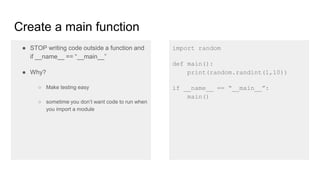
Create a main function
● STOP writing code outside a function and
if __name__ == “__main__”
● Why?
○ Make testing easy
○ sometime you don’t want code to run when
you import a module
import random
def main():
print(random.randint(1,10))
if __name__ == “__main__”:
main()
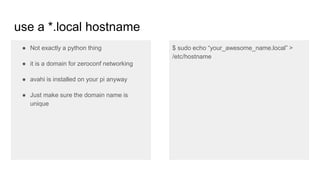
use a *.local hostname
● Not exactly a python thing
● it is a domain for zeroconf networking
● avahi is installed on your pi anyway
● Just make sure the domain name is
unique
$ sudo echo “your_awesome_name.local” >
/etc/hostname
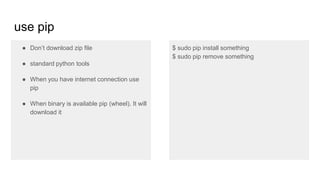
use pip
● Don’t download zip file
● standard python tools
● When you have internet connection use
pip
● When binary is available pip (wheel). It will
download it
$ sudo pip install something
$ sudo pip remove something
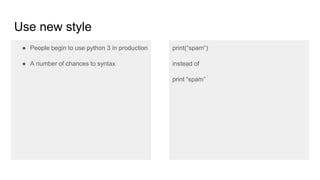
Use new style
● People begin to use python 3 in production
● A number of chances to syntax
print(“spam”)
instead of
print “spam”
Best tools
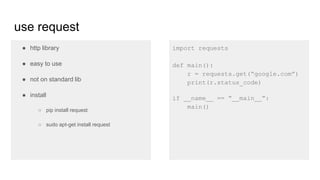
use request
● http library
● easy to use
● not on standard lib
● install
○ pip install requests
○ sudo apt-get install python-requests
import requests
def main():
r = requests.get(“google.com”)
print(r.status_code)
if __name__ == “__main__”:
main()
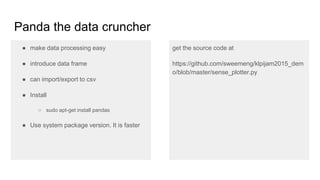
Panda the data cruncher
● make data processing easy
● introduce data frame
● can import/export to csv
● Install
○ sudo apt-get install python-pandas
● Use system package version. It is faster
get the source code at
https://github.com/sweemeng/klpijam2015_dem
o/blob/master/sense_plotter.py
Matplotlib
● standard plotting library
● save image locally
● if headless set matplotlib.use('Agg')
● can be complicated. but powerful
● install
○ pip install python-matplotlib
○ sudo apt-get install python-matplotlib
● fyi if you installed pandas matplotlib is
installed as a dependency
n [1]: import matplotlib
In [2]: matplotlib.use('Agg')
In [3]: import matplotlib.pyplot as plt
In [4]: fig = plt.figure()
In [5]: plt.plot([1,2,3,4])
Out[5]: [<matplotlib.lines.Line2D at 0x73fe9fd0>]
In [6]: fig.savefig('tmp.png')
Scikit-learn
● Add machine learning to code
● have many algorithm
● use system package version
● install
○ sudo apt-get install python-scikitlearn
from sklearn import svm
from sklearn import datasets
digits = datasets.load_digits()
clf = svm.SVC(gamma=0.001, C=100.)
clf.fit(digits.data[:-1], digits.target[:-1])
clf.predict(digits.data[-1:])
Web development
● plenty of choice.
● For powerful feature full framework, I like
django
● For no frill, no dependency, i like bottle
● For if I need serious flexibility I use flask.
from bottle import static_file, route, run, view, template
import os
@route("/static/<filename>")
def serve_file(filename):
return static_file(filename, root="./")
@route("/")
def directory():
content = os.listdir("./")
directory = []
for item in content:
if ".jpg" in item:
directory.append(item)
template_str = """
%for item in directory:
<img src="/static/{{item}}/><br/>
%end
"""
return template(template_str, directory=directory)
if __name__ == "__main__":
run(host="0.0.0.0", port="8080", debug=True)
Final tips
● sometime you might want to use system package, because it is precompiled
● system package is older
● lack new feature
● usually good enough
● standard library is extensive, explore it.
There’s more!
● But i’m can’t fit everything to slide
● so Ask me!
Source code
● A lot of this rely on the sense_hat that I got for hacking.
● But the code is https://github.com/sweemeng/klpijam2015_demo/
Hope that’s helpful

Python on pi

  • 1.
  • 2.
  • 3.
  • 4.
    Created in thelate 80’s
  • 5.
  • 6.
  • 7.
    It is supportedby the pi foundation
  • 8.
  • 9.
    few tip forgood python
  • 10.
    explore standard library ●python is battery included ● Have extensive library ○ unittest ○ json ○ csv ○ sqlite3 ○ etc ● On the side is how you start a simple web server to serve file on the directory the command run $ python -m SimpleHTTPServer 8000 $ echo '{"foo": "lorem", "bar": "ipsum"}' | python - m json.tool
  • 11.
    use ipython ● Advancedpython shell ● feature ○ autocomplete ○ notebook capability, for sharing ○ syntax highlighting ● installation ○ sudo apt-get install ipython ○ pip install ipython ● There is also a notebook. but lets not go there $ ipython Python 2.7.10 (default, Oct 14 2015, 16:09:02) Type "copyright", "credits" or "license" for more information. IPython 3.1.0 -- An enhanced Interactive Python. ? -> Introduction and overview of IPython's features. %quickref -> Quick reference. help -> Python's own help system. object? -> Details about 'object', use 'object??' for extra details. In [1]: import random In [2]: print(random.randint()) --------------------------------------------------------------------------- TypeError Traceback (most recent call last) <ipython-input-2-5c3017620459> in <module>() ----> 1 print(random.randint()) TypeError: randint() takes exactly 3 arguments (1 given) In [3]: print(random.randint(1,10)) 9
  • 12.
    Use virtualenv(when possible) ●environment isolation ● Why? ○ python is used extensively as a tool on linux ○ thus library might conflict ● Why not? ○ sometime it will compile c module ○ The pi OS might not have the necessary header ● but there --system-site-package for a reason $ virtualenv --system-site-package pijam2015 New python executable in pijam2015/bin/python Installing setuptools, pip, wheel...done. $ source pijam2015/bin/activate (pijam2015)$
  • 13.
    Create a mainfunction ● STOP writing code outside a function and if __name__ == “__main__” ● Why? ○ Make testing easy ○ sometime you don’t want code to run when you import a module import random def main(): print(random.randint(1,10)) if __name__ == “__main__”: main()
  • 14.
    use a *.localhostname ● Not exactly a python thing ● it is a domain for zeroconf networking ● avahi is installed on your pi anyway ● Just make sure the domain name is unique $ sudo echo “your_awesome_name.local” > /etc/hostname
  • 15.
    use pip ● Don’tdownload zip file ● standard python tools ● When you have internet connection use pip ● When binary is available pip (wheel). It will download it $ sudo pip install something $ sudo pip remove something
  • 16.
    Use new style ●People begin to use python 3 in production ● A number of chances to syntax print(“spam”) instead of print “spam”
  • 17.
  • 18.
    use request ● httplibrary ● easy to use ● not on standard lib ● install ○ pip install requests ○ sudo apt-get install python-requests import requests def main(): r = requests.get(“google.com”) print(r.status_code) if __name__ == “__main__”: main()
  • 19.
    Panda the datacruncher ● make data processing easy ● introduce data frame ● can import/export to csv ● Install ○ sudo apt-get install python-pandas ● Use system package version. It is faster get the source code at https://github.com/sweemeng/klpijam2015_dem o/blob/master/sense_plotter.py
  • 20.
    Matplotlib ● standard plottinglibrary ● save image locally ● if headless set matplotlib.use('Agg') ● can be complicated. but powerful ● install ○ pip install python-matplotlib ○ sudo apt-get install python-matplotlib ● fyi if you installed pandas matplotlib is installed as a dependency n [1]: import matplotlib In [2]: matplotlib.use('Agg') In [3]: import matplotlib.pyplot as plt In [4]: fig = plt.figure() In [5]: plt.plot([1,2,3,4]) Out[5]: [<matplotlib.lines.Line2D at 0x73fe9fd0>] In [6]: fig.savefig('tmp.png')
  • 21.
    Scikit-learn ● Add machinelearning to code ● have many algorithm ● use system package version ● install ○ sudo apt-get install python-scikitlearn from sklearn import svm from sklearn import datasets digits = datasets.load_digits() clf = svm.SVC(gamma=0.001, C=100.) clf.fit(digits.data[:-1], digits.target[:-1]) clf.predict(digits.data[-1:])
  • 22.
    Web development ● plentyof choice. ● For powerful feature full framework, I like django ● For no frill, no dependency, i like bottle ● For if I need serious flexibility I use flask. from bottle import static_file, route, run, view, template import os @route("/static/<filename>") def serve_file(filename): return static_file(filename, root="./") @route("/") def directory(): content = os.listdir("./") directory = [] for item in content: if ".jpg" in item: directory.append(item) template_str = """ %for item in directory: <img src="/static/{{item}}/><br/> %end """ return template(template_str, directory=directory) if __name__ == "__main__": run(host="0.0.0.0", port="8080", debug=True)
  • 23.
    Final tips ● sometimeyou might want to use system package, because it is precompiled ● system package is older ● lack new feature ● usually good enough ● standard library is extensive, explore it.
  • 24.
    There’s more! ● Buti’m can’t fit everything to slide ● so Ask me!
  • 25.
    Source code ● Alot of this rely on the sense_hat that I got for hacking. ● But the code is https://github.com/sweemeng/klpijam2015_demo/
  • 26.

Editor's Notes

  • #2 I was ask to give presentation on python usage on the pi. But I procrastinated.. then I have no idea what to do!
  • #3 software developer for a non-profit organizer of python user group meetup pycon organizer use python professionally for sometime
  • #5 create in the 80’s trivia it is named after monty python no there won’t be any monty python joke. Sorry
  • #6 general purpose programming language not just for scriping use for data crunching, webapp, most probably won’t be used to write OS. But then so is java
  • #7 supported on major desktop/server OS. not so much on mobile
  • #8 a majority of their example is written python with a lot of library in python first
  • #9 This is a good resource to learn python in general. But don’t take my word for this, I did use python for long time
  • #10 Here’s a few tip of doing python properly. from experience in doing python and observation from using the pi. In the end of the day, a pi is a linux computer, so it is applicable to other OS
  • #11 we like to say that python comes with battery included contain a lot of library from testing, to basic web server, OS service, json etc.
  • #12 most of the pro do not really use IDLE, sure it is easy. But ipython is powerful, and have very good auto complete. you can use the notebook feature for demo
  • #13 this is a good practice. We tend to use virtualenvwrapper. but one step at a time In production, sometime the distro comes with some outdated library, but some service will be broken if we upgrade. So we isolate environment using virtualenv.
  • #14 You usually don’ want code to run on import most of the time it is standard practice. Nice for testing for simple project not doing this is fine. But it is still very useful
  • #15 not exactly a python thing, .local domain make life easy but misses the point if all pi is called raspberrypi.local. make you name unique the method above is applicable to raspbian/debian
  • #16 standard tools you can actually uninstall have binary support. but if there is no binary, it will compile, and it will be slow If you need new version of the library that have new feature, do it this way
  • #17 python 3 have a lt of back incompatible changes, and there is a lot of good thing in it. So start learning new style code, people begin to use python 3 in production. so it is worth to learn it
  • #19 i use this for scraping. and test API
  • #20 i just do a demo
  • #21 this is a standard way to plot data in python, you don’t do live update on this. External service exist for a reason but if you don’t have reliable internet this is a powerful way to plot data
  • #22 one of the standard machine learning toolkit you might not need it, but I think it is cool one of the cool thing in python, it have a lot of good statistical/data science tool. It is comparable to dedicated language for doing for example R/Julia/Matlab other language like general purpose language ruby/javascript do not have. it make putting in intelligence in code, data collection easy.
  • #23 above tools is actually used in production environment.