Creative Commons License
This work is licensed under a Creative Commons Attribution 4.0 International License.
BS GIS Instructor: Inzamam Baig
Lecture 3
Fundamentals of Programming
Boolean Expressions
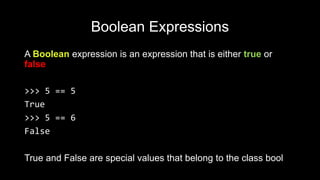
A Boolean expression is an expression that is either true or
false
>>> 5 == 5
True
>>> 5 == 6
False
True and False are special values that belong to the class bool
Boolean Expressions
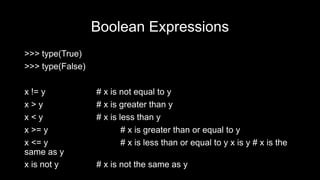
>>> type(True)
>>> type(False)
x != y # x is not equal to y
x > y # x is greater than y
x < y # x is less than y
x >= y # x is greater than or equal to y
x <= y # x is less than or equal to y x is y # x is the
same as y
x is not y # x is not the same as y
Logical Operators
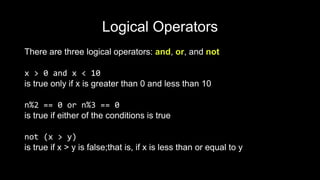
There are three logical operators: and, or, and not
x > 0 and x < 10
is true only if x is greater than 0 and less than 10
n%2 == 0 or n%3 == 0
is true if either of the conditions is true
not (x > y)
is true if x > y is false;that is, if x is less than or equal to y
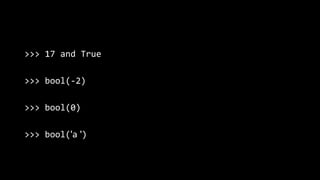
>>> 17 and True
>>> bool(-2)
>>> bool(0)
>>> bool('a ')
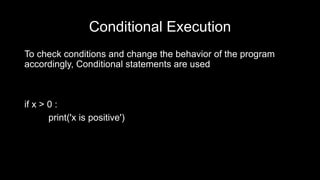
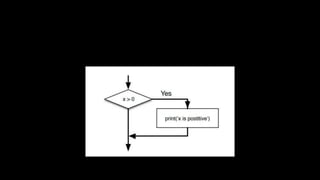
Conditional Execution
To check conditions and change the behavior of the program
accordingly, Conditional statements are used
if x > 0 :
print('x is positive')
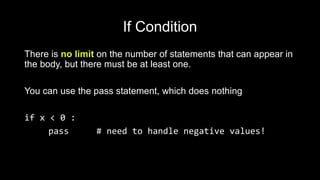
If Condition
There is no limit on the number of statements that can appear in
the body, but there must be at least one.
You can use the pass statement, which does nothing
if x < 0 :
pass # need to handle negative values!
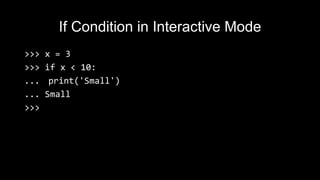
If Condition in Interactive Mode
>>> x = 3
>>> if x < 10:
... print('Small')
... Small
>>>
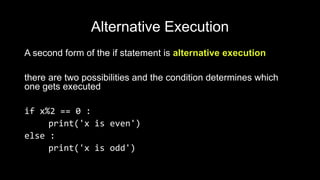
Alternative Execution
A second form of the if statement is alternative execution
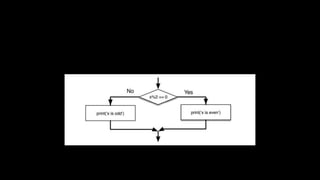
there are two possibilities and the condition determines which
one gets executed
if x%2 == 0 :
print('x is even')
else :
print('x is odd')
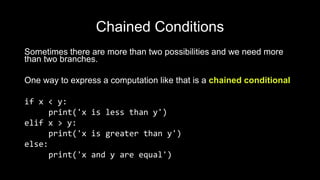
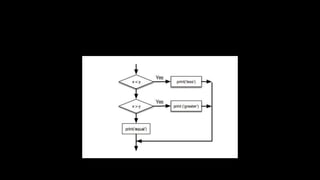
Chained Conditions
Sometimes there are more than two possibilities and we need more
than two branches.
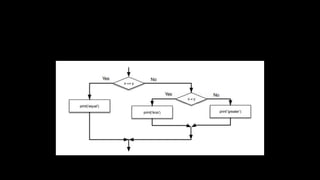
One way to express a computation like that is a chained conditional
if x < y:
print('x is less than y')
elif x > y:
print('x is greater than y')
else:
print('x and y are equal')
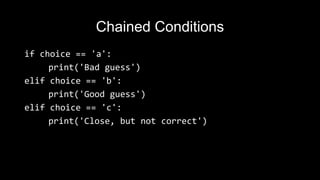
Chained Conditions
if choice == 'a':
print('Bad guess')
elif choice == 'b':
print('Good guess')
elif choice == 'c':
print('Close, but not correct')
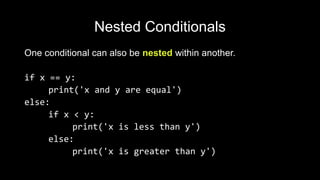
Nested Conditionals
One conditional can also be nested within another.
if x == y:
print('x and y are equal')
else:
if x < y:
print('x is less than y')
else:
print('x is greater than y')
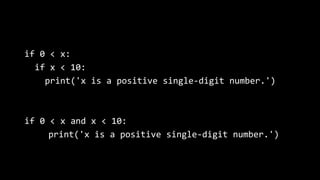
if 0 < x:
if x < 10:
print('x is a positive single-digit number.')
if 0 < x and x < 10:
print('x is a positive single-digit number.')
Debugging
The traceback Python displays when an error occurs contains a
lot of information, but it can be overwhelming.
The most useful parts are usually:
• What kind of error it was, and
• Where it occurred.
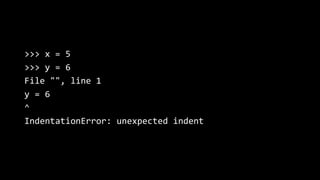
>>> x = 5
>>> y = 6
File "", line 1
y = 6
^
IndentationError: unexpected indent

Python Lecture 3

  • 1.
    Creative Commons License Thiswork is licensed under a Creative Commons Attribution 4.0 International License. BS GIS Instructor: Inzamam Baig Lecture 3 Fundamentals of Programming
  • 2.
    Boolean Expressions A Booleanexpression is an expression that is either true or false >>> 5 == 5 True >>> 5 == 6 False True and False are special values that belong to the class bool
  • 3.
    Boolean Expressions >>> type(True) >>>type(False) x != y # x is not equal to y x > y # x is greater than y x < y # x is less than y x >= y # x is greater than or equal to y x <= y # x is less than or equal to y x is y # x is the same as y x is not y # x is not the same as y
  • 4.
    Logical Operators There arethree logical operators: and, or, and not x > 0 and x < 10 is true only if x is greater than 0 and less than 10 n%2 == 0 or n%3 == 0 is true if either of the conditions is true not (x > y) is true if x > y is false;that is, if x is less than or equal to y
  • 5.
    >>> 17 andTrue >>> bool(-2) >>> bool(0) >>> bool('a ')
  • 6.
    Conditional Execution To checkconditions and change the behavior of the program accordingly, Conditional statements are used if x > 0 : print('x is positive')
  • 8.
    If Condition There isno limit on the number of statements that can appear in the body, but there must be at least one. You can use the pass statement, which does nothing if x < 0 : pass # need to handle negative values!
  • 9.
    If Condition inInteractive Mode >>> x = 3 >>> if x < 10: ... print('Small') ... Small >>>
  • 10.
    Alternative Execution A secondform of the if statement is alternative execution there are two possibilities and the condition determines which one gets executed if x%2 == 0 : print('x is even') else : print('x is odd')
  • 12.
    Chained Conditions Sometimes thereare more than two possibilities and we need more than two branches. One way to express a computation like that is a chained conditional if x < y: print('x is less than y') elif x > y: print('x is greater than y') else: print('x and y are equal')
  • 13.
    Chained Conditions if choice== 'a': print('Bad guess') elif choice == 'b': print('Good guess') elif choice == 'c': print('Close, but not correct')
  • 15.
    Nested Conditionals One conditionalcan also be nested within another. if x == y: print('x and y are equal') else: if x < y: print('x is less than y') else: print('x is greater than y')
  • 16.
    if 0 <x: if x < 10: print('x is a positive single-digit number.') if 0 < x and x < 10: print('x is a positive single-digit number.')
  • 18.
    Debugging The traceback Pythondisplays when an error occurs contains a lot of information, but it can be overwhelming. The most useful parts are usually: • What kind of error it was, and • Where it occurred.
  • 19.
    >>> x =5 >>> y = 6 File "", line 1 y = 6 ^ IndentationError: unexpected indent

Editor's Notes

  • #6 Any nonzero number is interpreted as “true.”
  • #7 The boolean expression after the if statement is called the condition. We end the if statement with a colon character (:) and the line(s) after the if statement are indented
  • #8 If the logical condition is true, then the indented statement gets executed. If the logical condition is false, the indented statement is skipped. Statements like this are called compound statements because they stretch across more than one line
  • #10 In interactive mode prompt will change from three chevrons to three dots to indicate you are in the middle of a block of statements
  • #12 Since the condition must either be true or false, exactly one of the alternatives will be executed. The alternatives are called branches, because they are branches in the flow of execution
  • #14 There is no limit on the number of elif statements. If there is an else clause, it has to be at the end, but there doesn’t have to be one
  • #15 Each condition is checked in order. If the first is false, the next is checked, and so on. If one of them is true, the corresponding branch executes, and the statement ends. Even if more than one condition is true, only the first true branch executes.
  • #17 The print statement is executed only if we make it past both conditionals, so we can get the same effect with the and operator
  • #20 In this example, the problem is that the second line is indented by one space. But the error message points to y, which is misleading. In general, error messages indicate where the problem was discovered, but the actual error might be earlier in the code, sometimes on a previous line