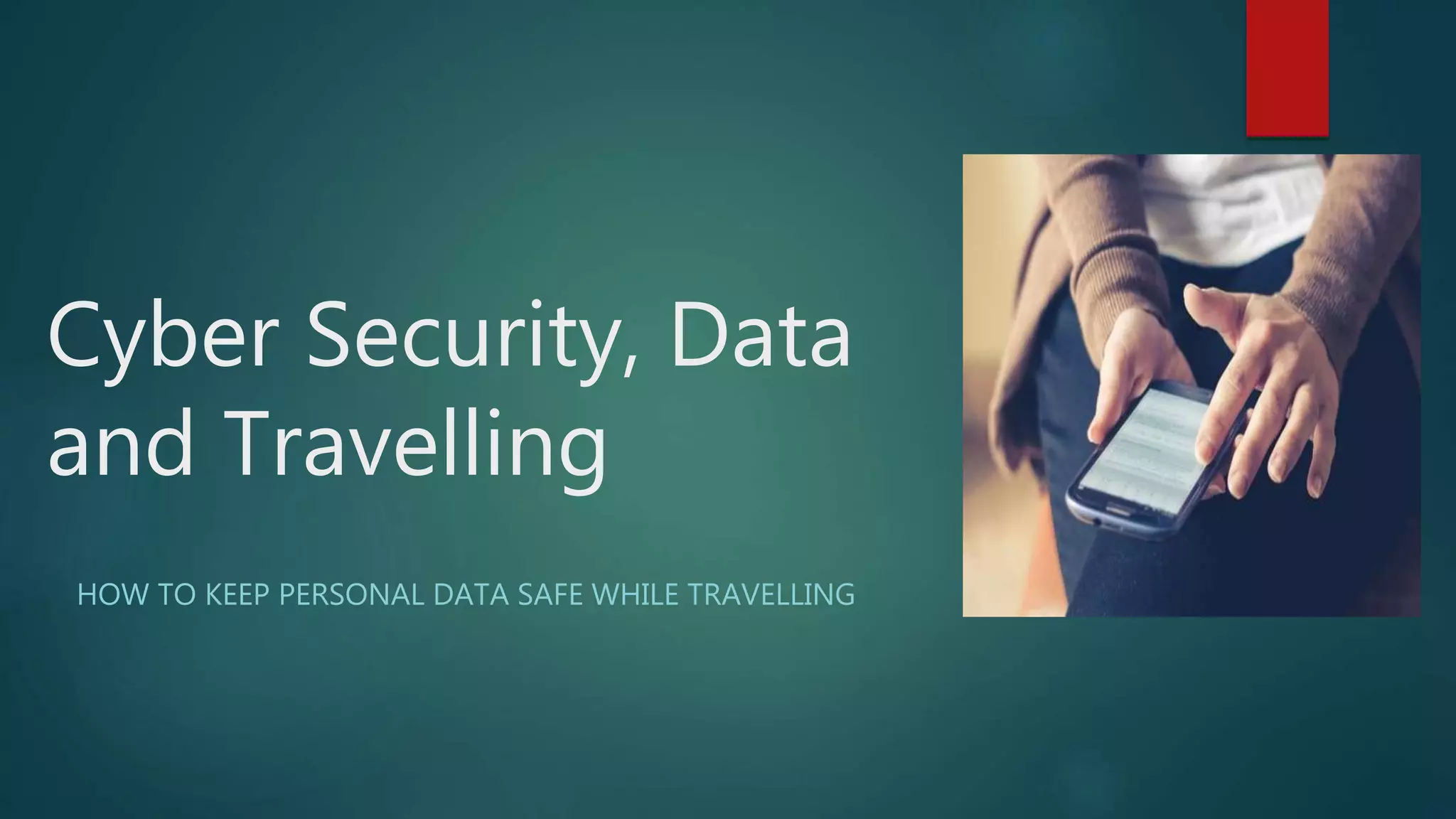
Cyber Security, Data
and Travelling
HOW TO KEEP PERSONAL DATA SAFE WHILE TRAVELLING
Introduction: Who are the targets?
 Travellers are easy targets for identity thieves, especially during peak travel
times.
 Identity theft can happen anywhere in the world, and thieves across the
globe use the same technology.
 In 2016, 15.4 million Americans were victims of identity theft.
 Globally, nearly 1 in 3 consumers has been victimised by card fraud
How can you keep your data safe?
 Use ATMs at banks only
 Approach public computers with caution
 Beware of free Wi-Fi
 Review statements regularly
 Refrain from posting personal details on social media
 Scan copies of personal documents
 Ditch unneeded documents, papers and extra cards
Use ATMs at banks only
 Credit card skimmers use a small device to steal credit card information in
what appears to be a legitimate transaction.
 The skimmer can be attached to ATMs, and captures all the details stored
in the card's magnetic strip when it is swiped through the device.
 Experts advise travellers to use official bank ATMs instead of private ones
like those found at convenience stores, on street corners or in hotels.
Approach public computers with
caution
 Travellers flock to public computers at libraries, internet cafés and hotel
lobbies to access email, bank statements and social media quickly and
cheaply.
 However, these activities expose them to potential cyber threats. A public
computer is a fertile ground for identity theft.
 Public PCs are controlled by a third party, who could have installed
spyware or malicious software that records keystrokes and every website
username and password typed in.
 If a public computer is the only option available, travellers should delete
search histories after use, avoid logging into financial accounts and never
save passwords or use the auto-save function.
Beware of free Wi-Fi
 Connecting to a free Wi-Fi hotspot at airports, hotels and cafés is
appealing to travellers looking to save money on data costs, but
unsecured networks pose a serious risk in terms of cyber-attacks.
 1 in 5 tourists is likely to get hacked while browsing the web on a public
Wi-Fi network.
 Public hotspots have limited security, and are extremely accessible to
hackers looking to steal a user's card details, personal identity or financial
information.
 Travellers can keep their data safe by primarily using VPNs, which provide
an encrypted tunnel to the internet and a new IP address, so no one can
spy on their internet activity or steal data when they use an unsecured
network.
Review statements regularly
 No one wants to spend precious vacation days poring over financial
statements, but staying vigilant is the best defence against card fraud.
 Sign up for alerts with each credit card account to get instant emails (or
texts) when a transaction is made from your account.
 This makes it very easy to spot potentially fraudulent charges as soon as
they occur.
 Travel with at least two cards, so there is a backup in the event that one
card becomes compromised and must be put on hold.
Refrain from posting personal details
on social media
 Avoid posting about your trip on social media, as this could alert thieves
that no one is home and expose you to potential break-ins.
 Avoid posting pictures of boarding passes on Facebook or Instagram.
 Boarding documents contain sensitive information, including the person's
name, frequent flyer account and flight confirmation number.
 Consumers aren't thinking about theft when sharing a happy moment,
but letting their guard down can compromise personal data very quickly.
Scan copies of personal documents
 Though fraud is occurring online at an alarming rate these days,
pickpocketing and theft from hotel rooms are still real threats for
travellers.
 Scan copies of all personal documents and credit or bank cards in the
event a wallet or purse is lost or stolen.
 This helps travellers identify which cards are missing and whom to call to
freeze the account immediately.
Ditch unneeded documents, papers
and extra cards
 Travellers should remove any documents or papers that may contain
sensitive information from their wallets before heading out on a trip.
 Ditch drug prescriptions, old memos, business cards, expired documents
and extra credit or store cards.
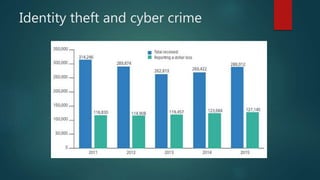
Identity theft and cyber crime
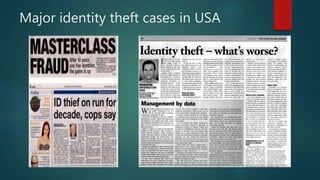
Major identity theft cases in USA
For more information visit our website
http://cybersense-world.com/
Attend CyberSense World 2017, Kuwait
References
 Graph: Insurance Information Institute
 Image 1: Master Class Fraud- Potts Lawyer
 Image 2: Living in Grand Cayman
 Data: US News & World Report

Protect your data while travelling

  • 1.
    Cyber Security, Data andTravelling HOW TO KEEP PERSONAL DATA SAFE WHILE TRAVELLING
  • 2.
    Introduction: Who arethe targets?  Travellers are easy targets for identity thieves, especially during peak travel times.  Identity theft can happen anywhere in the world, and thieves across the globe use the same technology.  In 2016, 15.4 million Americans were victims of identity theft.  Globally, nearly 1 in 3 consumers has been victimised by card fraud
  • 3.
    How can youkeep your data safe?  Use ATMs at banks only  Approach public computers with caution  Beware of free Wi-Fi  Review statements regularly  Refrain from posting personal details on social media  Scan copies of personal documents  Ditch unneeded documents, papers and extra cards
  • 4.
    Use ATMs atbanks only  Credit card skimmers use a small device to steal credit card information in what appears to be a legitimate transaction.  The skimmer can be attached to ATMs, and captures all the details stored in the card's magnetic strip when it is swiped through the device.  Experts advise travellers to use official bank ATMs instead of private ones like those found at convenience stores, on street corners or in hotels.
  • 5.
    Approach public computerswith caution  Travellers flock to public computers at libraries, internet cafés and hotel lobbies to access email, bank statements and social media quickly and cheaply.  However, these activities expose them to potential cyber threats. A public computer is a fertile ground for identity theft.  Public PCs are controlled by a third party, who could have installed spyware or malicious software that records keystrokes and every website username and password typed in.  If a public computer is the only option available, travellers should delete search histories after use, avoid logging into financial accounts and never save passwords or use the auto-save function.
  • 6.
    Beware of freeWi-Fi  Connecting to a free Wi-Fi hotspot at airports, hotels and cafés is appealing to travellers looking to save money on data costs, but unsecured networks pose a serious risk in terms of cyber-attacks.  1 in 5 tourists is likely to get hacked while browsing the web on a public Wi-Fi network.  Public hotspots have limited security, and are extremely accessible to hackers looking to steal a user's card details, personal identity or financial information.  Travellers can keep their data safe by primarily using VPNs, which provide an encrypted tunnel to the internet and a new IP address, so no one can spy on their internet activity or steal data when they use an unsecured network.
  • 7.
    Review statements regularly No one wants to spend precious vacation days poring over financial statements, but staying vigilant is the best defence against card fraud.  Sign up for alerts with each credit card account to get instant emails (or texts) when a transaction is made from your account.  This makes it very easy to spot potentially fraudulent charges as soon as they occur.  Travel with at least two cards, so there is a backup in the event that one card becomes compromised and must be put on hold.
  • 8.
    Refrain from postingpersonal details on social media  Avoid posting about your trip on social media, as this could alert thieves that no one is home and expose you to potential break-ins.  Avoid posting pictures of boarding passes on Facebook or Instagram.  Boarding documents contain sensitive information, including the person's name, frequent flyer account and flight confirmation number.  Consumers aren't thinking about theft when sharing a happy moment, but letting their guard down can compromise personal data very quickly.
  • 9.
    Scan copies ofpersonal documents  Though fraud is occurring online at an alarming rate these days, pickpocketing and theft from hotel rooms are still real threats for travellers.  Scan copies of all personal documents and credit or bank cards in the event a wallet or purse is lost or stolen.  This helps travellers identify which cards are missing and whom to call to freeze the account immediately.
  • 10.
    Ditch unneeded documents,papers and extra cards  Travellers should remove any documents or papers that may contain sensitive information from their wallets before heading out on a trip.  Ditch drug prescriptions, old memos, business cards, expired documents and extra credit or store cards.
  • 11.
    Identity theft andcyber crime
  • 12.
  • 13.
    For more informationvisit our website http://cybersense-world.com/ Attend CyberSense World 2017, Kuwait
  • 14.
    References  Graph: InsuranceInformation Institute  Image 1: Master Class Fraud- Potts Lawyer  Image 2: Living in Grand Cayman  Data: US News & World Report