S P O N S O R A P P R O V A L 
<CLIENT> 
Project Charter
PROJECT DESCRIPTION 
PROJECT CHARTER 1 
<Project Name> 
The project description should be a stand alone statement of 
what this project will accomplish and for whom. Make sure the 
description is very specific and concrete. Try to limit it to one 
sentence or two sentences. Try to get it right because this 
description should not change, and you will be able to point to it 
throughout the project to remind them of the focus of the project. 
Use verbs in your description. Describe the project in a way that 
anyone could read your description and know what the project is 
without having to read other text.
CONTENTS <Project Name> 
• Project Description 
• Project Objectives 
• Project Scope 
• Project Assumptions 
• Project Approach 
• Project Team Structure 
• Communication Plan 
PROJECT CHARTER 2
PROJECT OBJECTIVES <Project Name> 
Project Objectives 
 Project objectives address “why” you are doing this project. What are we trying to 
accomplish? What do we want the impacted area to look like afterwards or what do 
we want them to be able to do? Think of business benefits when completing this 
section. These are business objectives, not project process or methodology 
objectives (I.e., “develop specifications” is not a project objective) If you have more 
than a dozen or so, consider consolidating them or organizing them into two levels of 
bullets 
 Objective 1 
 Objective 2 
Measures of Success 
 Measures of success are developed with the sponsor to determine at the end of a 
project how we will know whether or not we were successful. What will the solution 
enable the customer to do or have? These measures are very important to determine 
in advance so there is no misunderstanding about how the project will be measured 
once it has concluded. 
 Measure 1 
 Measure 2 
PROJECT CHARTER 3
PROJECT SCOPE <Project Name> 
• Scope tells what your project is going to 
accomplish and sets the boundaries for your 
project. What are the sponsor and the 
business going to get at the end of your 
project? This goes to the very reason for 
doing the project. Create a bulleted list of 
deliverables. Each item on the list should 
begin with an action verb. 
For example: 
 Deliver an ORT to XYZ client with survey data 
files undated weekly. 
• Project will including the following customer 
requested modifications: 
• If there are a lot of scope items, organize 
them into two levels of bullets with the first 
bullet being more like a category of 
deliverables (still with a verb in it!), and the 
sub-bullets being the deliverables 
• Scope item 1 
• Scope item 2 
PROJECT CHARTER 4 
• Scope item 3 
• Scope item n
OUT OF SCOPE <Project Name> 
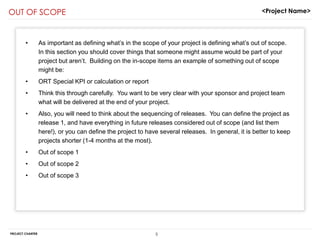
• As important as defining what’s in the scope of your project is defining what’s out of scope. 
In this section you should cover things that someone might assume would be part of your 
project but aren’t. Building on the in-scope items an example of something out of scope 
might be: 
• ORT Special KPI or calculation or report 
• Think this through carefully. You want to be very clear with your sponsor and project team 
what will be delivered at the end of your project. 
• Also, you will need to think about the sequencing of releases. You can define the project as 
release 1, and have everything in future releases considered out of scope (and list them 
here!), or you can define the project to have several releases. In general, it is better to keep 
projects shorter (1-4 months at the most). 
• Out of scope 1 
• Out of scope 2 
• Out of scope 3 
PROJECT CHARTER 5
PROJECT ASSUMPTIONS <Project Name> 
• This section documents what assumptions you are making relative to this project. 
If for example, you are assuming certain Customer detailed requirements will 
become available to you when it’s needed at a future date, but isn’t available 
today, you should document that. 
• Assumption 1 
• Assumption 2 
• Assumption n 
PROJECT CHARTER 6
PROJECT APPROACH 
<Note: Graphically depict how you will package your work to complete the project. Think about how the “deliverables” of the project will be 
organized, and think about dependencies vs. what can be done in parallel. This should be the start of your work breakdown structure, product 
backlog and your work plan. The dates at the bottom are, of course, going to be rough.> 
PLANNING DEFINITION SOLUTION DESIGN BUILD & TEST DEPLOY 
High Level 
Requirements/ Create 
Product Backlog: 
• Security 
• Hierarchy 
• KPI’s/Goals 
• Historical / Trans 
Identify players: 
project team, 
analysts and 
developers 
PROJECT CHARTER 7 
<Project Name> 
Deploy to Staging 
Date Date Date Date 
Data 
Feature 
Design/wireframes 
Analyze customer 
requirements, 
customizations build task 
backlog with estimates 
Sign-off from 
customer 
Collect requirements for in-scope 
items 
Confirm data file inputs 
Test Plan 
Build / Unit Test 
IT System 
Testing 
Build / Test data extracts 
1 
2 
3 
4 
5 
6 
7 
8 
9 
10 
11 
12 
Project Team 
System Testing 
Date 
UAT 
Date 
Deploy & 
Communicate 
13 
14
PROJECT TEAM STRUCTURE 
PROJECT CHARTER 8 
<Project Name> 
ROLE NAMES AND PARTICIPATION % Allocation 
Account GM ----- 
Project Sponsor ----- 
Product Owner ----- 
Project Manager 
Business 
Analyst(s) 
Tester(s) 
Technical Lead 
DBA 
Developers
REGULARLY SCHEDULED MEETINGS & COMMUNICATIONS 
PROJECT CHARTER 9 
<Project Name> 
<Note: This should be a basic communication plan. Only include communications that you really need and can commit to following through on. 
The best way to do this is to think about who will need to know what, and then design your communication mechanisms from there. Keep it as 
streamlined as possible. 
COMMUNICATION ITEM AUDIENCE SENDER 
COMMUNICATION 
VEHICLE 
FREQUENCY MESSAGES 
Sponsor Meetings GM, Sponsor Product 
Owner, 
Project 
Manager 
½ hour “check-in” 
meeting 
Bi-weekly Discuss status, work through 
major issues, review 
deliverables 
Project Team Meetings All project team 
members 
Project 
Manager 
Meeting Daily Internal project SCRUM 
status, progress, 
issues/blocks 
Status Reporting for Consolidated 
Program Reporting 
Product Owner, 
Project Sponsor 
Project 
Manager 
Email Weekly This is how the project is 
progressing; key issues 
Project Status to Team Members Project Team 
Members 
Project 
Manager 
Email Weekly Highlight achievements and 
challenges 
Project Review Process Product Owner 
IT Management 
Project 
Manager 
Meeting Weekly Overall status and how 
issues are being addressed. 
Issue escalation and 
decisions that need to be 
made
RISK MITIGATION PLAN <Project Name> 
Evaluation RISK & RESPONSE 
Risk:. 
Response: 
Risk: 
Response 
Risk 
Response 
Risk: 
Response: 
Likely, High Impact 
Not Likely, High Impact 
Not Likely, Low Impact 
Likely, Low Impact 
PROJECT CHARTER 10
PROJECT CHARTER 11 
<Project Name> 
Change Control is the process for controlling and coordinating all change administration activities 
impacting the project. The change control process determines if and when a change request will 
be performed by analyzing all functions impacted by the change. 
Change is 
incorporated 
into Project 
Plan & 
Requestor documents Schedule 
desired change 
Project Manager reviews 
w/team to determine impact Change document 
is created with 
requirements, cost & 
schedule impact 
Prod, Owner 
& Sponsor 
Review 
End 
Work-around 
or future 
enhancement 
is documented 
Approved 
Deferred 
CHANGE CONTROL PLAN
12 
<Project Name> 
APPENDIX 
Additional Pages for the Project Review Process 
Some pages are for non-ORT projects
PROJECT REVIEW PROCESS (SUMMARY INFORMATION) 
Maintenance & Production: (What will it cost later?) 
 This section would list bullets about M&P 
 Include Ongoing costs 
 Provide information regarding resources, hardware, software, 3rd party, etc. 
PROJECT CHARTER 13 
<Project Name> 
Dependencies or Related Projects: Is your project dependent on or related to another initiative or is one dependent on or 
related to yours? 
 Enter any dependencies and relationships here 
Issues for IT Management: (How can Management help?) 
 List issues you need help with or need to bring to the attention of management. 
 This is not a complete issues list. Only high-level or ones that you want to cover with IT management 
Recommendation/Decisions: (Is there anything needing approval?) 
 If you are recommending anything related to a project, identify it here. This would include budget increase requests, issue 
resolution recommendation, etc. 
 Limit your recommendations and decisions to those that are IT related. No business decisions should be made as part of this 
process.
PROJECT REVIEW PROCESS (FINANCIAL INFORMATION) 
PROJECT CHARTER 14 
<Project Name> 
Stage End Project Budget 
Dates Actual 
Person Years 
IT Resources Project Budget/Estimate 0.00 
Actuals to Date 0.00 
IT Budget 
Contractor Project Budget/Estimate 0.00 
Actuals to Date 0.00 
IT Budget 
Totals Total Project Budget 0.00 0.00 0.00 0.00 0.00 0.00 
Total Actuals to Date 0.00 0.00 0.00 0.00 0.00 0.00 
Variance 0.00 0.00 0.00 0.00 0.00 0.00 
Dollars 
Contractor & Project Budget/Estimate 0 
Consulting Actuals to Date 0 
IT Budget 
Software Project Budget/Estimate 0 
Actuals to Date 0 
IT Budget 
Hardware Project Budget/Estimate 0 
Actuals to Date 0 
IT Budget 
Totals Total Project Budget/Estimate 0 0 0 0 0 0 
Total Actuals to Date 0 0 0 0 0 0 
Variance 0 0 0 0 0 0

Project charter sample

  • 1.
    S P ON S O R A P P R O V A L <CLIENT> Project Charter
  • 2.
    PROJECT DESCRIPTION PROJECTCHARTER 1 <Project Name> The project description should be a stand alone statement of what this project will accomplish and for whom. Make sure the description is very specific and concrete. Try to limit it to one sentence or two sentences. Try to get it right because this description should not change, and you will be able to point to it throughout the project to remind them of the focus of the project. Use verbs in your description. Describe the project in a way that anyone could read your description and know what the project is without having to read other text.
  • 3.
    CONTENTS <Project Name> • Project Description • Project Objectives • Project Scope • Project Assumptions • Project Approach • Project Team Structure • Communication Plan PROJECT CHARTER 2
  • 4.
    PROJECT OBJECTIVES <ProjectName> Project Objectives  Project objectives address “why” you are doing this project. What are we trying to accomplish? What do we want the impacted area to look like afterwards or what do we want them to be able to do? Think of business benefits when completing this section. These are business objectives, not project process or methodology objectives (I.e., “develop specifications” is not a project objective) If you have more than a dozen or so, consider consolidating them or organizing them into two levels of bullets  Objective 1  Objective 2 Measures of Success  Measures of success are developed with the sponsor to determine at the end of a project how we will know whether or not we were successful. What will the solution enable the customer to do or have? These measures are very important to determine in advance so there is no misunderstanding about how the project will be measured once it has concluded.  Measure 1  Measure 2 PROJECT CHARTER 3
  • 5.
    PROJECT SCOPE <ProjectName> • Scope tells what your project is going to accomplish and sets the boundaries for your project. What are the sponsor and the business going to get at the end of your project? This goes to the very reason for doing the project. Create a bulleted list of deliverables. Each item on the list should begin with an action verb. For example:  Deliver an ORT to XYZ client with survey data files undated weekly. • Project will including the following customer requested modifications: • If there are a lot of scope items, organize them into two levels of bullets with the first bullet being more like a category of deliverables (still with a verb in it!), and the sub-bullets being the deliverables • Scope item 1 • Scope item 2 PROJECT CHARTER 4 • Scope item 3 • Scope item n
  • 6.
    OUT OF SCOPE<Project Name> • As important as defining what’s in the scope of your project is defining what’s out of scope. In this section you should cover things that someone might assume would be part of your project but aren’t. Building on the in-scope items an example of something out of scope might be: • ORT Special KPI or calculation or report • Think this through carefully. You want to be very clear with your sponsor and project team what will be delivered at the end of your project. • Also, you will need to think about the sequencing of releases. You can define the project as release 1, and have everything in future releases considered out of scope (and list them here!), or you can define the project to have several releases. In general, it is better to keep projects shorter (1-4 months at the most). • Out of scope 1 • Out of scope 2 • Out of scope 3 PROJECT CHARTER 5
  • 7.
    PROJECT ASSUMPTIONS <ProjectName> • This section documents what assumptions you are making relative to this project. If for example, you are assuming certain Customer detailed requirements will become available to you when it’s needed at a future date, but isn’t available today, you should document that. • Assumption 1 • Assumption 2 • Assumption n PROJECT CHARTER 6
  • 8.
    PROJECT APPROACH <Note:Graphically depict how you will package your work to complete the project. Think about how the “deliverables” of the project will be organized, and think about dependencies vs. what can be done in parallel. This should be the start of your work breakdown structure, product backlog and your work plan. The dates at the bottom are, of course, going to be rough.> PLANNING DEFINITION SOLUTION DESIGN BUILD & TEST DEPLOY High Level Requirements/ Create Product Backlog: • Security • Hierarchy • KPI’s/Goals • Historical / Trans Identify players: project team, analysts and developers PROJECT CHARTER 7 <Project Name> Deploy to Staging Date Date Date Date Data Feature Design/wireframes Analyze customer requirements, customizations build task backlog with estimates Sign-off from customer Collect requirements for in-scope items Confirm data file inputs Test Plan Build / Unit Test IT System Testing Build / Test data extracts 1 2 3 4 5 6 7 8 9 10 11 12 Project Team System Testing Date UAT Date Deploy & Communicate 13 14
  • 9.
    PROJECT TEAM STRUCTURE PROJECT CHARTER 8 <Project Name> ROLE NAMES AND PARTICIPATION % Allocation Account GM ----- Project Sponsor ----- Product Owner ----- Project Manager Business Analyst(s) Tester(s) Technical Lead DBA Developers
  • 10.
    REGULARLY SCHEDULED MEETINGS& COMMUNICATIONS PROJECT CHARTER 9 <Project Name> <Note: This should be a basic communication plan. Only include communications that you really need and can commit to following through on. The best way to do this is to think about who will need to know what, and then design your communication mechanisms from there. Keep it as streamlined as possible. COMMUNICATION ITEM AUDIENCE SENDER COMMUNICATION VEHICLE FREQUENCY MESSAGES Sponsor Meetings GM, Sponsor Product Owner, Project Manager ½ hour “check-in” meeting Bi-weekly Discuss status, work through major issues, review deliverables Project Team Meetings All project team members Project Manager Meeting Daily Internal project SCRUM status, progress, issues/blocks Status Reporting for Consolidated Program Reporting Product Owner, Project Sponsor Project Manager Email Weekly This is how the project is progressing; key issues Project Status to Team Members Project Team Members Project Manager Email Weekly Highlight achievements and challenges Project Review Process Product Owner IT Management Project Manager Meeting Weekly Overall status and how issues are being addressed. Issue escalation and decisions that need to be made
  • 11.
    RISK MITIGATION PLAN<Project Name> Evaluation RISK & RESPONSE Risk:. Response: Risk: Response Risk Response Risk: Response: Likely, High Impact Not Likely, High Impact Not Likely, Low Impact Likely, Low Impact PROJECT CHARTER 10
  • 12.
    PROJECT CHARTER 11 <Project Name> Change Control is the process for controlling and coordinating all change administration activities impacting the project. The change control process determines if and when a change request will be performed by analyzing all functions impacted by the change. Change is incorporated into Project Plan & Requestor documents Schedule desired change Project Manager reviews w/team to determine impact Change document is created with requirements, cost & schedule impact Prod, Owner & Sponsor Review End Work-around or future enhancement is documented Approved Deferred CHANGE CONTROL PLAN
  • 13.
    12 <Project Name> APPENDIX Additional Pages for the Project Review Process Some pages are for non-ORT projects
  • 14.
    PROJECT REVIEW PROCESS(SUMMARY INFORMATION) Maintenance & Production: (What will it cost later?)  This section would list bullets about M&P  Include Ongoing costs  Provide information regarding resources, hardware, software, 3rd party, etc. PROJECT CHARTER 13 <Project Name> Dependencies or Related Projects: Is your project dependent on or related to another initiative or is one dependent on or related to yours?  Enter any dependencies and relationships here Issues for IT Management: (How can Management help?)  List issues you need help with or need to bring to the attention of management.  This is not a complete issues list. Only high-level or ones that you want to cover with IT management Recommendation/Decisions: (Is there anything needing approval?)  If you are recommending anything related to a project, identify it here. This would include budget increase requests, issue resolution recommendation, etc.  Limit your recommendations and decisions to those that are IT related. No business decisions should be made as part of this process.
  • 15.
    PROJECT REVIEW PROCESS(FINANCIAL INFORMATION) PROJECT CHARTER 14 <Project Name> Stage End Project Budget Dates Actual Person Years IT Resources Project Budget/Estimate 0.00 Actuals to Date 0.00 IT Budget Contractor Project Budget/Estimate 0.00 Actuals to Date 0.00 IT Budget Totals Total Project Budget 0.00 0.00 0.00 0.00 0.00 0.00 Total Actuals to Date 0.00 0.00 0.00 0.00 0.00 0.00 Variance 0.00 0.00 0.00 0.00 0.00 0.00 Dollars Contractor & Project Budget/Estimate 0 Consulting Actuals to Date 0 IT Budget Software Project Budget/Estimate 0 Actuals to Date 0 IT Budget Hardware Project Budget/Estimate 0 Actuals to Date 0 IT Budget Totals Total Project Budget/Estimate 0 0 0 0 0 0 Total Actuals to Date 0 0 0 0 0 0 Variance 0 0 0 0 0 0