Inventory
management system
Your Smart Solution for Seamless Inventory Control
Introduction
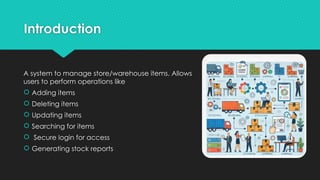
A system to manage store/warehouse items. Allows
users to perform operations like
 Adding items
 Deleting items
 Updating items
 Searching for items
 Secure login for access
 Generating stock reports
Features of the System
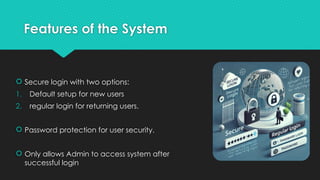
 Secure login with two options:
1. Default setup for new users
2. regular login for returning users.
 Password protection for user security.
 Only allows Admin to access system after
successful login
Features of the System
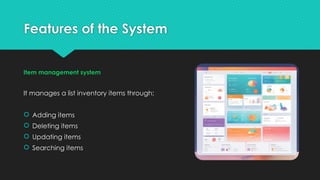
Item management system
It manages a list inventory items through:
 Adding items
 Deleting items
 Updating items
 Searching items
Features of the System
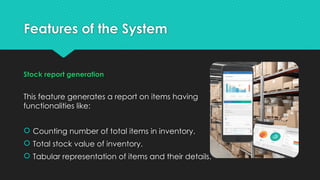
Stock report generation
This feature generates a report on items having
functionalities like:
 Counting number of total items in inventory.
 Total stock value of inventory.
 Tabular representation of items and their details.
How It Works
Login System
 Default and regular login options are provided.
 Default login asks for username and password setup, which are
stored in a file.
 Regular login compares the username and password entered by
user to stored credentials in the file written at time of default login.
Stock Report: A report is generated showing total stock and stock value.
How It Works
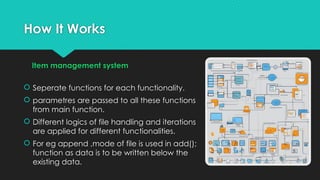
Item management system
 Seperate functions for each functionality.
 parametres are passed to all these functions
from main function.
 Different logics of file handling and iterations
are applied for different functionalities.
 For eg append ,mode of file is used in add();
function as data is to be written below the
existing data.
How It Works
 A stock report generation feature is used to generate a report to
summarize all the data in inventory.
 Basic Arithmetic operations are used alongwith iterations to update
the total no.of items and total stock value after every iteration and
store it as final results to be displayed
System Workflow
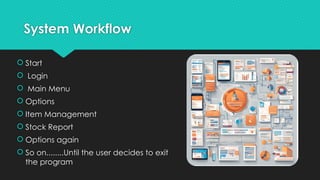
 Start
 Login
 Main Menu
 Options
 Item Management
 Stock Report
 Options again
 So on........Until the user decides to exit
the program
System work flow
 Start > Login > Main Menu Options > Item Management > Stock
Report > Exit.
 Until the user decides to exit the program
 Practical Example :
 A warehouse manager logs in, views the inventory, adds a new
shipment of 50 items, and updates stock levels.
Data Storage
 Items stored in items.txt, credentials in
project.txt, reports in stock.txt.
 Practical Example:
 Credentials: A manager sets up a
username and password. These are
securely saved in project.txt.
 Items: New stock of pens is added.
Details like ID, price, and quantity are
written to items.txt.
Login Functionality
 Login options for first-time setup or regular access.
 Practical Example:
 First-time login: The manager sets up the username "wallMart33" and
password "12345".
 Regular login: They enter these credentials for future access.
Adding Items
 Process: Input item details > Write to file.
 Practical Example:
 A warehouse manager adds a new item:
Item Name: "LED Bulbs"
Item ID: 101
Price: 500
Quantity: 200
 Details are saved to items.txt.
Deleting items
 Process: Match ID > Remove item from file.
 Practical Example:
 A damaged stock of "LED Bulbs" (ID: 101) is removed. The system
updates the file by deleting this entry.
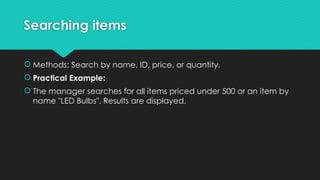
Searching items
 Methods: Search by name, ID, price, or quantity.
 Practical Example:
 The manager searches for all items priced under 500 or an item by
name "LED Bulbs". Results are displayed.
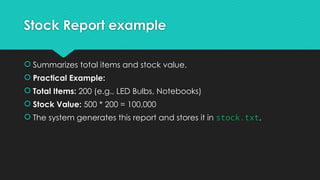
Stock Report example
 Summarizes total items and stock value.
 Practical Example:
 Total Items: 200 (e.g., LED Bulbs, Notebooks)
 Stock Value: 500 * 200 = 100,000
 The system generates this report and stores it in stock.txt.
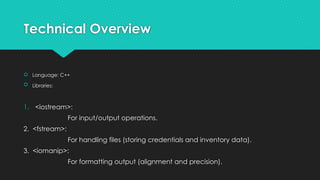
Technical Overview
 Language: C++
 Libraries:
1. <iostream>:
For input/output operations.
2. <fstream>:
For handling files (storing credentials and inventory data).
3. <iomanip>:
For formatting output (alignment and precision).
Technical Overview
 Data Storage:
1. Items: Items after adding,deletion and modification are
stored in (“items.txt”)
2. Credentials: Credentials are stored in file (“Project.txt”)
3. Report: Report is stored in file (“stock.txt”)
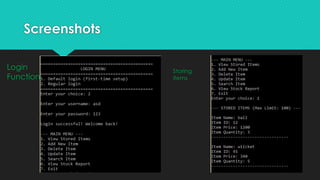
Screenshots
Login
Function
Storing
items
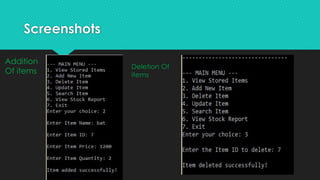
Screenshots
Deletion Of
items
Addition
Of items​
Screenshots
Updating
Items
Searching
Items
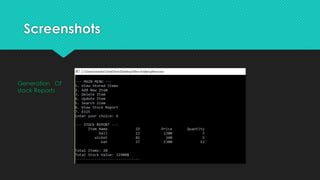
Screenshots
Generation Of
stock Reports
Key Challenges & Solutions
 Challenge 1: Secure login functionality
 Solution: Implemented username and password validation using file
reading and writing operations.
 Challenge 2: Efficient item management
 Solution: Used file operations (fstream) to store and retrieve item
data dynamically, allowing the addition, deletion, and
update
of items.
 Challenge 3: Maintaining inventory consistency
 Solution: After any item operation, the inventory data is re-written to
the file to ensure the changes persist.
Conclusion
This inventory management system provides users with the ability to
add,delete,update and search items as well as generating stock
reports efficiently. It ensures data persistence through file storage and
supports user login functionality.
You may ask questions :]

Programming Fundamentals - Inventory Management System Project.pptx

  • 1.
    Inventory management system Your SmartSolution for Seamless Inventory Control
  • 2.
    Introduction A system tomanage store/warehouse items. Allows users to perform operations like  Adding items  Deleting items  Updating items  Searching for items  Secure login for access  Generating stock reports
  • 3.
    Features of theSystem  Secure login with two options: 1. Default setup for new users 2. regular login for returning users.  Password protection for user security.  Only allows Admin to access system after successful login
  • 4.
    Features of theSystem Item management system It manages a list inventory items through:  Adding items  Deleting items  Updating items  Searching items
  • 5.
    Features of theSystem Stock report generation This feature generates a report on items having functionalities like:  Counting number of total items in inventory.  Total stock value of inventory.  Tabular representation of items and their details.
  • 6.
    How It Works LoginSystem  Default and regular login options are provided.  Default login asks for username and password setup, which are stored in a file.  Regular login compares the username and password entered by user to stored credentials in the file written at time of default login. Stock Report: A report is generated showing total stock and stock value.
  • 7.
    How It Works Itemmanagement system  Seperate functions for each functionality.  parametres are passed to all these functions from main function.  Different logics of file handling and iterations are applied for different functionalities.  For eg append ,mode of file is used in add(); function as data is to be written below the existing data.
  • 8.
    How It Works A stock report generation feature is used to generate a report to summarize all the data in inventory.  Basic Arithmetic operations are used alongwith iterations to update the total no.of items and total stock value after every iteration and store it as final results to be displayed
  • 9.
    System Workflow  Start Login  Main Menu  Options  Item Management  Stock Report  Options again  So on........Until the user decides to exit the program
  • 10.
    System work flow Start > Login > Main Menu Options > Item Management > Stock Report > Exit.  Until the user decides to exit the program  Practical Example :  A warehouse manager logs in, views the inventory, adds a new shipment of 50 items, and updates stock levels.
  • 11.
    Data Storage  Itemsstored in items.txt, credentials in project.txt, reports in stock.txt.  Practical Example:  Credentials: A manager sets up a username and password. These are securely saved in project.txt.  Items: New stock of pens is added. Details like ID, price, and quantity are written to items.txt.
  • 12.
    Login Functionality  Loginoptions for first-time setup or regular access.  Practical Example:  First-time login: The manager sets up the username "wallMart33" and password "12345".  Regular login: They enter these credentials for future access.
  • 13.
    Adding Items  Process:Input item details > Write to file.  Practical Example:  A warehouse manager adds a new item: Item Name: "LED Bulbs" Item ID: 101 Price: 500 Quantity: 200  Details are saved to items.txt.
  • 14.
    Deleting items  Process:Match ID > Remove item from file.  Practical Example:  A damaged stock of "LED Bulbs" (ID: 101) is removed. The system updates the file by deleting this entry.
  • 15.
    Searching items  Methods:Search by name, ID, price, or quantity.  Practical Example:  The manager searches for all items priced under 500 or an item by name "LED Bulbs". Results are displayed.
  • 16.
    Stock Report example Summarizes total items and stock value.  Practical Example:  Total Items: 200 (e.g., LED Bulbs, Notebooks)  Stock Value: 500 * 200 = 100,000  The system generates this report and stores it in stock.txt.
  • 17.
    Technical Overview  Language:C++  Libraries: 1. <iostream>: For input/output operations. 2. <fstream>: For handling files (storing credentials and inventory data). 3. <iomanip>: For formatting output (alignment and precision).
  • 18.
    Technical Overview  DataStorage: 1. Items: Items after adding,deletion and modification are stored in (“items.txt”) 2. Credentials: Credentials are stored in file (“Project.txt”) 3. Report: Report is stored in file (“stock.txt”)
  • 19.
  • 20.
  • 21.
  • 22.
  • 23.
    Key Challenges &Solutions  Challenge 1: Secure login functionality  Solution: Implemented username and password validation using file reading and writing operations.  Challenge 2: Efficient item management  Solution: Used file operations (fstream) to store and retrieve item data dynamically, allowing the addition, deletion, and update of items.  Challenge 3: Maintaining inventory consistency  Solution: After any item operation, the inventory data is re-written to the file to ensure the changes persist.
  • 24.
    Conclusion This inventory managementsystem provides users with the ability to add,delete,update and search items as well as generating stock reports efficiently. It ensures data persistence through file storage and supports user login functionality.
  • 25.
    You may askquestions :]