Printing Your 8x10s for 
the PDP HSA 
Two options 
1.In the store – walk in with your 
camera/memory card. More time 
consuming, but more likely to get it right 
on one try. 
2.Online – order over the 
internet. 
More convenient…but prone to error.
URGENT: 
Protect Your Print on Pickup! 
• No matter where you go, protect your prints from damage 
• Take a cardboard insert, bag, box, or something to put your 
prints into. 
• Look for damage on your prints when you pick them up. 
• If the lab mishandled them before they even give them to 
you, ask for them to be reprinted. 
• If the prints are too dark, or otherwise NOT acceptable, 
DON’T accept them. You don’t have to pay if you don’t like 
them. If you bring them to me, and they are unacceptable, it 
will be harder to get your money back.
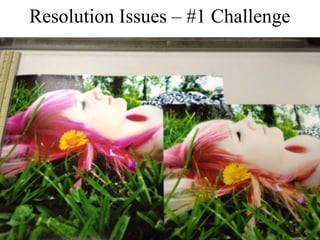
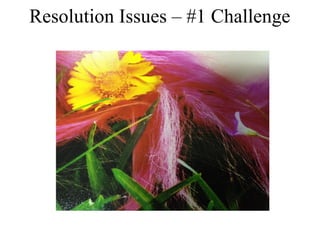
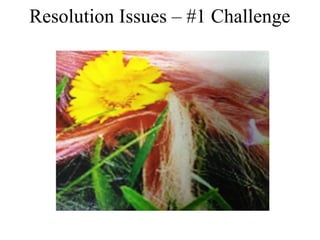
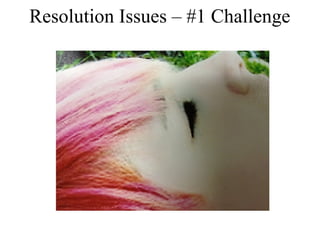
#1 Challenge for poor quality prints 
Resolution Issues 
1. Images REALLY must be 2000 x 3000 or 6mp (millions of 
pixels) and be a large, 2mb file (2,000 k) 
2. Low Resolution at the time of capture 
• OLD Low Resolution Camera 
• Shot on high res cell phone, but use FREE App, 
3. Image Downsized during handling 
• Emailed photo to self 
• Uploaded to a social site, then downloaded to another 
computer. i.e. you put online at Facebook or Instagram and then 
downloaded it from that site. 
4. Uploaded to printing center the wrong setting. 
1 – 3 will affect even walking into a store with the image.
Resolution Issues – #1 Challenge
Printing Your 8x10s, Online 
• Sam’s - $1.46 – best option…best quality print in town…but 
requires membership. 
• Walgreen's – $3-4. Easy access. More personal service. Glossy in 
1hr…Matte is mail order. Look for Coupons. 
• Wal-Mart - $2.84 per 8x10. Longer time to get in and out of store. 
Matte in 1 hr…Glossy is mail order. 
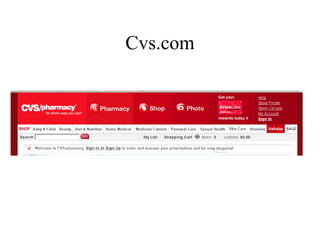
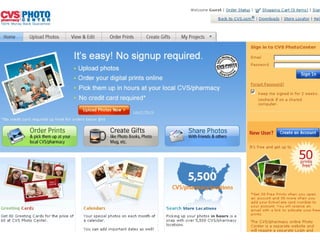
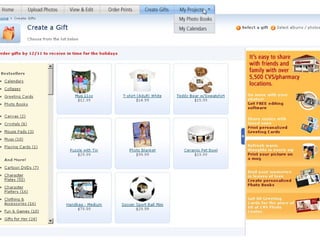
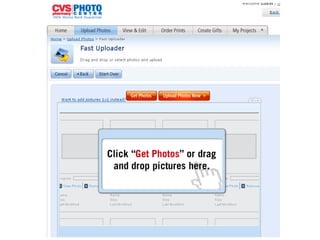
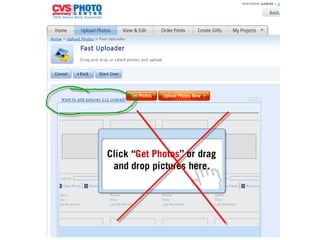
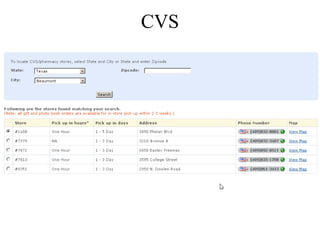
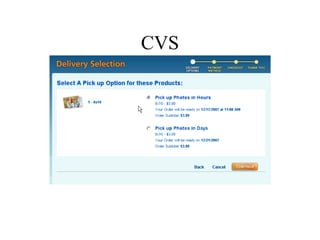
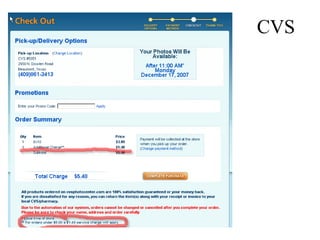
• CVS – $3.99. Tricky upload…be sure to use 1x1. Expensive 
surcharge if order is less than $5.00…not sure if still accurate. 
• Online mail order places. If you have plenty of time, you can 
order the prints and have them mailed to your house. 
• Adoramapix.com…$1.95, lots of paper types, options, etc. 
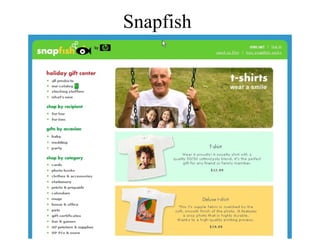
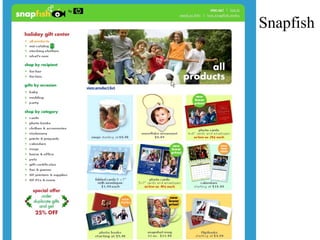
• Snapfish.com – all kind of photo products, from mugs to mousepads. 
• Shutterfly.com Mpix.com
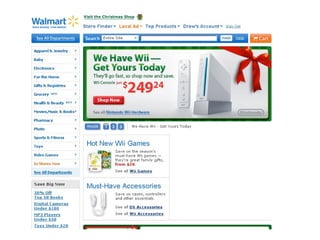
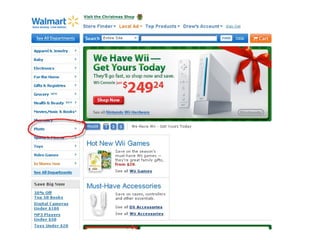
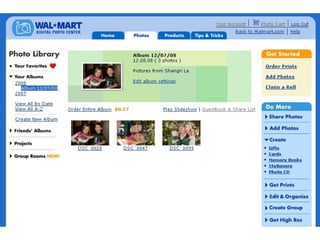
Wal-Mart
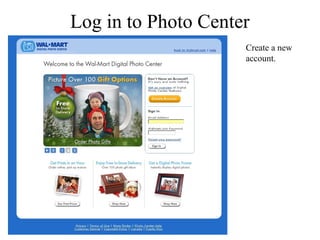
Log in to Photo Center 
Create a new 
account.
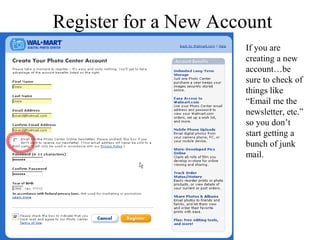
Register for a New Account 
If you are 
creating a new 
account…be 
sure to check of 
things like 
“Email me the 
newsletter, etc.” 
so you don’t 
start getting a 
bunch of junk 
mail.
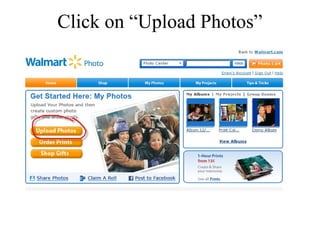
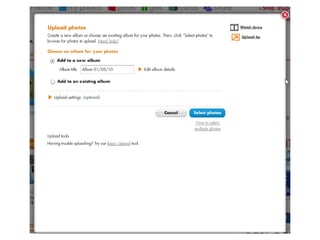
Click on “Upload Photos”
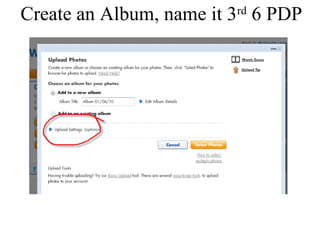
Create an Album, name it 3rd 6 PDP
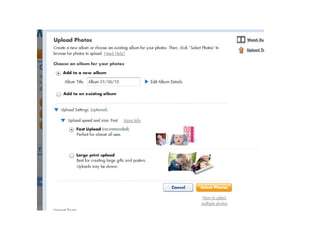
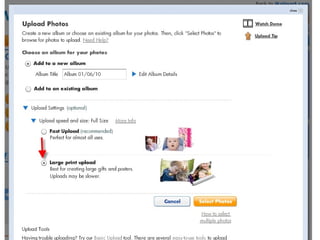
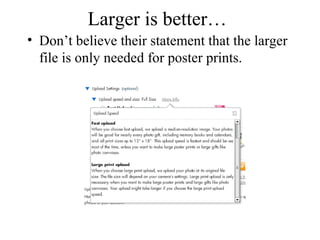
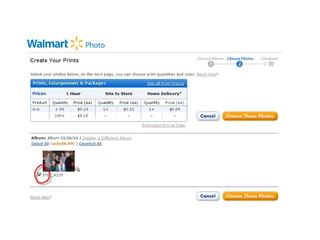
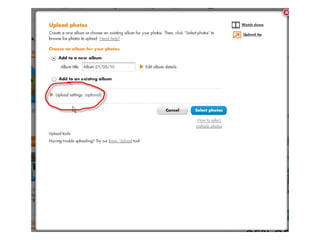
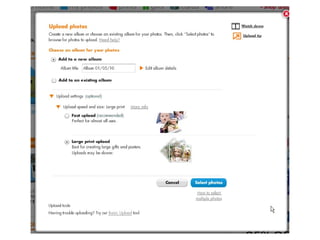
Larger is better… 
• Don’t believe their statement that the larger 
file is only needed for poster prints.
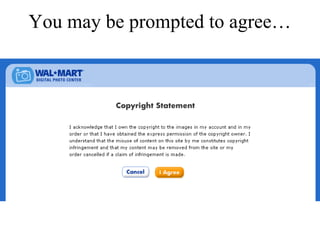
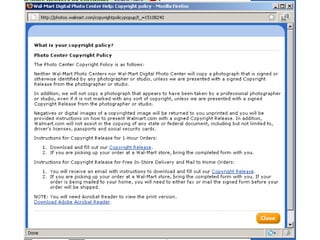
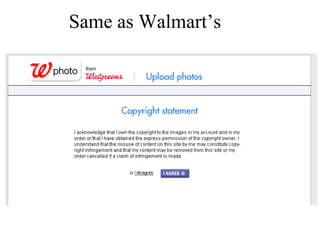
You may be prompted to agree…
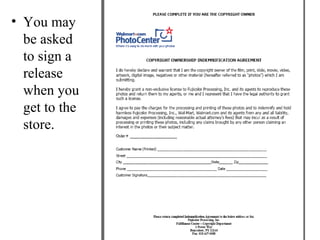
• You may 
be asked 
to sign a 
release 
when you 
get to the 
store.
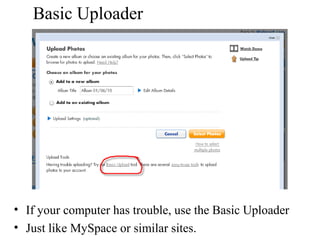
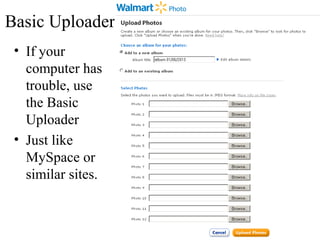
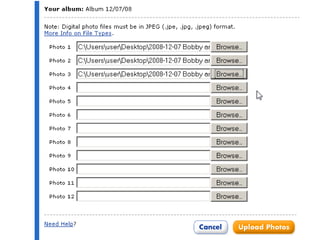
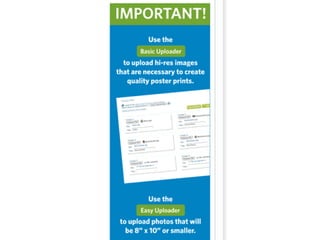
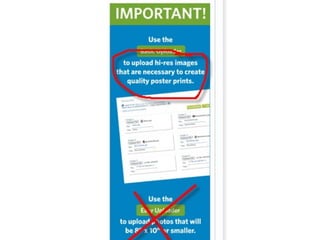
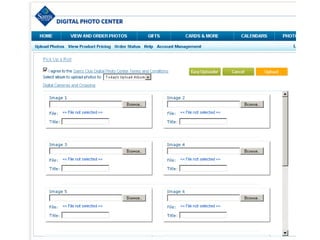
Basic Uploader 
• If your computer has trouble, use the Basic Uploader 
• Just like MySpace or similar sites.
Basic Uploader 
• If your 
computer has 
trouble, use 
the Basic 
Uploader 
• Just like 
MySpace or 
similar sites.
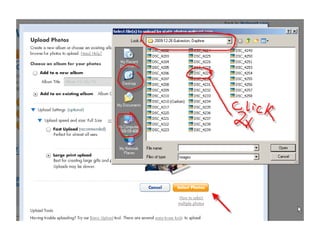
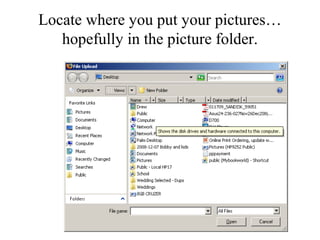
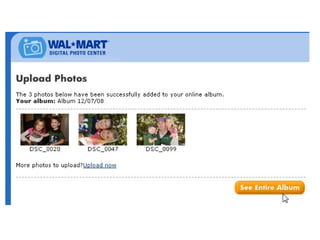
Locate where you put your pictures… 
hopefully in the picture folder.
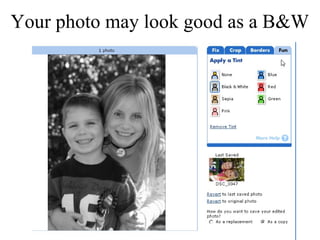
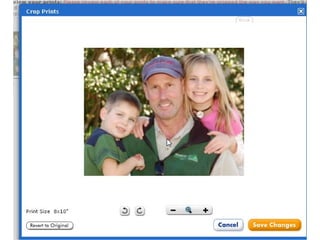
Your photo may look good as a B&W
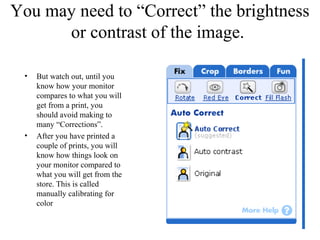
You may need to “Correct” the brightness 
or contrast of the image. 
• But watch out, until you 
know how your monitor 
compares to what you will 
get from a print, you 
should avoid making to 
many “Corrections”. 
• After you have printed a 
couple of prints, you will 
know how things look on 
your monitor compared to 
what you will get from the 
store. This is called 
manually calibrating for 
color
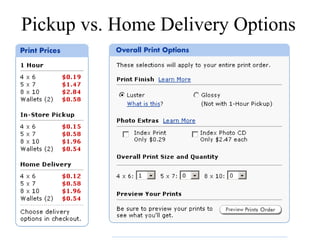
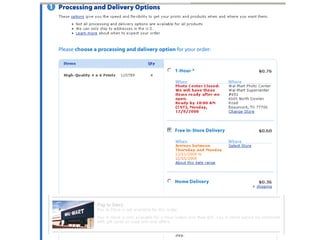
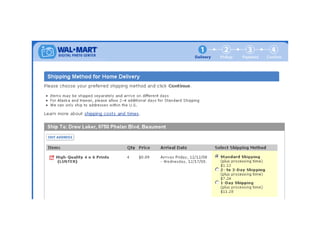
Pickup vs. Home Delivery Options
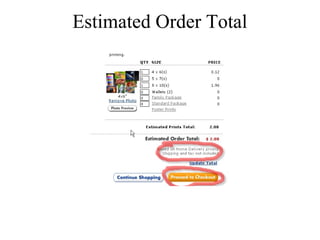
Estimated Order Total
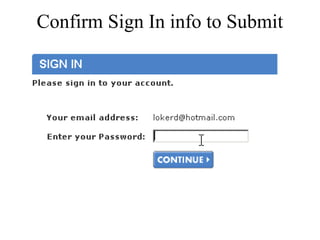
Confirm Sign In info to Submit
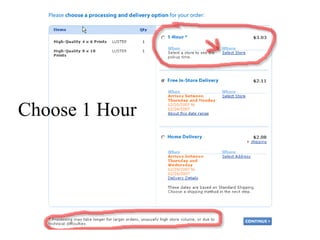
Choose 1 Hour
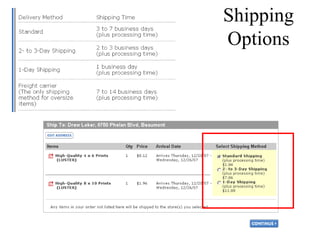
Shipping 
Options
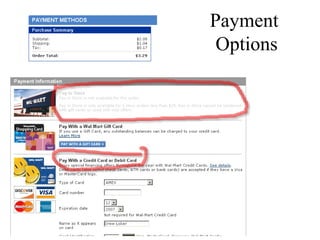
Payment 
Options
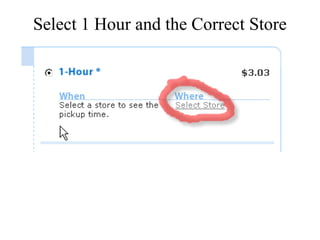
Select 1 Hour and the Correct Store
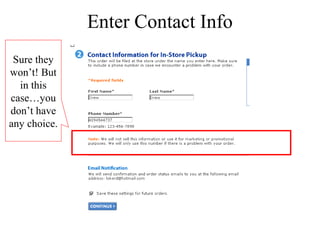
Enter Contact Info 
Sure they 
won’t! But 
in this 
case…you 
don’t have 
any choice.
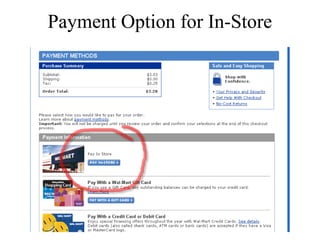
Payment Option for In-Store
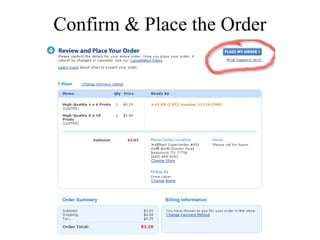
Confirm & Place the Order
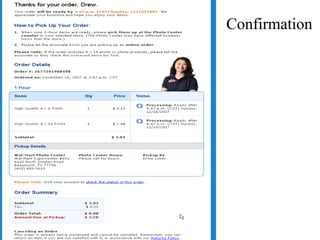
Confirmation
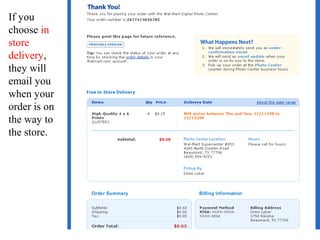
If you 
choose in 
store 
delivery, 
they will 
email you 
when your 
order is on 
the way to 
the store.
Walgreens.com
Same as Walmart’s
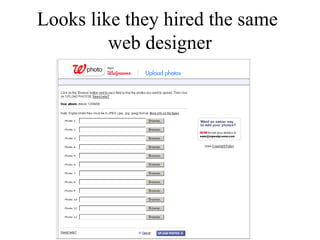
Looks like they hired the same 
web designer
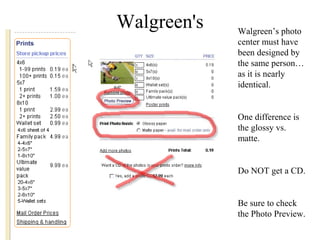
Walgreen's Walgreen’s photo 
center must have 
been designed by 
the same person… 
as it is nearly 
identical. 
One difference is 
the glossy vs. 
matte. 
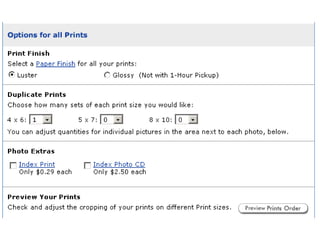
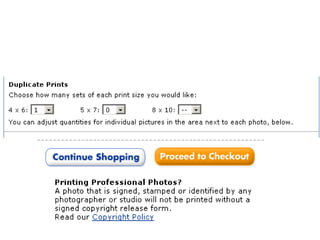
Do NOT get a CD. 
Be sure to check 
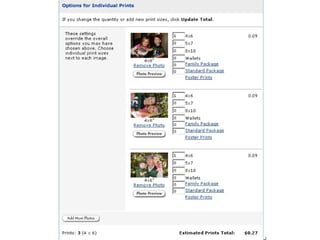
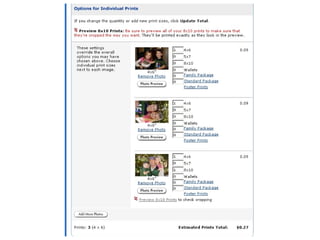
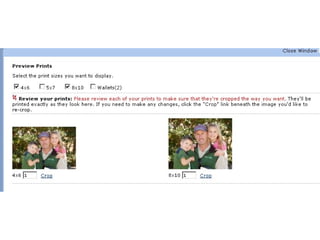
the Photo Preview.
Adding a CD 
• Generally, you don’t want to “Add a CD” because 
it will only burn the images to the disk that are 
being ordered. IOW, only the ones you are getting 
printed. 
• However, I have seen a Kiosk (at Sams) that will 
make an “Archive Disk” of all of the images read 
into the machine at the time the card was inserted 
into the machine. The same goes for a an Index 
Print. Ask if in doubt before adding this option 
while in the store. But for online orders, they can’t 
burn what you don’t upload.
Snapfish
Snapfish
Cvs.com
Unacceptable Downsizing 
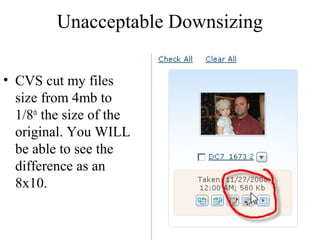
• CVS cut my files 
size from 4mb to 
1/8th the size of the 
original. You WILL 
be able to see the 
difference as an 
8x10.
CVS
CVS
CVS
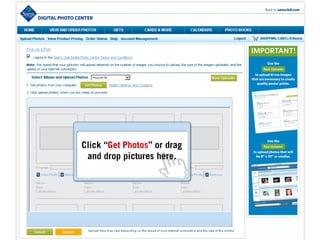
Sams
Printing Online 2
Printing Online 2
Printing Online 2

Printing Online 2

  • 1.
    Printing Your 8x10sfor the PDP HSA Two options 1.In the store – walk in with your camera/memory card. More time consuming, but more likely to get it right on one try. 2.Online – order over the internet. More convenient…but prone to error.
  • 2.
    URGENT: Protect YourPrint on Pickup! • No matter where you go, protect your prints from damage • Take a cardboard insert, bag, box, or something to put your prints into. • Look for damage on your prints when you pick them up. • If the lab mishandled them before they even give them to you, ask for them to be reprinted. • If the prints are too dark, or otherwise NOT acceptable, DON’T accept them. You don’t have to pay if you don’t like them. If you bring them to me, and they are unacceptable, it will be harder to get your money back.
  • 3.
    #1 Challenge forpoor quality prints Resolution Issues 1. Images REALLY must be 2000 x 3000 or 6mp (millions of pixels) and be a large, 2mb file (2,000 k) 2. Low Resolution at the time of capture • OLD Low Resolution Camera • Shot on high res cell phone, but use FREE App, 3. Image Downsized during handling • Emailed photo to self • Uploaded to a social site, then downloaded to another computer. i.e. you put online at Facebook or Instagram and then downloaded it from that site. 4. Uploaded to printing center the wrong setting. 1 – 3 will affect even walking into a store with the image.
  • 4.
  • 5.
  • 6.
  • 7.
  • 8.
  • 9.
    Printing Your 8x10s,Online • Sam’s - $1.46 – best option…best quality print in town…but requires membership. • Walgreen's – $3-4. Easy access. More personal service. Glossy in 1hr…Matte is mail order. Look for Coupons. • Wal-Mart - $2.84 per 8x10. Longer time to get in and out of store. Matte in 1 hr…Glossy is mail order. • CVS – $3.99. Tricky upload…be sure to use 1x1. Expensive surcharge if order is less than $5.00…not sure if still accurate. • Online mail order places. If you have plenty of time, you can order the prints and have them mailed to your house. • Adoramapix.com…$1.95, lots of paper types, options, etc. • Snapfish.com – all kind of photo products, from mugs to mousepads. • Shutterfly.com Mpix.com
  • 10.
  • 12.
    Log in toPhoto Center Create a new account.
  • 13.
    Register for aNew Account If you are creating a new account…be sure to check of things like “Email me the newsletter, etc.” so you don’t start getting a bunch of junk mail.
  • 14.
  • 15.
    Create an Album,name it 3rd 6 PDP
  • 18.
    Larger is better… • Don’t believe their statement that the larger file is only needed for poster prints.
  • 21.
    You may beprompted to agree…
  • 23.
    • You may be asked to sign a release when you get to the store.
  • 25.
    Basic Uploader •If your computer has trouble, use the Basic Uploader • Just like MySpace or similar sites.
  • 26.
    Basic Uploader •If your computer has trouble, use the Basic Uploader • Just like MySpace or similar sites.
  • 27.
    Locate where youput your pictures… hopefully in the picture folder.
  • 33.
    Your photo maylook good as a B&W
  • 34.
    You may needto “Correct” the brightness or contrast of the image. • But watch out, until you know how your monitor compares to what you will get from a print, you should avoid making to many “Corrections”. • After you have printed a couple of prints, you will know how things look on your monitor compared to what you will get from the store. This is called manually calibrating for color
  • 42.
    Pickup vs. HomeDelivery Options
  • 43.
  • 44.
    Confirm Sign Ininfo to Submit
  • 45.
  • 46.
  • 47.
  • 48.
    Select 1 Hourand the Correct Store
  • 49.
    Enter Contact Info Sure they won’t! But in this case…you don’t have any choice.
  • 50.
  • 51.
    Confirm & Placethe Order
  • 52.
  • 53.
    If you choosein store delivery, they will email you when your order is on the way to the store.
  • 56.
  • 57.
  • 61.
    Looks like theyhired the same web designer
  • 62.
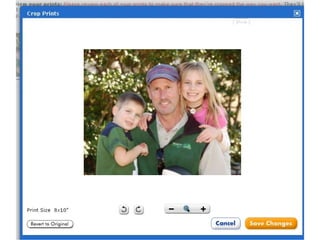
    Walgreen's Walgreen’s photo center must have been designed by the same person… as it is nearly identical. One difference is the glossy vs. matte. Do NOT get a CD. Be sure to check the Photo Preview.
  • 63.
    Adding a CD • Generally, you don’t want to “Add a CD” because it will only burn the images to the disk that are being ordered. IOW, only the ones you are getting printed. • However, I have seen a Kiosk (at Sams) that will make an “Archive Disk” of all of the images read into the machine at the time the card was inserted into the machine. The same goes for a an Index Print. Ask if in doubt before adding this option while in the store. But for online orders, they can’t burn what you don’t upload.
  • 64.
  • 65.
  • 66.
  • 71.
    Unacceptable Downsizing •CVS cut my files size from 4mb to 1/8th the size of the original. You WILL be able to see the difference as an 8x10.
  • 72.
  • 73.
  • 74.
  • 75.