Presentation Skills for
Open Source Folks
1
Dave Stokes
MySQL Community Manager --
speak 25-40 times a year
30 Some Years of speaking at
computer conferences, user
groups, Meetups
2
3
Exercise #1
4
You can now say
you have spoken
twice at an Open
Source Software
Conference
5
You’re
Welcome!
6
So why are you NOT speaking at this
conference today!?!?!?!
7
Glossophobia? Sloth?
Your audience wants you to
do well!
You are speaking to peers
(usually)
Helps you sharpen your skills
Others need your input!
8
Humans!
We want to learn from others and their experiences even if we are autodidacts!
Voyeurism / Rubbernecking
Seek the excitement of the new
9
What we are going to talk
about:
-How to get started and then get better at presenting presentations for
folks in the Open Source world.
10
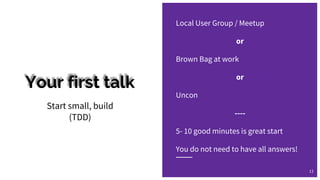
Your first talk
Local User Group / Meetup
or
Brown Bag at work
or
Uncon
----
5- 10 good minutes is great start
You do not need to have all answers!
Start small, build
(TDD)
11
Speaking
Skills
12
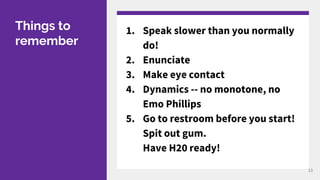
Things to
remember
1. Speak slower than you normally
do!
2. Enunciate
3. Make eye contact
4. Dynamics -- no monotone, no
Emo Phillips
5. Go to restroom before you start!
Spit out gum.
Have H20 ready!
13
Practice
At least three
times with active
listening!
14
Thou Shalt practice!!
15
Practice
Practice until you get it right,
then practice until you can not screw it
up.
Proper Prior Planning Prevents Piss Poor
Performance!
16
Slides!
17
Are slides necessary?
18
Slide Software
PowerPoint
Keynote
CustomShow
Prezi
SnagIt
Google slides
Impress
PDFs
19
20
Wall of test slides are very hard for most audiences to read and remember, at least half
the time, the folks in the back can not read due to font size limitations (and why do they
sit in the back when there are plenty of seats up or near the front; are they anti social or
what?) or the size of the projected image.
● Bullet points should be points and not essays, monographs, theses, dissertations or
biographies. They should be quick a summary of an idea or feature and the longer
they are the more likely it is that your audience is going to be enthralled with you
as it gets harder to read them
○ As you change to a smaller font
● Careful with color & fonts!! Some colors will not show in some room or on some
projectors with ambient light or ‘forced lighting’. It may be a graphic artists dream
hue but make sure it works.
● If you write in one presentation program and use another to present OR change
systems to present, make sure the fonts are fully loaded.
● Do not overuse transitions or animations.
● Use legible graphics and make sure all fits on your slide or lines of text will spill
About those graphics!! 21
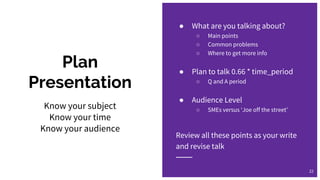
Plan
Presentation
● What are you talking about?
○ Main points
○ Common problems
○ Where to get more info
● Plan to talk 0.66 * time_period
○ Q and A period
● Audience Level
○ SMEs versus ‘Joe off the street’
Review all these points as your write
and revise talk
22
Know your subject
Know your time
Know your audience
Outline Main Points
1. Subject name &
summary of what is
does
2. Features
3. Options
4. Usage
5. Reference material
1. Project X is an Open Source
project to do Y
2. Allows you to do Y with Z and W
3. Options
a. --W provides W
b. --Check-only means does
not want to pay cash
4. Common use of Project X
5. https://project-x.org
23
Live Demos
Do not depend on conference WiFi!
● Even if it worked five minutes
before
Consider pre recording
● It is going to work every time
KNOW the demo backwards/forwards
● Expect the unexpected
24
Are like magic tricks -- if they work
they impress the audience and if
not things can get very ugly.
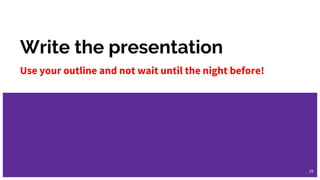
Write the presentation
Use your outline and not wait until the night before!
25
Review
You need to look at presentation
with fresh eyes.
A second set of eyes can help.
1. Does presentation cover desired
scope?
2. Would your mother understand
main ideas as presented?
3. Is there tangential stuff that
could be eliminated?
4. Do you have enough time to get
through presentation?
5. Do you have enough material?
a. Keep it short and sweet
b. Add in more details/examples
26
What you
want in your
Open
Source Talk
● Content
○ Raw meat technical information
○ Use cases
● Clarity
○ Keep expectations as simple as possible to
convey concept
○ You can get complex after that
● Color-less
○ Give details as devoid of color as possible
● Carat
○ Does the ‘weight’ of your presentation
worth X amount of time of someone’s life?
27
What you don’t
want in your
Open Source
Talk
● Useless benchmarks
○ Make sure the axis are relevant
○ Unreadable tags
● Excess Marketing or Public Relations
● Slander, FUD, or Insults
● Audience insults
○ General -- You are not Don Rickles
○ Specific -- ‘All users of X are pudding
heads!’
● Excessive animations or transitions
○ Especially if they drag
28
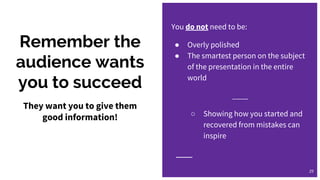
Remember the
audience wants
you to succeed
You do not need to be:
● Overly polished
● The smartest person on the subject
of the presentation in the entire
world
____
○ Showing how you started and
recovered from mistakes can
inspire
29
They want you to give them
good information!
Stuff you need
(or need to do)
30
Your
Presentation
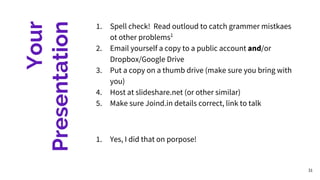
1. Spell check! Read outloud to catch grammer mistkaes
ot other problems1
2. Email yourself a copy to a public account and/or
Dropbox/Google Drive
3. Put a copy on a thumb drive (make sure you bring with
you)
4. Host at slideshare.net (or other similar)
5. Make sure Joind.in details correct, link to talk
1. Yes, I did that on porpose!
31
Post Slides Online
Joind.in
Promote online
32
Copyright
33
You may want to copyright with
copyright symbol if you are
providing proprietary information
belonging to you our you
company!
But why are you at a FOSS show?!
Or state Creative Commons License
(or similar) explicitly.
Be prepared (or encourage) content to
be appropriated
Equipment to
have
To make sure you can present
34
Get yourself a
bag or pouch
and stock with:
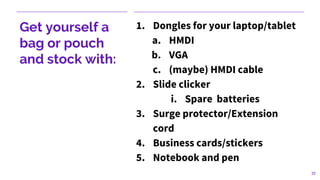
1. Dongles for your laptop/tablet
a. HMDI
b. VGA
c. (maybe) HMDI cable
2. Slide clicker
i. Spare batteries
3. Surge protector/Extension
cord
4. Business cards/stickers
5. Notebook and pen
35
Thou shalt nots
36
Thingsto
avoid
Chewing gum
Unzipped zippers
Nervous laughter
‘So’, ‘okay’, ‘um’ to excess
Cursing
TOOAOTPK
● The Overuse of Acronyms Only Two People
Know 37
Biological Stuff
1. Drain Bladder
2. Bring Water
3. (whatever else you need)
38
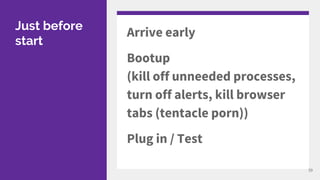
Just before
start
Arrive early
Bootup
(kill off unneeded processes,
turn off alerts, kill browser
tabs (tentacle porn))
Plug in / Test
39
Start
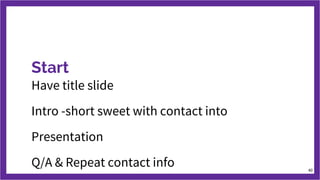
Have title slide
Intro -short sweet with contact into
Presentation
Q/A & Repeat contact info 40
Navy Way
Tell them what
they are about to
learn
Teach material
Summarize what
they learned
41
Toastmasters
42
Okay, you did it!
43
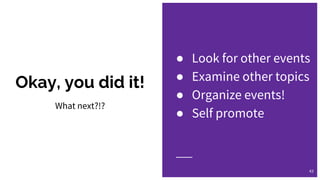
What next?!?
● Look for other events
● Examine other topics
● Organize events!
● Self promote
What We Covered
Presentation Skills for Open Source Folks
44
Q/A
david.stokes@oracle.com
@Stoker
slideshare.net/davidmstokes
Opensourcedba.wordpress.com
elephantdolphin.blogspot.com
45
The ONLY dumb question is the
one that is not asked!!

Presentation Skills for Open Source Folks

  • 1.
  • 2.
    Dave Stokes MySQL CommunityManager -- speak 25-40 times a year 30 Some Years of speaking at computer conferences, user groups, Meetups 2
  • 3.
  • 4.
  • 5.
    You can nowsay you have spoken twice at an Open Source Software Conference 5
  • 6.
  • 7.
    So why areyou NOT speaking at this conference today!?!?!?! 7
  • 8.
    Glossophobia? Sloth? Your audiencewants you to do well! You are speaking to peers (usually) Helps you sharpen your skills Others need your input! 8
  • 9.
    Humans! We want tolearn from others and their experiences even if we are autodidacts! Voyeurism / Rubbernecking Seek the excitement of the new 9
  • 10.
    What we aregoing to talk about: -How to get started and then get better at presenting presentations for folks in the Open Source world. 10
  • 11.
    Your first talk LocalUser Group / Meetup or Brown Bag at work or Uncon ---- 5- 10 good minutes is great start You do not need to have all answers! Start small, build (TDD) 11
  • 12.
  • 13.
    Things to remember 1. Speakslower than you normally do! 2. Enunciate 3. Make eye contact 4. Dynamics -- no monotone, no Emo Phillips 5. Go to restroom before you start! Spit out gum. Have H20 ready! 13
  • 14.
    Practice At least three timeswith active listening! 14
  • 15.
  • 16.
    Practice Practice until youget it right, then practice until you can not screw it up. Proper Prior Planning Prevents Piss Poor Performance! 16
  • 17.
  • 18.
  • 19.
  • 20.
    20 Wall of testslides are very hard for most audiences to read and remember, at least half the time, the folks in the back can not read due to font size limitations (and why do they sit in the back when there are plenty of seats up or near the front; are they anti social or what?) or the size of the projected image. ● Bullet points should be points and not essays, monographs, theses, dissertations or biographies. They should be quick a summary of an idea or feature and the longer they are the more likely it is that your audience is going to be enthralled with you as it gets harder to read them ○ As you change to a smaller font ● Careful with color & fonts!! Some colors will not show in some room or on some projectors with ambient light or ‘forced lighting’. It may be a graphic artists dream hue but make sure it works. ● If you write in one presentation program and use another to present OR change systems to present, make sure the fonts are fully loaded. ● Do not overuse transitions or animations. ● Use legible graphics and make sure all fits on your slide or lines of text will spill
  • 21.
  • 22.
    Plan Presentation ● What areyou talking about? ○ Main points ○ Common problems ○ Where to get more info ● Plan to talk 0.66 * time_period ○ Q and A period ● Audience Level ○ SMEs versus ‘Joe off the street’ Review all these points as your write and revise talk 22 Know your subject Know your time Know your audience
  • 23.
    Outline Main Points 1.Subject name & summary of what is does 2. Features 3. Options 4. Usage 5. Reference material 1. Project X is an Open Source project to do Y 2. Allows you to do Y with Z and W 3. Options a. --W provides W b. --Check-only means does not want to pay cash 4. Common use of Project X 5. https://project-x.org 23
  • 24.
    Live Demos Do notdepend on conference WiFi! ● Even if it worked five minutes before Consider pre recording ● It is going to work every time KNOW the demo backwards/forwards ● Expect the unexpected 24 Are like magic tricks -- if they work they impress the audience and if not things can get very ugly.
  • 25.
    Write the presentation Useyour outline and not wait until the night before! 25
  • 26.
    Review You need tolook at presentation with fresh eyes. A second set of eyes can help. 1. Does presentation cover desired scope? 2. Would your mother understand main ideas as presented? 3. Is there tangential stuff that could be eliminated? 4. Do you have enough time to get through presentation? 5. Do you have enough material? a. Keep it short and sweet b. Add in more details/examples 26
  • 27.
    What you want inyour Open Source Talk ● Content ○ Raw meat technical information ○ Use cases ● Clarity ○ Keep expectations as simple as possible to convey concept ○ You can get complex after that ● Color-less ○ Give details as devoid of color as possible ● Carat ○ Does the ‘weight’ of your presentation worth X amount of time of someone’s life? 27
  • 28.
    What you don’t wantin your Open Source Talk ● Useless benchmarks ○ Make sure the axis are relevant ○ Unreadable tags ● Excess Marketing or Public Relations ● Slander, FUD, or Insults ● Audience insults ○ General -- You are not Don Rickles ○ Specific -- ‘All users of X are pudding heads!’ ● Excessive animations or transitions ○ Especially if they drag 28
  • 29.
    Remember the audience wants youto succeed You do not need to be: ● Overly polished ● The smartest person on the subject of the presentation in the entire world ____ ○ Showing how you started and recovered from mistakes can inspire 29 They want you to give them good information!
  • 30.
    Stuff you need (orneed to do) 30
  • 31.
    Your Presentation 1. Spell check!Read outloud to catch grammer mistkaes ot other problems1 2. Email yourself a copy to a public account and/or Dropbox/Google Drive 3. Put a copy on a thumb drive (make sure you bring with you) 4. Host at slideshare.net (or other similar) 5. Make sure Joind.in details correct, link to talk 1. Yes, I did that on porpose! 31
  • 32.
  • 33.
    Copyright 33 You may wantto copyright with copyright symbol if you are providing proprietary information belonging to you our you company! But why are you at a FOSS show?! Or state Creative Commons License (or similar) explicitly. Be prepared (or encourage) content to be appropriated
  • 34.
    Equipment to have To makesure you can present 34
  • 35.
    Get yourself a bagor pouch and stock with: 1. Dongles for your laptop/tablet a. HMDI b. VGA c. (maybe) HMDI cable 2. Slide clicker i. Spare batteries 3. Surge protector/Extension cord 4. Business cards/stickers 5. Notebook and pen 35
  • 36.
  • 37.
    Thingsto avoid Chewing gum Unzipped zippers Nervouslaughter ‘So’, ‘okay’, ‘um’ to excess Cursing TOOAOTPK ● The Overuse of Acronyms Only Two People Know 37
  • 38.
    Biological Stuff 1. DrainBladder 2. Bring Water 3. (whatever else you need) 38
  • 39.
    Just before start Arrive early Bootup (killoff unneeded processes, turn off alerts, kill browser tabs (tentacle porn)) Plug in / Test 39
  • 40.
    Start Have title slide Intro-short sweet with contact into Presentation Q/A & Repeat contact info 40
  • 41.
    Navy Way Tell themwhat they are about to learn Teach material Summarize what they learned 41
  • 42.
  • 43.
    Okay, you didit! 43 What next?!? ● Look for other events ● Examine other topics ● Organize events! ● Self promote
  • 44.
    What We Covered PresentationSkills for Open Source Folks 44
  • 45.