Introduction: A Journey
ThroughComputing from
Vacuum Tubes to the
Future
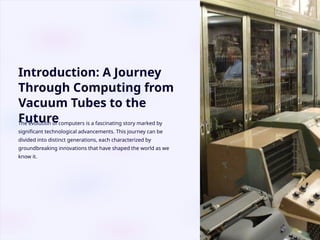
The evolution of computers is a fascinating story marked by
significant technological advancements. This journey can be
divided into distinct generations, each characterized by
groundbreaking innovations that have shaped the world as we
know it.
3.
First Generation: VacuumTube Computers
(1940s-1950s)
Bulky and Power-
Hungry
Vacuum tubes, large and
energy-consuming,
characterized these early
computers. They
generated immense heat
and required frequent
maintenance.
Limited Capabilities
These computers were
primarily used for
scientific calculations
and military purposes,
with limited applications
in everyday life. They
were slow and
inefficient, processing
information in
milliseconds.
Programming
Challenges
Programming was a
complex process,
requiring specialized
skills and knowledge.
Programs were written in
machine language, a
low-level language that
was difficult to
understand and use.
Landmark Examples
ENIAC (Electronic
Numerical Integrator
And Computer) and
UNIVAC (Universal
Automatic Computer)
were pioneers of the first
generation. ENIAC was
used to calculate
ballistics tables for the
US Army during World
War II.
4.
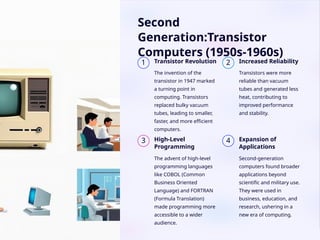
Second
Generation:Transistor
Computers (1950s-1960s)
1 TransistorRevolution
The invention of the
transistor in 1947 marked
a turning point in
computing. Transistors
replaced bulky vacuum
tubes, leading to smaller,
faster, and more efficient
computers.
2 Increased Reliability
Transistors were more
reliable than vacuum
tubes and generated less
heat, contributing to
improved performance
and stability.
3 High-Level
Programming
The advent of high-level
programming languages
like COBOL (Common
Business Oriented
Language) and FORTRAN
(Formula Translation)
made programming more
accessible to a wider
audience.
4 Expansion of
Applications
Second-generation
computers found broader
applications beyond
scientific and military use.
They were used in
business, education, and
research, ushering in a
new era of computing.
5.
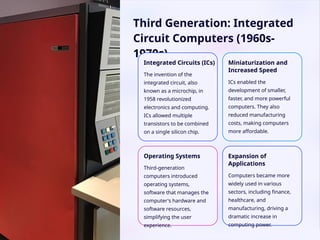
Third Generation: Integrated
CircuitComputers (1960s-
1970s)
Integrated Circuits (ICs)
The invention of the
integrated circuit, also
known as a microchip, in
1958 revolutionized
electronics and computing.
ICs allowed multiple
transistors to be combined
on a single silicon chip.
Miniaturization and
Increased Speed
ICs enabled the
development of smaller,
faster, and more powerful
computers. They also
reduced manufacturing
costs, making computers
more affordable.
Operating Systems
Third-generation
computers introduced
operating systems,
software that manages the
computer's hardware and
software resources,
simplifying the user
experience.
Expansion of
Applications
Computers became more
widely used in various
sectors, including finance,
healthcare, and
manufacturing, driving a
dramatic increase in
computing power.
6.
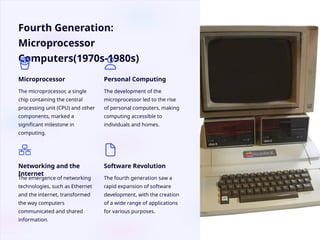
Fourth Generation:
Microprocessor
Computers(1970s-1980s)
Microprocessor
The microprocessor,a single
chip containing the central
processing unit (CPU) and other
components, marked a
significant milestone in
computing.
Personal Computing
The development of the
microprocessor led to the rise
of personal computers, making
computing accessible to
individuals and homes.
Networking and the
Internet
The emergence of networking
technologies, such as Ethernet
and the internet, transformed
the way computers
communicated and shared
information.
Software Revolution
The fourth generation saw a
rapid expansion of software
development, with the creation
of a wide range of applications
for various purposes.
7.
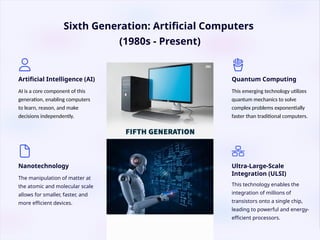
Sixth Generation: ArtificialComputers
(1980s - Present)
Artificial Intelligence (AI)
AI is a core component of this
generation, enabling computers
to learn, reason, and make
decisions independently.
Nanotechnology
The manipulation of matter at
the atomic and molecular scale
allows for smaller, faster, and
more efficient devices.
Quantum Computing
This emerging technology utilizes
quantum mechanics to solve
complex problems exponentially
faster than traditional computers.
Ultra-Large-Scale
Integration (ULSI)
This technology enables the
integration of millions of
transistors onto a single chip,
leading to powerful and energy-
efficient processors.
8.
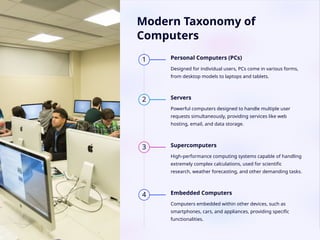
Modern Taxonomy of
Computers
1Personal Computers (PCs)
Designed for individual users, PCs come in various forms,
from desktop models to laptops and tablets.
2 Servers
Powerful computers designed to handle multiple user
requests simultaneously, providing services like web
hosting, email, and data storage.
3 Supercomputers
High-performance computing systems capable of handling
extremely complex calculations, used for scientific
research, weather forecasting, and other demanding tasks.
4 Embedded Computers
Computers embedded within other devices, such as
smartphones, cars, and appliances, providing specific
functionalities.
9.
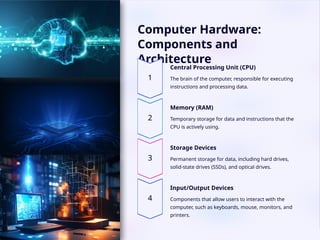
Computer Hardware:
Components and
Architecture
CentralProcessing Unit (CPU)
The brain of the computer, responsible for executing
instructions and processing data.
Memory (RAM)
Temporary storage for data and instructions that the
CPU is actively using.
Storage Devices
Permanent storage for data, including hard drives,
solid-state drives (SSDs), and optical drives.
Input/Output Devices
Components that allow users to interact with the
computer, such as keyboards, mouse, monitors, and
printers.
10.
Computer Software
SystemSoftware:
Application Software:
• Productivity Software: Used for office tasks
(e.g., Microsoft Word, Excel, PowerPoint).
• Multimedia Software: Used for creating and editing multimedia content
(e.g., Adobe Photoshop, Premiere Pro).
• Games: For entertainment
(e.g., Fortnite, Minecraft).
• Web Browsers: For accessing the internet
(e.g., Google Chrome, Mozilla Firefox).
Key Point: Without software, hardware is just a collection of useless components. Software brings life to
the hardware and allows us to perform various tasks on our computers.
Software is the non-physical, intangible part of a computer system that consists of programs and
instructions. It's the set of instructions that tells the hardware what to do and how to perform
tasks.
• Operating Systems: Manages hardware and software resources
(e.g., Windows, macOS, Linux)
• Device Drivers: Controls specific hardware devices
(e.g., printer drivers, graphics card drivers)
• Utility Software: Performs specific tasks like antivirus, disk cleanup, and file compression
11.
Trends and Innovationsin Computer
Hardware and Software
1
Artificial Intelligence (AI)
AI is transforming computing, enabling machines to learn, reason, and make decisions.
2
Quantum Computing
Quantum computers leverage the principles of quantum mechanics to solve
problems that are intractable for traditional computers.
3
Cloud Computing
Cloud computing allows users to access computing resources and
applications over the internet, providing flexibility and scalability.
4
Internet of Things (IoT)
The IoT connects billions of devices, enabling data
collection, analysis, and automation.
12.
Conclusion:
The Future ofComputing
1
Ubiquitous Computing
Computing will become
seamlessly integrated into our
lives, making it invisible and
accessible everywhere.
2
Personalized Computing
Computers will tailor their
interactions and responses
based on individual preferences
and needs.
3
Augmented Reality (AR)
AR will blend the physical and
digital worlds, creating
immersive experiences.
4
Ethical Considerations
As computing evolves, it is
crucial to address ethical
considerations, ensuring
responsible and equitable use.