WINDOWS XP
PRESENTED BY: RAKASH AFZAL
Explanation:
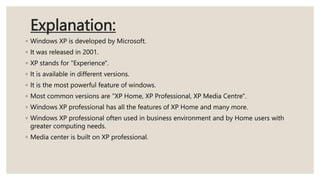
◦ Windows XP is developed by Microsoft.
◦ It was released in 2001.
◦ XP stands for "Experience".
◦ It is available in different versions.
◦ It is the most powerful feature of windows.
◦ Most common versions are "XP Home, XP Professional, XP Media Centre".
◦ Windows XP professional has all the features of XP Home and many more.
◦ Windows XP professional often used in business environment and by Home users with
greater computing needs.
◦ Media center is built on XP professional.
Features of Windows XP:
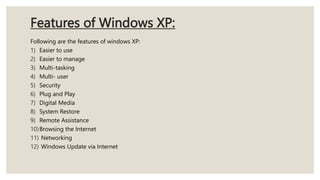
Following are the features of windows XP:
1) Easier to use
2) Easier to manage
3) Multi-tasking
4) Multi- user
5) Security
6) Plug and Play
7) Digital Media
8) System Restore
9) Remote Assistance
10)Browsing the Internet
11) Networking
12) Windows Update via Internet
Explanation:
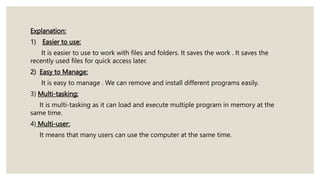
1) Easier to use:
It is easier to use to work with files and folders. It saves the work . It saves the
recently used files for quick access later.
2) Easy to Manage:
It is easy to manage . We can remove and install different programs easily.
3) Multi-tasking:
It is multi-tasking as it can load and execute multiple program in memory at the
same time.
4) Multi-user:
It means that many users can use the computer at the same time.
5) Security:
It means that it can restrict access to many programs , files, folders and other
resources on the network. It can also "Firewall" that protects system from attacking
access to system over the internet.
6) Plug and Play:
It the capability that is used to detect and configure a device and install appropriate
device drivers.
7) Digital Media:
It provides many features to enjoy and share digital music, movies, and pictures.
8) System Restore:
It provides the feature to restore operating system in case of any problem.
9) Remote Assistance:
The feature allows a friend at different location to connect to your computer and view
its screen.
10) Browsing the Internet:
It provides the facility to browse the internet.
11) Networking:
Windows XP provides the facility to establish , maintain and troubleshoot a
network.
12) Windows Update via Internet:
The user can update windows operating system via internet . The windows Update
wizard can be used to download and install the latest updates for windows and
softwares.
THANK YOU

Presentation 7 (1).pptx windows Xp explanation

  • 1.
  • 2.
    Explanation: ◦ Windows XPis developed by Microsoft. ◦ It was released in 2001. ◦ XP stands for "Experience". ◦ It is available in different versions. ◦ It is the most powerful feature of windows. ◦ Most common versions are "XP Home, XP Professional, XP Media Centre". ◦ Windows XP professional has all the features of XP Home and many more. ◦ Windows XP professional often used in business environment and by Home users with greater computing needs. ◦ Media center is built on XP professional.
  • 3.
    Features of WindowsXP: Following are the features of windows XP: 1) Easier to use 2) Easier to manage 3) Multi-tasking 4) Multi- user 5) Security 6) Plug and Play 7) Digital Media 8) System Restore 9) Remote Assistance 10)Browsing the Internet 11) Networking 12) Windows Update via Internet
  • 4.
    Explanation: 1) Easier touse: It is easier to use to work with files and folders. It saves the work . It saves the recently used files for quick access later. 2) Easy to Manage: It is easy to manage . We can remove and install different programs easily. 3) Multi-tasking: It is multi-tasking as it can load and execute multiple program in memory at the same time. 4) Multi-user: It means that many users can use the computer at the same time.
  • 5.
    5) Security: It meansthat it can restrict access to many programs , files, folders and other resources on the network. It can also "Firewall" that protects system from attacking access to system over the internet. 6) Plug and Play: It the capability that is used to detect and configure a device and install appropriate device drivers. 7) Digital Media: It provides many features to enjoy and share digital music, movies, and pictures. 8) System Restore: It provides the feature to restore operating system in case of any problem.
  • 6.
    9) Remote Assistance: Thefeature allows a friend at different location to connect to your computer and view its screen. 10) Browsing the Internet: It provides the facility to browse the internet. 11) Networking: Windows XP provides the facility to establish , maintain and troubleshoot a network. 12) Windows Update via Internet: The user can update windows operating system via internet . The windows Update wizard can be used to download and install the latest updates for windows and softwares.
  • 7.