Timeline
                                    Reading and Writing


ULACIT   Instructional Technology   2010
     It is a graphic design
            showing a long bar labeled
            with dates of important
            events during a period of
            time


What is a timeline?
   ULACIT        Instructional Technology   2010
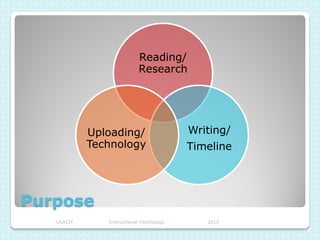
Reading/
                           Research


            Uploading/                    Writing/
            Technology                    Timeline


Purpose
   ULACIT      Instructional Technology      2010
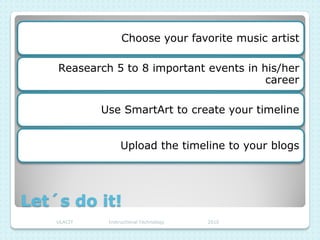
Choose your favorite music artist

    Reasearch 5 to 8 important events in his/her
                                          career

             Use SmartArt to create your timeline


                   Upload the timeline to your blogs


Let´s do it!
    ULACIT    Instructional Technology   2010
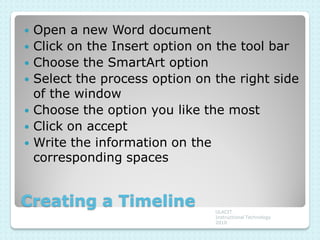
   Open a new Word document
   Click on the Insert option on the tool bar
   Choose the SmartArt option
   Select the process option on the right side
    of the window
   Choose the option you like the most
   Click on accept
   Write the information on the
    corresponding spaces


Creating a Timeline              ULACIT
                                 Instructional Technology
                                 2010
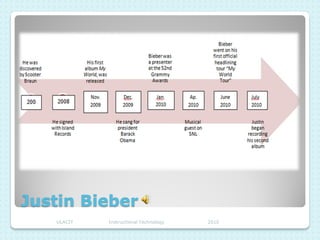
Justin Bieber
   ULACIT   Instructional Technology   2010

Ppt timeline

  • 1.
    Timeline Reading and Writing ULACIT Instructional Technology 2010
  • 2.
    It is a graphic design showing a long bar labeled with dates of important events during a period of time What is a timeline? ULACIT Instructional Technology 2010
  • 3.
    Reading/ Research Uploading/ Writing/ Technology Timeline Purpose ULACIT Instructional Technology 2010
  • 4.
    Choose your favoritemusic artist Reasearch 5 to 8 important events in his/her career Use SmartArt to create your timeline Upload the timeline to your blogs Let´s do it! ULACIT Instructional Technology 2010
  • 5.
    Open a new Word document  Click on the Insert option on the tool bar  Choose the SmartArt option  Select the process option on the right side of the window  Choose the option you like the most  Click on accept  Write the information on the corresponding spaces Creating a Timeline ULACIT Instructional Technology 2010
  • 6.
    Justin Bieber ULACIT Instructional Technology 2010