Build a computer.
(Simple Version)
Gather parts
Computer Case   RAM


Power Supply    CPU


Motherboard     Hard Drive


                Disc Drive
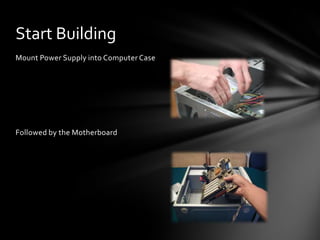
Start Building
Mount Power Supply into Computer Case


Followed by the Motherboard
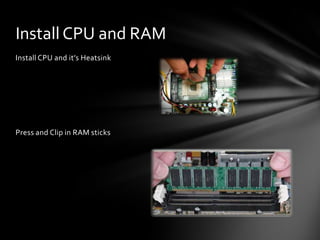
Install CPU and RAM
Install CPU and it’s Heatsink


Press and Clip in RAM sticks
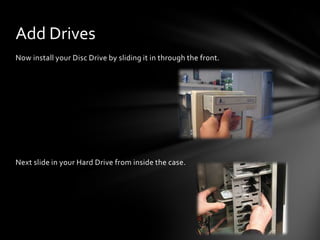
Add Drives
Now install your Disc Drive by sliding it in through the front.


Next slide in your Hard Drive from inside the case.
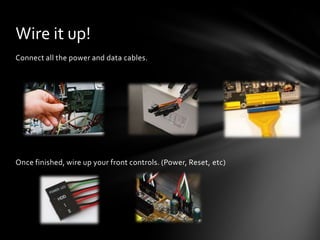
Wire it up!
Connect all the power and data cables.


Once finished, wire up your front controls. (Power, Reset, etc)
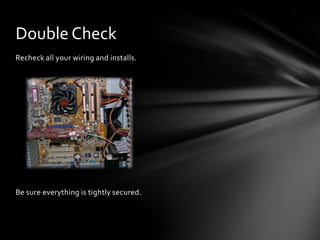
Double Check
Recheck all your wiring and installs.


Be sure everything is tightly secured.
Power Up!
Turn on your newly assembled computer.
Image References
       The following websites were used for images:
                     http://0.tqn.com
             http://www.youcanbuildapc.com
                http://3.bp.blogspot.com
              http://www.instructables.com
                http://www.widowpc.com
               http://www.fonerbooks.com
                  http://s2.hubimg.com
             http://www.nordichardware.com
                 http://www.cdrinfo.com
                http://www.dansdata.com
                 http://pctechguide.com

Pp final

  • 1.
  • 2.
    Gather parts Computer Case RAM Power Supply CPU Motherboard Hard Drive Disc Drive
  • 3.
    Start Building Mount PowerSupply into Computer Case Followed by the Motherboard
  • 4.
    Install CPU andRAM Install CPU and it’s Heatsink Press and Clip in RAM sticks
  • 5.
    Add Drives Now installyour Disc Drive by sliding it in through the front. Next slide in your Hard Drive from inside the case.
  • 6.
    Wire it up! Connectall the power and data cables. Once finished, wire up your front controls. (Power, Reset, etc)
  • 7.
    Double Check Recheck allyour wiring and installs. Be sure everything is tightly secured.
  • 8.
    Power Up! Turn onyour newly assembled computer.
  • 9.
    Image References The following websites were used for images: http://0.tqn.com http://www.youcanbuildapc.com http://3.bp.blogspot.com http://www.instructables.com http://www.widowpc.com http://www.fonerbooks.com http://s2.hubimg.com http://www.nordichardware.com http://www.cdrinfo.com http://www.dansdata.com http://pctechguide.com